Share
Embed
Git at Scale
Slides used in my talk at Git Merge 2016 in New York.
http://git-merge.com/
Lars Schneider
April 05, 2016
Transcript
58 slides
-
Adopt Git at Scale and Stay Sane Lars Schneider Technical
Lead GitHub Solutions Autodesk larsxschneider kit3bus [email protected] -
Today's topics? 1. Ease Git on-boarding 2. Git usage recommendations
3. Git usage monitoring -
HTTPS protocol $ git clone https://autodesk.com/myorg/myrepo Cloning into 'myrepo'... Username
for 'https://autodesk.com': "Why do I have to type my password all the time?" -
HTTPS protocol $ git clone https://autodesk.com/myorg/myrepo Cloning into 'myrepo'... Username
for 'https://autodesk.com': Git Credential Helper Solution "Why do I have to type my password all the time?" -
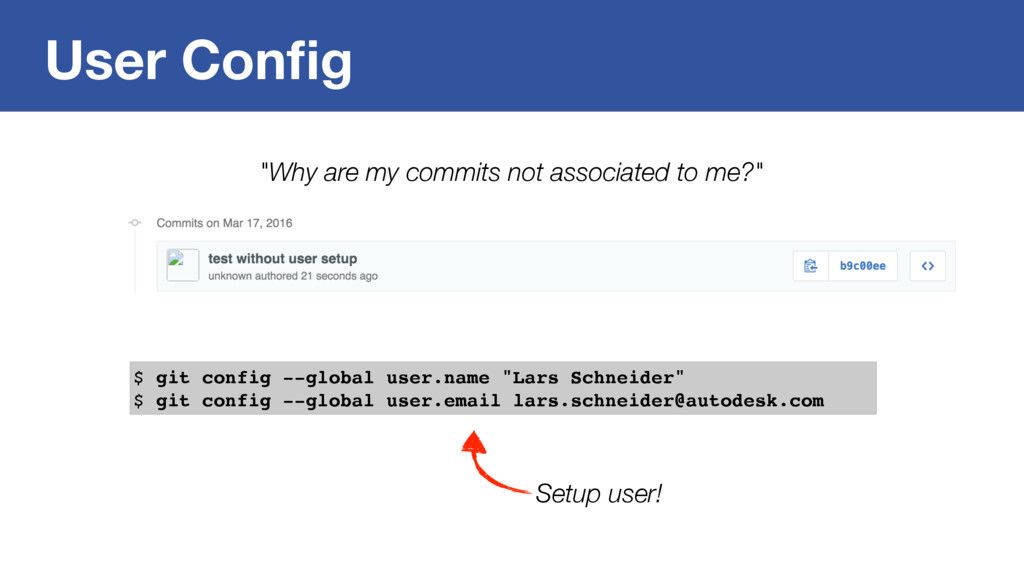
User Config "Why are my commits not associated to me?"
$ git config --global user.name "Lars Schneider" $ git config --global user.email [email protected] Setup user! -
Enterprise Config for Git Painless Git setup with an easy
way to share Git configs and scripts within a company. -
Enterprise Config for Git $ git adsk Setup credential helper
Check Git / Git LFS versions Self update Local user setup -
Enterprise Config for Git $ git adsk Setup credential helper
Check Git / Git LFS versions Self update Local user setup Too lazy to type? Go here: git.io/vajMI $ printf "protocol=https\nhost=github.com\n\n" | git credential-$(git config credential.helper) get -
Enterprise Config for Git $ git adsk Setup credential helper
Check Git / Git LFS versions Self update Local user setup $ printf "protocol=https\nhost=github.com\n\n" | git credential-$(git config credential.helper) get password=SECRET123 username=larsxschneider Oh... -
Enterprise Config for Git $ git adsk Setup credential helper
with token Check Git / Git LFS versions Self update Local user setup -
Enterprise Config for Git $ git adsk Check signed Source
Code Agreement ... Setup credential helper with token Check Git / Git LFS versions Self update Local user setup -
Enterprise Config for Git [alias] adsk = "!f() { \
GIT_KIT=$(dirname $(git config include.path)) && \ bash \"$GIT_KIT/setup.sh\" \ }; f" File: /Users/lars/.enterprise/config.include New Git command! [include] path = /Users/lars/.enterprise/config.include File:~/.gitconfig Engineers global Git config -
Enterprise Config for Git $ git clone https://autodesk.com/enterprise.git ~/.enterprise $
git config --global include.path ~/.enterprise/config.include Install: ... works on Windows, too. However, we made a custom version of the great Git for Windows Installer. -
Git Usage Recommendations 1. Create branches 2. Push often 3.
Merge instead of rebase (at least until you grok rebase) -
Git Usage Recommendations 1. Create branches 2. Push often 3.
Merge instead of rebase (at least until you grok rebase) 4. Avoid cherry picking (a commit is no delta!) -
Git Usage Recommendations 1. Create branches 2. Push often 3.
Merge instead of rebase (at least until you grok rebase) 4. Avoid cherry picking (a commit is no delta!) 5. Configure gitignore (use gitignore.io) -
Git Usage Recommendations 1. Create branches 2. Push often 3.
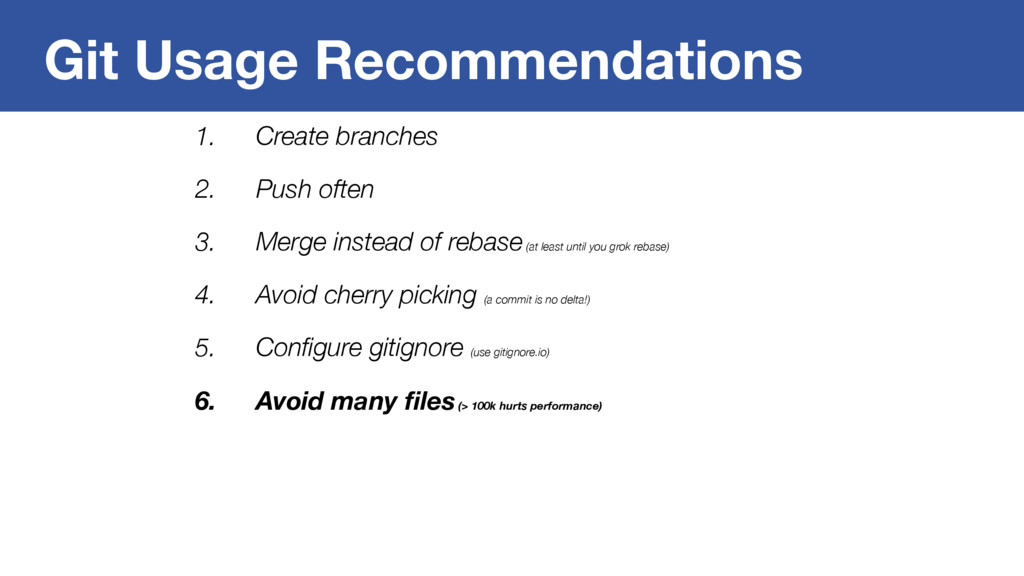
Merge instead of rebase (at least until you grok rebase) 4. Avoid cherry picking (a commit is no delta!) 5. Configure gitignore (use gitignore.io) 6. Avoid many files (> 100k hurts performance) -
Git Usage Recommendations 1. Create branches 2. Push often 3.
Merge instead of rebase (at least until you grok rebase) 4. Avoid cherry picking (a commit is no delta!) 5. Configure gitignore (use gitignore.io) 6. Avoid many files (> 100k hurts performance) 7. Use Submodules (use automation; avoid nesting; avoid >25 per repo) -
Git Usage Recommendations 1. Create branches 2. Push often 3.
Merge instead of rebase (at least until you grok rebase) 4. Avoid cherry picking (a commit is no delta!) 5. Configure gitignore (use gitignore.io) 6. Avoid many files (> 100k hurts performance) 7. Use Submodules (use automation; avoid nesting; avoid >25 per repo) 8. Use Git-LFS for large files -
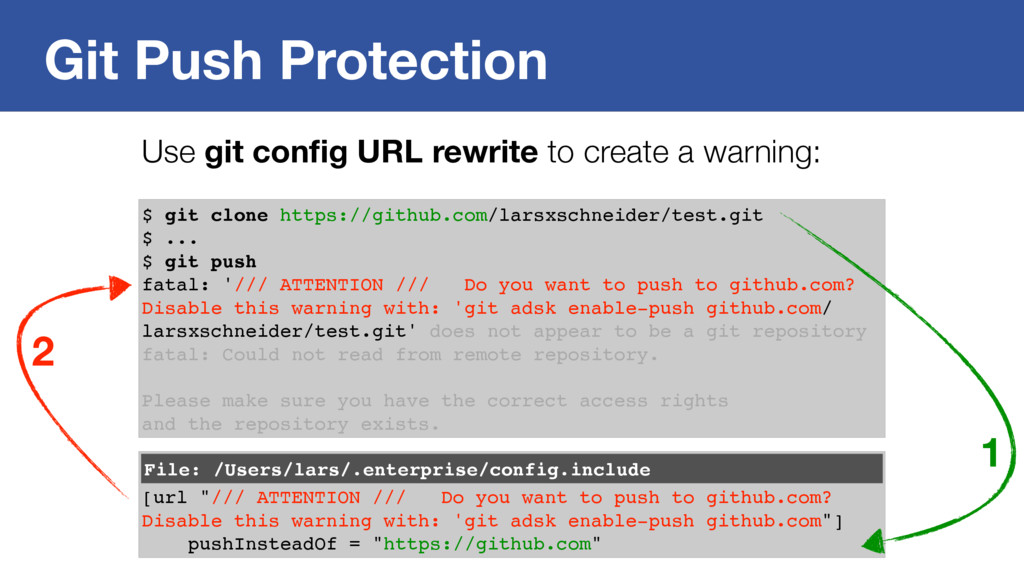
Git Push Protection $ git clone https://github.com/larsxschneider/test.git $ ... $
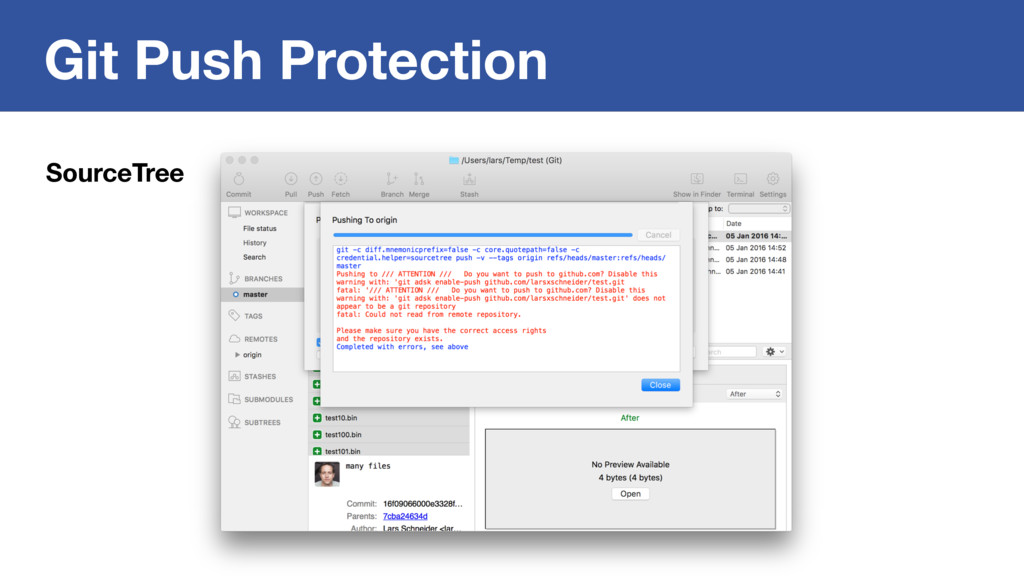
git push Git push is scary in an enterprise environment. -
Git Push Protection $ git clone https://github.com/larsxschneider/test.git $ ... $
git push fatal: '/// ATTENTION /// Do you want to push to github.com? Git push is scary in an enterprise environment. -
Git Push Protection $ git clone https://github.com/larsxschneider/test.git $ ... $
git push fatal: '/// ATTENTION /// Do you want to push to github.com? Disable this warning with: 'git adsk enable-push github.com/ larsxschneider/test.git' Git push is scary in an enterprise environment. -
Git Push Protection $ git clone https://github.com/larsxschneider/test.git $ ... $
git push fatal: '/// ATTENTION /// Do you want to push to github.com? Disable this warning with: 'git adsk enable-push github.com/ larsxschneider/test.git' does not appear to be a git repository fatal: Could not read from remote repository. Please make sure you have the correct access rights and the repository exists. Use git config URL rewrite to create a warning: [url "/// ATTENTION /// Do you want to push to github.com? Disable this warning with: 'git adsk enable-push github.com"] pushInsteadOf = "https://github.com" File: /Users/lars/.enterprise/config.include 1 2 -
Git Push Protection Google Summer of Code / Outreachy Project
More info: https://git.github.io/SoC-2016-Ideas/ http://outreachy.org https://summerofcode.withgoogle.com -
Git Usage Recommendations 1. Create branches 2. Push often 3.
Merge instead of rebase (at least until you grok rebase) 4. Avoid cherry picking (a commit is no delta!) 5. Configure gitignore (use gitignore.io) 6. Avoid many files (> 100k hurts performance) 7. Use Submodules (use automation; avoid nesting; avoid >25 per repo) 8. Use Git-LFS for large files -
Git and Large Files Files that change often and are
large after compression are bad for Git. -
Git and Large Files Files that change often and are
large after compression are bad for Git. # binaries x avg. changes/year x avg. size in MB < 100 1000 x 1 x 0.05 = 25 10 x 365 x 0.05 = 183 -
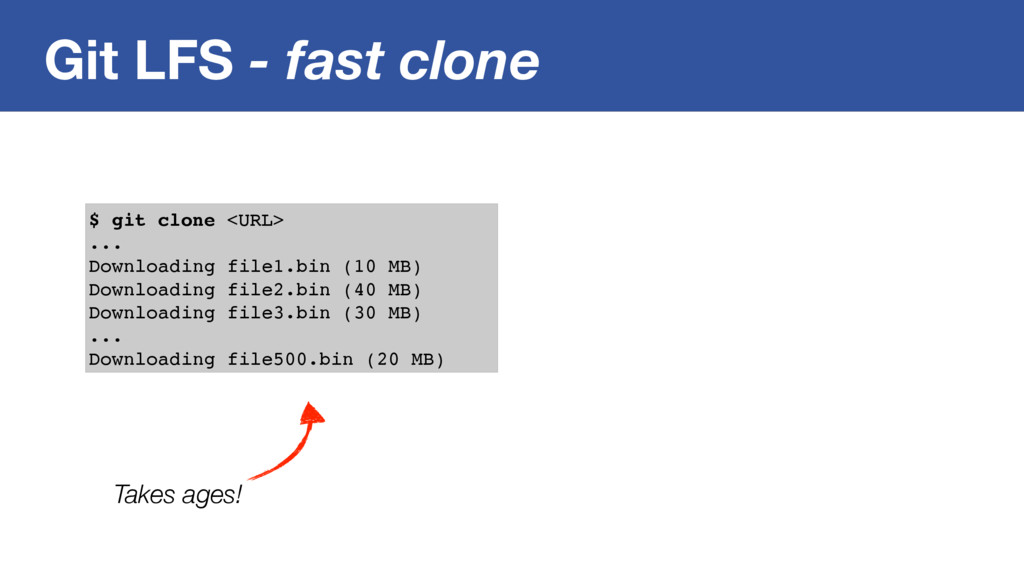
Git LFS - fast clone $ git clone <URL> ...
Downloading file1.bin (10 MB) Downloading file2.bin (40 MB) Downloading file3.bin (30 MB) ... Downloading file500.bin (20 MB) Takes ages! -
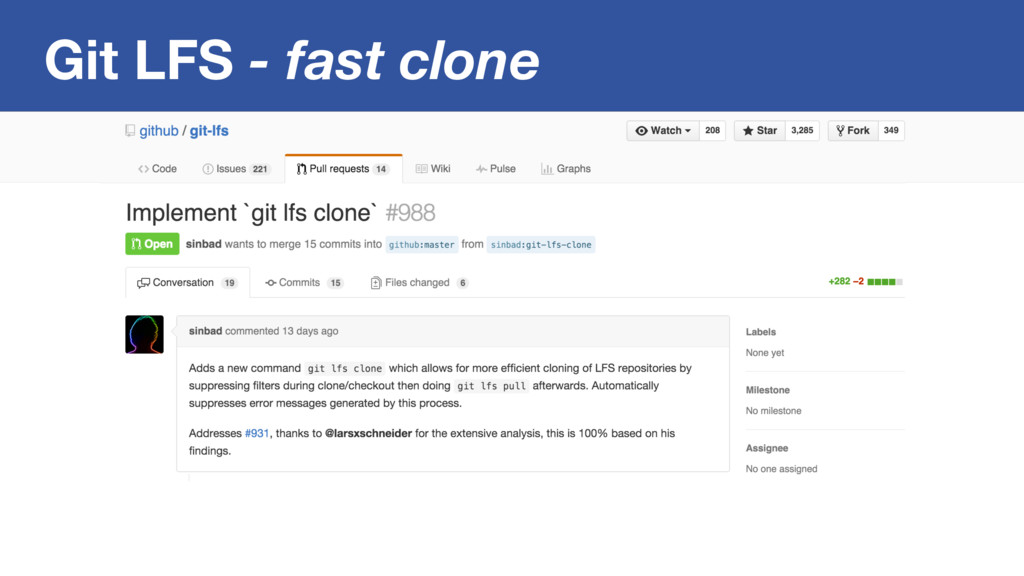
Git LFS - fast clone – Rick Olsen (@technoweenie) “Use
GIT_LFS_SKIP_SMUDGE and git-lfs pull to speed up cloning.” -
Git LFS - fast clone $ git clone <URL> ...
Downloading file1.bin (10 MB) Downloading file2.bin (40 MB) Downloading file3.bin (30 MB) ... Downloading file500.bin (20 MB) Takes ages! $ git adsk clone <URL> ... Git LFS: (500 of 500 files) Lightning fast! -
Git Usage Monitoring host="<your GitHub Enterprise IP>" source="udp:514" sourcetype=syslog \"program\":\"upload-pack\"
\"cloning\":true | rex "^.*github_audit\[\d+\]\:\s(?P<json>.+)" | spath input=json | bucket_time span=1d | stats count BY user_id, repo_id, _time Who is cloning all the time? Log forwarding -
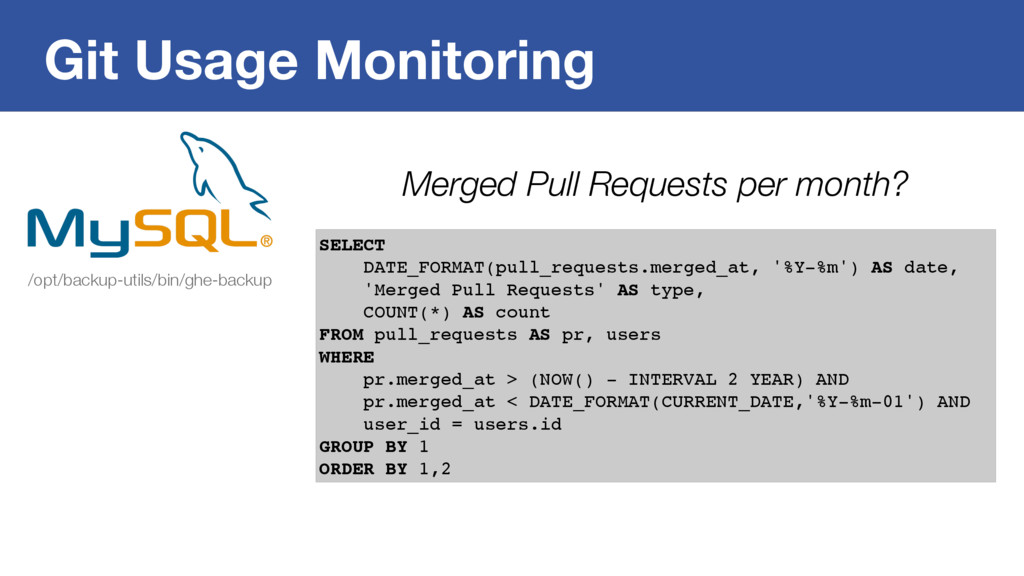
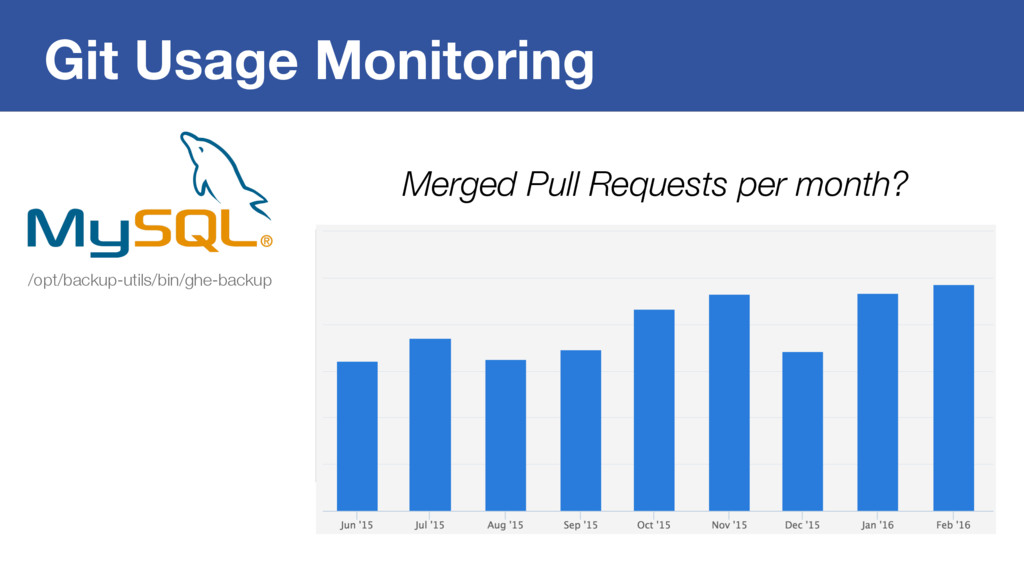
Git Usage Monitoring /opt/backup-utils/bin/ghe-backup SELECT DATE_FORMAT(pull_requests.merged_at, '%Y-%m') AS date, 'Merged
Pull Requests' AS type, COUNT(*) AS count FROM pull_requests AS pr, users WHERE pr.merged_at > (NOW() - INTERVAL 2 YEAR) AND pr.merged_at < DATE_FORMAT(CURRENT_DATE,'%Y-%m-01') AND user_id = users.id GROUP BY 1 ORDER BY 1,2 Merged Pull Requests per month? -
Takeaways 1. Script your Git on-boarding 2. Credential helpers are
not secure 3. Articulate Git usage recommendations 4. Monitor your Git usage -
Adopt Git at Scale and Stay Sane Lars Schneider Technical
Lead GitHub Solutions Autodesk larsxschneider kit3bus [email protected]