Upgrade to Pro
— share decks privately, control downloads, hide ads and more …
Speaker Deck
Features
Speaker Deck
PRO
Sign in
Sign up for free
Search
Search
An introduction to 3D Touch for Swift developers
Search
simon gladman
October 19, 2015
Programming
0
570
An introduction to 3D Touch for Swift developers
My Swift London talk of October 19, 2015 discussing 3D Touch for Swift
simon gladman
October 19, 2015
Tweet
Share
More Decks by simon gladman
See All by simon gladman
Image Processing for iOS
flexmonkey
0
1.4k
Introducing Image Processing in Metal
flexmonkey
0
490
iOS GPU Programming with Swift & Metal
flexmonkey
2
510
Creating Apps Without Interface Builder
flexmonkey
0
460
iOS GPU Programming with Swift & Metal
flexmonkey
4
36k
Other Decks in Programming
See All in Programming
要求定義・仕様記述・設計・検証の手引き - 理論から学ぶ明確で統一された成果物定義
orgachem
PRO
1
220
インターン生でもAuth0で 認証基盤刷新が出来るのか
taku271
0
190
MDN Web Docs に日本語翻訳でコントリビュート
ohmori_yusuke
0
650
Unicodeどうしてる? PHPから見たUnicode対応と他言語での対応についてのお伺い
youkidearitai
PRO
1
2.6k
そのAIレビュー、レビューしてますか? / Are you reviewing those AI reviews?
rkaga
6
4.6k
CSC307 Lecture 05
javiergs
PRO
0
500
KIKI_MBSD Cybersecurity Challenges 2025
ikema
0
1.3k
Data-Centric Kaggle
isax1015
2
780
HTTPプロトコル正しく理解していますか? 〜かわいい猫と共に学ぼう。ฅ^•ω•^ฅ ニャ〜
hekuchan
2
690
Apache Iceberg V3 and migration to V3
tomtanaka
0
170
SourceGeneratorのススメ
htkym
0
200
疑似コードによるプロンプト記述、どのくらい正確に実行される?
kokuyouwind
0
390
Featured
See All Featured
Designing for humans not robots
tammielis
254
26k
SEO Brein meetup: CTRL+C is not how to scale international SEO
lindahogenes
0
2.4k
Product Roadmaps are Hard
iamctodd
PRO
55
12k
Music & Morning Musume
bryan
47
7.1k
JAMstack: Web Apps at Ludicrous Speed - All Things Open 2022
reverentgeek
1
350
Being A Developer After 40
akosma
91
590k
Building Applications with DynamoDB
mza
96
6.9k
Noah Learner - AI + Me: how we built a GSC Bulk Export data pipeline
techseoconnect
PRO
0
110
A Modern Web Designer's Workflow
chriscoyier
698
190k
RailsConf 2023
tenderlove
30
1.3k
Agile Actions for Facilitating Distributed Teams - ADO2019
mkilby
0
120
Design in an AI World
tapps
0
150
Transcript
3D TOUCH An introduction to 3D Touch for Swift developers
Simon Gladman for Swift London / October 2015
HELLO FLEX MONKEY • Blog: flexmonkey.blogspot.co.uk • GitHub: github.com/FlexMonkey •
Twitter: @FlexMonkey
3D TOUCH FOR USERS
3D TOUCH FOR USERS • Peek
3D TOUCH FOR USERS • Peek • Preview Actions
3D TOUCH FOR USERS • Peek • Preview Actions •
Pop
3D TOUCH FOR USERS • Peek • Preview Actions •
Pop • Quick Actions
3D TOUCH FOR USERS • Peek • Preview Actions •
Pop • Quick Actions • Pressure Sensitivity
3D TOUCH FOR DEVS • Simple API • Check device
supports 3D Touch traitCollection.forceTouchCapability == UIForceTouchCapability.Available
• Simple API • Getting force value override func touchesBegan(touches:
Set<UITouch>, withEvent event: UIEvent?) { guard let touch = touches.first else { return } let normalisedForce = touch.force / touch.maximumPossibleForce print(normalisedForce) }
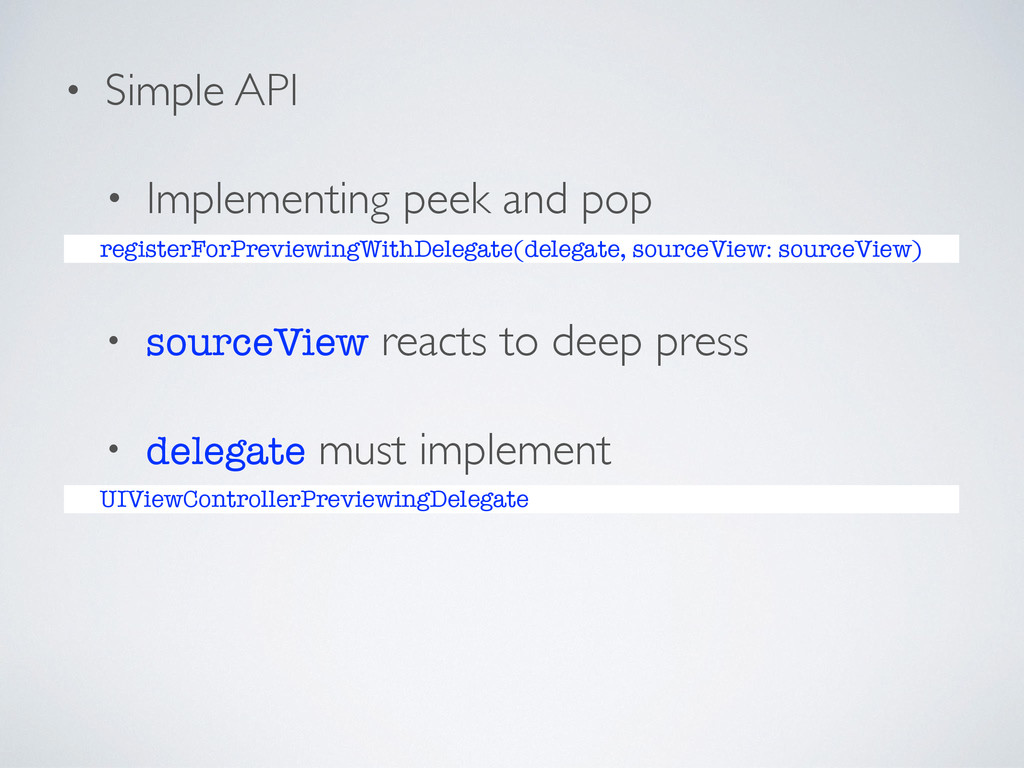
• Simple API • Implementing peek and pop registerForPreviewingWithDelegate(delegate, sourceView:
sourceView) • sourceView reacts to deep press • delegate must implement UIViewControllerPreviewingDelegate
• Peeking & Popping with Previewing Delegate • Protocol contains
func previewingContext(previewingContext: UIViewControllerPreviewing, viewControllerForLocation location: CGPoint) -> UIViewController?
• Peeking & Popping with Previewing Delegate • Protocol contains
func previewingContext(previewingContext: UIViewControllerPreviewing, viewControllerForLocation location: CGPoint) -> UIViewController? func previewingContext(previewingContext: UIViewControllerPreviewing, commitViewController viewControllerToCommit: UIViewController)
3D TOUCH: PEEKING • Peeking - a deep press func
previewingContext(previewingContext: UIViewControllerPreviewing, viewControllerForLocation location: CGPoint) -> UIViewController?
• Peeking func previewingContext(previewingContext: UIViewControllerPreviewing, viewControllerForLocation location: CGPoint) -> UIViewController?
{ let peek = PeekViewController(hsl: hsl, delegate: previewingContext.delegate) return peek }
• Peeking let hsl: HSL unowned let delegate: UIViewControllerPreviewingDelegate required
init(hsl: HSL, delegate: UIViewControllerPreviewingDelegate) { self.hsl = hsl self.delegate = delegate super.init(nibName: nil, bundle: nil) let color = UIColor(hue: hsl.hue, saturation: hsl.saturation, brightness: hsl.lightness, alpha: 1) label.text = "Your color: \(color.getHex())" label.textAlignment = NSTextAlignment.Center smallSwatch.backgroundColor = color }
None
3D TOUCH: PREVIEW ACTIONS • Preview Actions • The previewing
delegate simply needs to implement previewActions()
• Preview Actions enum ColorPresets: String { case Red, Green,
Blue } var previewActions: [UIPreviewActionItem] { return [ColorPresets.Red, ColorPresets.Green, ColorPresets.Blue].map { UIPreviewAction(title: $0.rawValue, style: UIPreviewActionStyle.Default, handler: { (previewAction, viewController) in (viewController as? PeekViewController)?.updateColor(previewAction) }) } }
• Preview Actions func updateColor(previewAction: UIPreviewActionItem) { guard let delegate
= delegate as? ChromaTouchViewController, preset = ColorPresets(rawValue: previewAction.title) else { return } let hue: CGFloat switch preset { case .Blue: hue = 0.667 case .Green: hue = 0.333 case .Red: hue = 0 } delegate.hsl = HSL(hue: hue, saturation: 1, lightness: 1) }
None
3D TOUCH: POPPING • Popping - a deeper press func
previewingContext(previewingContext: UIViewControllerPreviewing, commitViewController viewControllerToCommit: UIViewController)
• Popping func previewingContext(previewingContext: UIViewControllerPreviewing, commitViewController viewControllerToCommit: UIViewController) { swatch.userInteractionEnabled
= false hslSlidersStackView.hidden = true }
None
3D TOUCH: PRESSURE SENSITIVITY • Touch gestures have ‘x’ and
‘y’ coordinates • Now have a ‘z’ coordinate corresponding to the pressure of the touch
• Override touchesMoved(): override func touchesMoved(touches: Set<UITouch>, withEvent event: UIEvent?)
{ guard let touch = touches.first else { return } let touchLocation = touch.locationInView(self) let force = touch.force let maximumPossibleForce = touch.maximumPossibleForce let normalisedXPosition = touchLocation.x / frame.width let normalisedYPosition = touchLocation.y / frame.height let normalisedZPosition = force / maximumPossibleForce hsl = HSL(hue: normalisedXPosition, saturation: normalisedYPosition, lightness: normalisedZPosition) sendActionsForControlEvents(.ValueChanged) }
None
GESTURE RECOGNISERS • As an alternative to overriding a control’s
touch handling methods • By extending UIGestureRecognizer let deepPressGestureRecognizer = DeepPressGestureRecognizer(target: self, action: "deepPressHandler:", threshold: 0.75) button.addGestureRecognizer(deepPressGestureRecognizer)
• Handle user’s actions in gesture recogniser’s touch handlers override
func touchesMoved(touches: Set<UITouch>, withEvent event: UIEvent) { guard let view = view, touch = touches.first where touch.force != 0 && touch.maximumPossibleForce != 0 else { return } if !deepPressed && (touch.force / touch.maximumPossibleForce) >= threshold { state = UIGestureRecognizerState.Began deepPressed = true } else if deepPressed && (touch.force / touch.maximumPossibleForce) < threshold { state = UIGestureRecognizerState.Ended deepPressed = false } }
TOUCH COALESCING • touchesMoved() samples at up to 60 hertz
TOUCH COALESCING • touchesMoved() samples at up to 60 hertz
• iPhone 6s has a touch sample rate of 120 hertz
TOUCH COALESCING • touchesMoved() samples at up to 60 hertz
• iPhone 6s has a touch sample rate of 120 hertz • iPad Pro will sample touches at 240 hertz
• The missing touches can be accessed through the event’s
coalescedTouches override func touchesMoved(touches: Set<UITouch>, withEvent event: UIEvent?) { super.touchesMoved(touches, withEvent: event) guard let touch = touches.first, coalescedTouches = event?.coalescedTouchesForTouch(touch) else { return } for coalescedTouch in coalescedTouches { let locationInView = coalescedTouch.locationInView(view) print(locationInView) } }
None
SOME DEMO APPS
None
None
None
None
None
http://goo.gl/rzPExI flexmonkey.blogspot.co.uk github.com/FlexMonkey


 flexmonkey
 orgachem
 taku271
 ohmori_yusuke
 youkidearitai
 rkaga
rkaga
 javiergs
 ikema
ikema
 isax1015
 hekuchan
 tomtanaka
 htkym
htkym
 kokuyouwind
 tammielis
 lindahogenes
 iamctodd
 bryan
bryan
 reverentgeek
 akosma
 mza
mza
 techseoconnect
 chriscoyier
 tenderlove
 mkilby
 tapps
tapps