Upgrade to Pro
— share decks privately, control downloads, hide ads and more …
Speaker Deck
Sign up for free
Menu
Search
Features
All features
Private URLs
Password Protection
Custom URLS
Scheduled publishing
Remove Branding
Restrict embedding
Deck Collections
Notes
Features
All features
Private URLs
Password Protection
Custom URLS
Scheduled publishing
Remove Branding
Restrict embedding
Deck Collections
Notes
Explore
Featured decks
Featured speakers
Programming
Technology
Storyboards
Explore
Featured decks
Featured speakers
Programming
Technology
Storyboards
Pricing
Search
Sign in
Sign up for free
ポート開放したくない!tor編
Search
Sponsored
·
Your Podcast. Everywhere. Effortlessly.
Share. Educate. Inspire. Entertain. You do you. We'll handle the rest.
→
あほぺ
July 07, 2026
0
0
Share
Embed
Copy iframe code
Copy JS code
Copy link
Start on current slide
ポート開放したくない!tor編
あほぺ
July 07, 2026
Featured
See All Featured
The Myth of the Modular Monolith - Day 2 Keynote - Rails World 2024
eileencodes
28
3.7k
Building a A Zero-Code AI SEO Workflow
portentint
PRO
0
780
The AI Search Optimization Roadmap by Aleyda Solis
aleyda
2
6.3k
Visualization
eitanlees
153
17k
Efficient Content Optimization with Google Search Console & Apps Script
katarinadahlin
PRO
1
930
Cheating the UX When There Is Nothing More to Optimize - PixelPioneers
stephaniewalter
287
14k
Jamie Indigo - Trashchat’s Guide to Black Boxes: Technical SEO Tactics for LLMs
techseoconnect
PRO
0
710
Prompt Engineering for Job Search
mfonobong
0
520
SEO in 2025: How to Prepare for the Future of Search
ipullrank
3
3.9k
It's Worth the Effort
3n
188
29k
Bash Introduction
62gerente
615
220k
Navigating Weather and Climate Data
rabernat
0
560
Transcript
ポート開放したくない! Tor編
自己紹介 • 19歳。独身。金欠。
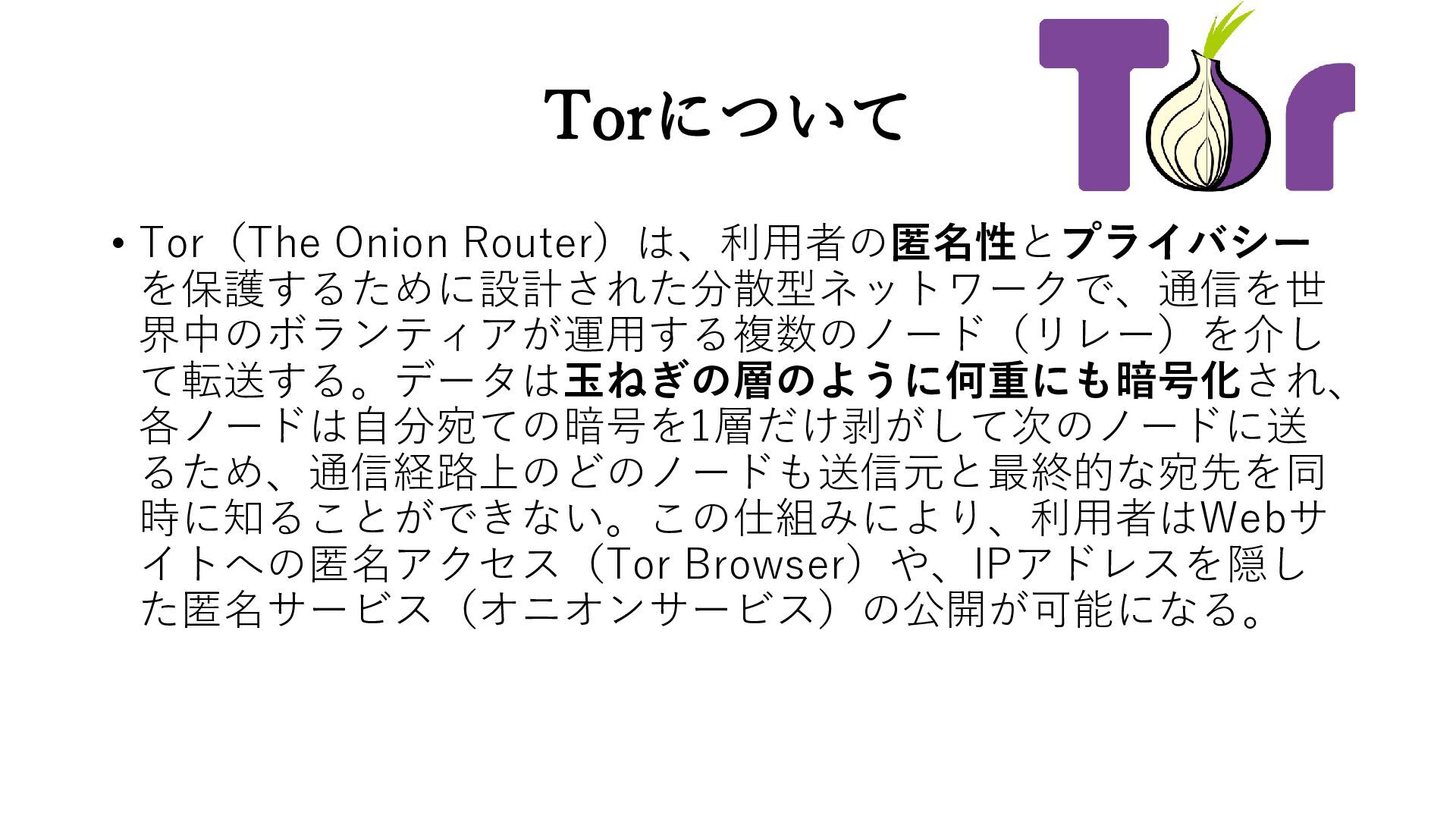
Torについて • Tor(The Onion Router)は、利用者の匿名性とプライバシー を保護するために設計された分散型ネットワークで、通信を世 界中のボランティアが運用する複数のノード(リレー)を介し て転送する。データは玉ねぎの層のように何重にも暗号化され、 各ノードは自分宛ての暗号を1層だけ剥がして次のノードに送 るため、通信経路上のどのノードも送信元と最終的な宛先を同
時に知ることができない。この仕組みにより、利用者はWebサ イトへの匿名アクセス(Tor Browser)や、IPアドレスを隠し た匿名サービス(オニオンサービス)の公開が可能になる。
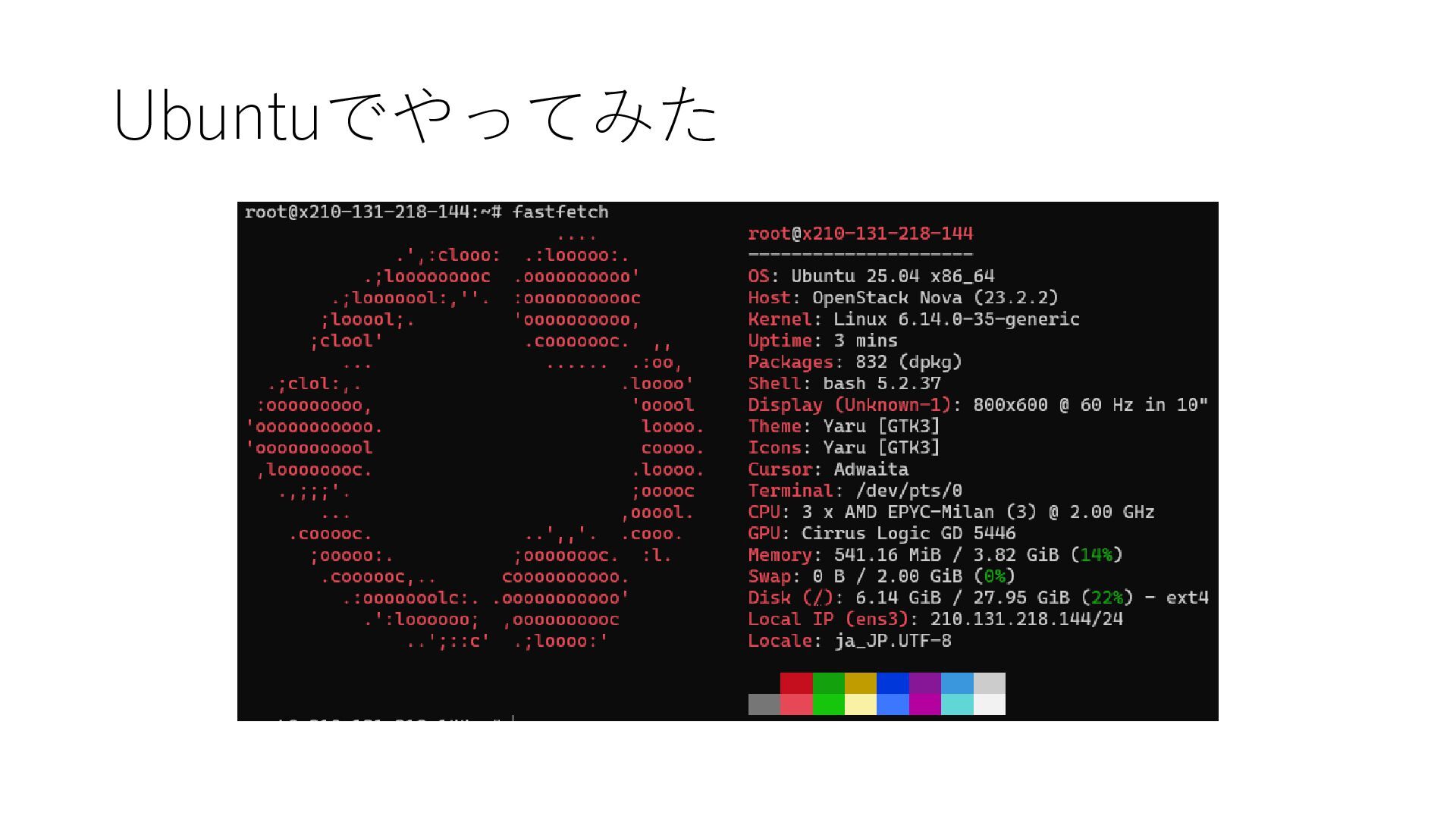
Ubuntuでやってみた
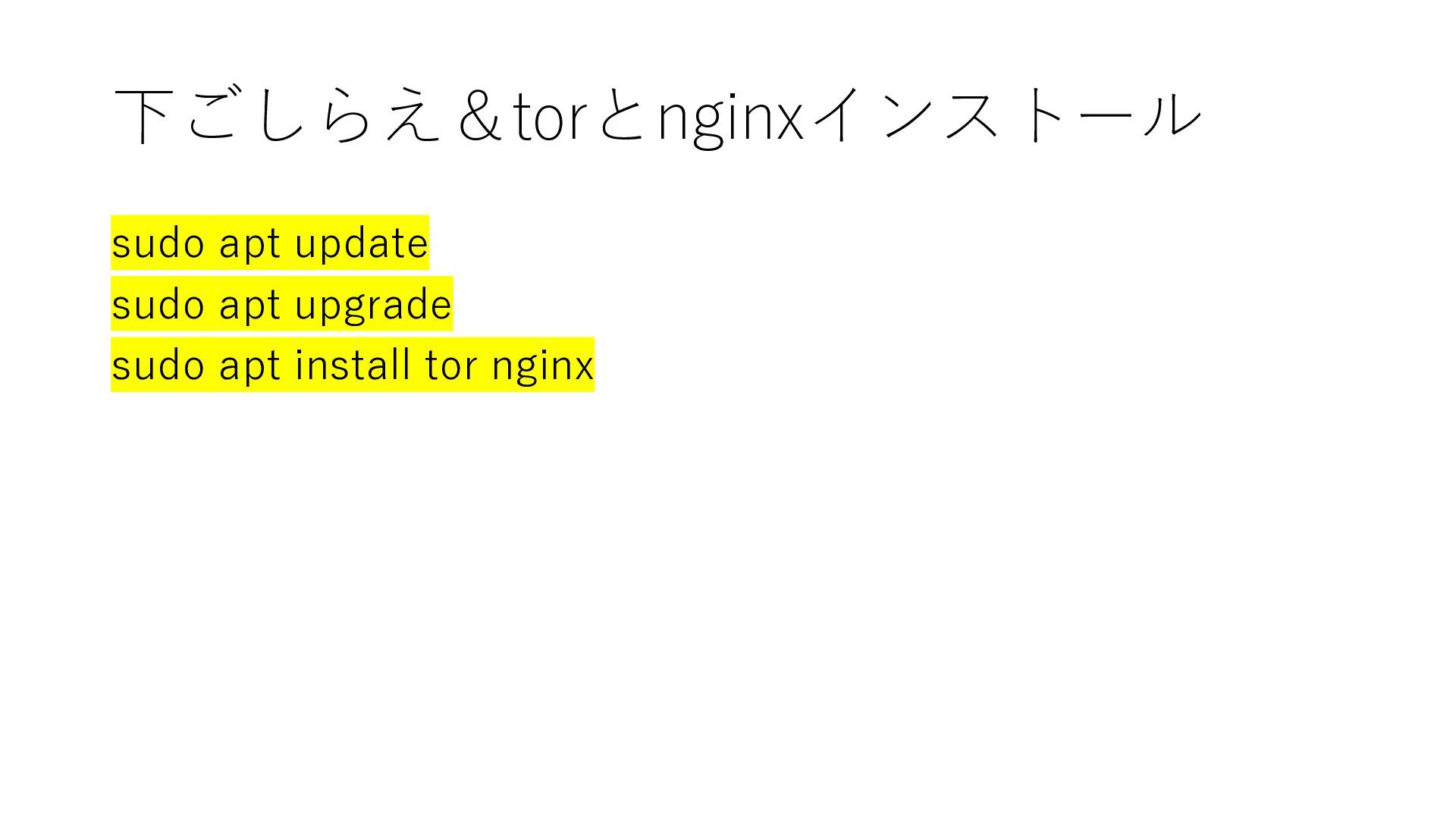
下ごしらえ&torとnginxインストール sudo apt update sudo apt upgrade sudo apt install
tor nginx
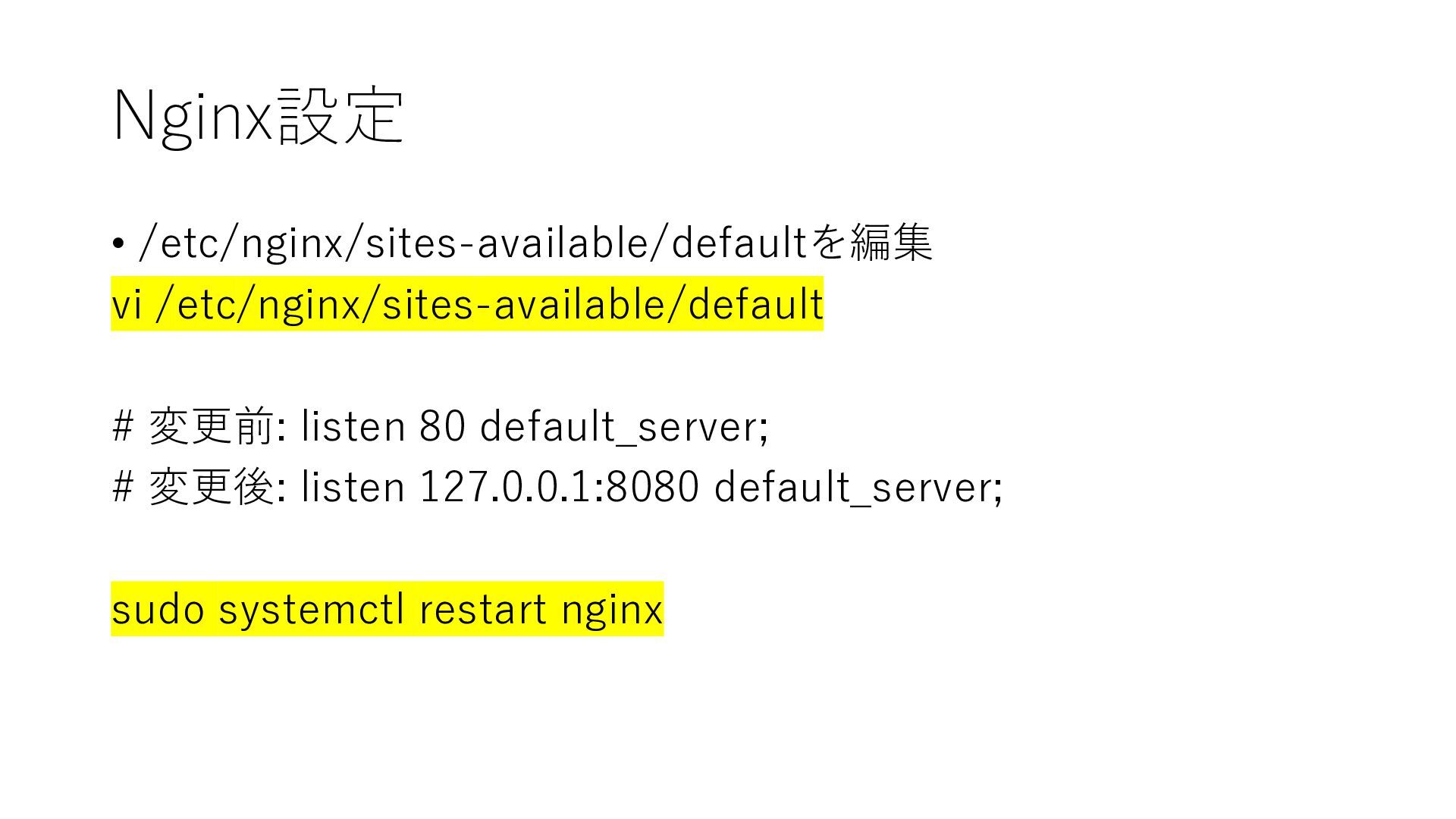
Nginx設定 • /etc/nginx/sites-available/defaultを編集 vi /etc/nginx/sites-available/default # 変更前: listen 80 default_server;
# 変更後: listen 127.0.0.1:8080 default_server; sudo systemctl restart nginx
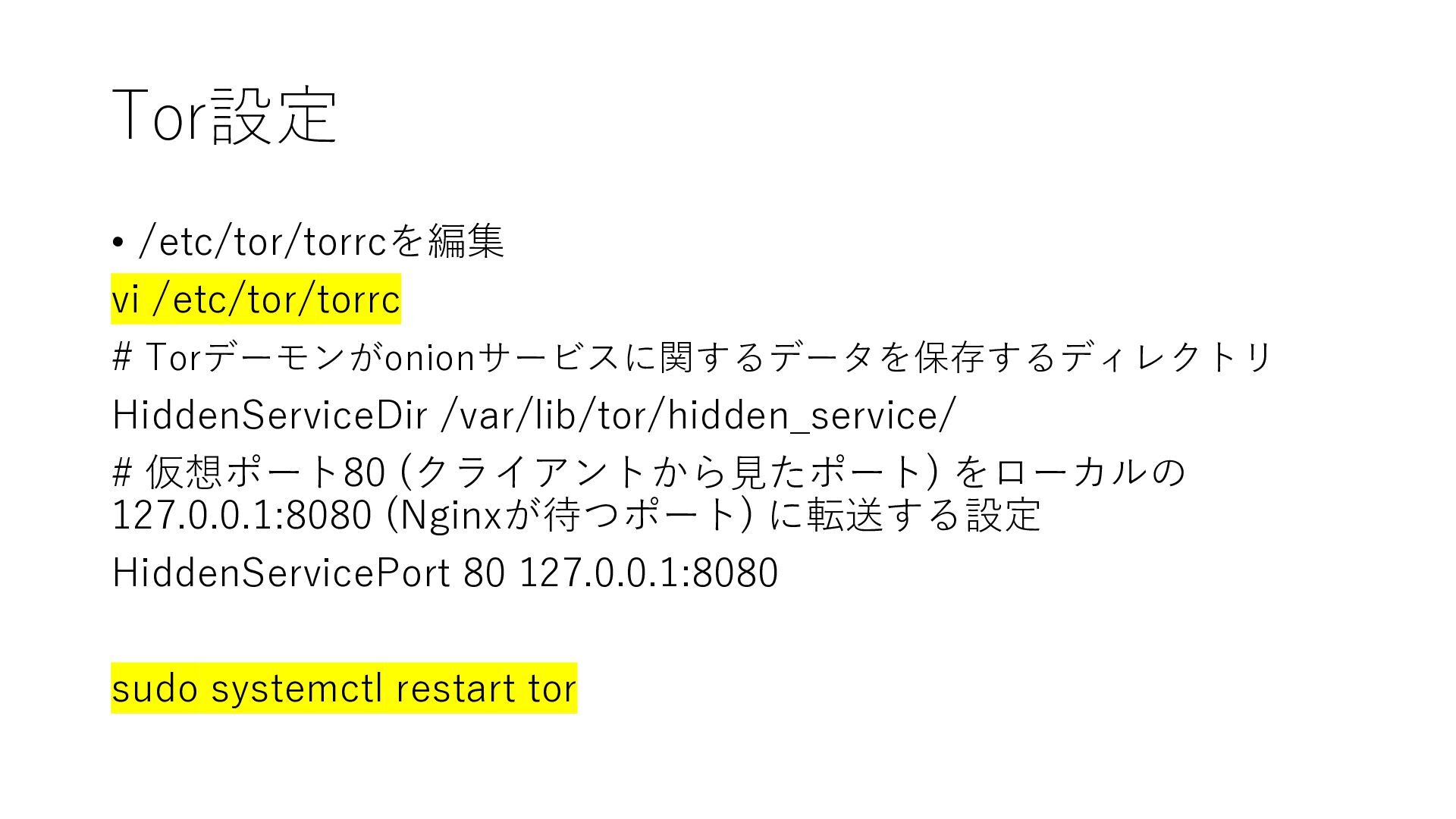
Tor設定 • /etc/tor/torrcを編集 vi /etc/tor/torrc # Torデーモンがonionサービスに関するデータを保存するディレクトリ HiddenServiceDir /var/lib/tor/hidden_service/ #
仮想ポート80 (クライアントから見たポート) をローカルの 127.0.0.1:8080 (Nginxが待つポート) に転送する設定 HiddenServicePort 80 127.0.0.1:8080 sudo systemctl restart tor
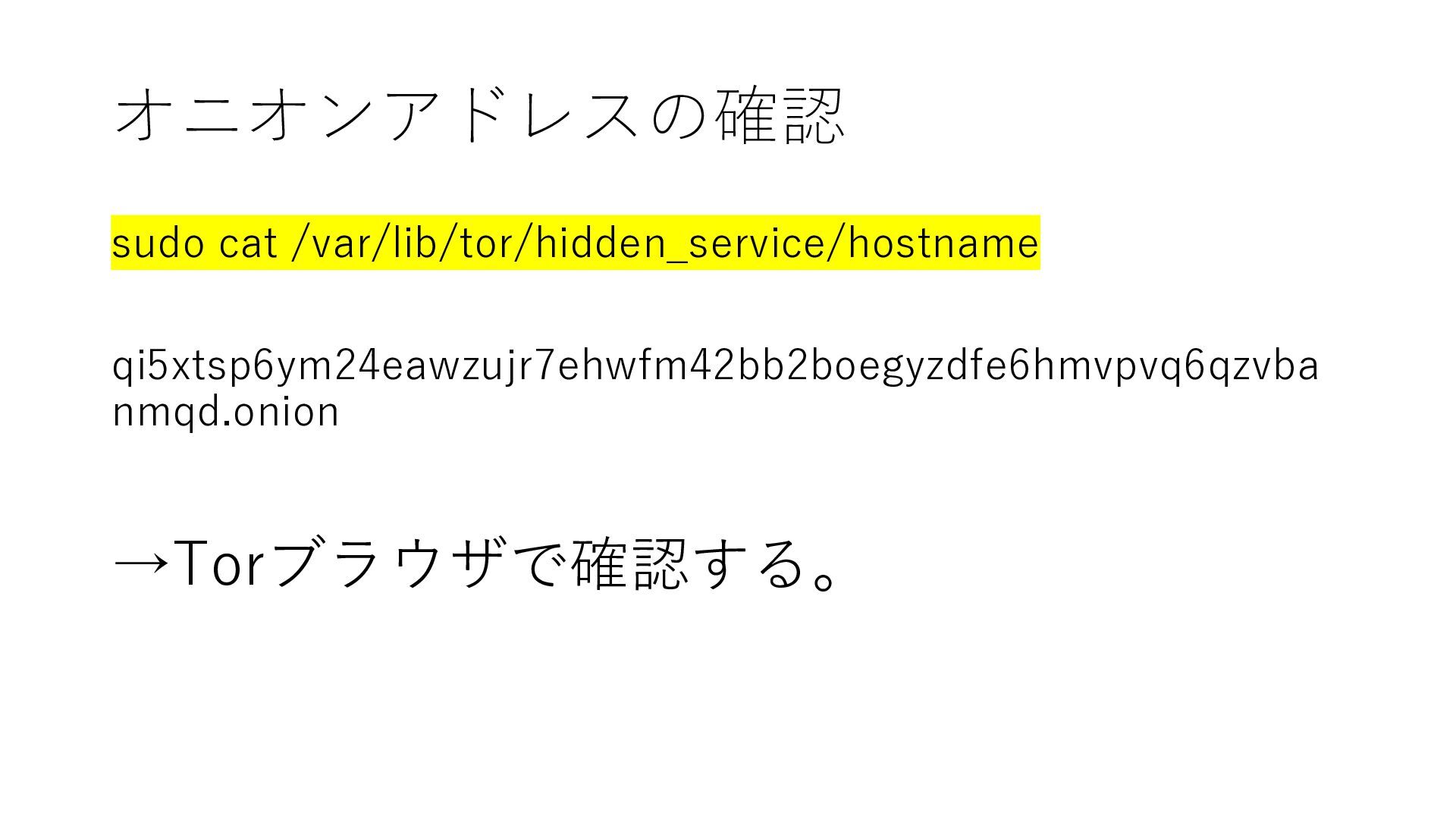
オニオンアドレスの確認 sudo cat /var/lib/tor/hidden_service/hostname qi5xtsp6ym24eawzujr7ehwfm42bb2boegyzdfe6hmvpvq6qzvba nmqd.onion →Torブラウザで確認する。
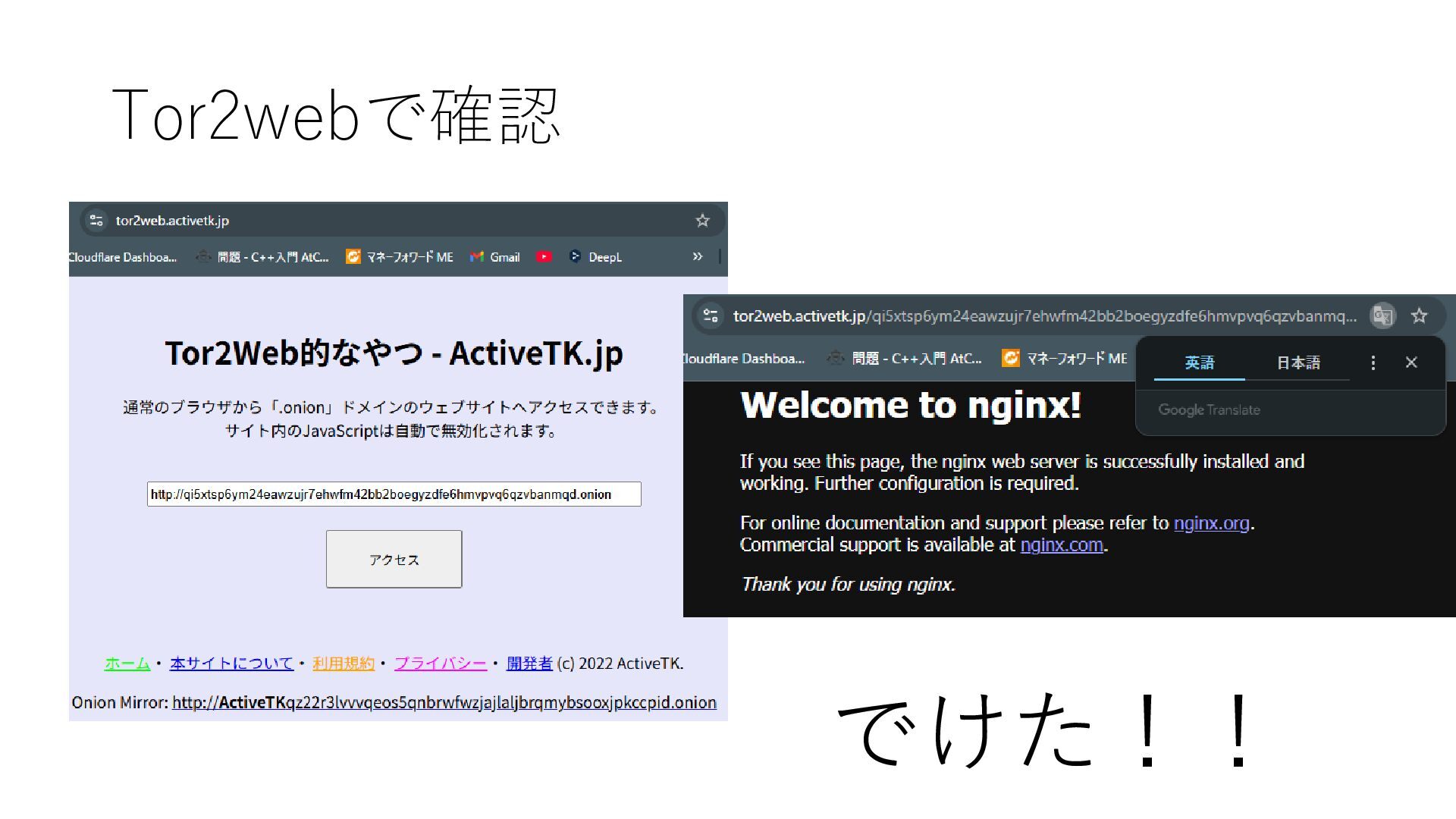
Tor2webで確認 でけた!!
、、、、余談 任意の文字列を含んだオニオンドメインを生成することも可能! →mkp224oとかいうやつを使うらしい。


 eileencodes
 portentint
 aleyda
 eitanlees
 katarinadahlin
 stephaniewalter
 techseoconnect
 mfonobong
 ipullrank
 3n
3n
 62gerente
 rabernat