Share your presentation on the websites you choose. With Speaker Deck Pro, allow specific domains or turn off embedding on other websites.
Sign up for freeNo credit card required. Restricting embedding requires Pro.
View Pro plans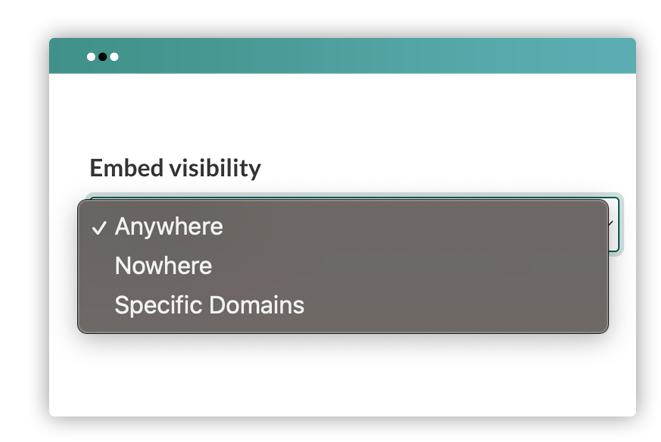
Keep your presentation available in an embed on your site while restricting other domains.
Add the domains where you want your deck to appear, such as a conference or client website.
Choose Nowhere when you want readers to view your deck on Speaker Deck instead.
Open your presentation’s edit page and find Embedding. Choose Anywhere, Nowhere, or Specific domains. Add your allowed domains and save.
Yes. Pro lets you choose where a presentation can be embedded. Standard embedding is available without these restrictions.
Yes. Choose Specific domains and add each domain where you want your presentation to be embedded.
No. Domains are matched exactly. If you use example.com and www.example.com, add both. Add other subdomains separately too.
No. Embedding controls govern where the player can appear. Use the presentation’s privacy settings or password protection to control who can view it.
Yes, subject to the deck’s privacy settings. Choosing Nowhere blocks external embedding, not viewing on Speaker Deck.
It is a setting for each presentation. Open the deck’s edit page to change its embedding options.
Get more control over where your presentations appear with Speaker Deck Pro.
Sign up for freeNo credit card required. Restricting embedding requires Pro.
View Pro plans