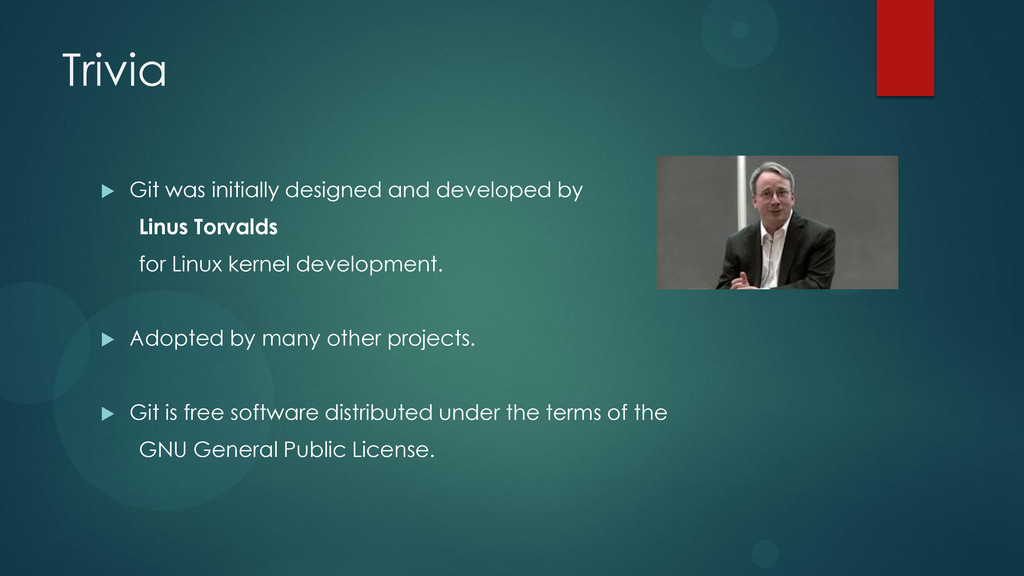
Torvalds for Linux kernel development. Adopted by many other projects. Git is free software distributed under the terms of the GNU General Public License.
control or revision control is an integral part of any development workflow. Why? It is essentially a communication tool, just like email or IM, but it works with code rather than human conversation. allows programmers to easily communicate their work to other programmers allows a team to share code maintains separate “production” versions of code that are always deployable allows simultaneous development of different features on the same codebase keeps track of all old versions of files prevents work being overwritten
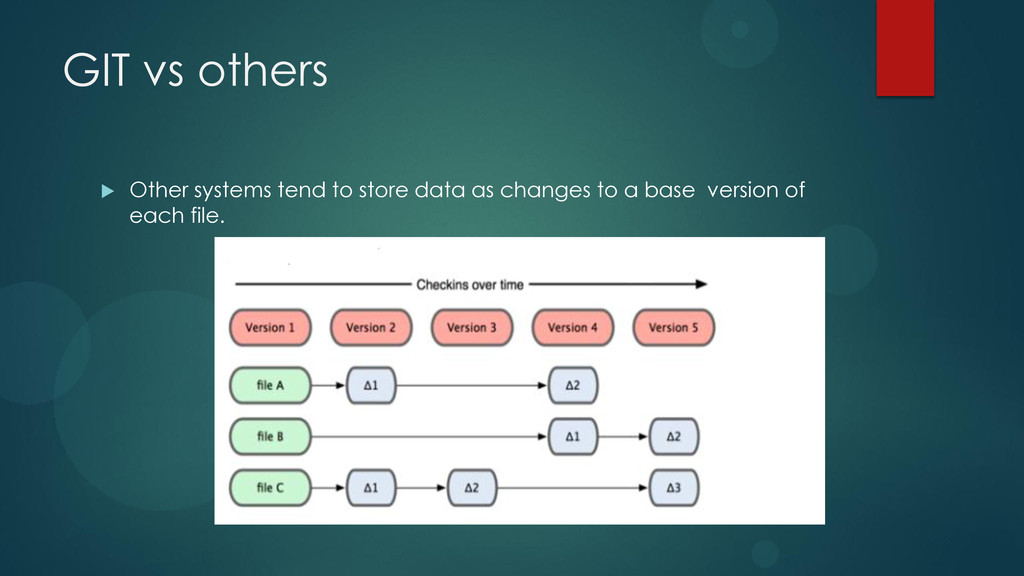
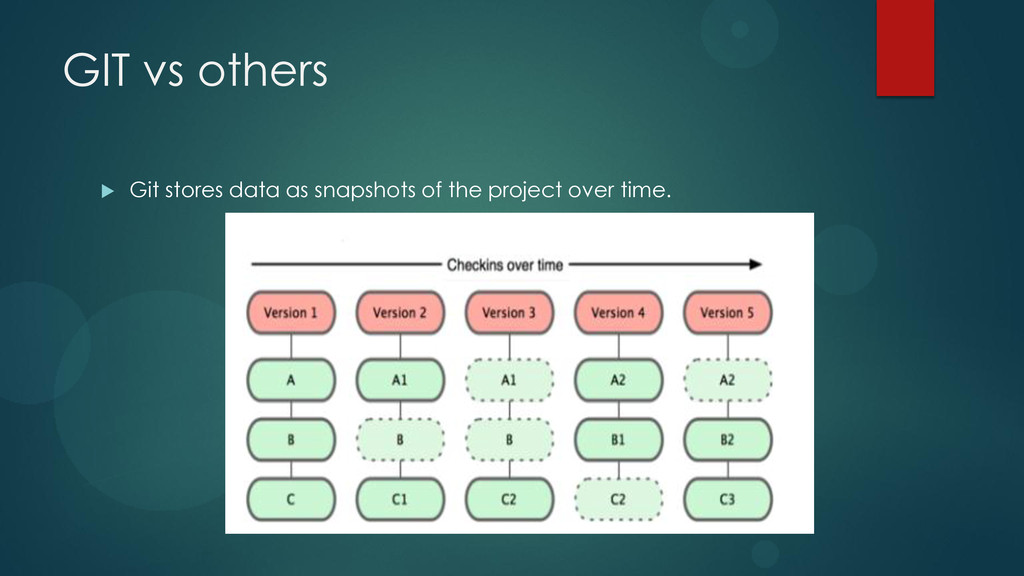
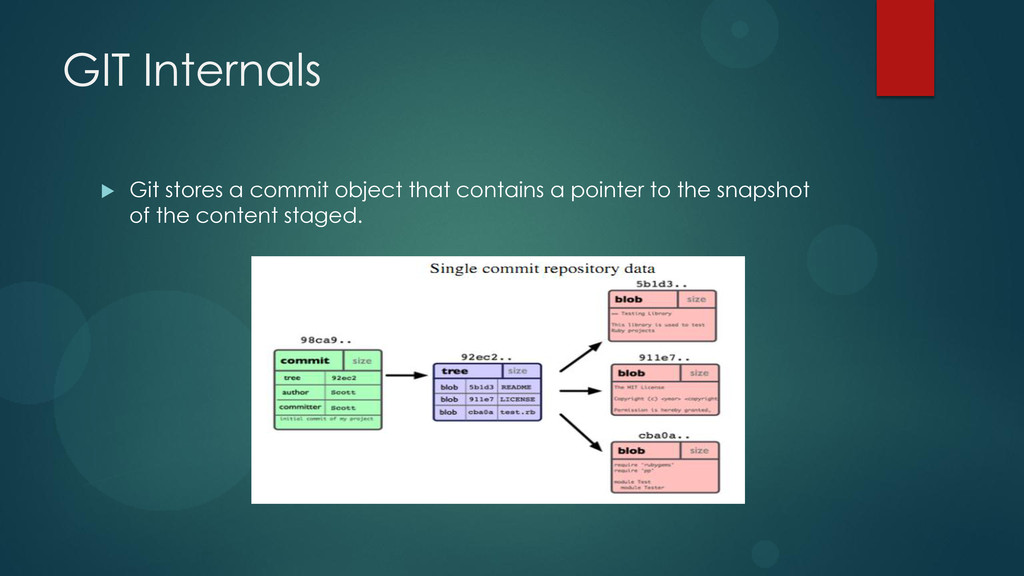
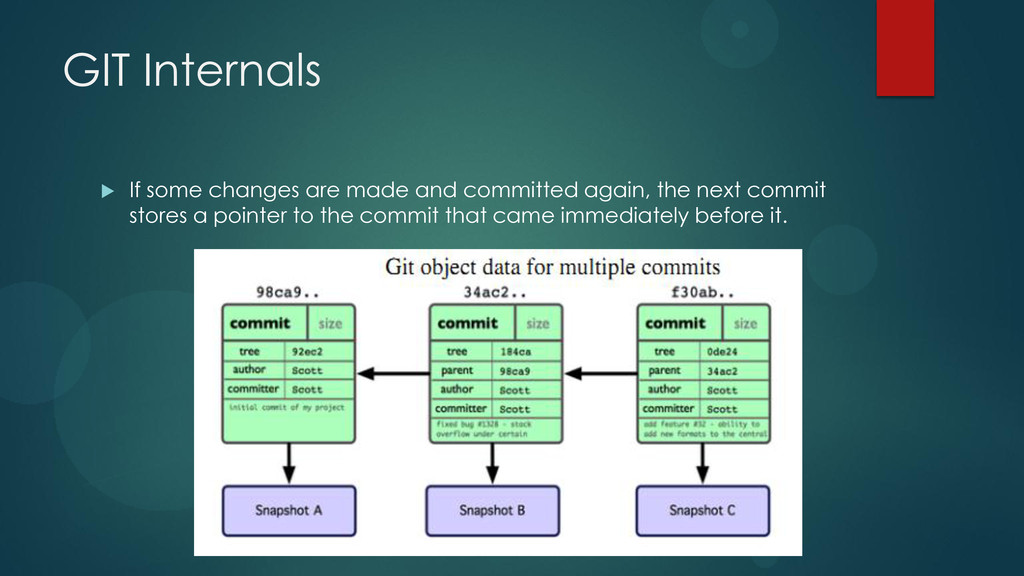
source-code management system. Emphasis : SPEED Helps to make snapshots of the project state every time. Every Git working directory is a full-fledged repository with complete history and full revision tracking capabilities, not dependent on network access or a central server.
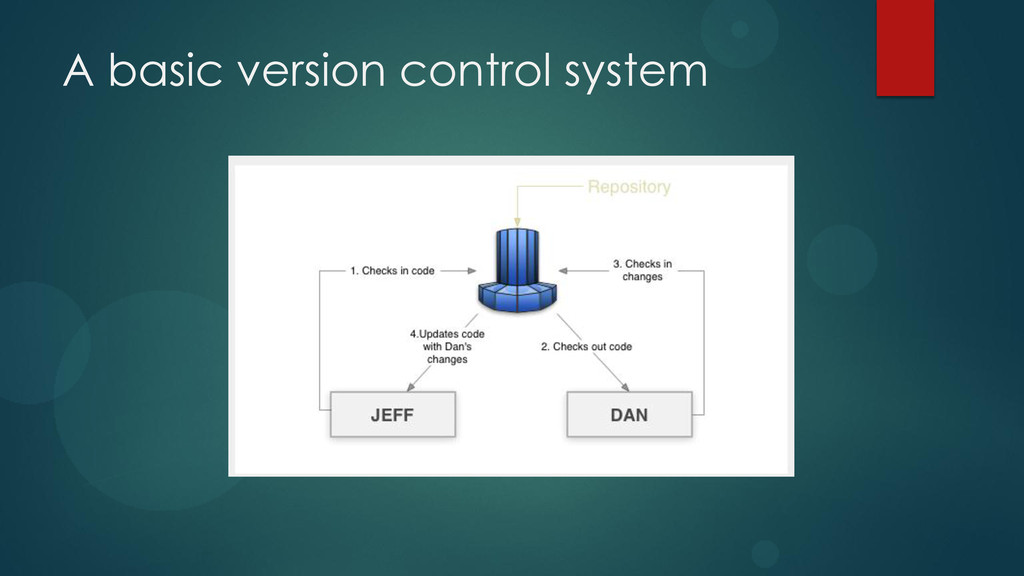
local copy of the latest version files in the central server. Opens them for editing. Regularly syncs with the central server for updates made by other developers. Submits the changes back to the server after validation. Meanwhile if the developer wants to go back to an older version contact the central server to cache a local copy.
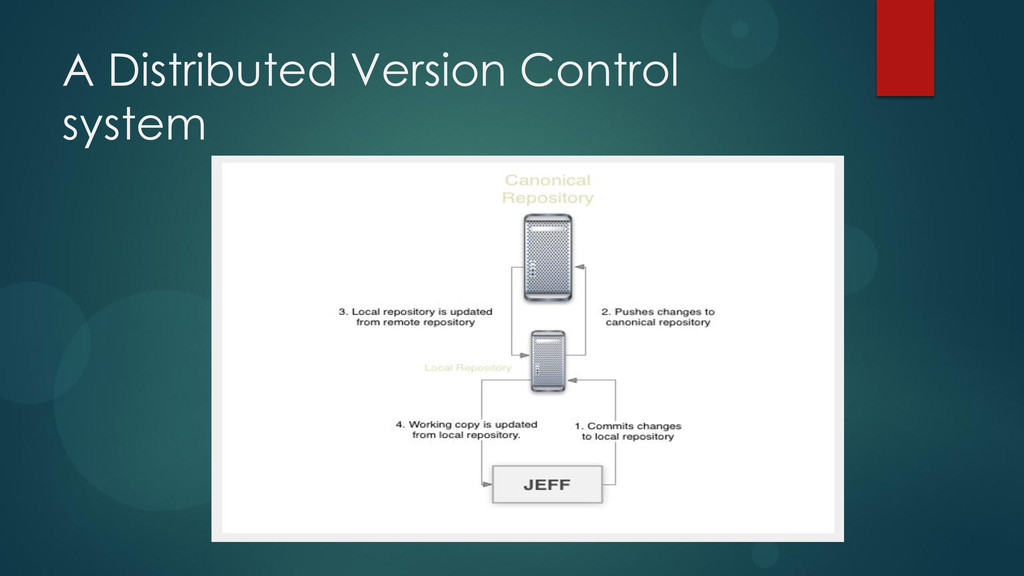
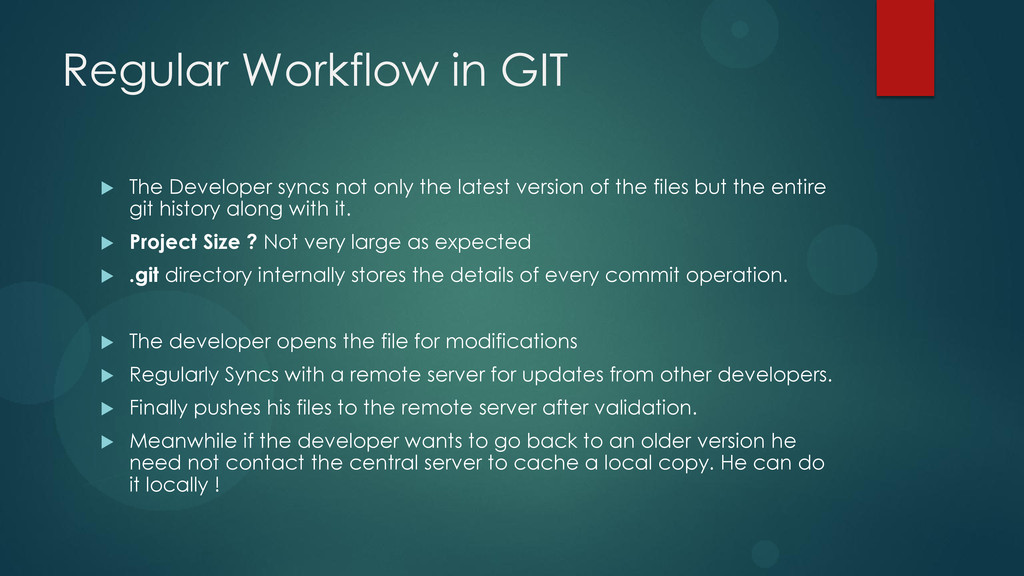
the latest version of the files but the entire git history along with it. Project Size ? Not very large as expected .git directory internally stores the details of every commit operation. The developer opens the file for modifications Regularly Syncs with a remote server for updates from other developers. Finally pushes his files to the remote server after validation. Meanwhile if the developer wants to go back to an older version he need not contact the central server to cache a local copy. He can do it locally !
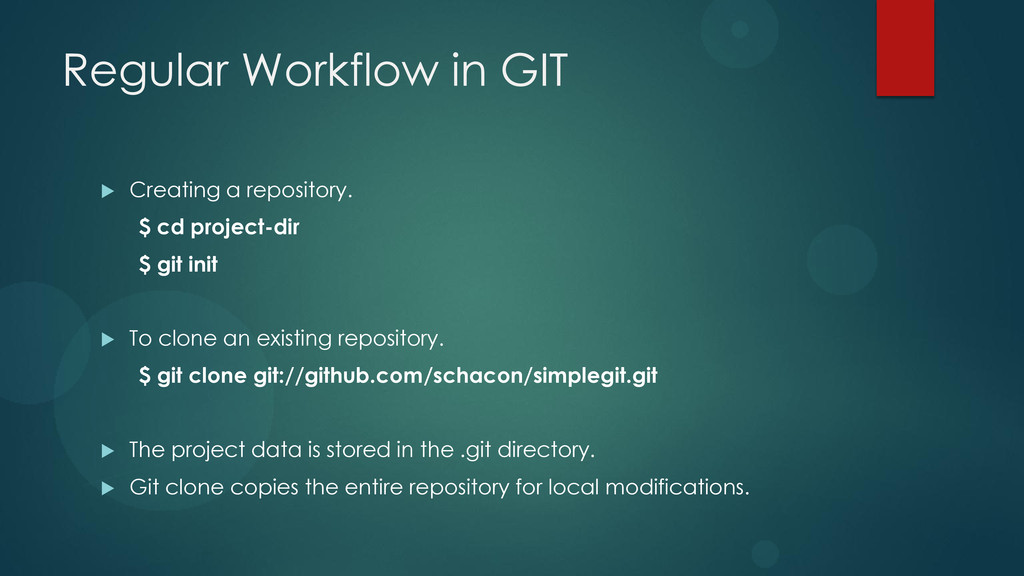
project-dir $ git init To clone an existing repository. $ git clone git://github.com/schacon/simplegit.git The project data is stored in the .git directory. Git clone copies the entire repository for local modifications.
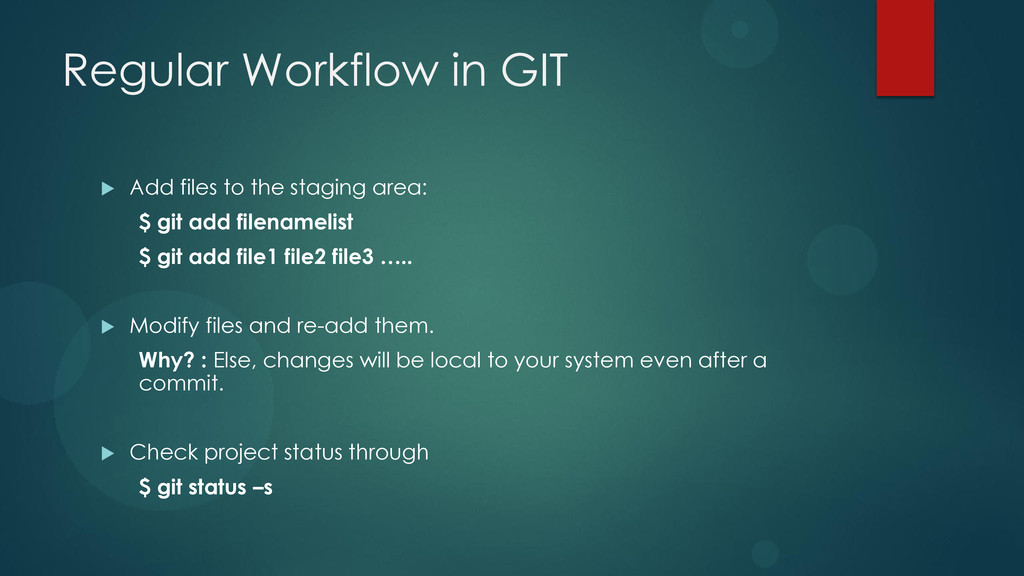
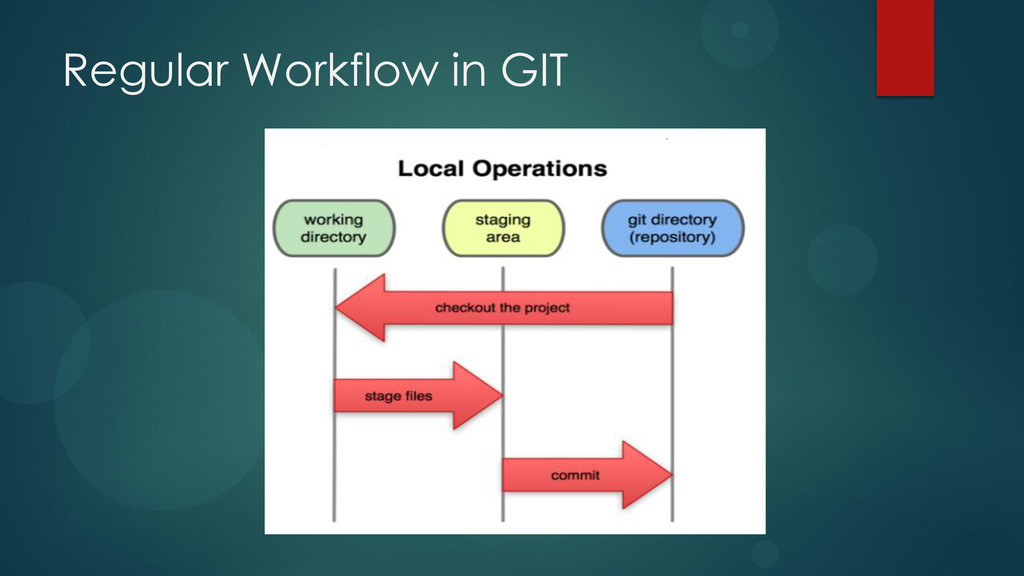
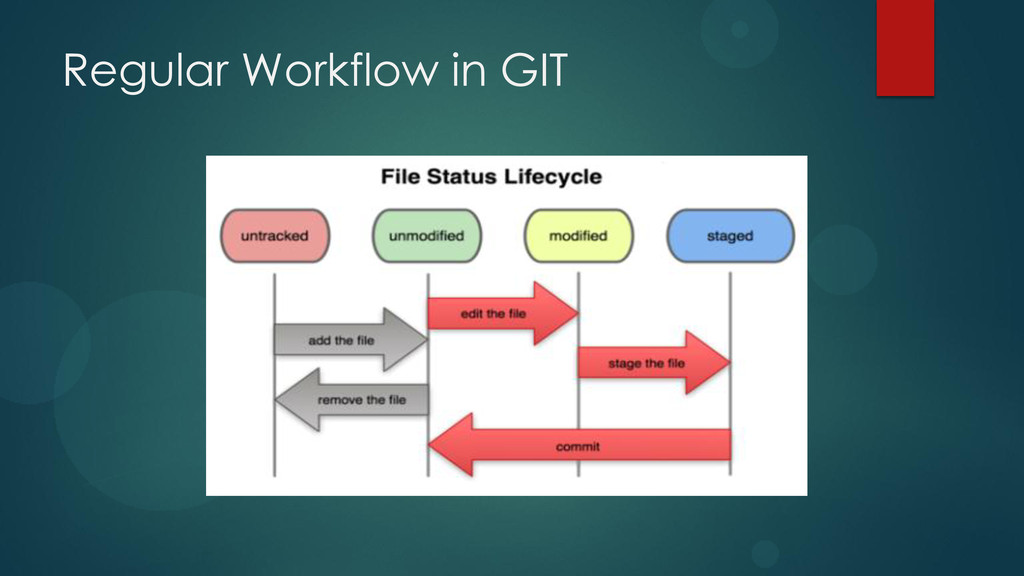
area: $ git add filenamelist $ git add file1 file2 file3 ….. Modify files and re-add them. Why? : Else, changes will be local to your system even after a commit. Check project status through $ git status –s
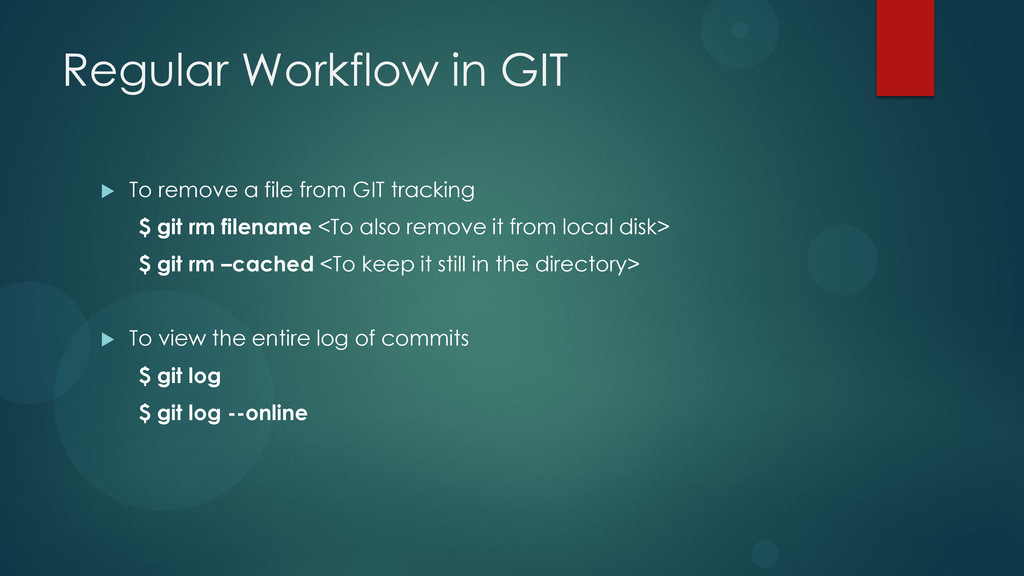
GIT tracking $ git rm filename <To also remove it from local disk> $ git rm –cached <To keep it still in the directory> To view the entire log of commits $ git log $ git log --online
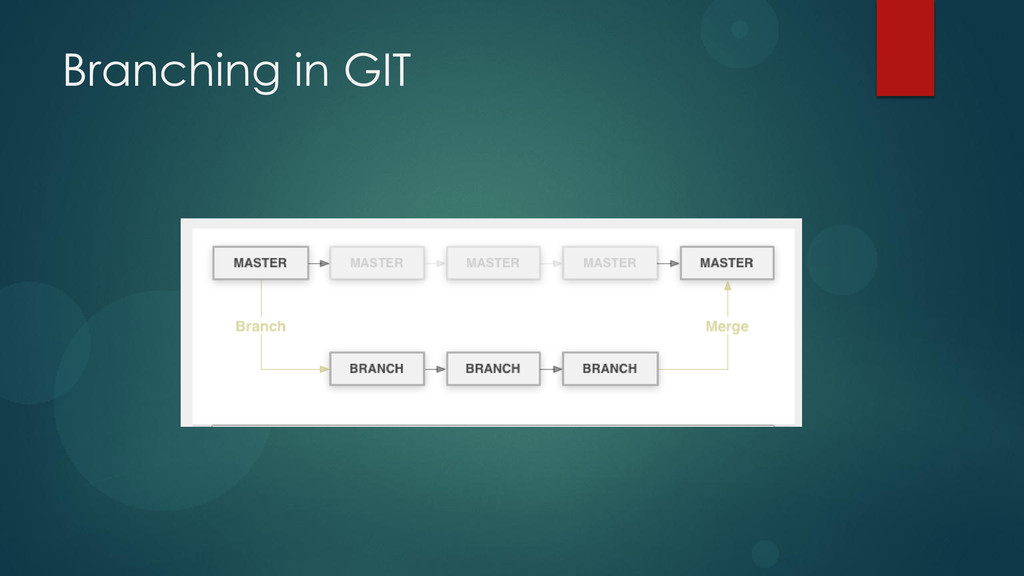
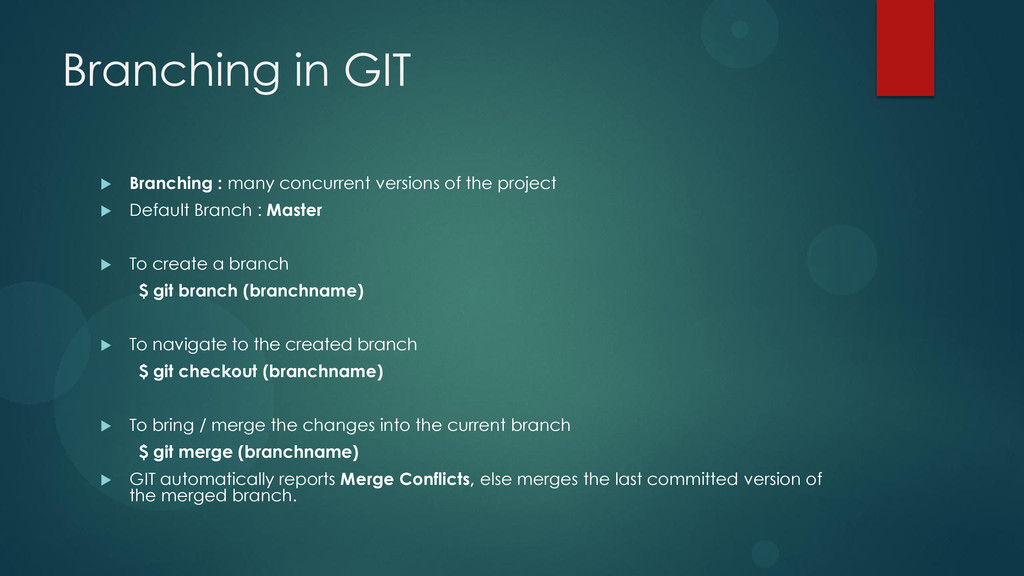
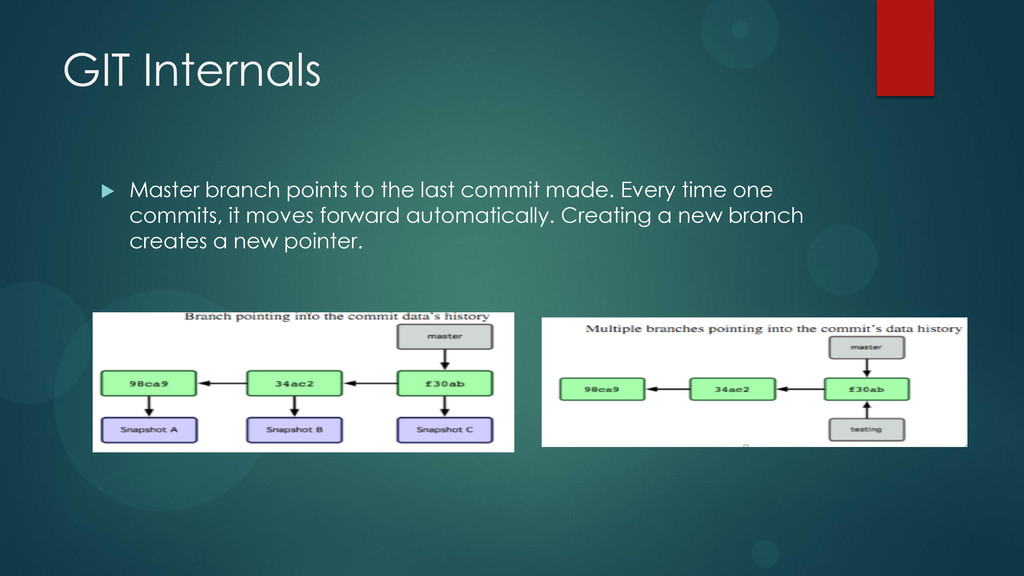
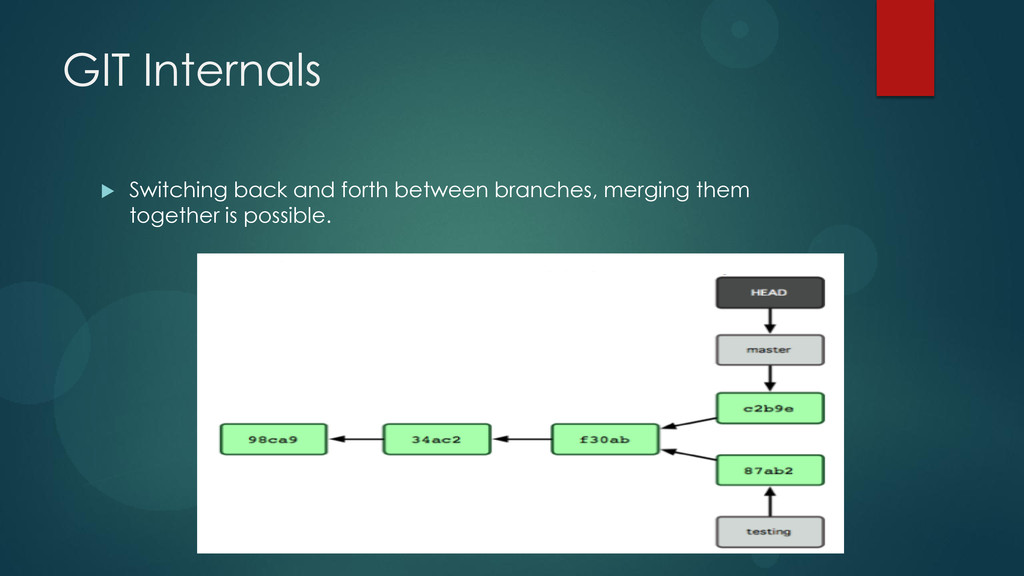
the project Default Branch : Master To create a branch $ git branch (branchname) To navigate to the created branch $ git checkout (branchname) To bring / merge the changes into the current branch $ git merge (branchname) GIT automatically reports Merge Conflicts, else merges the last committed version of the merged branch.
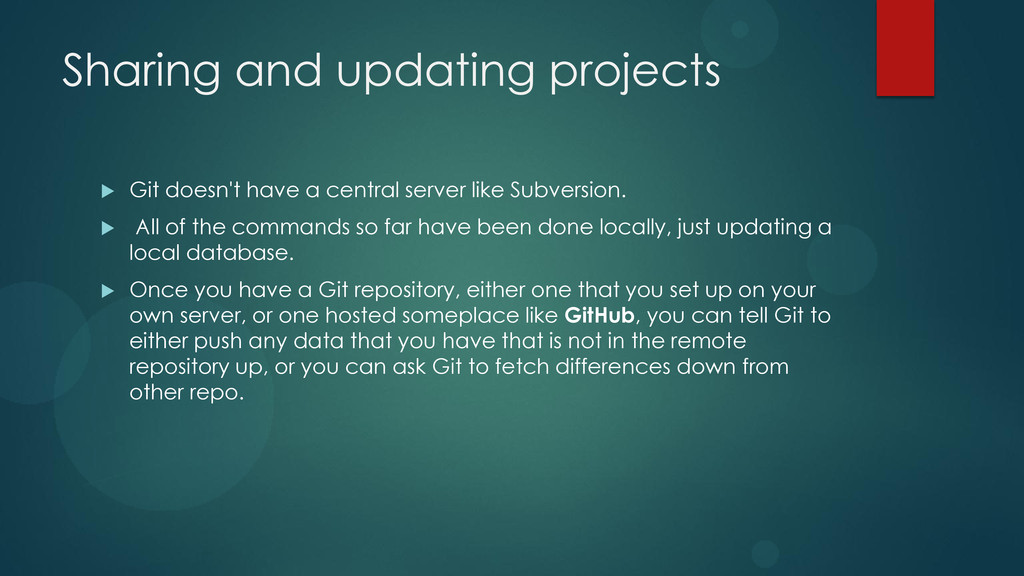
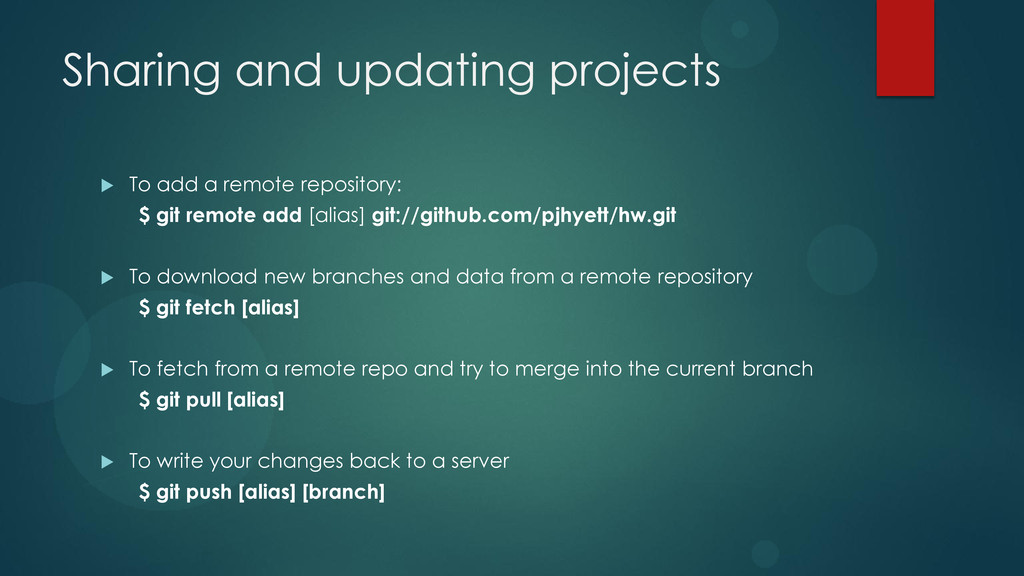
server like Subversion. All of the commands so far have been done locally, just updating a local database. Once you have a Git repository, either one that you set up on your own server, or one hosted someplace like GitHub, you can tell Git to either push any data that you have that is not in the remote repository up, or you can ask Git to fetch differences down from other repo.
$ git remote add [alias] git://github.com/pjhyett/hw.git To download new branches and data from a remote repository $ git fetch [alias] To fetch from a remote repo and try to merge into the current branch $ git pull [alias] To write your changes back to a server $ git push [alias] [branch]
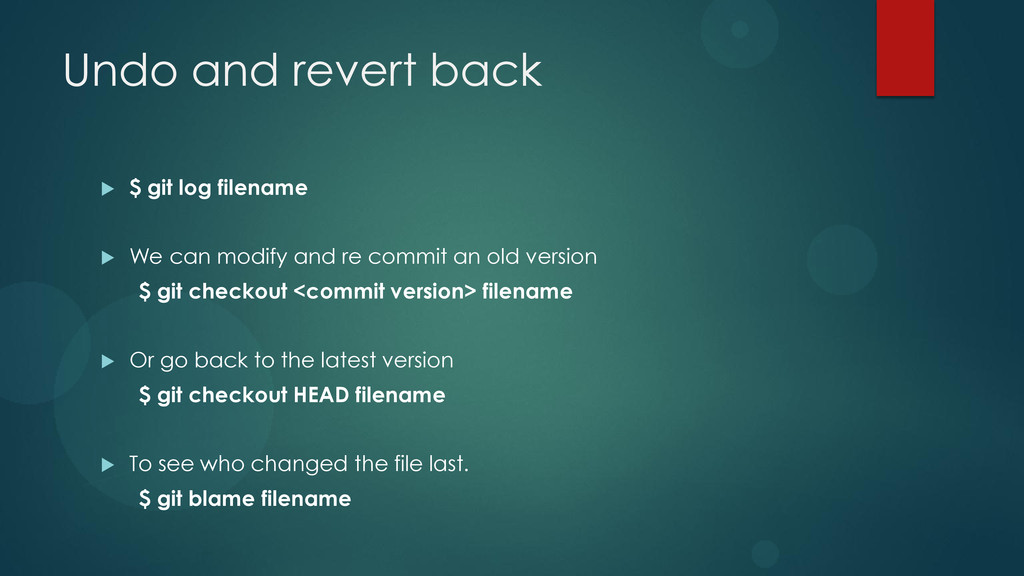
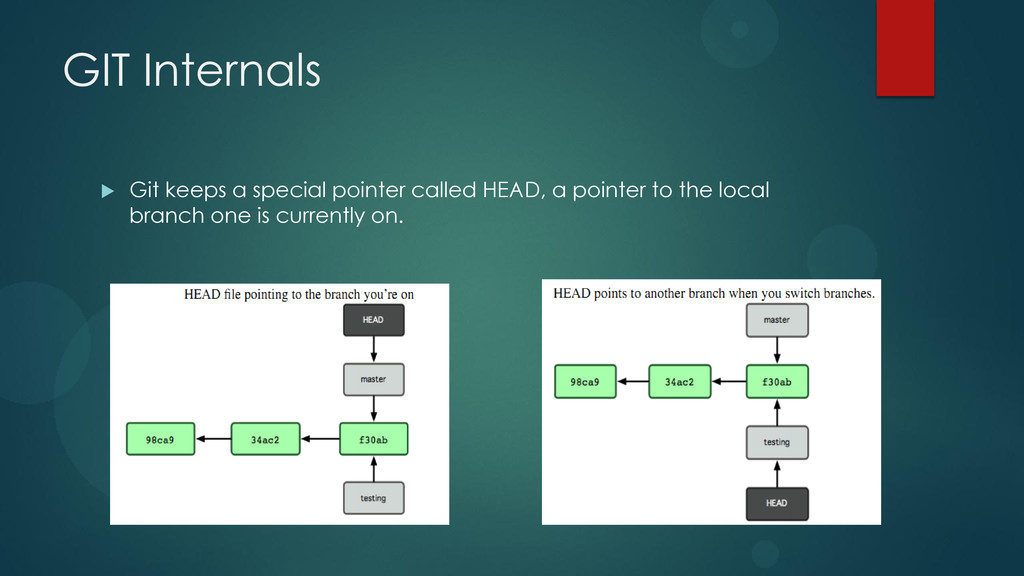
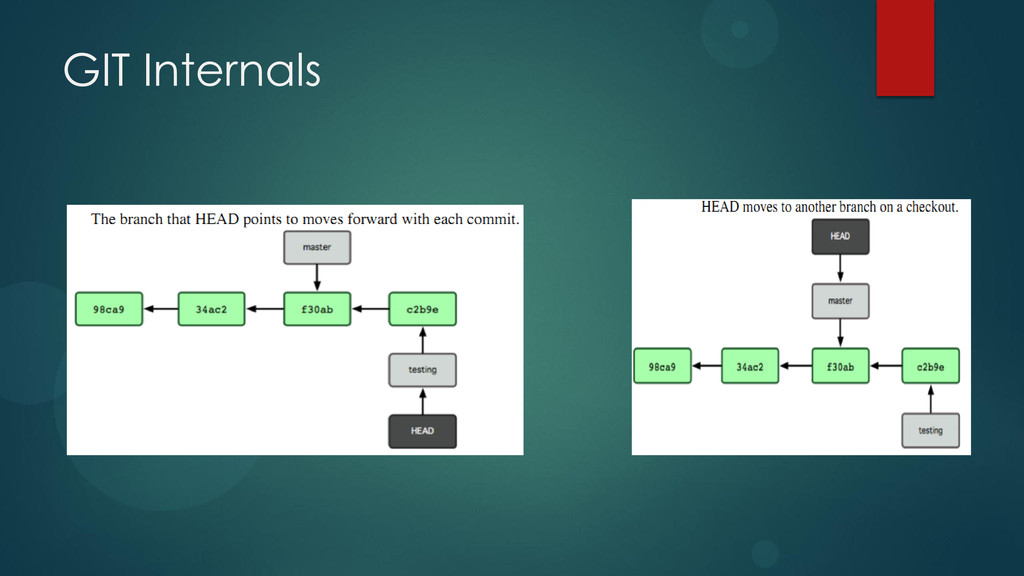
We can modify and re commit an old version $ git checkout <commit version> filename Or go back to the latest version $ git checkout HEAD filename To see who changed the file last. $ git blame filename
although it also supports major operating systems including BSD, Solaris, OS X, and Windows. The JGit implementation of Git is a pure Java software library, and in use as a Git client for the Eclipse IDE. The Dulwich implementation of Git is a pure Python software component for Python 2. The libgit2 implementation of Git is an ANSI C software library. It is used as the basis for Git libraries for the Ruby and Python programming languages. The Plastic SCM versioning system contains its own implementation of the Git protocol, to allow Plastic SCM clients to interoperate with remote Git repositories.
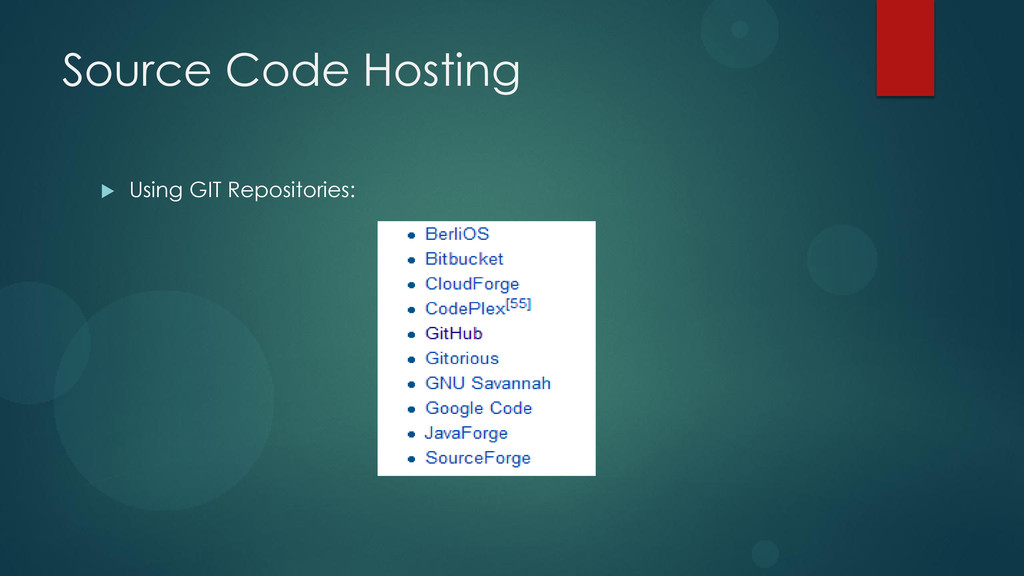
that use the Git rcs. GitHub offers both paid plans for private repositories, and free accounts for open source projects. The site provides social networking functionality such as feeds, followers and the network graph to display how developers work on their versions of a repository.


 lauravandoore
 akihiro_kokubo
 speakerdeck
 sstephenson
 baasie
 akademiya2063
 samanthasiow
 katarinadahlin
 lara
lara
 akosma
 reverentgeek
 tapps
tapps