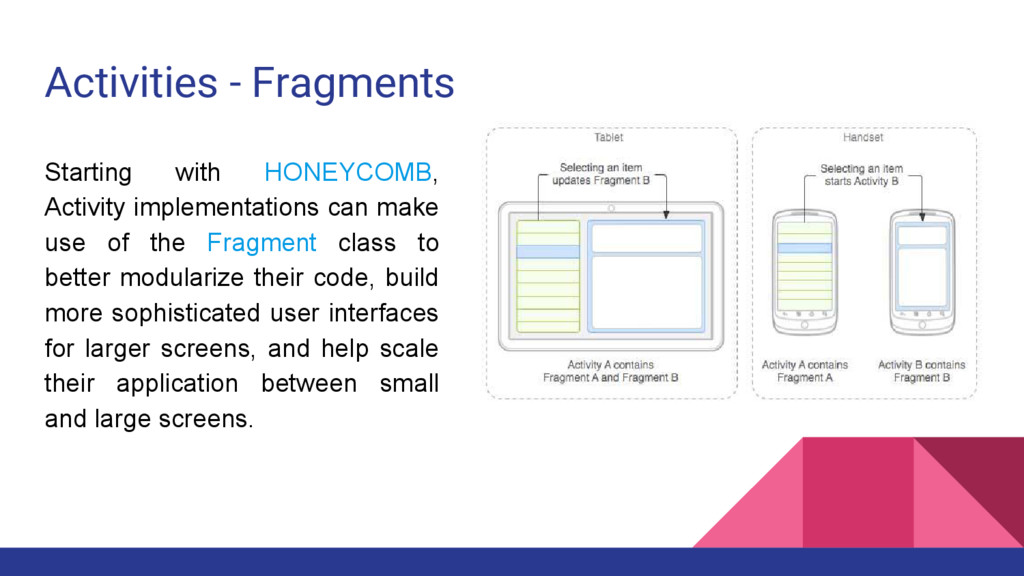
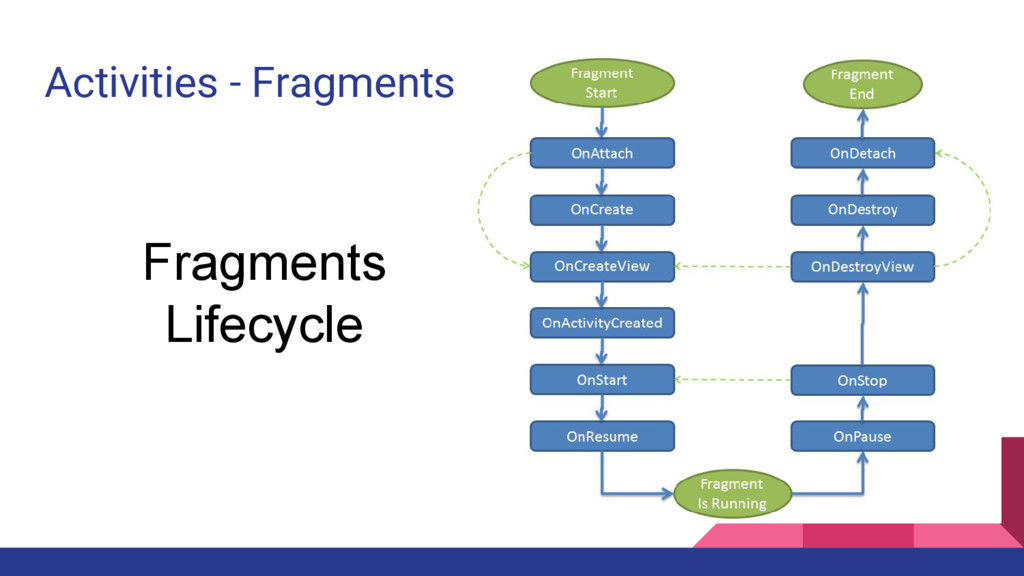
use of the Fragment class to better modularize their code, build more sophisticated user interfaces for larger screens, and help scale their application between small and large screens.
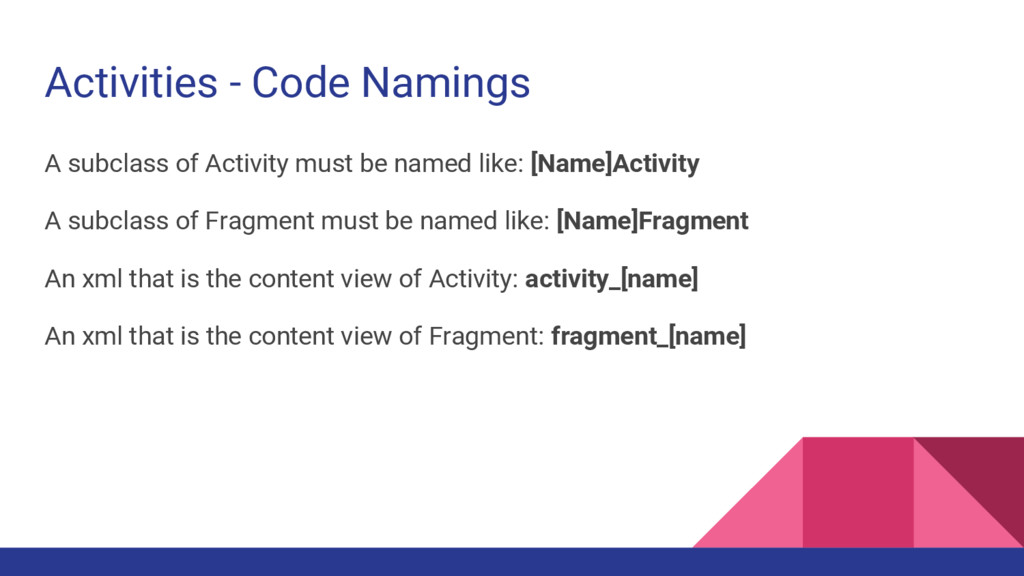
named like: [Name]Activity A subclass of Fragment must be named like: [Name]Fragment An xml that is the content view of Activity: activity_[name] An xml that is the content view of Fragment: fragment_[name]
Java isn’t Android. • Respect android conventions. • Every attributes of an Android Component must have the letter “m” as a prefix. • Every static final constants must be in capital letter using “_” between words. • Be careful when you are going to use the Application Context or your Activity as a Context. • Google is your friend, read the docs! • Try to use fragments and use Activity as a container for them. Sometimes it’s difficult, but is the correct way. • Research, research, research and research :)


 alonsopaulino
 o0h
o0h
 tanahiro2010
 rkaga
rkaga
 lynnswap
 skydoves
 kasacchiful
 kenjiyoneyama
 artoy
artoy
 seike460
.jpg) yumnumm
yumnumm
 moro
moro
 gonta
gonta
 soudai
 khoart
 stephenakadiri
 jmmastey
 chriscoyier
 chrisshort
 letsgokoyo
 palkan
 inesmontani
 cassininazir
 portentint
 yeseniaperezcruz