Upgrade to Pro — share decks privately, control downloads, hide ads and more …

Terraform 0.12: News, Cavears & Hands-On-Migrat...

Terraform 0.12: News, Cavears & Hands-On-Migration to the new syntax

terraform 0.12 massively changes the syntax and possibilities but also introduces some limitations and ends the well-known workarounds that were possible (and desperately needed) in terraform 0.11 and prior.

In this talk, we'll have a look at the changes in syntax and perform some actual migration to 0.12 while keeping the functionality and infrastructure intact

Avatar for Sascha Askani

Sascha Askani

July 24, 2019

Other Decks in Programming

Transcript

  1. 2 • seit 2013 bei inovex im Projektgeschäft • terraform

    seit 2015 (~0.5.3) • ...was mit Cloud, k8s, Big Data, OPS,... Sascha Askani Systems Engineer
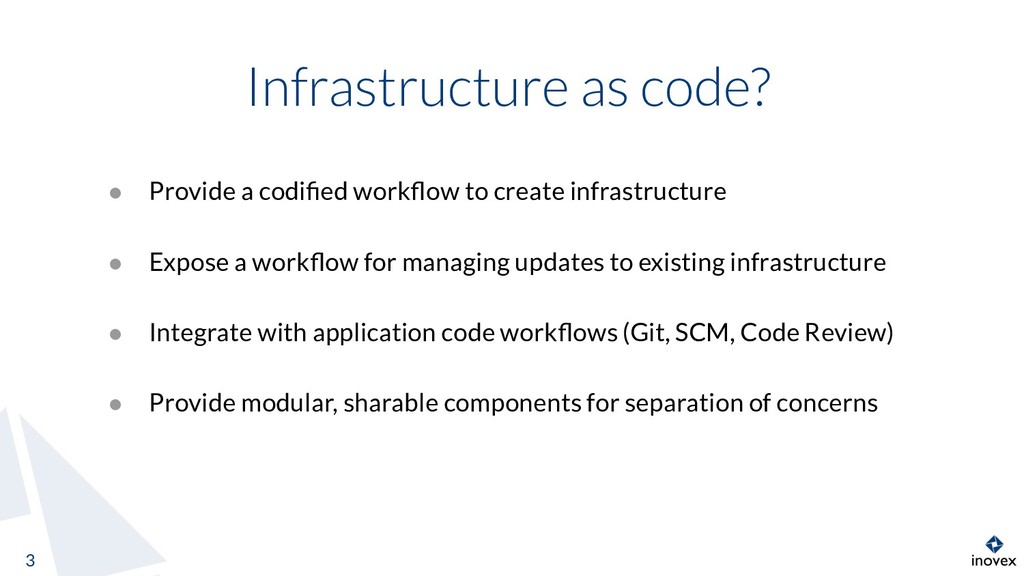
  2. Infrastructure as code? 3 • Provide a codified workflow to

    create infrastructure • Expose a workflow for managing updates to existing infrastructure • Integrate with application code workflows (Git, SCM, Code Review) • Provide modular, sharable components for separation of concerns
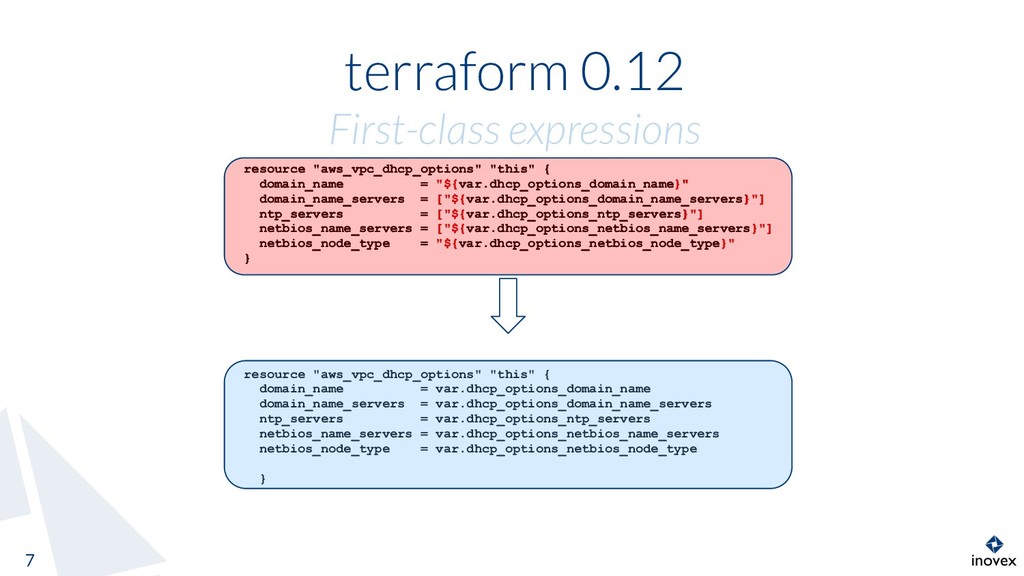
  3. terraform 0.12 First-class expressions 7 resource "aws_vpc_dhcp_options" "this" { domain_name

    = var.dhcp_options_domain_name domain_name_servers = var.dhcp_options_domain_name_servers ntp_servers = var.dhcp_options_ntp_servers netbios_name_servers = var.dhcp_options_netbios_name_servers netbios_node_type = var.dhcp_options_netbios_node_type } resource "aws_vpc_dhcp_options" "this" { domain_name = "${var.dhcp_options_domain_name}" domain_name_servers = ["${var.dhcp_options_domain_name_servers}"] ntp_servers = ["${var.dhcp_options_ntp_servers}"] netbios_name_servers = ["${var.dhcp_options_netbios_name_servers}"] netbios_node_type = "${var.dhcp_options_netbios_node_type}" } resource "aws_vpc_dhcp_options" "this" { domain_name = "${var.dhcp_options_domain_name}" domain_name_servers = ["${var.dhcp_options_domain_name_servers}"] ntp_servers = ["${var.dhcp_options_ntp_servers}"] netbios_name_servers = ["${var.dhcp_options_netbios_name_servers}"] netbios_node_type = "${var.dhcp_options_netbios_node_type}" }
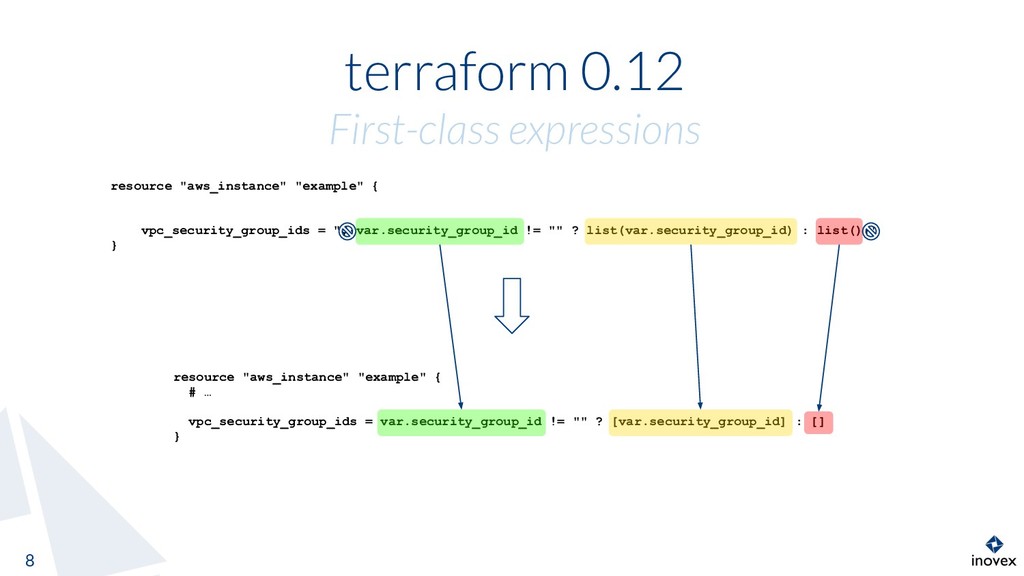
  4. terraform 0.12 First-class expressions 8 resource "aws_instance" "example" { #

    … vpc_security_group_ids = var.security_group_id != "" ? [var.security_group_id] : [] } resource "aws_instance" "example" { vpc_security_group_ids = "${var.security_group_id != "" ? list(var.security_group_id) : list()}" }
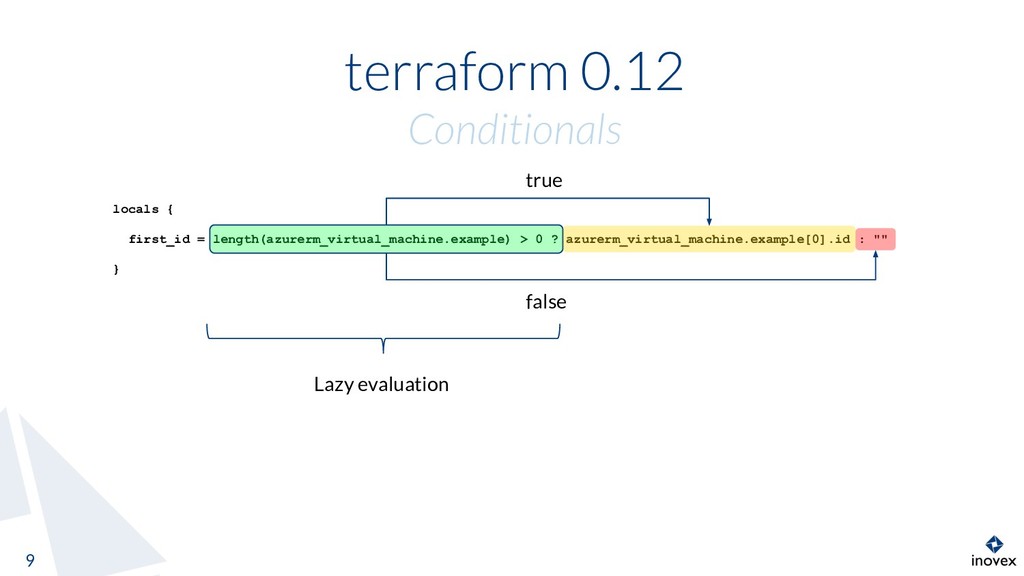
  5. terraform 0.12 Conditionals 9 locals { first_id = length(azurerm_virtual_machine.example) >

    0 ? azurerm_virtual_machine.example[0].id : "" } true false Lazy evaluation
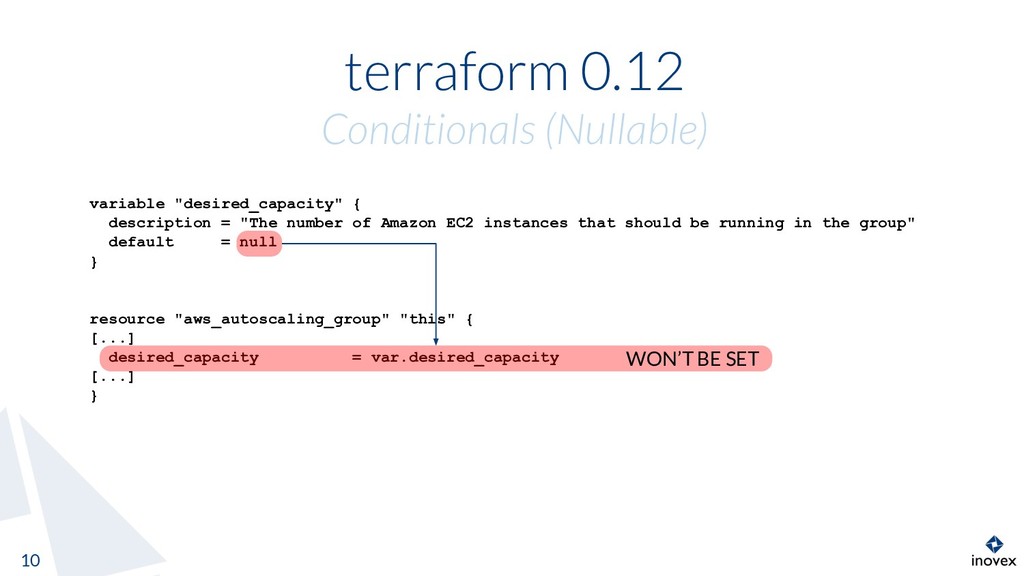
  6. terraform 0.12 Conditionals (Nullable) 10 variable "desired_capacity" { description =

    "The number of Amazon EC2 instances that should be running in the group" default = null } resource "aws_autoscaling_group" "this" { [...] desired_capacity = var.desired_capacity [...] } WON’T BE SET
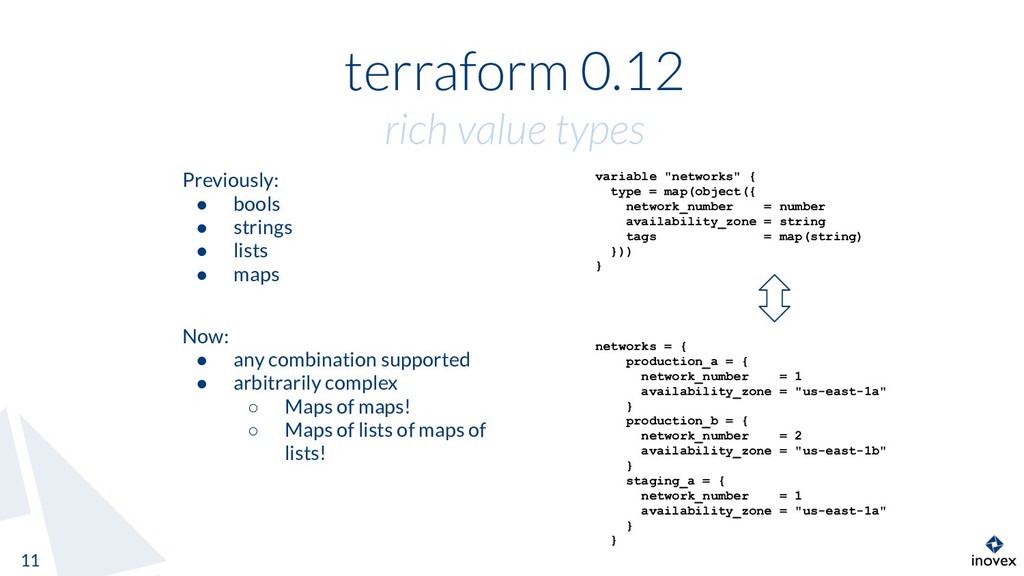
  7. terraform 0.12 rich value types 11 variable "networks" { type

    = map(object({ network_number = number availability_zone = string tags = map(string) })) } Previously: • bools • strings • lists • maps networks = { production_a = { network_number = 1 availability_zone = "us-east-1a" } production_b = { network_number = 2 availability_zone = "us-east-1b" } staging_a = { network_number = 1 availability_zone = "us-east-1a" } } Now: • any combination supported • arbitrarily complex ◦ Maps of maps! ◦ Maps of lists of maps of lists!
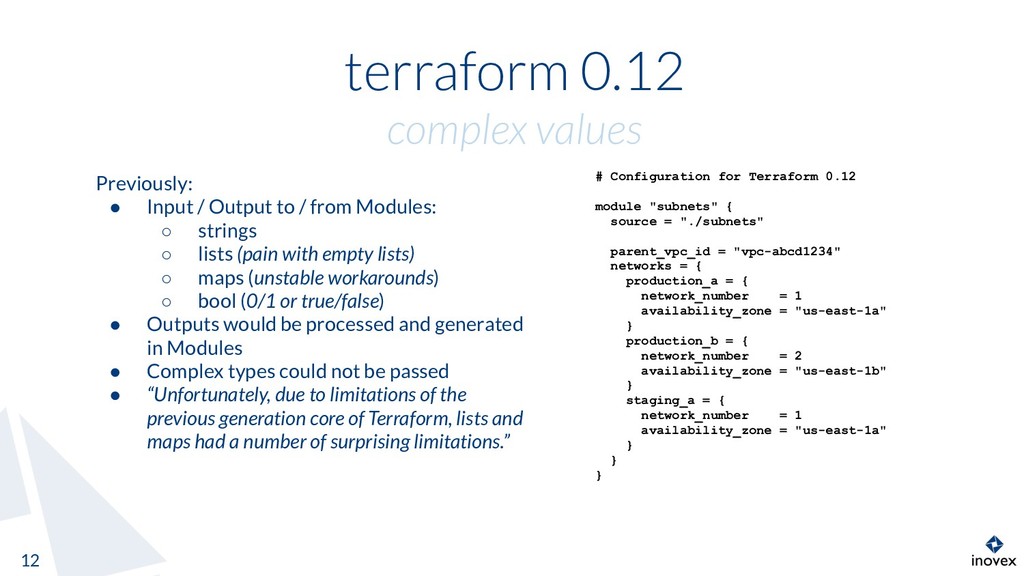
  8. terraform 0.12 complex values 12 # Configuration for Terraform 0.12

    module "subnets" { source = "./subnets" parent_vpc_id = "vpc-abcd1234" networks = { production_a = { network_number = 1 availability_zone = "us-east-1a" } production_b = { network_number = 2 availability_zone = "us-east-1b" } staging_a = { network_number = 1 availability_zone = "us-east-1a" } } } Previously: • Input / Output to / from Modules: ◦ strings ◦ lists (pain with empty lists) ◦ maps (unstable workarounds) ◦ bool (0/1 or true/false) • Outputs would be processed and generated in Modules • Complex types could not be passed • “Unfortunately, due to limitations of the previous generation core of Terraform, lists and maps had a number of surprising limitations.”
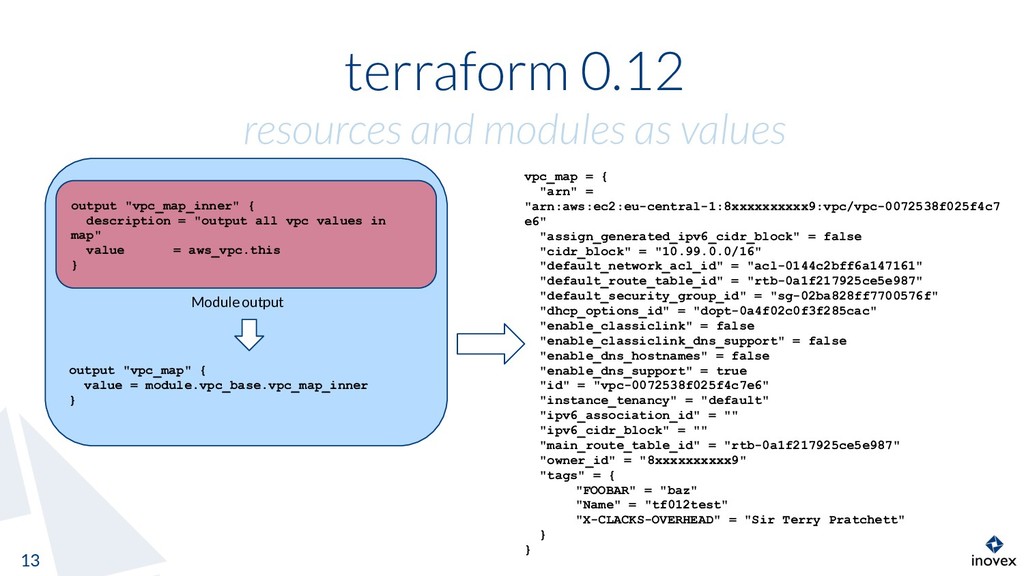
  9. output "vpc_map" { value = module.vpc_base.vpc_map_inner } terraform 0.12 resources

    and modules as values 13 vpc_map = { "arn" = "arn:aws:ec2:eu-central-1:8xxxxxxxxxx9:vpc/vpc-0072538f025f4c7 e6" "assign_generated_ipv6_cidr_block" = false "cidr_block" = "10.99.0.0/16" "default_network_acl_id" = "acl-0144c2bff6a147161" "default_route_table_id" = "rtb-0a1f217925ce5e987" "default_security_group_id" = "sg-02ba828ff7700576f" "dhcp_options_id" = "dopt-0a4f02c0f3f285cac" "enable_classiclink" = false "enable_classiclink_dns_support" = false "enable_dns_hostnames" = false "enable_dns_support" = true "id" = "vpc-0072538f025f4c7e6" "instance_tenancy" = "default" "ipv6_association_id" = "" "ipv6_cidr_block" = "" "main_route_table_id" = "rtb-0a1f217925ce5e987" "owner_id" = "8xxxxxxxxxx9" "tags" = { "FOOBAR" = "baz" "Name" = "tf012test" "X-CLACKS-OVERHEAD" = "Sir Terry Pratchett" } } Module output output "vpc_map_inner" { description = "output all vpc values in map" value = aws_vpc.this }
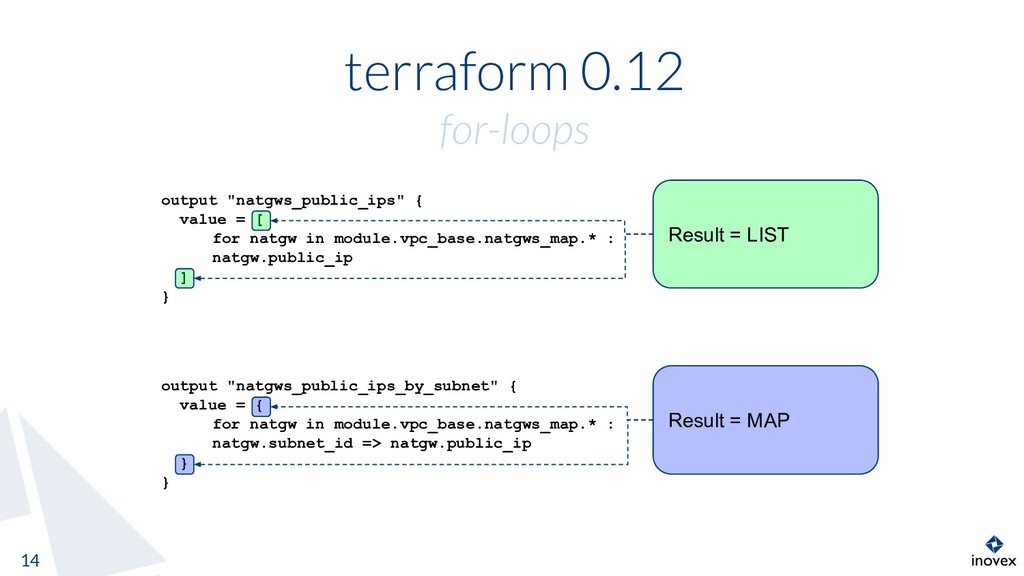
  10. terraform 0.12 for-loops 14 output "natgws_public_ips" { value = [

    for natgw in module.vpc_base.natgws_map.* : natgw.public_ip ] } output "natgws_public_ips_by_subnet" { value = { for natgw in module.vpc_base.natgws_map.* : natgw.subnet_id => natgw.public_ip } } Result = LIST Result = MAP
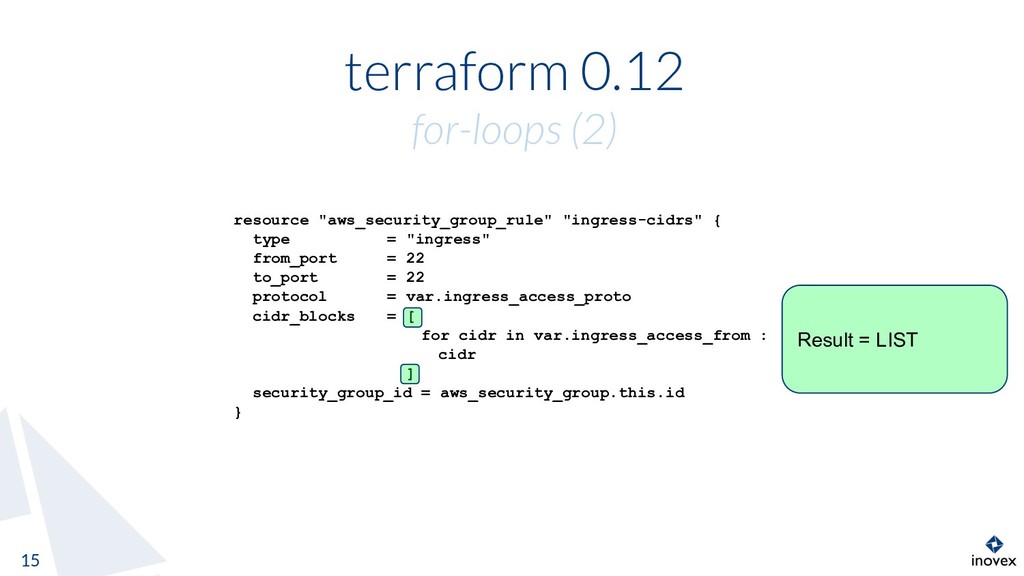
  11. terraform 0.12 for-loops (2) 15 resource "aws_security_group_rule" "ingress-cidrs" { type

    = "ingress" from_port = 22 to_port = 22 protocol = var.ingress_access_proto cidr_blocks = [ for cidr in var.ingress_access_from : cidr ] security_group_id = aws_security_group.this.id } Result = LIST
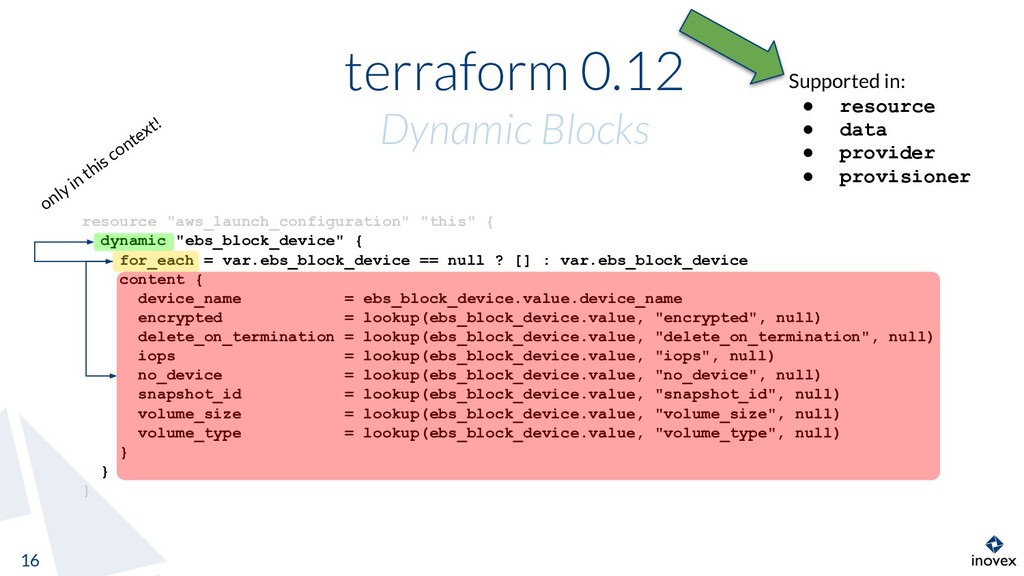
  12. terraform 0.12 Dynamic Blocks 16 resource "aws_launch_configuration" "this" { dynamic

    "ebs_block_device" { for_each = var.ebs_block_device == null ? [] : var.ebs_block_device content { device_name = ebs_block_device.value.device_name encrypted = lookup(ebs_block_device.value, "encrypted", null) delete_on_termination = lookup(ebs_block_device.value, "delete_on_termination", null) iops = lookup(ebs_block_device.value, "iops", null) no_device = lookup(ebs_block_device.value, "no_device", null) snapshot_id = lookup(ebs_block_device.value, "snapshot_id", null) volume_size = lookup(ebs_block_device.value, "volume_size", null) volume_type = lookup(ebs_block_device.value, "volume_type", null) } } } only in this context! Supported in: • resource • data • provider • provisioner
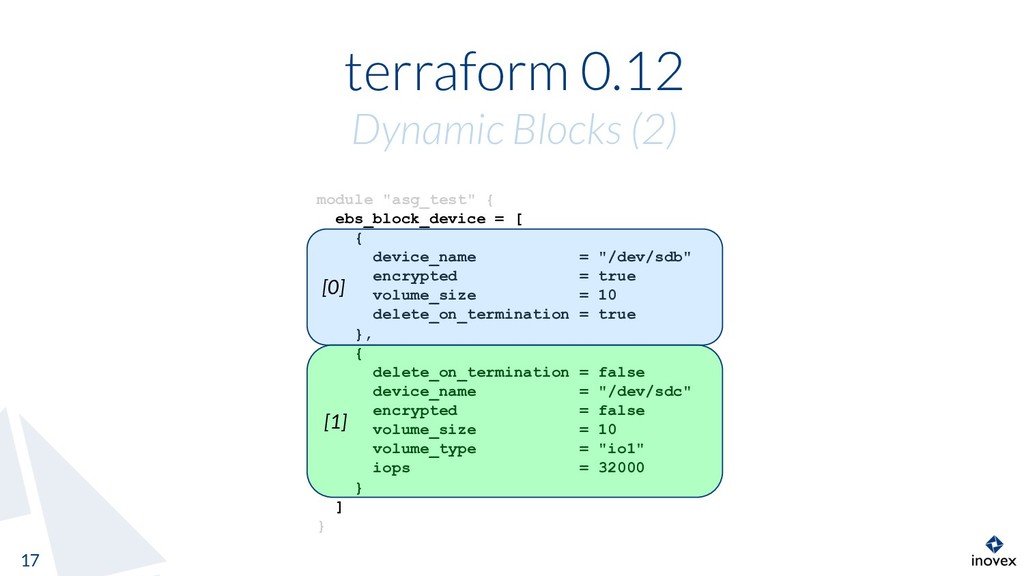
  13. terraform 0.12 Dynamic Blocks (2) 17 module "asg_test" { ebs_block_device

    = [ { device_name = "/dev/sdb" encrypted = true volume_size = 10 delete_on_termination = true }, { delete_on_termination = false device_name = "/dev/sdc" encrypted = false volume_size = 10 volume_type = "io1" iops = 32000 } ] } [0] [1]
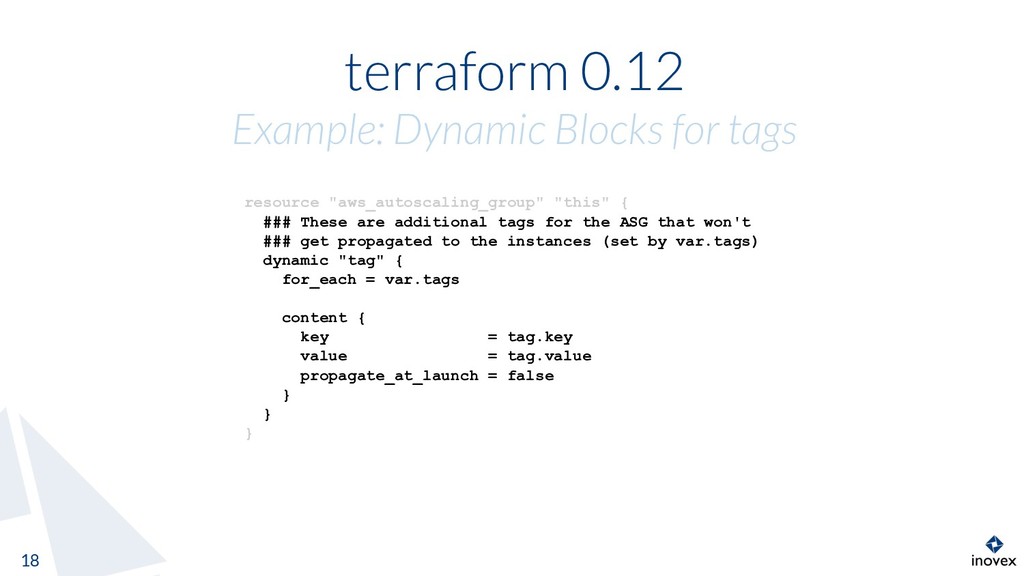
  14. terraform 0.12 Example: Dynamic Blocks for tags 18 resource "aws_autoscaling_group"

    "this" { ### These are additional tags for the ASG that won't ### get propagated to the instances (set by var.tags) dynamic "tag" { for_each = var.tags content { key = tag.key value = tag.value propagate_at_launch = false } } }
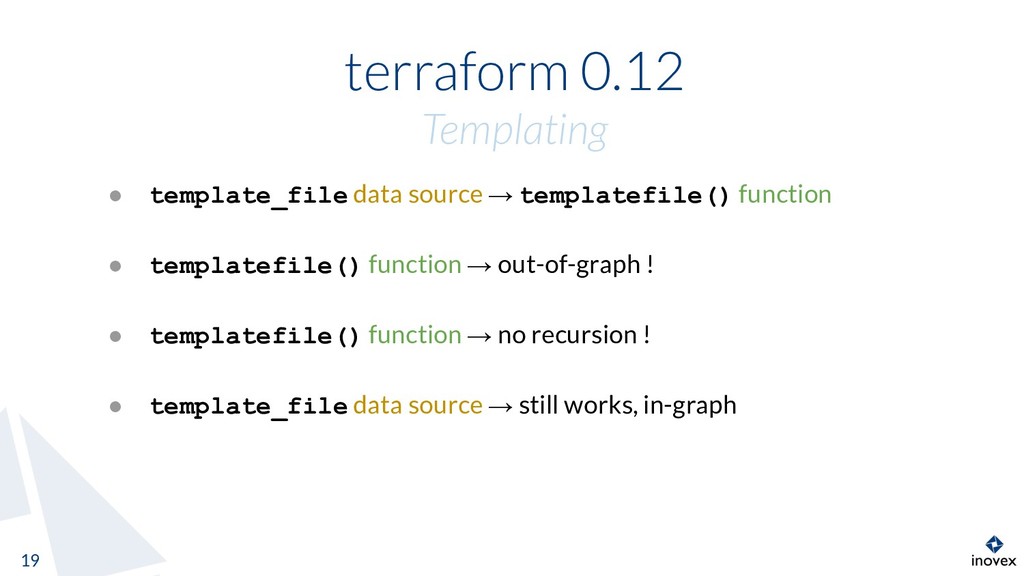
  15. terraform 0.12 Templating 19 • template_file data source → templatefile()

    function • templatefile() function → out-of-graph ! • templatefile() function → no recursion ! • template_file data source → still works, in-graph
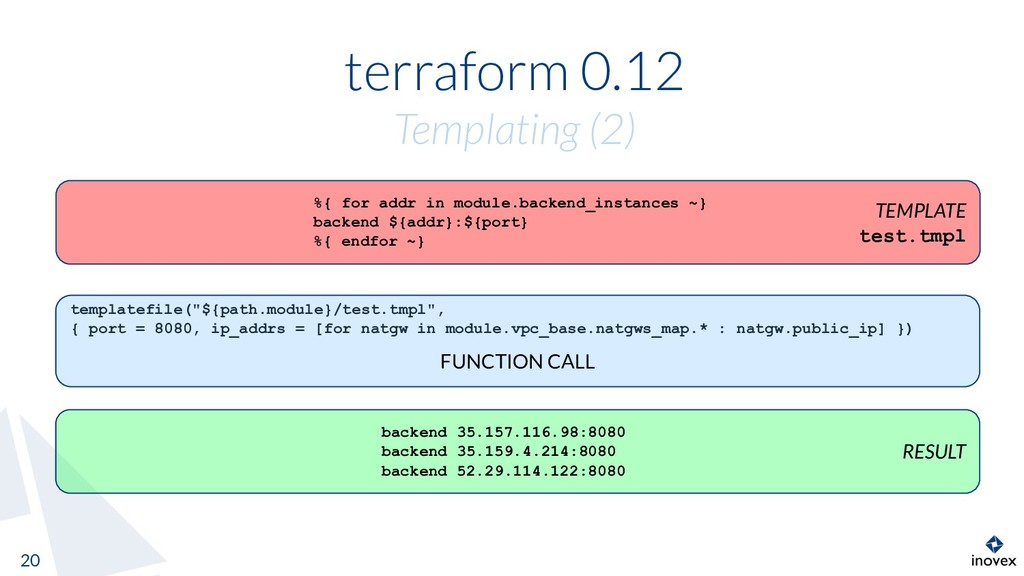
  16. terraform 0.12 Templating (2) 20 templatefile("${path.module}/test.tmpl", { port = 8080,

    ip_addrs = [for natgw in module.vpc_base.natgws_map.* : natgw.public_ip] }) FUNCTION CALL TEMPLATE test.tmpl %{ for addr in module.backend_instances ~} backend ${addr}:${port} %{ endfor ~} RESULT backend 35.157.116.98:8080 backend 35.159.4.214:8080 backend 52.29.114.122:8080
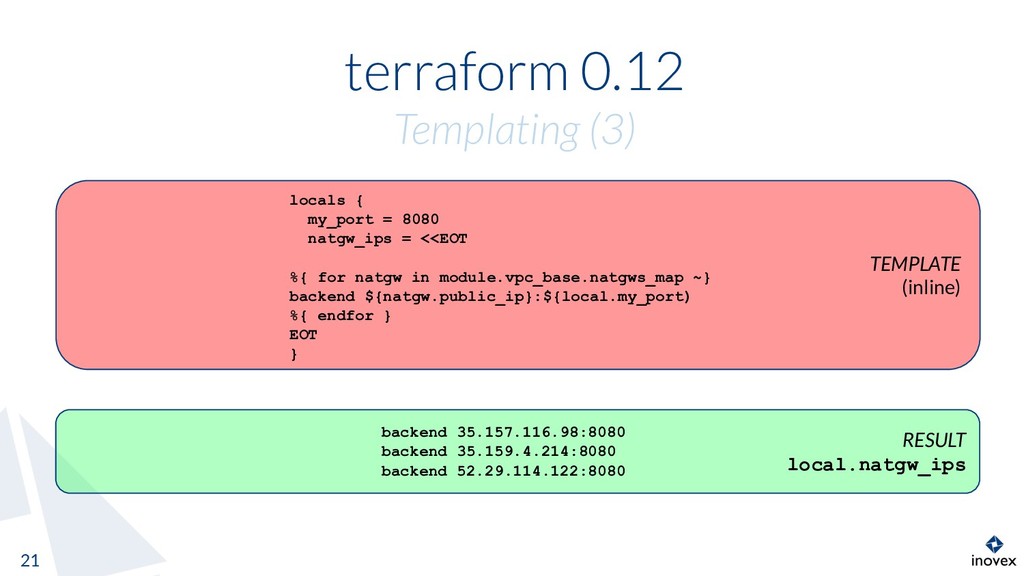
  17. TEMPLATE (inline) terraform 0.12 Templating (3) 21 locals { my_port

    = 8080 natgw_ips = <<EOT %{ for natgw in module.vpc_base.natgws_map ~} backend ${natgw.public_ip}:${local.my_port) %{ endfor } EOT } RESULT local.natgw_ips backend 35.157.116.98:8080 backend 35.159.4.214:8080 backend 52.29.114.122:8080
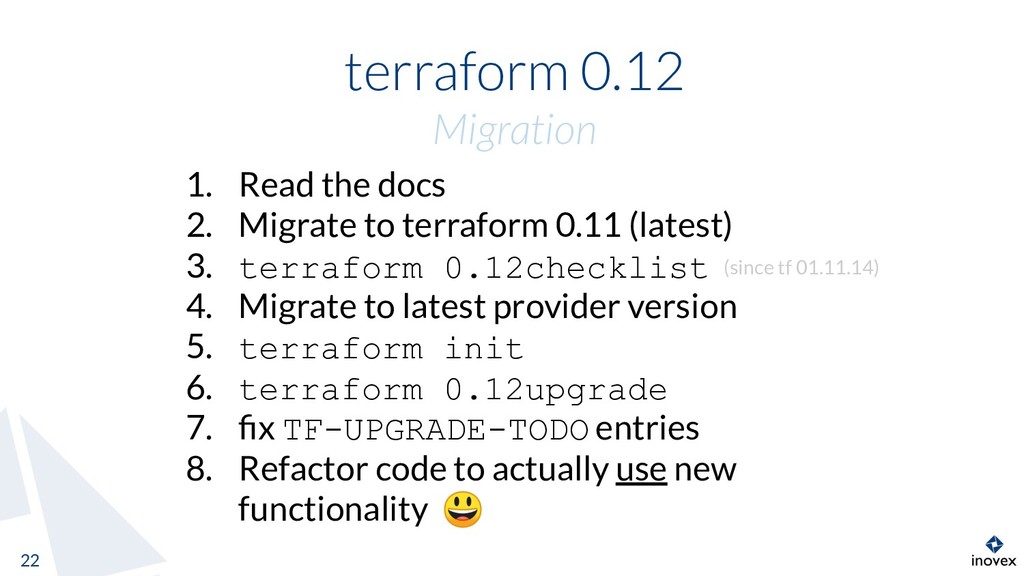
  18. terraform 0.12 Migration 22 1. Read the docs 2. Migrate

    to terraform 0.11 (latest) 3. terraform 0.12checklist 4. Migrate to latest provider version 5. terraform init 6. terraform 0.12upgrade 7. fix TF-UPGRADE-TODO entries 8. Refactor code to actually use new functionality (since tf 01.11.14)
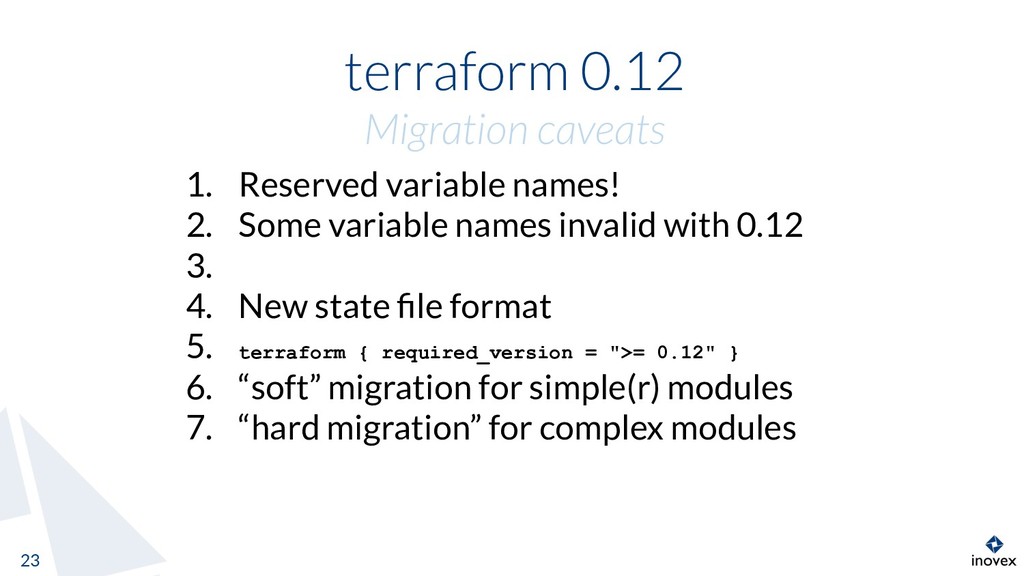
  19. terraform 0.12 Migration caveats 23 1. Reserved variable names! 2.

    Some variable names invalid with 0.12 3. 4. New state file format 5. terraform { required_version = ">= 0.12" } 6. “soft” migration for simple(r) modules 7. “hard migration” for complex modules
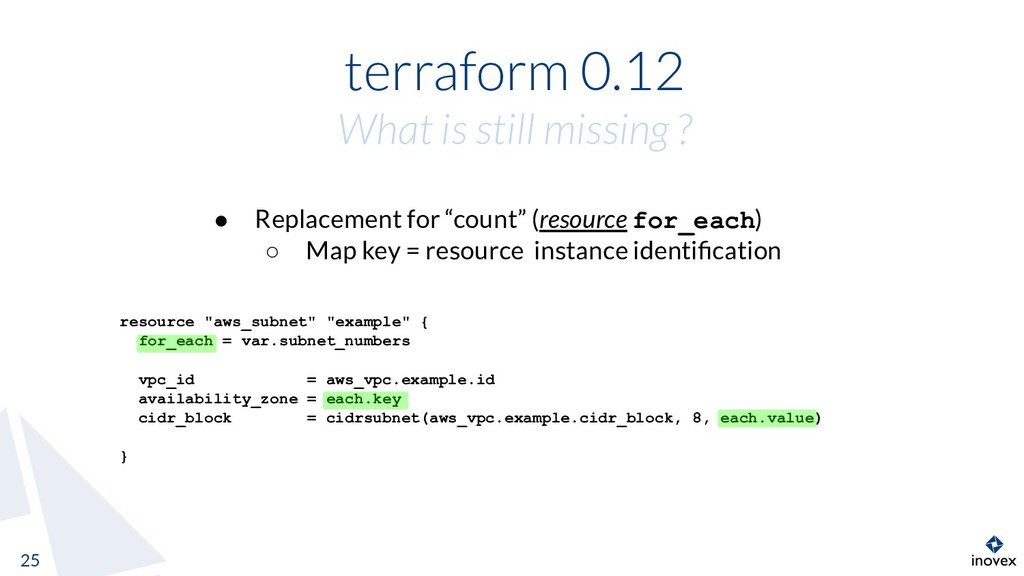
  20. terraform 0.12 What is still missing ? 25 • Replacement

    for “count” (resource for_each) ◦ Map key = resource instance identification resource "aws_subnet" "example" { for_each = var.subnet_numbers vpc_id = aws_vpc.example.id availability_zone = each.key cidr_block = cidrsubnet(aws_vpc.example.cidr_block, 8, each.value) }
  21. terraform 0.12 Resources 26 • Blogposts: https://www.hashicorp.com/blog/terraform-0-1-2-pr eview • Upgrade-Guide:

    https://www.terraform.io/upgrade-guides/0-12.html • HCL2-Spec: https://github.com/hashicorp/hcl2/blob/master/hcl/h clsyntax/spec.md
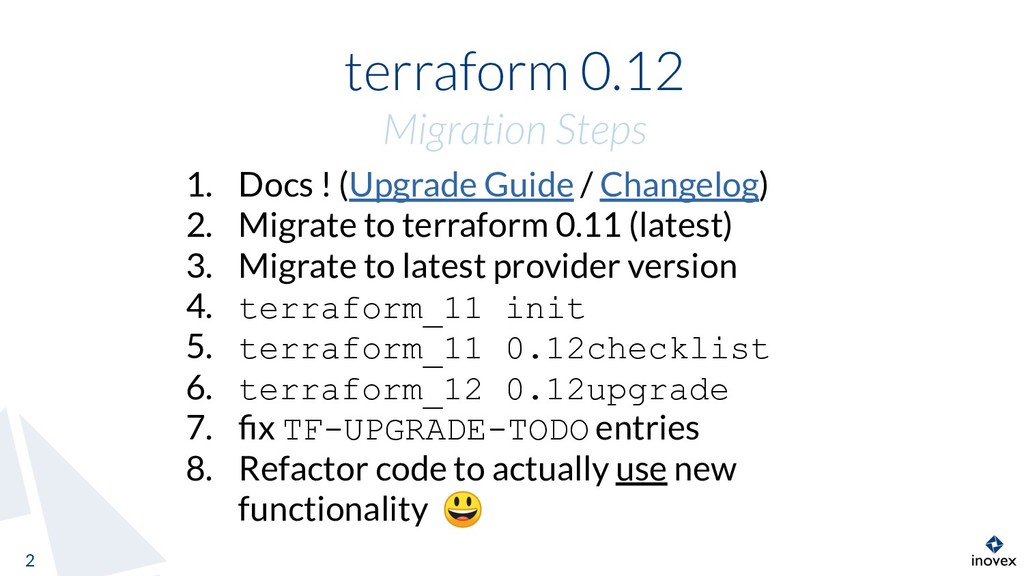
  22. terraform 0.12 Migration Steps 2 1. Docs ! (Upgrade Guide

    / Changelog) 2. Migrate to terraform 0.11 (latest) 3. Migrate to latest provider version 4. terraform_11 init 5. terraform_11 0.12checklist 6. terraform_12 0.12upgrade 7. fix TF-UPGRADE-TODO entries 8. Refactor code to actually use new functionality
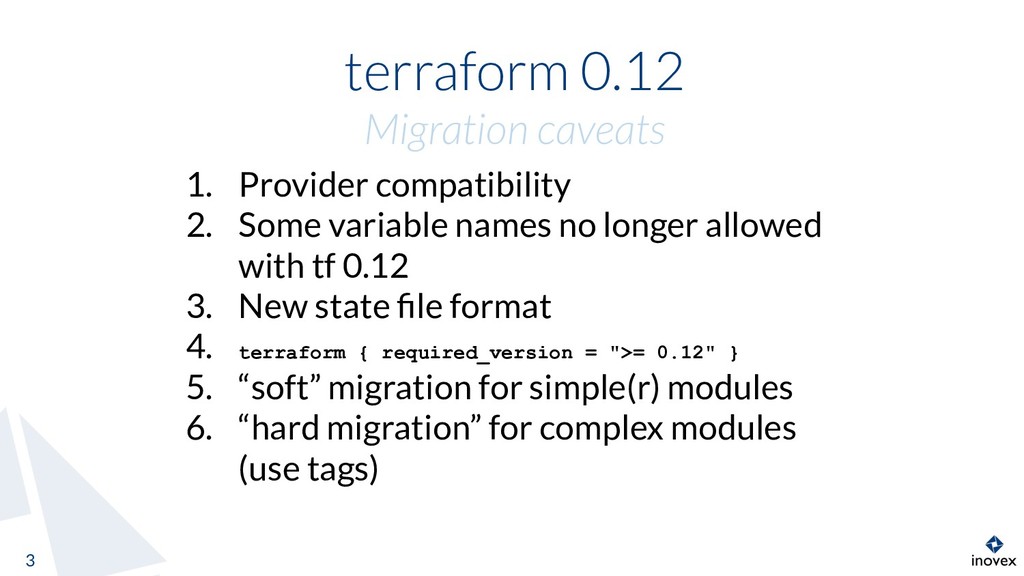
  23. terraform 0.12 Migration caveats 3 1. Provider compatibility 2. Some

    variable names no longer allowed with tf 0.12 3. New state file format 4. terraform { required_version = ">= 0.12" } 5. “soft” migration for simple(r) modules 6. “hard migration” for complex modules (use tags)
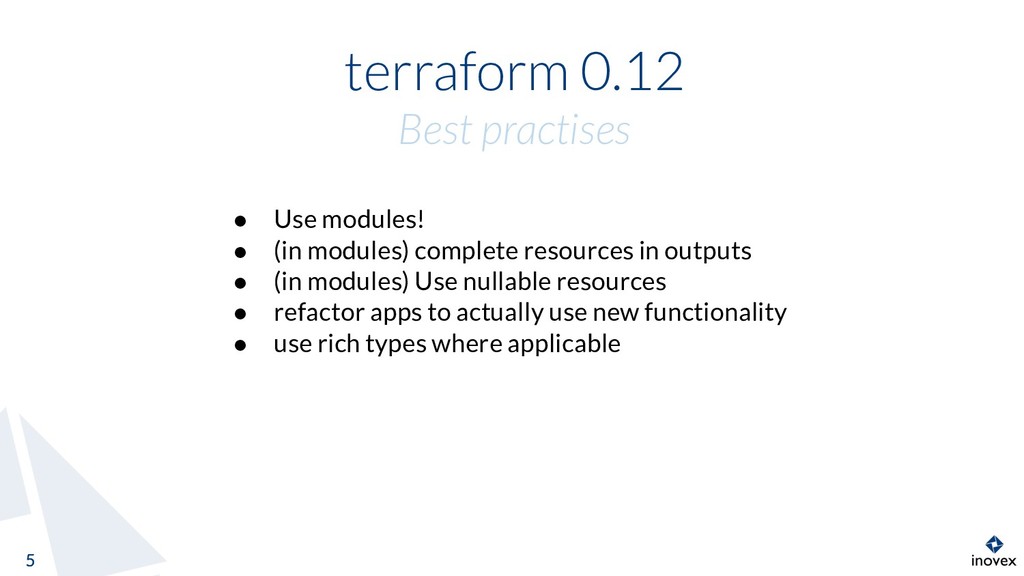
  24. terraform 0.12 Best practises 5 5 • Use modules! •

    (in modules) complete resources in outputs • (in modules) Use nullable resources • refactor apps to actually use new functionality • use rich types where applicable
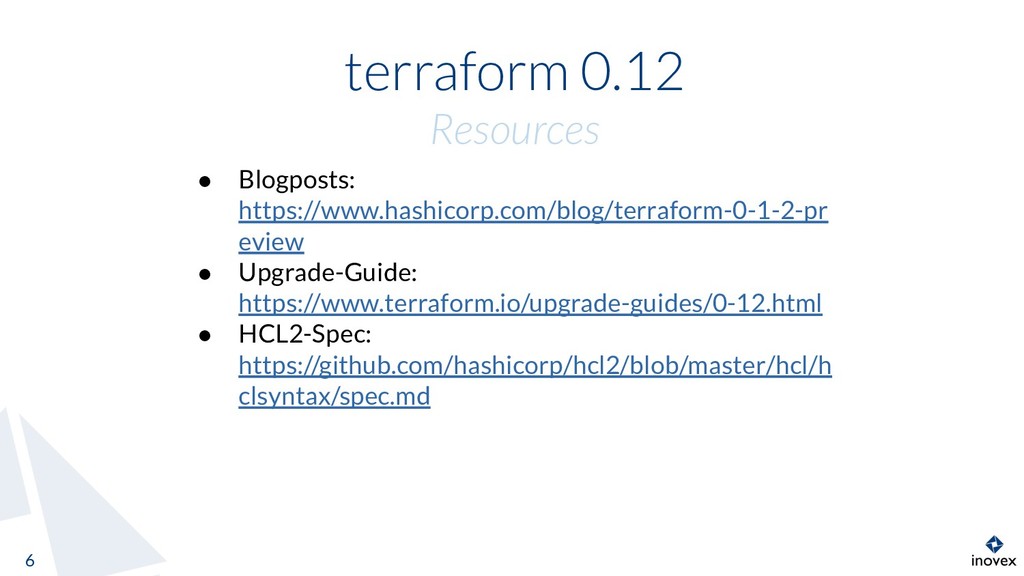
  25. terraform 0.12 Resources 6 • Blogposts: https://www.hashicorp.com/blog/terraform-0-1-2-pr eview • Upgrade-Guide:

    https://www.terraform.io/upgrade-guides/0-12.html • HCL2-Spec: https://github.com/hashicorp/hcl2/blob/master/hcl/h clsyntax/spec.md