Upgrade to Pro
— share decks privately, control downloads, hide ads and more …
Speaker Deck
Sign up for free
Menu
Search
Features
All features
Private URLs
Password Protection
Custom URLS
Scheduled publishing
Remove Branding
Restrict embedding
Deck Collections
Notes
Features
All features
Private URLs
Password Protection
Custom URLS
Scheduled publishing
Remove Branding
Restrict embedding
Deck Collections
Notes
Explore
Featured decks
Featured speakers
Programming
Technology
Storyboards
Explore
Featured decks
Featured speakers
Programming
Technology
Storyboards
Pricing
Search
Sign in
Sign up for free
How to Use Bitly
Search
Sponsored
·
Your Podcast. Everywhere. Effortlessly.
Share. Educate. Inspire. Entertain. You do you. We'll handle the rest.
→
Flordelyn
October 05, 2013
7
0
Share
Embed
Copy iframe code
Copy JS code
Copy link
Start on current slide
How to Use Bitly
Flordelyn
October 05, 2013
Featured
See All Featured
[RailsConf 2023 Opening Keynote] The Magic of Rails
eileencodes
31
10k
Writing Fast Ruby
sferik
630
63k
A designer walks into a library…
pauljervisheath
211
25k
How to Build an AI Search Optimization Roadmap - Criteria and Steps to Take #SEOIRL
aleyda
1
2.2k
Chasing Engaging Ingredients in Design
codingconduct
0
360
A brief & incomplete history of UX Design for the World Wide Web: 1989–2019
jct
2
530
The Illustrated Children's Guide to Kubernetes
chrisshort
51
53k
Making the Leap to Tech Lead
cromwellryan
135
10k
Dealing with People You Can't Stand - Big Design 2015
cassininazir
367
27k
Introduction to Domain-Driven Design and Collaborative software design
baasie
1
1k
Design in an AI World
tapps
1
350
Keith and Marios Guide to Fast Websites
keithpitt
413
23k
Transcript
How to use Bitly Flordelyn Lacorte –Your Filipino Virtual Assitant
1 By: Flordelyn Lacorte
What is bitly? Flordelyn Lacorte –Your Filipino Virtual Assitant 2
Bitly is a utility that allows users to shorten a
long URL Flordelyn Lacorte –Your Filipino Virtual Assitant 3
it easily save and share your favorite links from around
the web Flordelyn Lacorte –Your Filipino Virtual Assitant 4
What is url? Flordelyn Lacorte –Your Filipino Virtual Assitant 5
A URL is a formatted text string used by Web
browsers Flordelyn Lacorte –Your Filipino Virtual Assitant 6
to identify a network resource on the Internet Flordelyn Lacorte
–Your Filipino Virtual Assitant 7
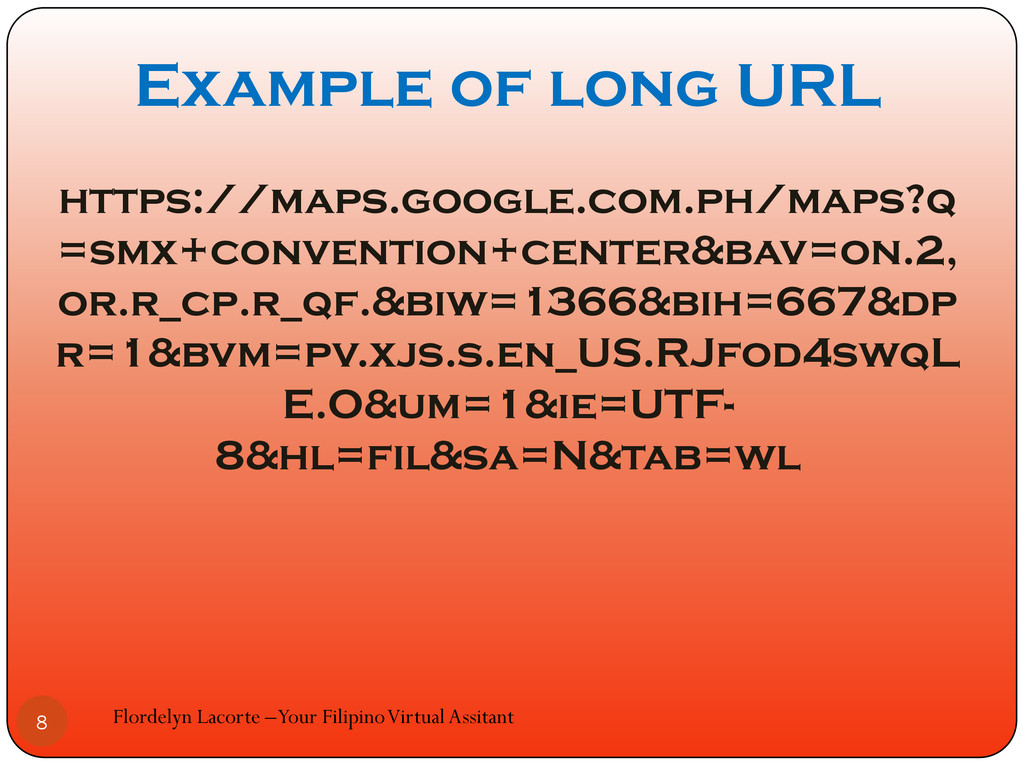
Example of long URL https://maps.google.com.ph/maps?q =smx+convention+center&bav=on.2, or.r_cp.r_qf.&biw=1366&bih=667&dp r=1&bvm=pv.xjs.s.en_US.RJfod4swqL E.O&um=1&ie=UTF- 8&hl=fil&sa=N&tab=wl
Flordelyn Lacorte –Your Filipino Virtual Assitant 8
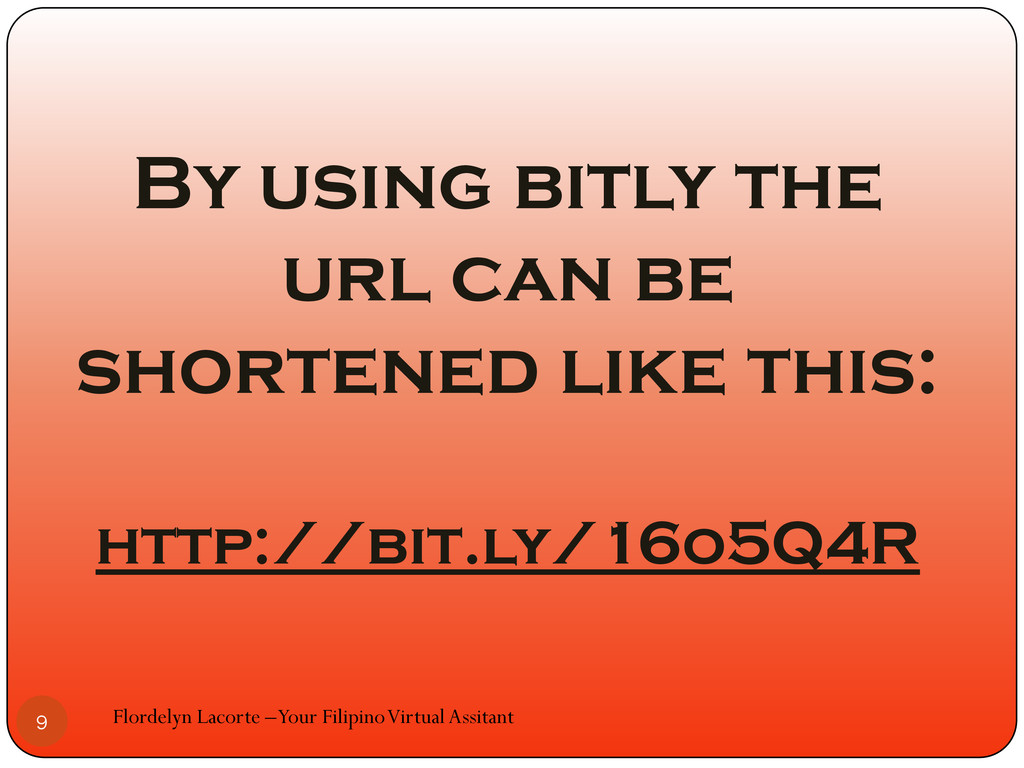
By using bitly the url can be shortened like this:
http://bit.ly/16o5Q4R Flordelyn Lacorte –Your Filipino Virtual Assitant 9
How to start using bitly? Flordelyn Lacorte –Your Filipino Virtual
Assitant 10
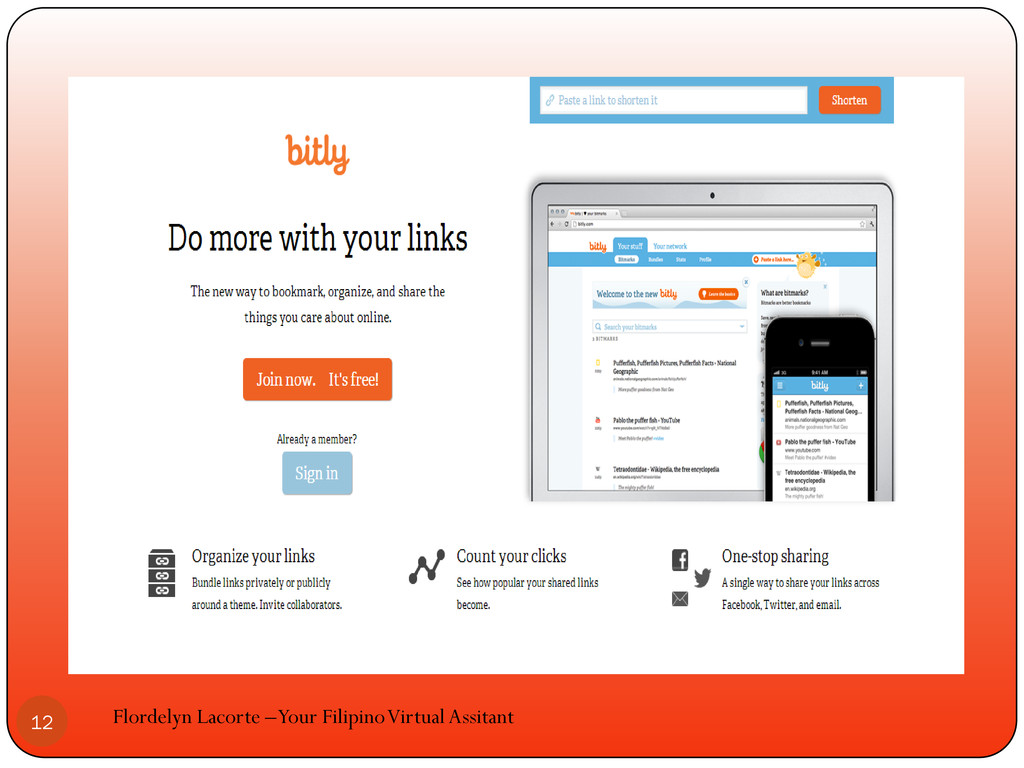
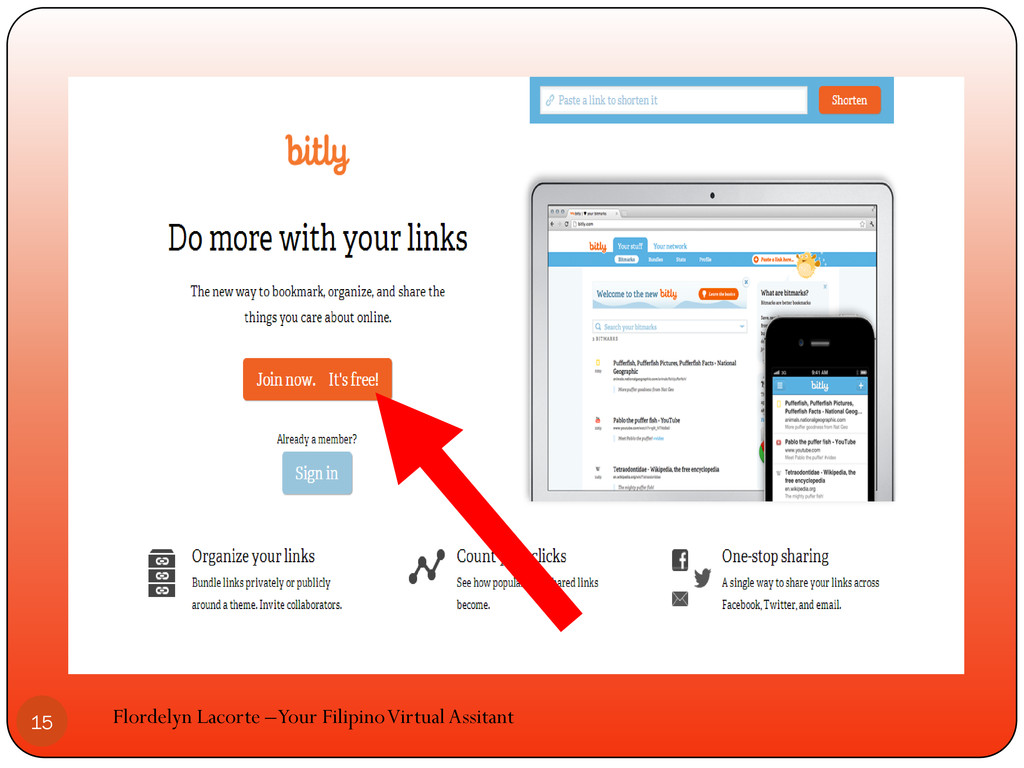
Go to www.bitly.com Flordelyn Lacorte –Your Filipino Virtual Assitant 11
Flordelyn Lacorte –Your Filipino Virtual Assitant 12
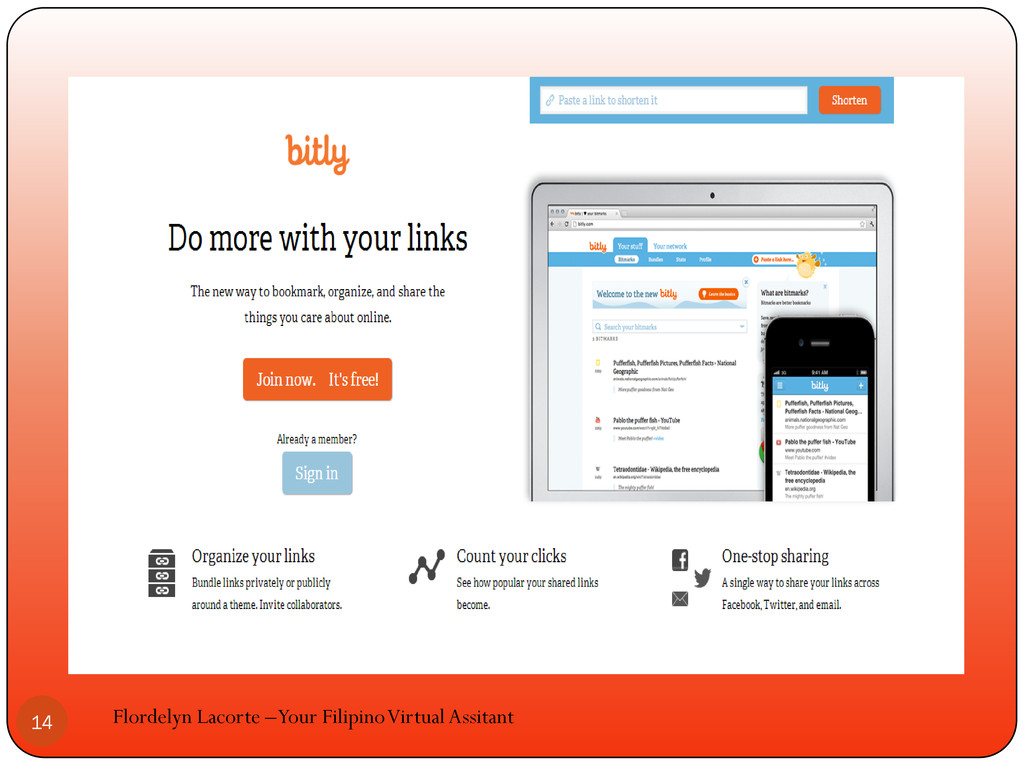
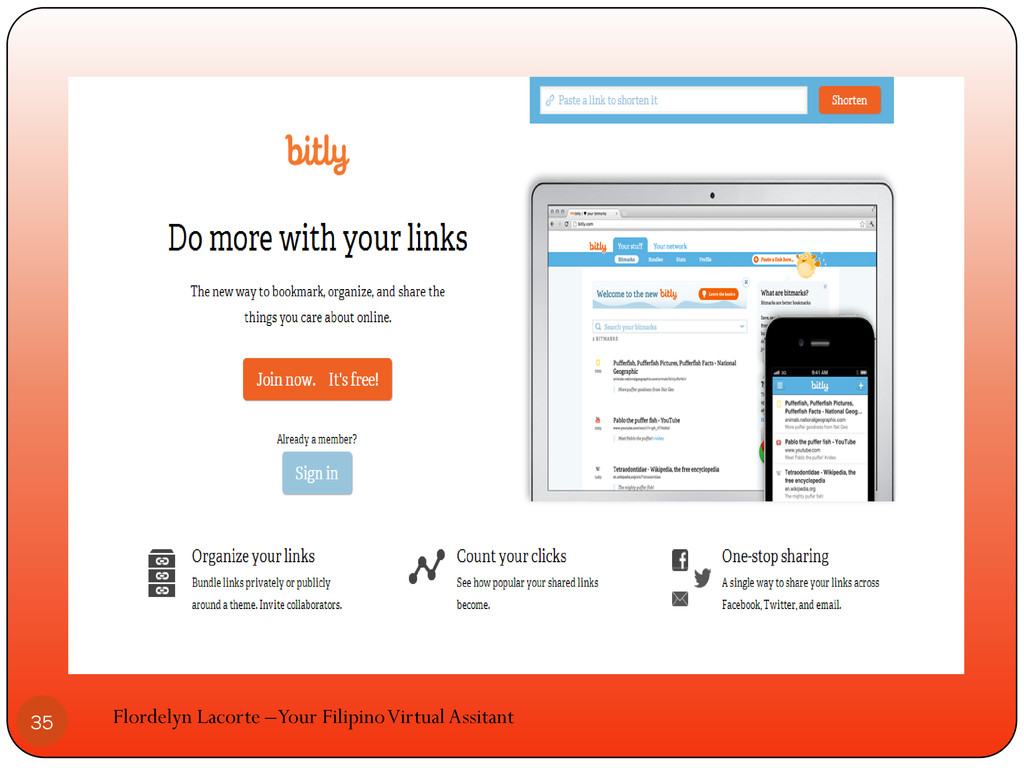
Click join now. its free! to create an account Flordelyn
Lacorte –Your Filipino Virtual Assitant 13
Flordelyn Lacorte –Your Filipino Virtual Assitant 14
Flordelyn Lacorte –Your Filipino Virtual Assitant 15
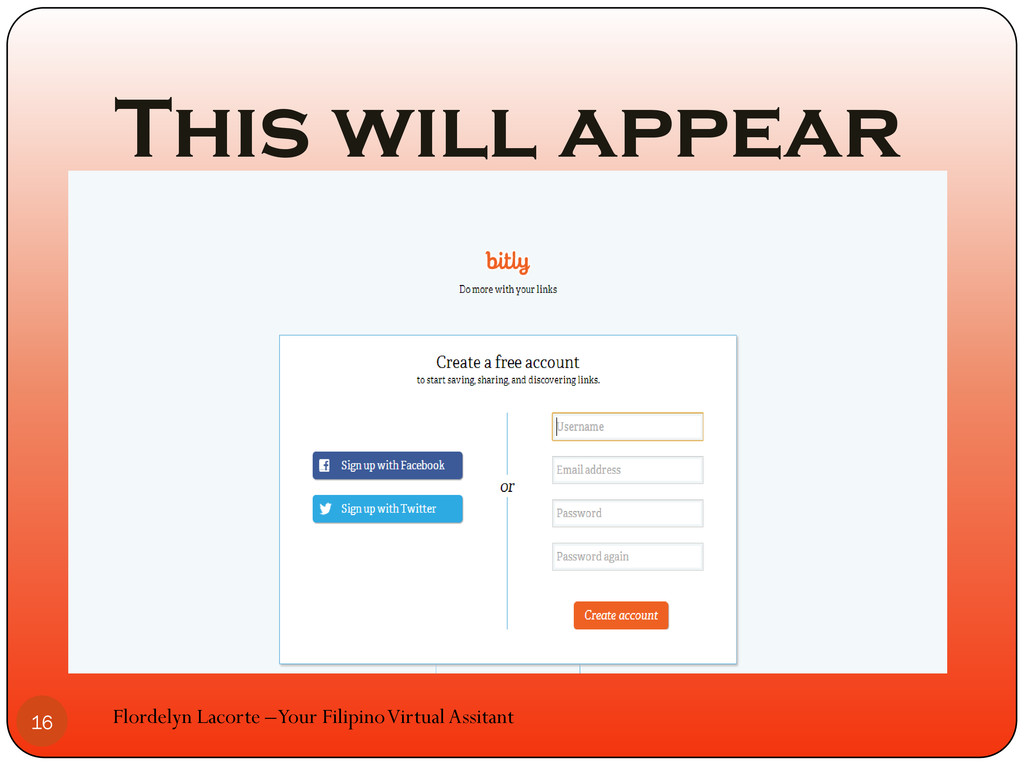
This will appear Flordelyn Lacorte –Your Filipino Virtual Assitant 16
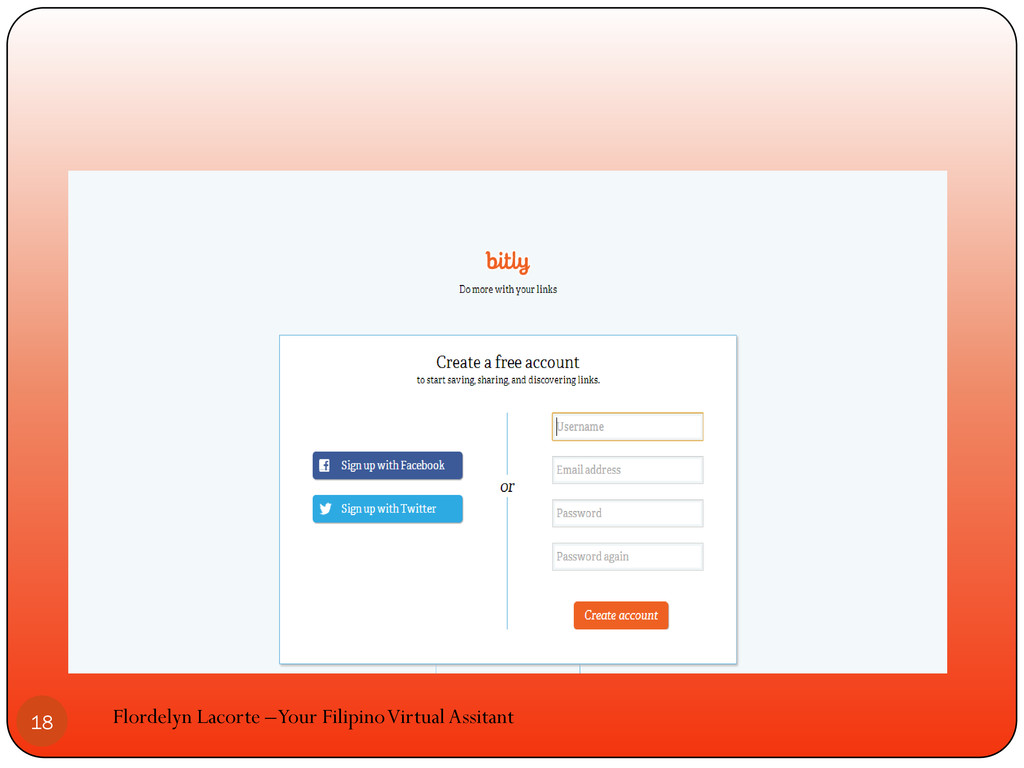
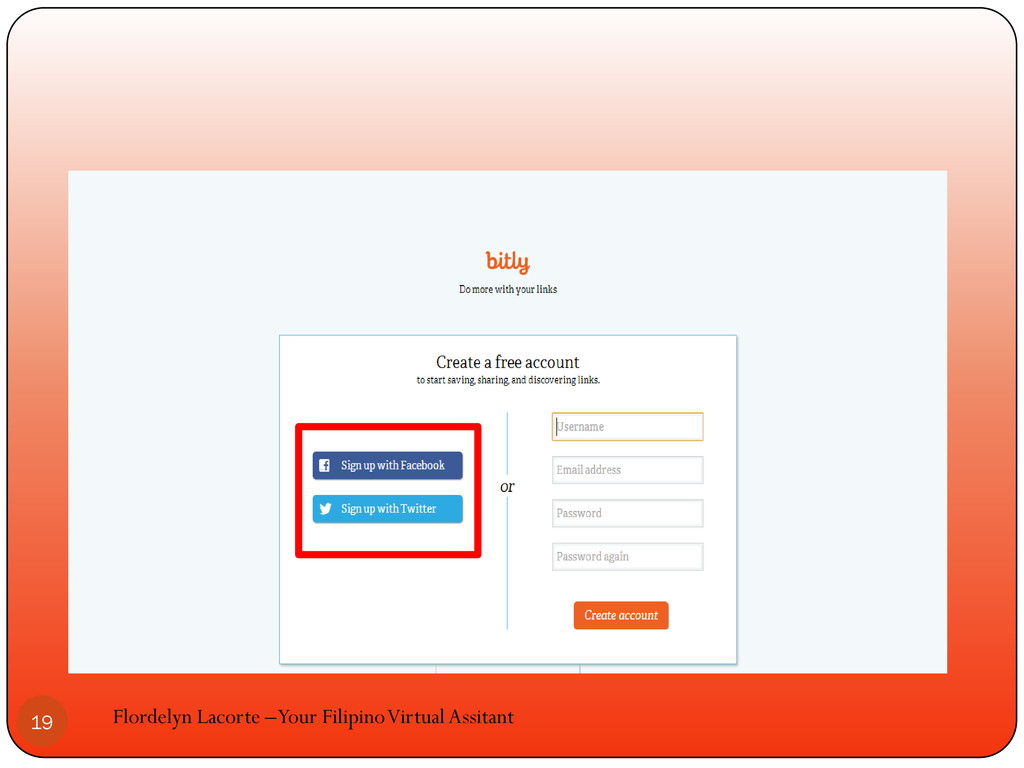
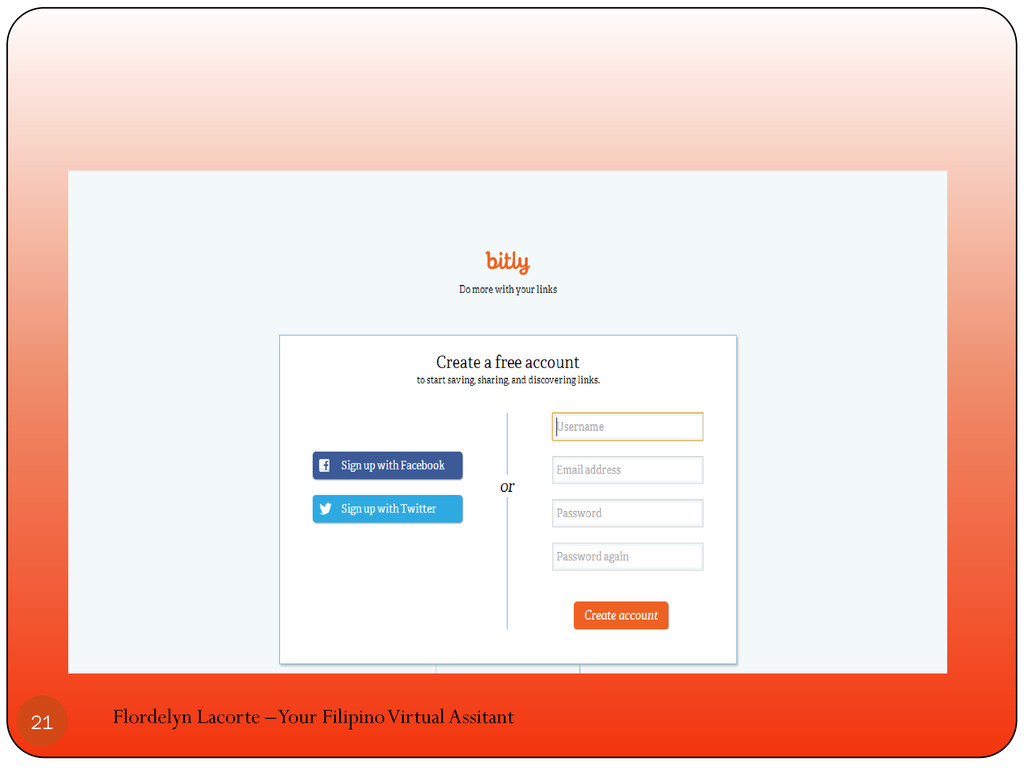
You can sign up using facebook or twitter account Flordelyn
Lacorte –Your Filipino Virtual Assitant 17
Flordelyn Lacorte –Your Filipino Virtual Assitant 18
Flordelyn Lacorte –Your Filipino Virtual Assitant 19
Or create a new account Flordelyn Lacorte –Your Filipino Virtual
Assitant 20
Flordelyn Lacorte –Your Filipino Virtual Assitant 21
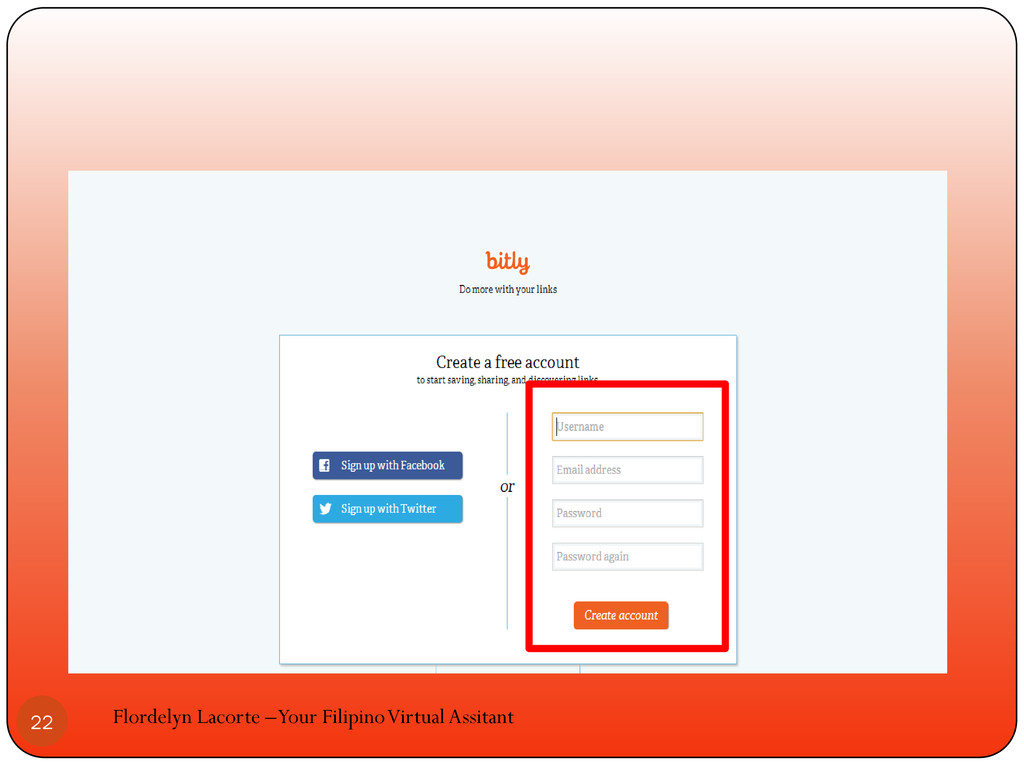
Flordelyn Lacorte –Your Filipino Virtual Assitant 22
we will create a new account Flordelyn Lacorte –Your Filipino
Virtual Assitant 23
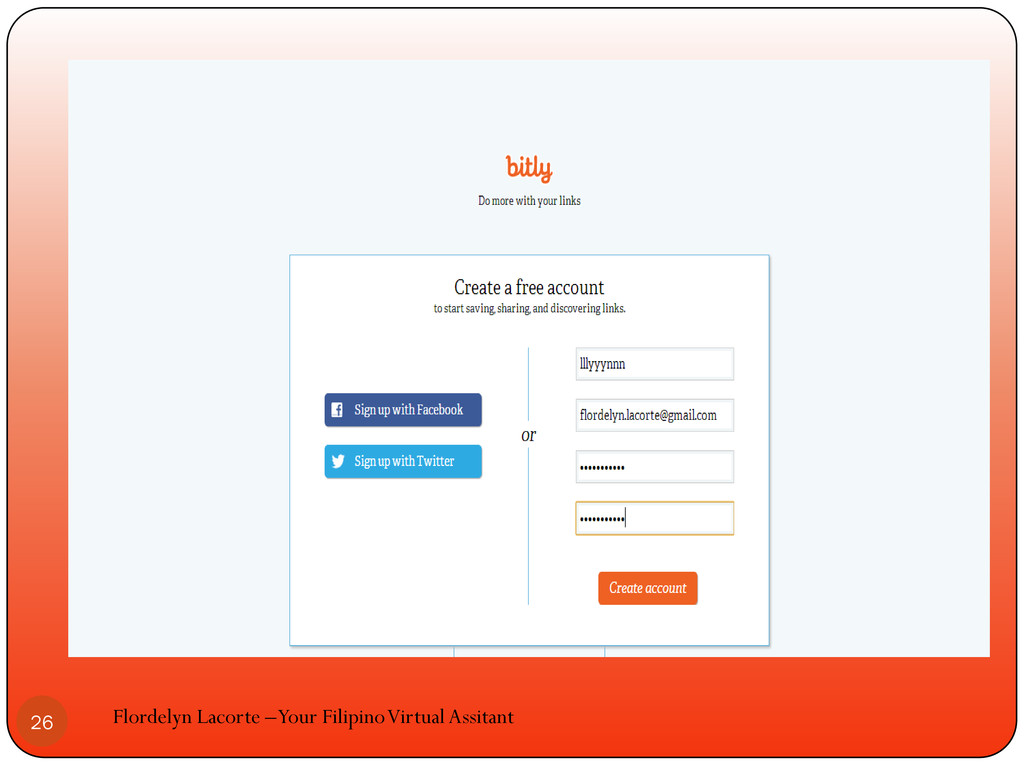
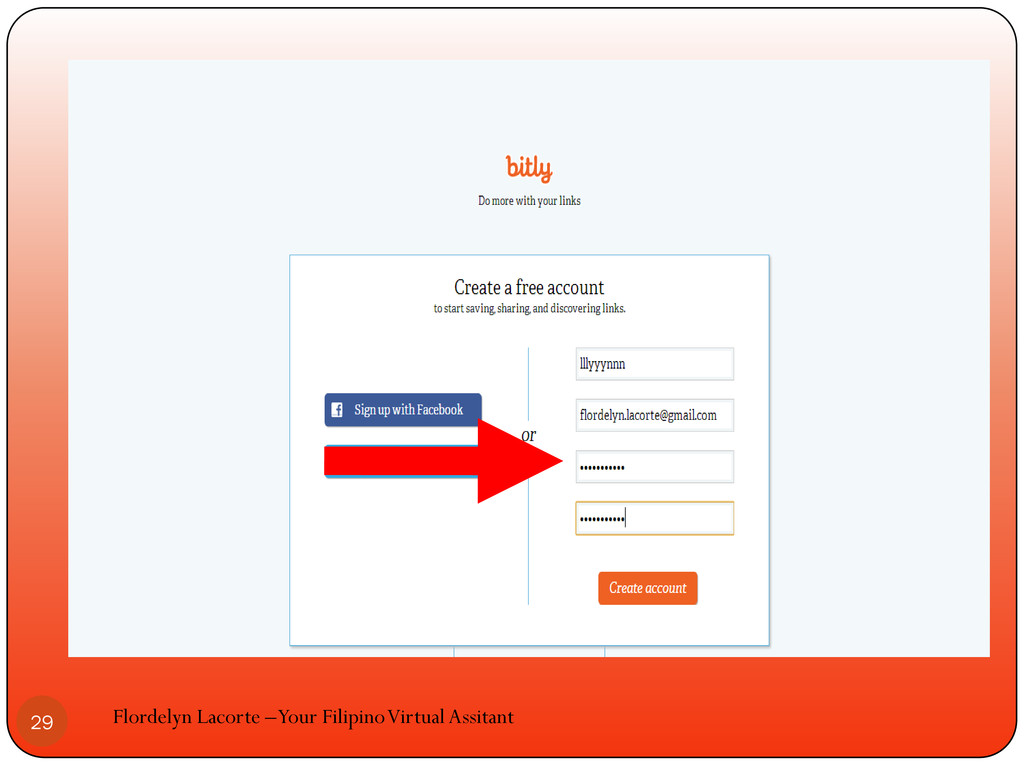
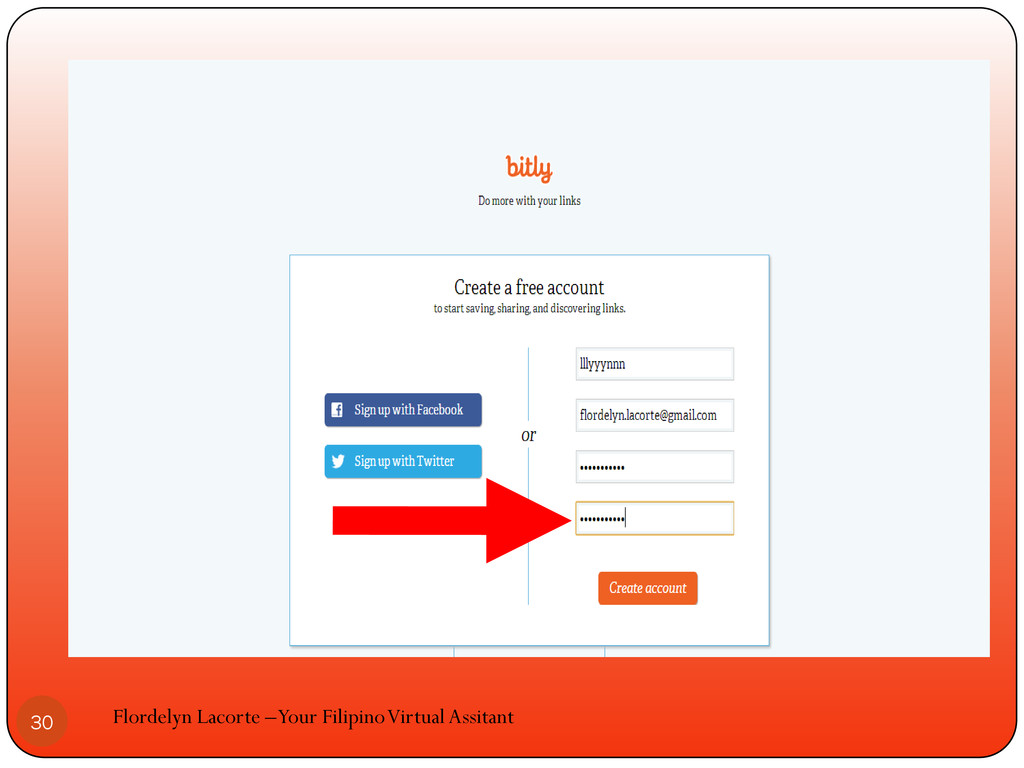
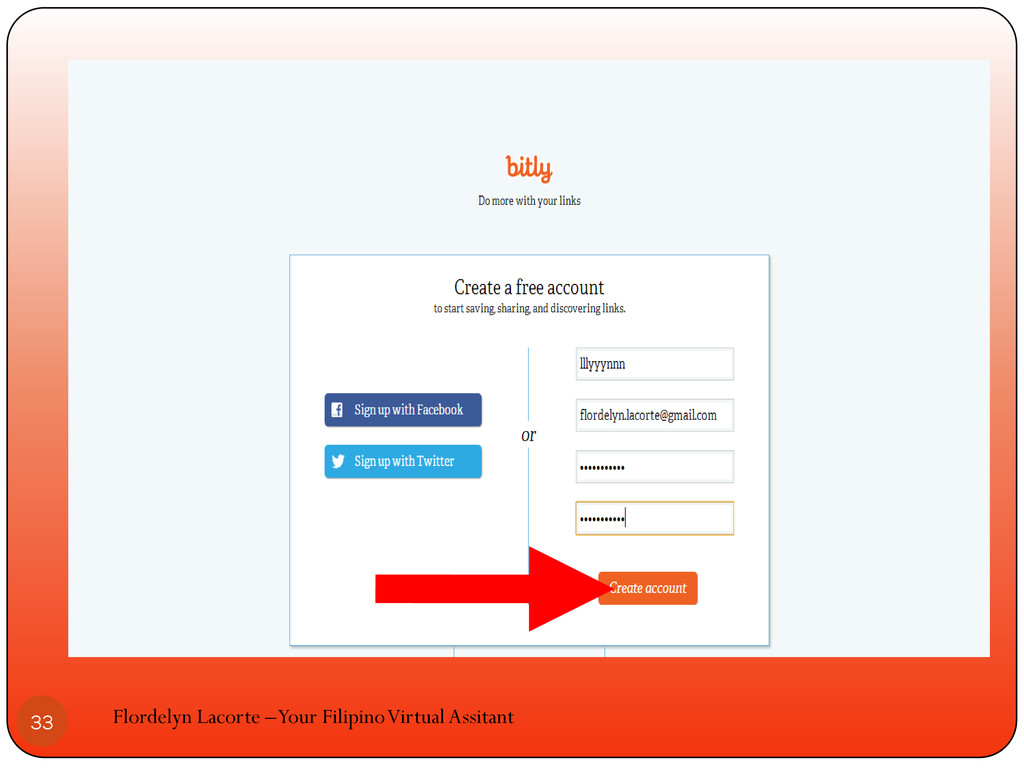
Fill in the form with the required information Flordelyn Lacorte
–Your Filipino Virtual Assitant 24
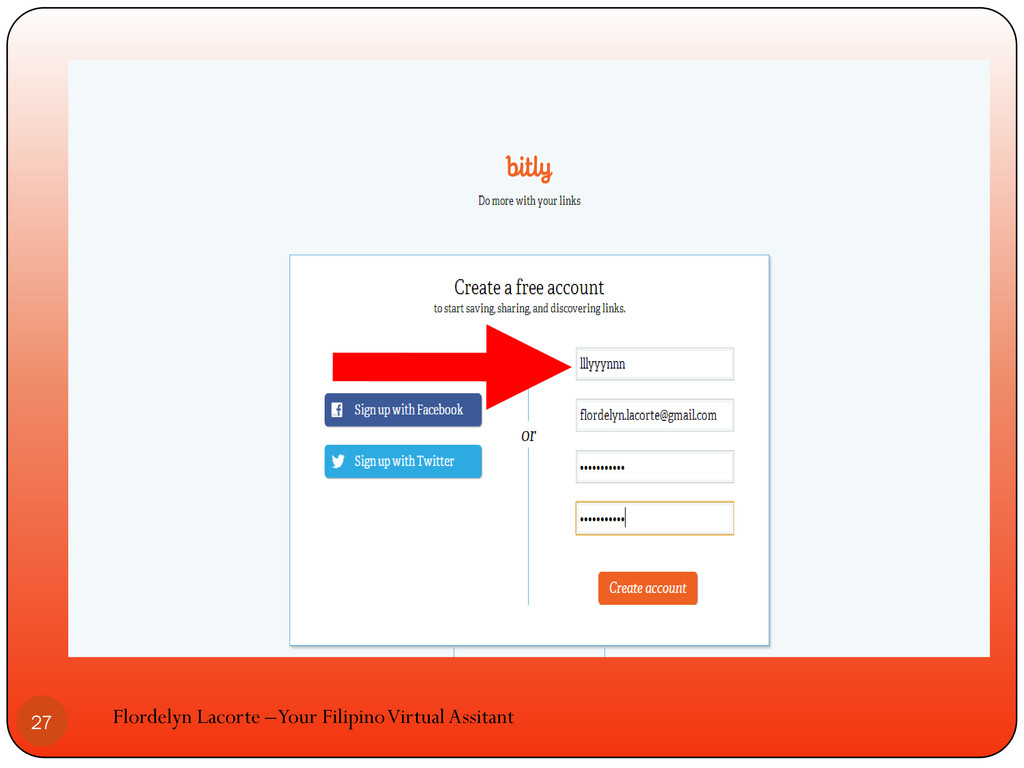
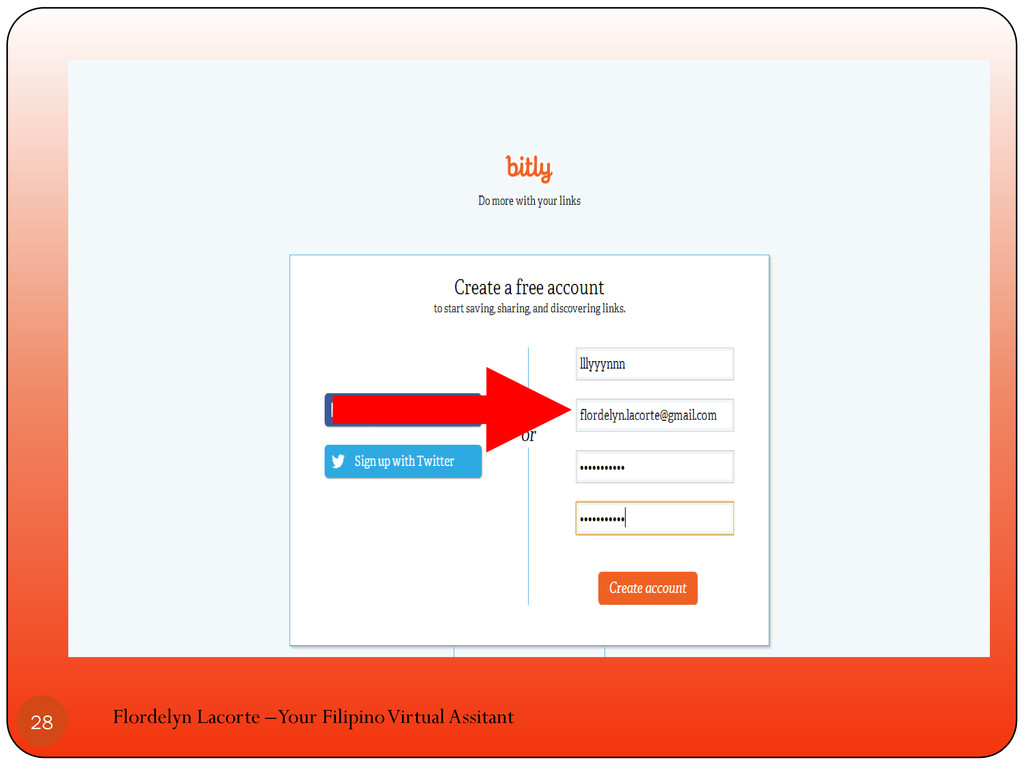
Provide username, email and password Flordelyn Lacorte –Your Filipino Virtual
Assitant 25
Flordelyn Lacorte –Your Filipino Virtual Assitant 26
Flordelyn Lacorte –Your Filipino Virtual Assitant 27
Flordelyn Lacorte –Your Filipino Virtual Assitant 28
Flordelyn Lacorte –Your Filipino Virtual Assitant 29
Flordelyn Lacorte –Your Filipino Virtual Assitant 30
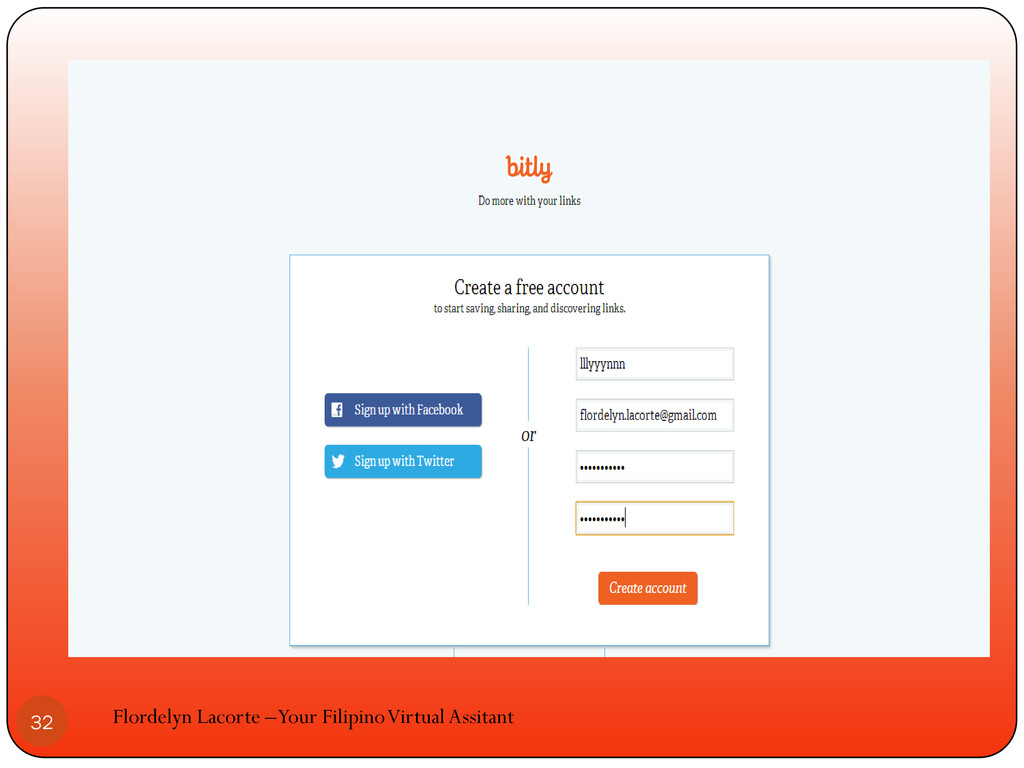
Click create account Flordelyn Lacorte –Your Filipino Virtual Assitant 31
Flordelyn Lacorte –Your Filipino Virtual Assitant 32
Flordelyn Lacorte –Your Filipino Virtual Assitant 33
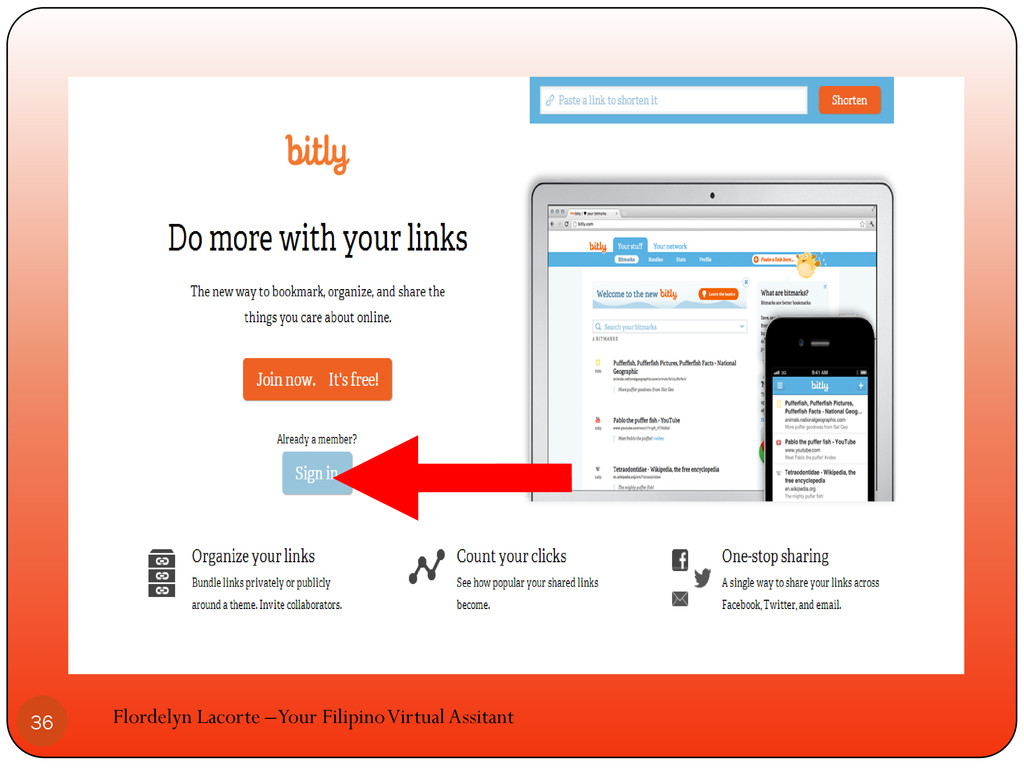
If your already a member click sign in Flordelyn Lacorte
–Your Filipino Virtual Assitant 34
Flordelyn Lacorte –Your Filipino Virtual Assitant 35
Flordelyn Lacorte –Your Filipino Virtual Assitant 36
Flordelyn Lacorte –Your Filipino Virtual Assitant 37
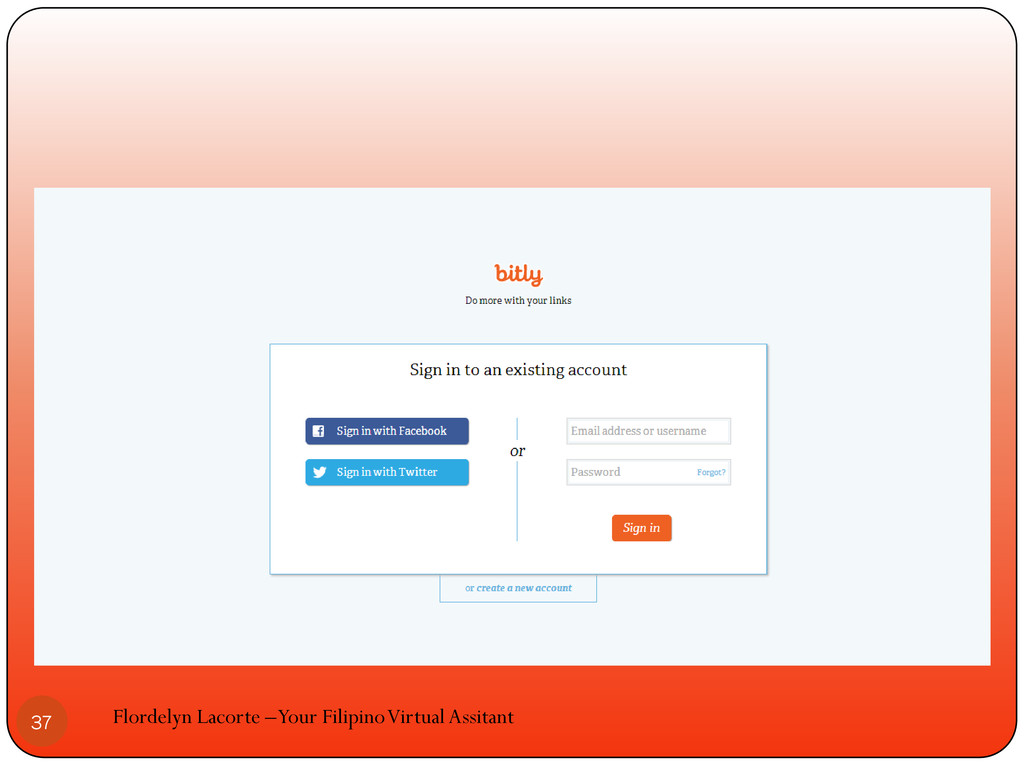
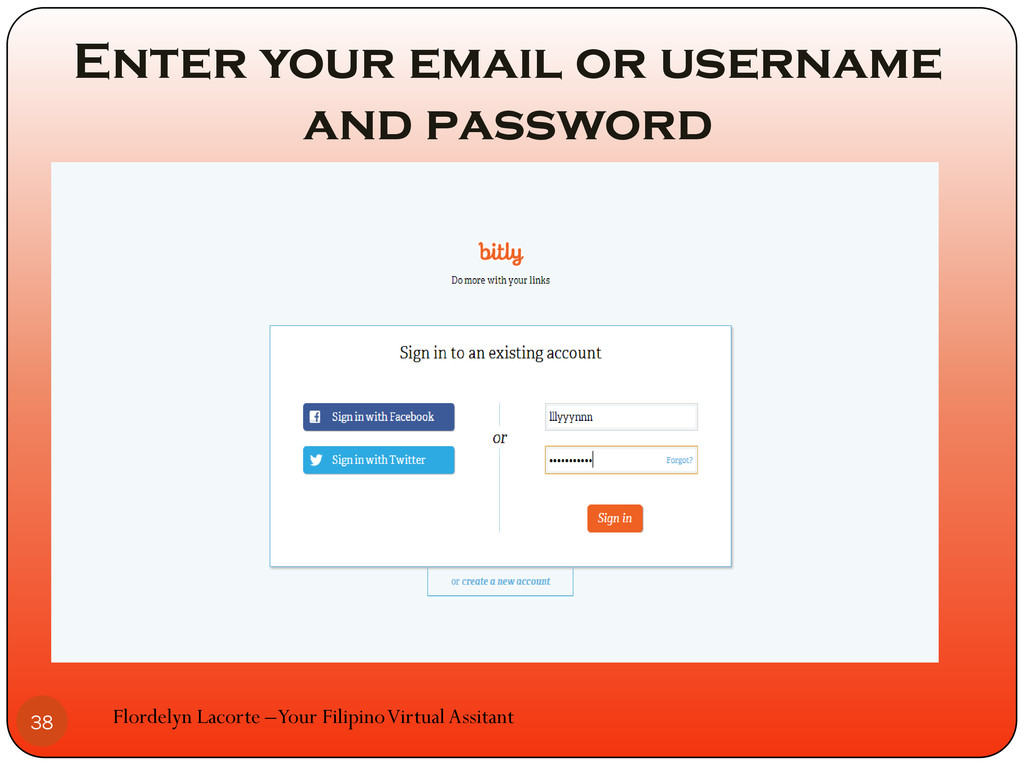
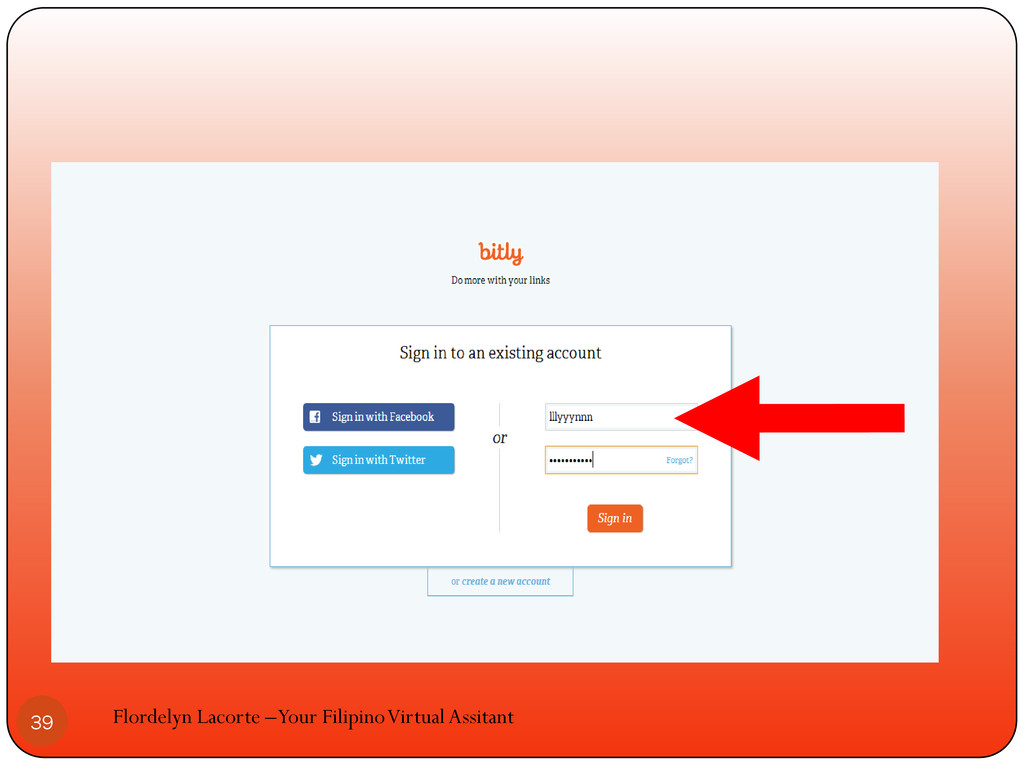
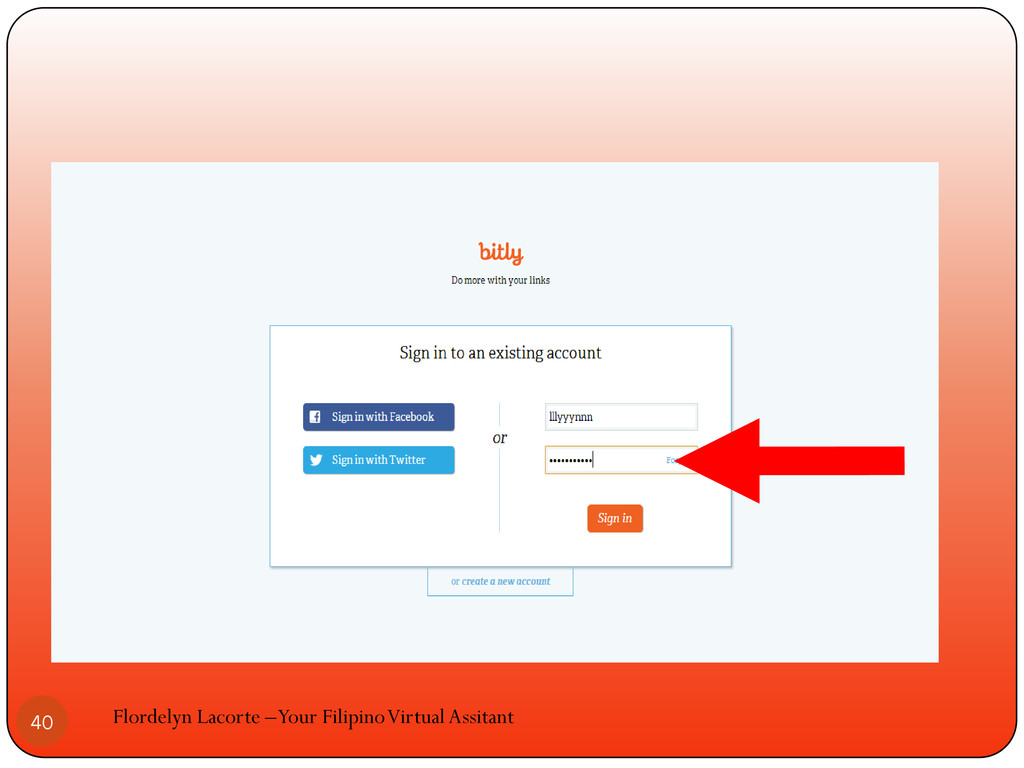
Enter your email or username and password Flordelyn Lacorte –Your
Filipino Virtual Assitant 38
Flordelyn Lacorte –Your Filipino Virtual Assitant 39
Flordelyn Lacorte –Your Filipino Virtual Assitant 40
Click sign in Flordelyn Lacorte –Your Filipino Virtual Assitant 41
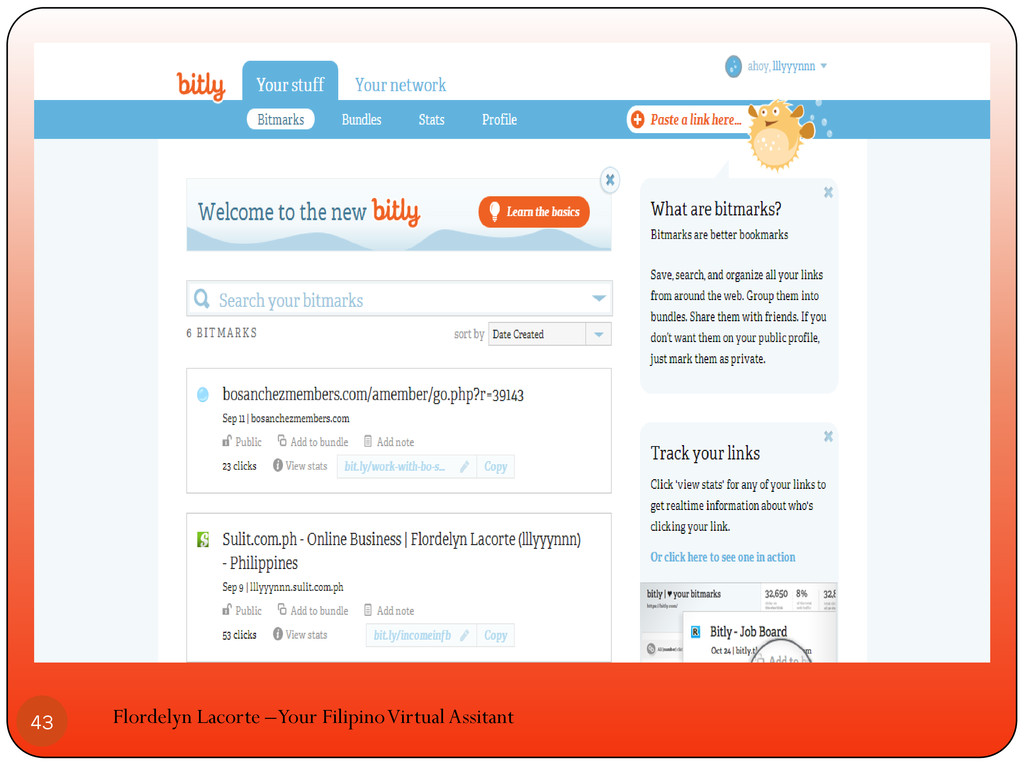
The bitly dashboard will appear Flordelyn Lacorte –Your Filipino Virtual
Assitant 42
Flordelyn Lacorte –Your Filipino Virtual Assitant 43
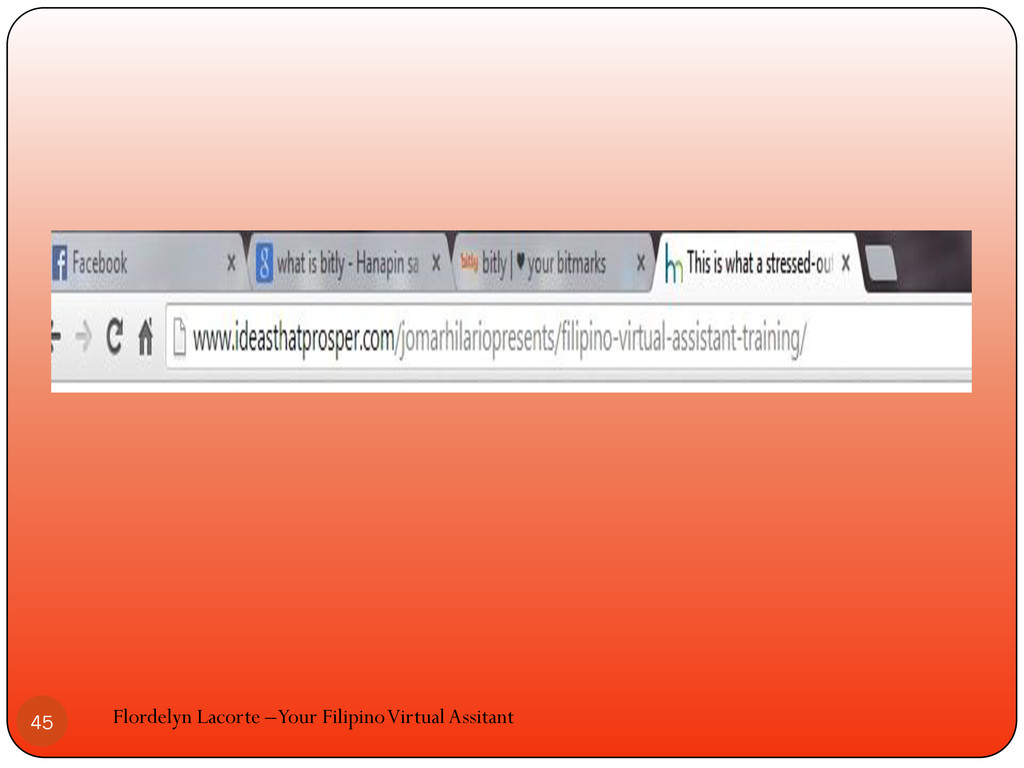
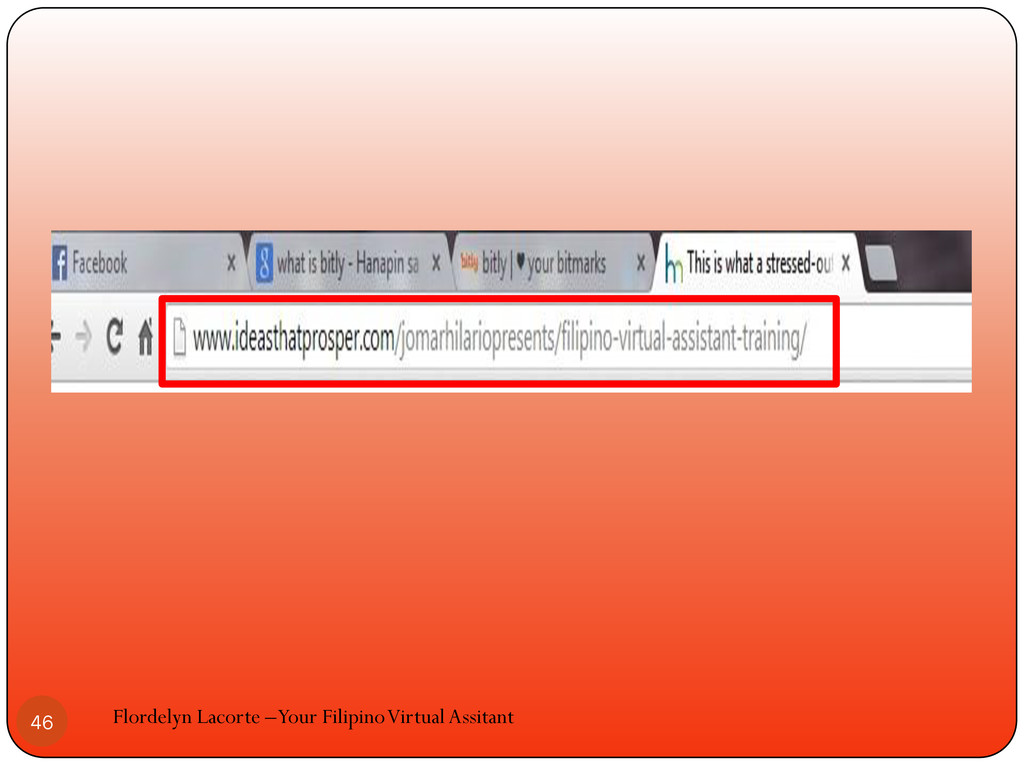
Copy the link or url that you want to shorten
Flordelyn Lacorte –Your Filipino Virtual Assitant 44
Flordelyn Lacorte –Your Filipino Virtual Assitant 45
Flordelyn Lacorte –Your Filipino Virtual Assitant 46
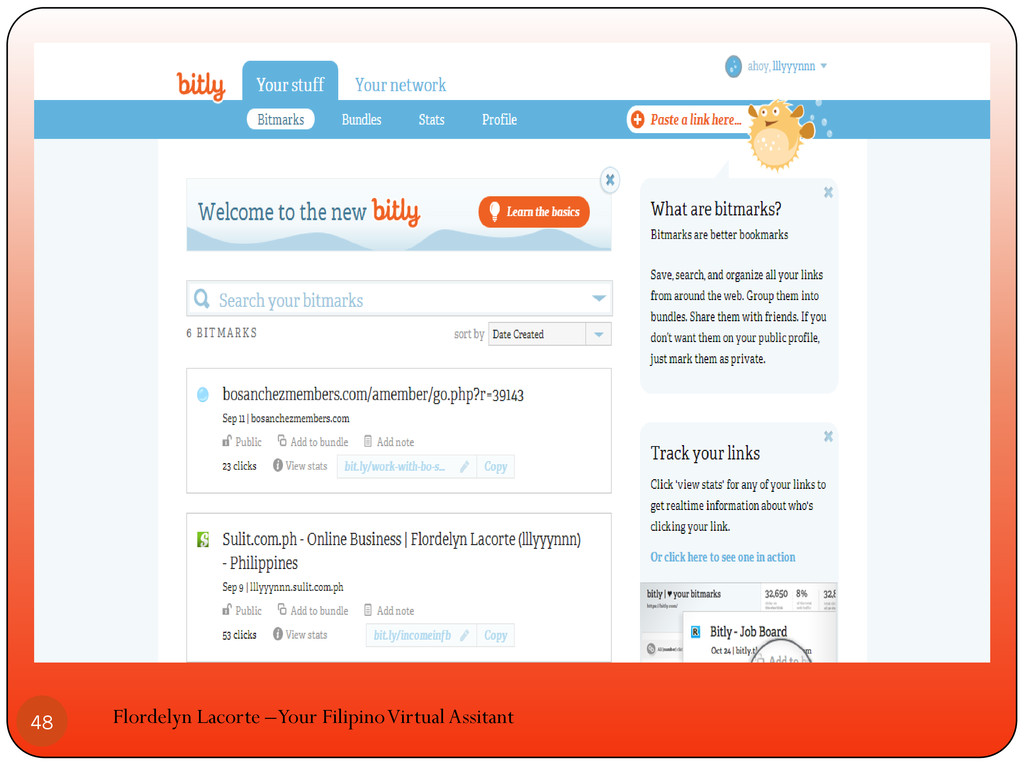
Go back to your bitly dashboard Flordelyn Lacorte –Your Filipino
Virtual Assitant 47
Flordelyn Lacorte –Your Filipino Virtual Assitant 48
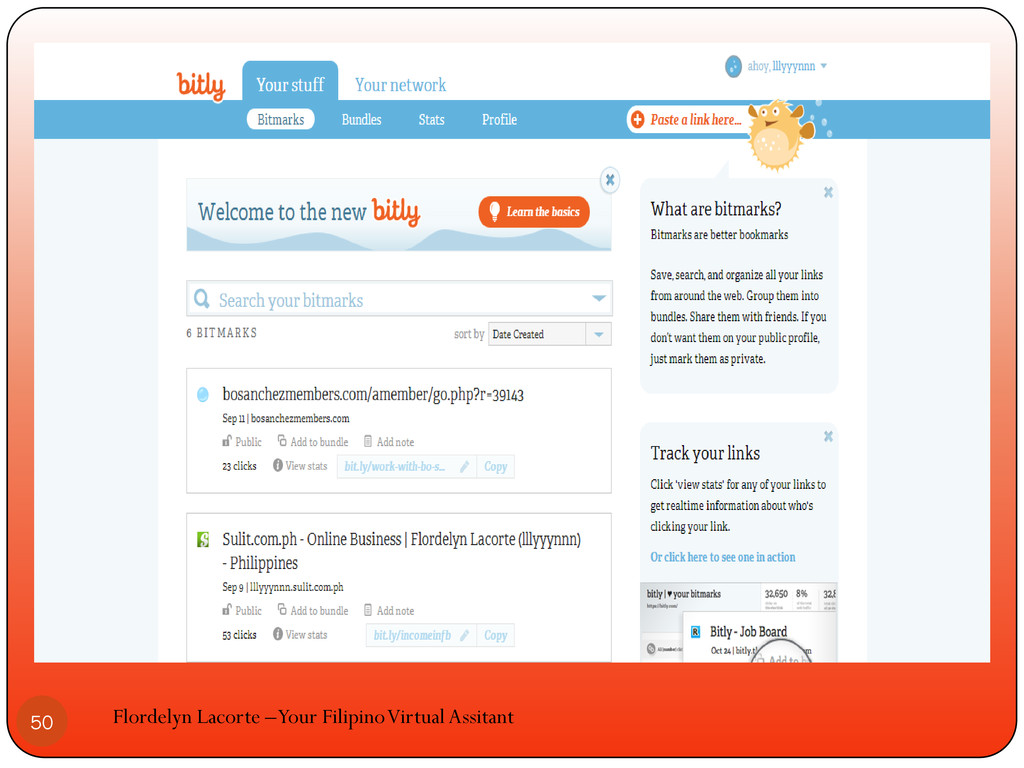
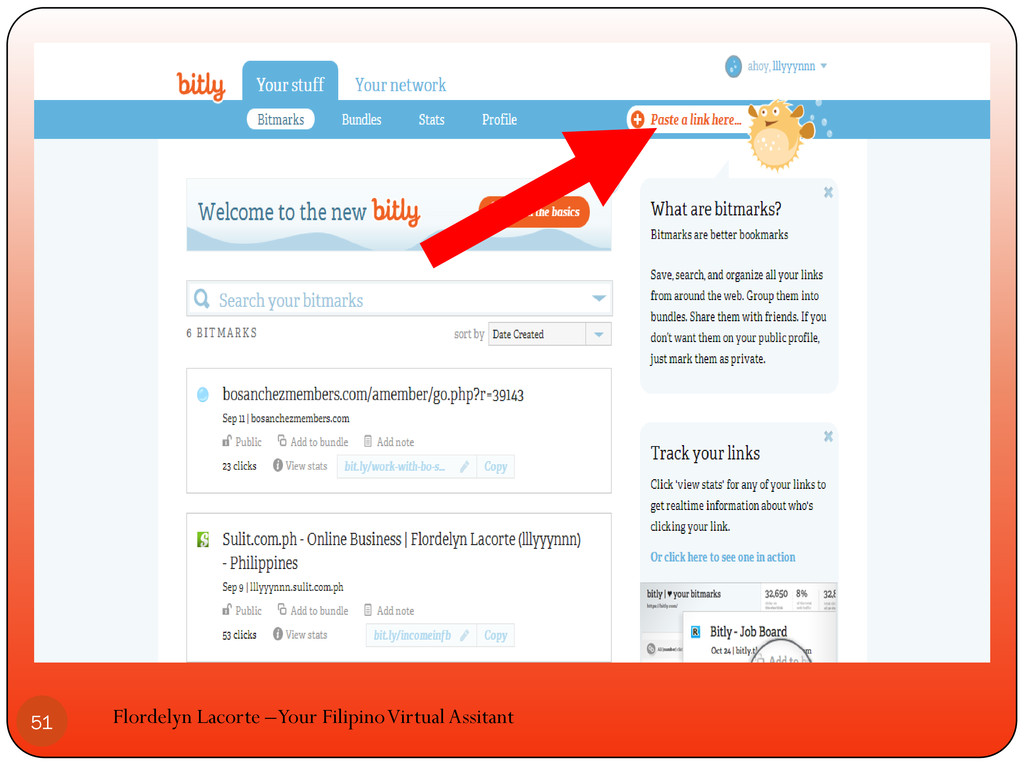
Paste the url/link in the paste a link here Flordelyn
Lacorte –Your Filipino Virtual Assitant 49
Flordelyn Lacorte –Your Filipino Virtual Assitant 50
Flordelyn Lacorte –Your Filipino Virtual Assitant 51
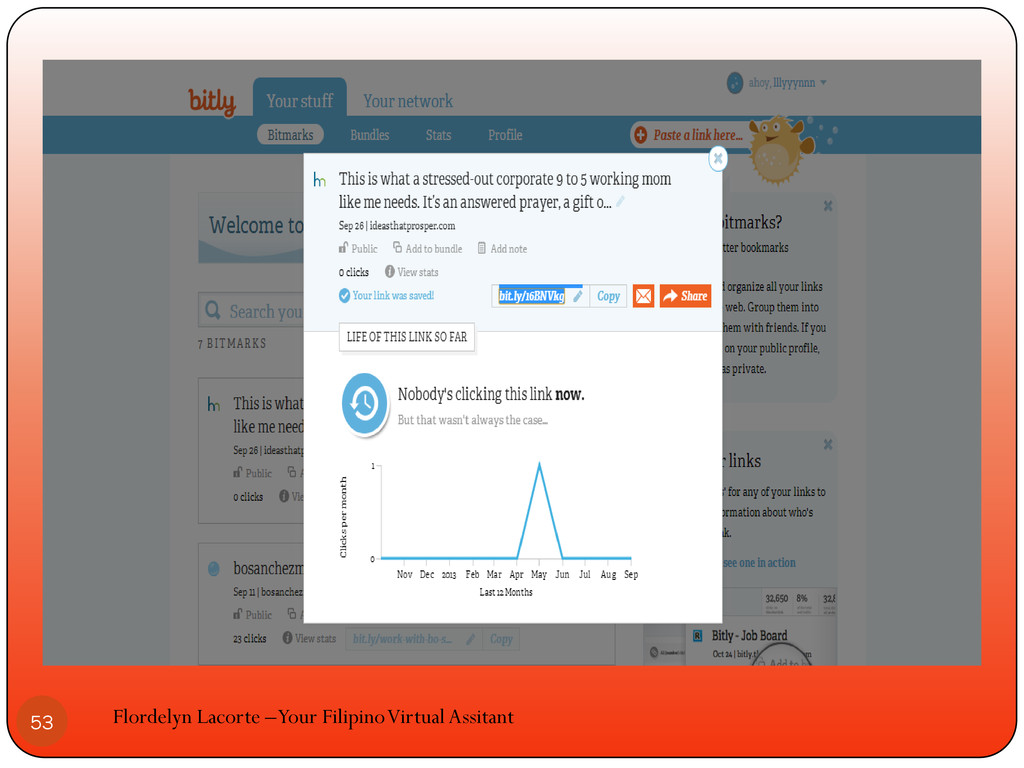
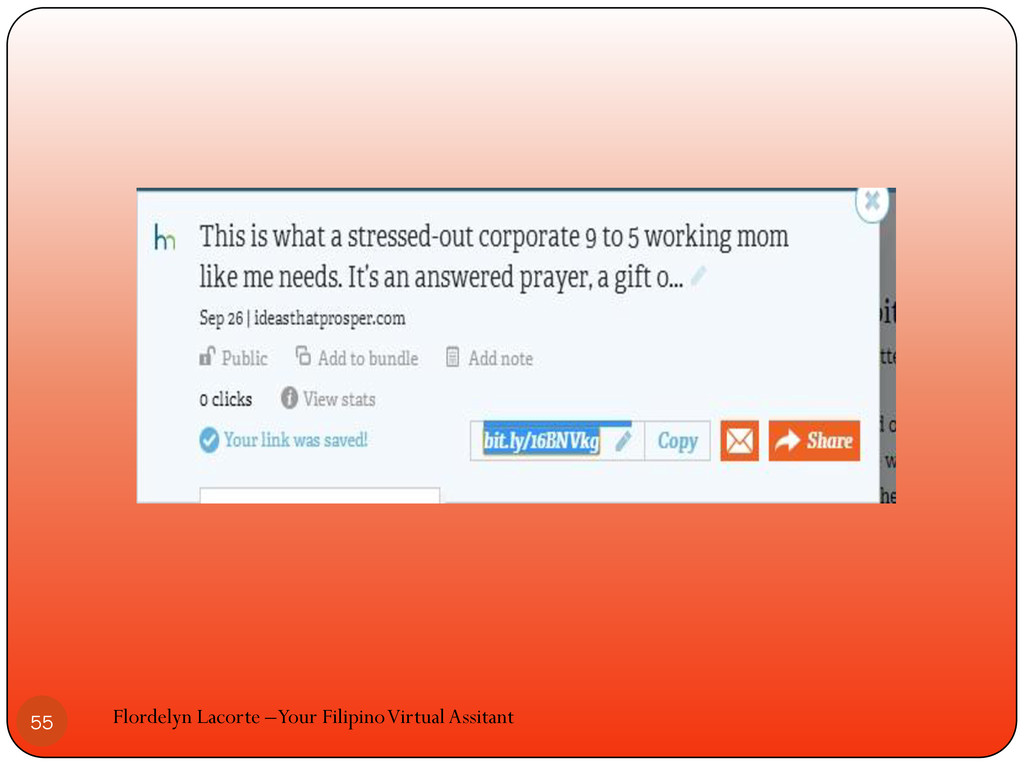
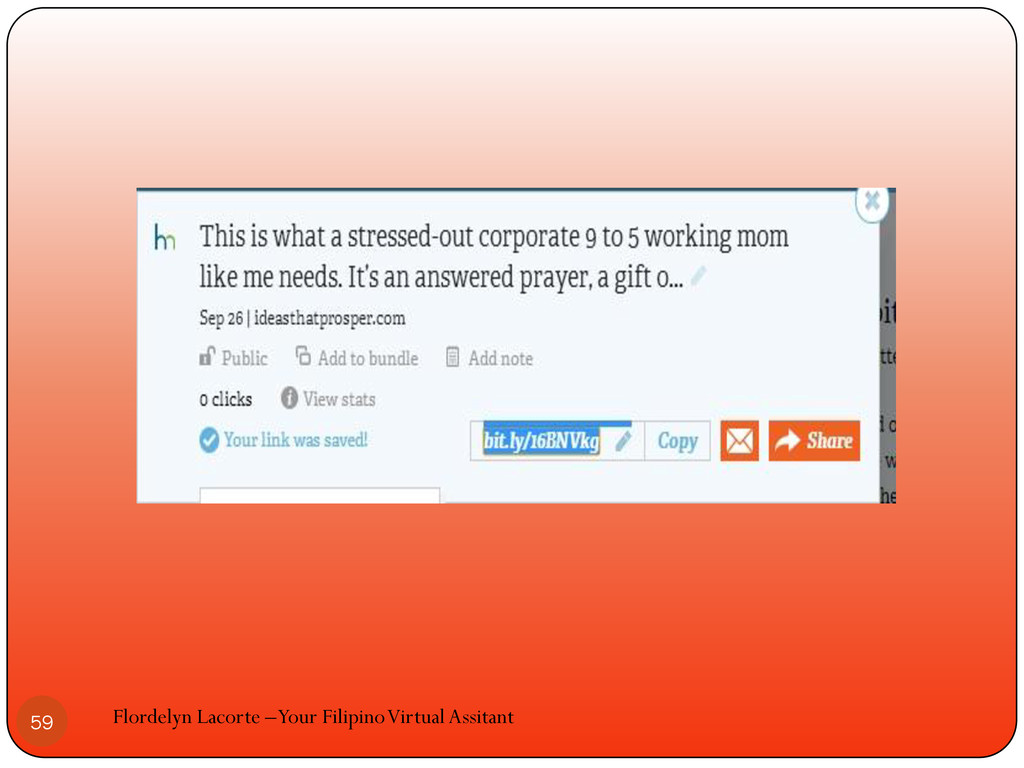
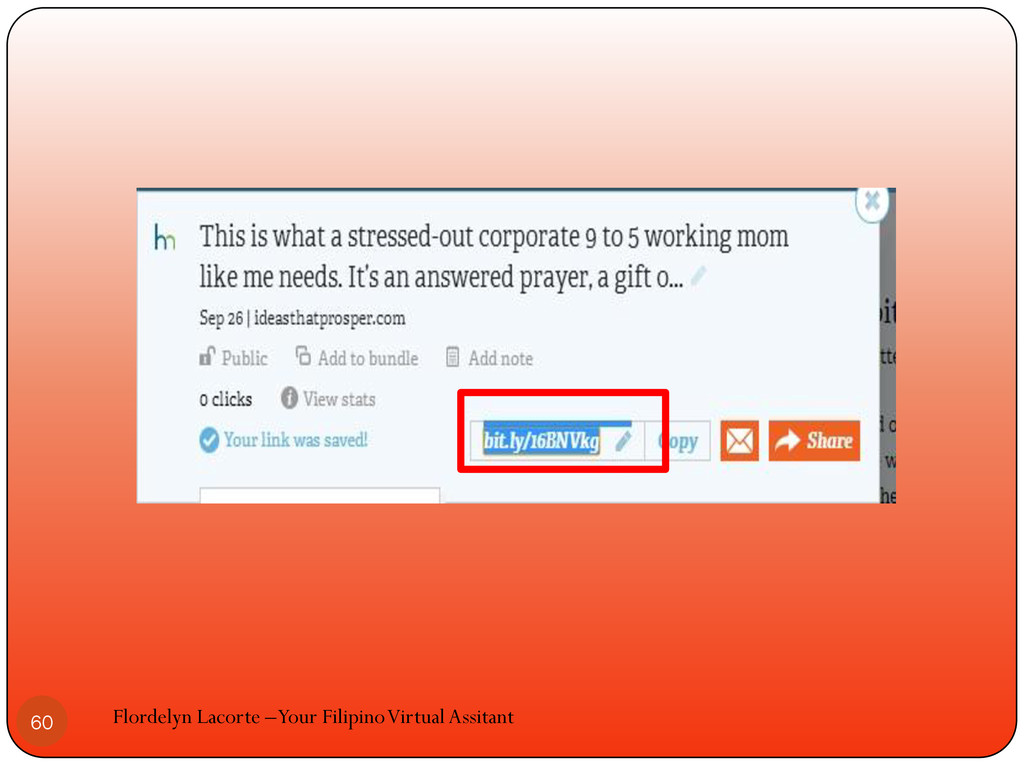
The short link will appear in the bitly save pop-up
Flordelyn Lacorte –Your Filipino Virtual Assitant 52
Flordelyn Lacorte –Your Filipino Virtual Assitant 53
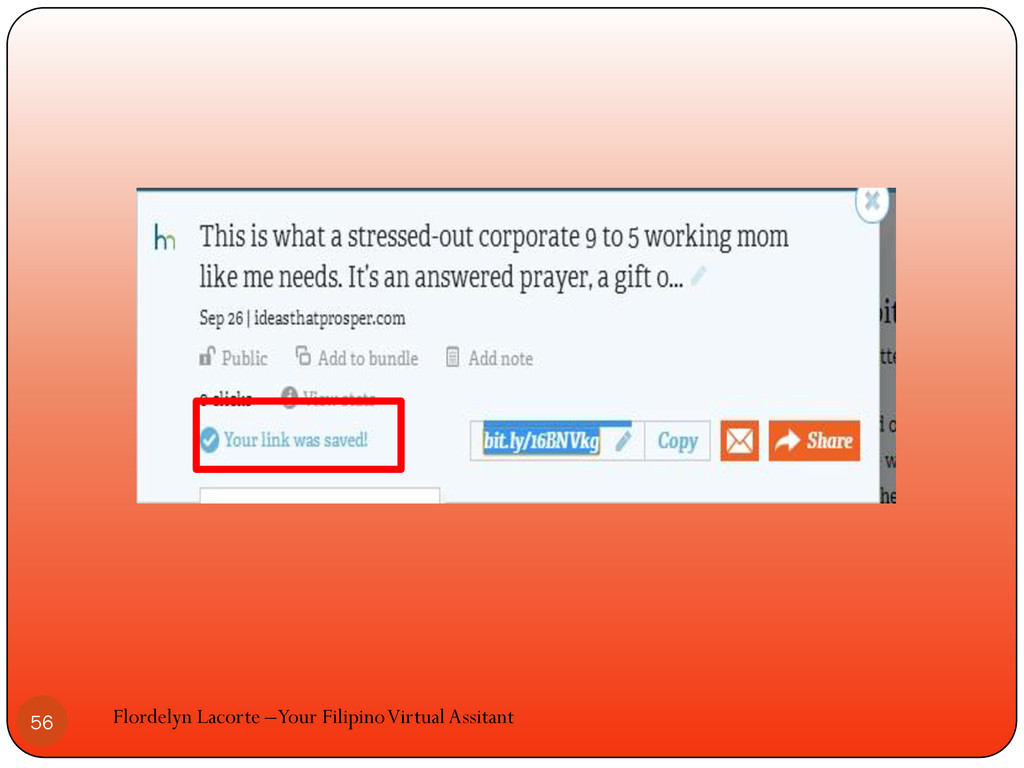
Check if your link was saved Flordelyn Lacorte –Your Filipino
Virtual Assitant 54
Flordelyn Lacorte –Your Filipino Virtual Assitant 55
Flordelyn Lacorte –Your Filipino Virtual Assitant 56
You can use your shortened url now Flordelyn Lacorte –Your
Filipino Virtual Assitant 57
This is called bitmark Flordelyn Lacorte –Your Filipino Virtual Assitant
58
Flordelyn Lacorte –Your Filipino Virtual Assitant 59
Flordelyn Lacorte –Your Filipino Virtual Assitant 60
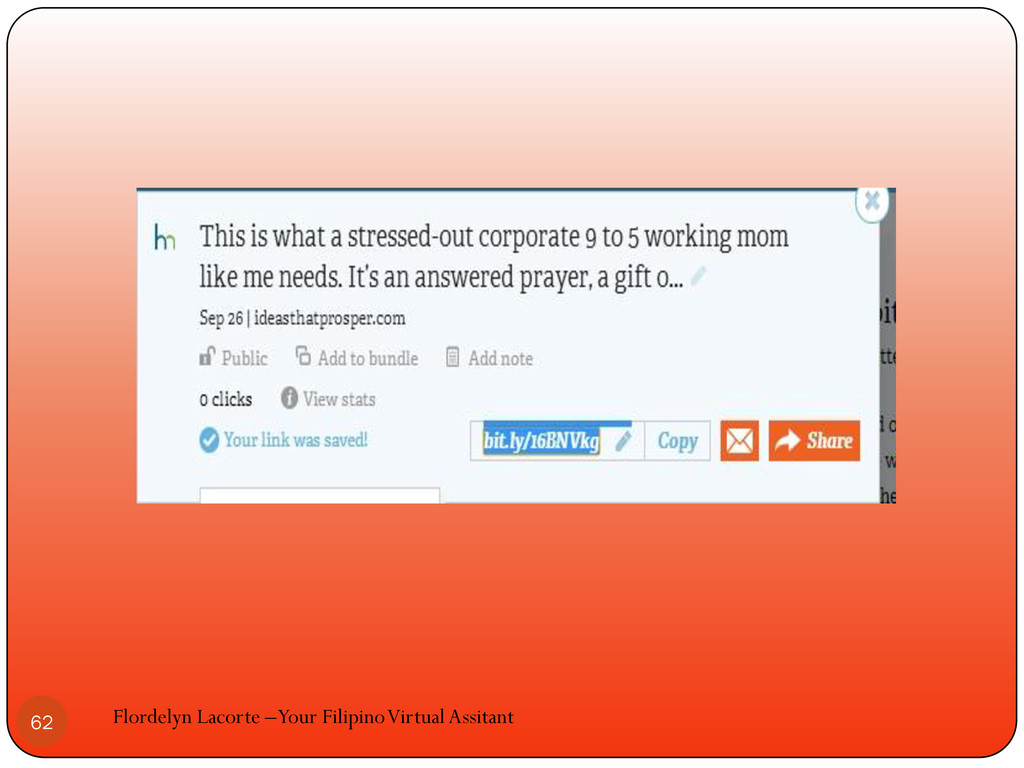
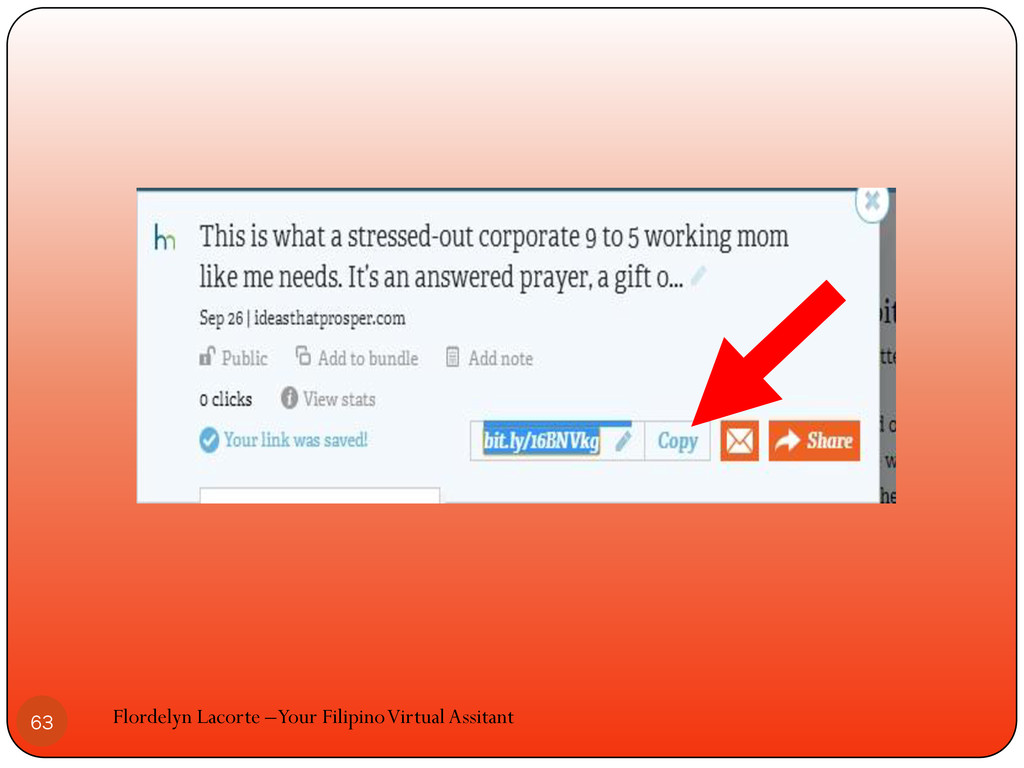
If you copy the bitmark just click copy Flordelyn Lacorte
–Your Filipino Virtual Assitant 61
Flordelyn Lacorte –Your Filipino Virtual Assitant 62
Flordelyn Lacorte –Your Filipino Virtual Assitant 63
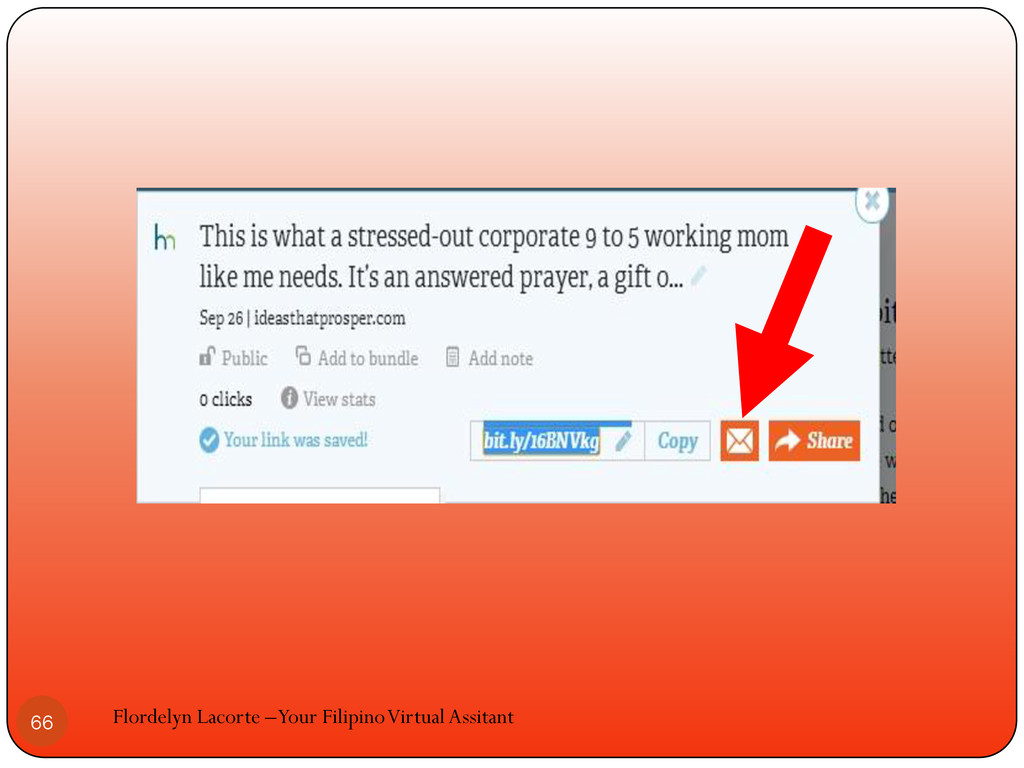
Click the envelop icon if you want to email it
to someone Flordelyn Lacorte –Your Filipino Virtual Assitant 64
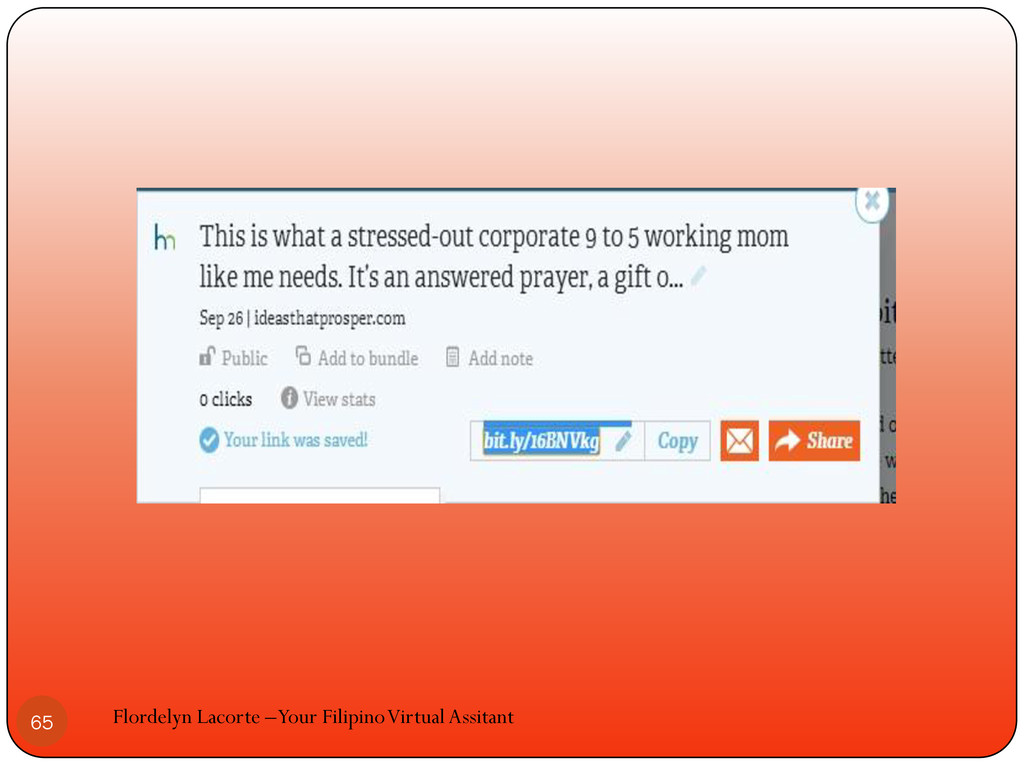
Flordelyn Lacorte –Your Filipino Virtual Assitant 65
Flordelyn Lacorte –Your Filipino Virtual Assitant 66
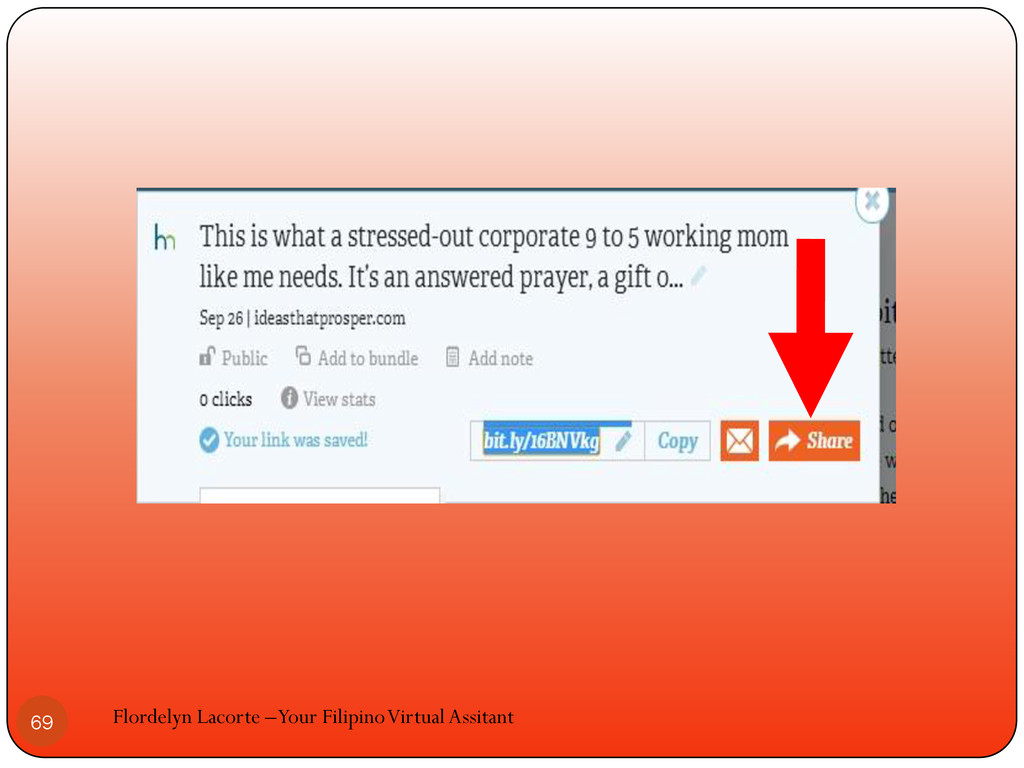
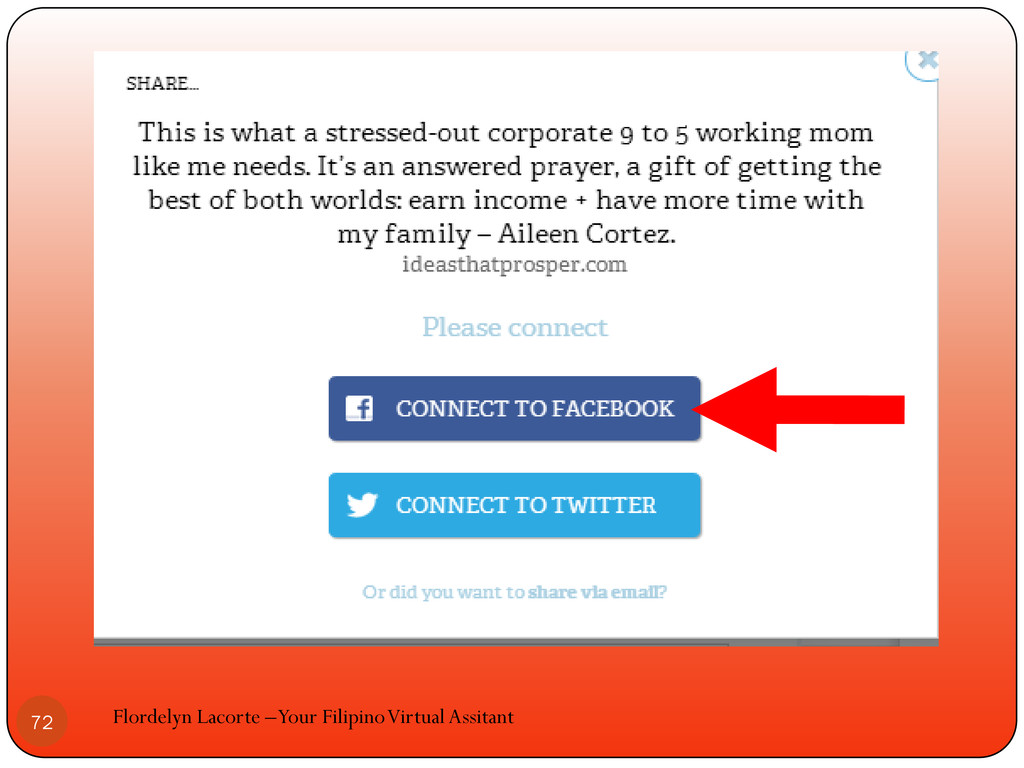
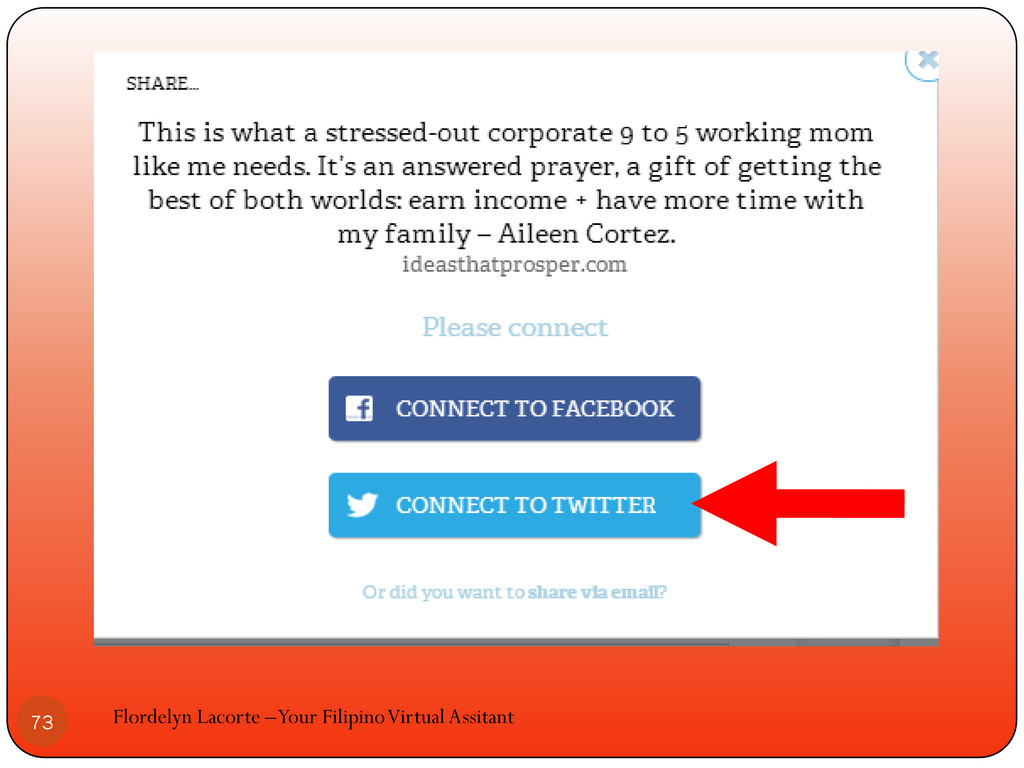
Or share to your facebook and twitter friends Flordelyn Lacorte
–Your Filipino Virtual Assitant 67
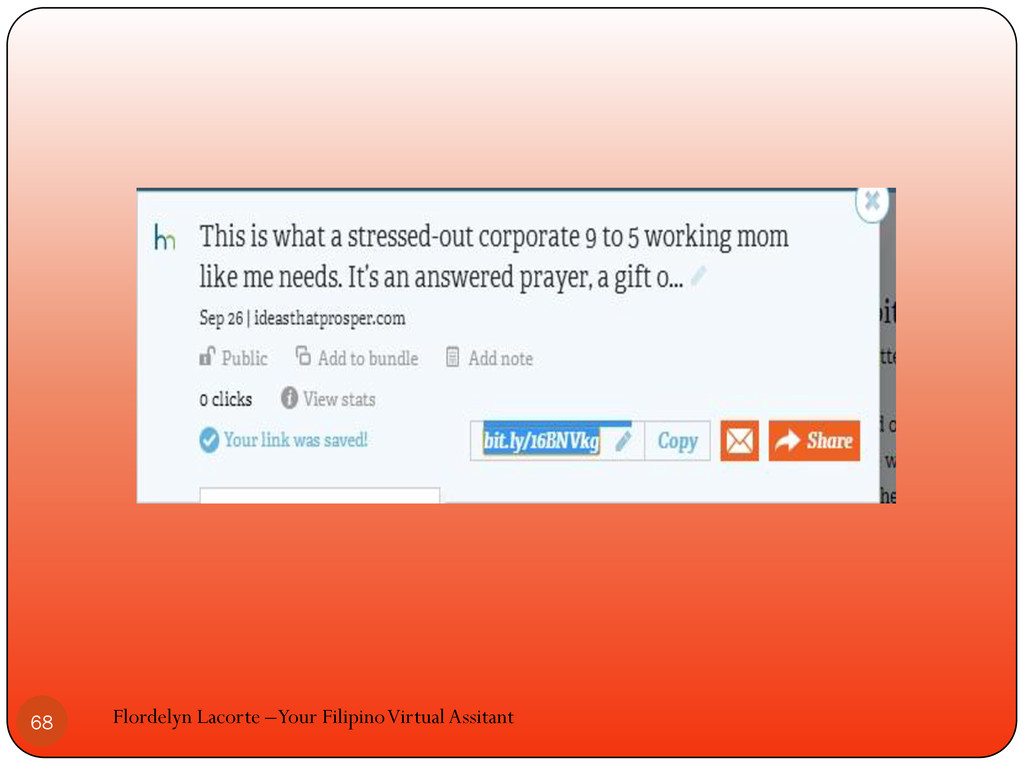
Flordelyn Lacorte –Your Filipino Virtual Assitant 68
Flordelyn Lacorte –Your Filipino Virtual Assitant 69
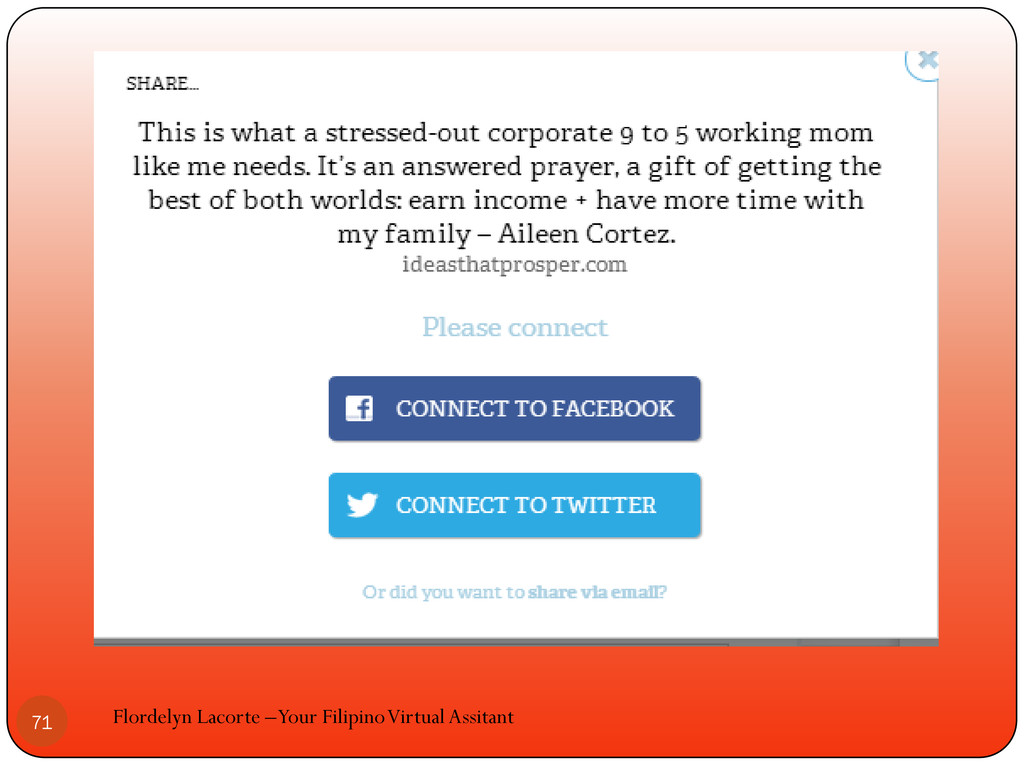
Choose where you want to share it to and click
it Flordelyn Lacorte –Your Filipino Virtual Assitant 70
Flordelyn Lacorte –Your Filipino Virtual Assitant 71
Flordelyn Lacorte –Your Filipino Virtual Assitant 72
Flordelyn Lacorte –Your Filipino Virtual Assitant 73
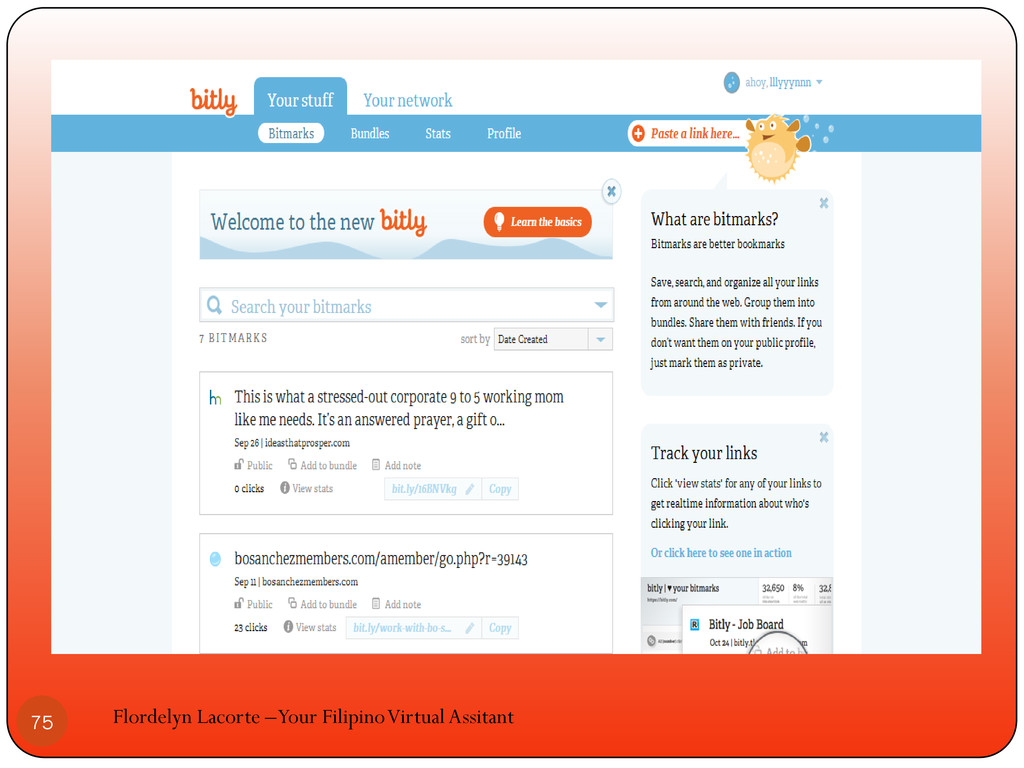
Let’s go back to our bitly dashboard Flordelyn Lacorte –Your
Filipino Virtual Assitant 74
Flordelyn Lacorte –Your Filipino Virtual Assitant 75
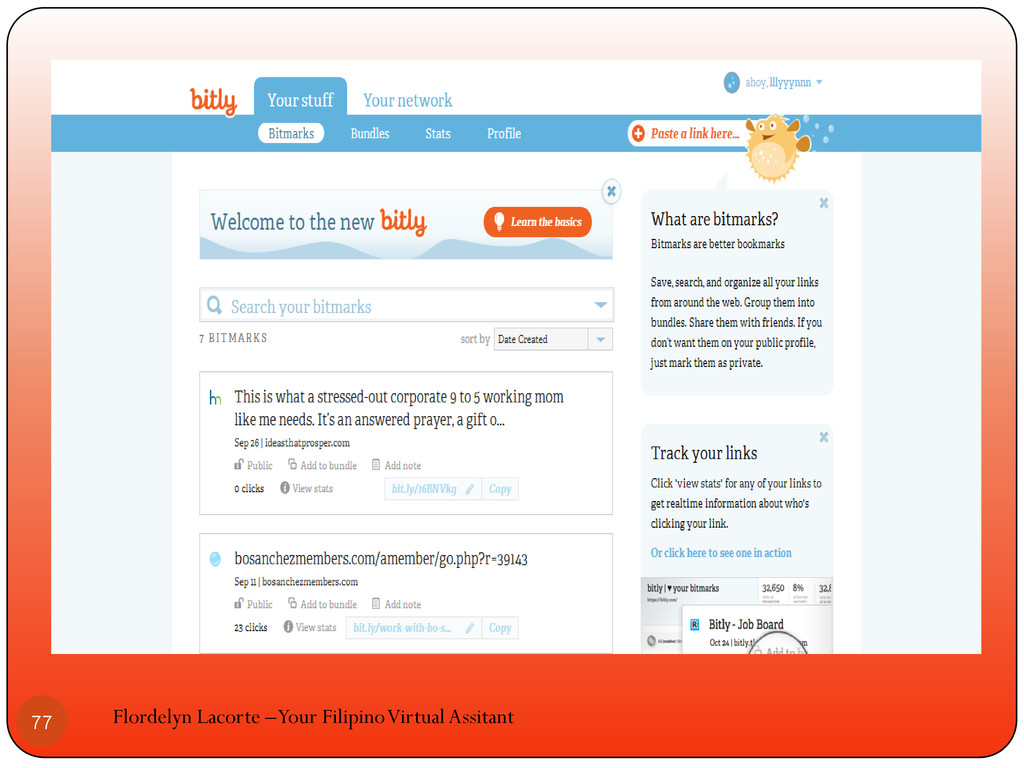
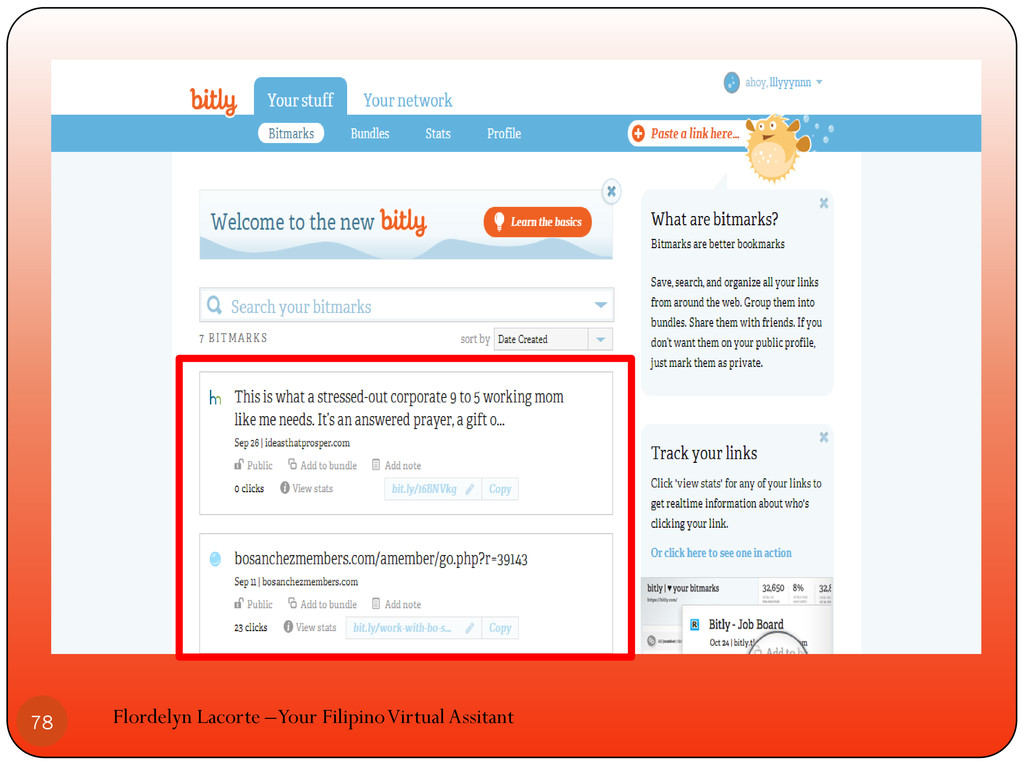
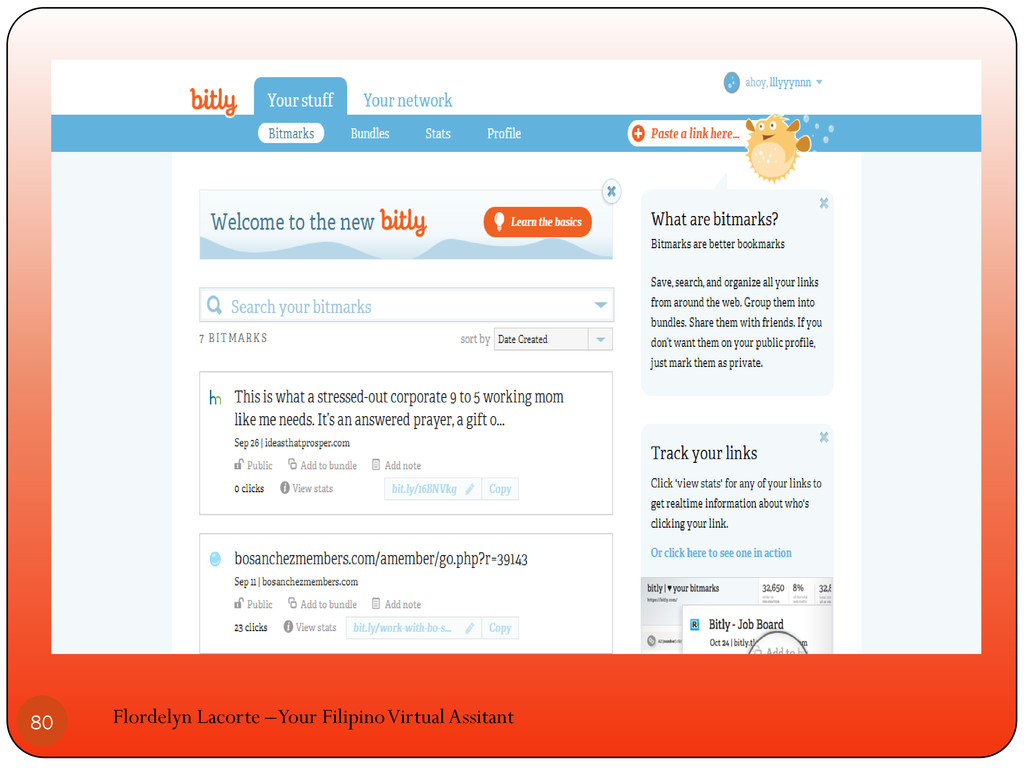
You will see all the bitmarks you have created in
your dashboard Flordelyn Lacorte –Your Filipino Virtual Assitant 76
Flordelyn Lacorte –Your Filipino Virtual Assitant 77
Flordelyn Lacorte –Your Filipino Virtual Assitant 78
You can customize the bitmarks that you have created Flordelyn
Lacorte –Your Filipino Virtual Assitant 79
Flordelyn Lacorte –Your Filipino Virtual Assitant 80
Flordelyn Lacorte –Your Filipino Virtual Assitant 81
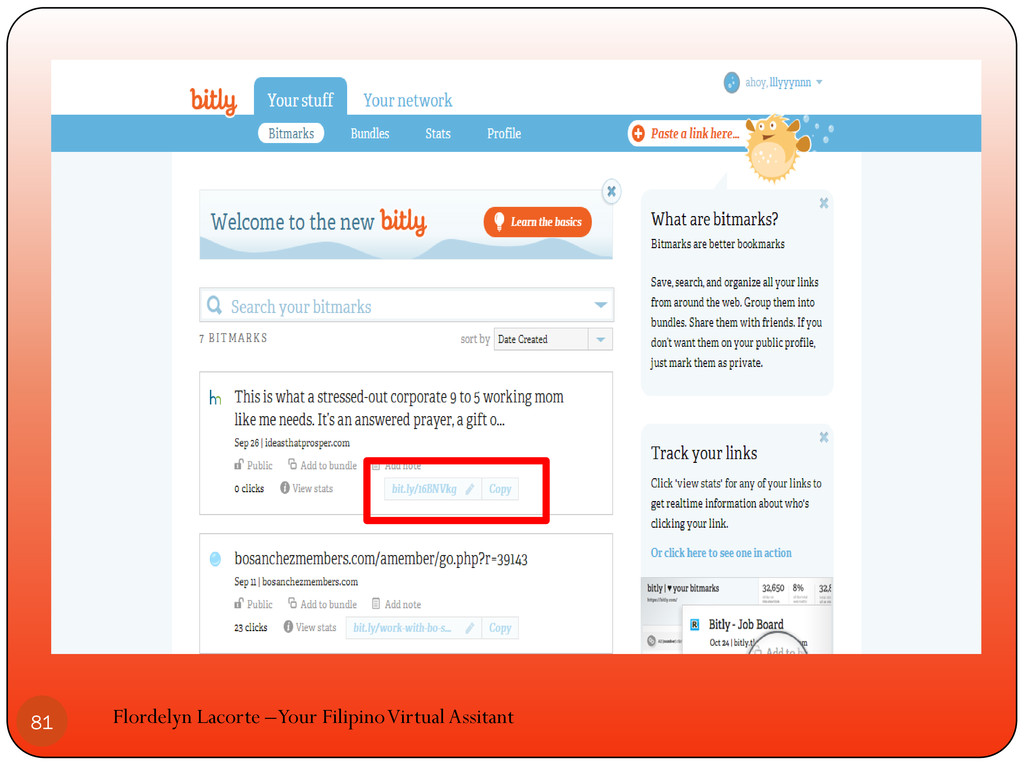
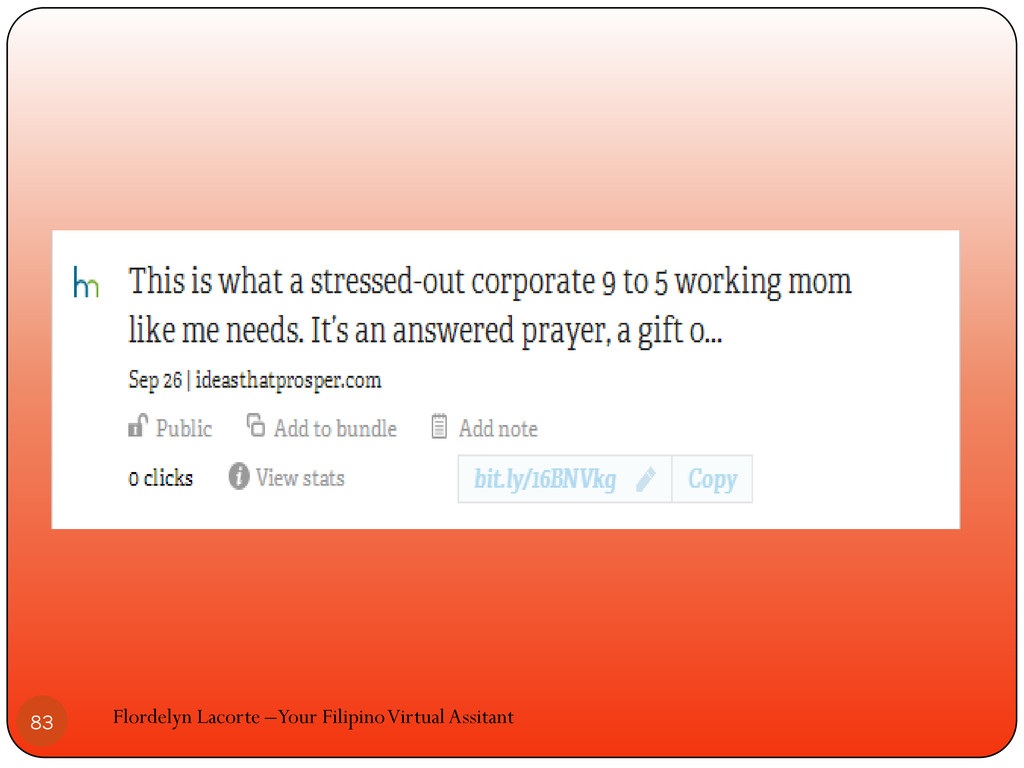
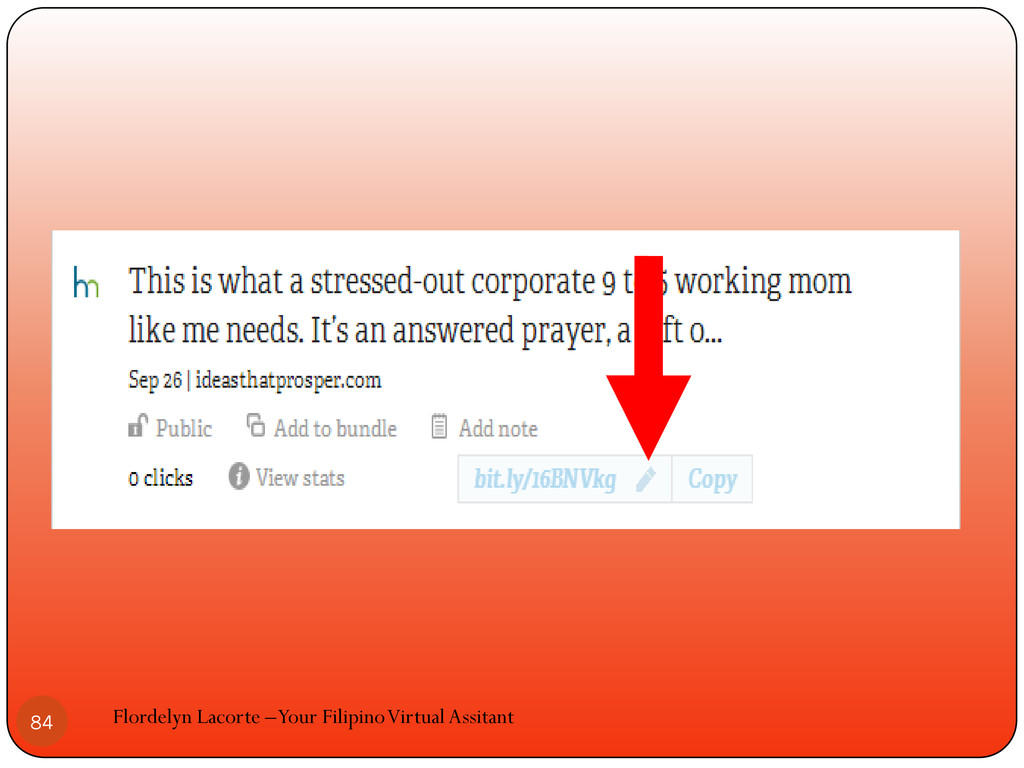
Look for small pencil beside your bitmark Flordelyn Lacorte –Your
Filipino Virtual Assitant 82
Flordelyn Lacorte –Your Filipino Virtual Assitant 83
Flordelyn Lacorte –Your Filipino Virtual Assitant 84
Click on the pencil to create the customization for your
link Flordelyn Lacorte –Your Filipino Virtual Assitant 85
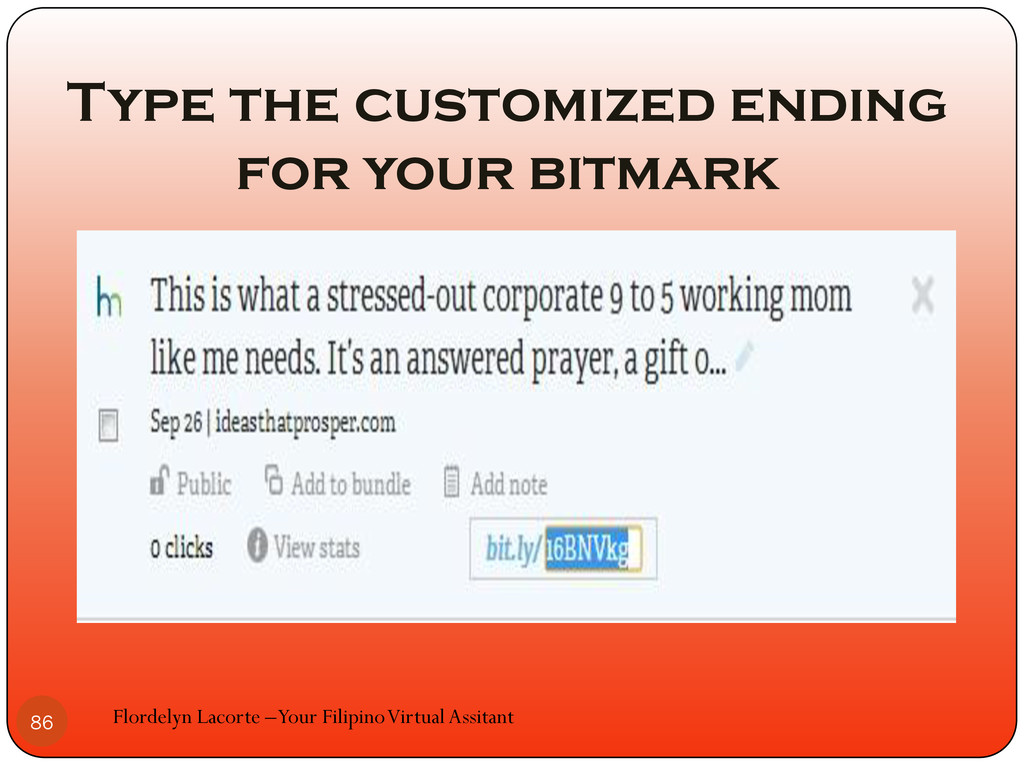
Flordelyn Lacorte –Your Filipino Virtual Assitant 86 Type the customized
ending for your bitmark
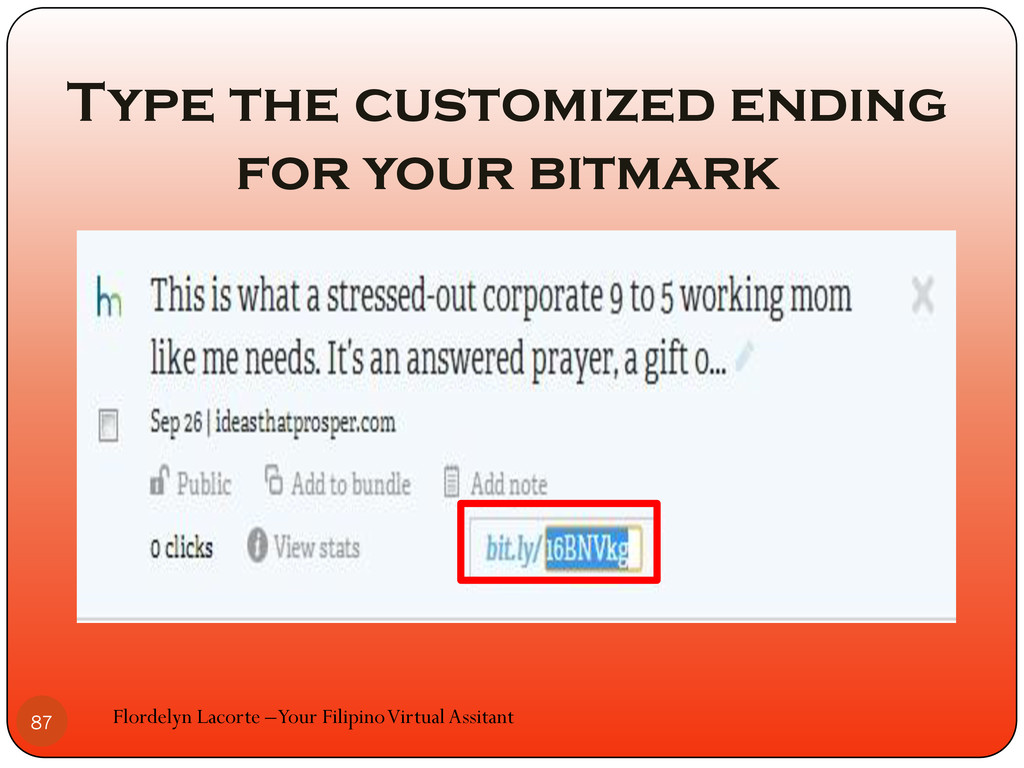
Flordelyn Lacorte –Your Filipino Virtual Assitant 87 Type the customized
ending for your bitmark
When you are finished hit enter of your keyboard Flordelyn
Lacorte –Your Filipino Virtual Assitant 88
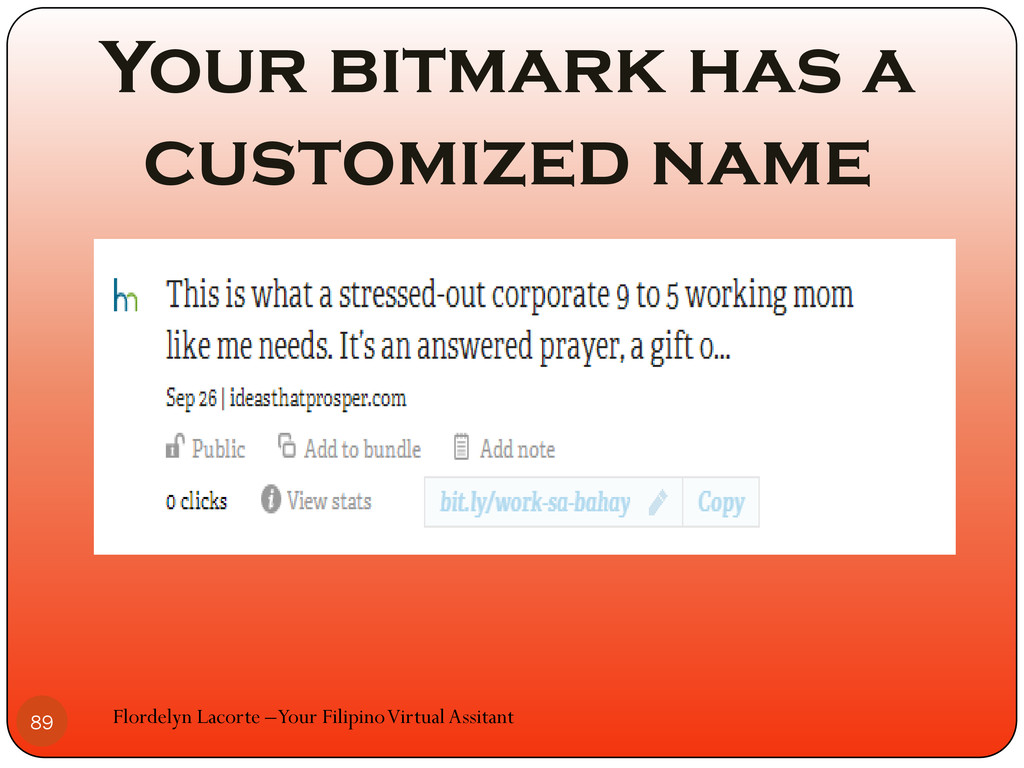
Your bitmark has a customized name Flordelyn Lacorte –Your Filipino
Virtual Assitant 89
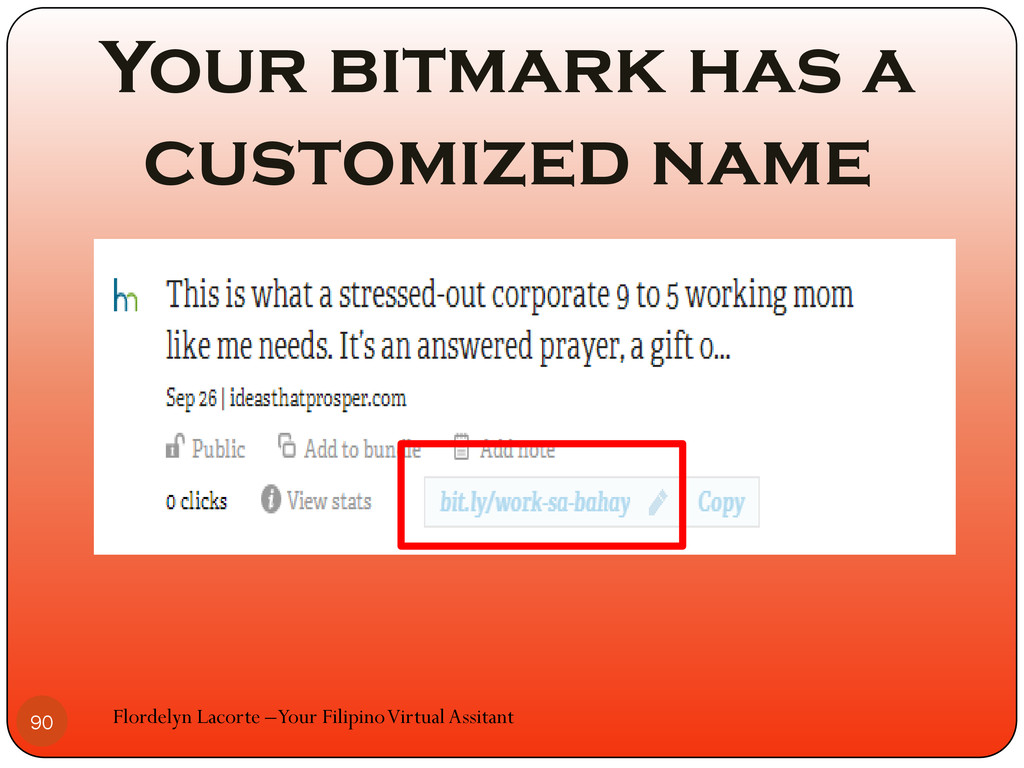
Your bitmark has a customized name Flordelyn Lacorte –Your Filipino
Virtual Assitant 90
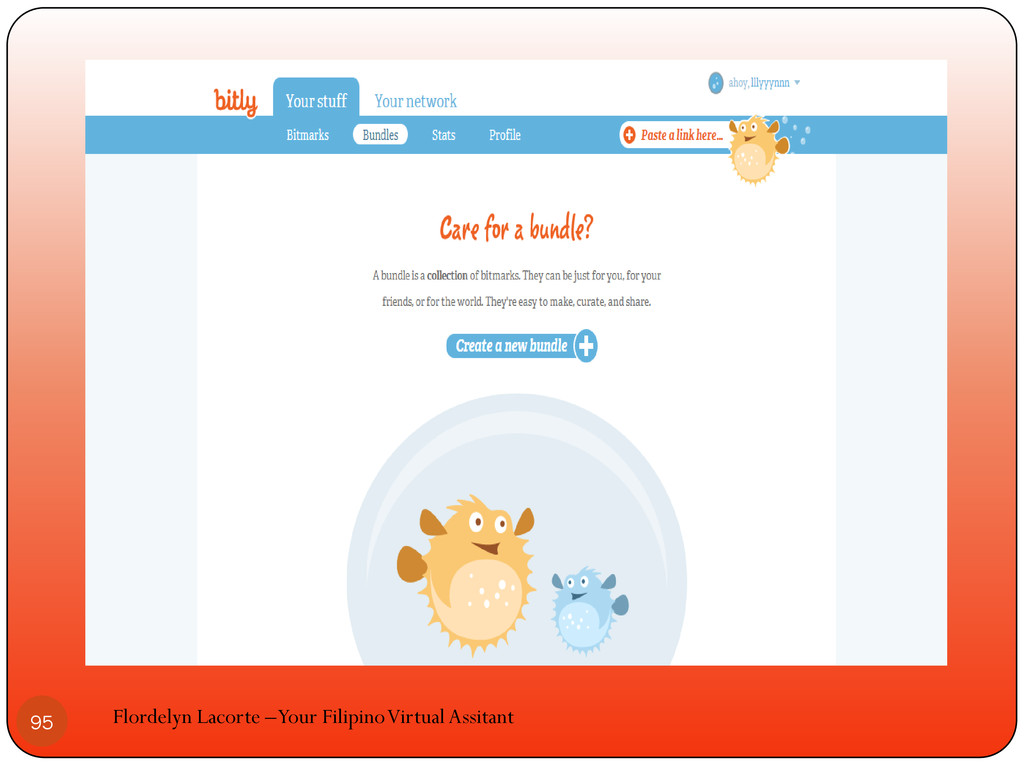
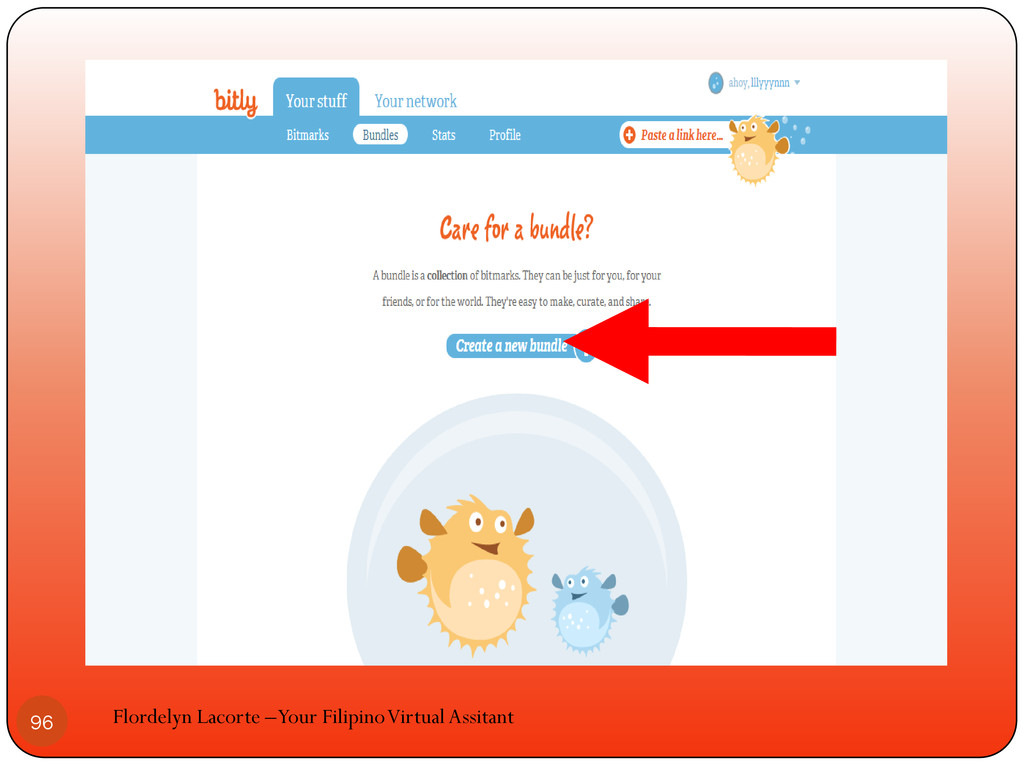
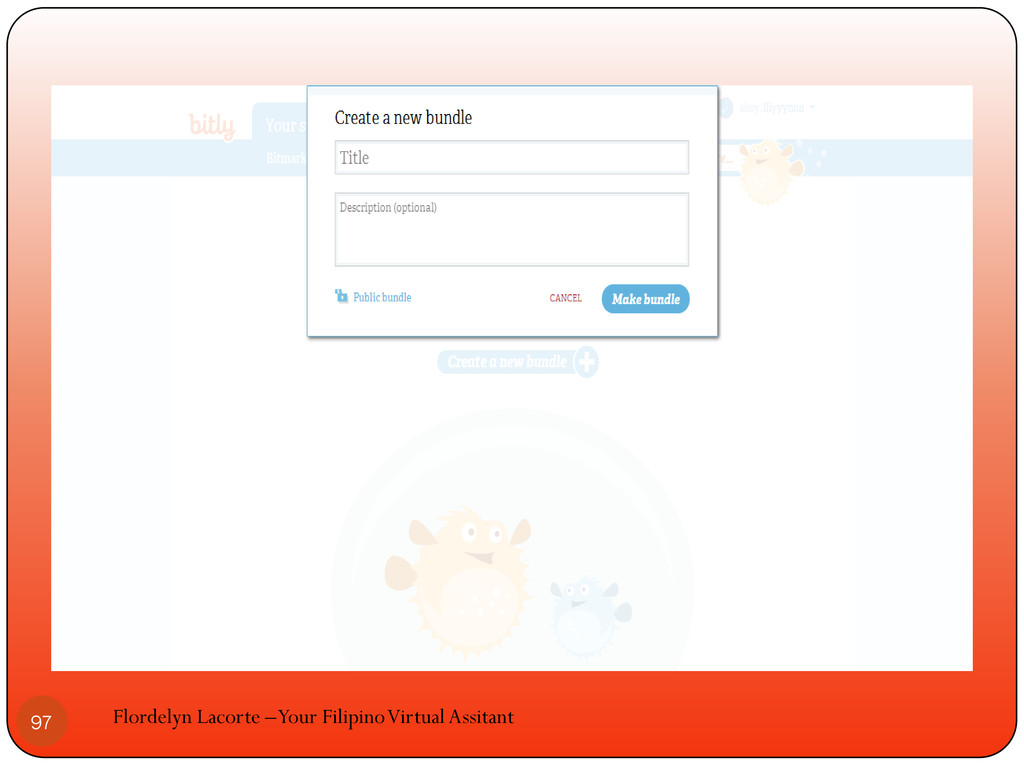
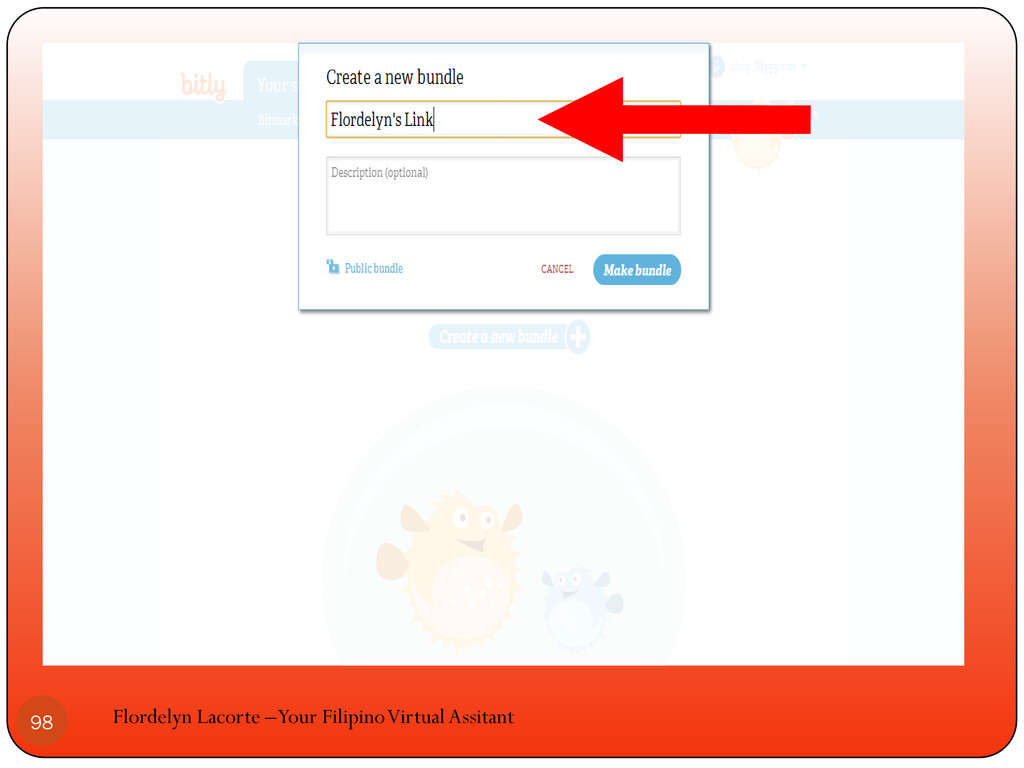
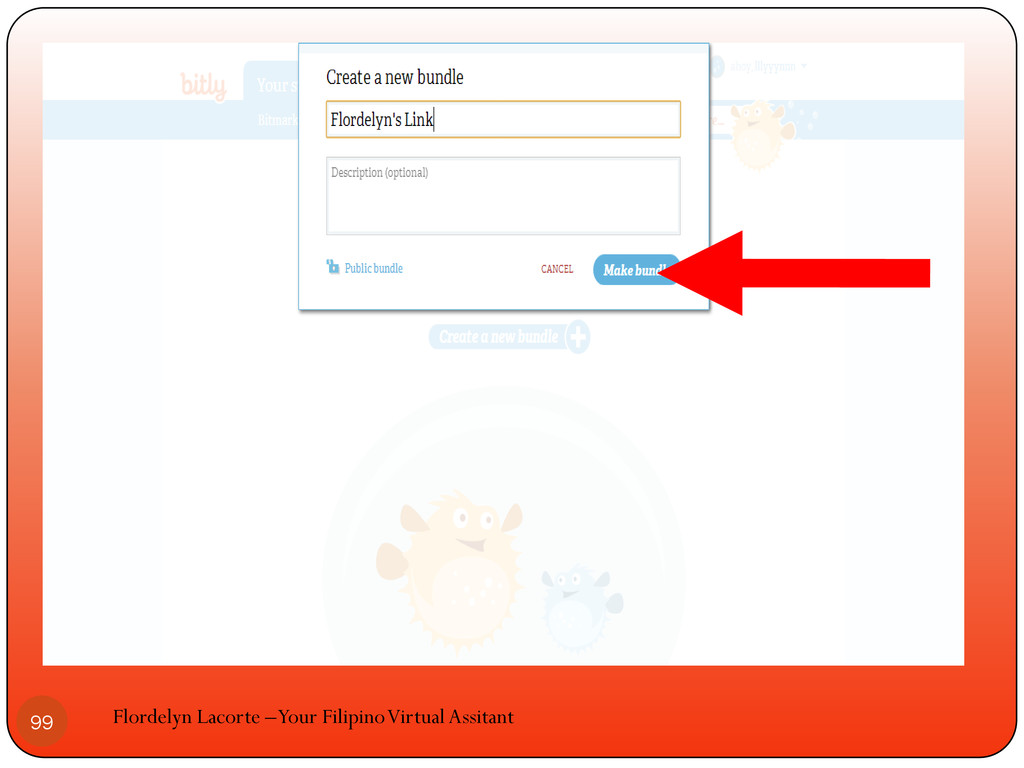
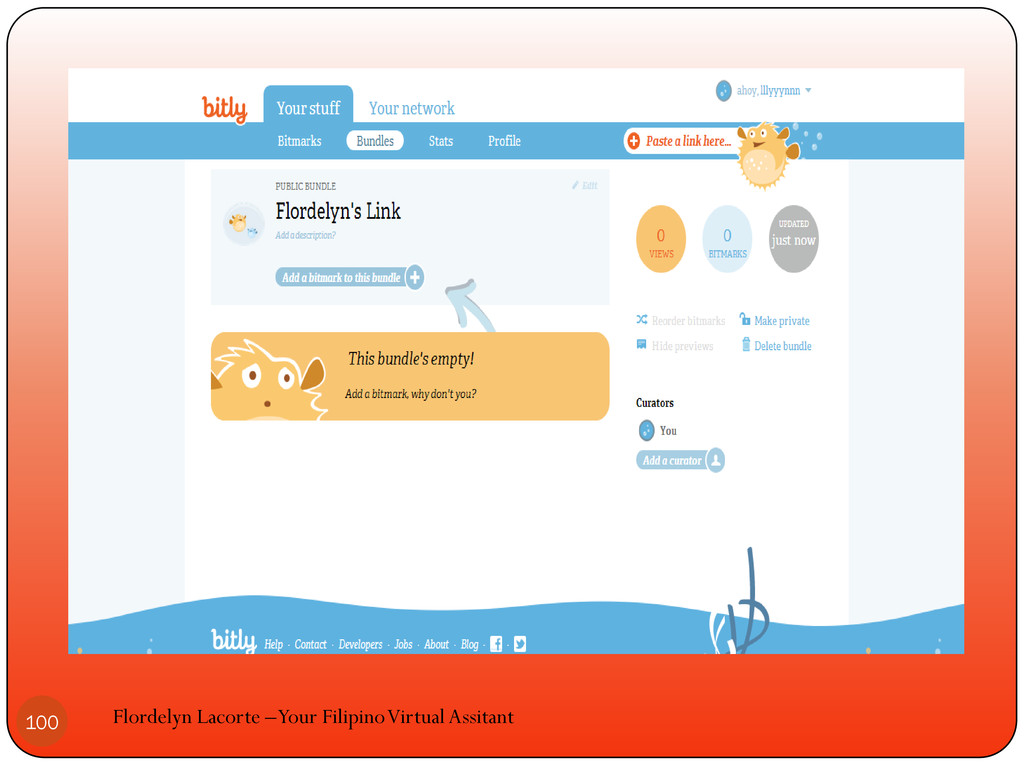
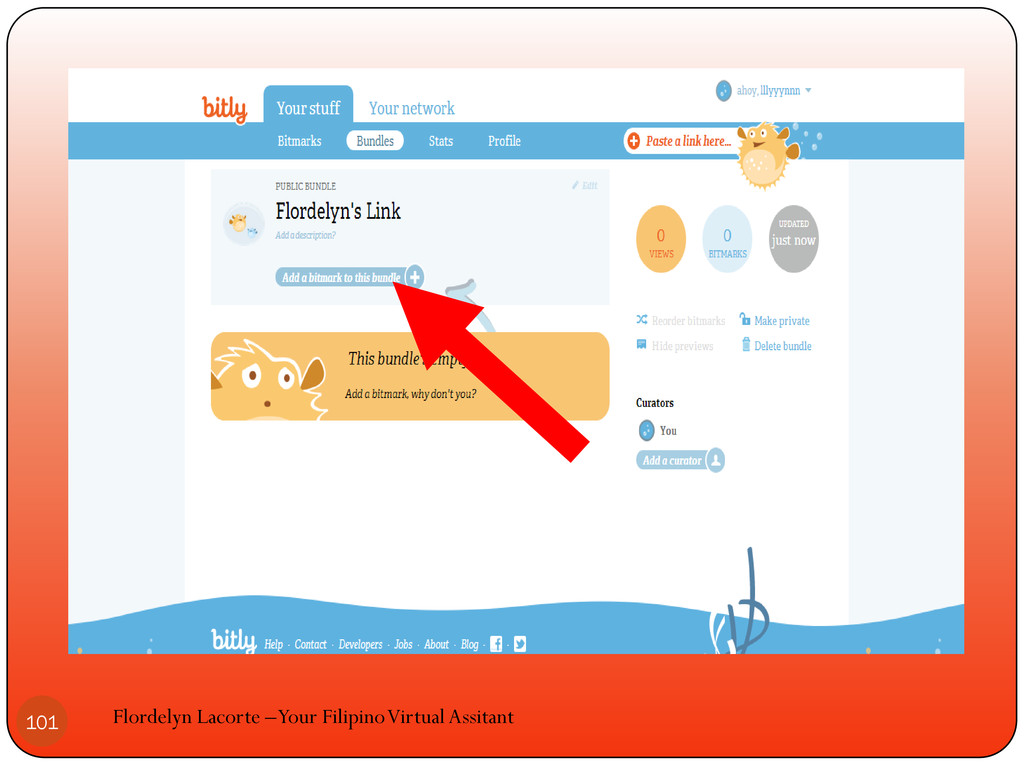
How to create a bundle Flordelyn Lacorte –Your Filipino Virtual
Assitant 91
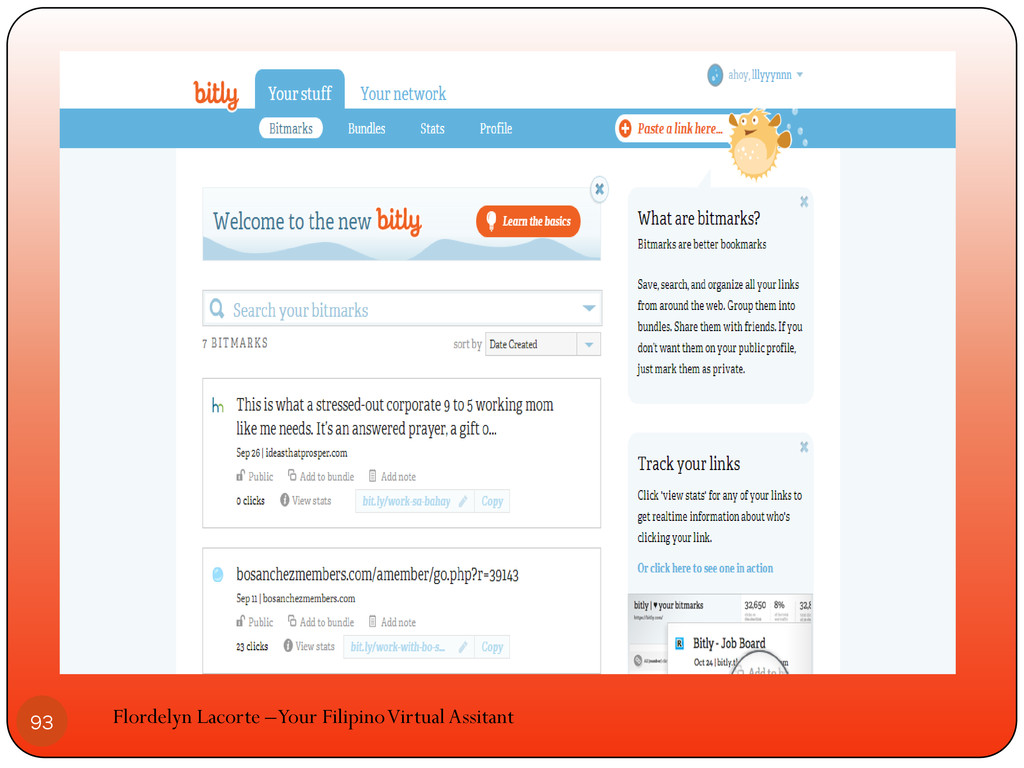
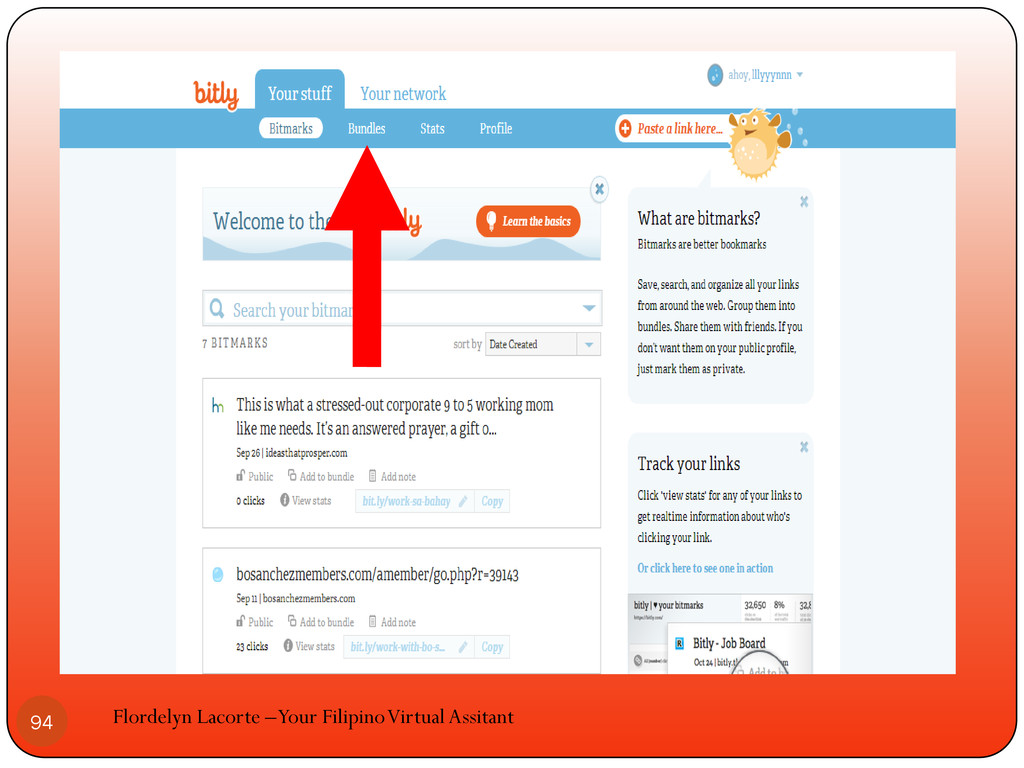
Click bundles Flordelyn Lacorte –Your Filipino Virtual Assitant 92
Flordelyn Lacorte –Your Filipino Virtual Assitant 93
Flordelyn Lacorte –Your Filipino Virtual Assitant 94
Flordelyn Lacorte –Your Filipino Virtual Assitant 95
Flordelyn Lacorte –Your Filipino Virtual Assitant 96
Flordelyn Lacorte –Your Filipino Virtual Assitant 97
Flordelyn Lacorte –Your Filipino Virtual Assitant 98
Flordelyn Lacorte –Your Filipino Virtual Assitant 99
Flordelyn Lacorte –Your Filipino Virtual Assitant 100
Flordelyn Lacorte –Your Filipino Virtual Assitant 101
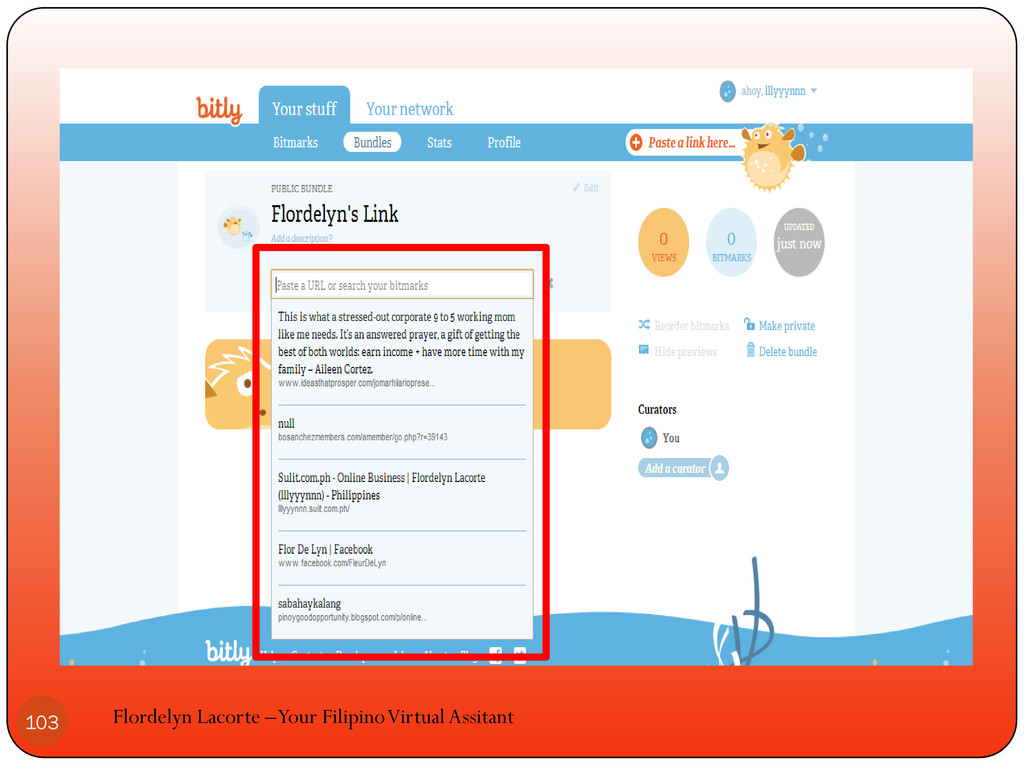
Choose from your list of bitmarks and click it to
include in your bundle Flordelyn Lacorte –Your Filipino Virtual Assitant 102
Flordelyn Lacorte –Your Filipino Virtual Assitant 103
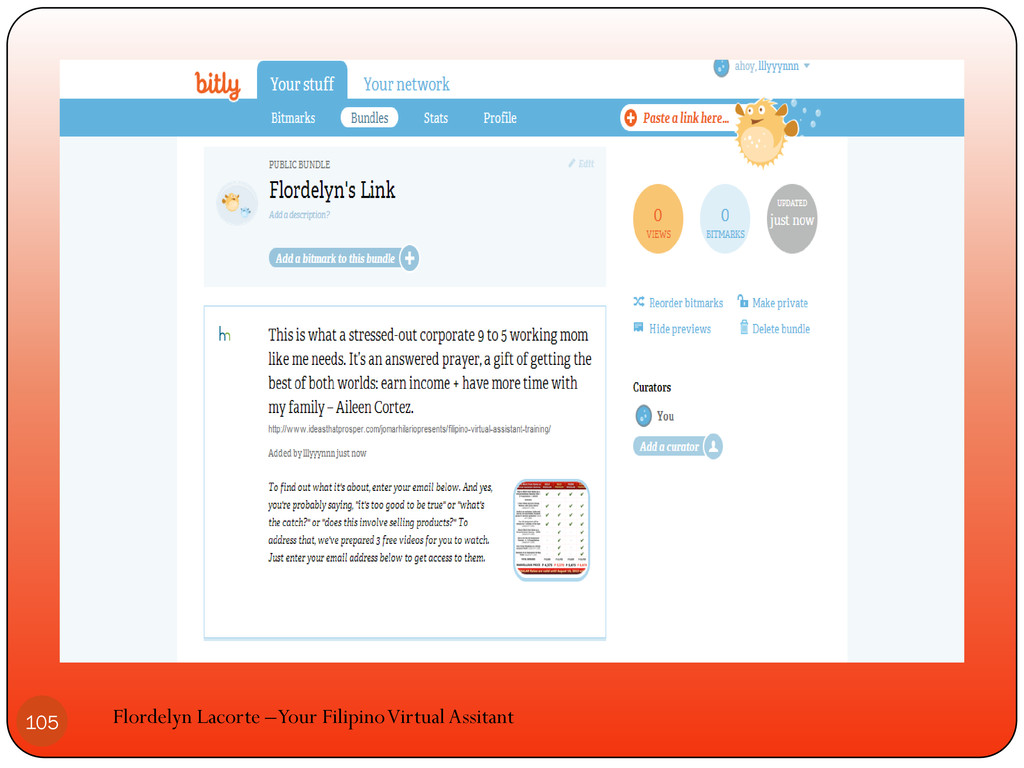
The bitmark will be added to your bundle Flordelyn Lacorte
–Your Filipino Virtual Assitant 104
Flordelyn Lacorte –Your Filipino Virtual Assitant 105
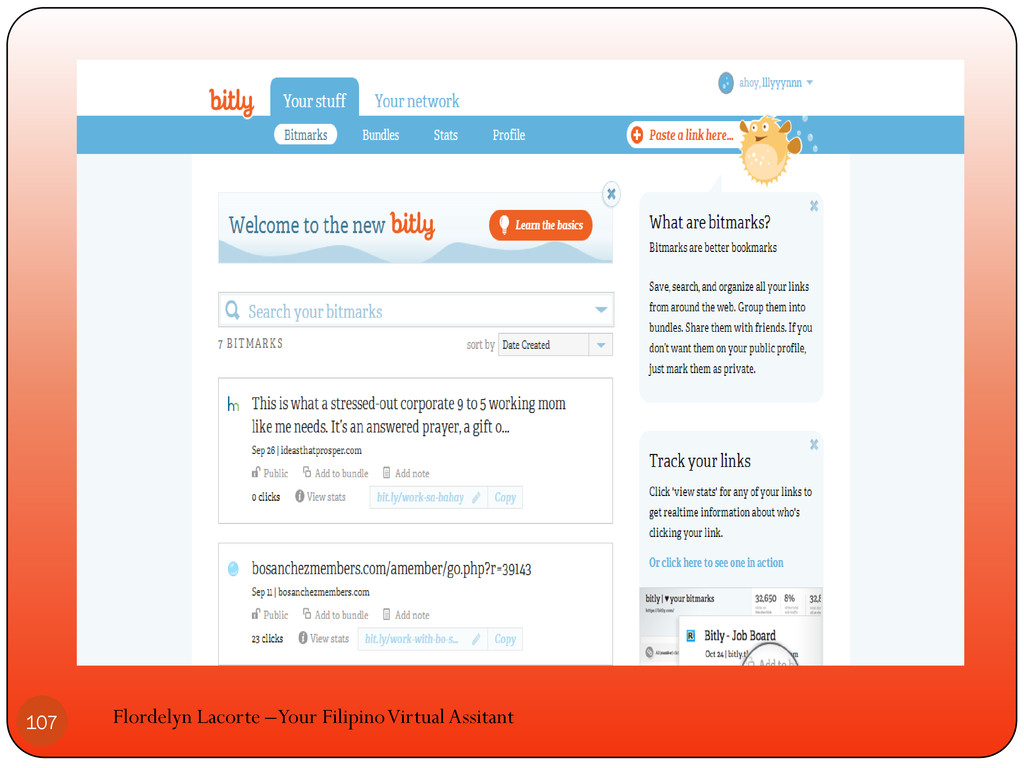
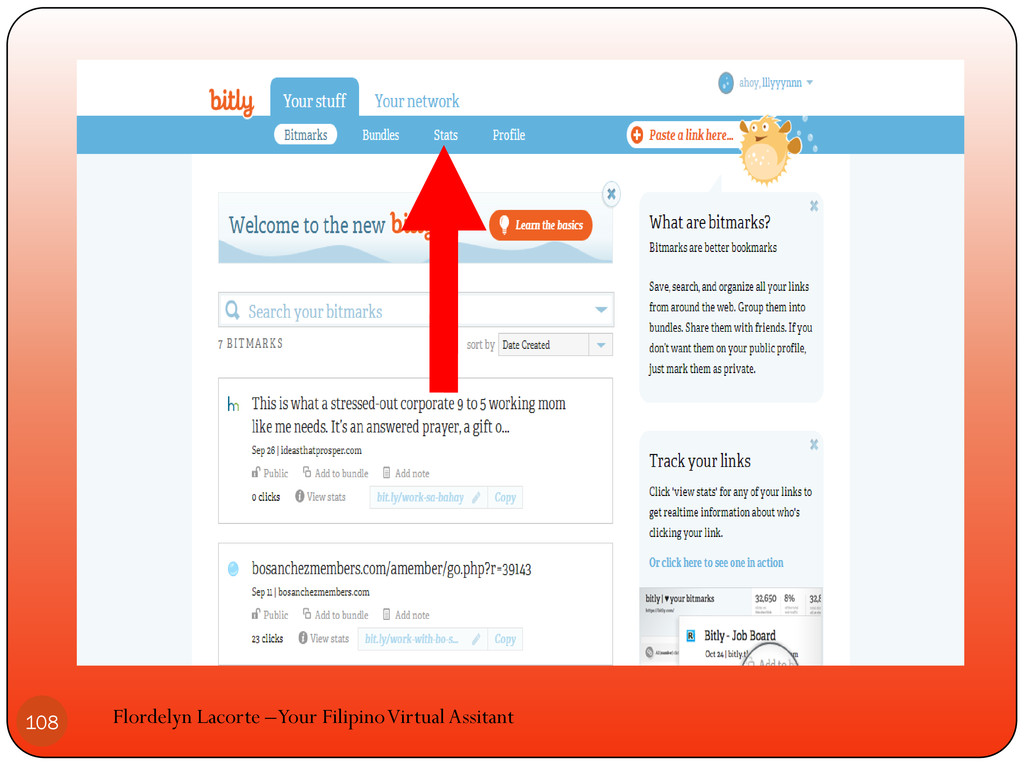
When you want to look at your stats click stats
Flordelyn Lacorte –Your Filipino Virtual Assitant 106
Flordelyn Lacorte –Your Filipino Virtual Assitant 107
Flordelyn Lacorte –Your Filipino Virtual Assitant 108
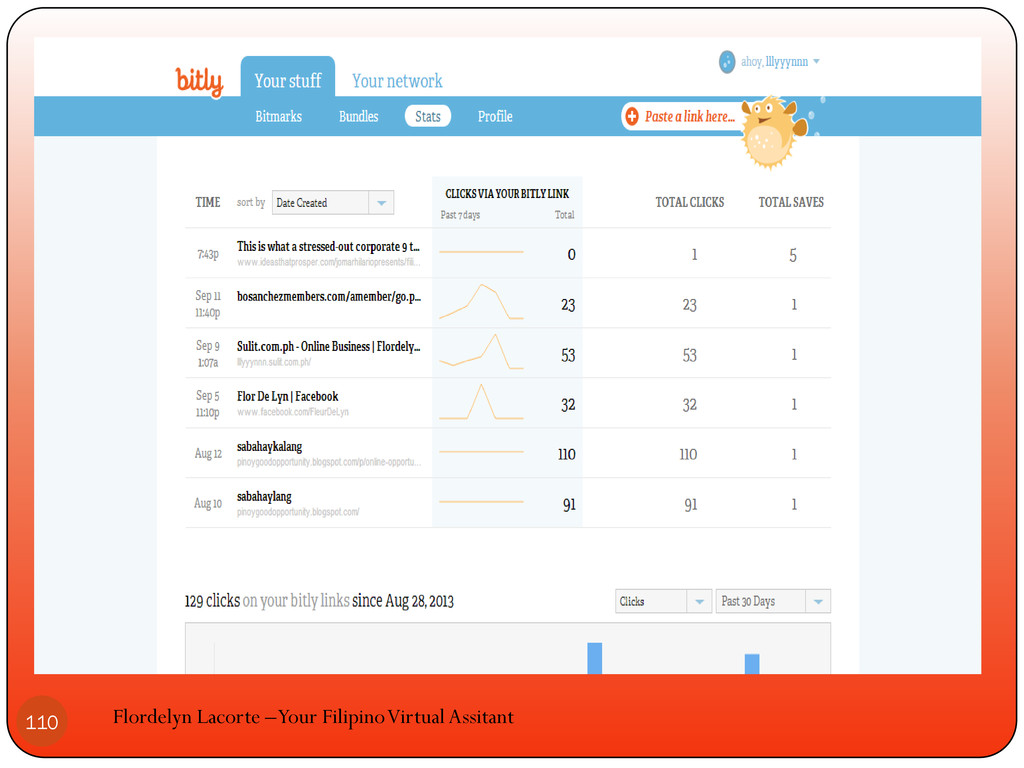
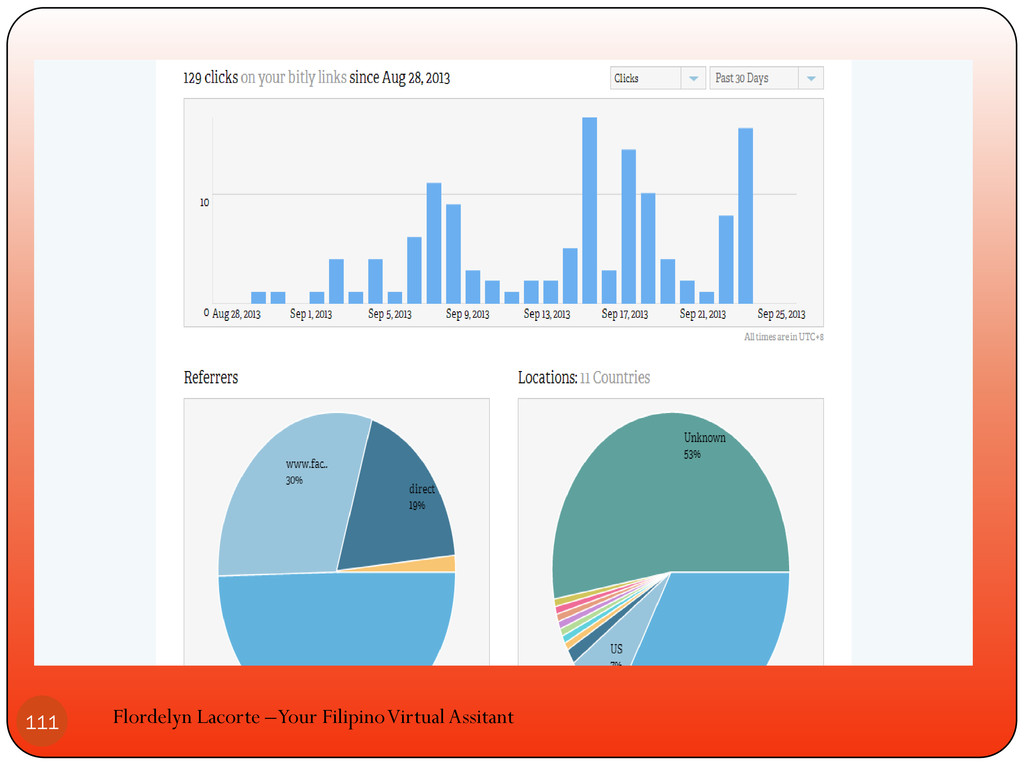
You will see the number of how many viewed to
your link Flordelyn Lacorte –Your Filipino Virtual Assitant 109
Flordelyn Lacorte –Your Filipino Virtual Assitant 110
Flordelyn Lacorte –Your Filipino Virtual Assitant 111
Start using bitly to save and share your favorite links
Flordelyn Lacorte –Your Filipino Virtual Assitant 112
“A person without definite major goals is as helpless as
a ship without a rudder.” — NAPOLEON HILL Flordelyn Lacorte –Your Filipino Virtual Assitant 113


 eileencodes
 sferik
 pauljervisheath
 aleyda
 codingconduct
 jct
jct
 chrisshort
 cromwellryan
 cassininazir
 baasie
 tapps
tapps
 keithpitt