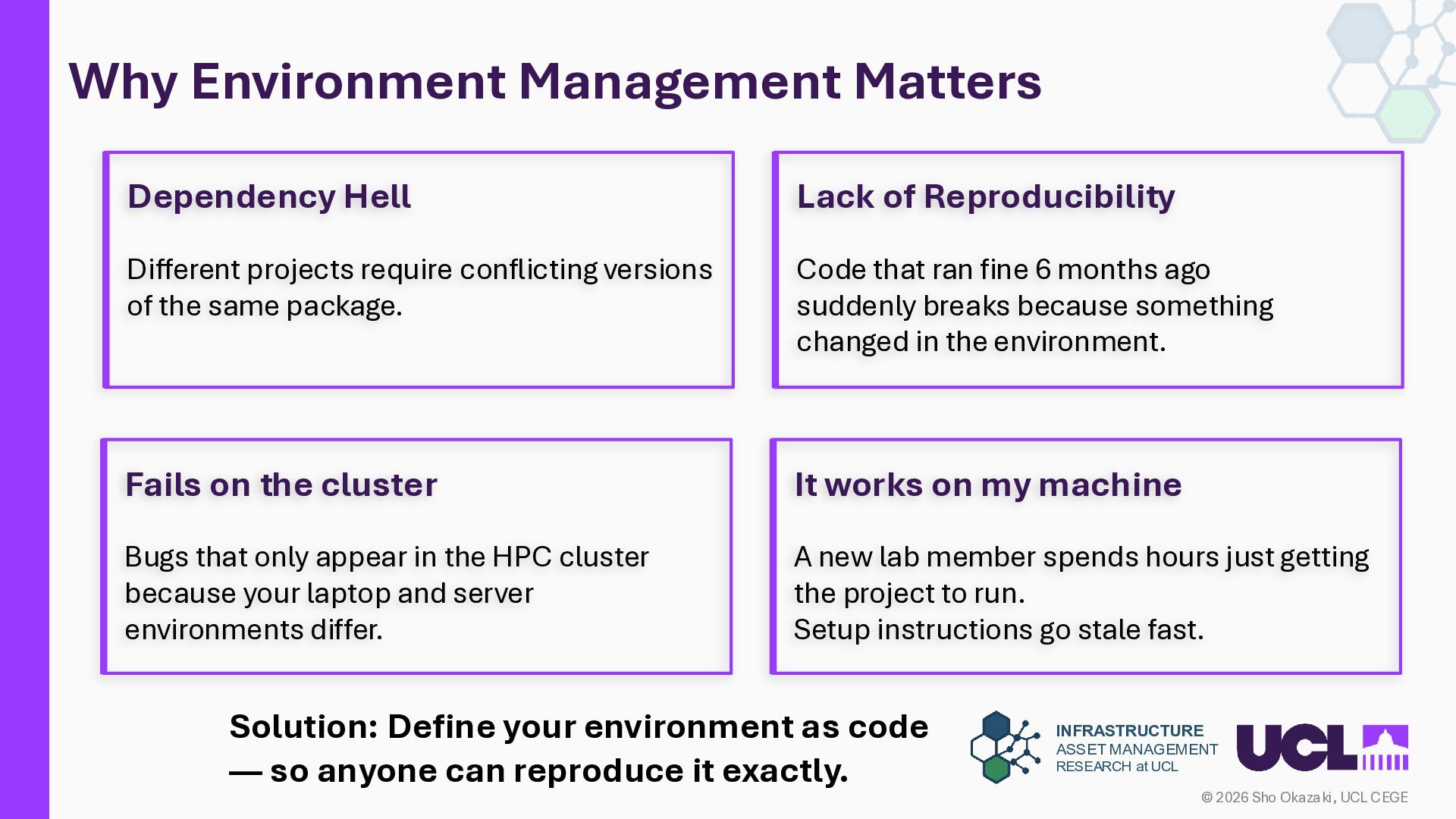
UCL CEGE Why Environment Management Matters Solution: Define your environment as code — so anyone can reproduce it exactly. It works on my machine A new lab member spends hours just getting the project to run. Setup instructions go stale fast. Dependency Hell Different projects require conflicting versions of the same package. Lack of Reproducibility Code that ran fine 6 months ago suddenly breaks because something changed in the environment. Fails on the cluster Bugs that only appear in the HPC cluster because your laptop and server environments differ.
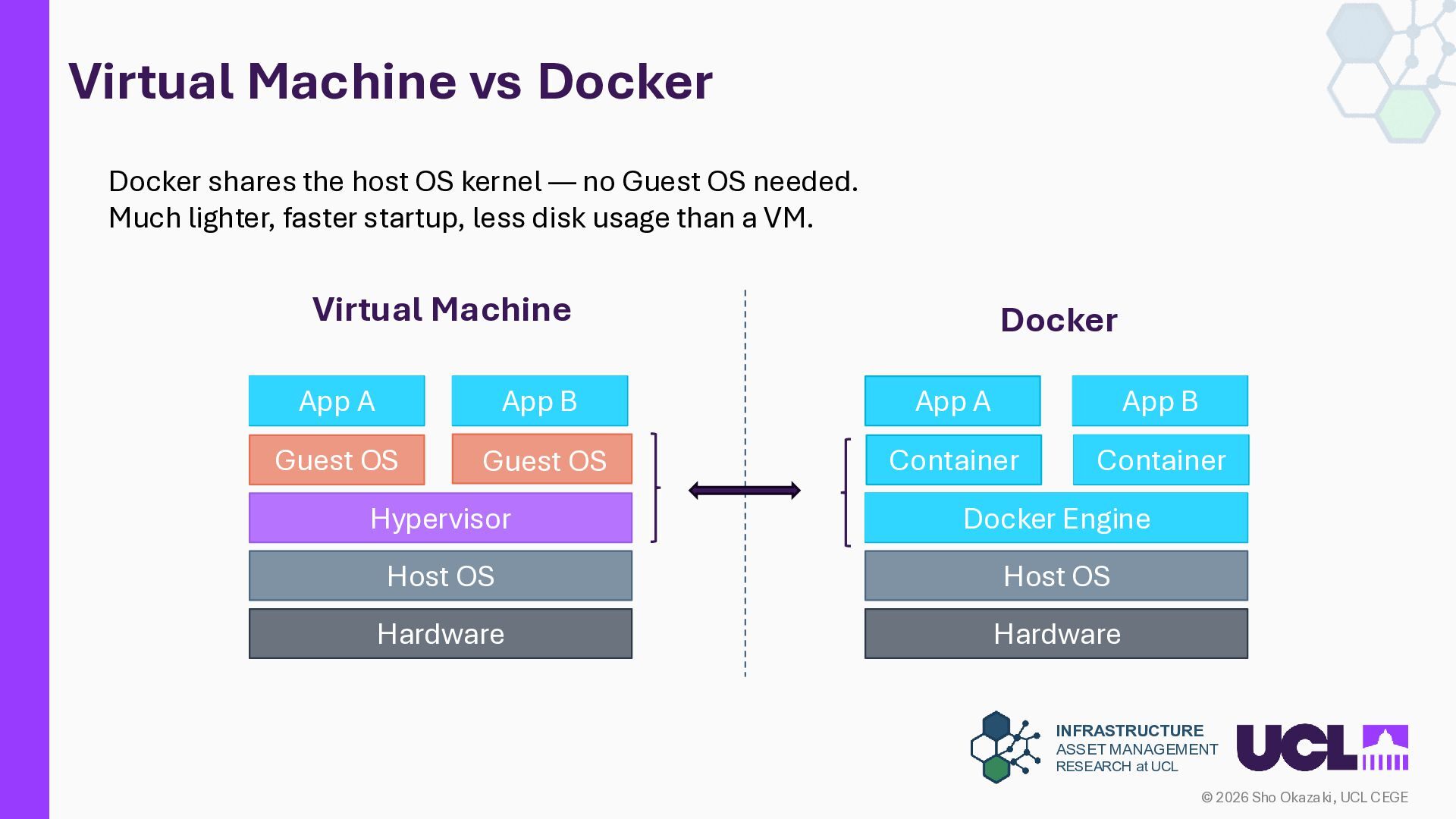
UCL CEGE Virtual Machine vs Docker Virtual Machine App A App B Guest OS Guest OS Hypervisor Host OS Hardware Docker App A App B Docker Engine Host OS Hardware Docker shares the host OS kernel — no Guest OS needed. Much lighter, faster startup, less disk usage than a VM. Container Container
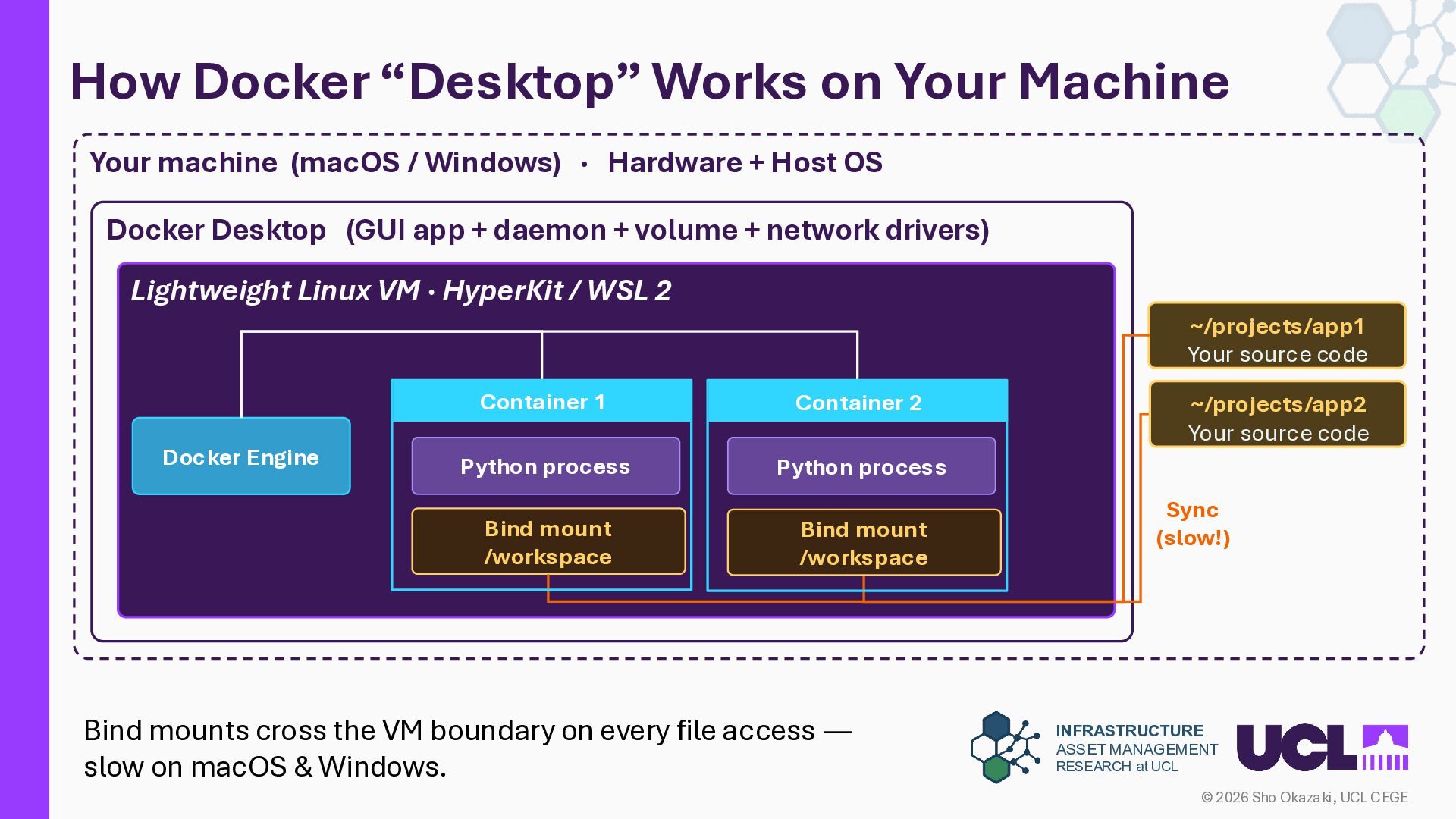
UCL CEGE How Docker “Desktop” Works on Your Machine Your machine (macOS / Windows) · Hardware + Host OS Docker Desktop (GUI app + daemon + volume + network drivers) Lightweight Linux VM · HyperKit / WSL 2 Docker Engine Container 1 Python process Bind mount /workspace ~/projects/app1 Your source code Sync (slow!) Bind mounts cross the VM boundary on every file access — slow on macOS & Windows. ~/projects/app2 Your source code Container 2 Python process Bind mount /workspace
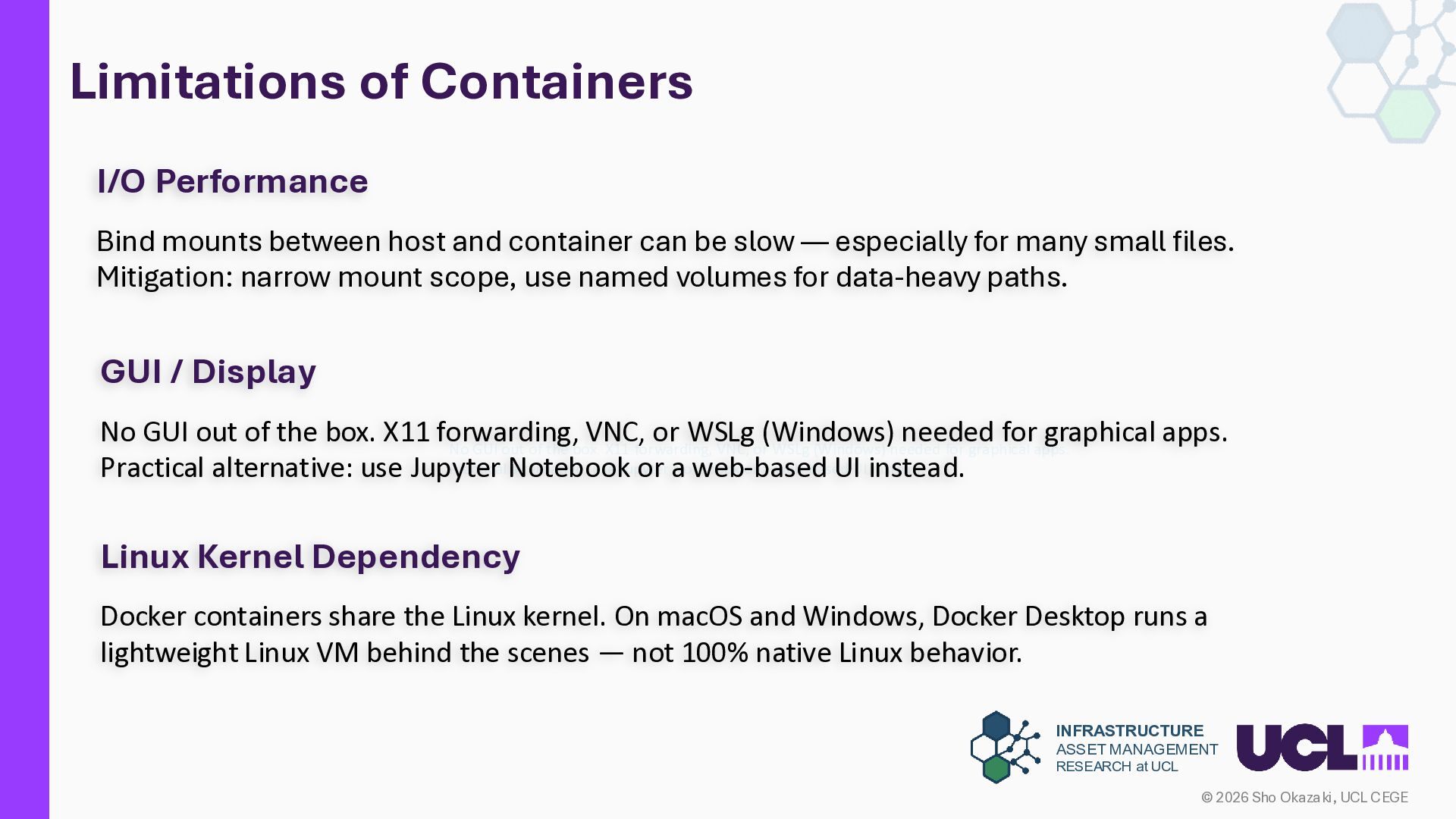
UCL CEGE Limitations of Containers No GUI out of the box. X11 forwarding, VNC, or WSLg (Windows) needed for graphical apps. Practical alternative: use Jupyter Notebook or a web-based UI instead. I/O Performance Bind mounts between host and container can be slow — especially for many small files. Mitigation: narrow mount scope, use named volumes for data-heavy paths. GUI / Display No GUI out of the box. X11 forwarding, VNC, or WSLg (Windows) needed for graphical apps. Practical alternative: use Jupyter Notebook or a web-based UI instead. Linux Kernel Dependency Docker containers share the Linux kernel. On macOS and Windows, Docker Desktop runs a lightweight Linux VM behind the scenes — not 100% native Linux behavior.
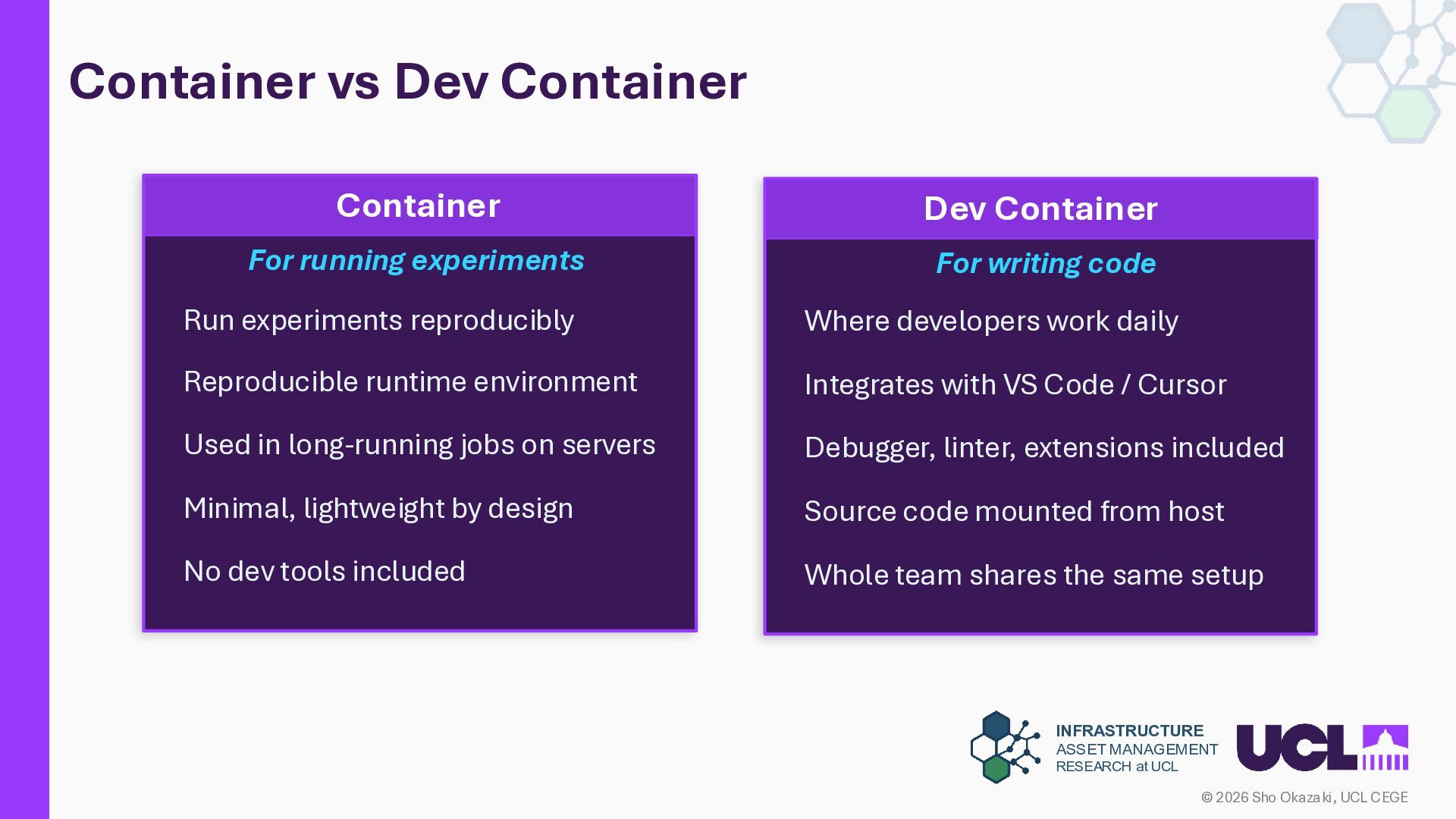
UCL CEGE Container vs Dev Container Container For running experiments Run experiments reproducibly Reproducible runtime environment Used in long-running jobs on servers Minimal, lightweight by design No dev tools included Dev Container For writing code Where developers work daily Integrates with VS Code / Cursor Debugger, linter, extensions included Source code mounted from host Whole team shares the same setup
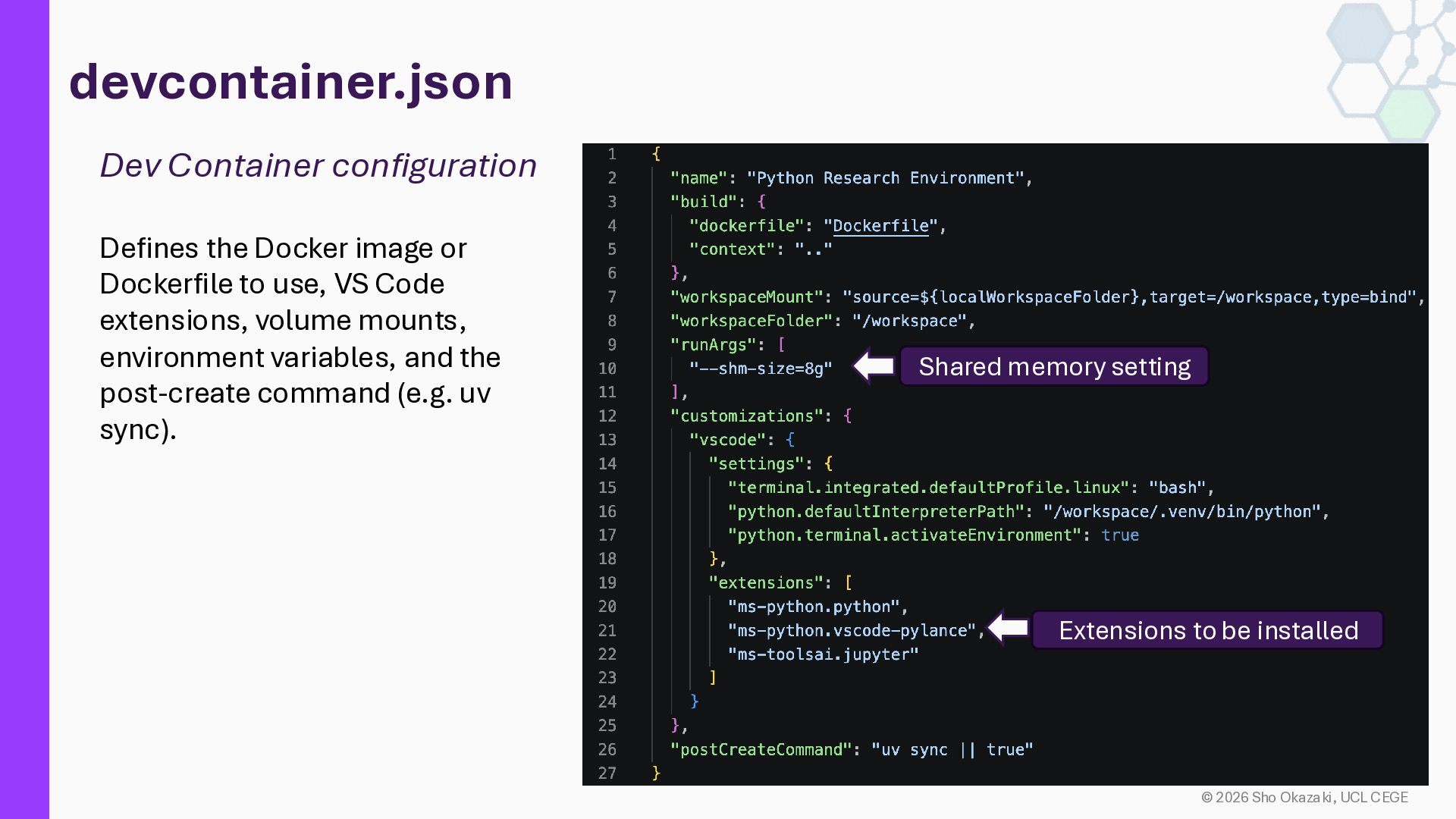
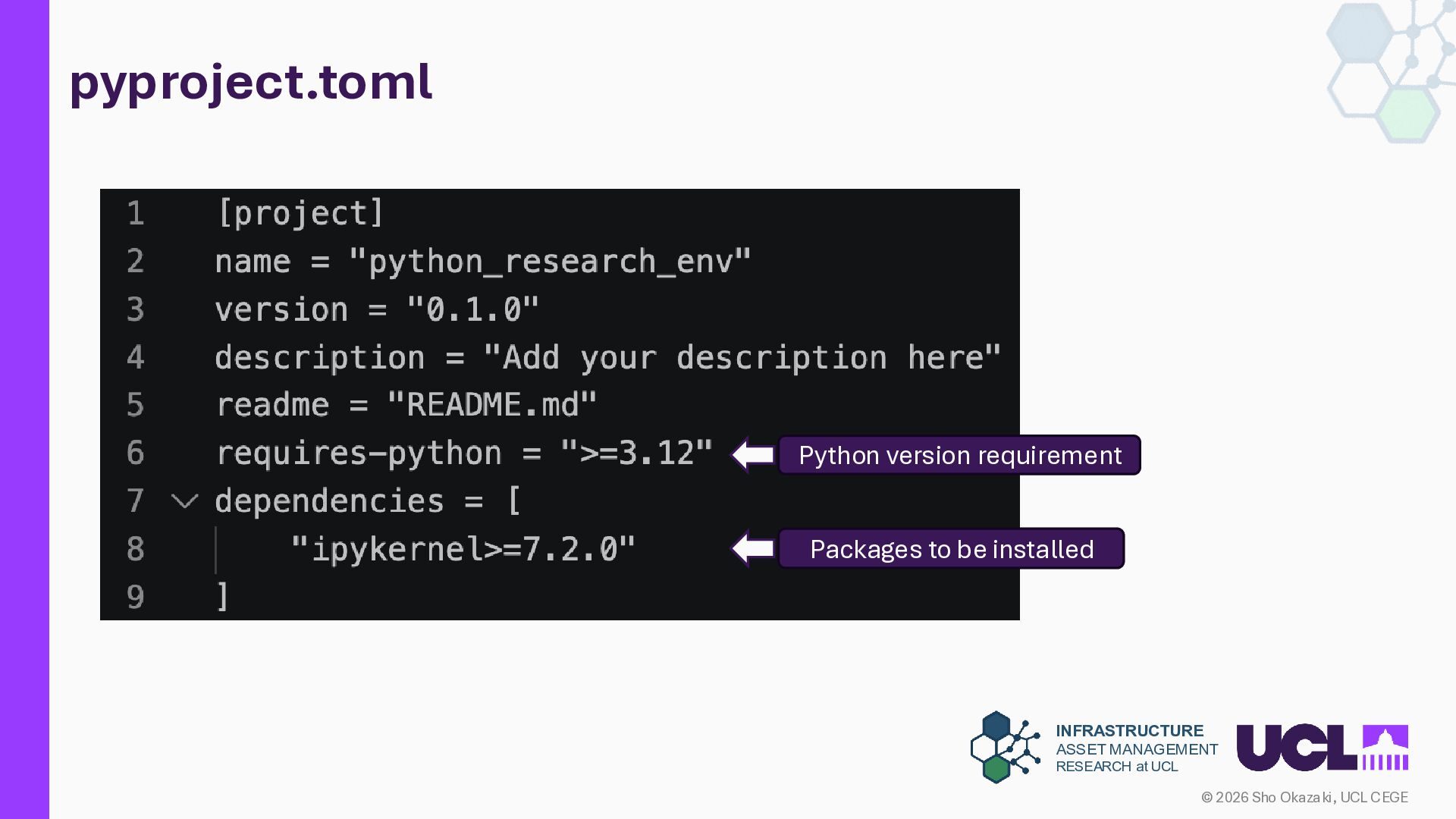
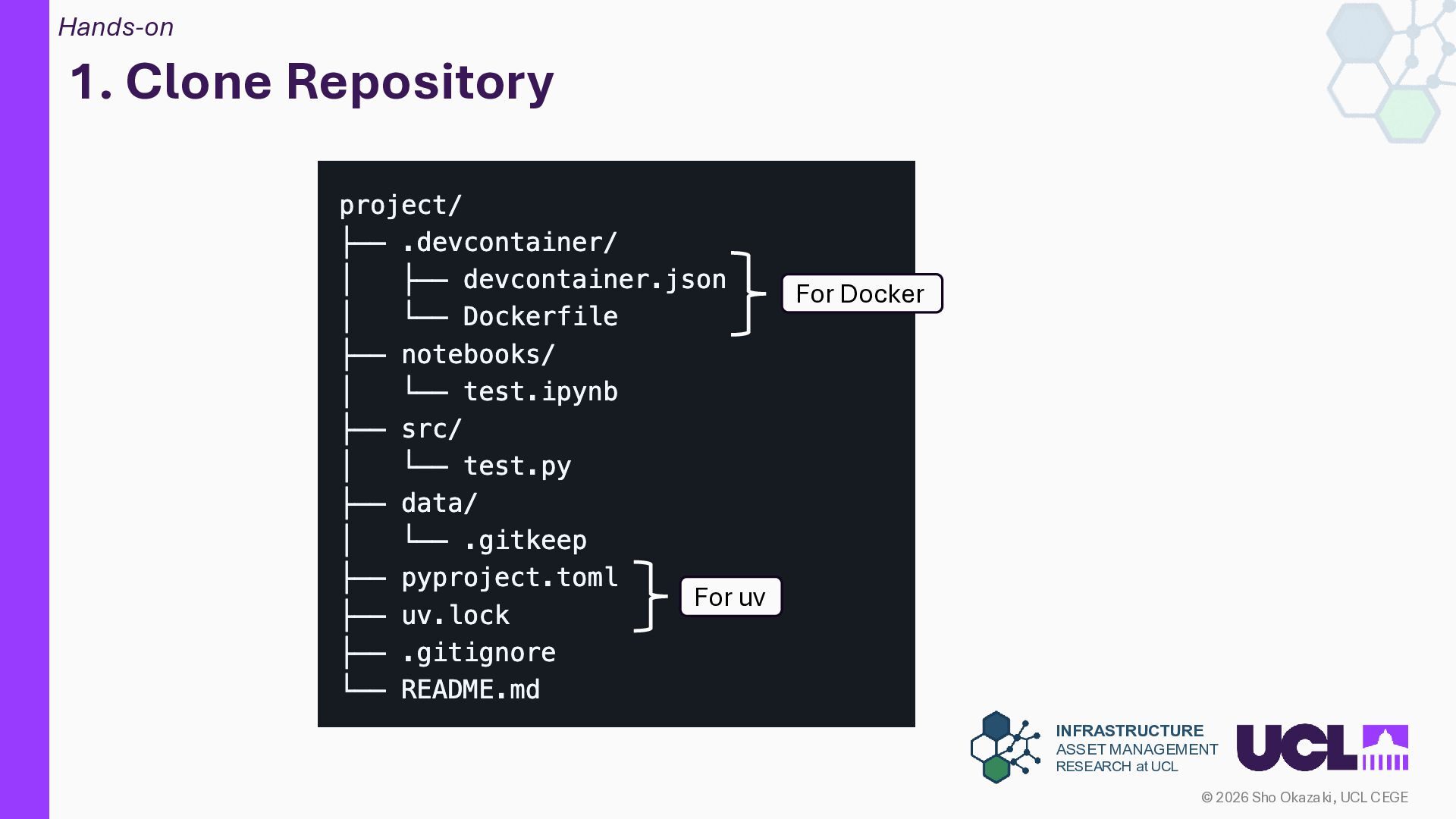
UCL CEGE devcontainer.json Dev Container configuration Defines the Docker image or Dockerfile to use, VS Code extensions, volume mounts, environment variables, and the post-create command (e.g. uv sync). "image": "mcr.microsoft.com/devcontainers/python:3.12" "extensions": ["ms-python.python"] "postCreateCommand": "uv sync" Shared memory setting Extensions to be installed
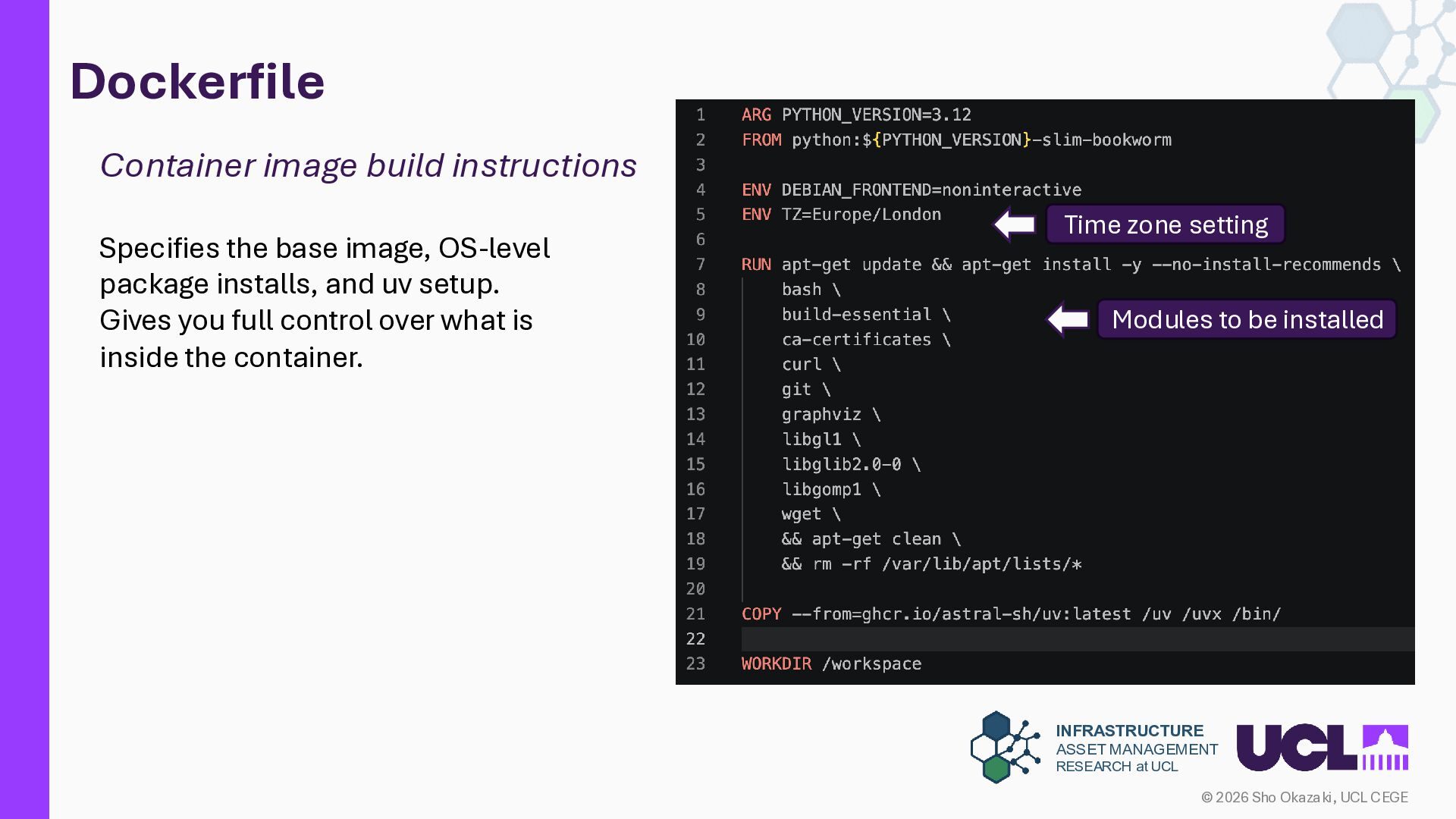
UCL CEGE Dockerfile Container image build instructions Specifies the base image, OS-level package installs, and uv setup. Gives you full control over what is inside the container. FROM python:3.12-slim RUN pip install uv COPY pyproject.toml . RUN uv sync Time zone setting Modules to be installed
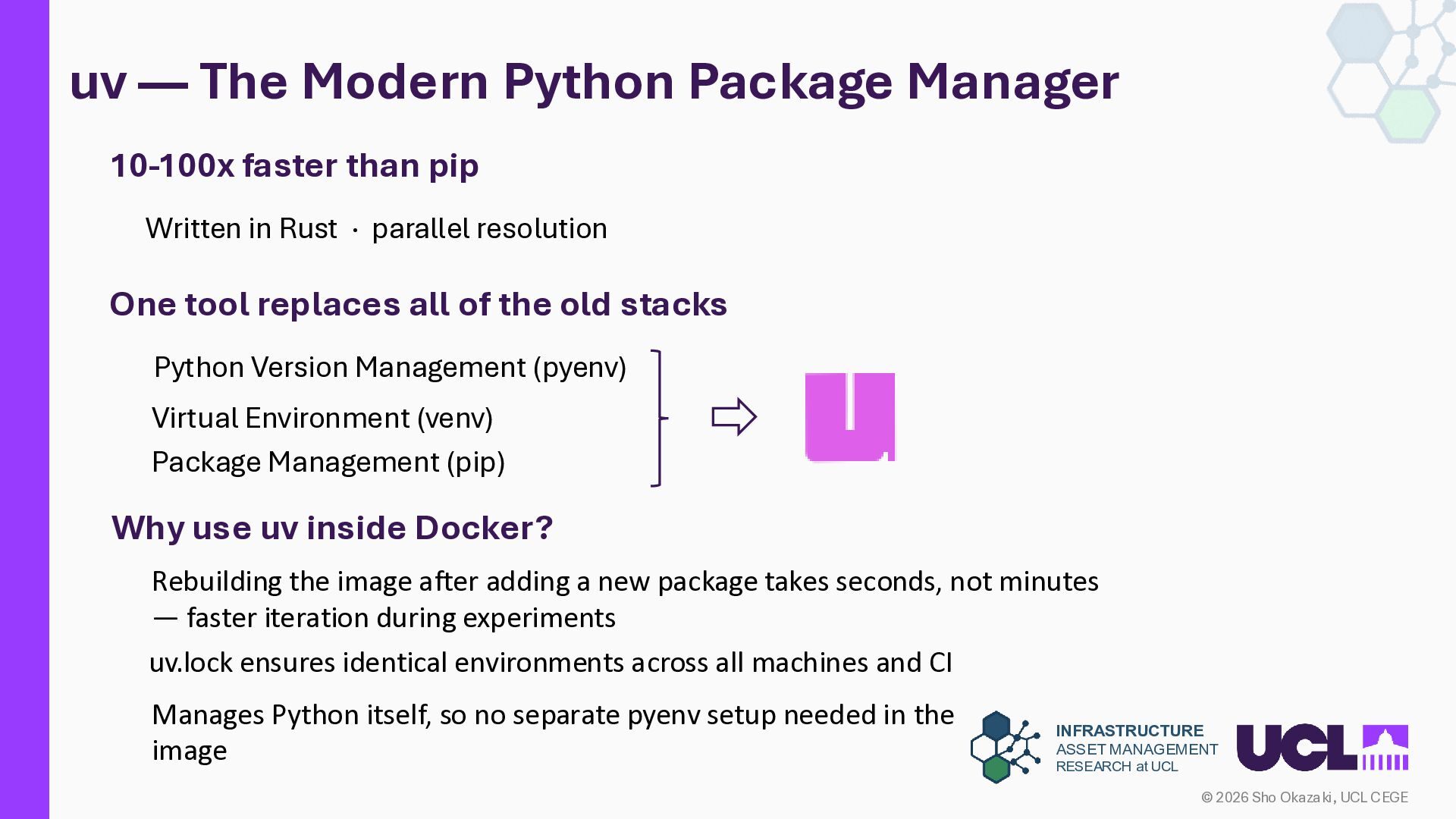
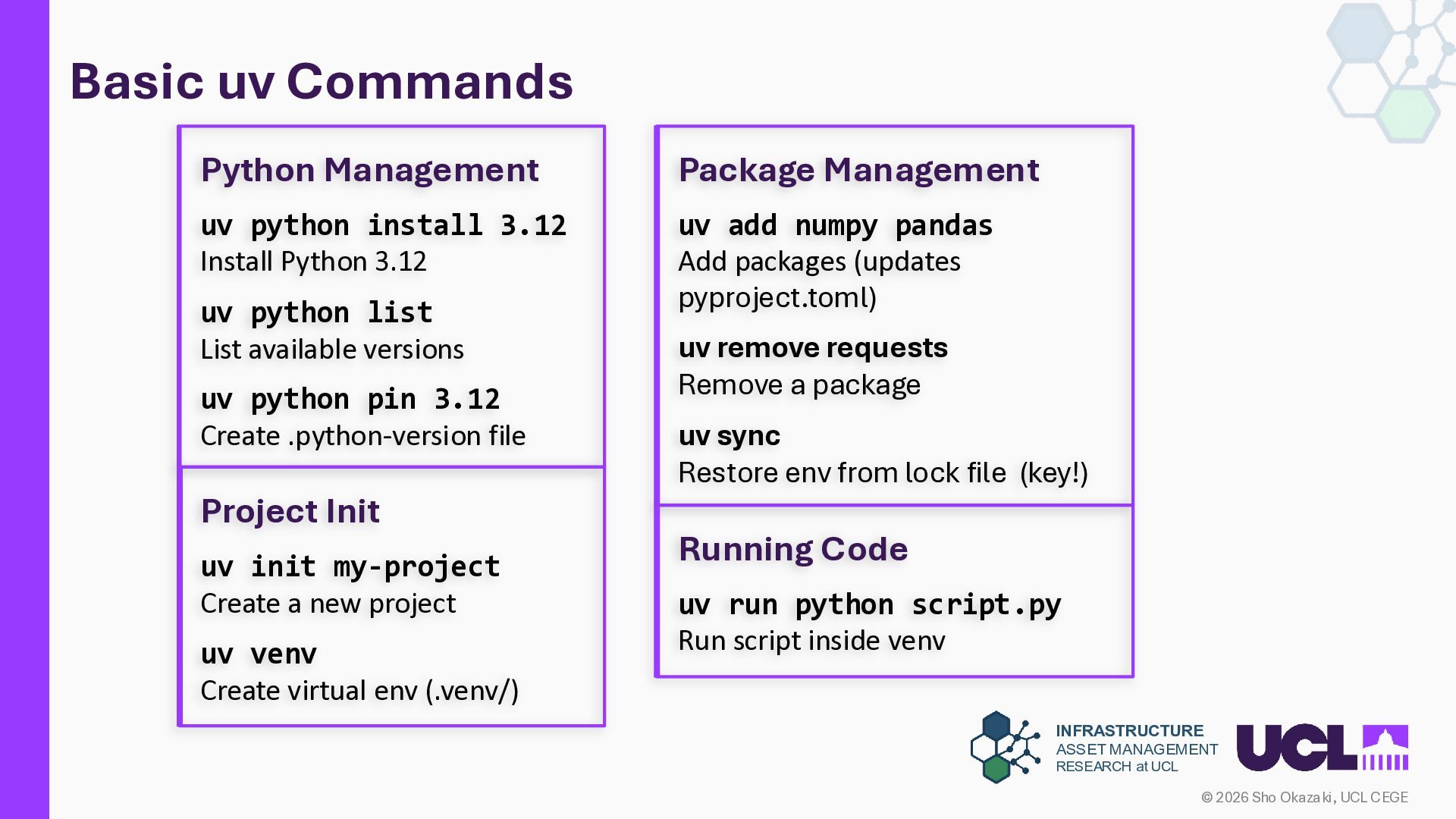
UCL CEGE uv — The Modern Python Package Manager Rebuilding the image after adding a new package takes seconds, not minutes — faster iteration during experiments uv.lock ensures identical environments across all machines and CI Manages Python itself, so no separate pyenv setup needed in the image 10-100x faster than pip Written in Rust · parallel resolution One tool replaces all of the old stacks Python Version Management (pyenv) Virtual Environment (venv) Package Management (pip) Why use uv inside Docker?
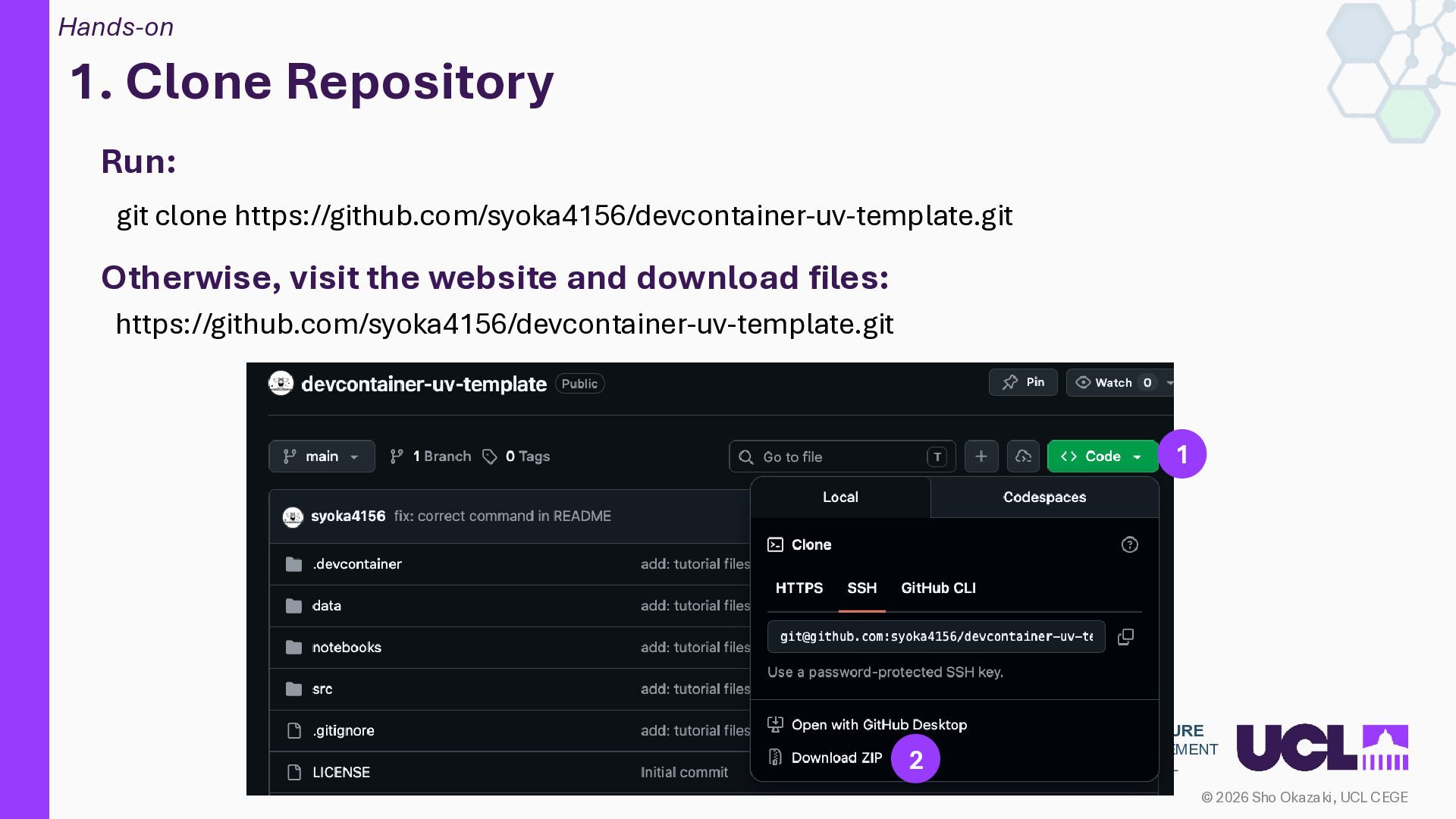
UCL CEGE Key Takeaways 1 Stop debugging environments. Start doing research. Define your environment as code, so your experiments can be reproduced 2 Learn the three config files: devcontainer.json, Dockerfile, and pyproject.toml Understanding each file's role is enough to build and maintain research environments. 3 uv replaces pyenv + venv + pip in one command 10-100x faster, Python version management — all built in. 4 Understand container limits — especially I/O on macOS and Windows Bind mounts are slow on Docker Desktop. (Use named volumes for data-heavy workloads.) Where to Go From Here Work with GPUs: https://github.com/syoka4156/devcontainer-cu125-uv Learn Docker Compose: https://docs.docker.com/compose/


 shokazaki
 chrisshort
 jcasabona
 sarafernandez
 destraynor
 vanstee
 tammyeverts
 denniskardys
 reverentgeek
 baasie
 samlambert
 lauravandoore
 lindahogenes