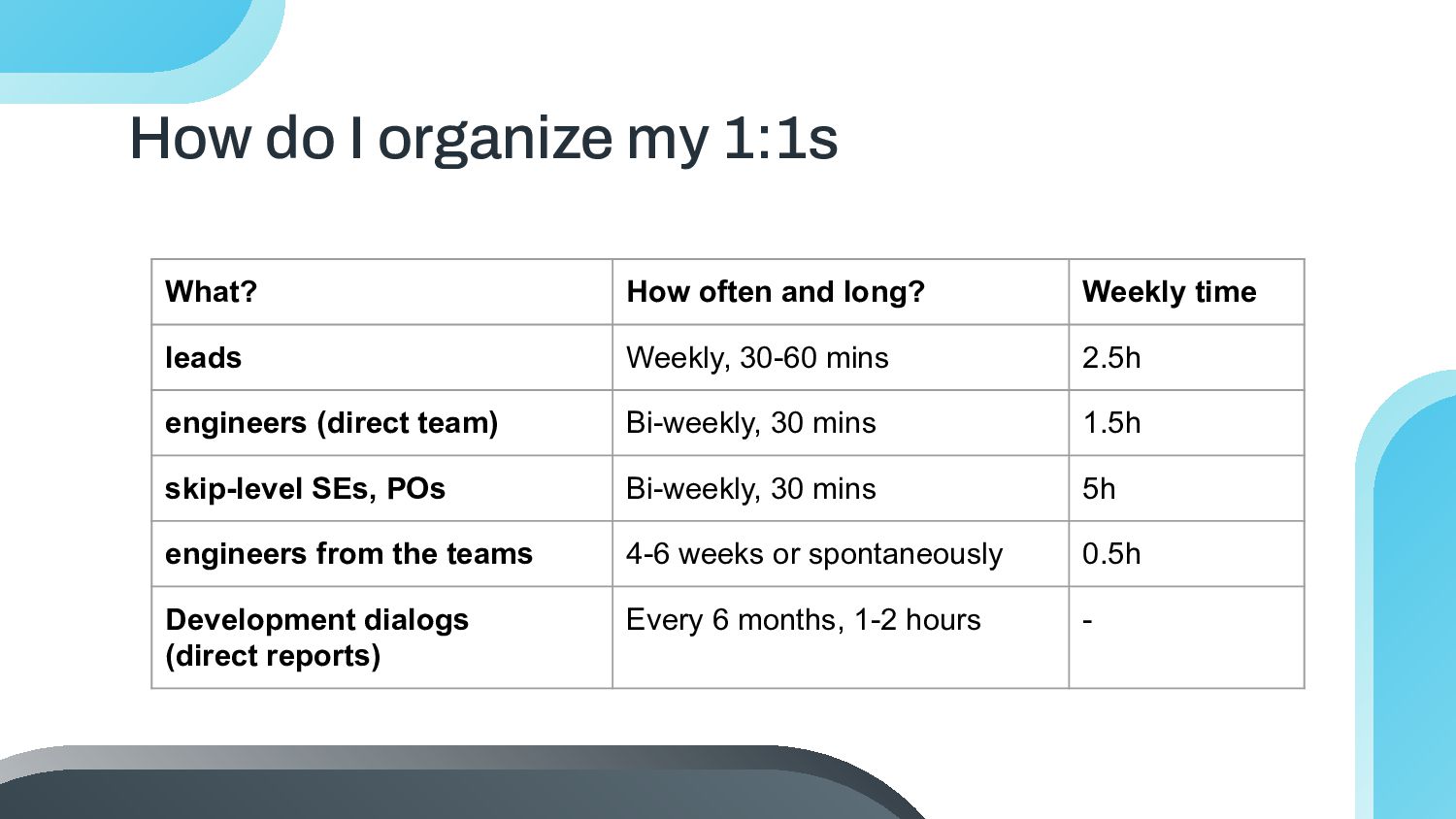
long? Weekly time leads Weekly, 30-60 mins 2.5h engineers (direct team) Bi-weekly, 30 mins 1.5h skip-level SEs, POs Bi-weekly, 30 mins 5h engineers from the teams 4-6 weeks or spontaneously 0.5h Development dialogs (direct reports) Every 6 months, 1-2 hours -
icons by Flaticon and infographics & images by Freepik Thanks! Questions? Also feel free to reach out via LinkedIn: https://www.linkedin.com/in/c arina-gruehser/ Please keep this slide for attribution
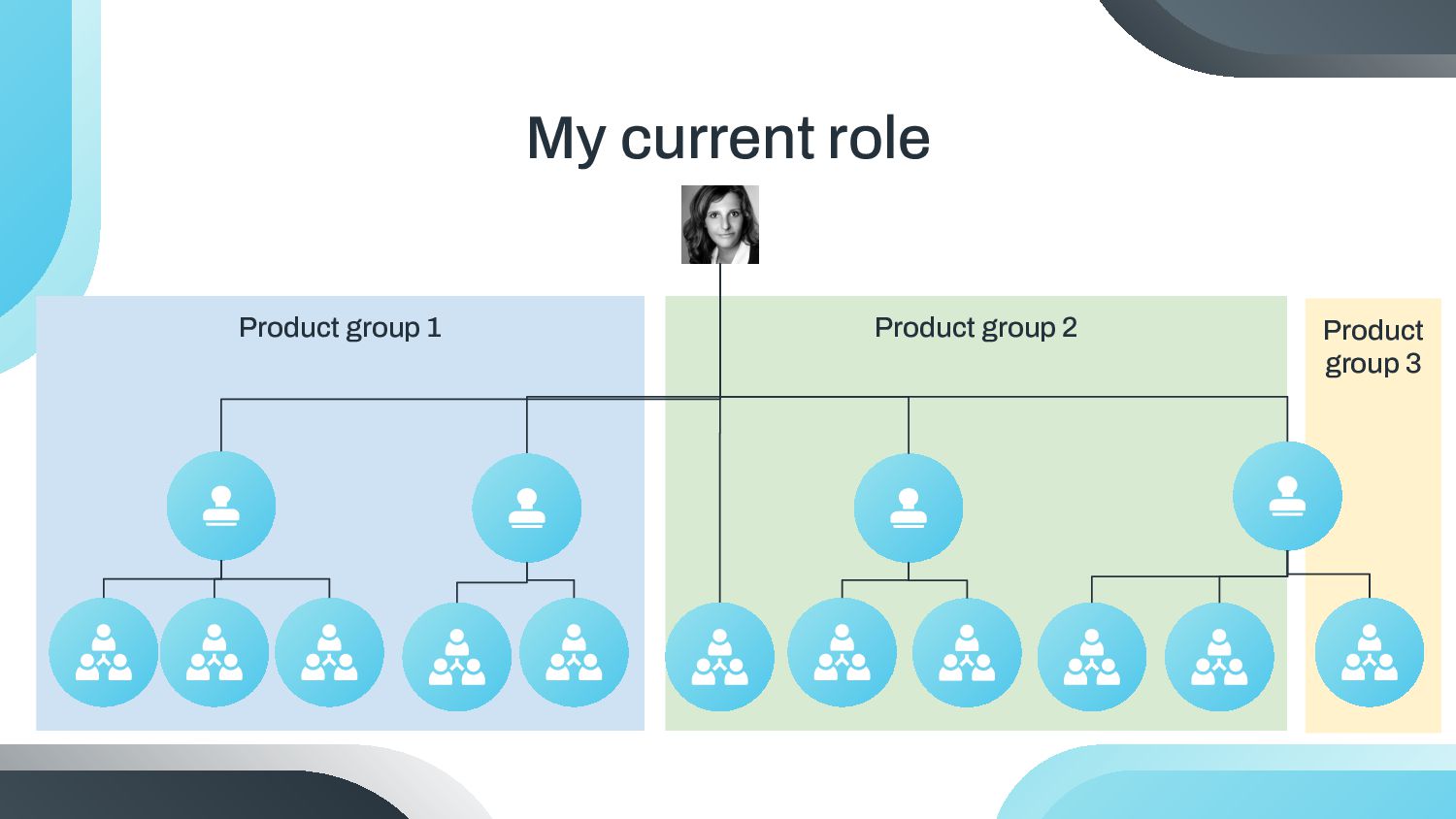
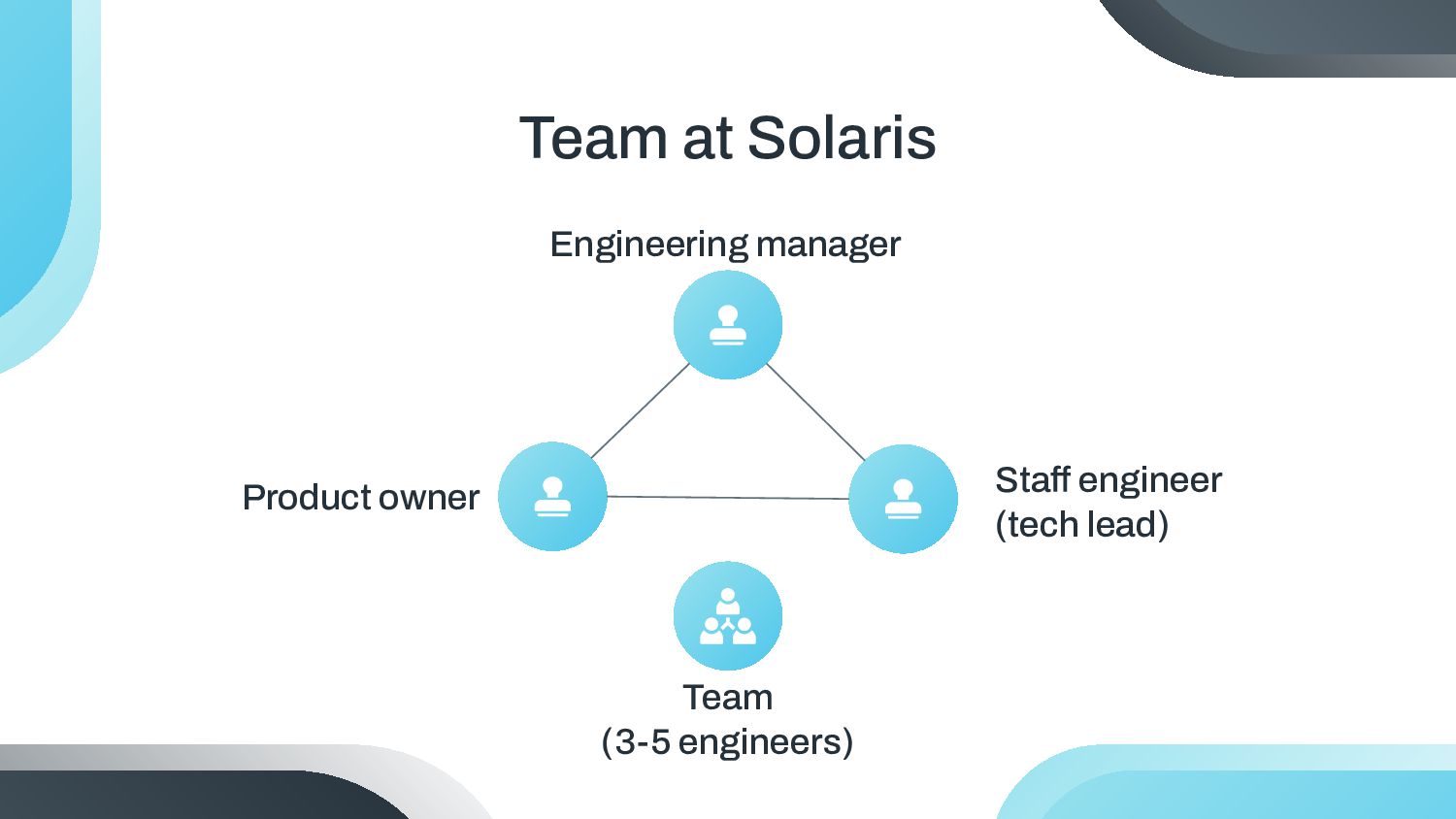
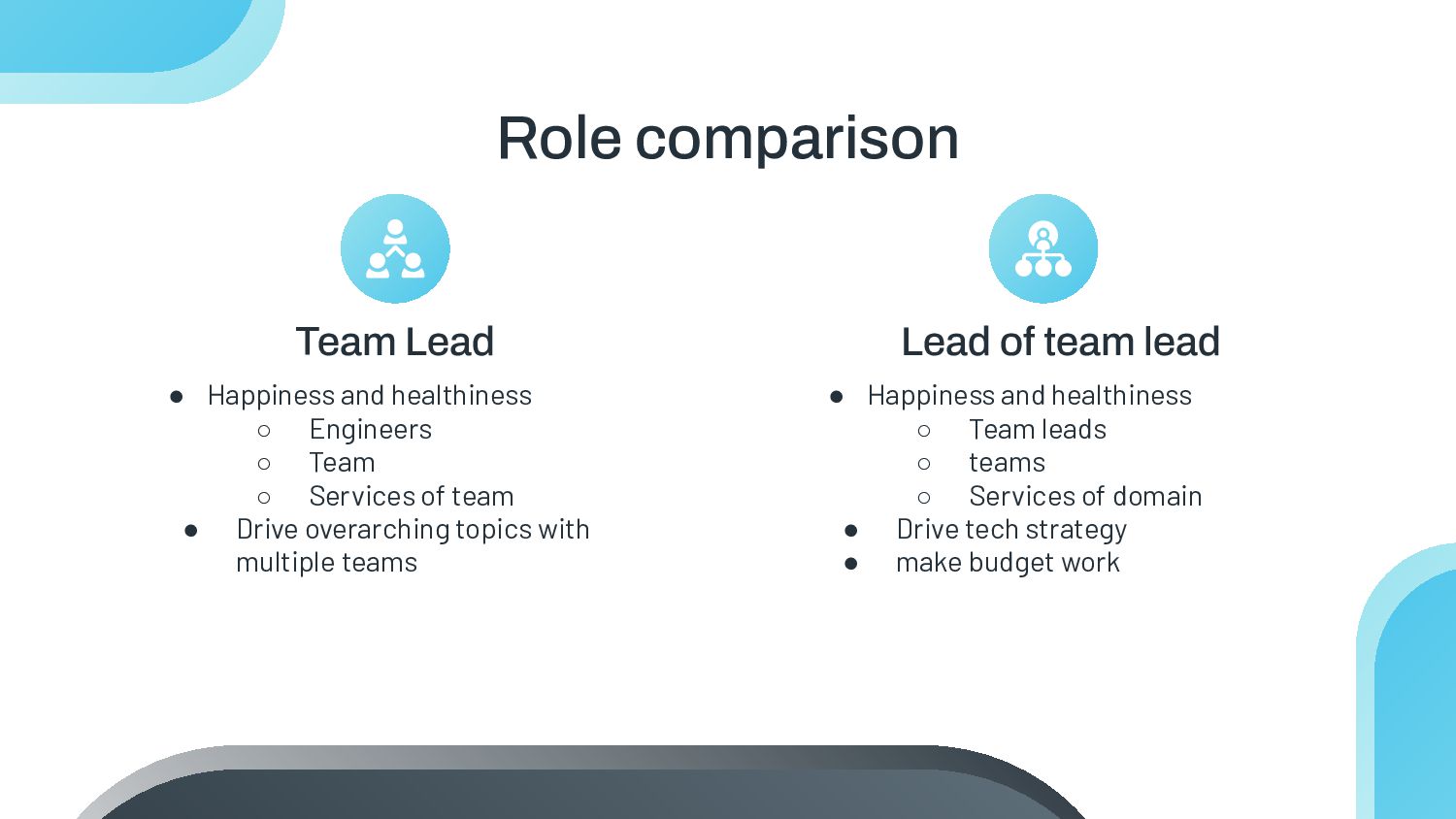
◦ Services of team • Drive overarching topics with multiple teams • Happiness and healthiness ◦ Team leads ◦ teams ◦ Services of domain • Drive tech strategy • make budget work Team Lead Lead of team lead
fits that of this template: Vectors • Man with mask welding metal in the atelier • Environmental pollution and industry exterior in daylight • Pollution and industry exterior in daylight • Rough metallic surface texture • Side view of female carpenter with tool and glasses • Female carpenter with tool in the studio • Female welder using grinder • Welding torch artisan work concept • Different sizes drill bits on wooden board • High angle artisan item and tool • Close-up hands doing artisan work
for free at our other websites: Photos • Female welder using angle grinder • Man with mask welding metal in the atelier I • Man with mask welding metal in the atelier II • Man using angle grinder with sparks I • Man using angle grinder with sparks II Vectors • Real estate business invoice template Icons • Icon Pack: Engineering | Filled Resources
order to use this template, you must credit Slidesgo by keeping the Thanks slide. Please refer to the next slide to read the instructions for premium users. As a Free user, you are allowed to: • Modify this template. • Use it for both personal and commercial projects. You are not allowed to: • Sublicense, sell or rent any of Slidesgo Content (or a modified version of Slidesgo Content). • Distribute Slidesgo Content unless it has been expressly authorized by Slidesgo. • Include Slidesgo Content in an online or offline database or file. • Offer Slidesgo templates (or modified versions of Slidesgo templates) for download. • Acquire the copyright of Slidesgo Content. For more information about editing slides, please read our FAQs or visit our blog: https://slidesgo.com/faqs and https://slidesgo.com/slidesgo-school
attributing Slidesgo or keeping the Thanks slide. You are allowed to: • Modify this template. • Use it for both personal and commercial purposes. • Hide or delete the “Thanks” slide and the mention to Slidesgo in the credits. • Share this template in an editable format with people who are not part of your team. You are not allowed to: • Sublicense, sell or rent this Slidesgo Template (or a modified version of this Slidesgo Template). • Distribute this Slidesgo Template (or a modified version of this Slidesgo Template) or include it in a database or in any other product or service that offers downloadable images, icons or presentations that may be subject to distribution or resale. • Use any of the elements that are part of this Slidesgo Template in an isolated and separated way from this Template. • Register any of the elements that are part of this template as a trademark or logo, or register it as a work in an intellectual property registry or similar. For more information about editing slides, please read our FAQs or visit our blog: https://slidesgo.com/faqs and https://slidesgo.com/slidesgo-school Instructions for use (premium users)
you like the most, edit its colors, pick the background and layers you want to show and bring them to life with the animator panel! It will boost your presentation. Check out how it works. Storyset Pana Amico Bro Rafiki Cuate
change the color, just ungroup the resource and click on the object you want to change. Then, click on the paint bucket and select the color you want. Group the resource again when you’re done. You can also look for more infographics on Slidesgo. Use our editable graphic resources...
change the stroke and fill color; just select the icon and click on the paint bucket/pen. In Google Slides, you can also use Flaticon’s extension, allowing you to customize and add even more icons. ...and our sets of editable icons


 katarinadahlin
 sferik
 cassininazir
 notwaldorf
 jct
jct
 addyosmani
 rocio
rocio
 nwiizo
 skipperchong
 panda_program
 soudai
 techseoconnect