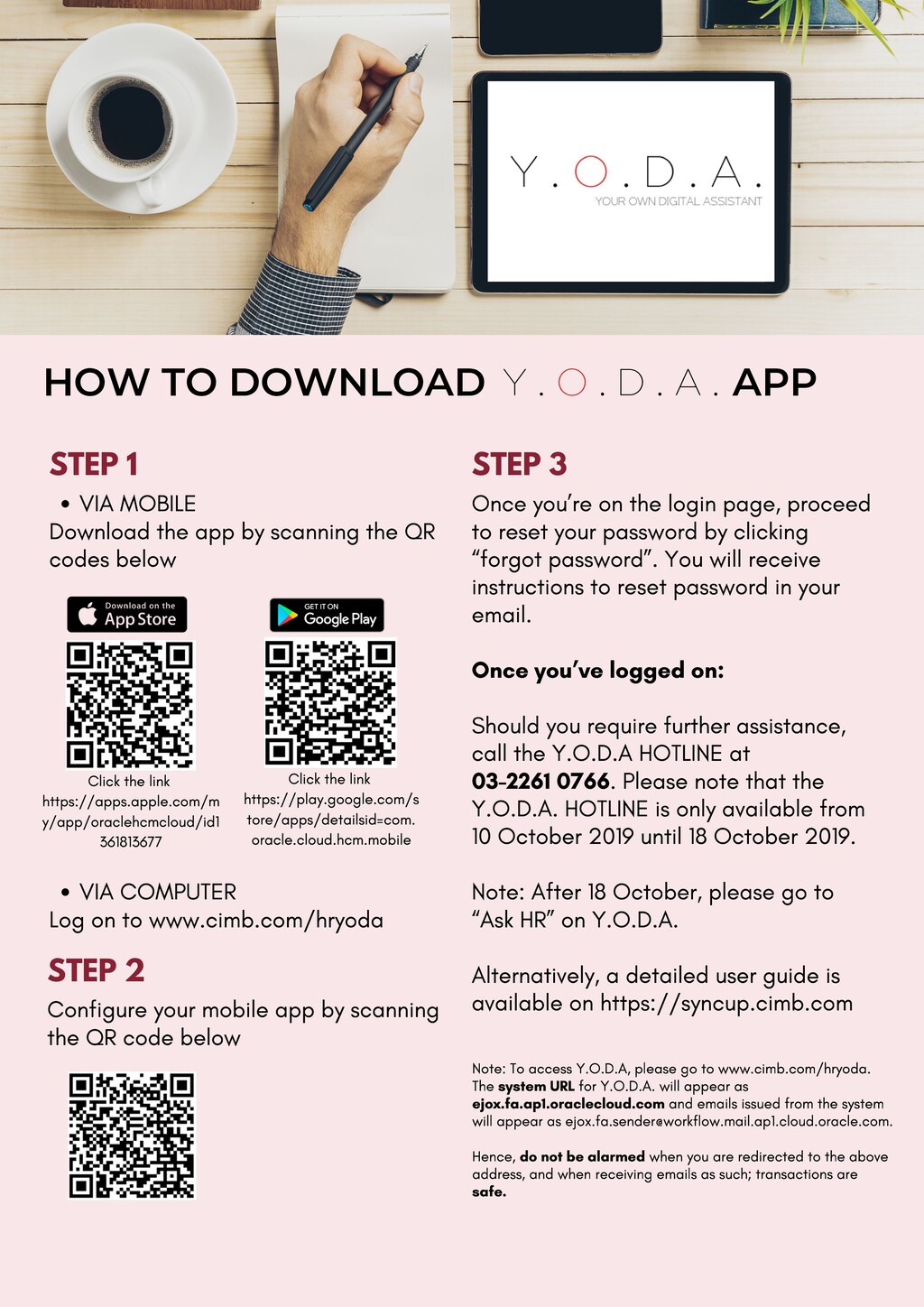
QR codes below VIA COMPUTER Log on to www.cimb.com/hryoda Click the link https://apps.apple.com/m y/app/oraclehcmcloud/id1 361813677 Click the link https://play.google.com/s tore/apps/detailsid=com. oracle.cloud.hcm.mobile STEP 3 Once you’re on the login page, proceed to reset your password by clicking “forgot password”. You will receive instructions to reset password in your email. Once you’ve logged on: Should you require further assistance, call the Y.O.D.A HOTLINE at 03-2261 0766. Please note that the Y.O.D.A. HOTLINE is only available from 10 October 2019 until 18 October 2019. Note: After 18 October, please go to “Ask HR” on Y.O.D.A. Alternatively, a detailed user guide is available on https://syncup.cimb.com STEP 2 Configure your mobile app by scanning the QR code below HOW TO DOWNLOAD APP Y . O . D . A . Note: To access Y.O.D.A, please go to www.cimb.com/hryoda. The system URL for Y.O.D.A. will appear as ejox.fa.ap1.oraclecloud.com and emails issued from the system will appear as [email protected]. Hence, do not be alarmed when you are redirected to the above address, and when receiving emails as such; transactions are safe.
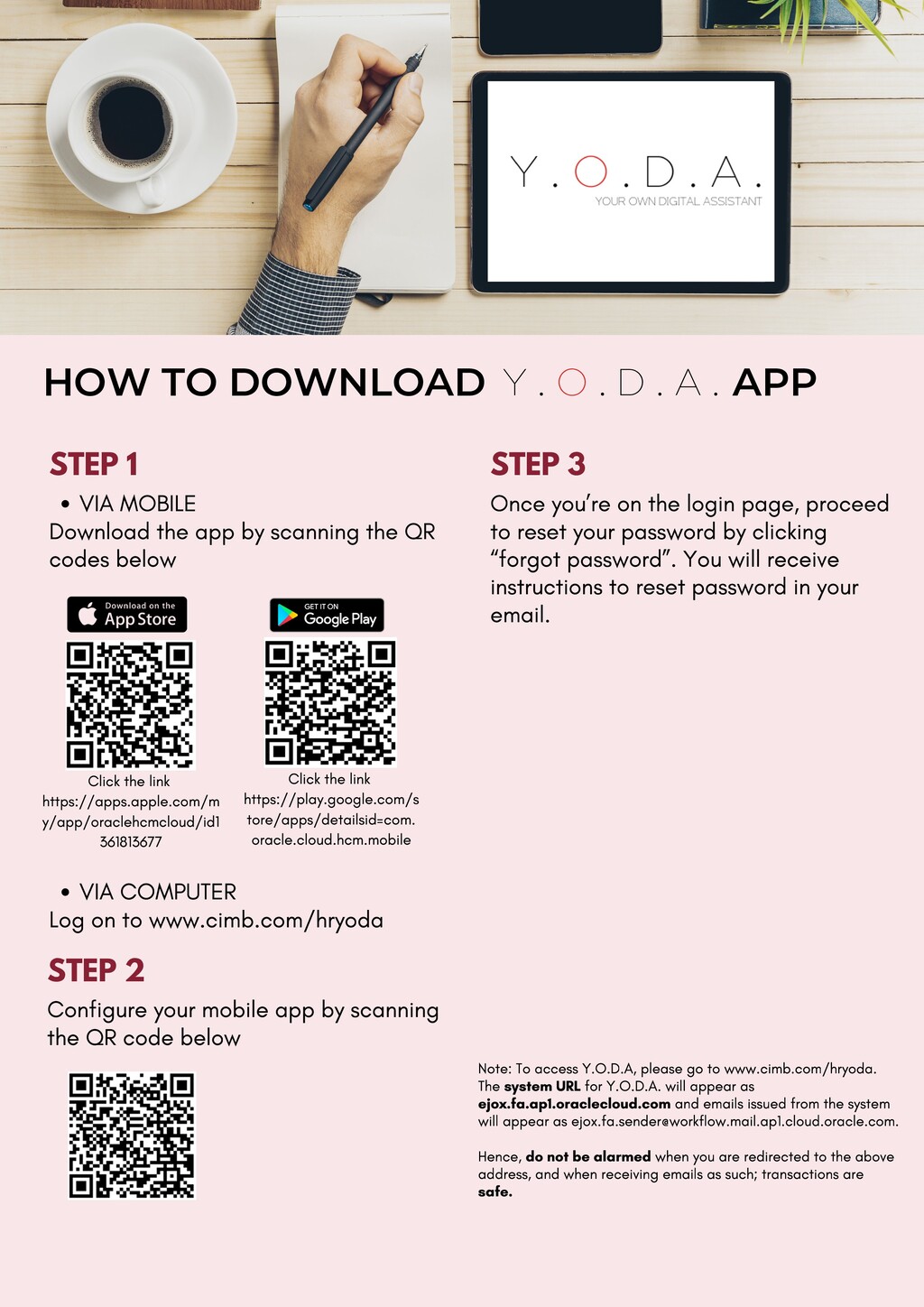
QR codes below VIA COMPUTER Log on to www.cimb.com/hryoda Click the link https://apps.apple.com/m y/app/oraclehcmcloud/id1 361813677 Click the link https://play.google.com/s tore/apps/detailsid=com. oracle.cloud.hcm.mobile STEP 3 Once you’re on the login page, proceed to reset your password by clicking “forgot password”. You will receive instructions to reset password in your email. STEP 2 Configure your mobile app by scanning the QR code below HOW TO DOWNLOAD APP Y . O . D . A . Note: To access Y.O.D.A, please go to www.cimb.com/hryoda. The system URL for Y.O.D.A. will appear as ejox.fa.ap1.oraclecloud.com and emails issued from the system will appear as [email protected]. Hence, do not be alarmed when you are redirected to the above address, and when receiving emails as such; transactions are safe.


 kimpetersen
 bkeepers
 mclloyd
 codingconduct
 mfonobong
 baasie
 tapps
tapps
 skipperchong
 bcantrill
 ipullrank
 aleyda
 jct
jct