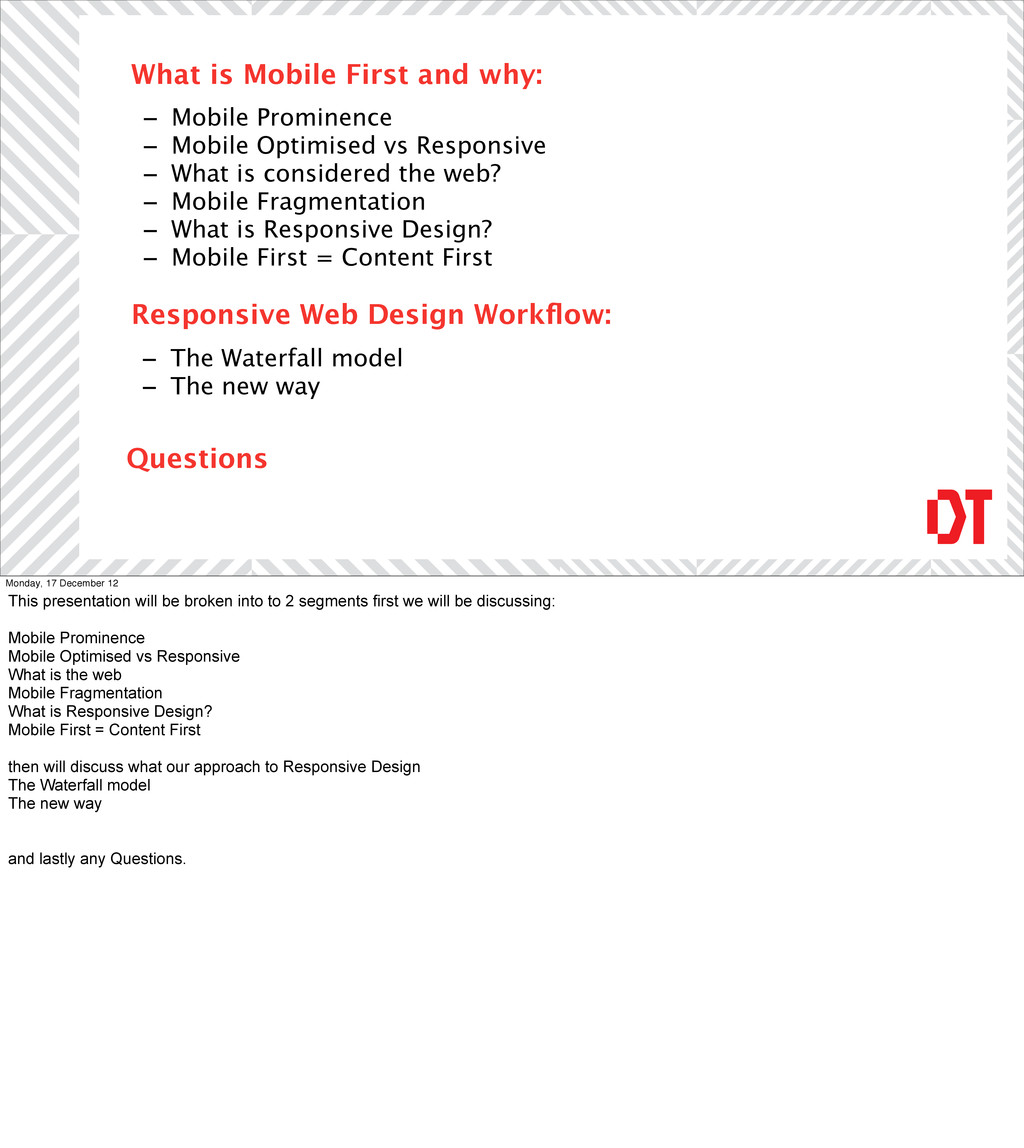
is considered the web? - Mobile Fragmentation - What is Responsive Design? - Mobile First = Content First What is Mobile First and why: Responsive Web Design Workflow: - The Waterfall model - The new way Questions Monday, 17 December 12 This presentation will be broken into to 2 segments first we will be discussing: Mobile Prominence Mobile Optimised vs Responsive What is the web Mobile Fragmentation What is Responsive Design? Mobile First = Content First then will discuss what our approach to Responsive Design The Waterfall model The new way and lastly any Questions.
with the why? Why do we need change? The traditional method has worked for years…. As you know there are plenty of stats out there discussing more people are using mobiles, here are several more.
December 12 eBay's global mobile sales generated in 2009 was $600 million / In 2010 has generated nearly $ 2 Billion. This is a combination of mobile and web
an estimated $5.8 billion in 2012 Monday, 17 December 12 Google's mobile ad revenues are expected to more then double from an estimated $2.5 billion last year to $5.8 billion in 2012
June 2012 Monday, 17 December 12 20% of its more then 543 million monthly users, accessed the social network in June 2012 on their mobile devices. That's 102 million people. That’s 1 5 in total users.
just make calls anymore, they are highly active engaged individuals, wanting access to information instantly. Shopping, searching for answers to win arguments, sharing photos with friends of their delectable chicken oregano gourmet meal. Users will also engage with your site too Is your site ready? Key points. Do you have plugins on your site such as flash? How well is your site optimised to handle slow internet connections? Is there a mobile experience?
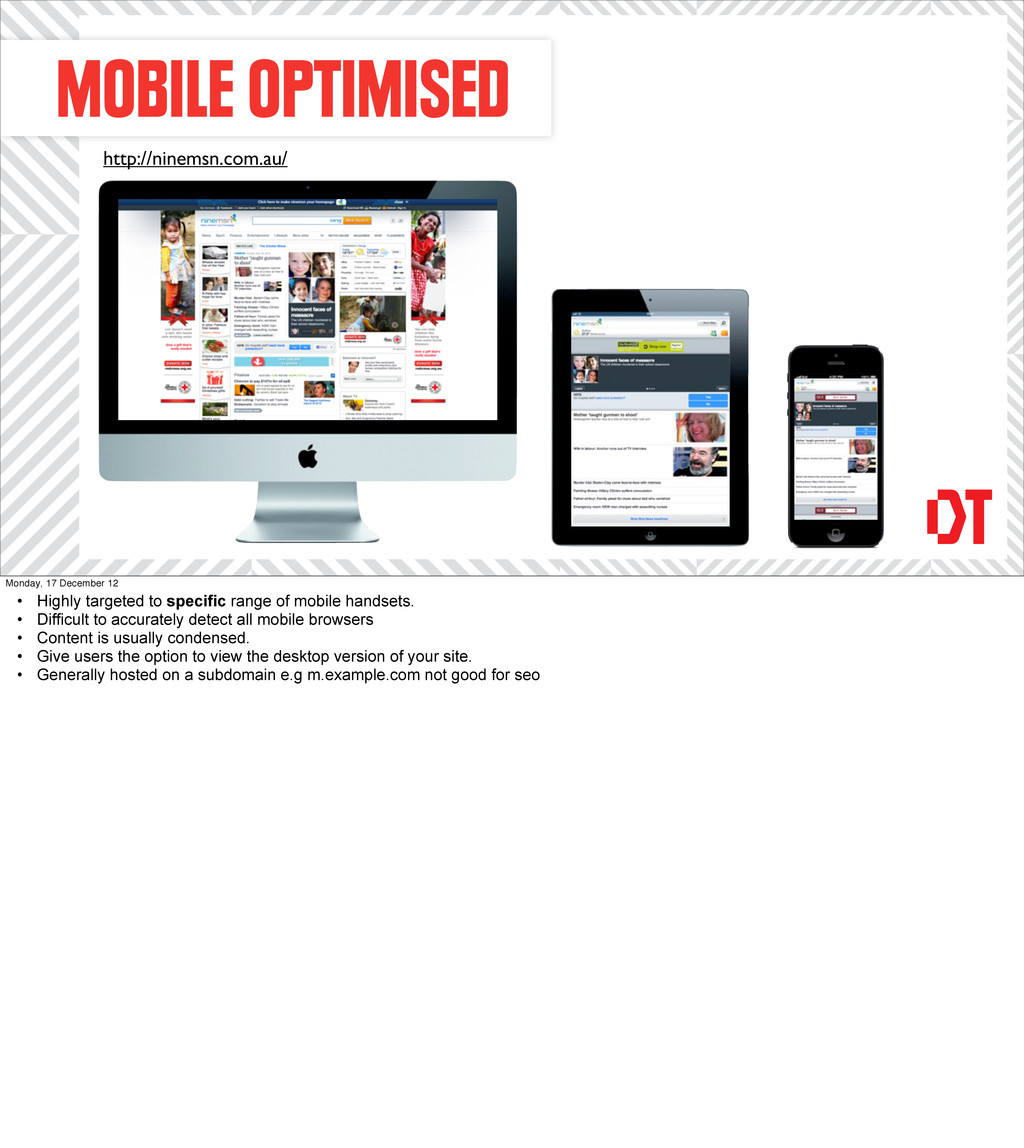
to specific range of mobile handsets. • Difficult to accurately detect all mobile browsers • Content is usually condensed. • Give users the option to view the desktop version of your site. • Generally hosted on a subdomain e.g m.example.com not good for seo
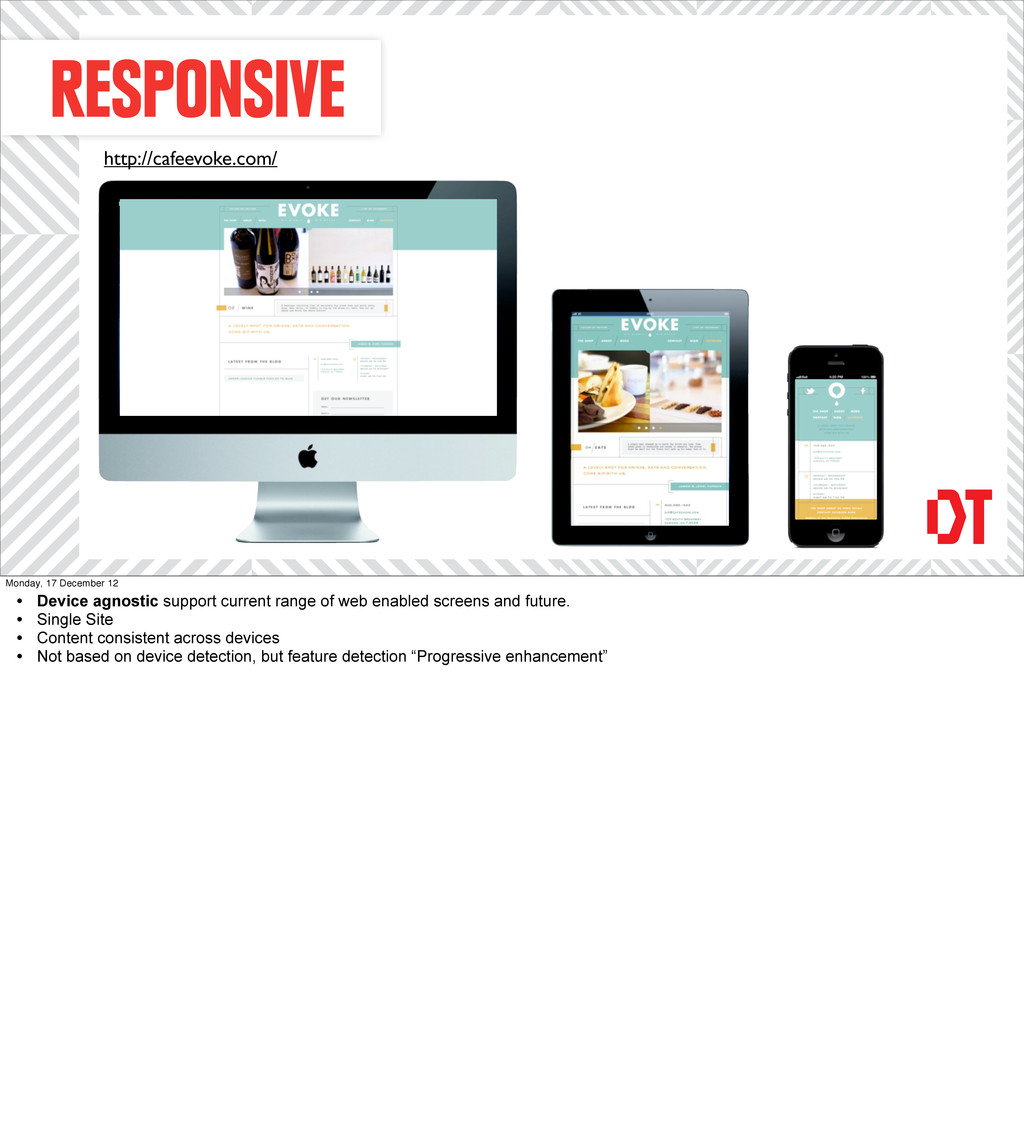
current range of web enabled screens and future. • Single Site • Content consistent across devices • Not based on device detection, but feature detection “Progressive enhancement”
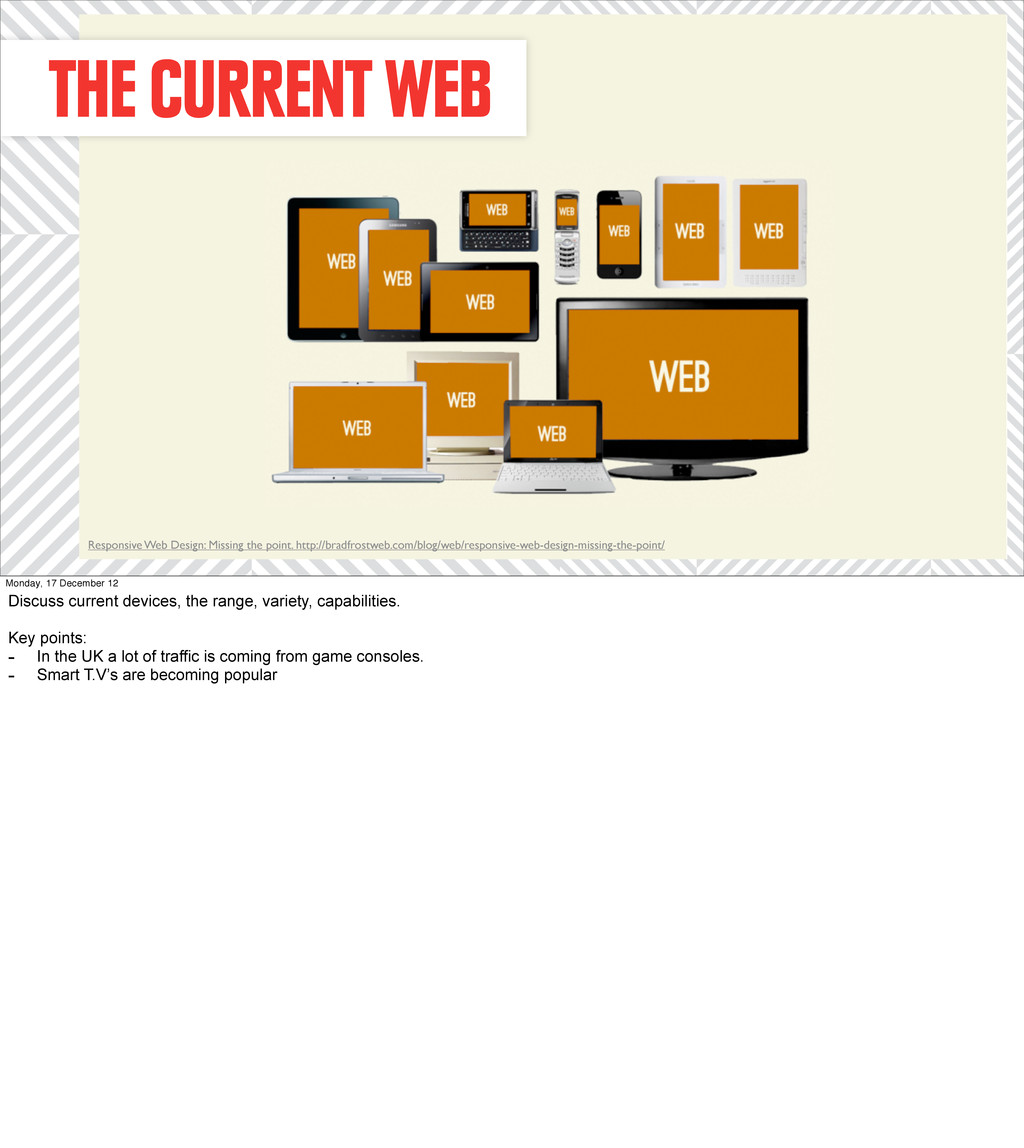
Monday, 17 December 12 Discuss current devices, the range, variety, capabilities. Key points: - In the UK a lot of traffic is coming from game consoles. - Smart T.V’s are becoming popular
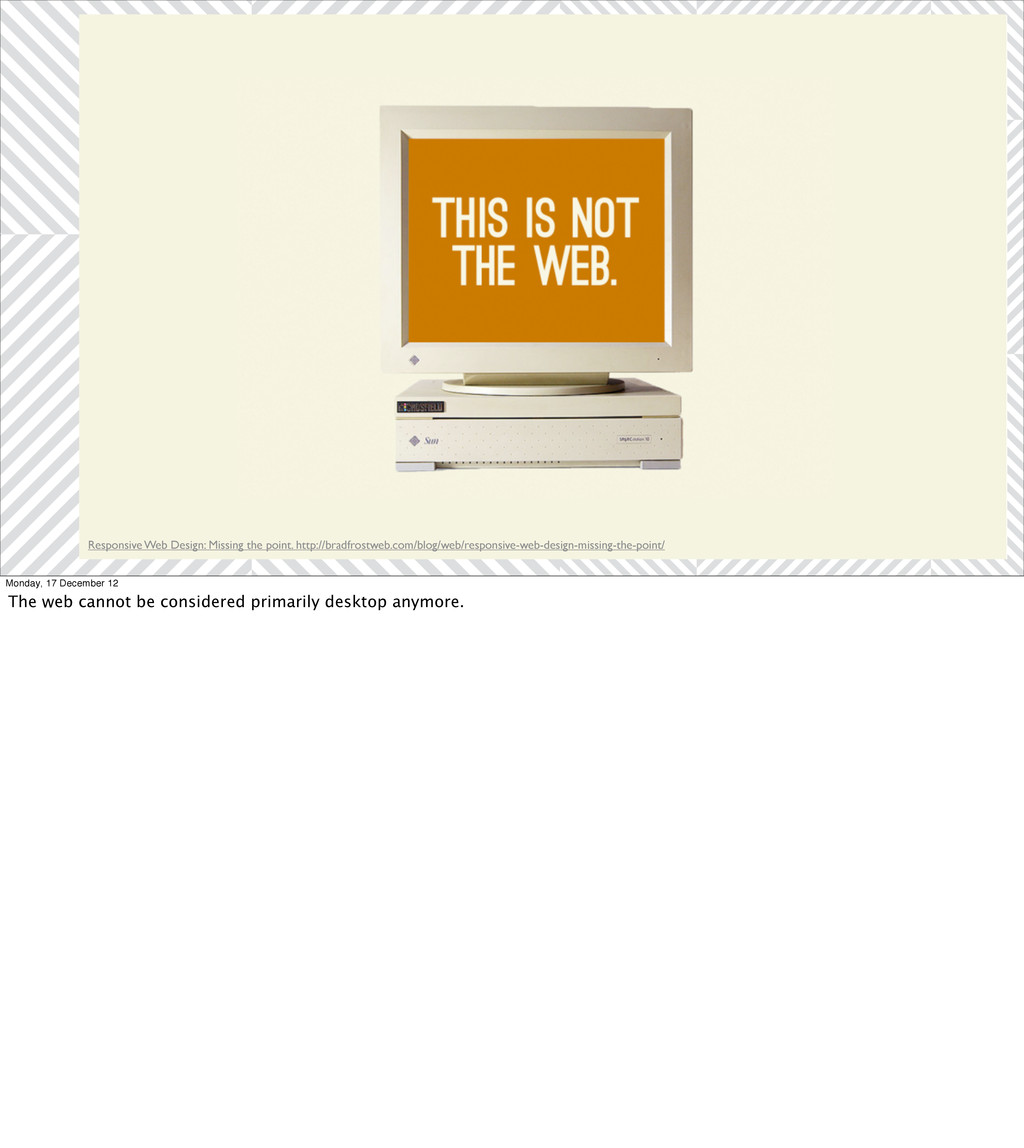
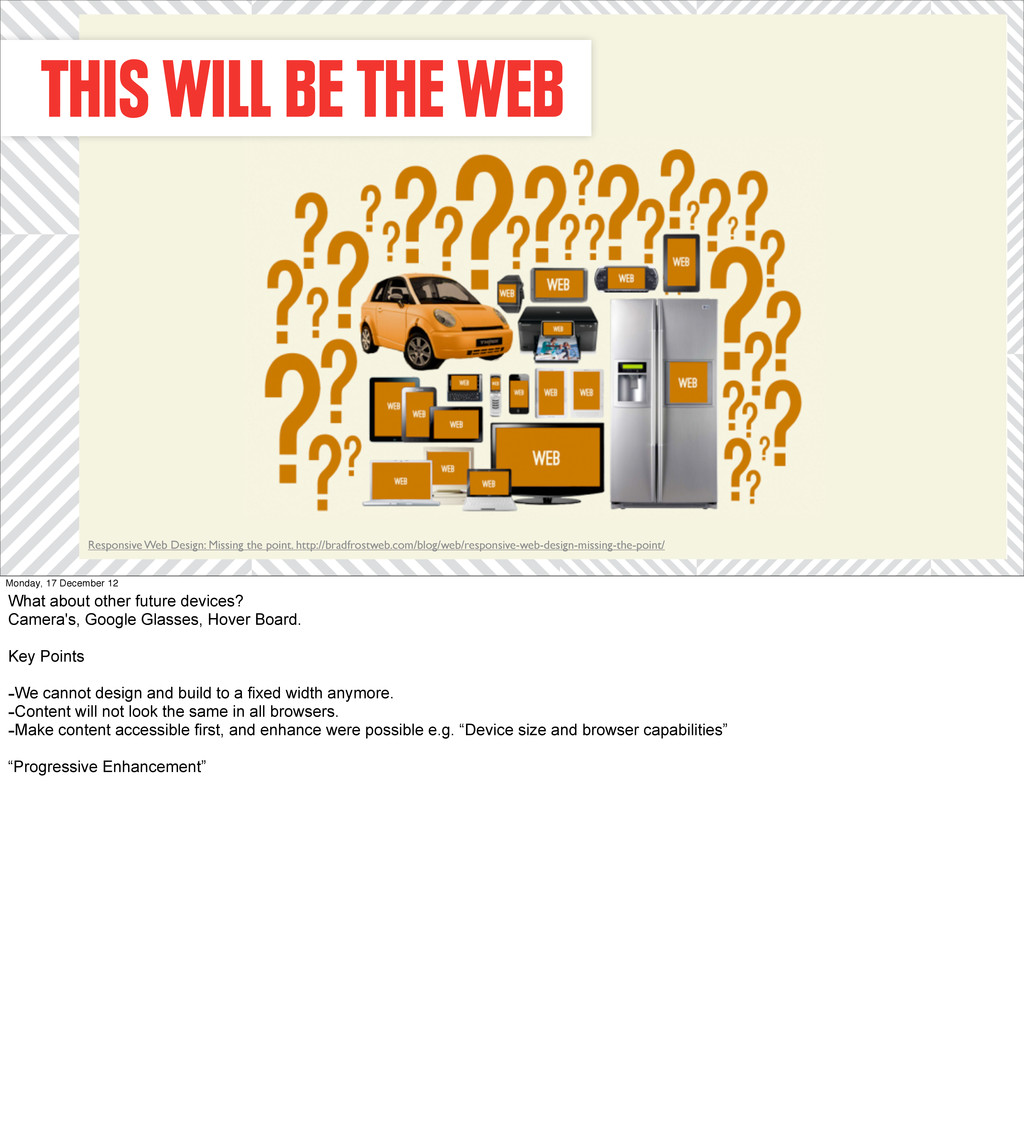
point. http://bradfrostweb.com/blog/web/responsive-web-design-missing-the-point/ Monday, 17 December 12 What about other future devices? Camera's, Google Glasses, Hover Board. Key Points -We cannot design and build to a fixed width anymore. -Content will not look the same in all browsers. -Make content accessible first, and enhance were possible e.g. “Device size and browser capabilities” “Progressive Enhancement”
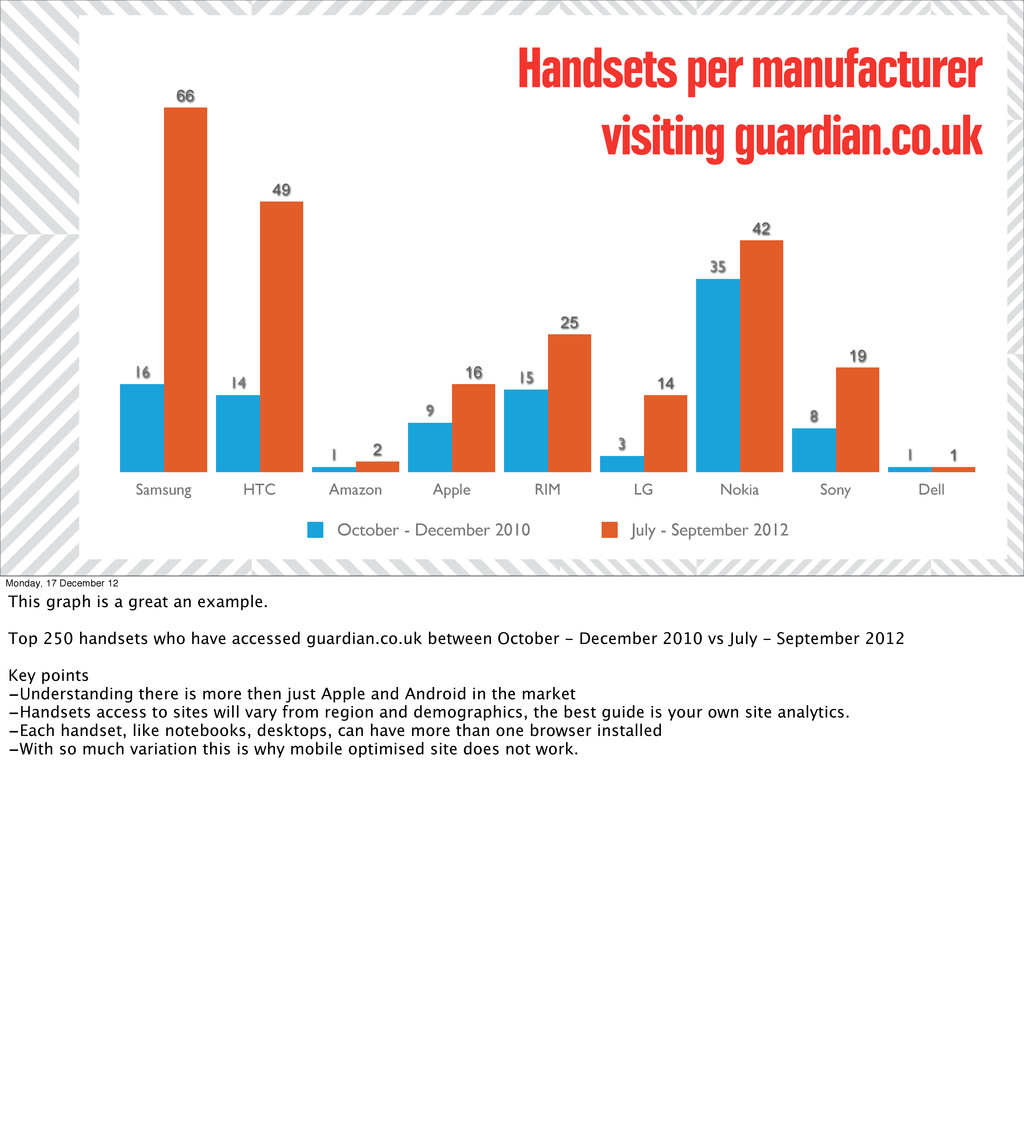
19 42 14 25 16 2 49 66 1 8 35 3 15 9 1 14 16 Handsets per manufacturer visiting guardian.co.uk October - December 2010 July - September 2012 Monday, 17 December 12 This graph is a great an example. Top 250 handsets who have accessed guardian.co.uk between October - December 2010 vs July - September 2012 Key points -Understanding there is more then just Apple and Android in the market -Handsets access to sites will vary from region and demographics, the best guide is your own site analytics. -Each handset, like notebooks, desktops, can have more than one browser installed -With so much variation this is why mobile optimised site does not work.
Web design is a single site -Mobile first strategy -Focused on the lowest common denominator to build from -One of slow connections -impatient users and unconventional input methods.
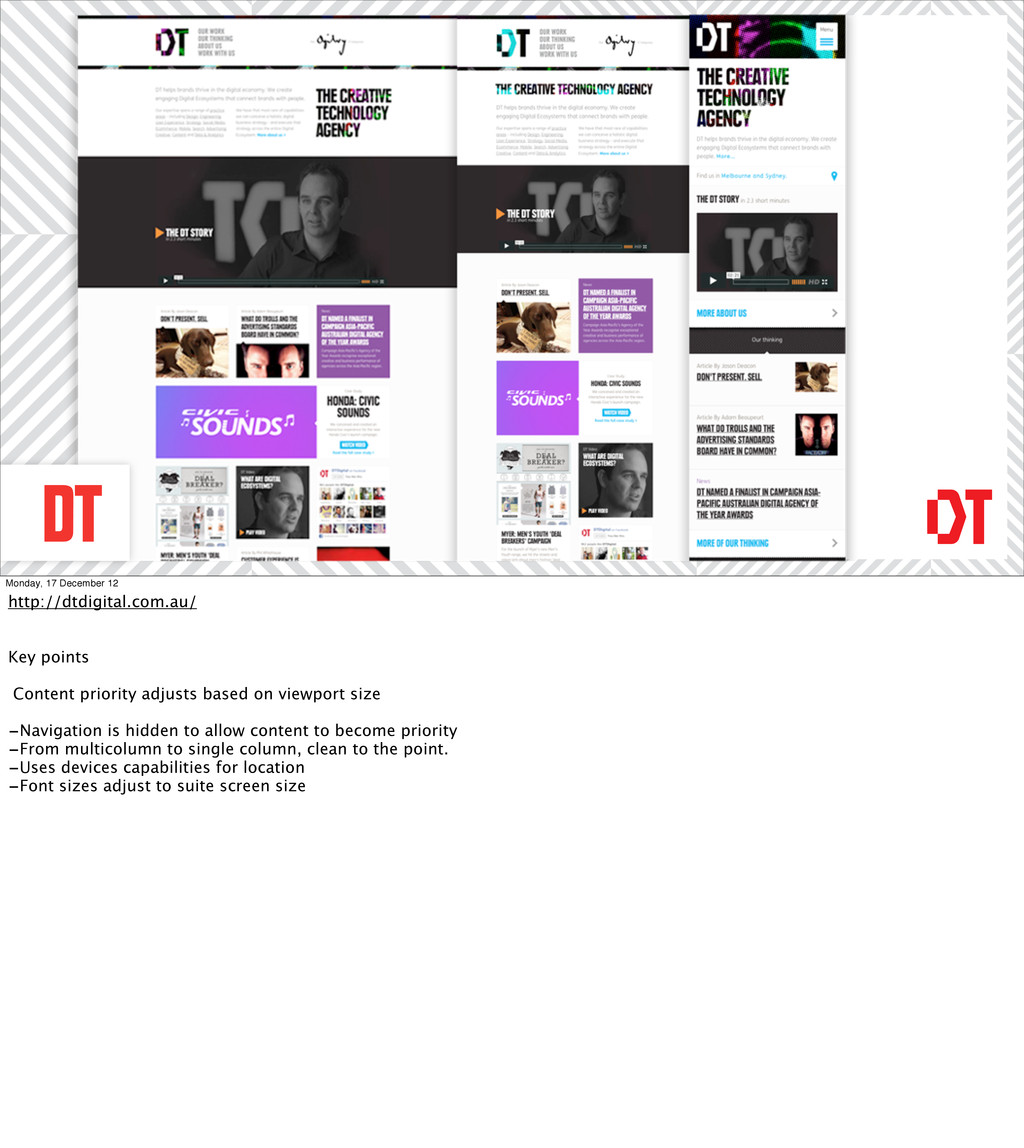
adjusts based on viewport size -Navigation is hidden to allow content to become priority -From multicolumn to single column, clean to the point. -Uses devices capabilities for location -Font sizes adjust to suite screen size
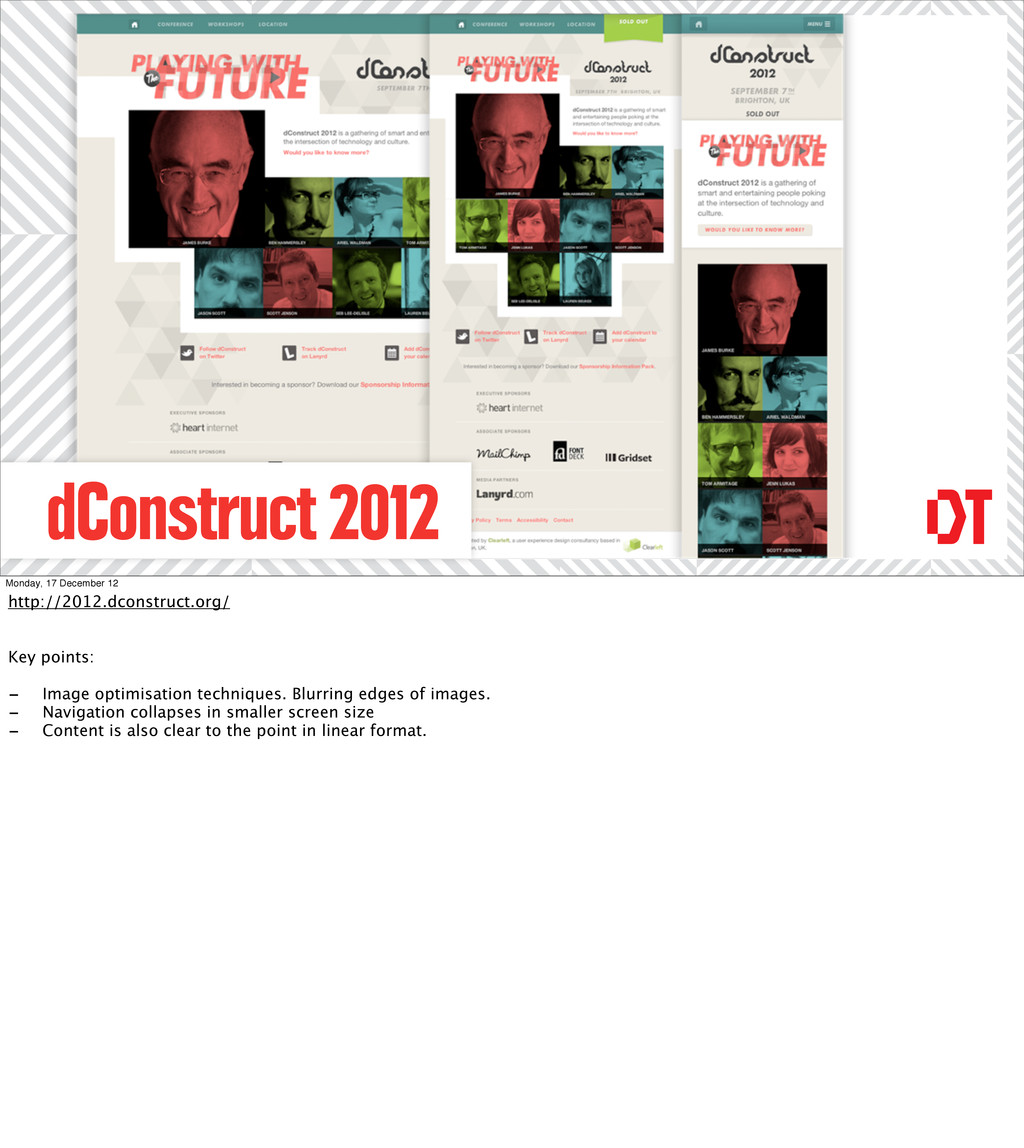
Image optimisation techniques. Blurring edges of images. - Navigation collapses in smaller screen size - Content is also clear to the point in linear format.
First = Content First, the baseline for Responsive Design. -Focusing on the lowest common denominator being mobile -Forces you define the hierarchy of content and functionality -Single linear column.
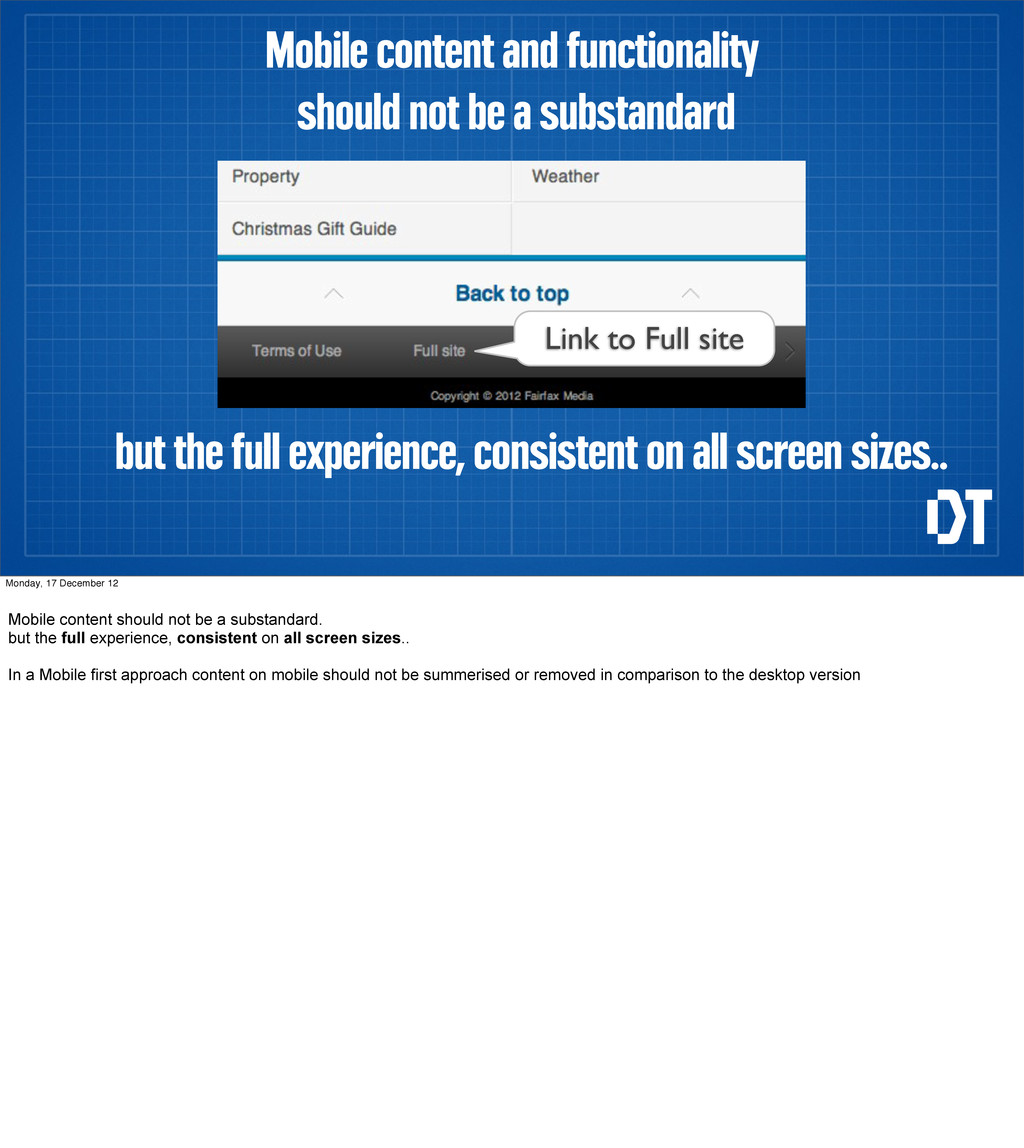
content and functionality should not be a substandard Link to Full site Monday, 17 December 12 Mobile content should not be a substandard. but the full experience, consistent on all screen sizes.. In a Mobile first approach content on mobile should not be summerised or removed in comparison to the desktop version
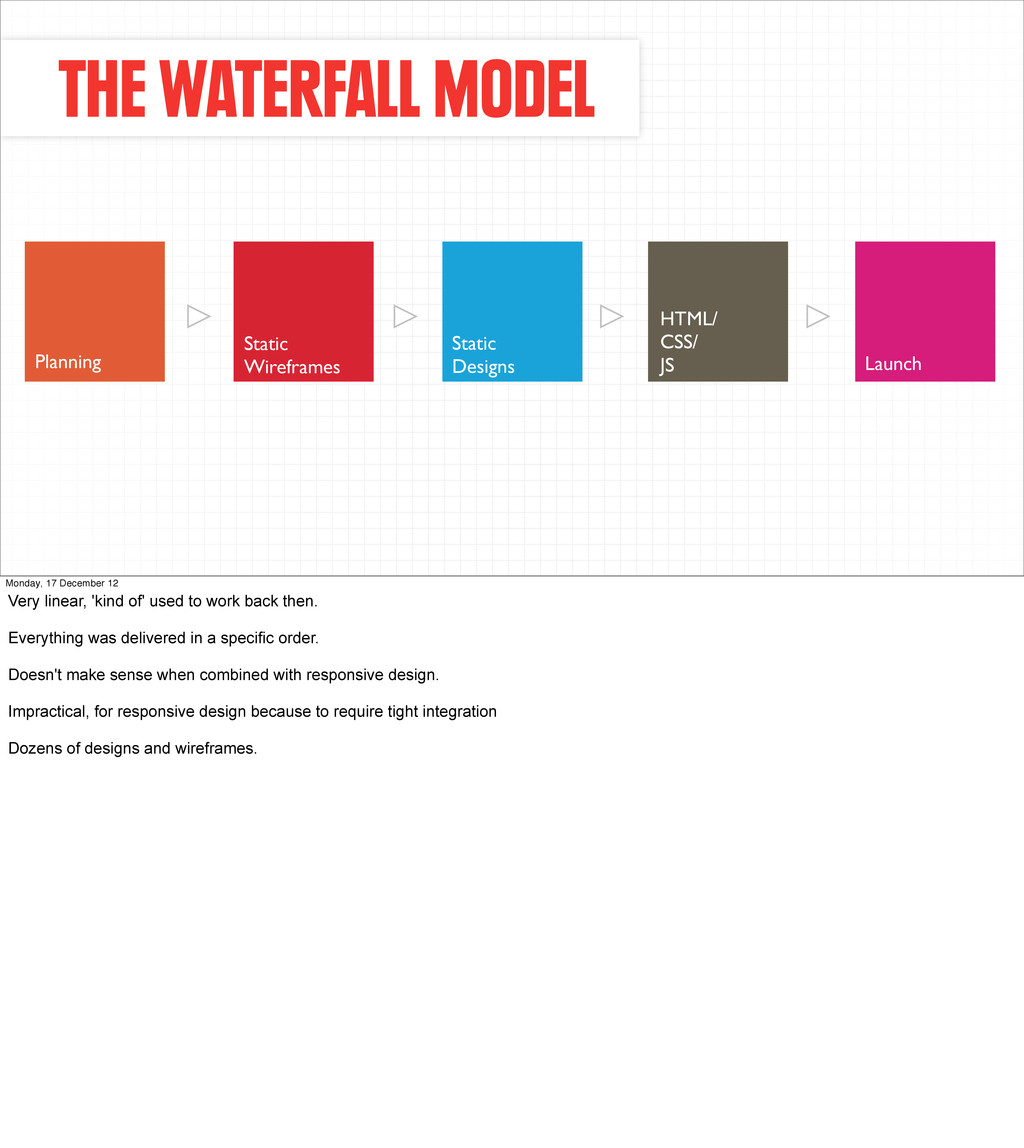
JS Launch Monday, 17 December 12 Very linear, 'kind of' used to work back then. Everything was delivered in a specific order. Doesn't make sense when combined with responsive design. Impractical, for responsive design because to require tight integration Dozens of designs and wireframes.
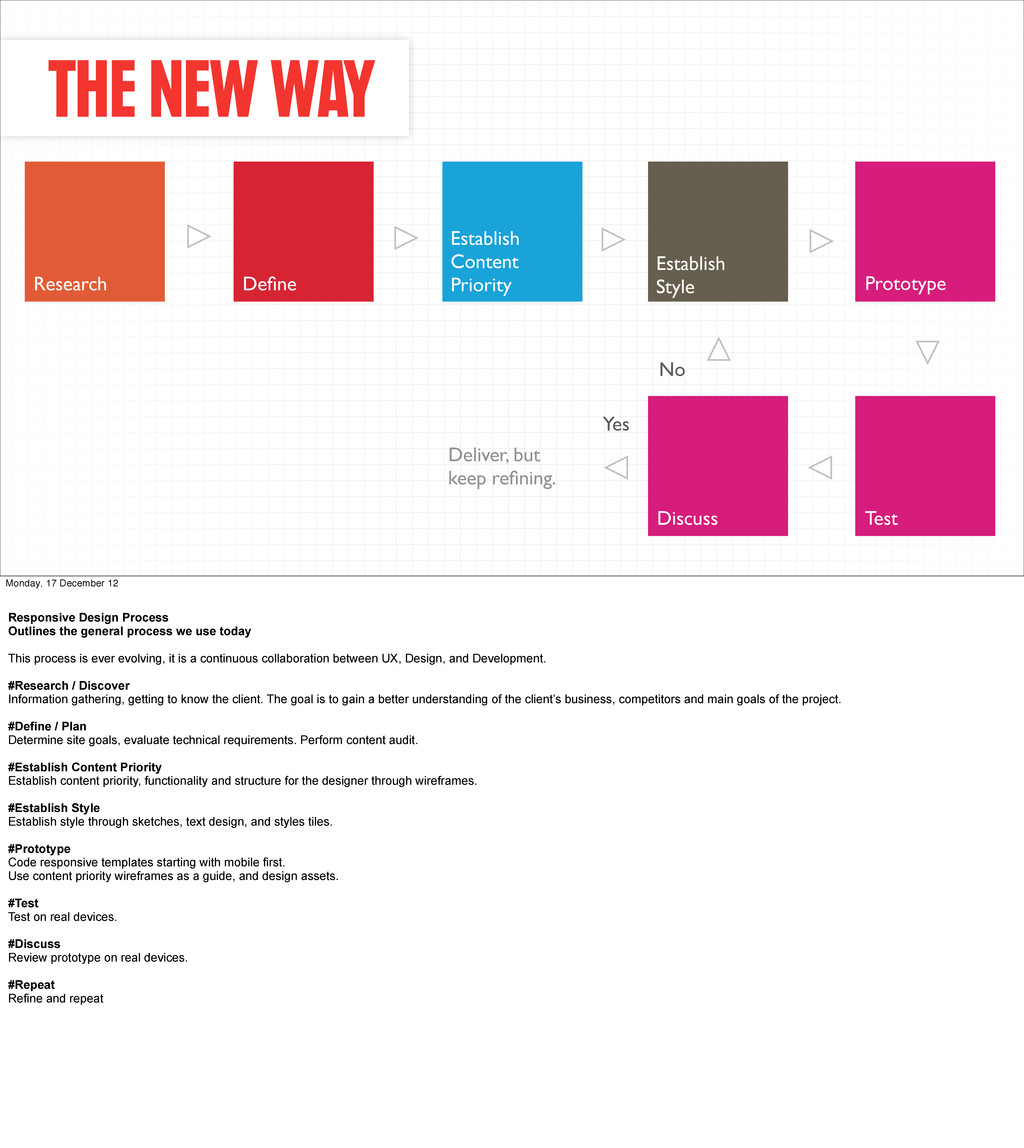
Define Establish Content Priority Establish Style Prototype Discuss Test Monday, 17 December 12 Responsive Design Process Outlines the general process we use today This process is ever evolving, it is a continuous collaboration between UX, Design, and Development. #Research / Discover Information gathering, getting to know the client. The goal is to gain a better understanding of the client’s business, competitors and main goals of the project. #Define / Plan Determine site goals, evaluate technical requirements. Perform content audit. #Establish Content Priority Establish content priority, functionality and structure for the designer through wireframes. #Establish Style Establish style through sketches, text design, and styles tiles. #Prototype Code responsive templates starting with mobile first. Use content priority wireframes as a guide, and design assets. #Test Test on real devices. #Discuss Review prototype on real devices. #Repeat Refine and repeat
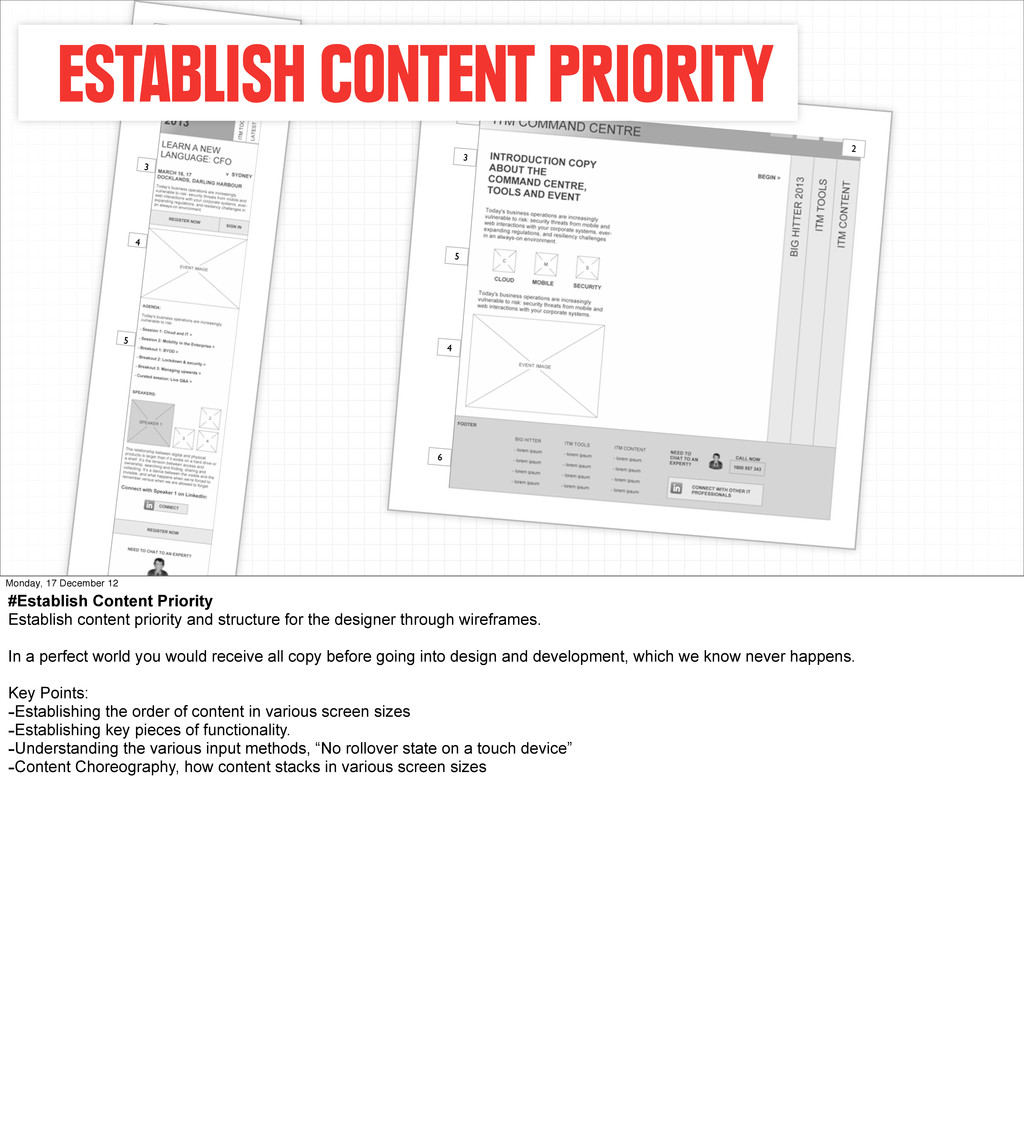
6 ESTABLISH CONTENT PRIORITY Monday, 17 December 12 #Establish Content Priority Establish content priority and structure for the designer through wireframes. In a perfect world you would receive all copy before going into design and development, which we know never happens. Key Points: -Establishing the order of content in various screen sizes -Establishing key pieces of functionality. -Understanding the various input methods, “No rollover state on a touch device” -Content Choreography, how content stacks in various screen sizes
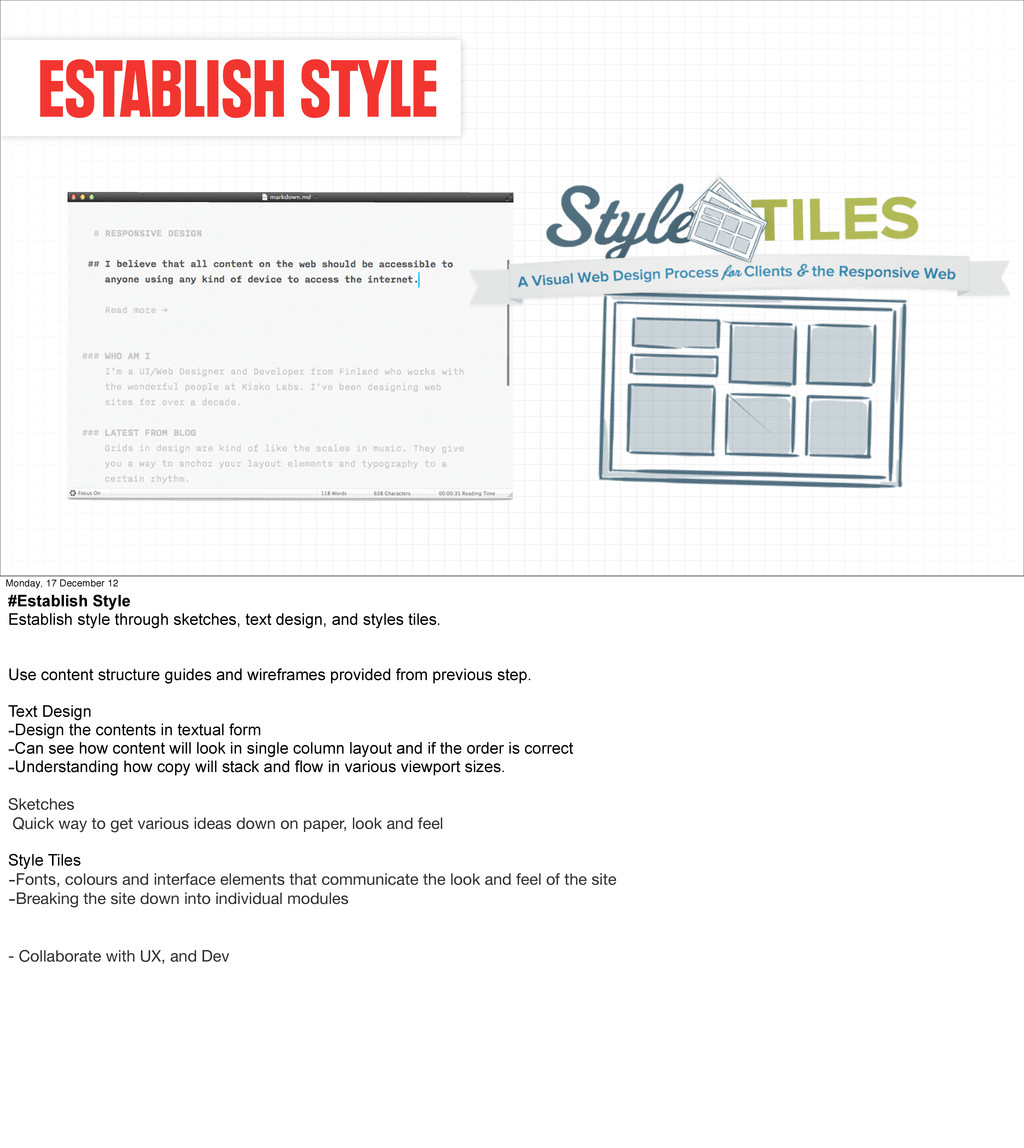
through sketches, text design, and styles tiles. Use content structure guides and wireframes provided from previous step. Text Design -Design the contents in textual form -Can see how content will look in single column layout and if the order is correct -Understanding how copy will stack and flow in various viewport sizes. Sketches Quick way to get various ideas down on paper, look and feel Style Tiles -Fonts, colours and interface elements that communicate the look and feel of the site -Breaking the site down into individual modules - Collaborate with UX, and Dev
17 December 12 #Prototyping Just want to apologise upfront, being a developer I may start rambling with random tech words. This is called the prototype to highlight that it’s a continuous refinement process. Not just throw in the code and your done. Because of the complexity of the build, it’s broken down into individual phases. Each phase is implemented, tested on real devices and reviewed. This is a constant collaboration with UX and Design Use content priority wireframes as a guide, and design assets. Code responsive templates starting with mobile first. Key areas - Layout: “Foundation of site”, how it resizes and adjusts - Content: Making sure the content flows correctly. - functionality and design elements. Key points - Start mobile layout first and increase to larger viewport sizes. - Avoid using px and pt. - Create fluid layouts using EM, REM, and Percentages. - Aim to use resolution independent techniques such as CSS3, SVG Sprites or icon fonts. - Detect for browser capabilities and enhance ”Progressive enhancement” - Test continuously through every step of development, real devices preferably.
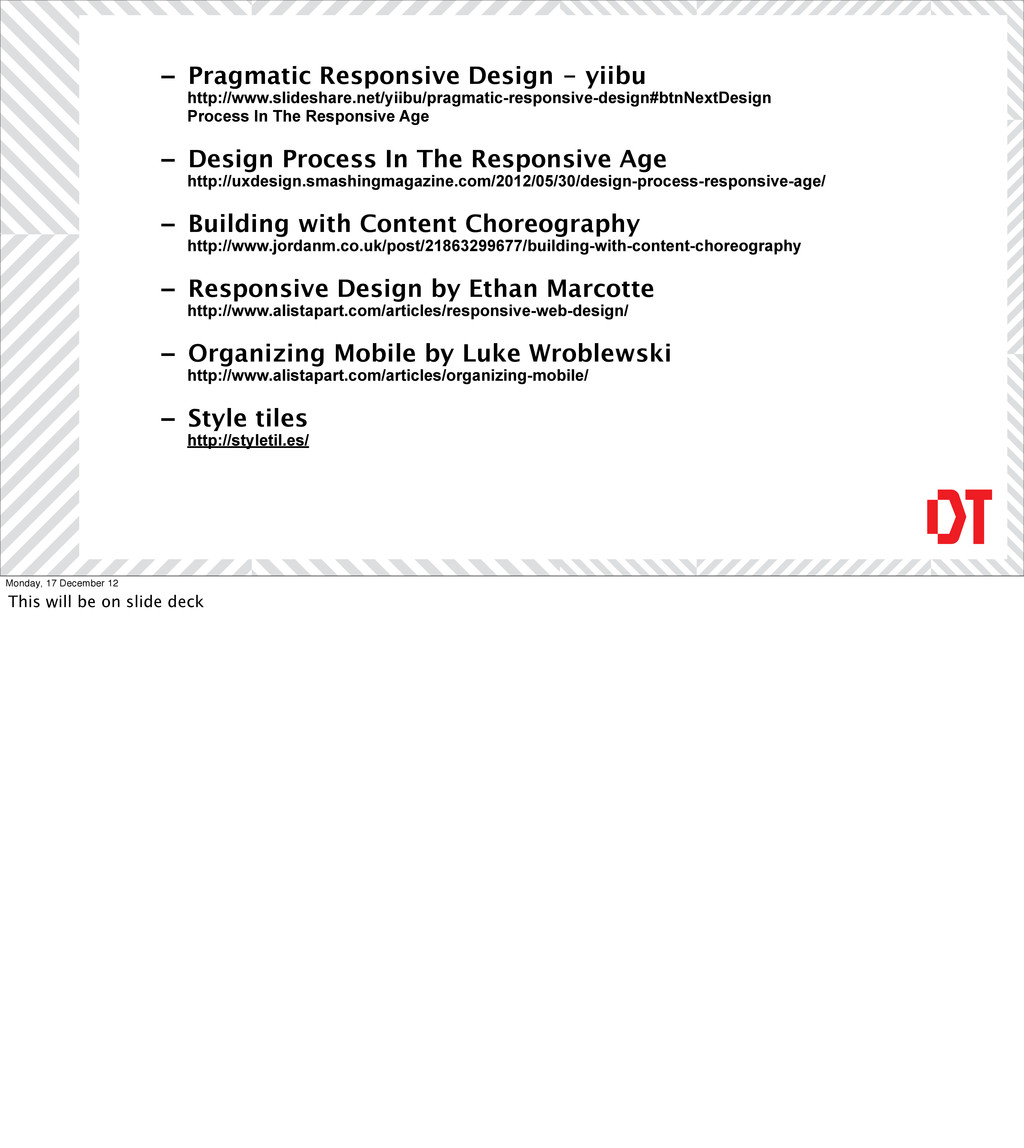
Responsive Age - Design Process In The Responsive Age http://uxdesign.smashingmagazine.com/2012/05/30/design-process-responsive-age/ - Building with Content Choreography http://www.jordanm.co.uk/post/21863299677/building-with-content-choreography - Responsive Design by Ethan Marcotte http://www.alistapart.com/articles/responsive-web-design/ - Organizing Mobile by Luke Wroblewski http://www.alistapart.com/articles/organizing-mobile/ - Style tiles http://styletil.es/ Monday, 17 December 12 This will be on slide deck


 stephenakadiri
 rkaga
rkaga
 wjessup
 lauravandoore
 uxyall
 cassininazir
 samanthasiow
 codingconduct
 bluesmoon
 davidcarrasco
 ryanjones
 maggiecrowley