Upgrade to Pro
— share decks privately, control downloads, hide ads and more …
Speaker Deck
Sign up for free
Menu
Search
Features
All features
Private URLs
Password Protection
Custom URLS
Scheduled publishing
Remove Branding
Restrict embedding
Deck Collections
Notes
Features
All features
Private URLs
Password Protection
Custom URLS
Scheduled publishing
Remove Branding
Restrict embedding
Deck Collections
Notes
Explore
Featured decks
Featured speakers
Programming
Technology
Storyboards
Explore
Featured decks
Featured speakers
Programming
Technology
Storyboards
Pricing
Search
Sign in
Sign up for free
行動刷卡鐘(Mobile Punch Clock 2.0)操作說明
Search
Cyberstar.tw
October 27, 2016
Technology
780
0
Share
Embed
Copy iframe code
Copy JS code
Copy link
Start on current slide
行動刷卡鐘(Mobile Punch Clock 2.0)操作說明
搭配各種交通卡、員工卡、學生卡,輕鬆將具有NFC功能之手機、平板電腦變成打卡鐘!
Google Play下載:
https://goo.gl/UmjmWl
Cyberstar.tw
October 27, 2016
More Decks by Cyberstar.tw
See All by Cyberstar.tw
Mobile Punch Clock 2.0 Operation Manual
cyberstar
0
130
Other Decks in Technology
See All in Technology
hackers_champloo_2026_tidb
makocchi
0
160
遠藤な_めぐろLT #38 「社内のAI活用推進」@麻布台_20261009
endonanana
0
130
パッチ更新でterraform initが落ちた日
grimoh
1
140
UniFi(ユニファイ)AIカメラの現場活用
ludicmind
1
440
LambdaWebFunctionsを試してみた / exploring-lambda-web-functions
koukihosaka
1
340
Post AI時代のリファクタリング実践記 / Refactoring in the post AI era
kaminashi
1
230
10年後、Engineering 行為を剥奪されるとして、わたしたちは、どう、何を創ればいいだろうか。 / If Engineering Is Taken Away in 10 Years, How and What Should We Create?
bitkey
PRO
1
190
エンタメ企業のM&Aを支えるデータ基盤 ― 統合から店舗のリアルタイム分析まで / Data Engineering Summit 2026
genda
0
170
AIにシークレットを見せない、WSL2で安全な開発環境
yazm
0
300
go-sqletch
moznion
0
140
PHPカンファレンス関西の招待状 / Invitation to PHP Conference Kansai
ykanoh
0
110
Persisting Massive Data with Rails ~Designing for 60 billion rows, and fighting the bottlenecks~ Railsで挑む大量データ永続化 〜600億件を永続化するための設計とボトルネックとの戦い〜
occhi
0
730
Featured
See All Featured
Test your architecture with Archunit
thirion
2
2.4k
The Curious Case for Waylosing
cassininazir
1
570
The Illustrated Guide to Node.js - THAT Conference 2024
reverentgeek
1
570
What's in a price? How to price your products and services
michaelherold
247
13k
Exploring the Power of Turbo Streams & Action Cable | RailsConf2023
kevinliebholz
37
6.6k
Digital Projects Gone Horribly Wrong (And the UX Pros Who Still Save the Day) - Dean Schuster
uxyall
1
3.4k
Making the Leap to Tech Lead
cromwellryan
135
10k
Design and Strategy: How to Deal with People Who Don’t "Get" Design
morganepeng
133
20k
技術選定の審美眼(2025年版) / Understanding the Spiral of Technologies 2025 edition
twada
PRO
120
120k
A brief & incomplete history of UX Design for the World Wide Web: 1989–2019
jct
2
530
How to optimise 3,500 product descriptions for ecommerce in one day using ChatGPT
katarinadahlin
PRO
3
3.9k
Become a Pro
speakerdeck
PRO
31
6.3k
Transcript
行動刷卡鐘2.0 操作說明 ©Cyberstar網際之星
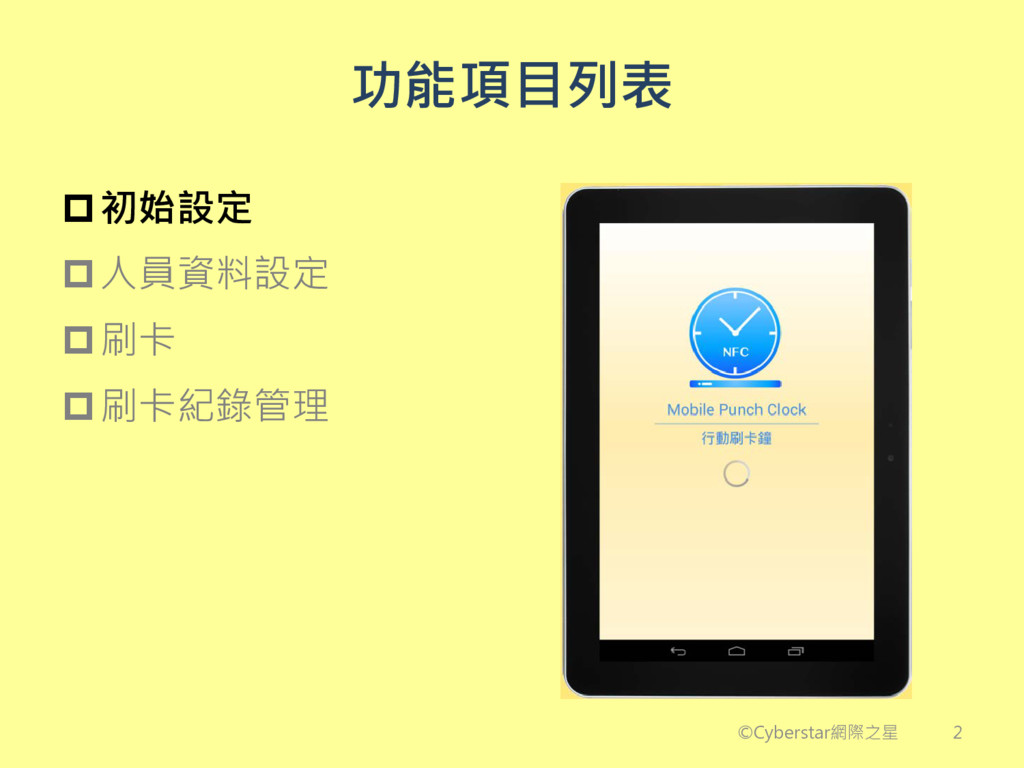
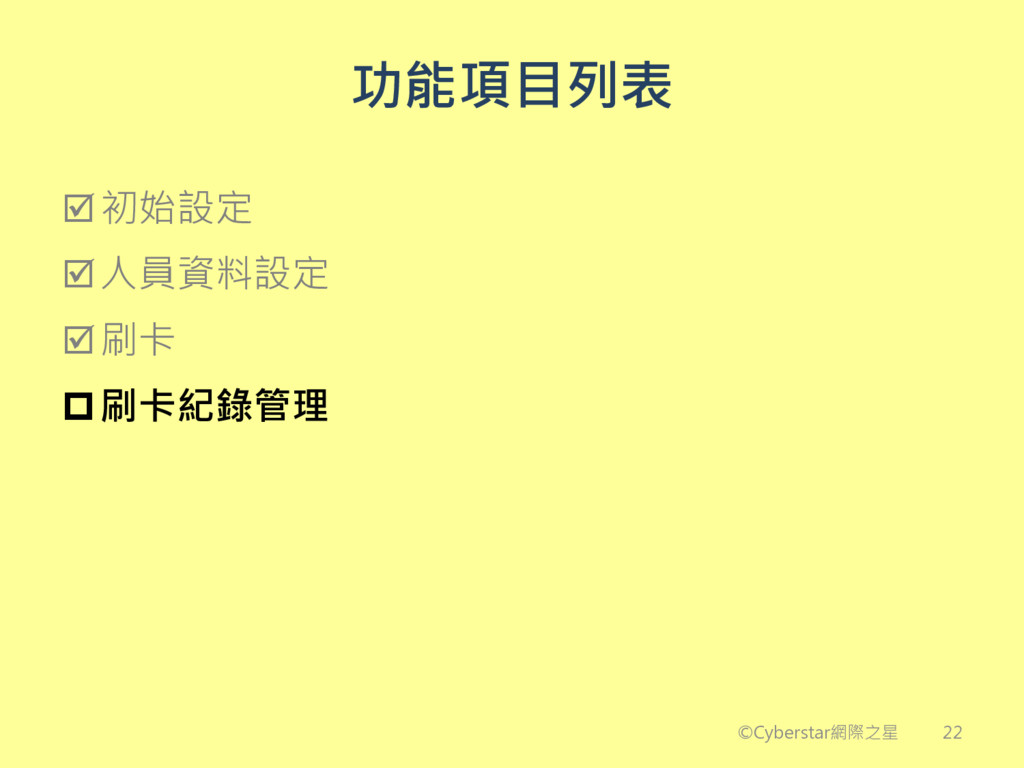
功能項目列表 初始設定 人員資料設定 刷卡 刷卡紀錄管理 ©Cyberstar網際之星 2
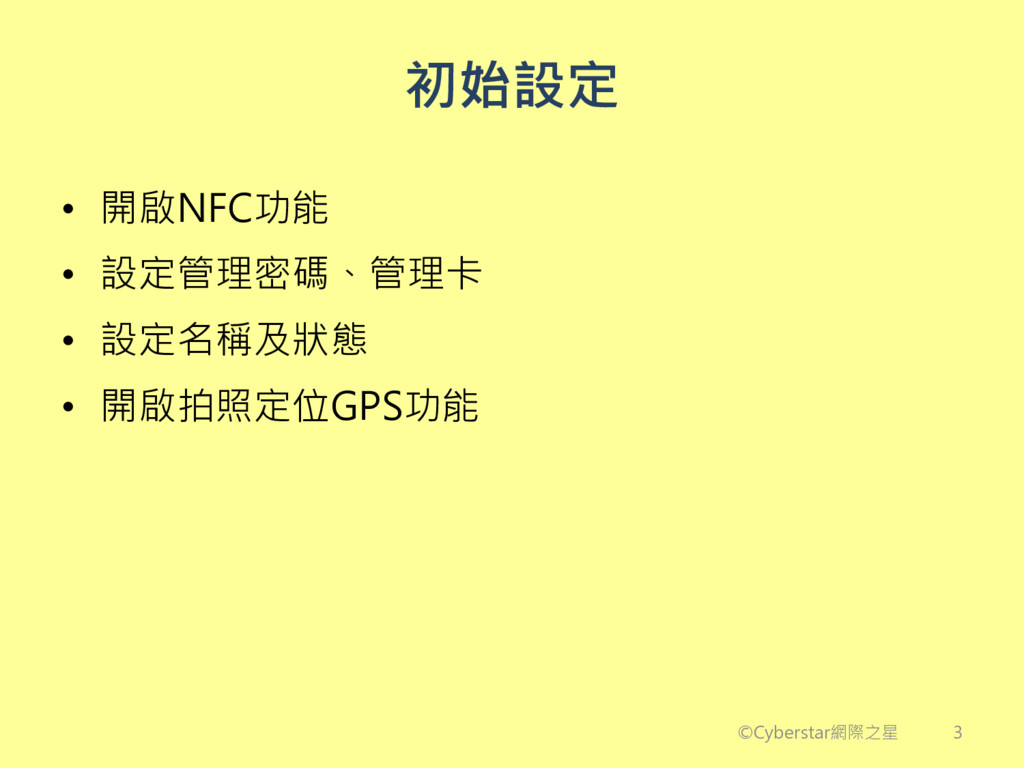
初始設定 • 開啟NFC功能 • 設定管理密碼、管理卡 • 設定名稱及狀態 • 開啟拍照定位GPS功能 ©Cyberstar網際之星
3
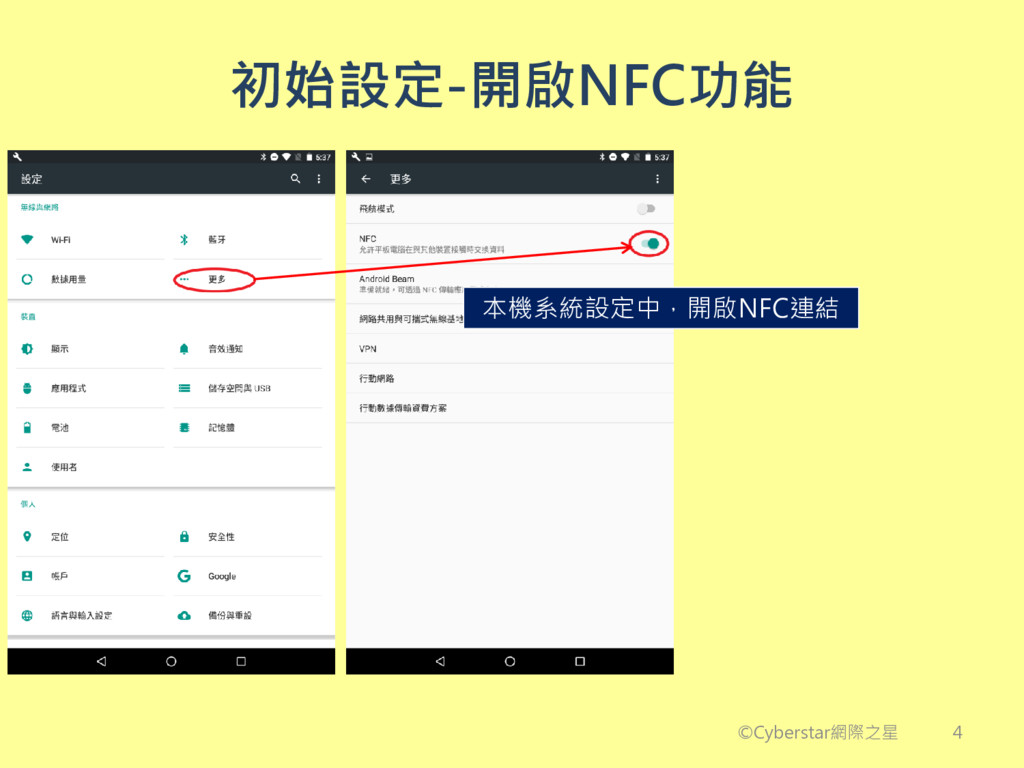
初始設定-開啟NFC功能 本機系統設定中,開啟NFC連結 ©Cyberstar網際之星 4
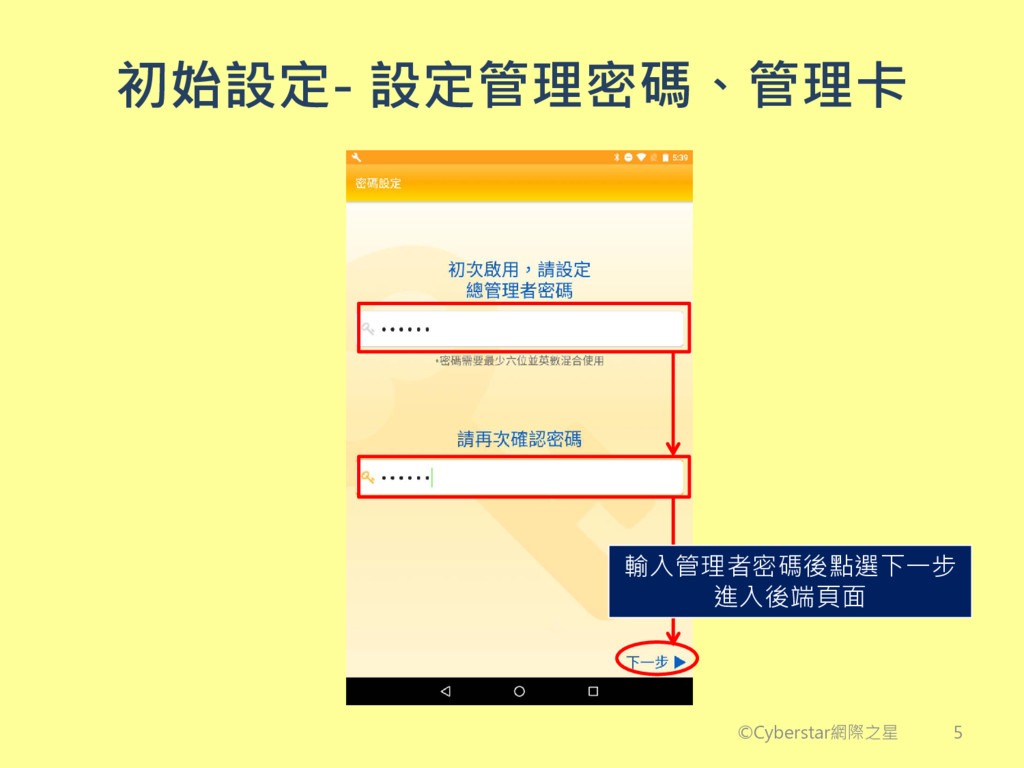
初始設定- 設定管理密碼、管理卡 ©Cyberstar網際之星 輸入管理者密碼後點選下一步 進入後端頁面 5
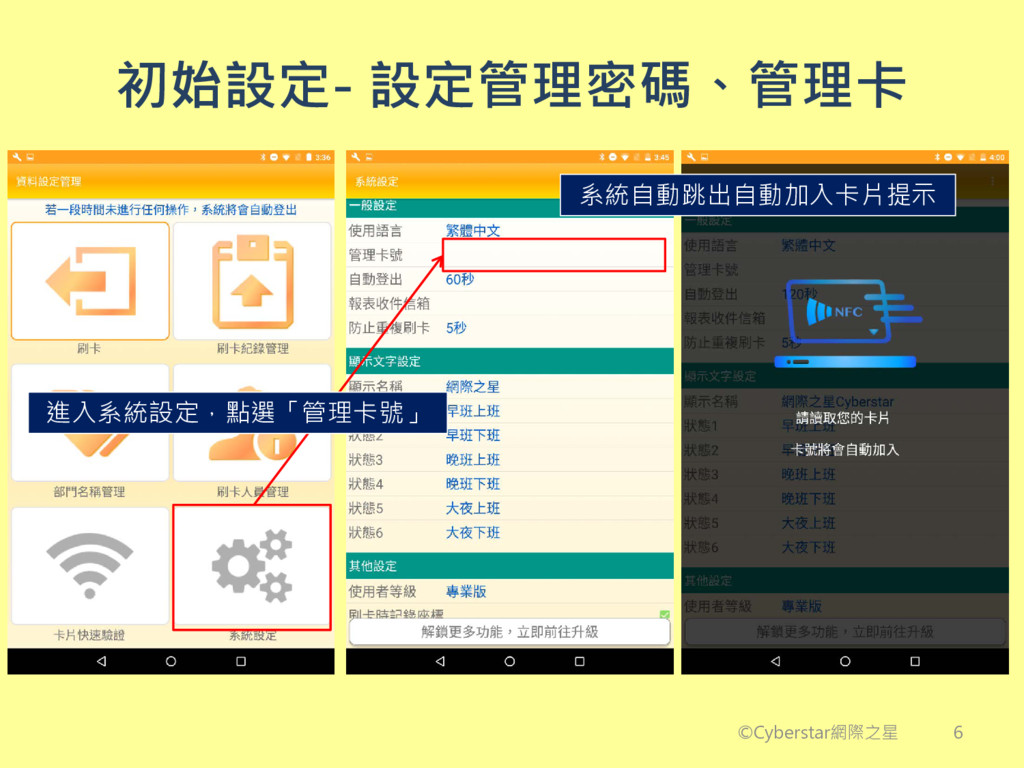
初始設定- 設定管理密碼、管理卡 系統自動跳出自動加入卡片提示 ©Cyberstar網際之星 進入系統設定,點選「管理卡號」 6
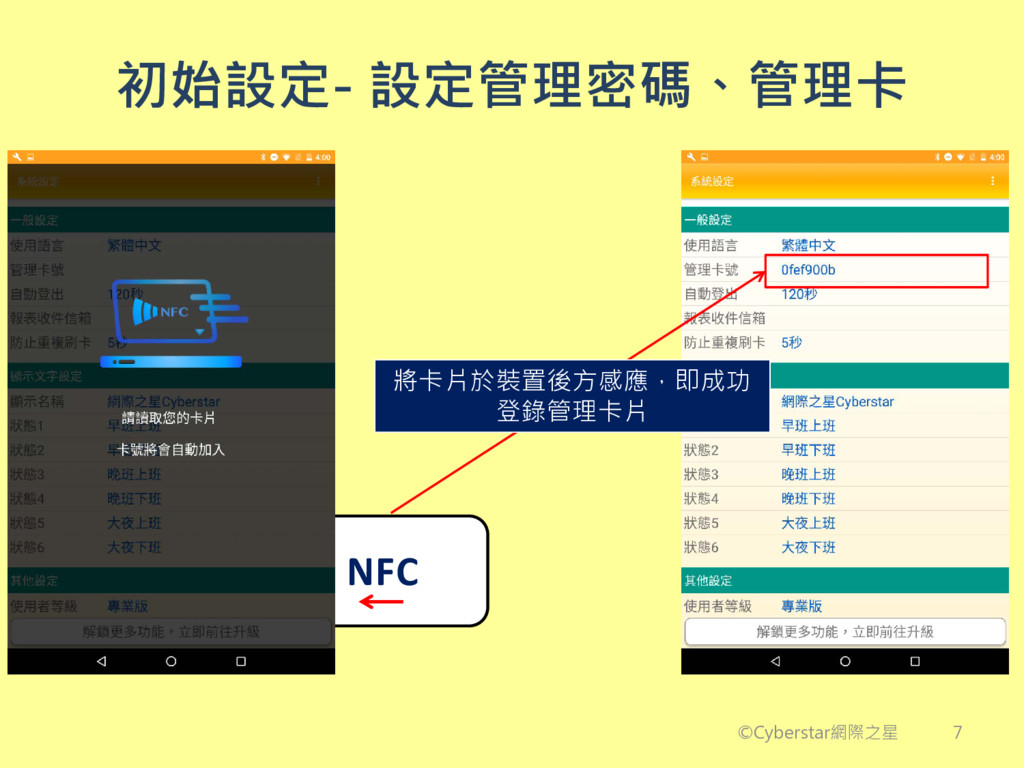
NFC 初始設定- 設定管理密碼、管理卡 ©Cyberstar網際之星 將卡片於裝置後方感應,即成功 登錄管理卡片 7
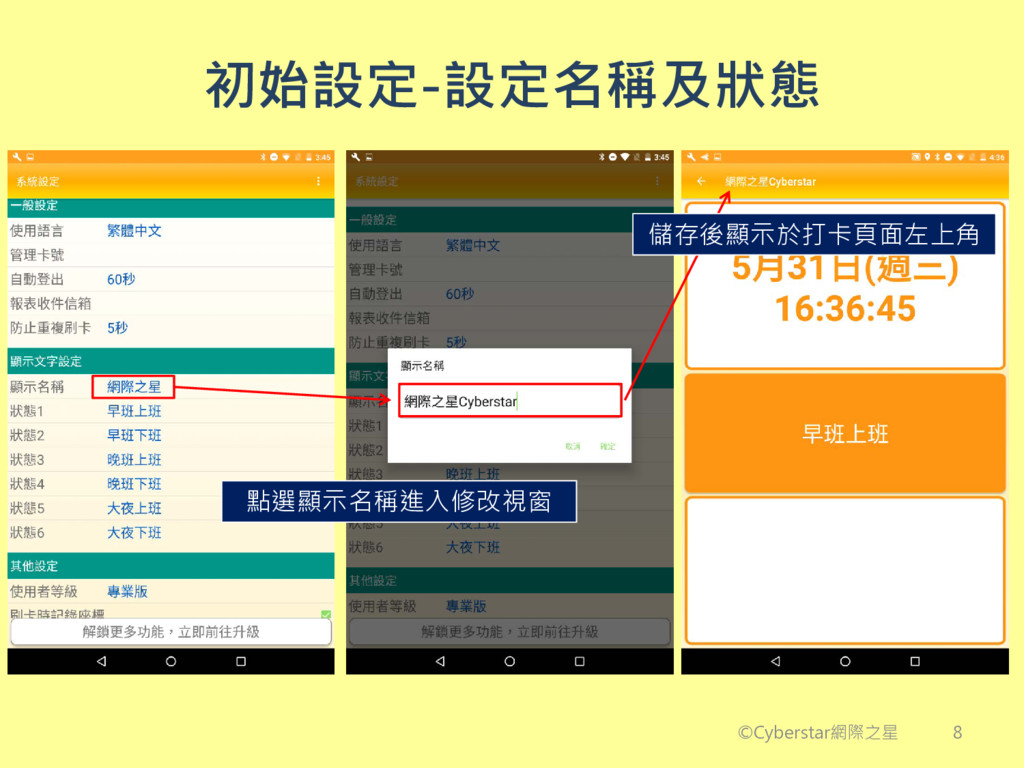
初始設定-設定名稱及狀態 點選顯示名稱進入修改視窗 儲存後顯示於打卡頁面左上角 ©Cyberstar網際之星 8
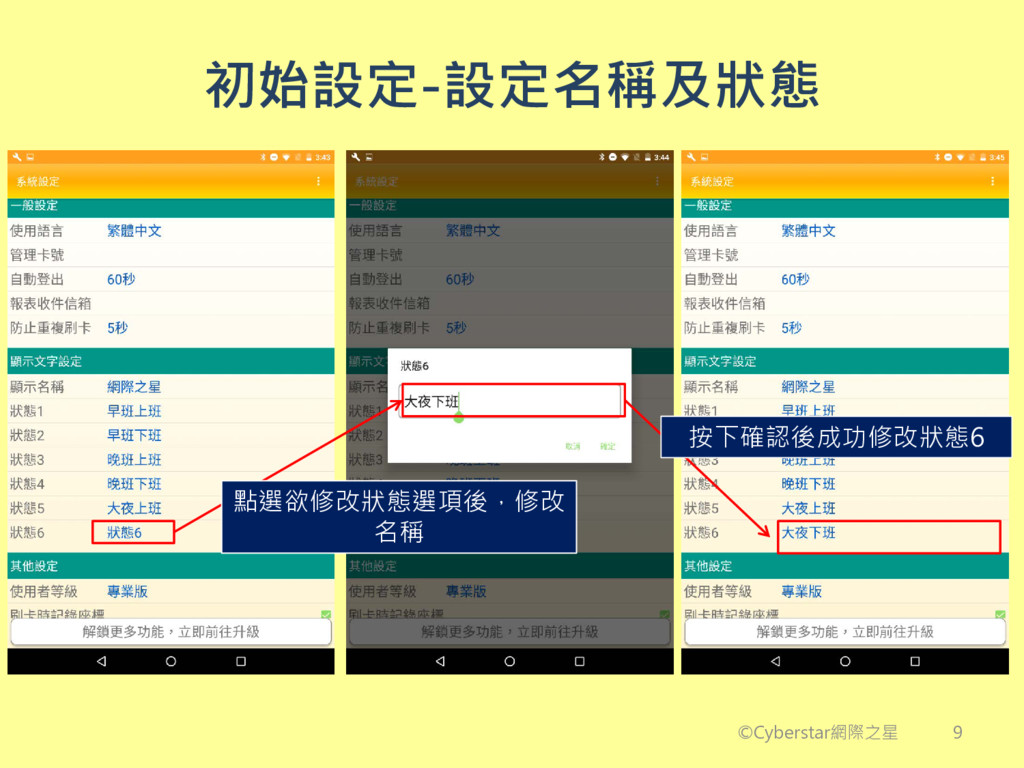
初始設定-設定名稱及狀態 點選欲修改狀態選項後,修改 名稱 按下確認後成功修改狀態6 ©Cyberstar網際之星 9
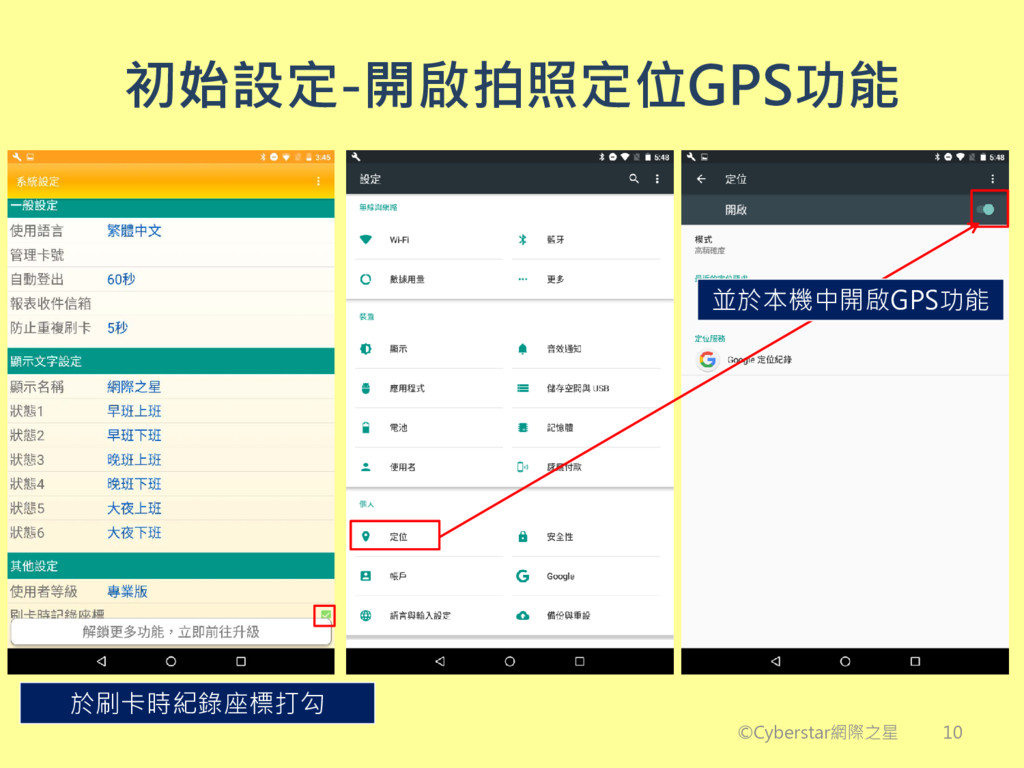
初始設定-開啟拍照定位GPS功能 於刷卡時紀錄座標打勾 ©Cyberstar網際之星 並於本機中開啟GPS功能 10
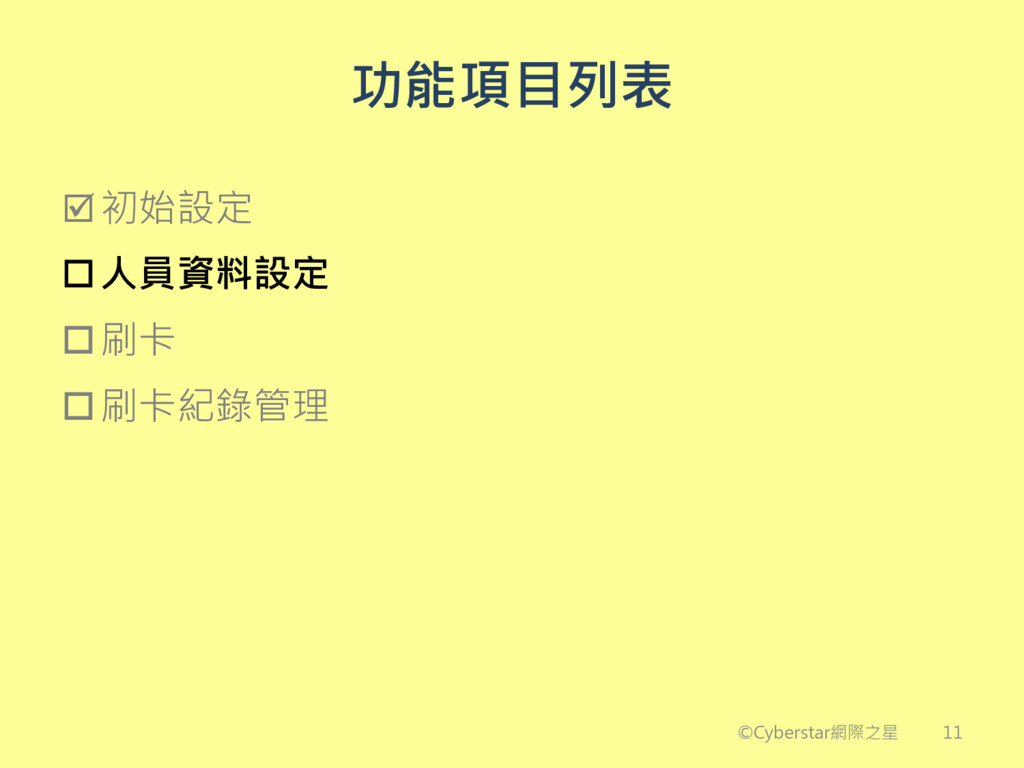
功能項目列表 初始設定 人員資料設定 刷卡 刷卡紀錄管理 ©Cyberstar網際之星 11
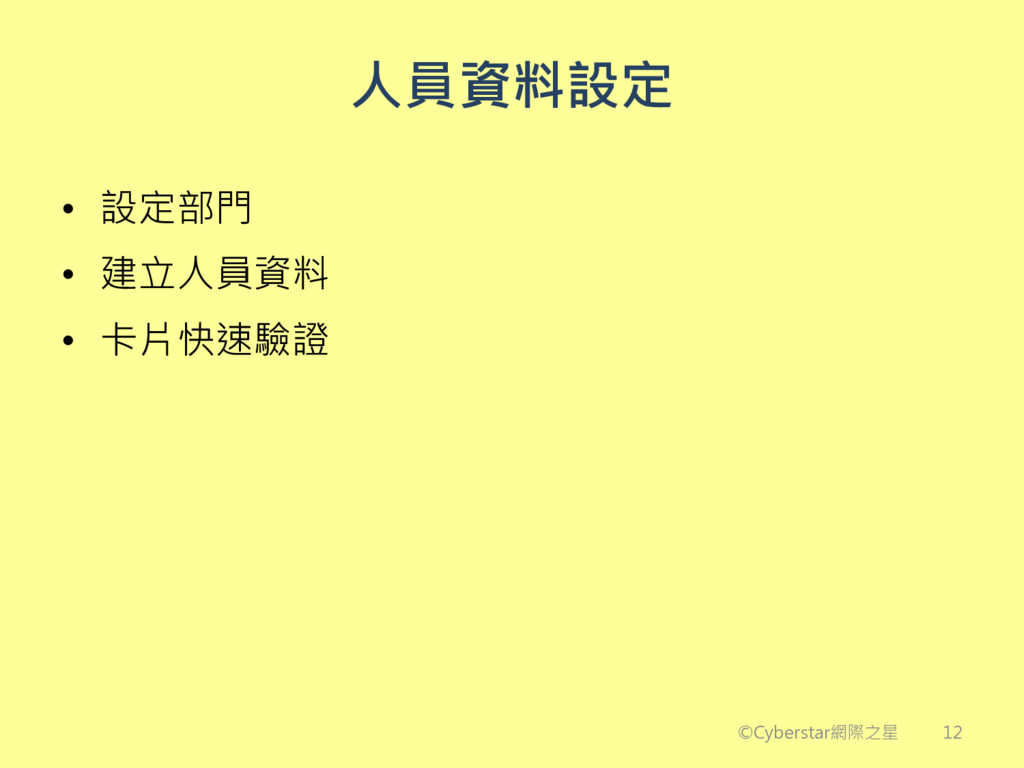
人員資料設定 • 設定部門 • 建立人員資料 • 卡片快速驗證 ©Cyberstar網際之星 12
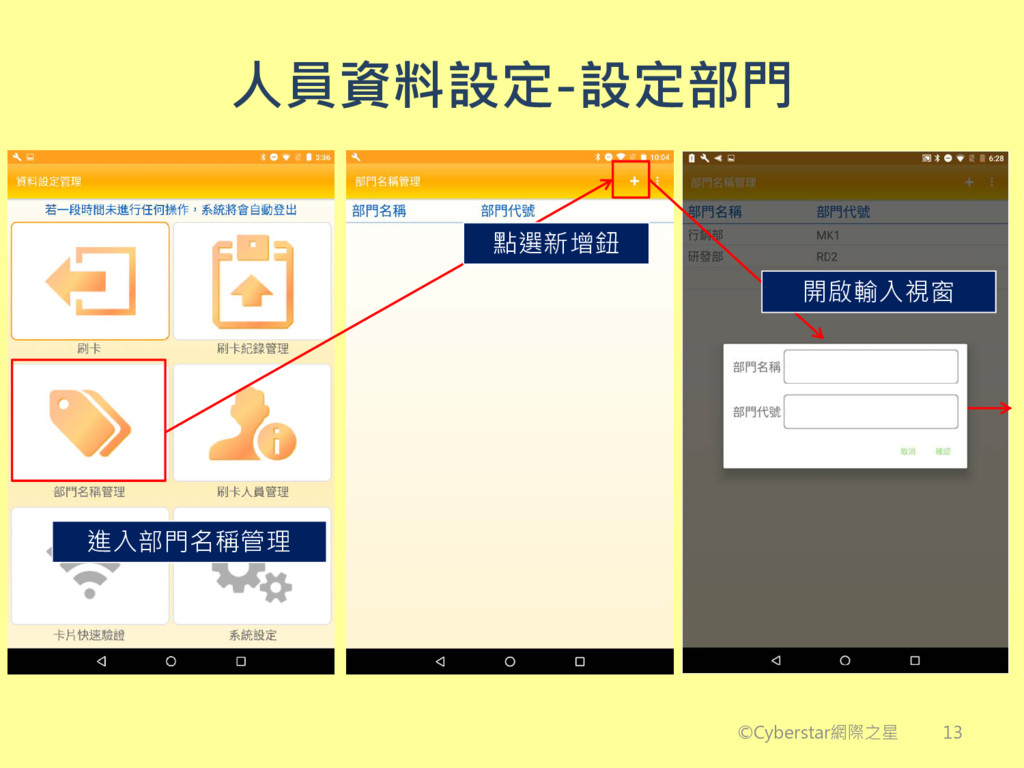
人員資料設定-設定部門 ©Cyberstar網際之星 點選新增鈕 開啟輸入視窗 進入部門名稱管理 13
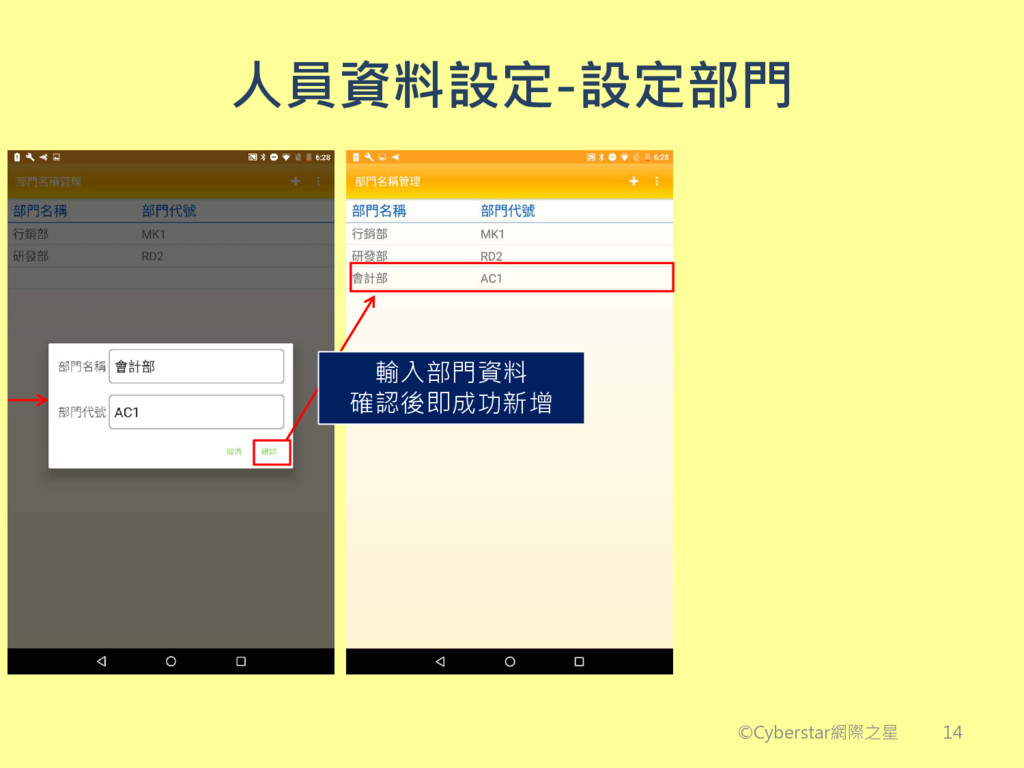
人員資料設定-設定部門 ©Cyberstar網際之星 輸入部門資料 確認後即成功新增 14
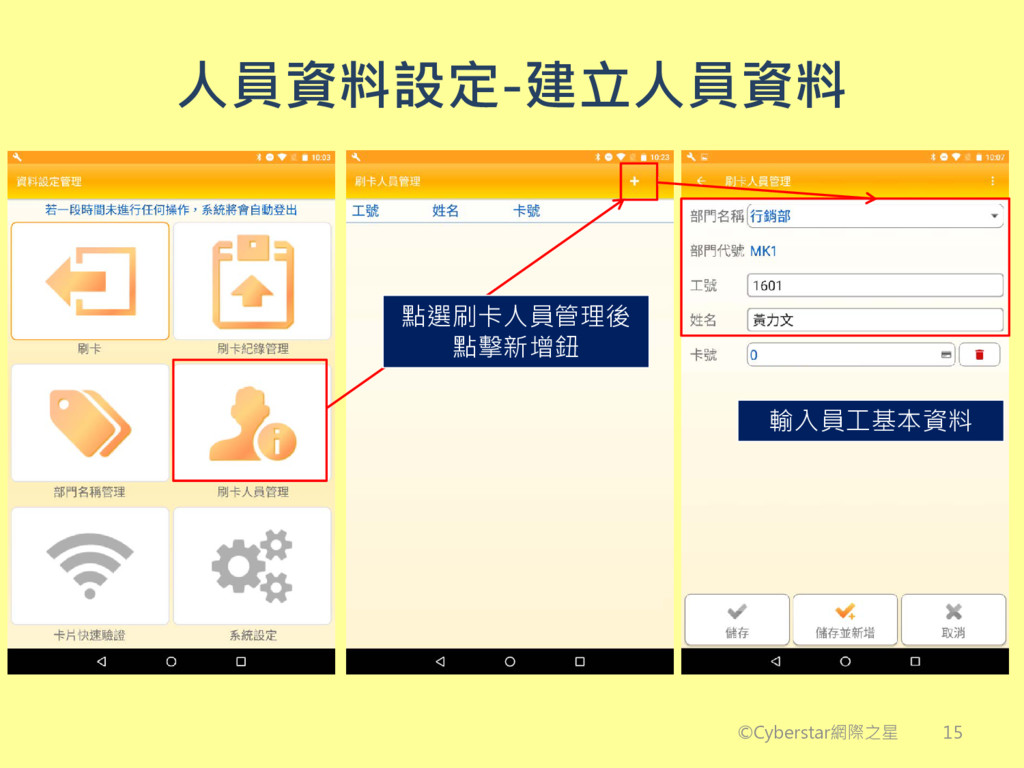
人員資料設定-建立人員資料 ©Cyberstar網際之星 點選刷卡人員管理後 點擊新增鈕 輸入員工基本資料 15
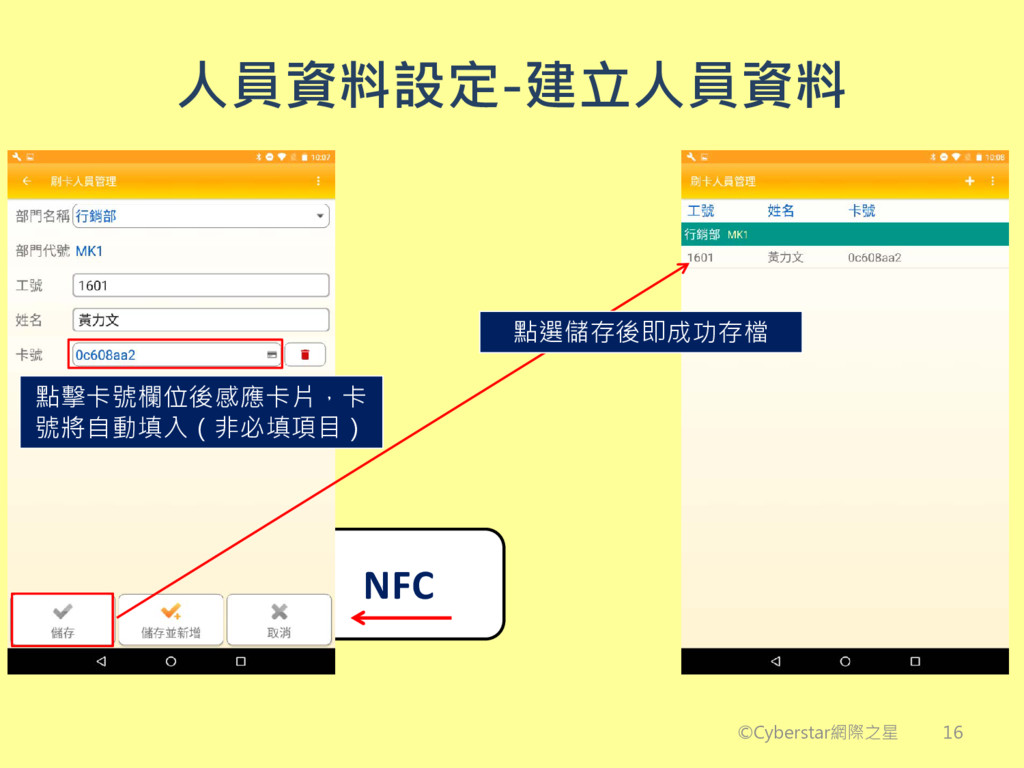
人員資料設定-建立人員資料 ©Cyberstar網際之星 NFC 點選儲存後即成功存檔 點擊卡號欄位後感應卡片,卡 號將自動填入(非必填項目) 16
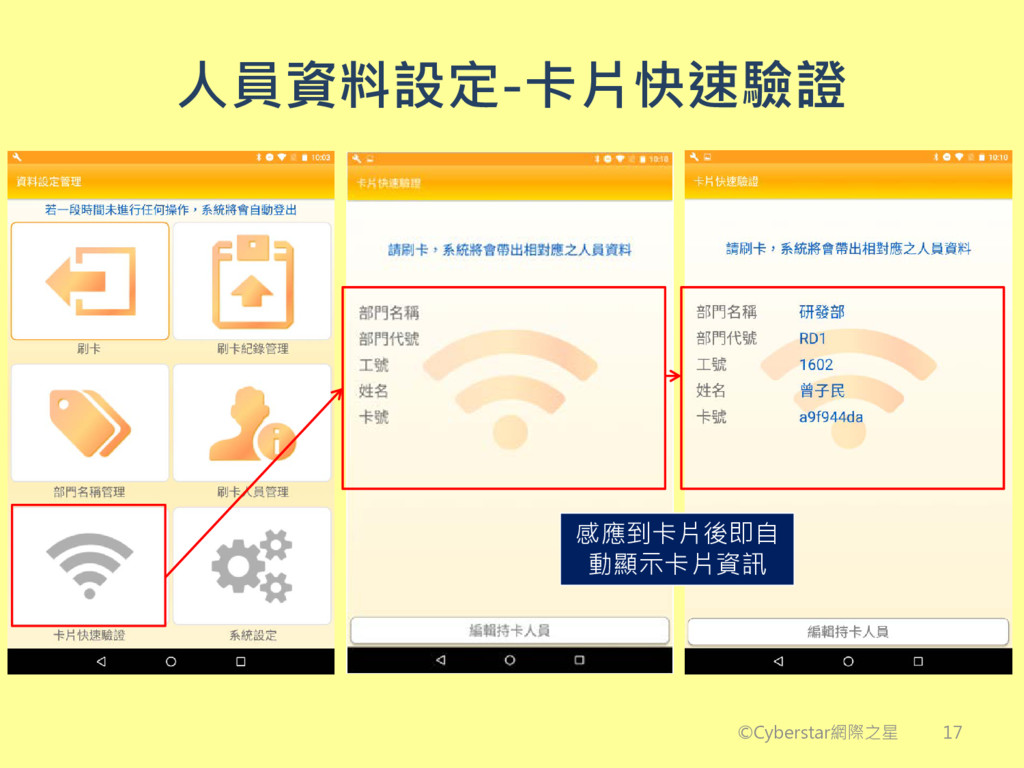
人員資料設定-卡片快速驗證 ©Cyberstar網際之星 感應到卡片後即自 動顯示卡片資訊 17
功能項目列表 初始設定 人員資料設定 刷卡 刷卡紀錄管理 ©Cyberstar網際之星 18
刷卡 • 選擇刷卡狀態 • 開始刷卡 ©Cyberstar網際之星 19
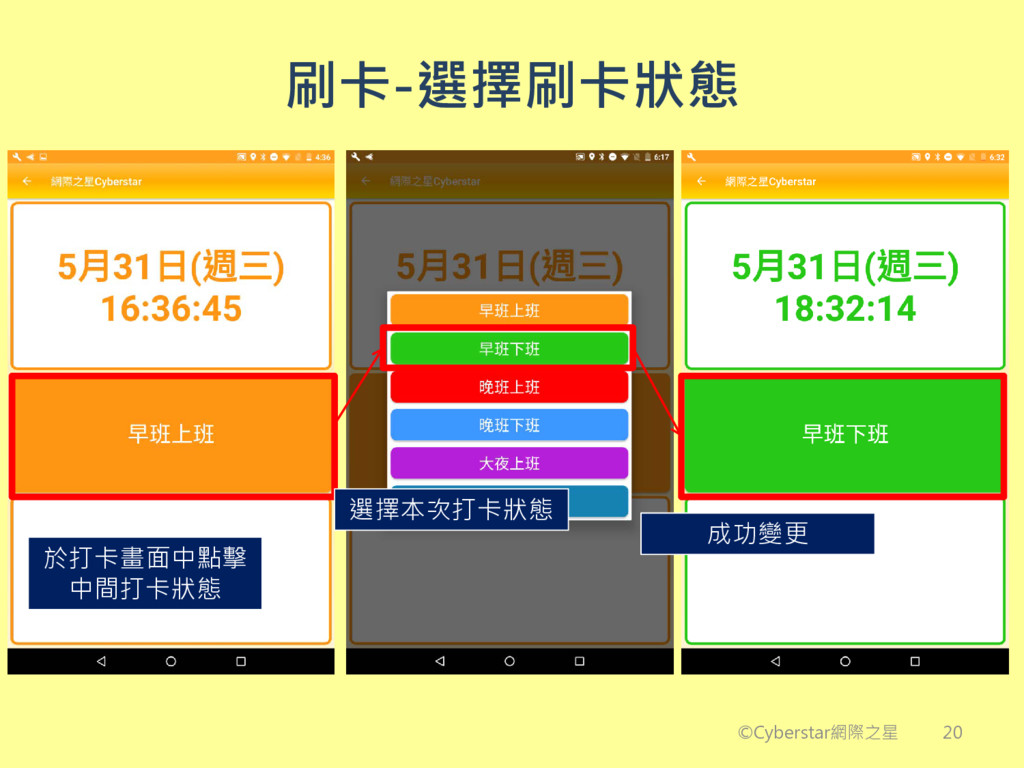
刷卡-選擇刷卡狀態 ©Cyberstar網際之星 於打卡畫面中點擊 中間打卡狀態 選擇本次打卡狀態 成功變更 20
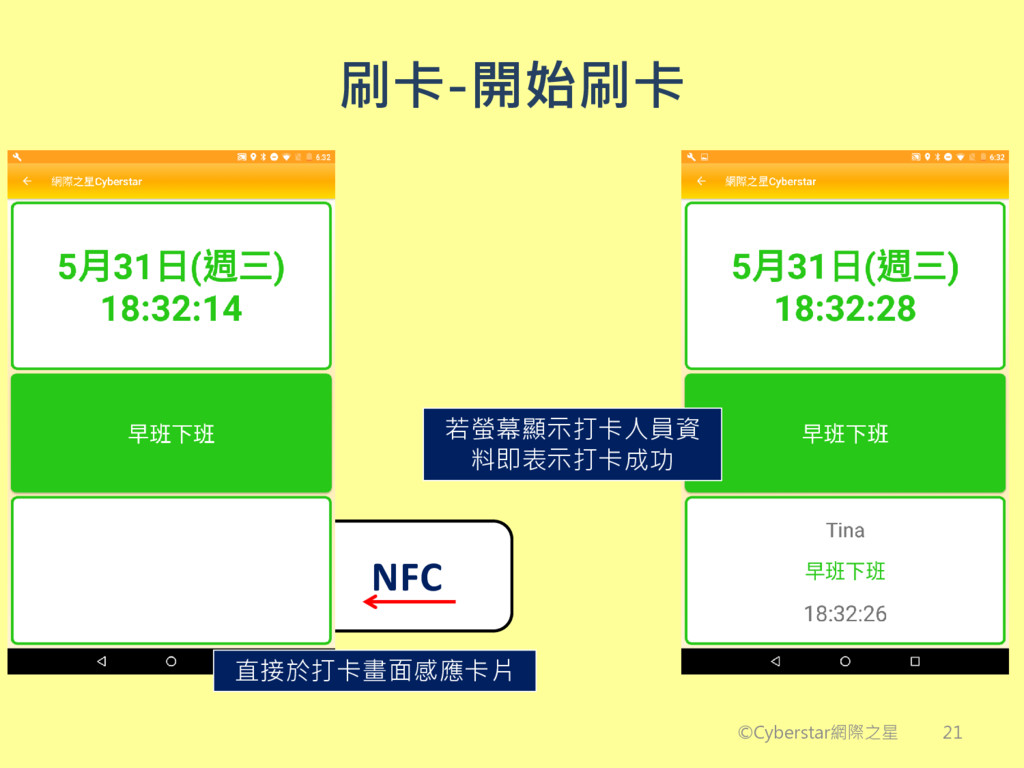
刷卡-開始刷卡 ©Cyberstar網際之星 NFC 直接於打卡畫面感應卡片 若螢幕顯示打卡人員資 料即表示打卡成功 21
功能項目列表 初始設定 人員資料設定 刷卡 刷卡紀錄管理 ©Cyberstar網際之星 22
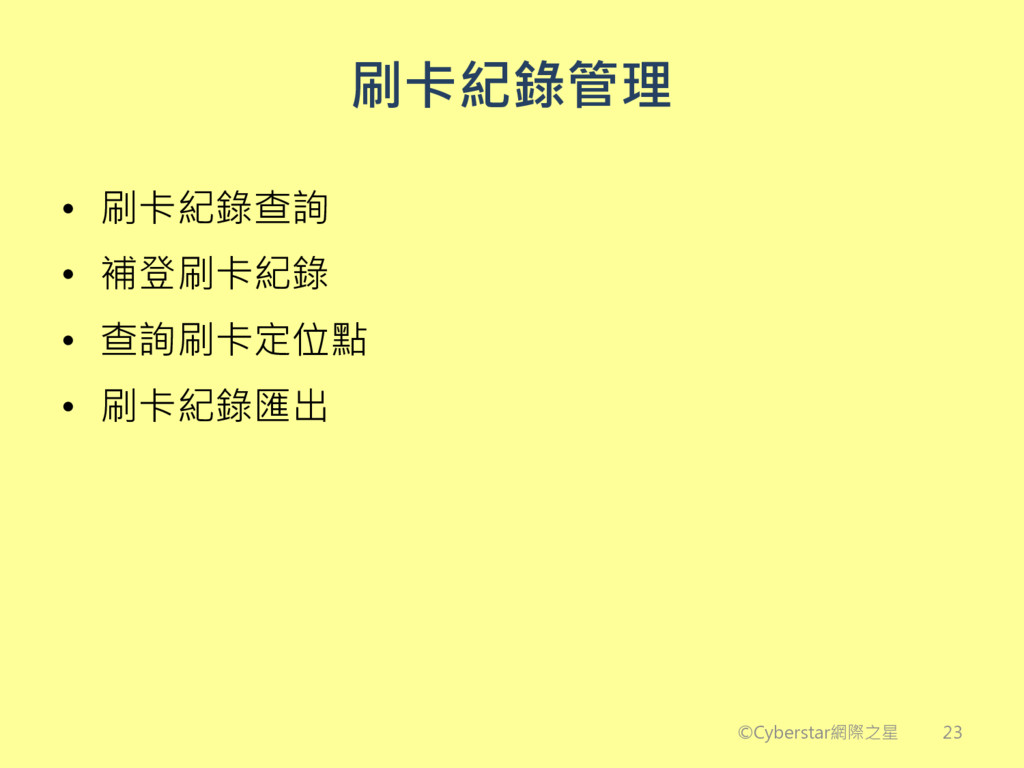
刷卡紀錄管理 • 刷卡紀錄查詢 • 補登刷卡紀錄 • 查詢刷卡定位點 • 刷卡紀錄匯出 ©Cyberstar網際之星
23
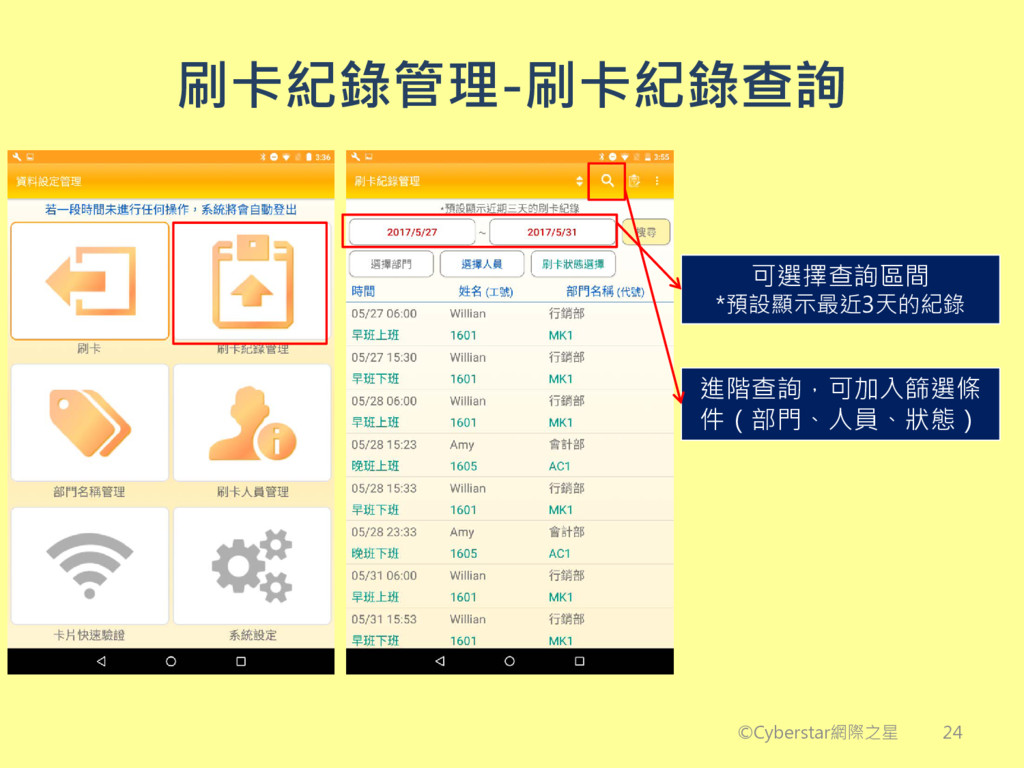
刷卡紀錄管理-刷卡紀錄查詢 ©Cyberstar網際之星 進階查詢,可加入篩選條 件(部門、人員、狀態) 可選擇查詢區間 *預設顯示最近3天的紀錄 24
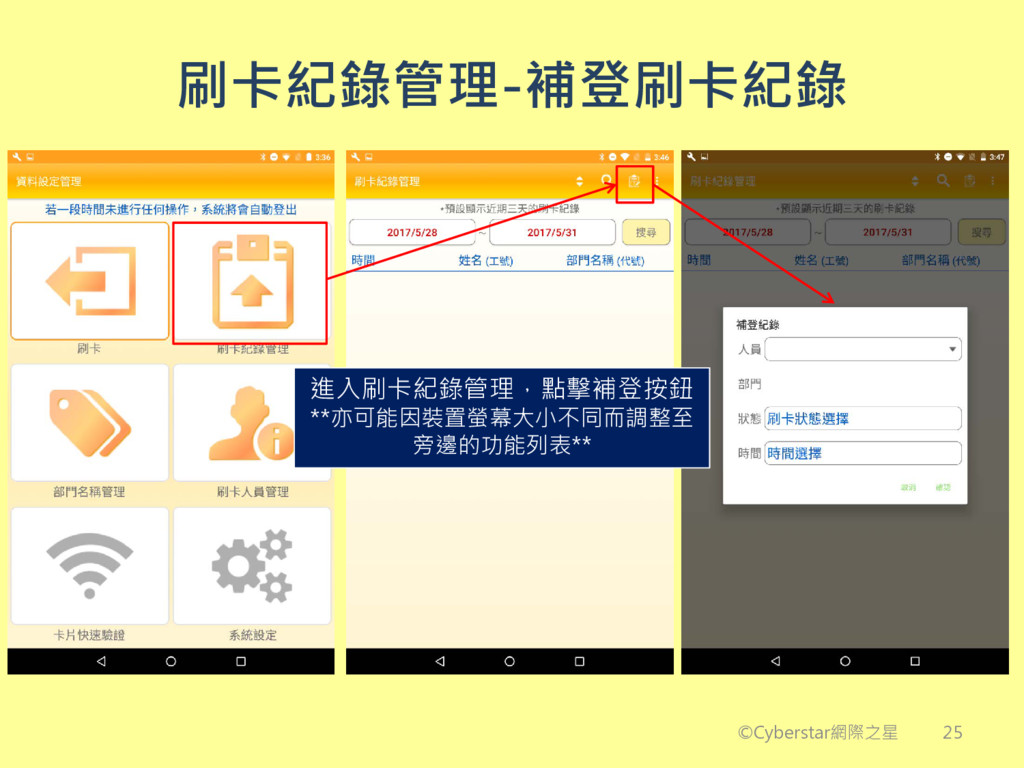
刷卡紀錄管理-補登刷卡紀錄 ©Cyberstar網際之星 進入刷卡紀錄管理,點擊補登按鈕 **亦可能因裝置螢幕大小不同而調整至 旁邊的功能列表** 25
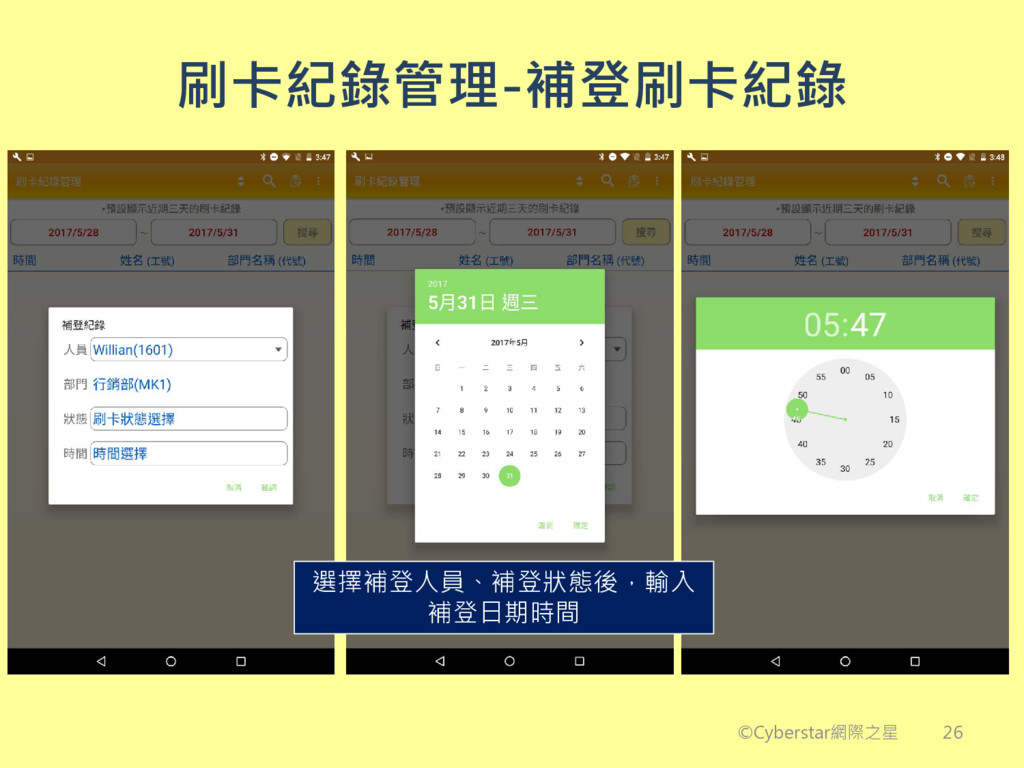
刷卡紀錄管理-補登刷卡紀錄 ©Cyberstar網際之星 選擇補登人員、補登狀態後,輸入 補登日期時間 26
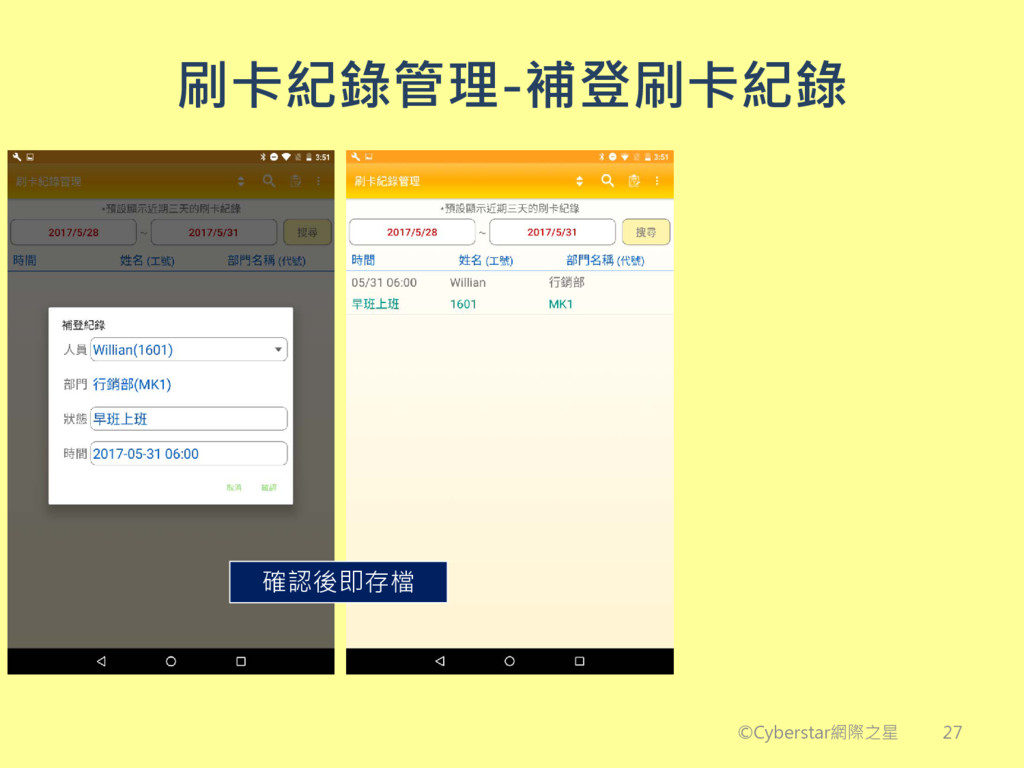
刷卡紀錄管理-補登刷卡紀錄 ©Cyberstar網際之星 確認後即存檔 27
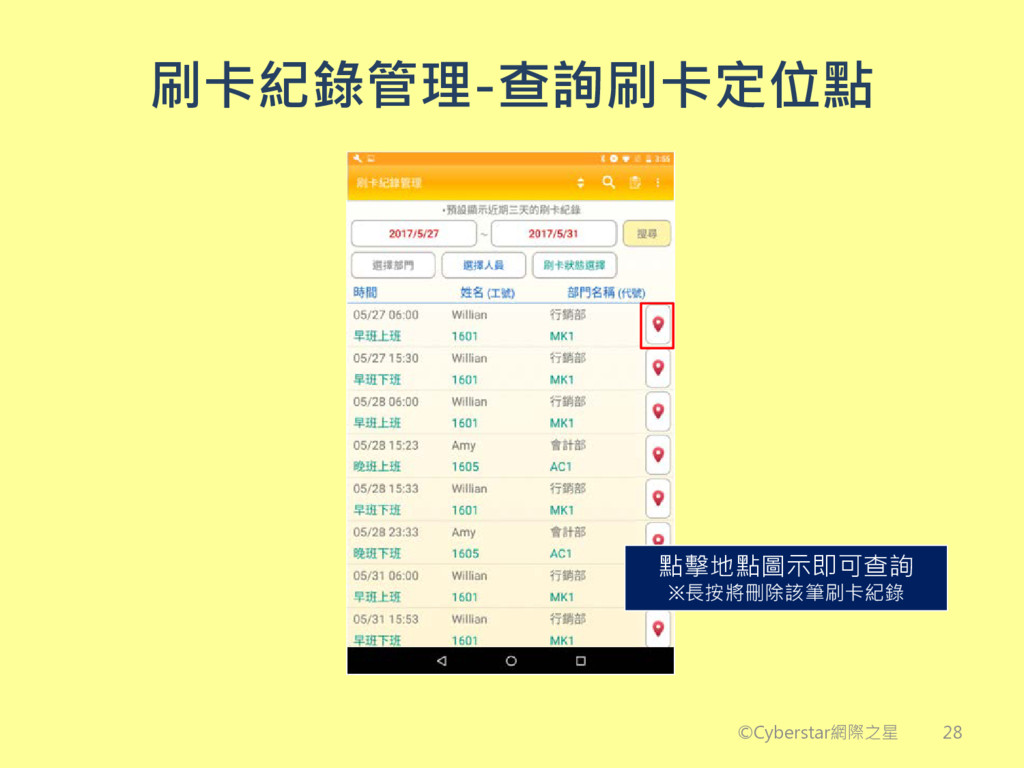
刷卡紀錄管理-查詢刷卡定位點 ©Cyberstar網際之星 點擊地點圖示即可查詢 ※長按將刪除該筆刷卡紀錄 28
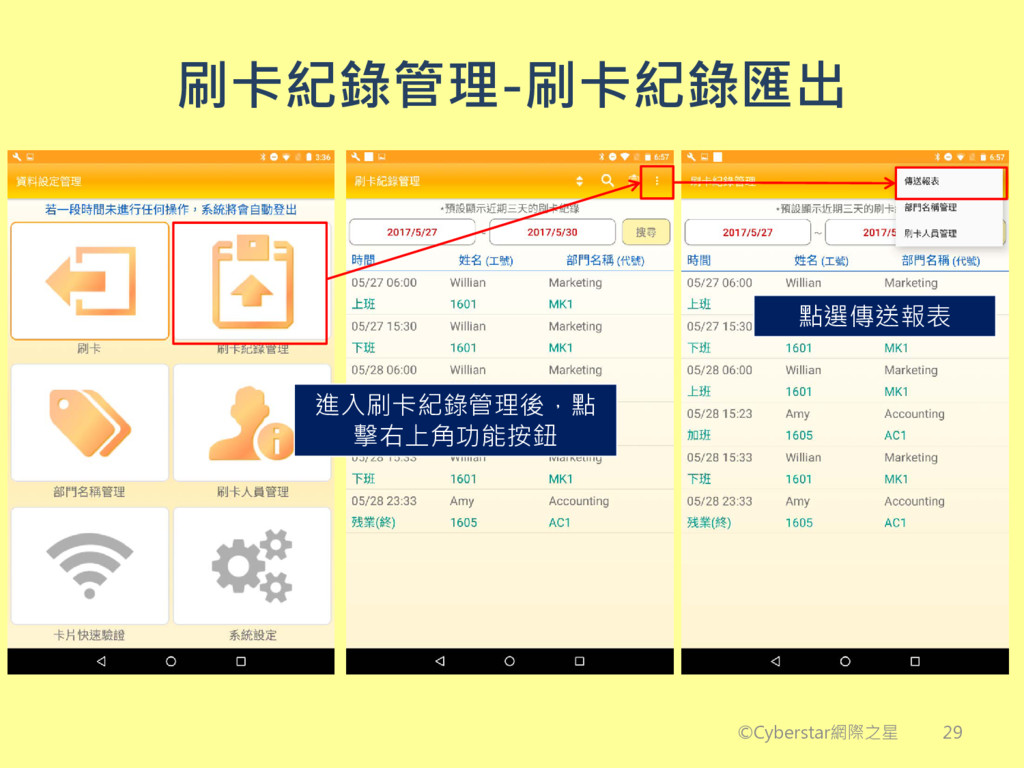
刷卡紀錄管理-刷卡紀錄匯出 ©Cyberstar網際之星 進入刷卡紀錄管理後,點 擊右上角功能按鈕 點選傳送報表 29
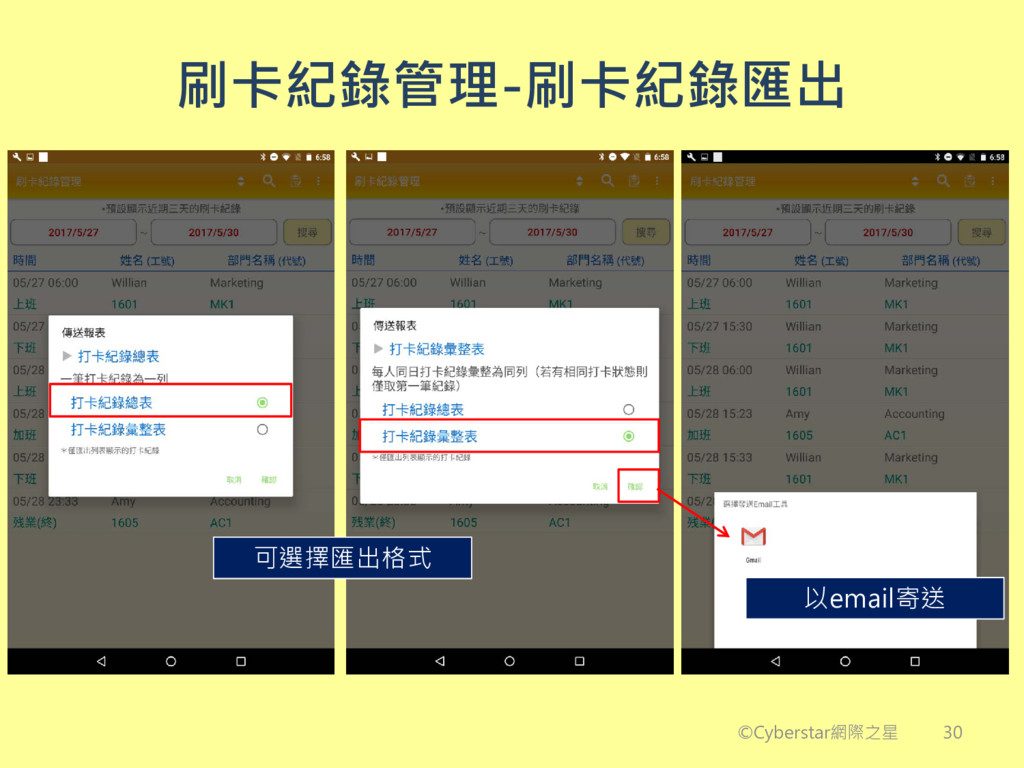
刷卡紀錄管理-刷卡紀錄匯出 ©Cyberstar網際之星 可選擇匯出格式 以email寄送 30
功能項目列表 初始設定 人員資料設定 刷卡 刷卡紀錄管理 ©Cyberstar網際之星 恭喜! 所有設定皆已完成,現在就開始使用吧! 31


 cyberstar
 makocchi
 endonanana
 grimoh
 ludicmind
 koukihosaka
 kaminashi
 bitkey
 genda
genda
 yazm
yazm
 moznion
 ykanoh
 occhi
occhi
 thirion
 cassininazir
 reverentgeek
 michaelherold
 kevinliebholz
 uxyall
 cromwellryan
 morganepeng
 twada
twada
 jct
jct
 katarinadahlin
 speakerdeck