Upgrade to Pro — share decks privately, control downloads, hide ads and more …

Choosing Right Solution For API Testing

Choosing Right Solution For API Testing

General overview of API testing tools currently available, most popular options comparison. How to implement flexible solution that would allow not only to test APIs but could be reused to speed up UI tests up to x10 times.

Avatar for Dmitri Korobtsov

Dmitri Korobtsov

January 31, 2019

Other Decks in Programming

Transcript

  1. Choosing right solution for API testing (free of charge, without

    sms and registration) Dmitri Korobtsov QA Automation Engineer Akana, Rogue Wave Software @dkorobtsov
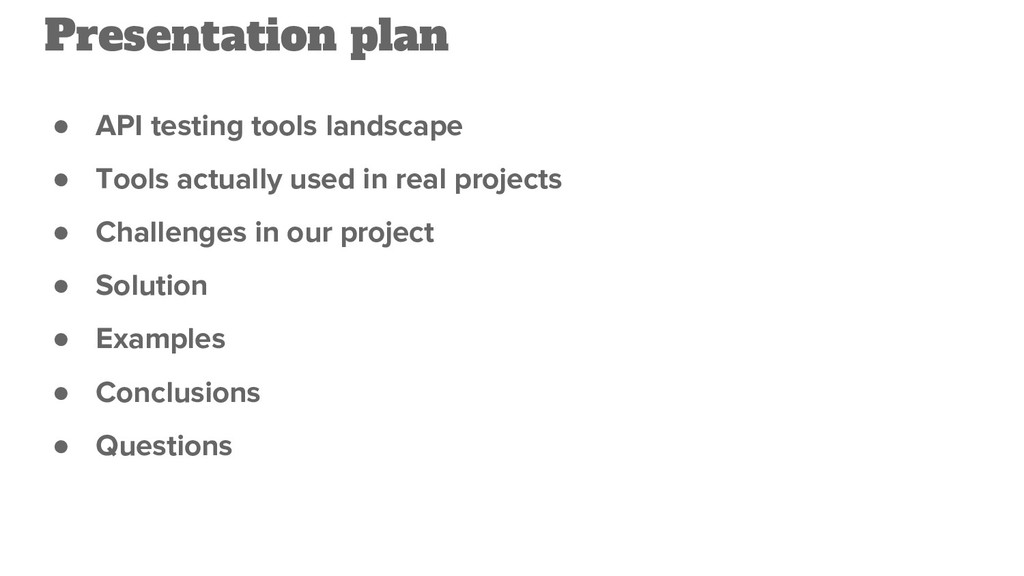
  2. • API testing tools landscape • Tools actually used in

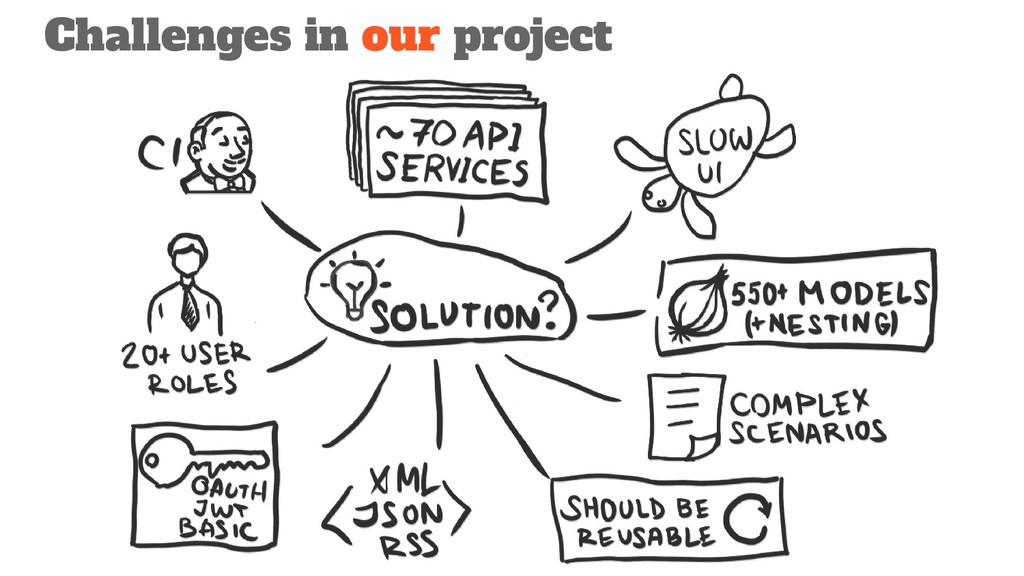
    real projects • Challenges in our project • Solution • Examples • Conclusions • Questions Presentation plan
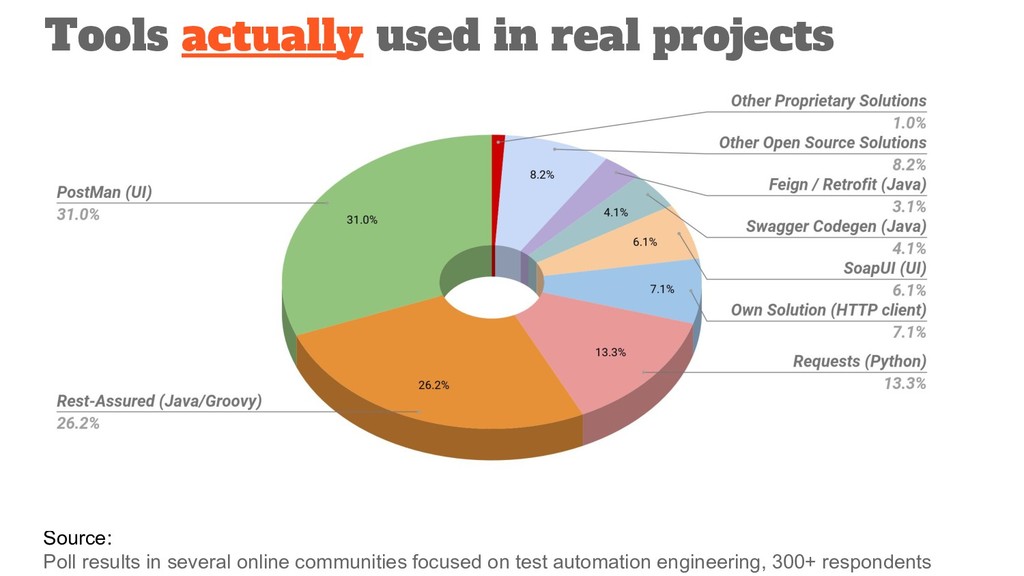
  3. Source: Poll results in several online communities focused on test

    automation engineering, 300+ respondents Tools actually used in real projects
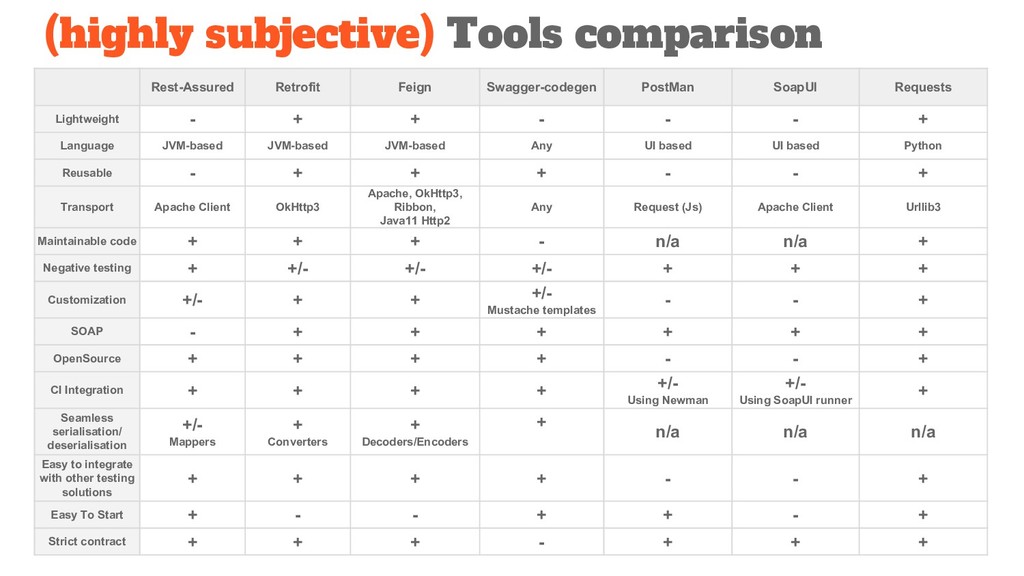
  4. Rest-Assured Retrofit Feign Swagger-codegen PostMan SoapUI Requests Lightweight - +

    + - - - + Language JVM-based JVM-based JVM-based Any UI based UI based Python Reusable - + + + - - + Transport Apache Client OkHttp3 Apache, OkHttp3, Ribbon, Java11 Http2 Any Request (Js) Apache Client Urllib3 Maintainable code + + + - n/a n/a + Negative testing + +/- +/- +/- + + + Customization +/- + + +/- Mustache templates - - + SOAP - + + + + + + OpenSource + + + + - - + CI Integration + + + + +/- Using Newman +/- Using SoapUI runner + Seamless serialisation/ deserialisation +/- Mappers + Converters + Decoders/Encoders + n/a n/a n/a Easy to integrate with other testing solutions + + + + - - + Easy To Start + - - + + - + Strict contract + + + - + + + (highly subjective) Tools comparison
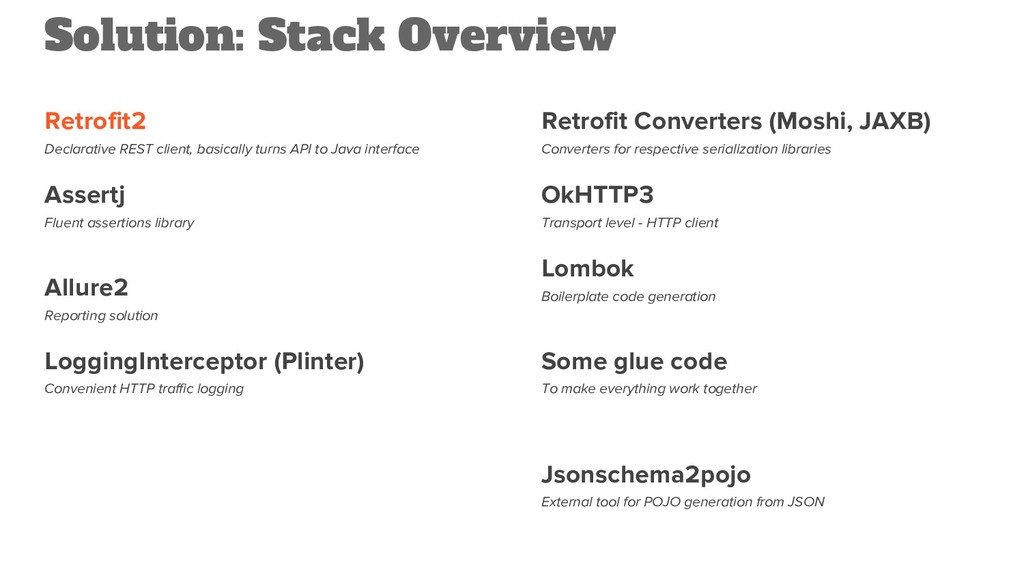
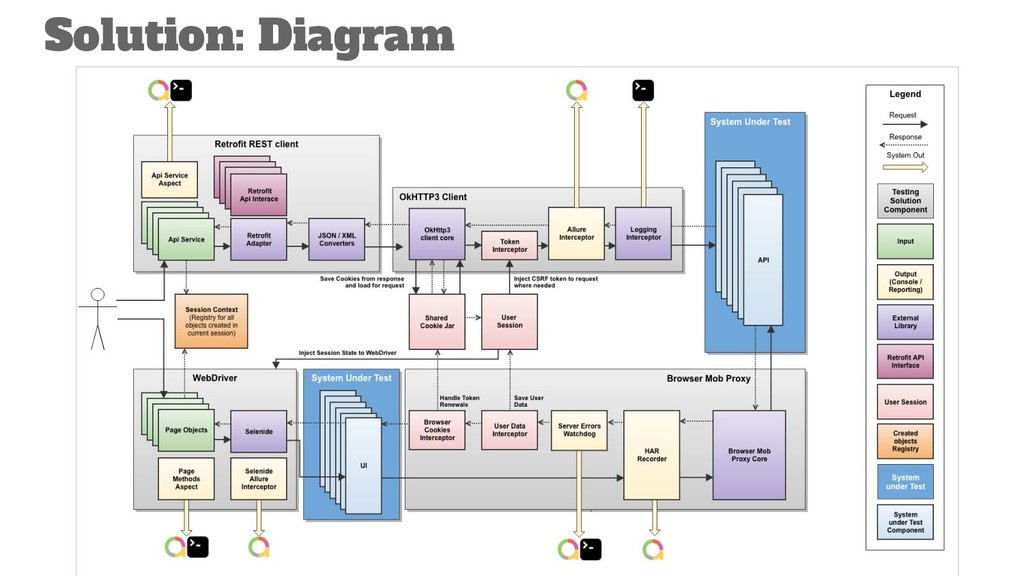
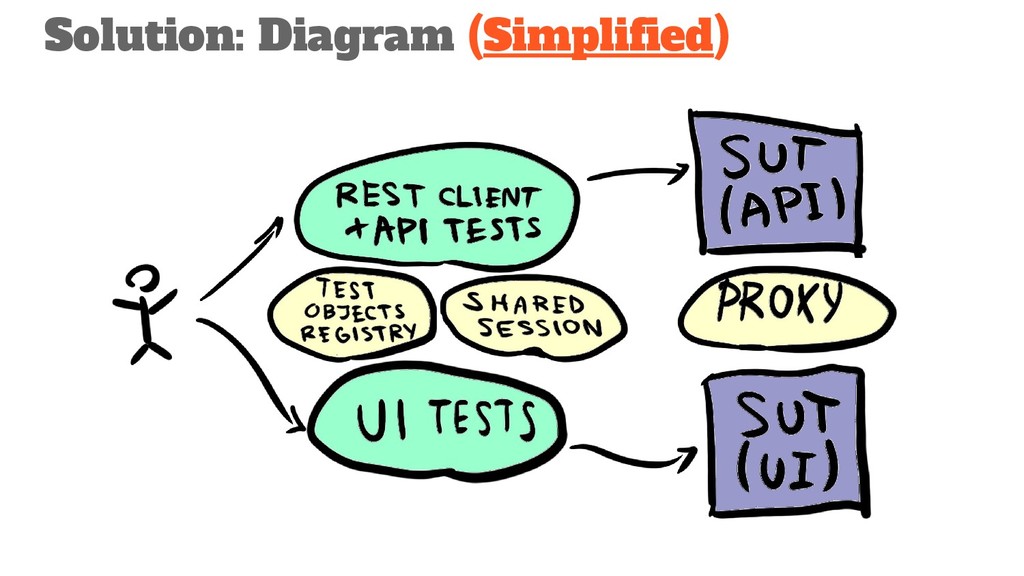
  5. Solution: Stack Overview Retrofit2 Declarative REST client, basically turns API

    to Java interface Assertj Fluent assertions library Allure2 Reporting solution LoggingInterceptor (Plinter) Convenient HTTP traffic logging Retrofit Converters (Moshi, JAXB) Converters for respective serialization libraries OkHTTP3 Transport level - HTTP client Lombok Boilerplate code generation Some glue code To make everything work together Jsonschema2pojo External tool for POJO generation from JSON
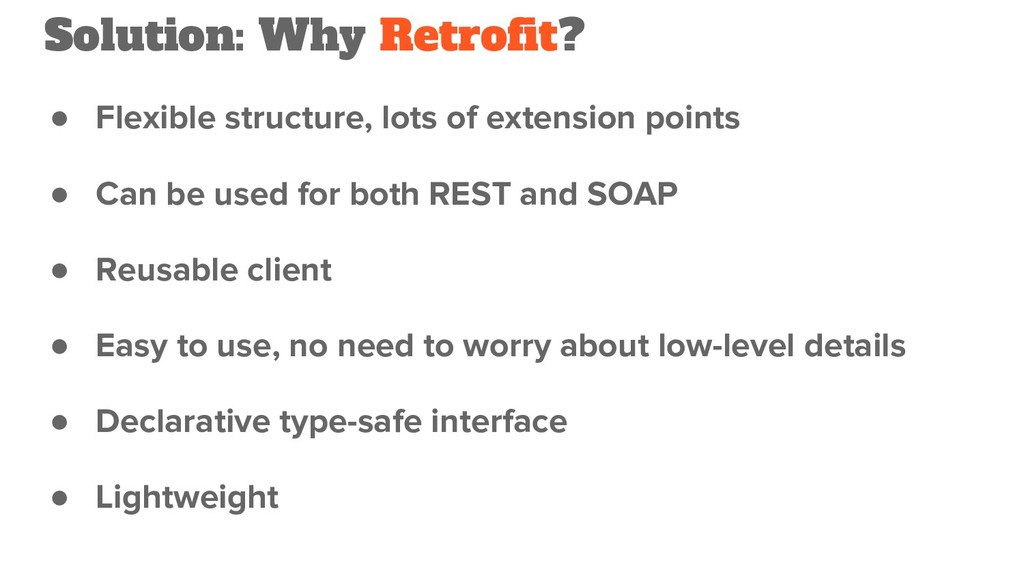
  6. Solution: Why Retrofit? • Flexible structure, lots of extension points

    • Can be used for both REST and SOAP • Reusable client • Easy to use, no need to worry about low-level details • Declarative type-safe interface • Lightweight
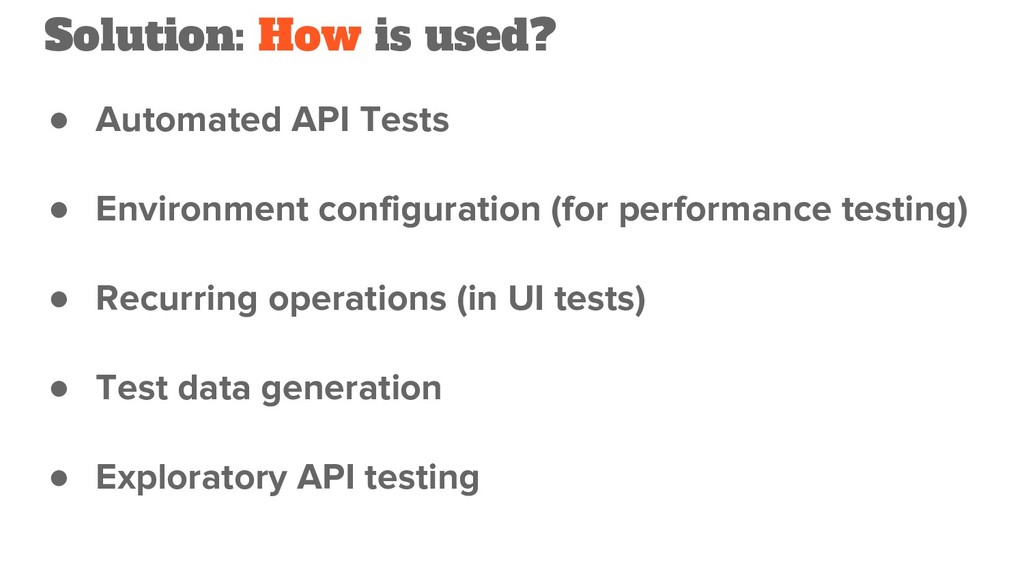
  7. Solution: How is used? • Automated API Tests • Environment

    configuration (for performance testing) • Recurring operations (in UI tests) • Test data generation • Exploratory API testing
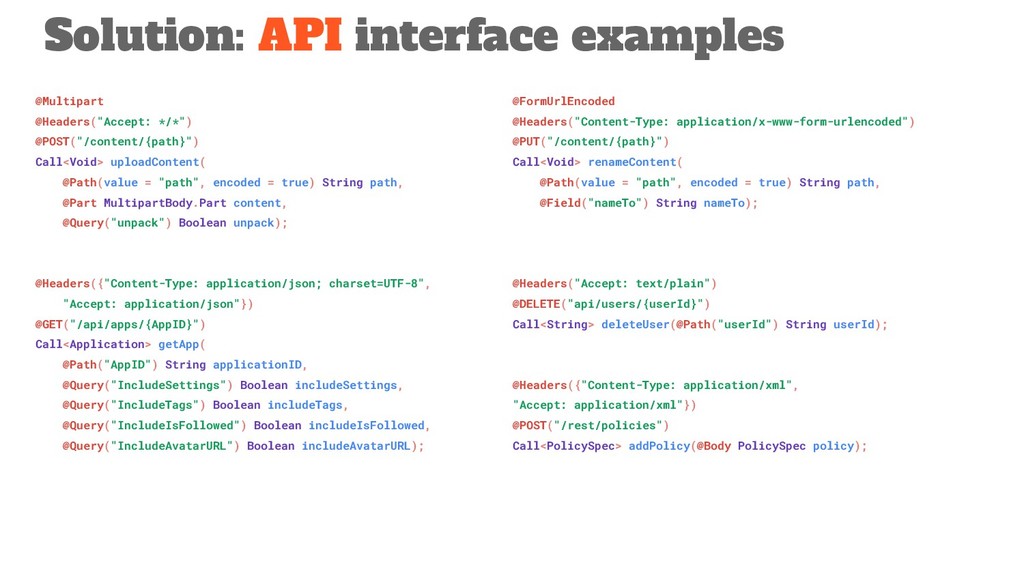
  8. @Multipart @Headers("Accept: */*") @POST("/content/{path}") Call<Void> uploadContent( @Path(value = "path", encoded

    = true) String path, @Part MultipartBody.Part content, @Query("unpack") Boolean unpack); @Headers({"Content-Type: application/json; charset=UTF-8", "Accept: application/json"}) @GET("/api/apps/{AppID}") Call<Application> getApp( @Path("AppID") String applicationID, @Query("IncludeSettings") Boolean includeSettings, @Query("IncludeTags") Boolean includeTags, @Query("IncludeIsFollowed") Boolean includeIsFollowed, @Query("IncludeAvatarURL") Boolean includeAvatarURL); Solution: API interface examples @FormUrlEncoded @Headers("Content-Type: application/x-www-form-urlencoded") @PUT("/content/{path}") Call<Void> renameContent( @Path(value = "path", encoded = true) String path, @Field("nameTo") String nameTo); @Headers("Accept: text/plain") @DELETE("api/users/{userId}") Call<String> deleteUser(@Path("userId") String userId); @Headers({"Content-Type: application/xml", "Accept: application/xml"}) @POST("/rest/policies") Call<PolicySpec> addPolicy(@Body PolicySpec policy);
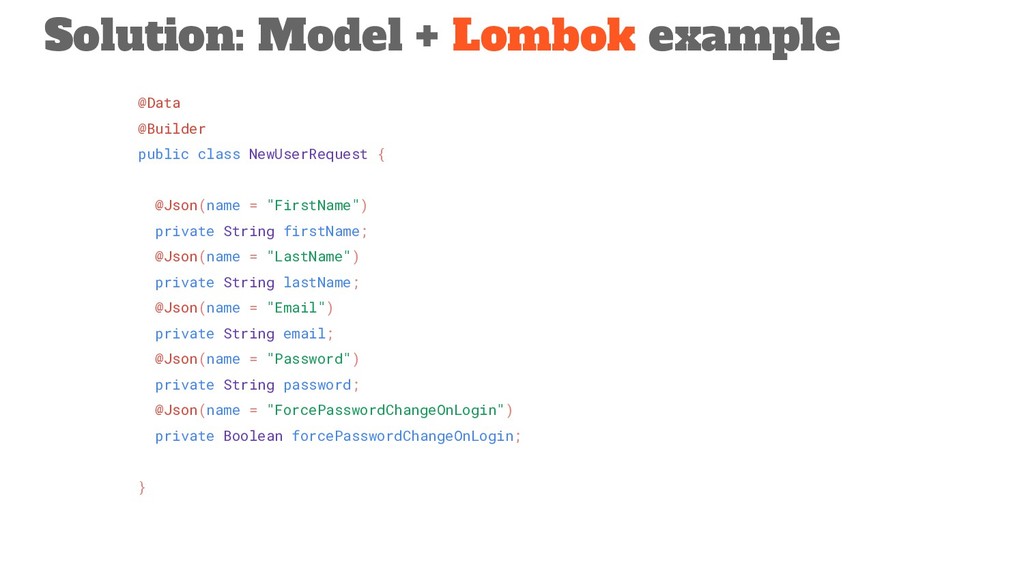
  9. @Data @Builder public class NewUserRequest { @Json(name = "FirstName") private

    String firstName; @Json(name = "LastName") private String lastName; @Json(name = "Email") private String email; @Json(name = "Password") private String password; @Json(name = "ForcePasswordChangeOnLogin") private Boolean forcePasswordChangeOnLogin; } Solution: Model + Lombok example
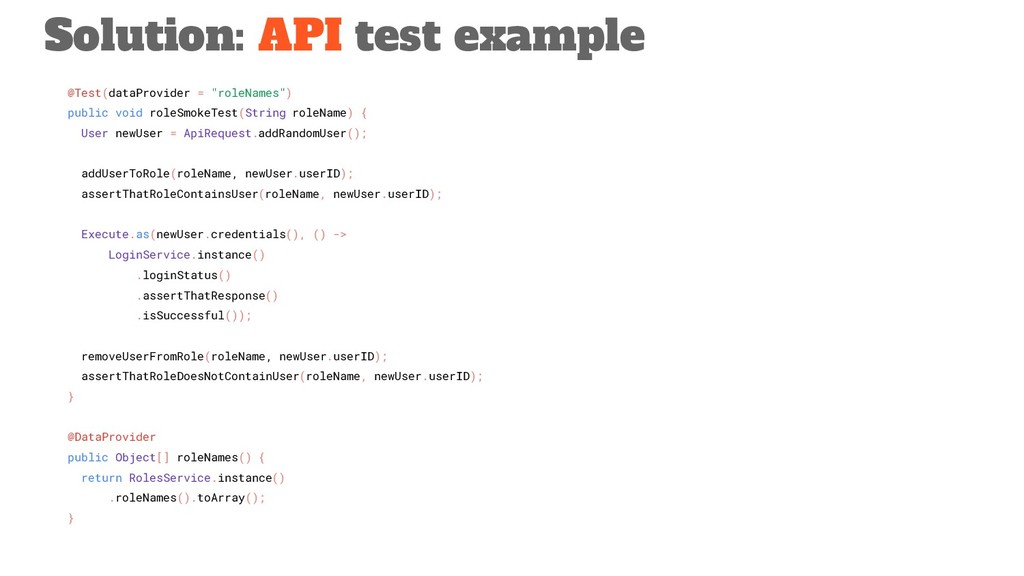
  10. @Test(dataProvider = "roleNames") public void roleSmokeTest(String roleName) { User newUser

    = ApiRequest.addRandomUser(); addUserToRole(roleName, newUser.userID); assertThatRoleContainsUser(roleName, newUser.userID); Execute.as(newUser.credentials(), () -> LoginService.instance() .loginStatus() .assertThatResponse() .isSuccessful()); removeUserFromRole(roleName, newUser.userID); assertThatRoleDoesNotContainUser(roleName, newUser.userID); } @DataProvider public Object[] roleNames() { return RolesService.instance() .roleNames().toArray(); } Solution: API test example
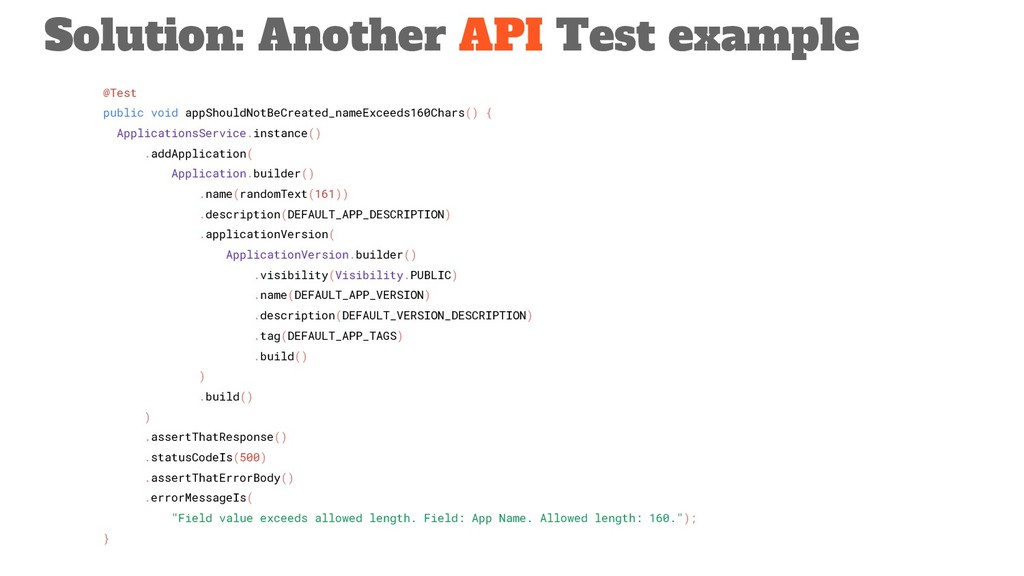
  11. @Test public void appShouldNotBeCreated_nameExceeds160Chars() { ApplicationsService.instance() .addApplication( Application.builder() .name(randomText(161)) .description(DEFAULT_APP_DESCRIPTION)

    .applicationVersion( ApplicationVersion.builder() .visibility(Visibility.PUBLIC) .name(DEFAULT_APP_VERSION) .description(DEFAULT_VERSION_DESCRIPTION) .tag(DEFAULT_APP_TAGS) .build() ) .build() ) .assertThatResponse() .statusCodeIs(500) .assertThatErrorBody() .errorMessageIs( "Field value exceeds allowed length. Field: App Name. Allowed length: 160."); } Solution: Another API Test example
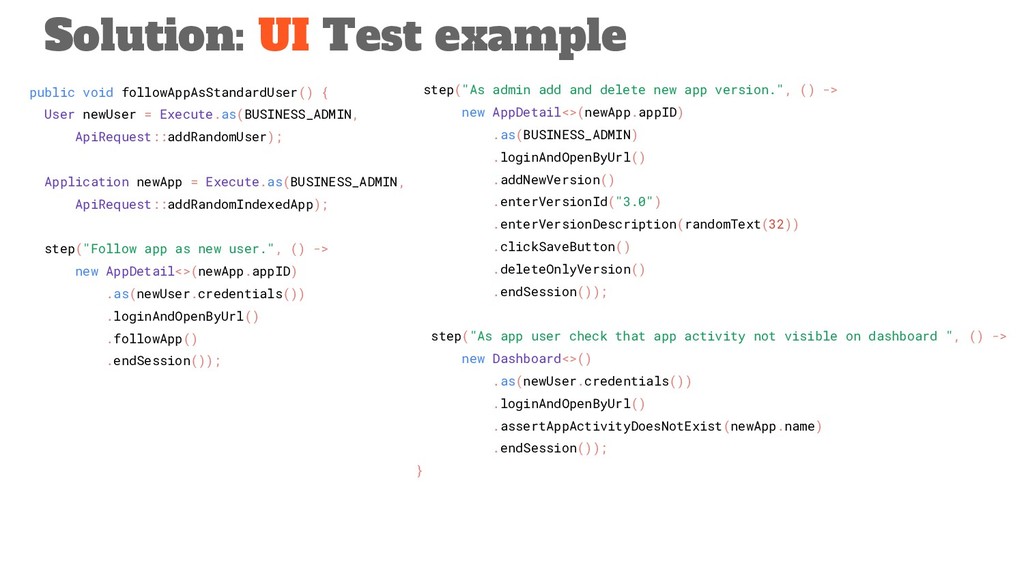
  12. public void followAppAsStandardUser() { User newUser = Execute.as(BUSINESS_ADMIN, ApiRequest::addRandomUser); Application

    newApp = Execute.as(BUSINESS_ADMIN, ApiRequest::addRandomIndexedApp); step("Follow app as new user.", () -> new AppDetail<>(newApp.appID) .as(newUser.credentials()) .loginAndOpenByUrl() .followApp() .endSession()); Solution: UI Test example step("As admin add and delete new app version.", () -> new AppDetail<>(newApp.appID) .as(BUSINESS_ADMIN) .loginAndOpenByUrl() .addNewVersion() .enterVersionId("3.0") .enterVersionDescription(randomText(32)) .clickSaveButton() .deleteOnlyVersion() .endSession()); step("As app user check that app activity not visible on dashboard ", () -> new Dashboard<>() .as(newUser.credentials()) .loginAndOpenByUrl() .assertAppActivityDoesNotExist(newApp.name) .endSession()); }
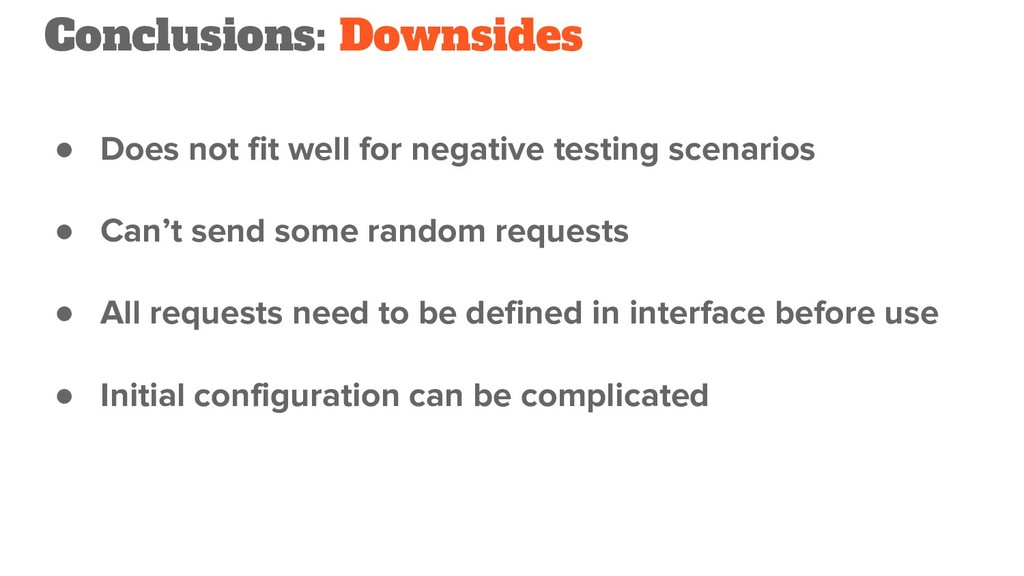
  13. • Does not fit well for negative testing scenarios •

    Can’t send some random requests • All requests need to be defined in interface before use • Initial configuration can be complicated Conclusions: Downsides
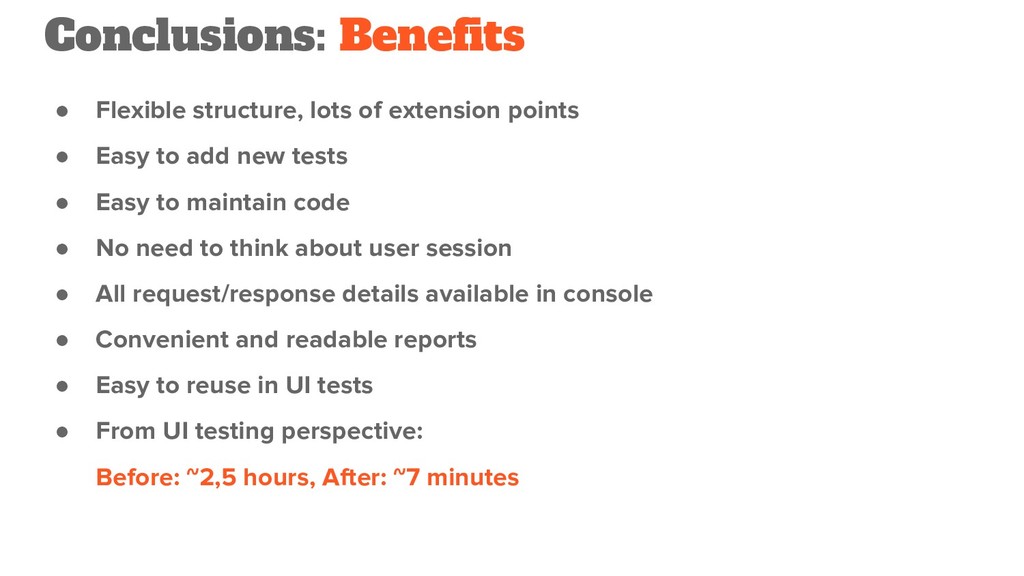
  14. • Flexible structure, lots of extension points • Easy to

    add new tests • Easy to maintain code • No need to think about user session • All request/response details available in console • Convenient and readable reports • Easy to reuse in UI tests • From UI testing perspective: Before: ~2,5 hours, After: ~7 minutes Conclusions: Benefits
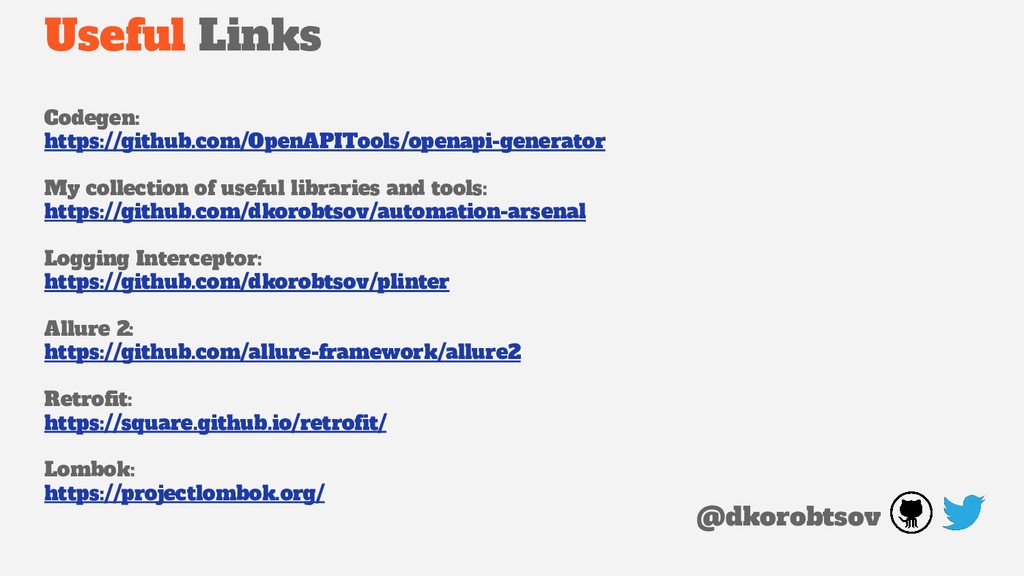
  15. Useful Links Codegen: https://github.com/OpenAPITools/openapi-generator My collection of useful libraries and

    tools: https://github.com/dkorobtsov/automation-arsenal Logging Interceptor: https://github.com/dkorobtsov/plinter Allure 2: https://github.com/allure-framework/allure2 Retrofit: https://square.github.io/retrofit/ Lombok: https://projectlombok.org/ @dkorobtsov