Upgrade to Pro
— share decks privately, control downloads, hide ads and more …
Speaker Deck
Sign up for free
Menu
Search
Features
All features
Private URLs
Password Protection
Custom URLS
Scheduled publishing
Remove Branding
Restrict embedding
Deck Collections
Notes
Features
All features
Private URLs
Password Protection
Custom URLS
Scheduled publishing
Remove Branding
Restrict embedding
Deck Collections
Notes
Explore
Featured decks
Featured speakers
Programming
Technology
Storyboards
Explore
Featured decks
Featured speakers
Programming
Technology
Storyboards
Pricing
Search
Sign in
Sign up for free
空間情報システム入門1課題
Search
Sponsored
·
Your Podcast. Everywhere. Effortlessly.
Share. Educate. Inspire. Entertain. You do you. We'll handle the rest.
→
ko4
June 16, 2016
48
0
Share
Embed
Copy iframe code
Copy JS code
Copy link
Start on current slide
空間情報システム入門1課題
ko4
June 16, 2016
Featured
See All Featured
The Hidden Cost of Media on the Web [PixelPalooza 2025]
tammyeverts
2
530
Taking LLMs out of the black box: A practical guide to human-in-the-loop distillation
inesmontani
PRO
3
2.5k
Creating an realtime collaboration tool: Agile Flush - .NET Oxford
marcduiker
35
2.6k
Sam Torres - BigQuery for SEOs
techseoconnect
PRO
0
580
The Success of Rails: Ensuring Growth for the Next 100 Years
eileencodes
47
8.4k
Docker and Python
trallard
47
4.2k
CSS Pre-Processors: Stylus, Less & Sass
bermonpainter
360
31k
The Art of Delivering Value - GDevCon NA Keynote
reverentgeek
16
2.2k
New Earth Scene 8
popppiees
4
2.7k
The AI Revolution Will Not Be Monopolized: How open-source beats economies of scale, even for LLMs
inesmontani
PRO
3
3.8k
Principles of Awesome APIs and How to Build Them.
keavy
128
18k
SEO Brein meetup: CTRL+C is not how to scale international SEO
lindahogenes
2
2.9k
Transcript
OpenStreetMapマニュアル tasking manager 空間情報システム1課題 1A116159 中村美那
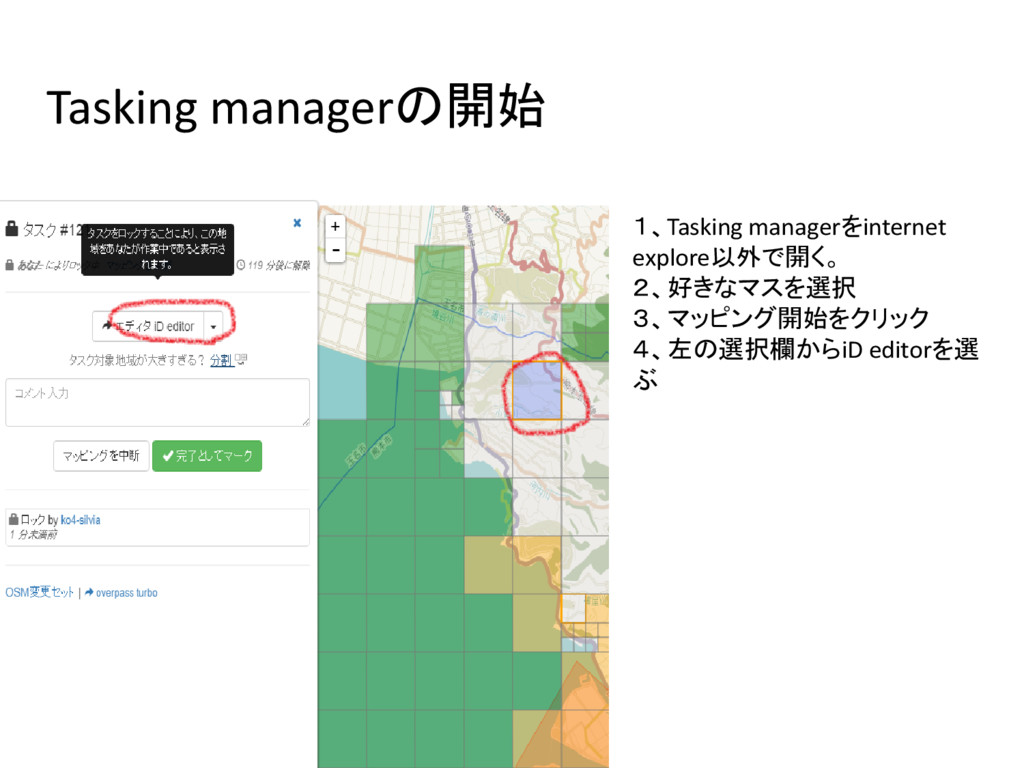
1、Tasking managerをinternet explore以外で開く。 2、好きなマスを選択 3、マッピング開始をクリック 4、左の選択欄からiD editorを選 ぶ Tasking managerの開始
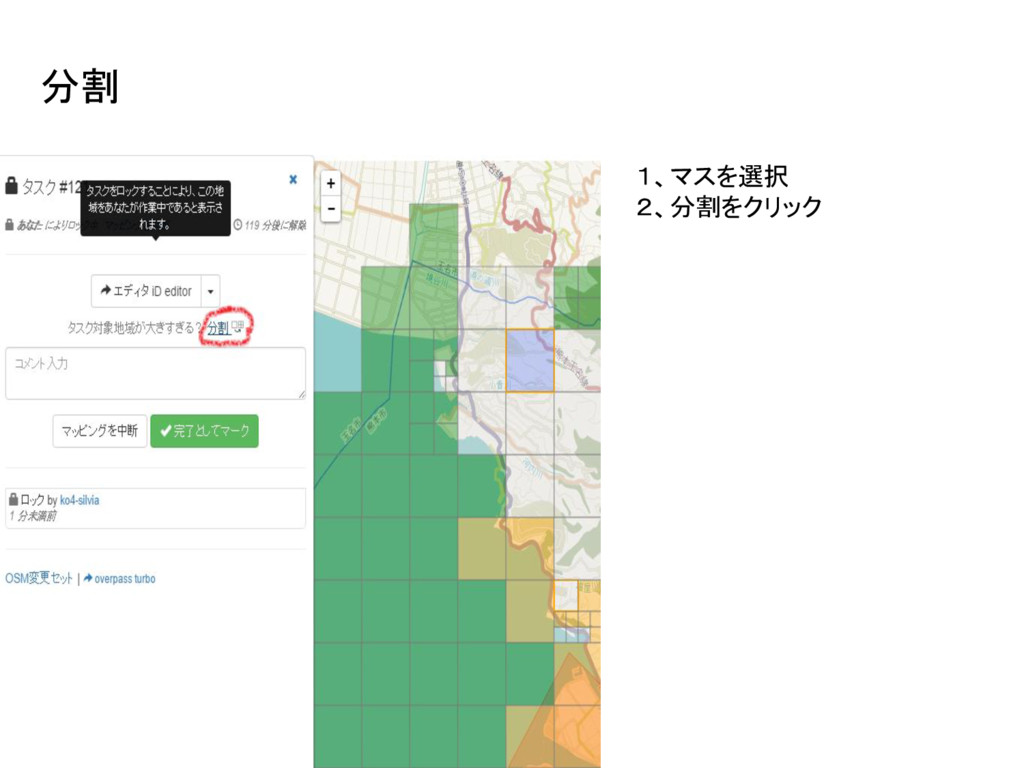
1、マスを選択 2、分割をクリック 分割
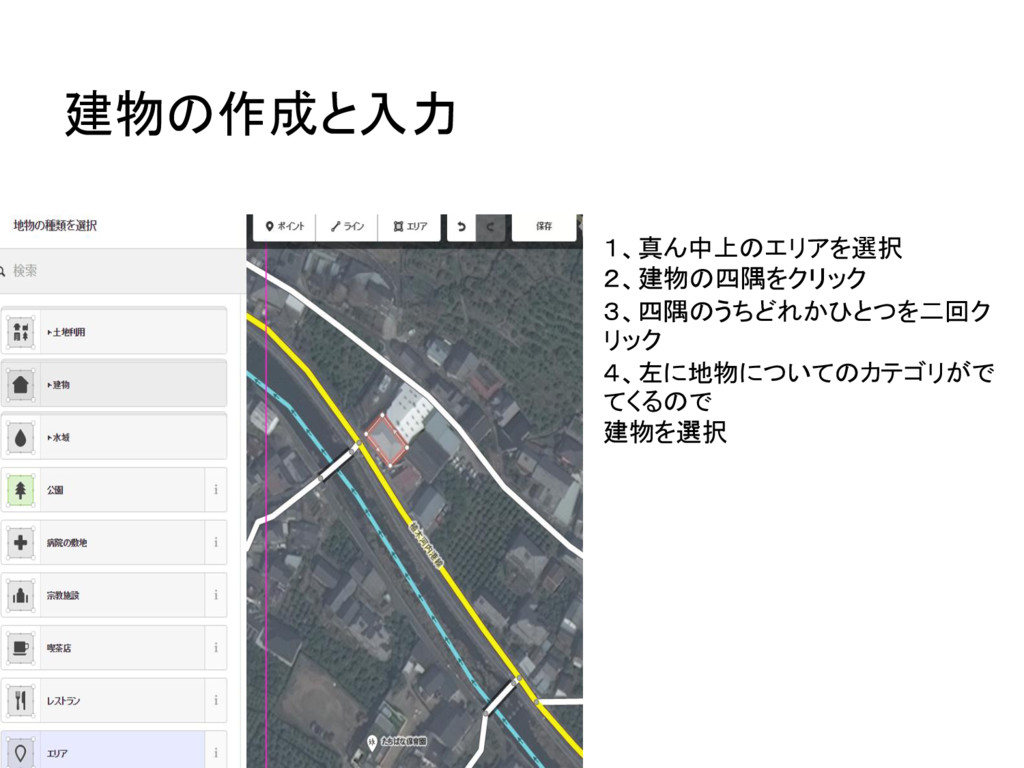
1、真ん中上のエリアを選択 2、建物の四隅をクリック 3、四隅のうちどれかひとつを二回ク リック 4、左に地物についてのカテゴリがで てくるので 建物を選択 建物の作成と入力
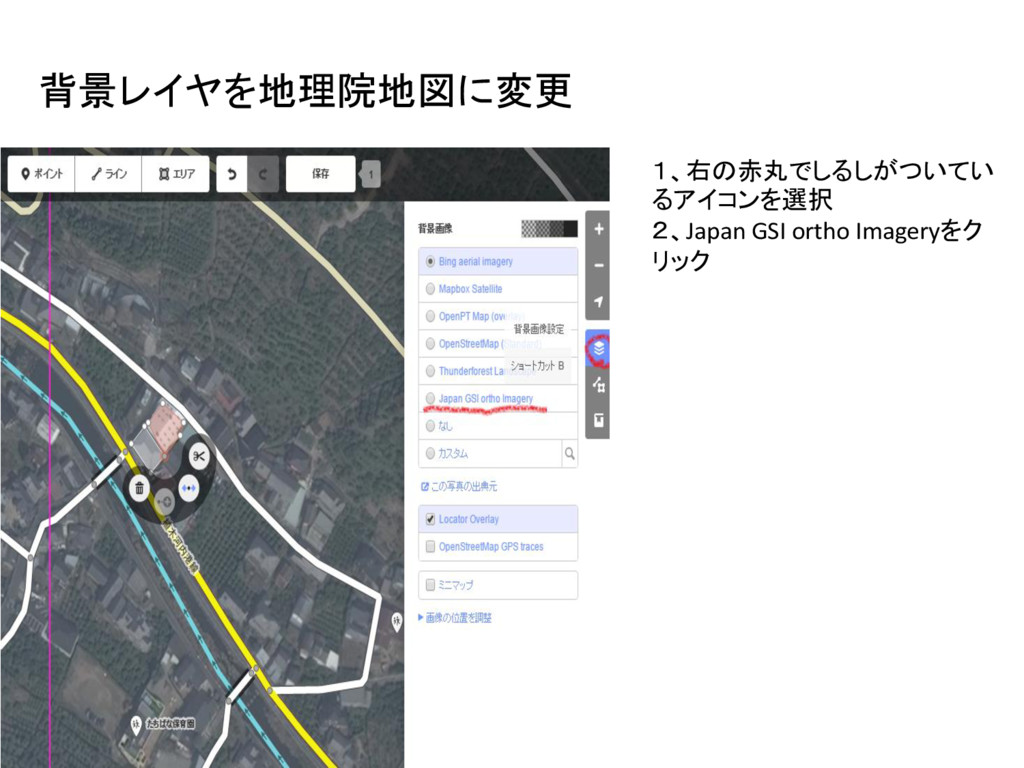
1、右の赤丸でしるしがついてい るアイコンを選択 2、Japan GSI ortho Imageryをク リック 背景レイヤを地理院地図に変更
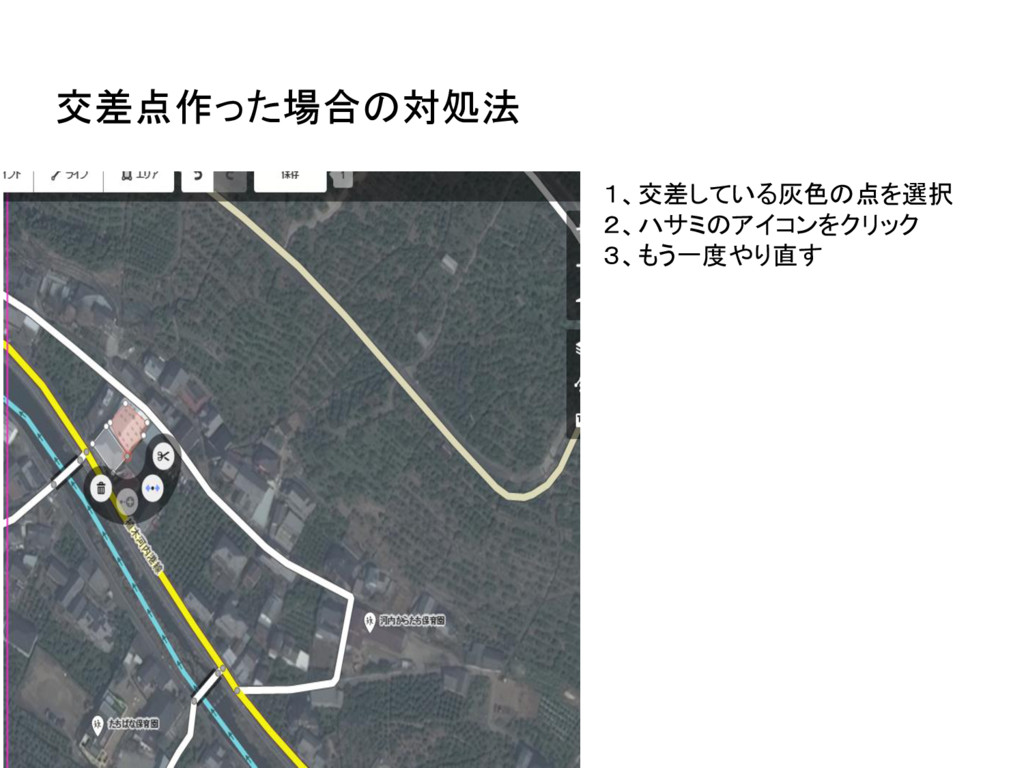
1、交差している灰色の点を選択 2、ハサミのアイコンをクリック 3、もう一度やり直す 交差点作った場合の対処法
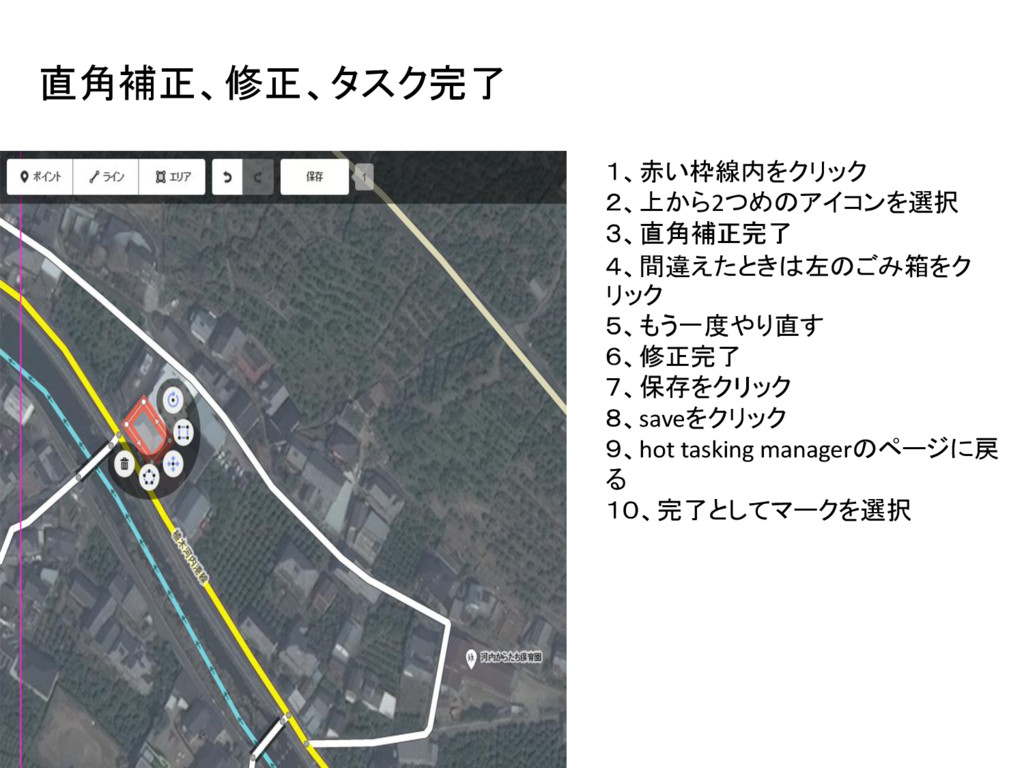
1、赤い枠線内をクリック 2、上から2つめのアイコンを選択 3、直角補正完了 4、間違えたときは左のごみ箱をク リック 5、もう一度やり直す 6、修正完了 7、保存をクリック 8、saveをクリック 9、hot
tasking managerのページに戻 る 10、完了としてマークを選択 直角補正、修正、タスク完了


 tammyeverts
 inesmontani
 marcduiker
 techseoconnect
 eileencodes
 trallard
 bermonpainter
 reverentgeek
 popppiees
 keavy
keavy
 lindahogenes