Upgrade to Pro
— share decks privately, control downloads, hide ads and more …
Speaker Deck
Sign up for free
Menu
Search
Features
All features
Private URLs
Password Protection
Custom URLS
Scheduled publishing
Remove Branding
Restrict embedding
Deck Collections
Notes
Features
All features
Private URLs
Password Protection
Custom URLS
Scheduled publishing
Remove Branding
Restrict embedding
Deck Collections
Notes
Explore
Featured decks
Featured speakers
Programming
Technology
Storyboards
Explore
Featured decks
Featured speakers
Programming
Technology
Storyboards
Pricing
Search
Sign in
Sign up for free
_TTS_ANNOUNCED.pdf
Search
Akane
August 01, 2025
270
0
Share
Embed
Copy iframe code
Copy JS code
Copy link
Start on current slide
_TTS_ANNOUNCED.pdf
Akane
August 01, 2025
Featured
See All Featured
Scaling GitHub
holman
464
140k
SEO Brein meetup: CTRL+C is not how to scale international SEO
lindahogenes
2
2.9k
How to Think Like a Performance Engineer
csswizardry
28
2.9k
Tell your own story through comics
letsgokoyo
1
1.1k
What Being in a Rock Band Can Teach Us About Real World SEO
427marketing
0
1.1k
Have SEOs Ruined the Internet? - User Awareness of SEO in 2025
akashhashmi
0
520
Keith and Marios Guide to Fast Websites
keithpitt
413
23k
Building AI with AI
inesmontani
PRO
1
1.3k
Digital Ethics as a Driver of Design Innovation
axbom
PRO
1
460
How to optimise 3,500 product descriptions for ecommerce in one day using ChatGPT
katarinadahlin
PRO
3
3.9k
Rebuilding a faster, lazier Slack
samanthasiow
85
9.7k
Git: the NoSQL Database
bkeepers
PRO
433
67k
Transcript
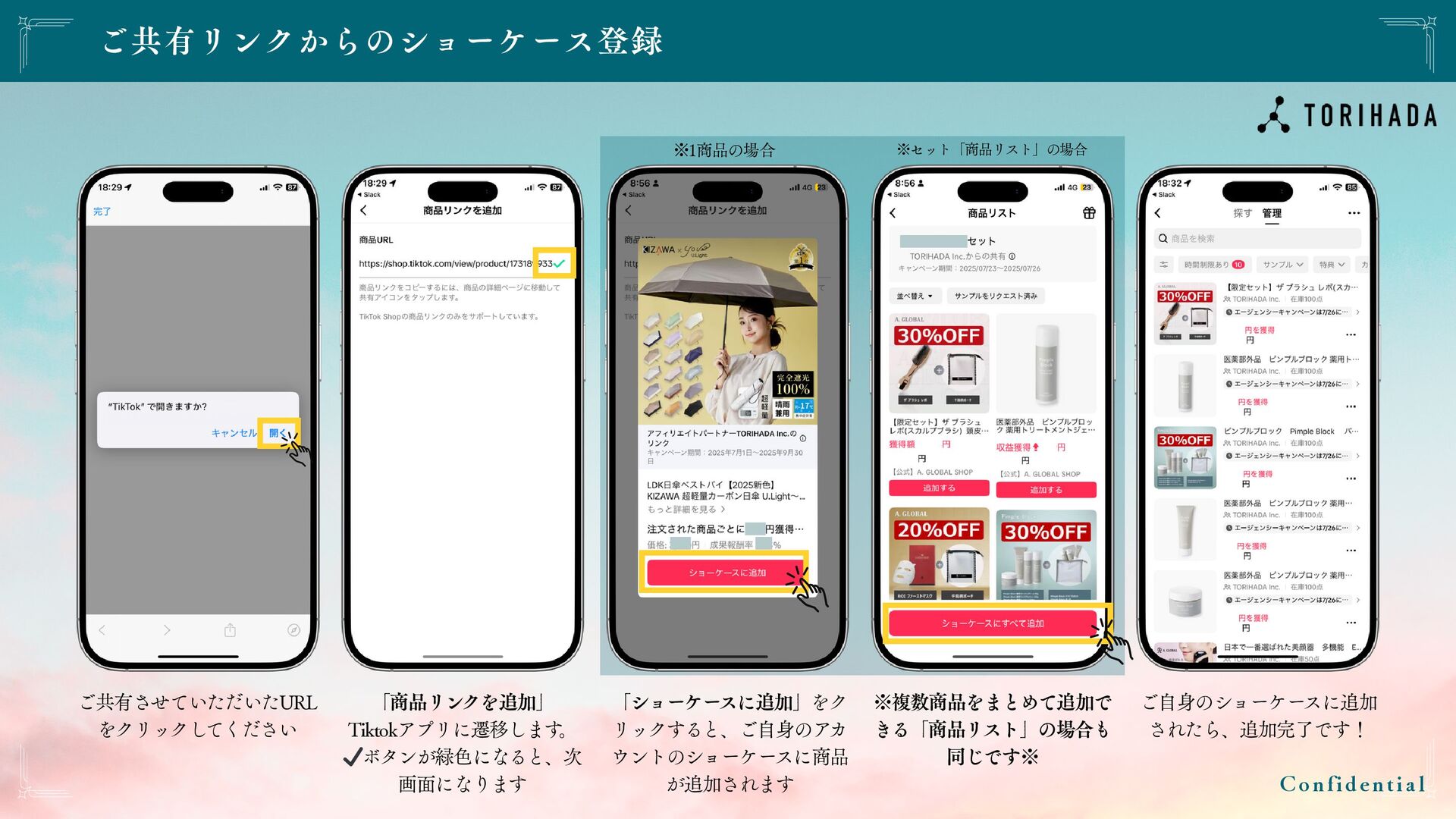
ご共有リンクからのショーケース登録 C o n f i d e n t
i a l ご共有させていただいたURL をクリックしてください 「商品リンクを追加」 Tiktokアプリに遷移します 。 ✔️ボタンが緑色になると、次 画面になります 「ショーケー スに追加」をク リックすると、ご自身のアカ ウントのショーケースに商品 が追加されます ※複数商品をまとめて追加で きる「商品リスト」の場合も 同じです※ ※1商品の場合 ※セット「商品リスト」の場合 ご自身のショーケースに追加 されたら、追加完了です!
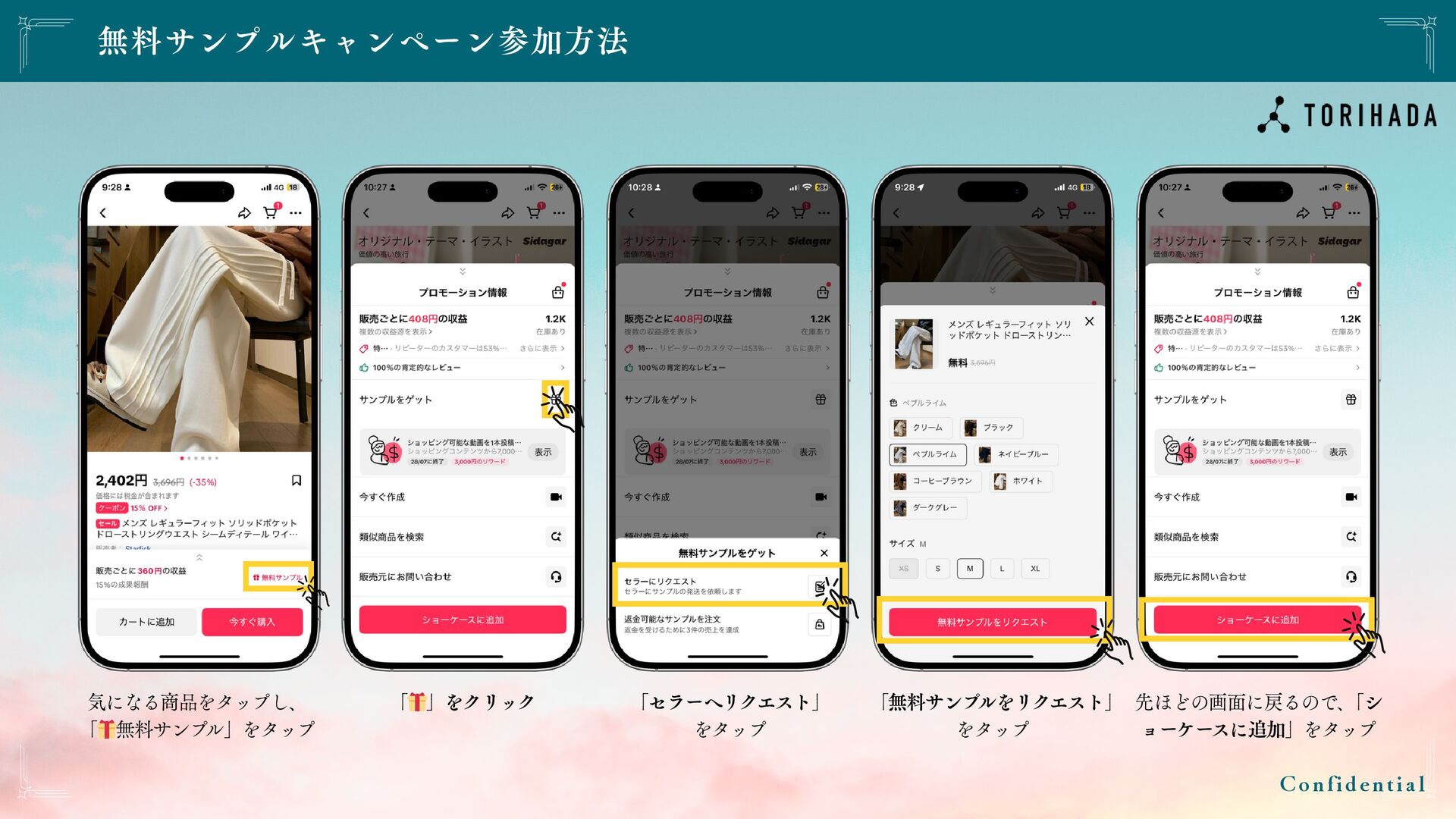
無料サンプルキャンペーン参加方法 C o n f i d e n t
i a l 気になる商品をタップし、 「 🎁無料サンプ ル」をタップ 「 🎁」をクリック 「セラーへリクエスト」 をタップ 「無料サンプ ルをリクエスト」 をタップ 先ほどの画面に戻るので、 「シ ョーケー スに追加」をタップ
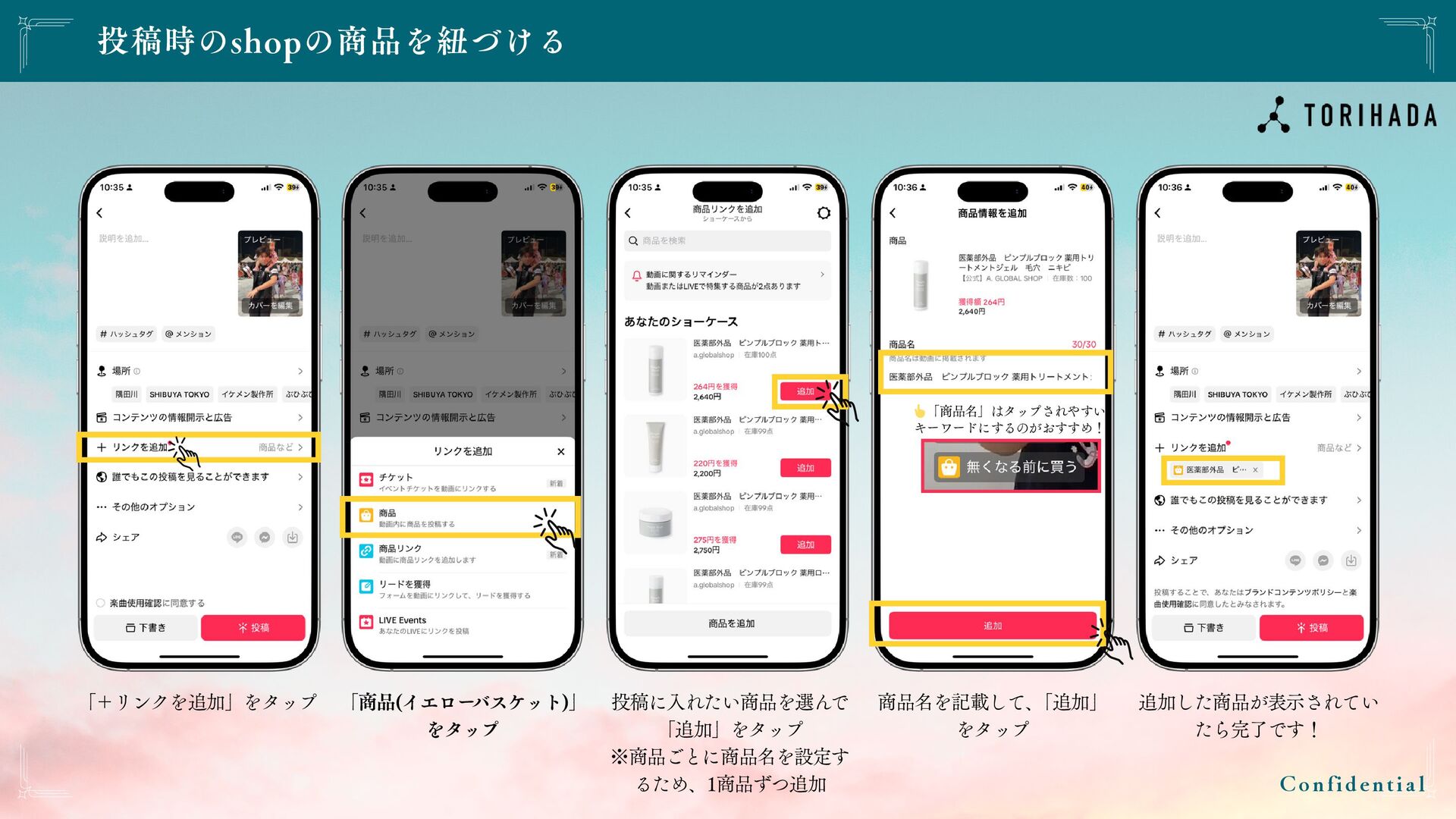
投稿時のshopの商品を紐づける C o n f i d e n t
i a l 「+リンクを追加」をタップ 「商品(イエロー バスケット)」 をタップ 投稿に入れたい商品を選んで 「追加」をタップ ※商品ごとに商品名を設定す るため、1商品ずつ追加 商品名を記載して、 「追加」 をタップ 追加した商品が表示されてい たら完了です! 👆「商品名」はタップされやすい キーワードにするのがおすすめ!
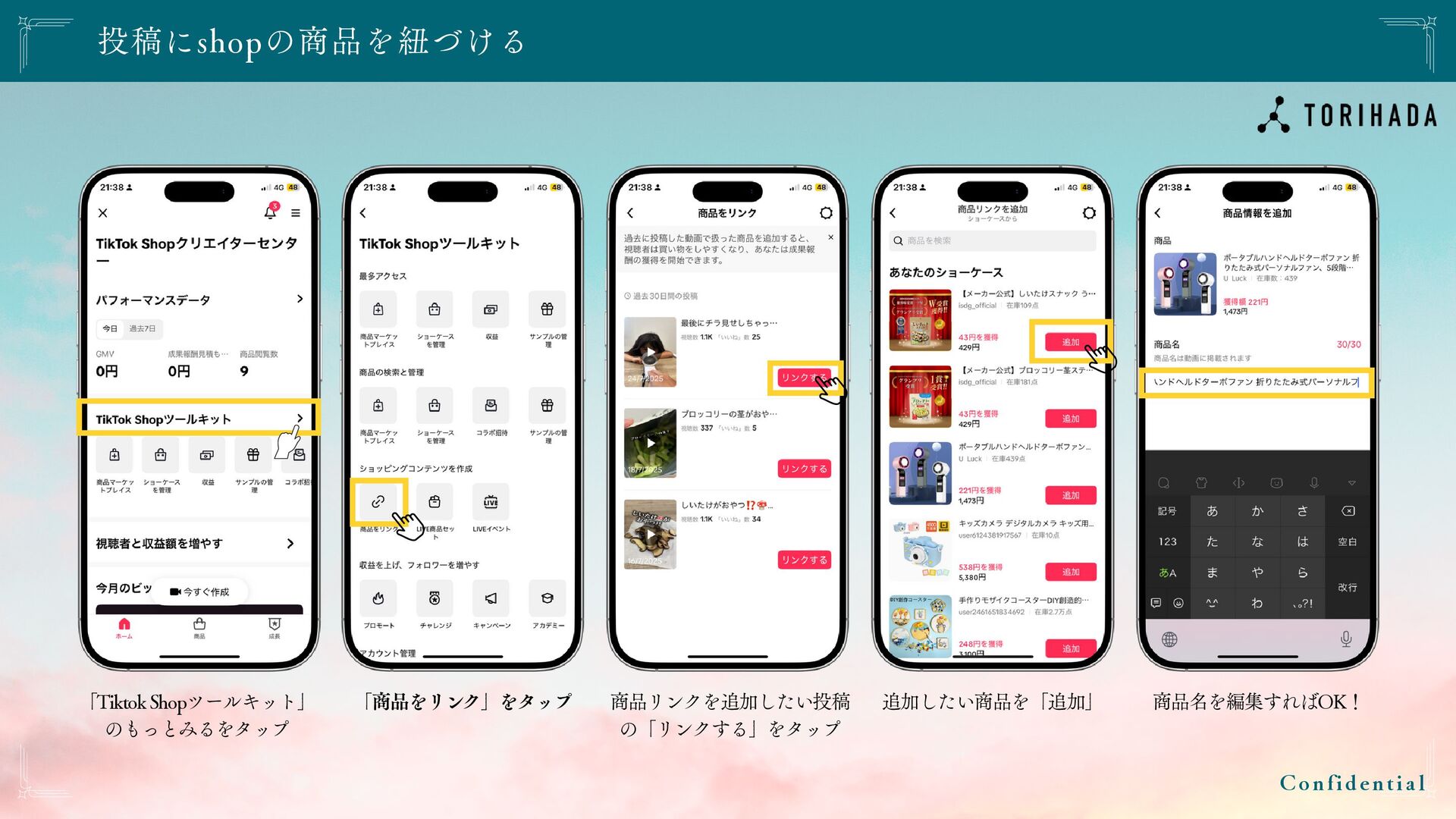
投稿にshopの商品を紐づける C o n f i d e n t
i a l 「Tiktok Shopツールキット」 のもっとみるをタップ 「商品をリンク」をタップ 商品リンクを追加したい投稿 の「リンクする」をタップ 追加したい商品を「追加」 商品名を編集すればOK!


 holman
 lindahogenes
 csswizardry
 letsgokoyo
 427marketing
 akashhashmi
 keithpitt
 inesmontani
 axbom
axbom
 katarinadahlin
 samanthasiow
 bkeepers