Upgrade to Pro
— share decks privately, control downloads, hide ads and more …
Speaker Deck
Sign up for free
Menu
Search
Features
All features
Private URLs
Password Protection
Custom URLS
Scheduled publishing
Remove Branding
Restrict embedding
Deck Collections
Notes
Features
All features
Private URLs
Password Protection
Custom URLS
Scheduled publishing
Remove Branding
Restrict embedding
Deck Collections
Notes
Explore
Featured decks
Featured speakers
Programming
Technology
Storyboards
Explore
Featured decks
Featured speakers
Programming
Technology
Storyboards
Pricing
Search
Sign in
Sign up for free
Ansible with with Molecule
Search
Markus Hanses
February 28, 2019
Programming
100
0
Share
Embed
Copy iframe code
Copy JS code
Copy link
Start on current slide
Ansible with with Molecule
Markus Hanses
February 28, 2019
More Decks by Markus Hanses
See All by Markus Hanses
DomainDriven Design - An Overview
markushanses
0
2.1k
Apache Zeppelin Tutorial
markushanses
0
480
Git - shared insights
markushanses
0
91
Spock configuration variants
markushanses
0
340
Spock.Code.Week
markushanses
0
140
Kontinuierliches Refactoring
markushanses
0
1.1k
TDD Coding Dojo
markushanses
0
630
TDD Code-Kata - Eine Einführung
markushanses
0
580
Other Decks in Programming
See All in Programming
sbt 2.0: takeoff
eed3si9n
0
160
ActionController meets Protocol Buffers
sorah
0
520
AIで開発が速くなった先で、開発チームは何を目指すか
shihochan
0
1k
ジョジョの世界をXRで再現する
mofurune
0
160
phperだってパンチカードでコーディングしたい
o0h
PRO
0
330
Herb in Rails 8.2: Your ERB views, now HTML-aware @ Kaigi on Rails 2026, Tokyo, Japan
marcoroth
2
220
IBM Bob Dojo #1 仕様駆動開発入門
oniak3ibm
PRO
0
390
コードで差別化できない時代の ソフトウェアエンジニアリング / Software Engineering in an Era Where Code Doesn’t Differentiate
kishida
2
180
iOS 27でニュースアプリはどう変わる!? 〜日経電子版の新機能対応と、開発事例から〜
lynnswap
7
13k
パズルゲームの作り方 / how to make puzzle games
kaityo256
PRO
2
290
機械に任せるテスト、人が見るテスト ⽣成AIで引き直した、運⽤保守フェーズの線引き
dske104
0
190
IBM Bob でAI駆動開発『QC-Playbook』
ichirokano2
0
110
Featured
See All Featured
Beyond borders and beyond the search box: How to win the global "messy middle" with AI-driven SEO
davidcarrasco
3
280
Distributed Sagas: A Protocol for Coordinating Microservices
caitiem20
333
23k
Are puppies a ranking factor?
jonoalderson
2
4.1k
The agentic SEO stack - context over prompts
schlessera
0
970
AI Search: Where Are We & What Can We Do About It?
aleyda
0
8.1k
The Pragmatic Product Professional
lauravandoore
37
7.5k
Claude Code のすすめ
schroneko
67
230k
Creating an realtime collaboration tool: Agile Flush - .NET Oxford
marcduiker
35
2.6k
How To Stay Up To Date on Web Technology
chriscoyier
790
250k
Product Roadmaps are Hard
iamctodd
55
13k
How to audit for AI Accessibility on your Front & Back End
davetheseo
0
600
StorybookのUI Testing Handbookを読んだ
zakiyama
31
7k
Transcript
Ansible Testing with Molecule
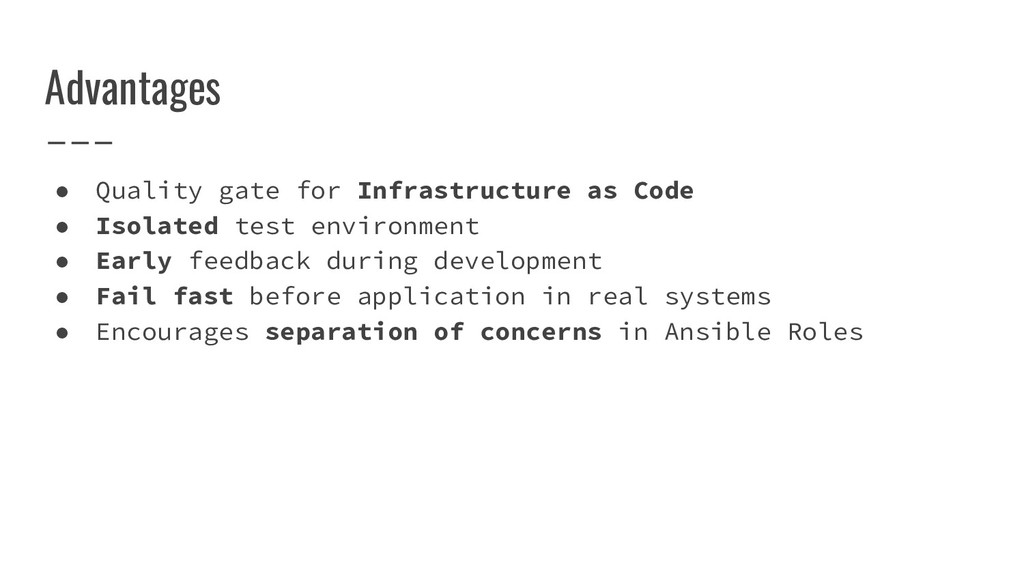
Advantages • Quality gate for Infrastructure as Code • Isolated
test environment • Early feedback during development • Fail fast before application in real systems • Encourages separation of concerns in Ansible Roles
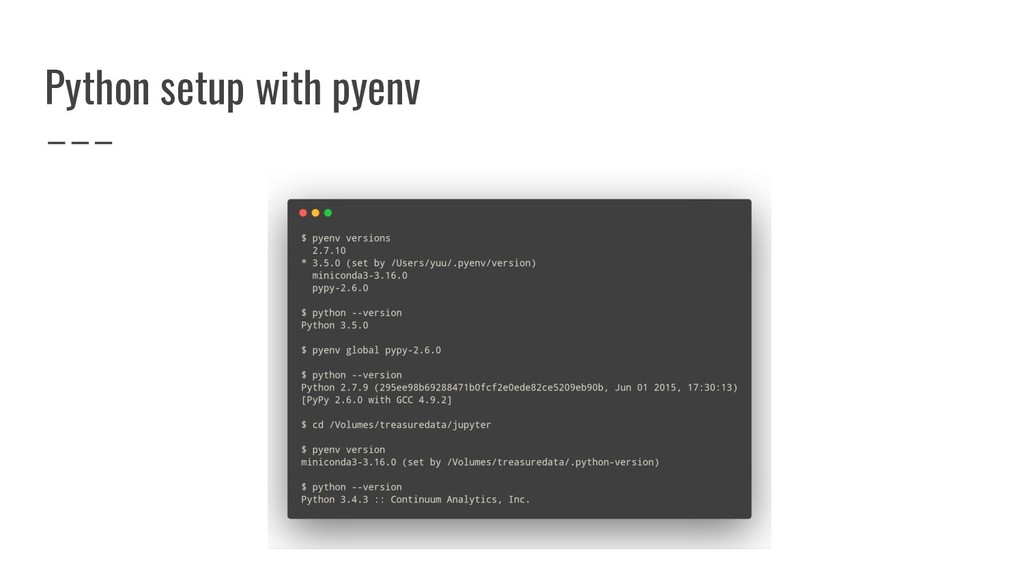
Python setup with pyenv
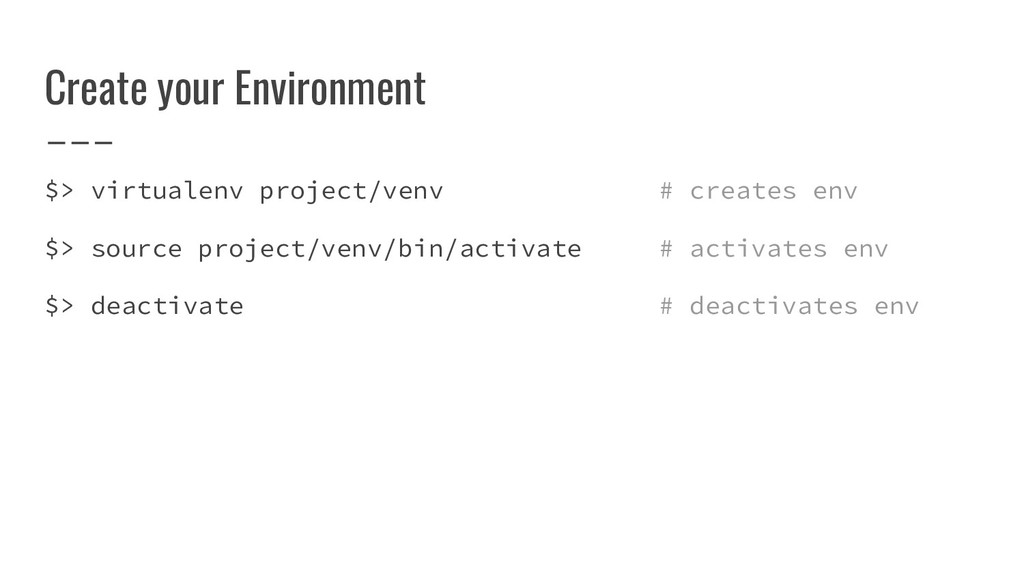
Create your Environment $> virtualenv project/venv # creates env $>
source project/venv/bin/activate # activates env $> deactivate # deactivates env
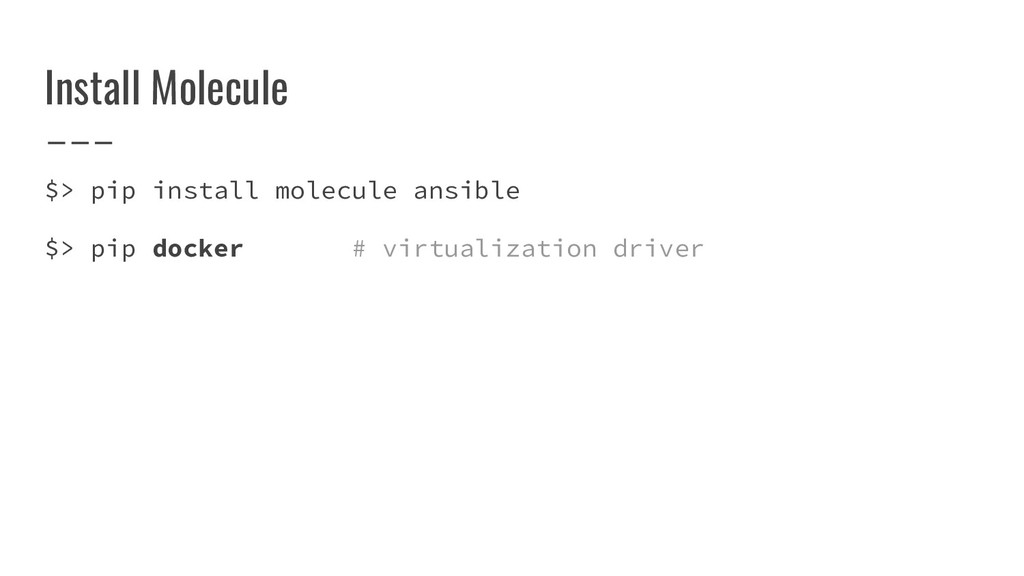
Install Molecule $> pip install molecule ansible $> pip docker
# virtualization driver
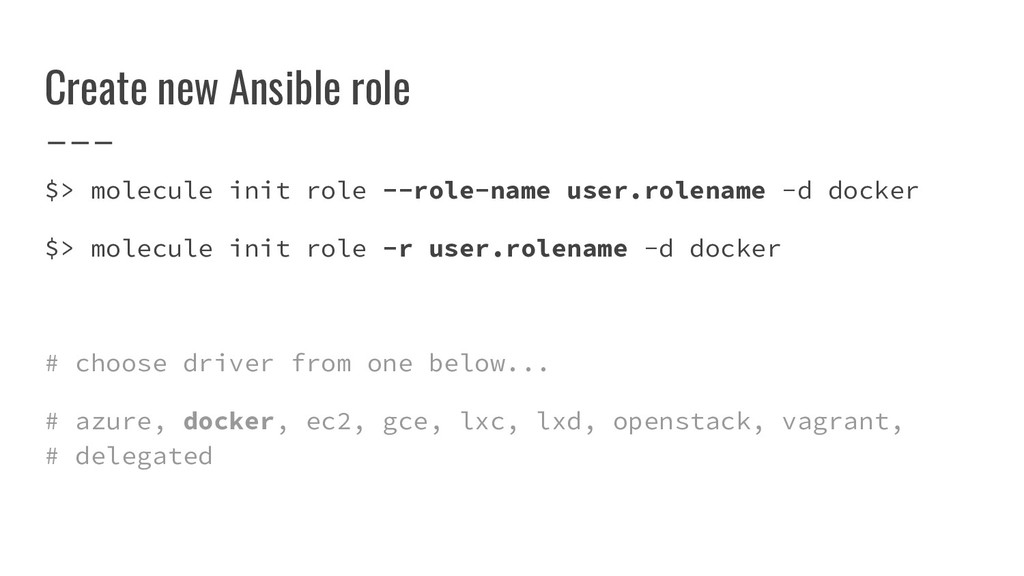
Create new Ansible role $> molecule init role --role-name user.rolename
-d docker $> molecule init role -r user.rolename -d docker # choose driver from one below... # azure, docker, ec2, gce, lxc, lxd, openstack, vagrant, # delegated
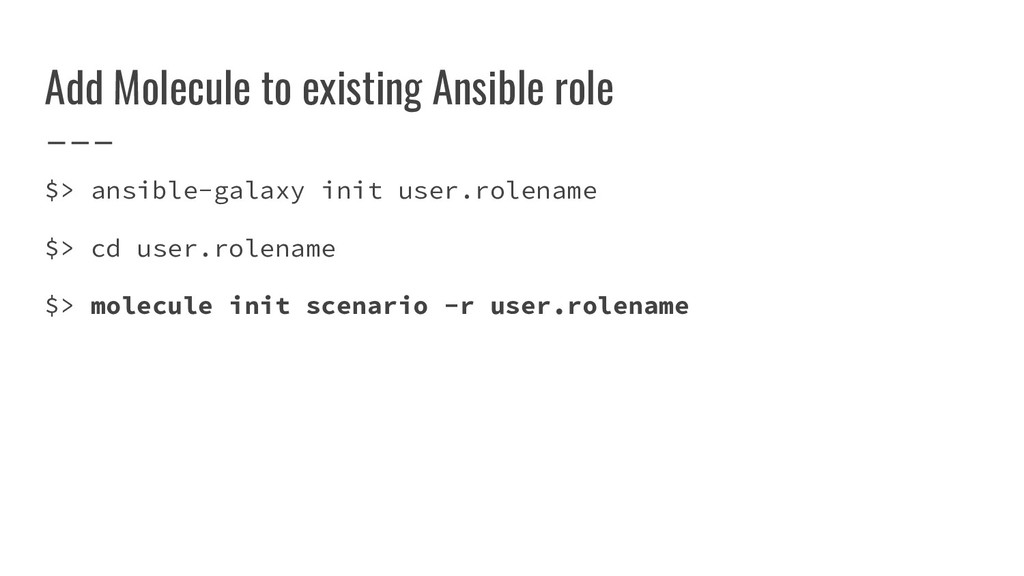
Add Molecule to existing Ansible role $> ansible-galaxy init user.rolename
$> cd user.rolename $> molecule init scenario -r user.rolename
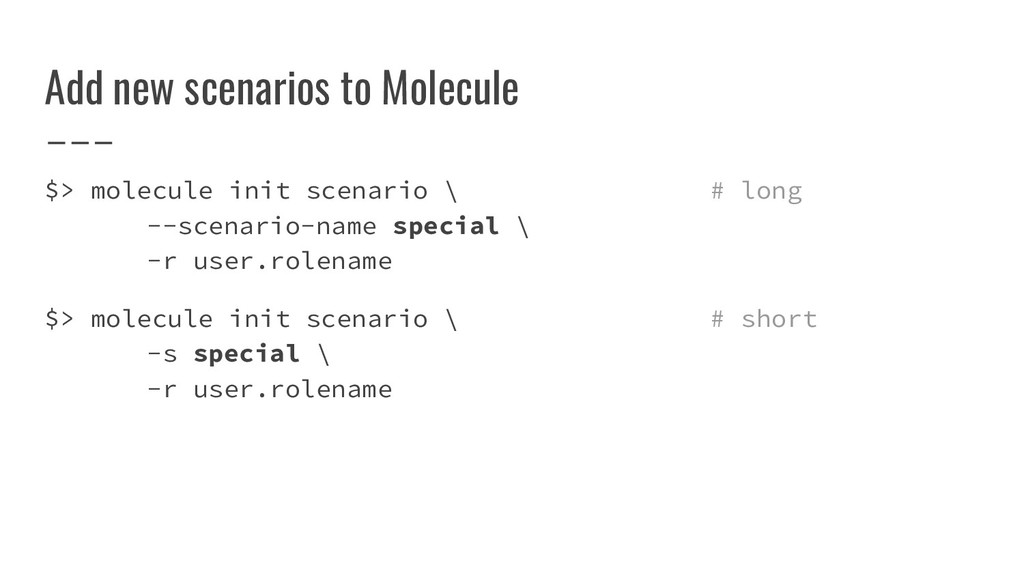
Add new scenarios to Molecule $> molecule init scenario \
# long --scenario-name special \ -r user.rolename $> molecule init scenario \ # short -s special \ -r user.rolename
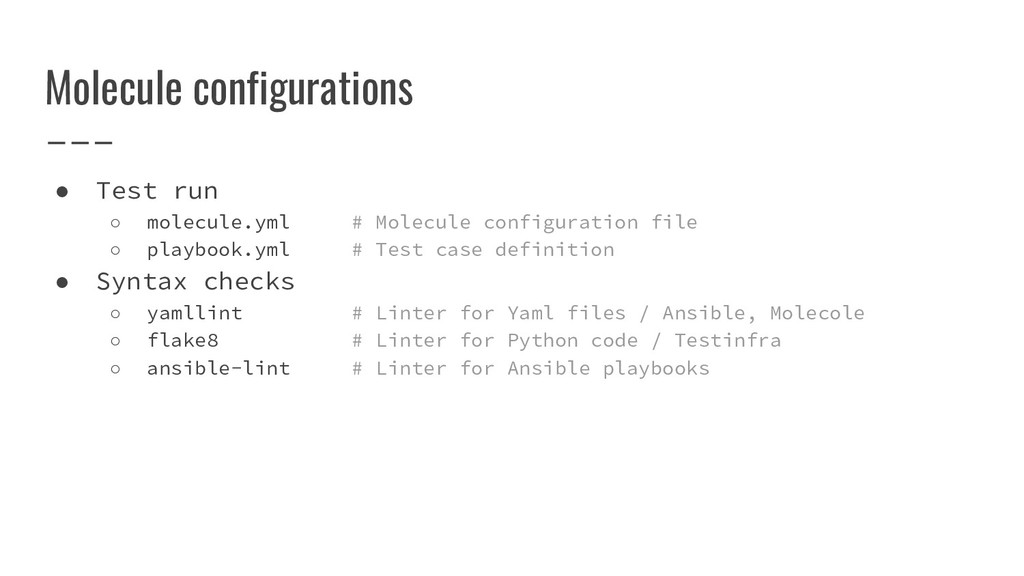
Molecule configurations • Test run ◦ molecule.yml # Molecule configuration
file ◦ playbook.yml # Test case definition • Syntax checks ◦ yamllint # Linter for Yaml files / Ansible, Molecole ◦ flake8 # Linter for Python code / Testinfra ◦ ansible-lint # Linter for Ansible playbooks
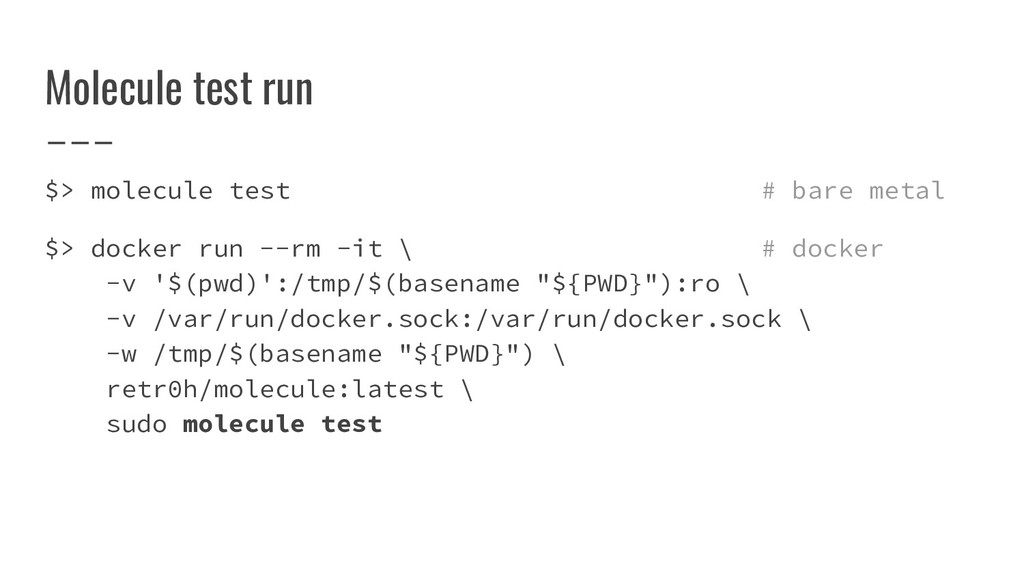
Molecule test run $> molecule test # bare metal $>
docker run --rm -it \ # docker -v '$(pwd)':/tmp/$(basename "${PWD}"):ro \ -v /var/run/docker.sock:/var/run/docker.sock \ -w /tmp/$(basename "${PWD}") \ retr0h/molecule:latest \ sudo molecule test
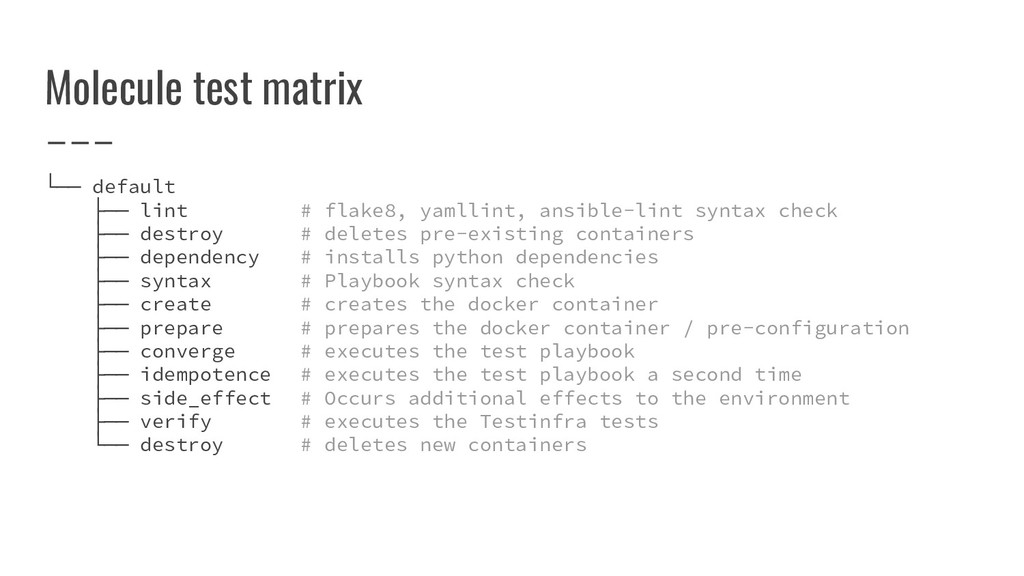
Molecule test matrix └── default ├── lint # flake8, yamllint,
ansible-lint syntax check ├── destroy # deletes pre-existing containers ├── dependency # installs python dependencies ├── syntax # Playbook syntax check ├── create # creates the docker container ├── prepare # prepares the docker container / pre-configuration ├── converge # executes the test playbook ├── idempotence # executes the test playbook a second time ├── side_effect # Occurs additional effects to the environment ├── verify # executes the Testinfra tests └── destroy # deletes new containers
Demo Time • IaC sample project • From scratch
end of presentation Author Markus Hanses Date 2019-03-02
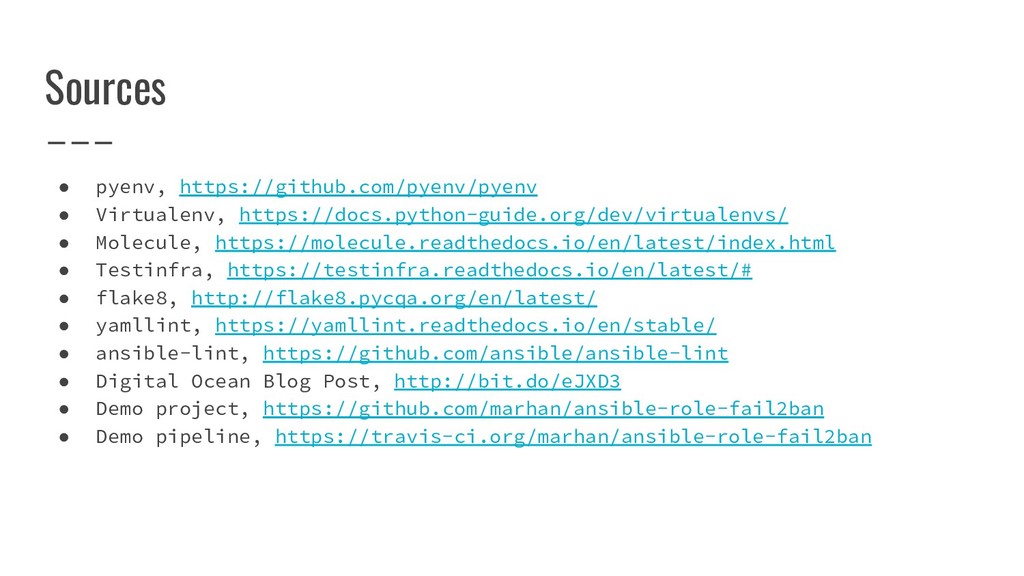
Sources • pyenv, https://github.com/pyenv/pyenv • Virtualenv, https://docs.python-guide.org/dev/virtualenvs/ • Molecule, https://molecule.readthedocs.io/en/latest/index.html
• Testinfra, https://testinfra.readthedocs.io/en/latest/# • flake8, http://flake8.pycqa.org/en/latest/ • yamllint, https://yamllint.readthedocs.io/en/stable/ • ansible-lint, https://github.com/ansible/ansible-lint • Digital Ocean Blog Post, http://bit.do/eJXD3 • Demo project, https://github.com/marhan/ansible-role-fail2ban • Demo pipeline, https://travis-ci.org/marhan/ansible-role-fail2ban


 markushanses
 eed3si9n
 sorah
sorah
 shihochan
 mofurune
 o0h
o0h
 marcoroth
 oniak3ibm
 kishida
 lynnswap
 kaityo256
 dske104
 ichirokano2
 davidcarrasco
 caitiem20
 jonoalderson
 schlessera
 aleyda
 lauravandoore
 schroneko
 marcduiker
 chriscoyier
 iamctodd
 davetheseo
 zakiyama