Upgrade to Pro
— share decks privately, control downloads, hide ads and more …
Speaker Deck
Sign up for free
Menu
Search
Features
All features
Private URLs
Password Protection
Custom URLS
Scheduled publishing
Remove Branding
Restrict embedding
Deck Collections
Notes
Features
All features
Private URLs
Password Protection
Custom URLS
Scheduled publishing
Remove Branding
Restrict embedding
Deck Collections
Notes
Explore
Featured decks
Featured speakers
Programming
Technology
Storyboards
Explore
Featured decks
Featured speakers
Programming
Technology
Storyboards
Pricing
Search
Sign in
Sign up for free
Open Street Map マニュアル
Search
Miwa Yokoyama
June 20, 2016
36
0
Share
Embed
Copy iframe code
Copy JS code
Copy link
Start on current slide
Open Street Map マニュアル
Miwa Yokoyama
June 20, 2016
More Decks by Miwa Yokoyama
See All by Miwa Yokoyama
PokemonGOの対象物マップの作り方
miwayokoyama
0
42
Featured
See All Featured
SEOcharity - Dark patterns in SEO and UX: How to avoid them and build a more ethical web
sarafernandez
0
300
Heart Work Chapter 1 - Part 1
lfama
PRO
10
37k
BBQ
matthewcrist
90
10k
Designing for Performance
lara
612
70k
The untapped power of vector embeddings
frankvandijk
2
1.9k
WENDY [Excerpt]
tessaabrams
14
40k
The Psychology of Web Performance [Beyond Tellerrand 2023]
tammyeverts
49
3.6k
ラッコキーワード サービス紹介資料
rakko
1
5.3M
svc-hook: hooking system calls on ARM64 by binary rewriting
retrage
2
630
Mobile First: as difficult as doing things right
swwweet
225
10k
The #1 spot is gone: here's how to win anyway
tamaranovitovic
4
1.2k
The innovator’s Mindset - Leading Through an Era of Exponential Change - McGill University 2025
jdejongh
PRO
1
380
Transcript
Open Street Map マニュアル 1A116233 横山美和
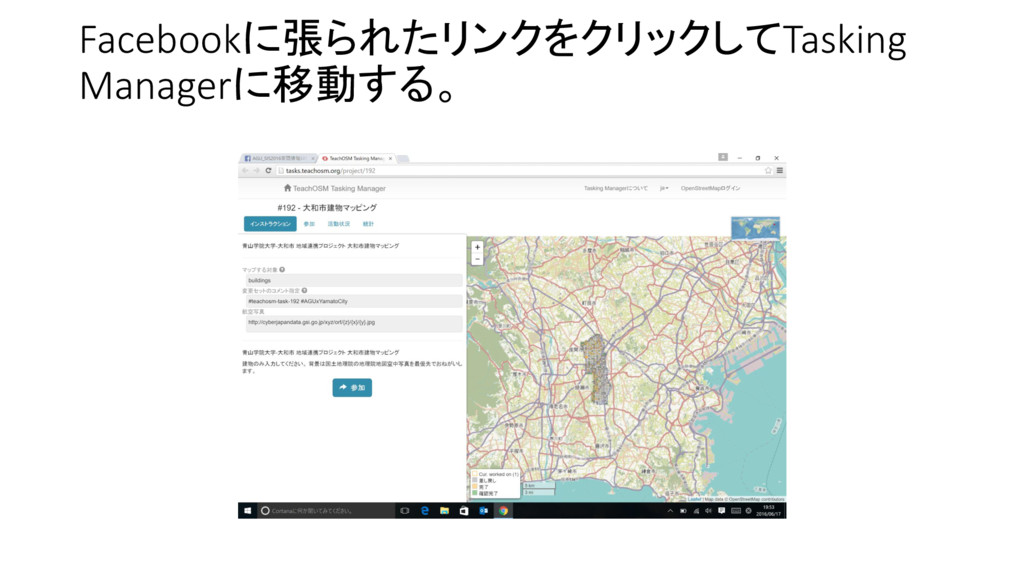
Facebookに張られたリンクをクリックしてTasking Managerに移動する。
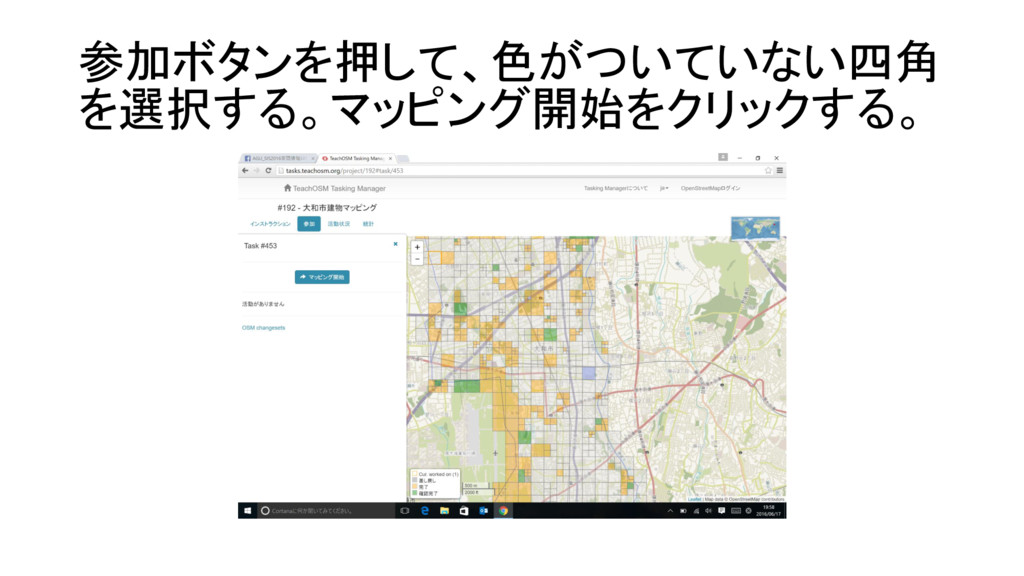
参加ボタンを押して、色がついていない四角 を選択する。マッピング開始をクリックする。
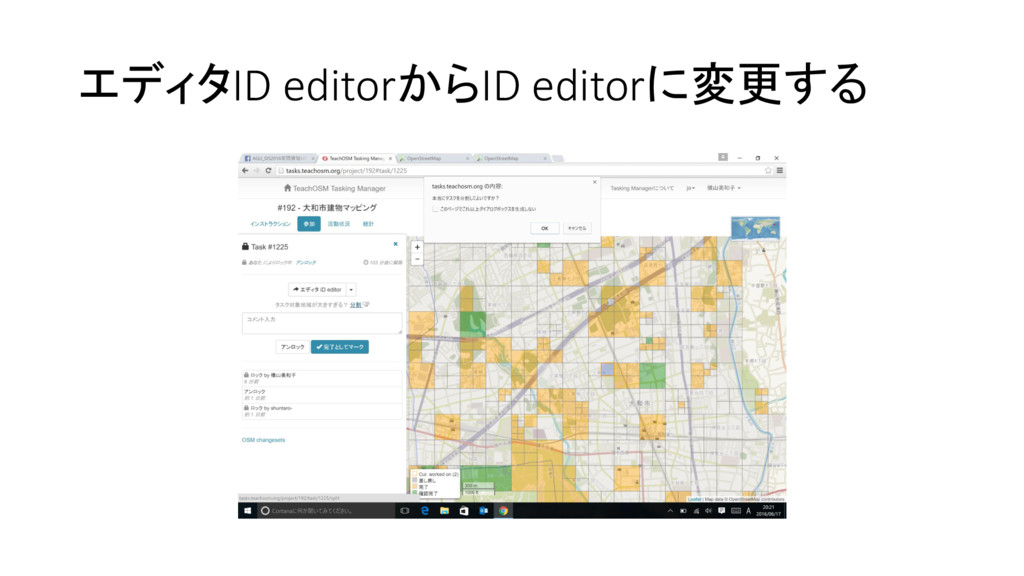
エディタID editorからID editorに変更する
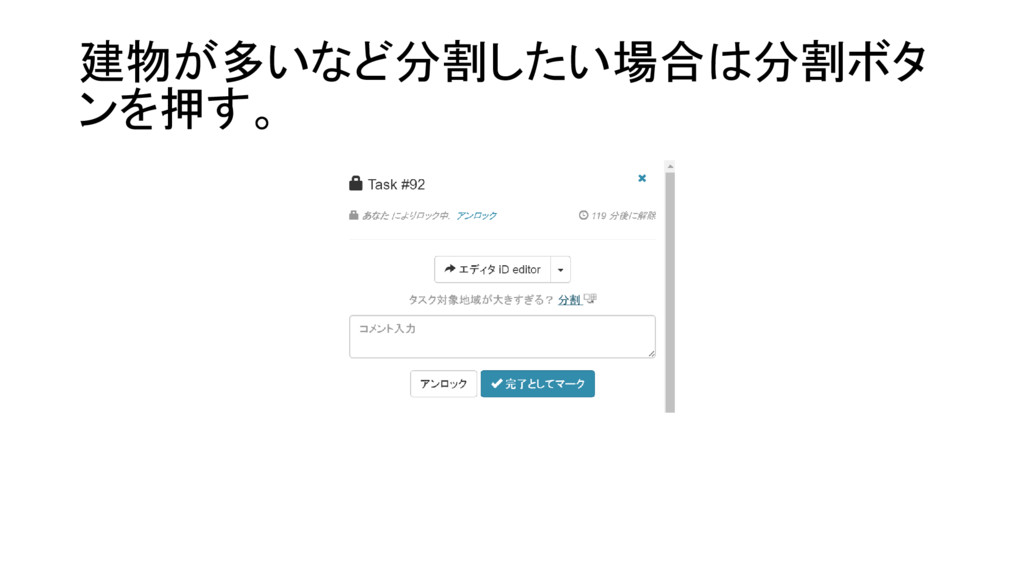
建物が多いなど分割したい場合は分割ボタ ンを押す。
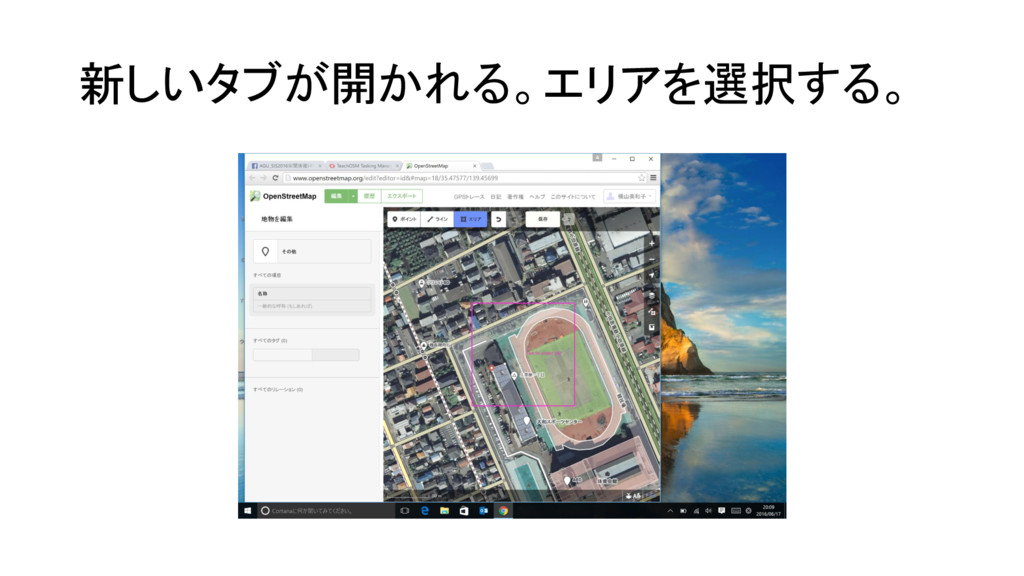
新しいタブが開かれる。エリアを選択する。
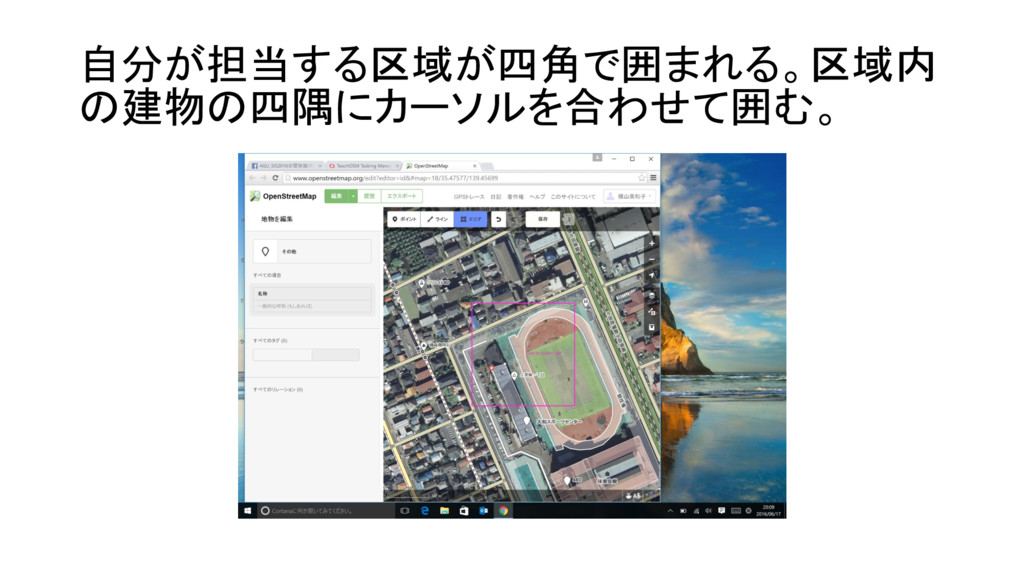
自分が担当する区域が四角で囲まれる。区域内 の建物の四隅にカーソルを合わせて囲む。
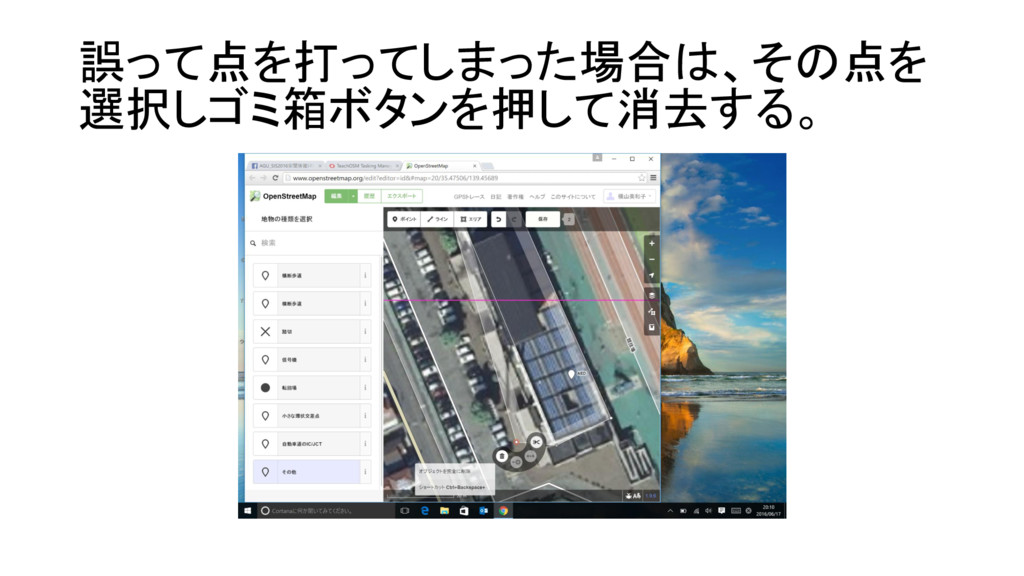
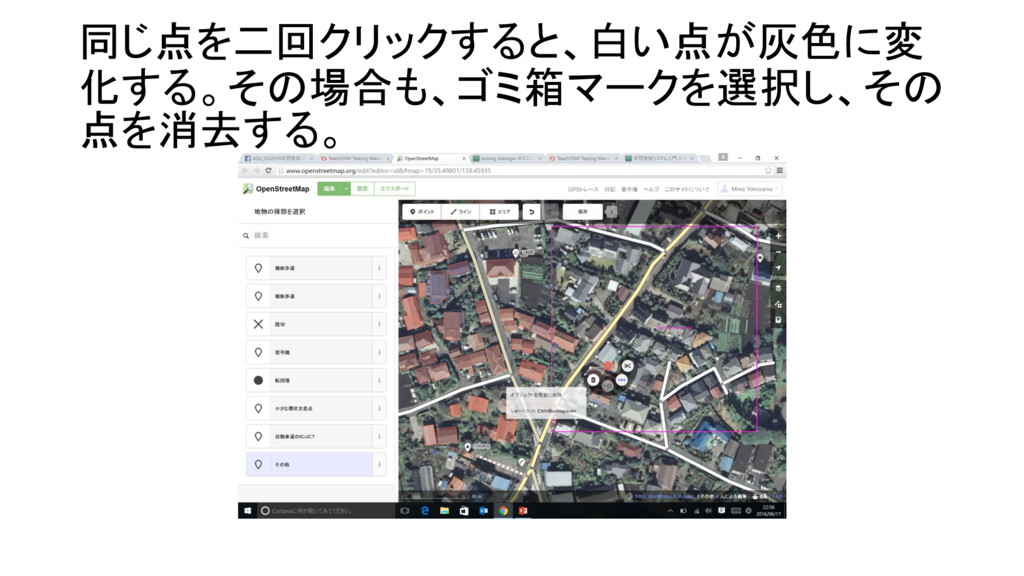
誤って点を打ってしまった場合は、その点を 選択しゴミ箱ボタンを押して消去する。
同じ点を二回クリックすると、白い点が灰色に変 化する。その場合も、ゴミ箱マークを選択し、その 点を消去する。
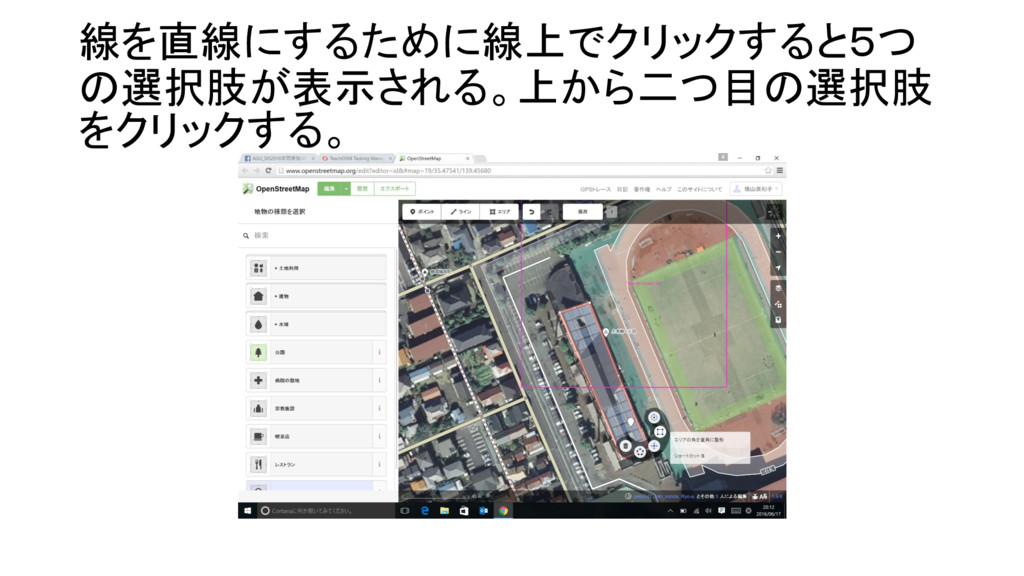
線を直線にするために線上でクリックすると5つ の選択肢が表示される。上から二つ目の選択肢 をクリックする。
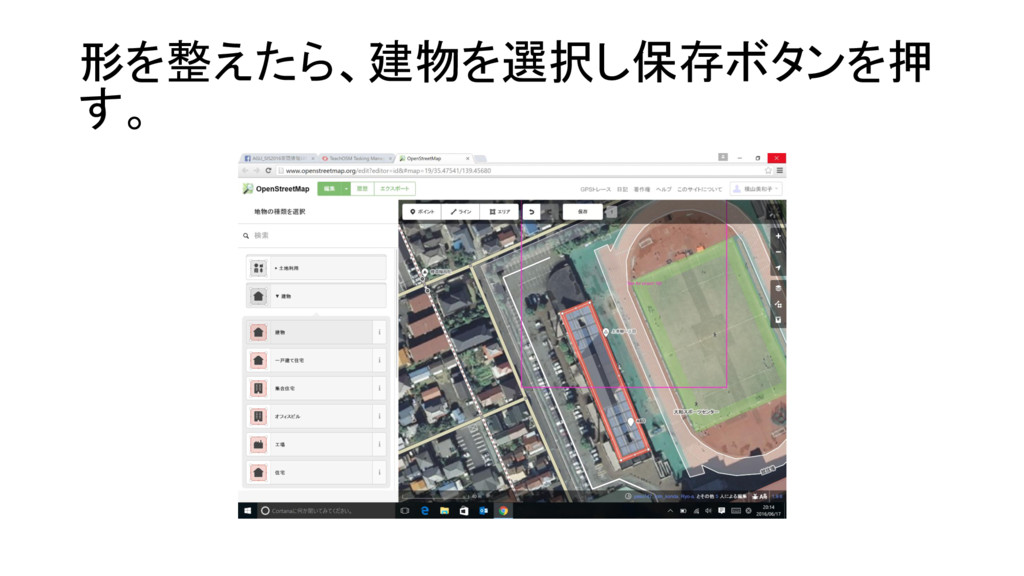
形を整えたら、建物を選択し保存ボタンを押 す。
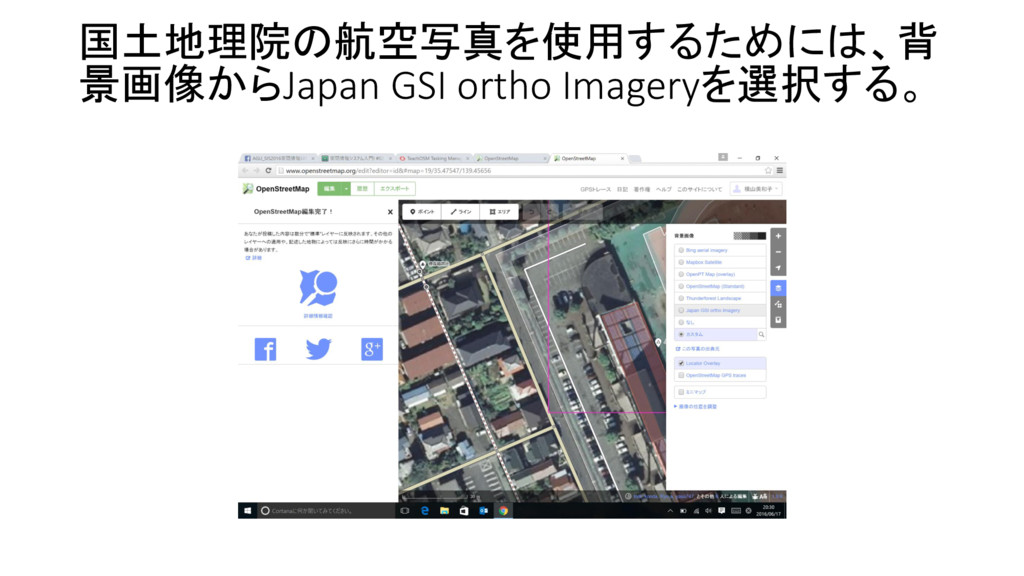
国土地理院の航空写真を使用するためには、背 景画像からJapan GSI ortho Imageryを選択する。
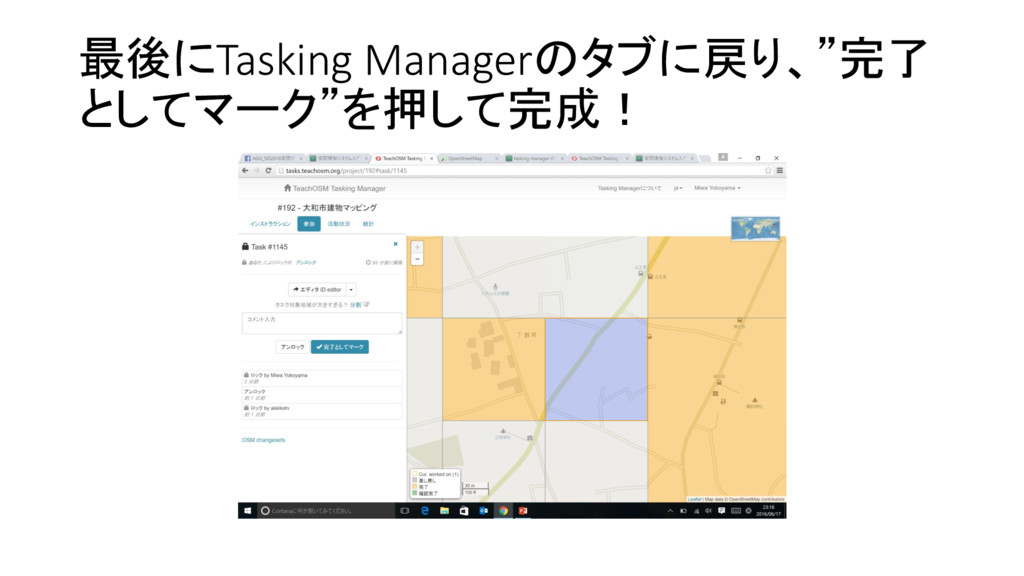
最後にTasking Managerのタブに戻り、”完了 としてマーク”を押して完成!


 miwayokoyama
 sarafernandez
 lfama
lfama
 matthewcrist
 lara
lara
 frankvandijk
 tessaabrams
 tammyeverts
 rakko
rakko
 retrage
 swwweet
 tamaranovitovic
 jdejongh