Upgrade to Pro
— share decks privately, control downloads, hide ads and more …
Speaker Deck
Sign up for free
Menu
Search
Features
All features
Private URLs
Password Protection
Custom URLS
Scheduled publishing
Remove Branding
Restrict embedding
Deck Collections
Notes
Features
All features
Private URLs
Password Protection
Custom URLS
Scheduled publishing
Remove Branding
Restrict embedding
Deck Collections
Notes
Explore
Featured decks
Featured speakers
Programming
Technology
Storyboards
Explore
Featured decks
Featured speakers
Programming
Technology
Storyboards
Pricing
Search
Sign in
Sign up for free
マッピング作業のマニュアル
Search
Niki Sasaki
June 21, 2016
40
0
Share
Embed
Copy iframe code
Copy JS code
Copy link
Start on current slide
マッピング作業のマニュアル
空間情報Ⅰの課題です。
佐々木です。
Niki Sasaki
June 21, 2016
More Decks by Niki Sasaki
See All by Niki Sasaki
GithubのGist上に展開
nikki
0
60
Featured
See All Featured
The Curious Case for Waylosing
cassininazir
1
570
We Analyzed 250 Million AI Search Results: Here's What I Found
joshbly
2
2k
Applied NLP in the Age of Generative AI
inesmontani
PRO
4
2.5k
職位にかかわらず全員がリーダーシップを発揮するチーム作り / Building a team where everyone can demonstrate leadership regardless of position
madoxten
69
67k
Kristin Tynski - Automating Marketing Tasks With AI
techseoconnect
PRO
0
550
SERP Conf. Vienna - Web Accessibility: Optimizing for Inclusivity and SEO
sarafernandez
2
1.6k
JavaScript: Past, Present, and Future - NDC Porto 2020
reverentgeek
52
6.1k
How To Speak Unicorn (iThemes Webinar)
marktimemedia
1
600
Jamie Indigo - Trashchat’s Guide to Black Boxes: Technical SEO Tactics for LLMs
techseoconnect
PRO
0
710
Leveraging LLMs for student feedback in introductory data science courses - posit::conf(2025)
minecr
1
440
Max Prin - Stacking Signals: How International SEO Comes Together (And Falls Apart)
techseoconnect
PRO
0
490
How Software Deployment tools have changed in the past 20 years
geshan
2
35k
Transcript
マッピング作業のマニュアル 1A116099 佐々木仁紀
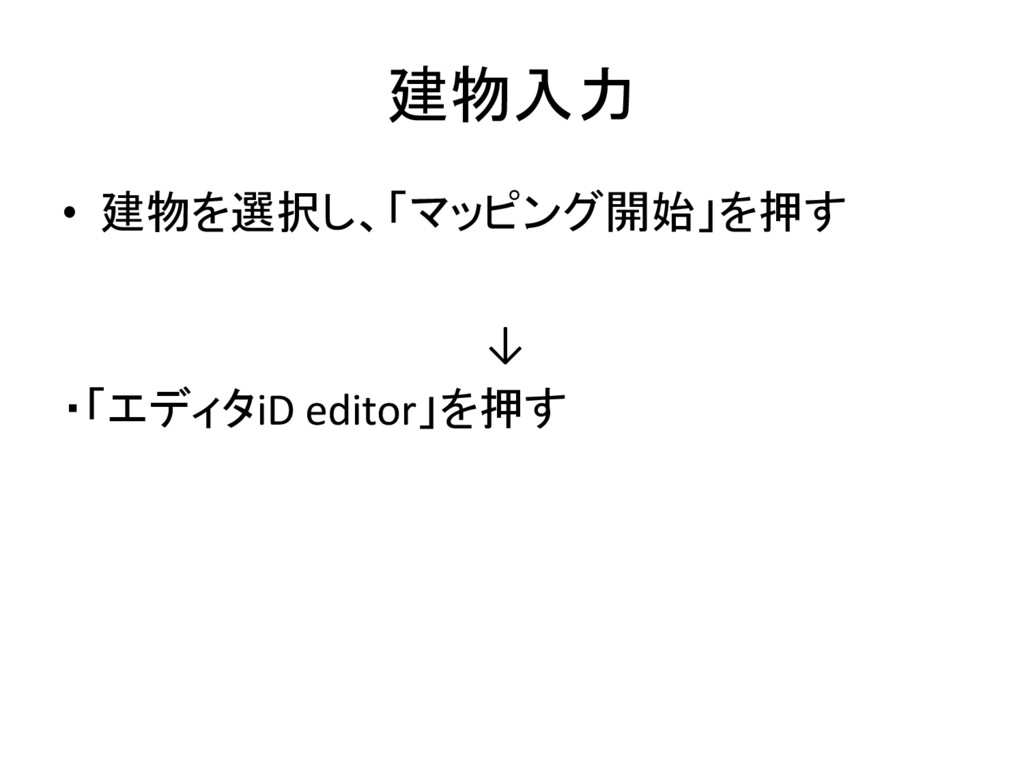
建物入力 • 建物を選択し、「マッピング開始」を押す ↓ ・「エディタiD editor」を押す
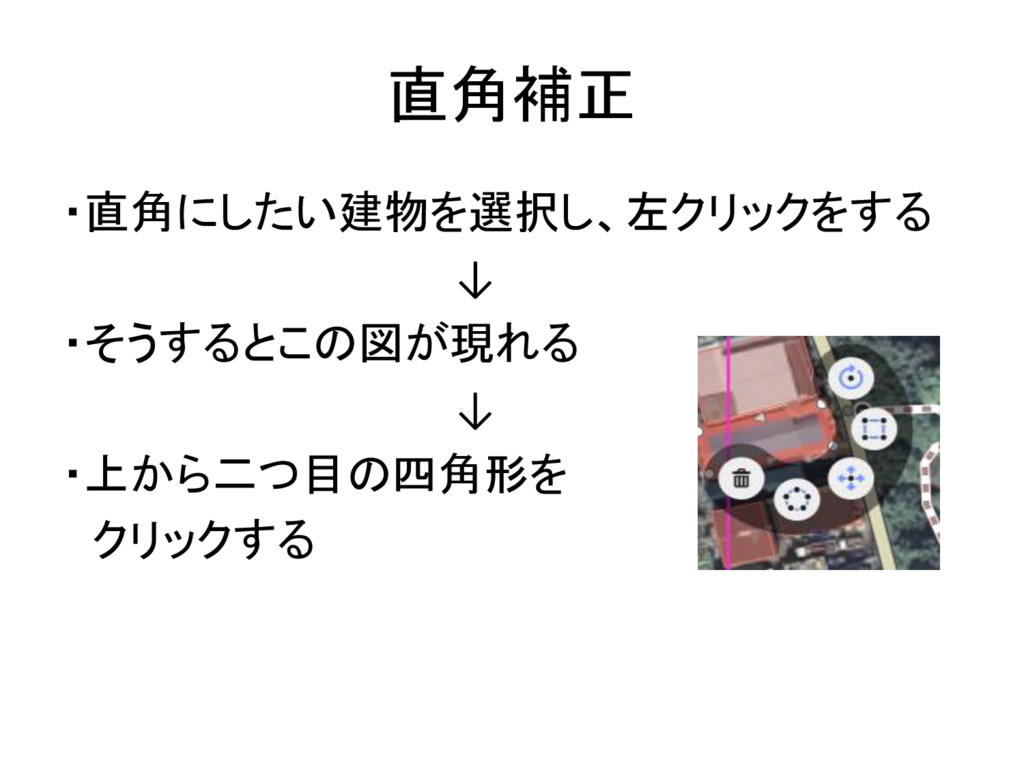
直角補正 ・直角にしたい建物を選択し、左クリックをする ↓ ・そうするとこの図が現れる ↓ ・上から二つ目の四角形を クリックする
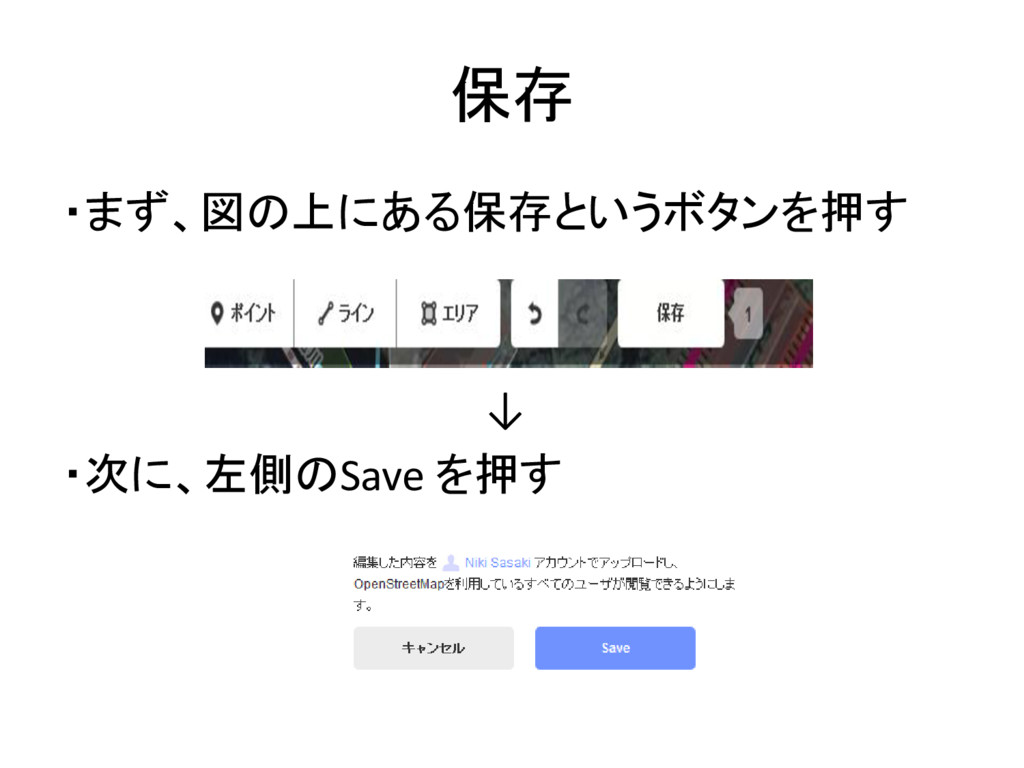
保存 ・まず、図の上にある保存というボタンを押す ↓ ・次に、左側のSave を押す
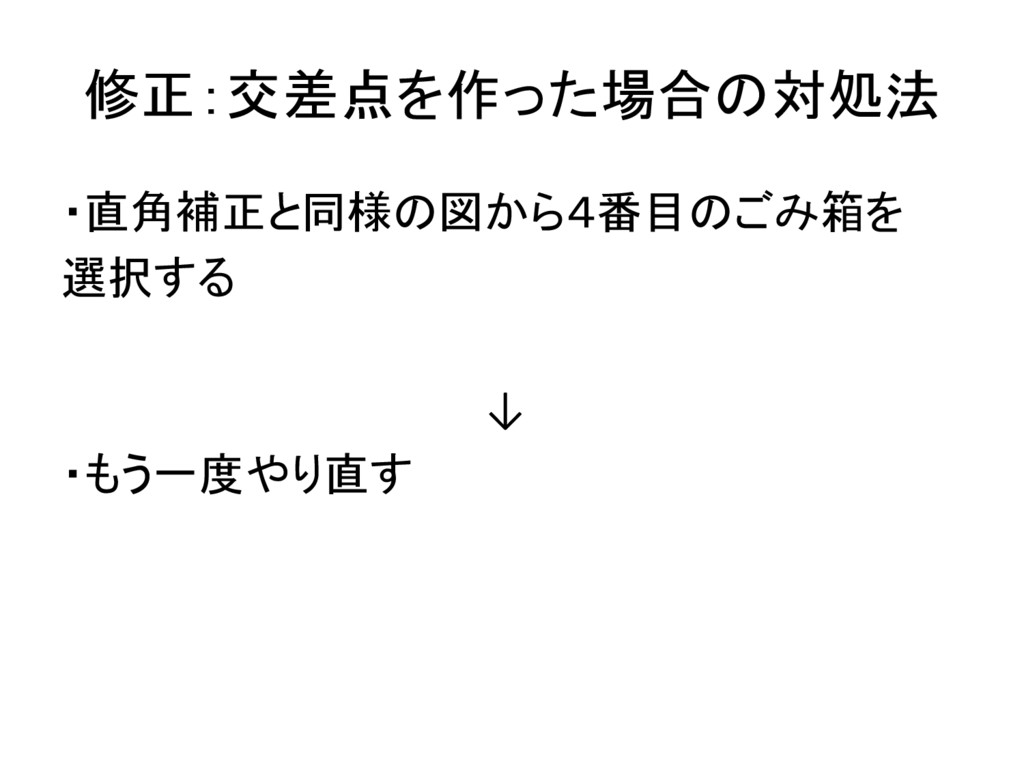
修正:交差点を作った場合の対処法 ・直角補正と同様の図から4番目のごみ箱を 選択する ↓ ・もう一度やり直す
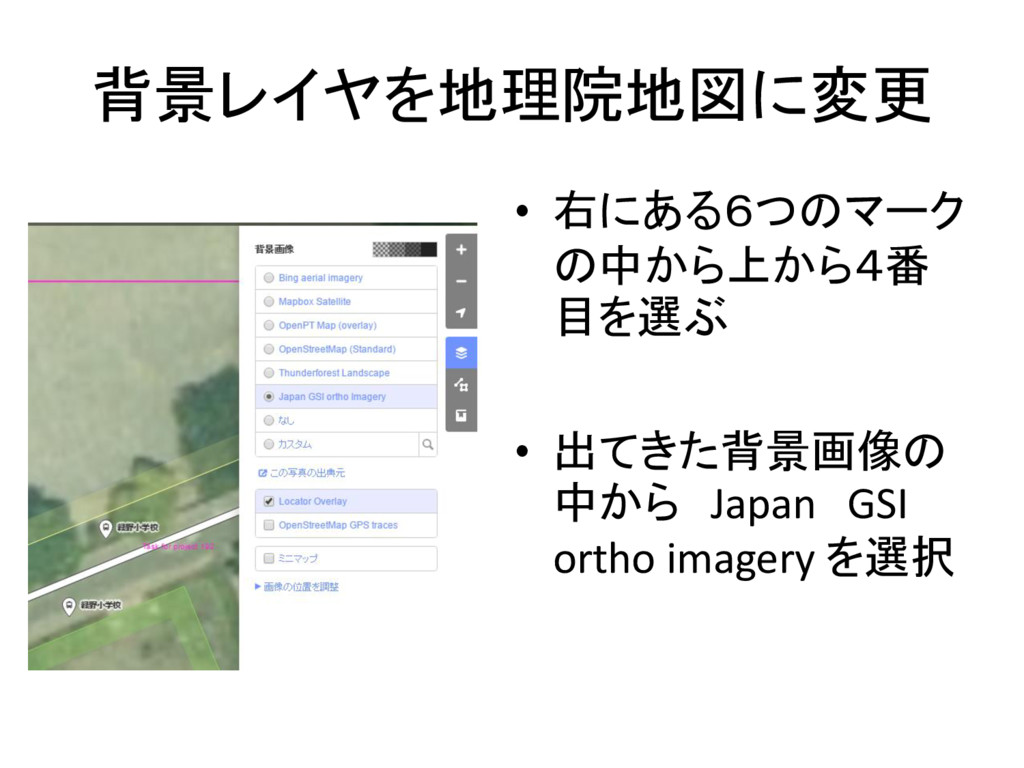
背景レイヤを地理院地図に変更 • 右にある6つのマーク の中から上から4番 目を選ぶ • 出てきた背景画像の 中から Japan GSI
ortho imagery を選択
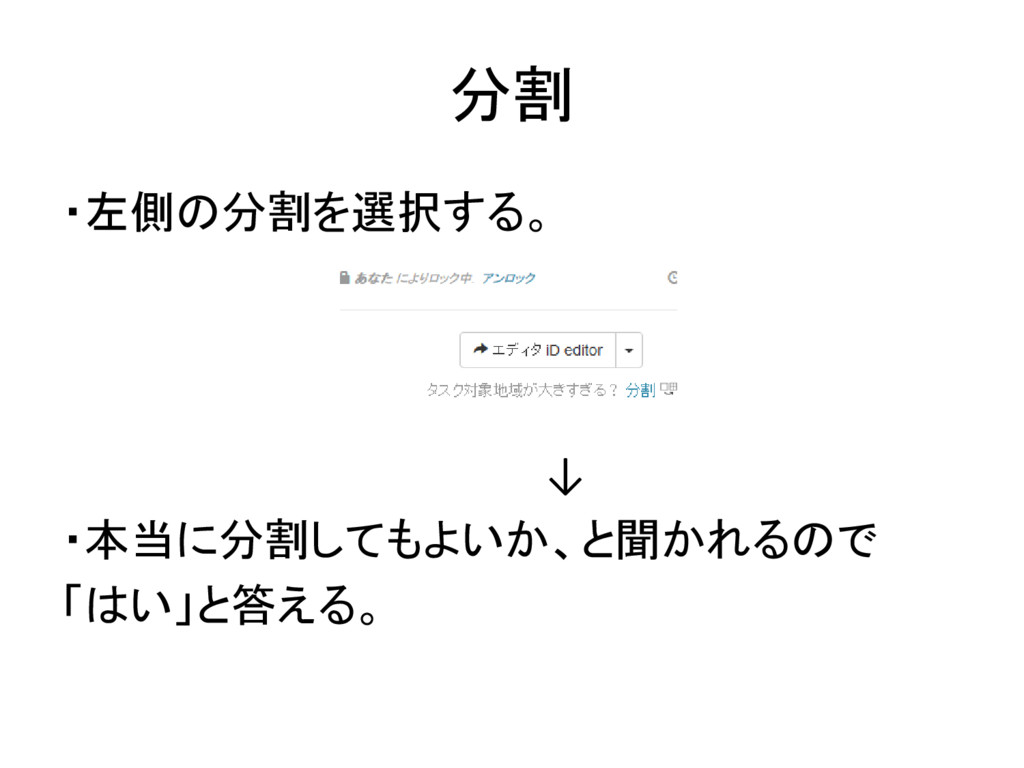
分割 ・左側の分割を選択する。 ↓ ・本当に分割してもよいか、と聞かれるので 「はい」と答える。
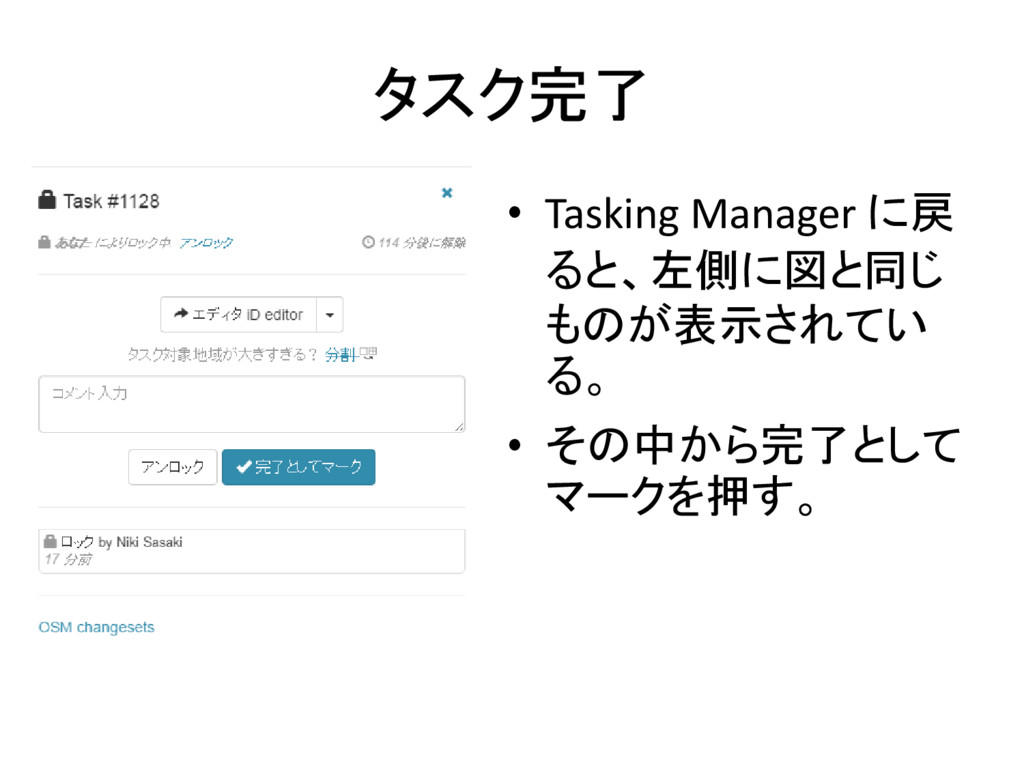
タスク完了 • Tasking Manager に戻 ると、左側に図と同じ ものが表示されてい る。 • その中から完了として
マークを押す。


 nikki
nikki
 cassininazir
 joshbly
 inesmontani
 madoxten
 techseoconnect
 sarafernandez
 reverentgeek
 marktimemedia
 minecr
 geshan