Upgrade to Pro — share decks privately, control downloads, hide ads and more …

A Hands on Intro to Docker for Testers

A Hands on Intro to Docker for Testers

Docker is one of the hottest technologies in our industry today. It lets you create and manage containers—like virtual machines but smaller and faster. They can provide on-demand, disposable test environments that start quickly, repeatably, locally or in the cloud. When you want, you can tear down the environment and recreate a pristine copy within seconds. And since the process is automated, anyone on the team can use the same commands to get their own systems. When you finish testing, those containers can be deployed directly into production. At each stage, the environments for development, test, and production will all look and behave the same.

NOTE: This workshop is a hands-on introduction for anyone interested in learning Docker--you will need your laptop. We will walk through building docker containers, starting out simple but moving to more pragmatic setups. As we iterate, we will discuss how you can use and reuse Docker containers for a variety of uses. And then I’ll show how all of this evolves to a fully-functional web application and test environment.

Avatar for Gene Gotimer

Gene Gotimer

October 01, 2019

More Decks by Gene Gotimer

Other Decks in Programming

Transcript

  1. © COPYRIGHT 2019 COVEROS, INC. ALL RIGHTS RESERVED. 2 @CoverosGene

    #STARWEST A Hands-on Intro to Docker for Testers Gene Gotimer
  2. © COPYRIGHT 2019 COVEROS, INC. ALL RIGHTS RESERVED. 3 @CoverosGene

    #STARWEST About Coveros • Coveros helps companies accelerate the delivery of secure, reliable software using agile methods • Agile & DevOps Services • DevOps Implementation • DevSecOps Integration • Agile Transformations & Coaching • Agile Software Development • Agile Testing & Automation • Agile, DevOps, Testing, Security Training • Open Source Products • SecureCI – Secure DevOps toolchain • Selenified – Agile test framework Development Platforms
  3. © COPYRIGHT 2019 COVEROS, INC. ALL RIGHTS RESERVED. 7 @CoverosGene

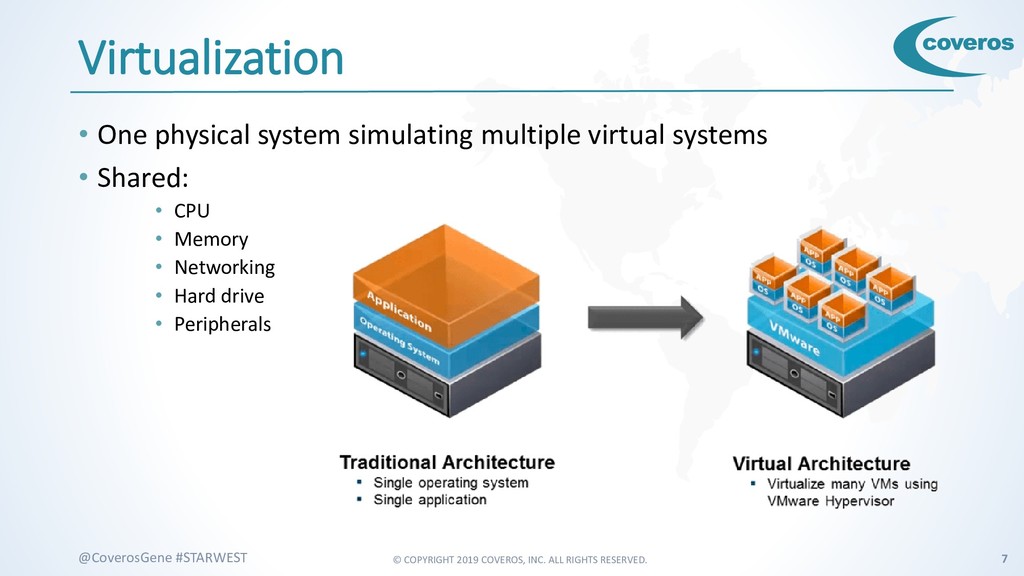
    #STARWEST Virtualization • One physical system simulating multiple virtual systems • Shared: • CPU • Memory • Networking • Hard drive • Peripherals
  4. © COPYRIGHT 2019 COVEROS, INC. ALL RIGHTS RESERVED. 8 @CoverosGene

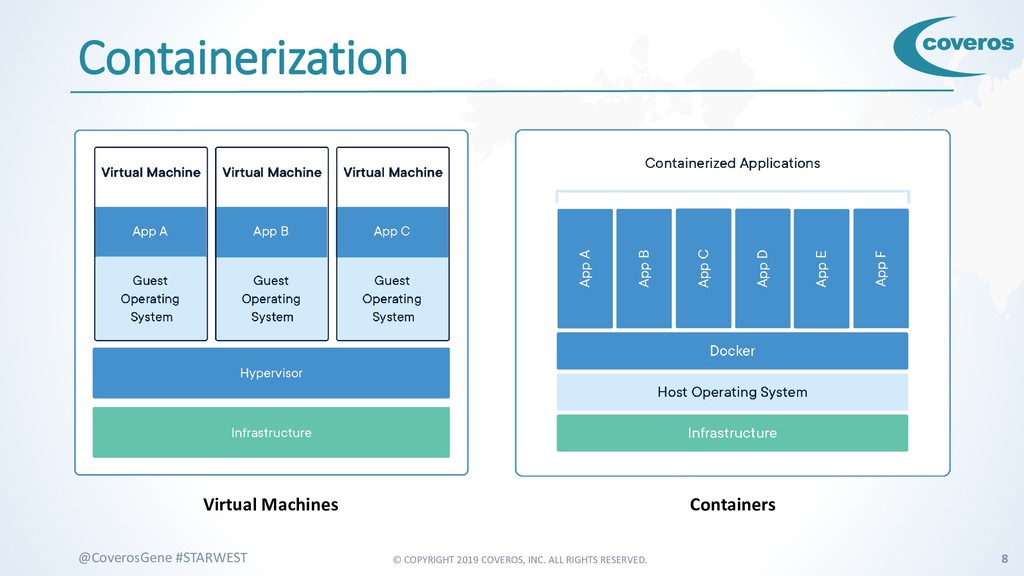
    #STARWEST Containerization Virtual Machines Containers
  5. © COPYRIGHT 2019 COVEROS, INC. ALL RIGHTS RESERVED. 10 @CoverosGene

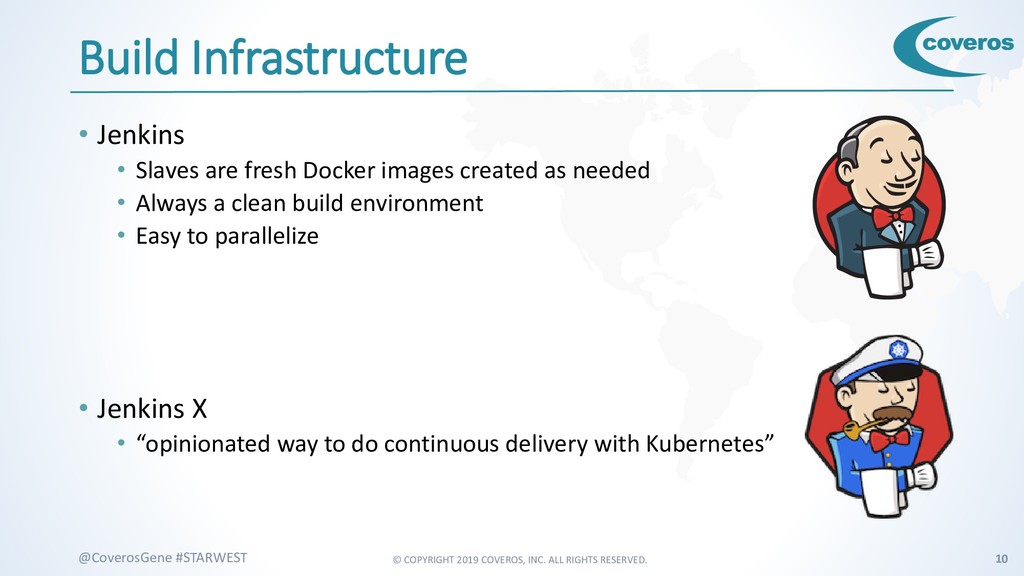
    #STARWEST Build Infrastructure • Jenkins • Slaves are fresh Docker images created as needed • Always a clean build environment • Easy to parallelize • Jenkins X • “opinionated way to do continuous delivery with Kubernetes”
  6. © COPYRIGHT 2019 COVEROS, INC. ALL RIGHTS RESERVED. 11 @CoverosGene

    #STARWEST Testing • Selenium Grid Nodes • Easy to spin up nodes with different versions of different browsers • Makes parallel testing easy
  7. © COPYRIGHT 2019 COVEROS, INC. ALL RIGHTS RESERVED. 12 @CoverosGene

    #STARWEST Deployment • System Under Test • Always a fresh system • No garbage built up from prior deploys • Everyone can have their own • Create and recreate on demand
  8. © COPYRIGHT 2019 COVEROS, INC. ALL RIGHTS RESERVED. 13 @CoverosGene

    #STARWEST Immutable • Installed and configured • Just use as is • Deploy only once • No installation or configuration to do • Can be passed through the SDLC as a single piece • Never changes, so what was tested is exactly what was deployed • No more “works on my machine”
  9. © COPYRIGHT 2019 COVEROS, INC. ALL RIGHTS RESERVED. 14 @CoverosGene

    #STARWEST Scalability • Immutable, so they can easily be cloned • Spin up and shut down instances as needed • Elasticity
  10. © COPYRIGHT 2019 COVEROS, INC. ALL RIGHTS RESERVED. 15 @CoverosGene

    #STARWEST Experimentation • Experiment with • New tools • New versions • New techniques • New configurations
  11. © COPYRIGHT 2019 COVEROS, INC. ALL RIGHTS RESERVED. 17 @CoverosGene

    #STARWEST Docker • Containerization software • Free, Open-Source • Runs on Windows, Mac, Linux • Easy to install • Works well on AWS, Azure, Google https://www.docker.com/
  12. © COPYRIGHT 2019 COVEROS, INC. ALL RIGHTS RESERVED. 18 @CoverosGene

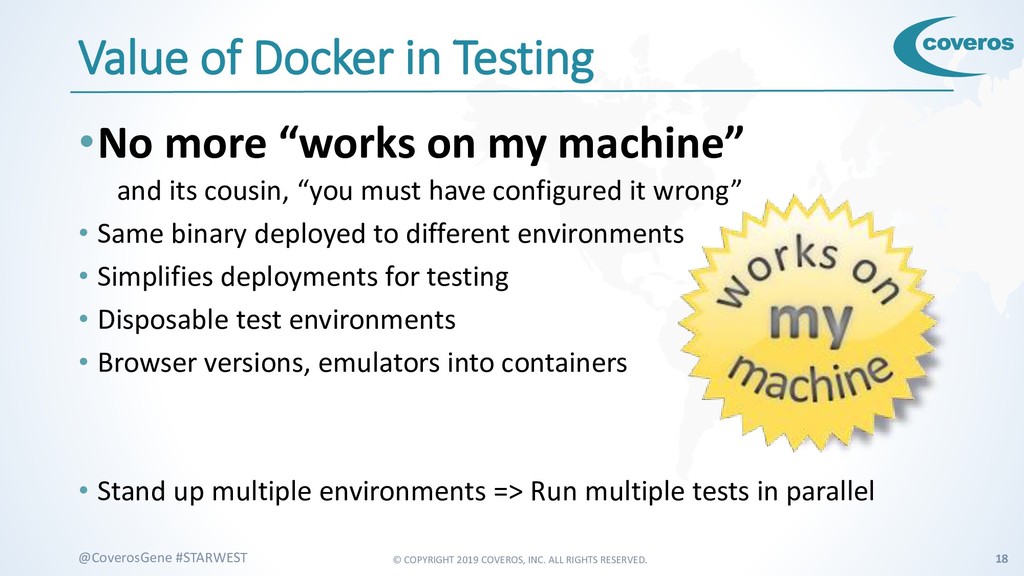
    #STARWEST Value of Docker in Testing •No more “works on my machine” and its cousin, “you must have configured it wrong” • Same binary deployed to different environments • Simplifies deployments for testing • Disposable test environments • Browser versions, emulators into containers • Stand up multiple environments => Run multiple tests in parallel
  13. © COPYRIGHT 2019 COVEROS, INC. ALL RIGHTS RESERVED. 19 @CoverosGene

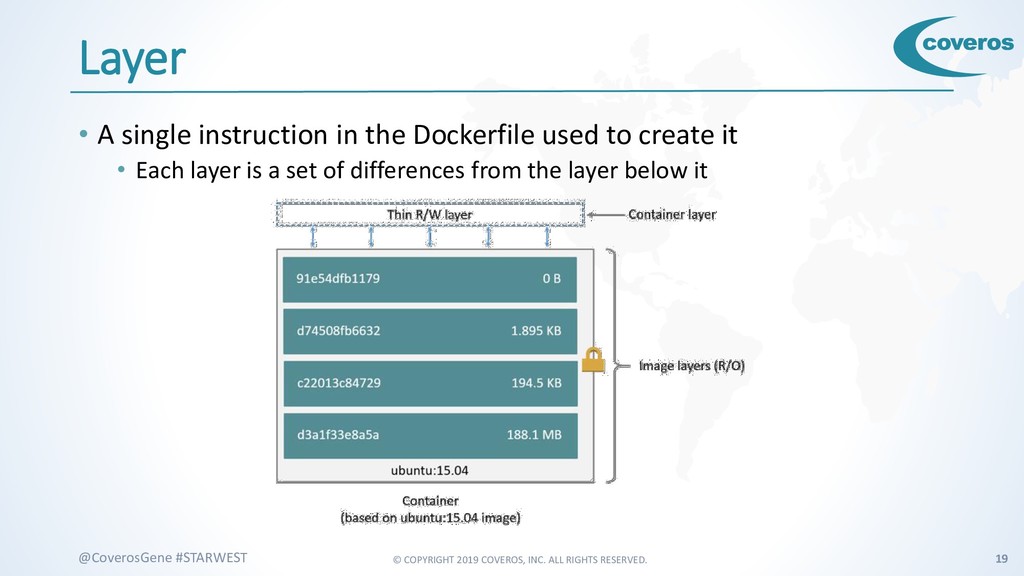
    #STARWEST Layer • A single instruction in the Dockerfile used to create it • Each layer is a set of differences from the layer below it
  14. © COPYRIGHT 2019 COVEROS, INC. ALL RIGHTS RESERVED. 20 @CoverosGene

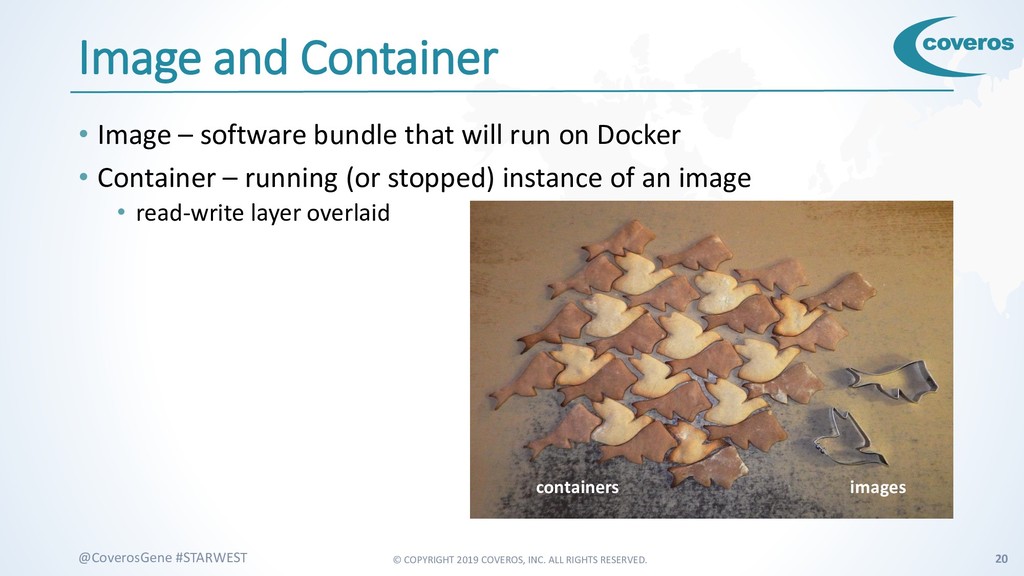
    #STARWEST Image and Container • Image – software bundle that will run on Docker • Container – running (or stopped) instance of an image • read-write layer overlaid images containers
  15. © COPYRIGHT 2019 COVEROS, INC. ALL RIGHTS RESERVED. 21 @CoverosGene

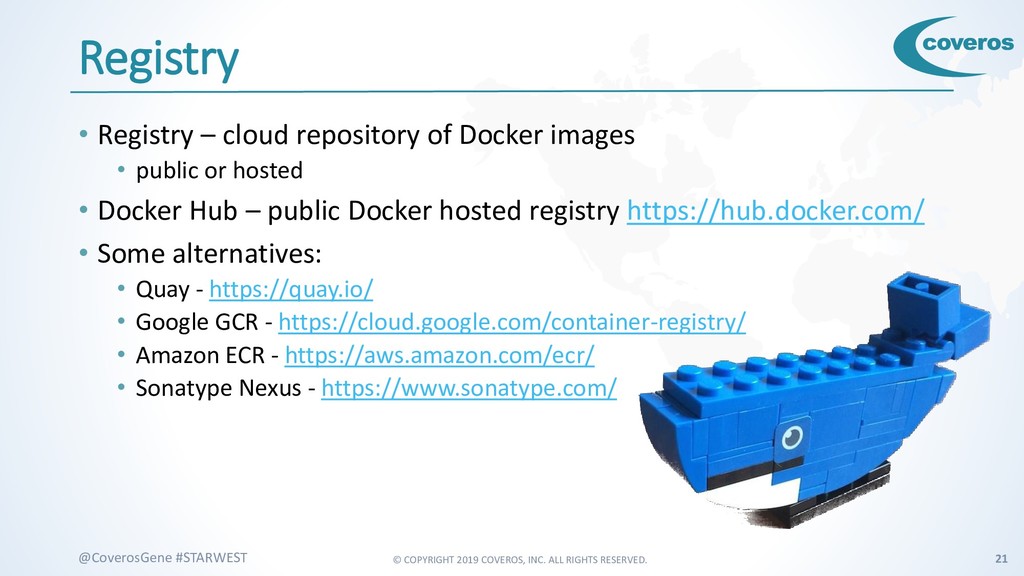
    #STARWEST Registry • Registry – cloud repository of Docker images • public or hosted • Docker Hub – public Docker hosted registry https://hub.docker.com/ • Some alternatives: • Quay - https://quay.io/ • Google GCR - https://cloud.google.com/container-registry/ • Amazon ECR - https://aws.amazon.com/ecr/ • Sonatype Nexus - https://www.sonatype.com/
  16. © COPYRIGHT 2019 COVEROS, INC. ALL RIGHTS RESERVED. 23 @CoverosGene

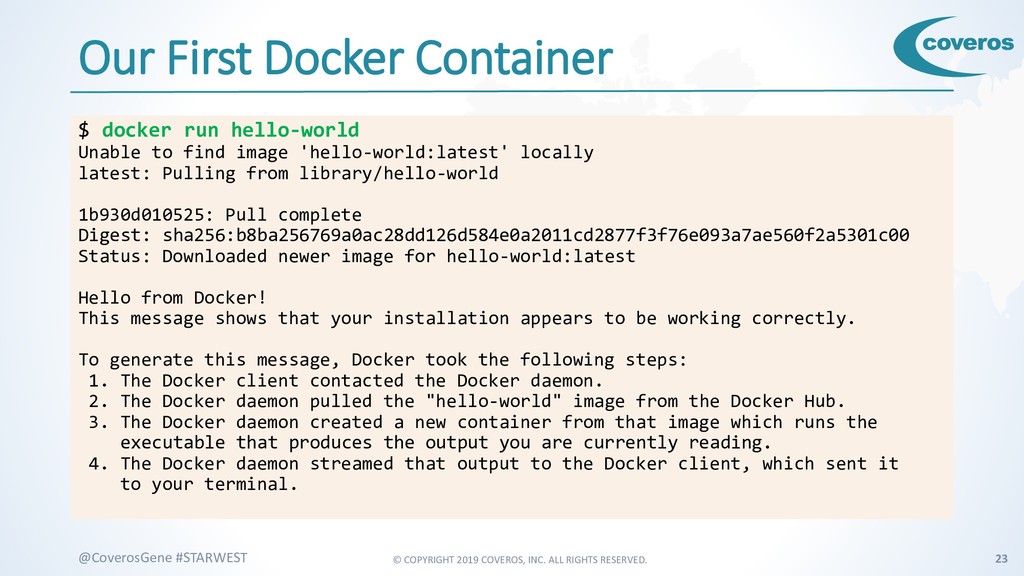
    #STARWEST Our First Docker Container $ docker run hello-world Unable to find image 'hello-world:latest' locally latest: Pulling from library/hello-world 1b930d010525: Pull complete Digest: sha256:b8ba256769a0ac28dd126d584e0a2011cd2877f3f76e093a7ae560f2a5301c00 Status: Downloaded newer image for hello-world:latest Hello from Docker! This message shows that your installation appears to be working correctly. To generate this message, Docker took the following steps: 1. The Docker client contacted the Docker daemon. 2. The Docker daemon pulled the "hello-world" image from the Docker Hub. 3. The Docker daemon created a new container from that image which runs the executable that produces the output you are currently reading. 4. The Docker daemon streamed that output to the Docker client, which sent it to your terminal.
  17. © COPYRIGHT 2019 COVEROS, INC. ALL RIGHTS RESERVED. 24 @CoverosGene

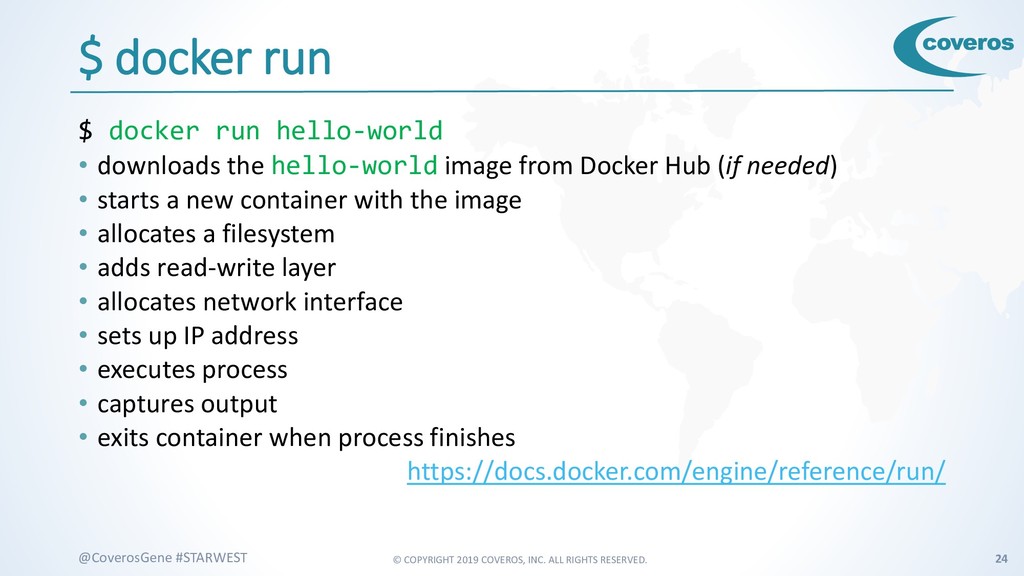
    #STARWEST $ docker run $ docker run hello-world • downloads the hello-world image from Docker Hub (if needed) • starts a new container with the image • allocates a filesystem • adds read-write layer • allocates network interface • sets up IP address • executes process • captures output • exits container when process finishes https://docs.docker.com/engine/reference/run/
  18. © COPYRIGHT 2019 COVEROS, INC. ALL RIGHTS RESERVED. 25 @CoverosGene

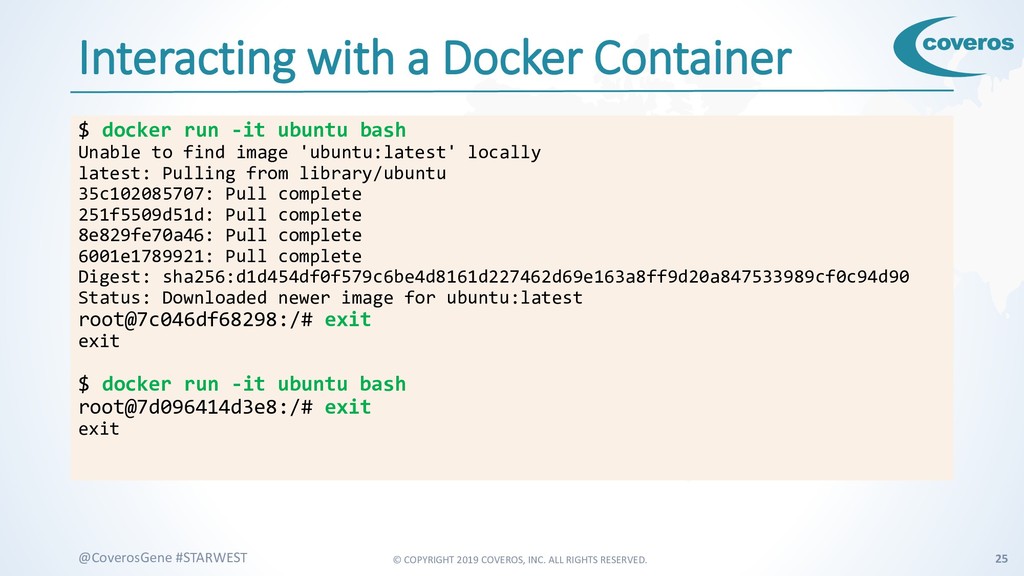
    #STARWEST Interacting with a Docker Container $ docker run -it ubuntu bash Unable to find image 'ubuntu:latest' locally latest: Pulling from library/ubuntu 35c102085707: Pull complete 251f5509d51d: Pull complete 8e829fe70a46: Pull complete 6001e1789921: Pull complete Digest: sha256:d1d454df0f579c6be4d8161d227462d69e163a8ff9d20a847533989cf0c94d90 Status: Downloaded newer image for ubuntu:latest root@7c046df68298:/# exit exit $ docker run -it ubuntu bash root@7d096414d3e8:/# exit exit
  19. © COPYRIGHT 2019 COVEROS, INC. ALL RIGHTS RESERVED. 26 @CoverosGene

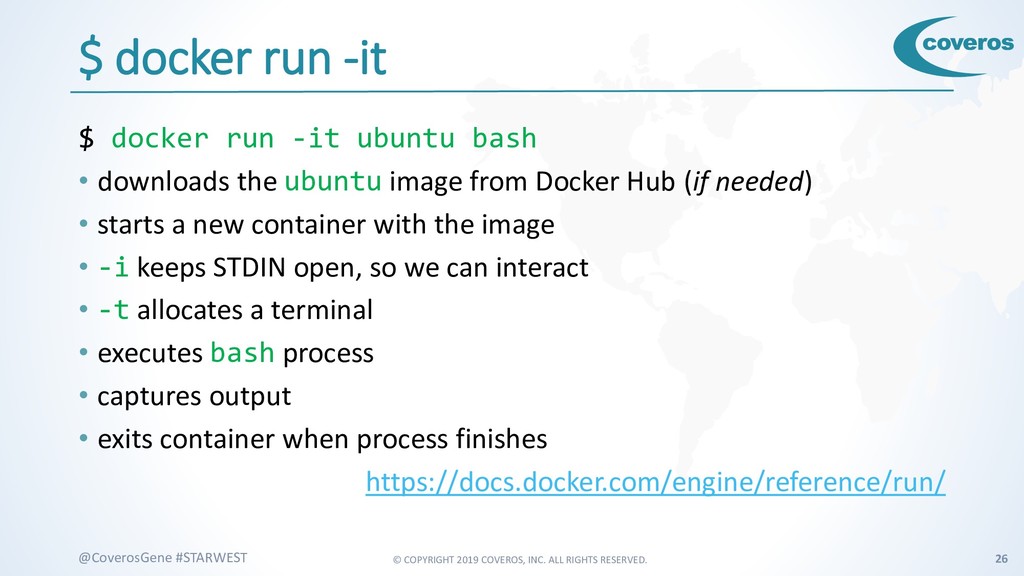
    #STARWEST $ docker run -it $ docker run -it ubuntu bash • downloads the ubuntu image from Docker Hub (if needed) • starts a new container with the image • -i keeps STDIN open, so we can interact • -t allocates a terminal • executes bash process • captures output • exits container when process finishes https://docs.docker.com/engine/reference/run/
  20. © COPYRIGHT 2019 COVEROS, INC. ALL RIGHTS RESERVED. 27 @CoverosGene

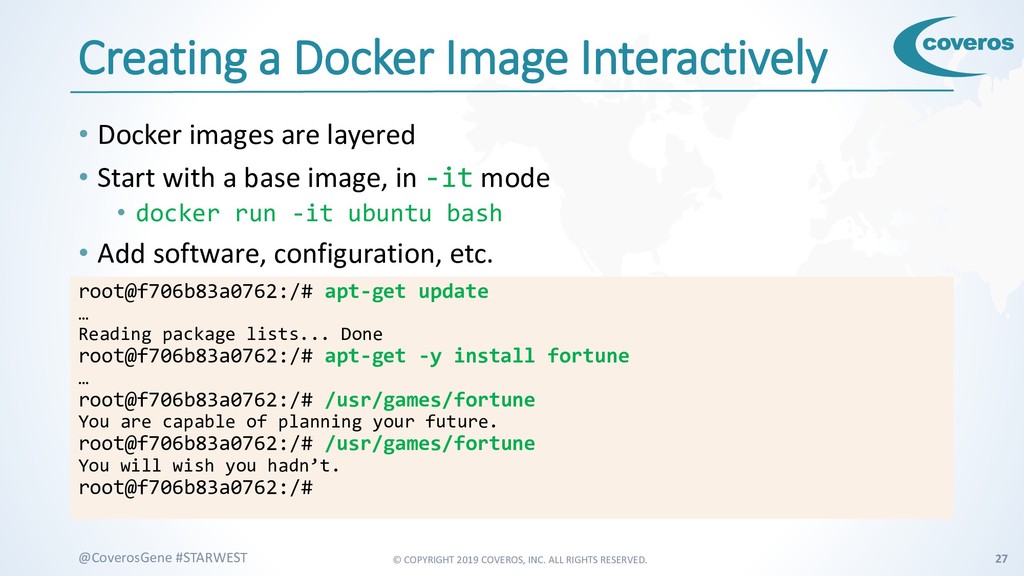
    #STARWEST Creating a Docker Image Interactively • Docker images are layered • Start with a base image, in -it mode • docker run -it ubuntu bash • Add software, configuration, etc. root@f706b83a0762:/# apt-get update … Reading package lists... Done root@f706b83a0762:/# apt-get -y install fortune … root@f706b83a0762:/# /usr/games/fortune You are capable of planning your future. root@f706b83a0762:/# /usr/games/fortune You will wish you hadn’t. root@f706b83a0762:/#
  21. © COPYRIGHT 2019 COVEROS, INC. ALL RIGHTS RESERVED. 28 @CoverosGene

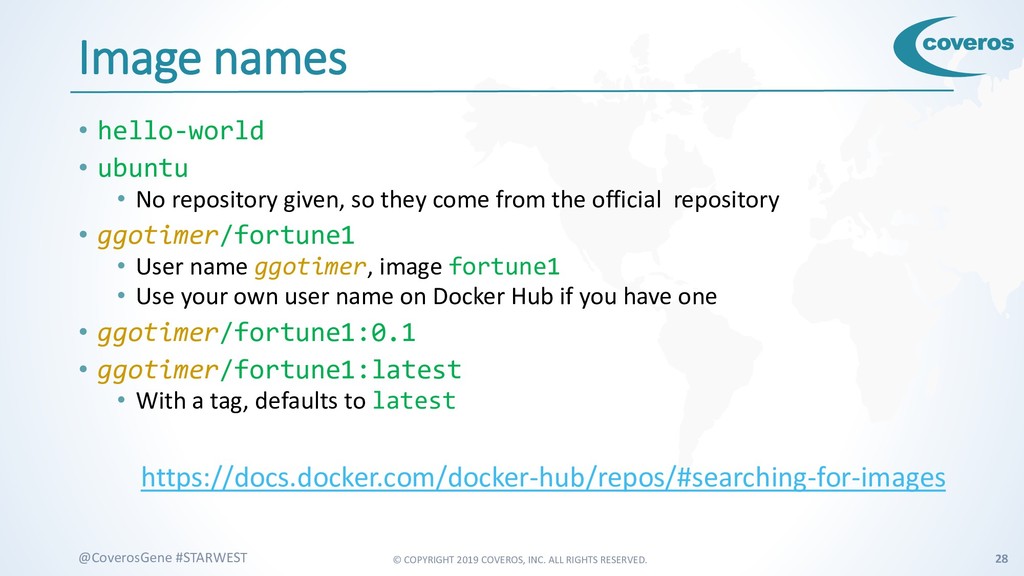
    #STARWEST Image names • hello-world • ubuntu • No repository given, so they come from the official repository • ggotimer/fortune1 • User name ggotimer, image fortune1 • Use your own user name on Docker Hub if you have one • ggotimer/fortune1:0.1 • ggotimer/fortune1:latest • With a tag, defaults to latest https://docs.docker.com/docker-hub/repos/#searching-for-images
  22. © COPYRIGHT 2019 COVEROS, INC. ALL RIGHTS RESERVED. 29 @CoverosGene

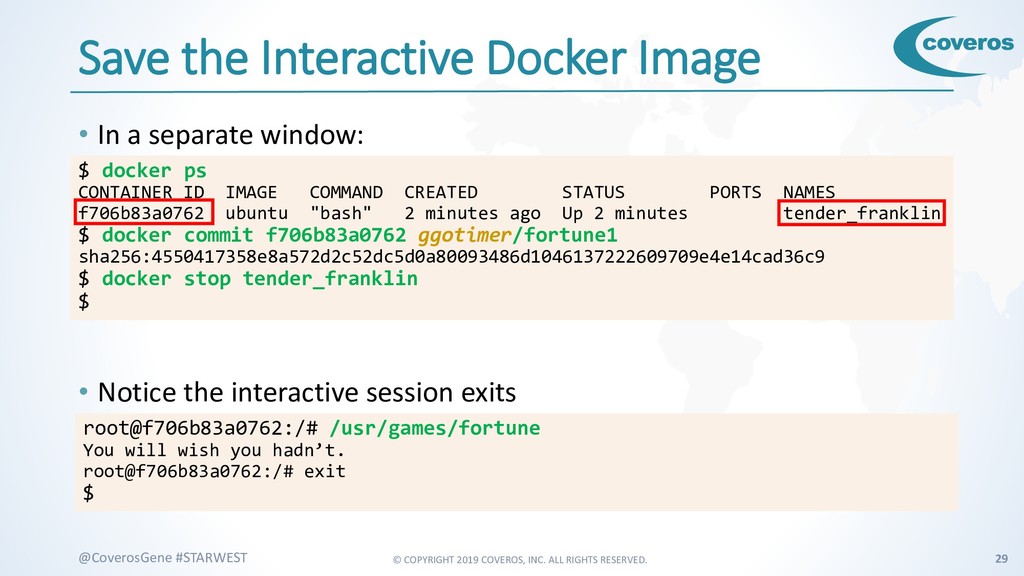
    #STARWEST Save the Interactive Docker Image • In a separate window: • Notice the interactive session exits $ docker ps CONTAINER ID IMAGE COMMAND CREATED STATUS PORTS NAMES f706b83a0762 ubuntu "bash" 2 minutes ago Up 2 minutes tender_franklin $ docker commit f706b83a0762 ggotimer/fortune1 sha256:4550417358e8a572d2c52dc5d0a80093486d1046137222609709e4e14cad36c9 $ docker stop tender_franklin $ root@f706b83a0762:/# /usr/games/fortune You will wish you hadn’t. root@f706b83a0762:/# exit $
  23. © COPYRIGHT 2019 COVEROS, INC. ALL RIGHTS RESERVED. 30 @CoverosGene

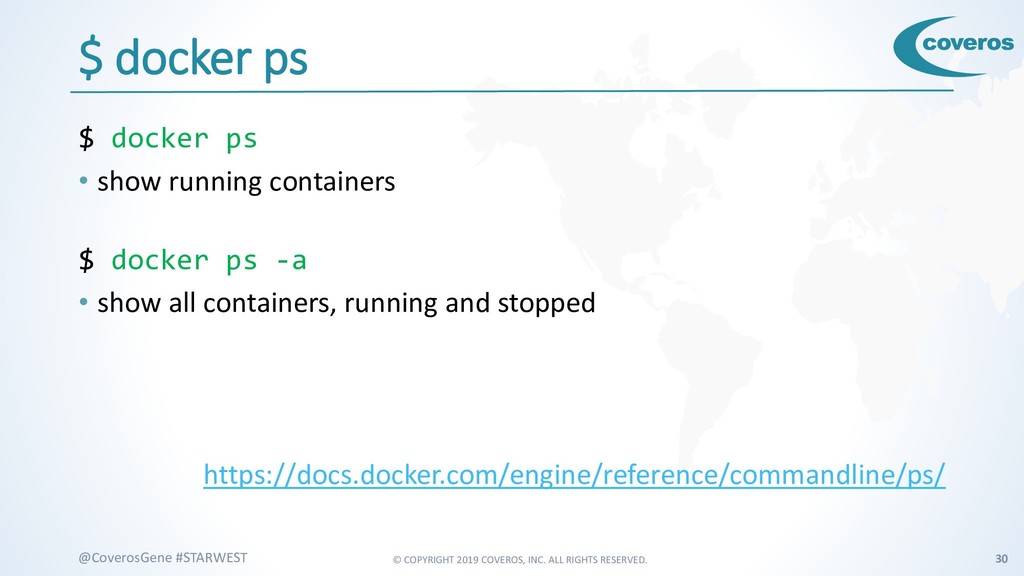
    #STARWEST $ docker ps $ docker ps • show running containers $ docker ps -a • show all containers, running and stopped https://docs.docker.com/engine/reference/commandline/ps/
  24. © COPYRIGHT 2019 COVEROS, INC. ALL RIGHTS RESERVED. 31 @CoverosGene

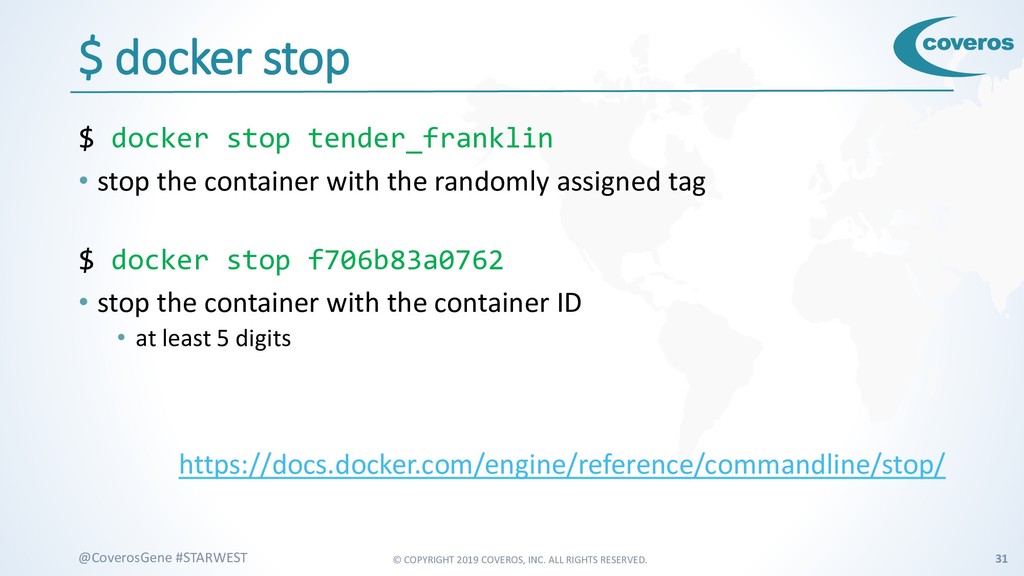
    #STARWEST $ docker stop $ docker stop tender_franklin • stop the container with the randomly assigned tag $ docker stop f706b83a0762 • stop the container with the container ID • at least 5 digits https://docs.docker.com/engine/reference/commandline/stop/
  25. © COPYRIGHT 2019 COVEROS, INC. ALL RIGHTS RESERVED. 32 @CoverosGene

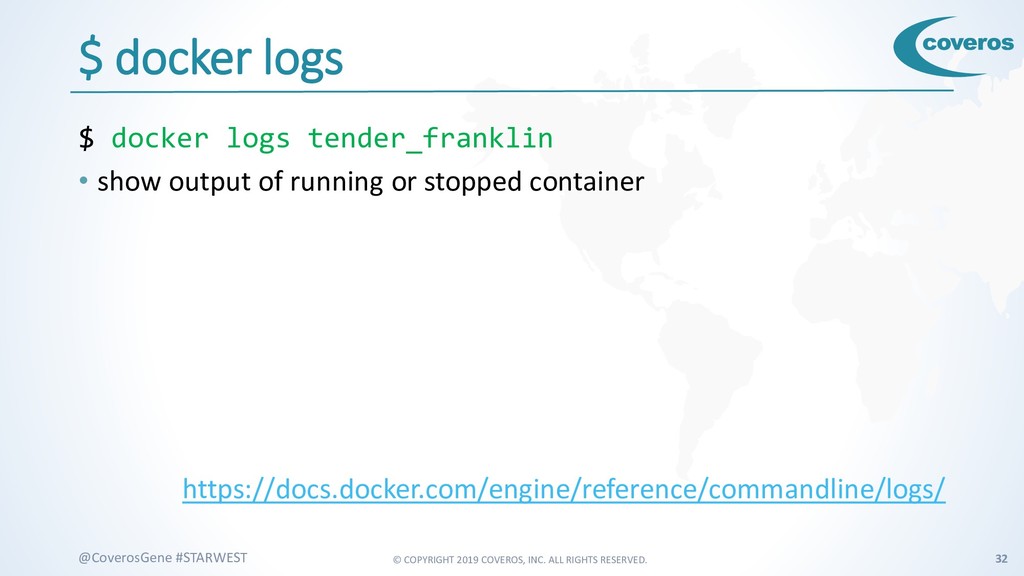
    #STARWEST $ docker logs $ docker logs tender_franklin • show output of running or stopped container https://docs.docker.com/engine/reference/commandline/logs/
  26. © COPYRIGHT 2019 COVEROS, INC. ALL RIGHTS RESERVED. 33 @CoverosGene

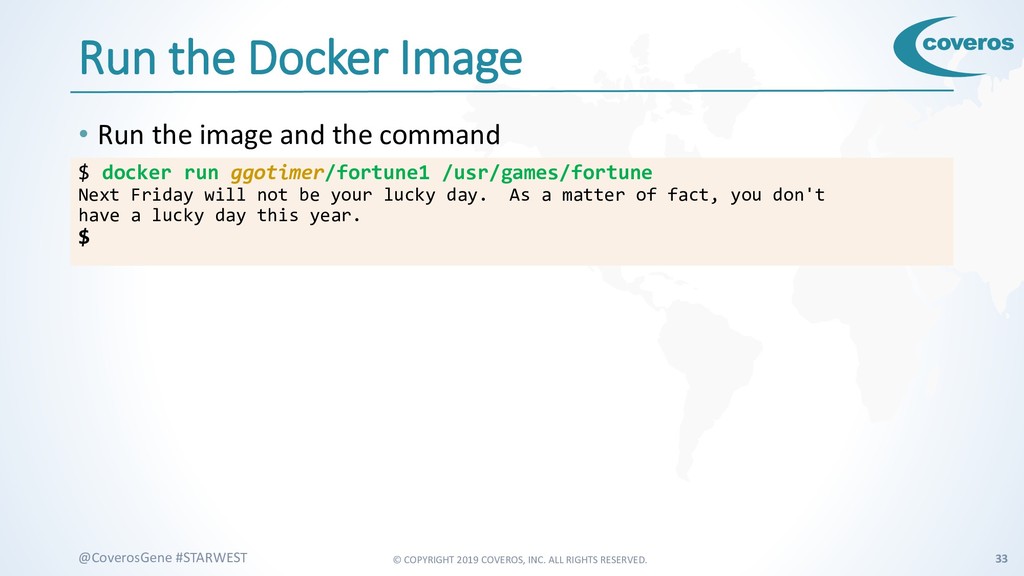
    #STARWEST Run the Docker Image • Run the image and the command $ docker run ggotimer/fortune1 /usr/games/fortune Next Friday will not be your lucky day. As a matter of fact, you don't have a lucky day this year. $
  27. © COPYRIGHT 2019 COVEROS, INC. ALL RIGHTS RESERVED. 35 @CoverosGene

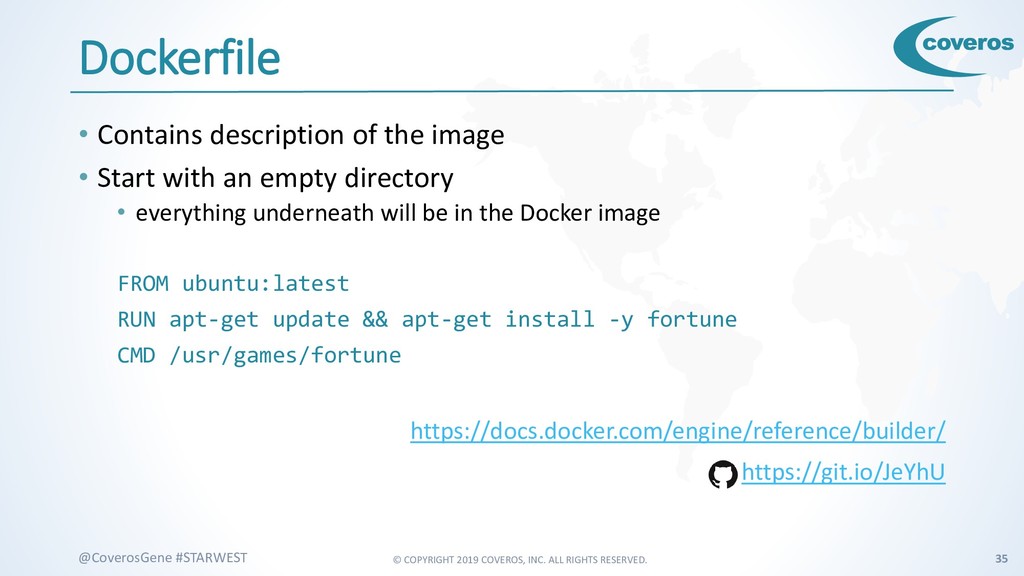
    #STARWEST Dockerfile • Contains description of the image • Start with an empty directory • everything underneath will be in the Docker image FROM ubuntu:latest RUN apt-get update && apt-get install -y fortune CMD /usr/games/fortune https://docs.docker.com/engine/reference/builder/ https://git.io/JeYhU
  28. © COPYRIGHT 2019 COVEROS, INC. ALL RIGHTS RESERVED. 36 @CoverosGene

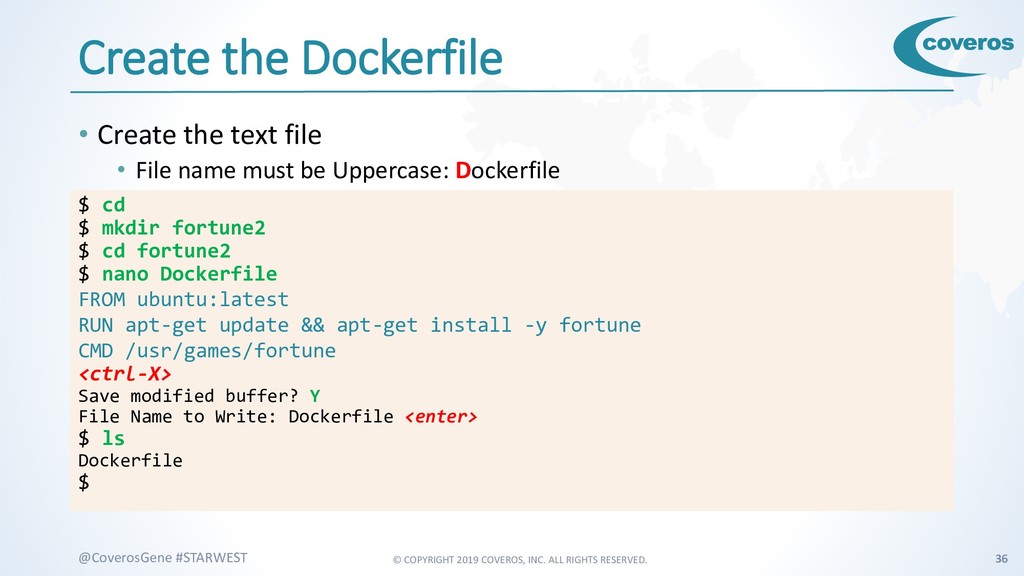
    #STARWEST Create the Dockerfile • Create the text file • File name must be Uppercase: Dockerfile $ cd $ mkdir fortune2 $ cd fortune2 $ nano Dockerfile FROM ubuntu:latest RUN apt-get update && apt-get install -y fortune CMD /usr/games/fortune <ctrl-X> Save modified buffer? Y File Name to Write: Dockerfile <enter> $ ls Dockerfile $
  29. © COPYRIGHT 2019 COVEROS, INC. ALL RIGHTS RESERVED. 37 @CoverosGene

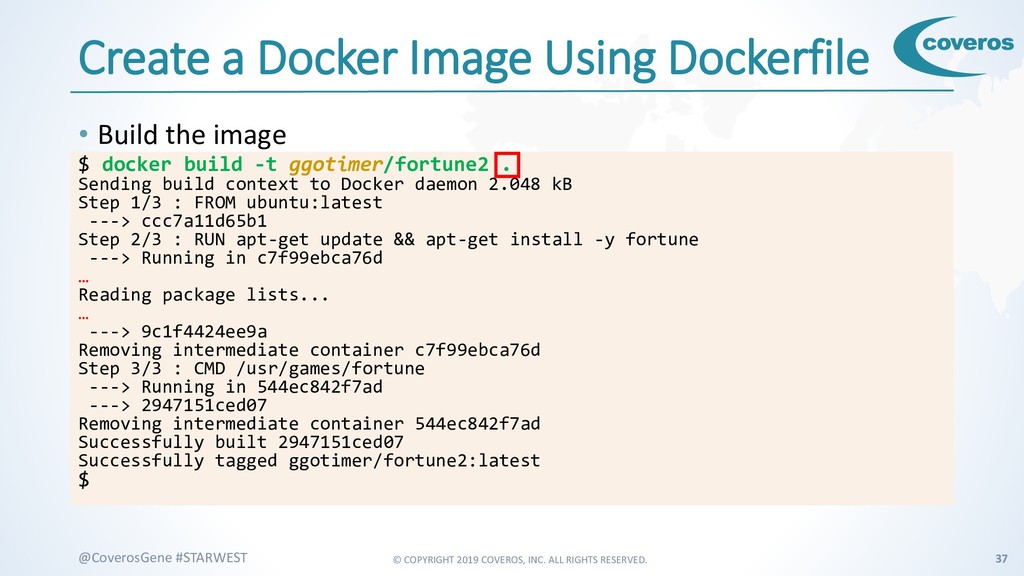
    #STARWEST Create a Docker Image Using Dockerfile • Build the image $ docker build -t ggotimer/fortune2 . Sending build context to Docker daemon 2.048 kB Step 1/3 : FROM ubuntu:latest ---> ccc7a11d65b1 Step 2/3 : RUN apt-get update && apt-get install -y fortune ---> Running in c7f99ebca76d … Reading package lists... … ---> 9c1f4424ee9a Removing intermediate container c7f99ebca76d Step 3/3 : CMD /usr/games/fortune ---> Running in 544ec842f7ad ---> 2947151ced07 Removing intermediate container 544ec842f7ad Successfully built 2947151ced07 Successfully tagged ggotimer/fortune2:latest $
  30. © COPYRIGHT 2019 COVEROS, INC. ALL RIGHTS RESERVED. 38 @CoverosGene

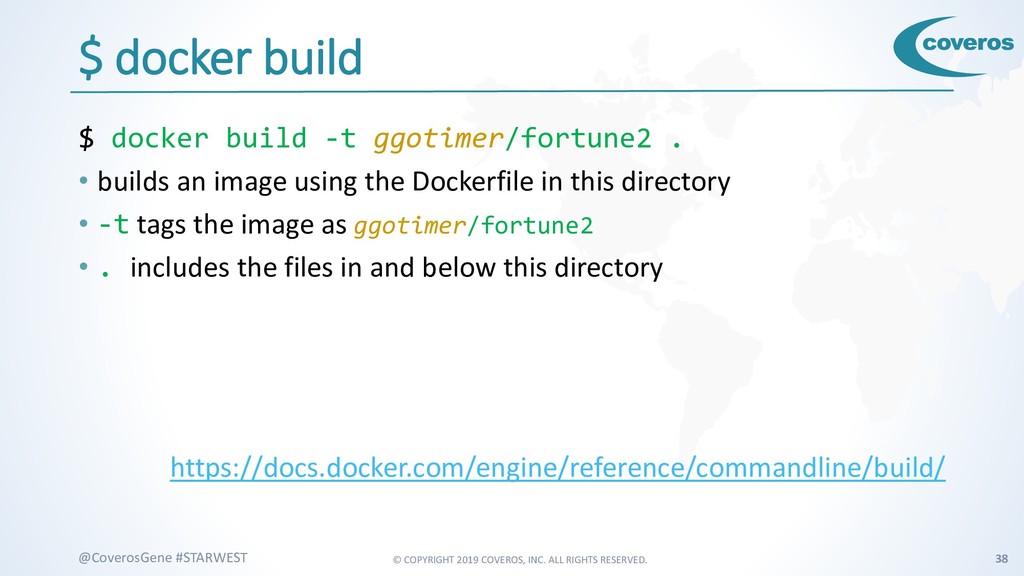
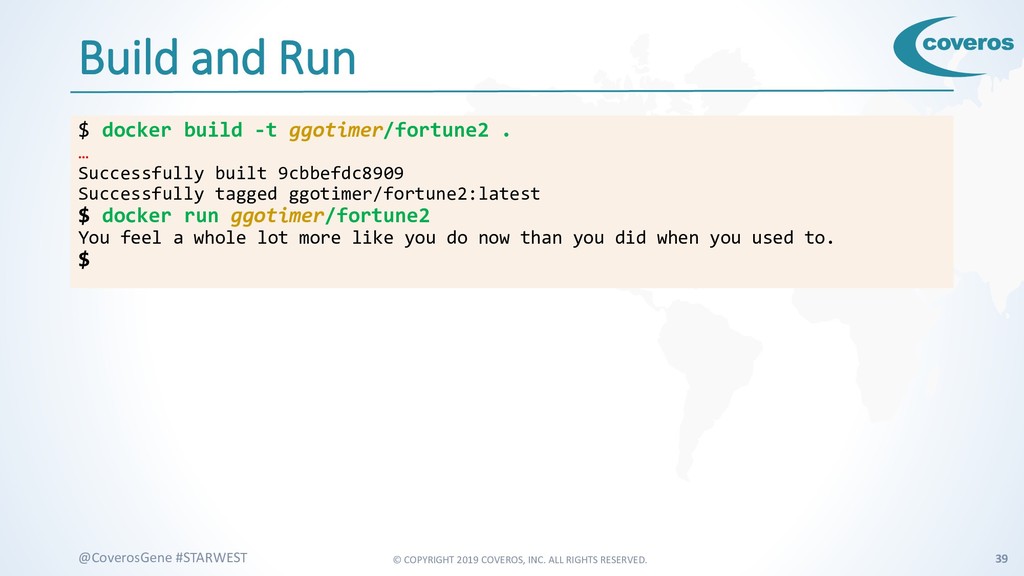
    #STARWEST $ docker build $ docker build -t ggotimer/fortune2 . • builds an image using the Dockerfile in this directory • -t tags the image as ggotimer/fortune2 • . includes the files in and below this directory https://docs.docker.com/engine/reference/commandline/build/
  31. © COPYRIGHT 2019 COVEROS, INC. ALL RIGHTS RESERVED. 39 @CoverosGene

    #STARWEST Build and Run $ docker build -t ggotimer/fortune2 . … Successfully built 9cbbefdc8909 Successfully tagged ggotimer/fortune2:latest $ docker run ggotimer/fortune2 You feel a whole lot more like you do now than you did when you used to. $
  32. © COPYRIGHT 2019 COVEROS, INC. ALL RIGHTS RESERVED. 40 @CoverosGene

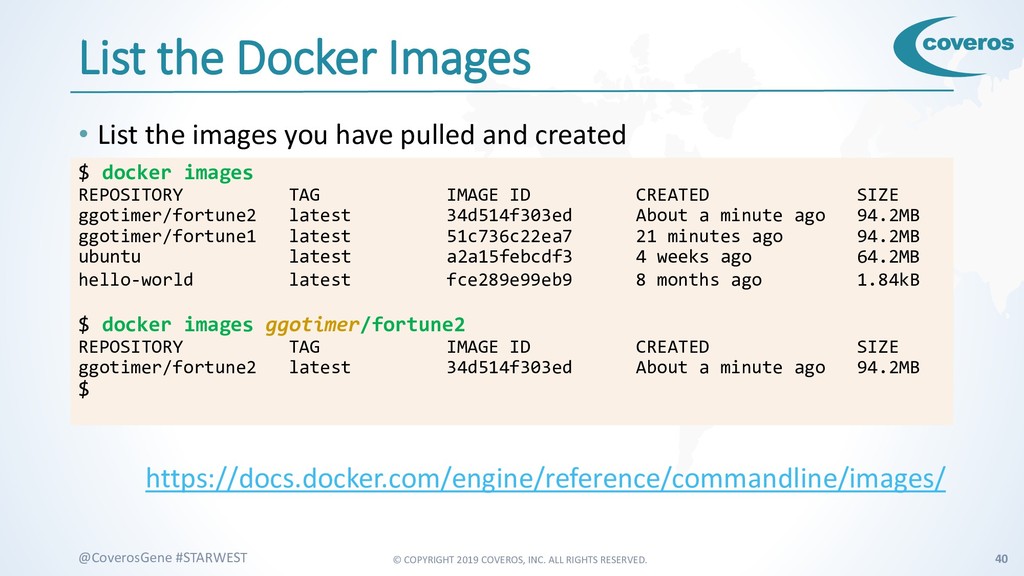
    #STARWEST List the Docker Images • List the images you have pulled and created https://docs.docker.com/engine/reference/commandline/images/ $ docker images REPOSITORY TAG IMAGE ID CREATED SIZE ggotimer/fortune2 latest 34d514f303ed About a minute ago 94.2MB ggotimer/fortune1 latest 51c736c22ea7 21 minutes ago 94.2MB ubuntu latest a2a15febcdf3 4 weeks ago 64.2MB hello-world latest fce289e99eb9 8 months ago 1.84kB $ docker images ggotimer/fortune2 REPOSITORY TAG IMAGE ID CREATED SIZE ggotimer/fortune2 latest 34d514f303ed About a minute ago 94.2MB $
  33. © COPYRIGHT 2019 COVEROS, INC. ALL RIGHTS RESERVED. 41 @CoverosGene

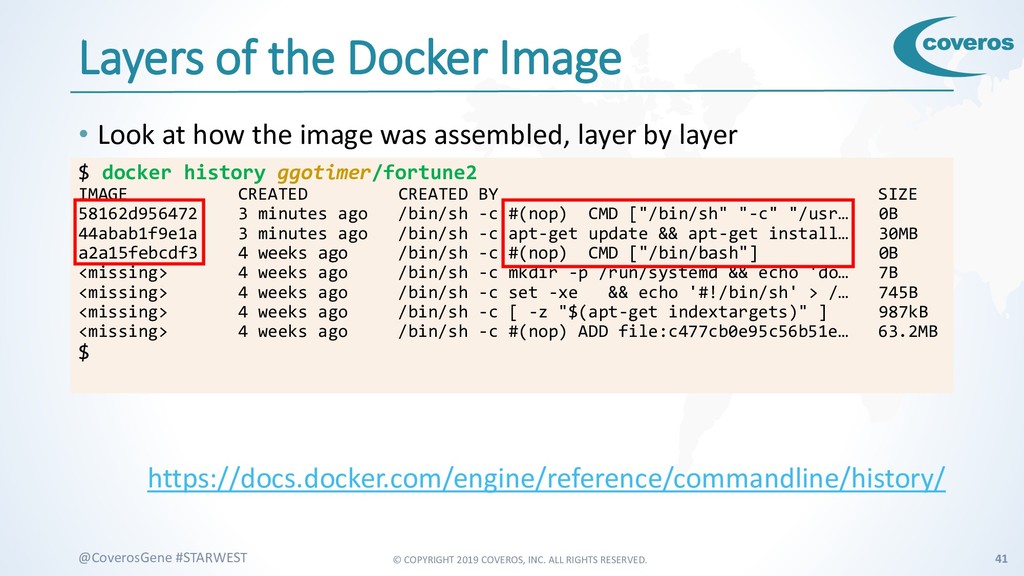
    #STARWEST Layers of the Docker Image • Look at how the image was assembled, layer by layer https://docs.docker.com/engine/reference/commandline/history/ $ docker history ggotimer/fortune2 IMAGE CREATED CREATED BY SIZE 58162d956472 3 minutes ago /bin/sh -c #(nop) CMD ["/bin/sh" "-c" "/usr… 0B 44abab1f9e1a 3 minutes ago /bin/sh -c apt-get update && apt-get install… 30MB a2a15febcdf3 4 weeks ago /bin/sh -c #(nop) CMD ["/bin/bash"] 0B <missing> 4 weeks ago /bin/sh -c mkdir -p /run/systemd && echo 'do… 7B <missing> 4 weeks ago /bin/sh -c set -xe && echo '#!/bin/sh' > /… 745B <missing> 4 weeks ago /bin/sh -c [ -z "$(apt-get indextargets)" ] 987kB <missing> 4 weeks ago /bin/sh -c #(nop) ADD file:c477cb0e95c56b51e… 63.2MB $
  34. © COPYRIGHT 2019 COVEROS, INC. ALL RIGHTS RESERVED. 43 @CoverosGene

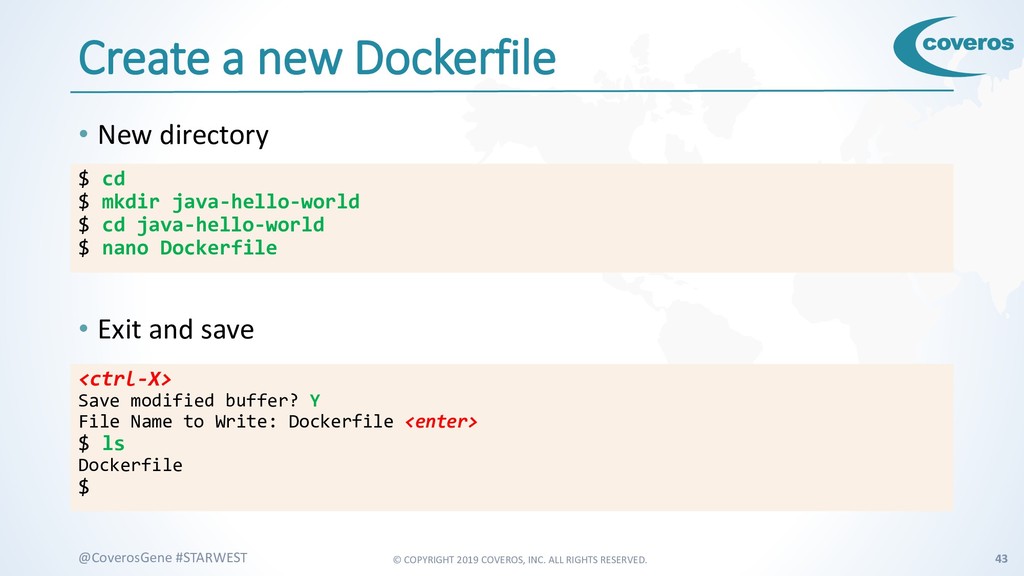
    #STARWEST Create a new Dockerfile • New directory • Exit and save $ cd $ mkdir java-hello-world $ cd java-hello-world $ nano Dockerfile <ctrl-X> Save modified buffer? Y File Name to Write: Dockerfile <enter> $ ls Dockerfile $
  35. © COPYRIGHT 2019 COVEROS, INC. ALL RIGHTS RESERVED. 44 @CoverosGene

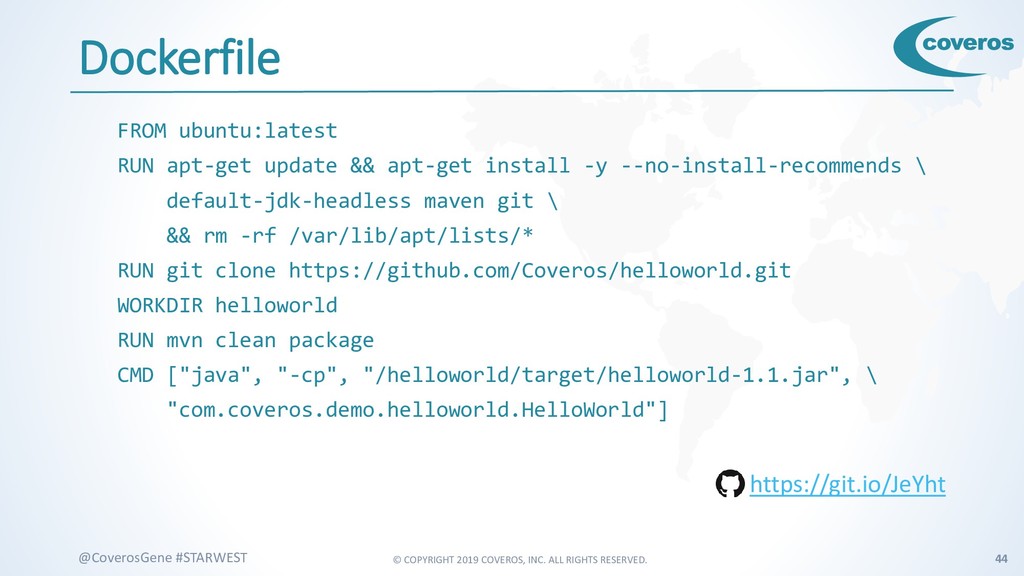
    #STARWEST Dockerfile FROM ubuntu:latest RUN apt-get update && apt-get install -y --no-install-recommends \ default-jdk-headless maven git \ && rm -rf /var/lib/apt/lists/* RUN git clone https://github.com/Coveros/helloworld.git WORKDIR helloworld RUN mvn clean package CMD ["java", "-cp", "/helloworld/target/helloworld-1.1.jar", \ "com.coveros.demo.helloworld.HelloWorld"] https://git.io/JeYht
  36. © COPYRIGHT 2019 COVEROS, INC. ALL RIGHTS RESERVED. 45 @CoverosGene

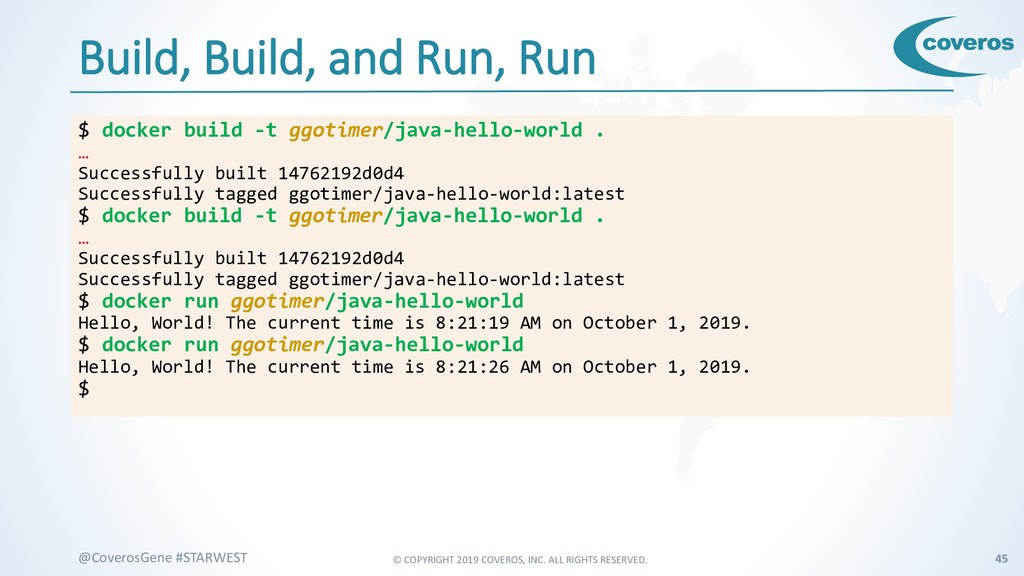
    #STARWEST Build, Build, and Run, Run $ docker build -t ggotimer/java-hello-world . … Successfully built 14762192d0d4 Successfully tagged ggotimer/java-hello-world:latest $ docker build -t ggotimer/java-hello-world . … Successfully built 14762192d0d4 Successfully tagged ggotimer/java-hello-world:latest $ docker run ggotimer/java-hello-world Hello, World! The current time is 8:21:19 AM on October 1, 2019. $ docker run ggotimer/java-hello-world Hello, World! The current time is 8:21:26 AM on October 1, 2019. $
  37. © COPYRIGHT 2019 COVEROS, INC. ALL RIGHTS RESERVED. 46 @CoverosGene

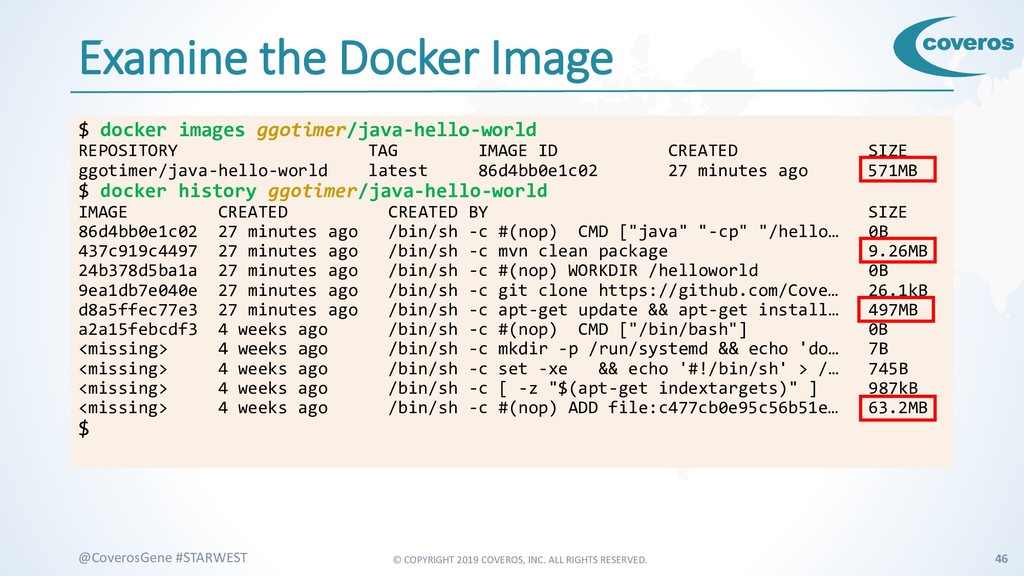
    #STARWEST Examine the Docker Image $ docker images ggotimer/java-hello-world REPOSITORY TAG IMAGE ID CREATED SIZE ggotimer/java-hello-world latest 86d4bb0e1c02 27 minutes ago 571MB $ docker history ggotimer/java-hello-world IMAGE CREATED CREATED BY SIZE 86d4bb0e1c02 27 minutes ago /bin/sh -c #(nop) CMD ["java" "-cp" "/hello… 0B 437c919c4497 27 minutes ago /bin/sh -c mvn clean package 9.26MB 24b378d5ba1a 27 minutes ago /bin/sh -c #(nop) WORKDIR /helloworld 0B 9ea1db7e040e 27 minutes ago /bin/sh -c git clone https://github.com/Cove… 26.1kB d8a5ffec77e3 27 minutes ago /bin/sh -c apt-get update && apt-get install… 497MB a2a15febcdf3 4 weeks ago /bin/sh -c #(nop) CMD ["/bin/bash"] 0B <missing> 4 weeks ago /bin/sh -c mkdir -p /run/systemd && echo 'do… 7B <missing> 4 weeks ago /bin/sh -c set -xe && echo '#!/bin/sh' > /… 745B <missing> 4 weeks ago /bin/sh -c [ -z "$(apt-get indextargets)" ] 987kB <missing> 4 weeks ago /bin/sh -c #(nop) ADD file:c477cb0e95c56b51e… 63.2MB $
  38. © COPYRIGHT 2019 COVEROS, INC. ALL RIGHTS RESERVED. 48 @CoverosGene

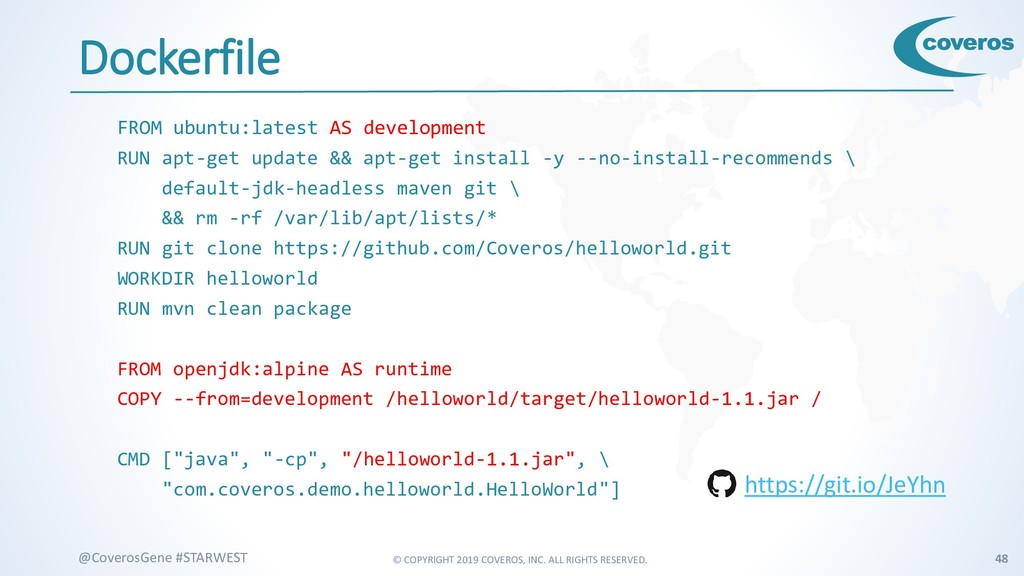
    #STARWEST Dockerfile FROM ubuntu:latest AS development RUN apt-get update && apt-get install -y --no-install-recommends \ default-jdk-headless maven git \ && rm -rf /var/lib/apt/lists/* RUN git clone https://github.com/Coveros/helloworld.git WORKDIR helloworld RUN mvn clean package FROM openjdk:alpine AS runtime COPY --from=development /helloworld/target/helloworld-1.1.jar / CMD ["java", "-cp", "/helloworld-1.1.jar", \ "com.coveros.demo.helloworld.HelloWorld"] https://git.io/JeYhn
  39. © COPYRIGHT 2019 COVEROS, INC. ALL RIGHTS RESERVED. 49 @CoverosGene

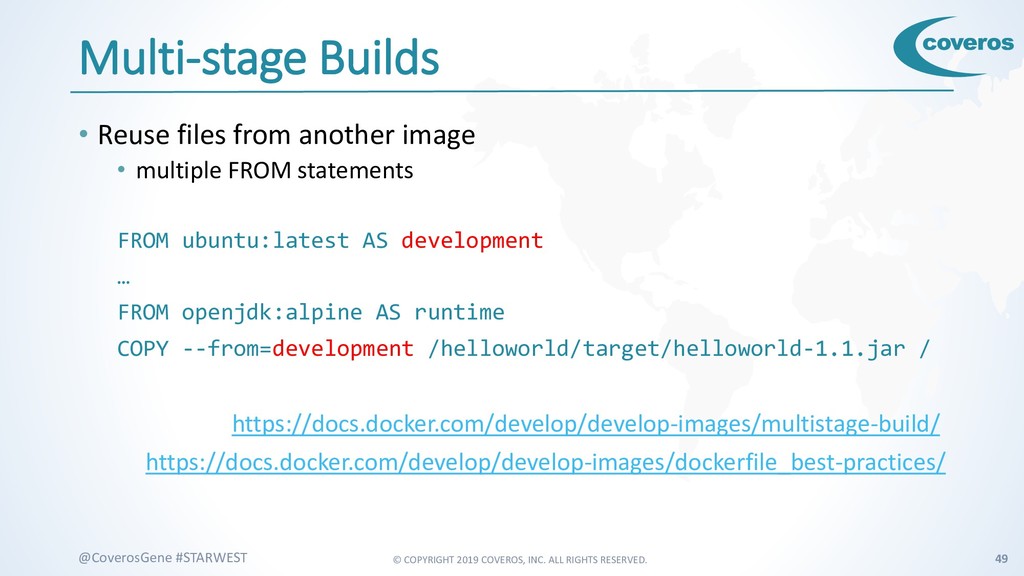
    #STARWEST Multi-stage Builds • Reuse files from another image • multiple FROM statements FROM ubuntu:latest AS development … FROM openjdk:alpine AS runtime COPY --from=development /helloworld/target/helloworld-1.1.jar / https://docs.docker.com/develop/develop-images/multistage-build/ https://docs.docker.com/develop/develop-images/dockerfile_best-practices/
  40. © COPYRIGHT 2019 COVEROS, INC. ALL RIGHTS RESERVED. 50 @CoverosGene

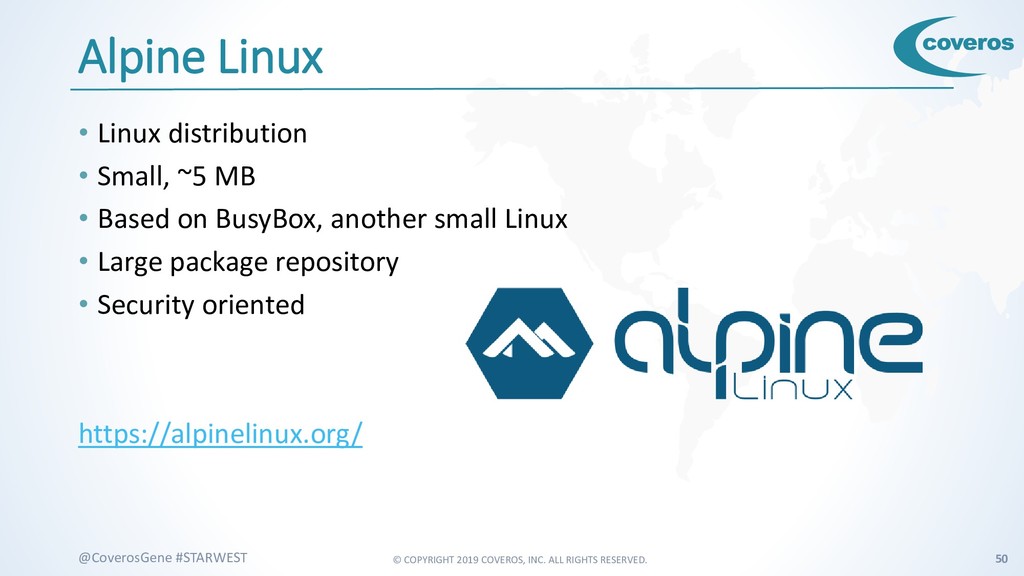
    #STARWEST Alpine Linux • Linux distribution • Small, ~5 MB • Based on BusyBox, another small Linux • Large package repository • Security oriented https://alpinelinux.org/
  41. © COPYRIGHT 2019 COVEROS, INC. ALL RIGHTS RESERVED. 51 @CoverosGene

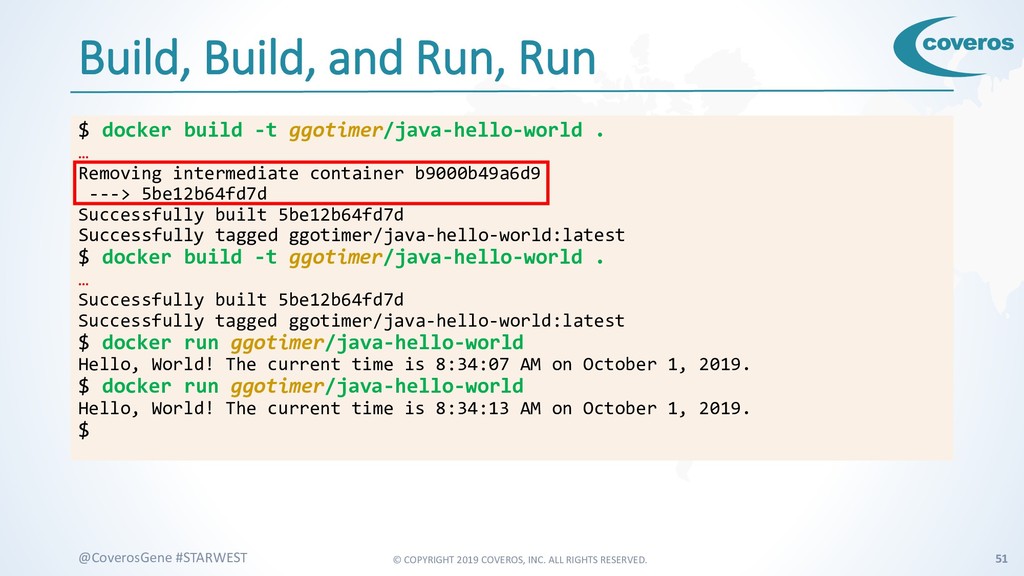
    #STARWEST Build, Build, and Run, Run $ docker build -t ggotimer/java-hello-world . … Removing intermediate container b9000b49a6d9 ---> 5be12b64fd7d Successfully built 5be12b64fd7d Successfully tagged ggotimer/java-hello-world:latest $ docker build -t ggotimer/java-hello-world . … Successfully built 5be12b64fd7d Successfully tagged ggotimer/java-hello-world:latest $ docker run ggotimer/java-hello-world Hello, World! The current time is 8:34:07 AM on October 1, 2019. $ docker run ggotimer/java-hello-world Hello, World! The current time is 8:34:13 AM on October 1, 2019. $
  42. © COPYRIGHT 2019 COVEROS, INC. ALL RIGHTS RESERVED. 52 @CoverosGene

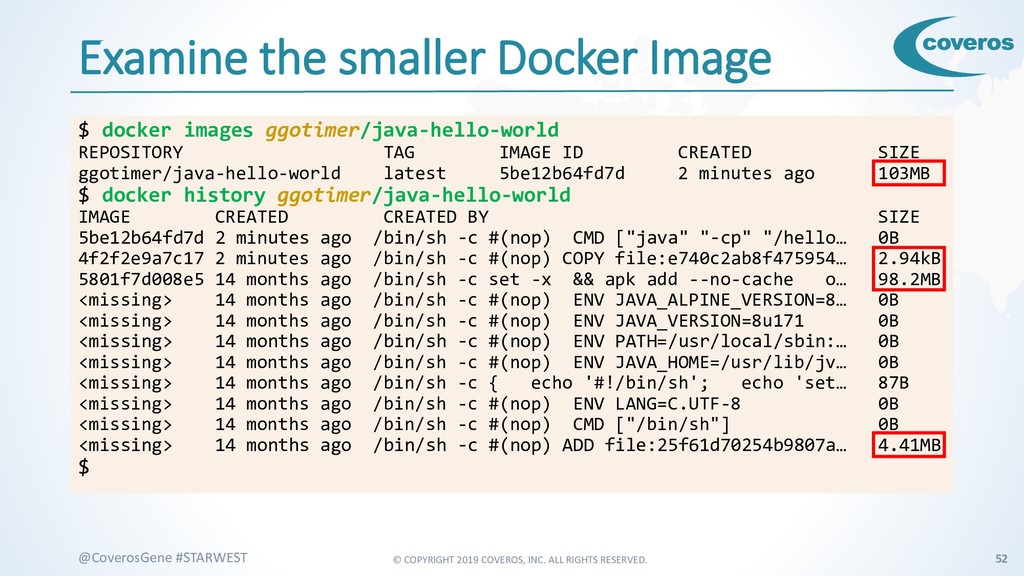
    #STARWEST Examine the smaller Docker Image $ docker images ggotimer/java-hello-world REPOSITORY TAG IMAGE ID CREATED SIZE ggotimer/java-hello-world latest 5be12b64fd7d 2 minutes ago 103MB $ docker history ggotimer/java-hello-world IMAGE CREATED CREATED BY SIZE 5be12b64fd7d 2 minutes ago /bin/sh -c #(nop) CMD ["java" "-cp" "/hello… 0B 4f2f2e9a7c17 2 minutes ago /bin/sh -c #(nop) COPY file:e740c2ab8f475954… 2.94kB 5801f7d008e5 14 months ago /bin/sh -c set -x && apk add --no-cache o… 98.2MB <missing> 14 months ago /bin/sh -c #(nop) ENV JAVA_ALPINE_VERSION=8… 0B <missing> 14 months ago /bin/sh -c #(nop) ENV JAVA_VERSION=8u171 0B <missing> 14 months ago /bin/sh -c #(nop) ENV PATH=/usr/local/sbin:… 0B <missing> 14 months ago /bin/sh -c #(nop) ENV JAVA_HOME=/usr/lib/jv… 0B <missing> 14 months ago /bin/sh -c { echo '#!/bin/sh'; echo 'set… 87B <missing> 14 months ago /bin/sh -c #(nop) ENV LANG=C.UTF-8 0B <missing> 14 months ago /bin/sh -c #(nop) CMD ["/bin/sh"] 0B <missing> 14 months ago /bin/sh -c #(nop) ADD file:25f61d70254b9807a… 4.41MB $
  43. © COPYRIGHT 2019 COVEROS, INC. ALL RIGHTS RESERVED. 53 @CoverosGene

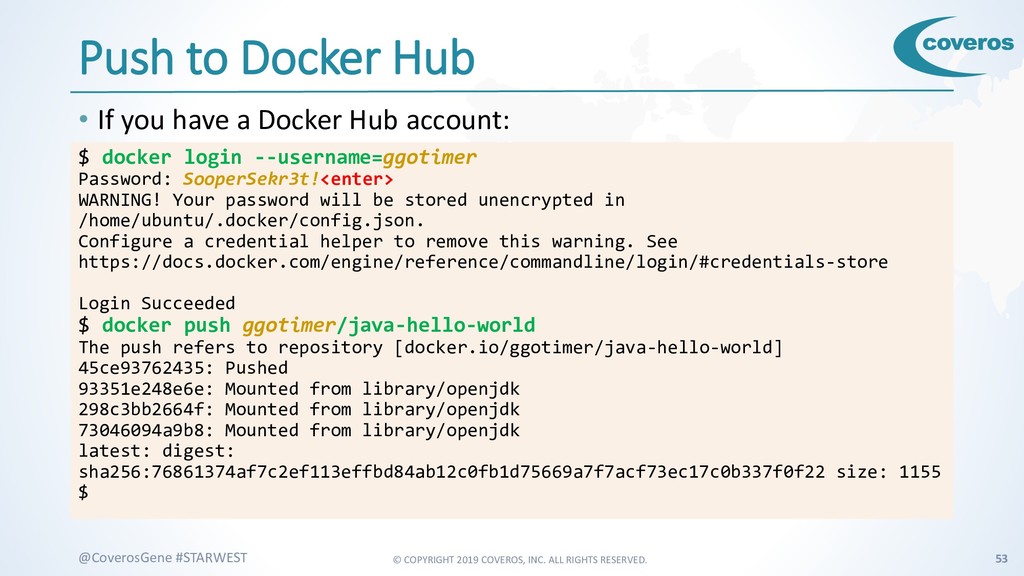
    #STARWEST Push to Docker Hub • If you have a Docker Hub account: $ docker login --username=ggotimer Password: SooperSekr3t!<enter> WARNING! Your password will be stored unencrypted in /home/ubuntu/.docker/config.json. Configure a credential helper to remove this warning. See https://docs.docker.com/engine/reference/commandline/login/#credentials-store Login Succeeded $ docker push ggotimer/java-hello-world The push refers to repository [docker.io/ggotimer/java-hello-world] 45ce93762435: Pushed 93351e248e6e: Mounted from library/openjdk 298c3bb2664f: Mounted from library/openjdk 73046094a9b8: Mounted from library/openjdk latest: digest: sha256:76861374af7c2ef113effbd84ab12c0fb1d75669a7f7acf73ec17c0b337f0f22 size: 1155 $
  44. © COPYRIGHT 2019 COVEROS, INC. ALL RIGHTS RESERVED. 54 @CoverosGene

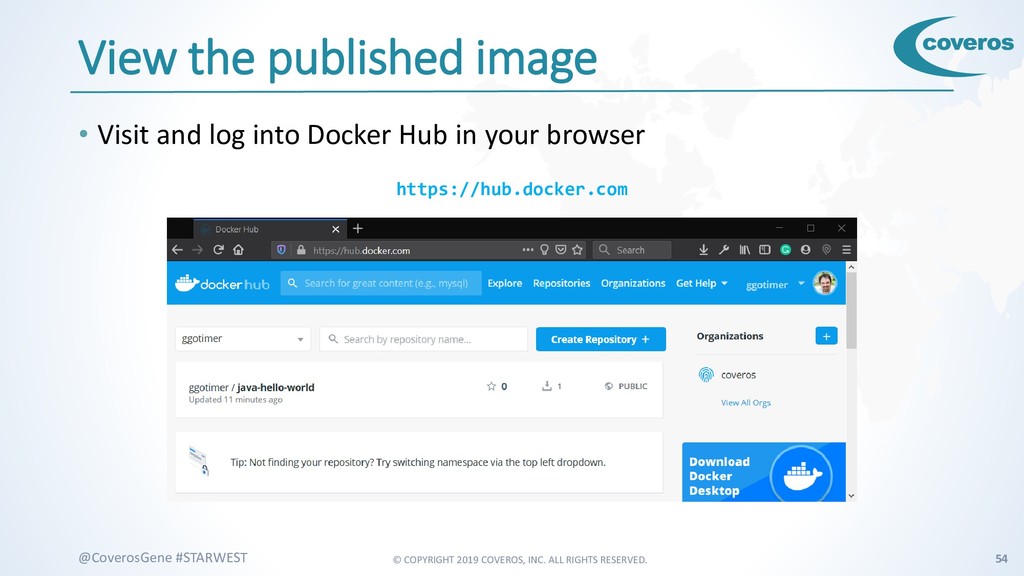
    #STARWEST View the published image • Visit and log into Docker Hub in your browser https://hub.docker.com
  45. © COPYRIGHT 2019 COVEROS, INC. ALL RIGHTS RESERVED. 55 @CoverosGene

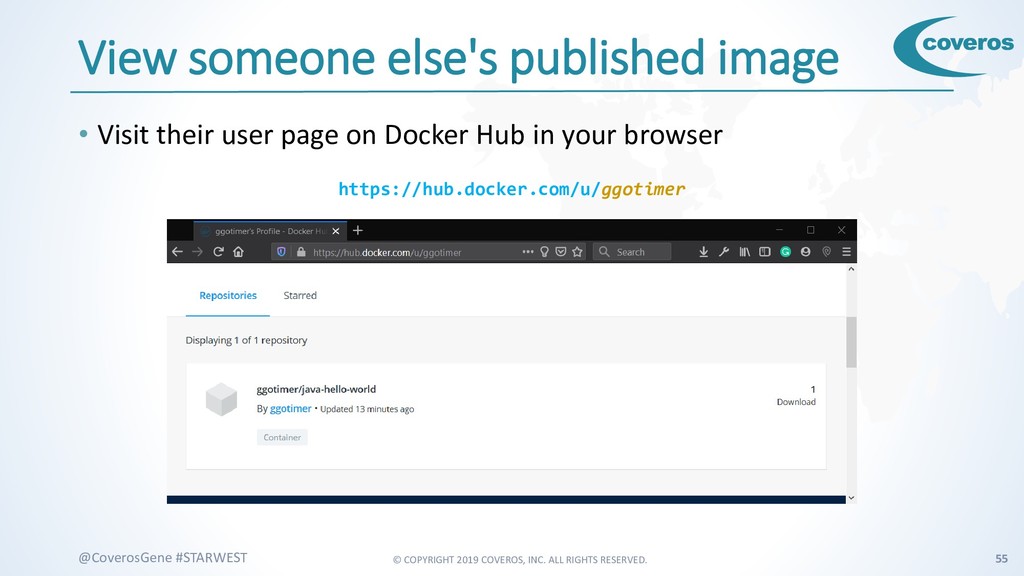
    #STARWEST View someone else's published image • Visit their user page on Docker Hub in your browser https://hub.docker.com/u/ggotimer
  46. © COPYRIGHT 2019 COVEROS, INC. ALL RIGHTS RESERVED. 57 @CoverosGene

    #STARWEST Nginx • Web server • also load balancer, proxy • Fast • Free, Open-Source https://nginx.org/
  47. © COPYRIGHT 2019 COVEROS, INC. ALL RIGHTS RESERVED. 58 @CoverosGene

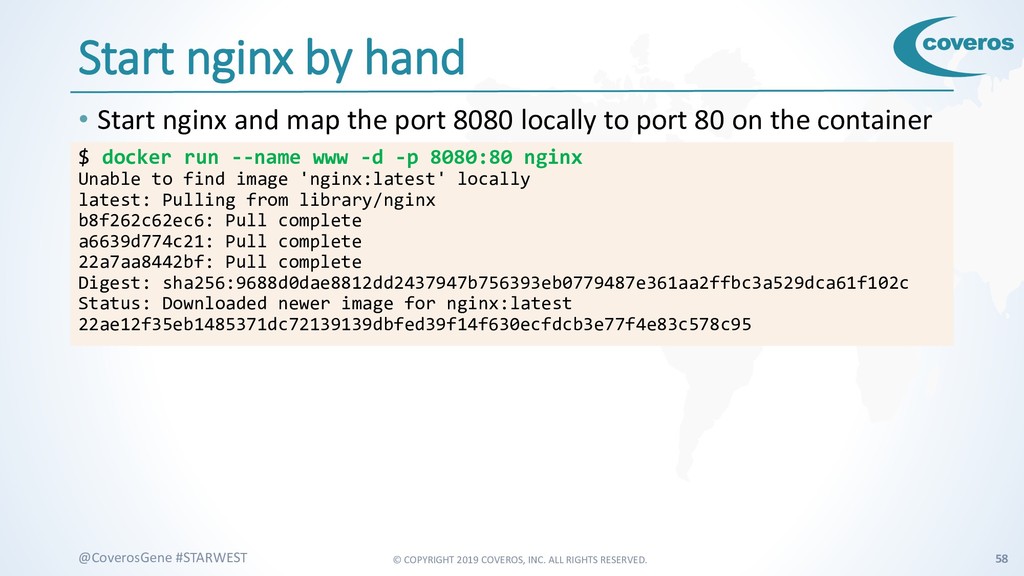
    #STARWEST Start nginx by hand • Start nginx and map the port 8080 locally to port 80 on the container $ docker run --name www -d -p 8080:80 nginx Unable to find image 'nginx:latest' locally latest: Pulling from library/nginx b8f262c62ec6: Pull complete a6639d774c21: Pull complete 22a7aa8442bf: Pull complete Digest: sha256:9688d0dae8812dd2437947b756393eb0779487e361aa2ffbc3a529dca61f102c Status: Downloaded newer image for nginx:latest 22ae12f35eb1485371dc72139139dbfed39f14f630ecfdcb3e77f4e83c578c95
  48. © COPYRIGHT 2019 COVEROS, INC. ALL RIGHTS RESERVED. 59 @CoverosGene

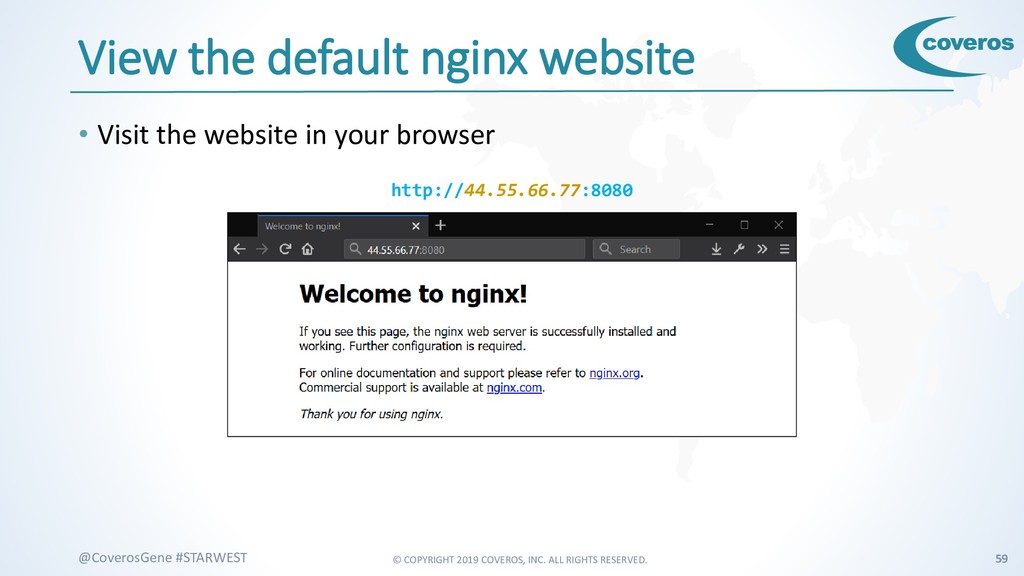
    #STARWEST View the default nginx website • Visit the website in your browser http://44.55.66.77:8080
  49. © COPYRIGHT 2019 COVEROS, INC. ALL RIGHTS RESERVED. 60 @CoverosGene

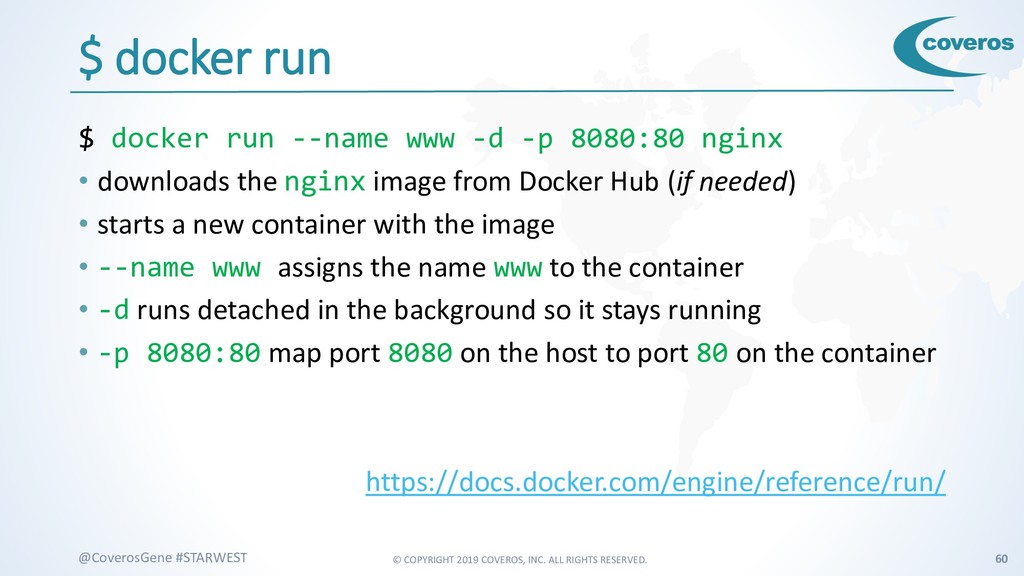
    #STARWEST $ docker run $ docker run --name www -d -p 8080:80 nginx • downloads the nginx image from Docker Hub (if needed) • starts a new container with the image • --name www assigns the name www to the container • -d runs detached in the background so it stays running • -p 8080:80 map port 8080 on the host to port 80 on the container https://docs.docker.com/engine/reference/run/
  50. © COPYRIGHT 2019 COVEROS, INC. ALL RIGHTS RESERVED. 61 @CoverosGene

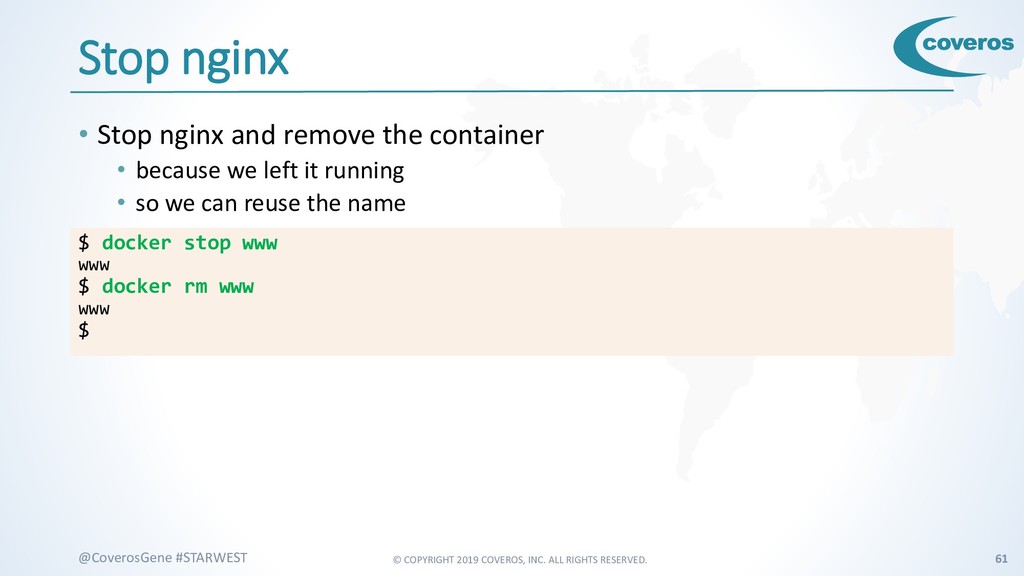
    #STARWEST Stop nginx • Stop nginx and remove the container • because we left it running • so we can reuse the name $ docker stop www www $ docker rm www www $
  51. © COPYRIGHT 2019 COVEROS, INC. ALL RIGHTS RESERVED. 62 @CoverosGene

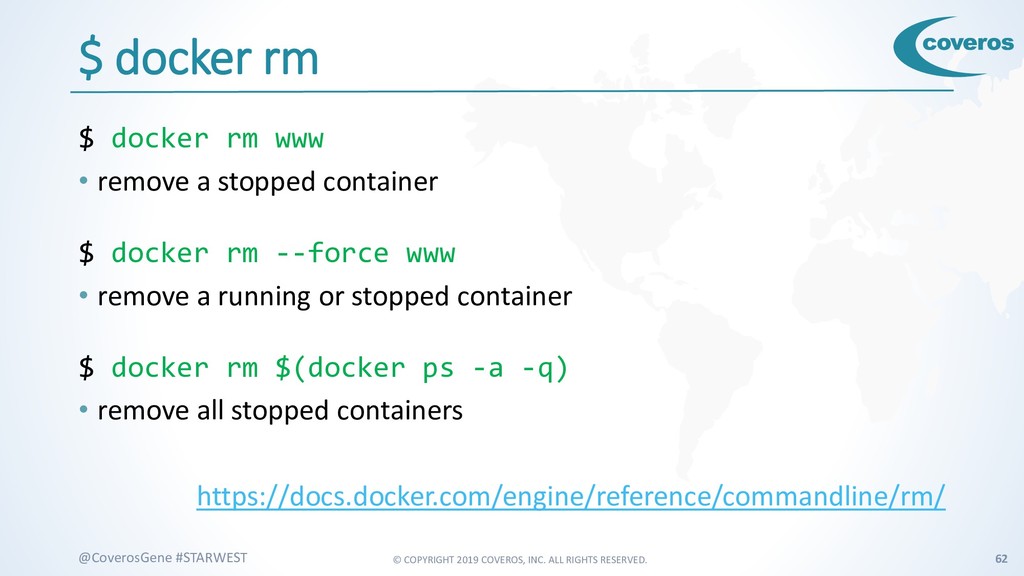
    #STARWEST $ docker rm $ docker rm www • remove a stopped container $ docker rm --force www • remove a running or stopped container $ docker rm $(docker ps -a -q) • remove all stopped containers https://docs.docker.com/engine/reference/commandline/rm/
  52. © COPYRIGHT 2019 COVEROS, INC. ALL RIGHTS RESERVED. 63 @CoverosGene

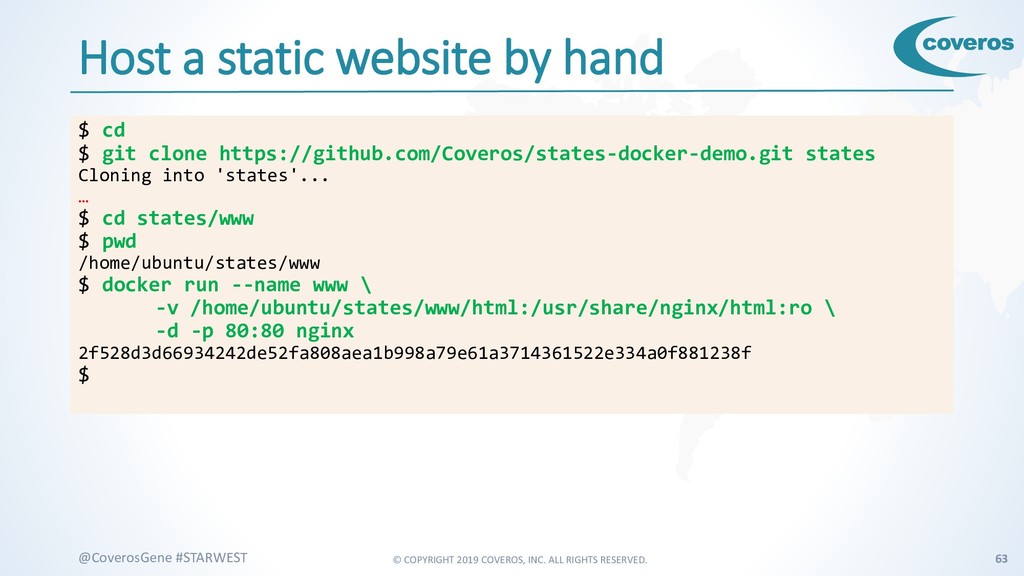
    #STARWEST Host a static website by hand $ cd $ git clone https://github.com/Coveros/states-docker-demo.git states Cloning into 'states'... … $ cd states/www $ pwd /home/ubuntu/states/www $ docker run --name www \ -v /home/ubuntu/states/www/html:/usr/share/nginx/html:ro \ -d -p 80:80 nginx 2f528d3d66934242de52fa808aea1b998a79e61a3714361522e334a0f881238f $
  53. © COPYRIGHT 2019 COVEROS, INC. ALL RIGHTS RESERVED. 64 @CoverosGene

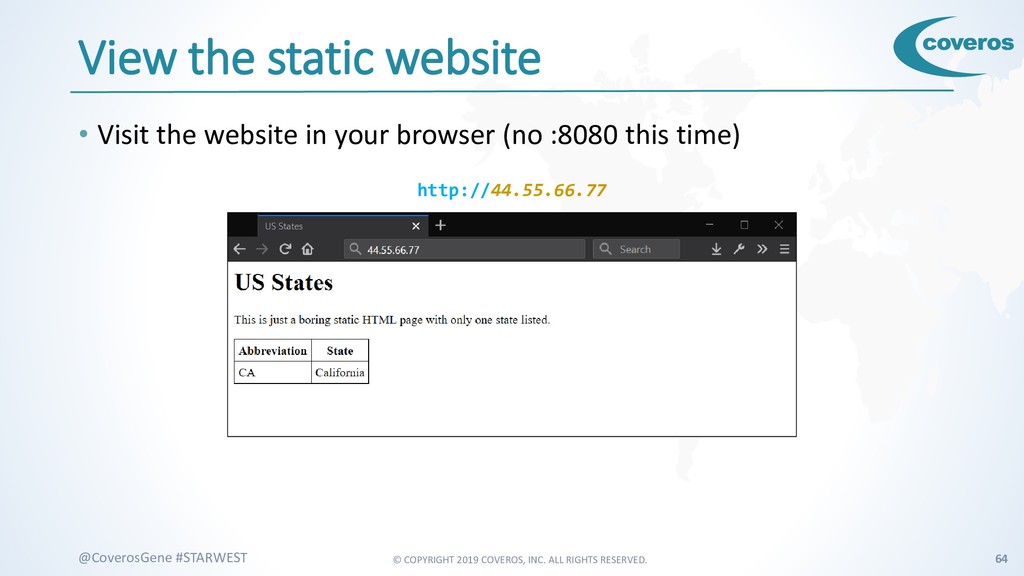
    #STARWEST View the static website • Visit the website in your browser (no :8080 this time) http://44.55.66.77
  54. © COPYRIGHT 2019 COVEROS, INC. ALL RIGHTS RESERVED. 65 @CoverosGene

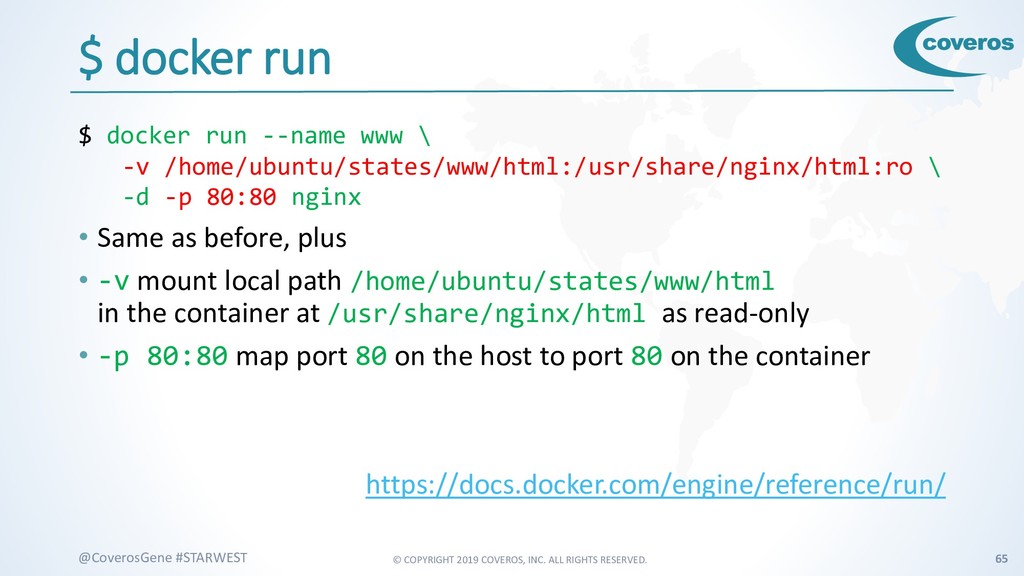
    #STARWEST $ docker run $ docker run --name www \ -v /home/ubuntu/states/www/html:/usr/share/nginx/html:ro \ -d -p 80:80 nginx • Same as before, plus • -v mount local path /home/ubuntu/states/www/html in the container at /usr/share/nginx/html as read-only • -p 80:80 map port 80 on the host to port 80 on the container https://docs.docker.com/engine/reference/run/
  55. © COPYRIGHT 2019 COVEROS, INC. ALL RIGHTS RESERVED. 66 @CoverosGene

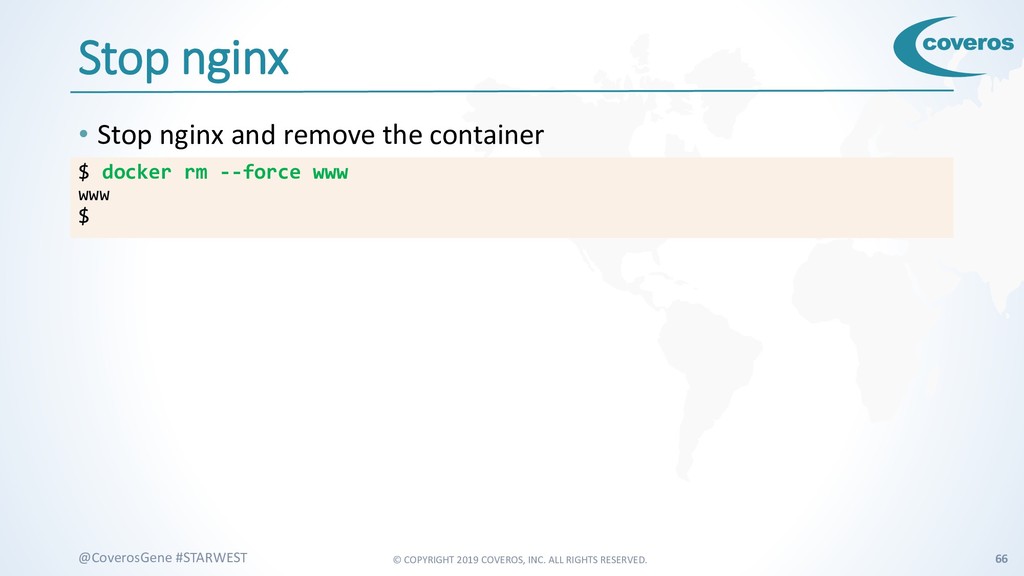
    #STARWEST Stop nginx • Stop nginx and remove the container $ docker rm --force www www $
  56. © COPYRIGHT 2019 COVEROS, INC. ALL RIGHTS RESERVED. 68 @CoverosGene

    #STARWEST PHP • Server-side scripting language • Designed for web development • Easy to read • Very popular • Free https://php.net/
  57. © COPYRIGHT 2019 COVEROS, INC. ALL RIGHTS RESERVED. 69 @CoverosGene

    #STARWEST Redis • In-memory data store • Key-value pairs • Fast • Interfaces for most languages • Including PHP • Free, Open-Source https://redis.io/
  58. © COPYRIGHT 2019 COVEROS, INC. ALL RIGHTS RESERVED. 70 @CoverosGene

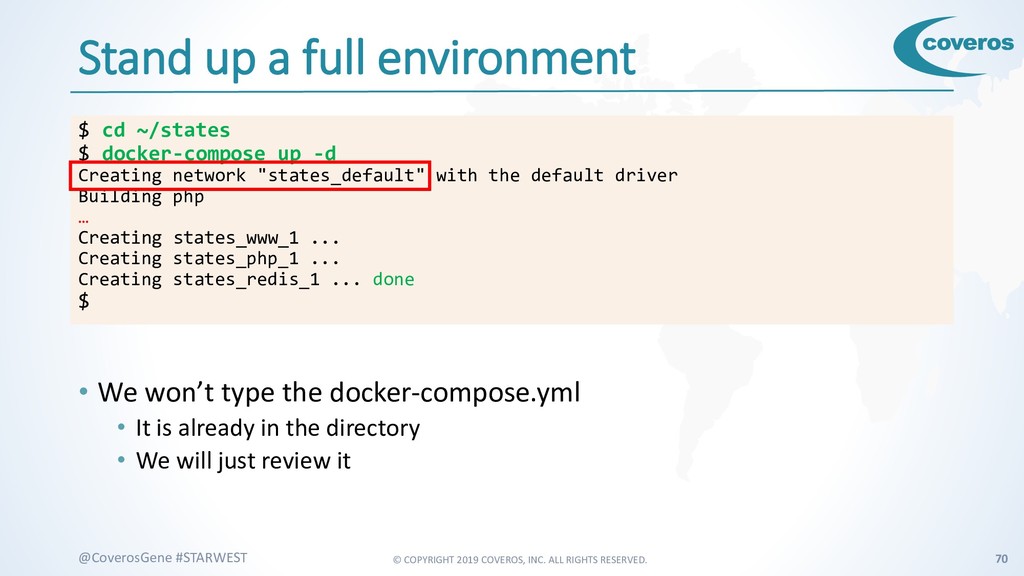
    #STARWEST Stand up a full environment • We won’t type the docker-compose.yml • It is already in the directory • We will just review it $ cd ~/states $ docker-compose up -d Creating network "states_default" with the default driver Building php … Creating states_www_1 ... Creating states_php_1 ... Creating states_redis_1 ... done $
  59. © COPYRIGHT 2019 COVEROS, INC. ALL RIGHTS RESERVED. 71 @CoverosGene

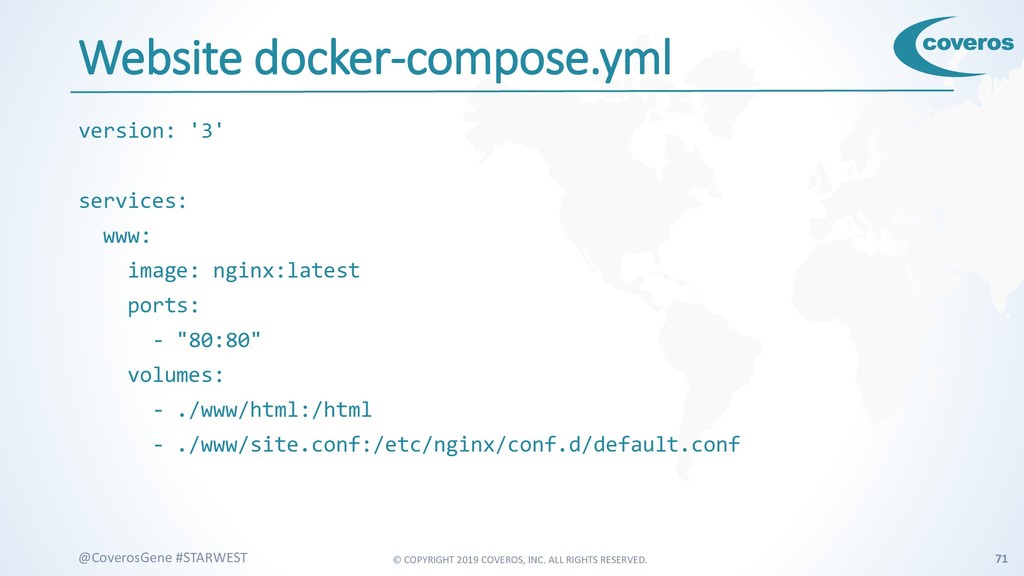
    #STARWEST Website docker-compose.yml version: '3' services: www: image: nginx:latest ports: - "80:80" volumes: - ./www/html:/html - ./www/site.conf:/etc/nginx/conf.d/default.conf
  60. © COPYRIGHT 2019 COVEROS, INC. ALL RIGHTS RESERVED. 72 @CoverosGene

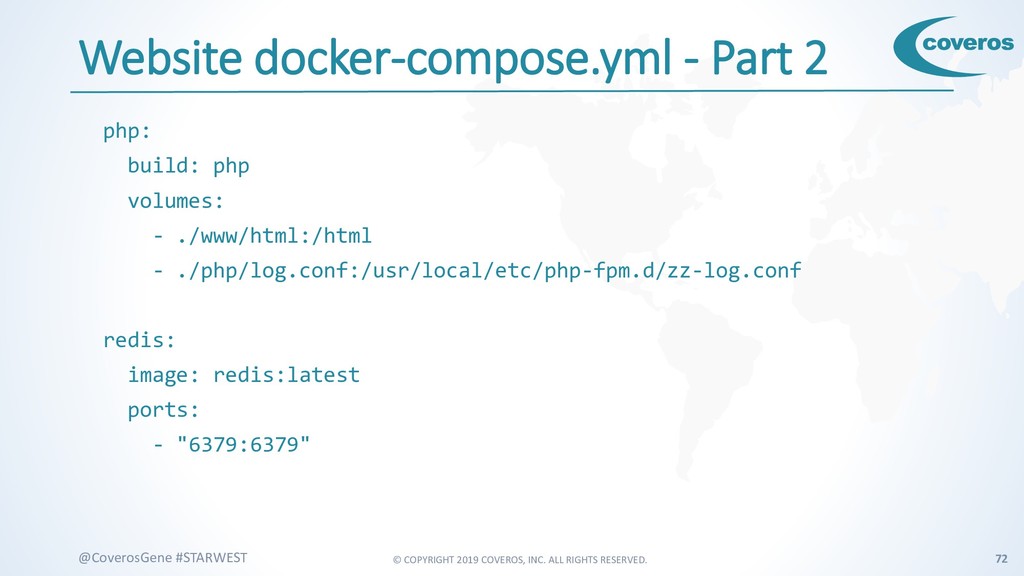
    #STARWEST Website docker-compose.yml - Part 2 php: build: php volumes: - ./www/html:/html - ./php/log.conf:/usr/local/etc/php-fpm.d/zz-log.conf redis: image: redis:latest ports: - "6379:6379"
  61. © COPYRIGHT 2019 COVEROS, INC. ALL RIGHTS RESERVED. 73 @CoverosGene

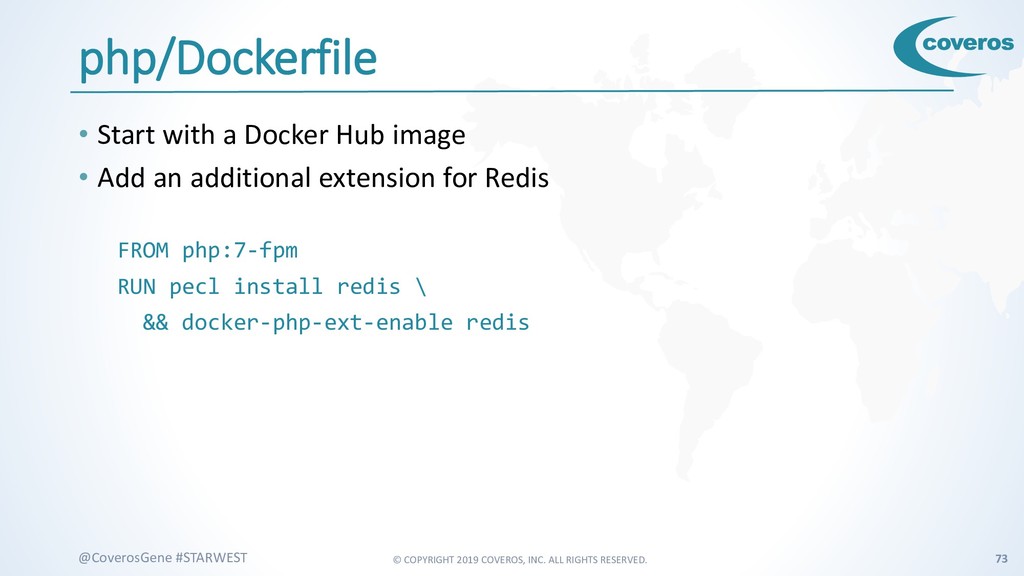
    #STARWEST php/Dockerfile • Start with a Docker Hub image • Add an additional extension for Redis FROM php:7-fpm RUN pecl install redis \ && docker-php-ext-enable redis
  62. © COPYRIGHT 2019 COVEROS, INC. ALL RIGHTS RESERVED. 74 @CoverosGene

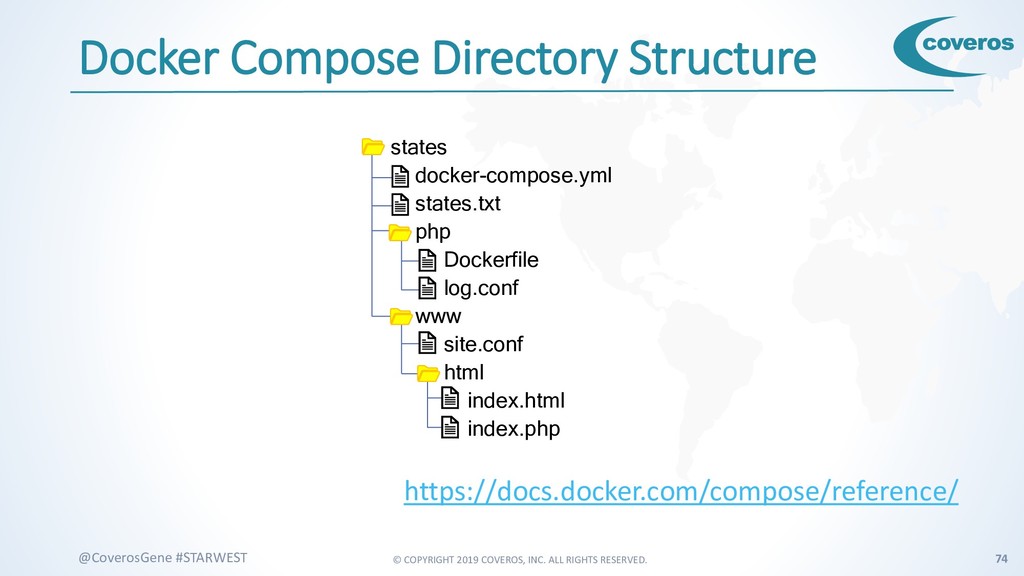
    #STARWEST https://docs.docker.com/compose/reference/ Docker Compose Directory Structure states docker-compose.yml states.txt php Dockerfile log.conf www site.conf html index.html index.php
  63. © COPYRIGHT 2019 COVEROS, INC. ALL RIGHTS RESERVED. 75 @CoverosGene

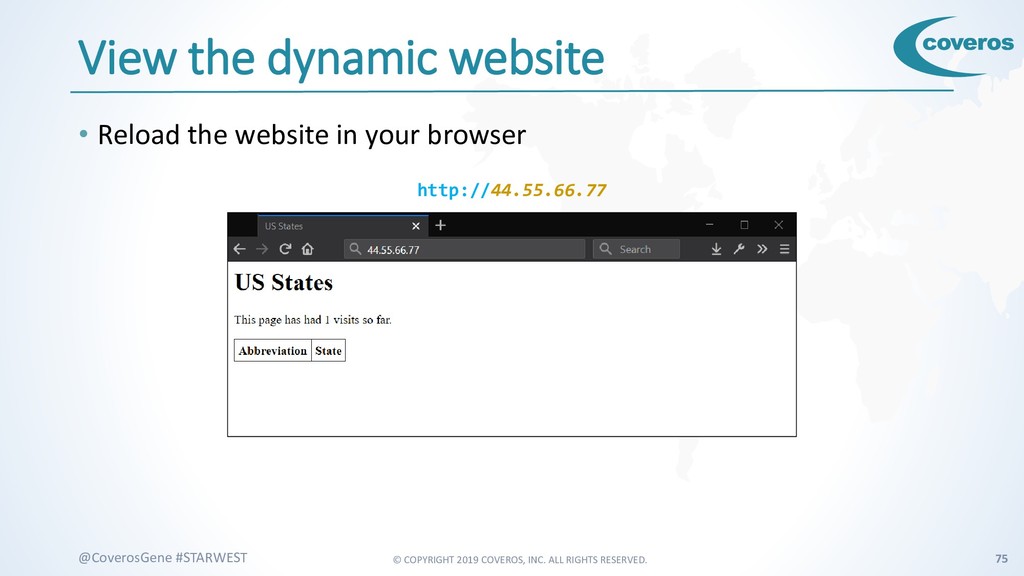
    #STARWEST View the dynamic website • Reload the website in your browser http://44.55.66.77
  64. © COPYRIGHT 2019 COVEROS, INC. ALL RIGHTS RESERVED. 76 @CoverosGene

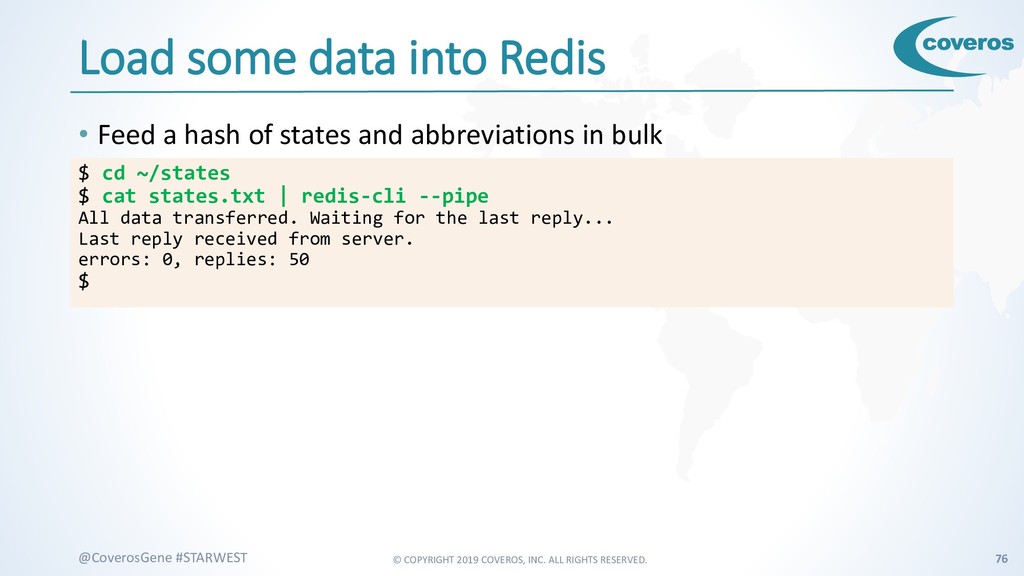
    #STARWEST Load some data into Redis • Feed a hash of states and abbreviations in bulk $ cd ~/states $ cat states.txt | redis-cli --pipe All data transferred. Waiting for the last reply... Last reply received from server. errors: 0, replies: 50 $
  65. © COPYRIGHT 2019 COVEROS, INC. ALL RIGHTS RESERVED. 77 @CoverosGene

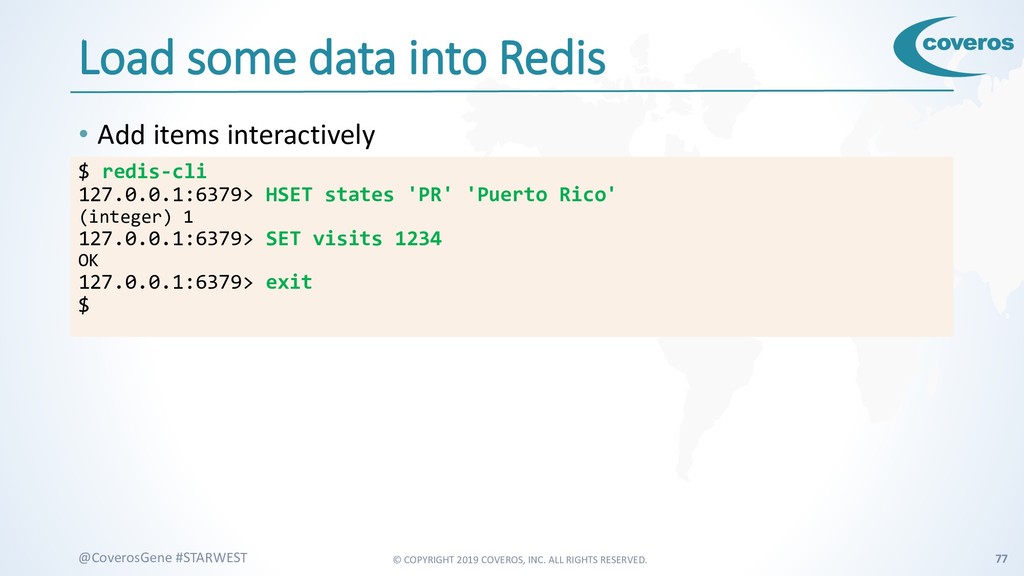
    #STARWEST Load some data into Redis • Add items interactively $ redis-cli 127.0.0.1:6379> HSET states 'PR' 'Puerto Rico' (integer) 1 127.0.0.1:6379> SET visits 1234 OK 127.0.0.1:6379> exit $
  66. © COPYRIGHT 2019 COVEROS, INC. ALL RIGHTS RESERVED. 78 @CoverosGene

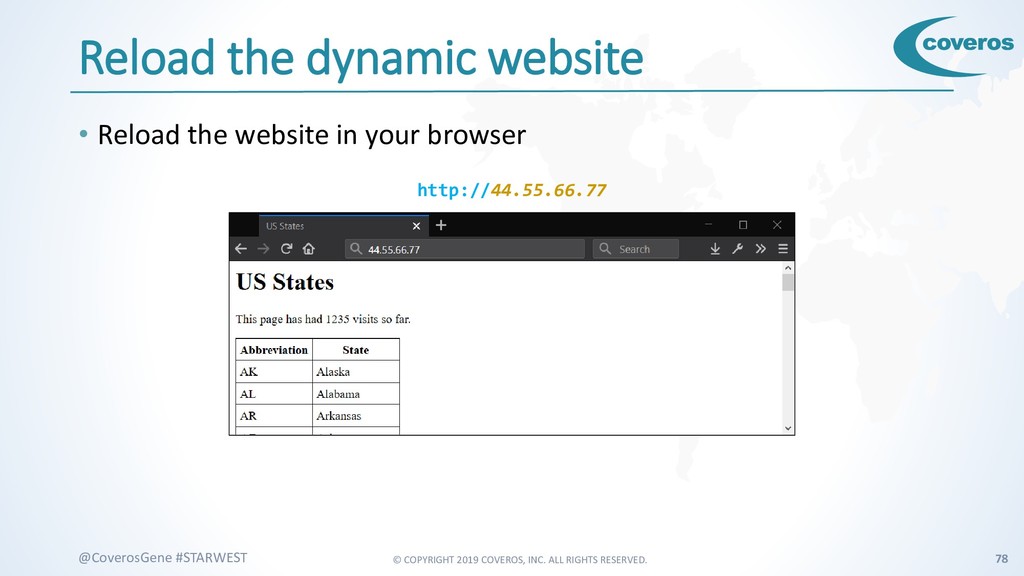
    #STARWEST Reload the dynamic website • Reload the website in your browser http://44.55.66.77
  67. © COPYRIGHT 2019 COVEROS, INC. ALL RIGHTS RESERVED. 80 @CoverosGene

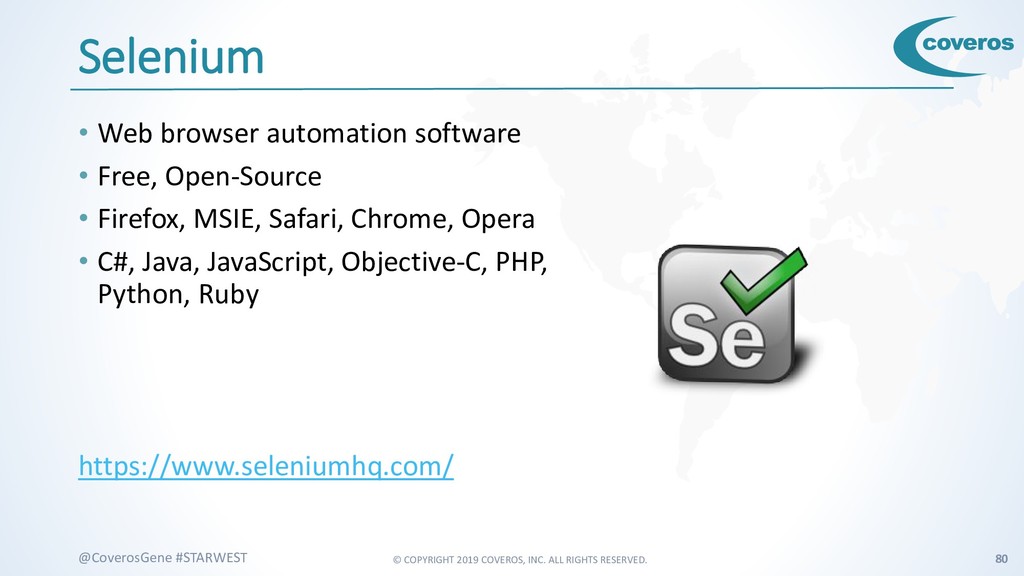
    #STARWEST Selenium • Web browser automation software • Free, Open-Source • Firefox, MSIE, Safari, Chrome, Opera • C#, Java, JavaScript, Objective-C, PHP, Python, Ruby https://www.seleniumhq.com/
  68. © COPYRIGHT 2019 COVEROS, INC. ALL RIGHTS RESERVED. 81 @CoverosGene

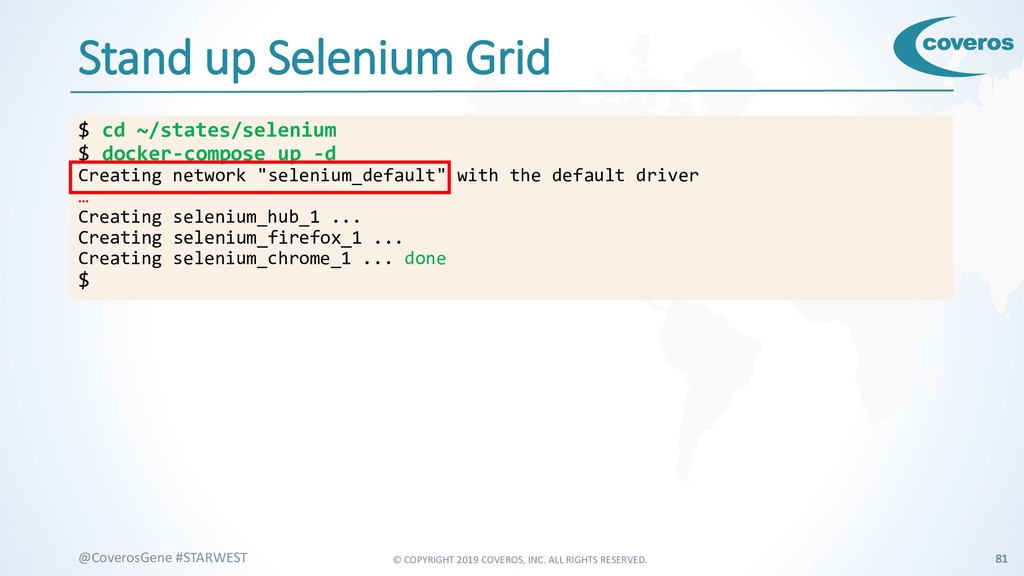
    #STARWEST Stand up Selenium Grid $ cd ~/states/selenium $ docker-compose up -d Creating network "selenium_default" with the default driver … Creating selenium_hub_1 ... Creating selenium_firefox_1 ... Creating selenium_chrome_1 ... done $
  69. © COPYRIGHT 2019 COVEROS, INC. ALL RIGHTS RESERVED. 82 @CoverosGene

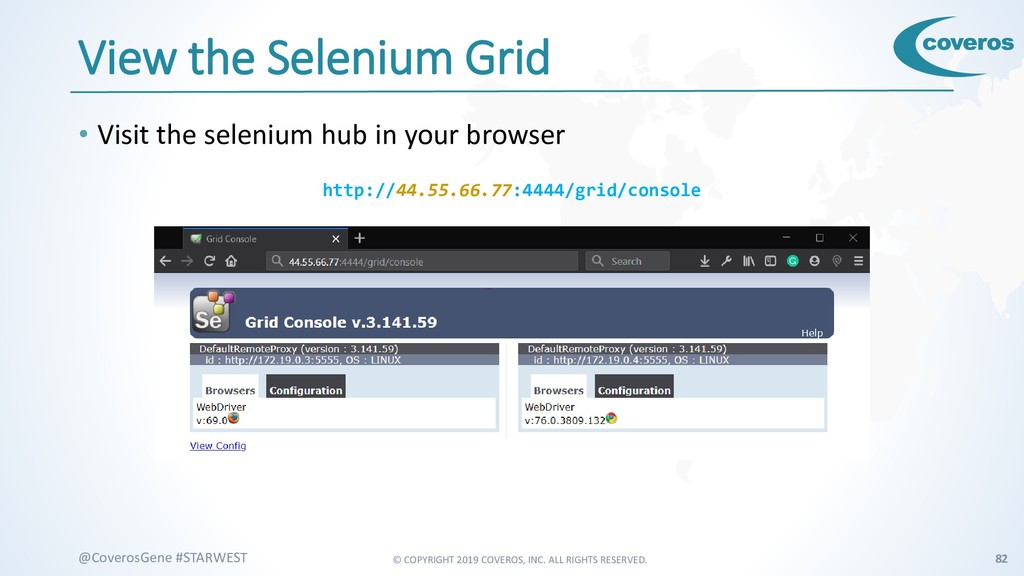
    #STARWEST View the Selenium Grid • Visit the selenium hub in your browser http://44.55.66.77:4444/grid/console
  70. © COPYRIGHT 2019 COVEROS, INC. ALL RIGHTS RESERVED. 83 @CoverosGene

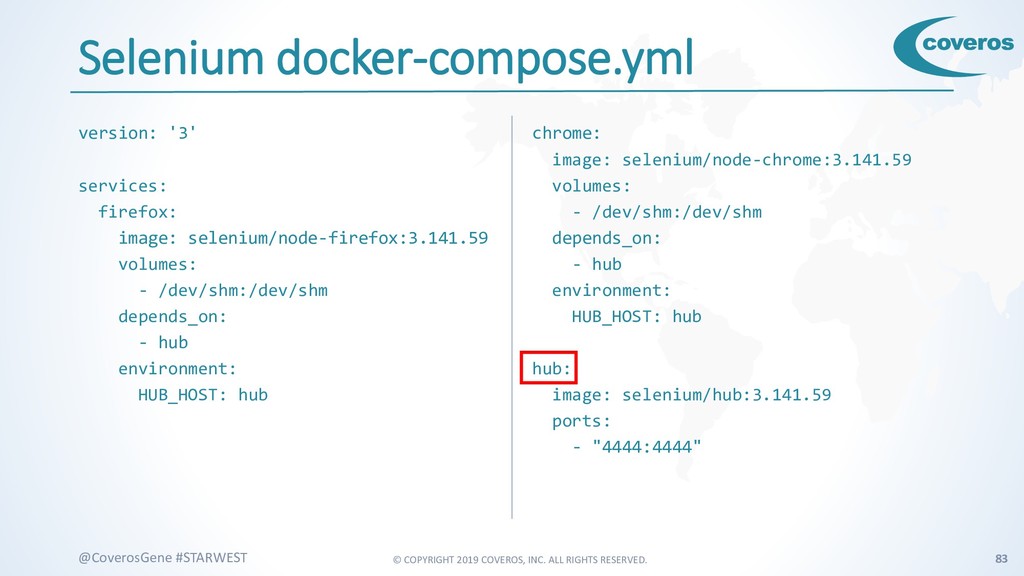
    #STARWEST Selenium docker-compose.yml version: '3' services: firefox: image: selenium/node-firefox:3.141.59 volumes: - /dev/shm:/dev/shm depends_on: - hub environment: HUB_HOST: hub chrome: image: selenium/node-chrome:3.141.59 volumes: - /dev/shm:/dev/shm depends_on: - hub environment: HUB_HOST: hub hub: image: selenium/hub:3.141.59 ports: - "4444:4444"
  71. © COPYRIGHT 2019 COVEROS, INC. ALL RIGHTS RESERVED. 84 @CoverosGene

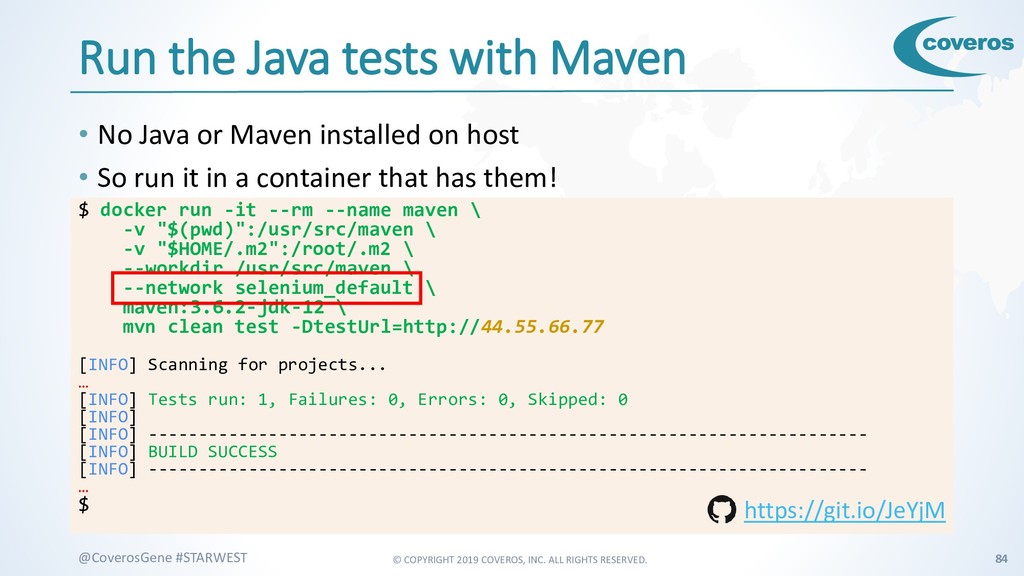
    #STARWEST Run the Java tests with Maven • No Java or Maven installed on host $ docker run -it --rm --name maven \ -v "$(pwd)":/usr/src/maven \ -v "$HOME/.m2":/root/.m2 \ --workdir /usr/src/maven \ --network selenium_default \ maven:3.6.2-jdk-12 \ mvn clean test -DtestUrl=http://44.55.66.77 [INFO] Scanning for projects... … [INFO] Tests run: 1, Failures: 0, Errors: 0, Skipped: 0 [INFO] [INFO] ------------------------------------------------------------------------ [INFO] BUILD SUCCESS [INFO] ------------------------------------------------------------------------ … $ • So run it in a container that has them! https://git.io/JeYjM
  72. © COPYRIGHT 2019 COVEROS, INC. ALL RIGHTS RESERVED. 85 @CoverosGene

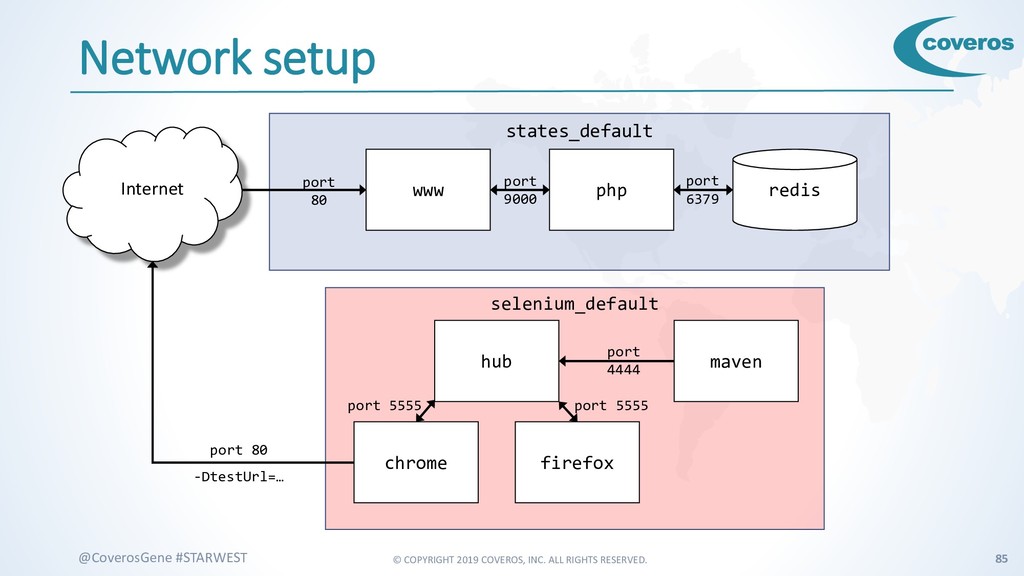
    #STARWEST Network setup www php redis states_default hub chrome selenium_default Internet port 80 port 6379 port 9000 firefox maven port 4444 port 5555 port 5555 port 80 -DtestUrl=…
  73. © COPYRIGHT 2019 COVEROS, INC. ALL RIGHTS RESERVED. 86 @CoverosGene

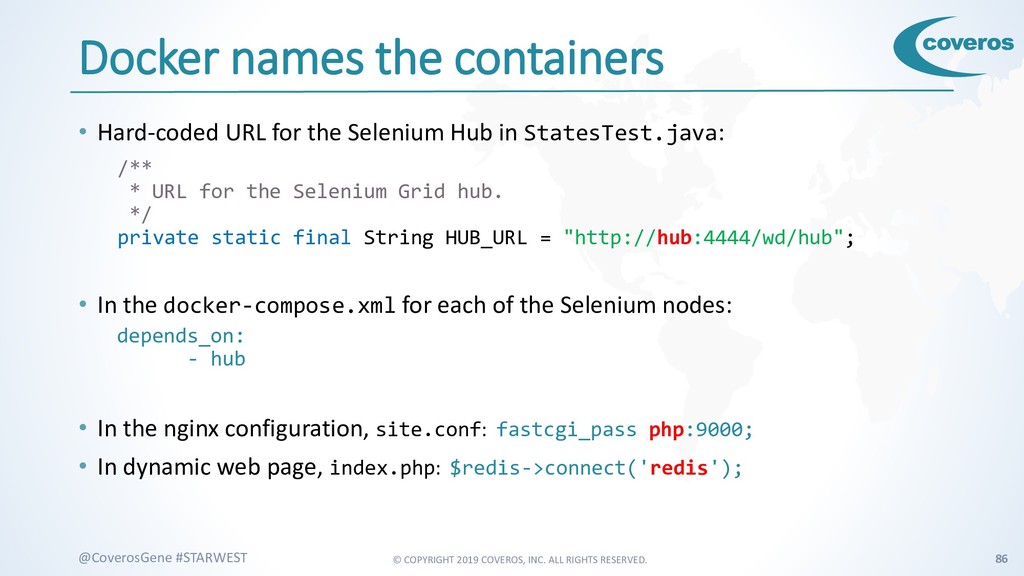
    #STARWEST Docker names the containers • Hard-coded URL for the Selenium Hub in StatesTest.java: /** * URL for the Selenium Grid hub. */ private static final String HUB_URL = "http://hub:4444/wd/hub"; • In the docker-compose.xml for each of the Selenium nodes: depends_on: - hub • In the nginx configuration, site.conf: fastcgi_pass php:9000; • In dynamic web page, index.php: $redis->connect('redis');
  74. © COPYRIGHT 2019 COVEROS, INC. ALL RIGHTS RESERVED. 87 @CoverosGene

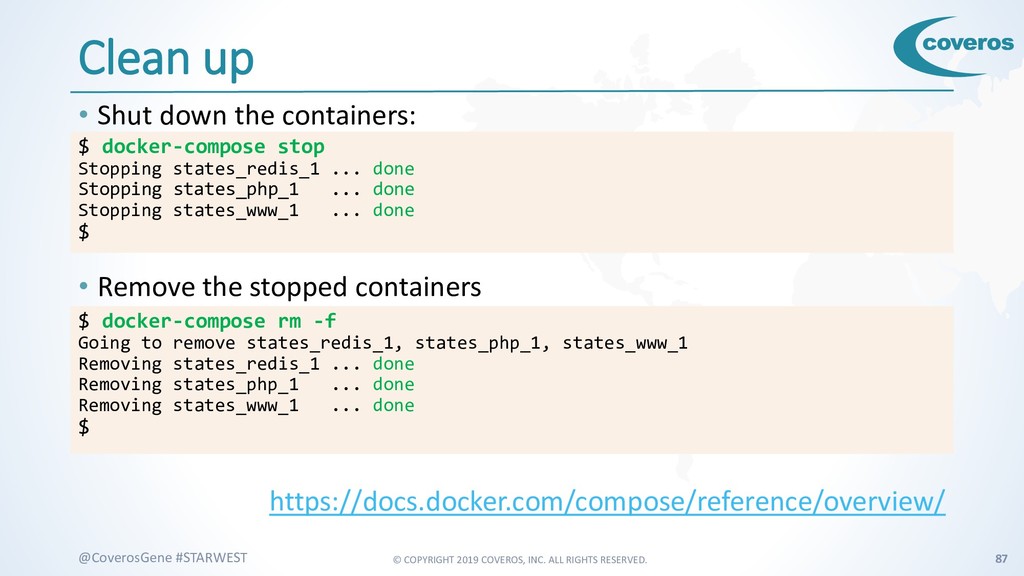
    #STARWEST Clean up • Shut down the containers: • Remove the stopped containers https://docs.docker.com/compose/reference/overview/ $ docker-compose stop Stopping states_redis_1 ... done Stopping states_php_1 ... done Stopping states_www_1 ... done $ $ docker-compose rm -f Going to remove states_redis_1, states_php_1, states_www_1 Removing states_redis_1 ... done Removing states_php_1 ... done Removing states_www_1 ... done $
  75. © COPYRIGHT 2019 COVEROS, INC. ALL RIGHTS RESERVED. 88 @CoverosGene

    #STARWEST Questions? Ask on the TechWell Hub @Gene Gotimer #devops https://hub.techwell.com/
  76. © COPYRIGHT 2019 COVEROS, INC. ALL RIGHTS RESERVED. 89 @CoverosGene

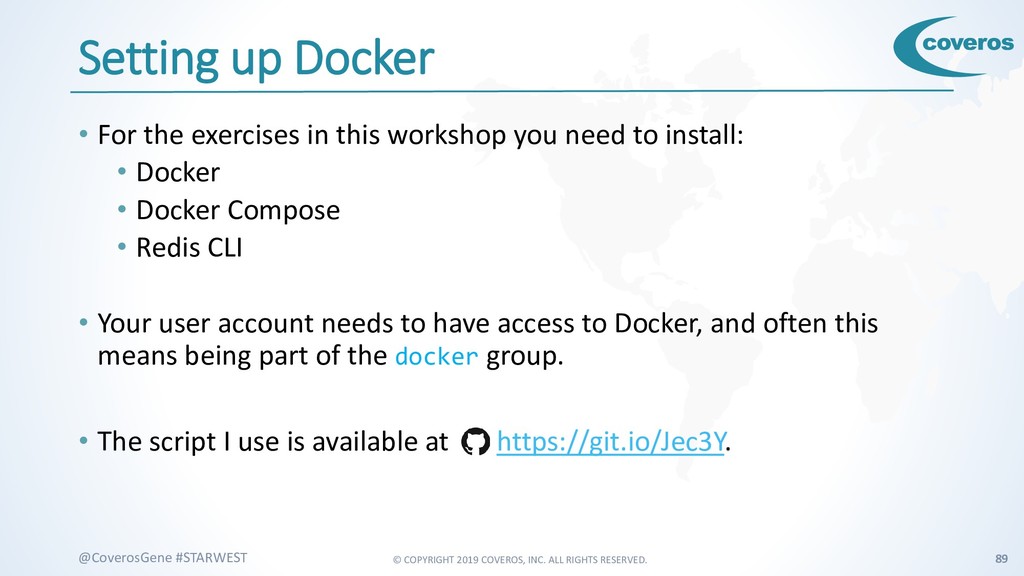
    #STARWEST Setting up Docker • For the exercises in this workshop you need to install: • Docker • Docker Compose • Redis CLI • Your user account needs to have access to Docker, and often this means being part of the docker group. • The script I use is available at https://git.io/Jec3Y.