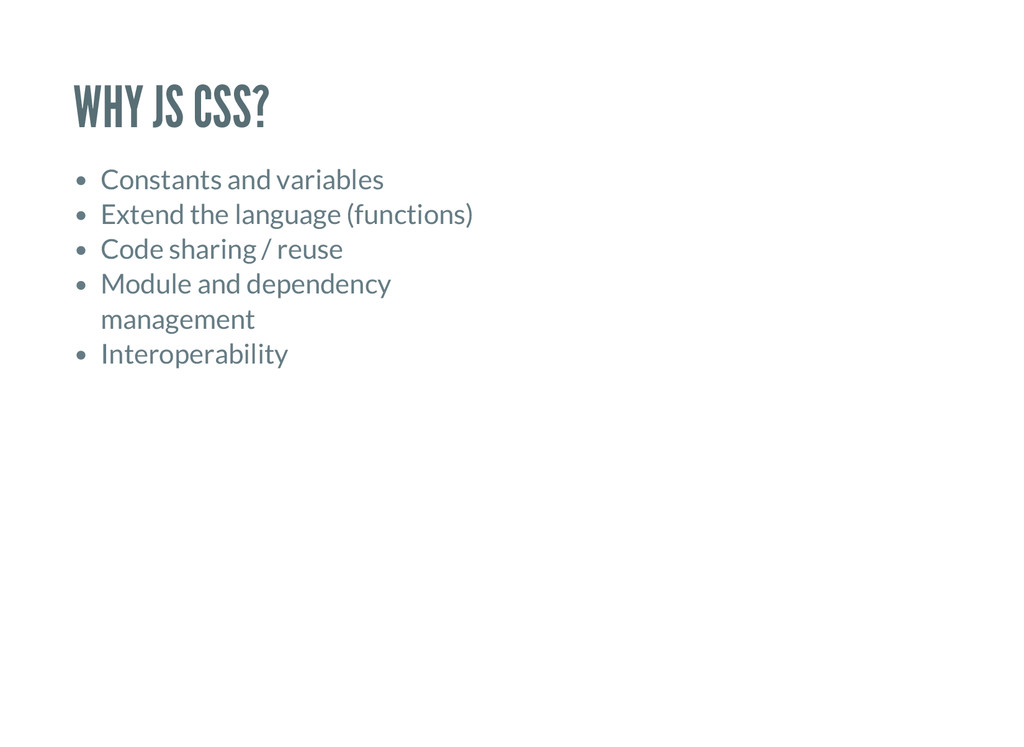
to extend the language Bad dependency management No code sharing or reuse No interoperability with JS Sometimes limitations are good. Sometimes not. Limitations can be good and force us to write easy to understand code. Limitations can also encourage copy- and-pasted and hard-to-maintain code. Depends on the app.
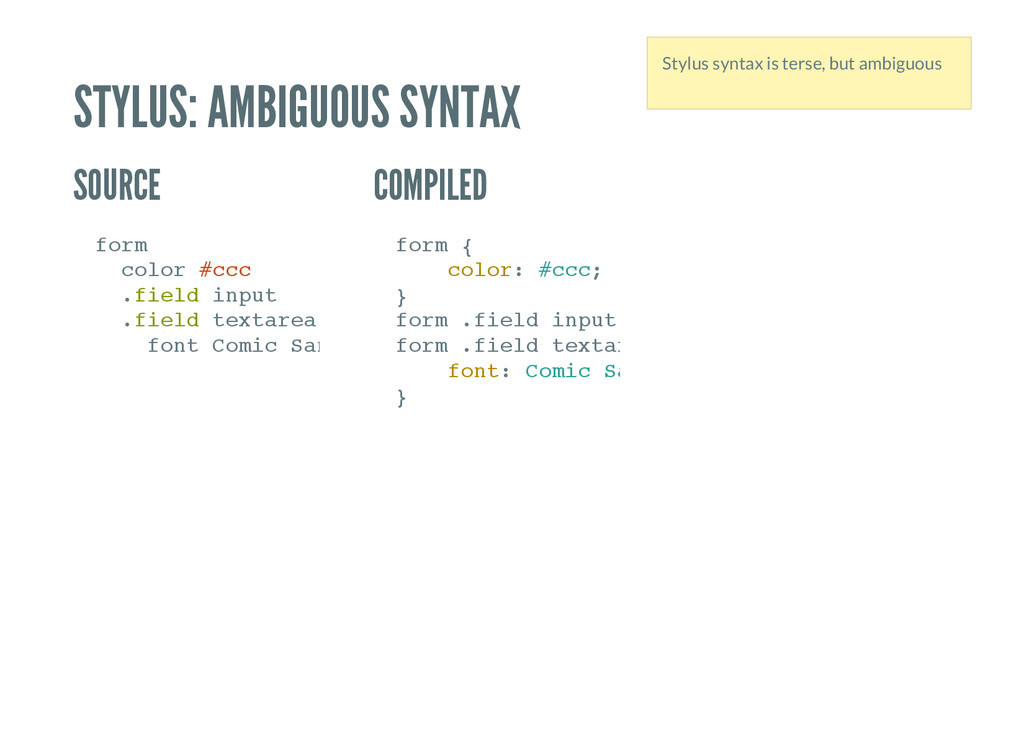
o l o r # c c c . f i e l d i n p u t . f i e l d t e x t a r e a f o n t C o m i c S a n s f o r m { c o l o r : # c c c ; } f o r m . f i e l d i n p u t , f o r m . f i e l d t e x t a r e a f o n t : C o m i c S a n s } Stylus syntax is terse, but ambiguous
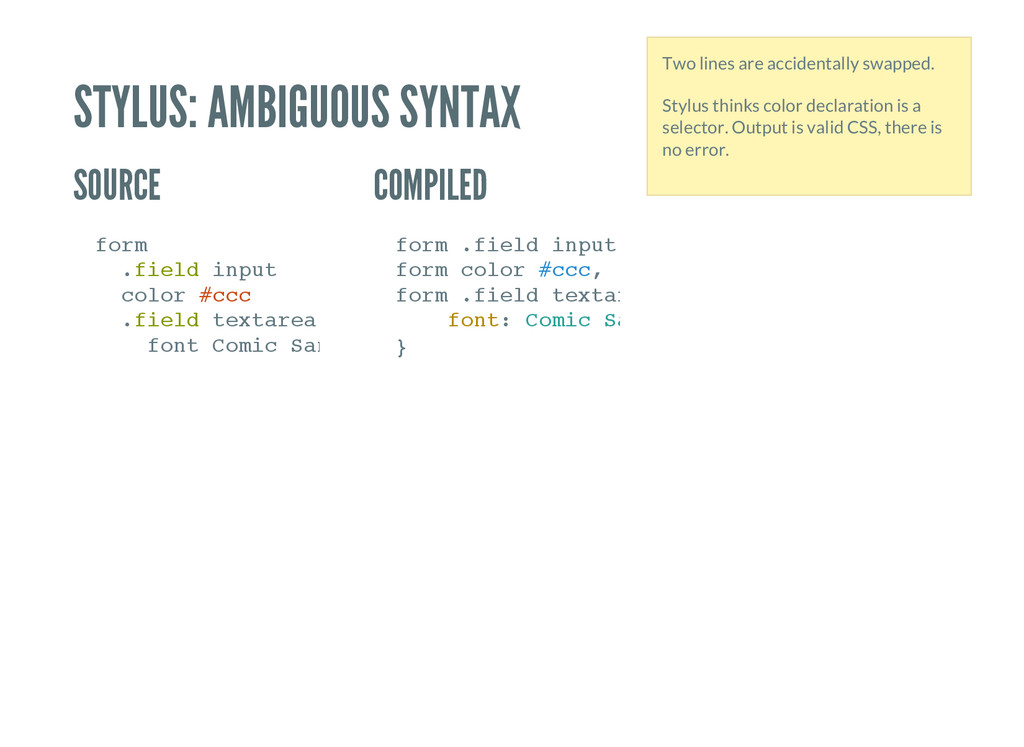
f i e l d i n p u t c o l o r # c c c . f i e l d t e x t a r e a f o n t C o m i c S a n s f o r m . f i e l d i n p u t , f o r m c o l o r # c c c , f o r m . f i e l d t e x t a r e a f o n t : C o m i c S a n s } Two lines are accidentally swapped. Stylus thinks color declaration is a selector. Output is valid CSS, there is no error.
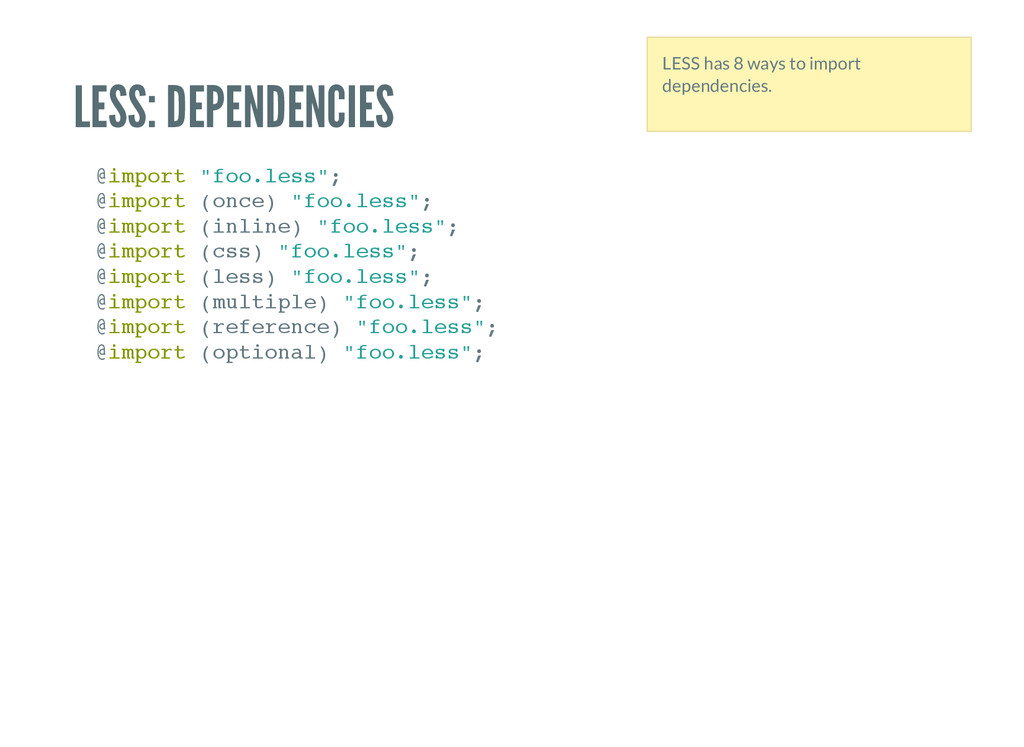
f o o . l e s s " ; @ i m p o r t ( o n c e ) " f o o . l e s s " ; @ i m p o r t ( i n l i n e ) " f o o . l e s s " ; @ i m p o r t ( c s s ) " f o o . l e s s " ; @ i m p o r t ( l e s s ) " f o o . l e s s " ; @ i m p o r t ( m u l t i p l e ) " f o o . l e s s " ; @ i m p o r t ( r e f e r e n c e ) " f o o . l e s s " ; @ i m p o r t ( o p t i o n a l ) " f o o . l e s s " ; LESS has 8 ways to import dependencies.
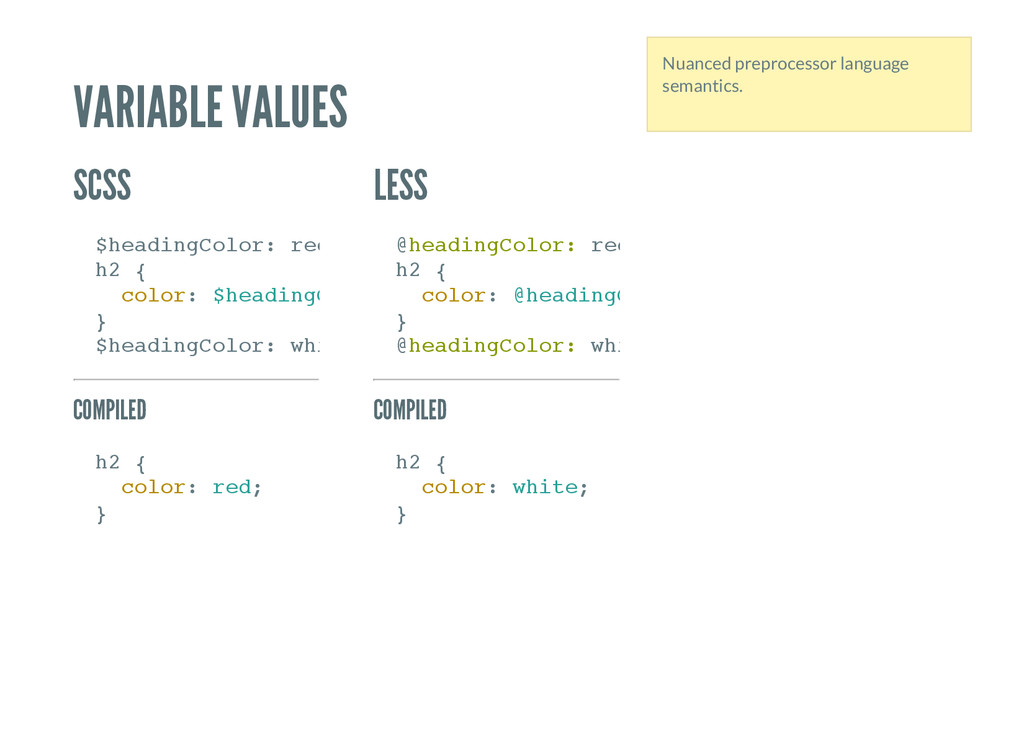
d i n g C o l o r : r e d ; h 2 { c o l o r : $ h e a d i n g C o l o r } $ h e a d i n g C o l o r : w h i t e h 2 { c o l o r : r e d ; } @ h e a d i n g C o l o r : r e d ; h 2 { c o l o r : @ h e a d i n g C o l o r } @ h e a d i n g C o l o r : w h i t e h 2 { c o l o r : w h i t e ; } Nuanced preprocessor language semantics.
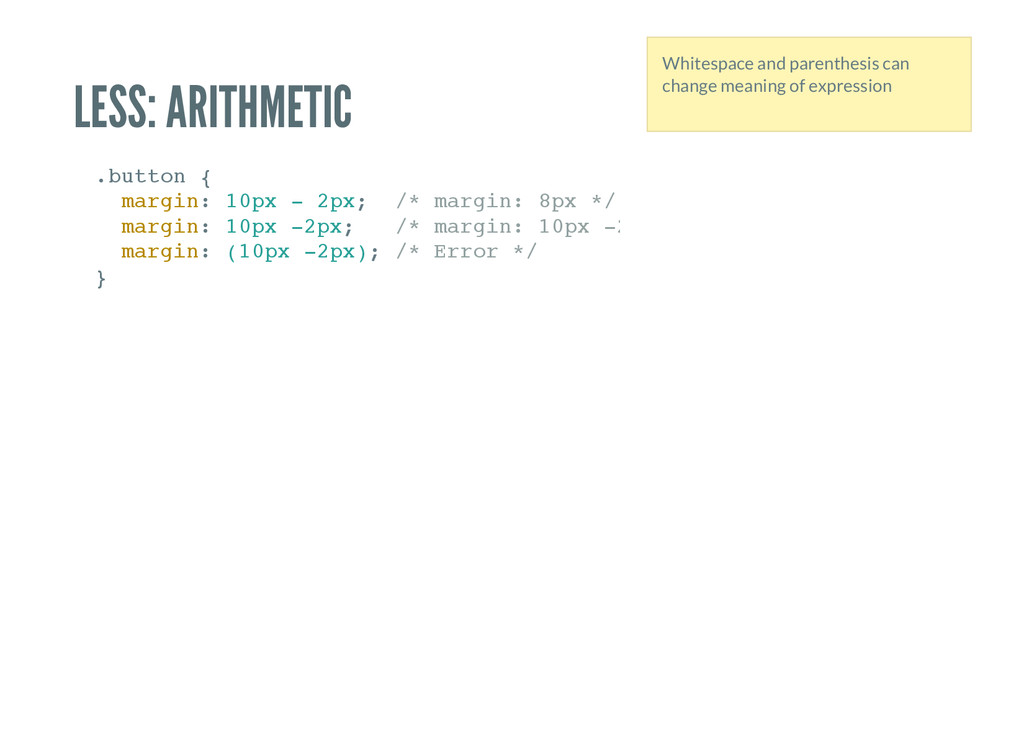
m a r g i n : 1 0 p x - 2 p x ; / * m a r g i n : 8 p x * / m a r g i n : 1 0 p x - 2 p x ; / * m a r g i n : 1 0 p x - 2 p x * / m a r g i n : ( 1 0 p x - 2 p x ) ; / * E r r o r * / } Whitespace and parenthesis can change meaning of expression
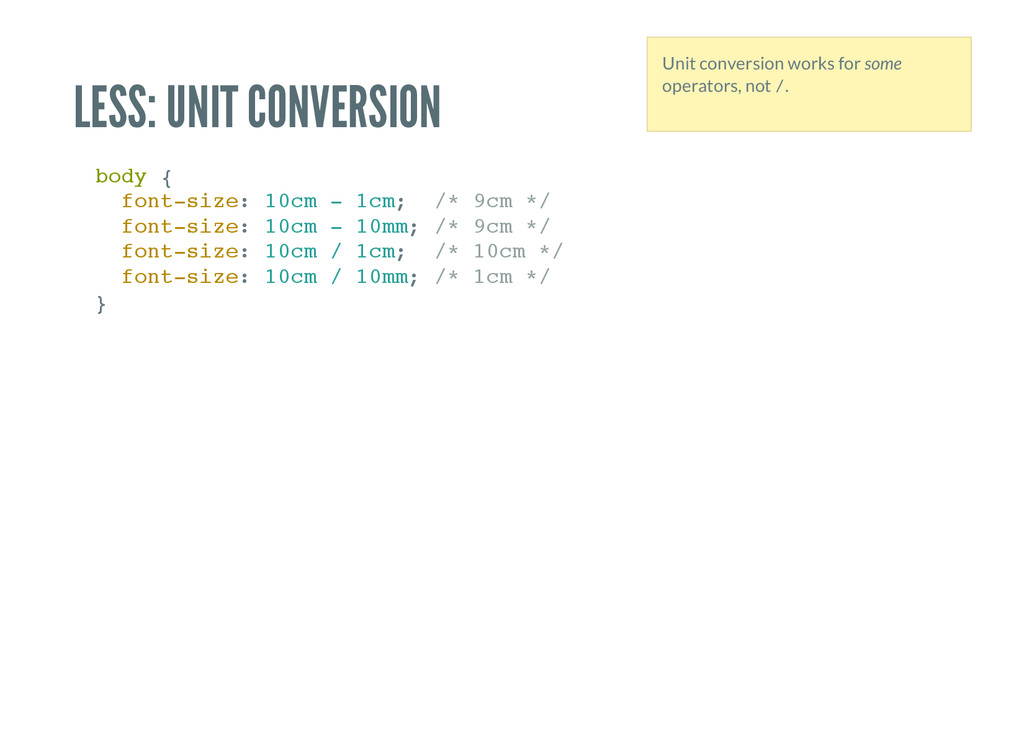
n t - s i z e : 1 0 c m - 1 c m ; / * 9 c m * / f o n t - s i z e : 1 0 c m - 1 0 m m ; / * 9 c m * / f o n t - s i z e : 1 0 c m / 1 c m ; / * 1 0 c m * / f o n t - s i z e : 1 0 c m / 1 0 m m ; / * 1 c m * / } Unit conversion works for some operators, not / .
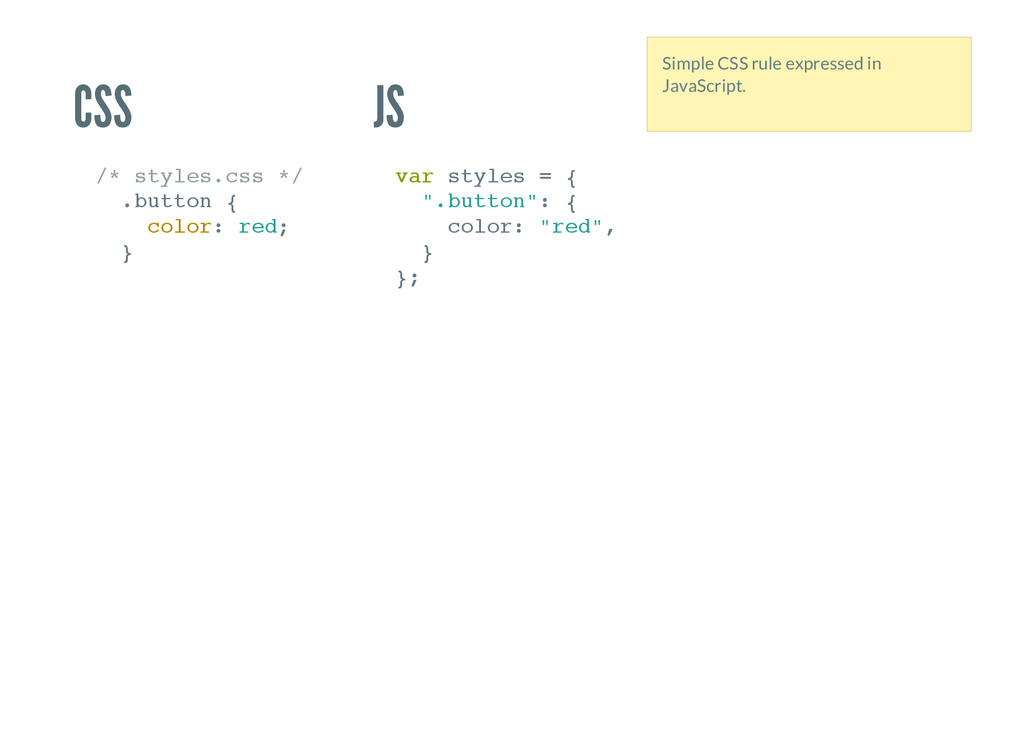
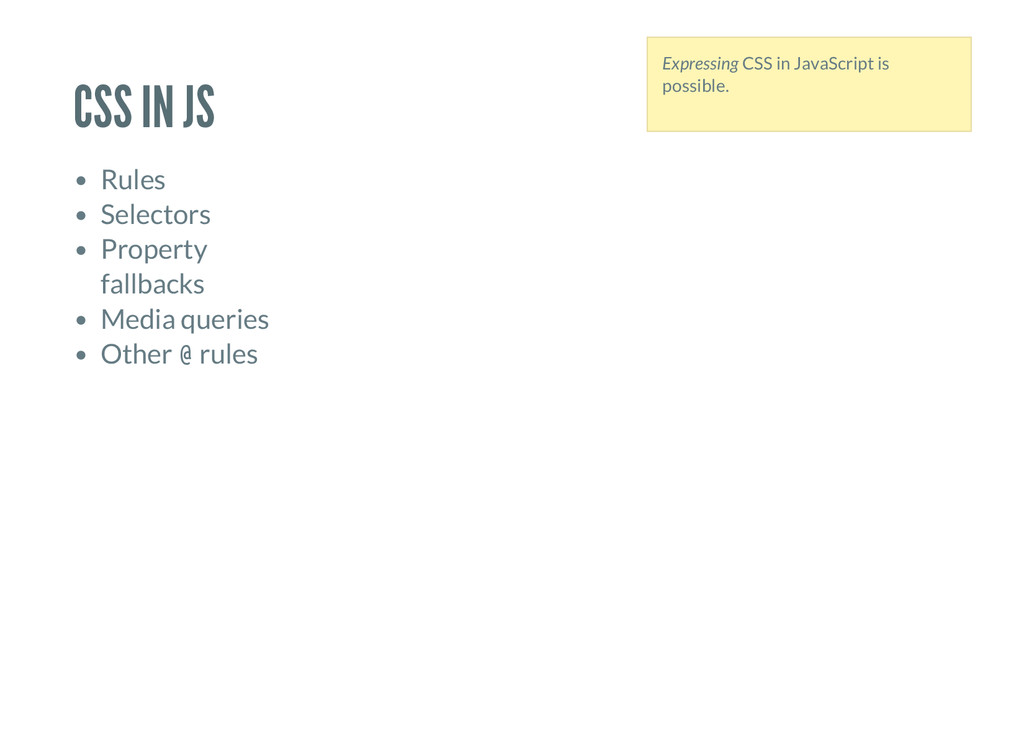
. c s s * / . b u t t o n { c o l o r : r e d ; } v a r s t y l e s = { " . b u t t o n " : { c o l o r : " r e d " , } } ; Simple CSS rule expressed in JavaScript.
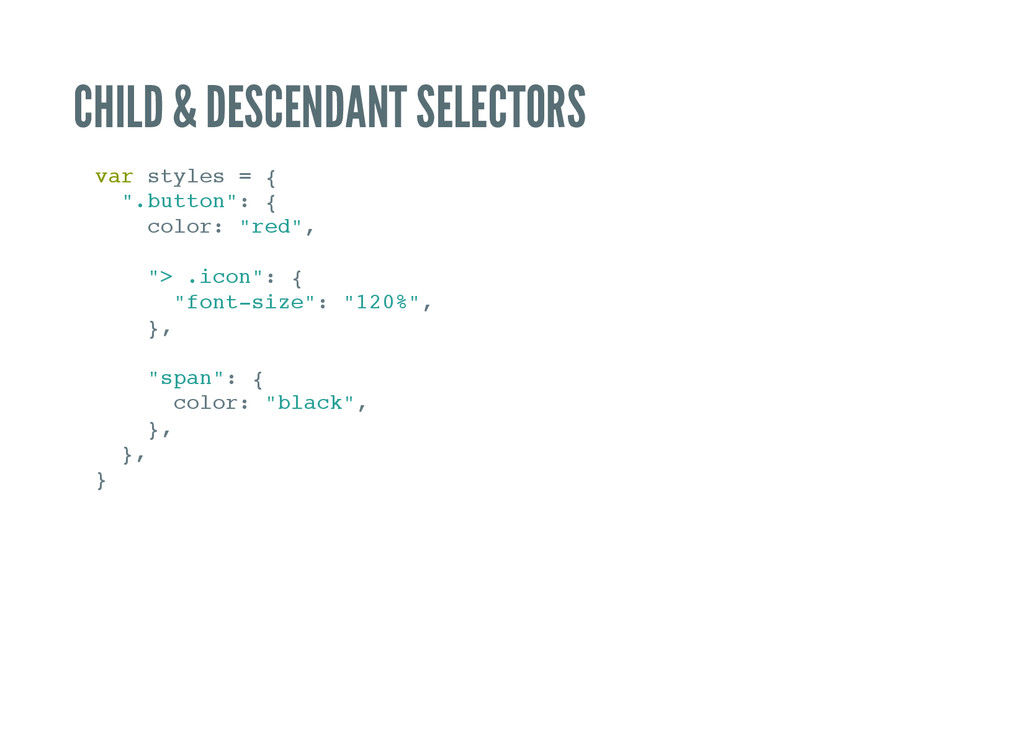
l e s = { " . b u t t o n " : { c o l o r : " r e d " , " > . i c o n " : { " f o n t - s i z e " : " 1 2 0 % " , } , " s p a n " : { c o l o r : " b l a c k " , } , } , }
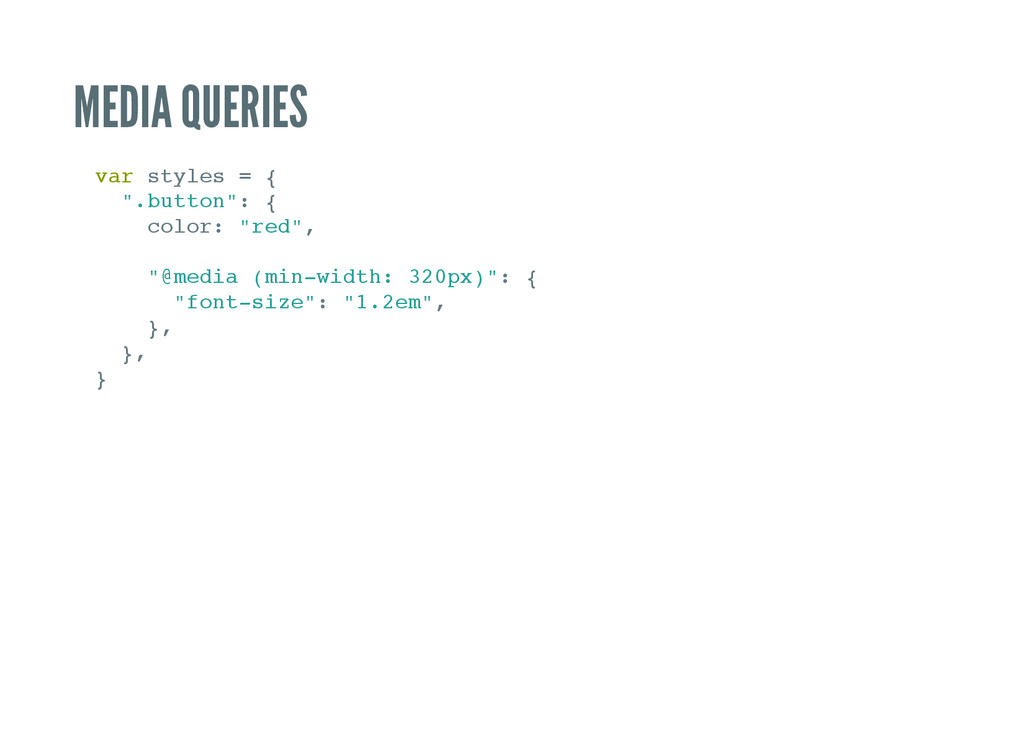
s = { " . b u t t o n " : { c o l o r : " r e d " , " @ m e d i a ( m i n - w i d t h : 3 2 0 p x ) " : { " f o n t - s i z e " : " 1 . 2 e m " , } , } , }
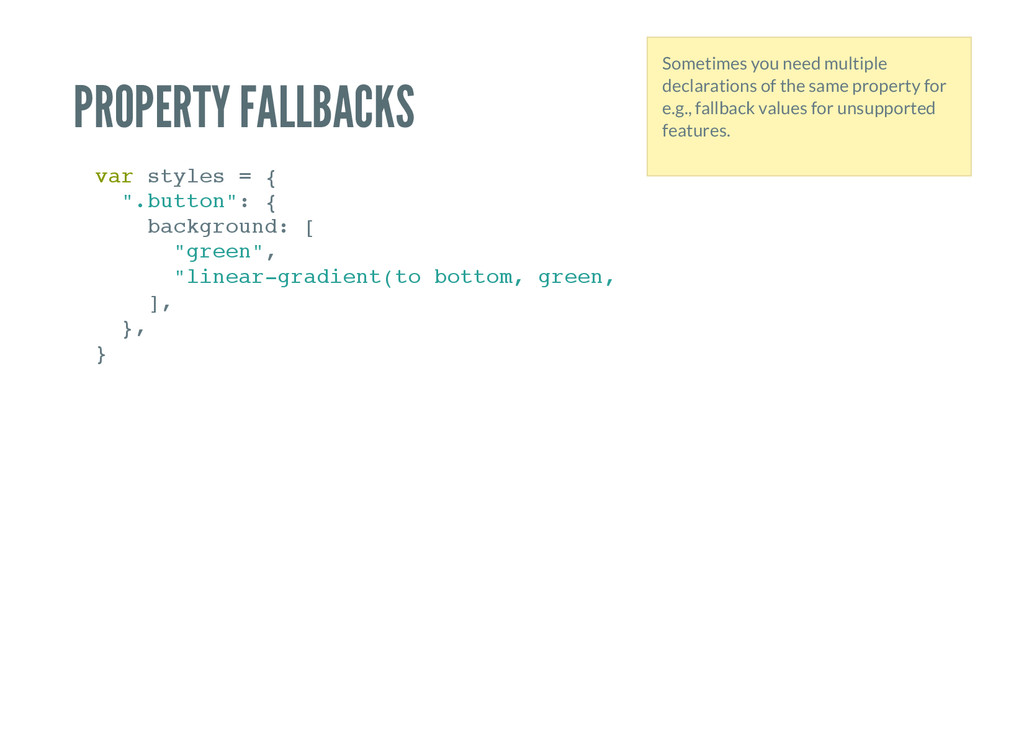
s = { " . b u t t o n " : { b a c k g r o u n d : [ " g r e e n " , " l i n e a r - g r a d i e n t ( t o b o t t o m , g r e e n , r e d ) " ] , } , } Sometimes you need multiple declarations of the same property for e.g., fallback values for unsupported features.
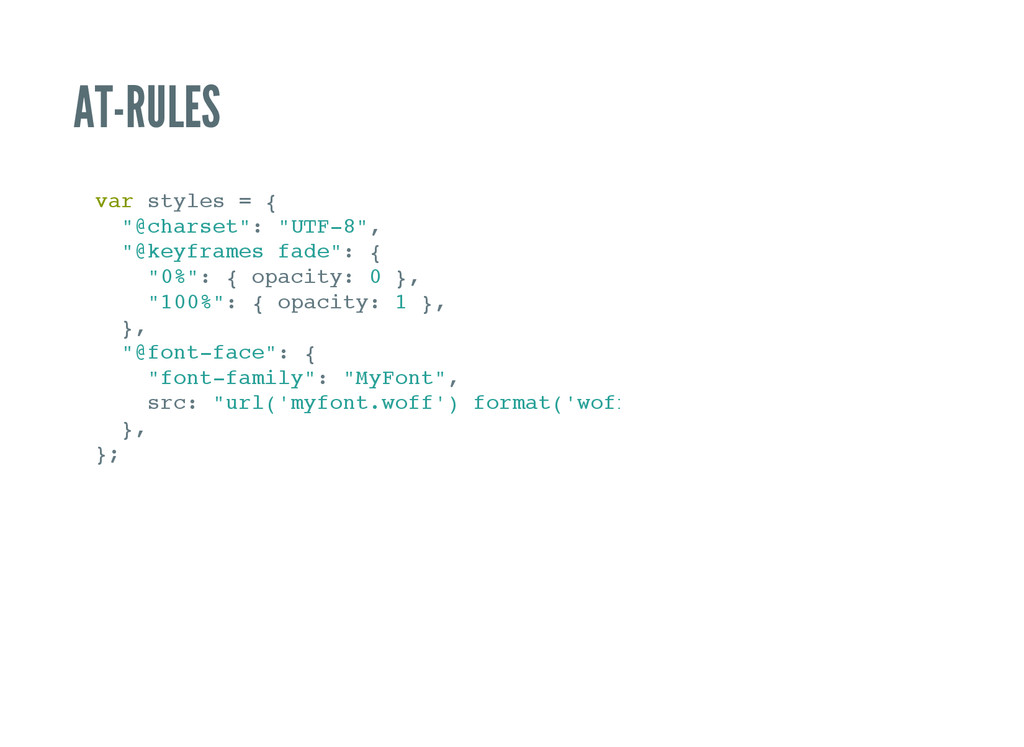
= { " @ c h a r s e t " : " U T F - 8 " , " @ k e y f r a m e s f a d e " : { " 0 % " : { o p a c i t y : 0 } , " 1 0 0 % " : { o p a c i t y : 1 } , } , " @ f o n t - f a c e " : { " f o n t - f a m i l y " : " M y F o n t " , s r c : " u r l ( ' m y f o n t . w o f f ' ) f o r m a t ( ' w o f f ' ) " } , } ;
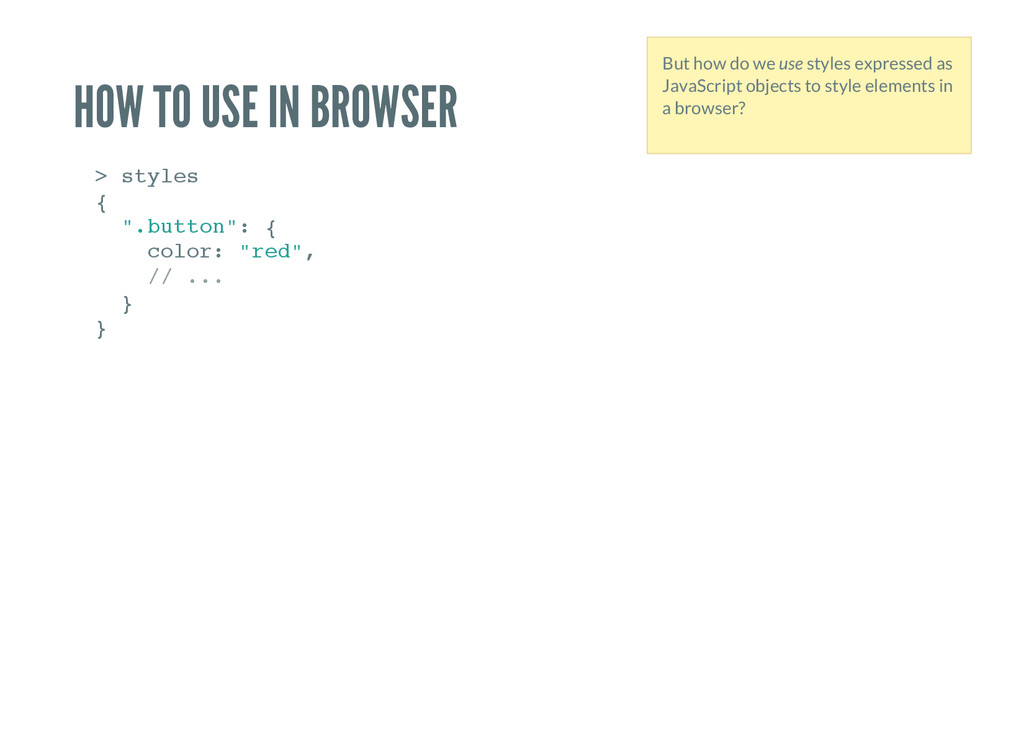
e s { " . b u t t o n " : { c o l o r : " r e d " , / / . . . } } But how do we use styles expressed as JavaScript objects to style elements in a browser?
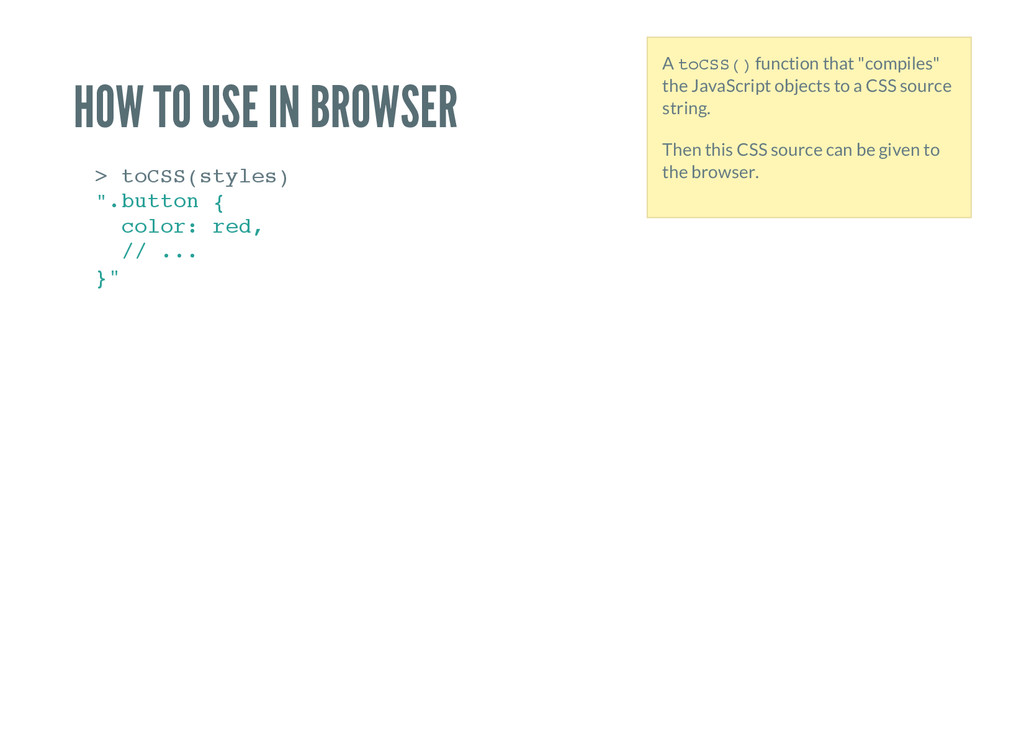
S ( s t y l e s ) " . b u t t o n { c o l o r : r e d , / / . . . } " A t o C S S ( ) function that "compiles" the JavaScript objects to a CSS source string. Then this CSS source can be given to the browser.
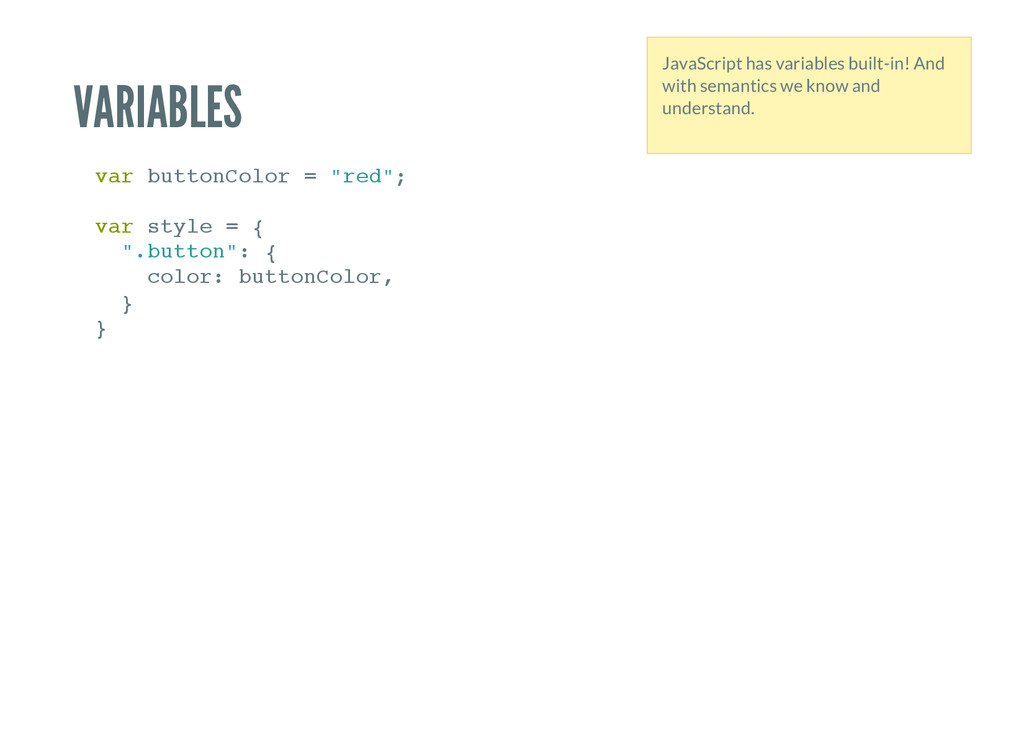
C o l o r = " r e d " ; v a r s t y l e = { " . b u t t o n " : { c o l o r : b u t t o n C o l o r , } } JavaScript has variables built-in! And with semantics we know and understand.
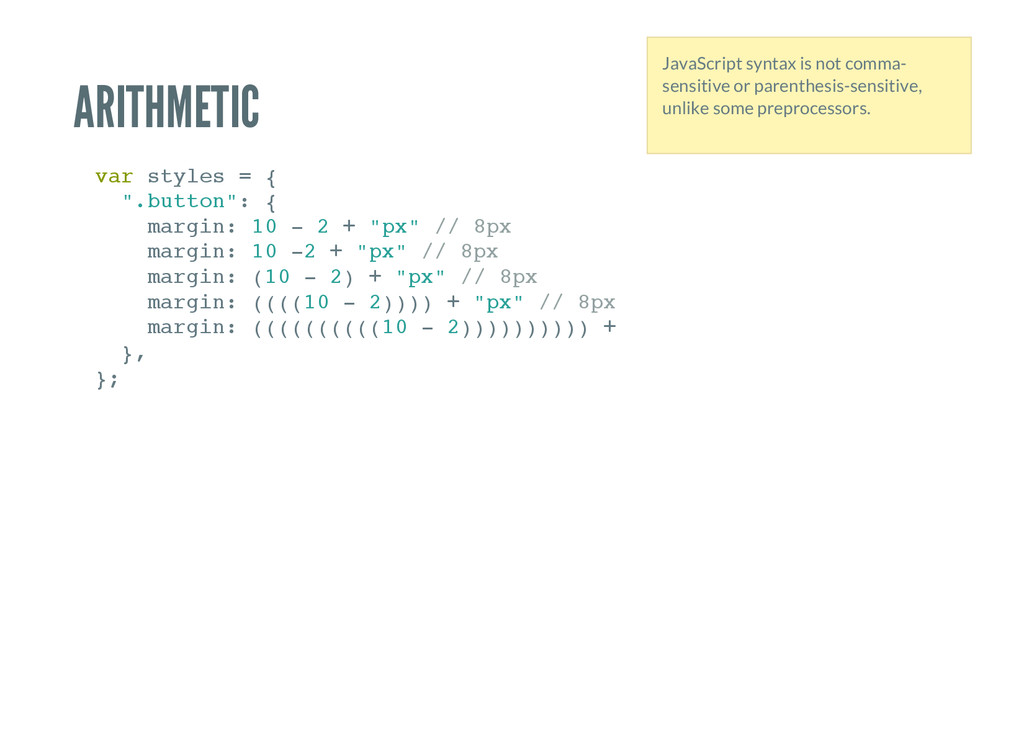
= { " . b u t t o n " : { m a r g i n : 1 0 - 2 + " p x " / / 8 p x m a r g i n : 1 0 - 2 + " p x " / / 8 p x m a r g i n : ( 1 0 - 2 ) + " p x " / / 8 p x m a r g i n : ( ( ( ( 1 0 - 2 ) ) ) ) + " p x " / / 8 p x m a r g i n : ( ( ( ( ( ( ( ( ( ( 1 0 - 2 ) ) ) ) ) ) ) ) ) ) + " p x " } , } ; JavaScript syntax is not comma- sensitive or parenthesis-sensitive, unlike some preprocessors.
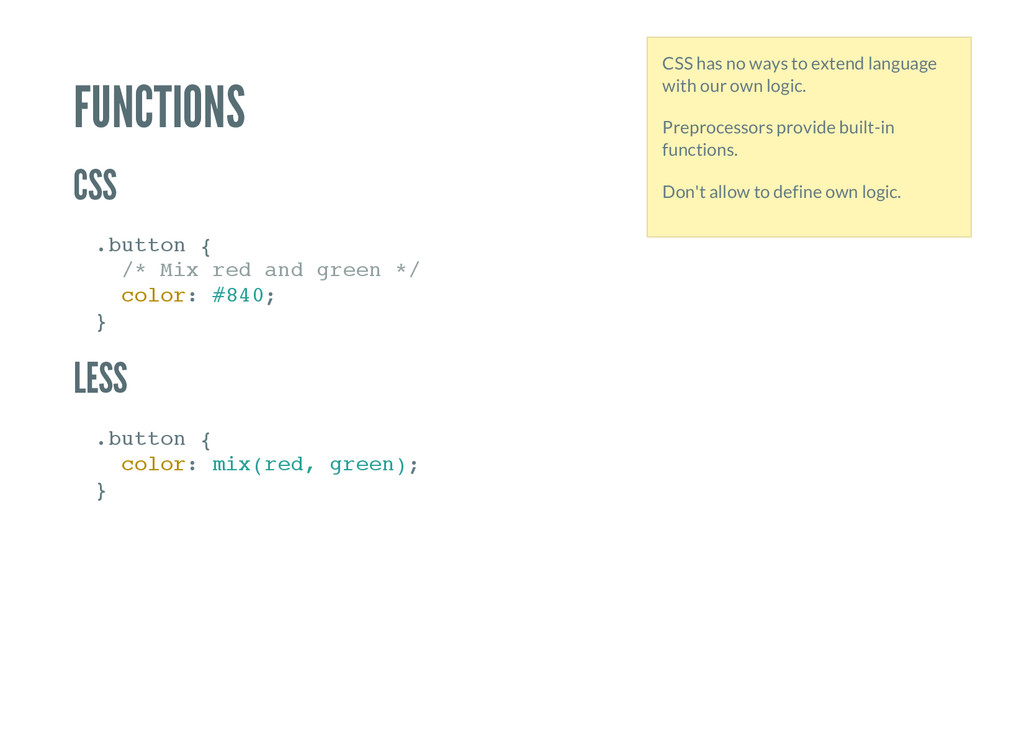
{ / * M i x r e d a n d g r e e n * / c o l o r : # 8 4 0 ; } . b u t t o n { c o l o r : m i x ( r e d , g r e e n ) ; } CSS has no ways to extend language with our own logic. Preprocessors provide built-in functions. Don't allow to define own logic.
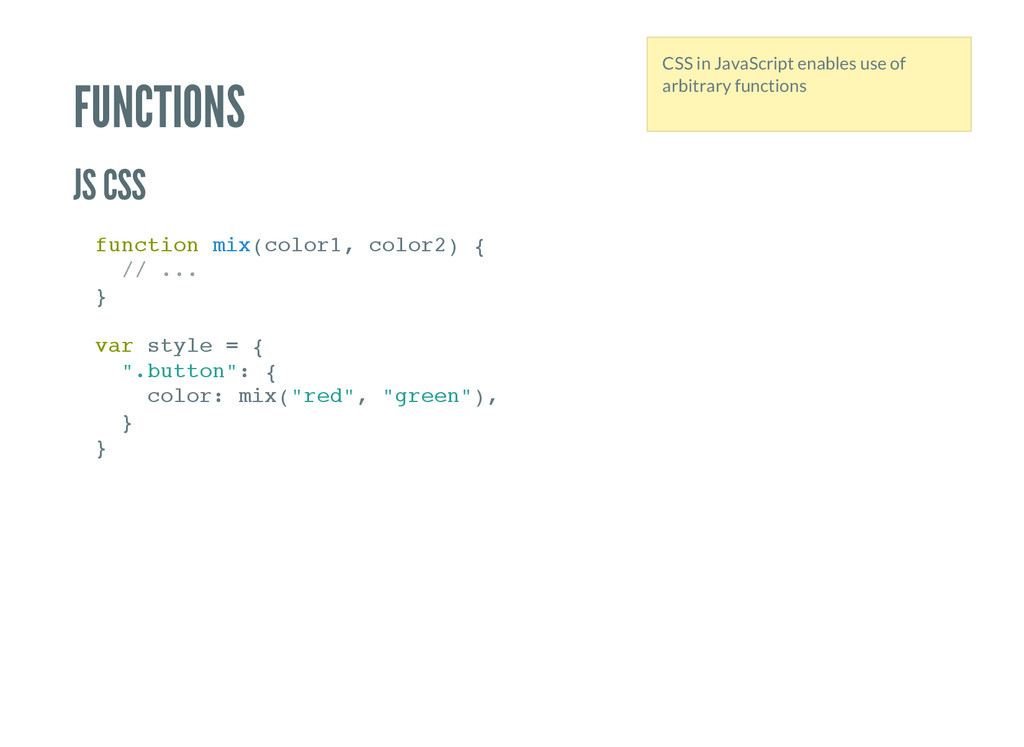
n m i x ( c o l o r 1 , c o l o r 2 ) { / / . . . } v a r s t y l e = { " . b u t t o n " : { c o l o r : m i x ( " r e d " , " g r e e n " ) , } } CSS in JavaScript enables use of arbitrary functions
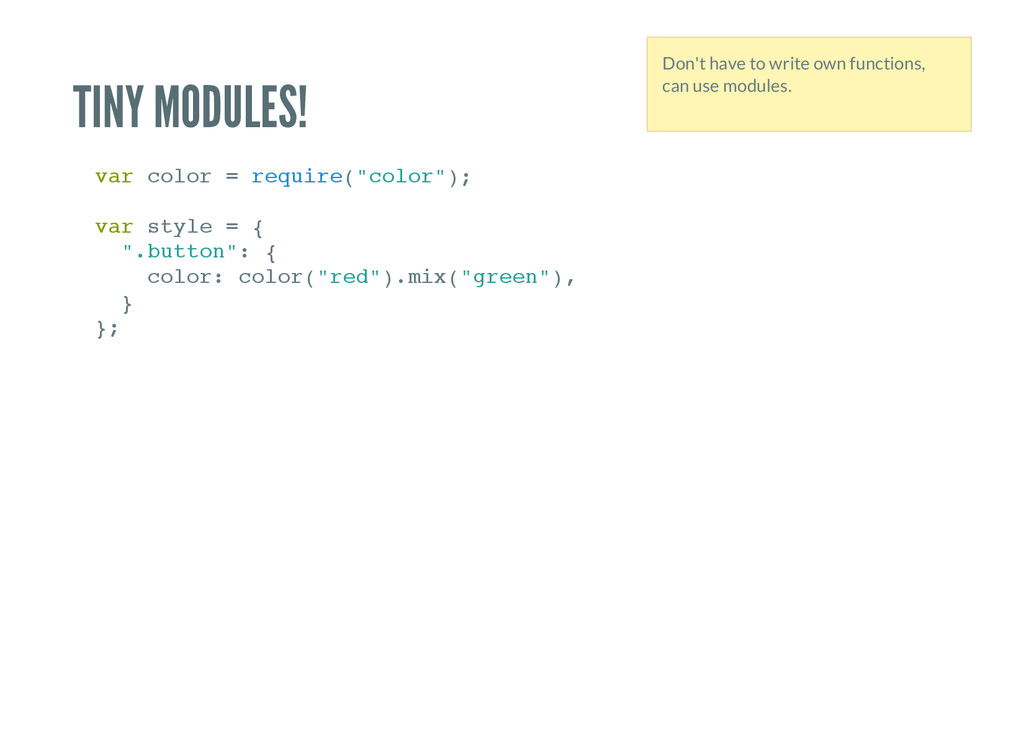
= r e q u i r e ( " c o l o r " ) ; v a r s t y l e = { " . b u t t o n " : { c o l o r : c o l o r ( " r e d " ) . m i x ( " g r e e n " ) , } } ; Don't have to write own functions, can use modules.
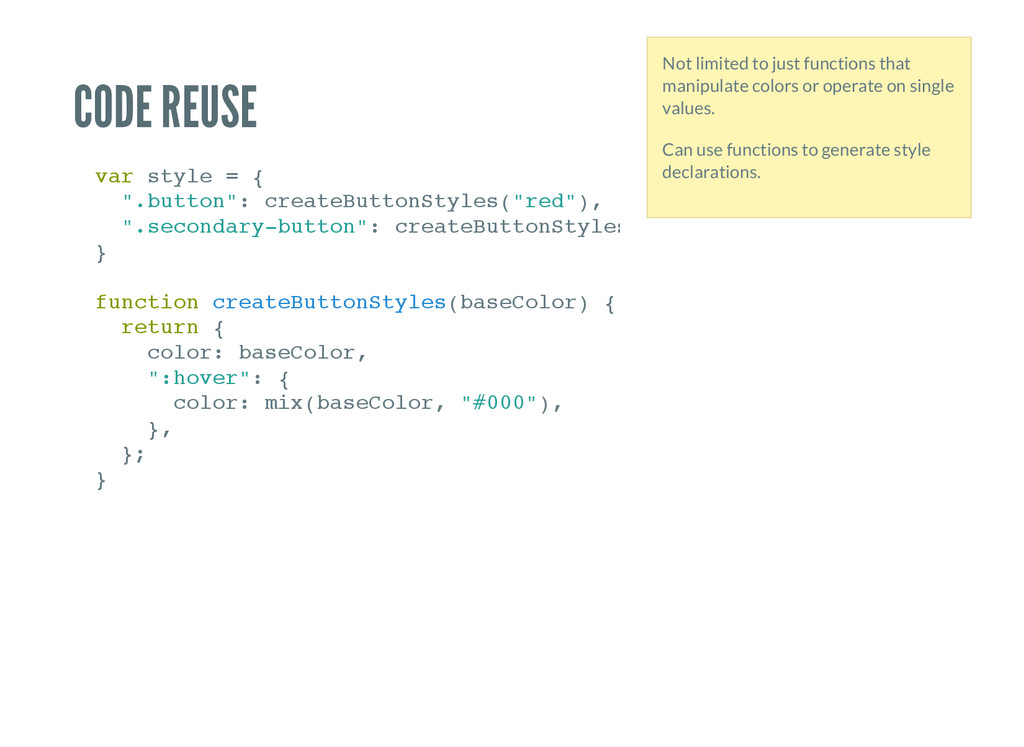
= { " . b u t t o n " : c r e a t e B u t t o n S t y l e s ( " r e d " ) , " . s e c o n d a r y - b u t t o n " : c r e a t e B u t t o n S t y l e s ( } f u n c t i o n c r e a t e B u t t o n S t y l e s ( b a s e C o l o r ) { r e t u r n { c o l o r : b a s e C o l o r , " : h o v e r " : { c o l o r : m i x ( b a s e C o l o r , " # 0 0 0 " ) , } , } ; } Not limited to just functions that manipulate colors or operate on single values. Can use functions to generate style declarations.
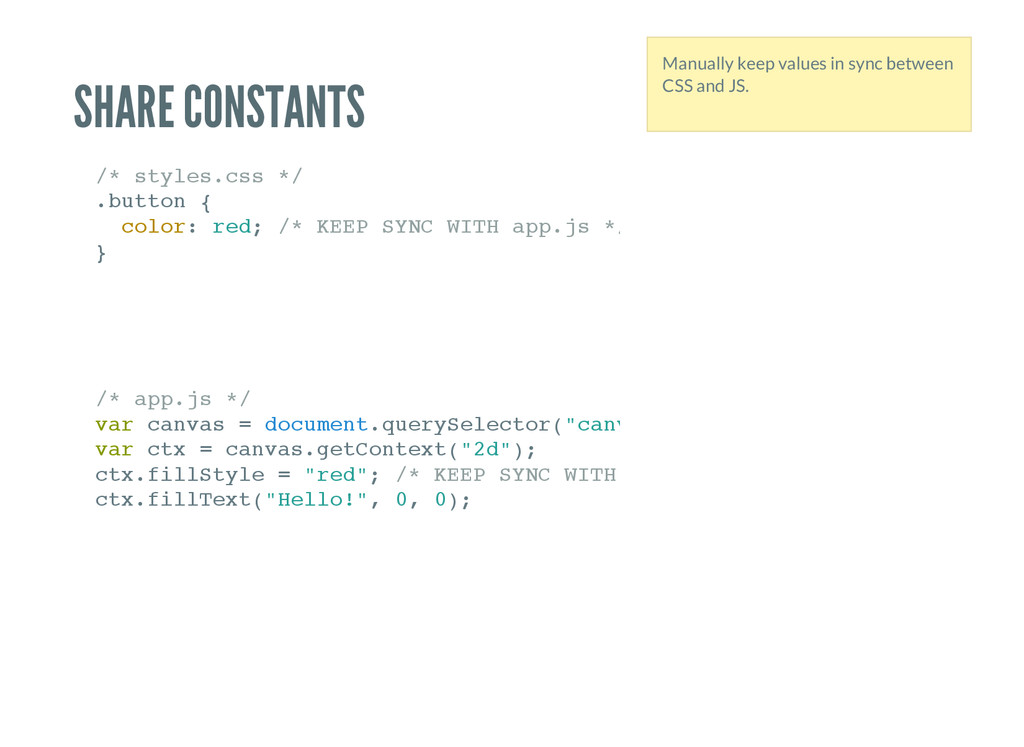
. c s s * / . b u t t o n { c o l o r : r e d ; / * K E E P S Y N C W I T H a p p . j s * / } / * a p p . j s * / v a r c a n v a s = d o c u m e n t . q u e r y S e l e c t o r ( " c a n v a s " v a r c t x = c a n v a s . g e t C o n t e x t ( " 2 d " ) ; c t x . f i l l S t y l e = " r e d " ; / * K E E P S Y N C W I T H s t y l e s . c s s * / c t x . f i l l T e x t ( " H e l l o ! " , 0 , 0 ) ; Manually keep values in sync between CSS and JS.
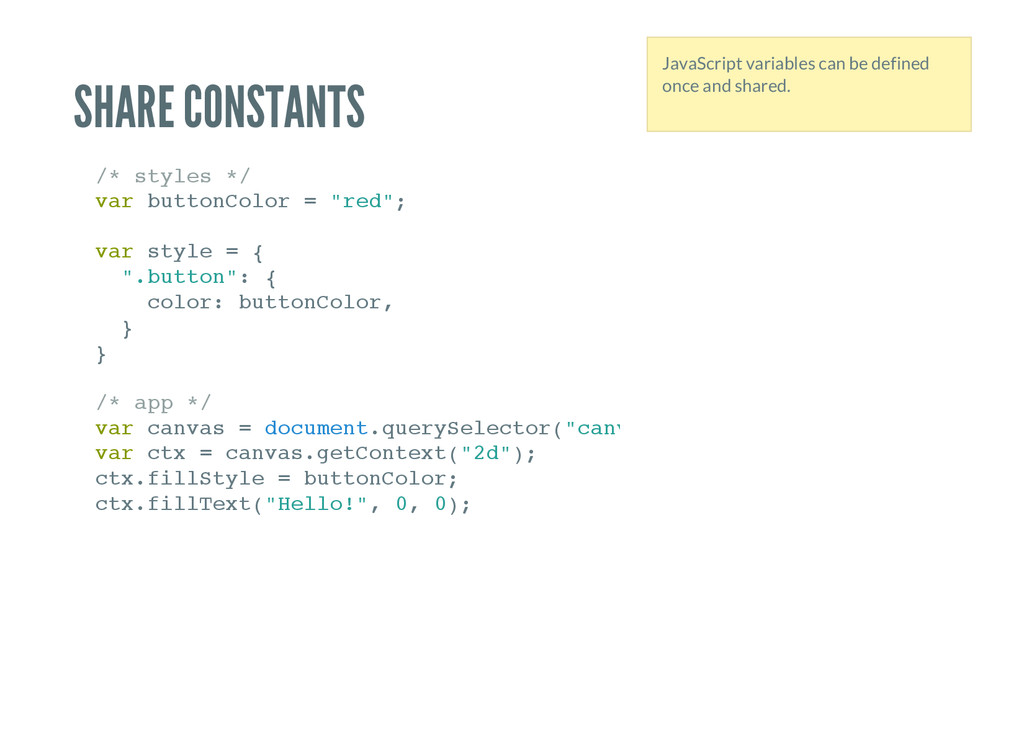
* / v a r b u t t o n C o l o r = " r e d " ; v a r s t y l e = { " . b u t t o n " : { c o l o r : b u t t o n C o l o r , } } / * a p p * / v a r c a n v a s = d o c u m e n t . q u e r y S e l e c t o r ( " c a n v a s " v a r c t x = c a n v a s . g e t C o n t e x t ( " 2 d " ) ; c t x . f i l l S t y l e = b u t t o n C o l o r ; c t x . f i l l T e x t ( " H e l l o ! " , 0 , 0 ) ; JavaScript variables can be defined once and shared.
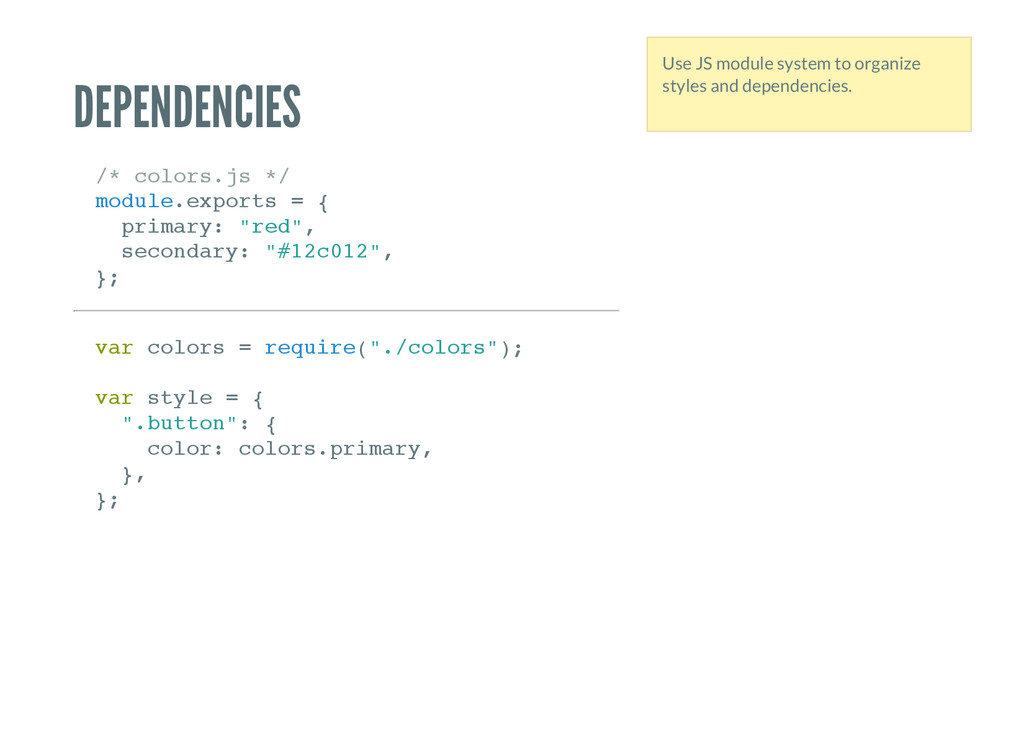
j s * / m o d u l e . e x p o r t s = { p r i m a r y : " r e d " , s e c o n d a r y : " # 1 2 c 0 1 2 " , } ; v a r c o l o r s = r e q u i r e ( " . / c o l o r s " ) ; v a r s t y l e = { " . b u t t o n " : { c o l o r : c o l o r s . p r i m a r y , } , } ; Use JS module system to organize styles and dependencies.
modules Can use modules from npm. Reusable styles as modules. Utility modules: e.g., given a background color, generate foreground color with good contrast.
styles. 150,000 modules at your disposable? Yes! Want to use M a t h . r a n d o m ( ) or D a t e . n o w ( ) ? You can! Asynchronous logic to build styles? Ok… With great power comes great responsibility. Use the power of a turing-complete language. Requires caution.
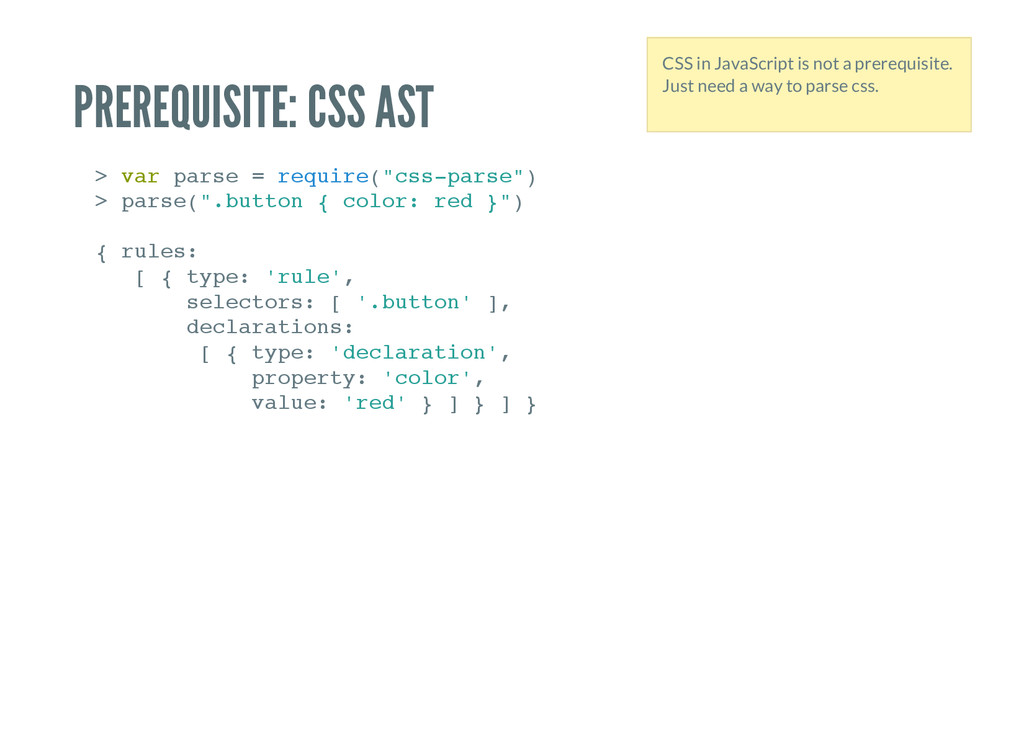
s e = r e q u i r e ( " c s s - p a r s e " ) > p a r s e ( " . b u t t o n { c o l o r : r e d } " ) { r u l e s : [ { t y p e : ' r u l e ' , s e l e c t o r s : [ ' . b u t t o n ' ] , d e c l a r a t i o n s : [ { t y p e : ' d e c l a r a t i o n ' , p r o p e r t y : ' c o l o r ' , v a l u e : ' r e d ' } ] } ] } CSS in JavaScript is not a prerequisite. Just need a way to parse css.
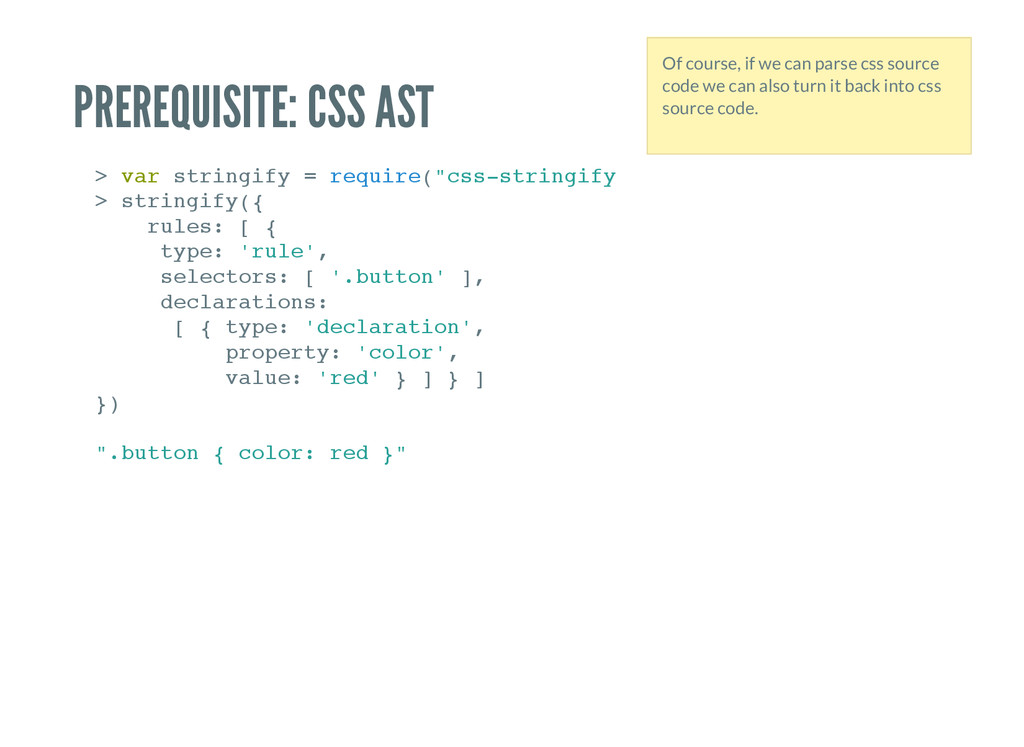
i n g i f y = r e q u i r e ( " c s s - s t r i n g i f y " ) > s t r i n g i f y ( { r u l e s : [ { t y p e : ' r u l e ' , s e l e c t o r s : [ ' . b u t t o n ' ] , d e c l a r a t i o n s : [ { t y p e : ' d e c l a r a t i o n ' , p r o p e r t y : ' c o l o r ' , v a l u e : ' r e d ' } ] } ] } ) " . b u t t o n { c o l o r : r e d } " Of course, if we can parse css source code we can also turn it back into css source code.
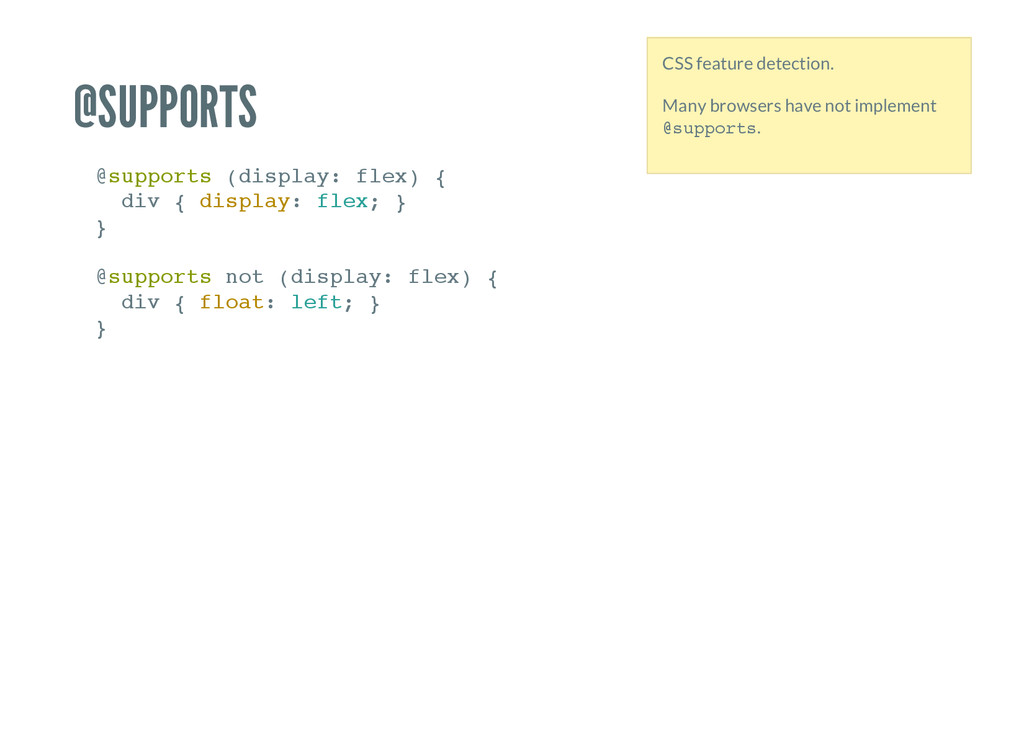
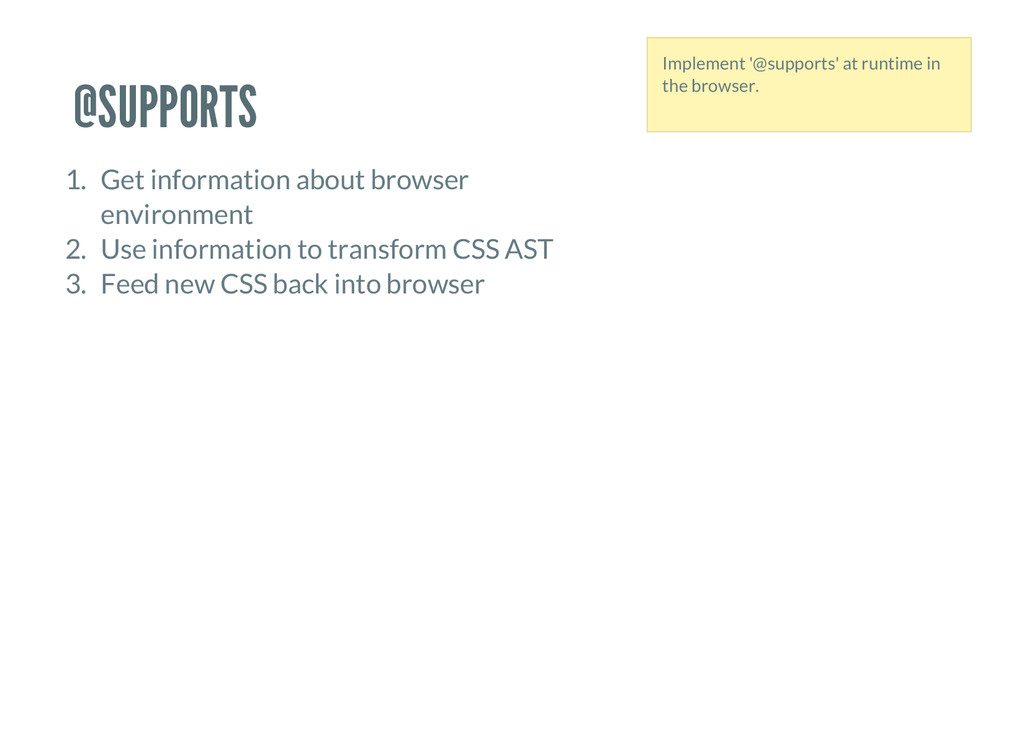
( d i s p l a y : f l e x ) { d i v { d i s p l a y : f l e x ; } } @ s u p p o r t s n o t ( d i s p l a y : f l e x ) { d i v { f l o a t : l e f t ; } } CSS feature detection. Many browsers have not implement @ s u p p o r t s .
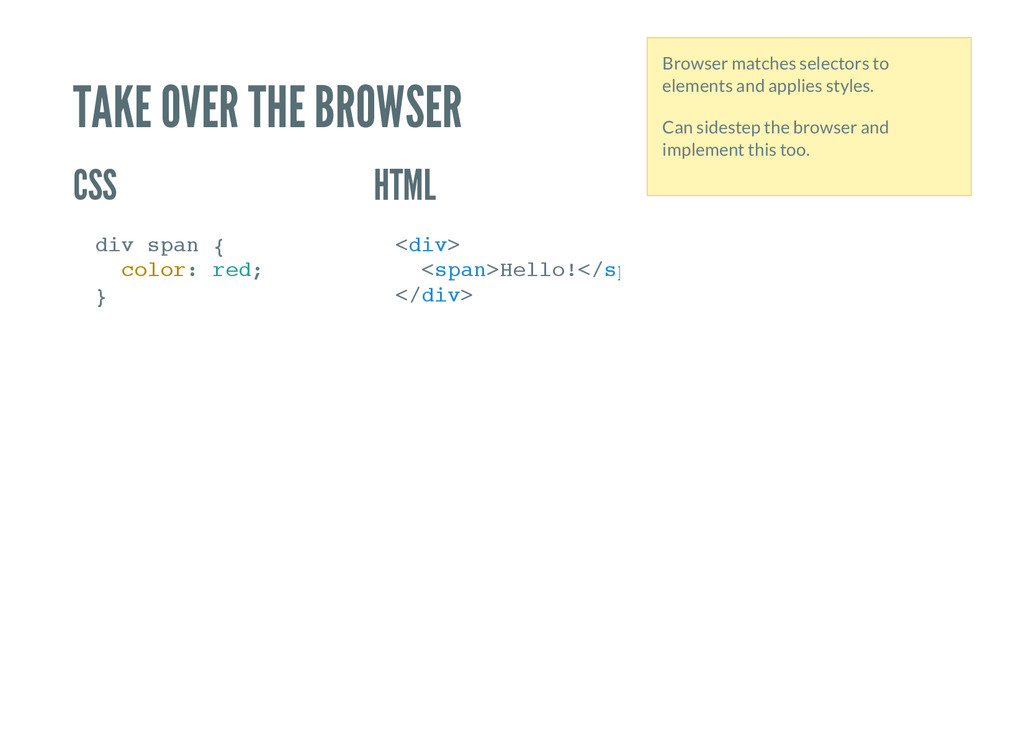
p a n { c o l o r : r e d ; } < d i v > < s p a n > H e l l o ! < / s p a n < / d i v > Browser matches selectors to elements and applies styles. Can sidestep the browser and implement this too.
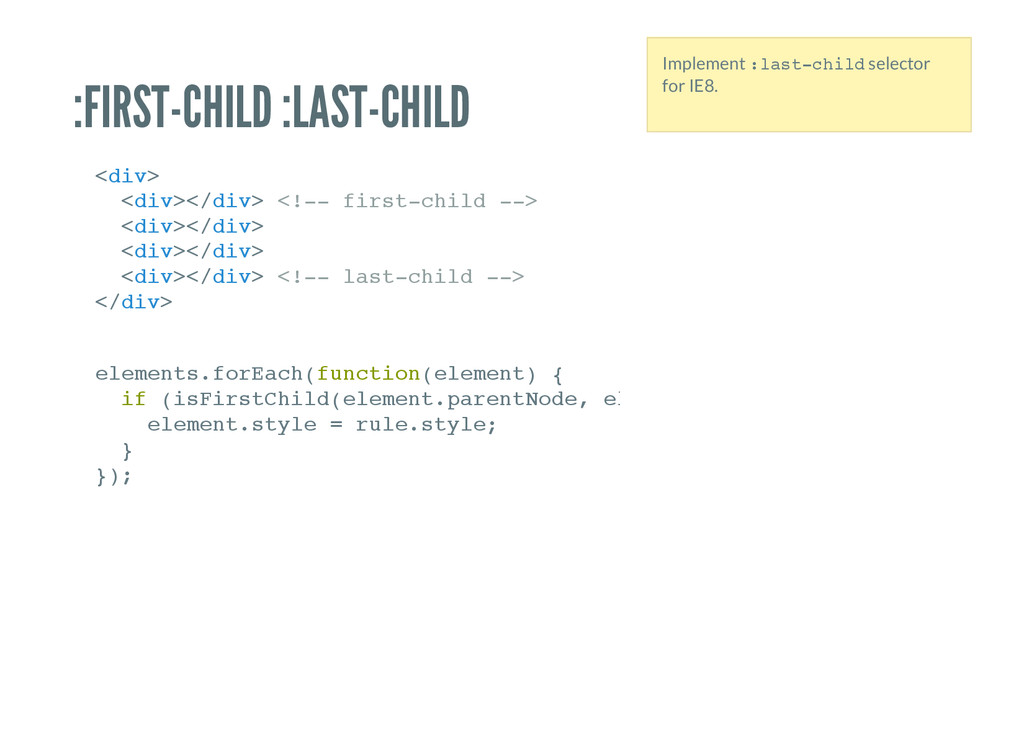
v > < / d i v > < ! - - f i r s t - c h i l d - - > < d i v > < / d i v > < d i v > < / d i v > < d i v > < / d i v > < ! - - l a s t - c h i l d - - > < / d i v > e l e m e n t s . f o r E a c h ( f u n c t i o n ( e l e m e n t ) { i f ( i s F i r s t C h i l d ( e l e m e n t . p a r e n t N o d e , e l e m e n t ) ) { e l e m e n t . s t y l e = r u l e . s t y l e ; } } ) ; Implement : l a s t - c h i l d selector for IE8.
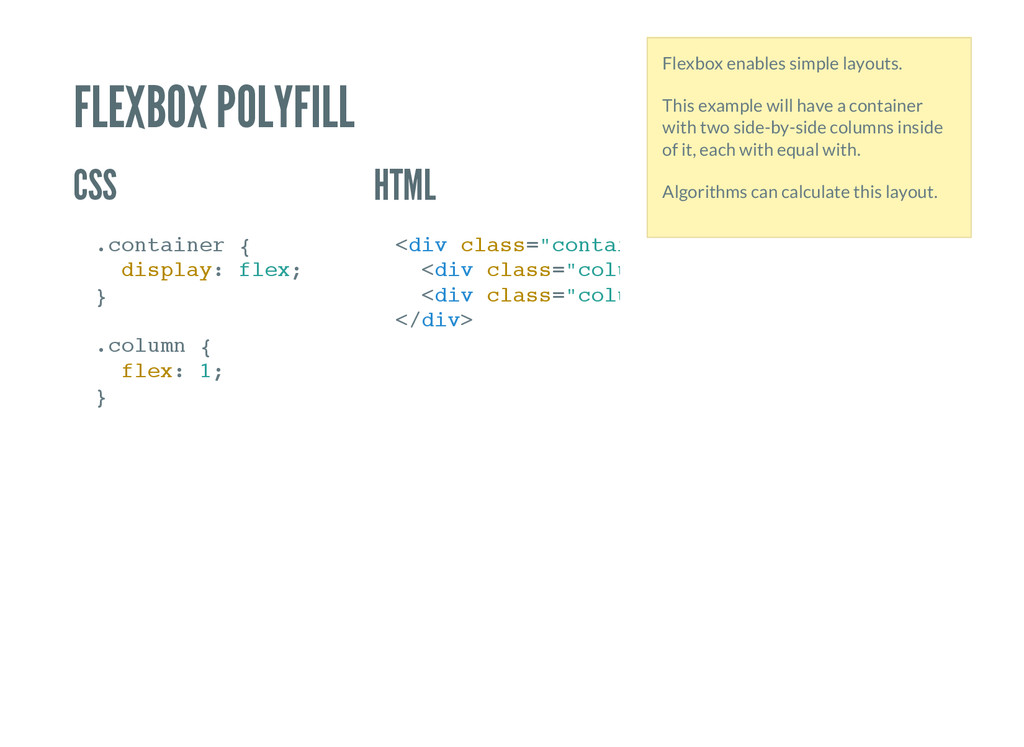
i n e r { d i s p l a y : f l e x ; } . c o l u m n { f l e x : 1 ; } < d i v c l a s s = " c o n t a i n e r " < d i v c l a s s = " c o l u m n " < d i v c l a s s = " c o l u m n " < / d i v > Flexbox enables simple layouts. This example will have a container with two side-by-side columns inside of it, each with equal with. Algorithms can calculate this layout.
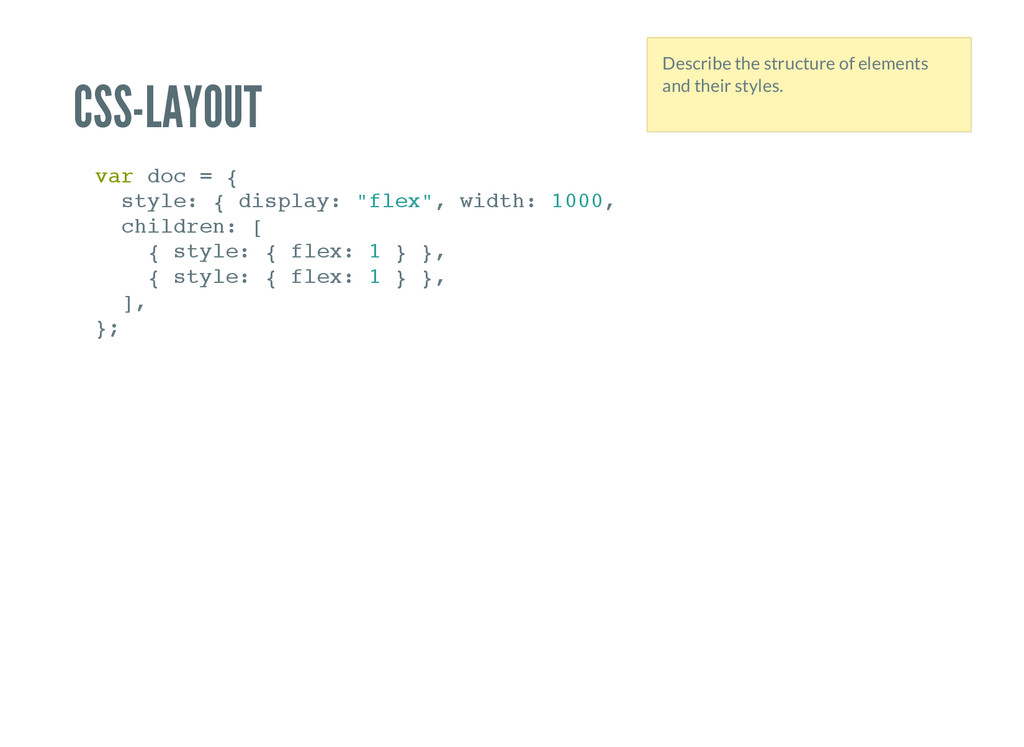
t y l e : { d i s p l a y : " f l e x " , w i d t h : 1 0 0 0 , h e i g h t : c h i l d r e n : [ { s t y l e : { f l e x : 1 } } , { s t y l e : { f l e x : 1 } } , ] , } ; Describe the structure of elements and their styles.
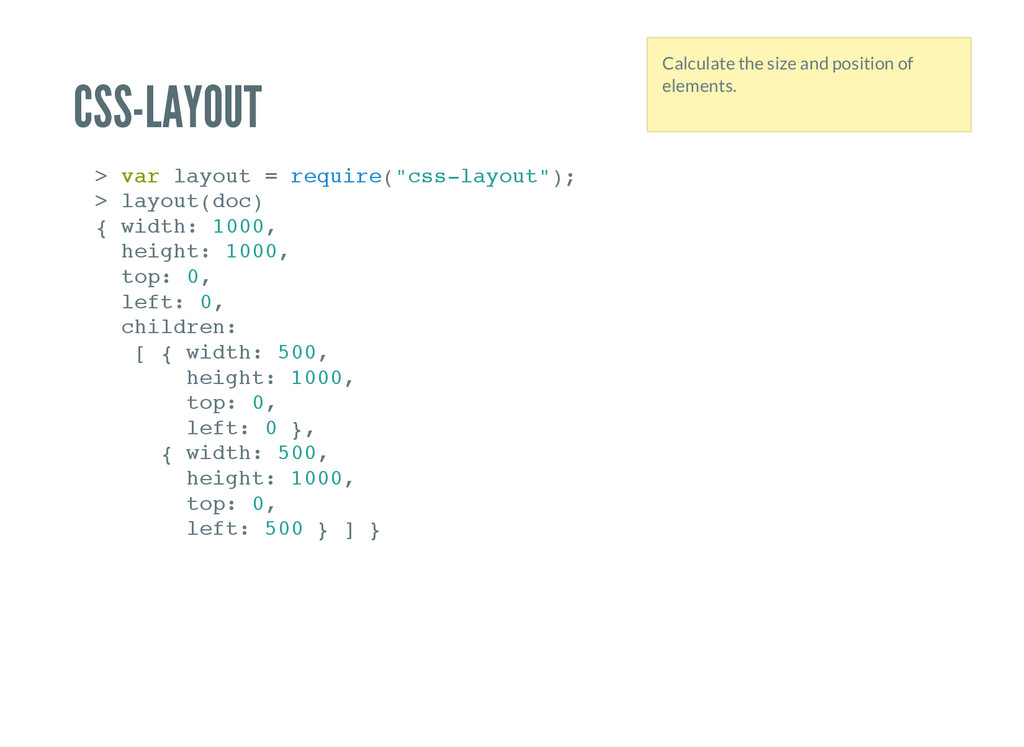
t = r e q u i r e ( " c s s - l a y o u t " ) ; > l a y o u t ( d o c ) { w i d t h : 1 0 0 0 , h e i g h t : 1 0 0 0 , t o p : 0 , l e f t : 0 , c h i l d r e n : [ { w i d t h : 5 0 0 , h e i g h t : 1 0 0 0 , t o p : 0 , l e f t : 0 } , { w i d t h : 5 0 0 , h e i g h t : 1 0 0 0 , t o p : 0 , l e f t : 5 0 0 } ] } Calculate the size and position of elements.


 mayunak
 portentint
 jdejongh
 trallard
 jct
jct
 jonoalderson
 aleyda
 wjessup
 reverentgeek
 raygrieselhuber
 addyosmani
![J S CS S Parsha Pourkhomami @parshap [email protected] https://twitter.com/parshap https://github.com/parshap](https://files.speakerdeck.com/presentations/44576c9e666145939283b3b77ca691d5/slide_0.jpg)