Upgrade to Pro
— share decks privately, control downloads, hide ads and more …
Speaker Deck
Sign up for free
Menu
Search
Features
All features
Private URLs
Password Protection
Custom URLS
Scheduled publishing
Remove Branding
Restrict embedding
Deck Collections
Notes
Features
All features
Private URLs
Password Protection
Custom URLS
Scheduled publishing
Remove Branding
Restrict embedding
Deck Collections
Notes
Explore
Featured decks
Featured speakers
Programming
Technology
Storyboards
Explore
Featured decks
Featured speakers
Programming
Technology
Storyboards
Pricing
Search
Sign in
Sign up for free
1A116104 佐藤麗奈
Search
佐藤麗奈
July 14, 2016
49
0
Share
Embed
Copy iframe code
Copy JS code
Copy link
Start on current slide
1A116104 佐藤麗奈
佐藤麗奈
July 14, 2016
More Decks by 佐藤麗奈
See All by 佐藤麗奈
1A116104 佐藤麗奈
rerereina719
0
58
Featured
See All Featured
How to Ace a Technical Interview
jacobian
280
24k
Money Talks: Using Revenue to Get Sh*t Done
nikkihalliwell
0
520
Exploring the Power of Turbo Streams & Action Cable | RailsConf2023
kevinliebholz
37
6.6k
Cheating the UX When There Is Nothing More to Optimize - PixelPioneers
stephaniewalter
287
14k
Learning to Love Humans: Emotional Interface Design
aarron
275
41k
Pawsitive SEO: Lessons from My Dog (and Many Mistakes) on Thriving as a Consultant in the Age of AI
davidcarrasco
0
260
Max Prin - Stacking Signals: How International SEO Comes Together (And Falls Apart)
techseoconnect
PRO
0
490
A Guide to Academic Writing Using Generative AI - A Workshop
ks91
PRO
1
520
Building Flexible Design Systems
yeseniaperezcruz
330
41k
SEO Brein meetup: CTRL+C is not how to scale international SEO
lindahogenes
2
2.9k
HTML-Aware ERB: The Path to Reactive Rendering @ RubyCon 2026, Rimini, Italy
marcoroth
5
820
Why Mistakes Are the Best Teachers: Turning Failure into a Pathway for Growth
auna
0
320
Transcript
空間情報システム入門 POKEMON GO 学籍番号:1A116104 氏名:佐藤麗奈
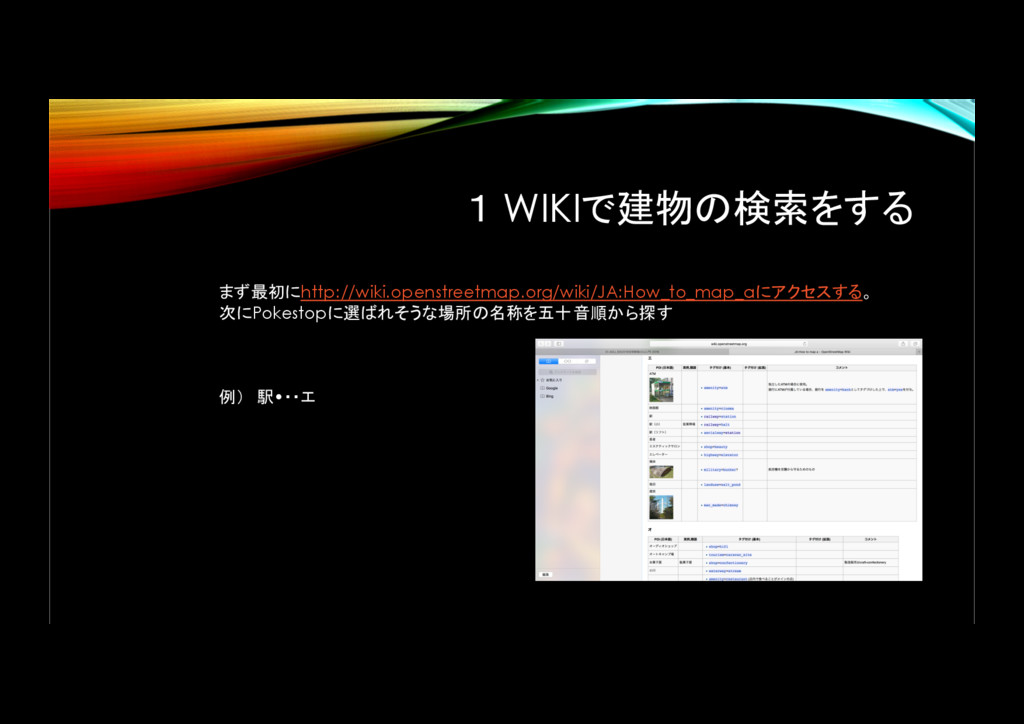
1 WIKIで建物の検索をする まず最初にhttp://wiki.openstreetmap.org/wiki/JA:How_to_map_aにアクセスする。 次にPokestopに選ばれそうな場所の名称を五十音順から探す 例) 駅•・・エ
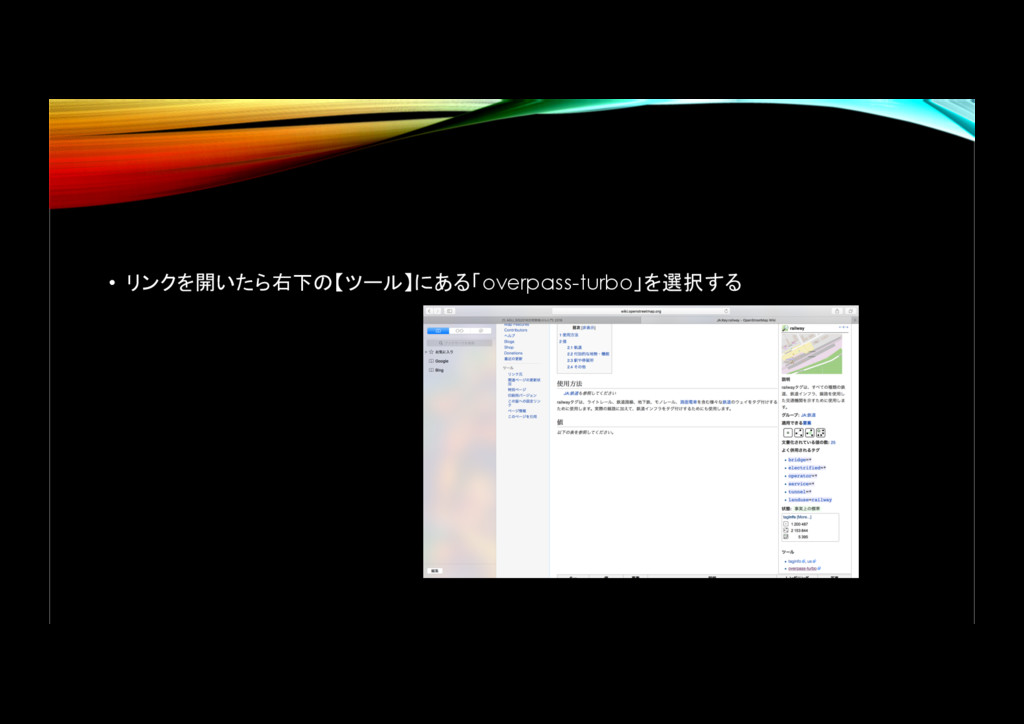
• リンクを開いたら右下の【ツール】にある「overpass-turbo」を選択する
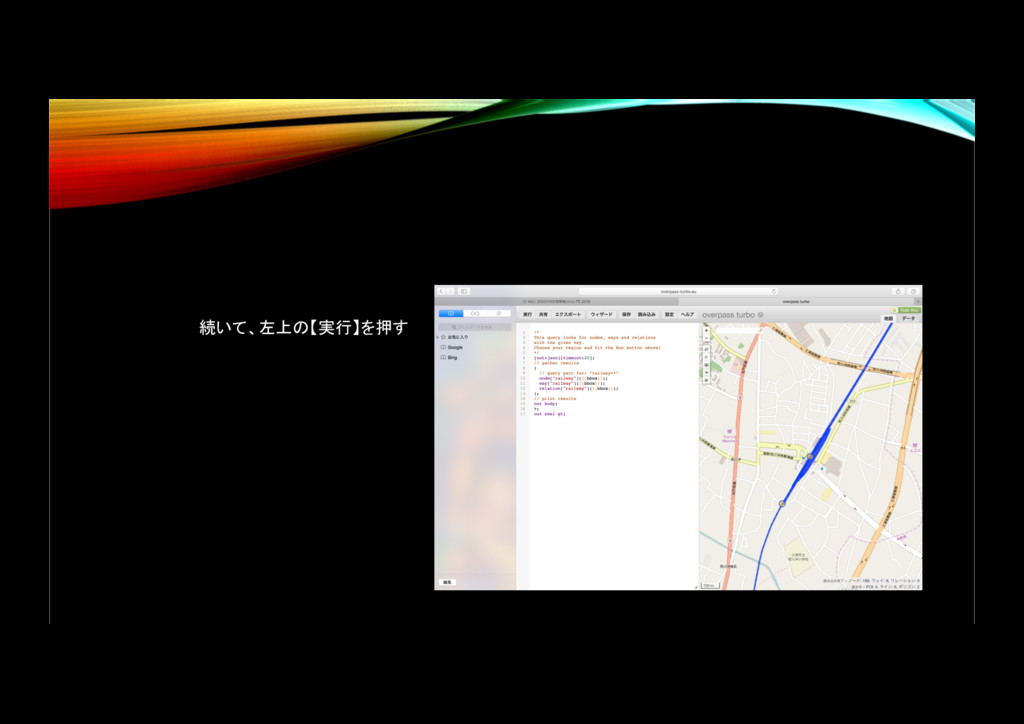
続いて、左上の【実行】を押す
画面左上の【エクスポート】をクリックする すると、写真のようなのが出てくる 続いて、【gist]】を押す。
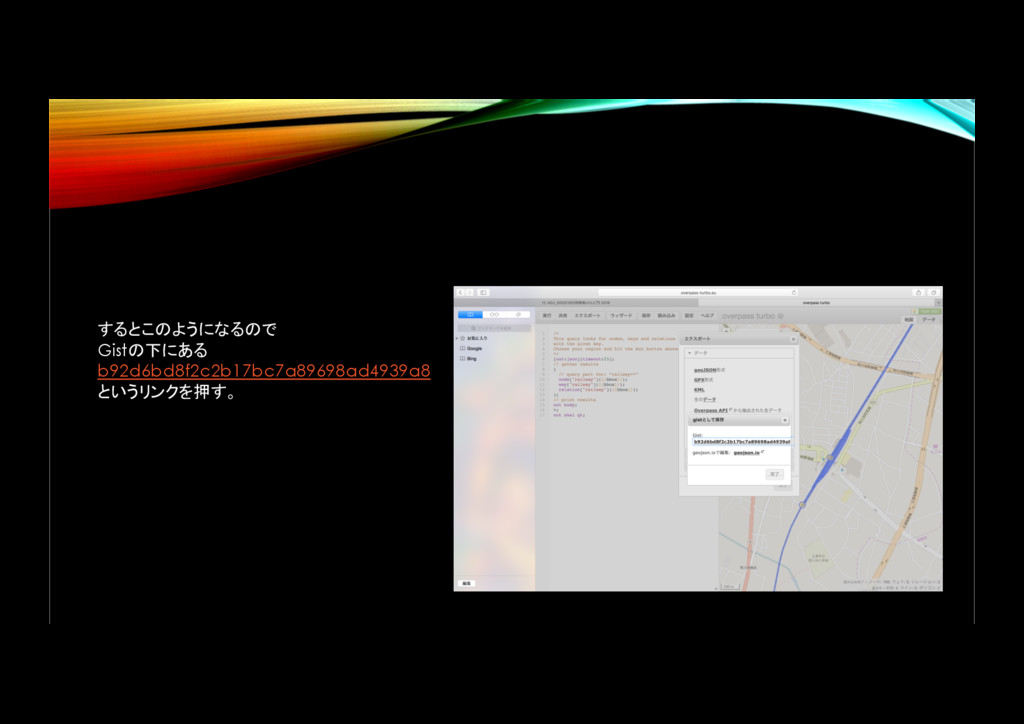
するとこのようになるので Gistの下にある b92d6bd8f2c2b17bc7a89698ad4939a8 というリンクを押す。
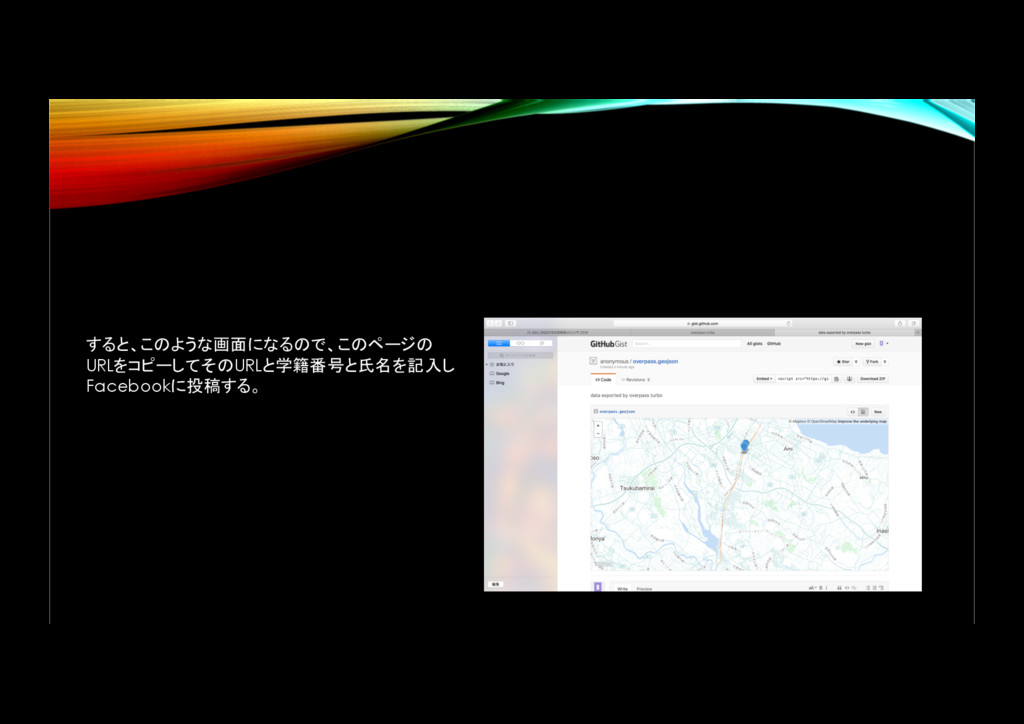
すると、このような画面になるので、このページの URLをコピーしてそのURLと学籍番号と氏名を記入し Facebookに投稿する。
• 終わり


 rerereina719
 jacobian
 nikkihalliwell
 kevinliebholz
 stephaniewalter
 aarron
 davidcarrasco
 techseoconnect
 ks91
ks91
 yeseniaperezcruz
 lindahogenes
 marcoroth
 auna
auna

![画面左上の【エクスポート】をクリックする すると、写真のようなのが出てくる 続いて、【gist]】を押す。](https://files.speakerdeck.com/presentations/5cb136826f474baa96ce67e1e6355e63/slide_4.jpg)