Upgrade to Pro
— share decks privately, control downloads, hide ads and more …
Speaker Deck
Sign up for free
Menu
Search
Features
All features
Private URLs
Password Protection
Custom URLS
Scheduled publishing
Remove Branding
Restrict embedding
Deck Collections
Notes
Features
All features
Private URLs
Password Protection
Custom URLS
Scheduled publishing
Remove Branding
Restrict embedding
Deck Collections
Notes
Explore
Featured decks
Featured speakers
Programming
Technology
Storyboards
Explore
Featured decks
Featured speakers
Programming
Technology
Storyboards
Pricing
Search
Sign in
Sign up for free
空間情報システム入門♯02 2016/06/23
Search
shuntaro-
June 23, 2016
92
0
Share
Embed
Copy iframe code
Copy JS code
Copy link
Start on current slide
空間情報システム入門♯02 2016/06/23
がんばった
shuntaro-
June 23, 2016
More Decks by shuntaro-
See All by shuntaro-
空間情報Ⅰ Pokemon Go
shuntaroakiyama
0
76
Featured
See All Featured
The Hidden Cost of Media on the Web [PixelPalooza 2025]
tammyeverts
2
530
Kristin Tynski - Automating Marketing Tasks With AI
techseoconnect
PRO
0
550
Rebuilding a faster, lazier Slack
samanthasiow
85
9.7k
Agile that works and the tools we love
rasmusluckow
331
22k
Rails Girls Zürich Keynote
gr2m
96
14k
Agile Actions for Facilitating Distributed Teams - ADO2019
mkilby
0
310
Paper Plane (Part 1)
katiecoart
PRO
2
12k
Improving Core Web Vitals using Speculation Rules API
sergeychernyshev
21
1.7k
The Illustrated Children's Guide to Kubernetes
chrisshort
51
53k
The B2B funnel & how to create a winning content strategy
katarinadahlin
PRO
1
570
The #1 spot is gone: here's how to win anyway
tamaranovitovic
4
1.2k
Six Lessons from altMBA
skipperchong
29
4.5k
Transcript
How to Open Street Map 1A116002 AKIYAMA SHUNTAROU
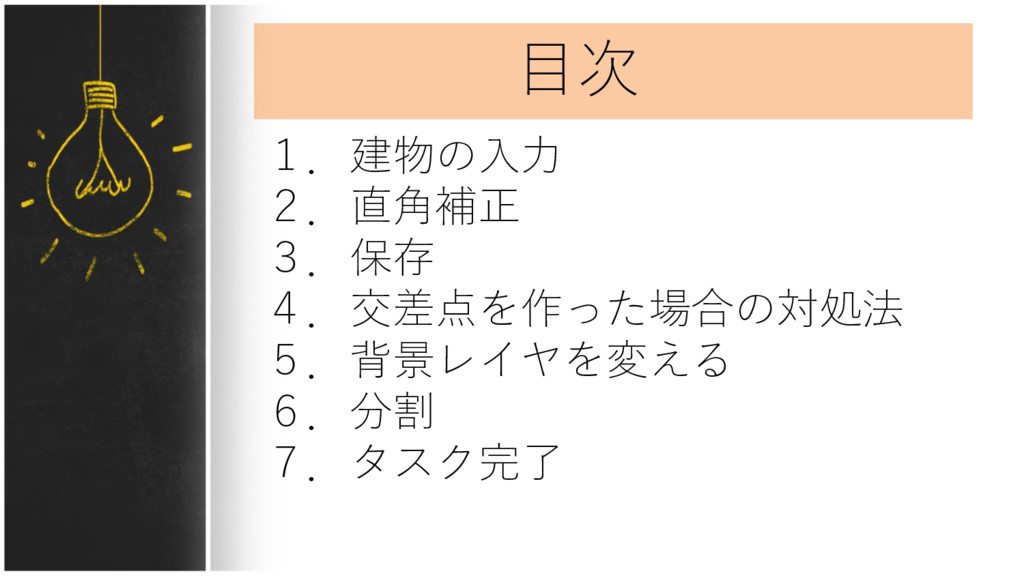
目次 1.建物の入力 2.直角補正 3.保存 4.交差点を作った場合の対処法 5.背景レイヤを変える 6.分割 7.タスク完了
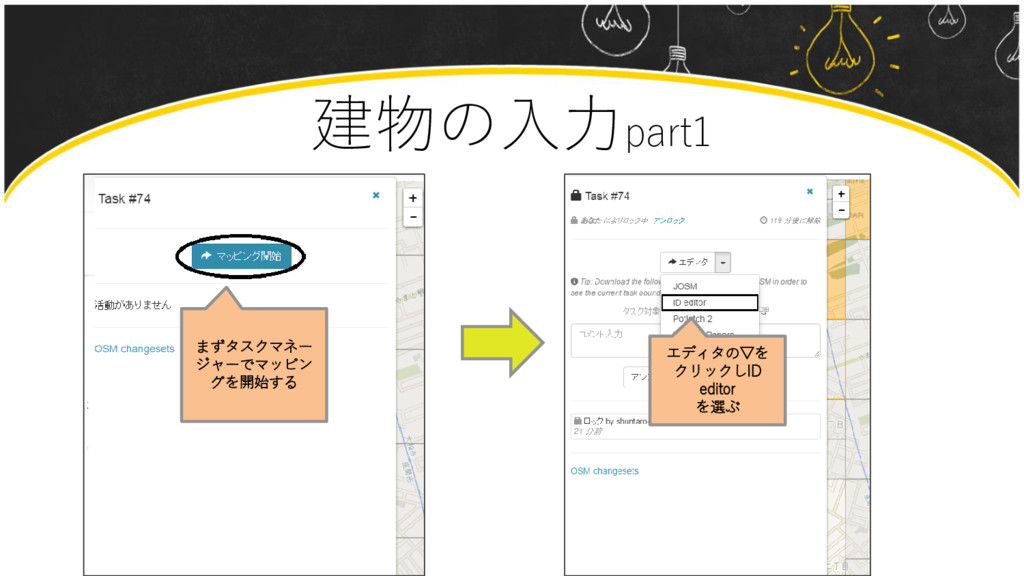
建物の入力part1 まずタスクマネー ジャーでマッピン グを開始する エディタの▽を クリックしID editor を選ぶ
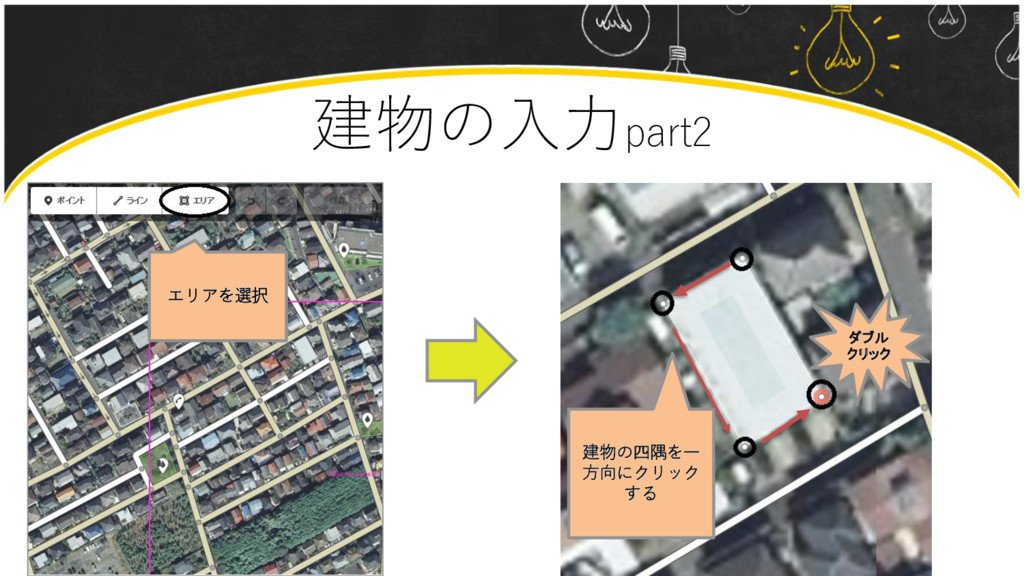
建物の入力part2 エリアを選択 ダブル クリック 建物の四隅を一 方向にクリック する
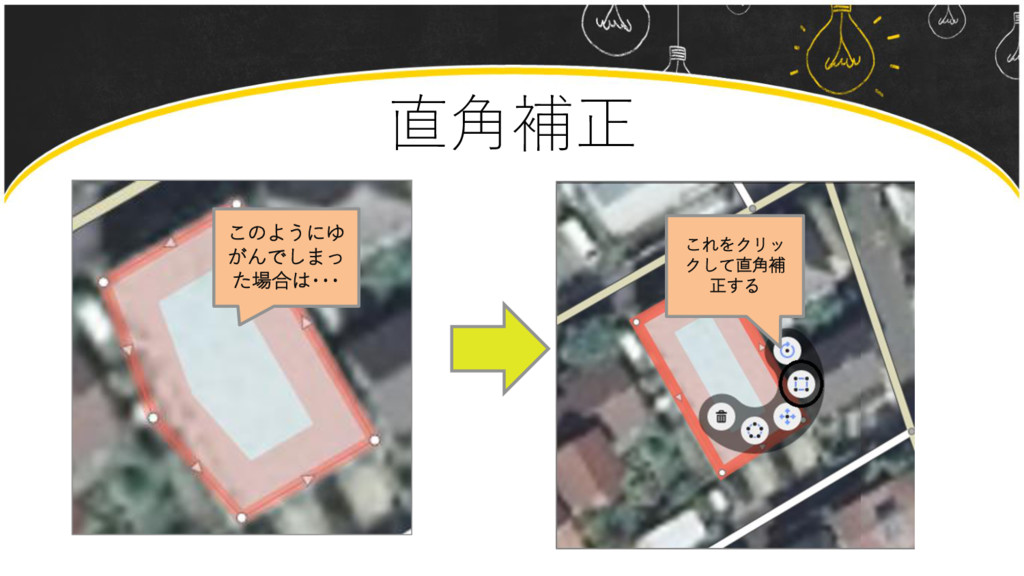
直角補正 このようにゆ がんでしまっ た場合は・・・ これをクリッ クして直角補 正する
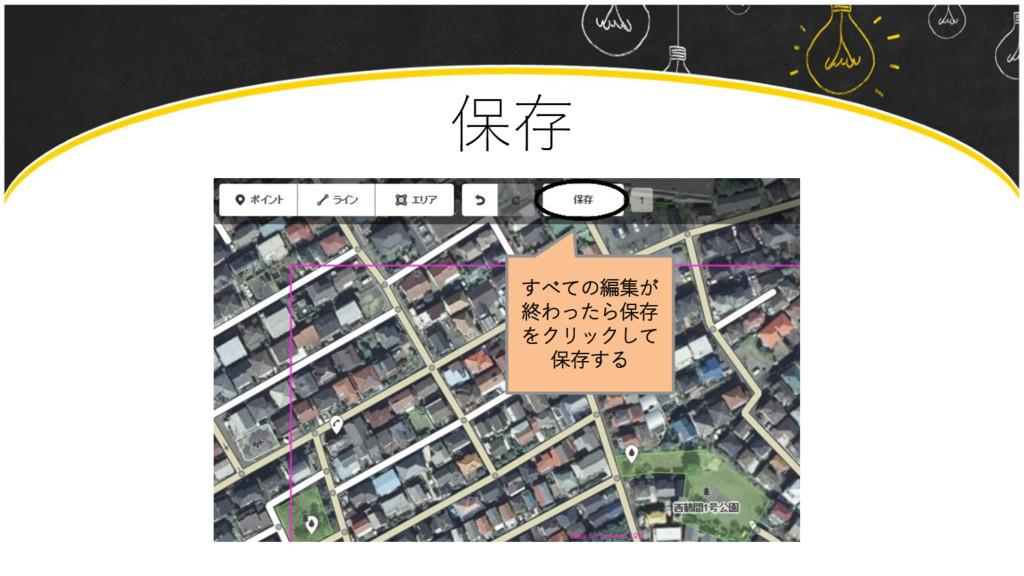
保存 すべての編集が 終わったら保存 をクリックして 保存する
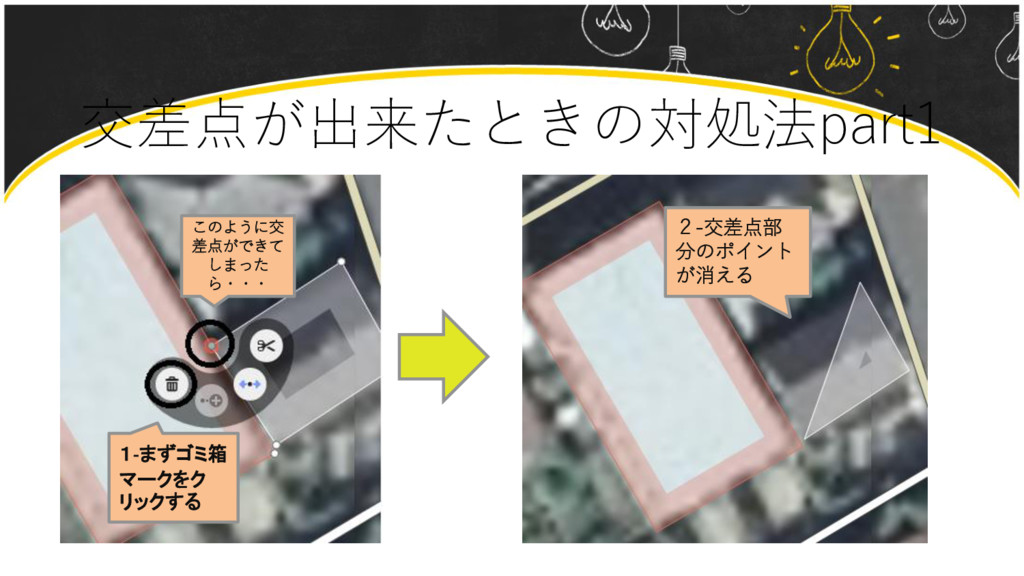
交差点が出来たときの対処法part1 このように交 差点ができて しまった ら・・・ 1-まずゴミ箱 マークをク リックする 2-交差点部 分のポイント
が消える
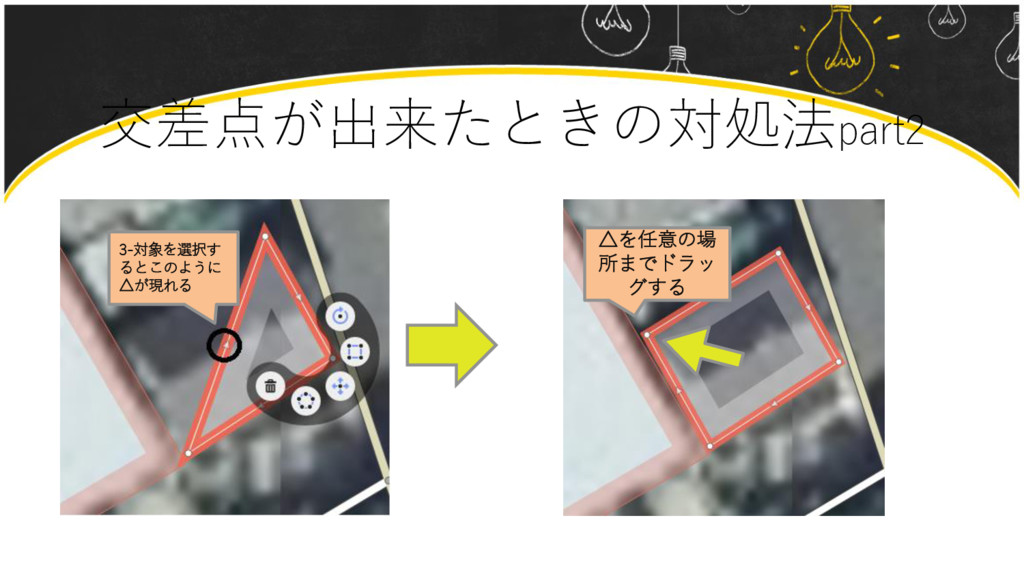
交差点が出来たときの対処法part2 3-対象を選択す るとこのように △が現れる △を任意の場 所までドラッ グする
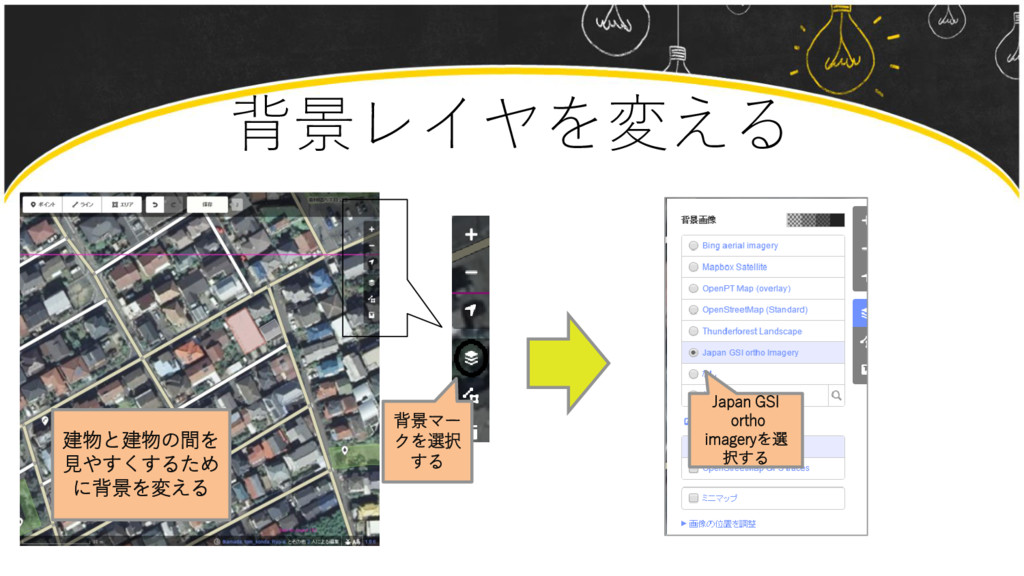
背景レイヤを変える 背景マー クを選択 する 建物と建物の間を 見やすくするため に背景を変える Japan GSI ortho
imageryを選 択する
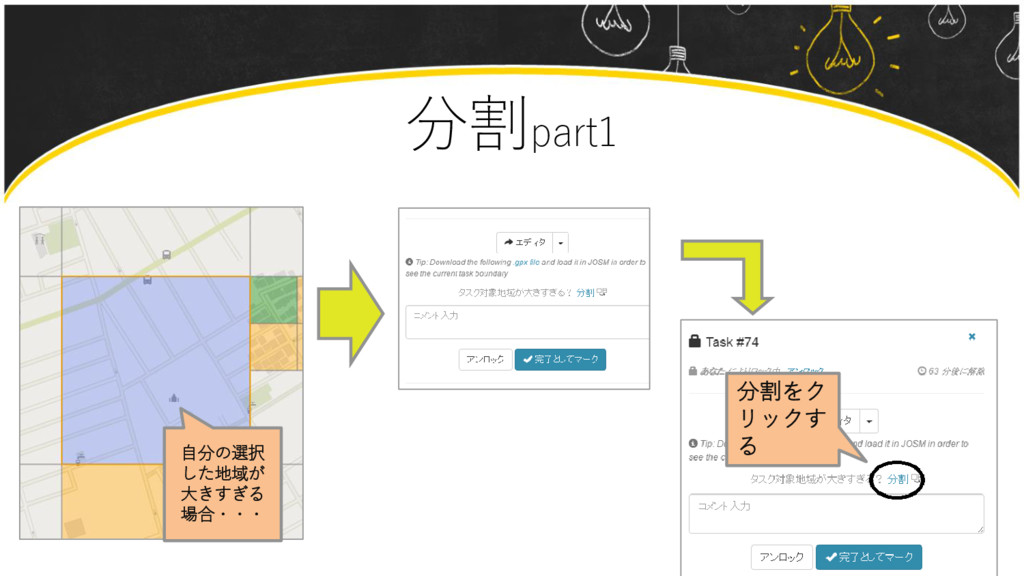
分割part1 自分の選択 した地域が 大きすぎる 場合・・・ 分割をク リックす る
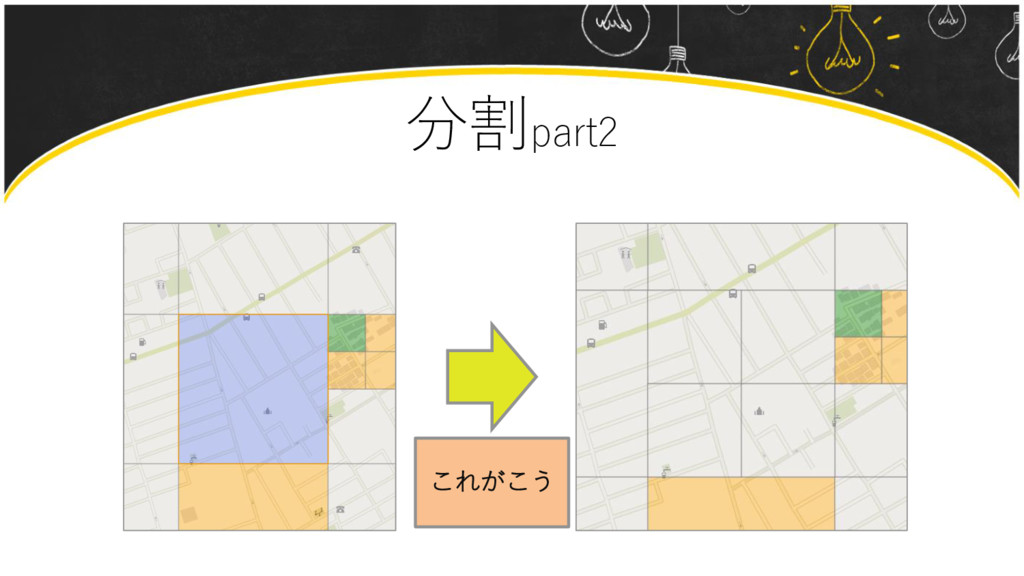
分割part2 これがこう
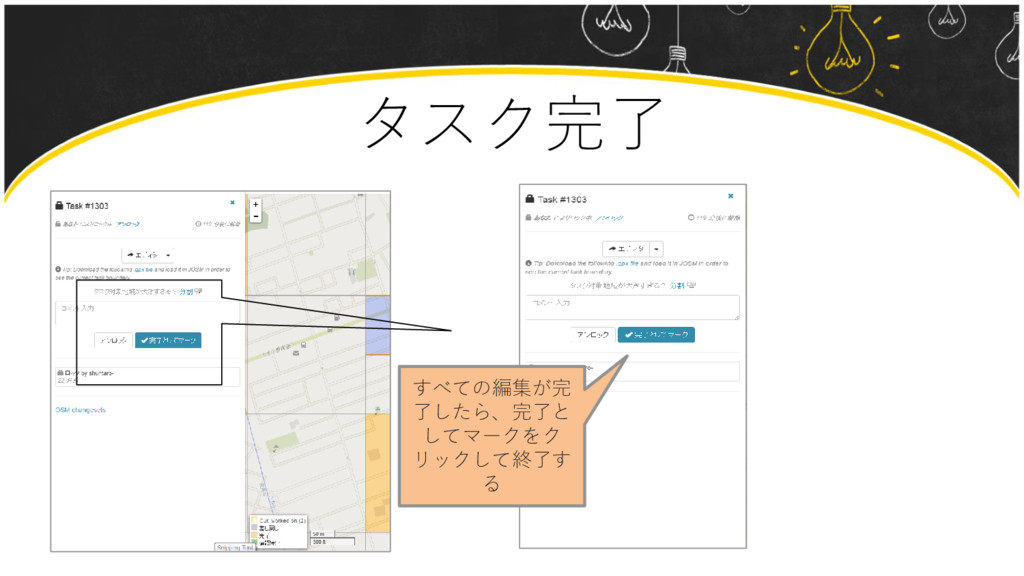
タスク完了 すべての編集が完 了したら、完了と してマークをク リックして終了す る


 shuntaroakiyama
 tammyeverts
 techseoconnect
 samanthasiow
 rasmusluckow
 gr2m
gr2m
 mkilby
 katiecoart
 sergeychernyshev
 chrisshort
 katarinadahlin
 tamaranovitovic
 skipperchong