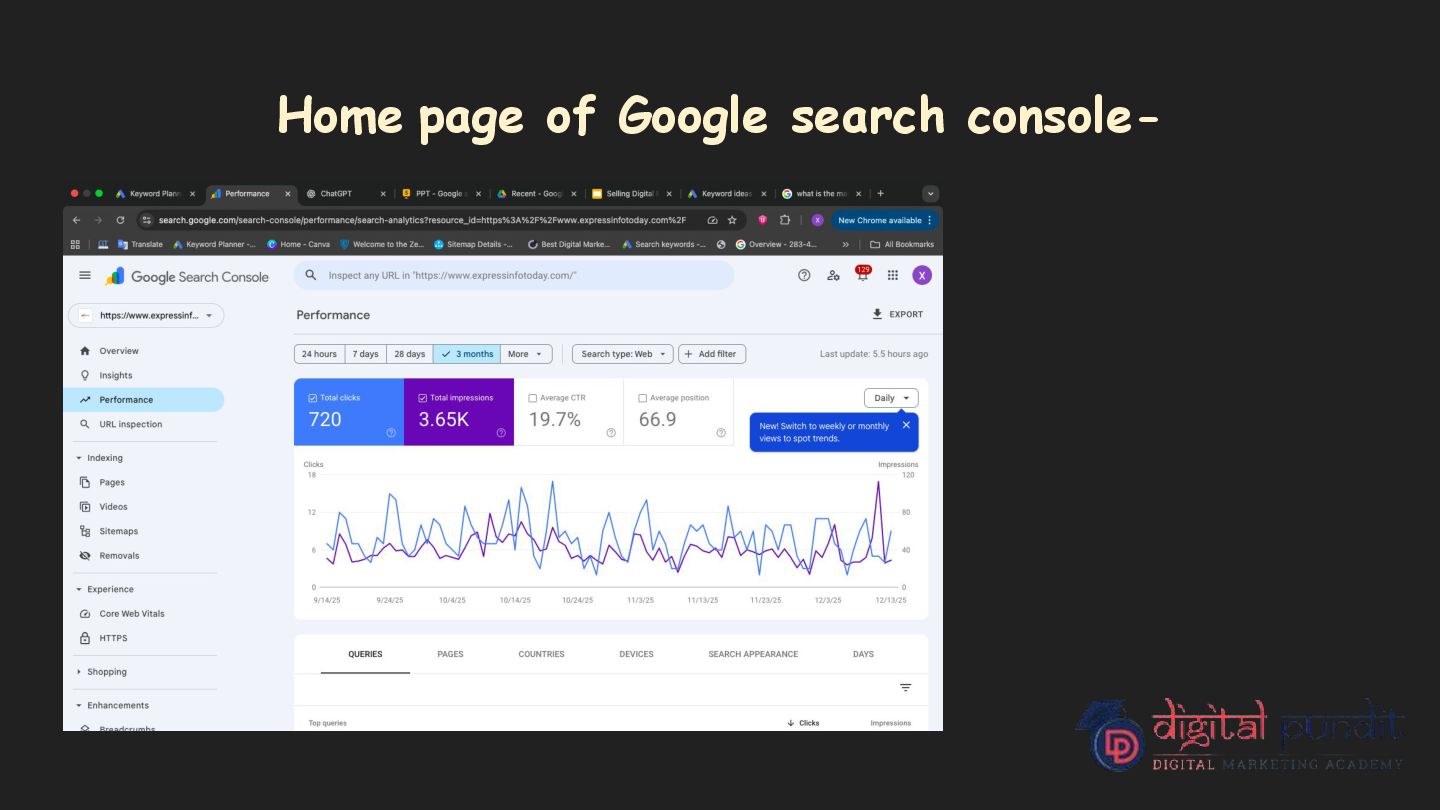
know more about google search Console. learn how to use Google Search Console for SEO, performance tracking, indexing, and website optimization. measure your website's performance
free service provided by Google that helps website owners, developers, and SEO professionals monitor, manage, and fix issues related to their website’s performance and visibility in Google search results.
to know your website better and helps to know exact performance of your website. 2. Though google search console, user get to know that which keywords brings most traffic to the website. 3. Google search console helps to resolve the technical errors of the website that make trouble in ranking the website. 4. Helps to get more organic traffic and draw attention.
in google search console for the measurement of google search console- 1. Overview 2. Indexing 3. Experience 4. Shopping 5. Enhancements 6. Security and manual actions
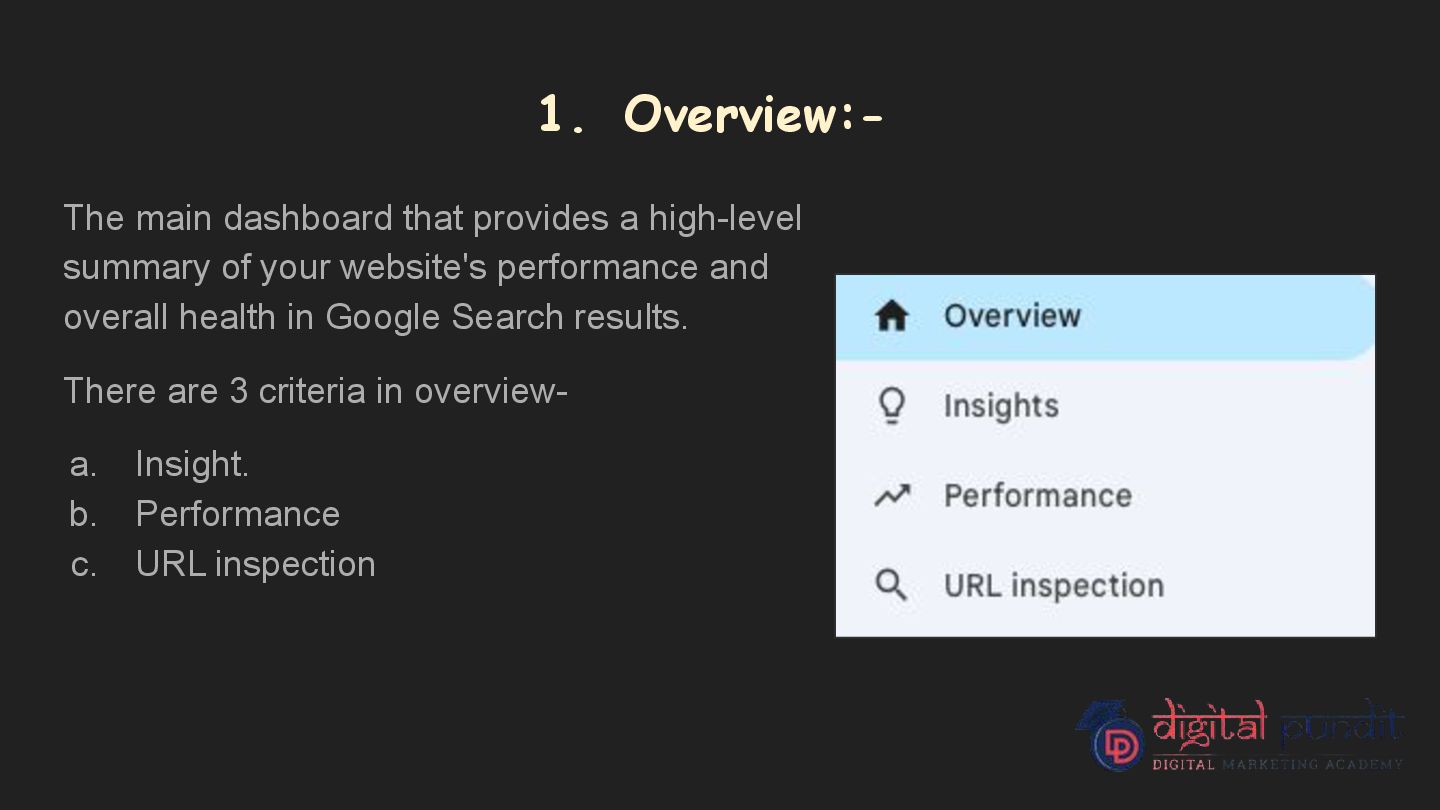
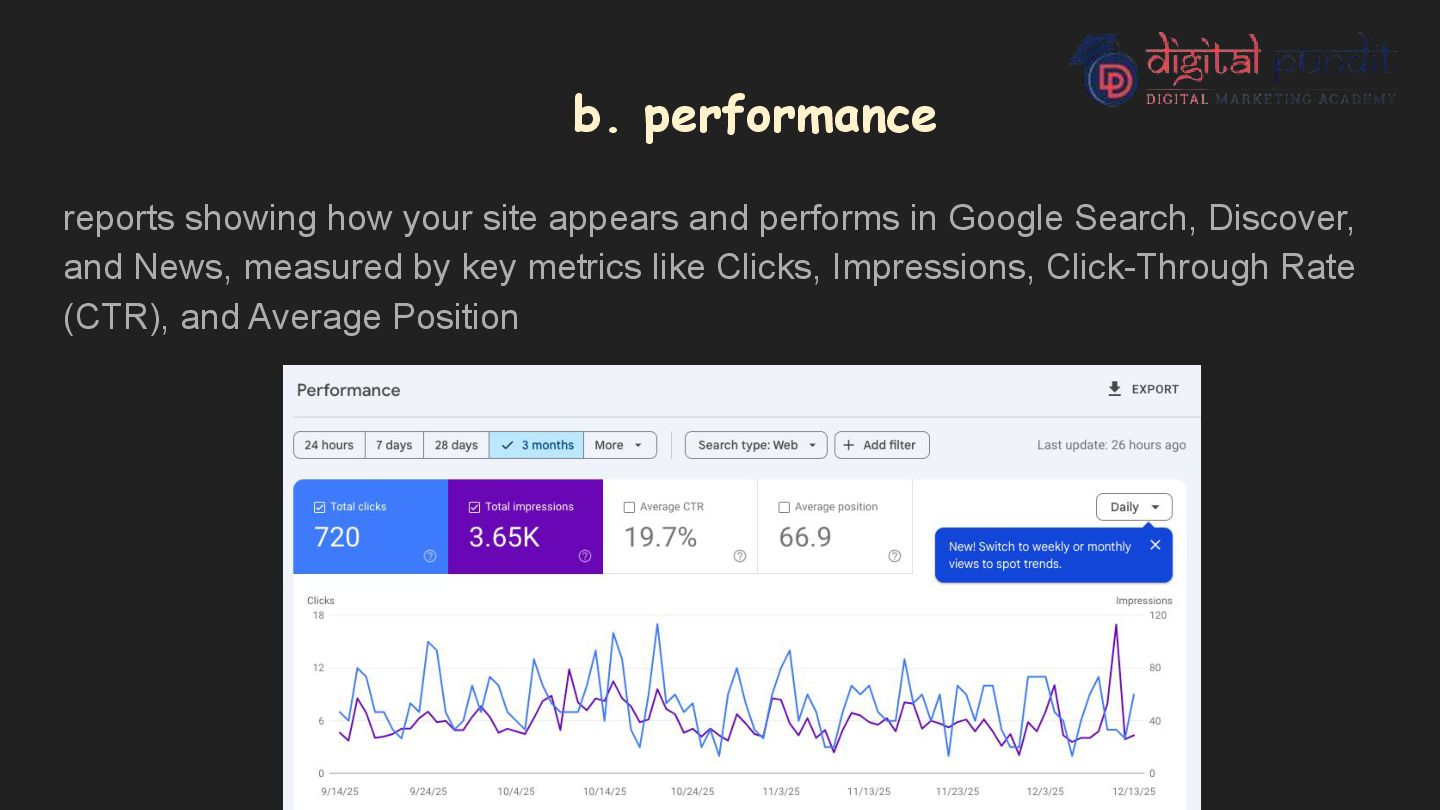
of your website's performance and overall health in Google Search results. There are 3 criteria in overview- a. Insight. b. Performance c. URL inspection
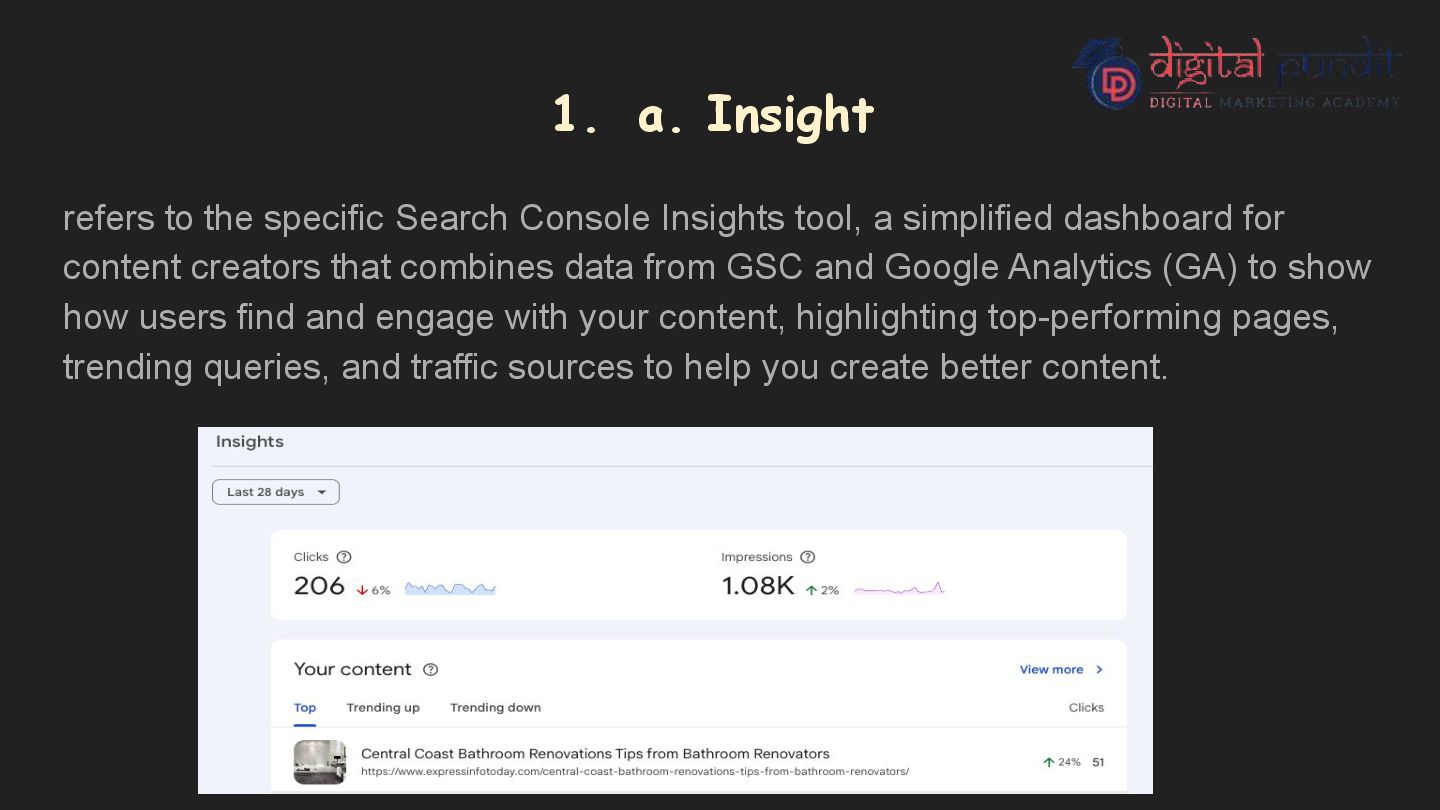
tool, a simplified dashboard for content creators that combines data from GSC and Google Analytics (GA) to show how users find and engage with your content, highlighting top-performing pages, trending queries, and traffic sources to help you create better content.
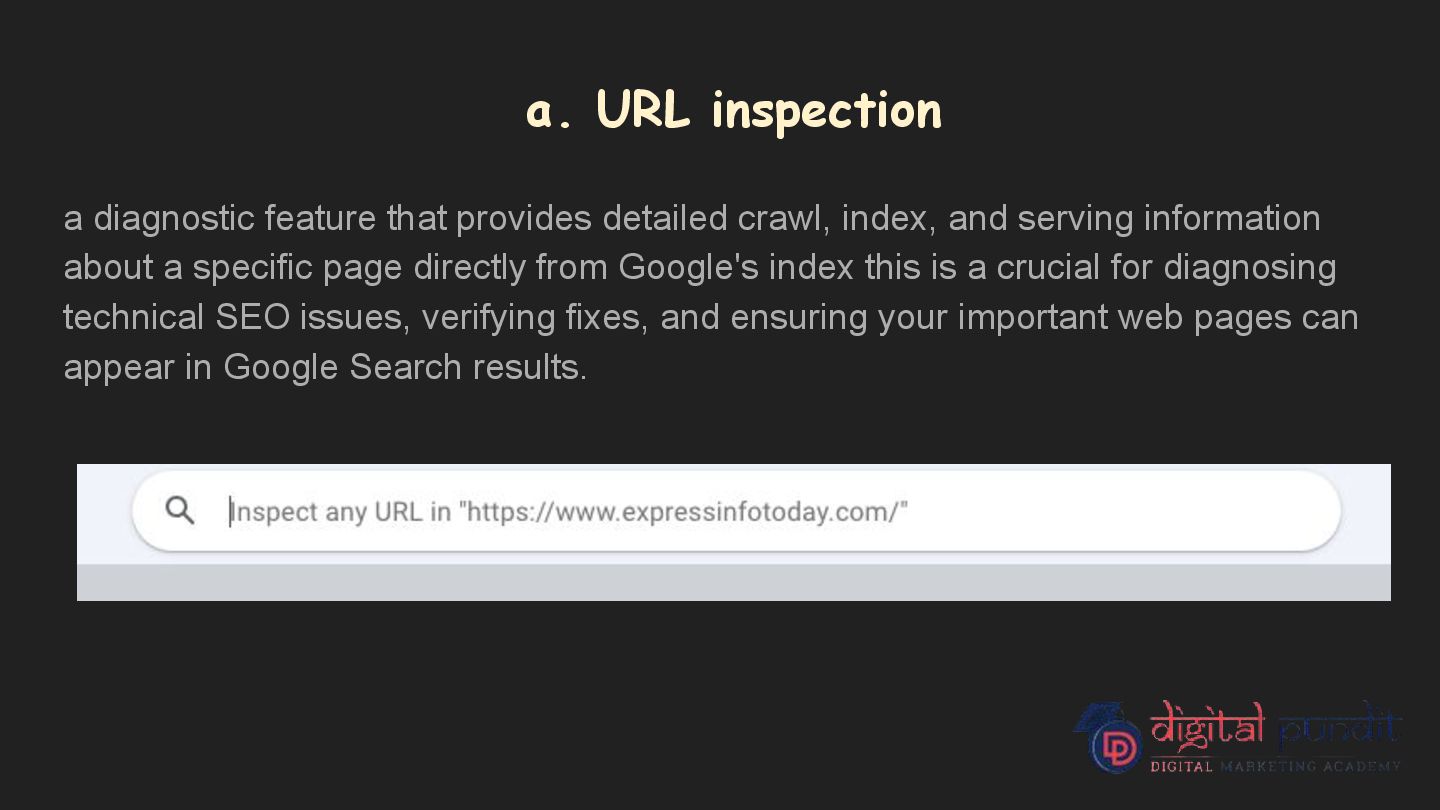
index, and serving information about a specific page directly from Google's index this is a crucial for diagnosing technical SEO issues, verifying fixes, and ensuring your important web pages can appear in Google Search results.
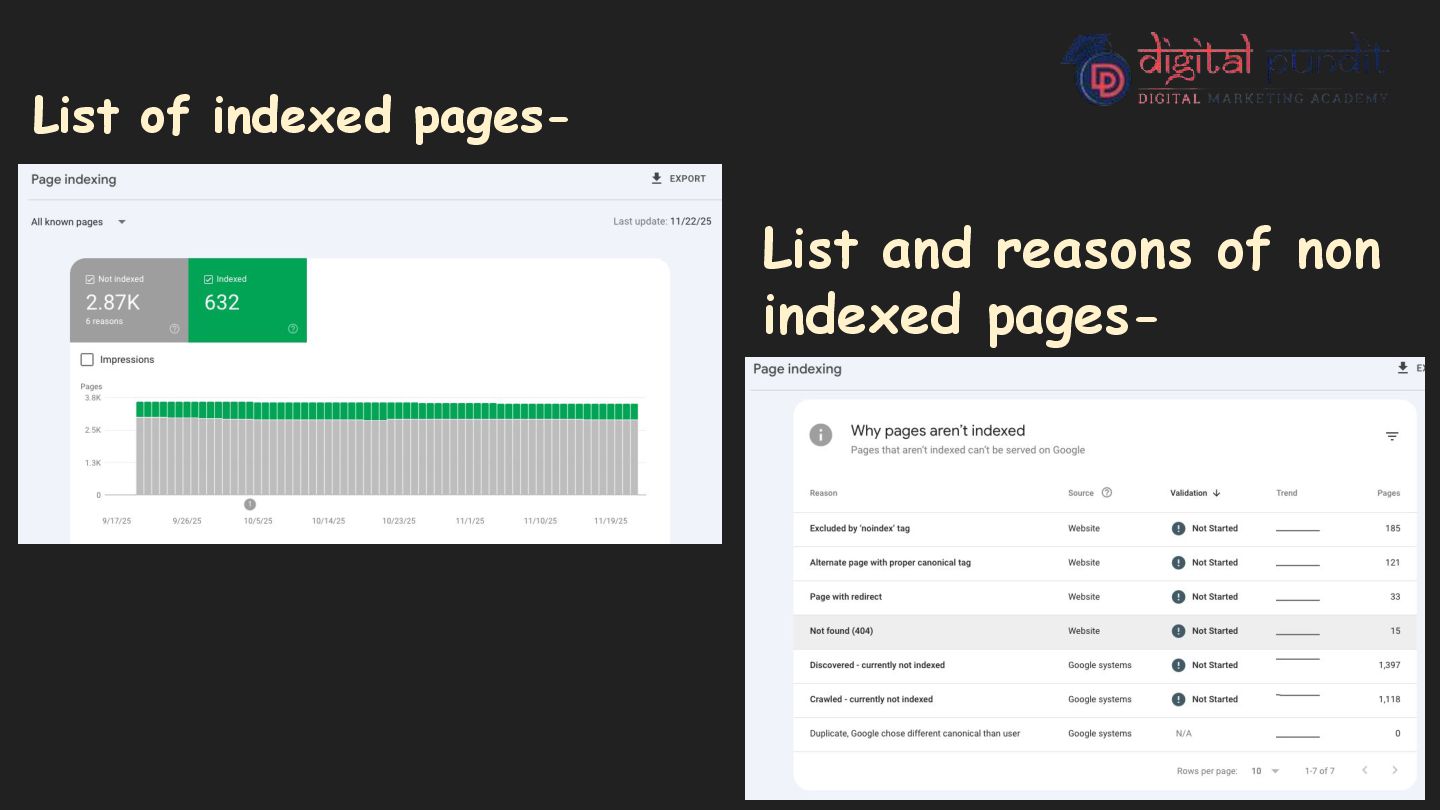
stores and organizes web pages after crawling them. When Google indexes a page, it means the page is added to Google’s database and becomes eligible to appear in search results. If a page is not indexed, users cannot find it on Google, even if the content is good. How Does Indexing Help a User Measure Website Performance? Indexing helps users understand how well their website is performing on Google. It clearly shows which pages of the website are visible in Google search results and which pages are not. This helps users know whether their content can actually be found by people searching online. By checking how many pages are successfully indexed, users can track the overall health and growth of their website. If important pages are missing, it may indicate technical or content-related issues. Indexing also helps identify errors such as pages not found, blocked pages, or pages excluded from search results. These issues can reduce website traffic if not fixed. When users publish new content or update existing pages, indexing allows them to check whether Google has recognized and added those changes. This ensures that the latest content is available to users. Overall, indexing helps evaluate how well the website structure supports search visibility, making it easier to improve performance and increase organic traffic.
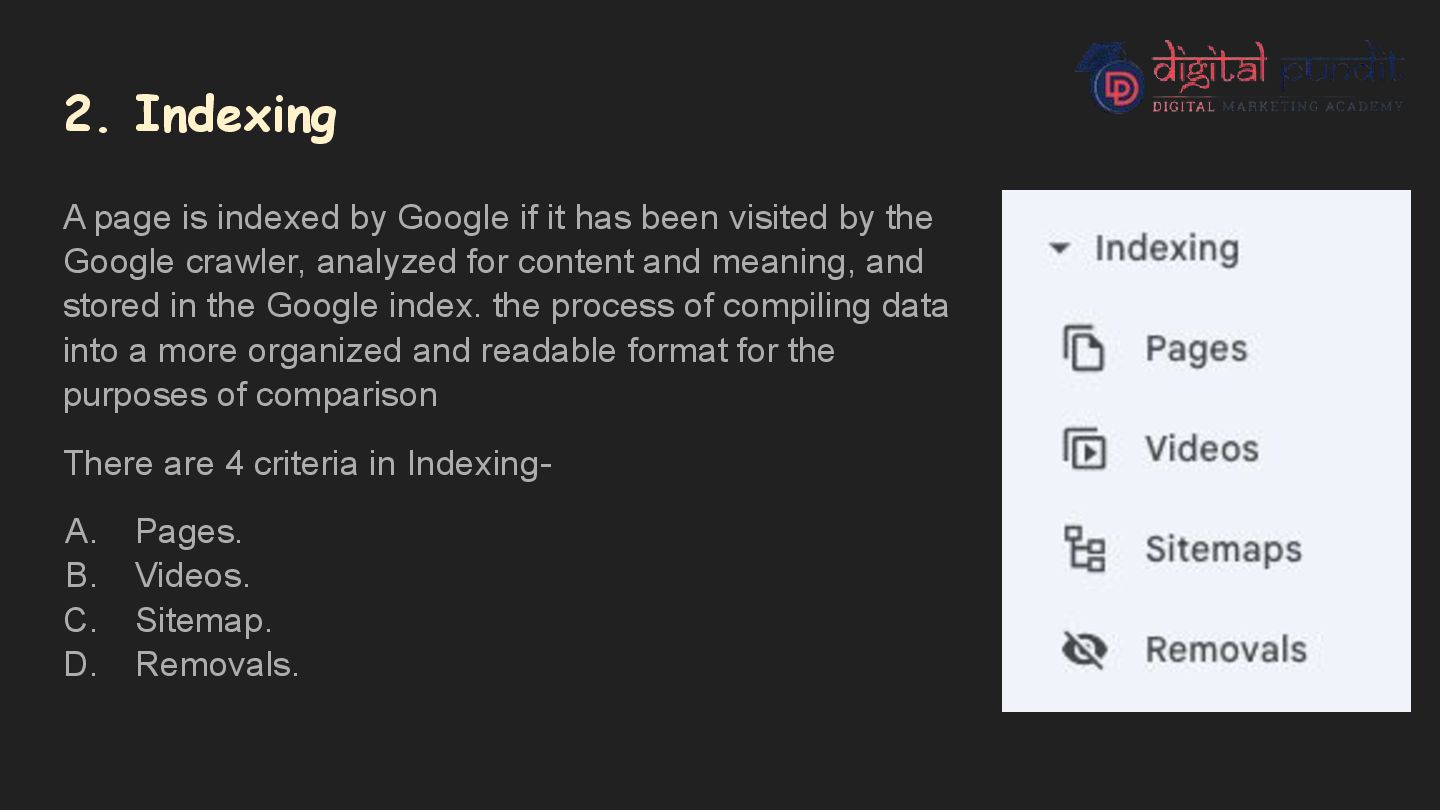
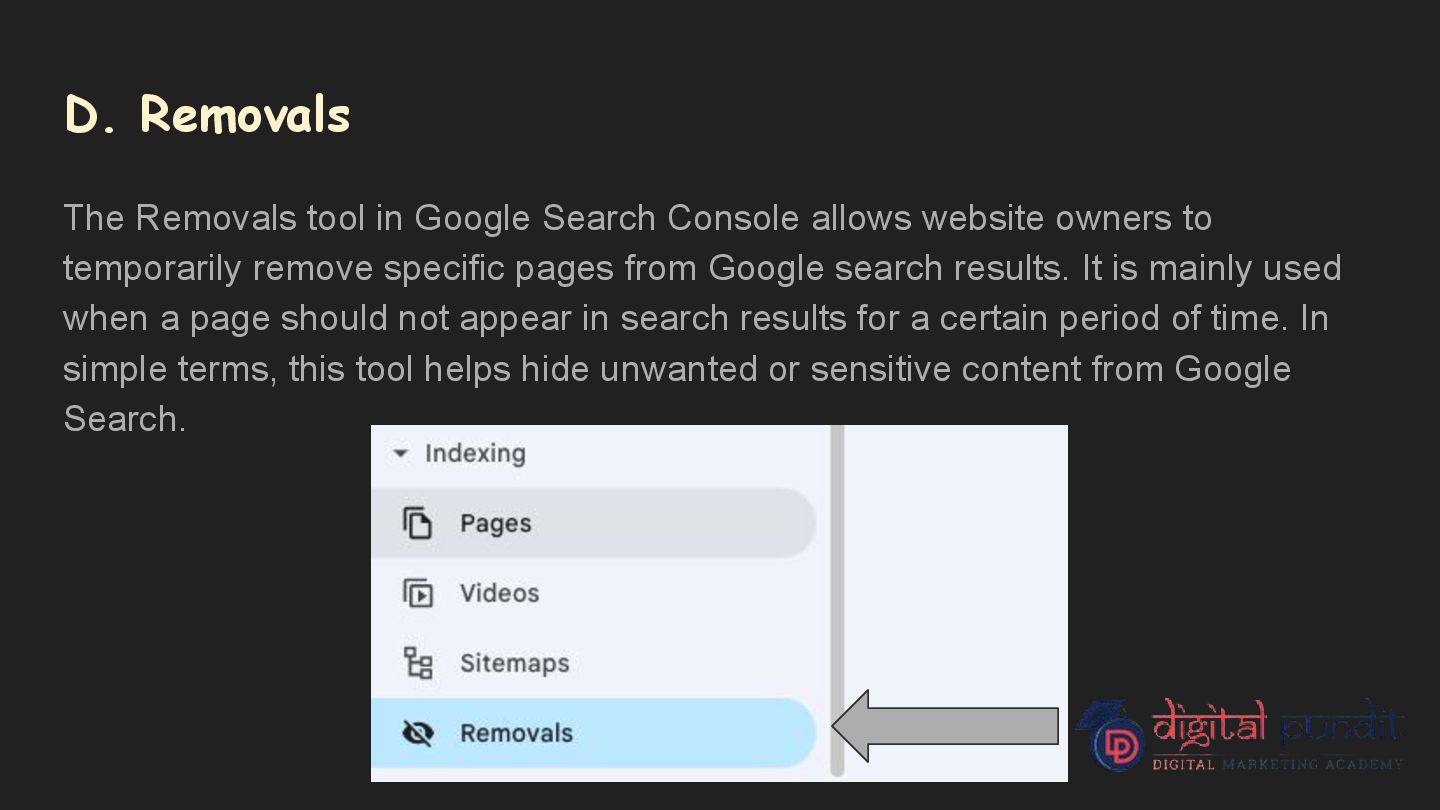
has been visited by the Google crawler, analyzed for content and meaning, and stored in the Google index. the process of compiling data into a more organized and readable format for the purposes of comparison There are 4 criteria in Indexing- A. Pages. B. Videos. C. Sitemap. D. Removals.
section in Google Search Console shows how Google indexes the pages of a website. It provides a detailed report of which pages are successfully indexed, which pages have errors, and which pages are excluded from Google Search. In simple words, this tool tells you which pages Google can show to users in search results and which pages it cannot and where should the content may paste, to get more traffic.
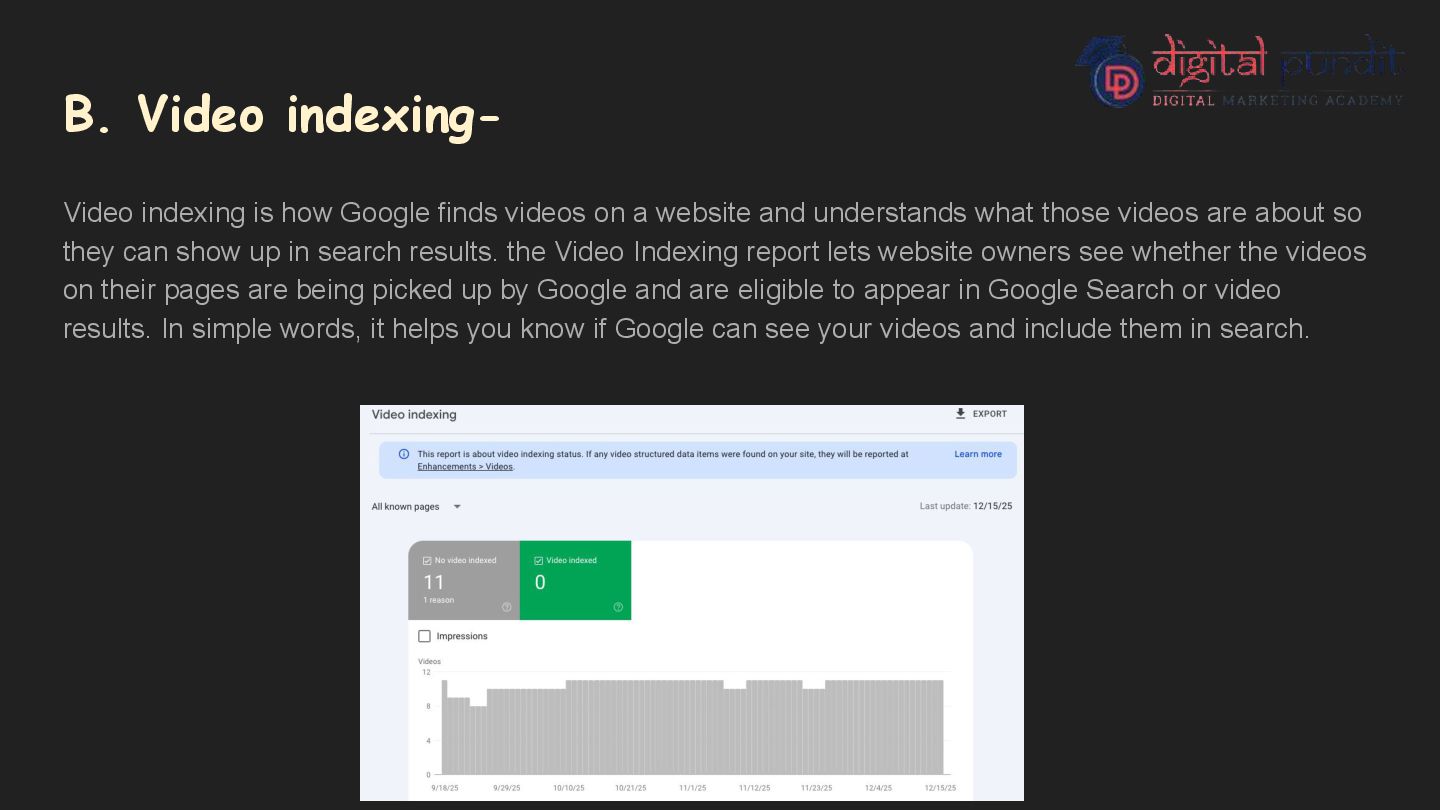
on a website and understands what those videos are about so they can show up in search results. the Video Indexing report lets website owners see whether the videos on their pages are being picked up by Google and are eligible to appear in Google Search or video results. In simple words, it helps you know if Google can see your videos and include them in search.
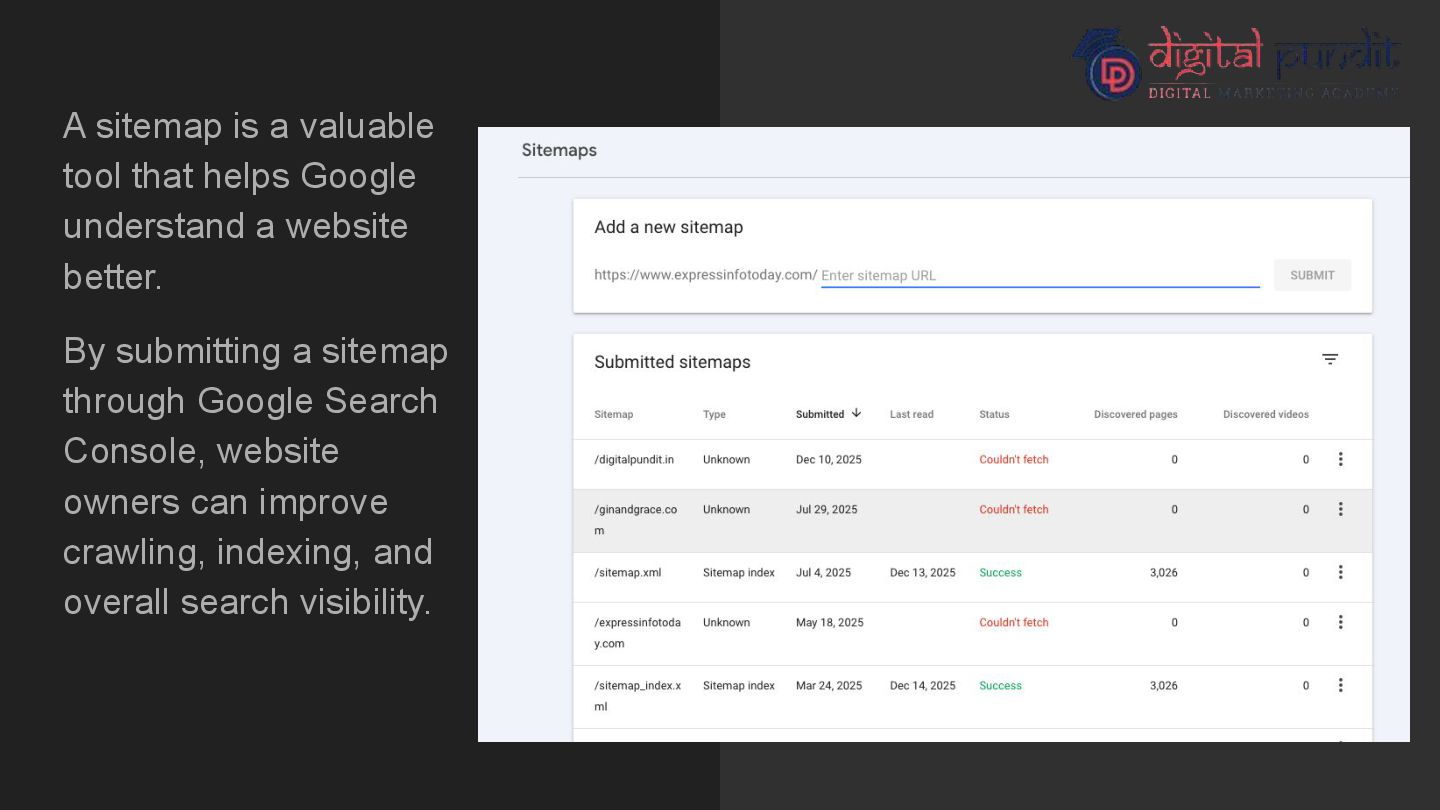
the important pages of a website and helps search engines like Google understand the site’s structure. It acts like a map or guide that tells Google which pages exist on the website and how they are connected. The most common type is an XML sitemap, which is submitted to Google Search Console. A sitemap is important because: • It helps Google find and crawl important pages • It improves indexing of new and updated pages • It is useful for large or complex websites • It helps websites with weak internal linking • It ensures important pages are not missed by Google.
website owners to temporarily remove specific pages from Google search results. It is mainly used when a page should not appear in search results for a certain period of time. In simple terms, this tool helps hide unwanted or sensitive content from Google Search.
Protocol Secure) is the secure version of HTTP, adding an encryption layer (SSL/TLS) to protect data between your browser and a website, shown by https:// and a padlock icon; non-HTTPS (HTTP) sends data unencrypted, making it vulnerable to interception, and is now flagged as "Not Secure" by browsers, making HTTPS essential for logins, payments, and general trust.
HyperText Transfer Protocol Data is sent without encryption Information can be intercepted by attackers Browsers show it as “Not Secure” Example: http://www.example.com HTTPS stands for HyperText Transfer Protocol Secure Uses SSL/TLS encryption Data is protected and secure Browsers show a padlock icon Example: https://www.example.com
Search Console, covering its key features, tools, and practical uses for improving website performance and search visibility. For a deeper understanding, live demonstrations, and real-world examples, you are welcome to join our demo lecture, where each concept will be explained step by step in a clear and practical manner and for more information you can join deme lecture at digital pundit course.


 speakerdecknidh
 nikkihalliwell
 skipperchong
 akashhashmi
 aarron
 katarinadahlin
 malarkey
 thoeni
 chikuwait
 mayunak
 aemeredith
 aleyda
 geoffreycrofte