Upgrade to Pro
— share decks privately, control downloads, hide ads and more …
Speaker Deck
Sign up for free
Menu
Search
Features
All features
Private URLs
Password Protection
Custom URLS
Scheduled publishing
Remove Branding
Restrict embedding
Deck Collections
Notes
Features
All features
Private URLs
Password Protection
Custom URLS
Scheduled publishing
Remove Branding
Restrict embedding
Deck Collections
Notes
Explore
Featured decks
Featured speakers
Programming
Technology
Storyboards
Explore
Featured decks
Featured speakers
Programming
Technology
Storyboards
Pricing
Search
Sign in
Sign up for free
MSOL勉強会資料(インフラ編)補足資料
Search
Sponsored
·
Your Podcast. Everywhere. Effortlessly.
Share. Educate. Inspire. Entertain. You do you. We'll handle the rest.
→
Tsutomu Kitamura
February 20, 2019
78
0
Share
Embed
Copy iframe code
Copy JS code
Copy link
Start on current slide
MSOL勉強会資料(インフラ編)補足資料
AWSを使ったサーバー構築チュートリアル
Tsutomu Kitamura
February 20, 2019
More Decks by Tsutomu Kitamura
See All by Tsutomu Kitamura
MSOL勉強会資料(インフラ編)
tukitamu
0
96
Featured
See All Featured
Building the Perfect Custom Keyboard
takai
2
910
Thoughts on Productivity
jonyablonski
76
5.4k
Six Lessons from altMBA
skipperchong
29
4.5k
The Myth of the Modular Monolith - Day 2 Keynote - Rails World 2024
eileencodes
28
3.7k
Dominate Local Search Results - an insider guide to GBP, reviews, and Local SEO
greggifford
PRO
0
370
Taking LLMs out of the black box: A practical guide to human-in-the-loop distillation
inesmontani
PRO
3
2.5k
Unsuck your backbone
ammeep
672
58k
実際に使うSQLの書き方 徹底解説 / pgcon21j-tutorial
soudai
PRO
203
77k
Google's AI Overviews - The New Search
badams
0
1.6k
Skip the Path - Find Your Career Trail
mkilby
1
260
How Fast Is Fast Enough? [PerfNow 2025]
tammyeverts
3
940
AI Search: Where Are We & What Can We Do About It?
aleyda
0
8.1k
Transcript
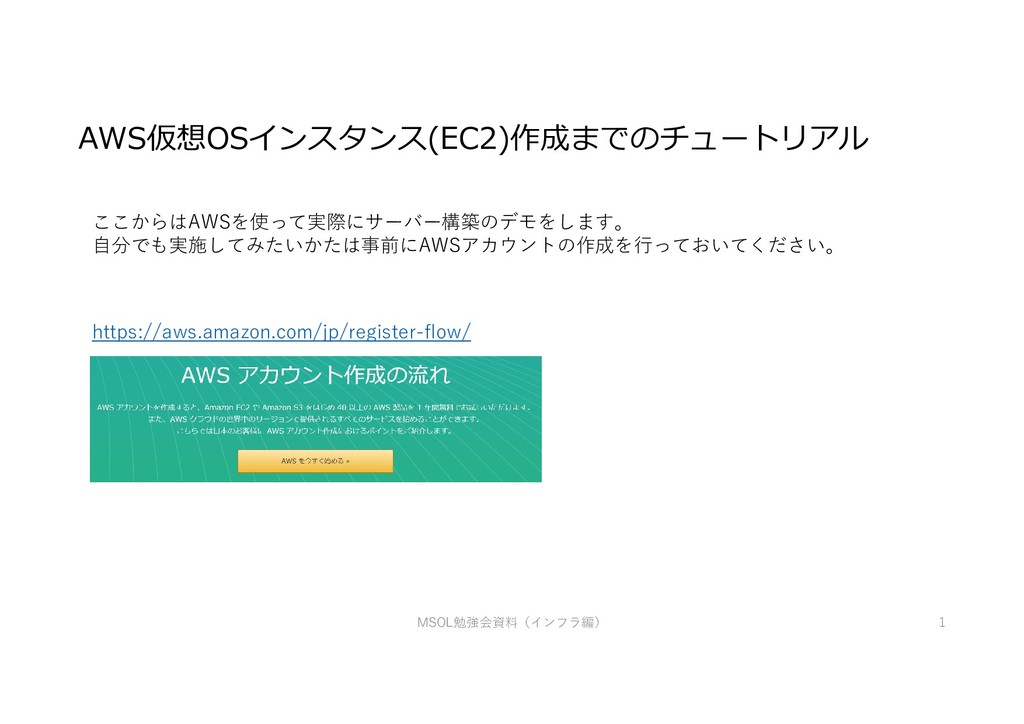
MSOL勉強会資料(インフラ編) 1 AWS仮想OSインスタンス(EC2)作成までのチュートリアル ここからはAWSを使って実際にサーバー構築のデモをします。 自分でも実施してみたいかたは事前にAWSアカウントの作成を行っておいてください。 https://aws.amazon.com/jp/register-flow/
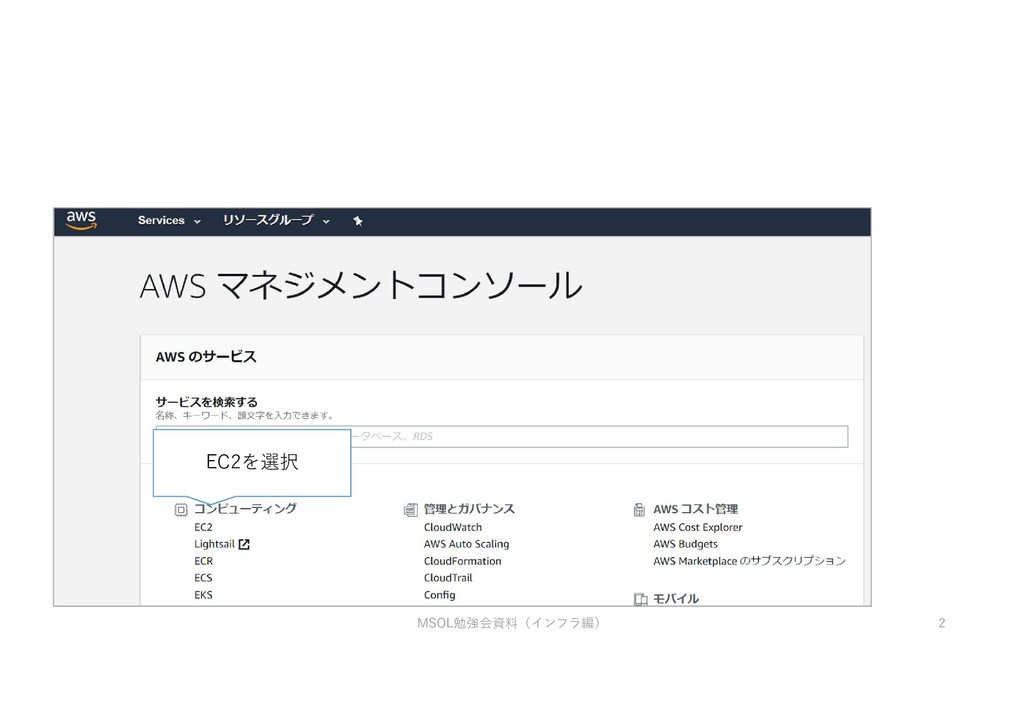
EC2を選択 MSOL勉強会資料(インフラ編) 2
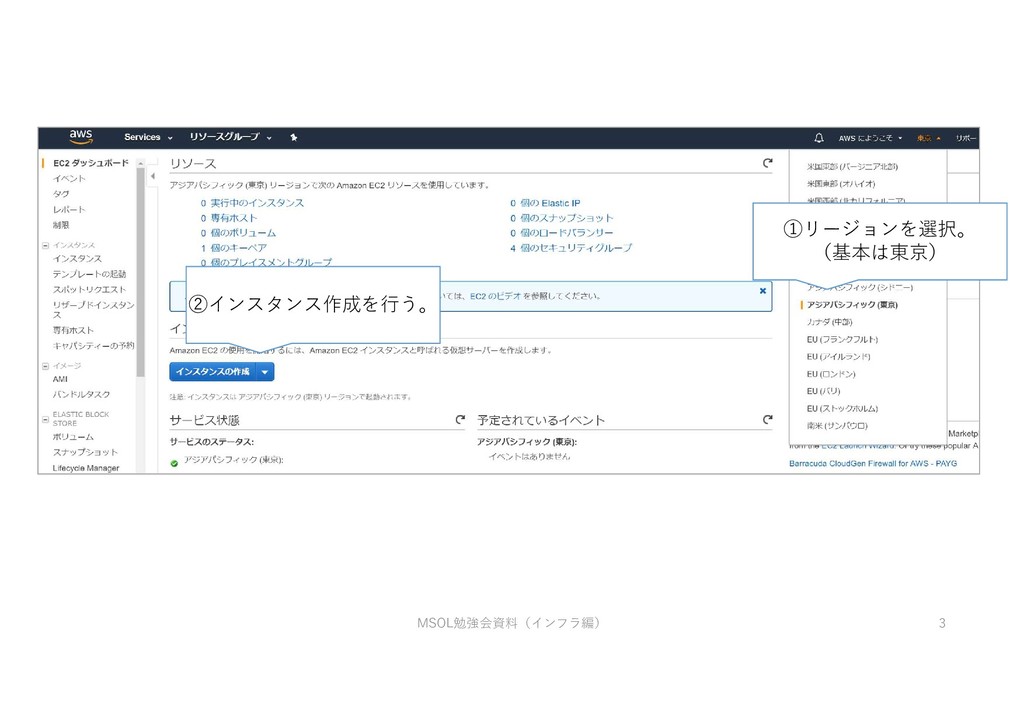
②インスタンス作成を行う。 ①リージョンを選択。 (基本は東京) MSOL勉強会資料(インフラ編) 3
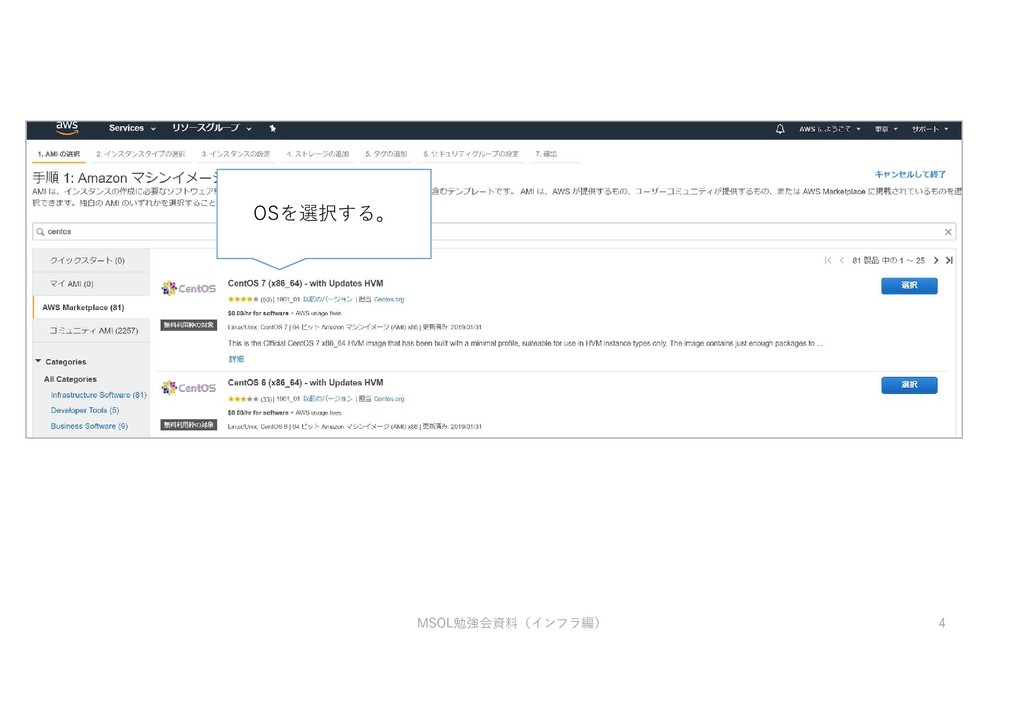
OSを選択する。 MSOL勉強会資料(インフラ編) 4
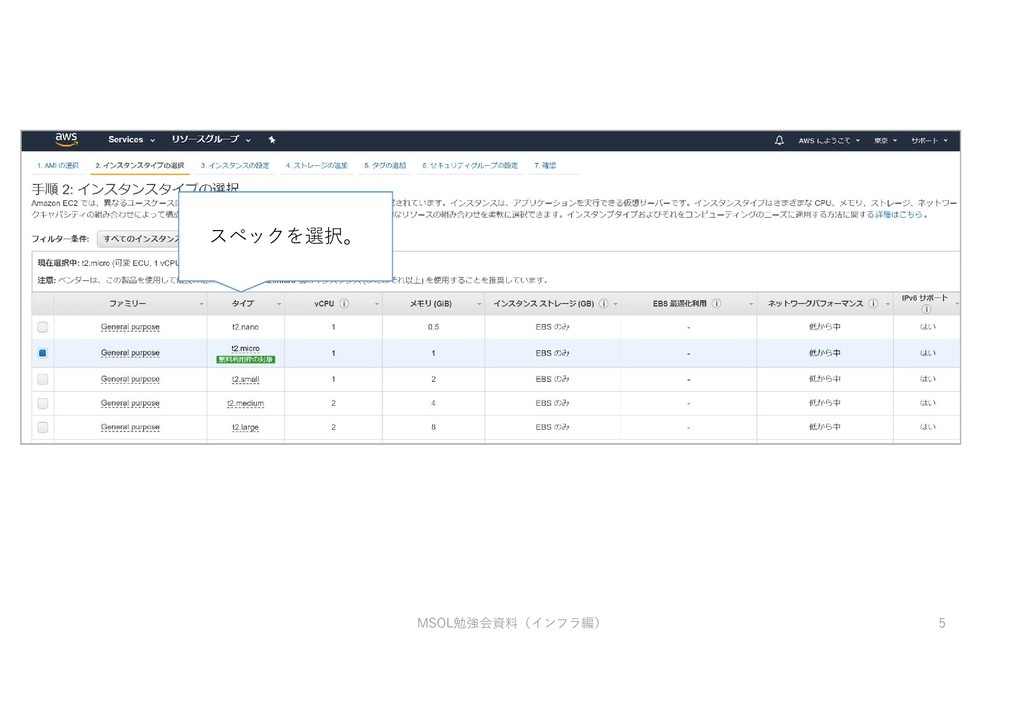
スペックを選択。 MSOL勉強会資料(インフラ編) 5
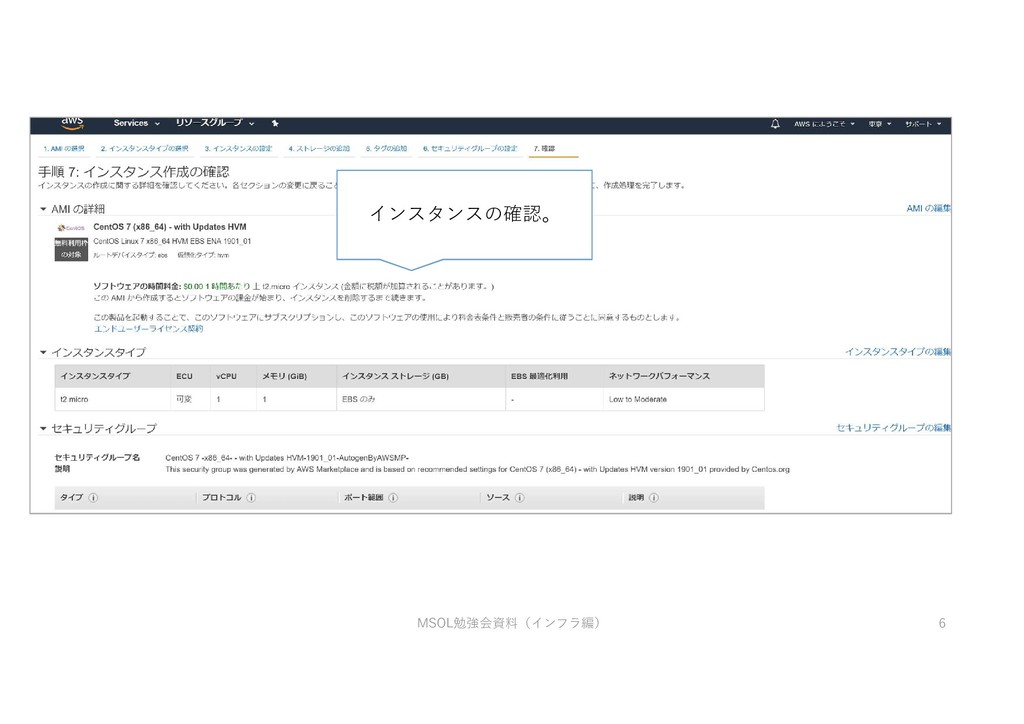
インスタンスの確認。 MSOL勉強会資料(インフラ編) 6
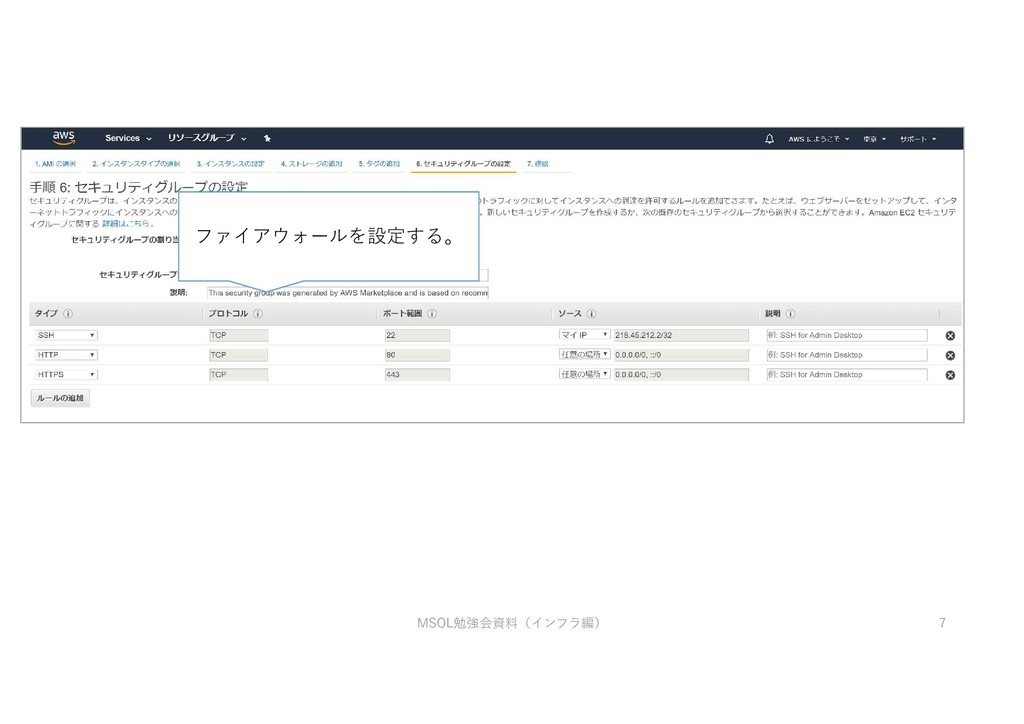
ファイアウォールを設定する。 MSOL勉強会資料(インフラ編) 7
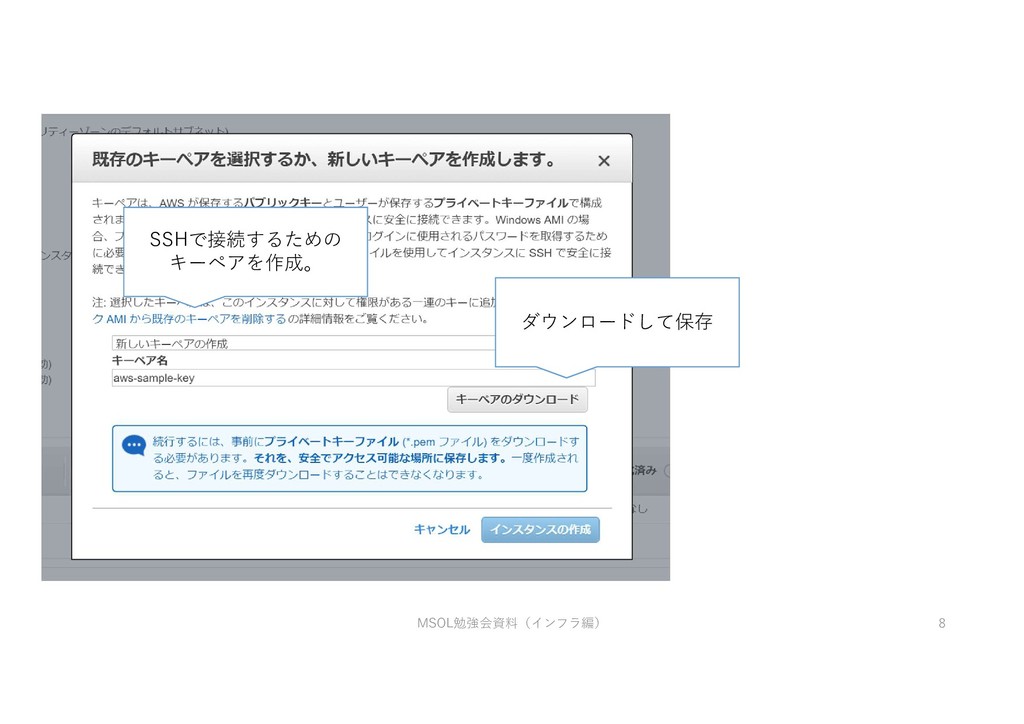
ダウンロードして保存 SSHで接続するための キーペアを作成。 MSOL勉強会資料(インフラ編) 8
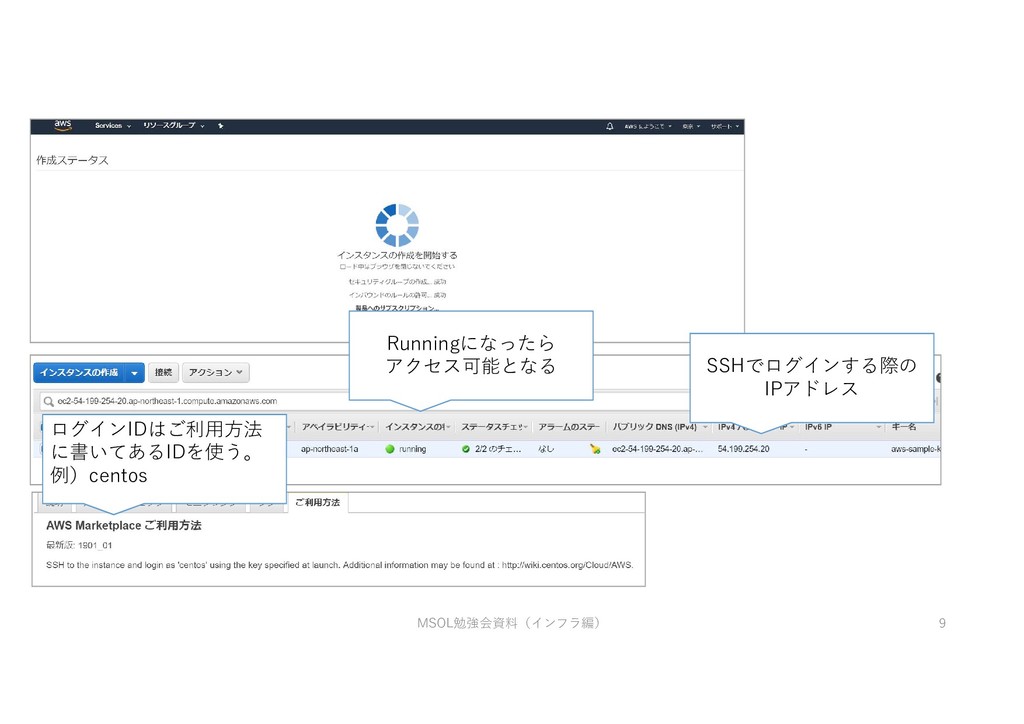
Runningになったら アクセス可能となる MSOL勉強会資料(インフラ編) 9 SSHでログインする際の IPアドレス ログインIDはご利用方法 に書いてあるIDを使う。 例)centos
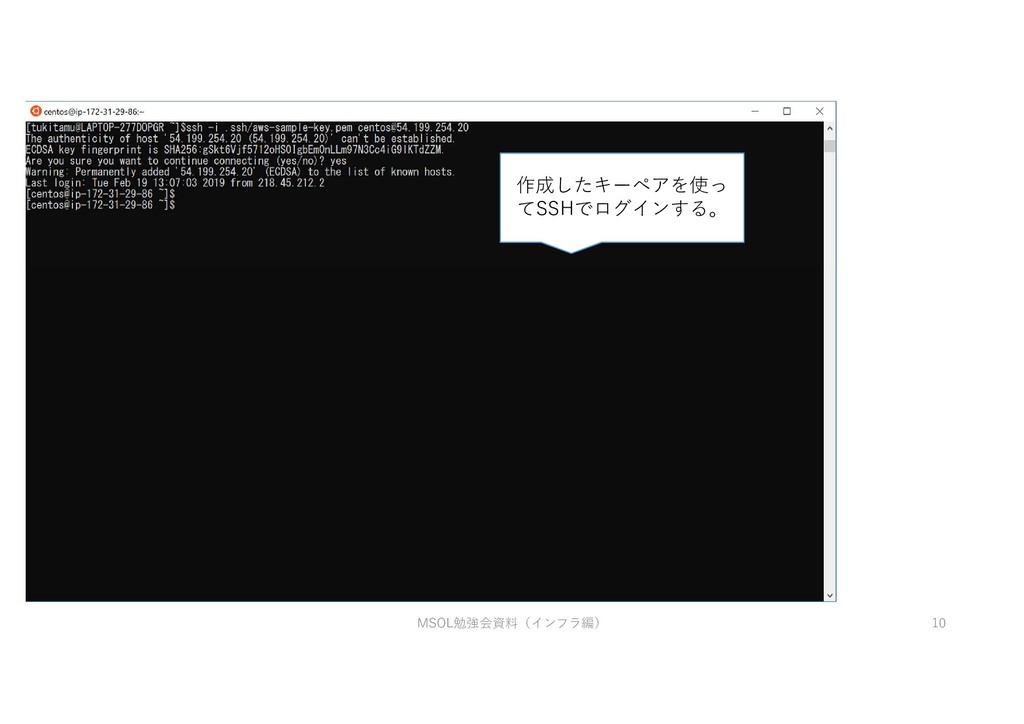
作成したキーペアを使っ てSSHでログインする。 MSOL勉強会資料(インフラ編) 10
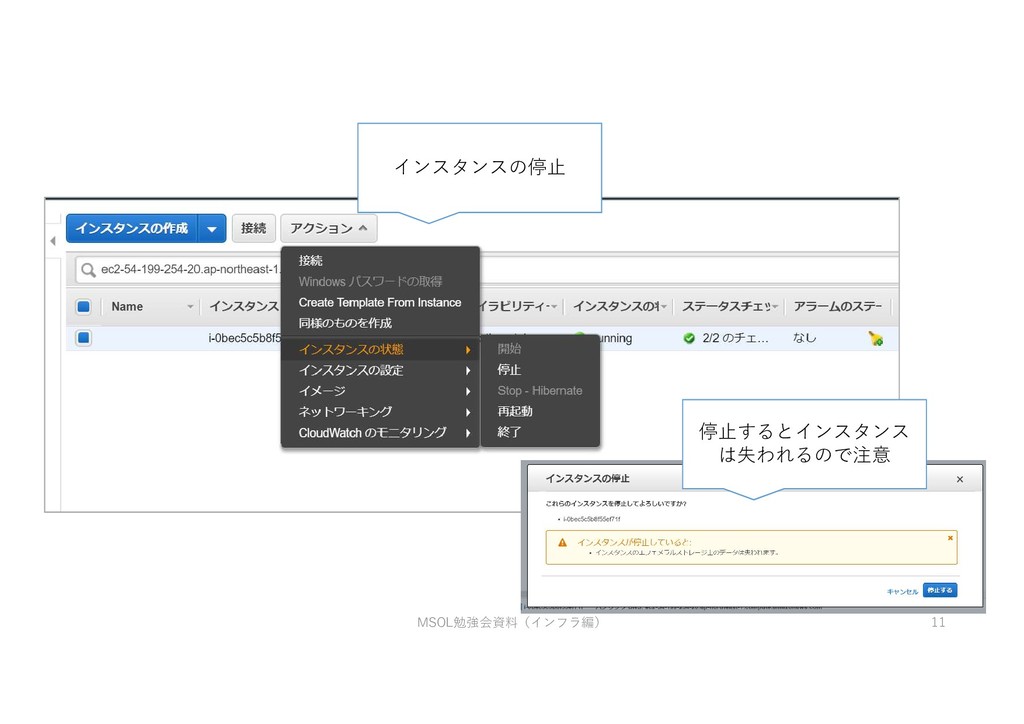
インスタンスの停止 停止するとインスタンス は失われるので注意 MSOL勉強会資料(インフラ編) 11


 tukitamu
 takai
takai
 jonyablonski
 skipperchong
 eileencodes
 greggifford
 inesmontani
 ammeep
 soudai
 badams
 mkilby
 tammyeverts
 aleyda