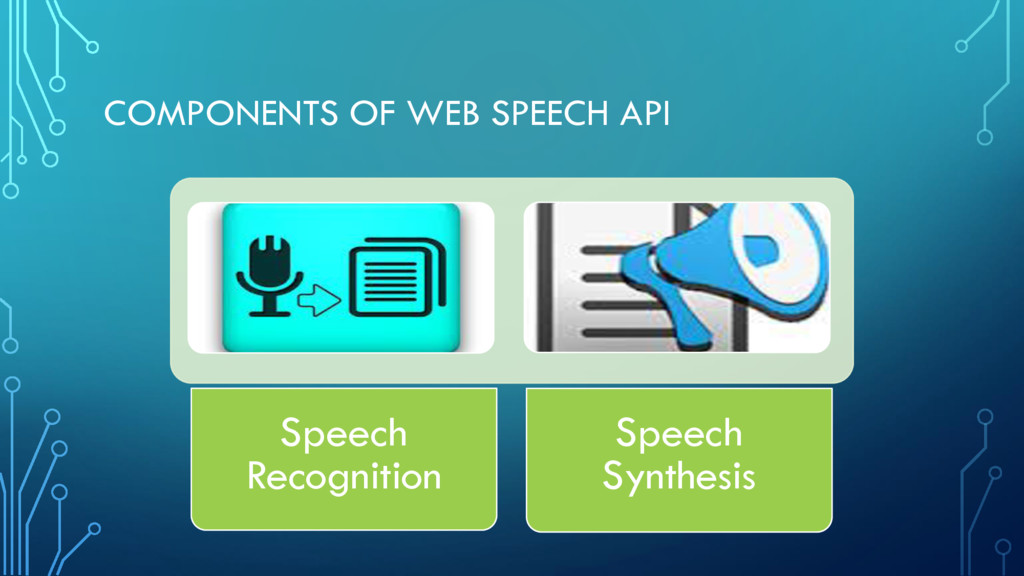
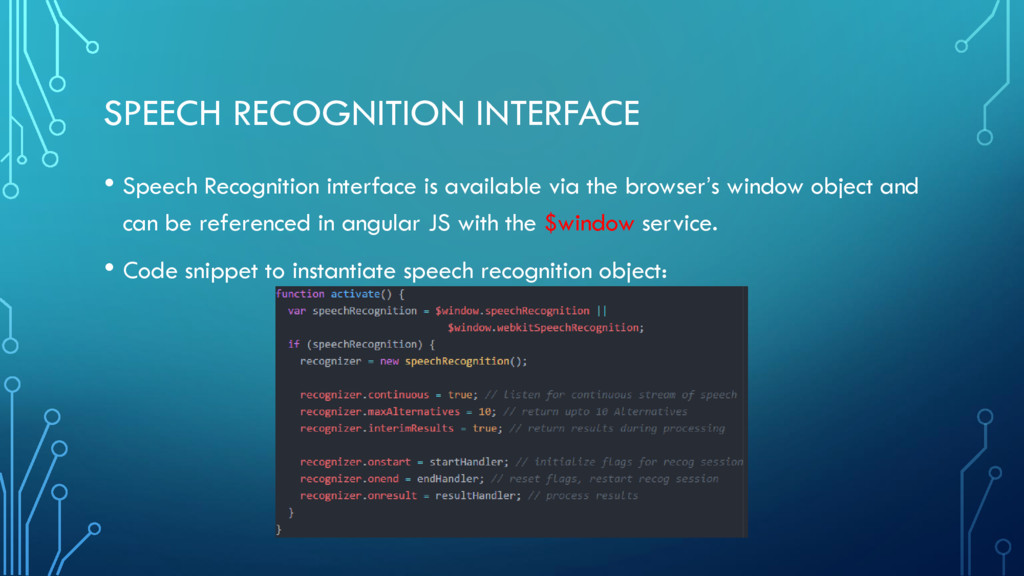
us to add speech capabilities to our web applications. • Speech capabilities include the ability of a software to recognize sound as speech and respond using audio output devices • Speech capabilities allow developers to build applications that support accessibility features, translations, search applications, filling up of forms, etc.
engine that takes audio input or speech from user’s microphone and processes it by matching audio signals to patterns. • The patterns are then associated to words in a grammar database. • The recognition engine typically returns a hypothesis, a list of alternatives, possible words that match the speech. • Each alternative is given a confidence score that indicates level of accuracy.
engine that takes a text and converts the text into words or phrases. • The synthesis engine uses different recorded sound bites to generate a variety of tones, accent and natural sounds. • The ability to convert Text to Speech is relatively simple and is widely supported by many applications such as word processing applications, document readers, messaging apps, etc.
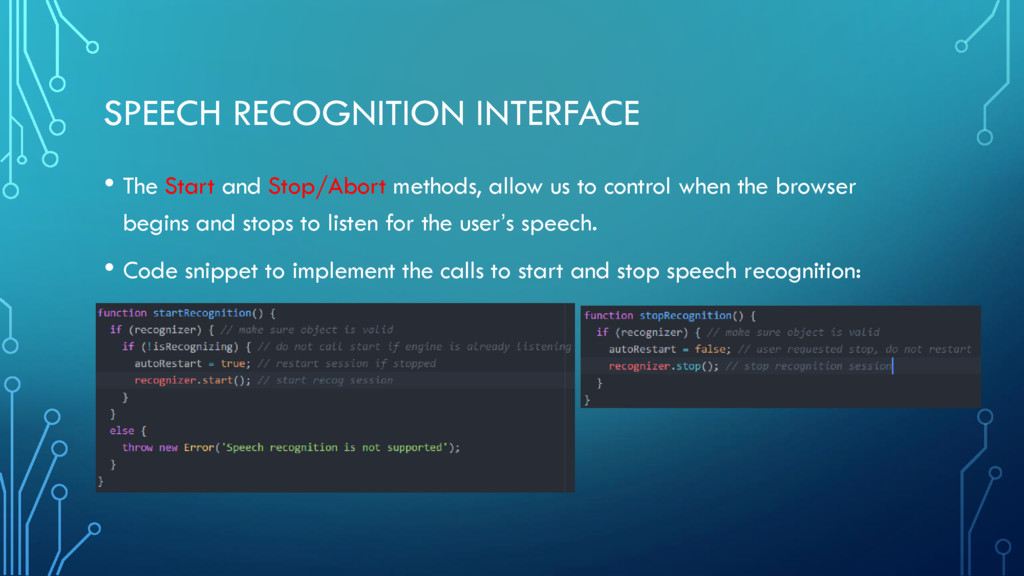
us to control when the browser begins and stops to listen for the user’s speech. • Code snippet to implement the calls to start and stop speech recognition:
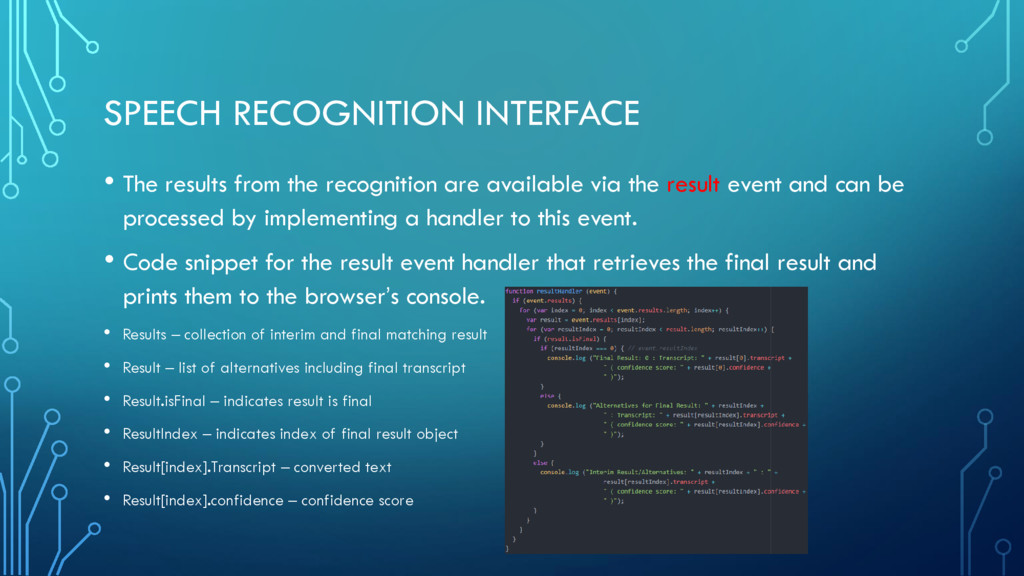
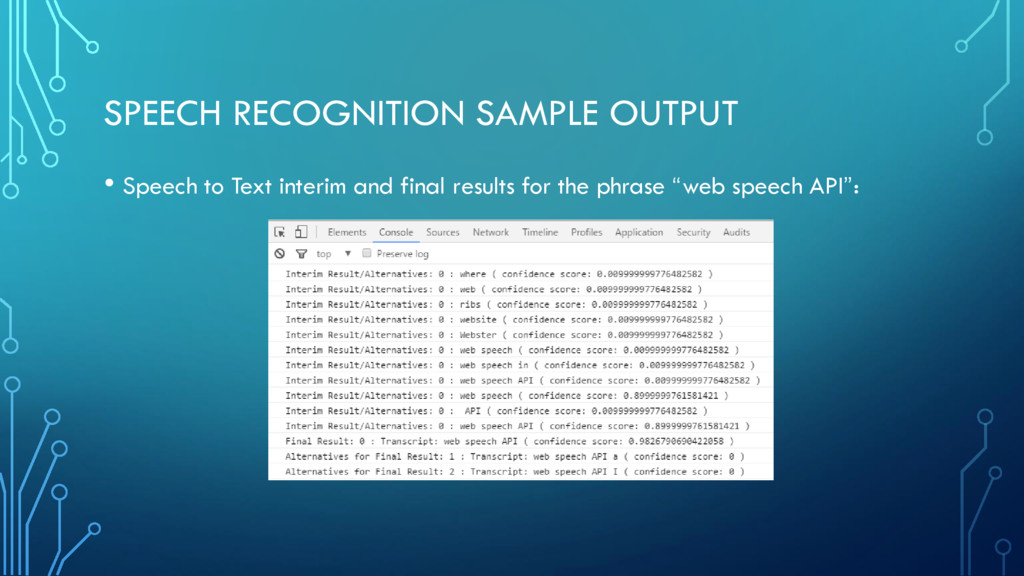
available via the result event and can be processed by implementing a handler to this event. • Code snippet for the result event handler that retrieves the final result and prints them to the browser’s console. • Results – collection of interim and final matching result • Result – list of alternatives including final transcript • Result.isFinal – indicates result is final • ResultIndex – indicates index of final result object • Result[index].Transcript – converted text • Result[index].confidence – confidence score
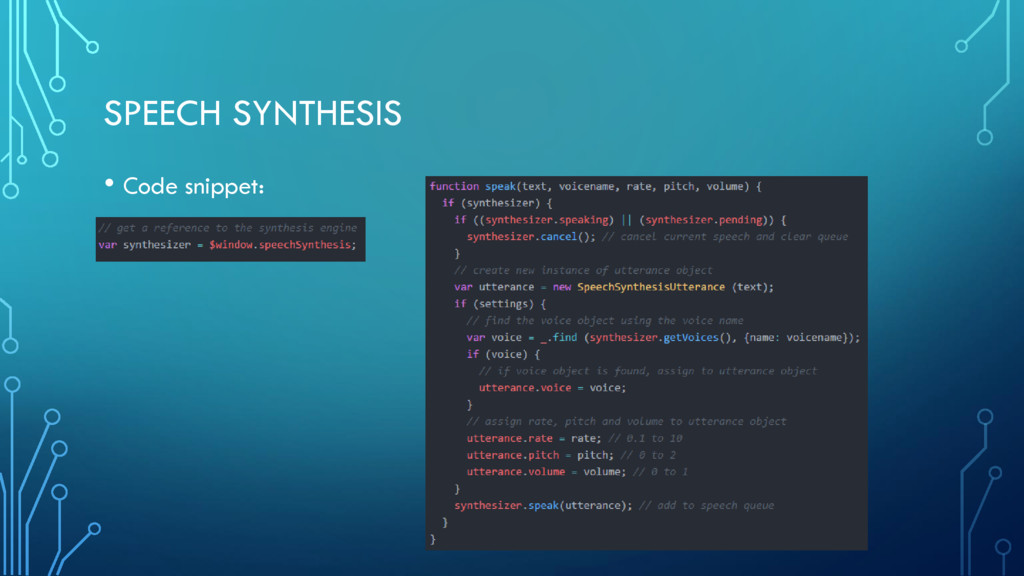
the speech synthesis interface is also available via the browser’s window object and can be referenced in angular JS with the $window service. • Another interface “SpeechSynthesisUtterance” should be used to pass the text or phrase to be spoken as well as to customize the voice, pitch, rate and volume. • Each browser provides a list of supported voices that can be retrieved to alter the voice and accent of the speech.
methods, allow us to interact with the speech synthesis object. The getVoices method retrieves the list of voices supported on the browser. • Speak will add a new item to the speech queue that will be processed by the browser. Cancel on the other hand stops speech immediately and clears the queue. • The SpeechSynthesisUtterance interface exposes several attributes to manipulate the speech such as text, lang, voice, pitch, rate and volume
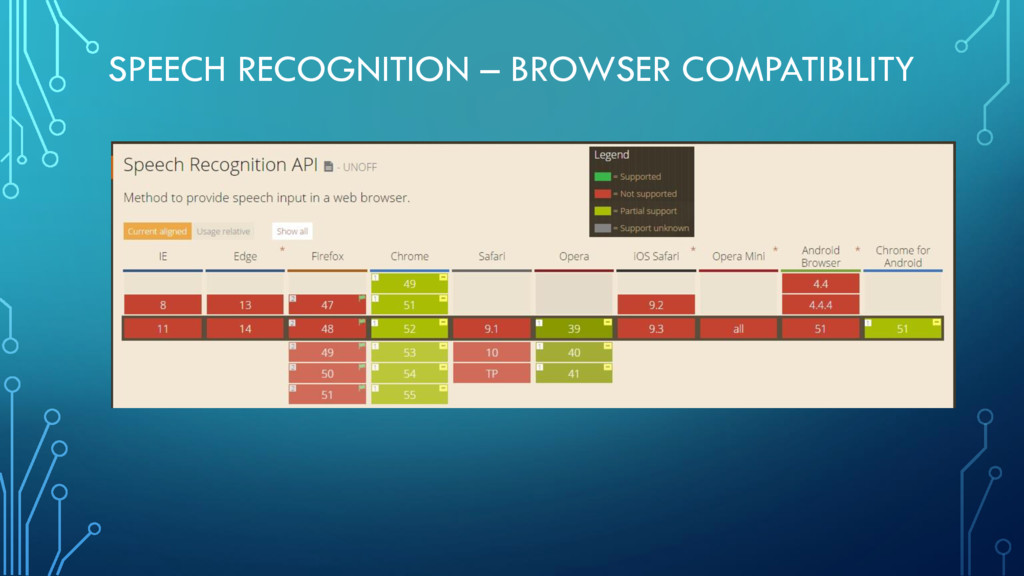
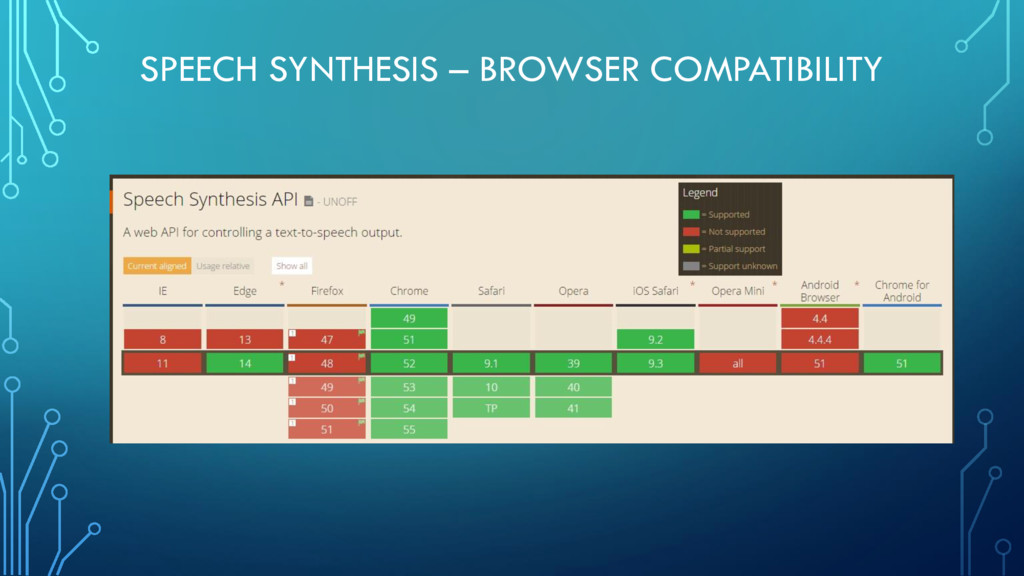
that helps us to build a demo application step by step. • Browser compatibility information is available at http://caniuse.com/#feat=speech-recognition and http://caniuse.com/#feat=speech-synthesis


 greggifford
 andyhume
 lindahogenes
 yeseniaperezcruz
 erikaheidi
 nwiizo
 marketingsoph
 szymonslowik
 schroneko
 reverentgeek
 mfonobong
 inesmontani