Upgrade to Pro
— share decks privately, control downloads, hide ads and more …
Speaker Deck
Sign up for free
Menu
Search
Features
All features
Private URLs
Password Protection
Custom URLS
Scheduled publishing
Remove Branding
Restrict embedding
Deck Collections
Notes
Features
All features
Private URLs
Password Protection
Custom URLS
Scheduled publishing
Remove Branding
Restrict embedding
Deck Collections
Notes
Explore
Featured decks
Featured speakers
Programming
Technology
Storyboards
Explore
Featured decks
Featured speakers
Programming
Technology
Storyboards
Pricing
Search
Sign in
Sign up for free
AWS実務棚卸(20230928)
Search
Sponsored
·
Your Podcast. Everywhere. Effortlessly.
Share. Educate. Inspire. Entertain. You do you. We'll handle the rest.
→
yuya
September 28, 2023
17
0
Share
Embed
Copy iframe code
Copy JS code
Copy link
Start on current slide
AWS実務棚卸(20230928)
最近のAWS実務の棚卸です。(20230928)
yuya
September 28, 2023
Featured
See All Featured
What's in a price? How to price your products and services
michaelherold
247
13k
Kristin Tynski - Automating Marketing Tasks With AI
techseoconnect
PRO
0
550
How to Talk to Developers About Accessibility
jct
2
580
How to Grow Your eCommerce with AI & Automation
katarinadahlin
PRO
2
330
Taking LLMs out of the black box: A practical guide to human-in-the-loop distillation
inesmontani
PRO
3
2.5k
Believing is Seeing
oripsolob
1
240
Avoiding the “Bad Training, Faster” Trap in the Age of AI
tmiket
0
270
Building a Scalable Design System with Sketch
lauravandoore
464
34k
JavaScript: Past, Present, and Future - NDC Porto 2020
reverentgeek
52
6.1k
A Guide to Academic Writing Using Generative AI - A Workshop
ks91
PRO
1
520
Heart Work Chapter 1 - Part 1
lfama
PRO
10
37k
A Tale of Four Properties
chriscoyier
163
24k
Transcript
AWS個人的棚卸
目的 • 個人的にもっとインフラ周りを強くなりたいと思っている。 • AWSの資格勉強をしているが、実践力をもっとつけたいと思っている。 • 備忘録的な意味でも残したい。
お品書き • stg環境にて特定のurlにアクセスが来たときにリダイレクトさせる • 特定のIPアドレスからのアクセスを透過する • codepipelineに承認ステージを追加する
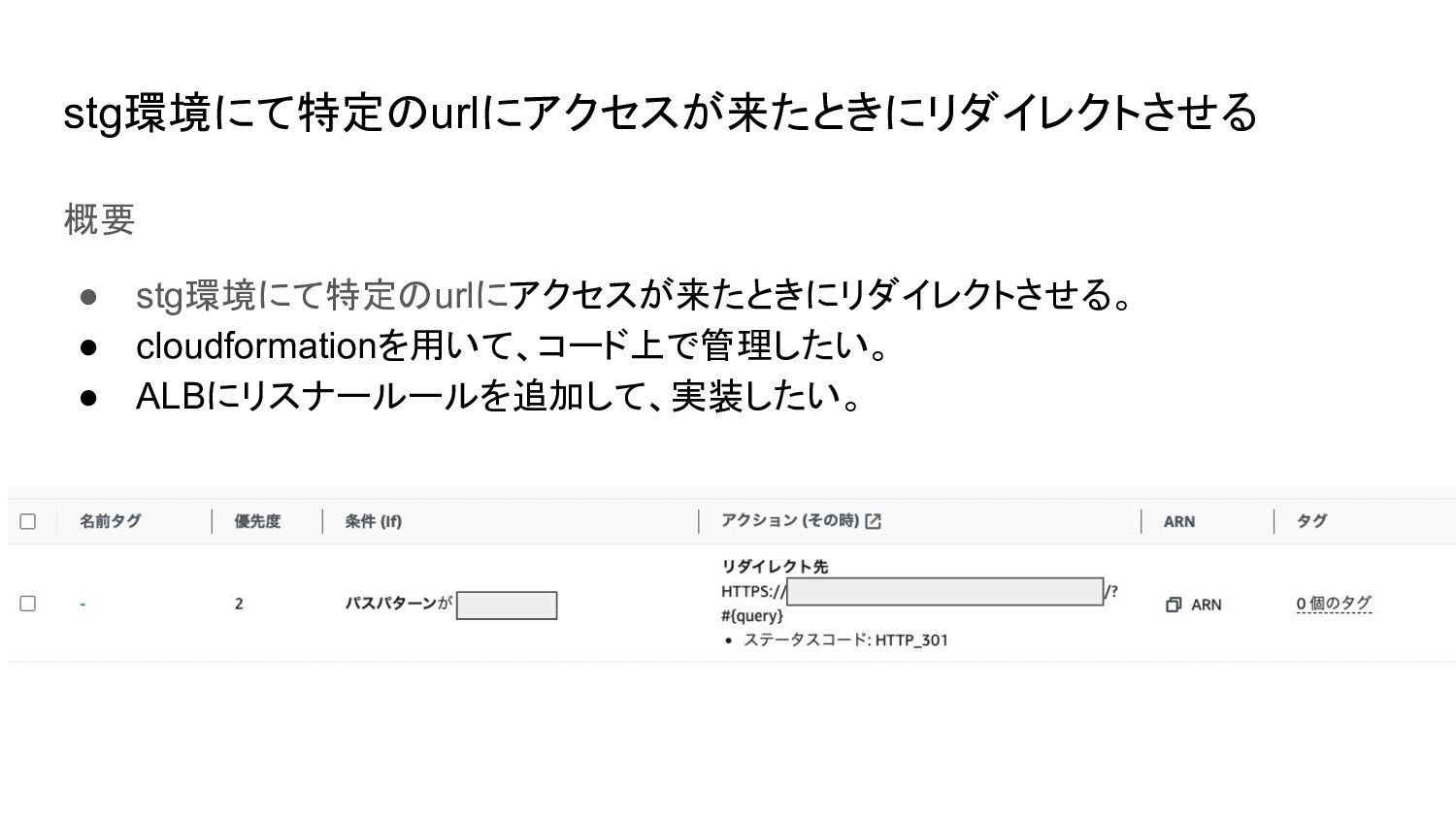
stg環境にて特定のurlにアクセスが来たときにリダイレクトさせる 概要 • stg環境にて特定のurlにアクセスが来たときにリダイレクトさせる。 • cloudformationを用いて、コード上で管理したい。 • ALBにリスナールールを追加して、実装したい。
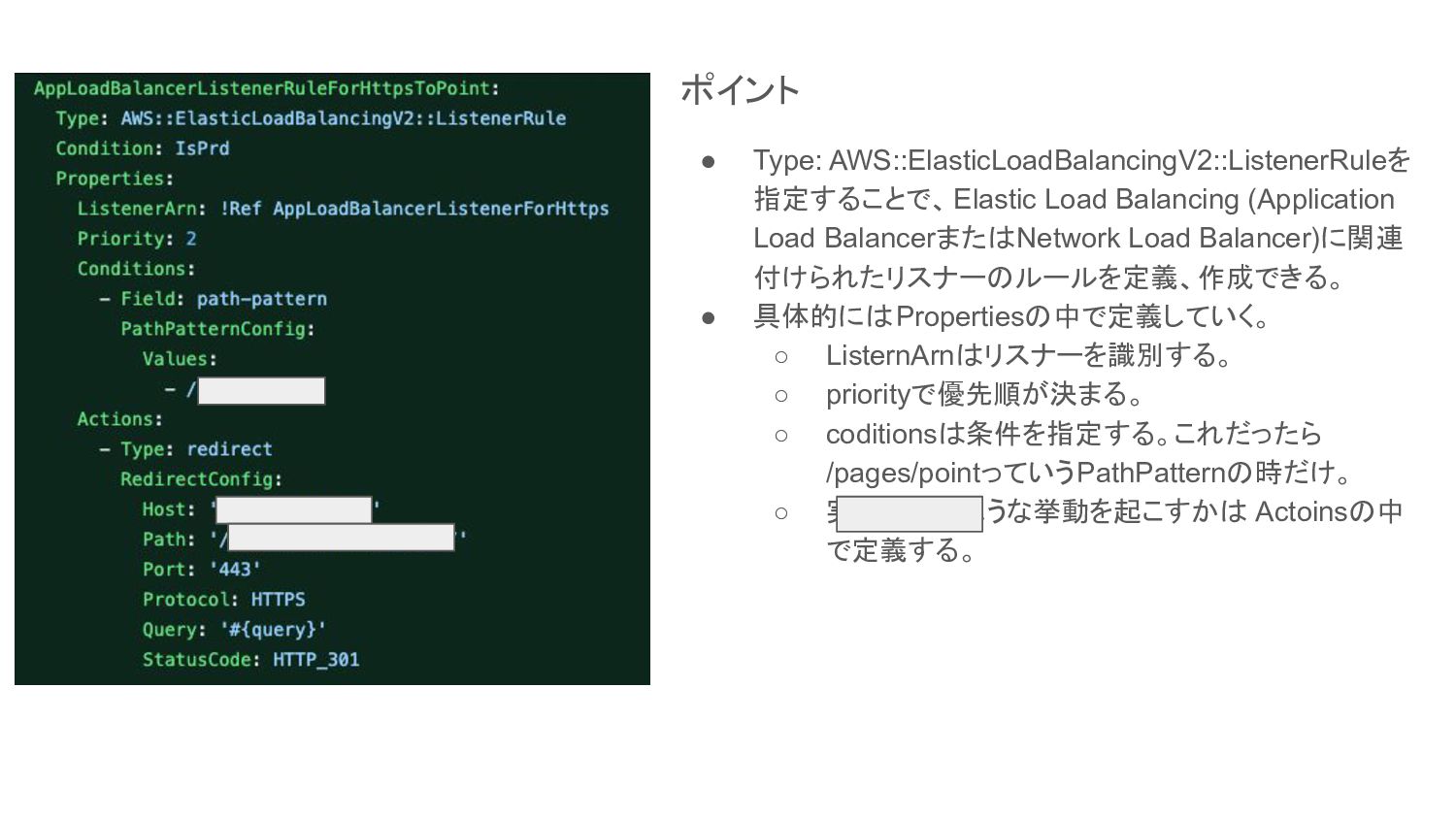
ポイント • Type: AWS::ElasticLoadBalancingV2::ListenerRuleを 指定することで、Elastic Load Balancing (Application Load BalancerまたはNetwork
Load Balancer)に関連 付けられたリスナーのルールを定義、作成できる。 • 具体的にはPropertiesの中で定義していく。 ◦ ListernArnはリスナーを識別する。 ◦ priorityで優先順が決まる。 ◦ coditionsは条件を指定する。これだったら /pages/pointっていうPathPatternの時だけ。 ◦ 実際にどのような挙動を起こすかは Actoinsの中 で定義する。
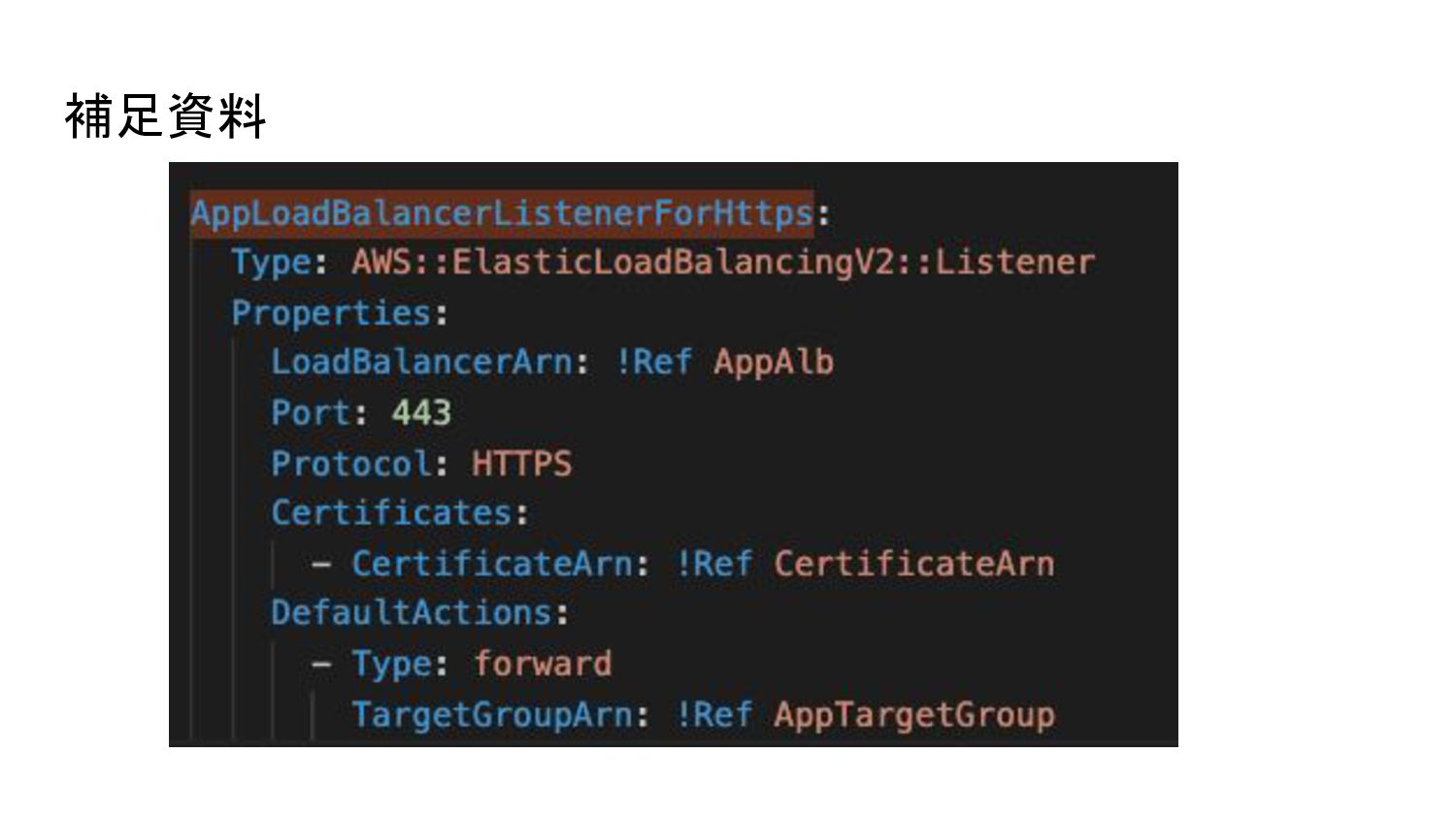
補足資料
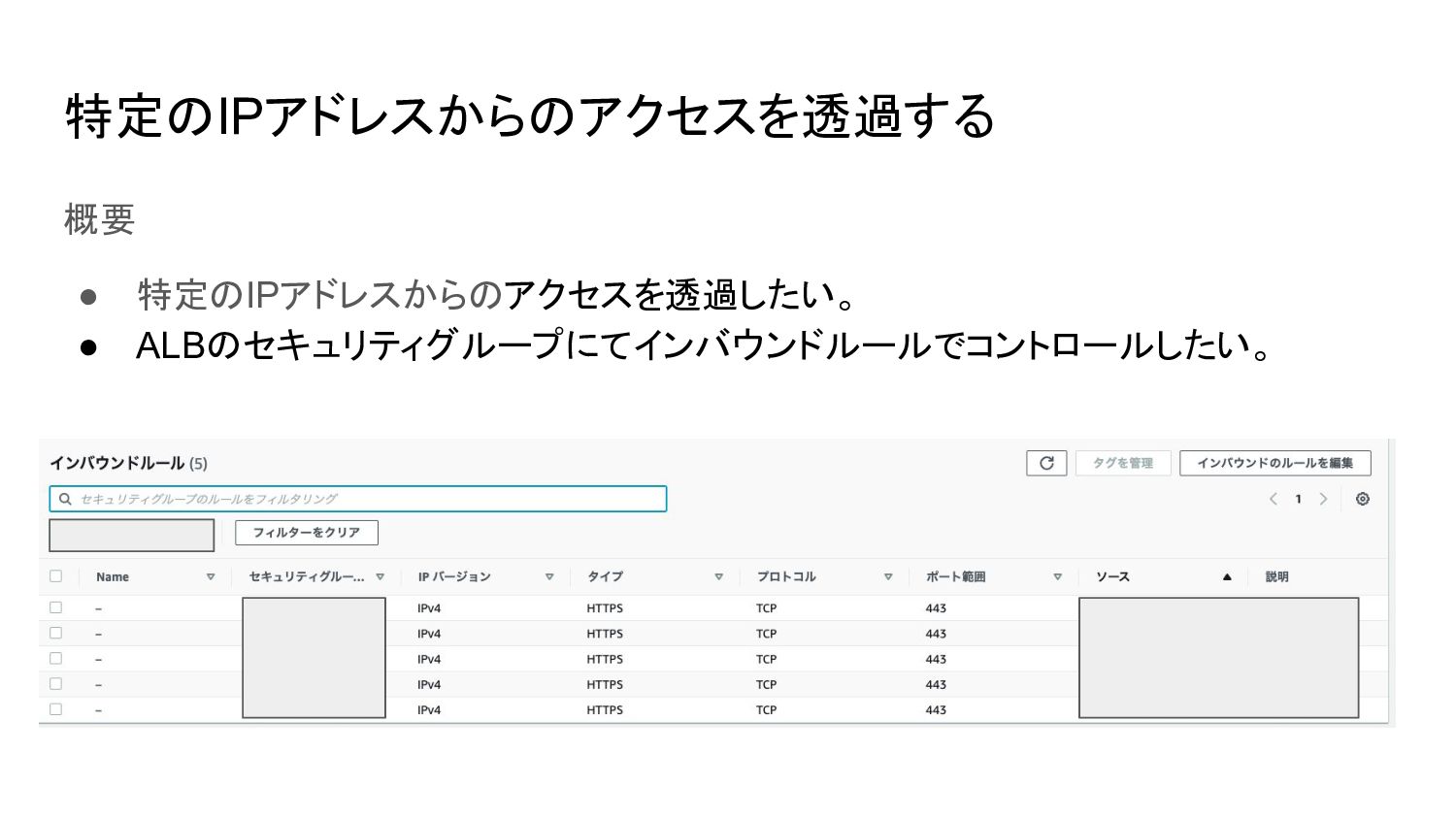
特定のIPアドレスからのアクセスを透過する 概要 • 特定のIPアドレスからのアクセスを透過したい。 • ALBのセキュリティグループにてインバウンドルールでコントロールしたい。
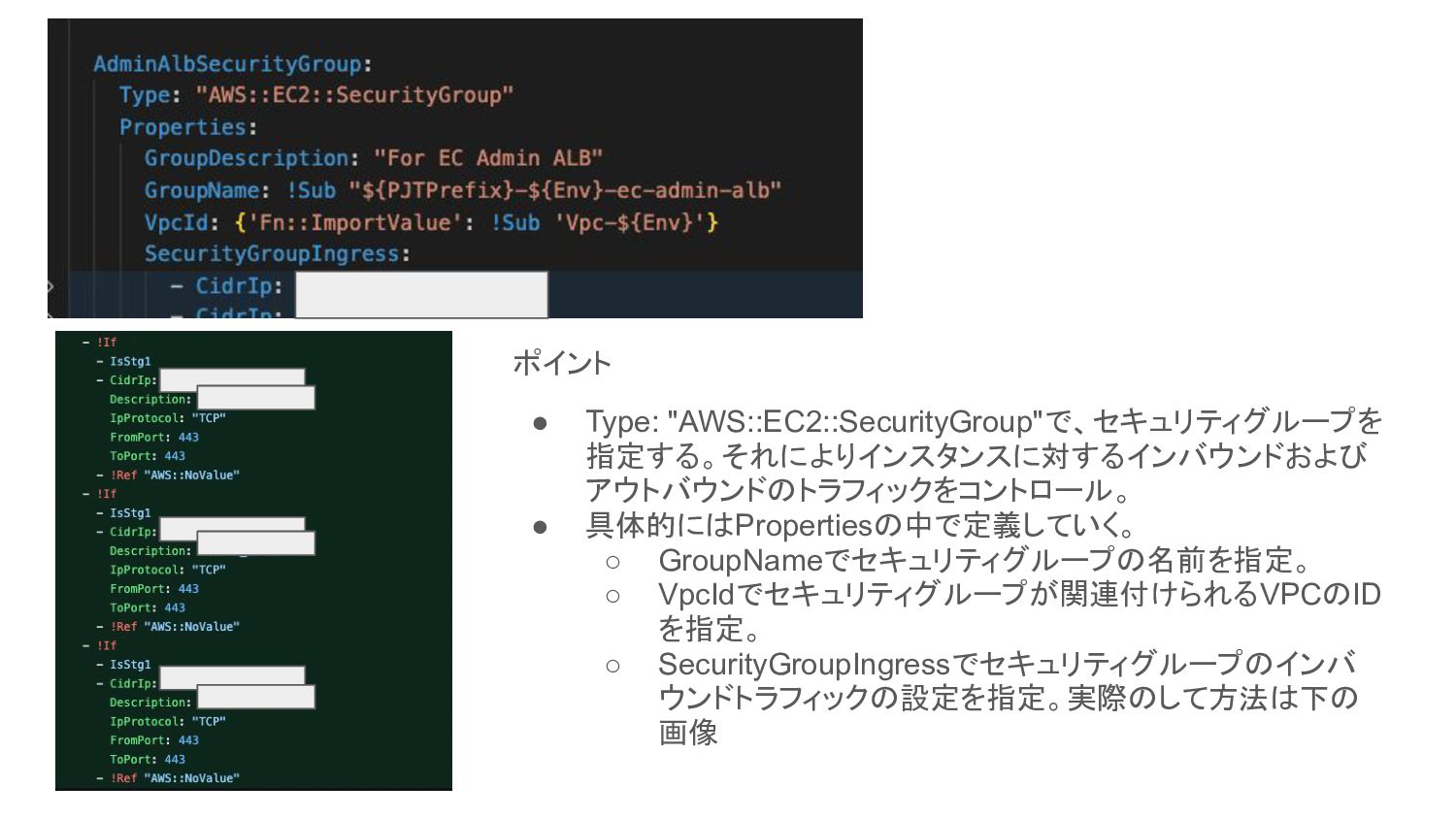
ポイント • Type: "AWS::EC2::SecurityGroup"で、セキュリティグループを 指定する。それによりインスタンスに対するインバウンドおよび アウトバウンドのトラフィックをコントロール。 • 具体的にはPropertiesの中で定義していく。 ◦ GroupNameでセキュリティグループの名前を指定。
◦ VpcIdでセキュリティグループが関連付けられるVPCのID を指定。 ◦ SecurityGroupIngressでセキュリティグループのインバ ウンドトラフィックの設定を指定。実際のして方法は下の 画像
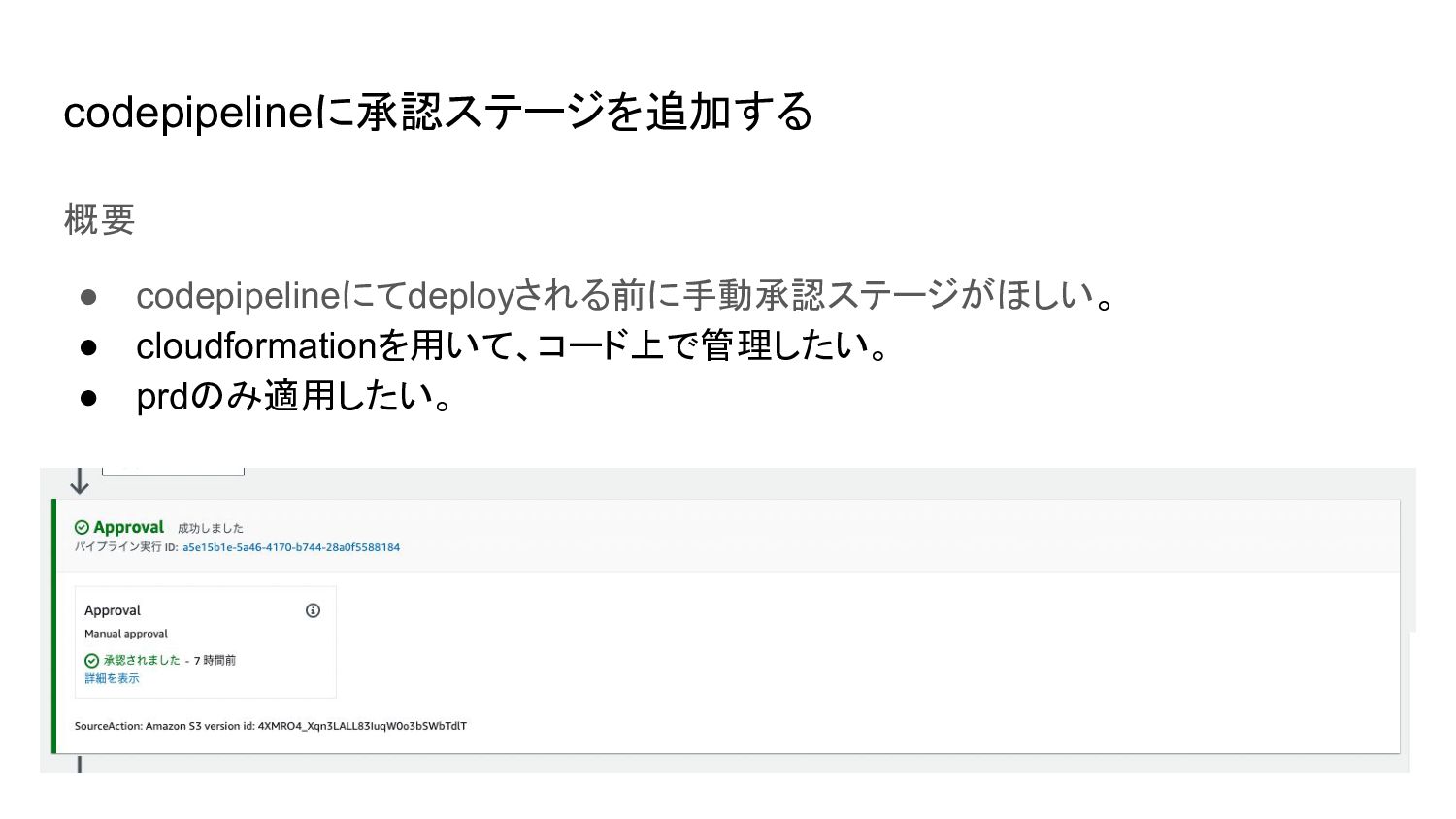
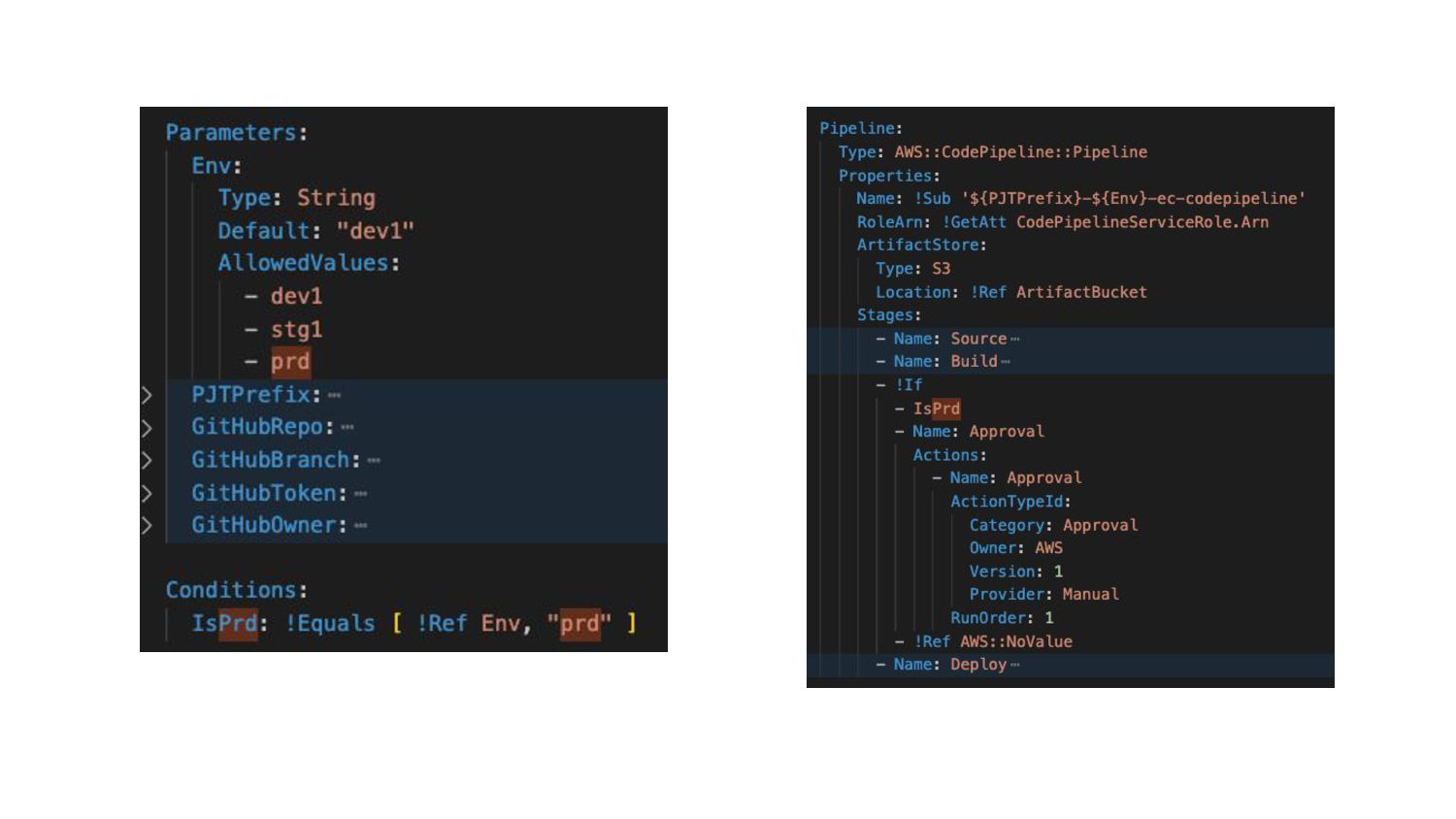
codepipelineに承認ステージを追加する 概要 • codepipelineにてdeployされる前に手動承認ステージがほしい。 • cloudformationを用いて、コード上で管理したい。 • prdのみ適用したい。
None
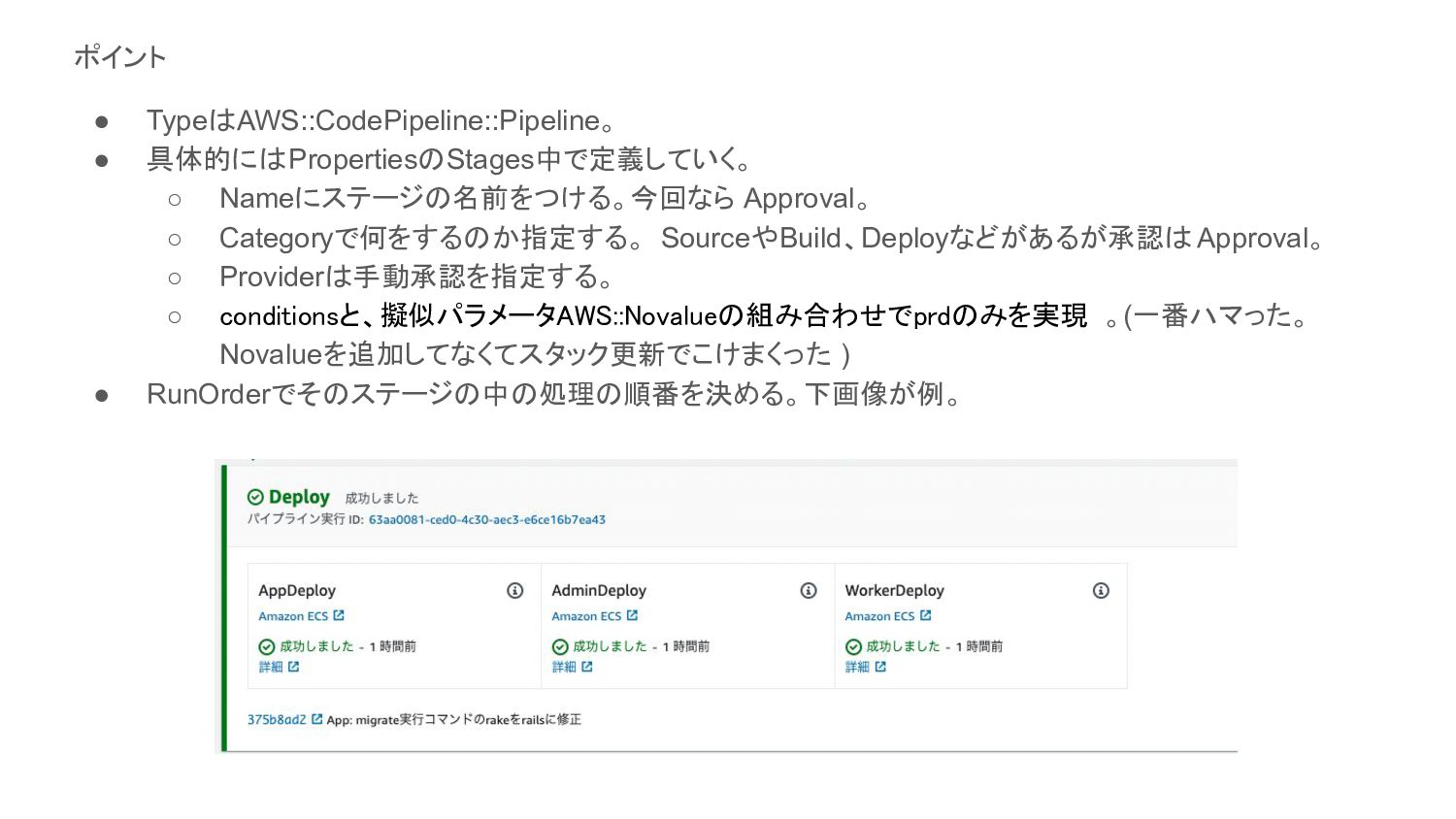
ポイント • TypeはAWS::CodePipeline::Pipeline。 • 具体的にはPropertiesのStages中で定義していく。 ◦ Nameにステージの名前をつける。今回なら Approval。 ◦ Categoryで何をするのか指定する。
SourceやBuild、Deployなどがあるが承認は Approval。 ◦ Providerは手動承認を指定する。 ◦ conditionsと、擬似パラメータAWS::Novalueの組み合わせでprdのみを実現 。(一番ハマった。 Novalueを追加してなくてスタック更新でこけまくった ) • RunOrderでそのステージの中の処理の順番を決める。下画像が例。
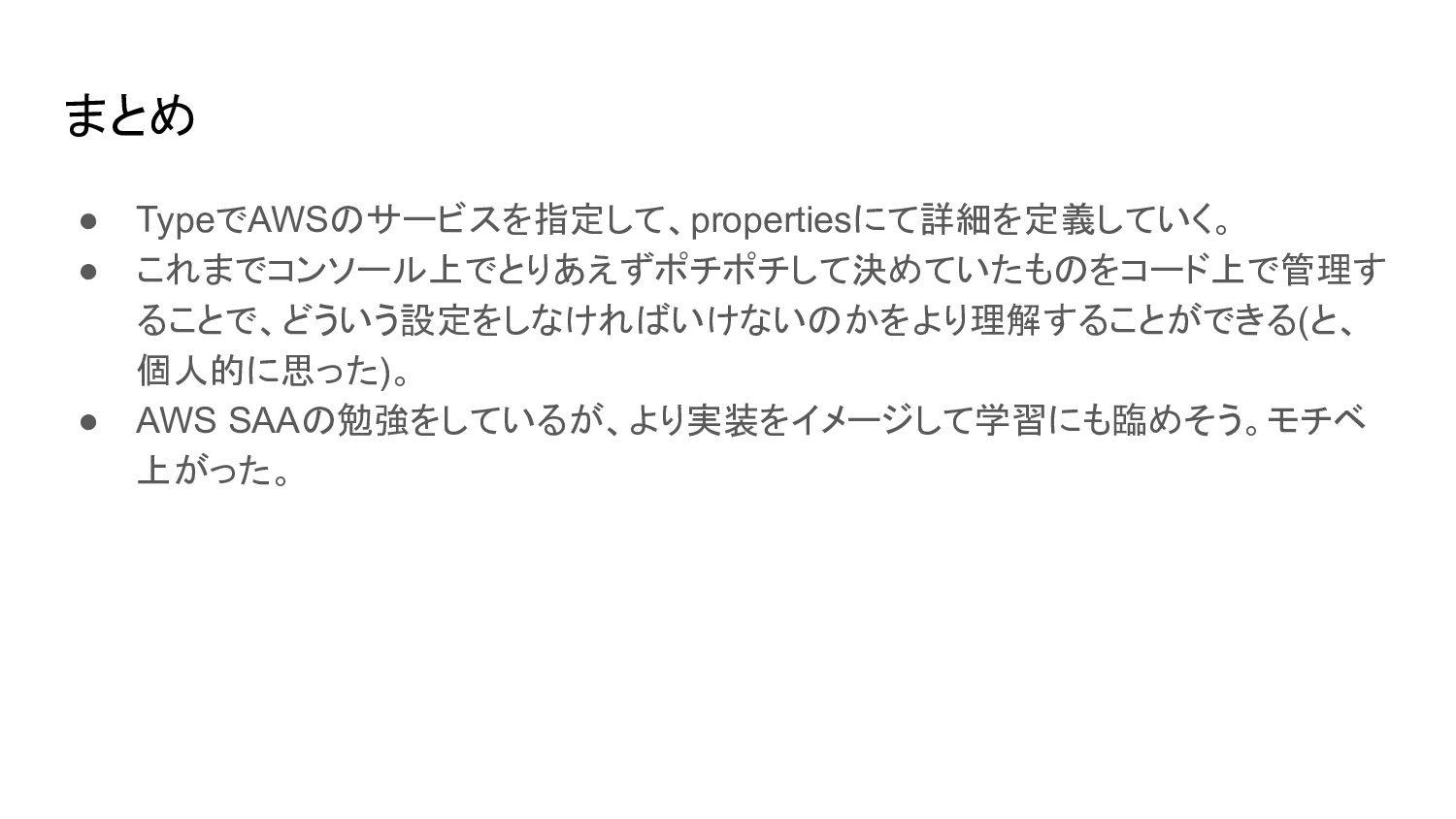
まとめ • TypeでAWSのサービスを指定して、propertiesにて詳細を定義していく。 • これまでコンソール上でとりあえずポチポチして決めていたものをコード上で管理す ることで、どういう設定をしなければいけないのかをより理解することができる(と、 個人的に思った)。 • AWS SAAの勉強をしているが、より実装をイメージして学習にも臨めそう。モチベ
上がった。


 michaelherold
 techseoconnect
 jct
jct
 katarinadahlin
 inesmontani
 oripsolob
 tmiket
 lauravandoore
 reverentgeek
 ks91
ks91
 lfama
lfama
 chriscoyier