Upgrade to Pro
— share decks privately, control downloads, hide ads and more …
Speaker Deck
Sign up for free
Menu
Search
Features
All features
Private URLs
Password Protection
Custom URLS
Scheduled publishing
Remove Branding
Restrict embedding
Deck Collections
Notes
Features
All features
Private URLs
Password Protection
Custom URLS
Scheduled publishing
Remove Branding
Restrict embedding
Deck Collections
Notes
Explore
Featured decks
Featured speakers
Programming
Technology
Storyboards
Explore
Featured decks
Featured speakers
Programming
Technology
Storyboards
Pricing
Search
Sign in
Sign up for free
ZENNOOTH INSTALL
Search
Zenbooth
July 10, 2017
160
0
Share
Embed
Copy iframe code
Copy JS code
Copy link
Start on current slide
ZENNOOTH INSTALL
Zenbooth
July 10, 2017
Featured
See All Featured
Docker and Python
trallard
47
4.2k
Writing Fast Ruby
sferik
630
63k
Ecommerce SEO: The Keys for Success Now & Beyond - #SERPConf2024
aleyda
1
2.2k
Hiding What from Whom? A Critical Review of the History of Programming languages for Music
tomoyanonymous
3
1.3k
How to build an LLM SEO readiness audit: a practical framework
nmsamuel
2
950
Six Lessons from altMBA
skipperchong
29
4.5k
Building Adaptive Systems
keathley
44
3.2k
Technical Leadership for Architectural Decision Making
baasie
3
600
Design in an AI World
tapps
1
350
We Are The Robots
honzajavorek
0
400
How Fast Is Fast Enough? [PerfNow 2025]
tammyeverts
3
940
Organizational Design Perspectives: An Ontology of Organizational Design Elements
kimpetersen
PRO
1
850
Transcript
Patent Pending. All Rights Reserved. This is subtext for the
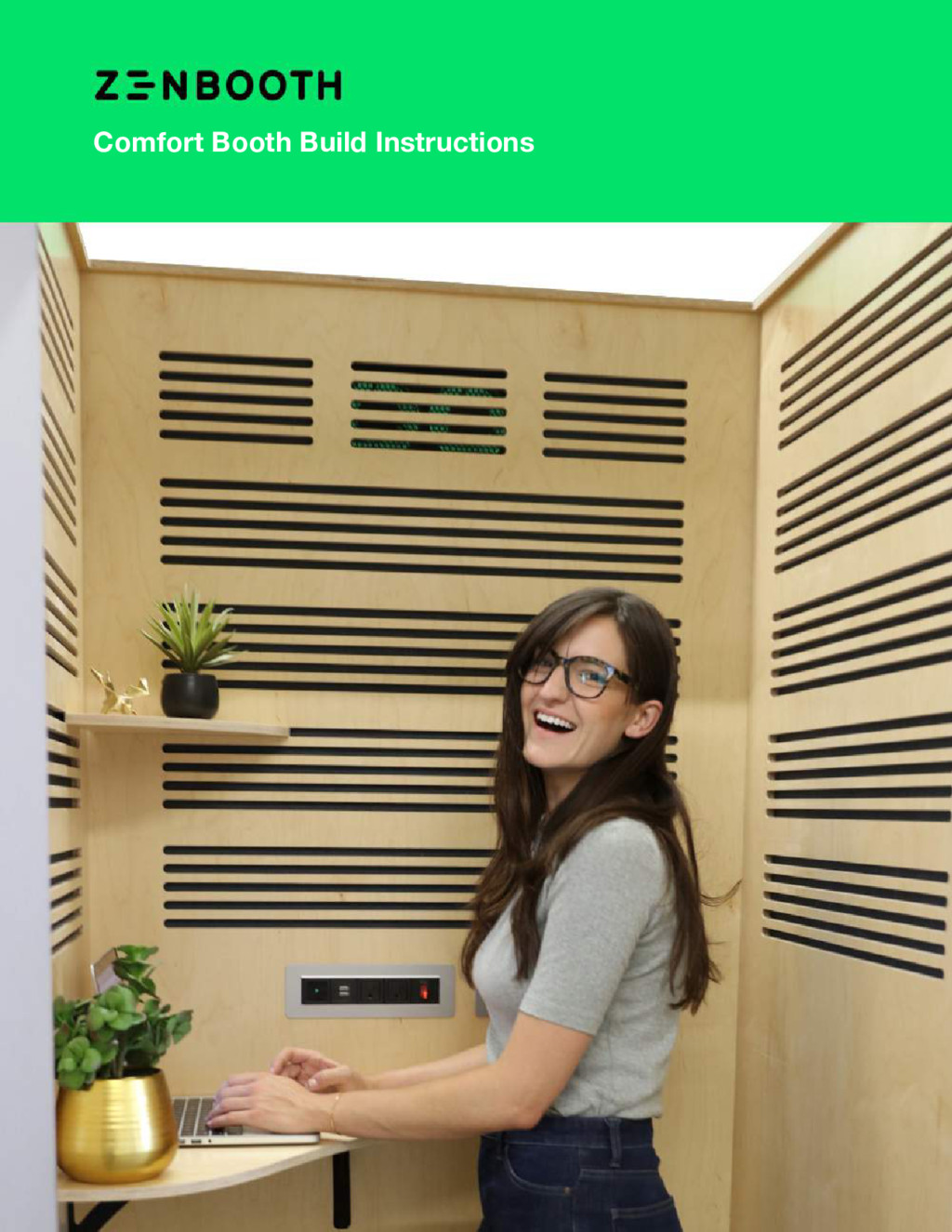
directions. All Components Comfort Booth Build Instructions
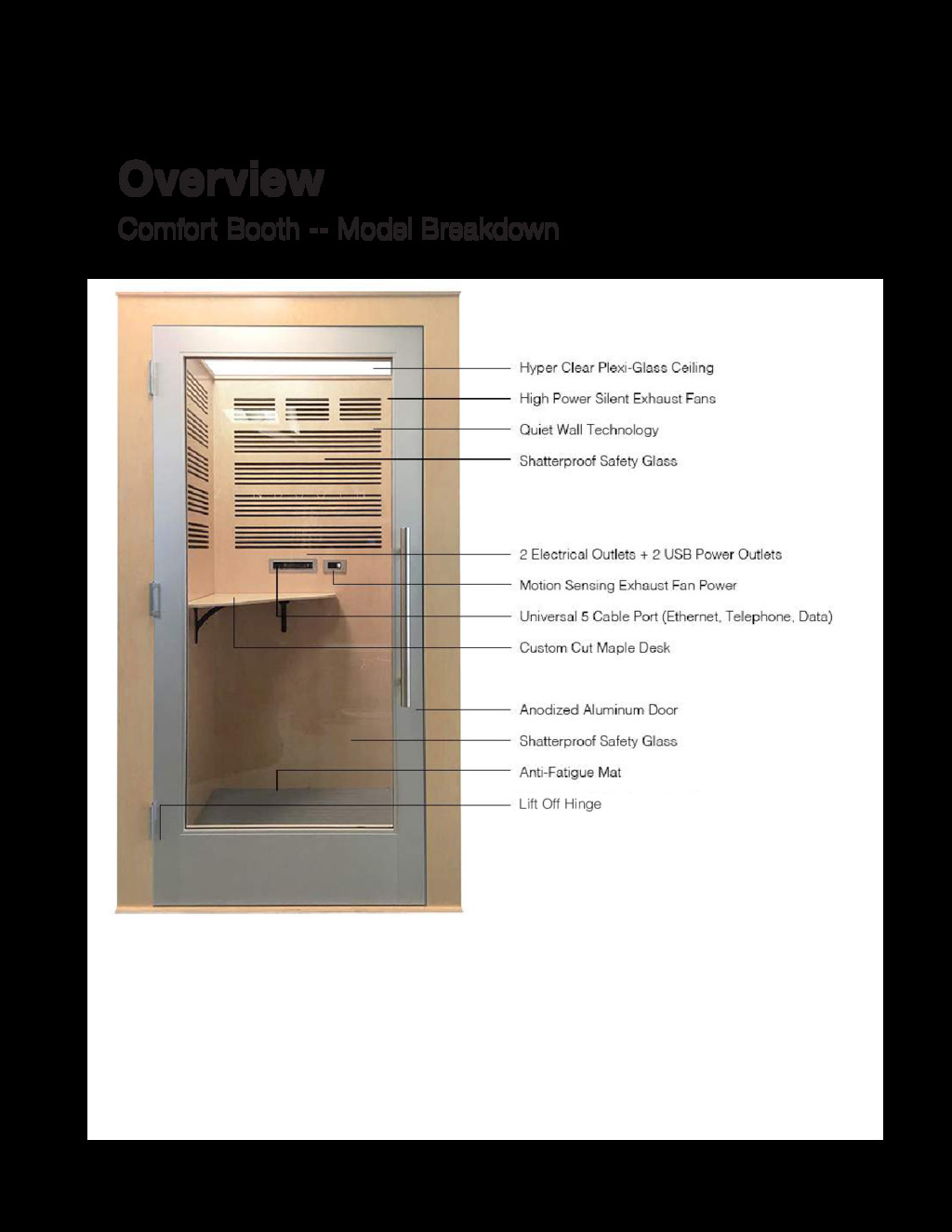
Patent Pending. All Rights Reserved. Comfort Booth -- Model Breakdown
Overview Lift Off Hinge
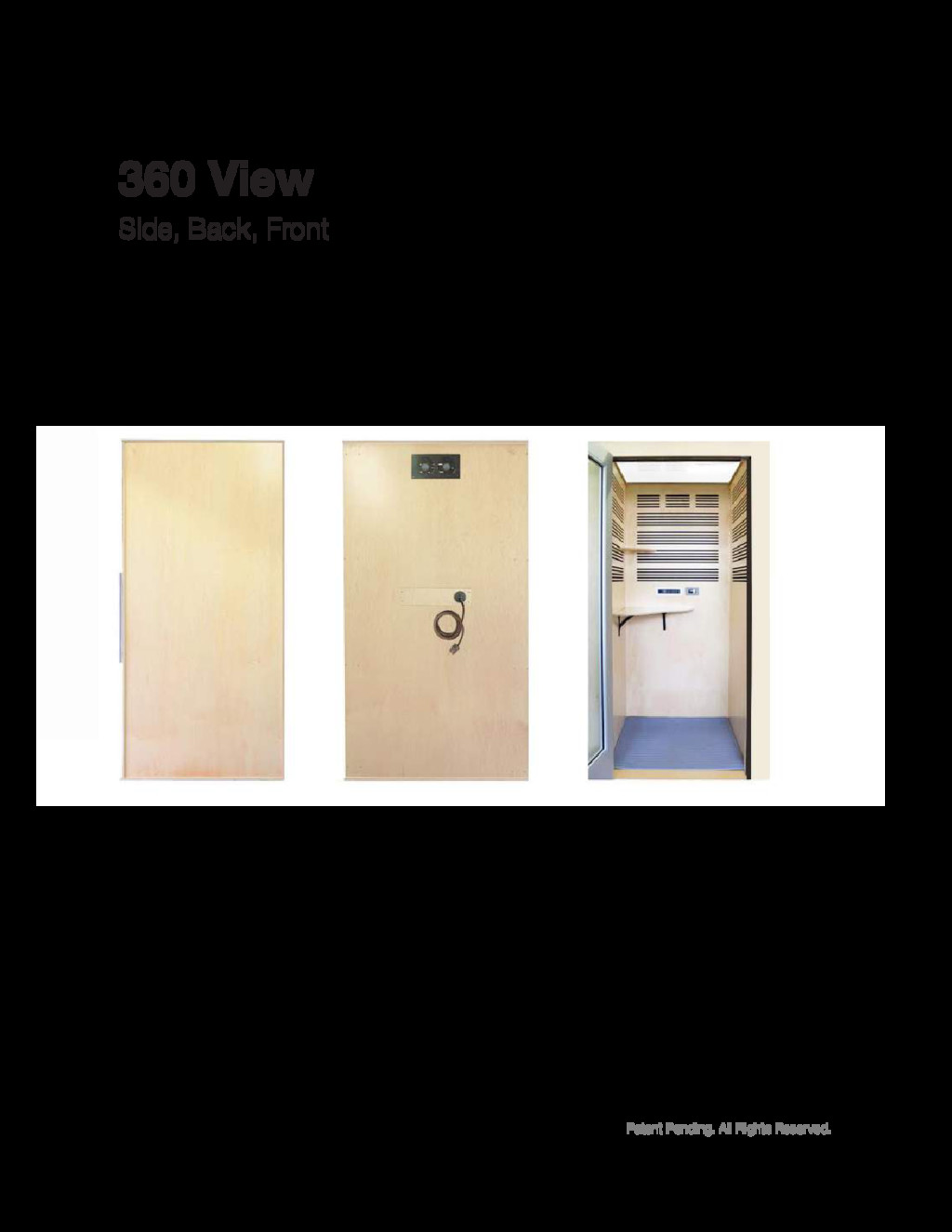
Patent Pending. All Rights Reserved. Side, Back, Front 360 View
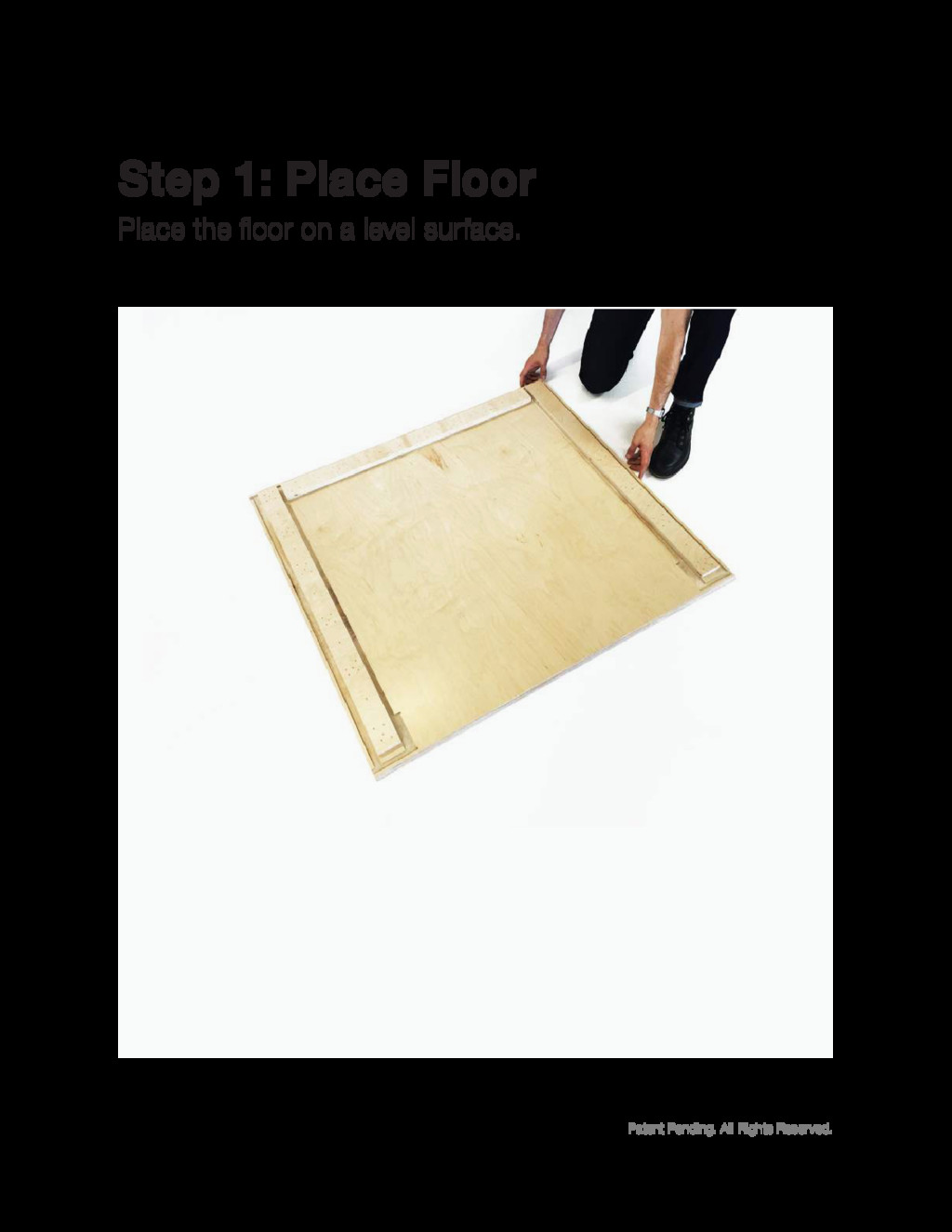
Patent Pending. All Rights Reserved. Place the floor on a
level surface. Step 1: Place Floor
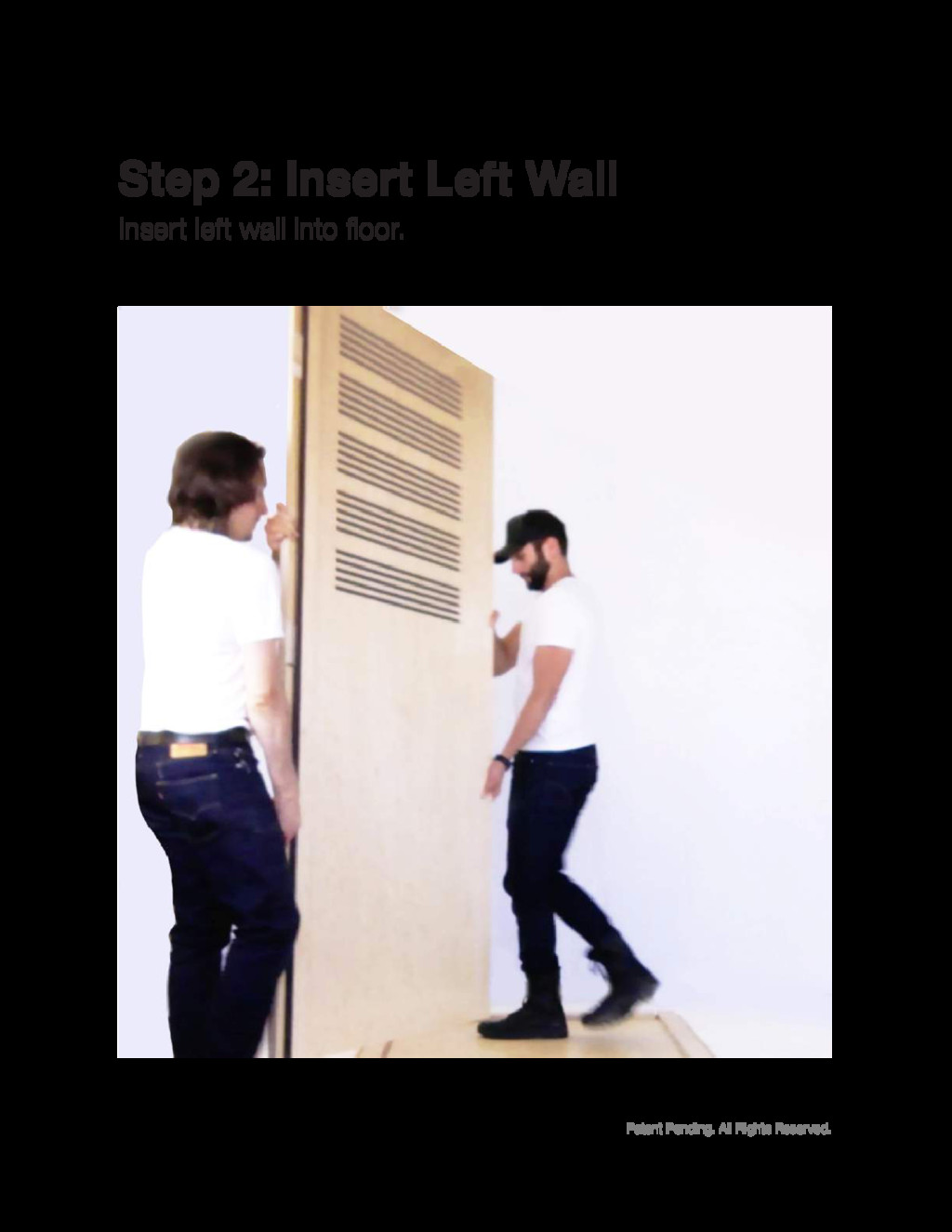
Patent Pending. All Rights Reserved. Insert left wall into floor.
Step 2: Insert Left Wall
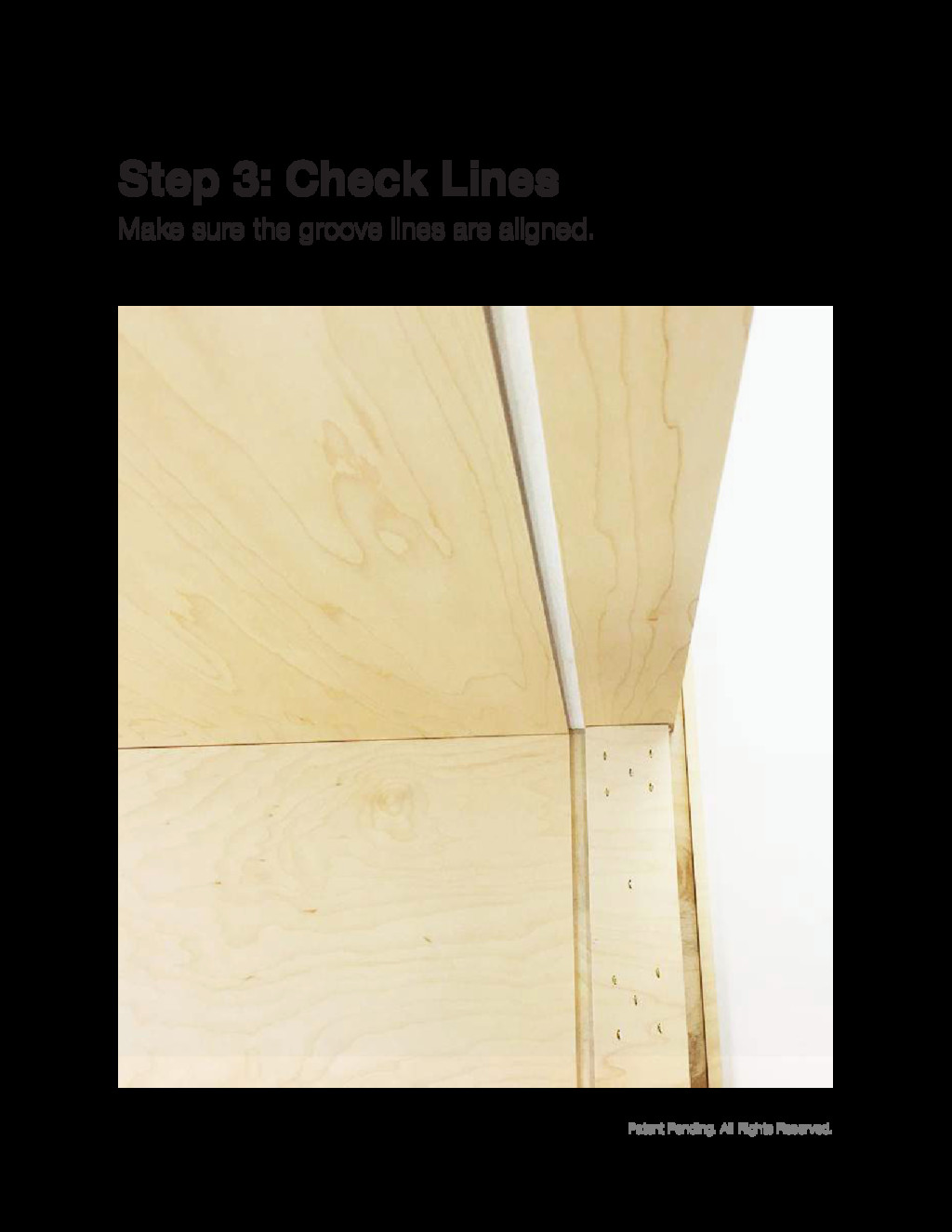
Patent Pending. All Rights Reserved. Make sure the groove lines
are aligned. Step 3: Check Lines
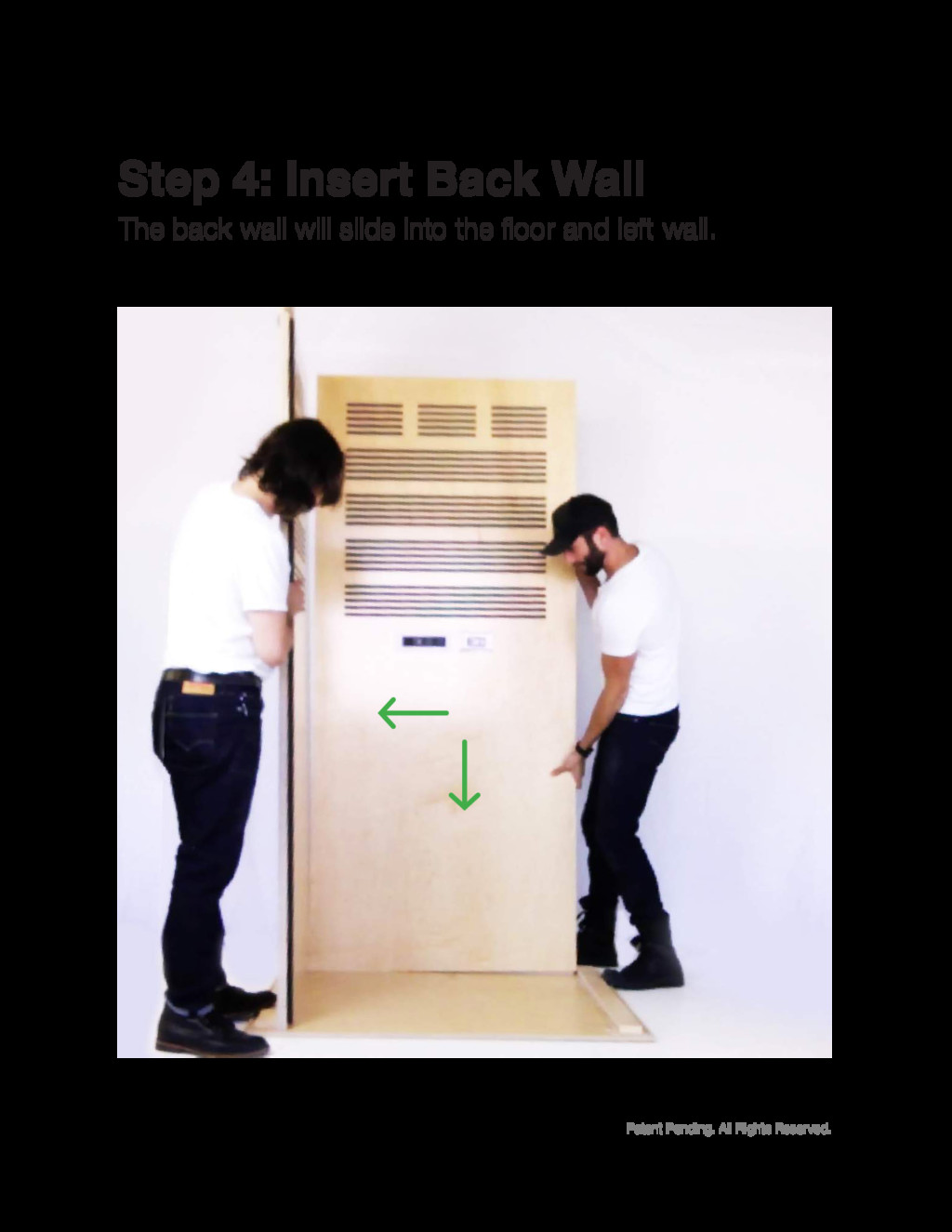
Patent Pending. All Rights Reserved. The back wall will slide
into the floor and left wall. Step 4: Insert Back Wall
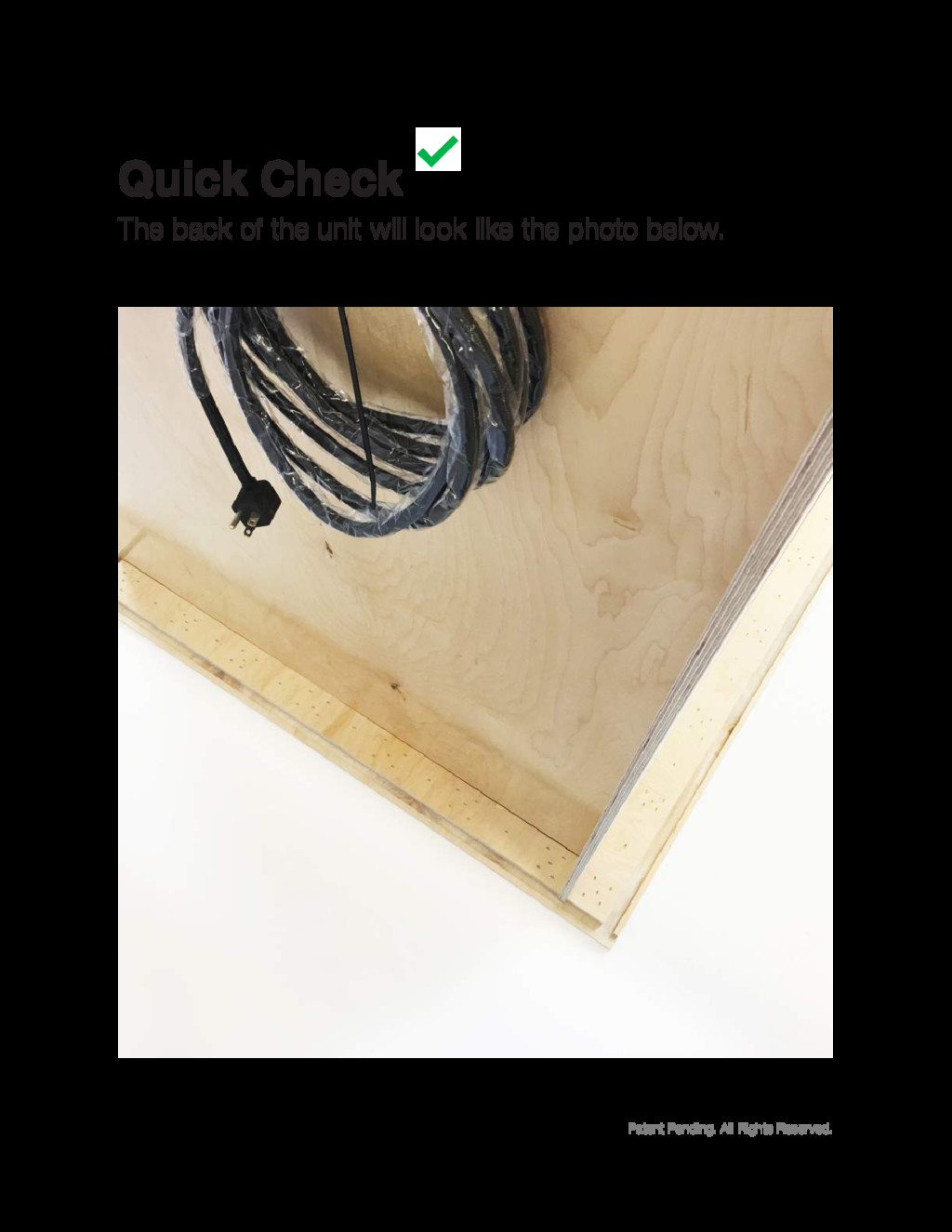
Patent Pending. All Rights Reserved. The back of the unit
will look like the photo below. Quick Check
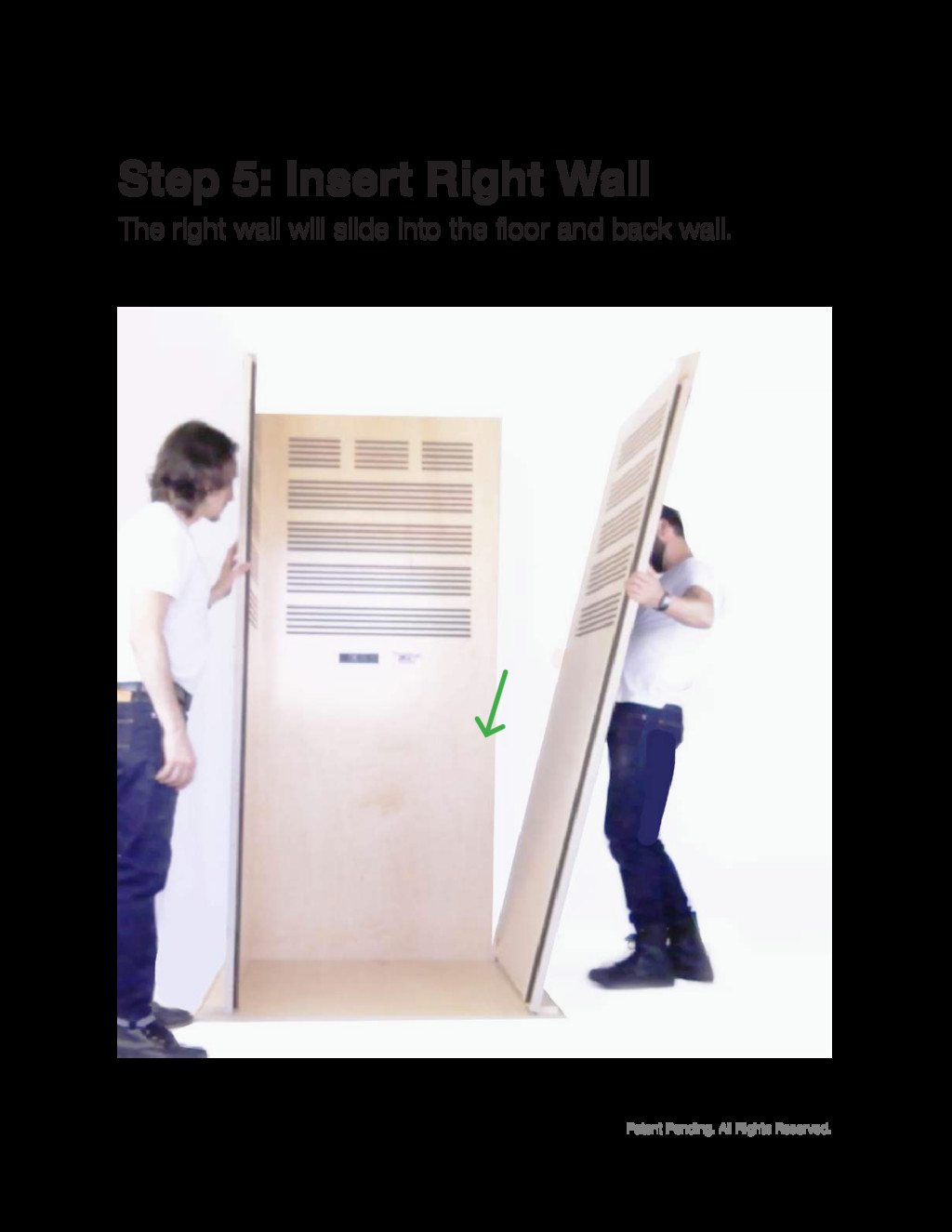
Patent Pending. All Rights Reserved. The right wall will slide
into the floor and back wall. Step 5: Insert Right Wall
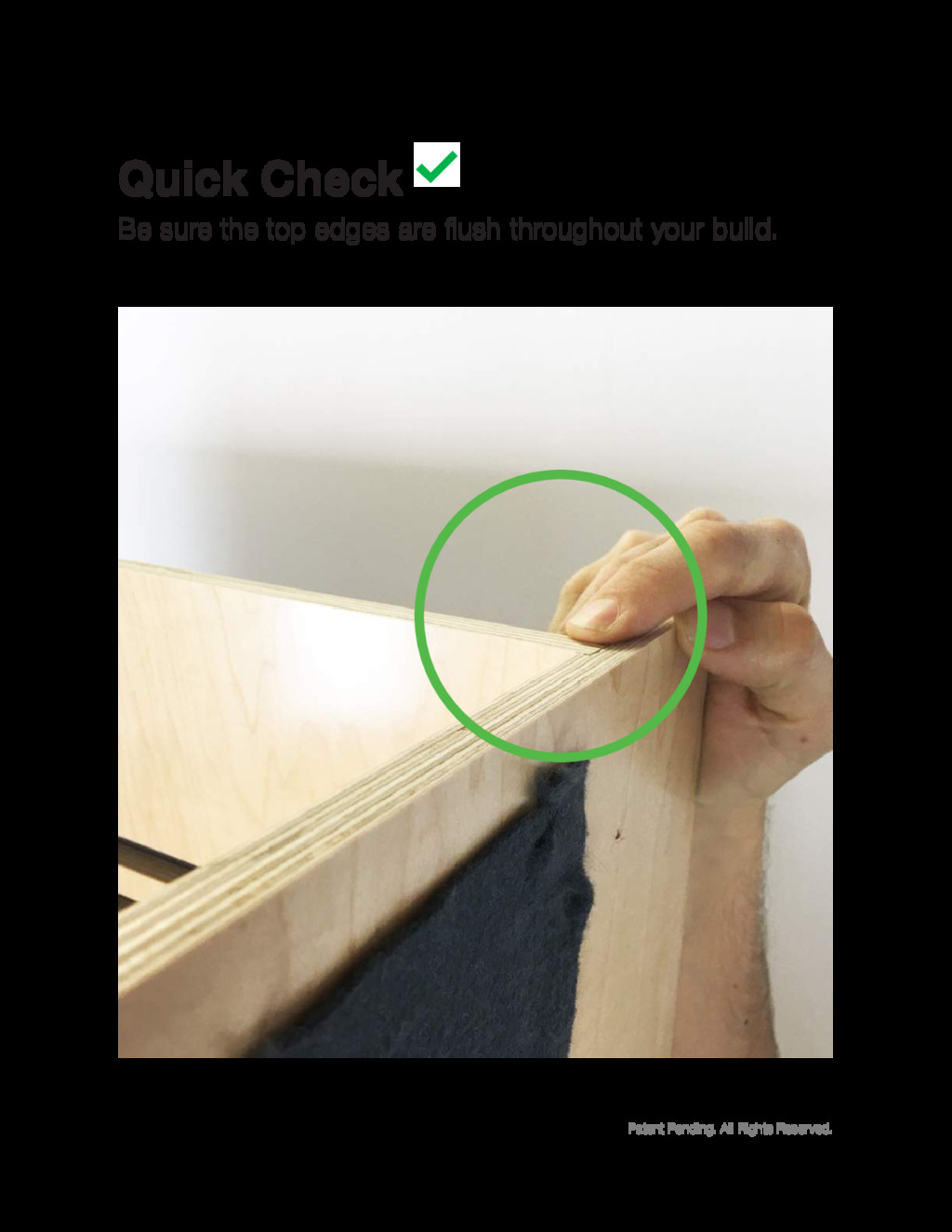
Patent Pending. All Rights Reserved. Be sure the top edges
are flush throughout your build. Quick Check
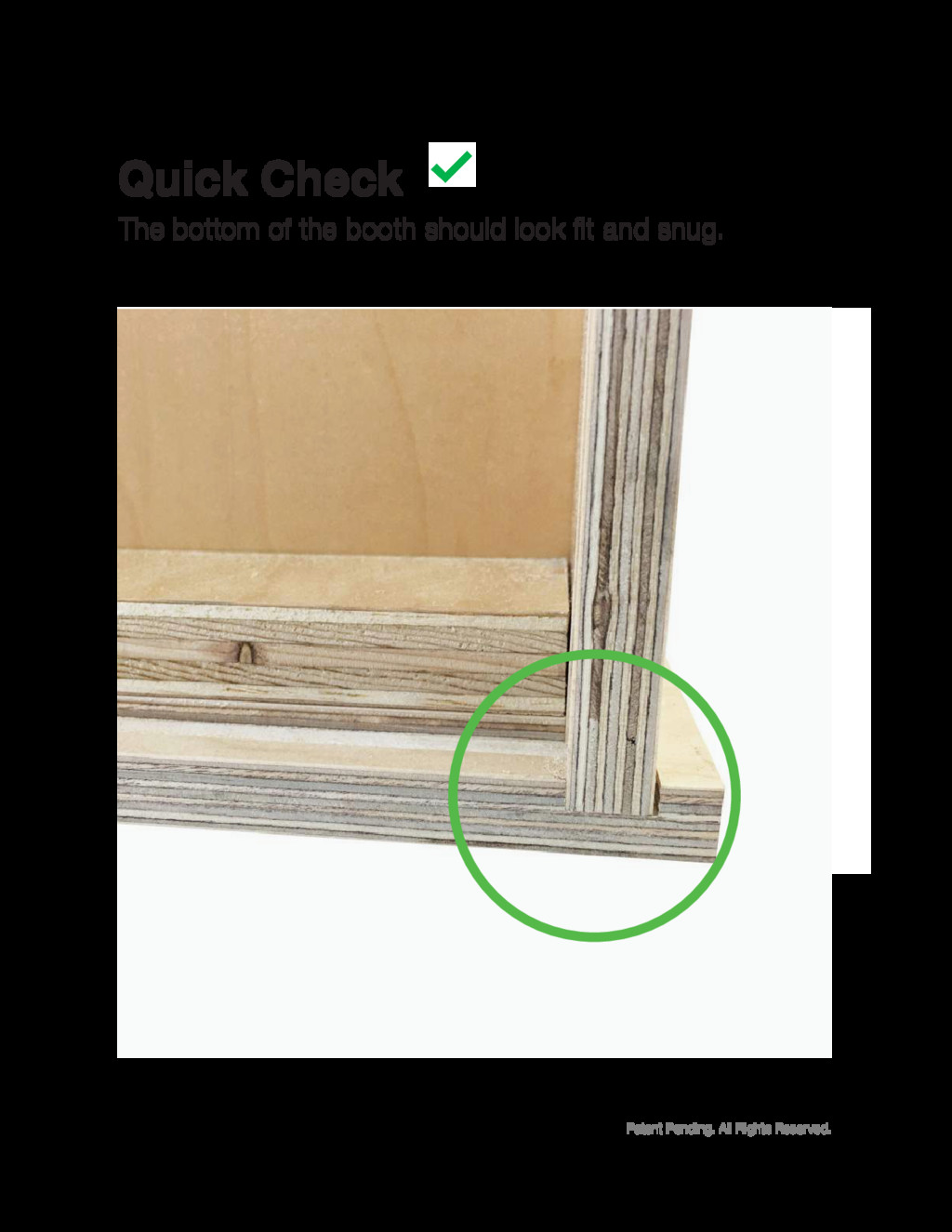
Patent Pending. All Rights Reserved. The bottom of the booth
should look fit and snug. Quick Check
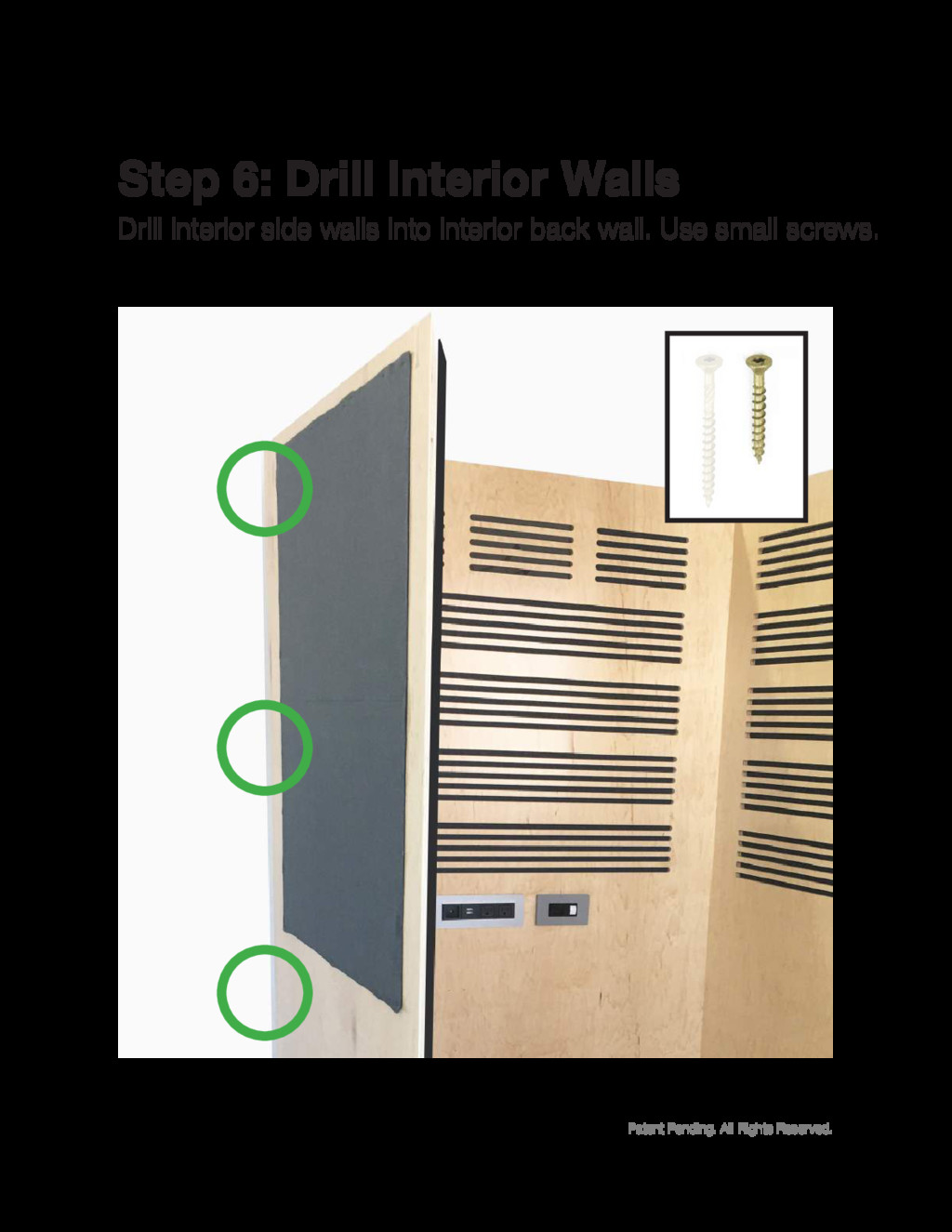
Patent Pending. All Rights Reserved. Drill interior side walls into
interior back wall. Use small screws. Step 6: Drill Interior Walls
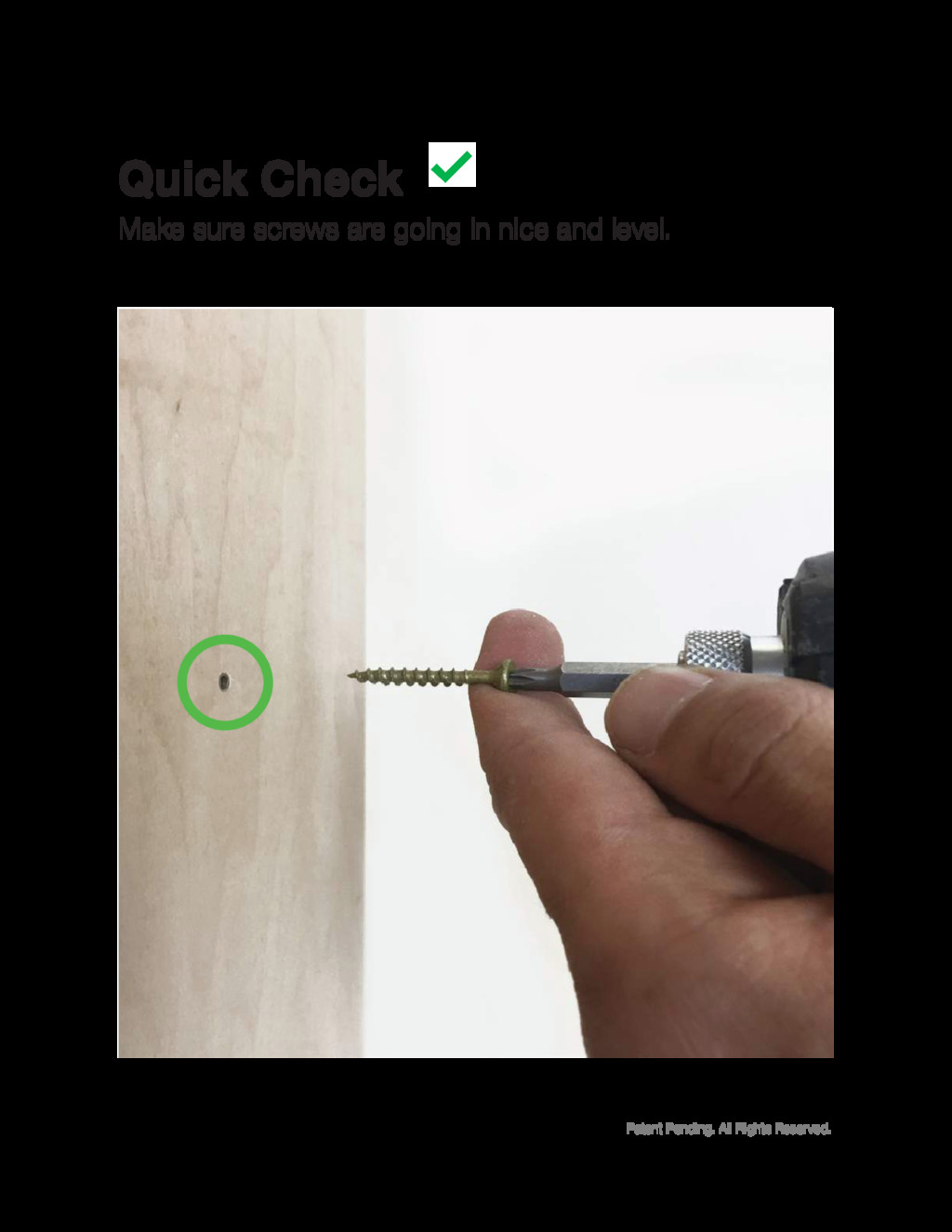
Patent Pending. All Rights Reserved. Make sure screws are going
in nice and level. Quick Check
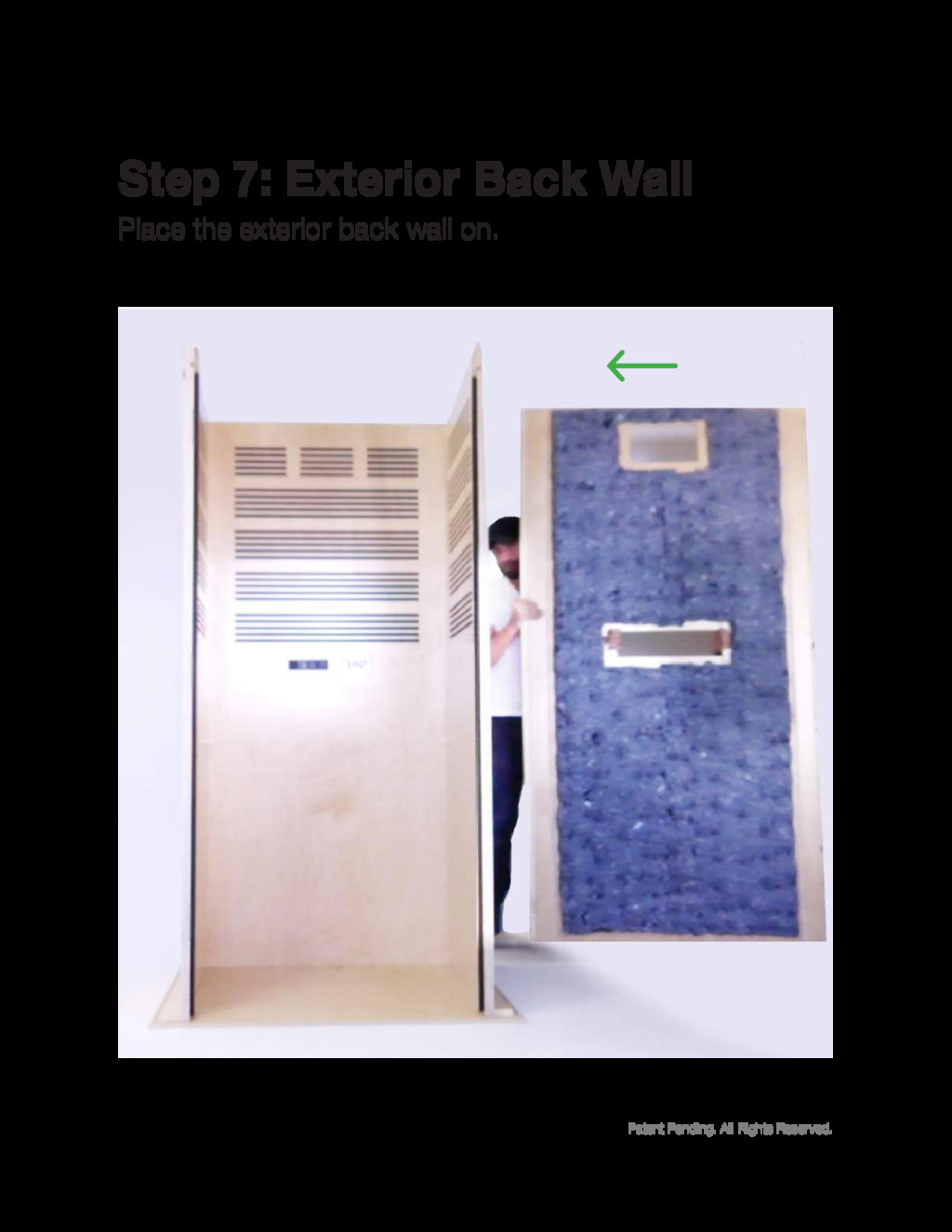
Patent Pending. All Rights Reserved. Place the exterior back wall
on. Step 7: Exterior Back Wall
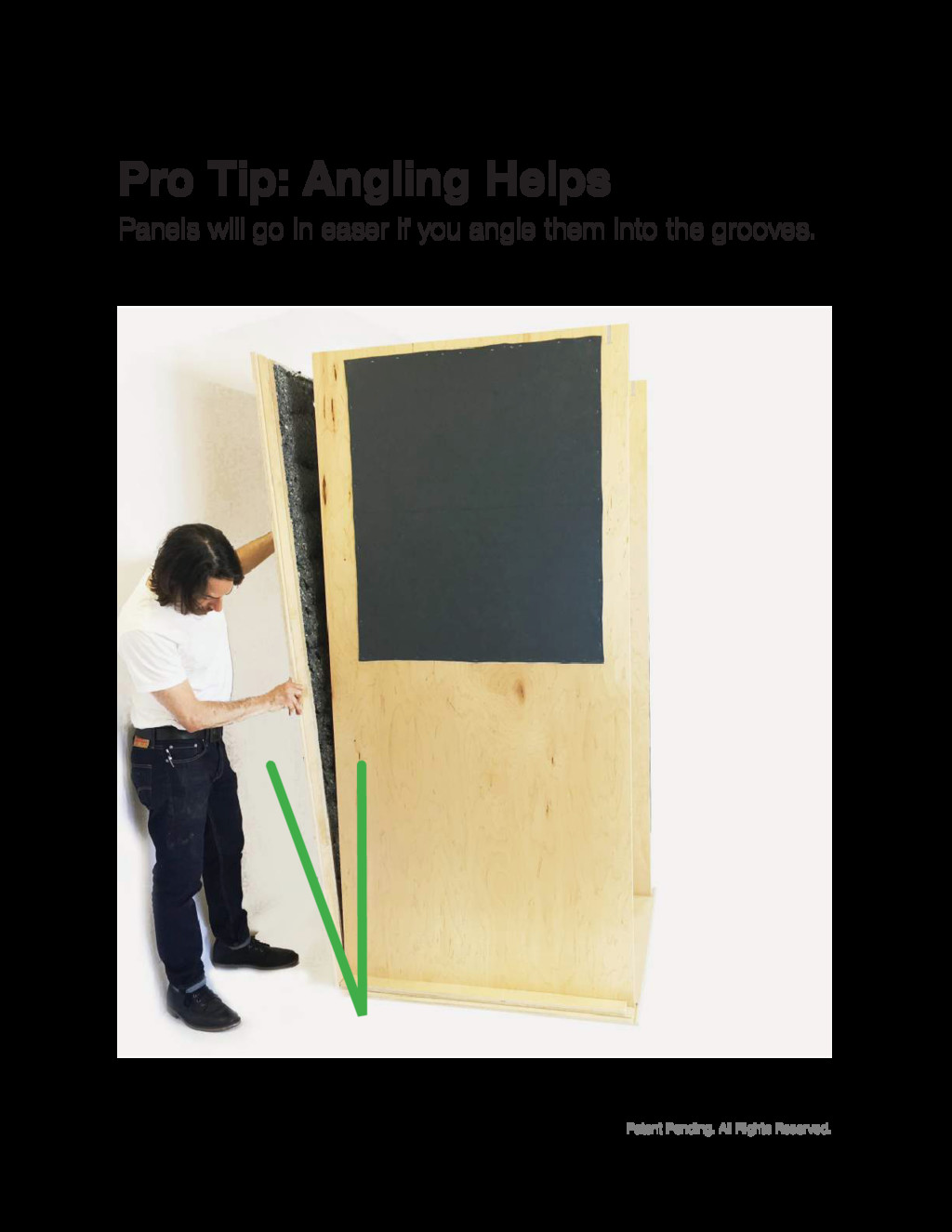
Patent Pending. All Rights Reserved. Panels will go in easer
if you angle them into the grooves. Pro Tip: Angling Helps
None
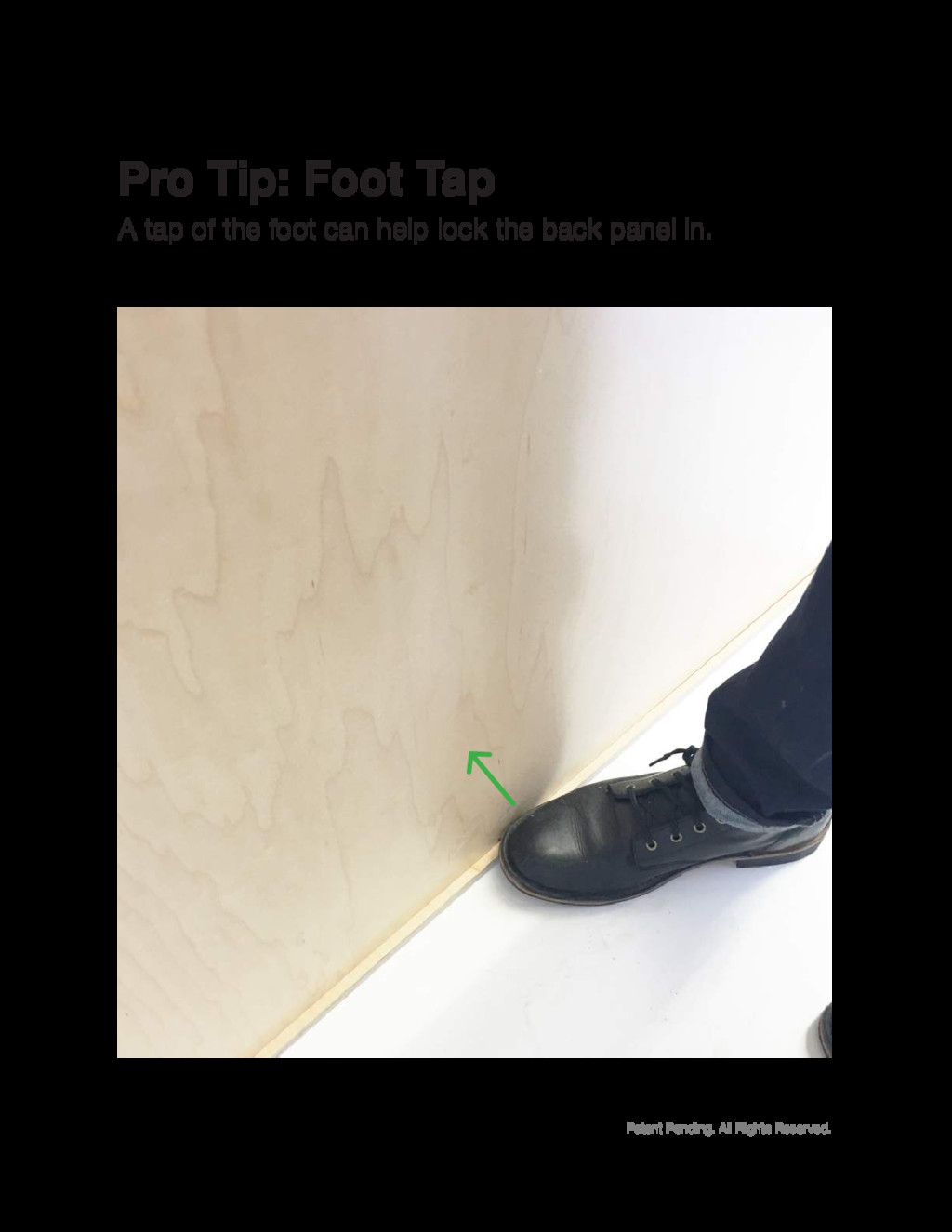
Patent Pending. All Rights Reserved. A tap of the foot
can help lock the back panel in. Pro Tip: Foot Tap
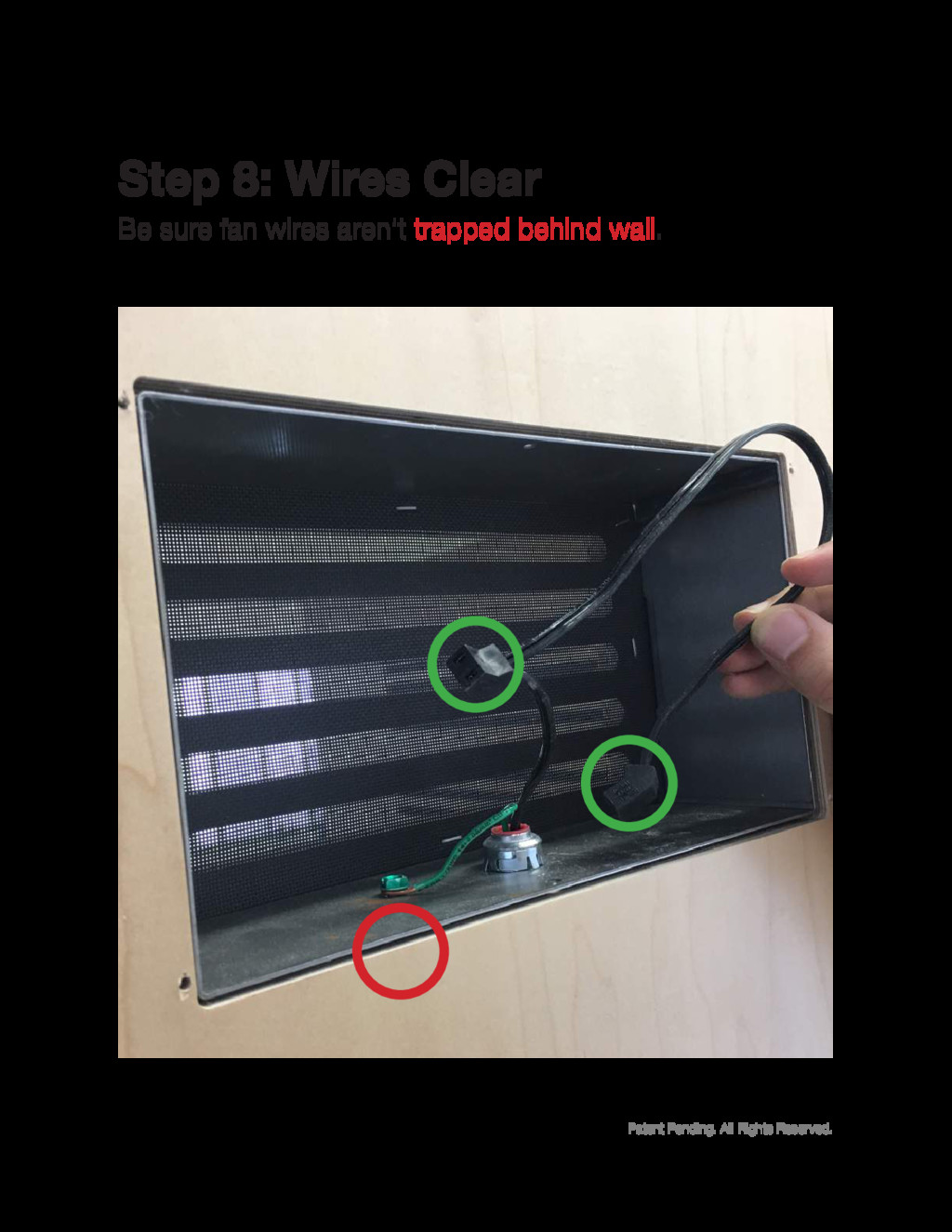
Patent Pending. All Rights Reserved. Be sure fan wires aren’t
trapped behind wall. Step 8: Wires Clear
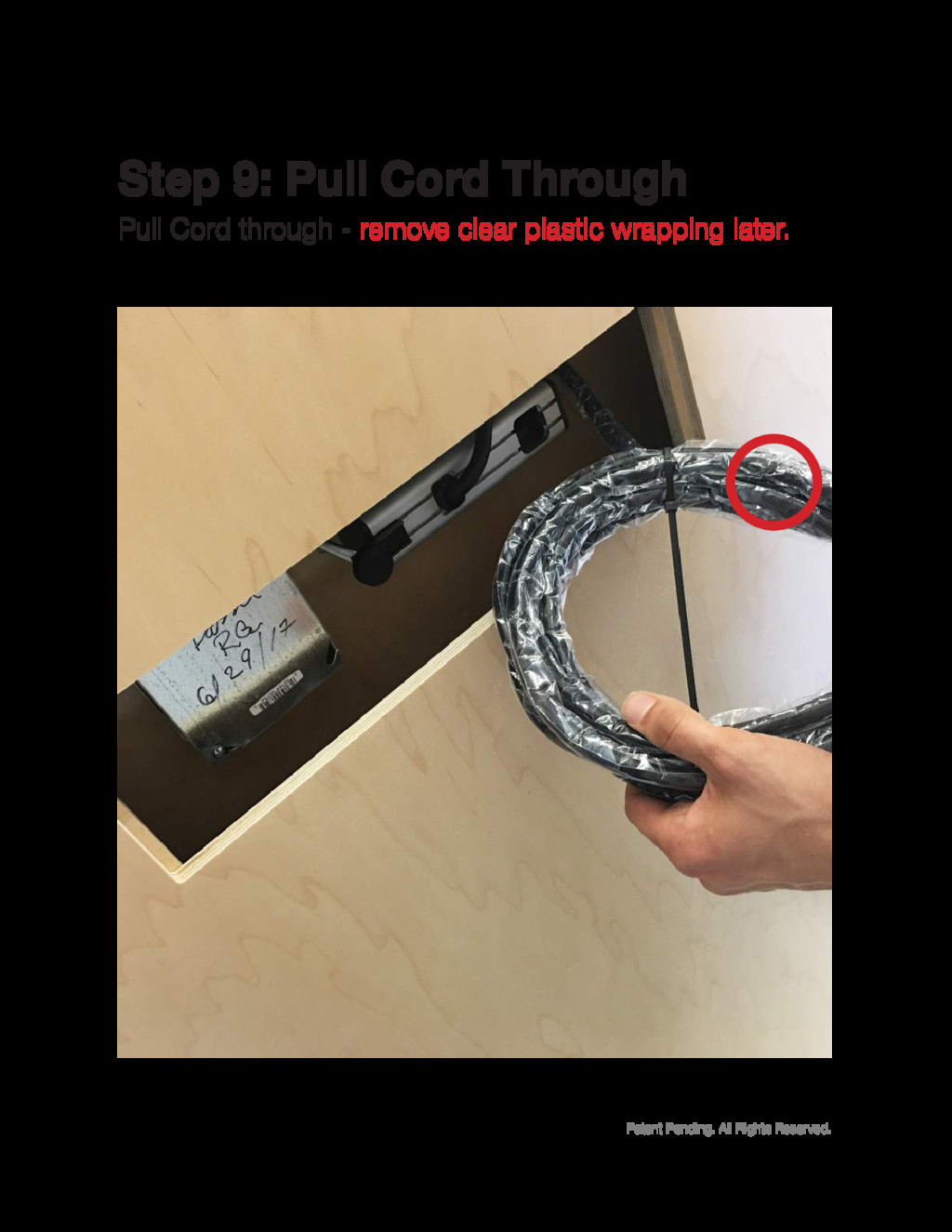
Patent Pending. All Rights Reserved. Pull Cord through - remove
clear plastic wrapping later. Step 9: Pull Cord Through
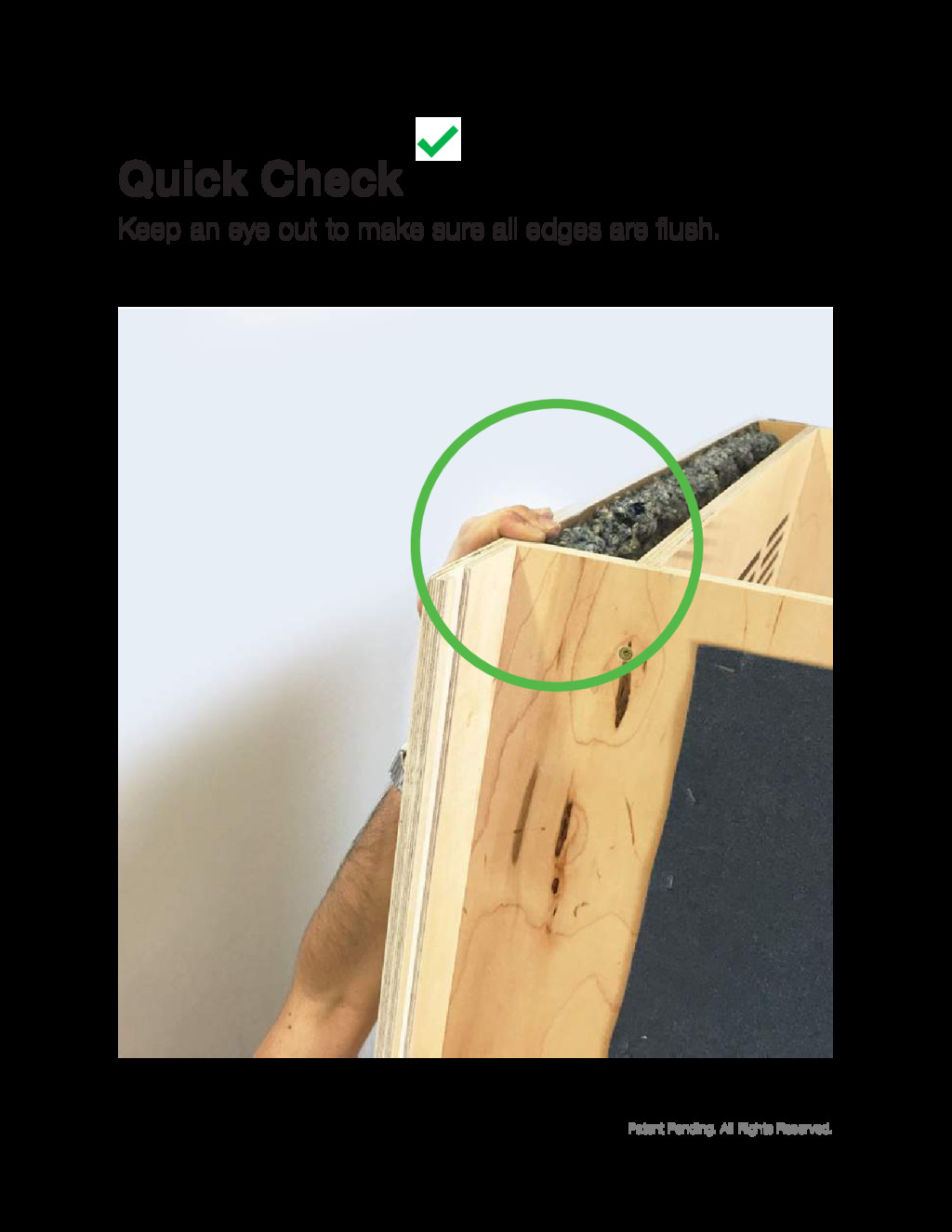
Patent Pending. All Rights Reserved. Keep an eye out to
make sure all edges are flush. Quick Check
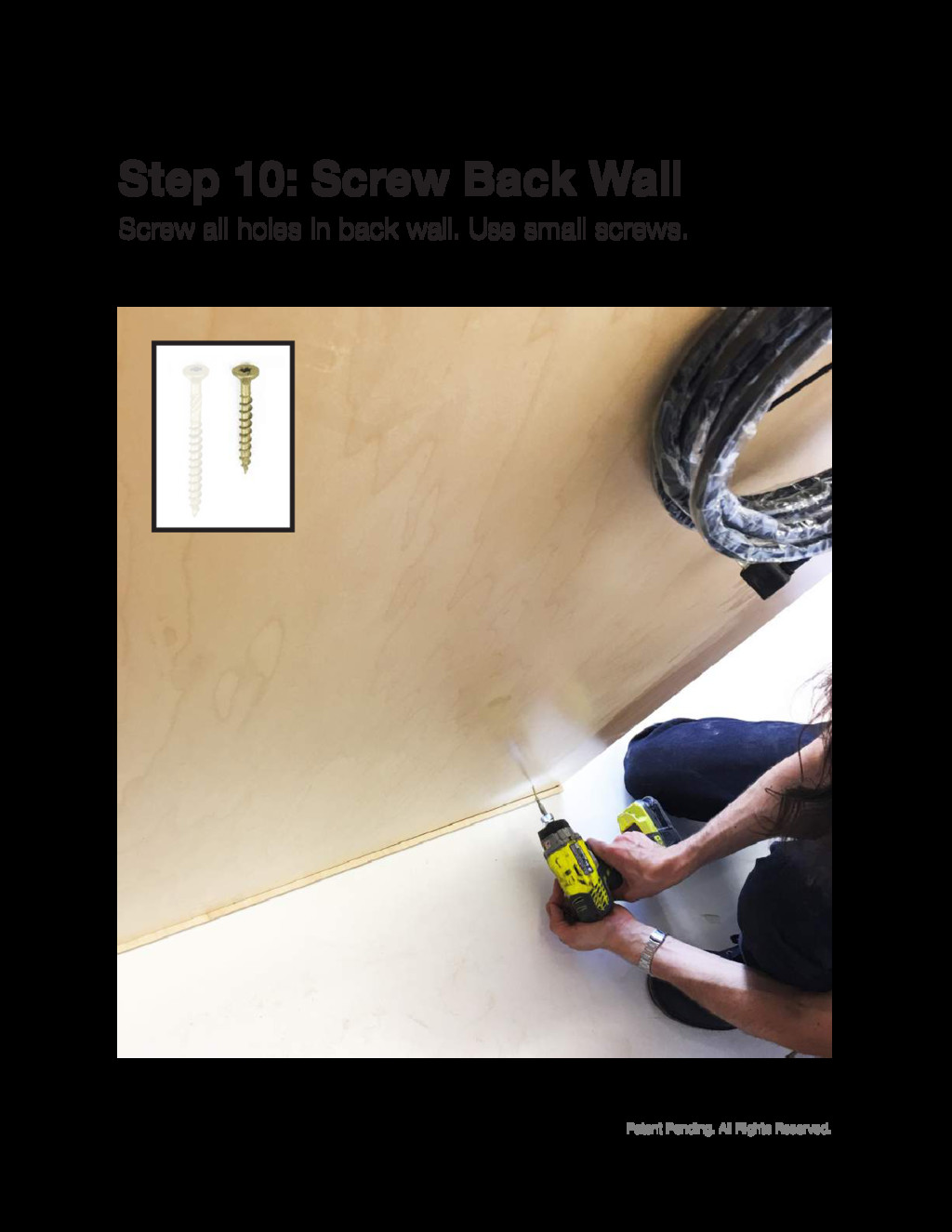
Patent Pending. All Rights Reserved. Screw all holes in back
wall. Use small screws. Step 10: Screw Back Wall
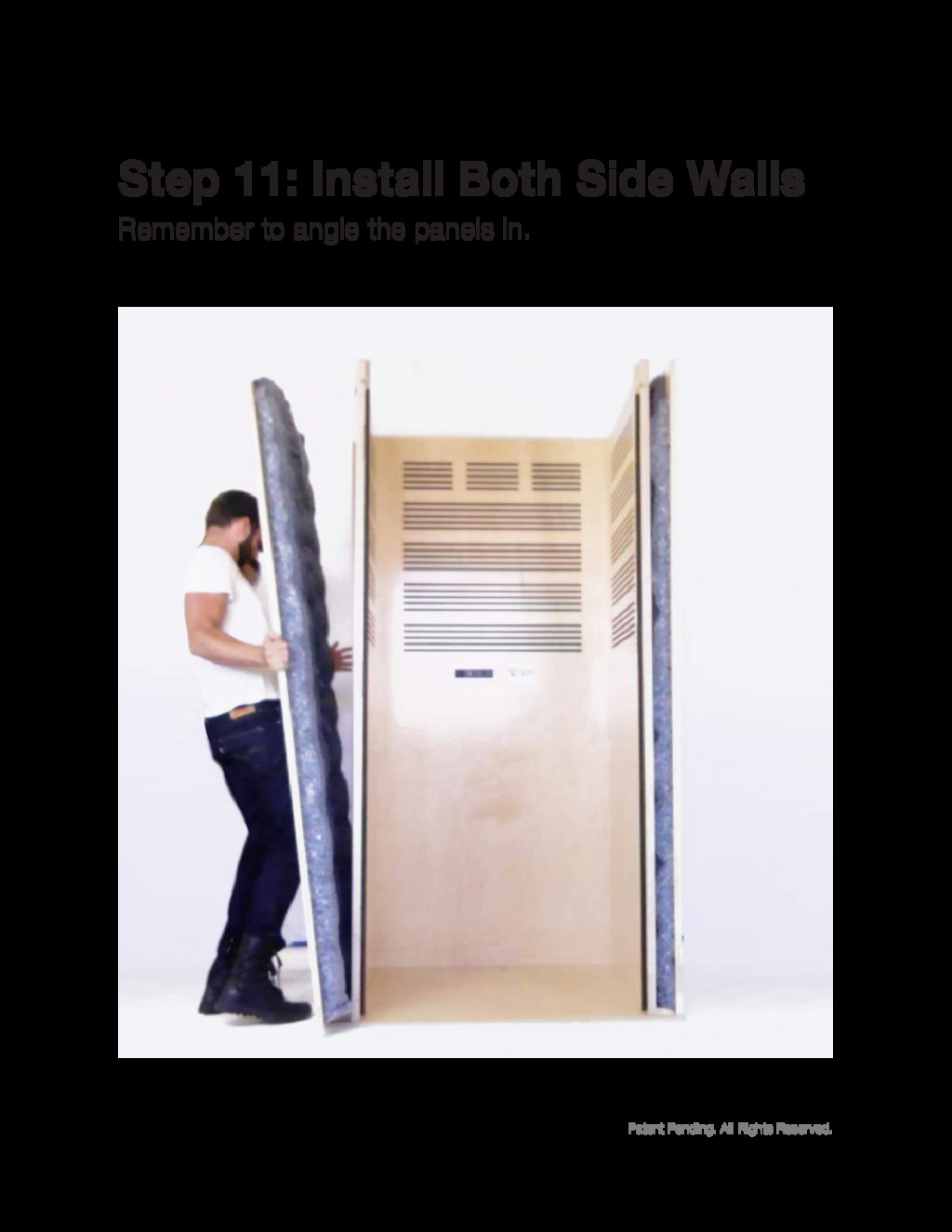
Patent Pending. All Rights Reserved. Remember to angle the panels
in. Step 11: Install Both Side Walls
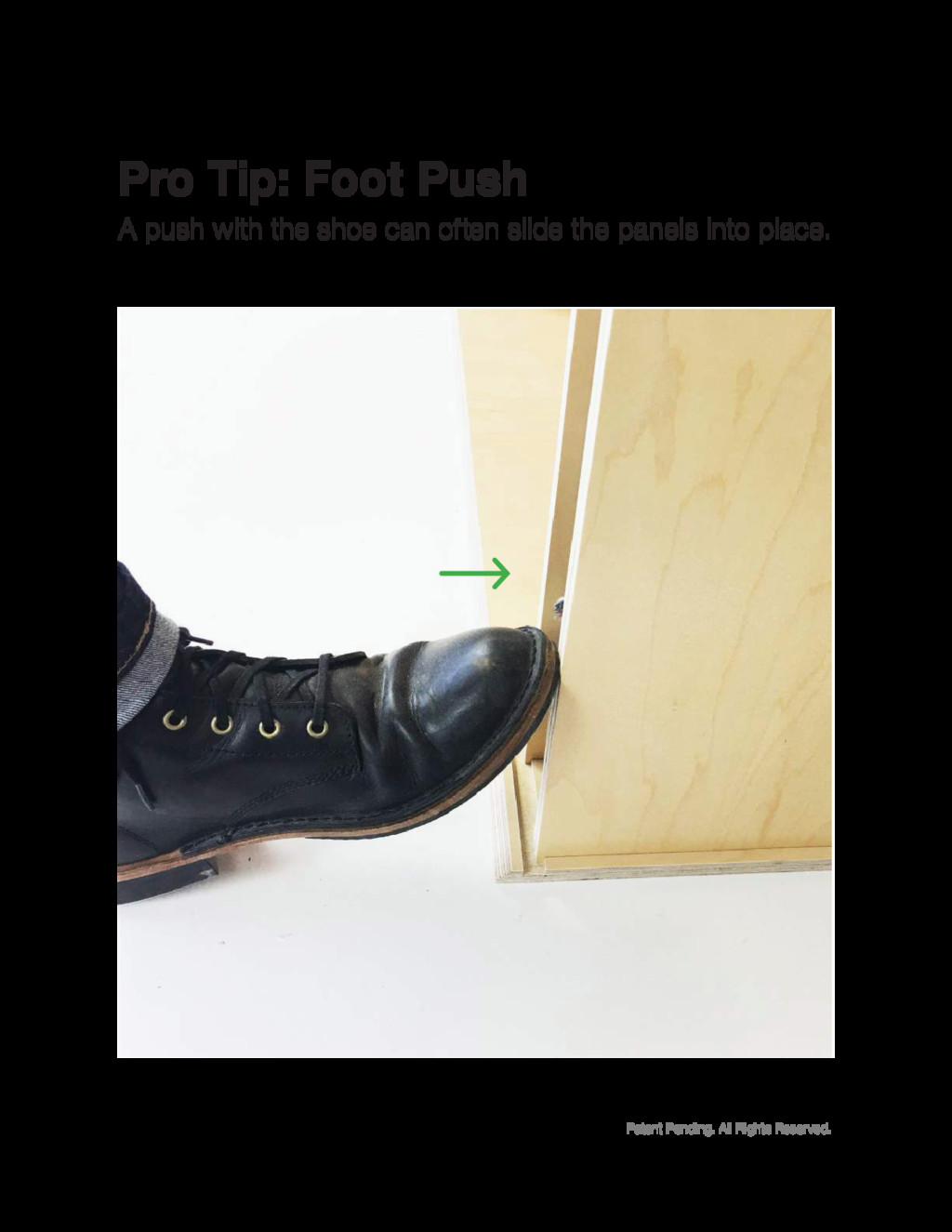
Patent Pending. All Rights Reserved. A push with the shoe
can often slide the panels into place. Pro Tip: Foot Push
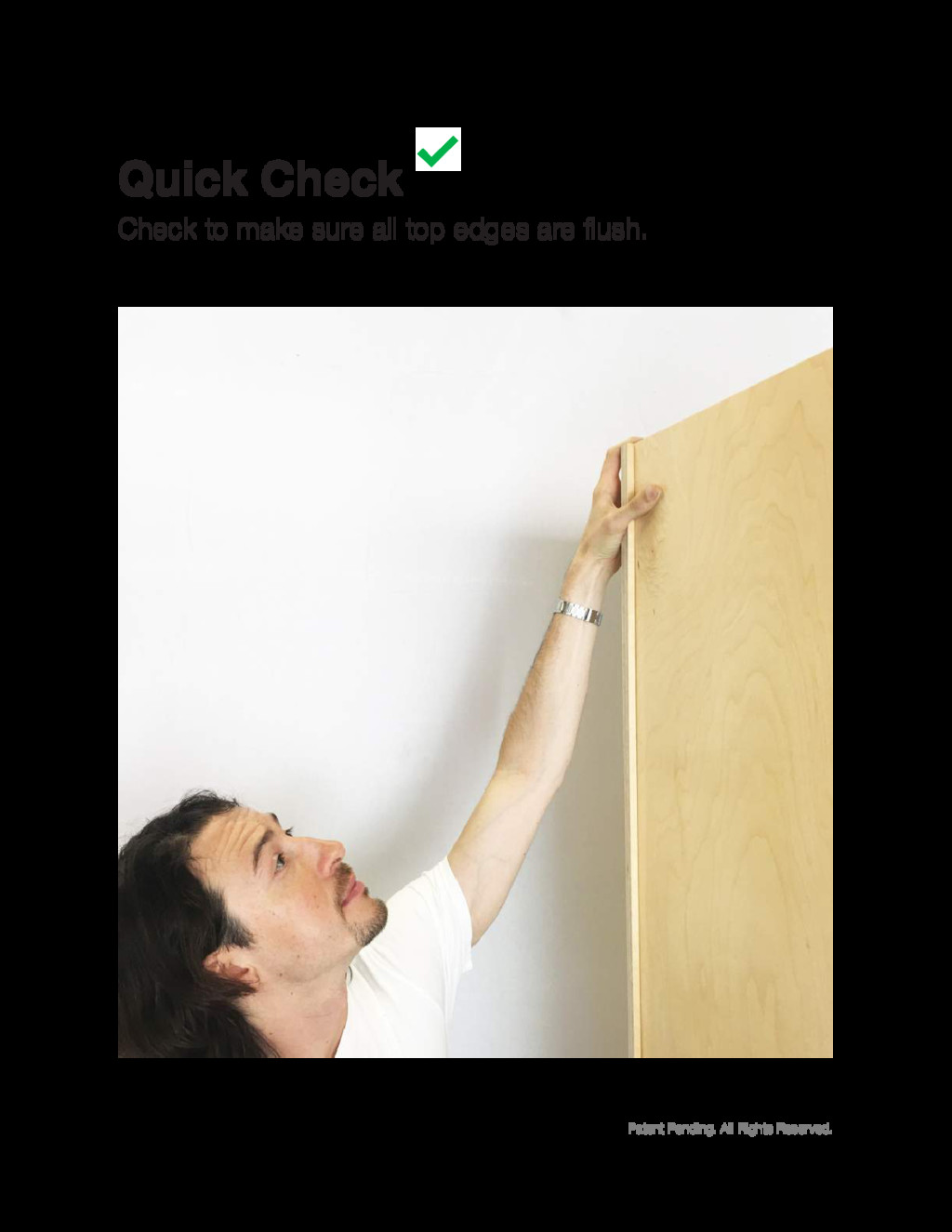
Patent Pending. All Rights Reserved. Check to make sure all
top edges are flush. Quick Check
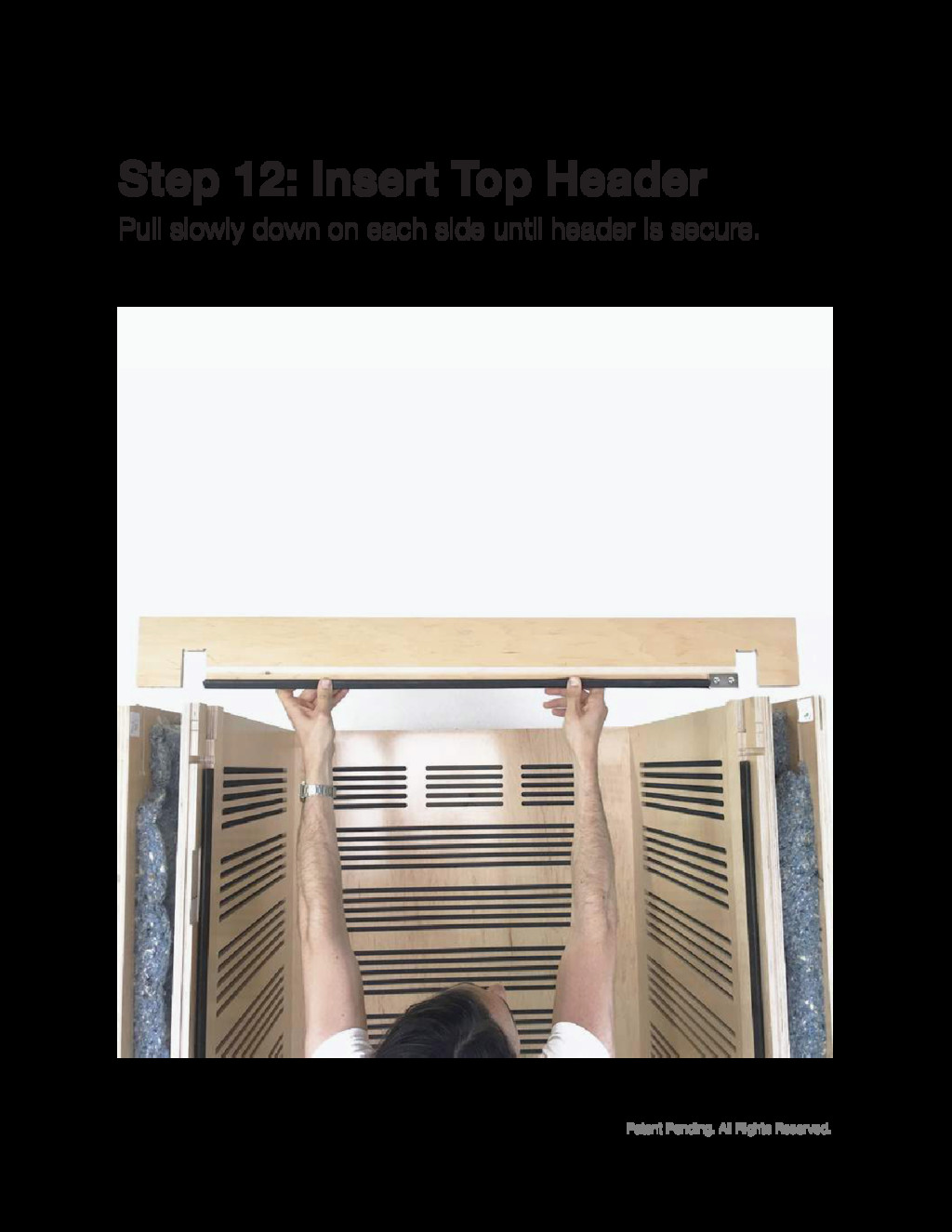
Patent Pending. All Rights Reserved. Pull slowly down on each
side until header is secure. Step 12: Insert Top Header
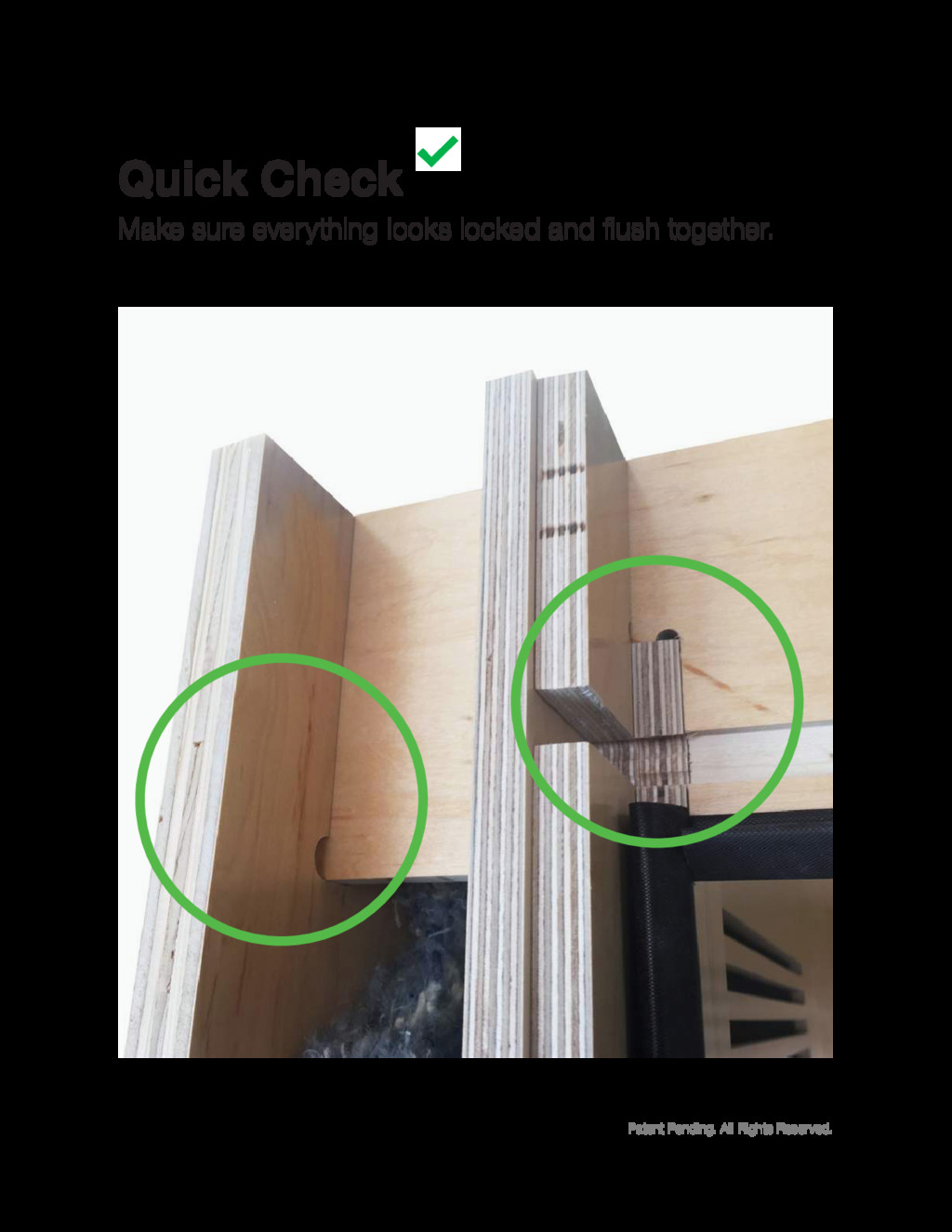
Patent Pending. All Rights Reserved. Make sure everything looks locked
and flush together. Quick Check
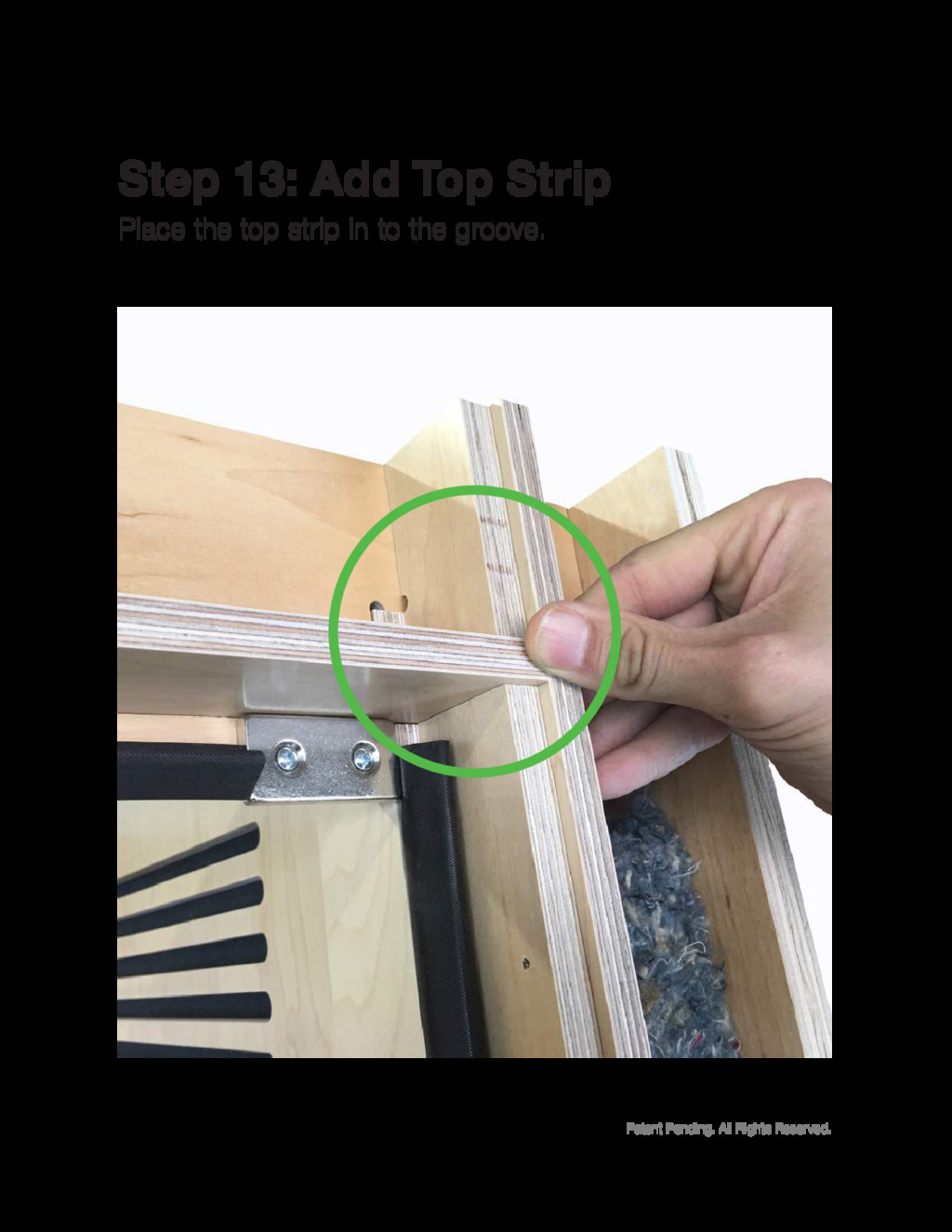
Patent Pending. All Rights Reserved. Place the top strip in
to the groove. Step 13: Add Top Strip
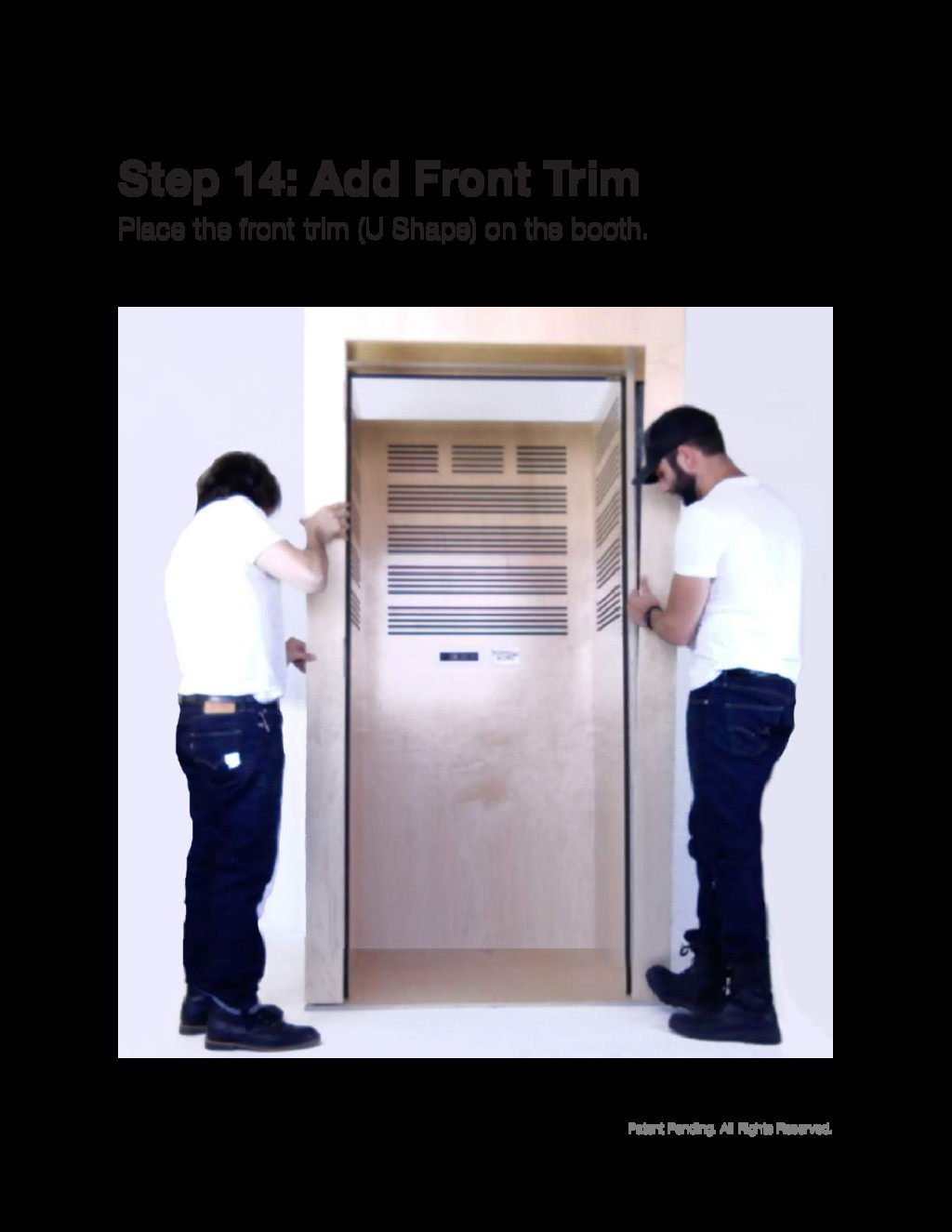
Patent Pending. All Rights Reserved. Place the front trim (U
Shape) on the booth. Step 14: Add Front Trim
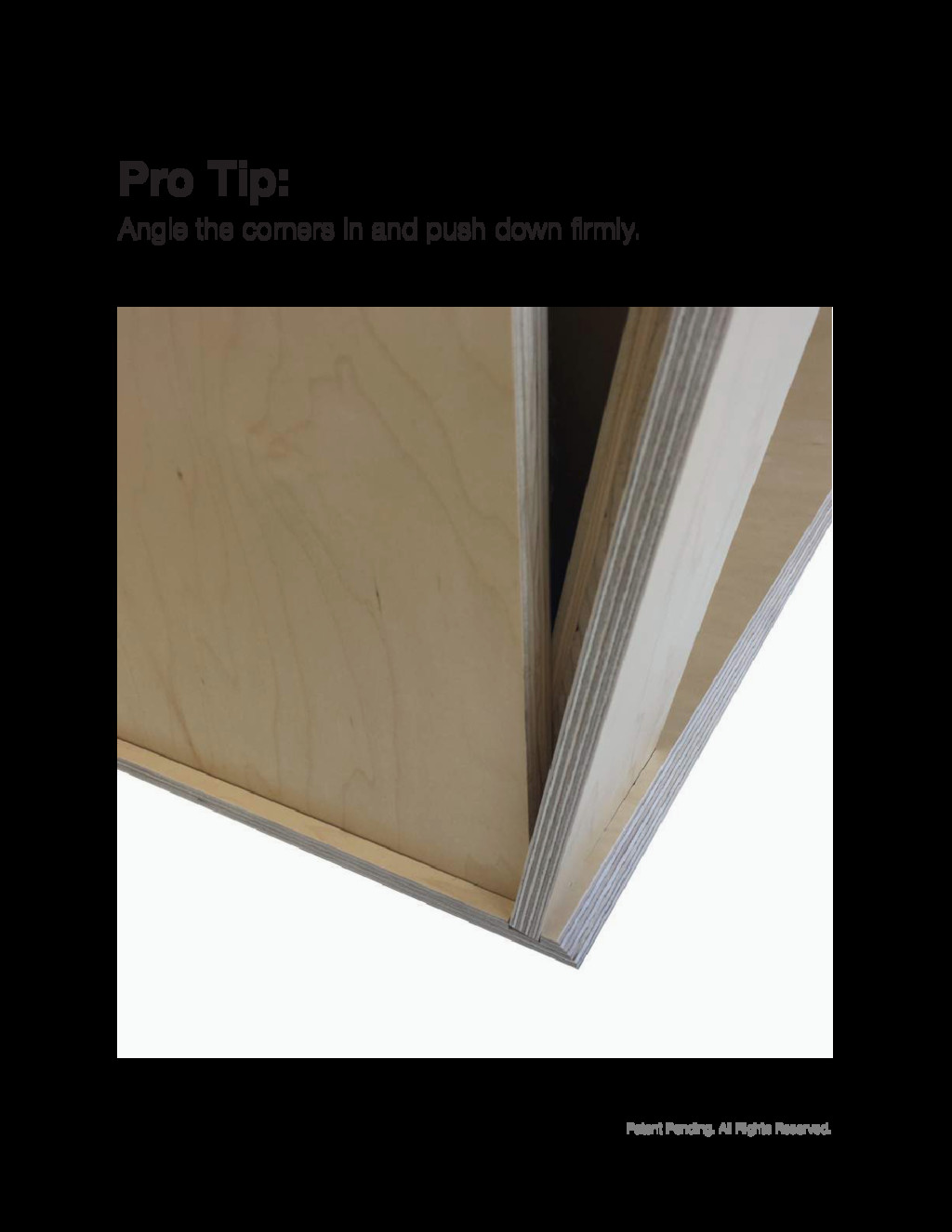
Patent Pending. All Rights Reserved. Angle the corners in and
push down firmly. Pro Tip:
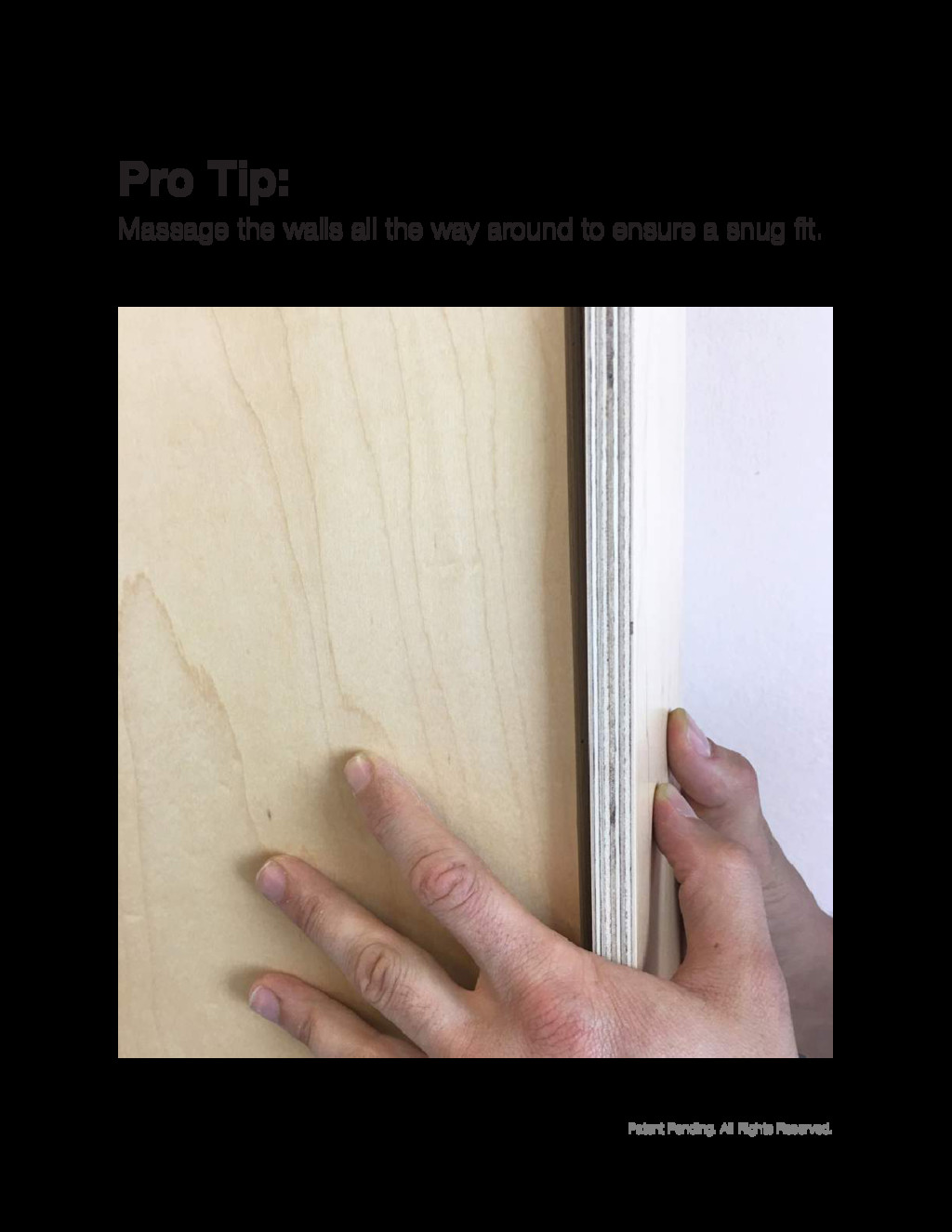
Patent Pending. All Rights Reserved. Massage the walls all the
way around to ensure a snug fit. Pro Tip:
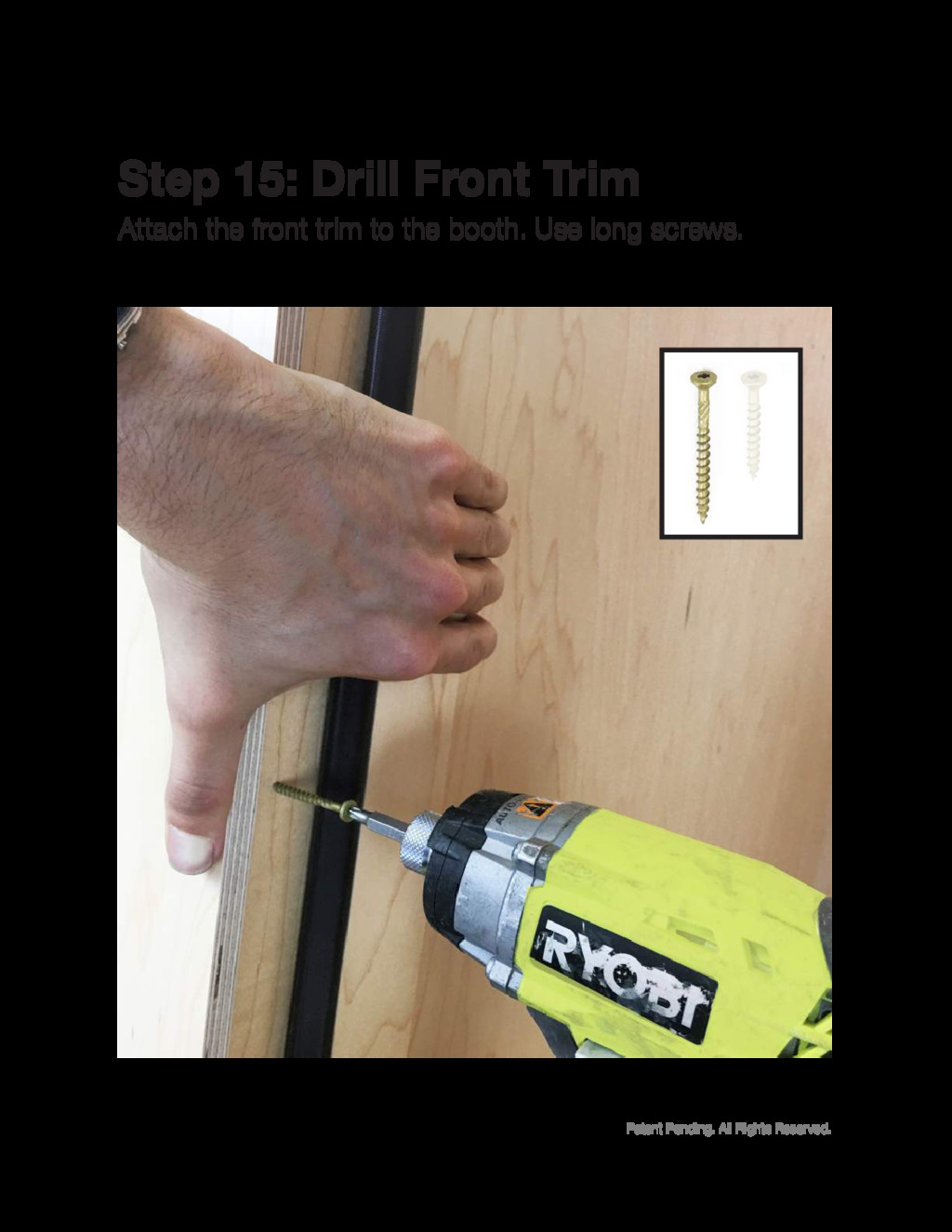
Patent Pending. All Rights Reserved. Attach the front trim to
the booth. Use long screws. Step 15: Drill Front Trim
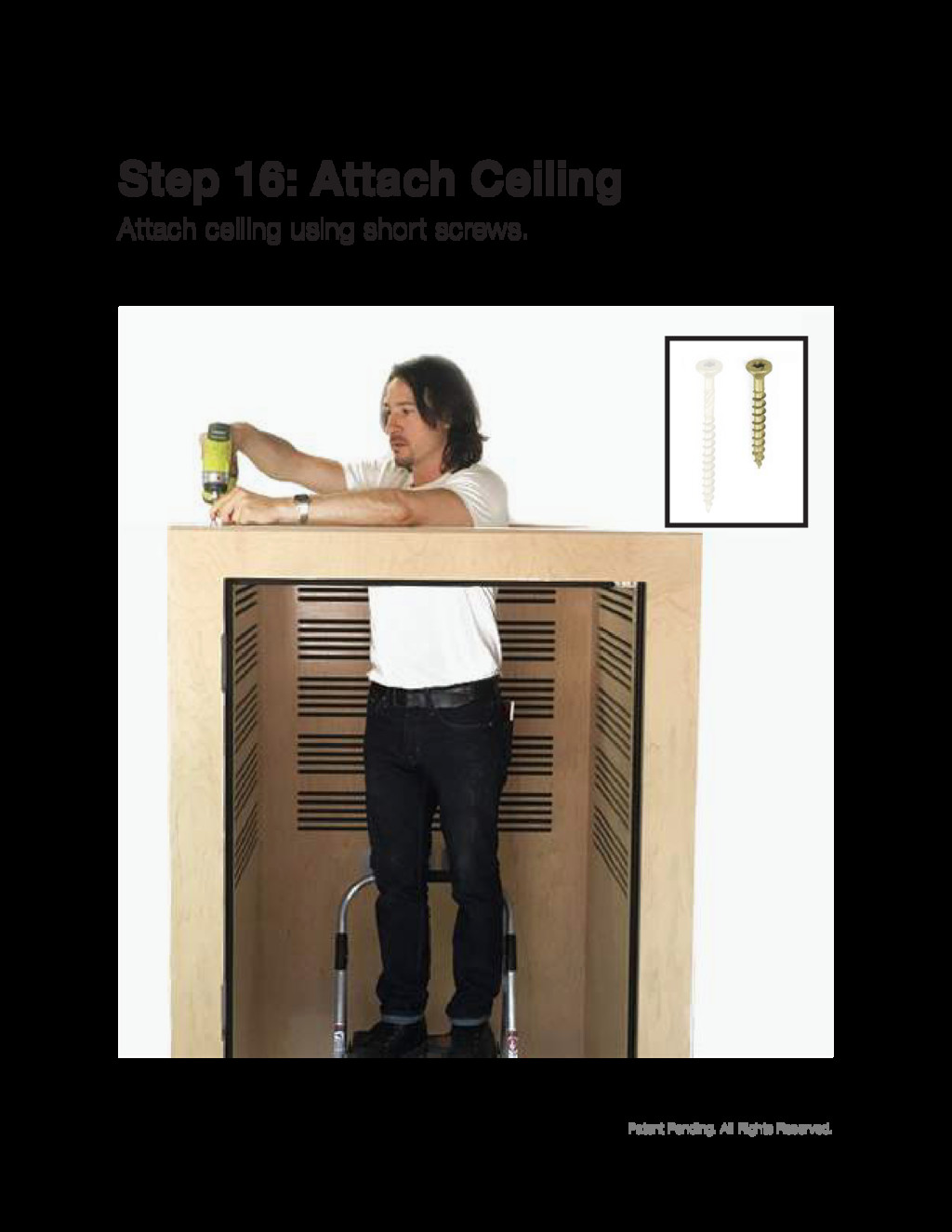
Patent Pending. All Rights Reserved. Attach ceiling using short screws.
Step 16: Attach Ceiling
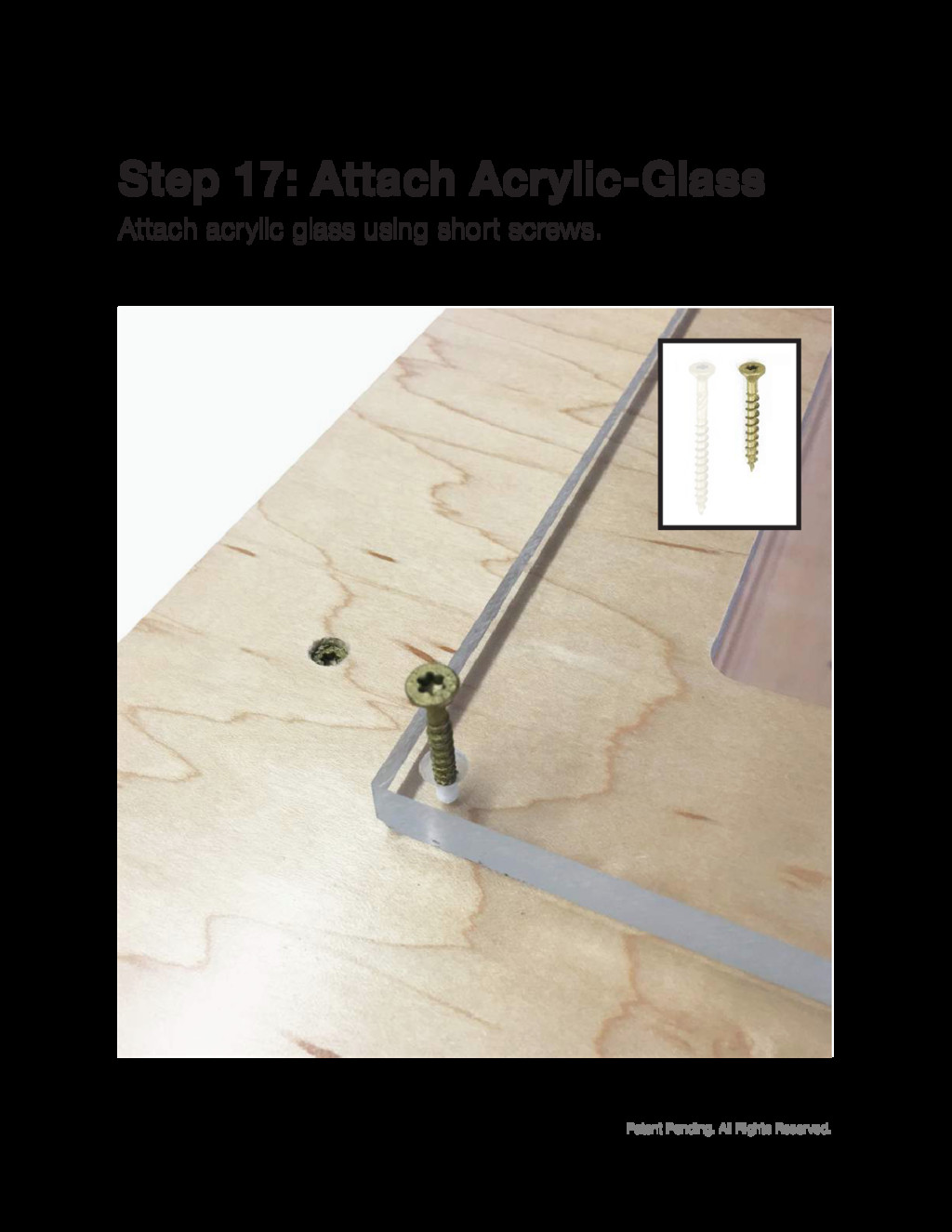
Patent Pending. All Rights Reserved. Attach acrylic glass using short
screws. Step 17: Attach Acrylic-Glass
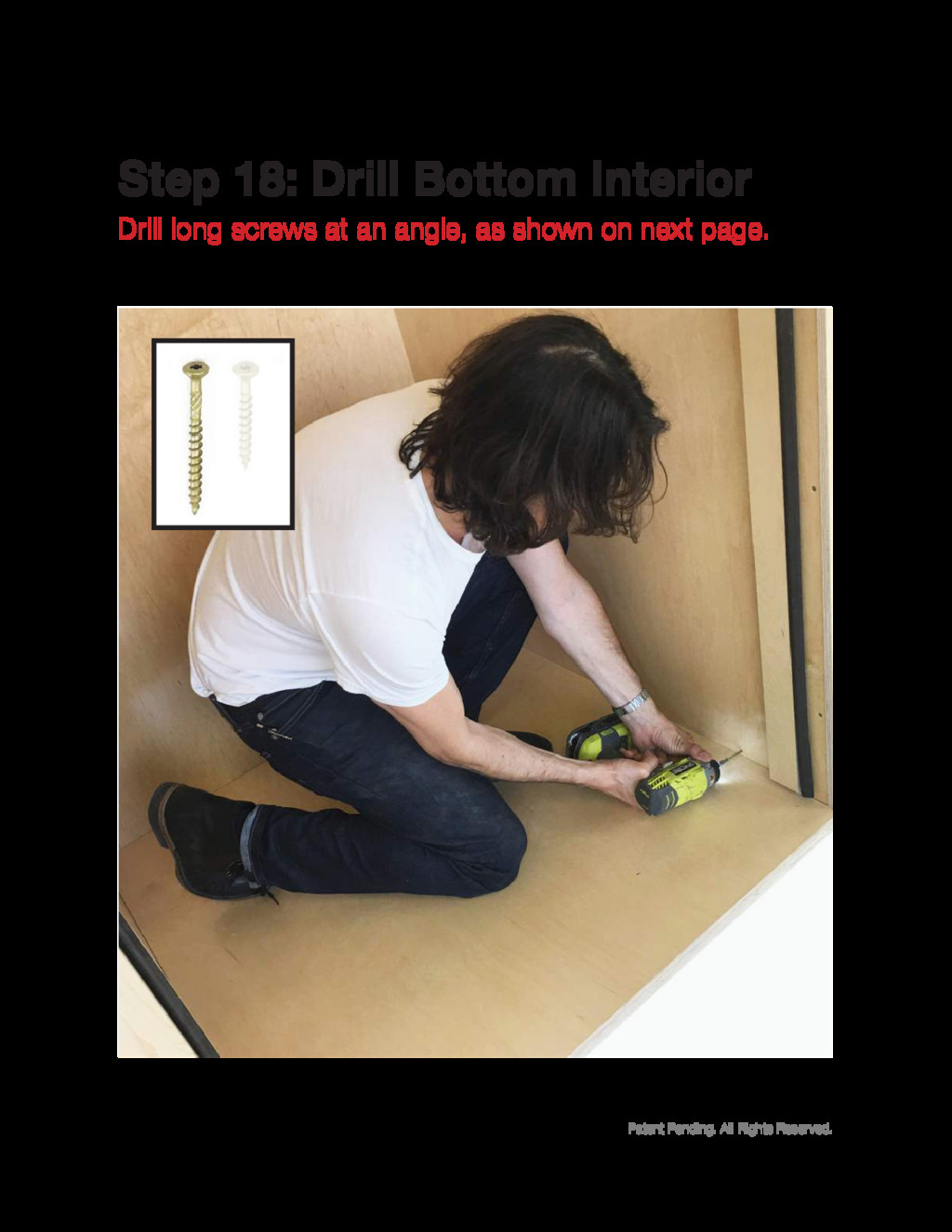
Patent Pending. All Rights Reserved. Drill long screws at an
angle, as shown on next page. Step 18: Drill Bottom Interior
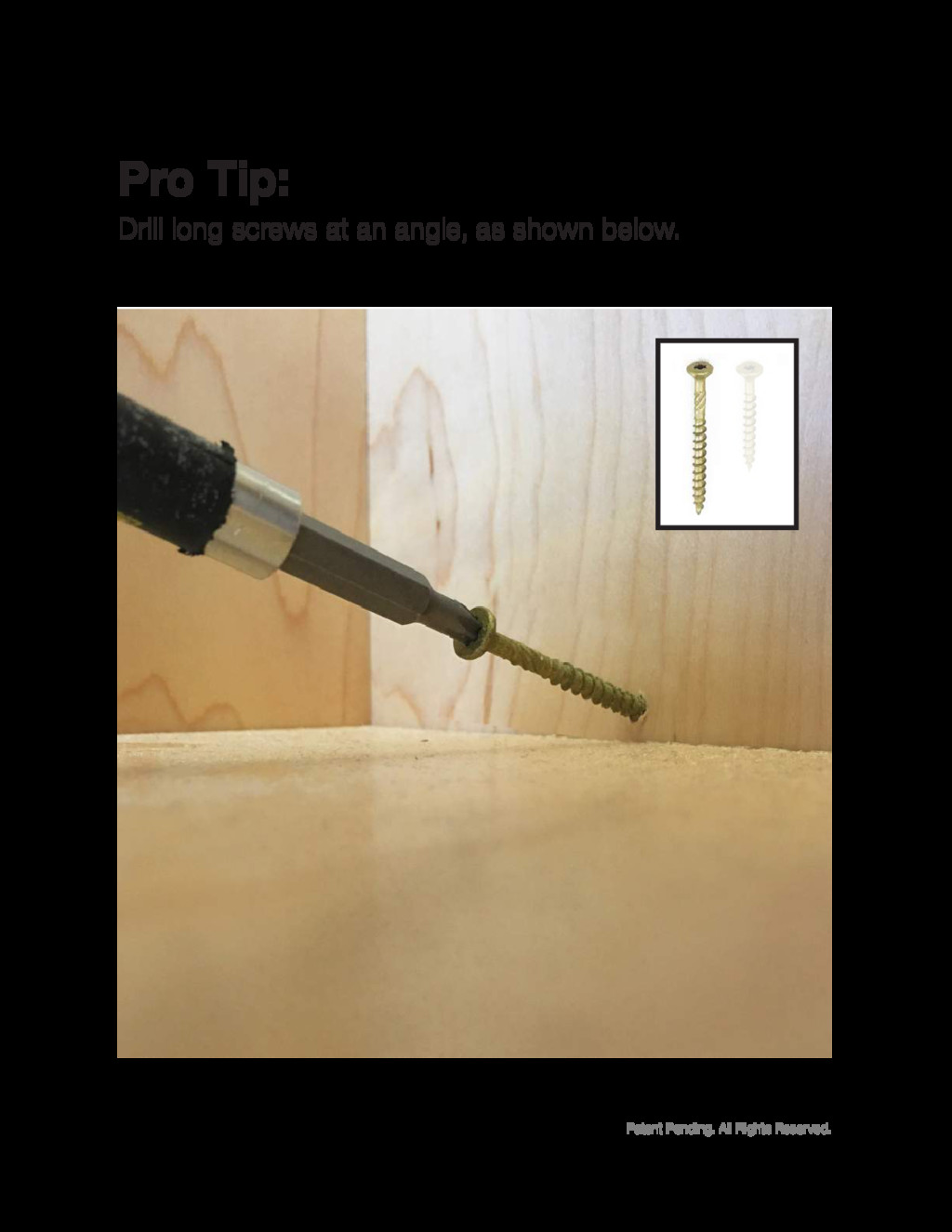
Patent Pending. All Rights Reserved. Drill long screws at an
angle, as shown below. Pro Tip:
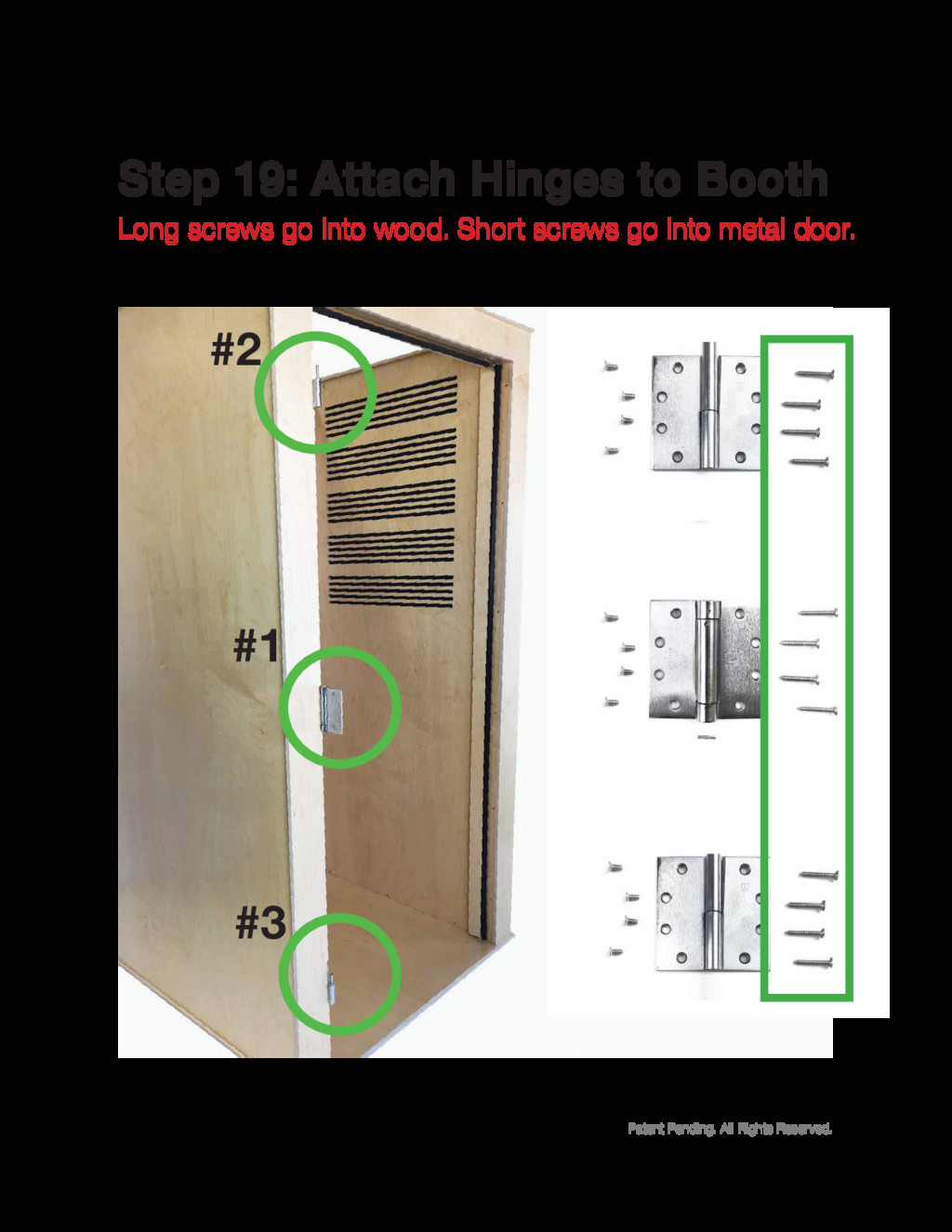
Patent Pending. All Rights Reserved. Long screws go into wood.
Short screws go into metal door. Step 19: Attach Hinges to Booth #2 #1 #3
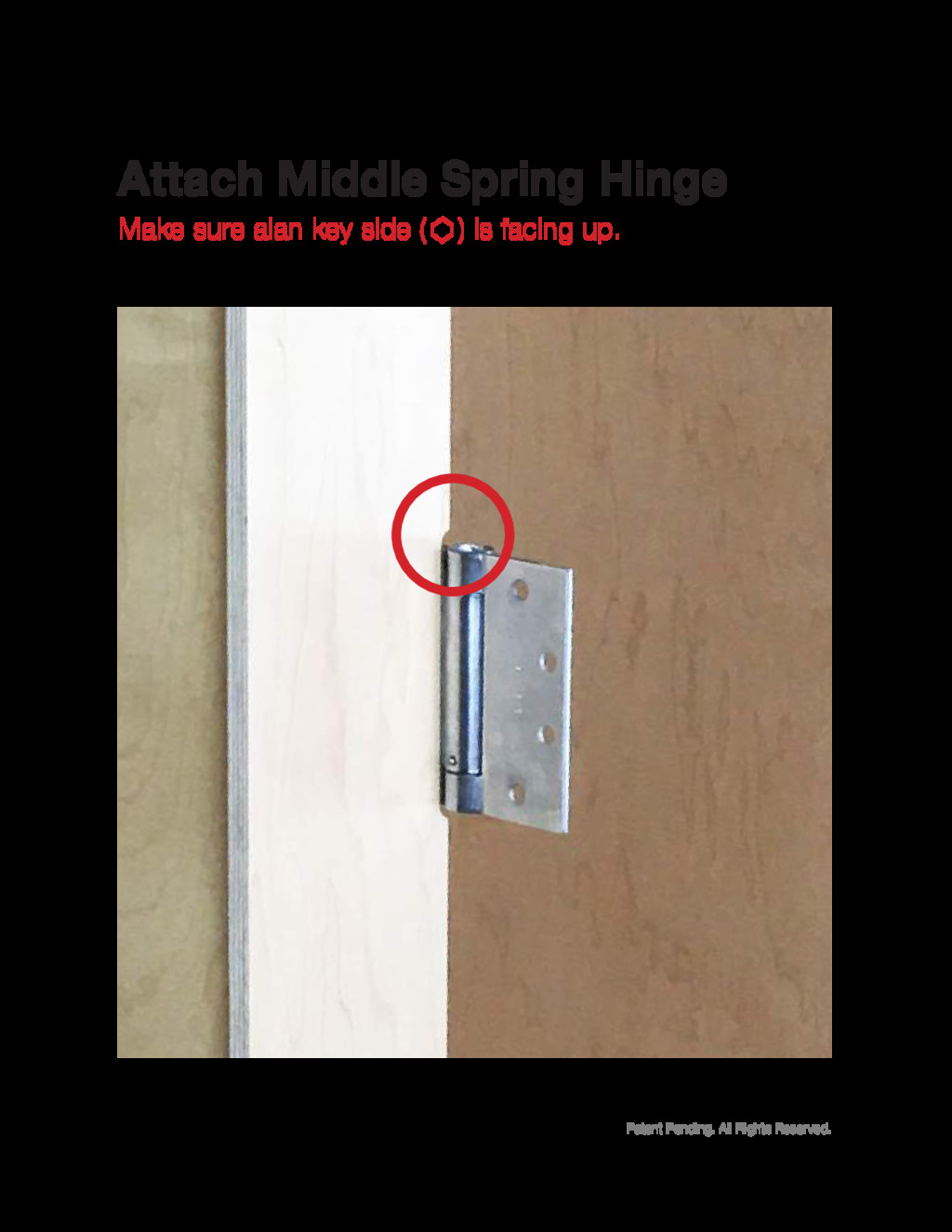
Patent Pending. All Rights Reserved. Make sure alan key side
( ) is facing up. Attach Middle Spring Hinge
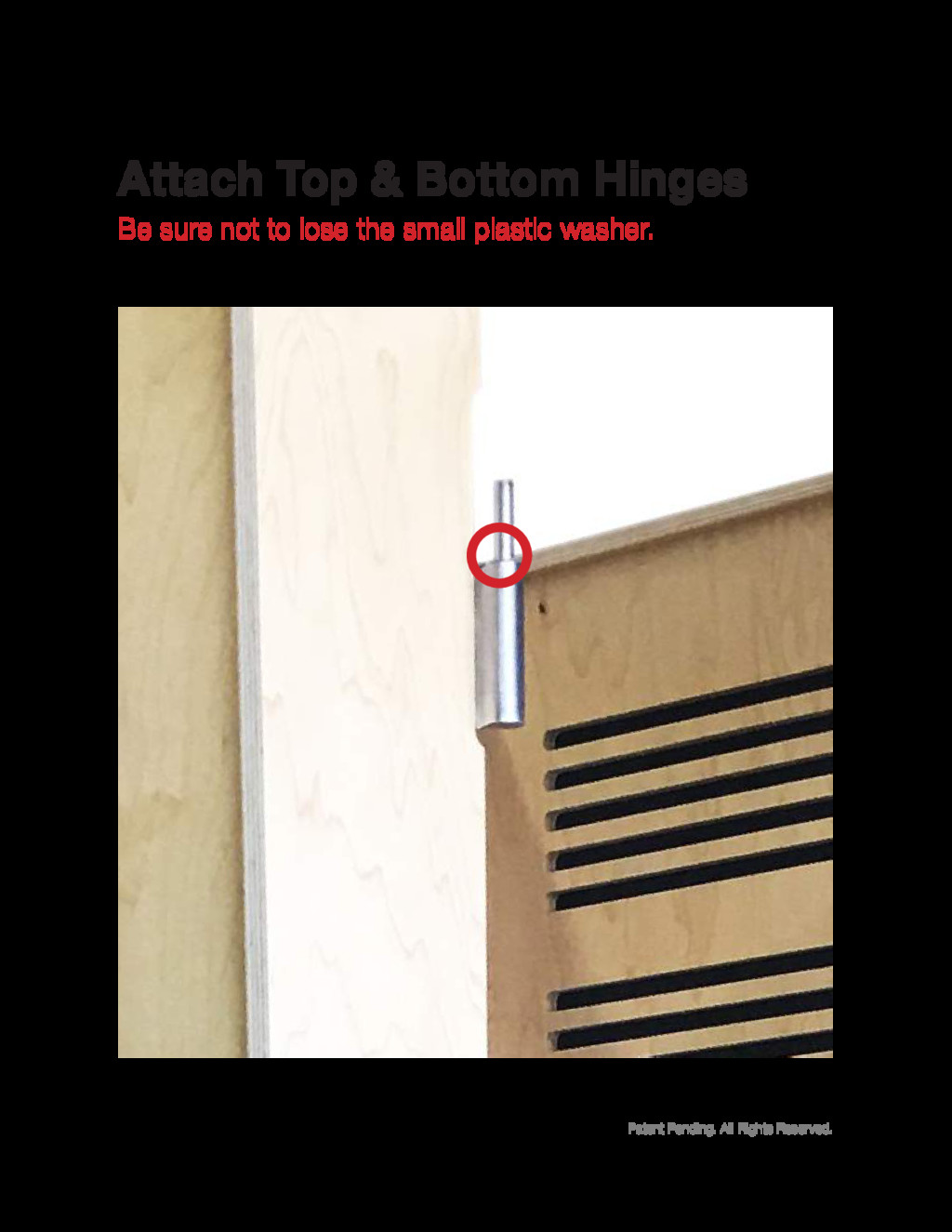
Patent Pending. All Rights Reserved. Be sure not to lose
the small plastic washer. Attach Top & Bottom Hinges
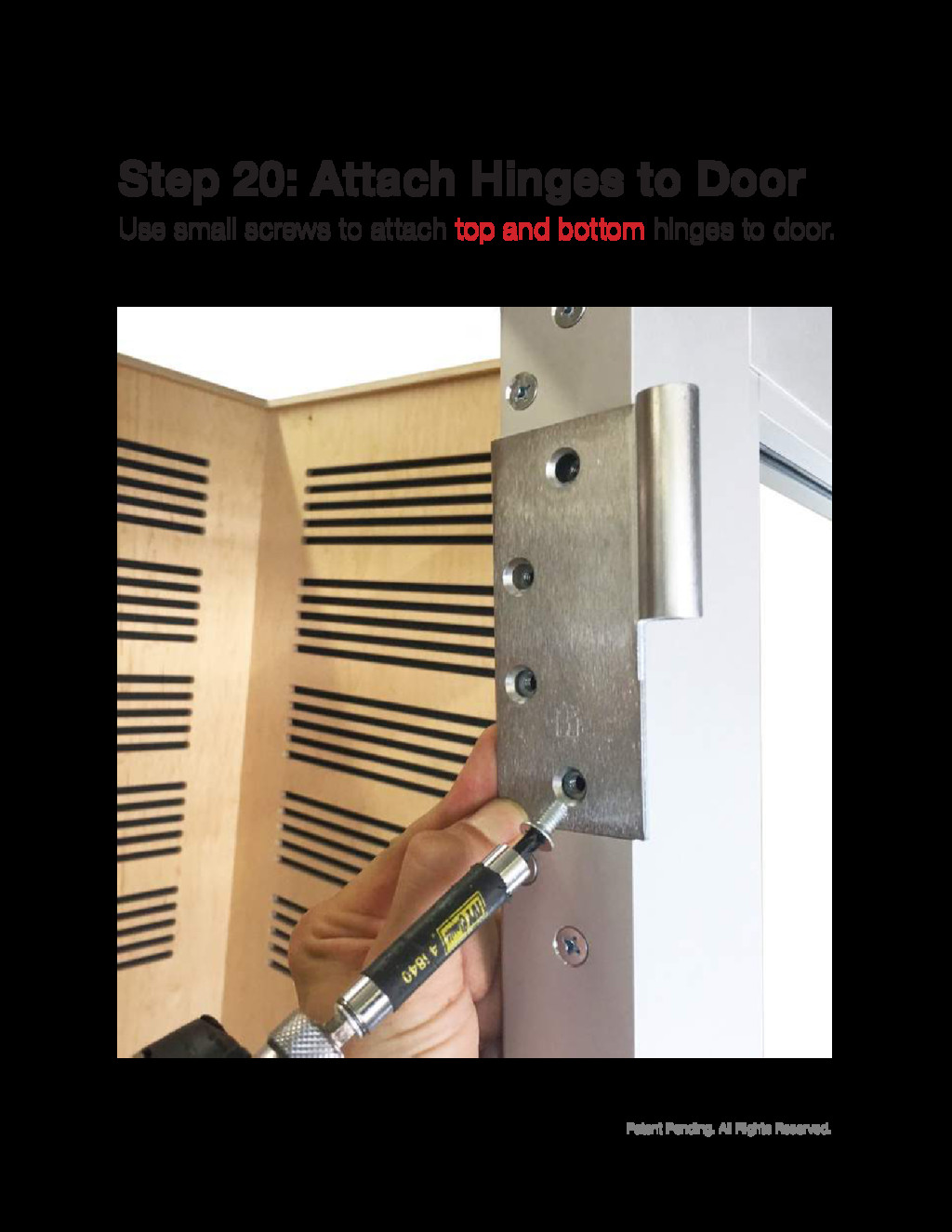
Patent Pending. All Rights Reserved. Use small screws to attach
top and bottom hinges to door. Step 20: Attach Hinges to Door
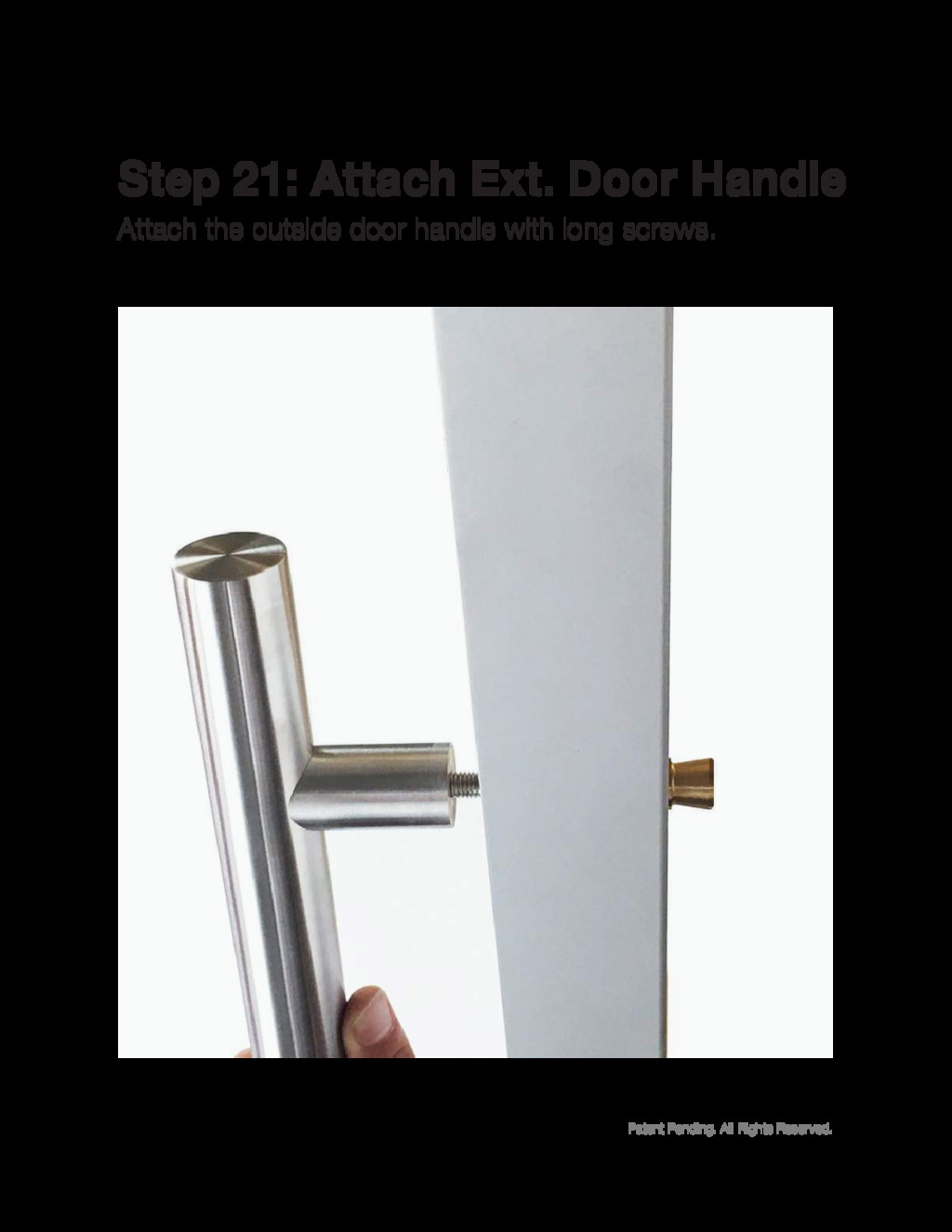
Patent Pending. All Rights Reserved. Attach the outside door handle
with long screws. Step 21: Attach Ext. Door Handle
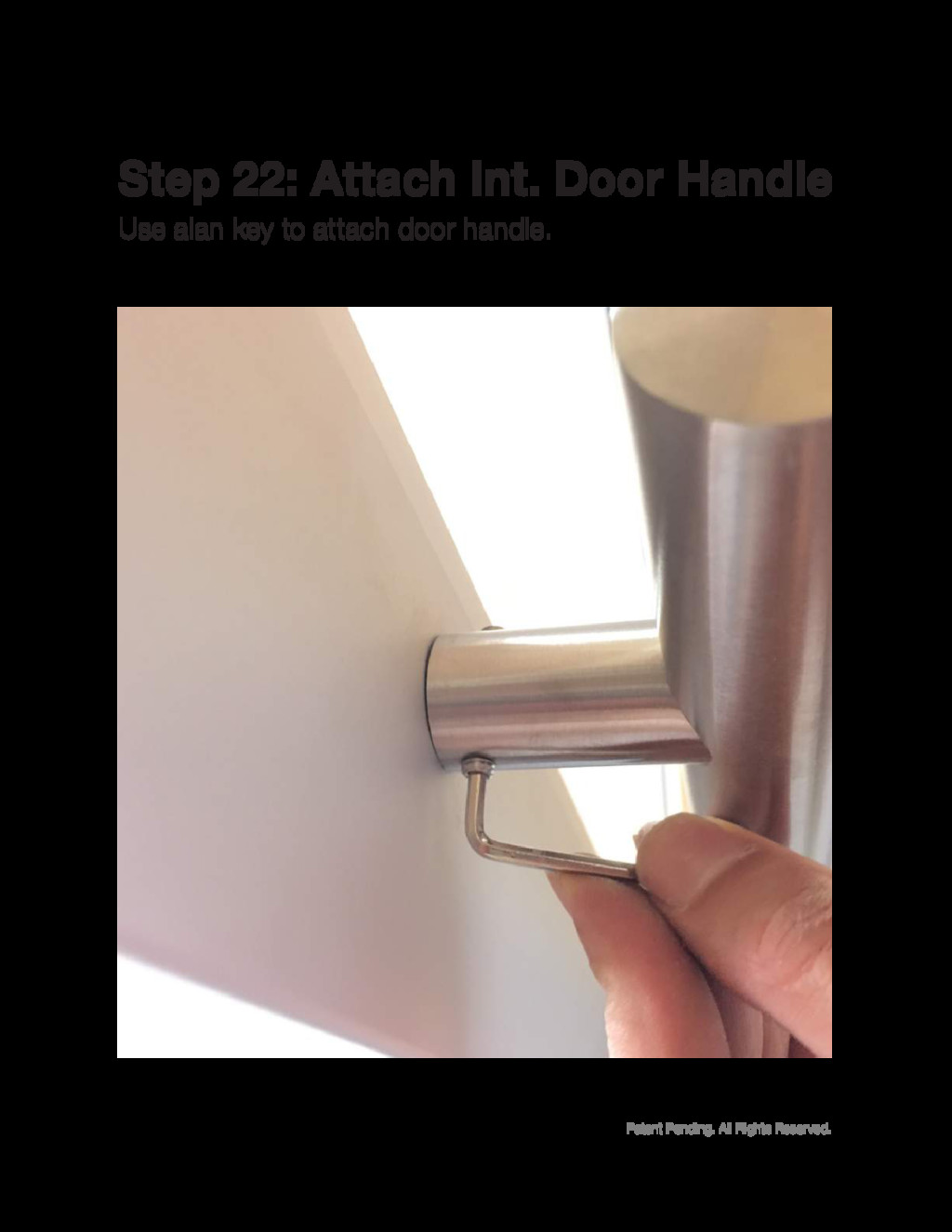
Patent Pending. All Rights Reserved. Use alan key to attach
door handle. Step 22: Attach Int. Door Handle
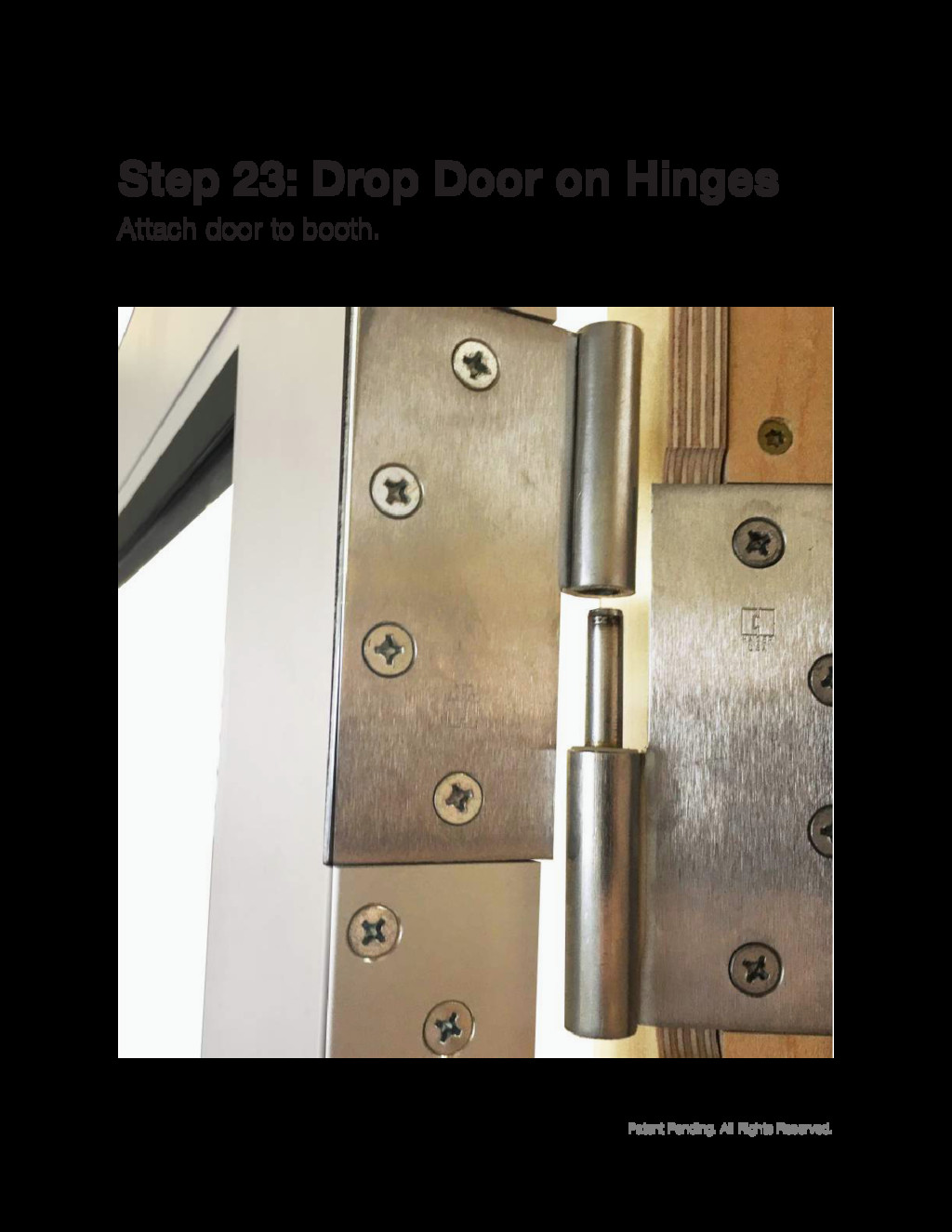
Patent Pending. All Rights Reserved. Attach door to booth. Step
23: Drop Door on Hinges
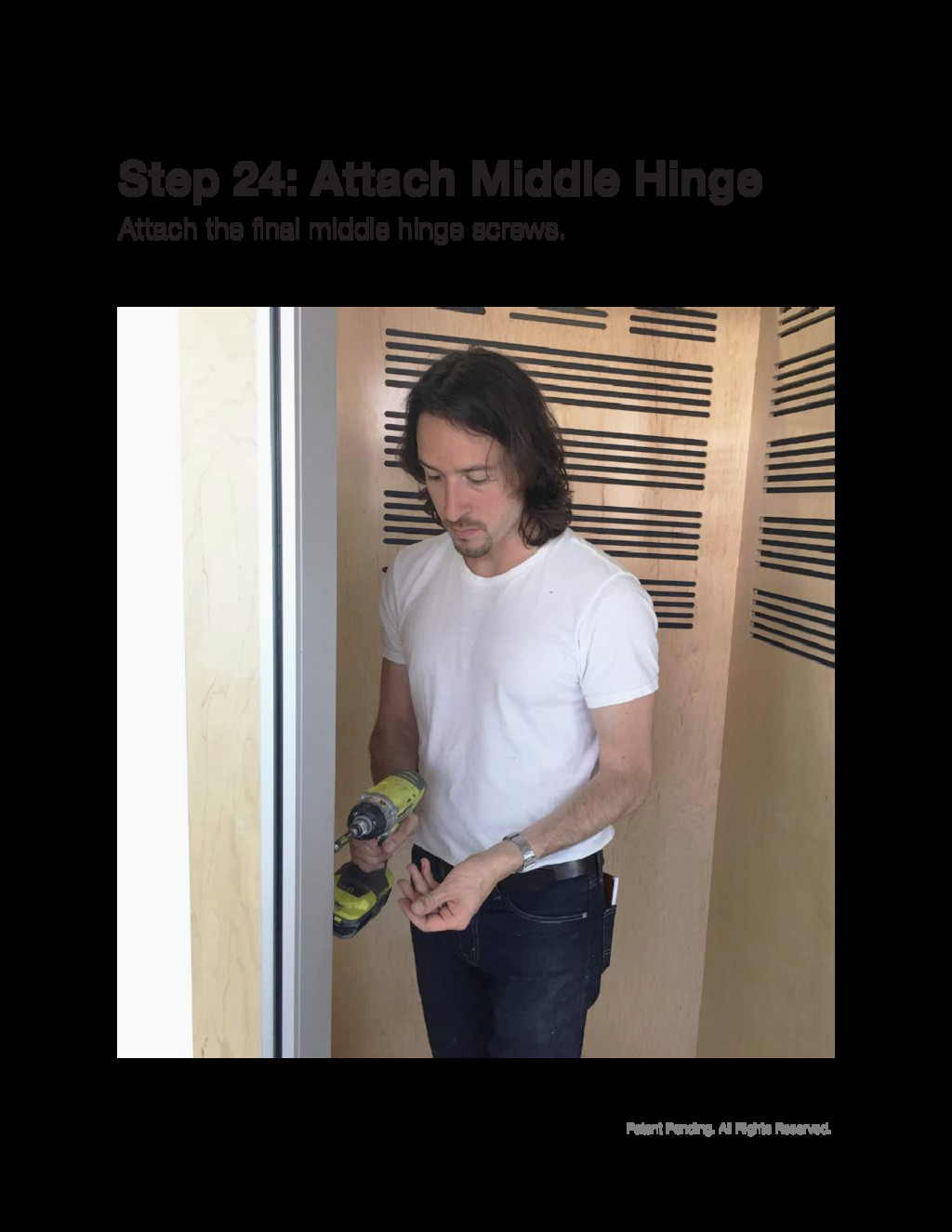
Patent Pending. All Rights Reserved. Attach the final middle hinge
screws. Step 24: Attach Middle Hinge
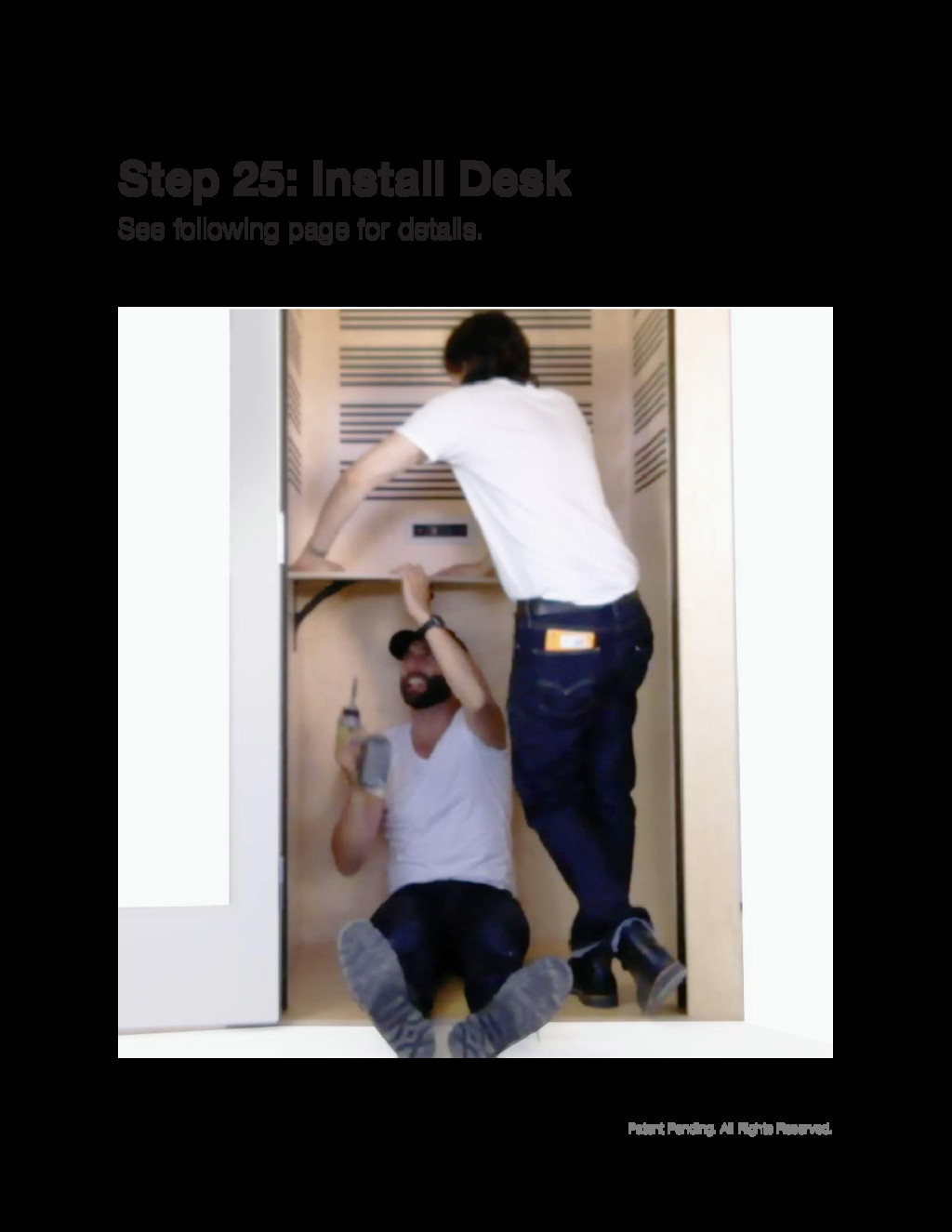
Patent Pending. All Rights Reserved. See following page for details.
Step 25: Install Desk
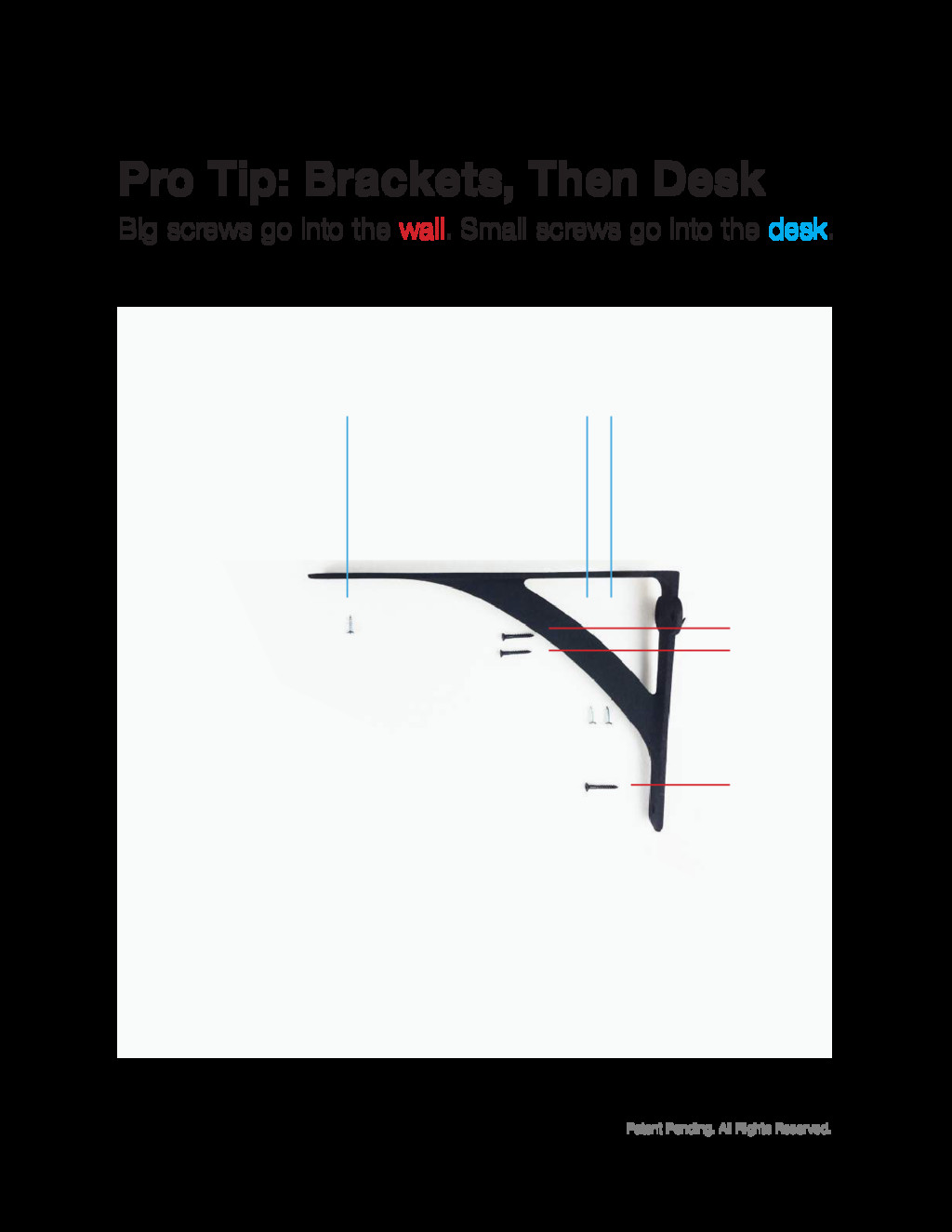
Patent Pending. All Rights Reserved. Pro Tip: Brackets, Then Desk
Big screws go into the wall. Small screws go into the desk.
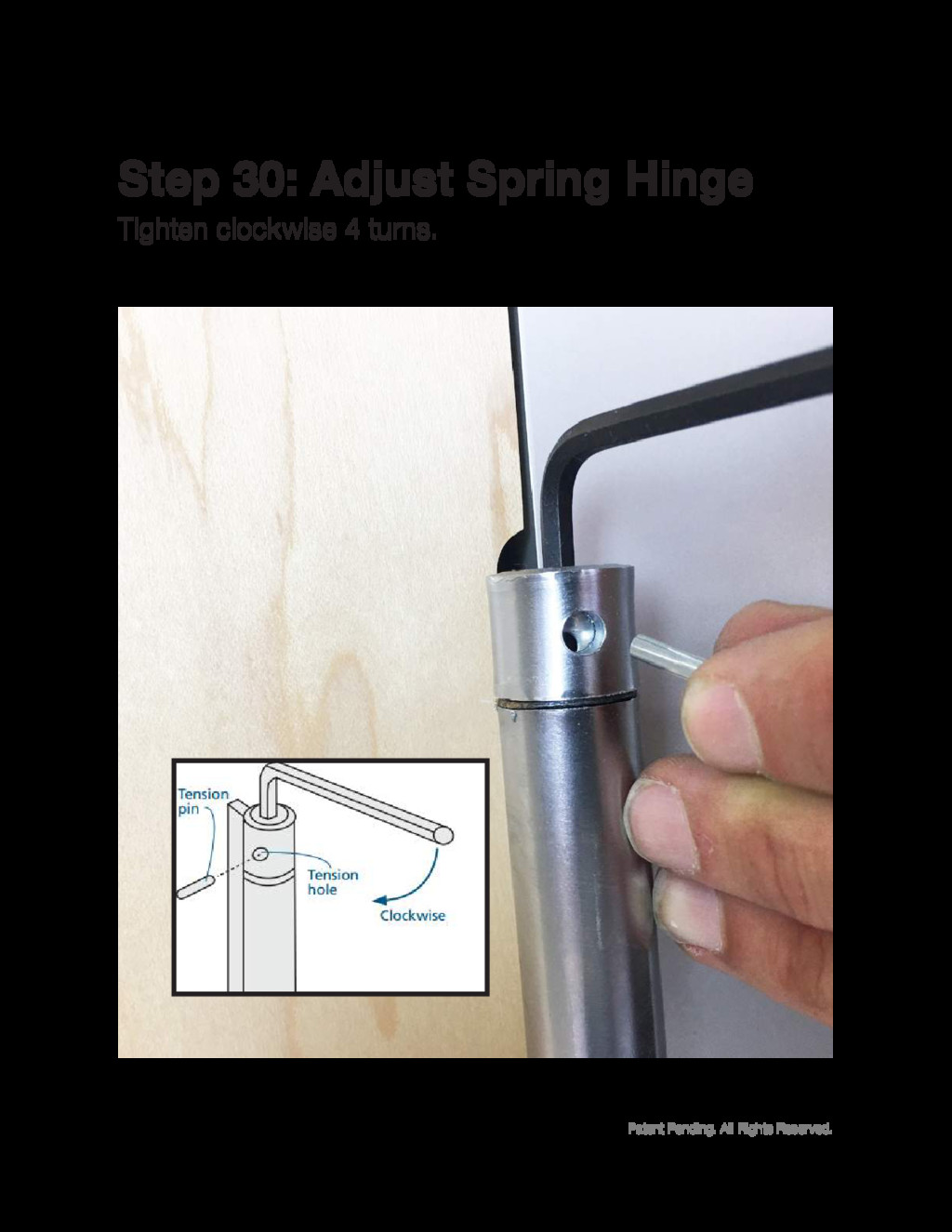
Patent Pending. All Rights Reserved. Tighten clockwise 4 turns. Step
30: Adjust Spring Hinge
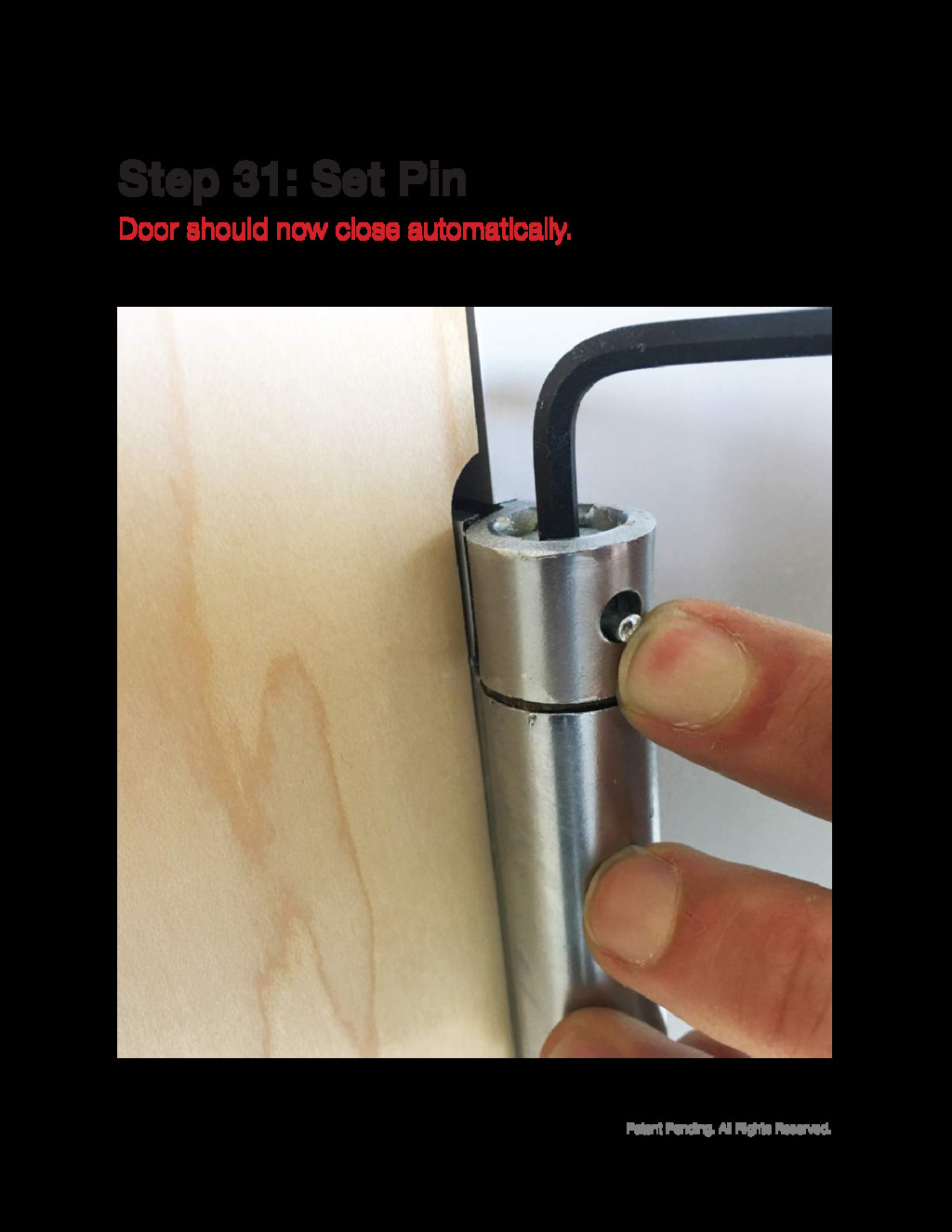
Patent Pending. All Rights Reserved. Door should now close automatically.
Step 31: Set Pin
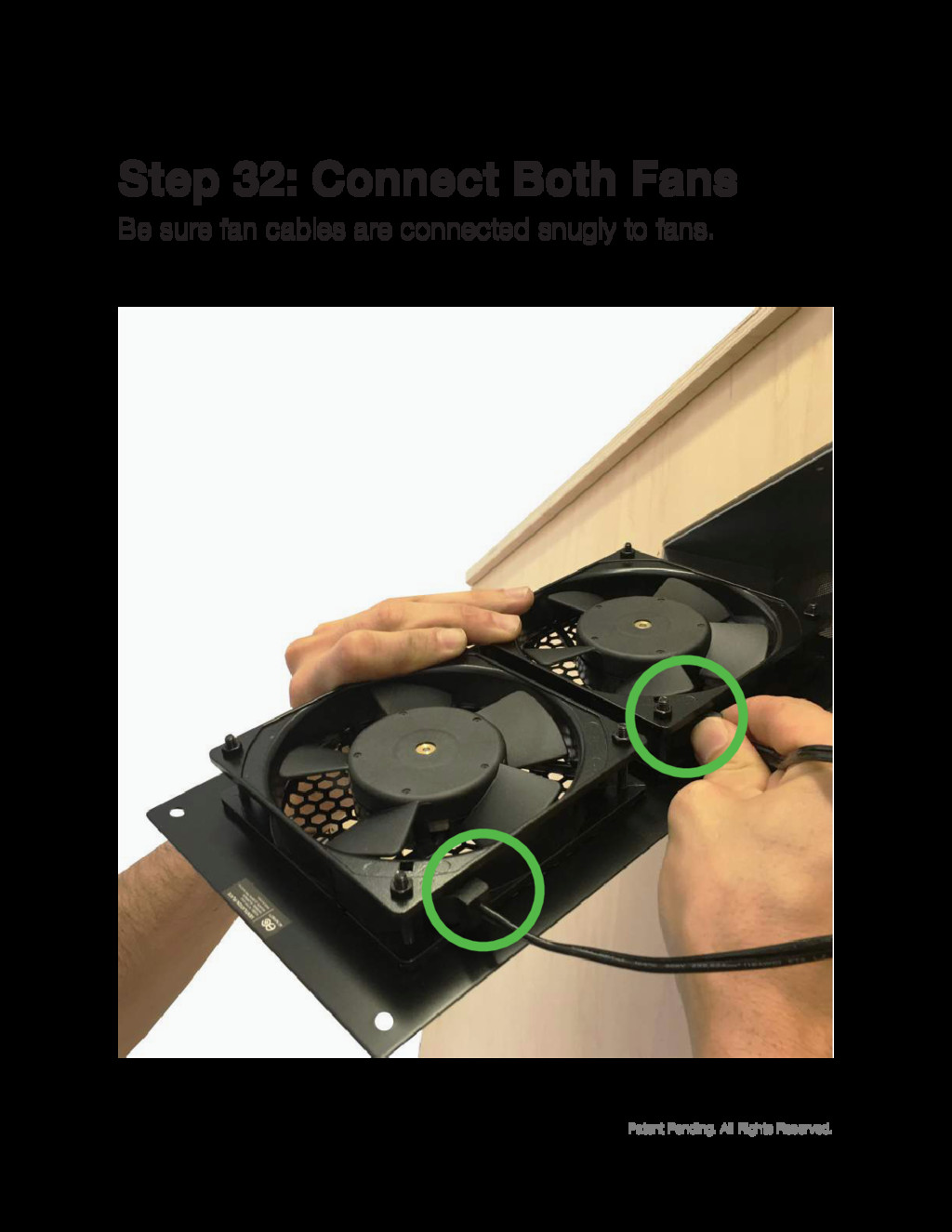
Patent Pending. All Rights Reserved. Be sure fan cables are
connected snugly to fans. Step 32: Connect Both Fans
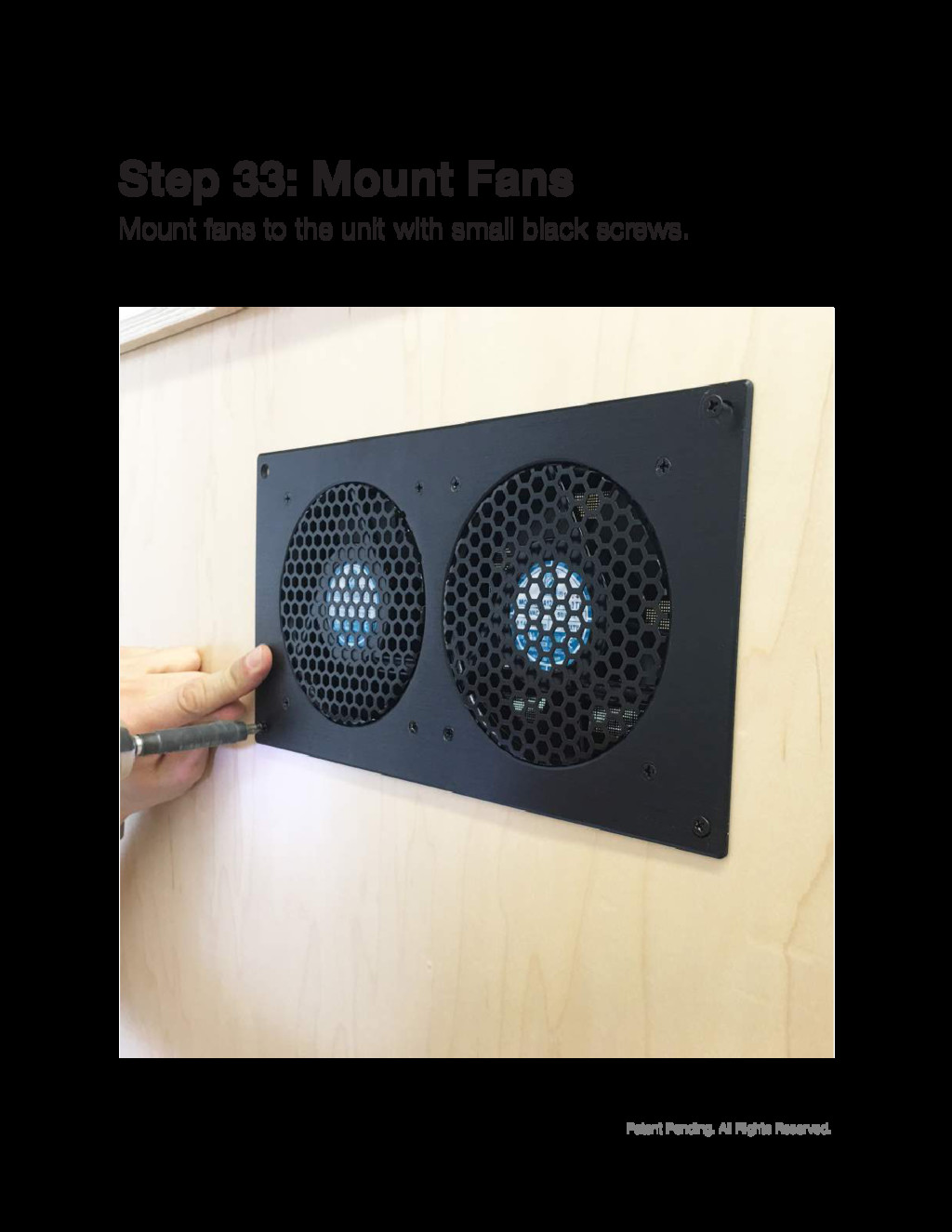
Patent Pending. All Rights Reserved. Mount fans to the unit
with small black screws. Step 33: Mount Fans
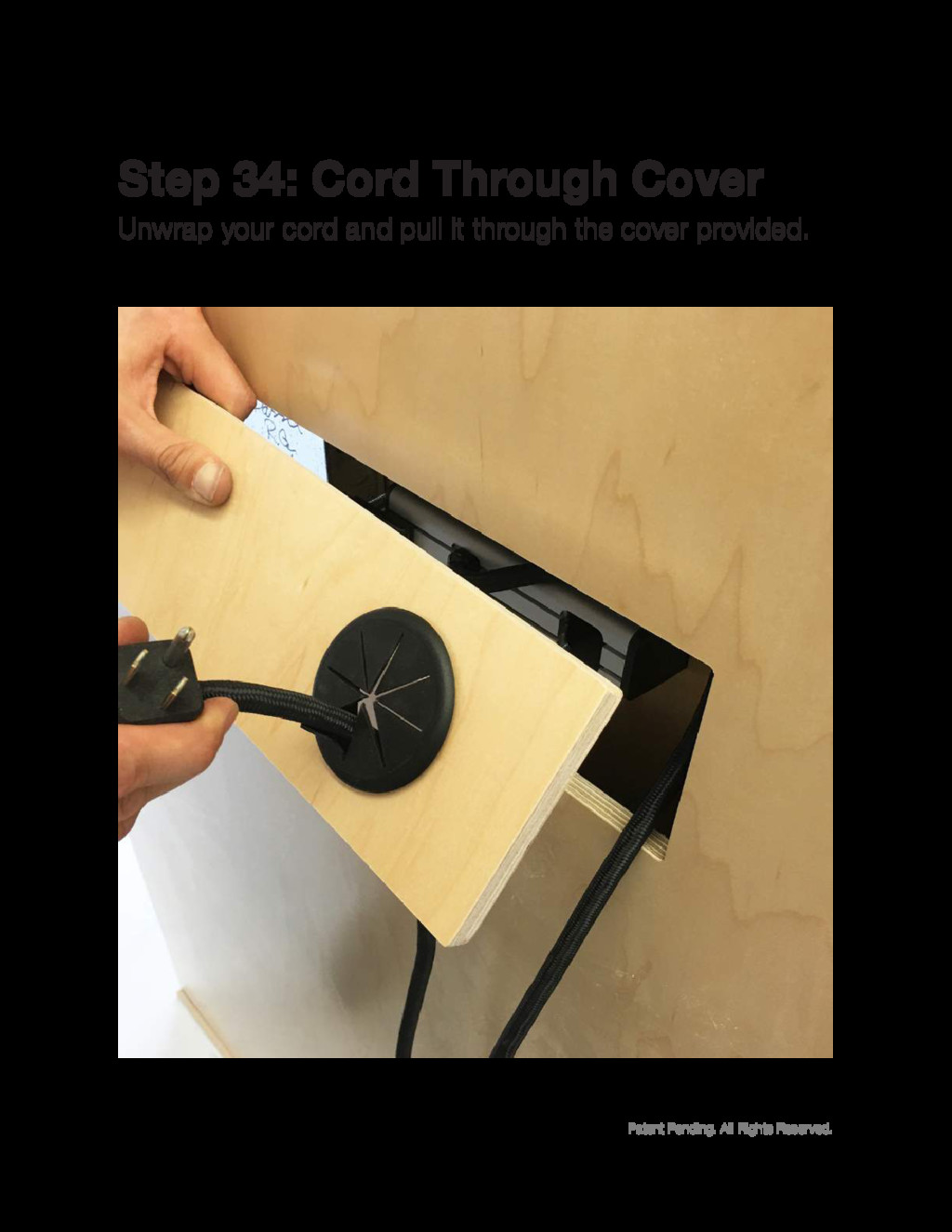
Patent Pending. All Rights Reserved. Unwrap your cord and pull
it through the cover provided. Step 34: Cord Through Cover
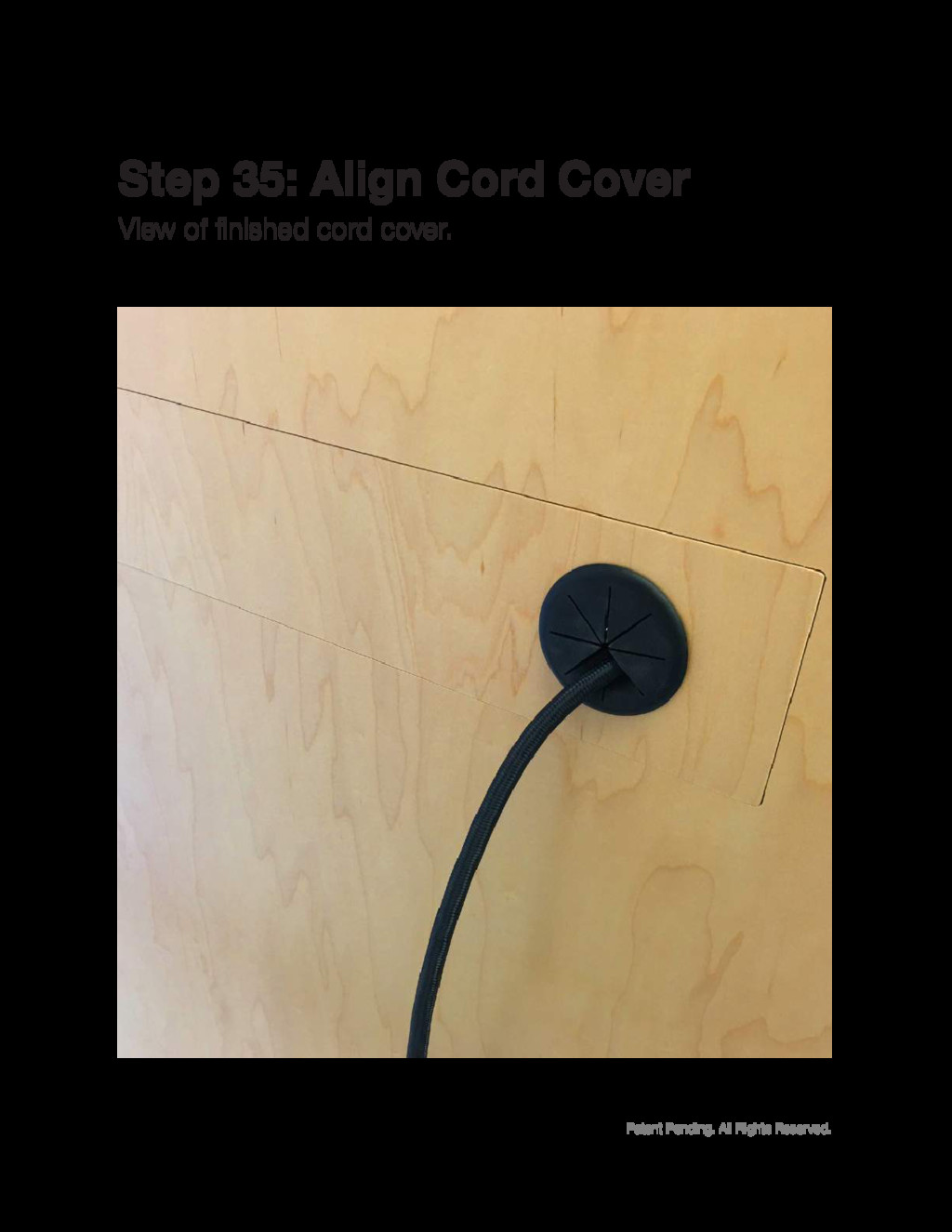
Patent Pending. All Rights Reserved. View of finished cord cover.
Step 35: Align Cord Cover
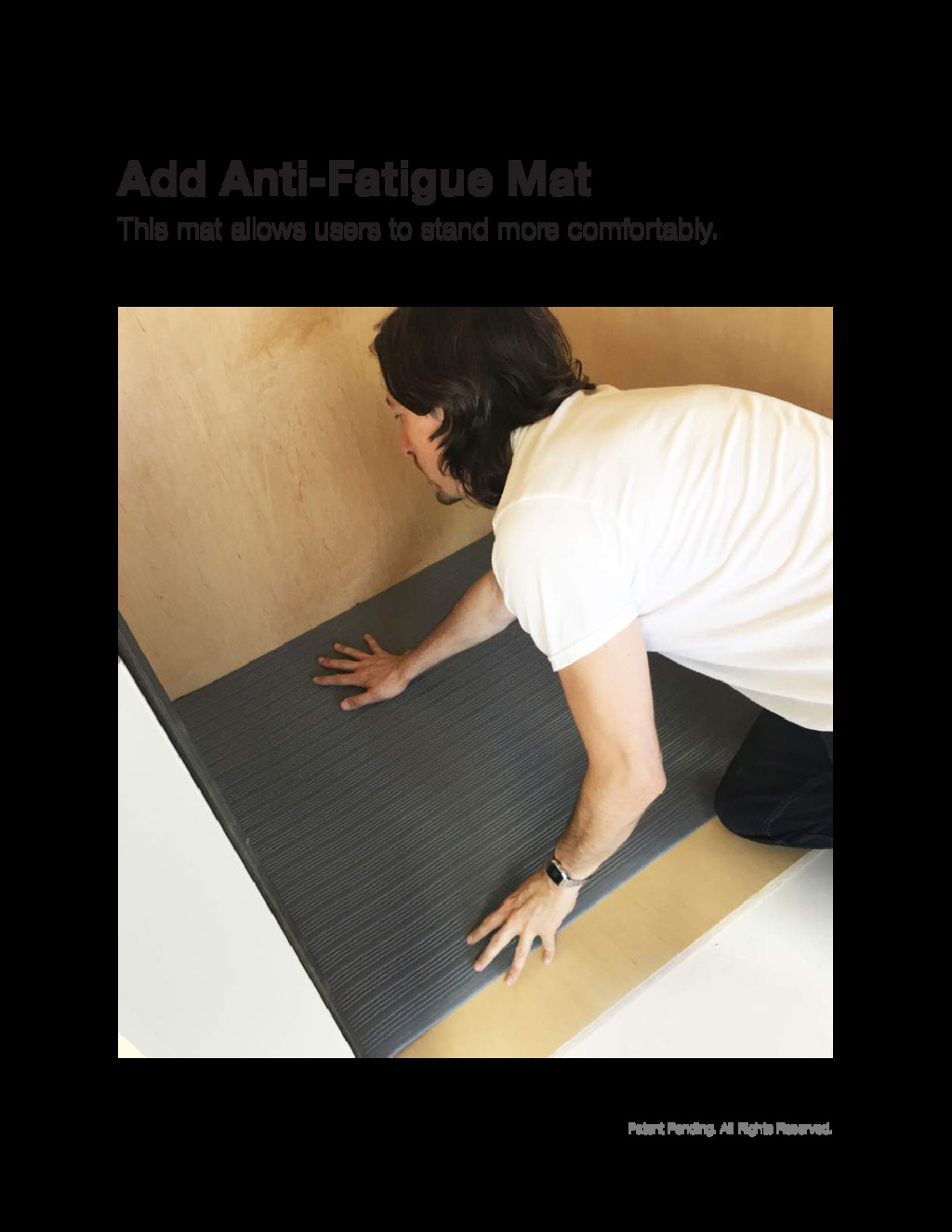
Patent Pending. All Rights Reserved. This mat allows users to
stand more comfortably. Add Anti-Fatigue Mat
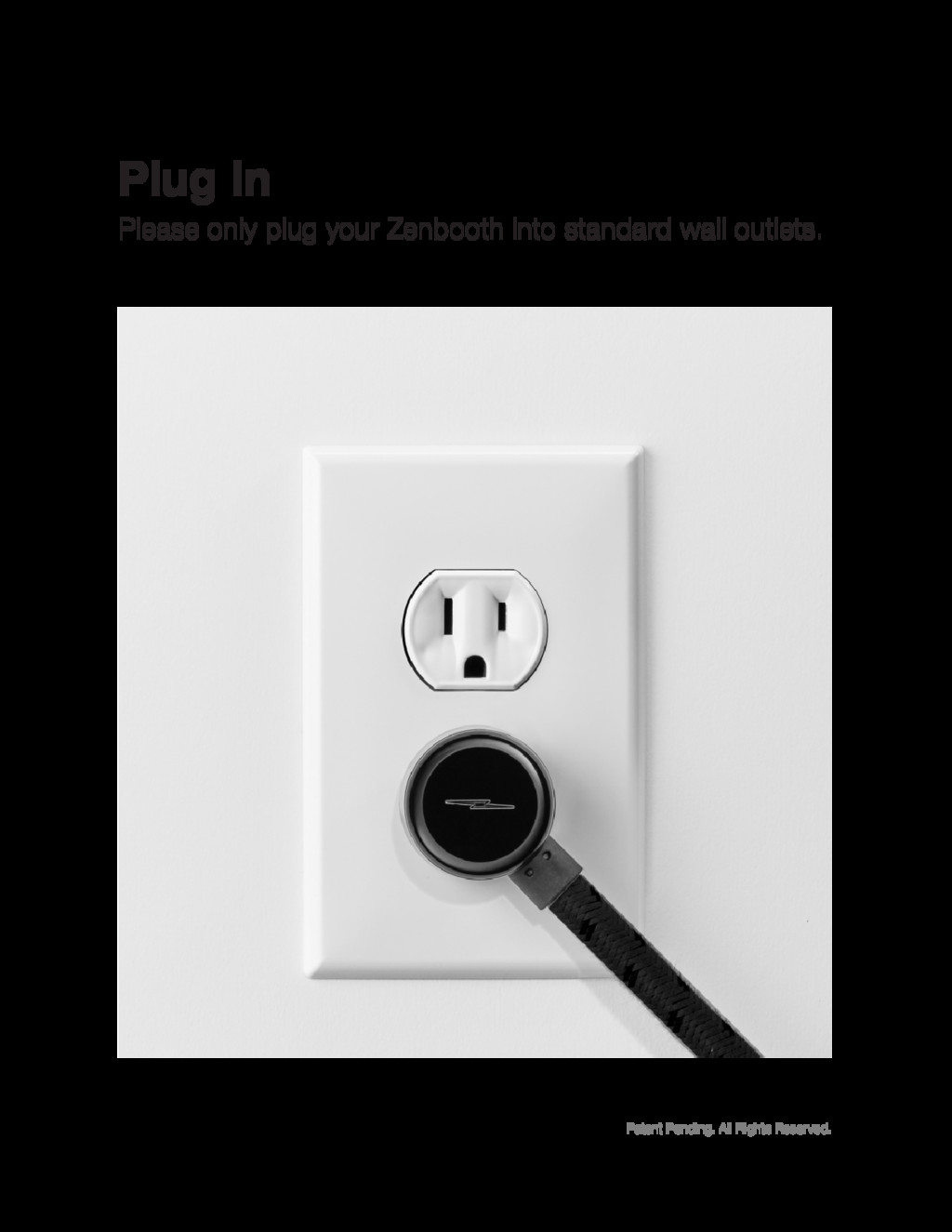
Patent Pending. All Rights Reserved. Please only plug your Zenbooth
into standard wall outlets. Plug In
Patent Pending. All Rights Reserved. Wah-lah! You’ve got yourself a
Zenbooth.


 trallard
 sferik
 aleyda
 tomoyanonymous
 nmsamuel
 skipperchong
 keathley
 baasie
 tapps
tapps
 honzajavorek
 tammyeverts
 kimpetersen