Upgrade to Pro
— share decks privately, control downloads, hide ads and more …
Speaker Deck
Sign up for free
Menu
Search
Features
All features
Private URLs
Password Protection
Custom URLS
Scheduled publishing
Remove Branding
Restrict embedding
Deck Collections
Notes
Features
All features
Private URLs
Password Protection
Custom URLS
Scheduled publishing
Remove Branding
Restrict embedding
Deck Collections
Notes
Explore
Featured decks
Featured speakers
Programming
Technology
Storyboards
Explore
Featured decks
Featured speakers
Programming
Technology
Storyboards
Pricing
Search
Sign in
Sign up for free
Progate_PathにおけるNew_Relic連携と活用事例
Search
Sponsored
·
Your Podcast. Everywhere. Effortlessly.
Share. Educate. Inspire. Entertain. You do you. We'll handle the rest.
→
Naoya Uda
October 08, 2024
110
0
Share
Embed
Copy iframe code
Copy JS code
Copy link
Start on current slide
Progate_PathにおけるNew_Relic連携と活用事例
NRUG (New Relic User Group) 名古屋 Vol.0 の登壇資料です
Naoya Uda
October 08, 2024
Featured
See All Featured
Designing for Performance
lara
612
70k
Why Mistakes Are the Best Teachers: Turning Failure into a Pathway for Growth
auna
0
320
Music & Morning Musume
bryan
48
7.4k
Highjacked: Video Game Concept Design
rkendrick25
PRO
1
480
Build your cross-platform service in a week with App Engine
jlugia
234
19k
Imperfection Machines: The Place of Print at Facebook
scottboms
270
14k
[Rails World 2026] Durable orchestration on Rails: from continuation to workflow
palkan
1
750
エンジニアに許された特別な時間の終わり
watany
109
250k
WENDY [Excerpt]
tessaabrams
14
40k
Max Prin - Stacking Signals: How International SEO Comes Together (And Falls Apart)
techseoconnect
PRO
0
490
Evolving SEO for Evolving Search Engines
ryanjones
0
330
Navigating Team Friction
lara
192
16k
Transcript
Progate PathにおけるNew Relic連携と活用事例 2024/10/04 @NRUG (New Relic User Group) 名古屋
Vol.0 株式会社Progate Path Group ソフトウェアエンジニア 宇多直也
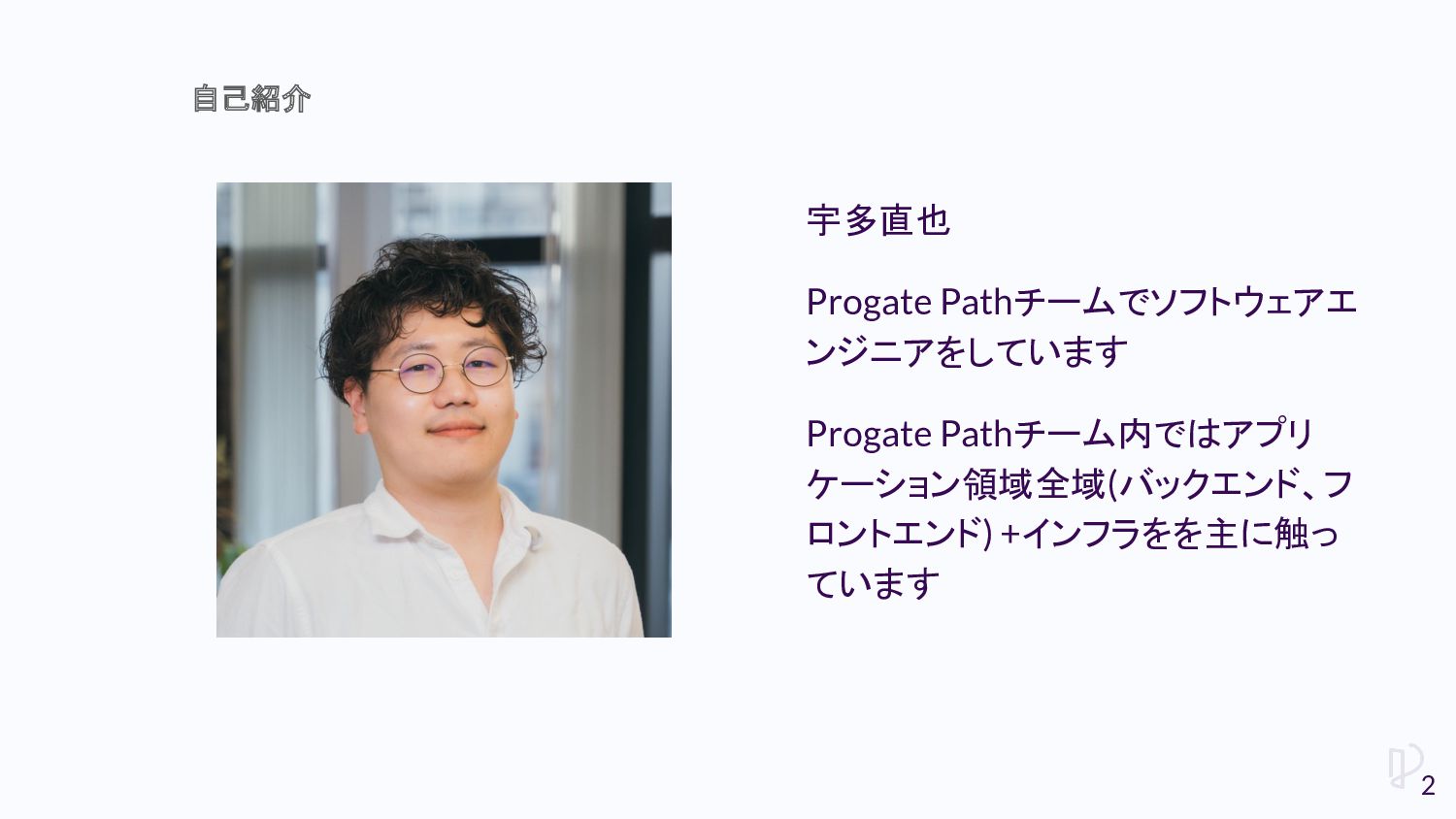
宇多直也 Progate Pathチームでソフトウェアエ ンジニアをしています Progate Pathチーム内ではアプリ ケーション領域全域(バックエンド、フ ロントエンド) +インフラをを主に触っ ています
自己紹介 2
• ProgateとProgate Pathについて • New Relicを用いて実施していること 今日のおしながき 3
ProgateとProgate Pathについて
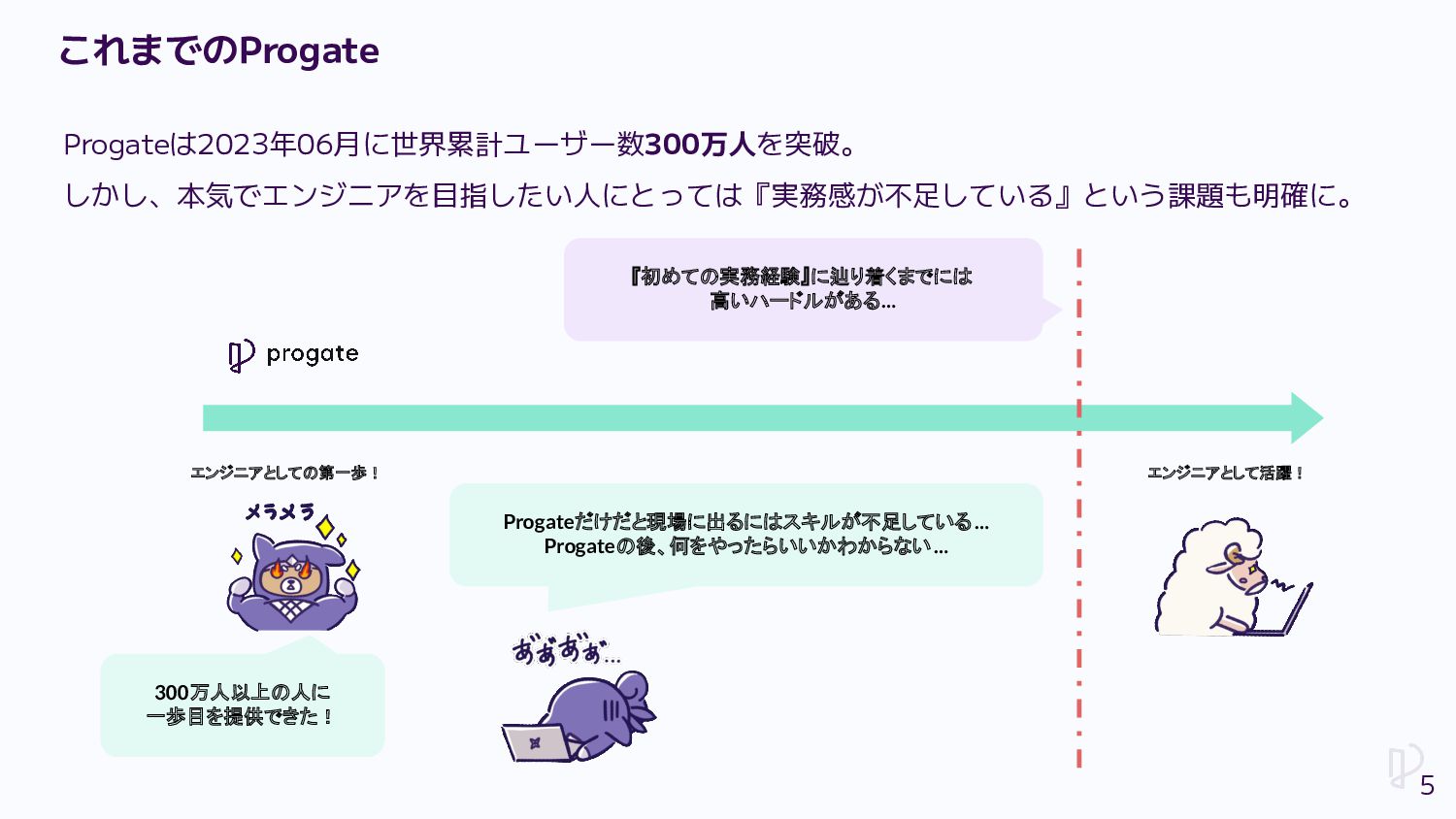
Progateは2023年06月に世界累計ユーザー数300万人を突破。 しかし、本気でエンジニアを目指したい人にとっては『実務感が不足している』という課題も明確に。 エンジニアとしての第一歩! エンジニアとして活躍! Progateだけだと現場に出るにはスキルが不足している … Progateの後、何をやったらいいかわからない… 300万人以上の人に 一歩目を提供できた! 『初めての実務経験』に辿り着くまでには
高いハードルがある… これまでのProgate 5
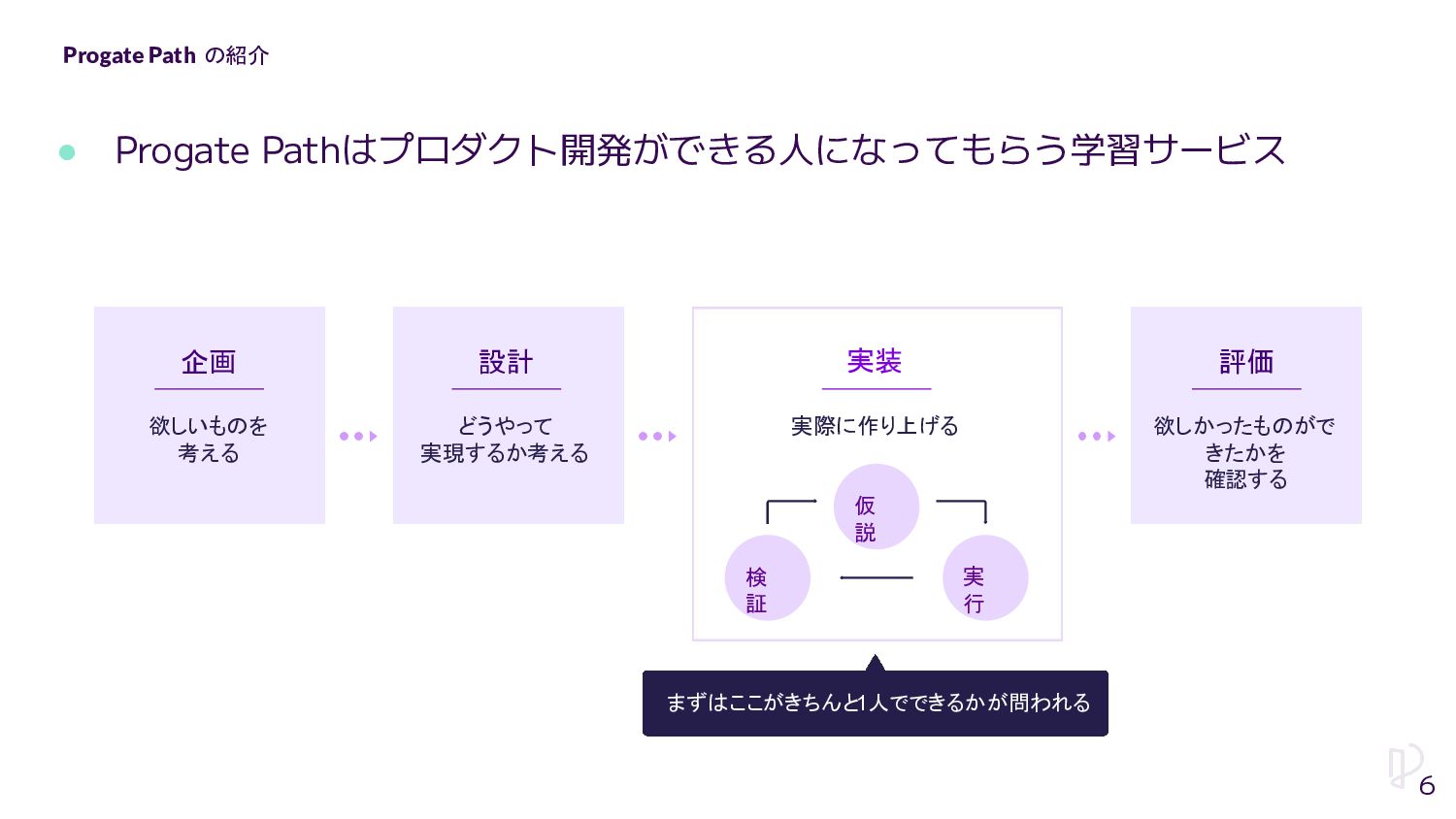
Progate Path の紹介 6 • Progate Pathはプロダクト開発ができる人になってもらう学習サービス 実装 企画 設計
実際に作り上げる 評価 まずはここがきちんと1人でできるかが問われる 仮 説 実 行 検 証 どうやって 実現するか考える 欲しいものを 考える 欲しかったものがで きたかを 確認する
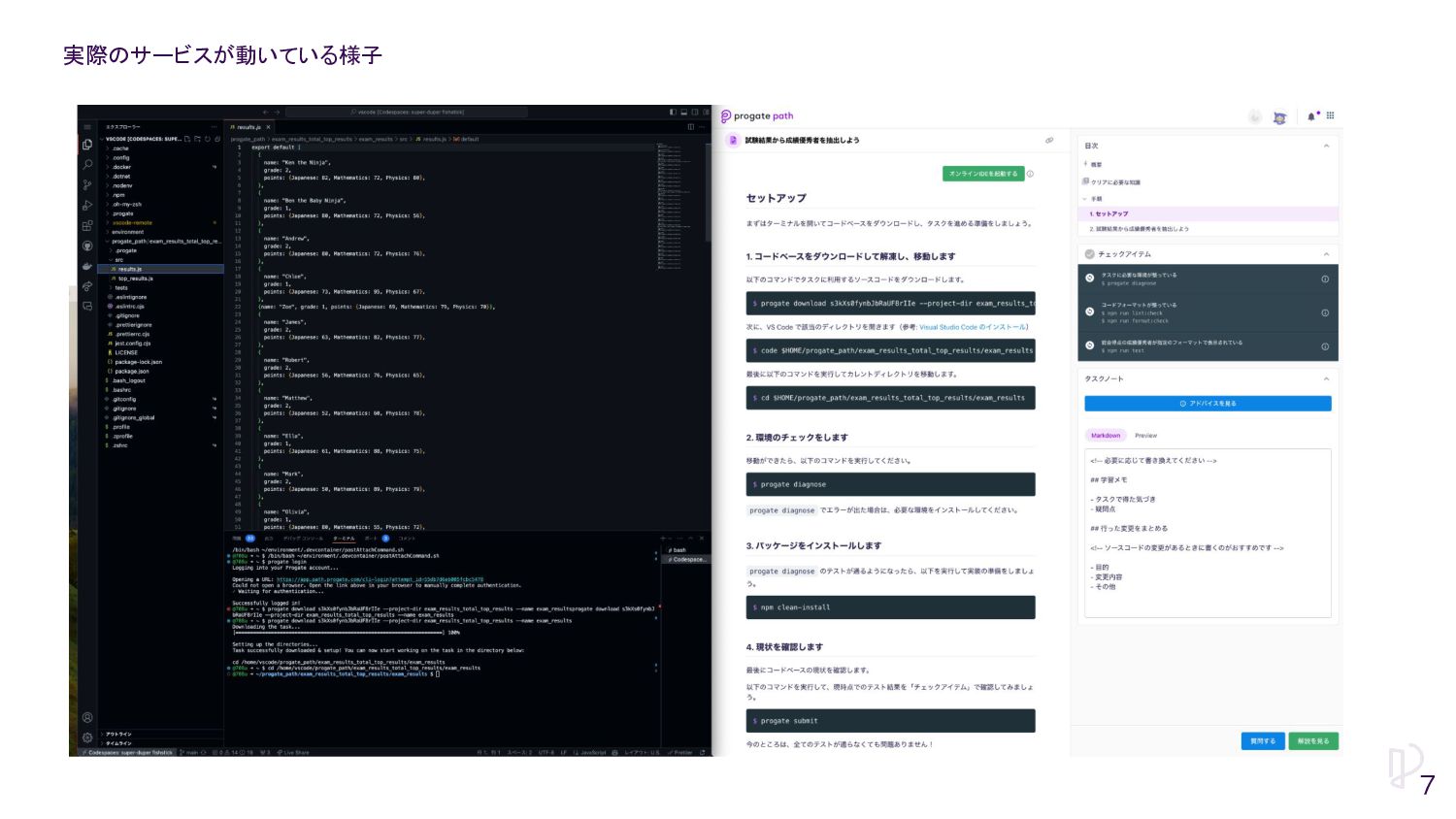
実際のサービスが動いている様子 7
• メンバー ◦ エンジニア 2人 ▪ ふたりともバックエンドメインで、フロントエンドなどは何とか頑張っている ◦ 他ロールのメンバー =インフラメインで面倒を見ている人はいない
Pathチームのメンバー構成 8
• 新規事業のため、アプリケーションの新規開発を優先したい • インフラの改善等にたくさん人をアサインしたり時間が掛けられるわけではない • ただ、クリティカルなエラーや性能劣化は正しく観測できるようにしたい • New Relicを用いてアプリケーション全域を観測し、上記の問題が発生したときに適 切に解決/改善できるようにしている
Path内でのNew Relicの活用方針 9
New Relicを用いて実施していること 10
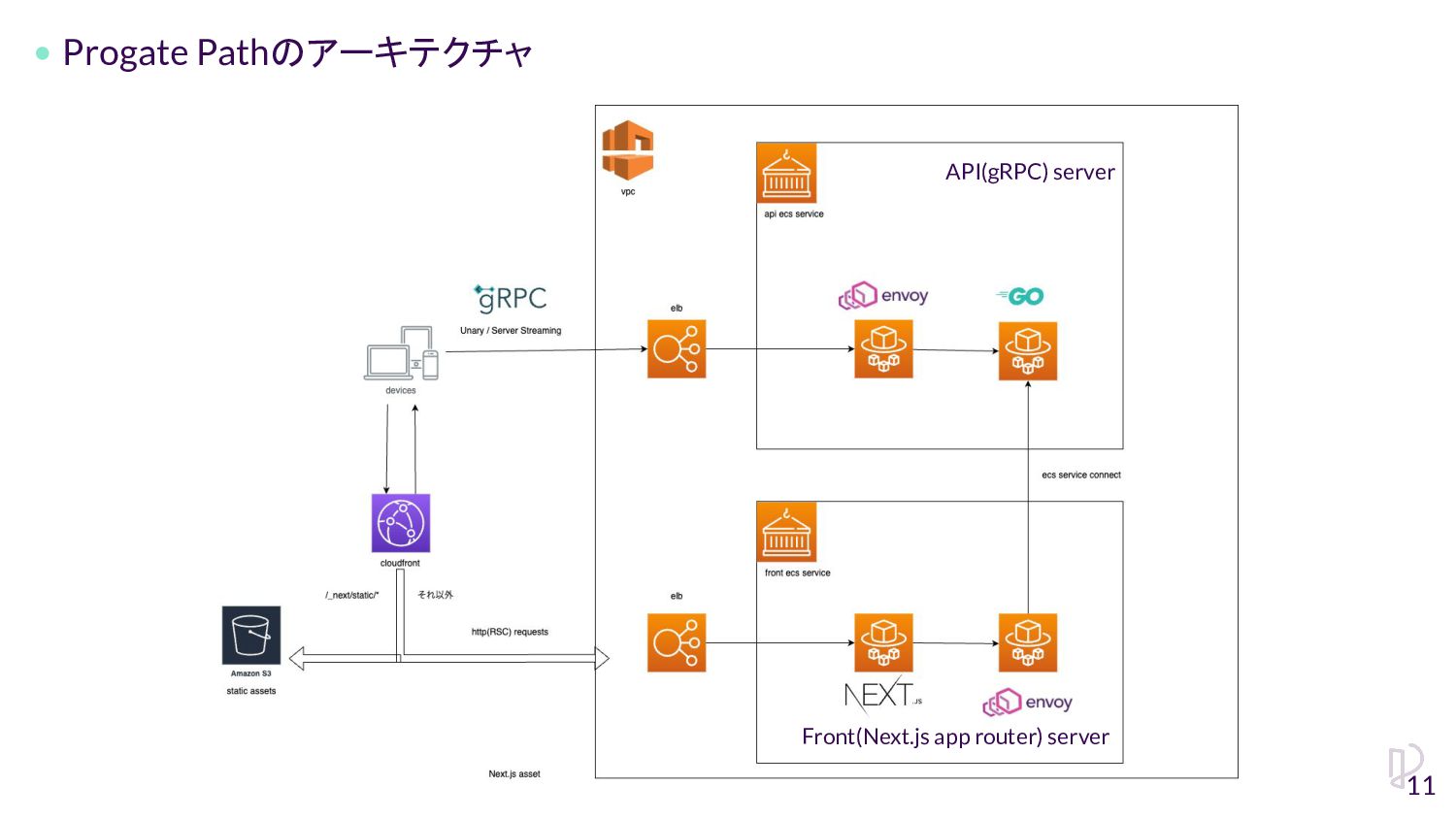
Progate Pathのアーキテクチャ 11 API(gRPC) server Front(Next.js app router) server
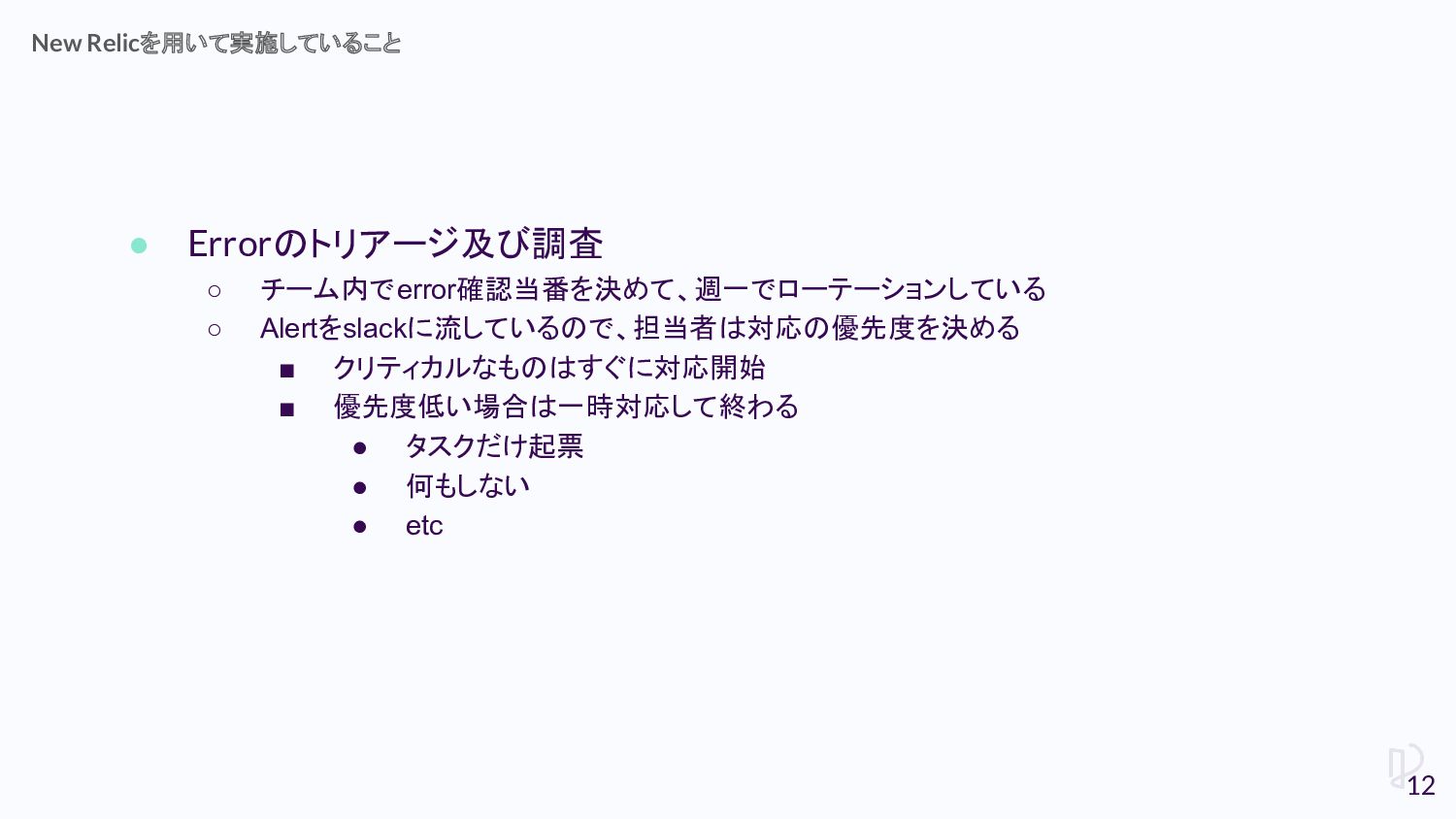
• Errorのトリアージ及び調査 ◦ チーム内でerror確認当番を決めて、週一でローテーションしている ◦ Alertをslackに流しているので、担当者は対応の優先度を決める ▪ クリティカルなものはすぐに対応開始 ▪ 優先度低い場合は一時対応して終わる
• タスクだけ起票 • 何もしない • etc New Relicを用いて実施していること 12
• Transaction • Logs In Context • Session Replay Error調査時に役立っているもの
13
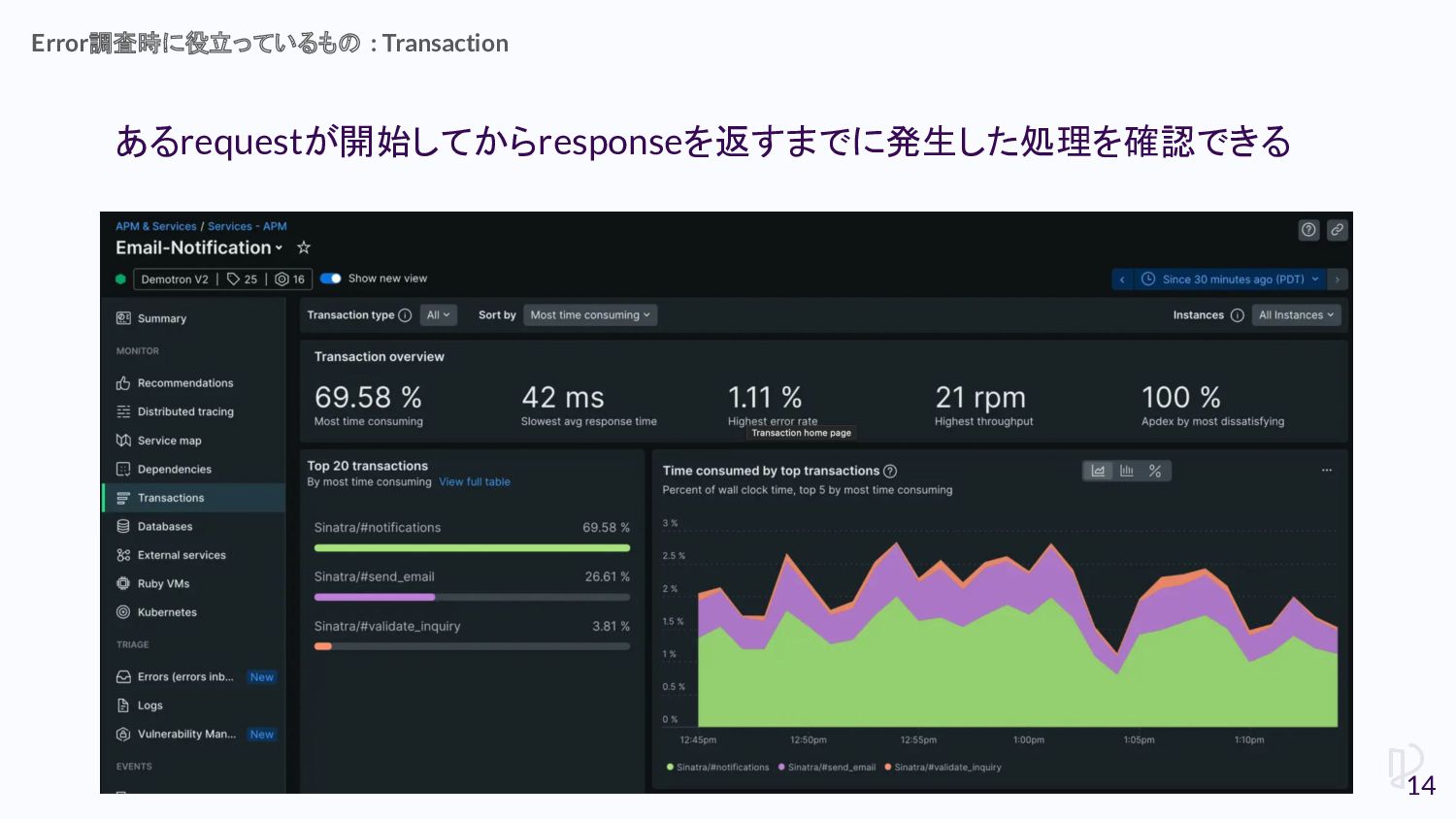
あるrequestが開始してからresponseを返すまでに発生した処理を確認できる Error調査時に役立っているもの : Transaction 14
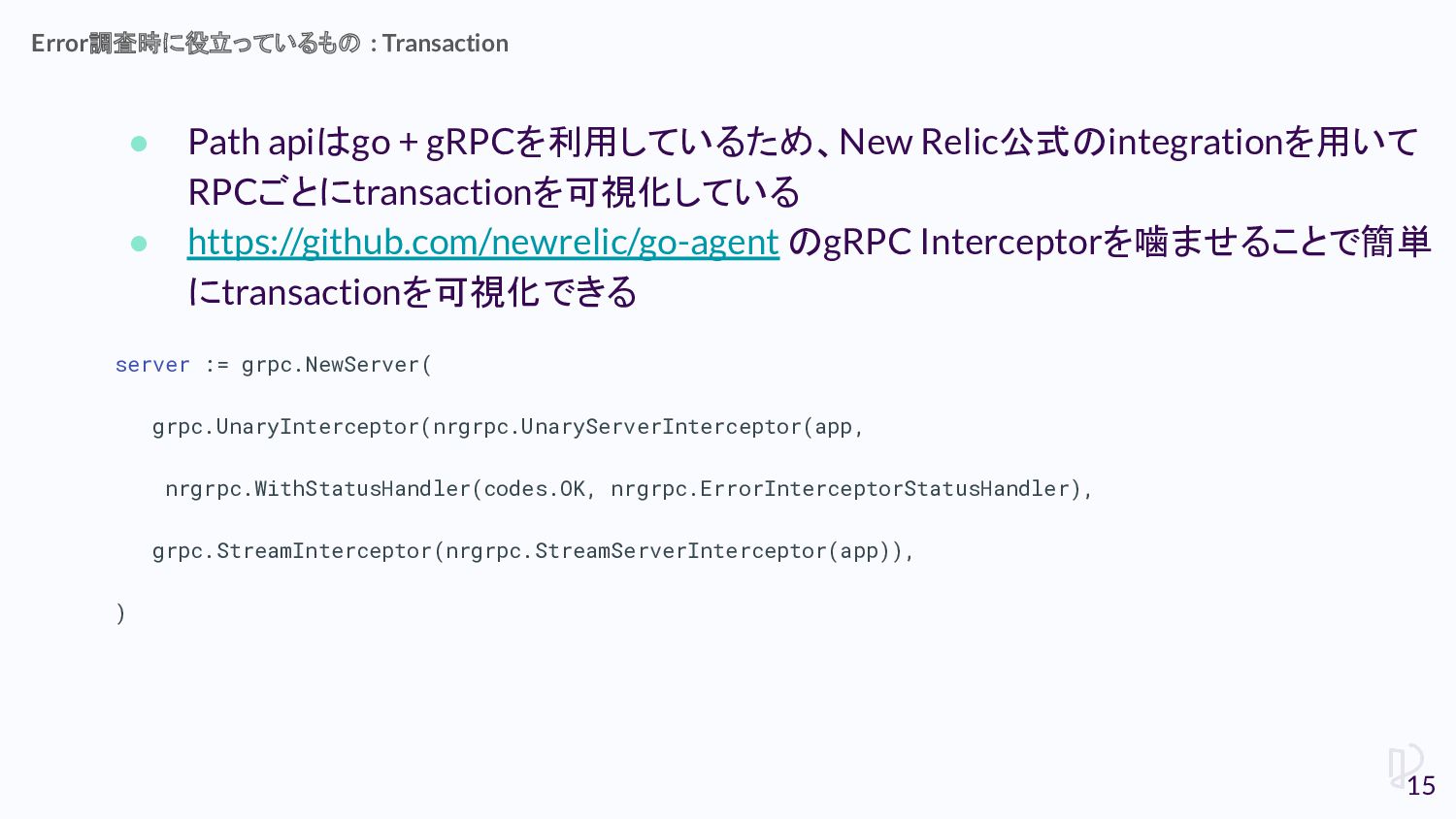
• Path apiはgo + gRPCを利用しているため、New Relic公式のintegrationを用いて RPCごとにtransactionを可視化している • https://github.com/newrelic/go-agent のgRPC
Interceptorを噛ませることで簡単 にtransactionを可視化できる server := grpc.NewServer( grpc.UnaryInterceptor(nrgrpc.UnaryServerInterceptor(app, nrgrpc.WithStatusHandler(codes.OK, nrgrpc.ErrorInterceptorStatusHandler), grpc.StreamInterceptor(nrgrpc.StreamServerInterceptor(app)), ) Error調査時に役立っているもの : Transaction 15
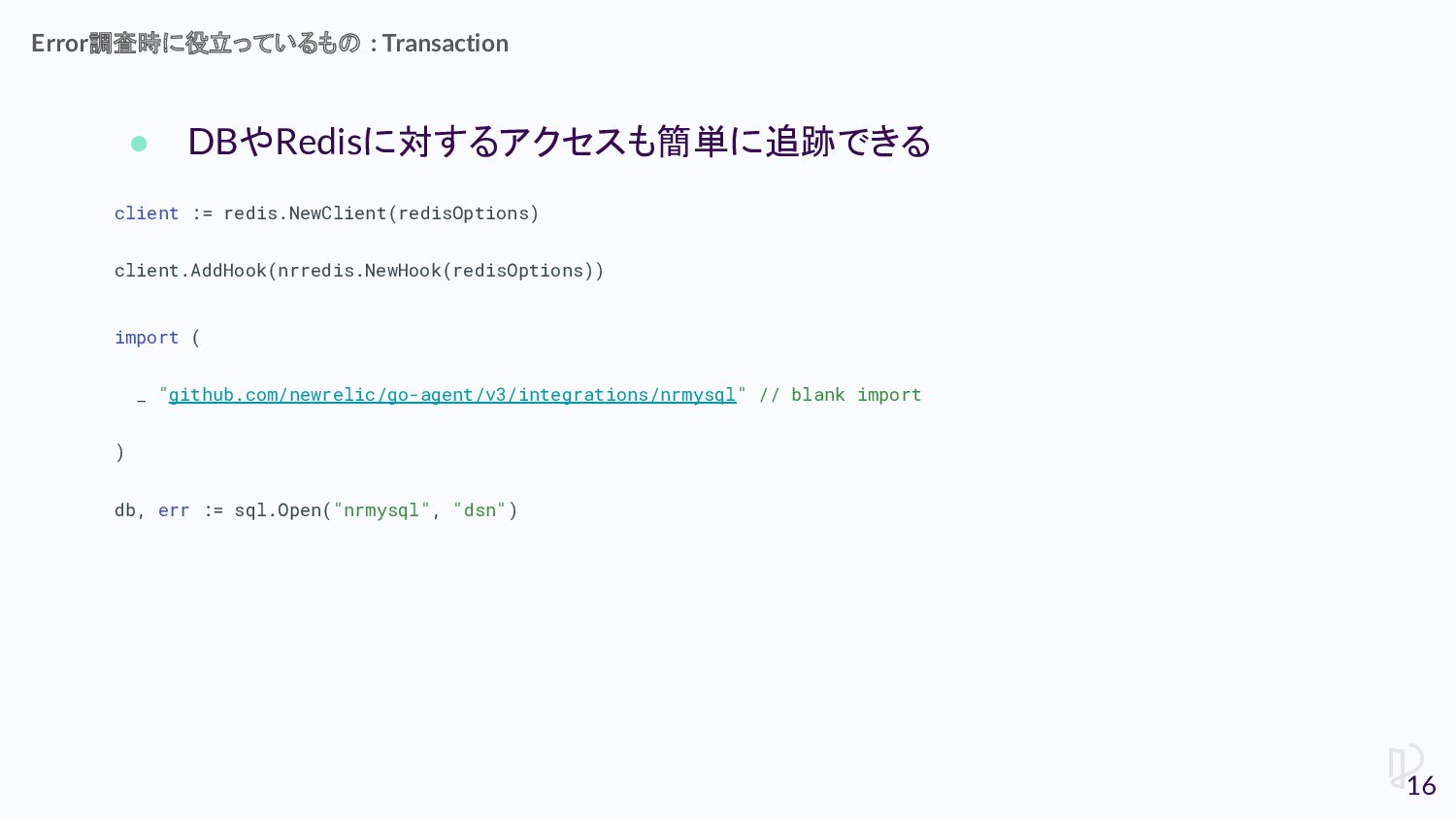
• DBやRedisに対するアクセスも簡単に追跡できる client := redis.NewClient(redisOptions) client.AddHook(nrredis.NewHook(redisOptions)) import ( _ "github.com/newrelic/go-agent/v3/integrations/nrmysql"
// blank import ) db, err := sql.Open("nrmysql", "dsn") Error調査時に役立っているもの : Transaction 16
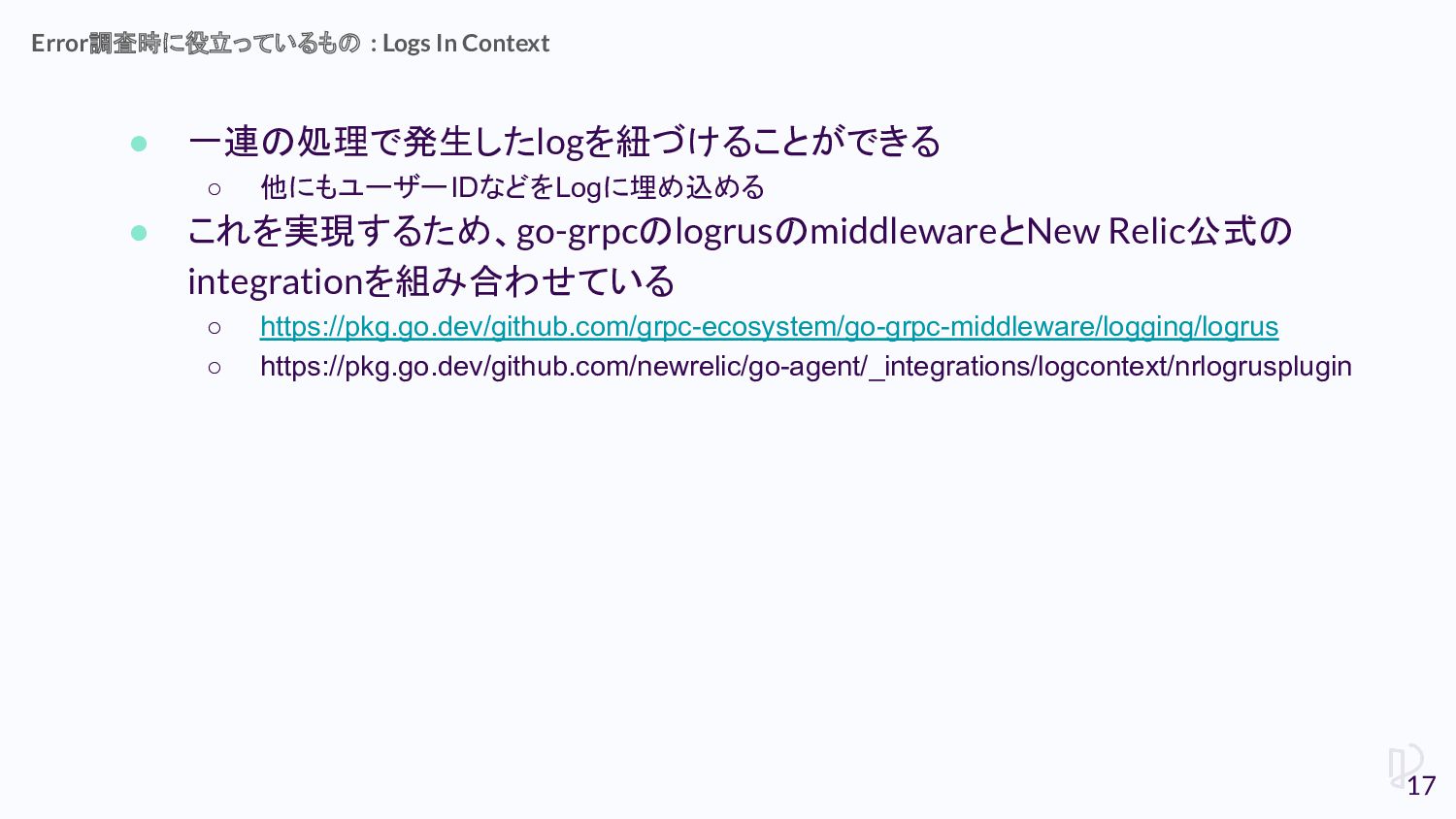
• 一連の処理で発生したlogを紐づけることができる ◦ 他にもユーザーIDなどをLogに埋め込める • これを実現するため、go-grpcのlogrusのmiddlewareとNew Relic公式の integrationを組み合わせている ◦ https://pkg.go.dev/github.com/grpc-ecosystem/go-grpc-middleware/logging/logrus
◦ https://pkg.go.dev/github.com/newrelic/go-agent/_integrations/logcontext/nrlogrusplugin Error調査時に役立っているもの : Logs In Context 17
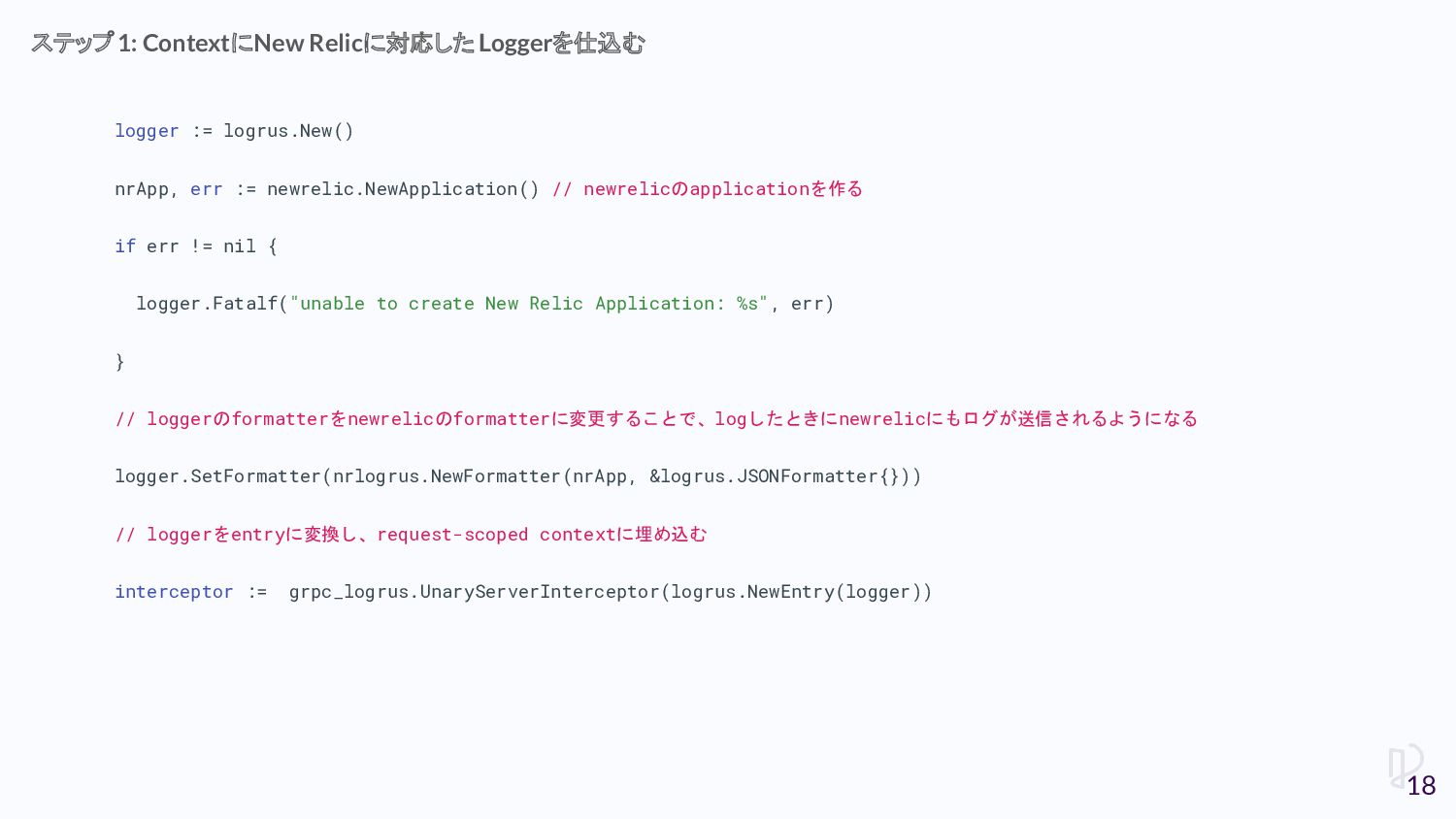
logger := logrus.New() nrApp, err := newrelic.NewApplication() // newrelicのapplicationを作る if
err != nil { logger.Fatalf("unable to create New Relic Application: %s", err) } // loggerのformatterをnewrelicのformatterに変更することで、logしたときにnewrelicにもログが送信されるようになる logger.SetFormatter(nrlogrus.NewFormatter(nrApp, &logrus.JSONFormatter{})) // loggerをentryに変換し、request-scoped contextに埋め込む interceptor := grpc_logrus.UnaryServerInterceptor(logrus.NewEntry(logger)) ステップ1: ContextにNew Relicに対応した Loggerを仕込む 18
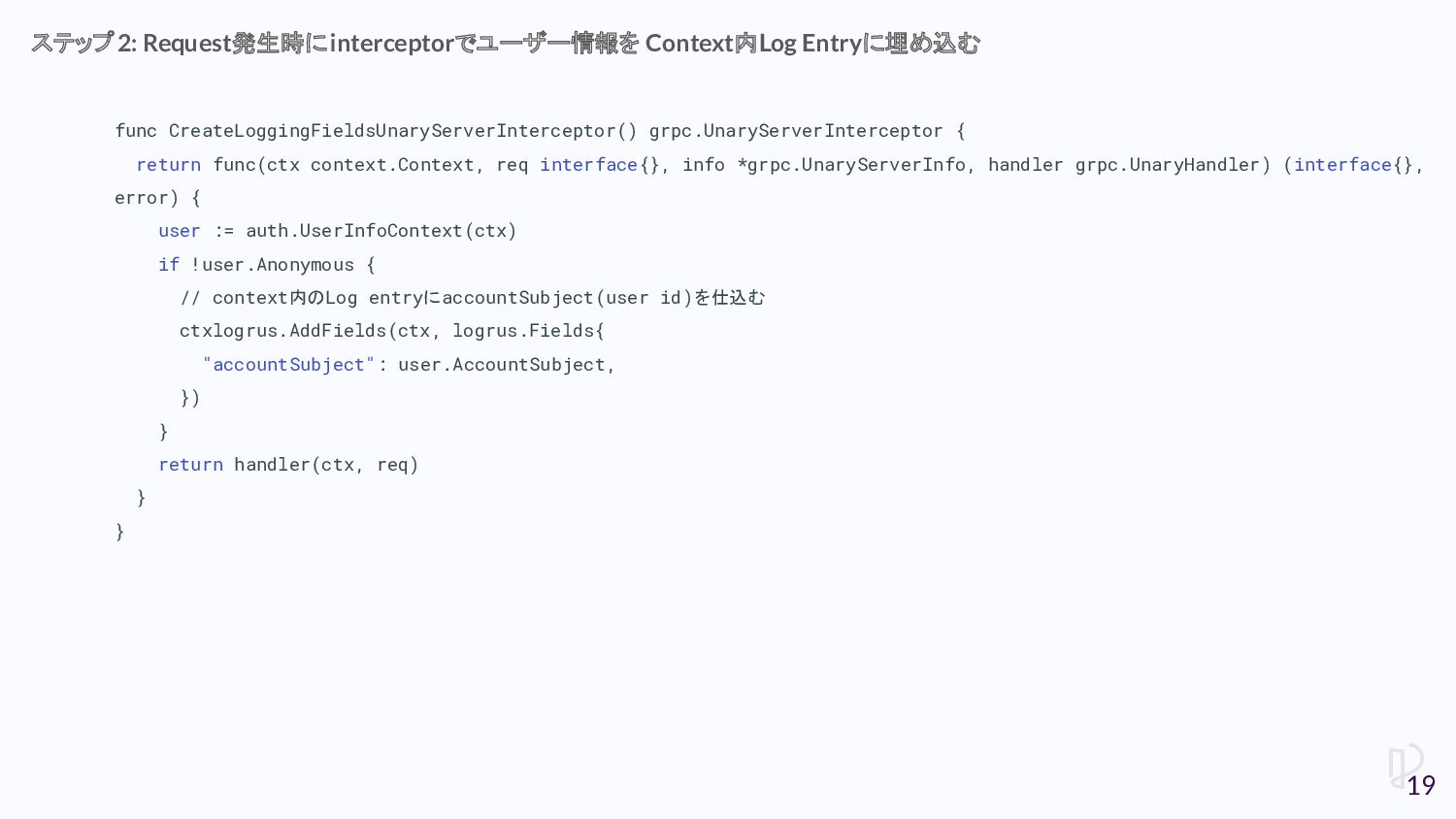
func CreateLoggingFieldsUnaryServerInterceptor() grpc.UnaryServerInterceptor { return func(ctx context.Context, req interface{}, info
*grpc.UnaryServerInfo, handler grpc.UnaryHandler) (interface{}, error) { user := auth.UserInfoContext(ctx) if !user.Anonymous { // context内のLog entryにaccountSubject(user id)を仕込む ctxlogrus.AddFields(ctx, logrus.Fields{ "accountSubject": user.AccountSubject, }) } return handler(ctx, req) } } ステップ2: Request発生時にinterceptorでユーザー情報を Context内Log Entryに埋め込む 19
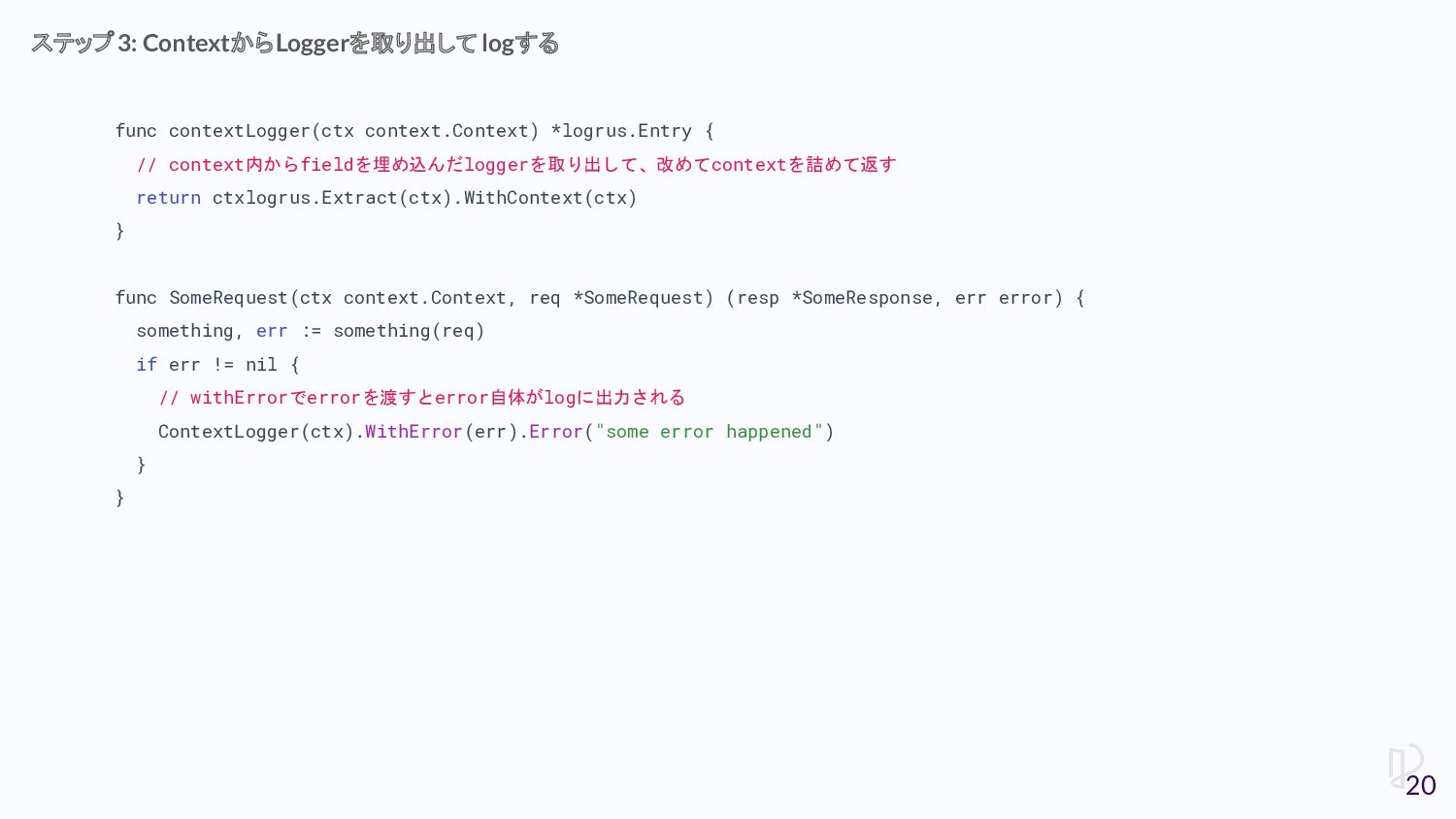
func contextLogger(ctx context.Context) *logrus.Entry { // context内からfieldを埋め込んだloggerを取り出して、改めてcontextを詰めて返す return ctxlogrus.Extract(ctx).WithContext(ctx) }
func SomeRequest(ctx context.Context, req *SomeRequest) (resp *SomeResponse, err error) { something, err := something(req) if err != nil { // withErrorでerrorを渡すとerror自体がlogに出力される ContextLogger(ctx).WithError(err).Error("some error happened") } } ステップ3: ContextからLoggerを取り出して logする 20
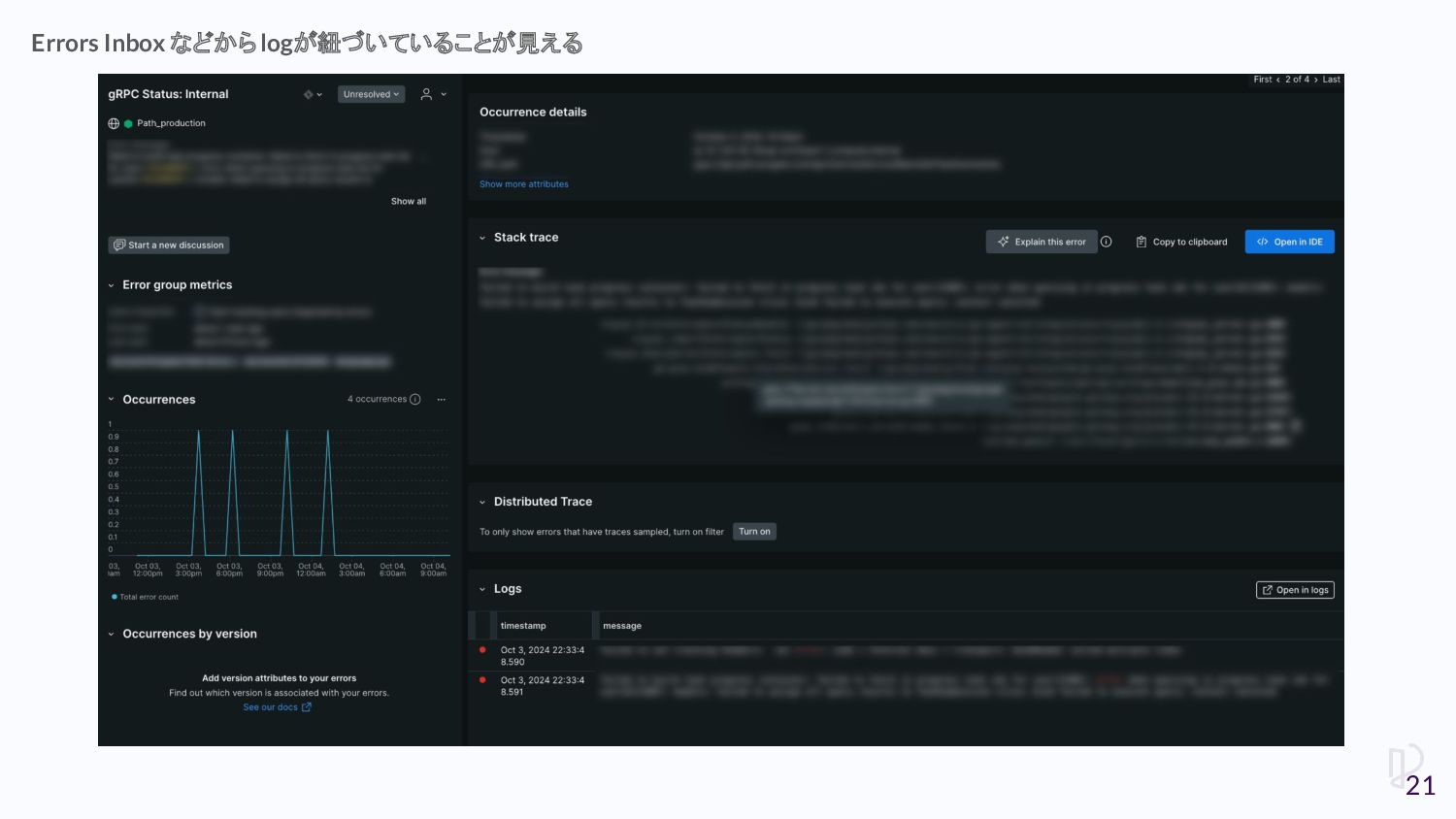
Errors Inbox などからlogが紐づいていることが見える 21
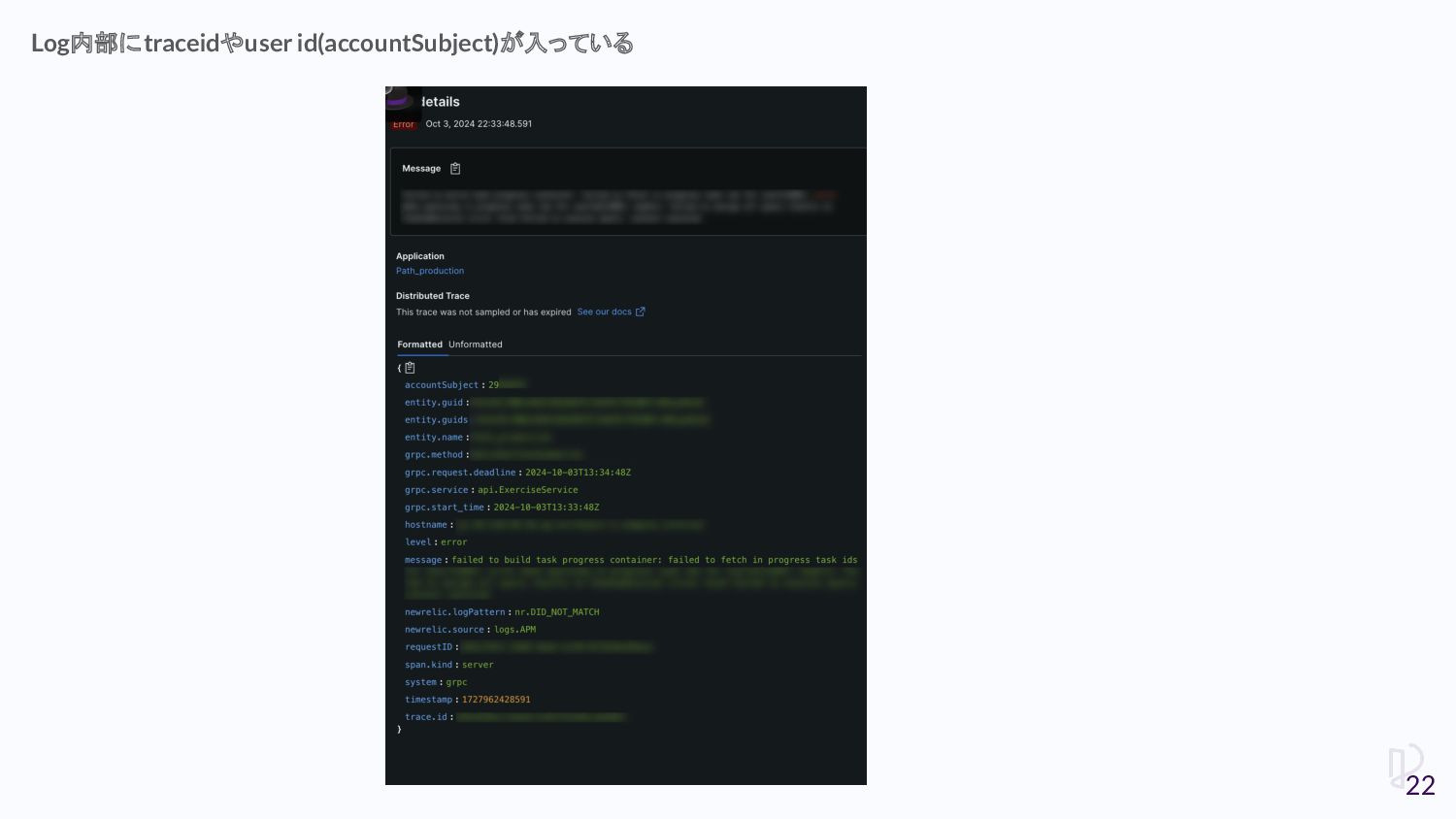
Log内部にtraceidやuser id(accountSubject)が入っている 22
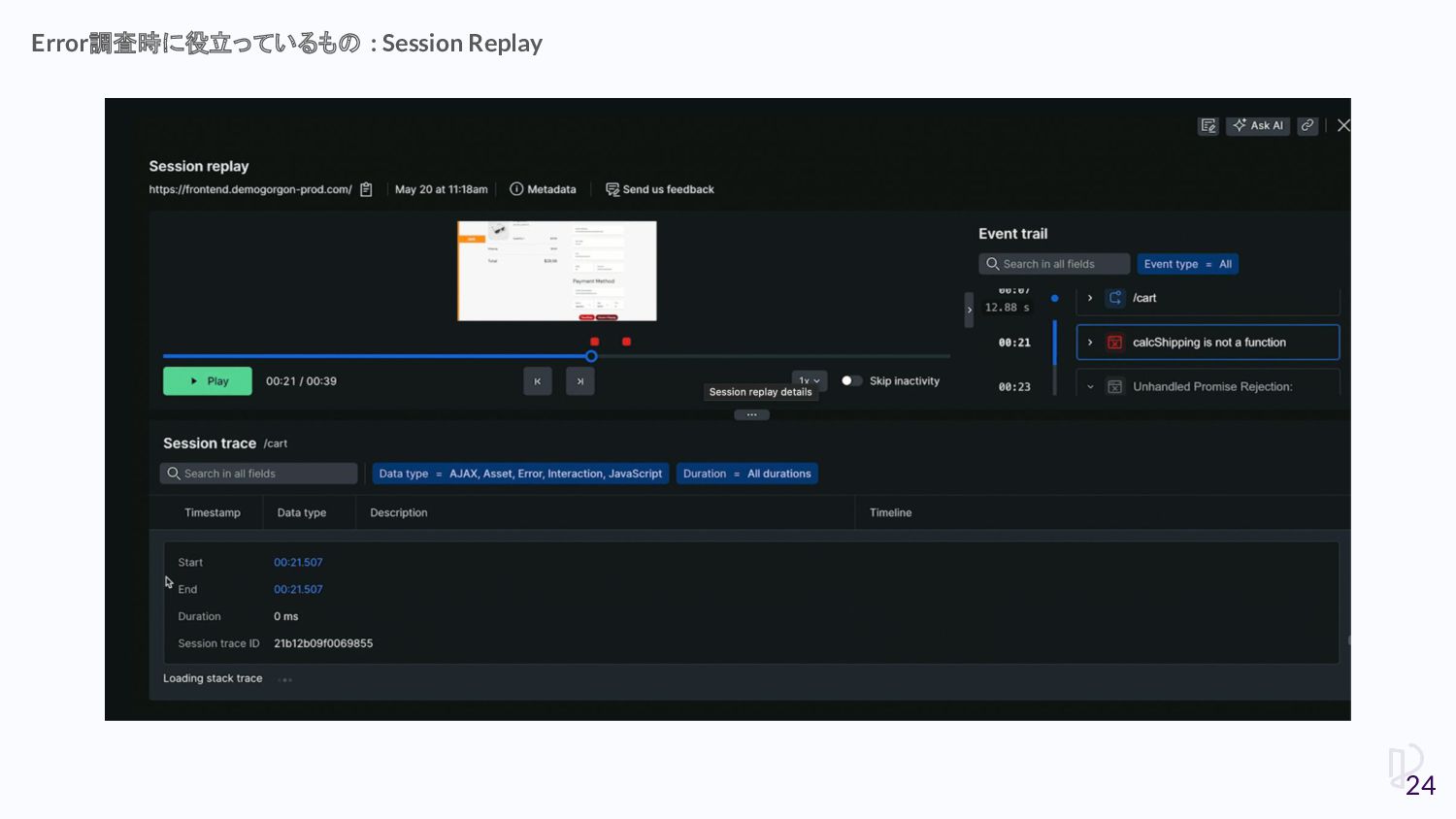
• frontendでerrorが発生したときに、ユーザーさんのintaractionの一部始終を録画 することができる • 録画をみることでどのような操作でerrorになったかより把握しやすくなる Error調査時に役立っているもの : Session Replay 23
Error調査時に役立っているもの : Session Replay 24
• Path frontendはSPA Pro agentを利用している • New Relicのapplication設定画面でSession Replayの有効化を設定して、sinippet をCopyすることで利用できる
Session Replayの有効化 25
• Synthetic Monitoringによる外形監視 • やっていること ◦ シンプルなpingによるhealthcheck ◦ サービスに対するログインができるかチェック ▪
JavaScriptでコードを書ける ▪ WebDriver + seleniumを使ったブラウザ操作を書いて動かしている New Relicを用いて実施していること 26
await $webDriver.get('https://app.path.progate.com') const email = await $webDriver.findElement($selenium.By.css('input[type="email"]')) await email.sendKeys('
[email protected]
') const
password = await $webDriver.findElement($selenium.By.css('input[type="password"]')) await password.sendKeys('password') const submitButton = await $webDriver.findElement($selenium.By.css('button[type="submit"]') await submitButton.click() await $webDriver.wait($selenium.until.urlIs('https://app.path.progate.com/dashboard')) JavaScriptで動作を書ける 27
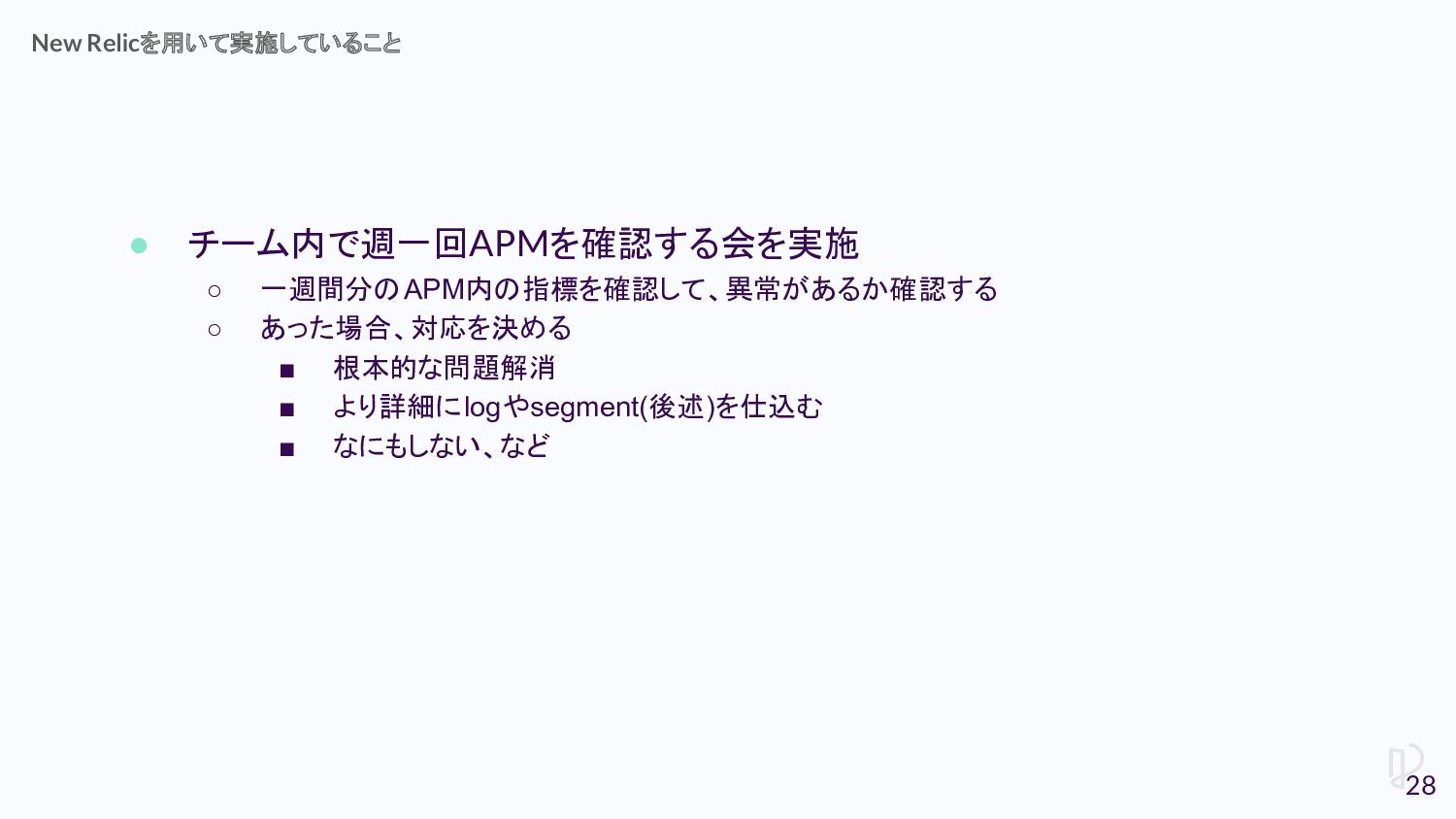
• チーム内で週一回APMを確認する会を実施 ◦ 一週間分のAPM内の指標を確認して、異常があるか確認する ◦ あった場合、対応を決める ▪ 根本的な問題解消 ▪ より詳細にlogやsegment(後述)を仕込む
▪ なにもしない、など New Relicを用いて実施していること 28
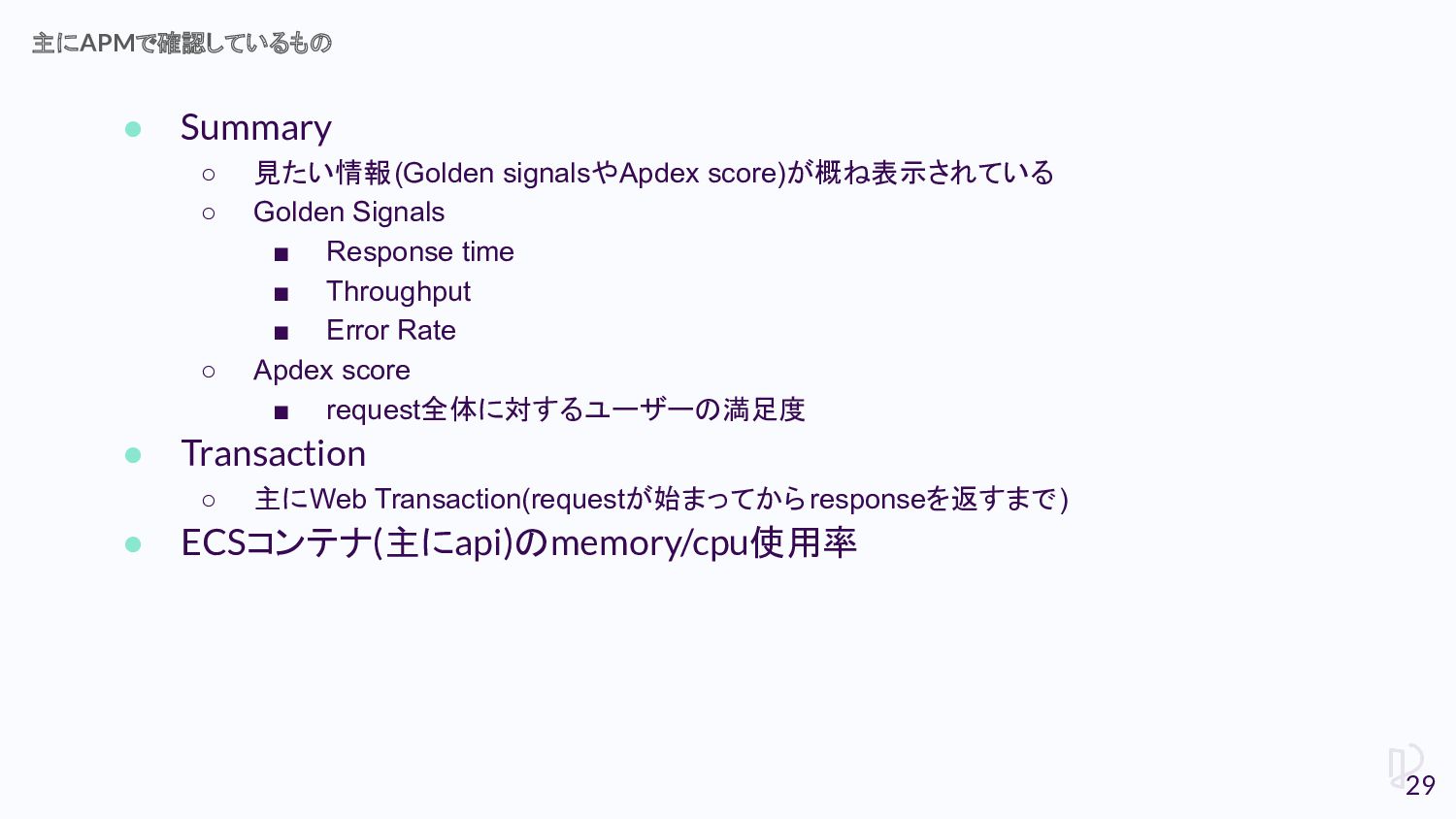
• Summary ◦ 見たい情報(Golden signalsやApdex score)が概ね表示されている ◦ Golden Signals ▪
Response time ▪ Throughput ▪ Error Rate ◦ Apdex score ▪ request全体に対するユーザーの満足度 • Transaction ◦ 主にWeb Transaction(requestが始まってからresponseを返すまで) • ECSコンテナ(主にapi)のmemory/cpu使用率 主にAPMで確認しているもの 29
• より細かく処理のボトルネックを計測したい場合、segmentを使う ◦ ある処理から別の処理までの一連の区間を計測できる Transaction内部の処理をより細かく計測する 30
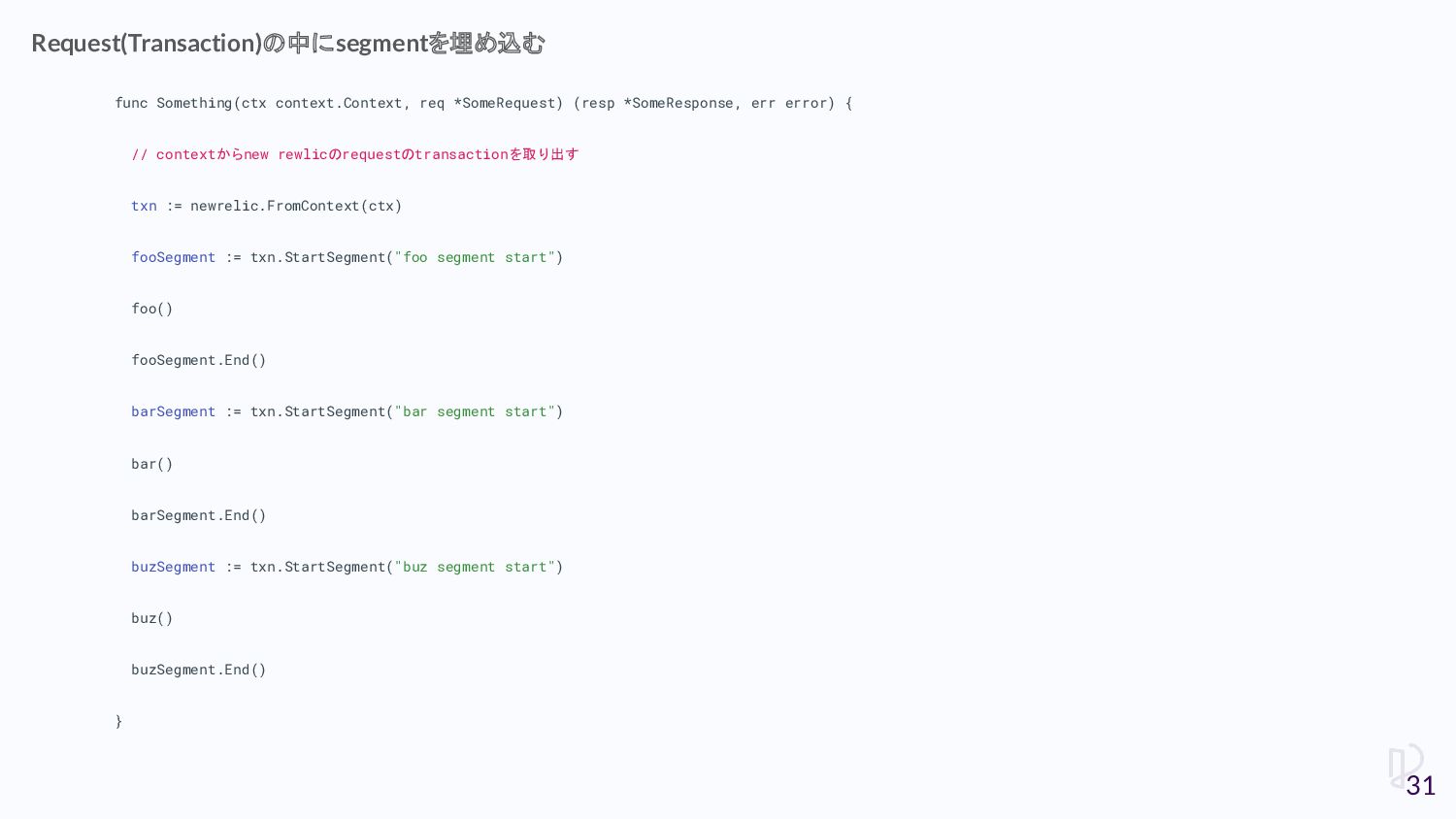
func Something(ctx context.Context, req *SomeRequest) (resp *SomeResponse, err error) {
// contextからnew rewlicのrequestのtransactionを取り出す txn := newrelic.FromContext(ctx) fooSegment := txn.StartSegment("foo segment start") foo() fooSegment.End() barSegment := txn.StartSegment("bar segment start") bar() barSegment.End() buzSegment := txn.StartSegment("buz segment start") buz() buzSegment.End() } Request(Transaction)の中にsegmentを埋め込む 31
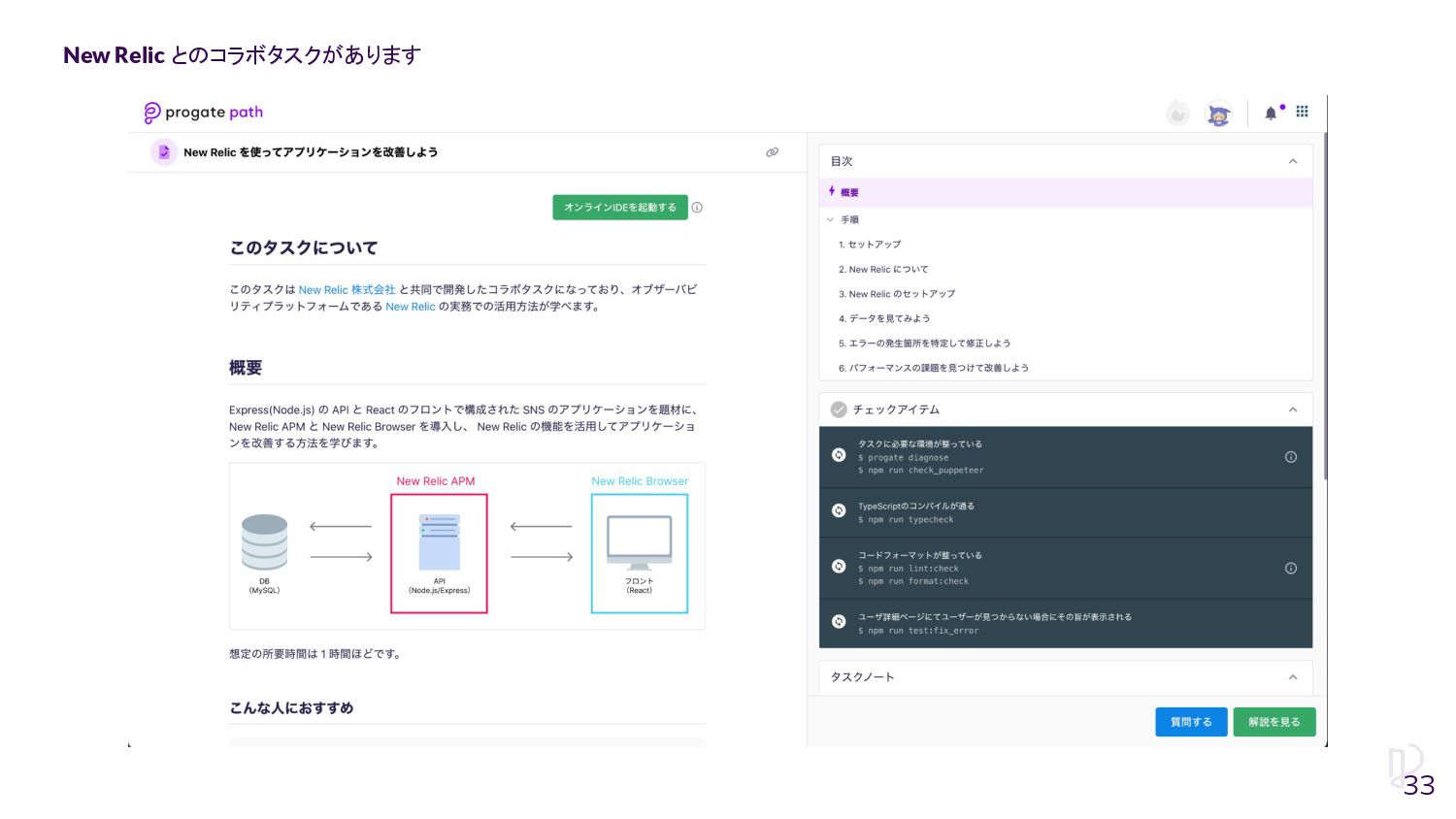
今日お話したことを手元で試せます! 32
New Relic とのコラボタスクがあります 33
Progate Pathでエンジニアとしての一歩を踏み出しましょう! 一緒に働くメンバーも募集してます! 34

 Your Podcast. Everywhere. Effortlessly.


 lara
lara
 auna
auna
 bryan
bryan
 rkendrick25
 jlugia
 scottboms
 palkan
 watany
 tessaabrams
 techseoconnect
 ryanjones

![await $webDriver.get('https://app.path.progate.com') const email = await $webDriver.findElement($selenium.By.css('input[type="email"]')) await email.sendKeys('[email protected]') const](https://files.speakerdeck.com/presentations/1ff5dfac5109494489d3bab423bc7c89/slide_26.jpg)