Upgrade to Pro
— share decks privately, control downloads, hide ads and more …
Speaker Deck
Sign up for free
Menu
Search
Features
All features
Private URLs
Password Protection
Custom URLS
Scheduled publishing
Remove Branding
Restrict embedding
Deck Collections
Notes
Features
All features
Private URLs
Password Protection
Custom URLS
Scheduled publishing
Remove Branding
Restrict embedding
Deck Collections
Notes
Explore
Featured decks
Featured speakers
Programming
Technology
Storyboards
Explore
Featured decks
Featured speakers
Programming
Technology
Storyboards
Pricing
Search
Sign in
Sign up for free
Tasking_Managerの使い方.pdf
Search
akariiiiiiiiiii
June 12, 2018
26
0
Share
Embed
Copy iframe code
Copy JS code
Copy link
Start on current slide
Tasking_Managerの使い方.pdf
akariiiiiiiiiii
June 12, 2018
More Decks by akariiiiiiiiiii
See All by akariiiiiiiiiii
Validateマニュアル
akariiiiiiiiiii
0
25
Tasking Managerの使い方
akariiiiiiiiiii
0
34
Featured
See All Featured
Unsuck your backbone
ammeep
672
58k
Deep Space Network (abreviated)
tonyrice
0
370
Designing Experiences People Love
moore
143
24k
New Earth Scene 8
popppiees
4
2.7k
Build The Right Thing And Hit Your Dates
maggiecrowley
39
3.5k
Into the Great Unknown - MozCon
thekraken
41
2.8k
Groundhog Day: Seeking Process in Gaming for Health
codingconduct
0
410
Agile Leadership in an Agile Organization
kimpetersen
PRO
0
280
Scaling GitHub
holman
464
140k
Leading Effective Engineering Teams in the AI Era
addyosmani
9
2.7k
Applied NLP in the Age of Generative AI
inesmontani
PRO
4
2.5k
Stewardship and Sustainability of Urban and Community Forests
pwiseman
0
560
Transcript
Tasking Manager の使い方 1A118177 吉川あかり
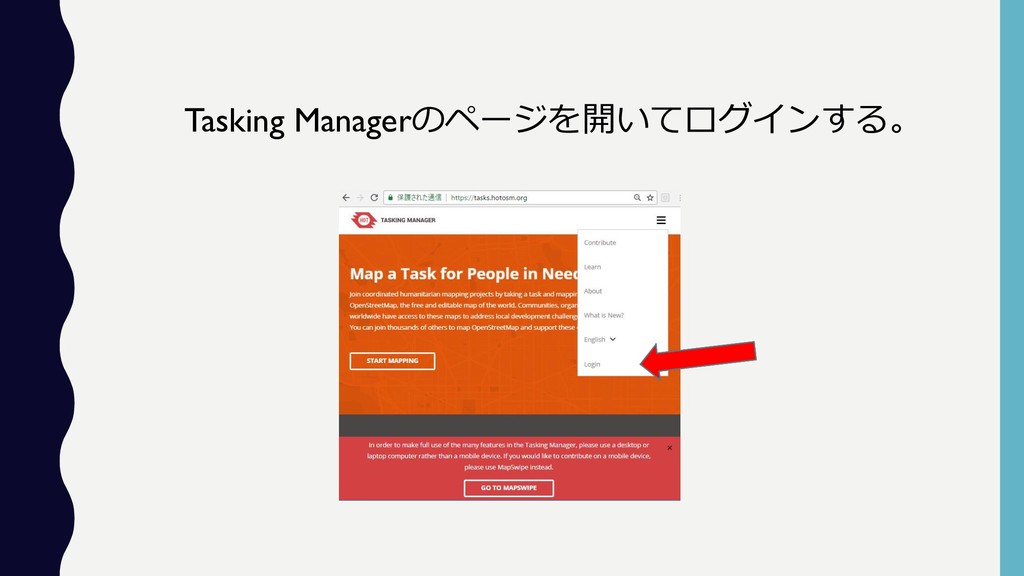
Tasking Managerのページを開いてログインする。
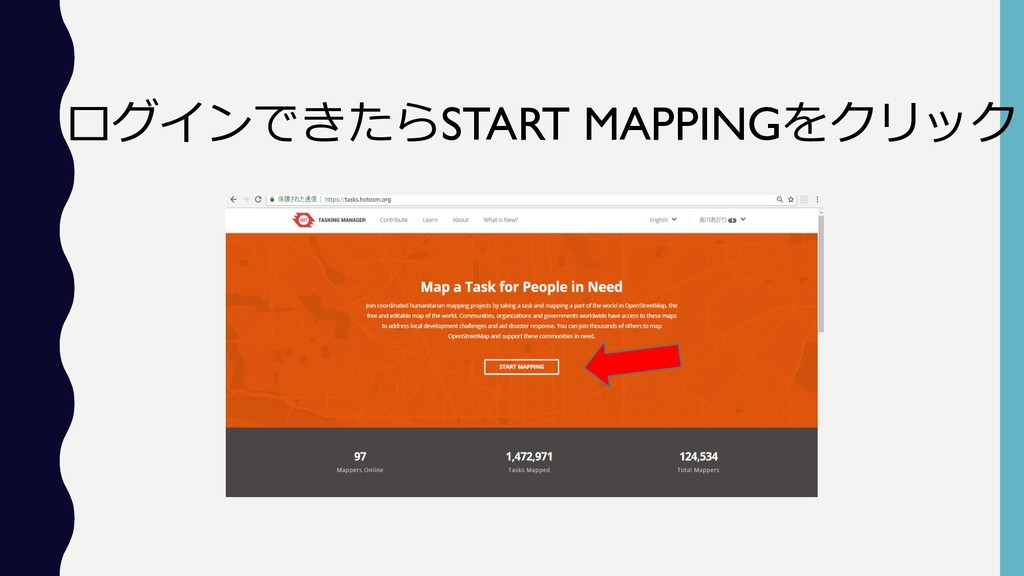
ログインできたらSTART MAPPINGをクリック
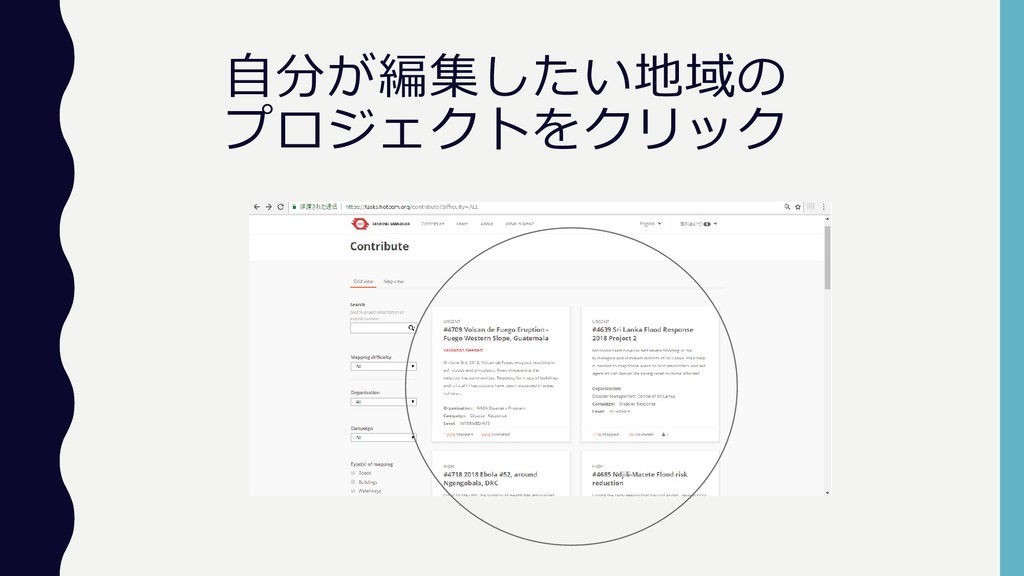
自分が編集したい地域の プロジェクトをクリック
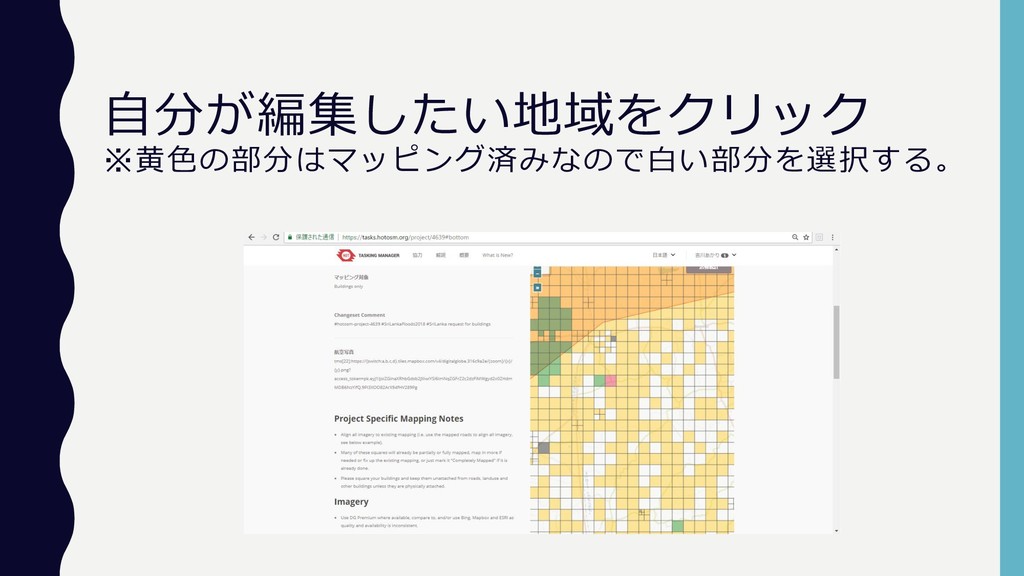
自分が編集したい地域をクリック ※黄色の部分はマッピング済みなので白い部分を選択する。
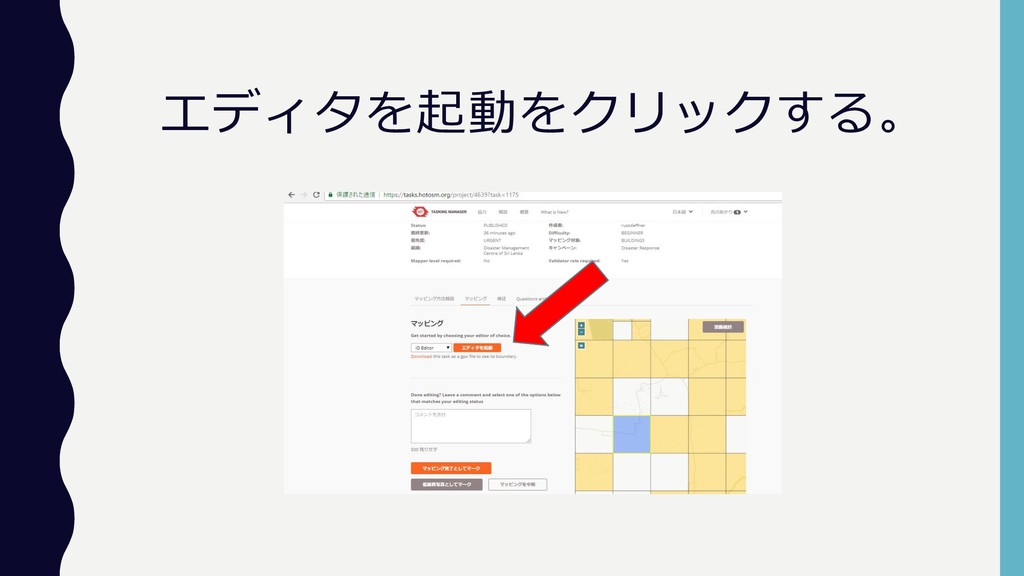
エディタを起動をクリックする。
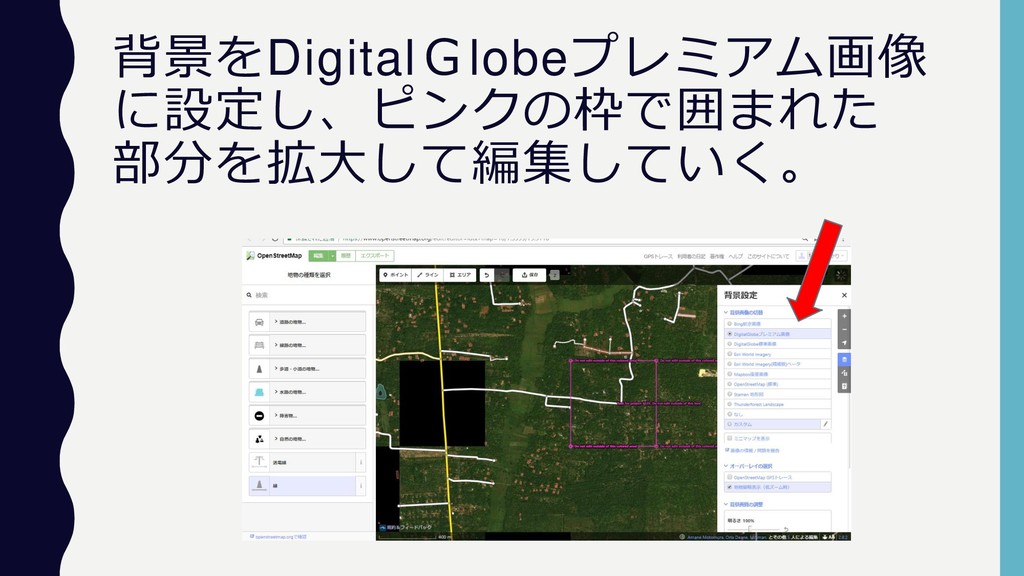
背景をDigitalGlobeプレミアム画像 に設定し、ピンクの枠で囲まれた 部分を拡大して編集していく。
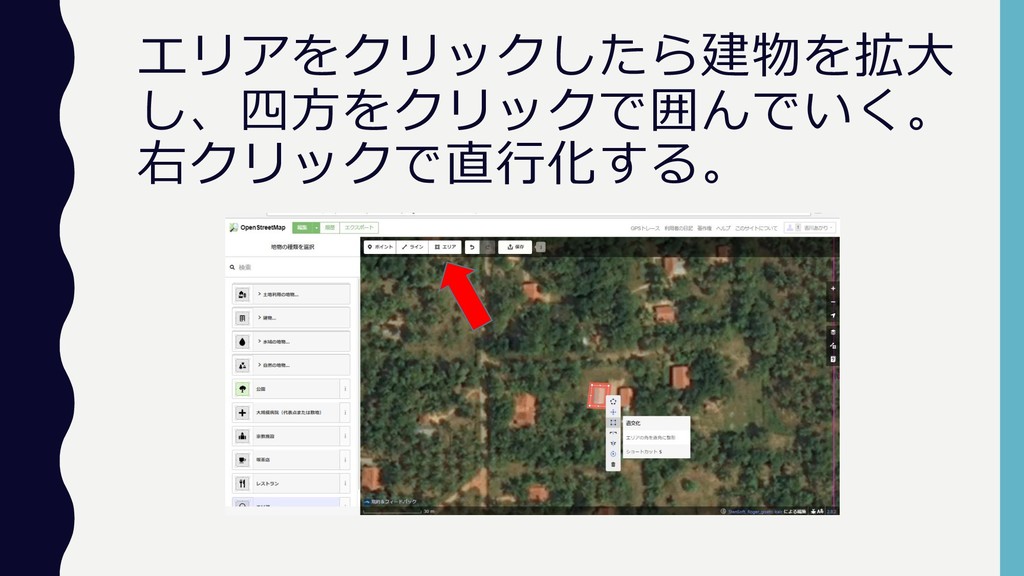
エリアをクリックしたら建物を拡大 し、四方をクリックで囲んでいく。 右クリックで直行化する。
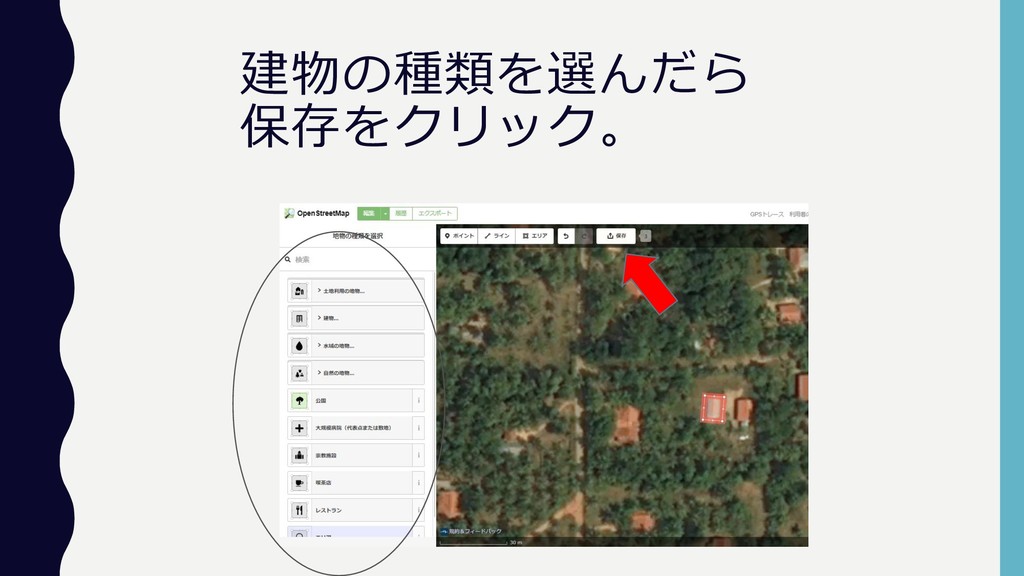
建物の種類を選んだら 保存をクリック。
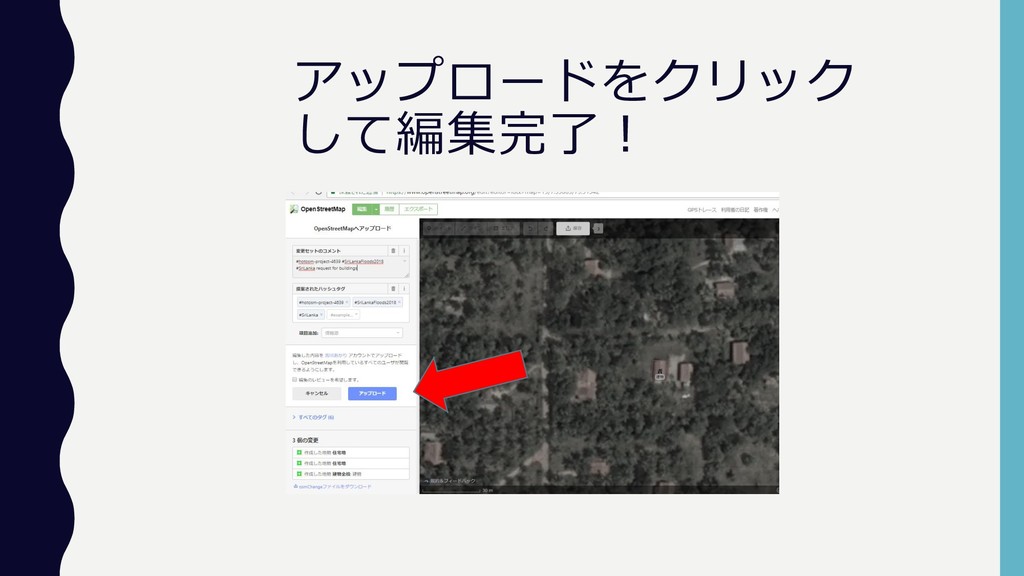
アップロードをクリック して編集完了!
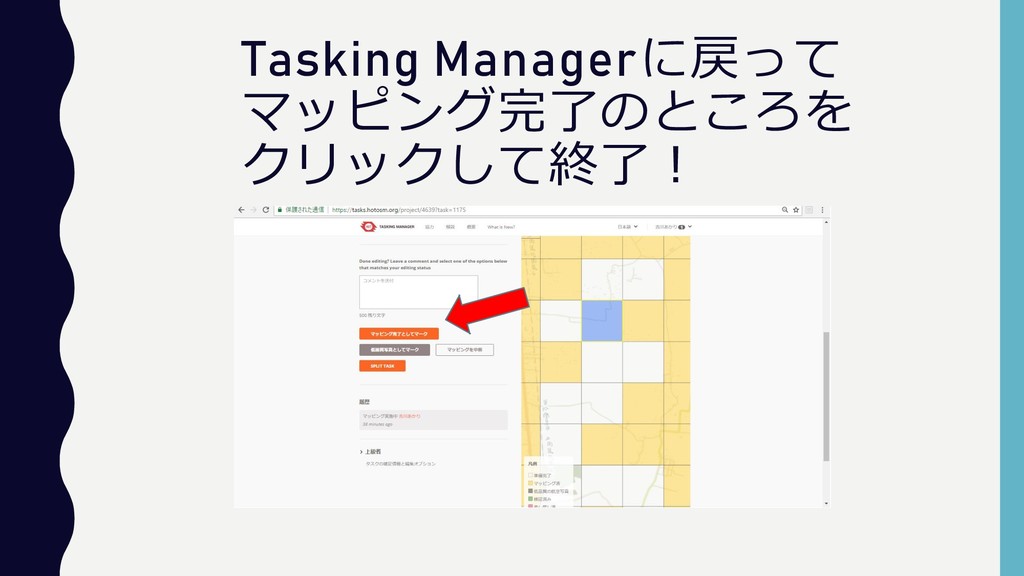
Tasking Managerに戻って マッピング完了のところを クリックして終了!


 akariiiiiiiiiii
 ammeep
 tonyrice
 moore
moore
 popppiees
 maggiecrowley
 thekraken
 codingconduct
 kimpetersen
 holman
 addyosmani
 inesmontani
 pwiseman