Upgrade to Pro
— share decks privately, control downloads, hide ads and more …
Speaker Deck
Sign up for free
Menu
Search
Features
All features
Private URLs
Password Protection
Custom URLS
Scheduled publishing
Remove Branding
Restrict embedding
Deck Collections
Notes
Features
All features
Private URLs
Password Protection
Custom URLS
Scheduled publishing
Remove Branding
Restrict embedding
Deck Collections
Notes
Explore
Featured decks
Featured speakers
Programming
Technology
Storyboards
Explore
Featured decks
Featured speakers
Programming
Technology
Storyboards
Pricing
Search
Sign in
Sign up for free
[AWS Expert Online for JAWS-UG 39] AWS Security...
Search
Akitaka Mukaiyama
September 16, 2026
77
0
Share
Embed
Copy iframe code
Copy JS code
Copy link
Start on current slide
[AWS Expert Online for JAWS-UG 39] AWS Security Hub CSPM を使いこなす
Akitaka Mukaiyama
September 16, 2026
Featured
See All Featured
Imperfection Machines: The Place of Print at Facebook
scottboms
270
14k
Redefining SEO in the New Era of Traffic Generation
szymonslowik
1
480
Marketing to machines
jonoalderson
1
5.9k
I Don’t Have Time: Getting Over the Fear to Launch Your Podcast
jcasabona
35
2.9k
Highjacked: Video Game Concept Design
rkendrick25
PRO
1
480
StorybookのUI Testing Handbookを読んだ
zakiyama
31
7k
Taking LLMs out of the black box: A practical guide to human-in-the-loop distillation
inesmontani
PRO
3
2.5k
Optimising Largest Contentful Paint
csswizardry
37
4k
Dominate Local Search Results - an insider guide to GBP, reviews, and Local SEO
greggifford
PRO
0
370
個人開発の失敗を避けるイケてる考え方 / tips for indie hackers
panda_program
123
22k
The Illustrated Guide to Node.js - THAT Conference 2024
reverentgeek
1
570
A designer walks into a library…
pauljervisheath
211
25k
Transcript
EXPERT ONLINE (SECURITY JAWS) AWS Security Hub CSPM を 使いこなす
あるべき構成の整備から通知設計まで 向山 瑛貴 Cloud Support Engineer © 2026, Amazon Web © 2026, Services, Amazon Inc. or Web its Services, affiliates.Inc. All or rights its affiliates. reserved.All Amazon rights Confidential reserved. Amazon and Trademark. Confidential and Trademark.
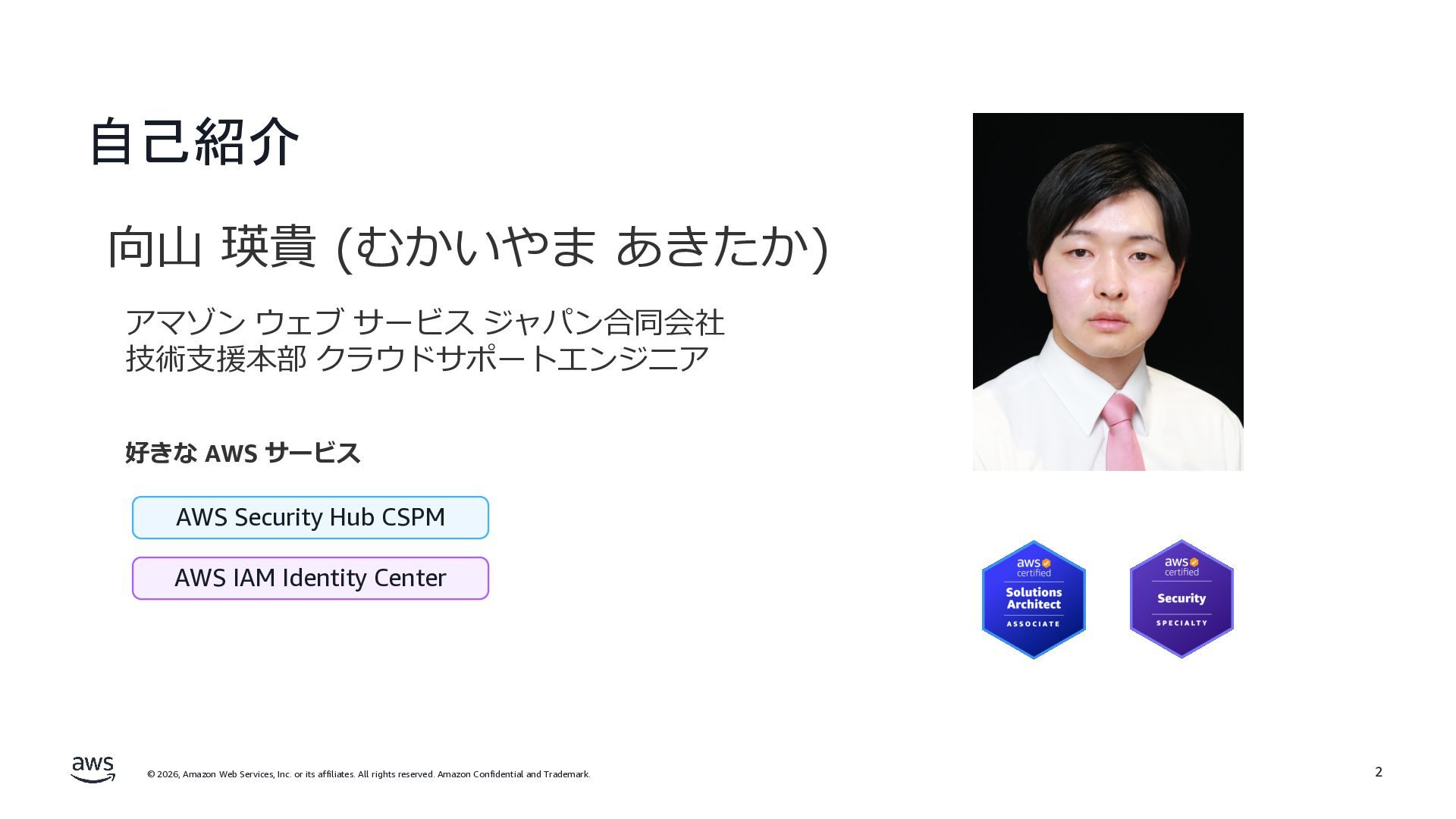
自己紹介 向⼭ 瑛貴 (むかいやま あきたか) アマゾン ウェブ サービス ジャパン合同会社 技術⽀援本部
クラウドサポートエンジニア 好きな AWS サービス AWS Security Hub CSPM AWS IAM Identity Center © 2026, Amazon Web Services, Inc. or its affiliates. All rights reserved. Amazon Confidential and Trademark. 2
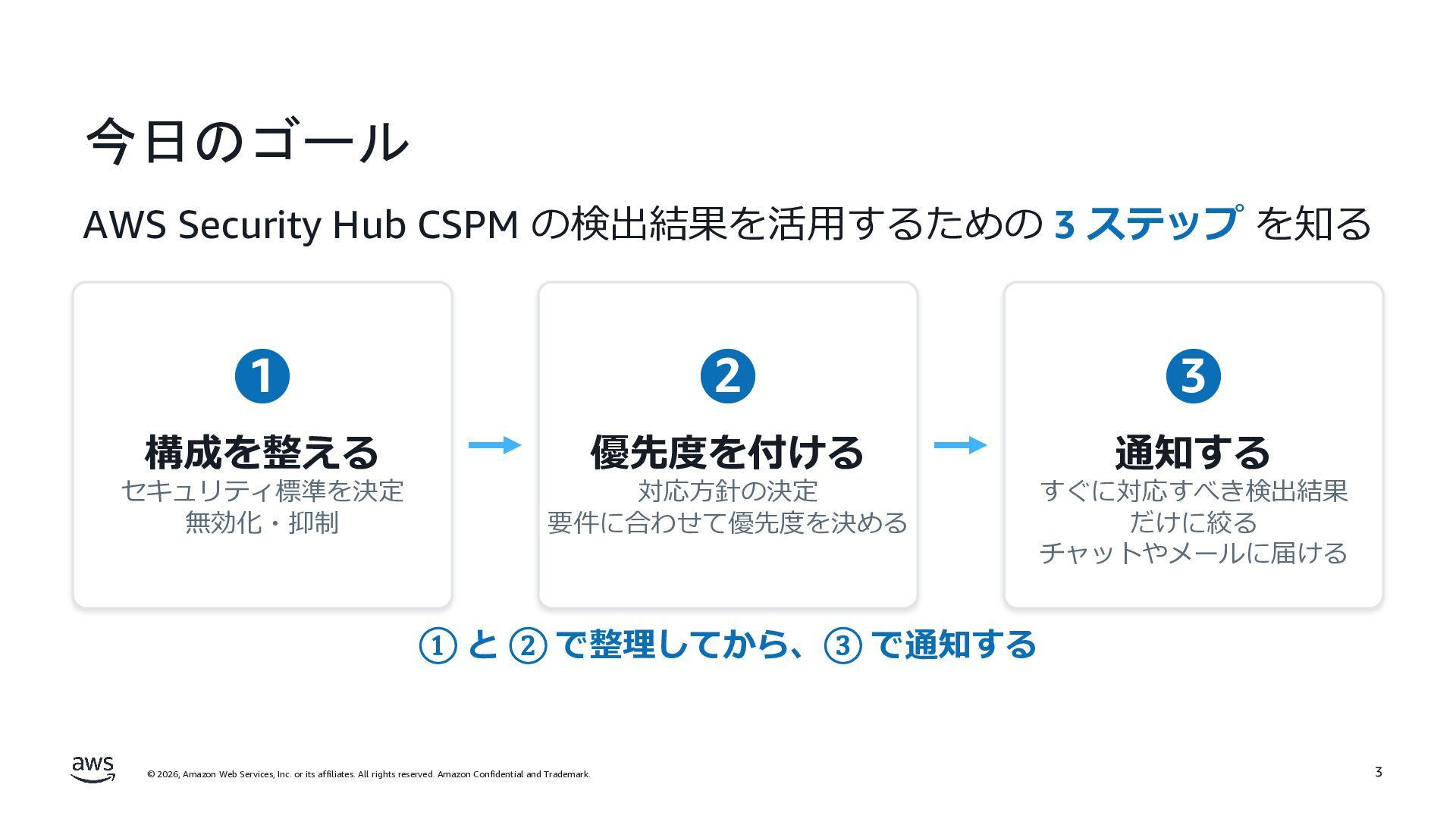
今日のゴール AWS Security Hub CSPM の検出結果を活⽤するための 3 ステップ を知る 1
2 3 構成を整える 優先度を付ける 通知する セキュリティ標準を決定 無効化・抑制 対応⽅針の決定 要件に合わせて優先度を決める すぐに対応すべき検出結果 だけに絞る チャットやメールに届ける ① と ② で整理してから、③ で通知する © 2026, Amazon Web Services, Inc. or its affiliates. All rights reserved. Amazon Confidential and Trademark. 3
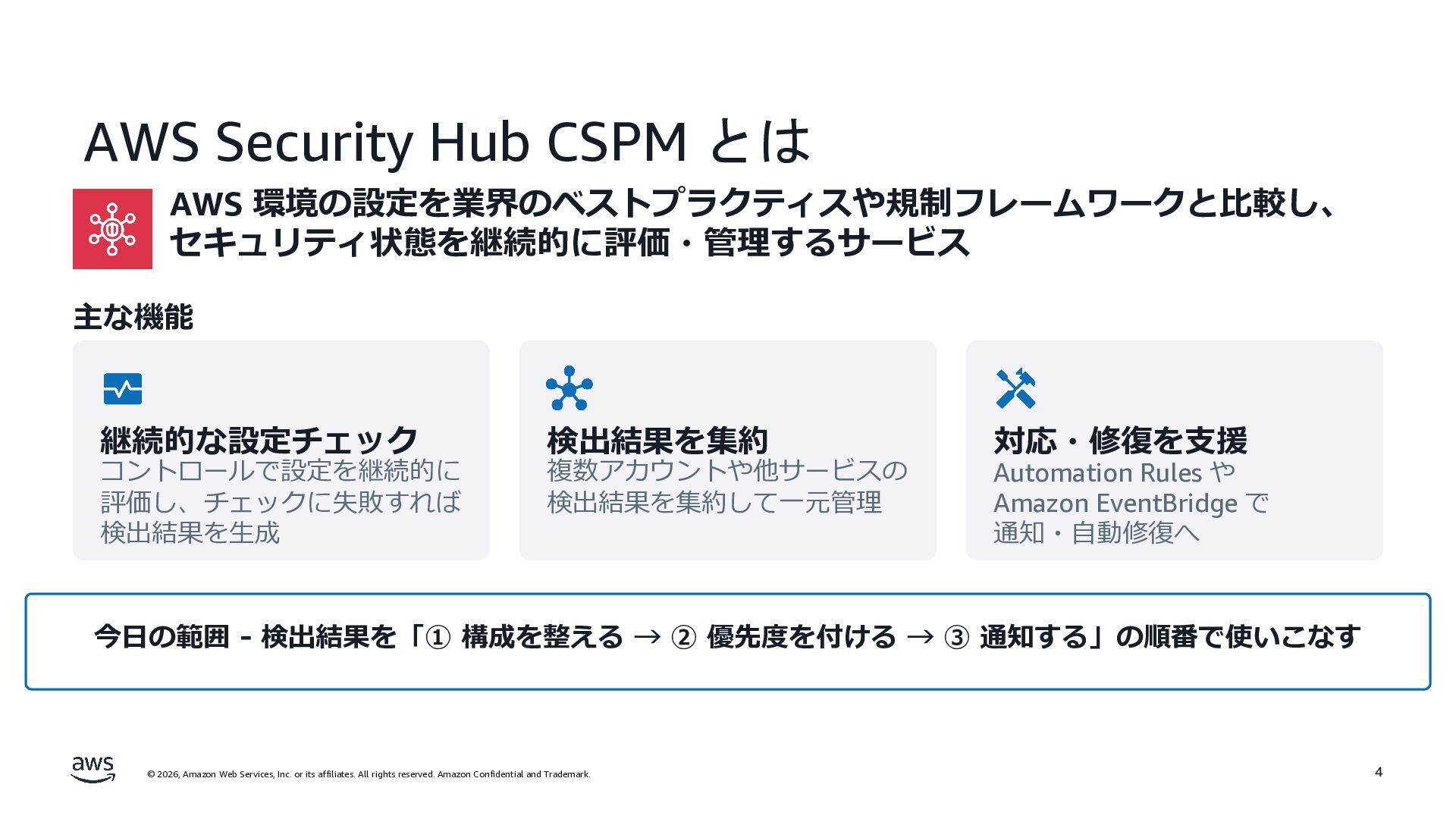
AWS Security Hub CSPM とは AWS 環境の設定を業界のベストプラクティスや規制フレームワークと⽐較し、 セキュリティ状態を継続的に評価・管理するサービス 主な機能 継続的な設定チェック
コントロールで設定を継続的に 評価し、チェックに失敗すれば 検出結果を⽣成 検出結果を集約 複数アカウントや他サービスの 検出結果を集約して⼀元管理 対応・修復を⽀援 Automation Rules や Amazon EventBridge で 通知・⾃動修復へ 今⽇の範囲 - 検出結果を「① 構成を整える → ② 優先度を付ける → ③ 通知する」の順番で使いこなす © 2026, Amazon Web Services, Inc. or its affiliates. All rights reserved. Amazon Confidential and Trademark. 4
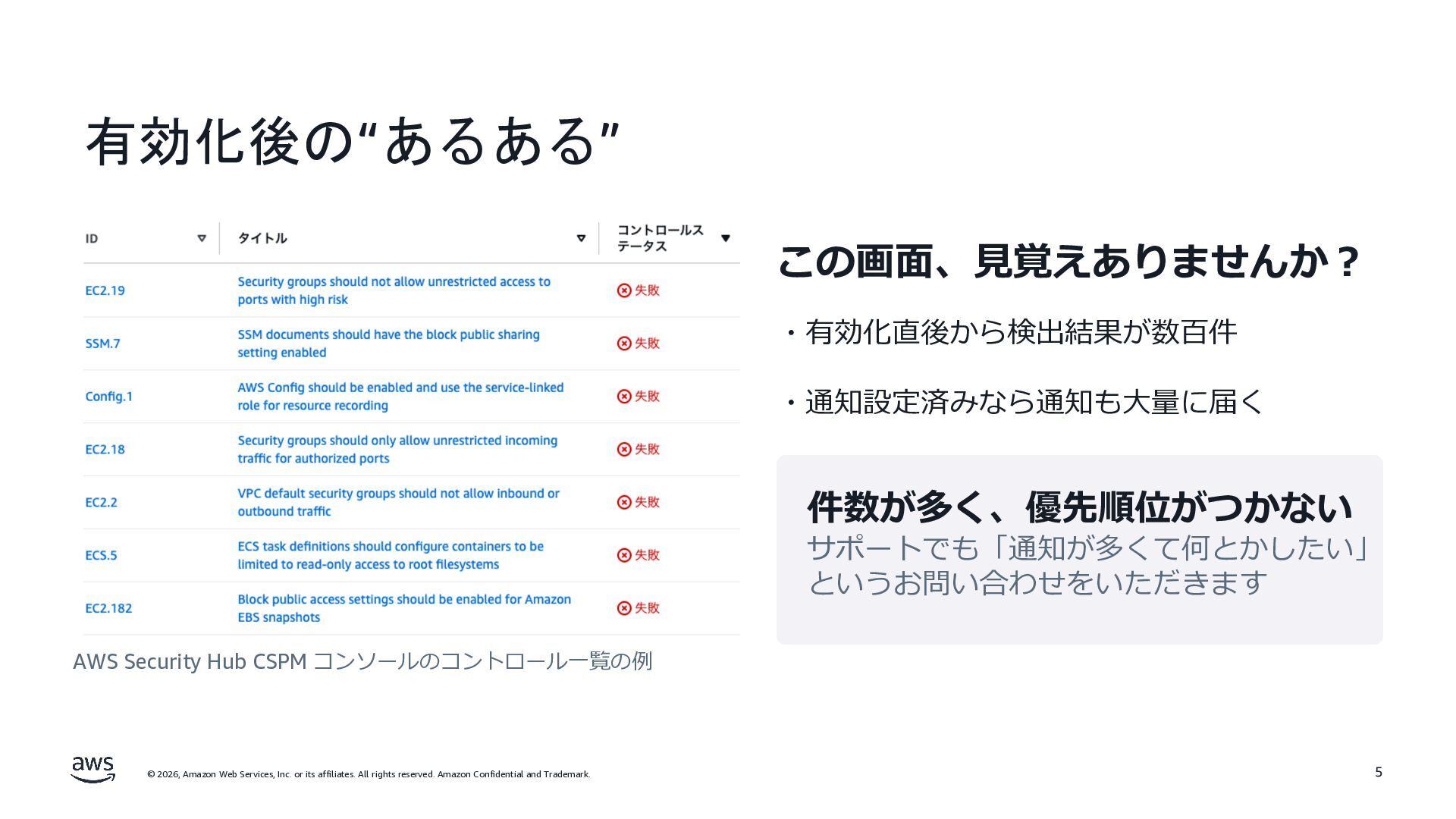
有効化後の“あるある” この画⾯、⾒覚えありませんか︖ ・有効化直後から検出結果が数百件 ・通知設定済みなら通知も⼤量に届く 件数が多く、優先順位がつかない サポートでも「通知が多くて何とかしたい」 というお問い合わせをいただきます AWS Security Hub
CSPM コンソールのコントロール⼀覧の例 © 2026, Amazon Web Services, Inc. or its affiliates. All rights reserved. Amazon Confidential and Trademark. 5
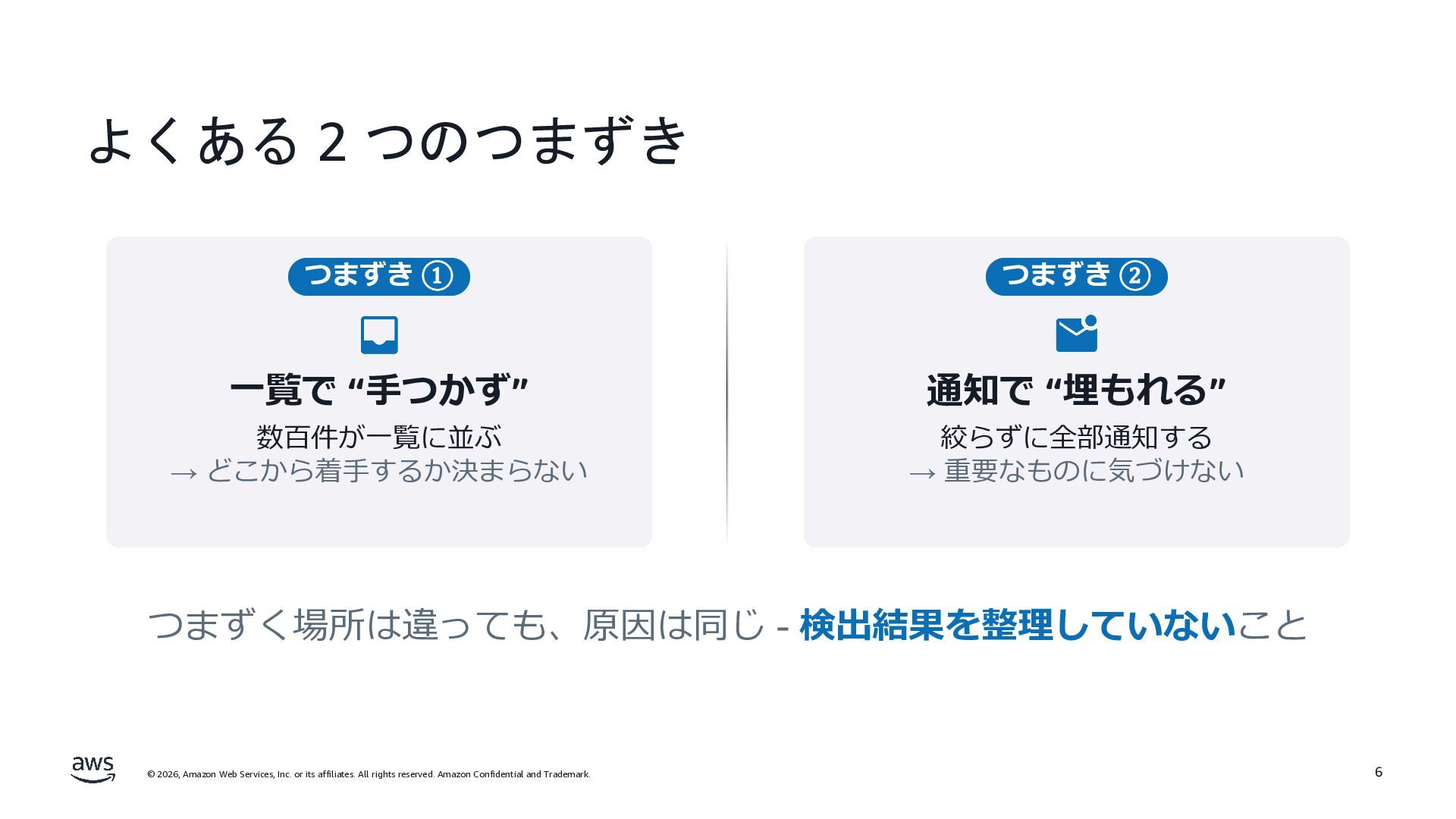
よくある 2 つのつまずき つまずき ① つまずき ② ⼀覧で “⼿つかず” 通知で
“埋もれる” 数百件が⼀覧に並ぶ → どこから着⼿するか決まらない 絞らずに全部通知する → 重要なものに気づけない つまずく場所は違っても、原因は同じ - 検出結果を整理していないこと © 2026, Amazon Web Services, Inc. or its affiliates. All rights reserved. Amazon Confidential and Trademark. 6
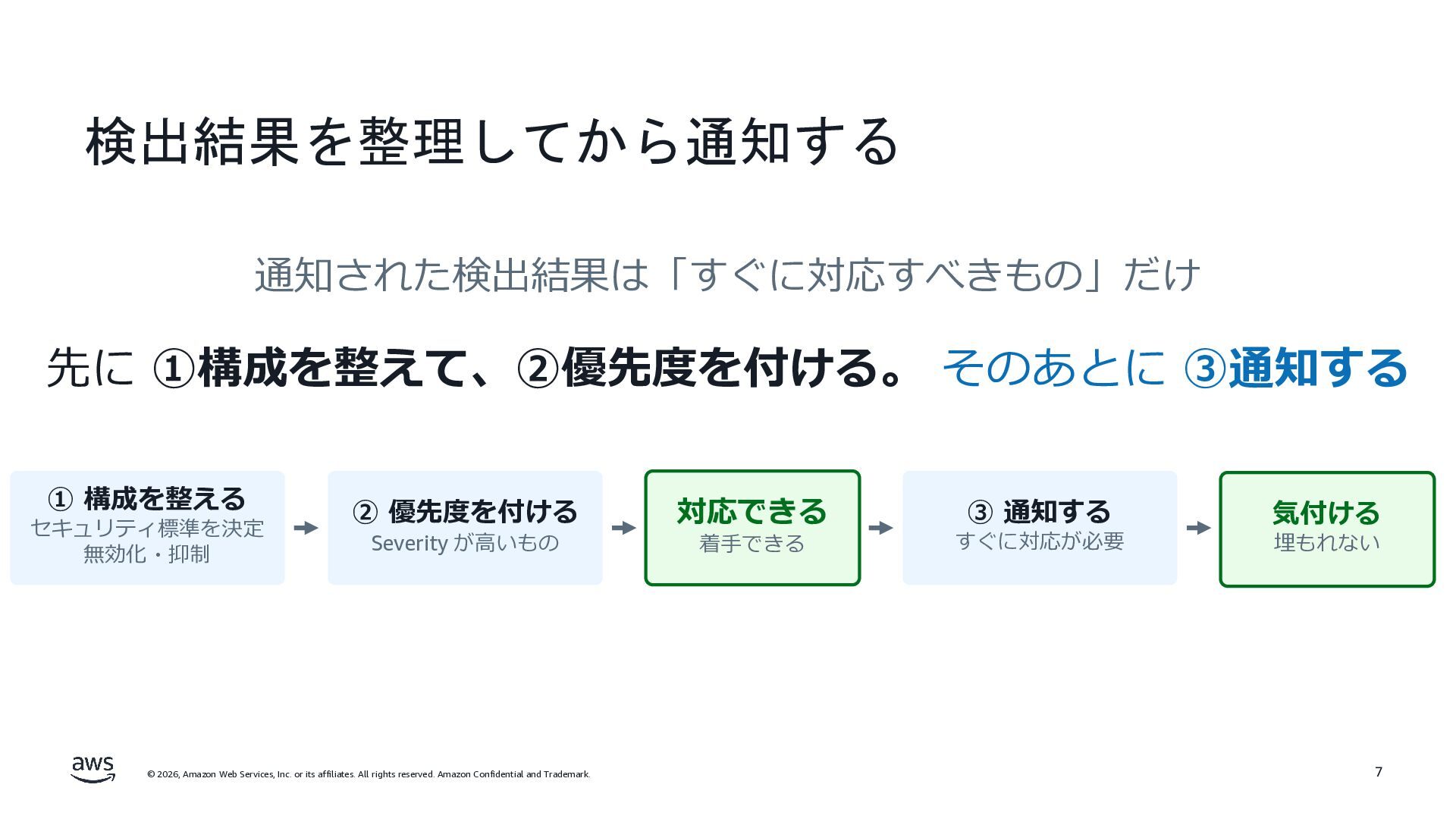
検出結果を整理してから通知する 通知された検出結果は「すぐに対応すべきもの」だけ 先に ①構成を整えて、②優先度を付ける。 そのあとに ③通知する ① 構成を整える セキュリティ標準を決定 無効化・抑制
② 優先度を付ける Severity が⾼いもの © 2026, Amazon Web Services, Inc. or its affiliates. All rights reserved. Amazon Confidential and Trademark. 対応できる 着⼿できる ③ 通知する すぐに対応が必要 気付ける 埋もれない 7
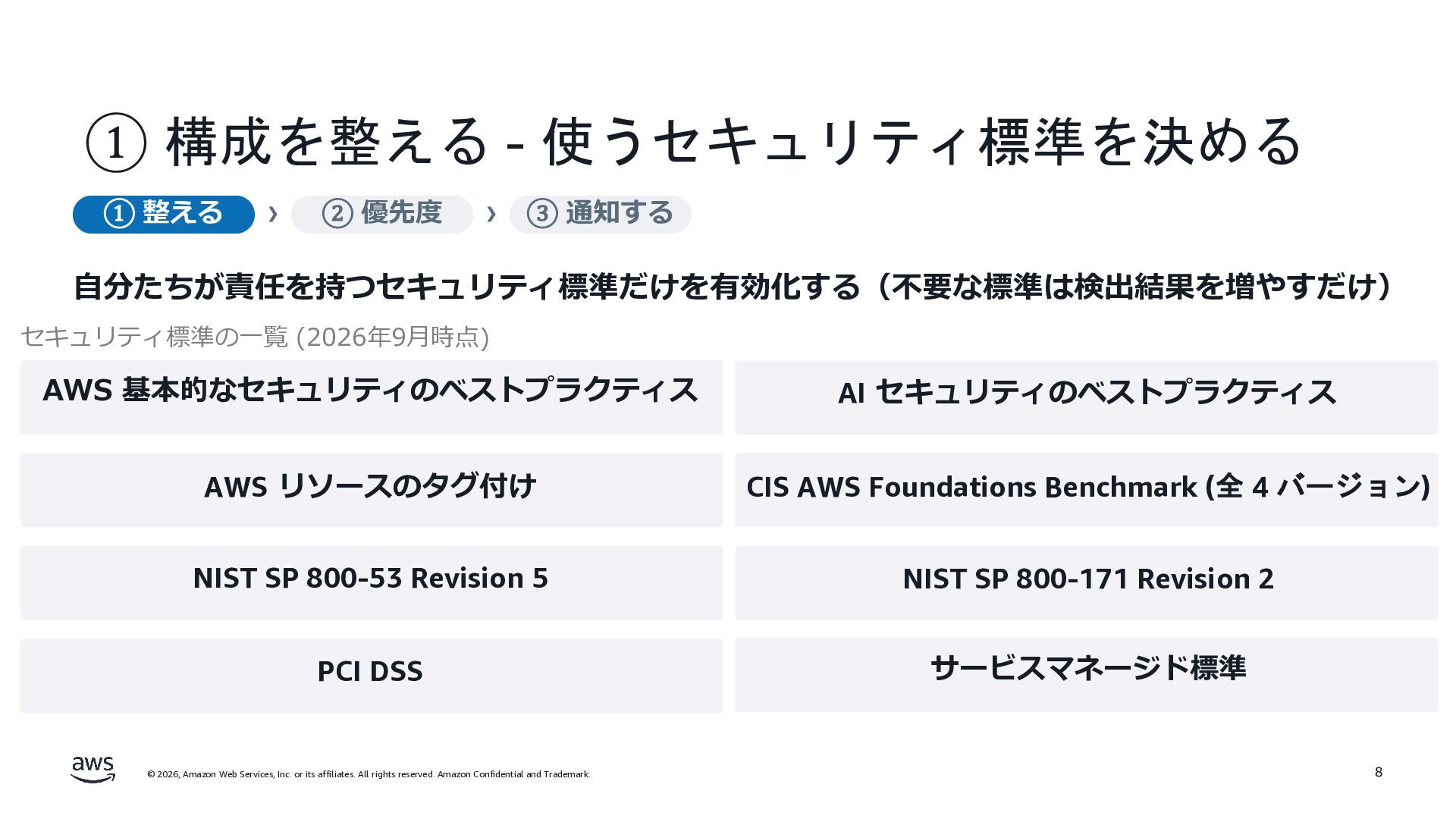
① 構成を整える - 使うセキュリティ標準を決める ① 整える › ② 優先度 ›
③ 通知する ⾃分たちが責任を持つセキュリティ標準だけを有効化する(不要な標準は検出結果を増やすだけ) セキュリティ標準の⼀覧 (2026年9⽉時点) AWS 基本的なセキュリティのベストプラクティス AI セキュリティのベストプラクティス AWS リソースのタグ付け CIS AWS Foundations Benchmark (全 4 バージョン) NIST SP 800-53 Revision 5 NIST SP 800-171 Revision 2 PCI DSS サービスマネージド標準 © 2026, Amazon Web Services, Inc. or its affiliates. All rights reserved. Amazon Confidential and Trademark. 8
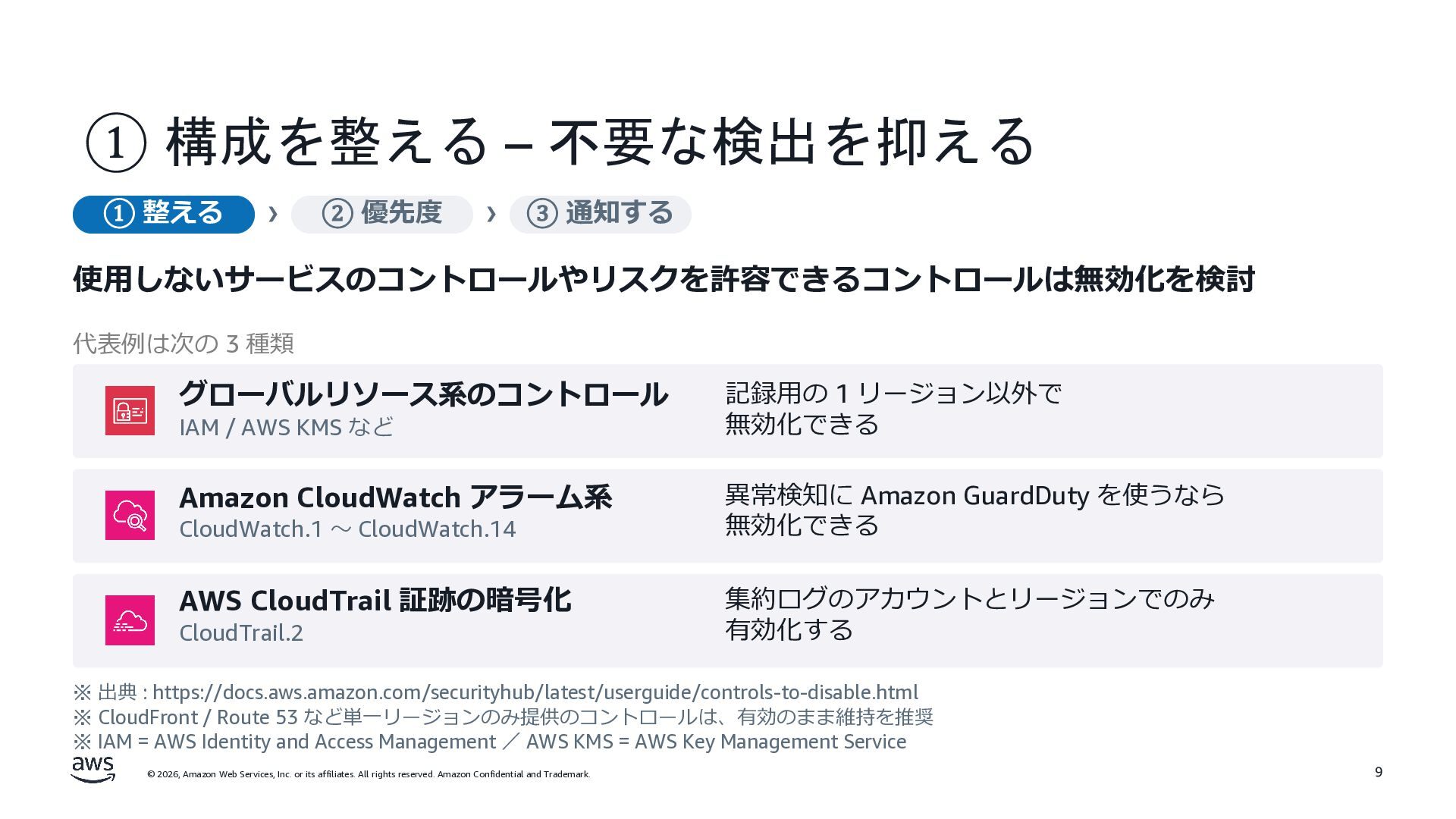
① 構成を整える – 不要な検出を抑える ① 整える › ② 優先度 ›
③ 通知する 使⽤しないサービスのコントロールやリスクを許容できるコントロールは無効化を検討 代表例は次の 3 種類 グローバルリソース系のコントロール 記録⽤の 1 リージョン以外で 無効化できる Amazon CloudWatch アラーム系 異常検知に Amazon GuardDuty を使うなら 無効化できる AWS CloudTrail 証跡の暗号化 集約ログのアカウントとリージョンでのみ 有効化する IAM / AWS KMS など CloudWatch.1 〜 CloudWatch.14 CloudTrail.2 ※ 出典 : https://docs.aws.amazon.com/securityhub/latest/userguide/controls-to-disable.html ※ CloudFront / Route 53 など単⼀リージョンのみ提供のコントロールは、有効のまま維持を推奨 ※ IAM = AWS Identity and Access Management / AWS KMS = AWS Key Management Service © 2026, Amazon Web Services, Inc. or its affiliates. All rights reserved. Amazon Confidential and Trademark. 9
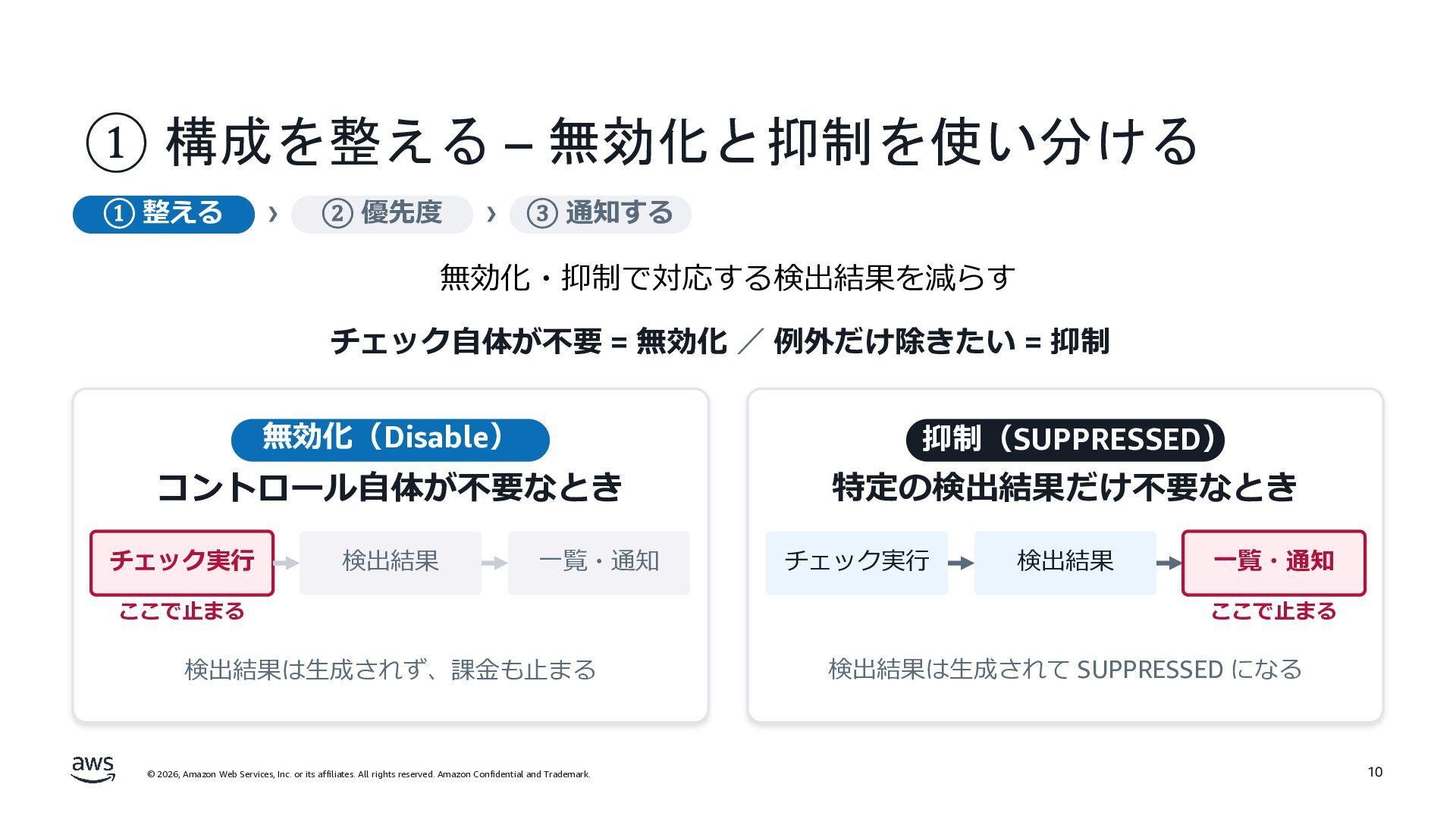
① 構成を整える – 無効化と抑制を使い分ける ① 整える › ② 優先度 ›
③ 通知する 無効化・抑制で対応する検出結果を減らす チェック⾃体が不要 = 無効化 / 例外だけ除きたい = 抑制 無効化(Disable) 抑制(SUPPRESSED) コントロール⾃体が不要なとき 特定の検出結果だけ不要なとき チェック実⾏ 検出結果 ⼀覧・通知 ここで⽌まる 検出結果は⽣成されず、課⾦も⽌まる © 2026, Amazon Web Services, Inc. or its affiliates. All rights reserved. Amazon Confidential and Trademark. チェック実⾏ 検出結果 ⼀覧・通知 ここで⽌まる 検出結果は⽣成されて SUPPRESSED になる 10
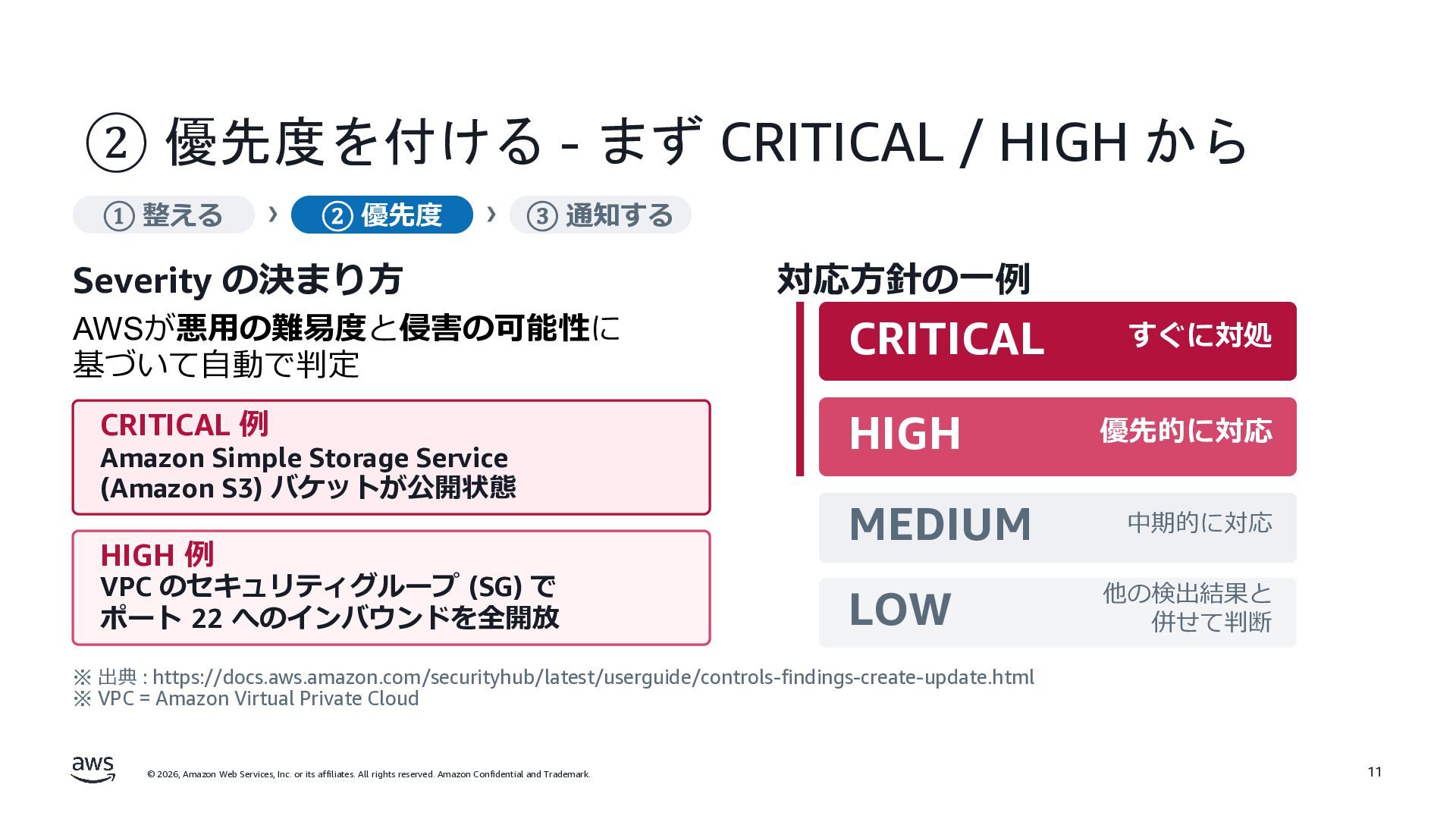
② 優先度を付ける - まず CRITICAL / HIGH から ① 整える
› ② 優先度 › ③ 通知する Severity の決まり⽅ AWSが悪⽤の難易度と侵害の可能性に 基づいて⾃動で判定 CRITICAL 例 Amazon Simple Storage Service (Amazon S3) バケットが公開状態 HIGH 例 VPC のセキュリティグループ (SG) で ポート 22 へのインバウンドを全開放 対応⽅針の⼀例 CRITICAL HIGH MEDIUM LOW すぐに対処 優先的に対応 中期的に対応 他の検出結果と 併せて判断 ※ 出典 : https://docs.aws.amazon.com/securityhub/latest/userguide/controls-findings-create-update.html ※ VPC = Amazon Virtual Private Cloud © 2026, Amazon Web Services, Inc. or its affiliates. All rights reserved. Amazon Confidential and Trademark. 11
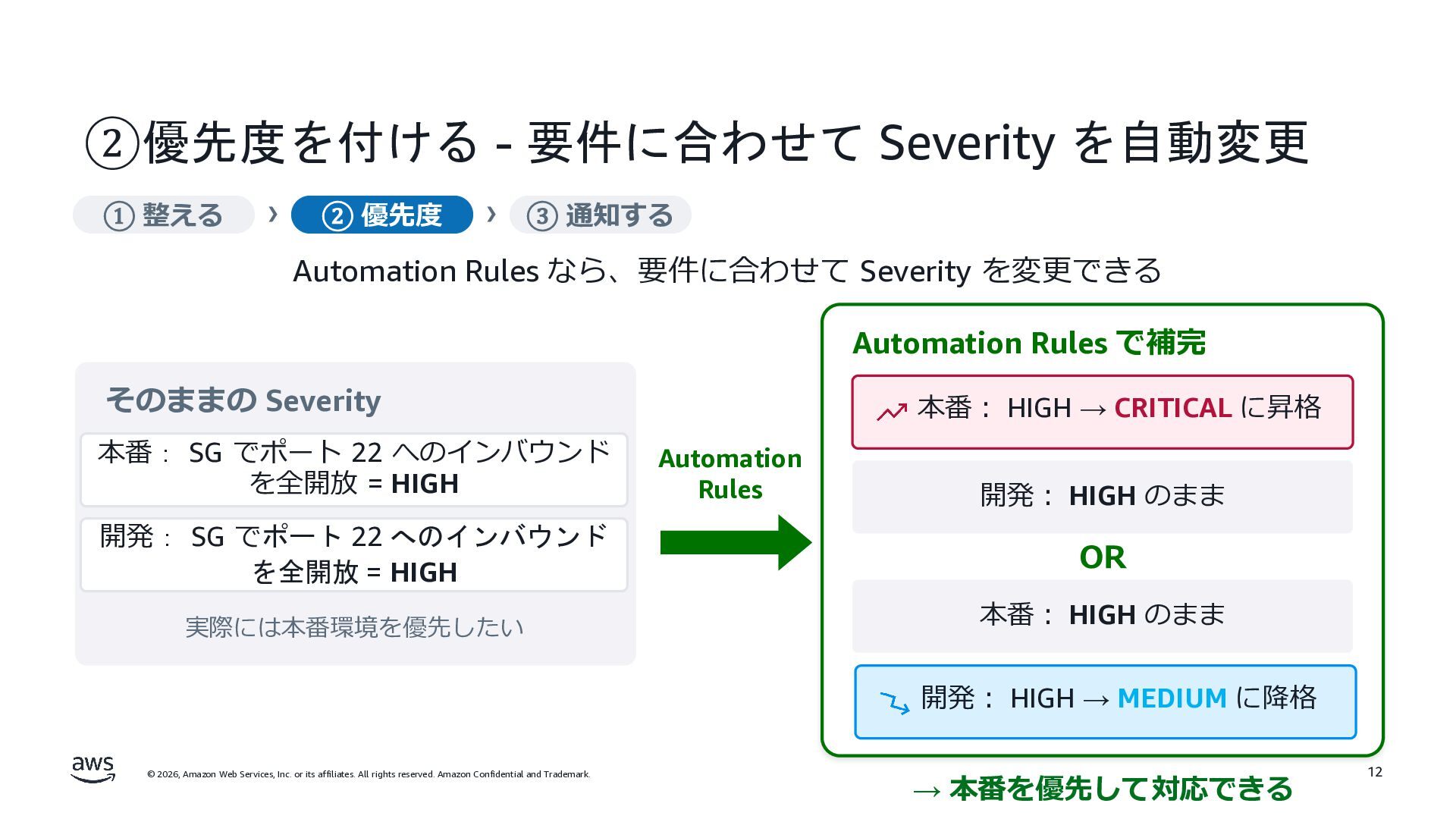
②優先度を付ける - 要件に合わせて Severity を自動変更 ① 整える › ② 優先度
› ③ 通知する Automation Rules なら、要件に合わせて Severity を変更できる Automation Rules で補完 そのままの Severity 本番: SG でポート 22 へのインバウンド を全開放 = HIGH 本番︓ HIGH → CRITICAL に昇格 Automation Rules 開発︓ HIGH のまま 開発: SG でポート 22 へのインバウンド を全開放 = HIGH OR 実際には本番環境を優先したい 本番︓ HIGH のまま 開発︓ HIGH → MEDIUM に降格 © 2026, Amazon Web Services, Inc. or its affiliates. All rights reserved. Amazon Confidential and Trademark. → 本番を優先して対応できる 12
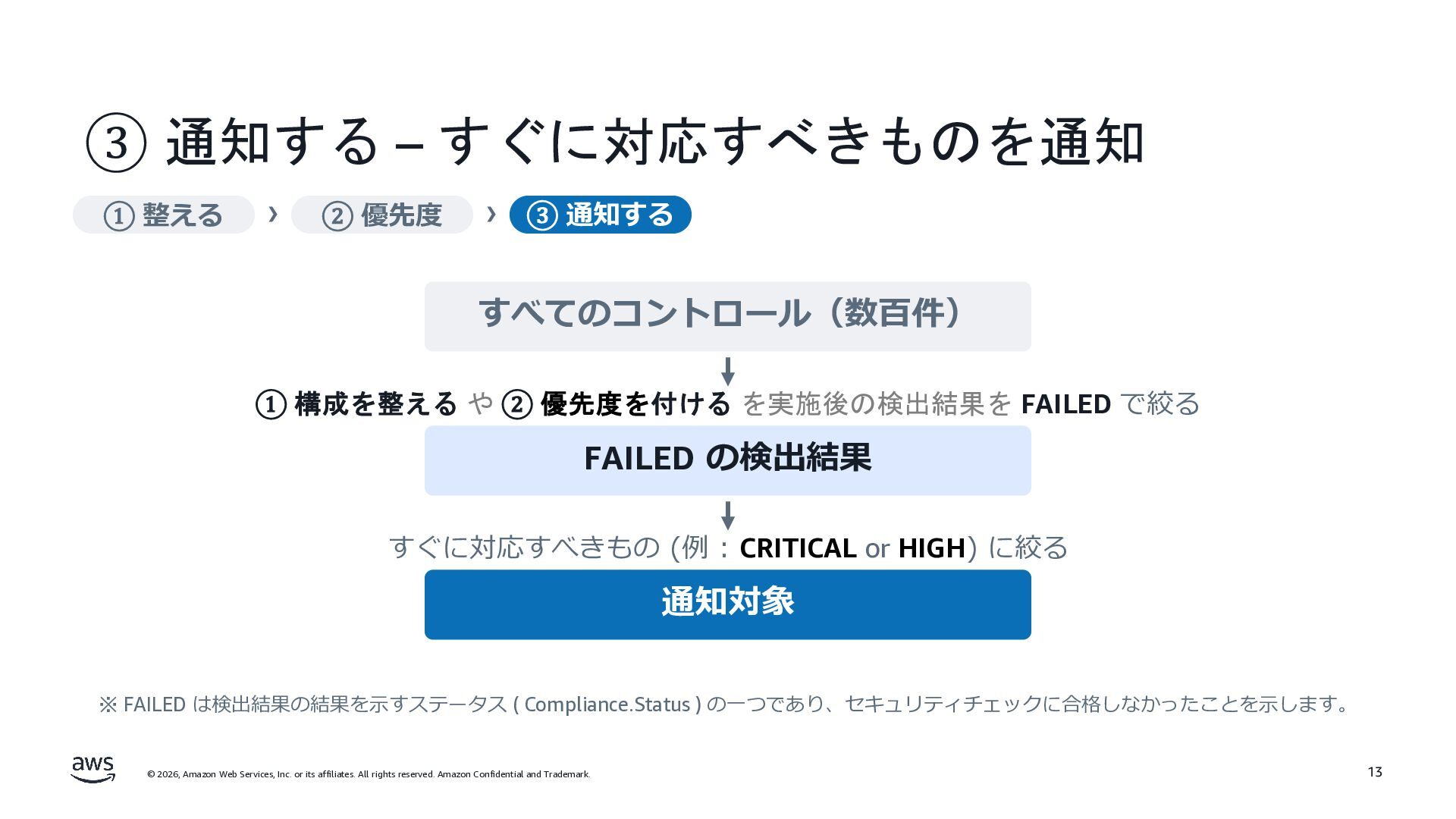
③ 通知する – すぐに対応すべきものを通知 ① 整える › ② 優先度 ›
③ 通知する すべてのコントロール(数百件) ① 構成を整える や ② 優先度を付ける を実施後の検出結果を FAILED で絞る FAILED の検出結果 すぐに対応すべきもの (例 : CRITICAL or HIGH) に絞る 通知対象 ※ FAILED は検出結果の結果を⽰すステータス ( Compliance.Status ) の⼀つであり、セキュリティチェックに合格しなかったことを⽰します。 © 2026, Amazon Web Services, Inc. or its affiliates. All rights reserved. Amazon Confidential and Trademark. 13
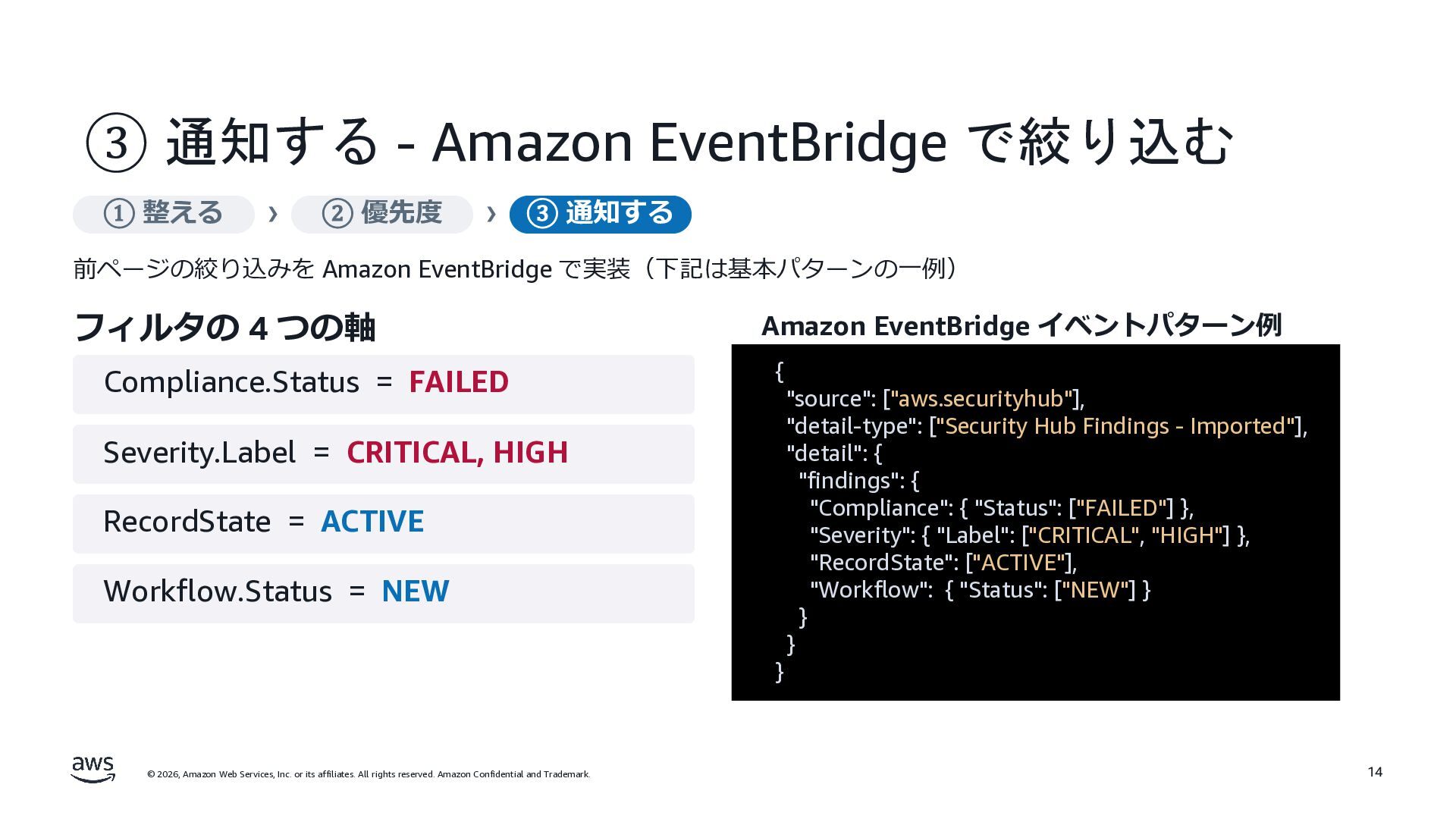
③ 通知する - Amazon EventBridge で絞り込む ① 整える › ②
優先度 › ③ 通知する 前ページの絞り込みを Amazon EventBridge で実装(下記は基本パターンの⼀例) フィルタの 4 つの軸 Compliance.Status = FAILED Amazon EventBridge イベントパターン例 { "source": ["aws.securityhub"], "detail-type": ["Security Hub Findings - Imported"], "detail": { "findings": { "Compliance": { "Status": ["FAILED"] }, "Severity": { "Label": ["CRITICAL", "HIGH"] }, "RecordState": ["ACTIVE"], "Workflow": { "Status": ["NEW"] } } } Severity.Label = CRITICAL, HIGH RecordState = ACTIVE Workflow.Status = NEW } © 2026, Amazon Web Services, Inc. or its affiliates. All rights reserved. Amazon Confidential and Trademark. 14
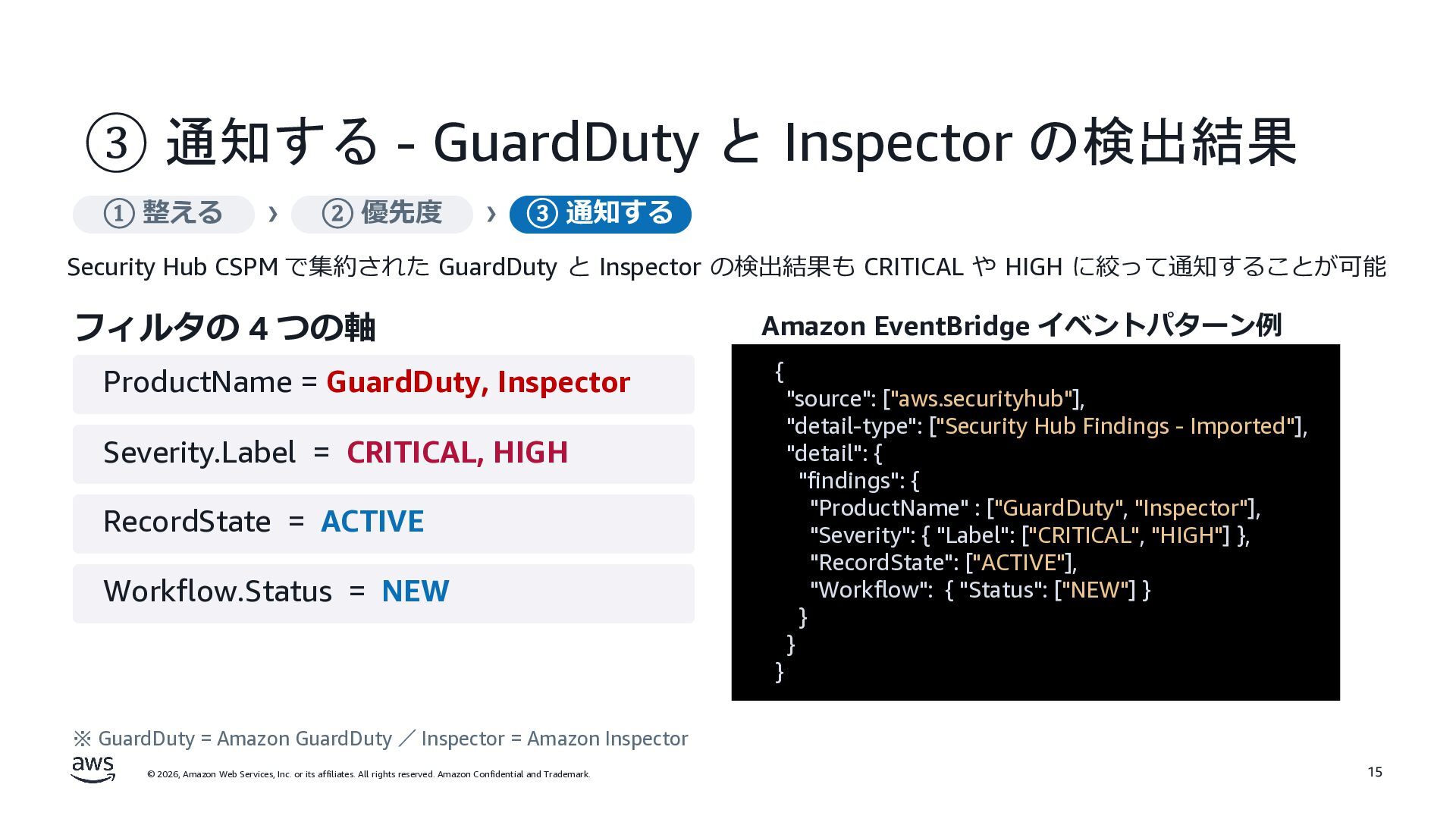
③ 通知する - GuardDuty と Inspector の検出結果 ① 整える ›
② 優先度 › ③ 通知する Security Hub CSPM で集約された GuardDuty と Inspector の検出結果も CRITICAL や HIGH に絞って通知することが可能 フィルタの 4 つの軸 ProductName = GuardDuty, Inspector Amazon EventBridge イベントパターン例 { "source": ["aws.securityhub"], "detail-type": ["Security Hub Findings - Imported"], "detail": { "findings": { "ProductName" : ["GuardDuty", "Inspector"], "Severity": { "Label": ["CRITICAL", "HIGH"] }, "RecordState": ["ACTIVE"], "Workflow": { "Status": ["NEW"] } } } Severity.Label = CRITICAL, HIGH RecordState = ACTIVE Workflow.Status = NEW } ※ GuardDuty = Amazon GuardDuty / Inspector = Amazon Inspector © 2026, Amazon Web Services, Inc. or its affiliates. All rights reserved. Amazon Confidential and Trademark. 15
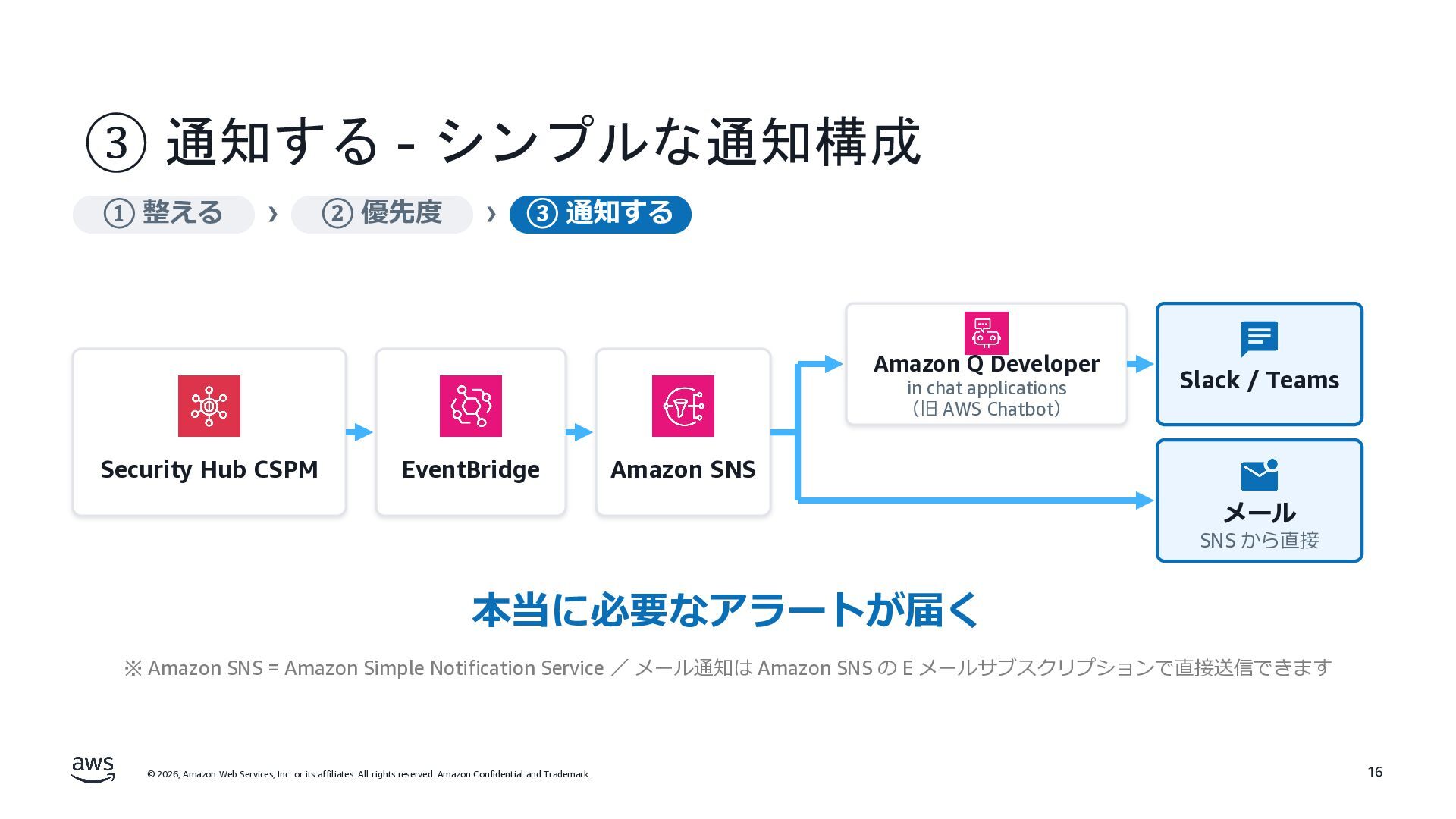
③ 通知する - シンプルな通知構成 ① 整える › ② 優先度 ›
③ 通知する Amazon Q Developer in chat applications (旧 AWS Chatbot) Security Hub CSPM EventBridge Slack / Teams Amazon SNS メール SNS から直接 本当に必要なアラートが届く ※ Amazon SNS = Amazon Simple Notification Service / メール通知は Amazon SNS の E メールサブスクリプションで直接送信できます © 2026, Amazon Web Services, Inc. or its affiliates. All rights reserved. Amazon Confidential and Trademark. 16
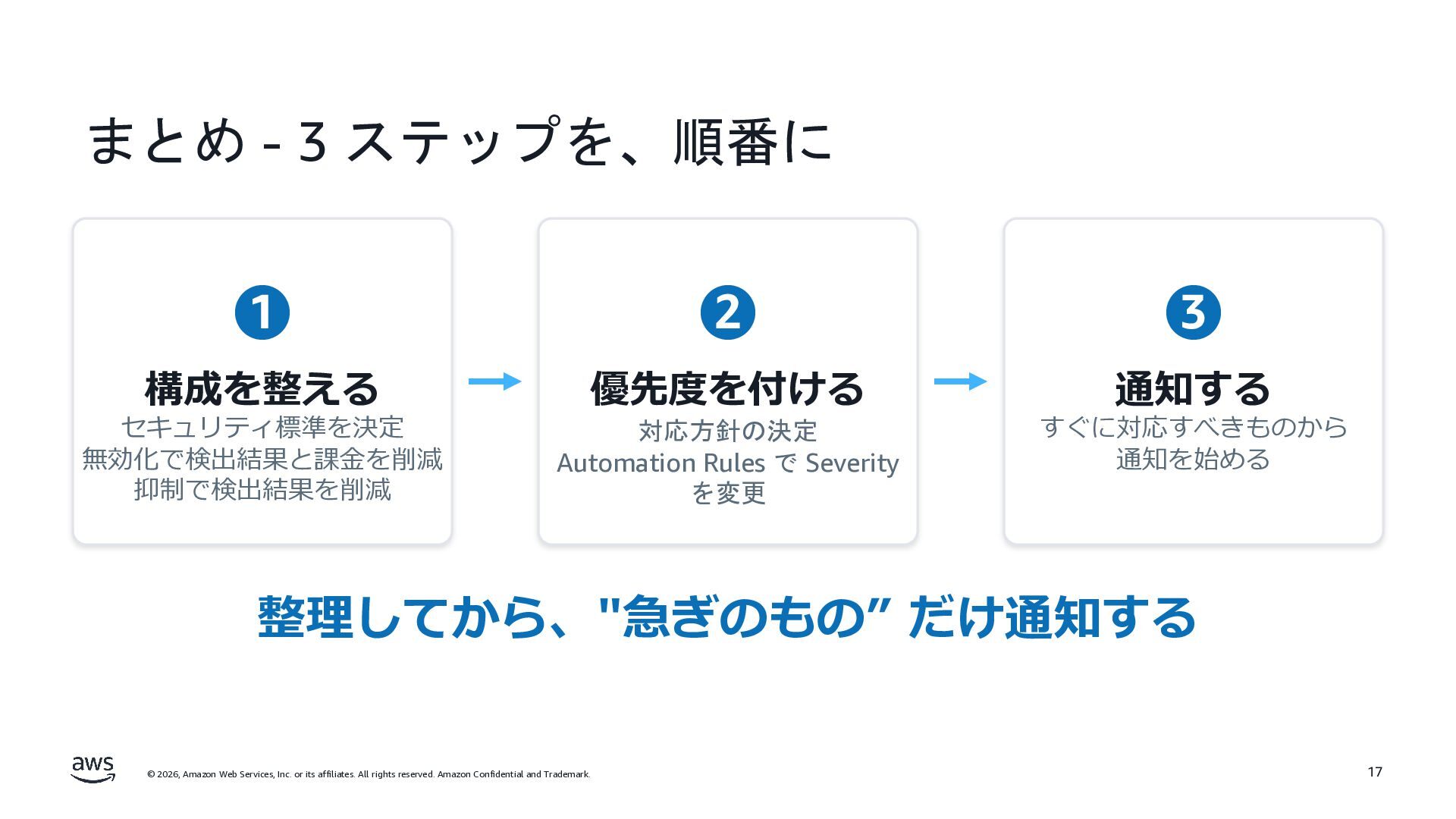
まとめ - 3 ステップを、順番に 1 2 3 構成を整える 優先度を付ける 通知する
セキュリティ標準を決定 無効化で検出結果と課⾦を削減 抑制で検出結果を削減 対応方針の決定 Automation Rules で Severity を変更 すぐに対応すべきものから 通知を始める 整理してから、"急ぎのもの” だけ通知する © 2026, Amazon Web Services, Inc. or its affiliates. All rights reserved. Amazon Confidential and Trademark. 17
Thank you! 向山 瑛貴
[email protected]
© 2026, Amazon Web Services,
Inc. or its affiliates. All rights reserved. Amazon Confidential and Trademark. © 2026, Amazon Web Services, Inc. or its affiliates. All rights reserved. Amazon Confidential and Trademark.


 scottboms
 szymonslowik
 jonoalderson
 jcasabona
 rkendrick25
 zakiyama
 inesmontani
 csswizardry
 greggifford
 panda_program
 reverentgeek
 pauljervisheath
![Thank you! 向山 瑛貴 [email protected] © 2026, Amazon Web Services,](https://files.speakerdeck.com/presentations/6ae6bef345e7495bb3e0644f2659faf0/slide_17.jpg)