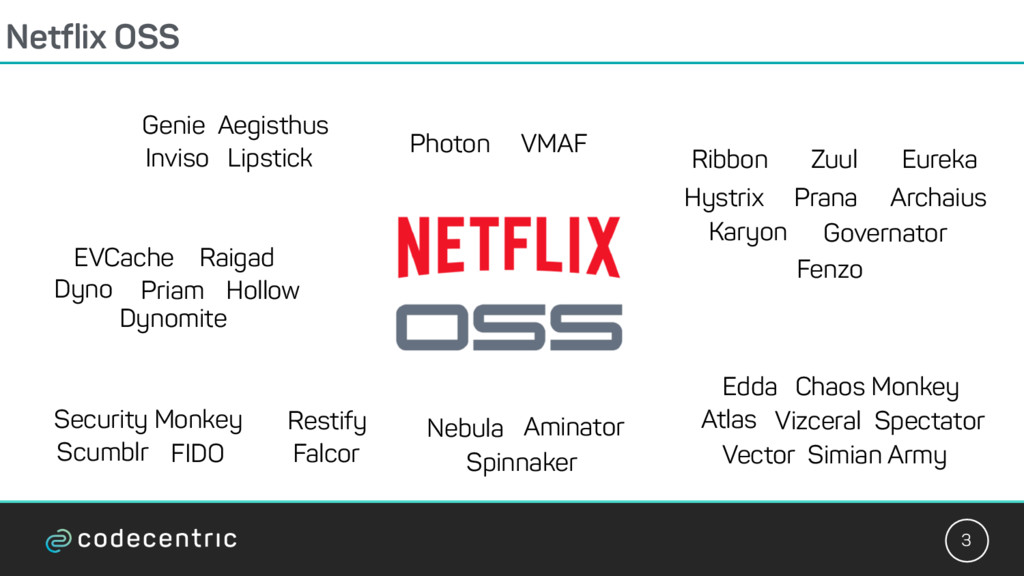
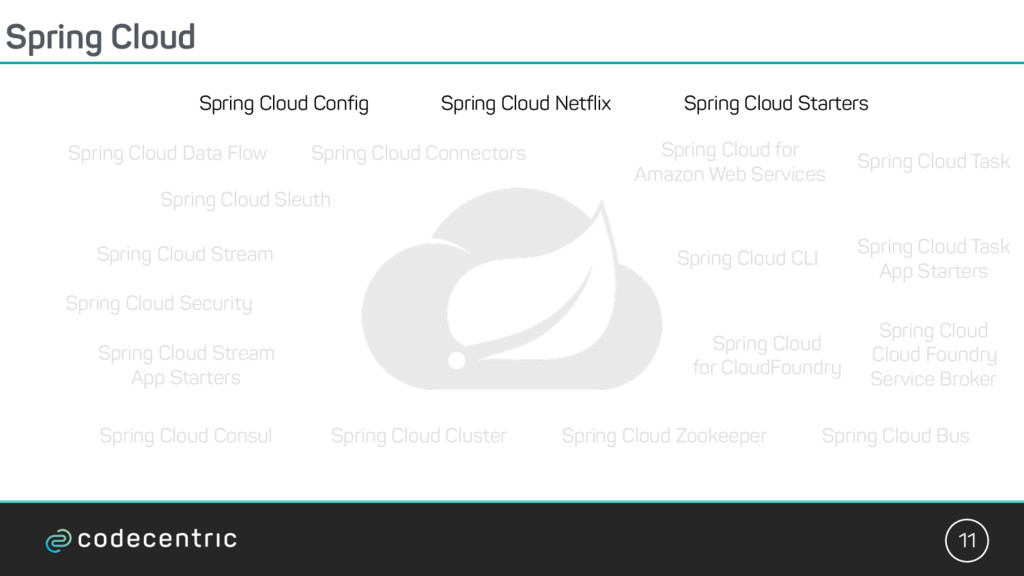
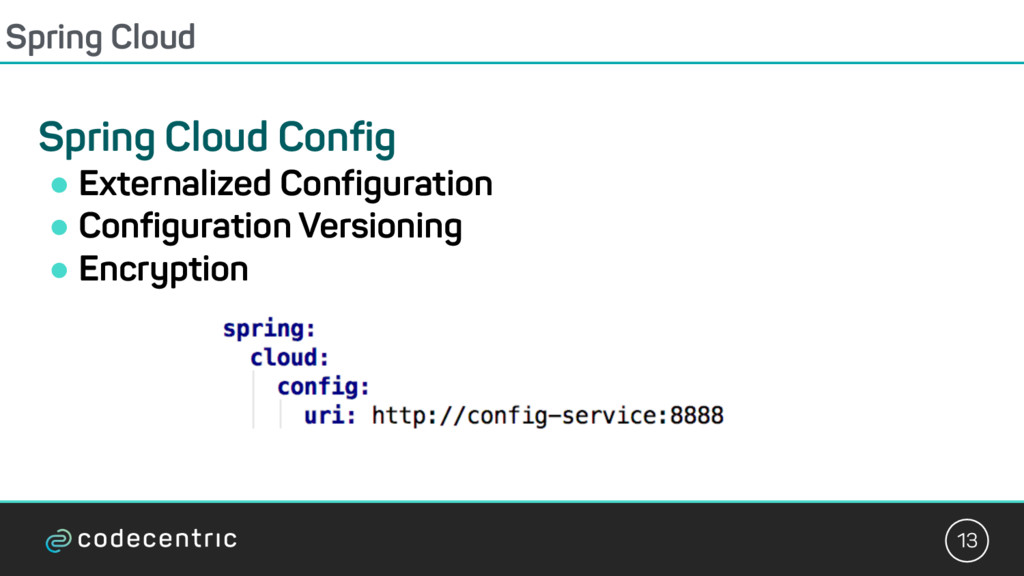
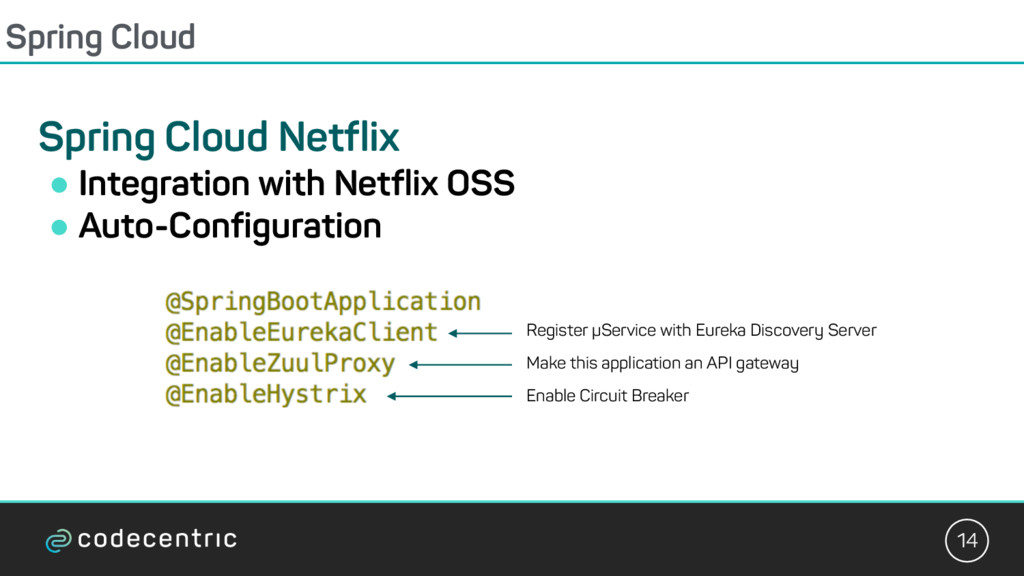
Cloud Bus Spring Cloud for CloudFoundry Spring Cloud Cloud Foundry Service Broker Spring Cloud Cluster Spring Cloud Consul Spring Cloud Security Spring Cloud Sleuth Spring Cloud Data Flow Spring Cloud Stream Spring Cloud Stream App Starters Spring Cloud Task Spring Cloud Task App Starters Spring Cloud Zookeeper Spring Cloud for Amazon Web Services Spring Cloud Connectors Spring Cloud Starters Spring Cloud CLI
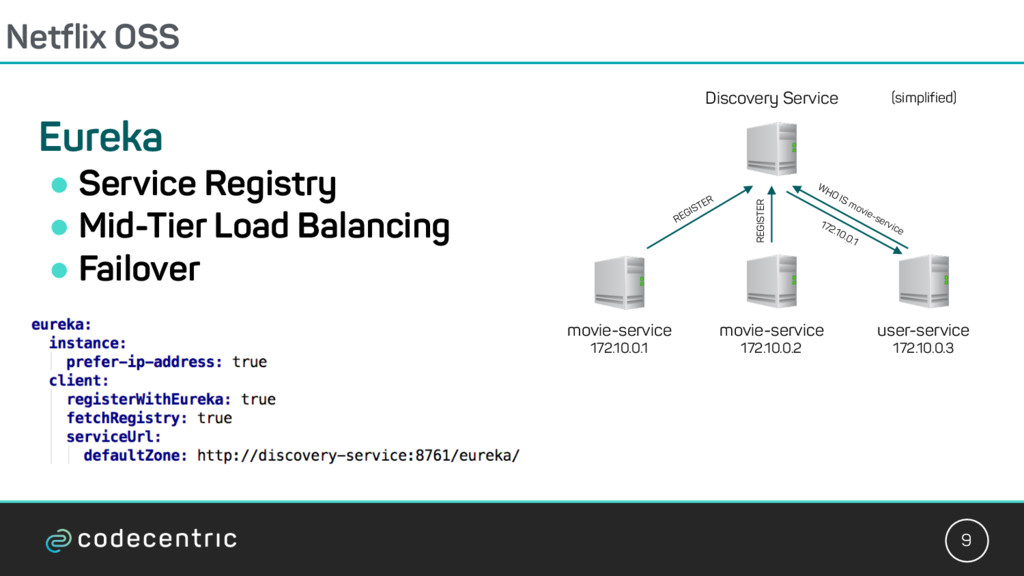
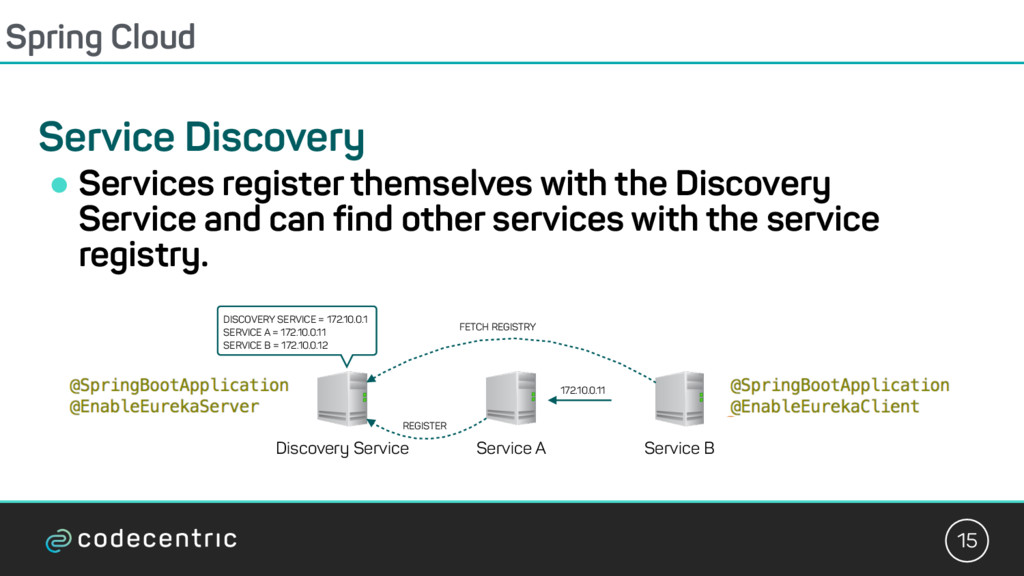
the Discovery Service and can find other services with the service registry. Discovery Service Service A REGISTER Service B FETCH REGISTRY DISCOVERY SERVICE = 172.10.0.1 SERVICE A = 172.10.0.11 SERVICE B = 172.10.0.12 172.10.0.11
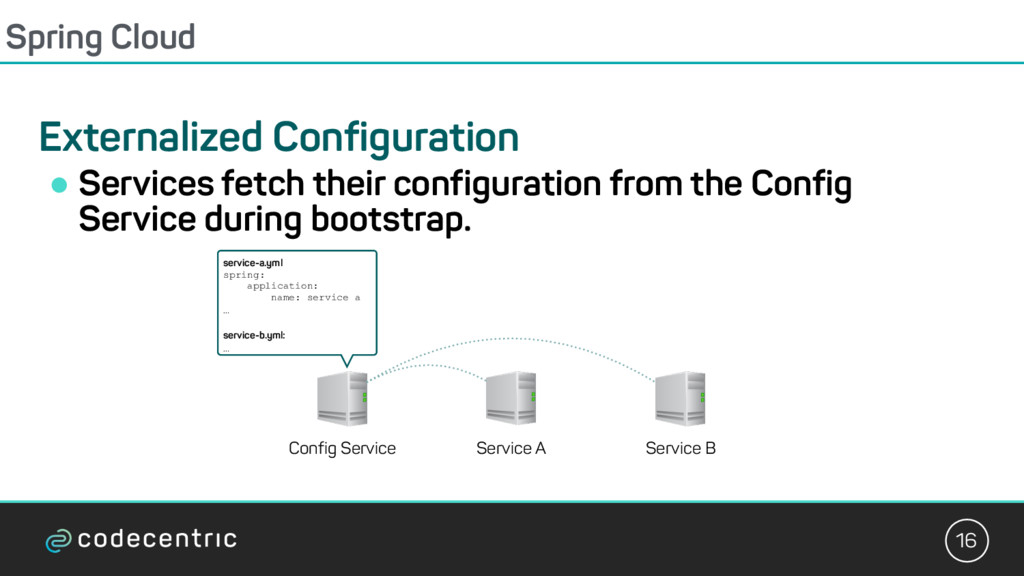
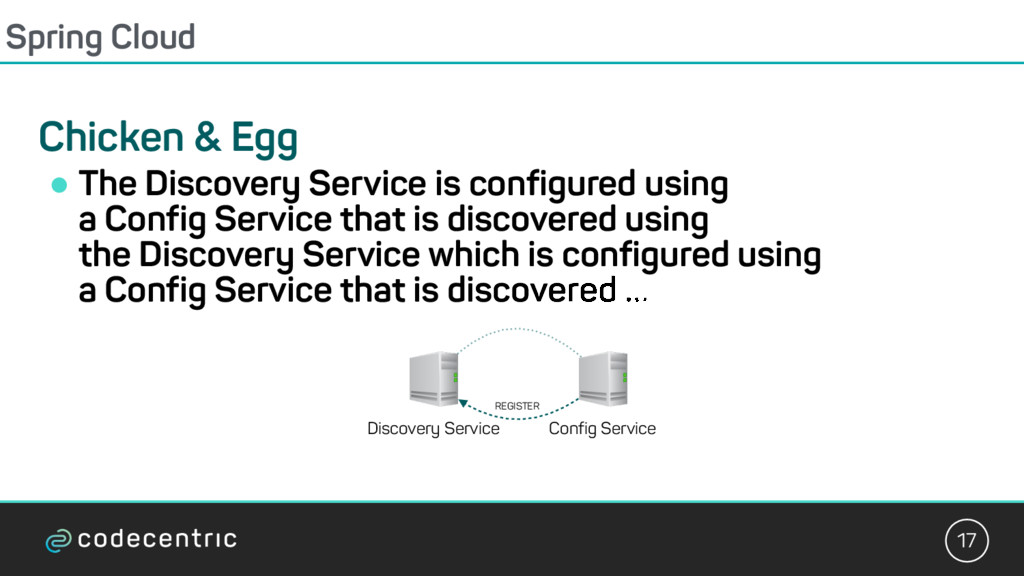
is configured using a Config Service that is discovered using the Discovery Service which is configured using a Config Service that is discovered ... Discovery Service Config Service REGISTER
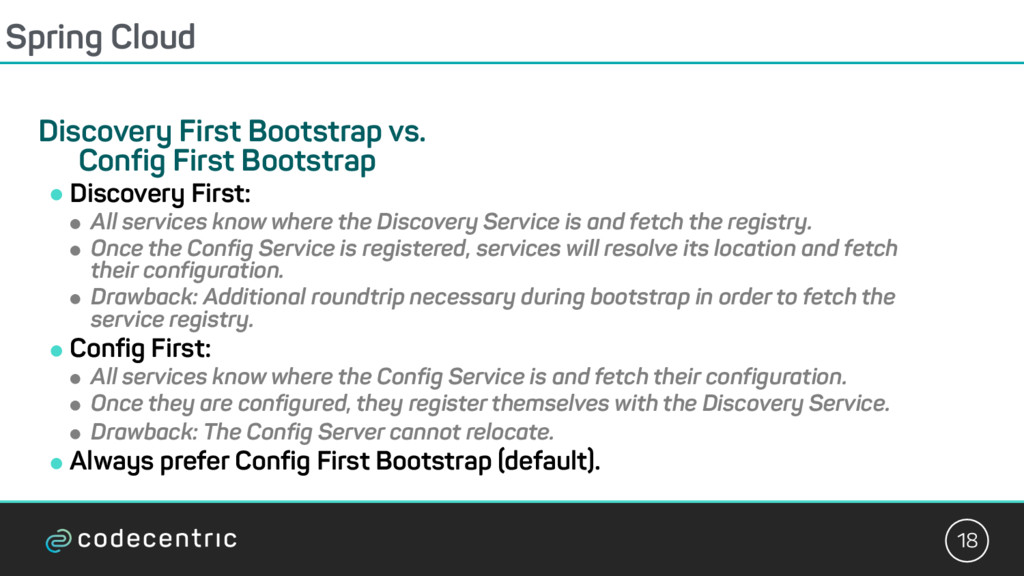
! Discovery First: ! All services know where the Discovery Service is and fetch the registry. ! Once the Config Service is registered, services will resolve its location and fetch their configuration. ! Drawback: Additional roundtrip necessary during bootstrap in order to fetch the service registry. ! Config First: ! All services know where the Config Service is and fetch their configuration. ! Once they are configured, they register themselves with the Discovery Service. ! Drawback: The Config Server cannot relocate. ! Always prefer Config First Bootstrap (default).
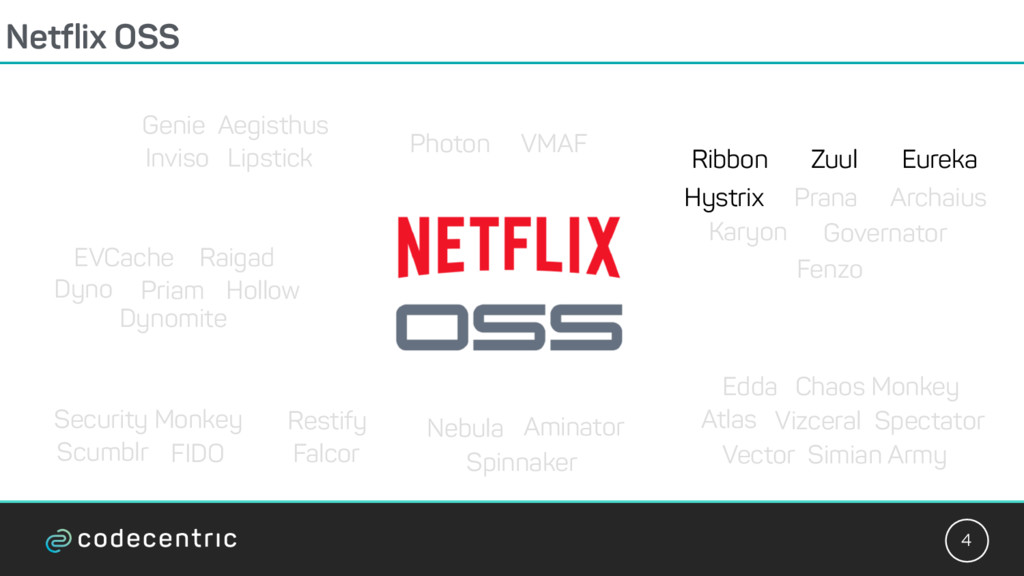
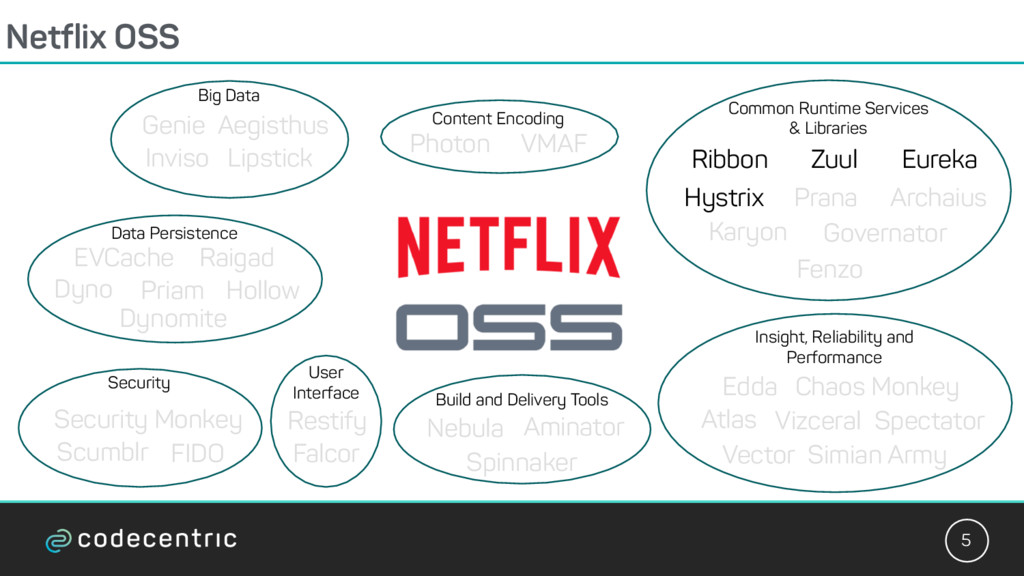
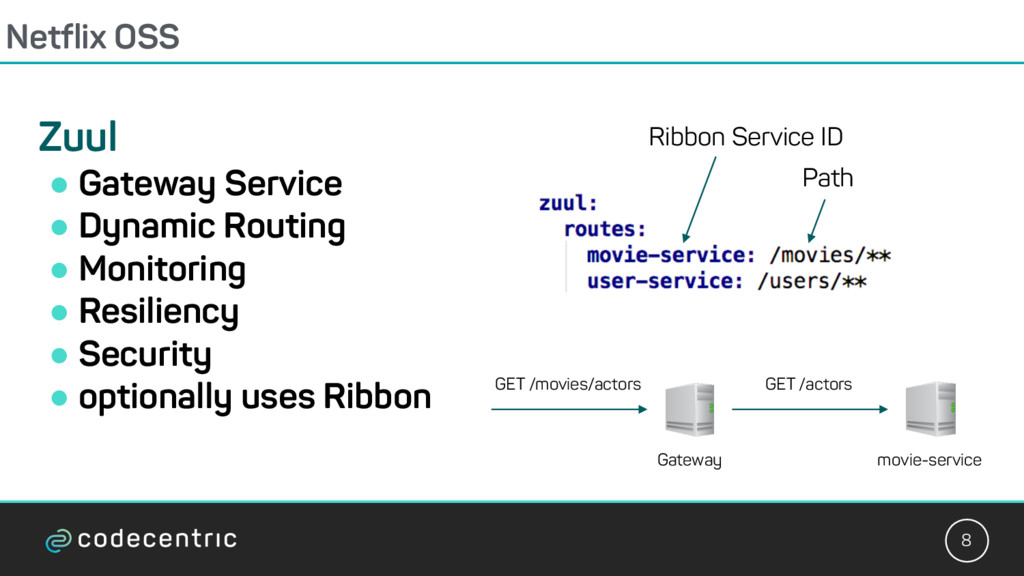
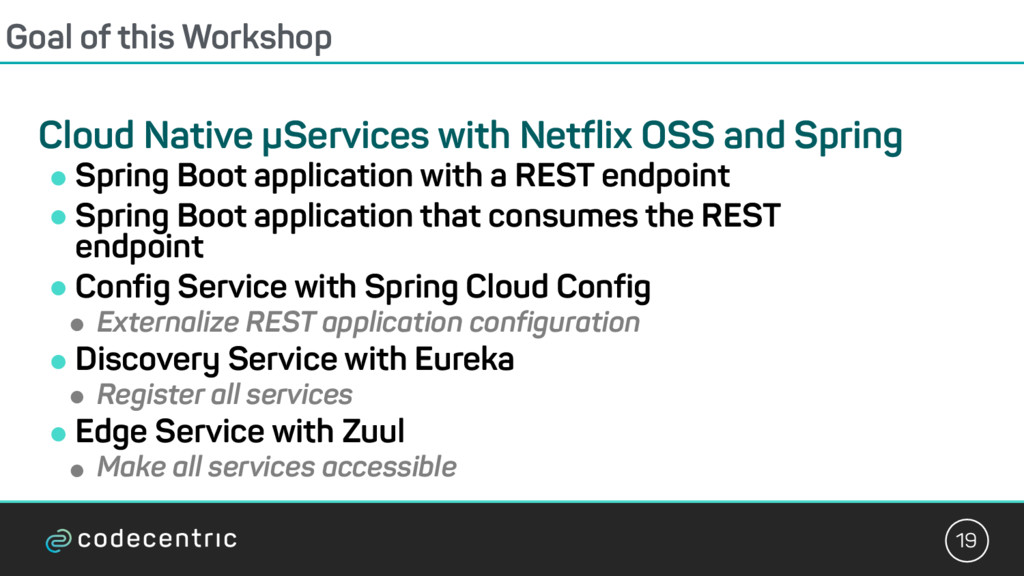
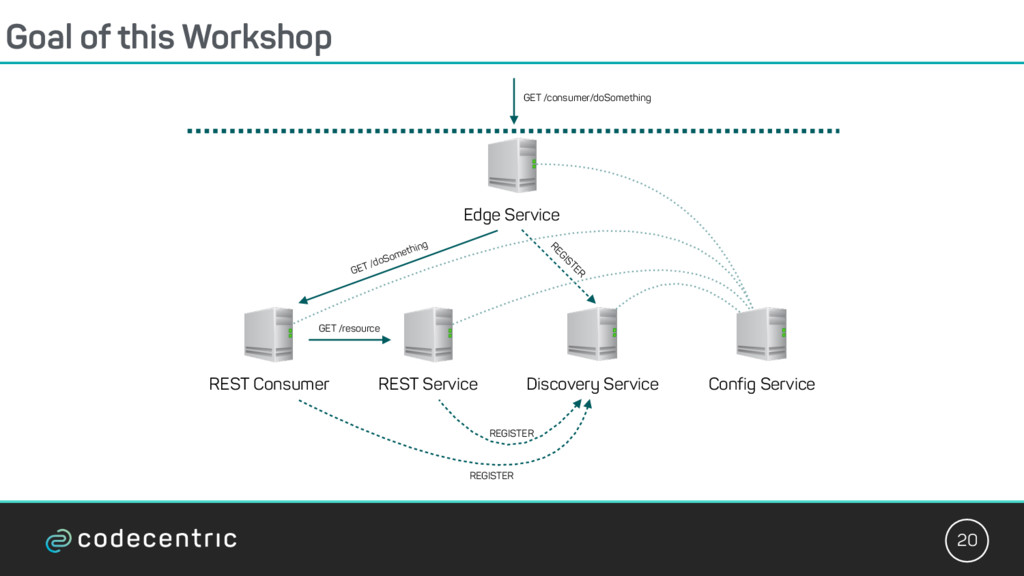
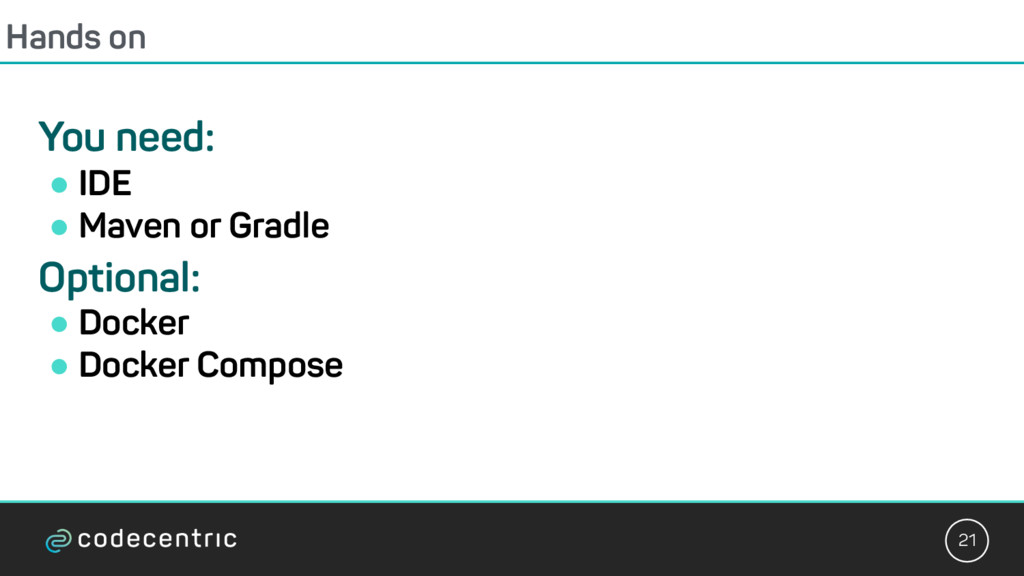
OSS and Spring ! Spring Boot application with a REST endpoint ! Spring Boot application that consumes the REST endpoint ! Config Service with Spring Cloud Config ! Externalize REST application configuration ! Discovery Service with Eureka ! Register all services ! Edge Service with Zuul ! Make all services accessible
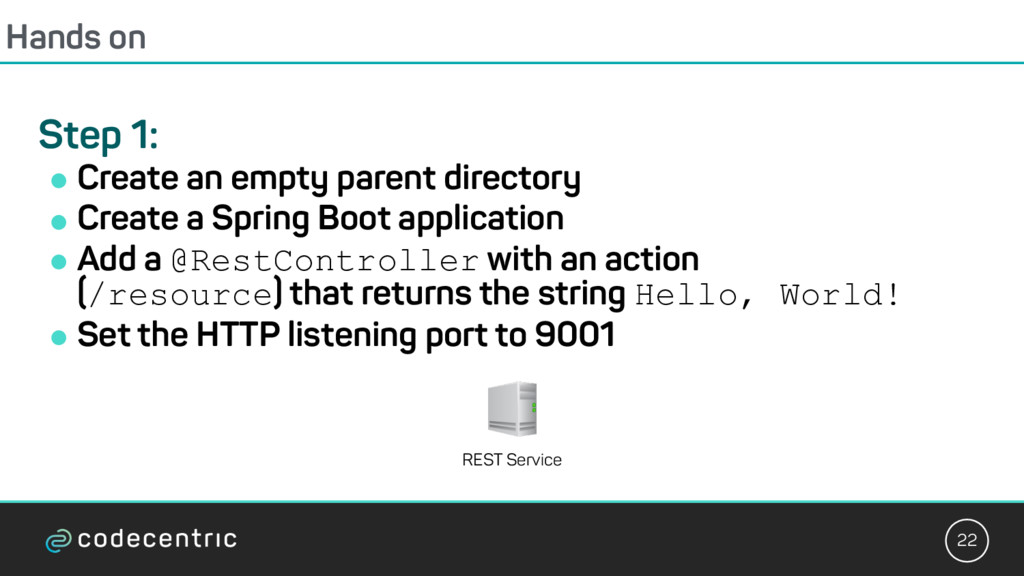
directory ! Create a Spring Boot application ! Add a @RestController with an action (/resource) that returns the string Hello, World! ! Set the HTTP listening port to 9001 REST Service
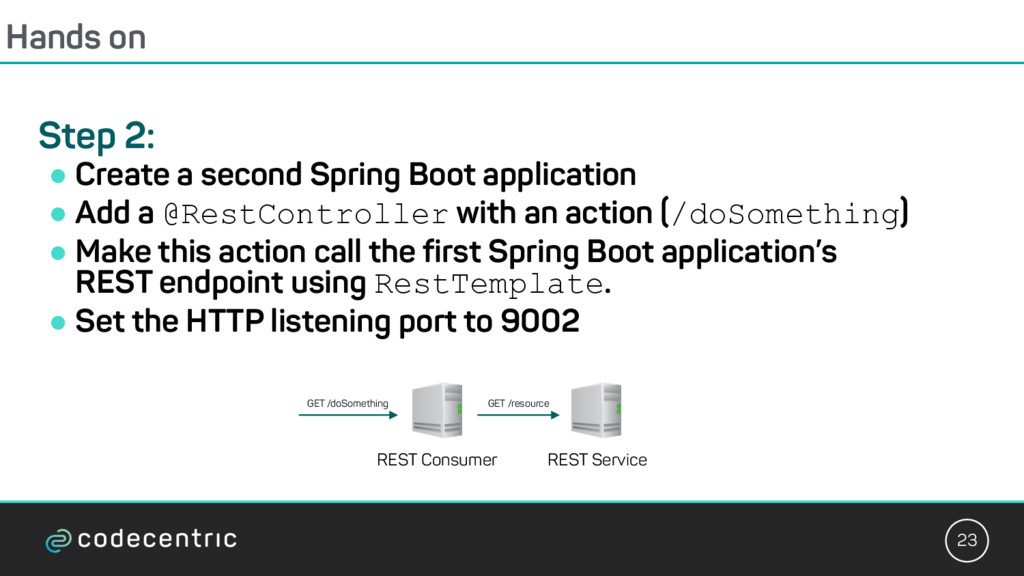
Boot application ! Add a @RestController with an action (/doSomething) ! Make this action call the first Spring Boot application’s REST endpoint using RestTemplate. ! Set the HTTP listening port to 9002 REST Service REST Consumer GET /resource GET /doSomething
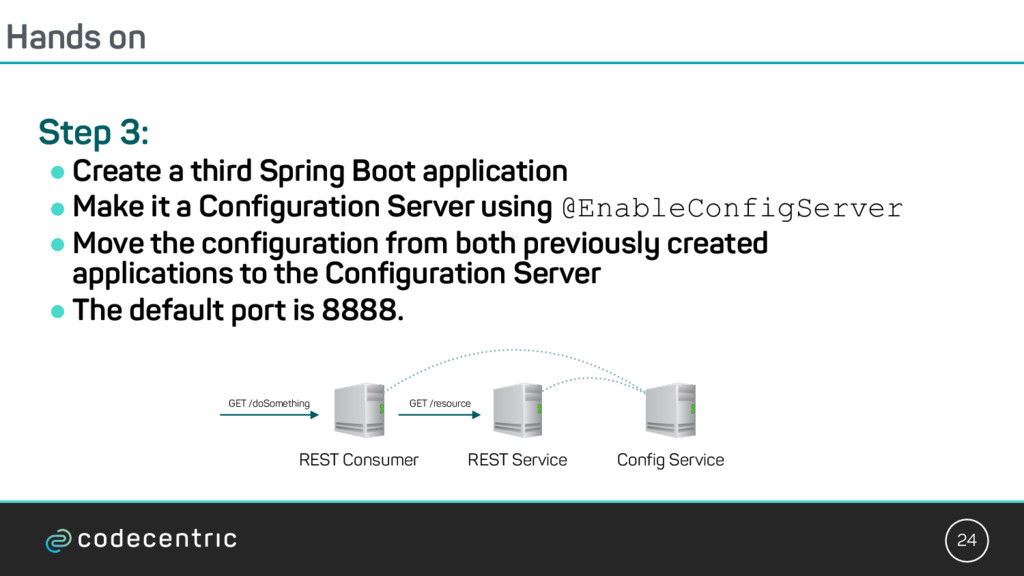
Boot application ! Make it a Configuration Server using @EnableConfigServer ! Move the configuration from both previously created applications to the Configuration Server ! The default port is 8888. REST Service REST Consumer GET /resource GET /doSomething Config Service
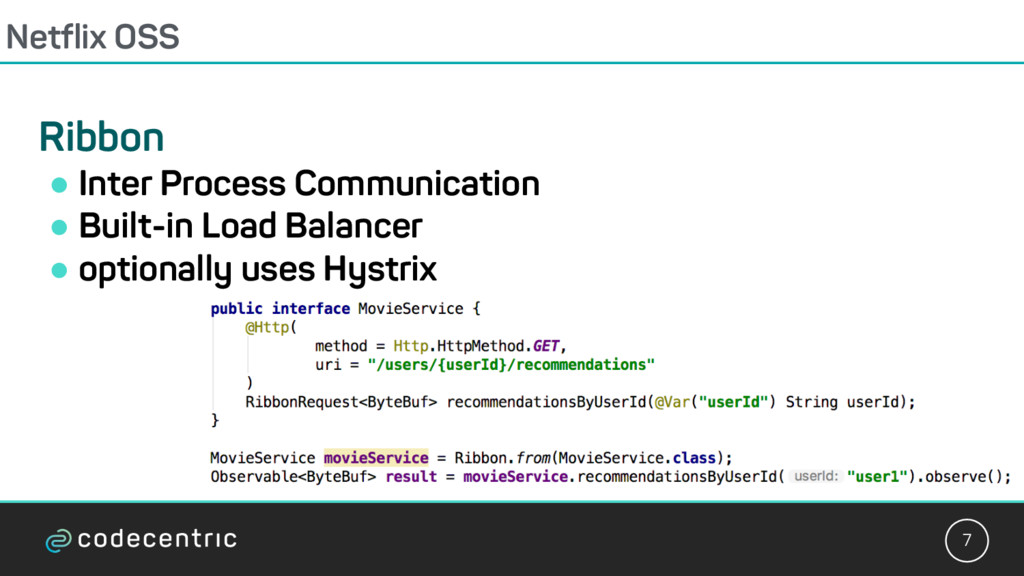
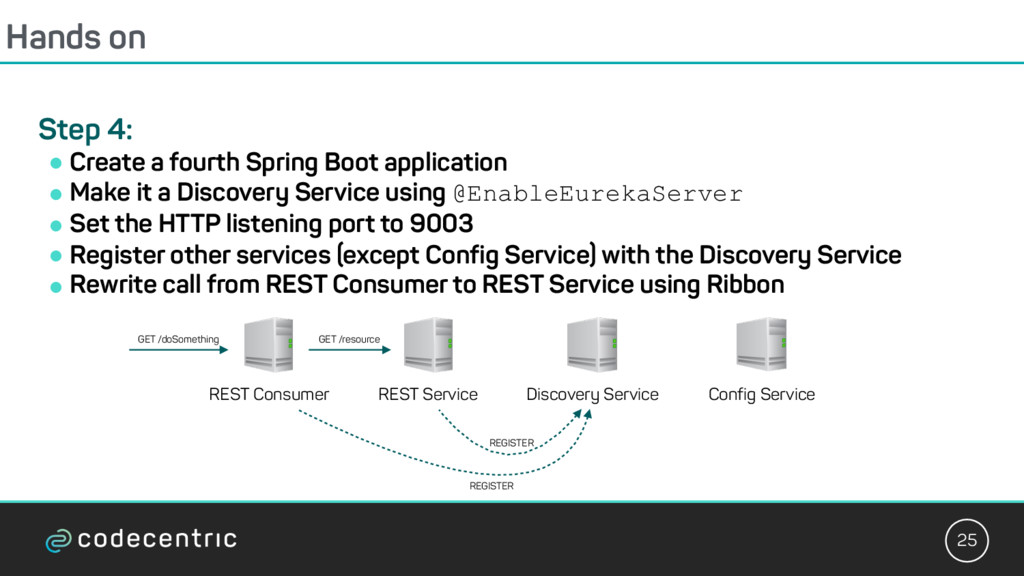
Boot application ! Make it a Discovery Service using @EnableEurekaServer ! Set the HTTP listening port to 9003 ! Register other services (except Config Service) with the Discovery Service ! Rewrite call from REST Consumer to REST Service using Ribbon GET /doSomething REST Service REST Consumer Discovery Service Config Service REGISTER REGISTER GET /resource
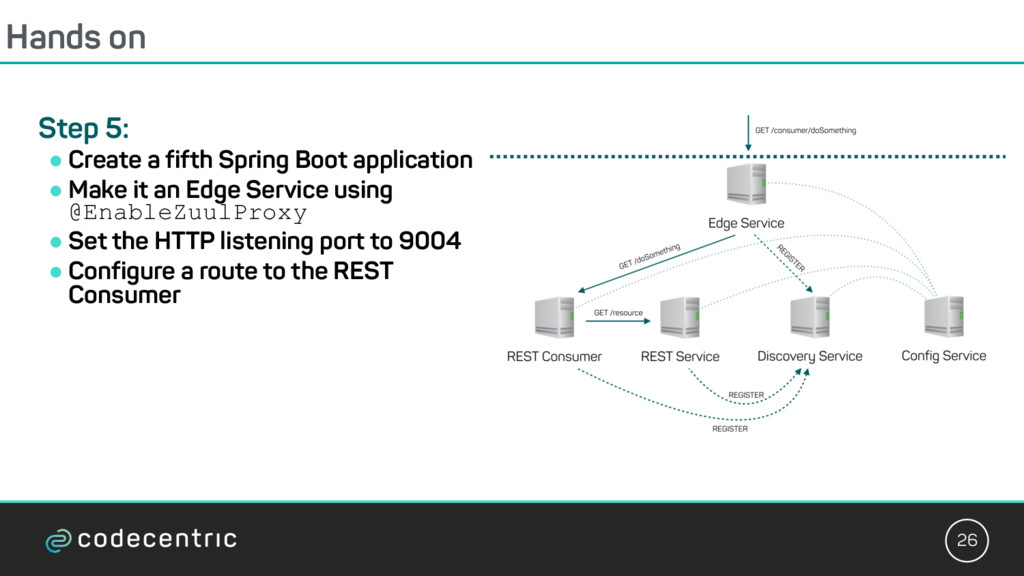
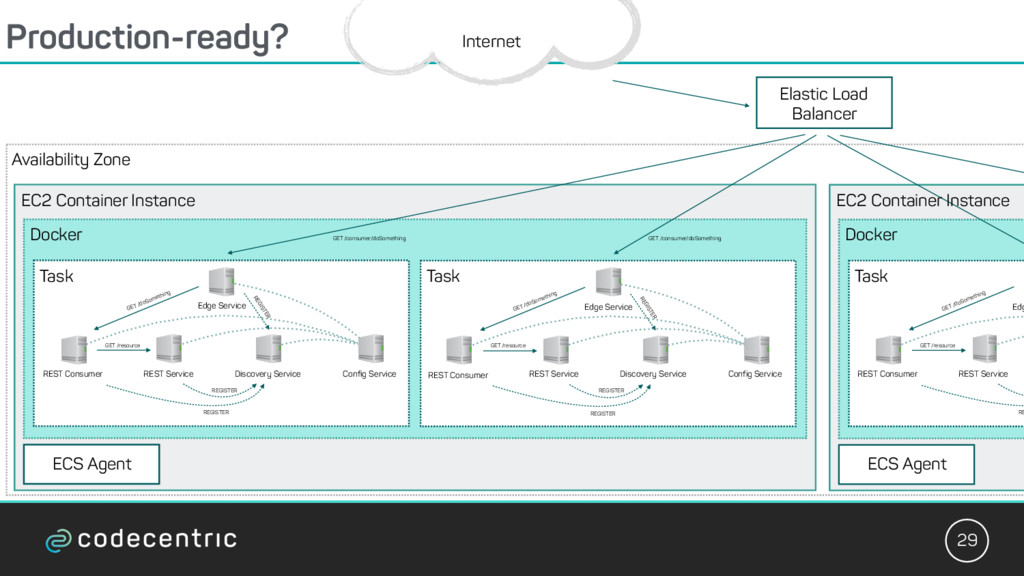
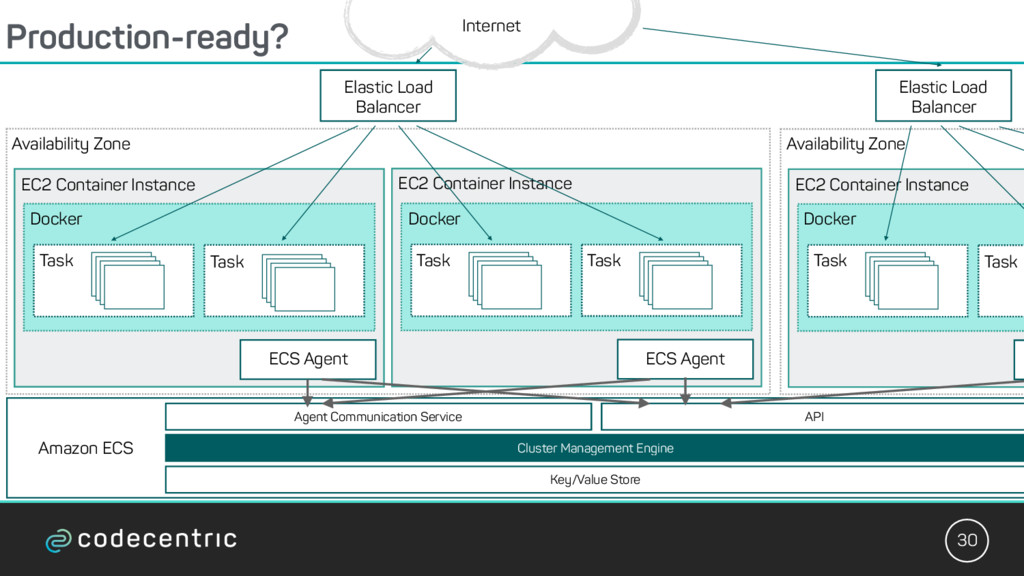
Config Service REGISTER REGISTER REGISTER GET /resource GET /doSomething GET /consumer/doSomething Task Edge Service REST Service REST Consumer Discovery Service Config Service REGISTER REGISTER REGISTER GET /resource GET /doSomething GET /consumer/doSomething Task Docker EC2 Container Instance Edg REST Service REST Consumer RE GET /resource GET /doSomething Task Docker EC2 Container Instance Availability Zone Elastic Load Balancer Internet ECS Agent ECS Agent
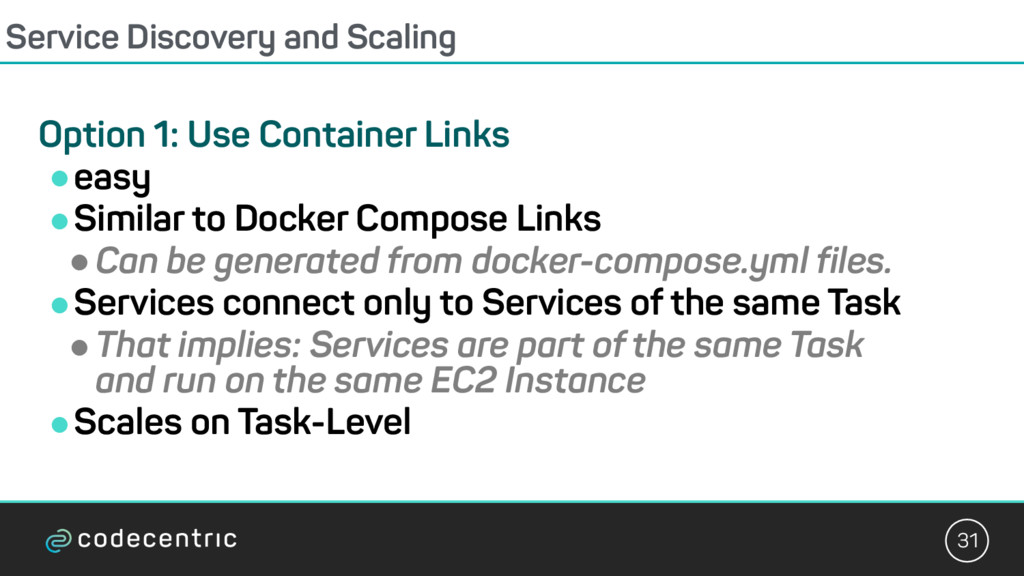
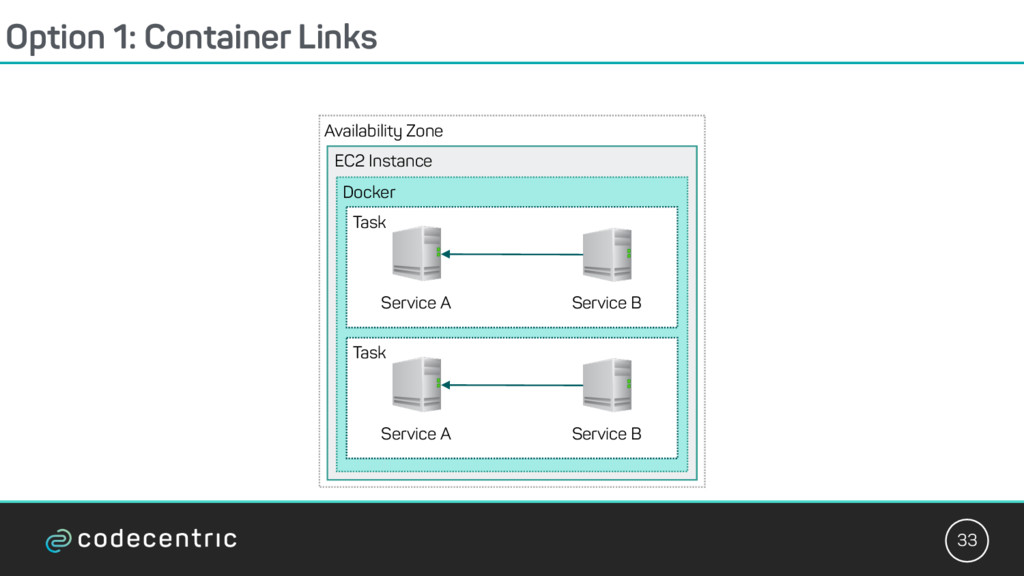
!easy !Similar to Docker Compose Links !Can be generated from docker-compose.yml files. !Services connect only to Services of the same Task !That implies: Services are part of the same Task and run on the same EC2 Instance !Scales on Task-Level
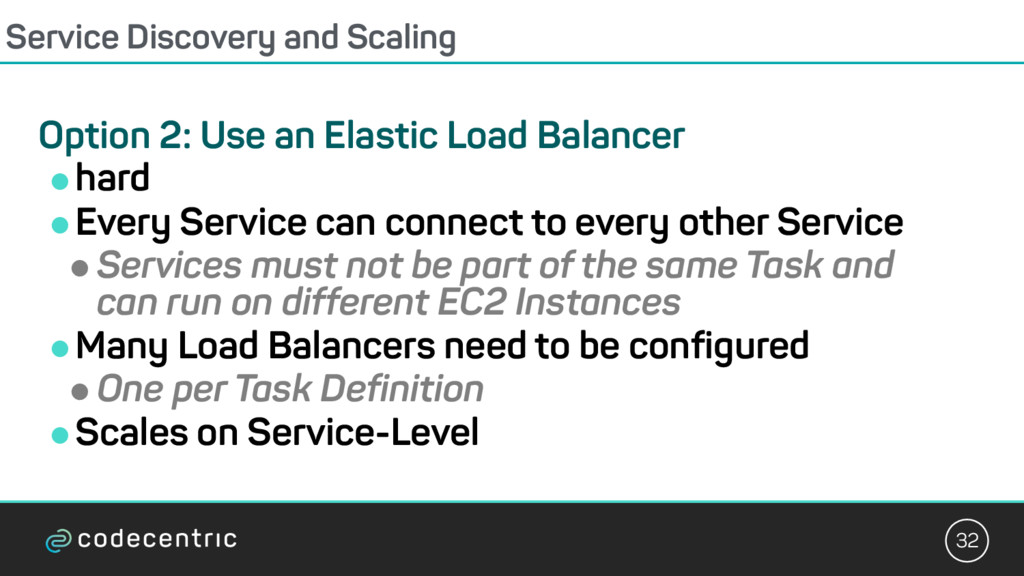
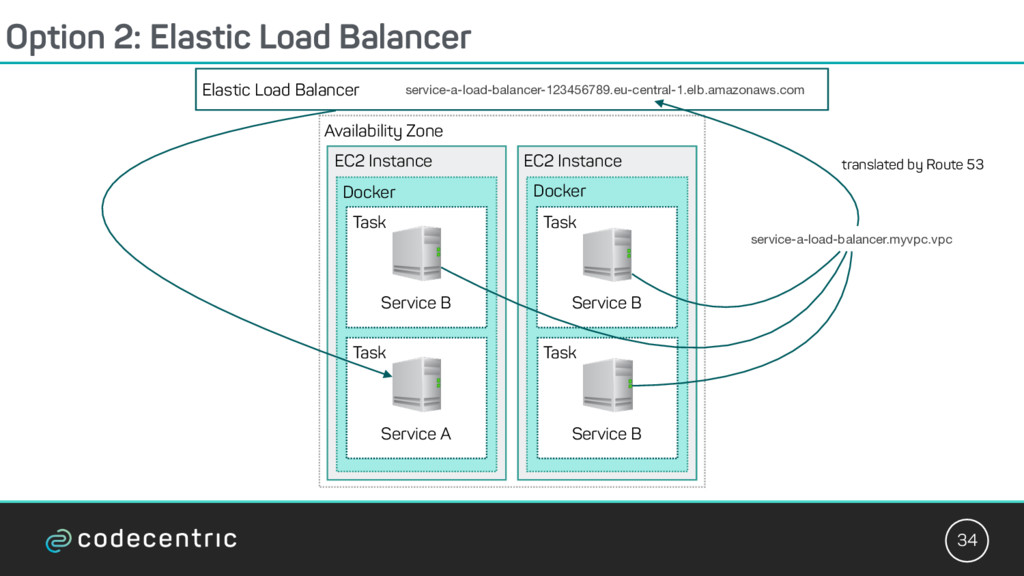
Load Balancer !hard !Every Service can connect to every other Service !Services must not be part of the same Task and can run on different EC2 Instances !Many Load Balancers need to be configured !One per Task Definition !Scales on Service-Level
Zone service-a-load-balancer-123456789.eu-central-1.elb.amazonaws.com Task Service A service-a-load-balancer.myvpc.vpc translated by Route 53 EC2 Instance Service B Task Docker EC2 Instance Docker Task Service B Task Service B
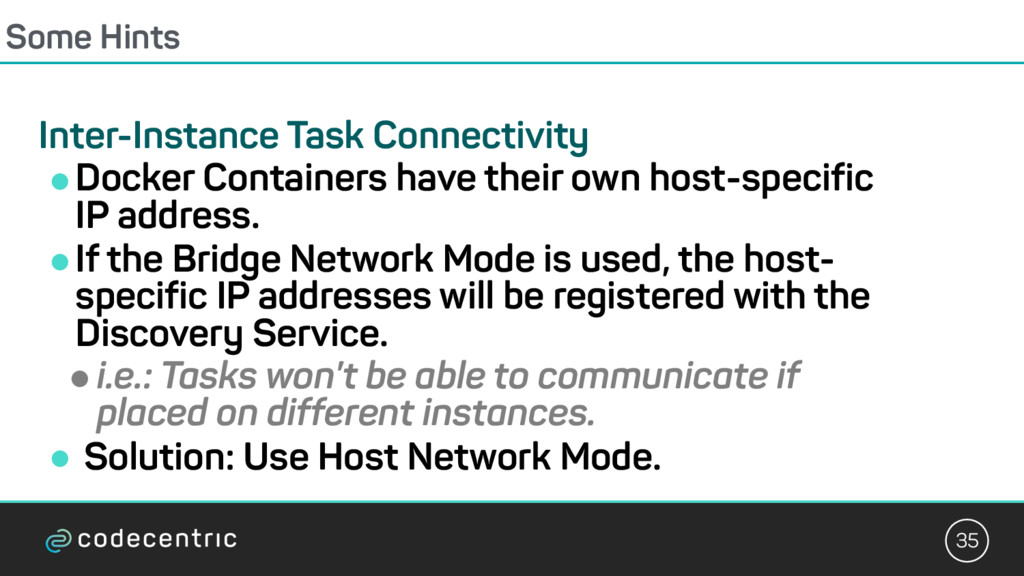
own host-specific IP address. !If the Bridge Network Mode is used, the host- specific IP addresses will be registered with the Discovery Service. !i.e.: Tasks won’t be able to communicate if placed on different instances. ! Solution: Use Host Network Mode.


 alexandermueller
 masahirokawahara
 foursue
 kentapapa
 kohbis
 sansantech
 uya116
 yama3133
 dafujii
 ryotarai
 masasuzu
 soudai
 oracle4engineer
 keathley
 wayneb77
 tamaranovitovic
 hannesfritz
 sonatard
 carmenintech
 tammyeverts
 kneath
 ammeep
 helmedeiros
 destraynor