Upgrade to Pro — share decks privately, control downloads, hide ads and more …

Data Science: It’s Easy as Py! (With Notes)

Data Science: It’s Easy as Py! (With Notes)

Over the last several years, many amazing Python projects have been created for working with data, making Python one of the top languages for data scientists. In this talk, Michael Becker will cover all five stages of the OSEMN data science process, and several Python libraries that can be used at each stage. To demo, he will illustrate the creation of a language classification algorithm, using Wikipedia articles.

Avatar for Michael Becker

Michael Becker

February 25, 2016

More Decks by Michael Becker

Other Decks in Technology

Transcript

  1. Data Science: It’s Easy as Py! Michael Becker #PhillyPUG @beckerfuffle

    Thanks everybody for coming to my talk! My name is Michael Becker, I work on the Data Science Team at Penn Medicine. I’m also the founder of the DataPhilly meetup with over 1000 members.
  2. What My Coworkers Think I Do #PhillyPUG @beckerfuffle (PAUSE) My

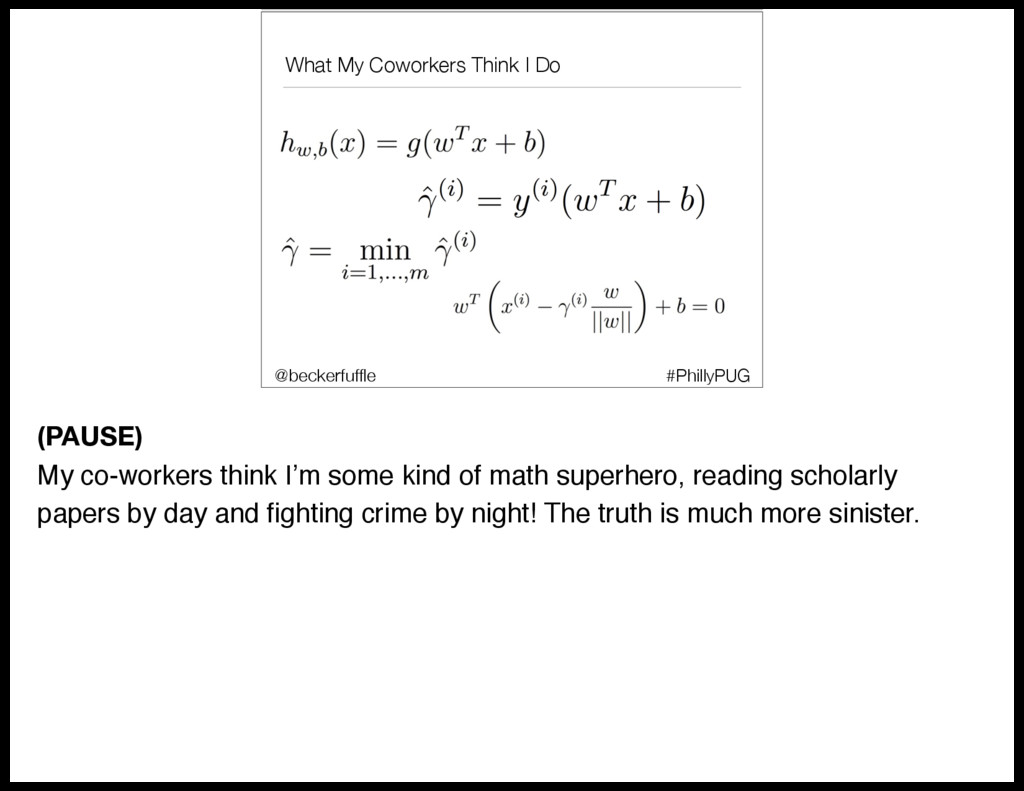
    co-workers think I’m some kind of math superhero, reading scholarly papers by day and fighting crime by night! The truth is much more sinister.
  3. What I Actually Do #PhillyPUG @beckerfuffle (PAUSE) Fortunately for me,

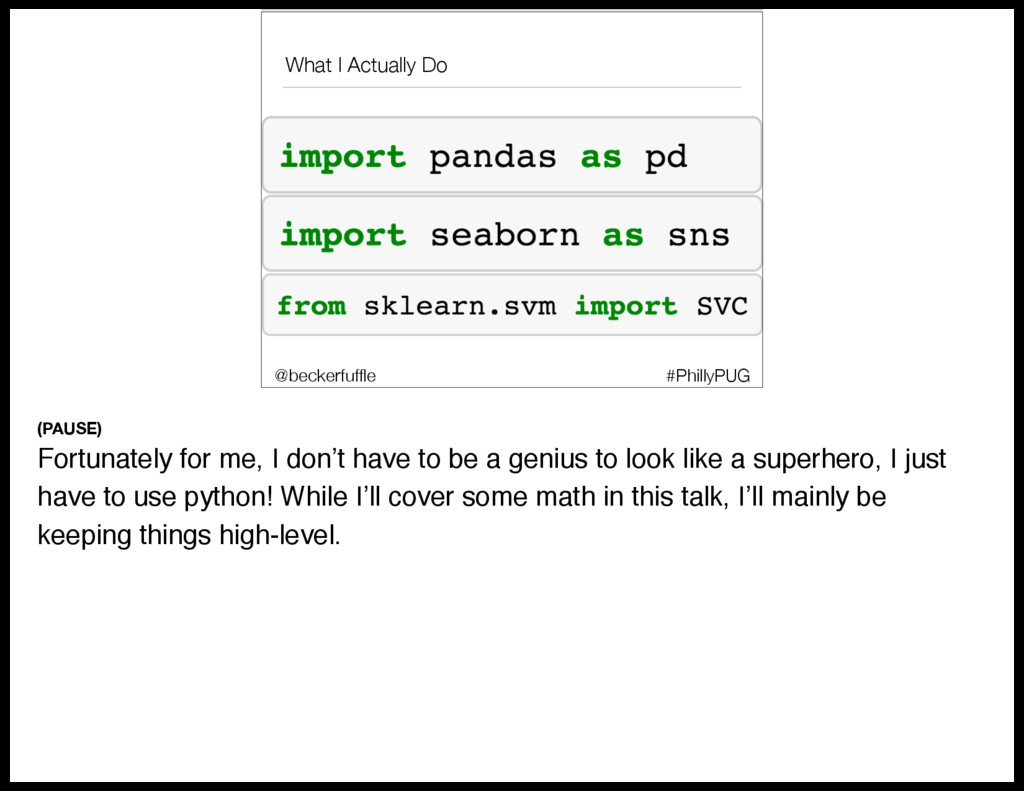
    I don’t have to be a genius to look like a superhero, I just have to use python! While I’ll cover some math in this talk, I’ll mainly be keeping things high-level.
  4. What I'll Cover • What is Data Science? #PhillyPUG @beckerfuffle

    Okay, so what will I be covering today? To start off I’ll define what Data Science is.
  5. What I'll Cover • What is Data Science? • The

    OSEMN process #PhillyPUG @beckerfuffle I’ll teach you the OSEMN Data Science process.
  6. What I'll Cover • What is Data Science? • The

    OSEMN process • Writing a custom web scraper #PhillyPUG @beckerfuffle I’ll demonstrate how to create a custom web scraping bot
  7. What I'll Cover • What is Data Science? • The

    OSEMN process • Writing a custom web scraper • Scrubbing the data #PhillyPUG @beckerfuffle I’ll convert the data to plain text.
  8. What I'll Cover • What is Data Science? • The

    OSEMN process • Writing a custom web scraper • Scrubbing the data • Data Exploration #PhillyPUG @beckerfuffle I’ll explore the data using pandas, seaborn, and scikit-learn
  9. What I'll Cover • What is Data Science? • The

    OSEMN process • Writing a custom web scraper • Scrubbing the data • Data Exploration • Predictive Modeling #PhillyPUG @beckerfuffle Finally I’ll walk you through creating a predictive model using scikit-learn
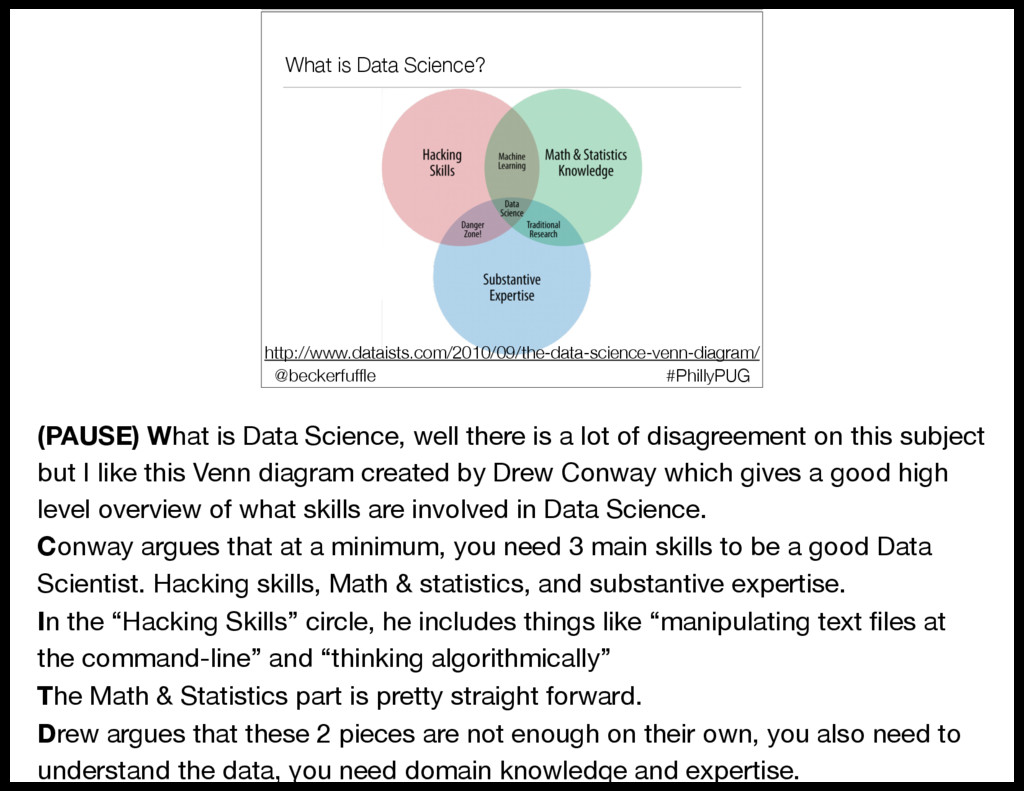
  10. What is Data Science? http://www.dataists.com/2010/09/the-data-science-venn-diagram/ #PhillyPUG @beckerfuffle (PAUSE) What is

    Data Science, well there is a lot of disagreement on this subject but I like this Venn diagram created by Drew Conway which gives a good high level overview of what skills are involved in Data Science. Conway argues that at a minimum, you need 3 main skills to be a good Data Scientist. Hacking skills, Math & statistics, and substantive expertise. In the “Hacking Skills” circle, he includes things like “manipulating text files at the command-line” and “thinking algorithmically” The Math & Statistics part is pretty straight forward. Drew argues that these 2 pieces are not enough on their own, you also need to understand the data, you need domain knowledge and expertise.
  11. #PhillyPUG @beckerfuffle (PAUSE) I’m not sure if it was Hilary

    Mason who first coined the term OSEMN, but that’s certainly who I learned it from. OSEMN is a typical data science process followed by many data scientists. Let’s break it down.
  12. OSEMN! • Obtain #PhillyPUG @beckerfuffle Obtain is pretty straight forward.

    To do Data Science, you first need data. Not all data is easy to access. Be prepared to jump through some hoops to obtain your datasets.
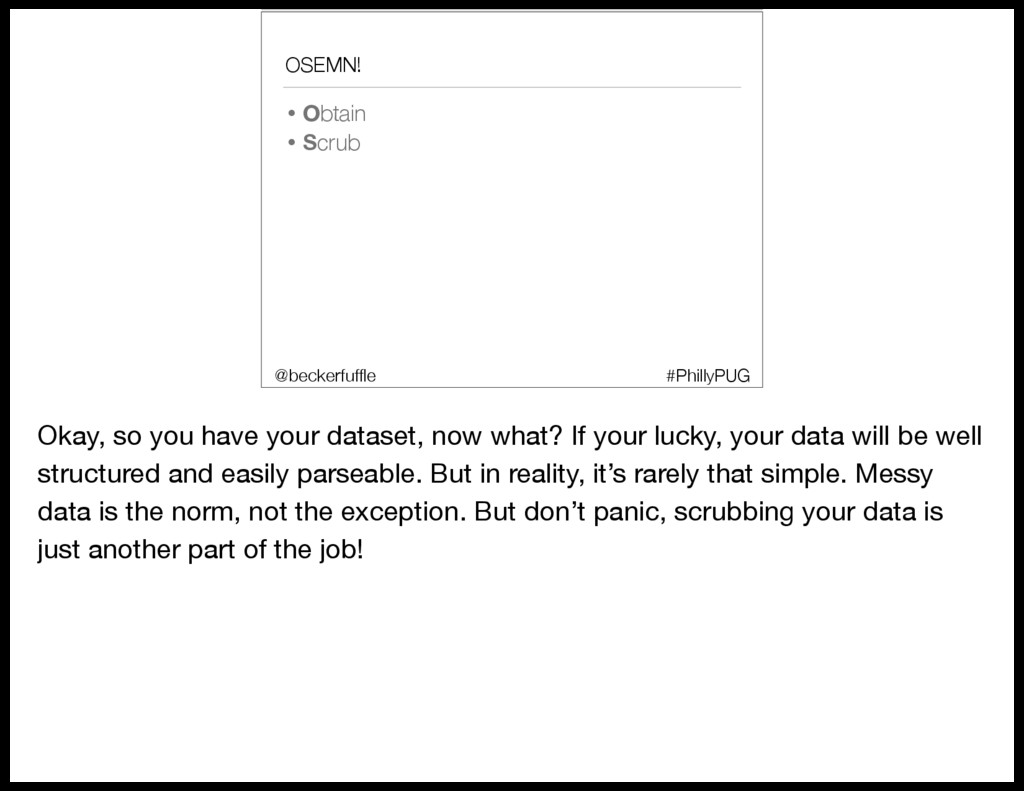
  13. OSEMN! • Obtain • Scrub #PhillyPUG @beckerfuffle Okay, so you

    have your dataset, now what? If your lucky, your data will be well structured and easily parseable. But in reality, it’s rarely that simple. Messy data is the norm, not the exception. But don’t panic, scrubbing your data is just another part of the job!
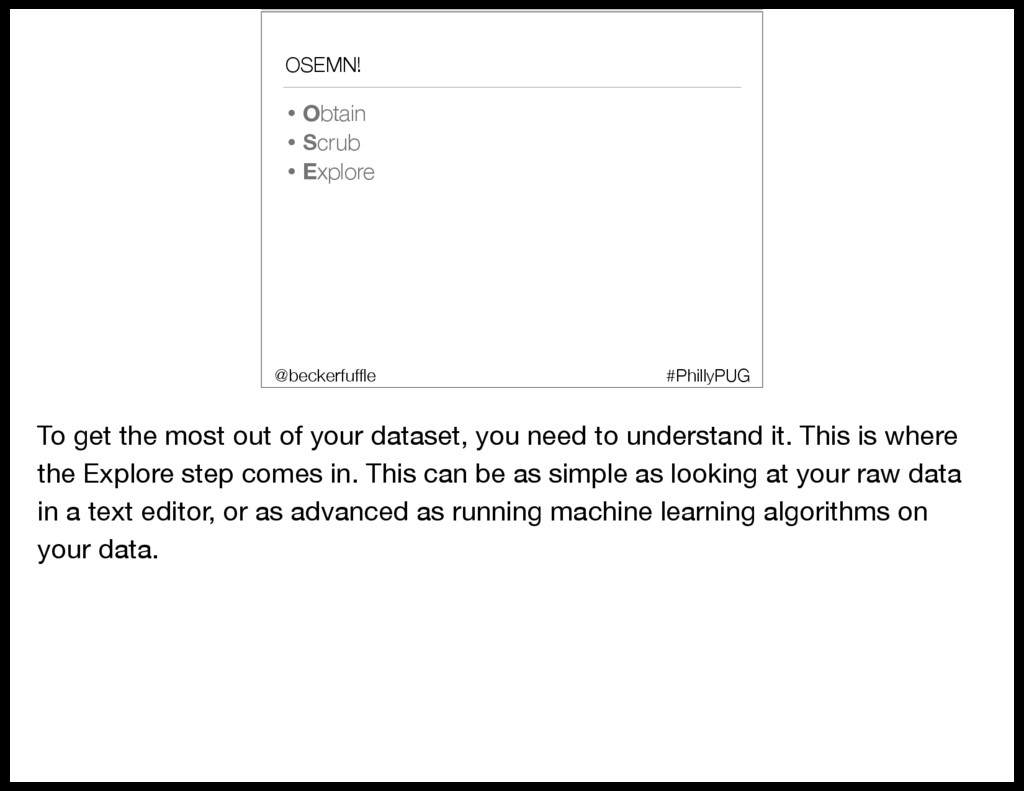
  14. OSEMN! • Obtain • Scrub • Explore #PhillyPUG @beckerfuffle To

    get the most out of your dataset, you need to understand it. This is where the Explore step comes in. This can be as simple as looking at your raw data in a text editor, or as advanced as running machine learning algorithms on your data.
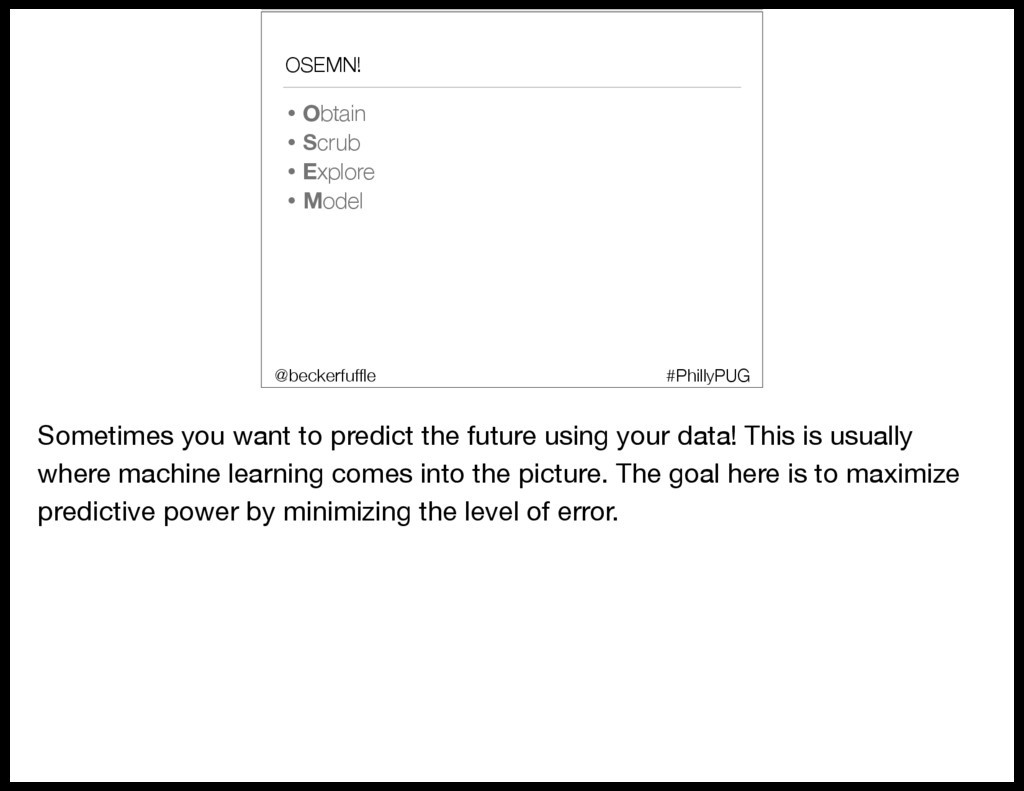
  15. OSEMN! • Obtain • Scrub • Explore • Model #PhillyPUG

    @beckerfuffle Sometimes you want to predict the future using your data! This is usually where machine learning comes into the picture. The goal here is to maximize predictive power by minimizing the level of error.
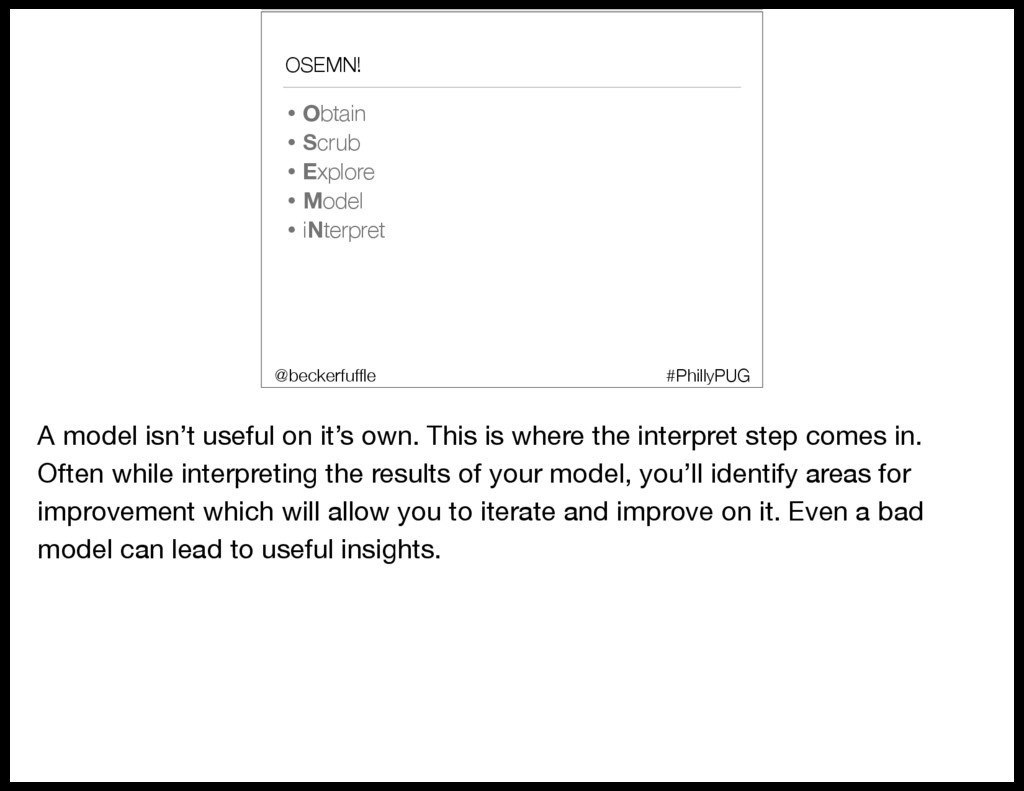
  16. OSEMN! • Obtain • Scrub • Explore • Model •

    iNterpret #PhillyPUG @beckerfuffle A model isn’t useful on it’s own. This is where the interpret step comes in. Often while interpreting the results of your model, you’ll identify areas for improvement which will allow you to iterate and improve on it. Even a bad model can lead to useful insights.
  17. Language Classification #PhillyPUG @beckerfuffle (PAUSE) In this talk I’m going

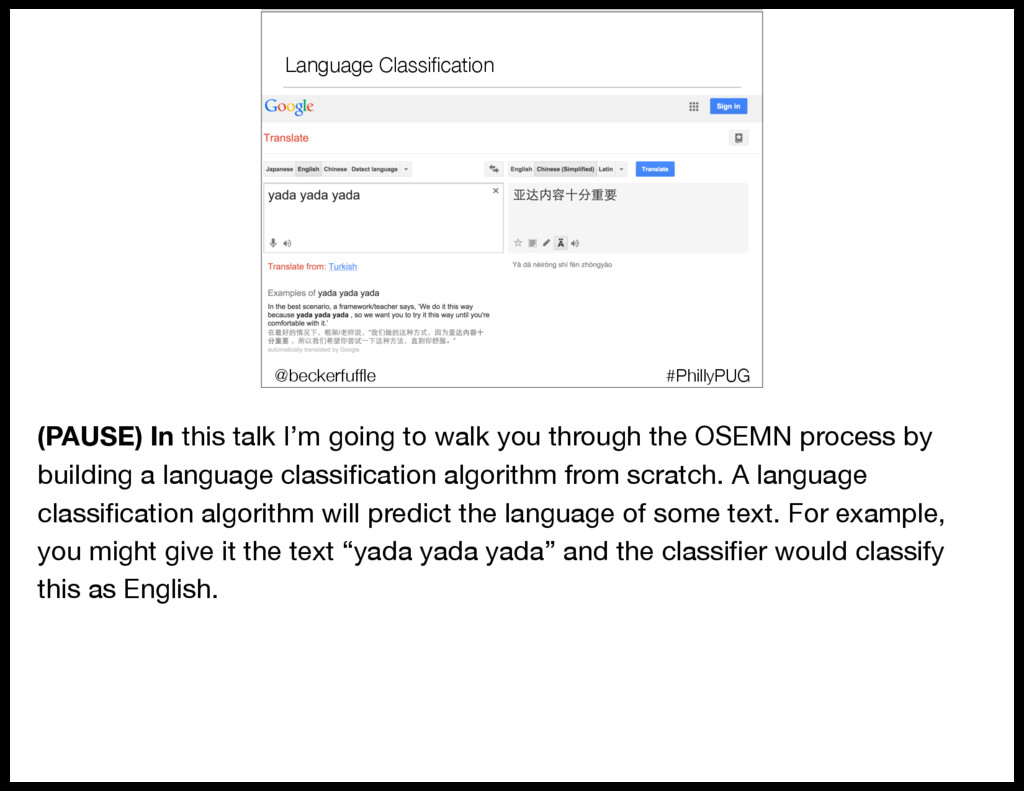
    to walk you through the OSEMN process by building a language classification algorithm from scratch. A language classification algorithm will predict the language of some text. For example, you might give it the text “yada yada yada” and the classifier would classify this as English.
  18. Language Classification #PhillyPUG @beckerfuffle Language classification can be useful on

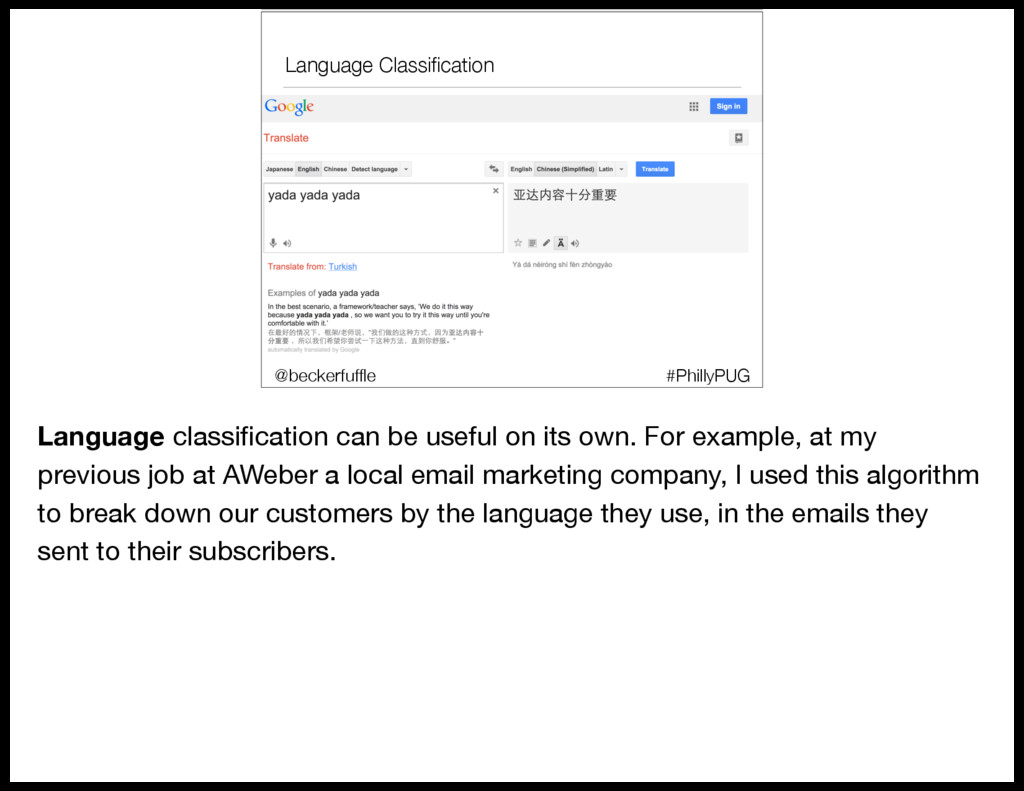
    its own. For example, at my previous job at AWeber a local email marketing company, I used this algorithm to break down our customers by the language they use, in the emails they sent to their subscribers.
  19. Language Classification #PhillyPUG @beckerfuffle Language classification can also be useful

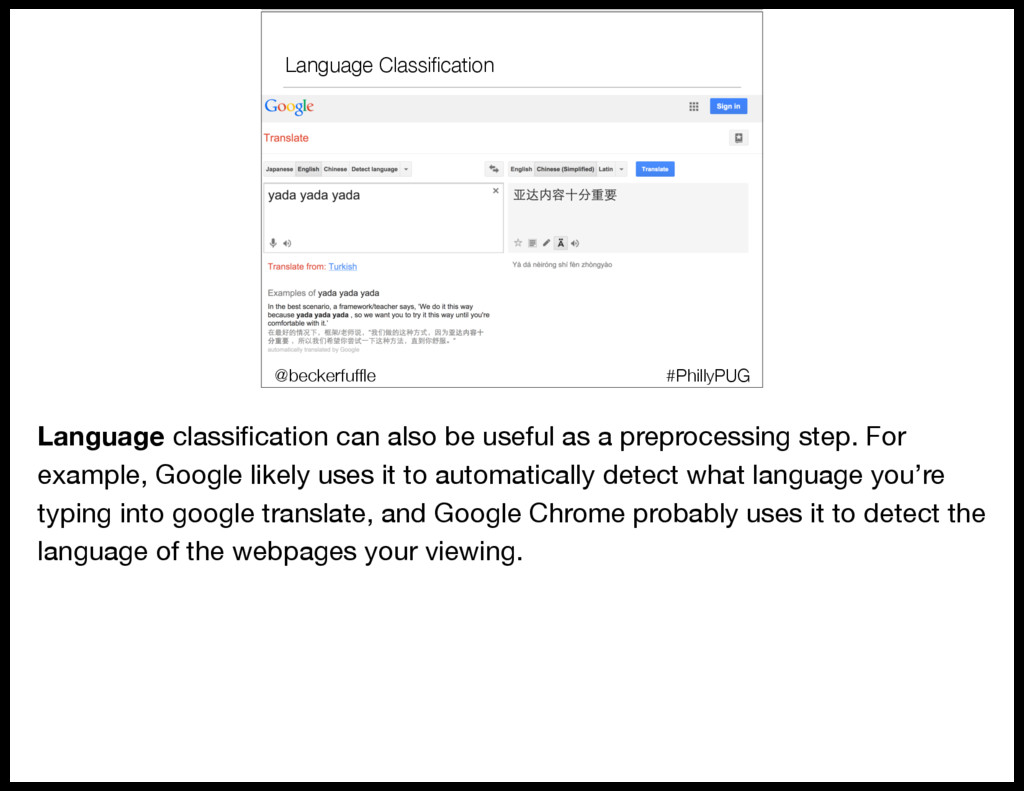
    as a preprocessing step. For example, Google likely uses it to automatically detect what language you’re typing into google translate, and Google Chrome probably uses it to detect the language of the webpages your viewing.
  20. Obtain @beckerfuffle #PyOhio API?! Where we’re going we don’t need

    APIs! #PhillyPUG @beckerfuffle (PAUSE) Step one of OSEMN is to obtain the data. In the case of our language classification model, we need text in a bunch of different languages. Fortunately, Wikipedia has an abundant supply of this kind of data. There are Wikipedia datasets available online, but that’s no fun! Let’s build our own!
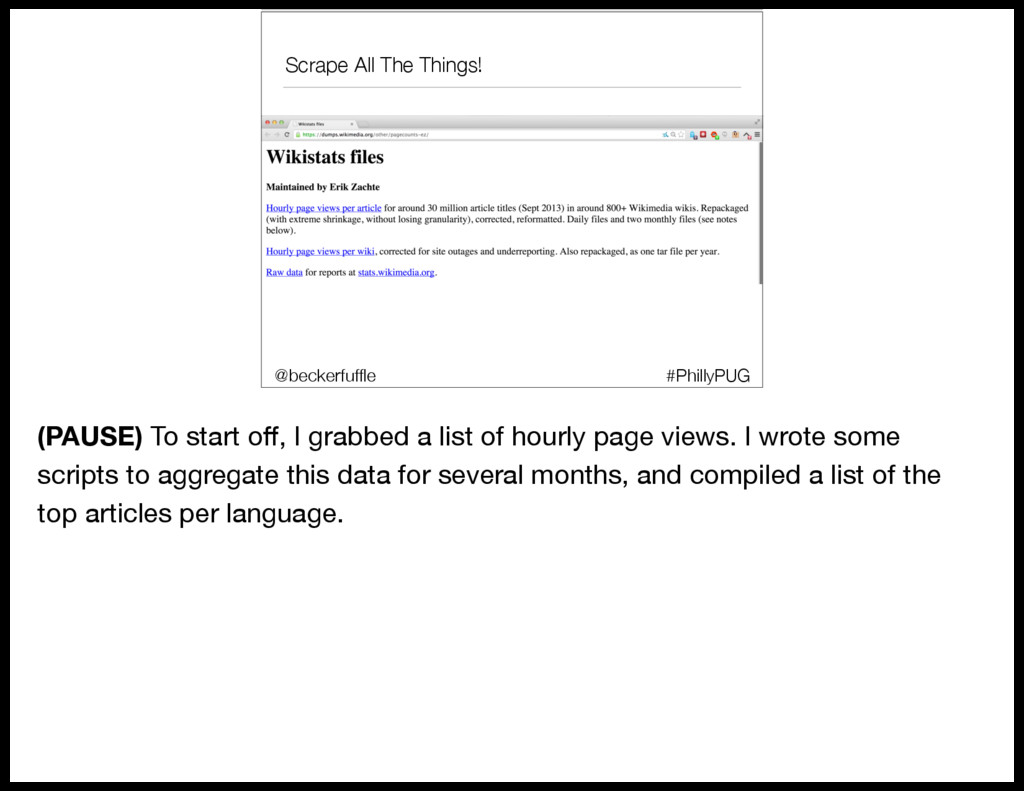
  21. Scrape All The Things! #PhillyPUG @beckerfuffle (PAUSE) To start off,

    I grabbed a list of hourly page views. I wrote some scripts to aggregate this data for several months, and compiled a list of the top articles per language.
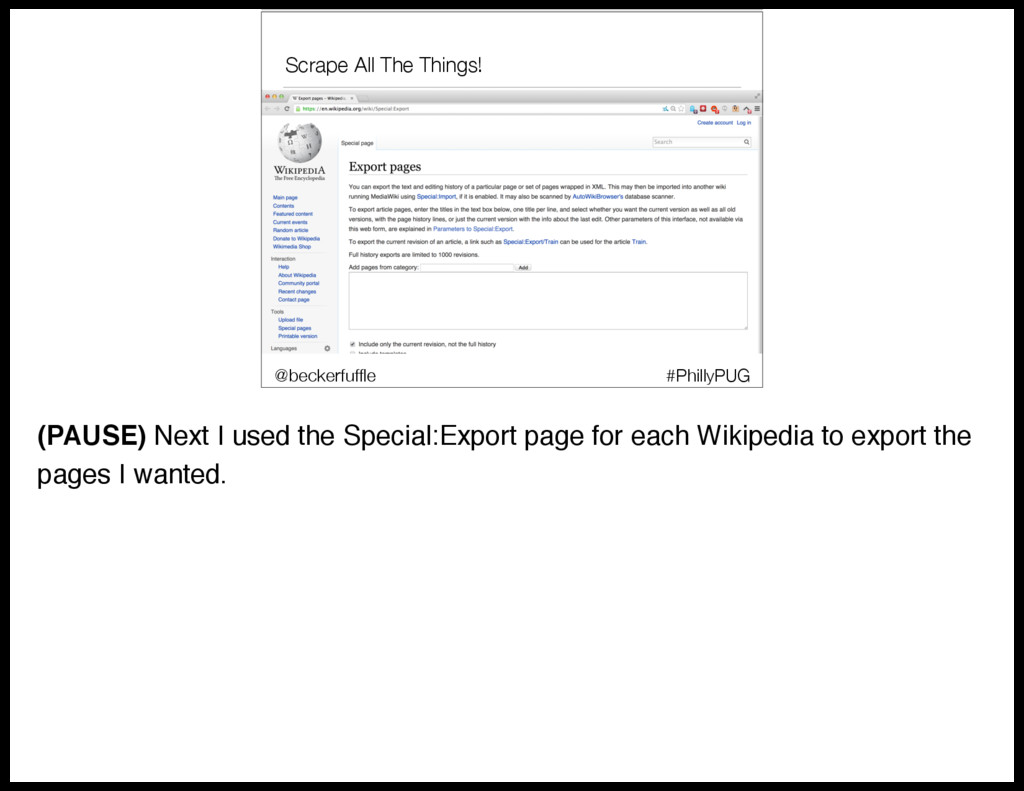
  22. Scrape All The Things! #PhillyPUG @beckerfuffle (PAUSE) Next I used

    the Special:Export page for each Wikipedia to export the pages I wanted.
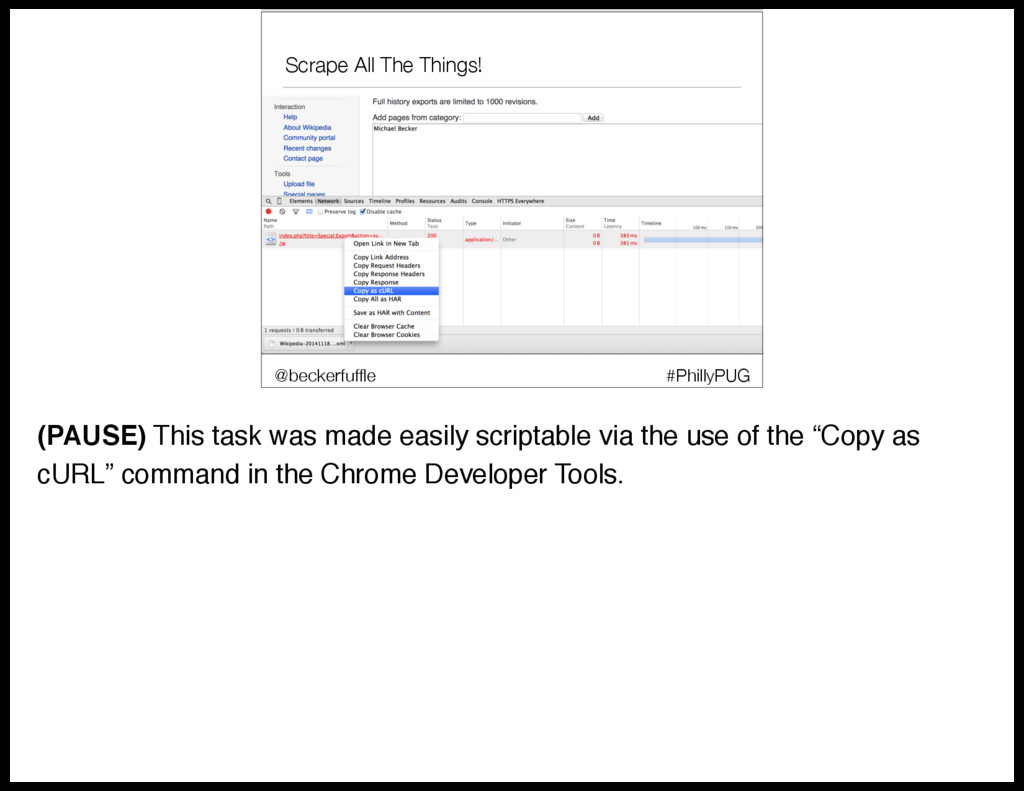
  23. Scrape All The Things! #PhillyPUG @beckerfuffle (PAUSE) This task was

    made easily scriptable via the use of the “Copy as cURL” command in the Chrome Developer Tools.
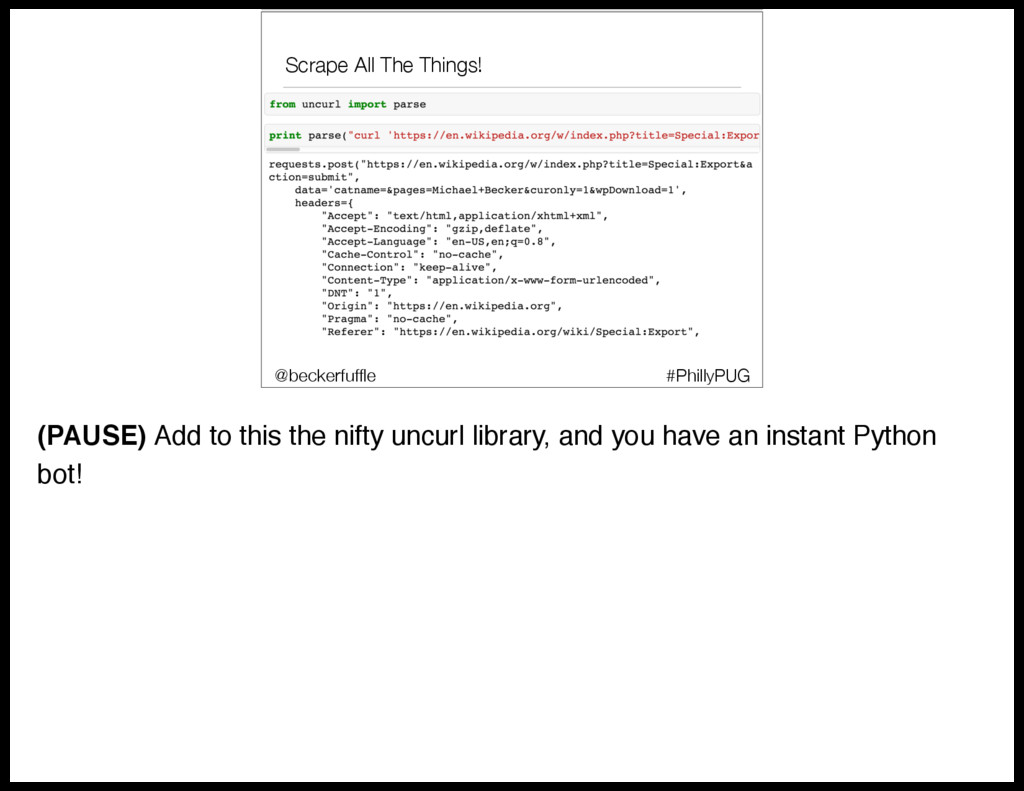
  24. Scrape All The Things! #PhillyPUG @beckerfuffle (PAUSE) Add to this

    the nifty uncurl library, and you have an instant Python bot!
  25. Scrub @beckerfuffle #PyOhio @beckerfuffle #PyOhio #PhillyPUG @beckerfuffle (PAUSE) Now that

    we’ve Obtained our data, the second step is to scrub it. Our dumps are in xml format, so we’ll need to pull the articles out of the xml.
  26. Scrub #PhillyPUG @beckerfuffle (PAUSE) Luckily I found some Python code

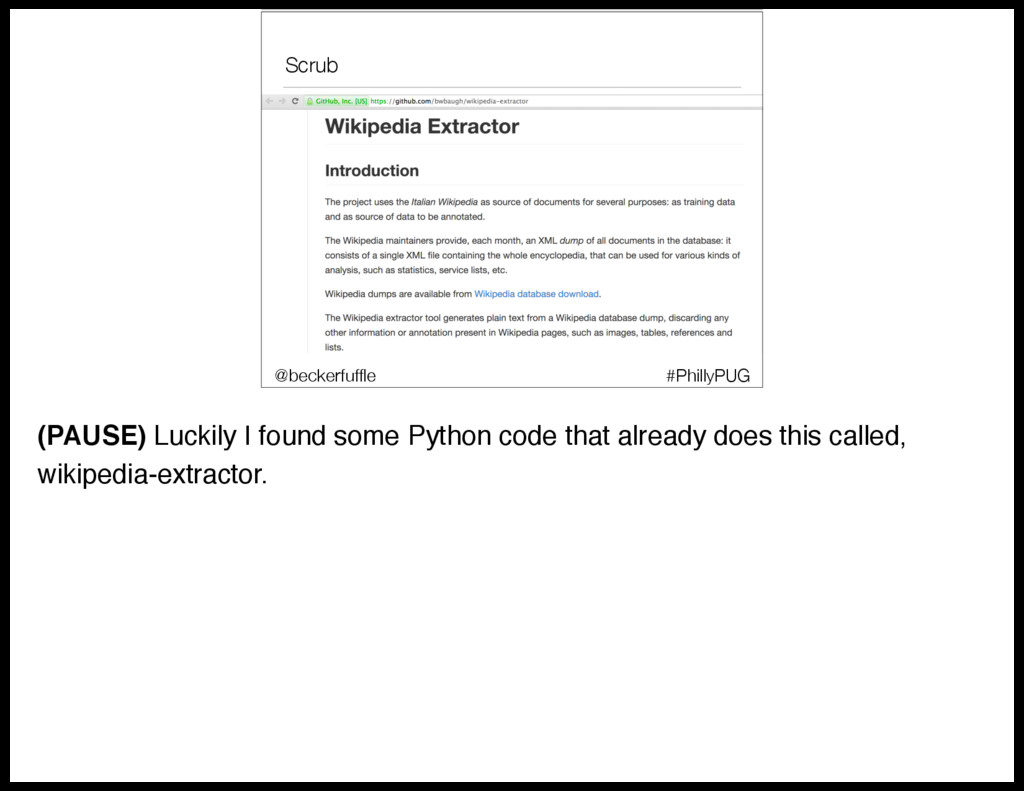
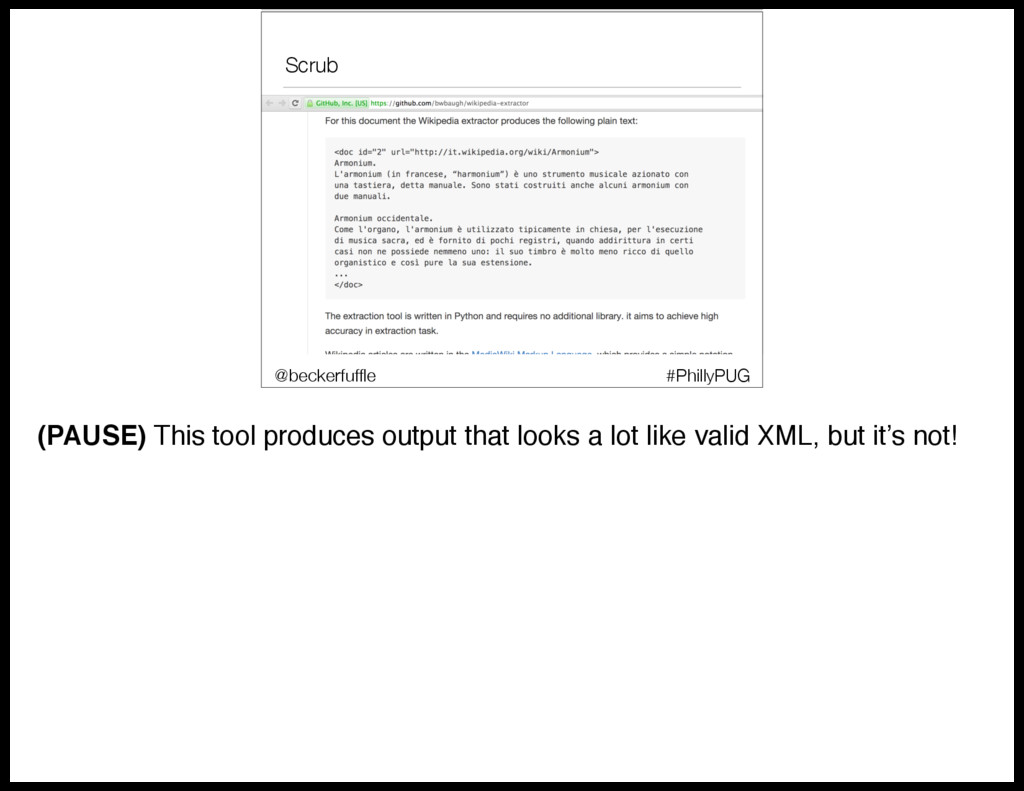
    that already does this called, wikipedia-extractor.
  27. Scrub #PhillyPUG @beckerfuffle (PAUSE) The code was a bit ugly,

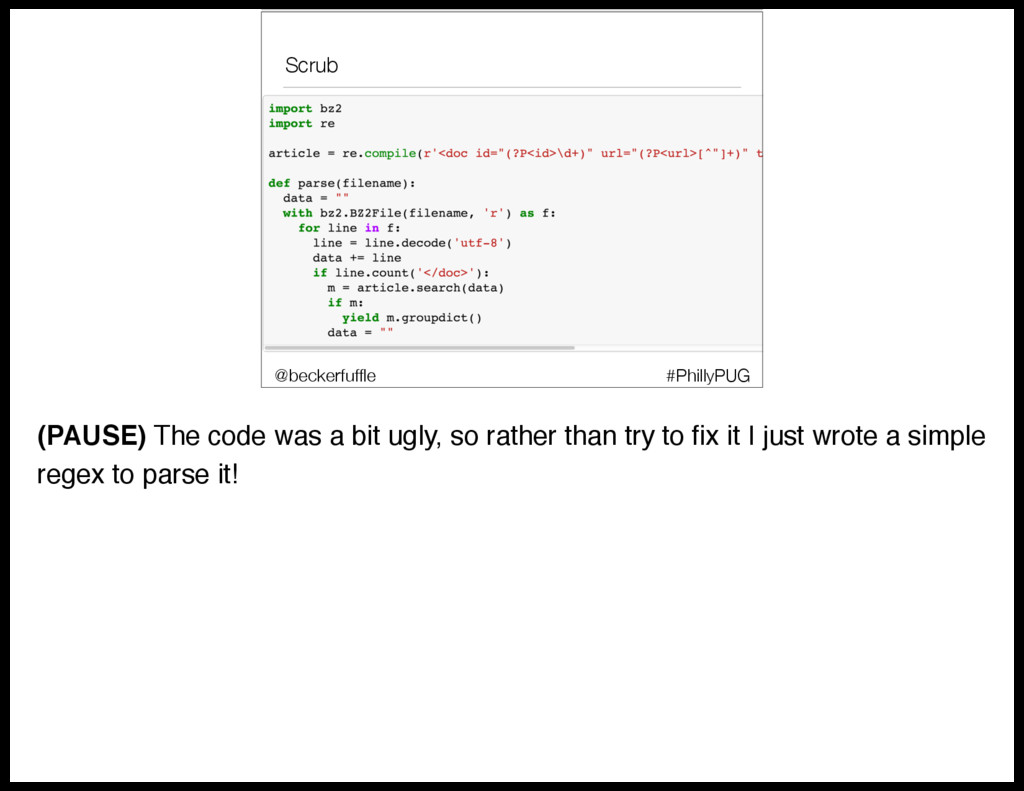
    so rather than try to fix it I just wrote a simple regex to parse it!
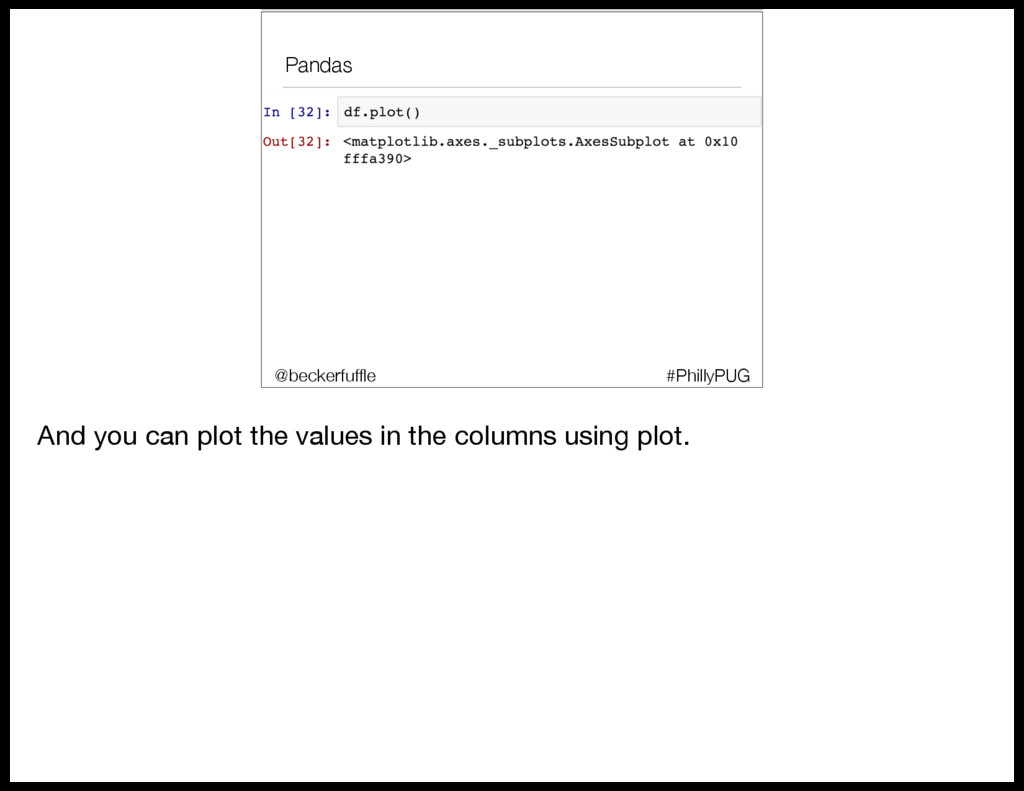
  28. Pandas • 2 basic data structures #PhillyPUG @beckerfuffle We’re going

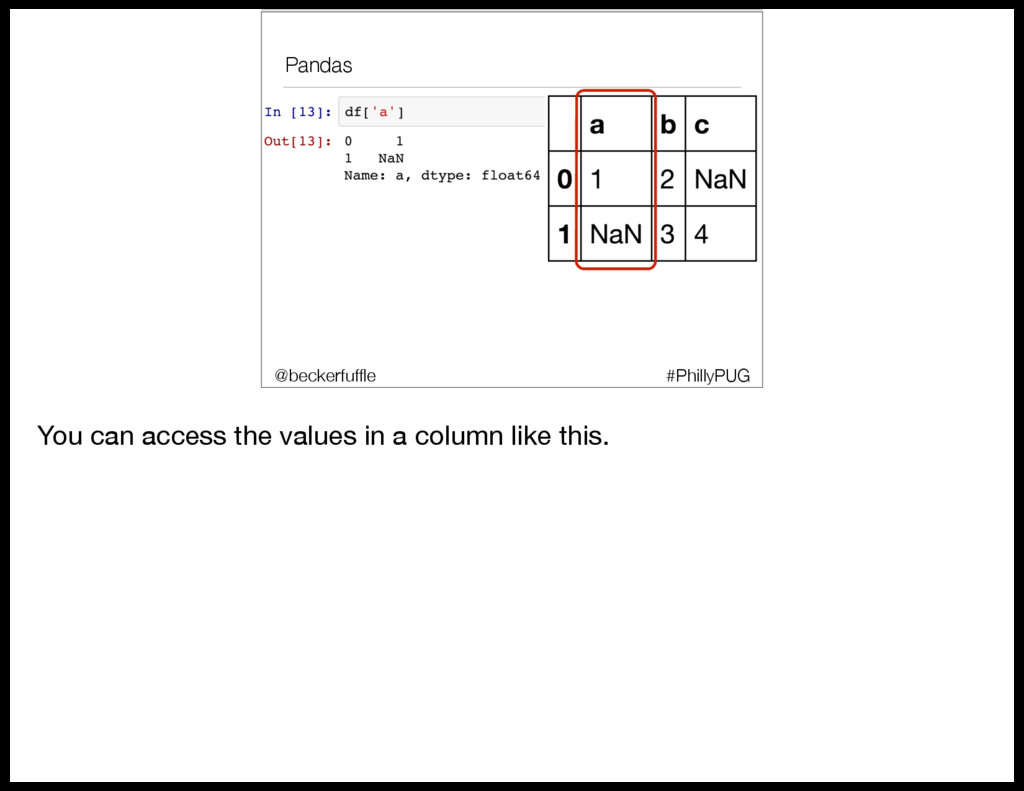
    to use Pandas to explore our data a little. Let’s go over some basics. Pandas has 2 main data structures.
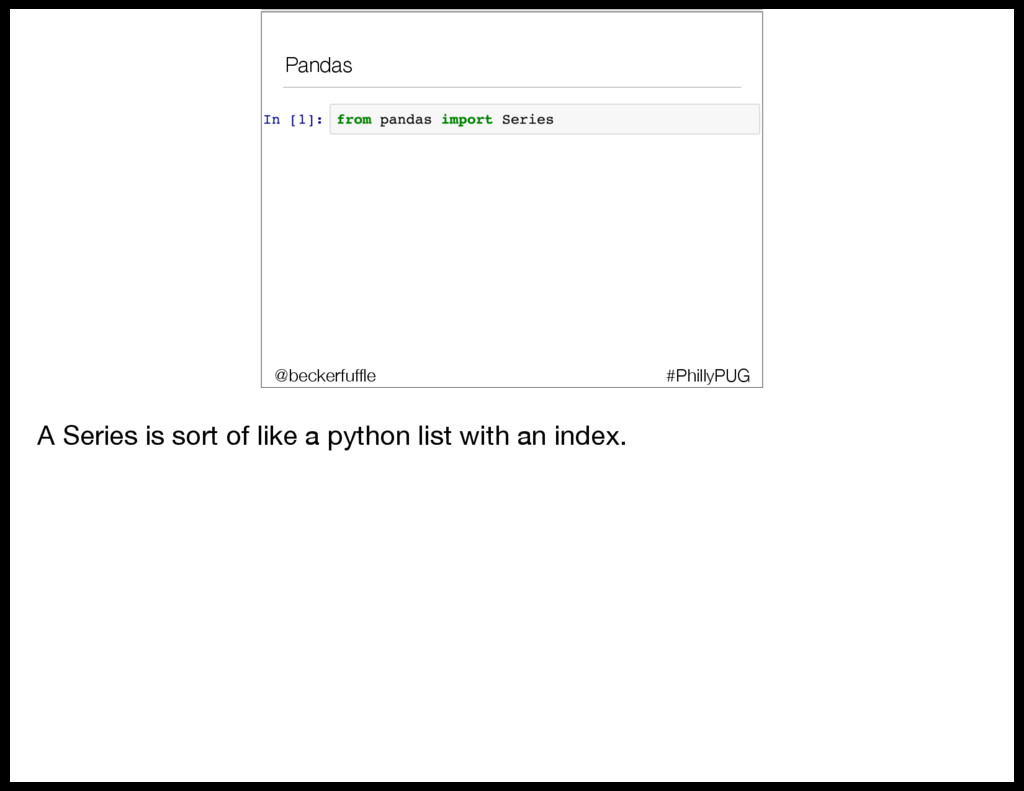
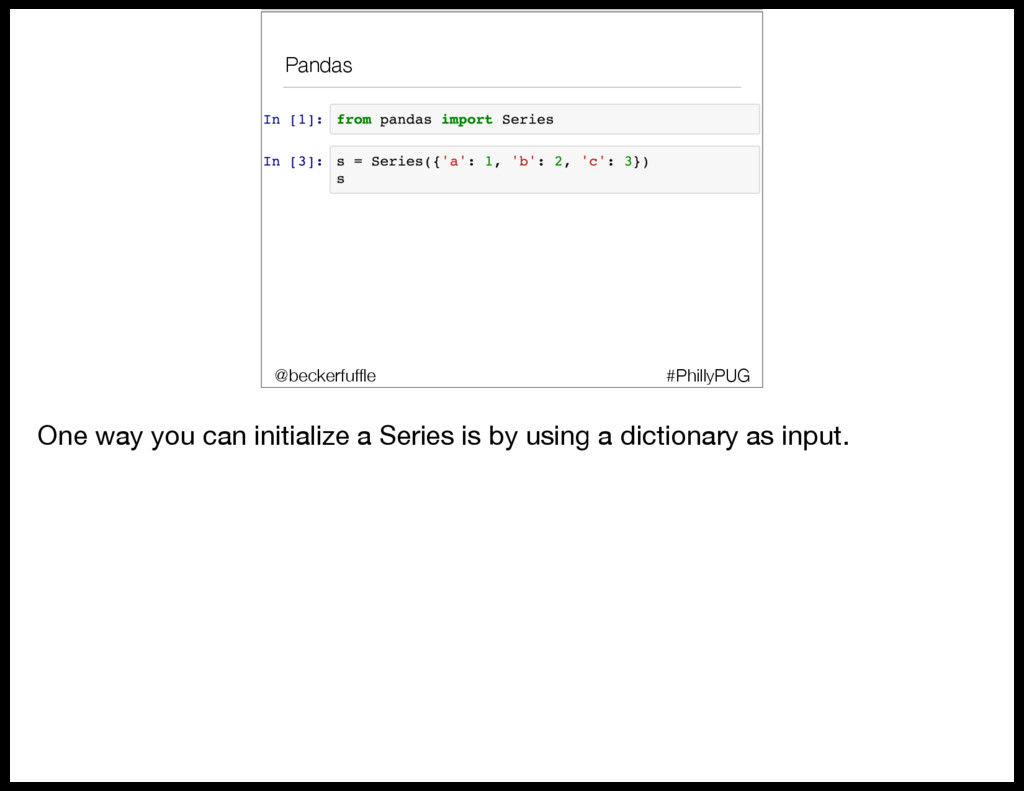
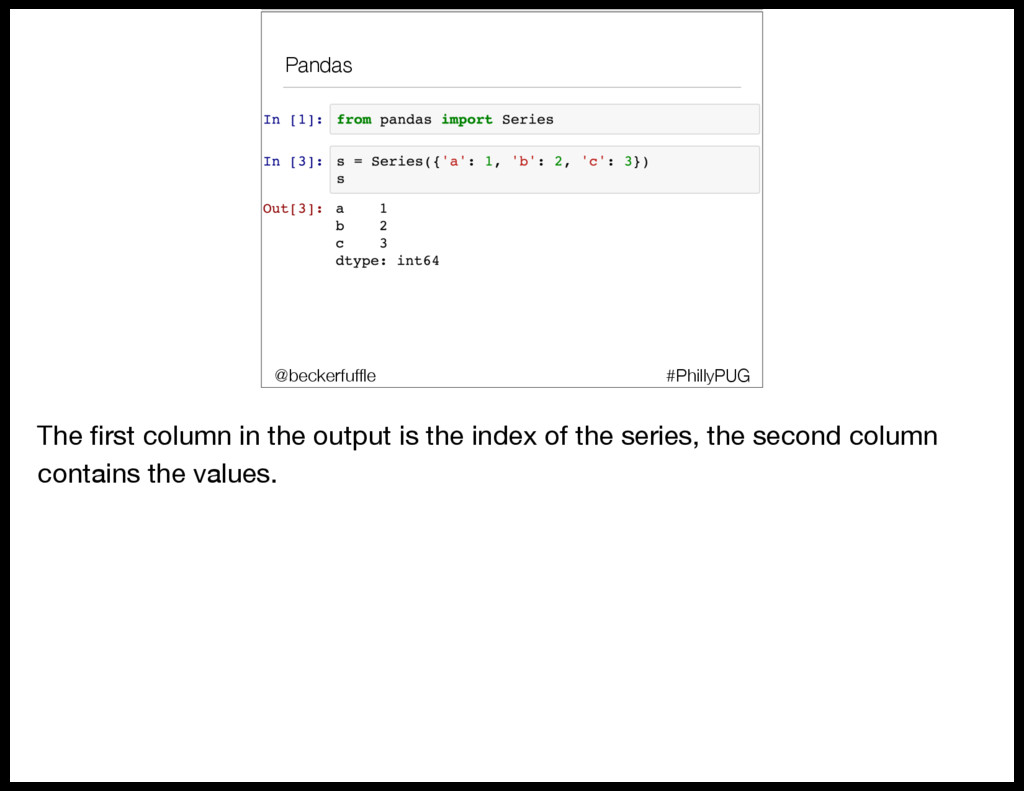
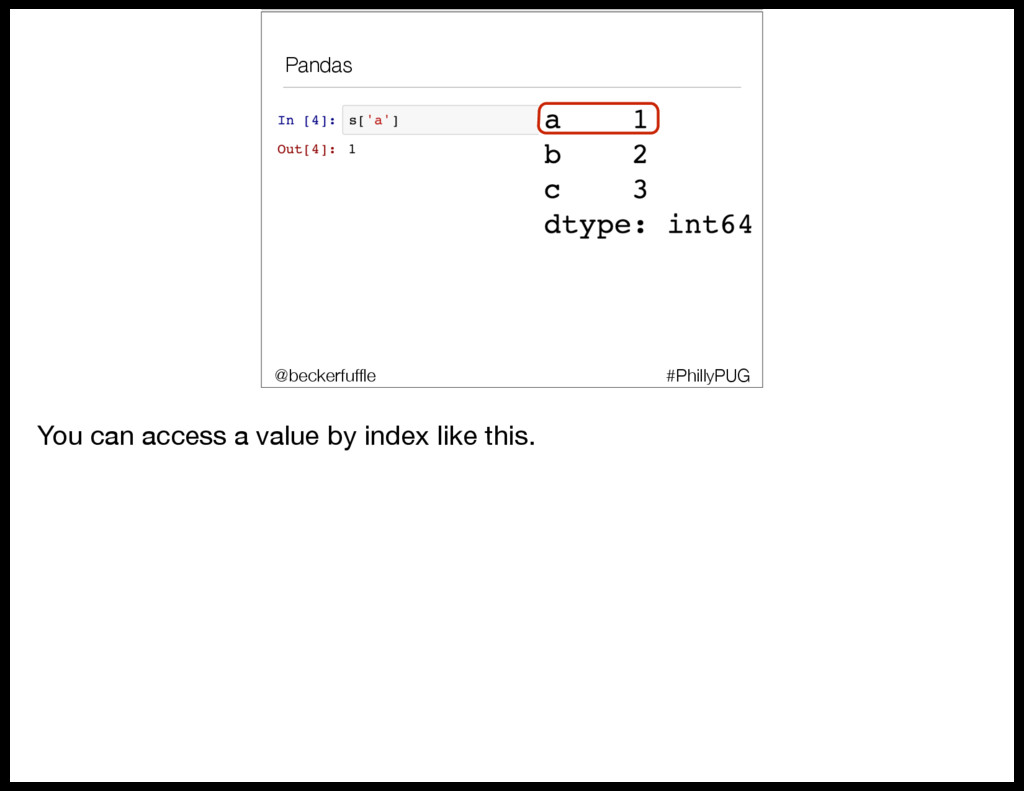
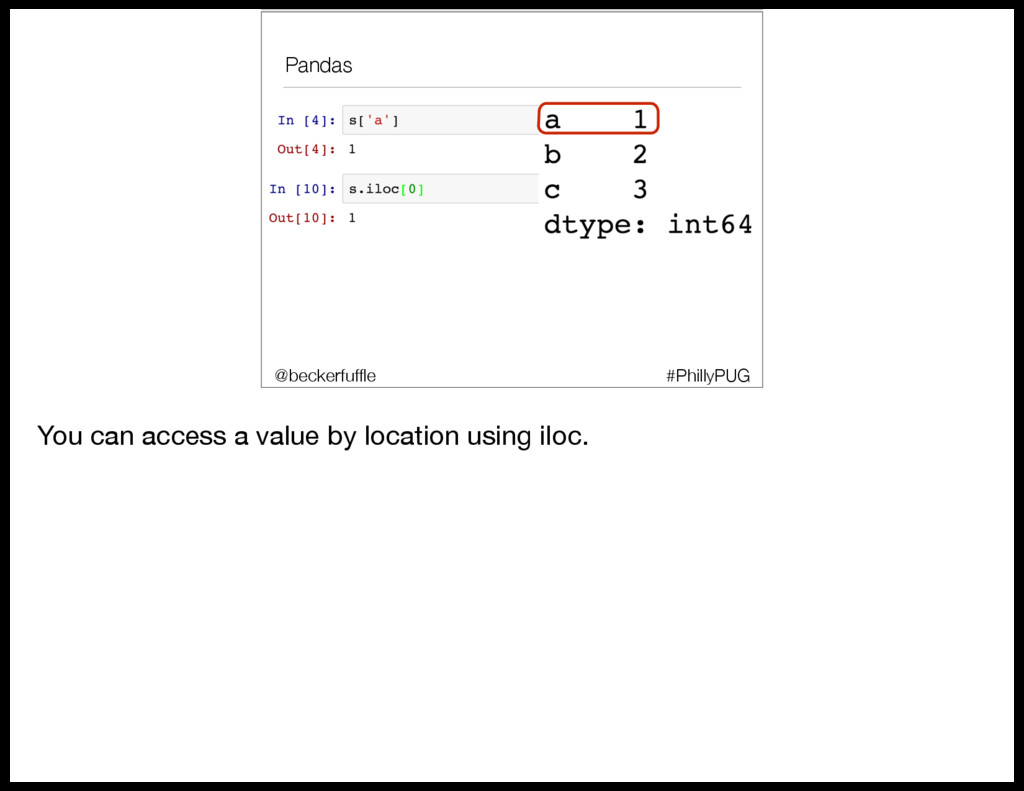
  29. Pandas • Series #PhillyPUG @beckerfuffle The first column in the

    output is the index of the series, the second column contains the values.
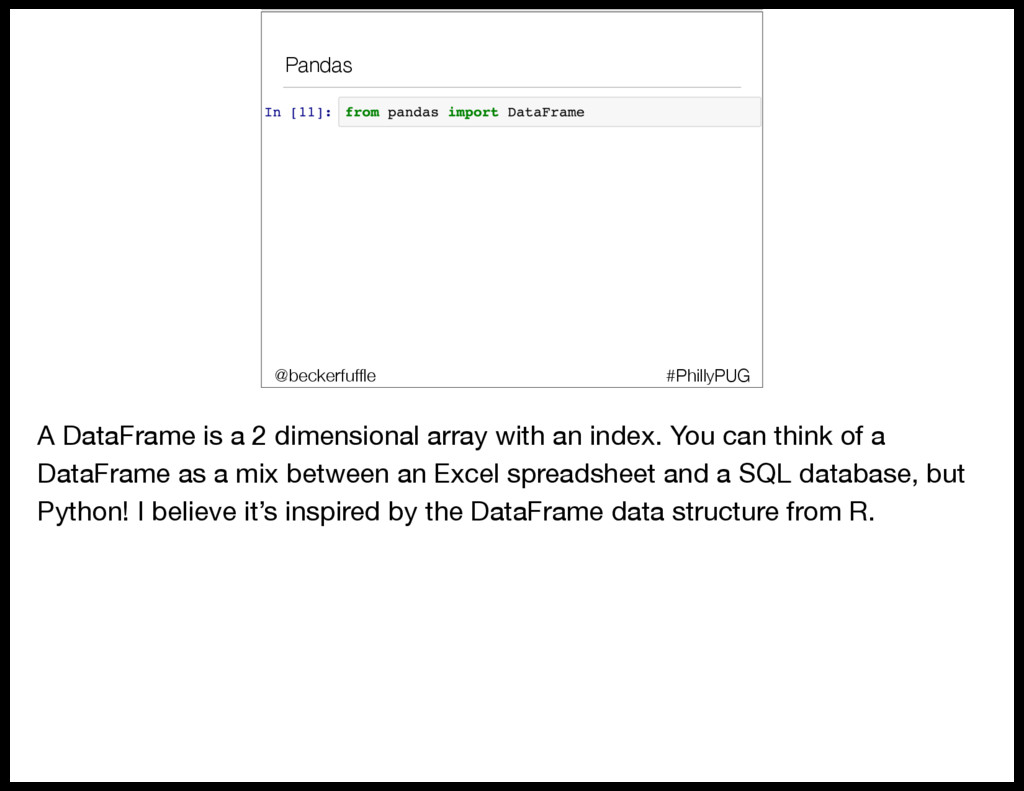
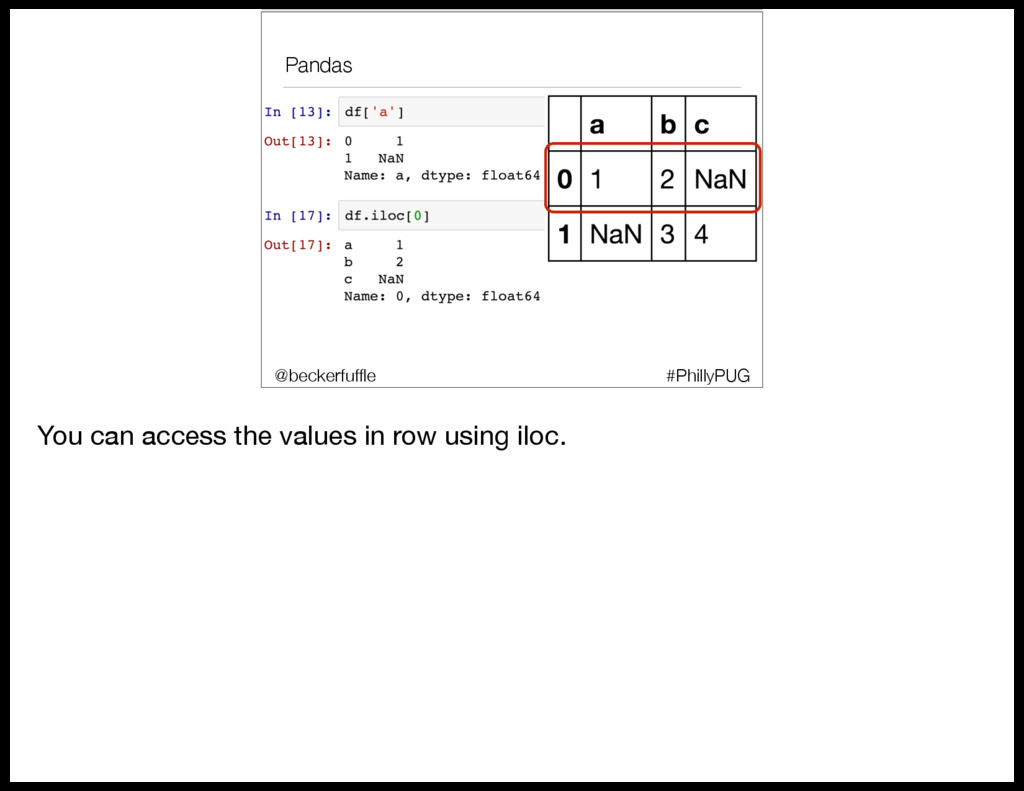
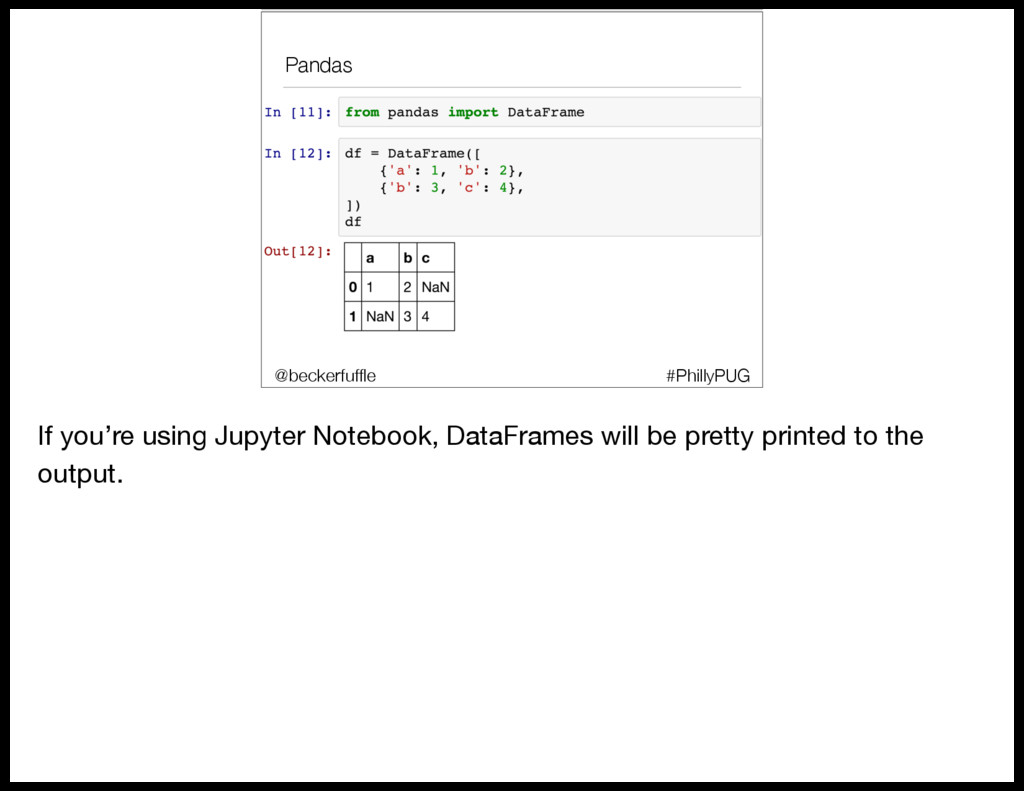
  30. Pandas #PhillyPUG @beckerfuffle A DataFrame is a 2 dimensional array

    with an index. You can think of a DataFrame as a mix between an Excel spreadsheet and a SQL database, but Python! I believe it’s inspired by the DataFrame data structure from R.
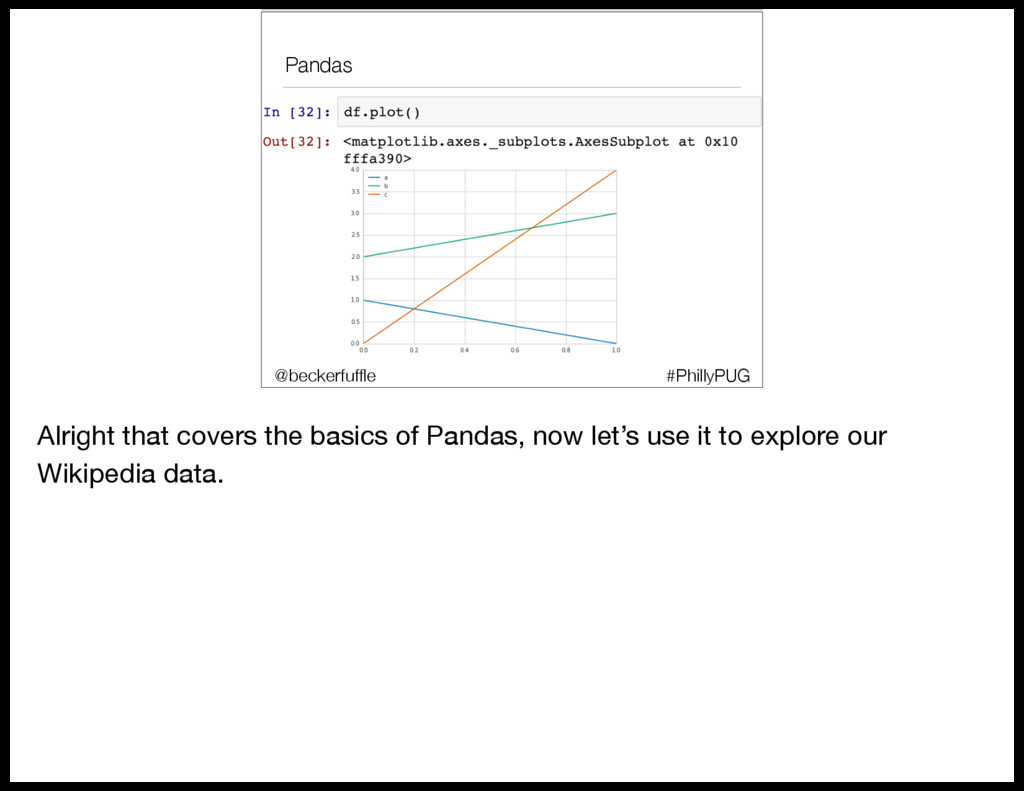
  31. Pandas • Series #PhillyPUG @beckerfuffle Alright that covers the basics

    of Pandas, now let’s use it to explore our Wikipedia data.
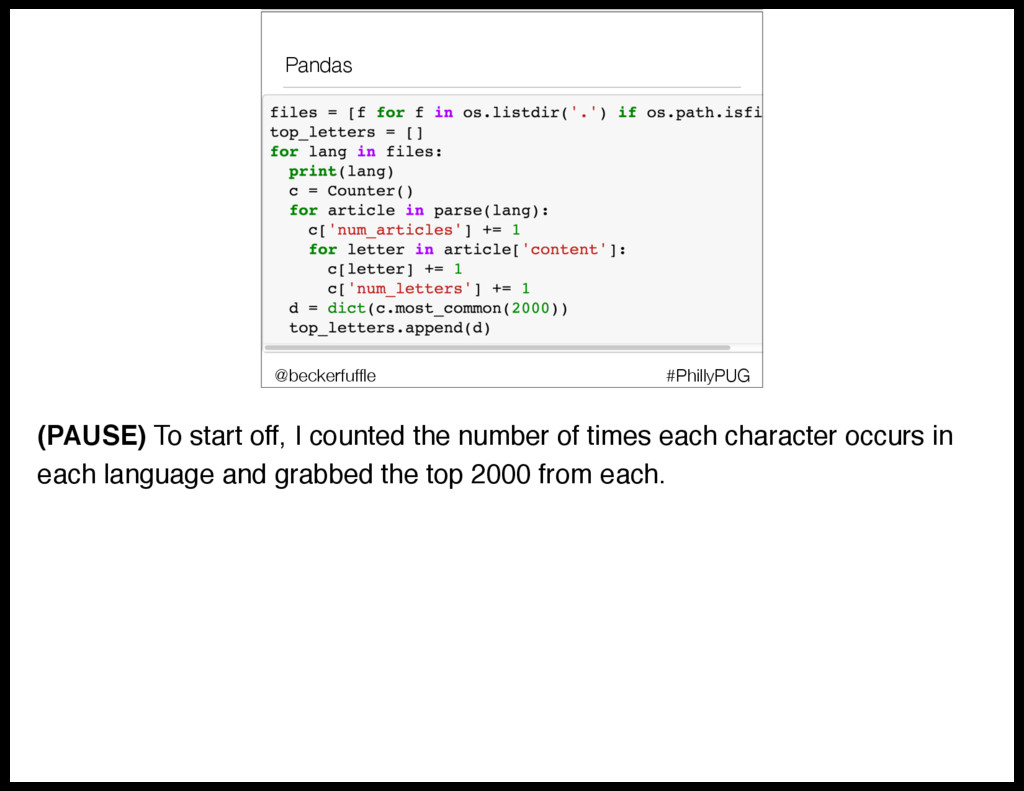
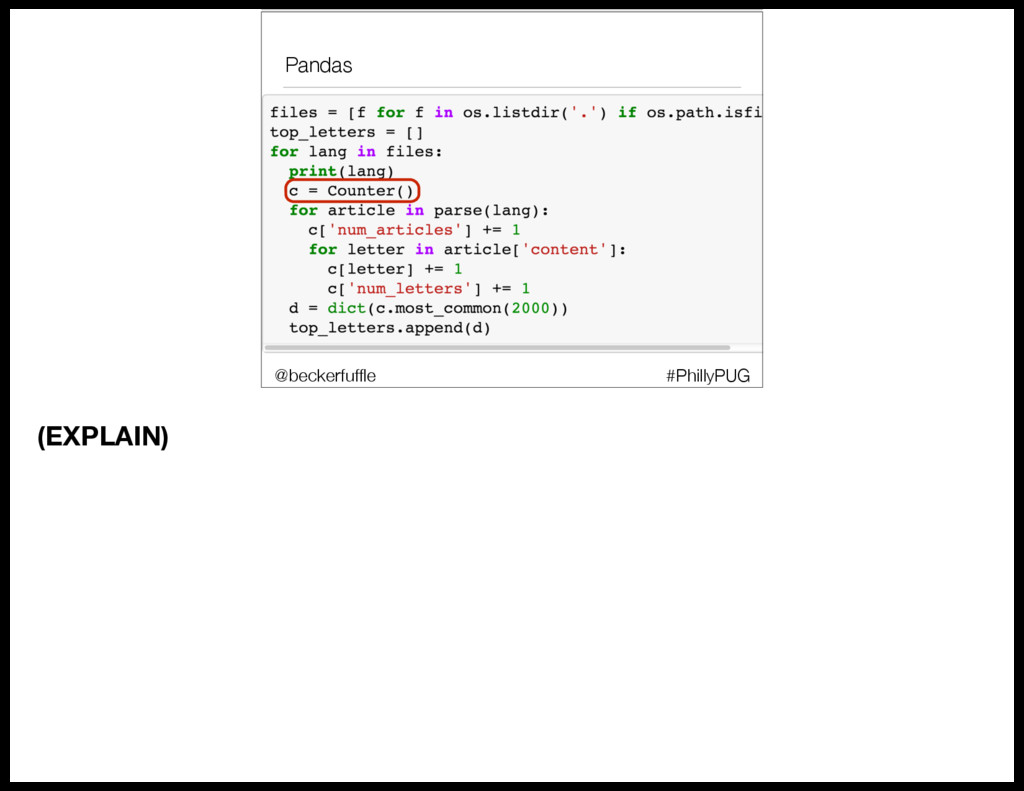
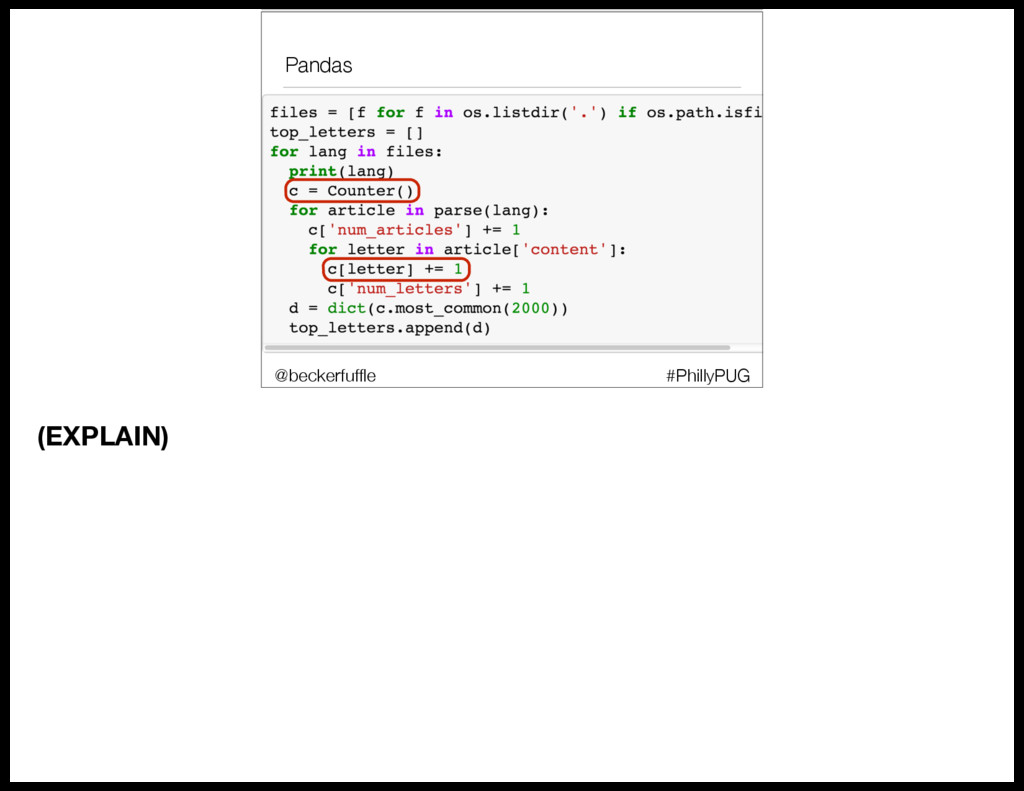
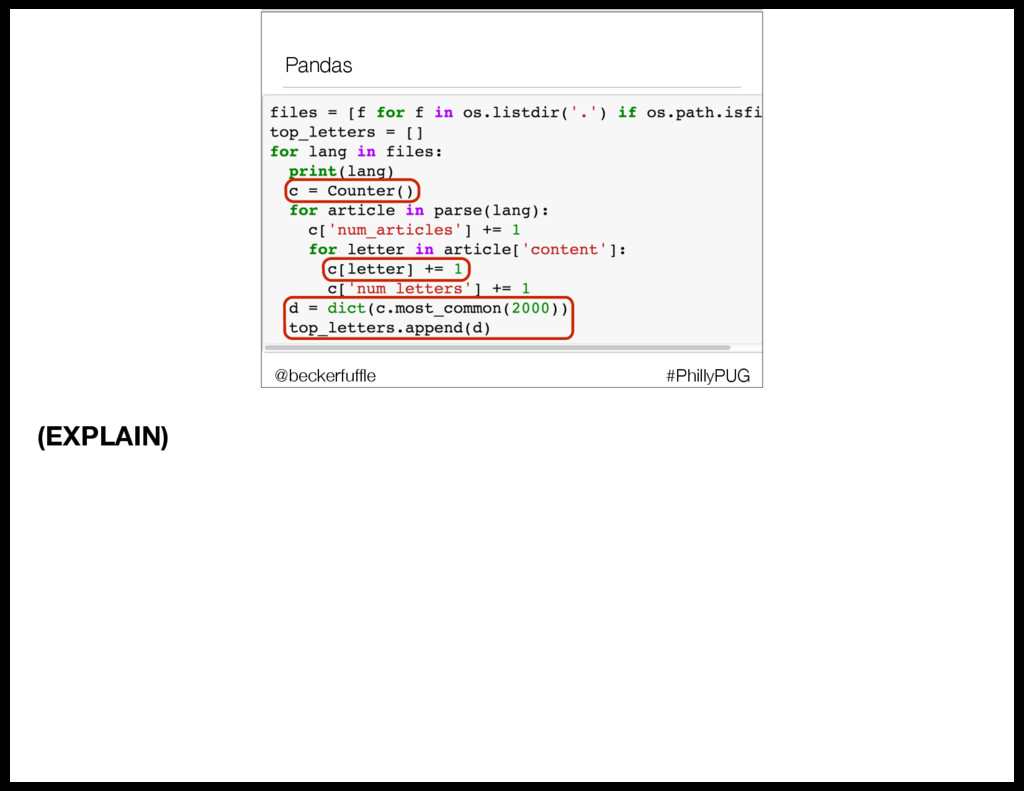
  32. Pandas #PhillyPUG @beckerfuffle (PAUSE) To start off, I counted the

    number of times each character occurs in each language and grabbed the top 2000 from each.
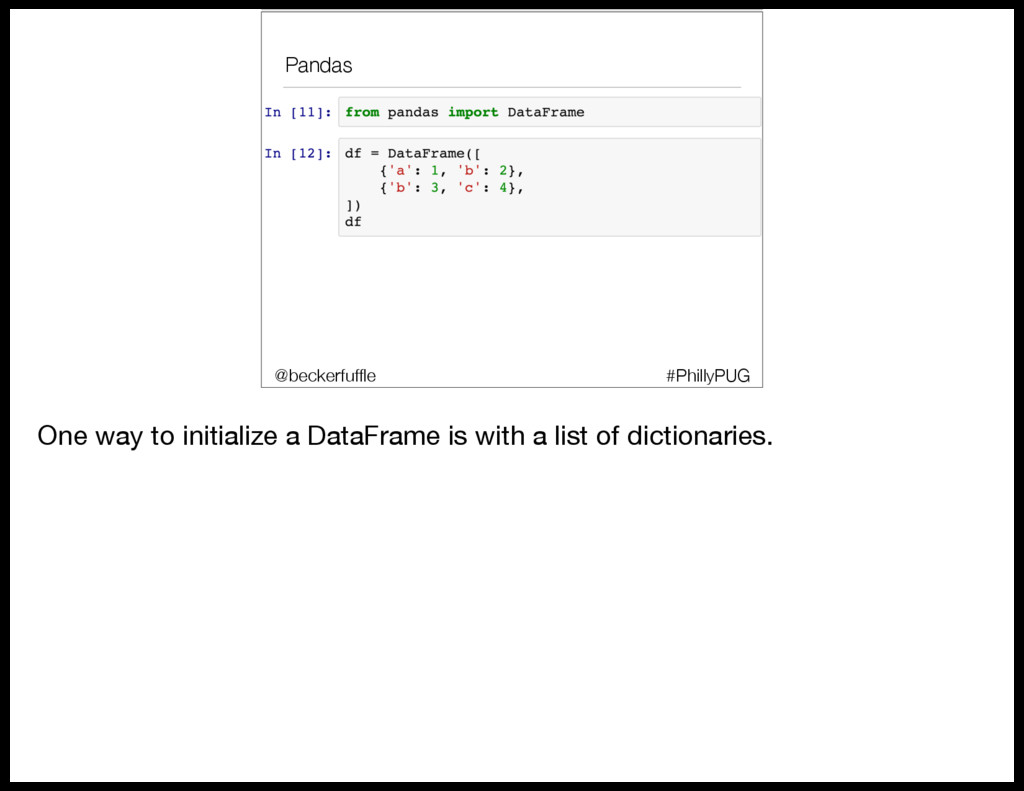
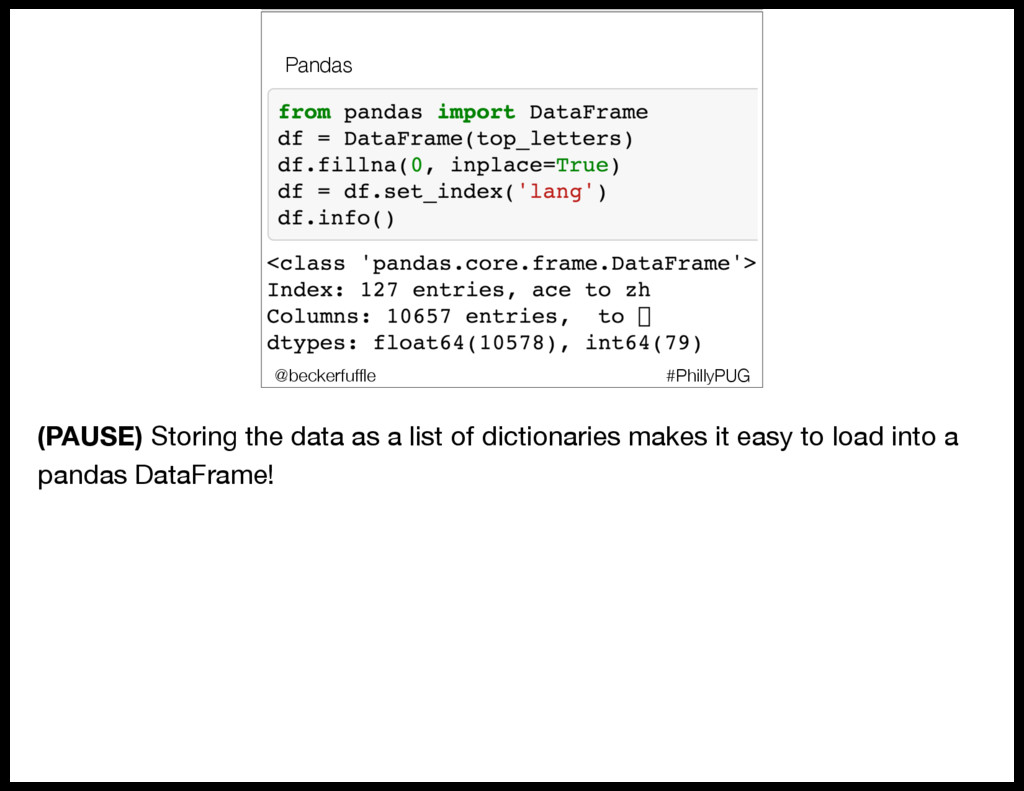
  33. Pandas #PhillyPUG @beckerfuffle (PAUSE) Storing the data as a list

    of dictionaries makes it easy to load into a pandas DataFrame!
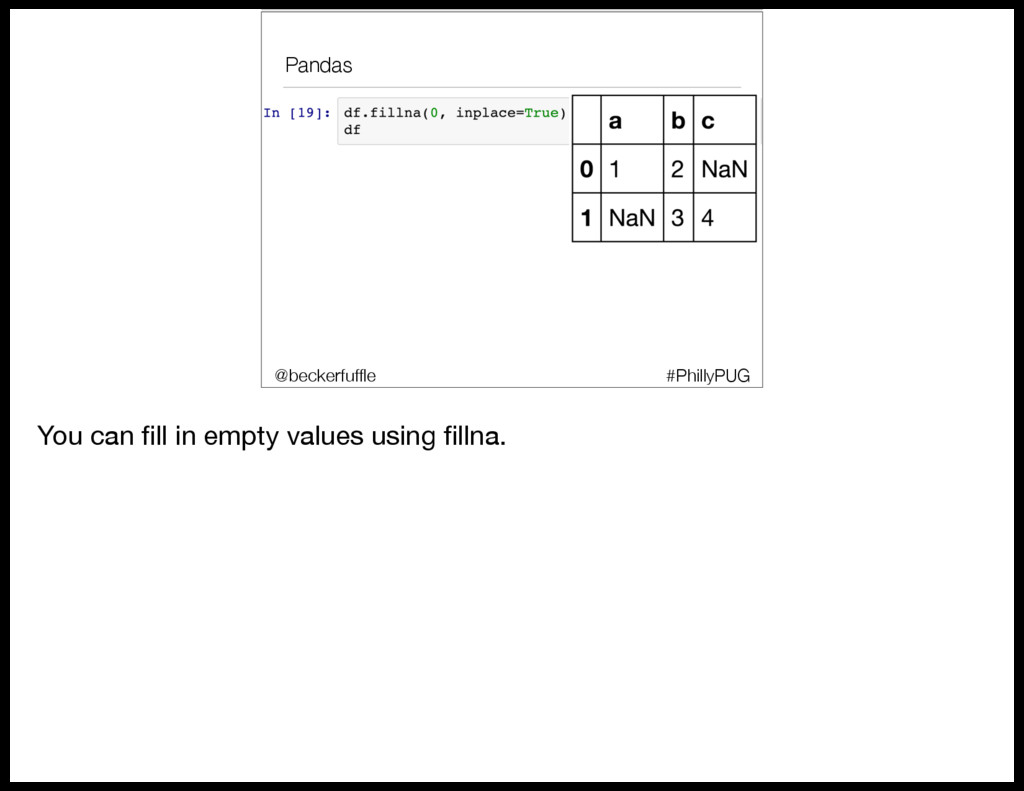
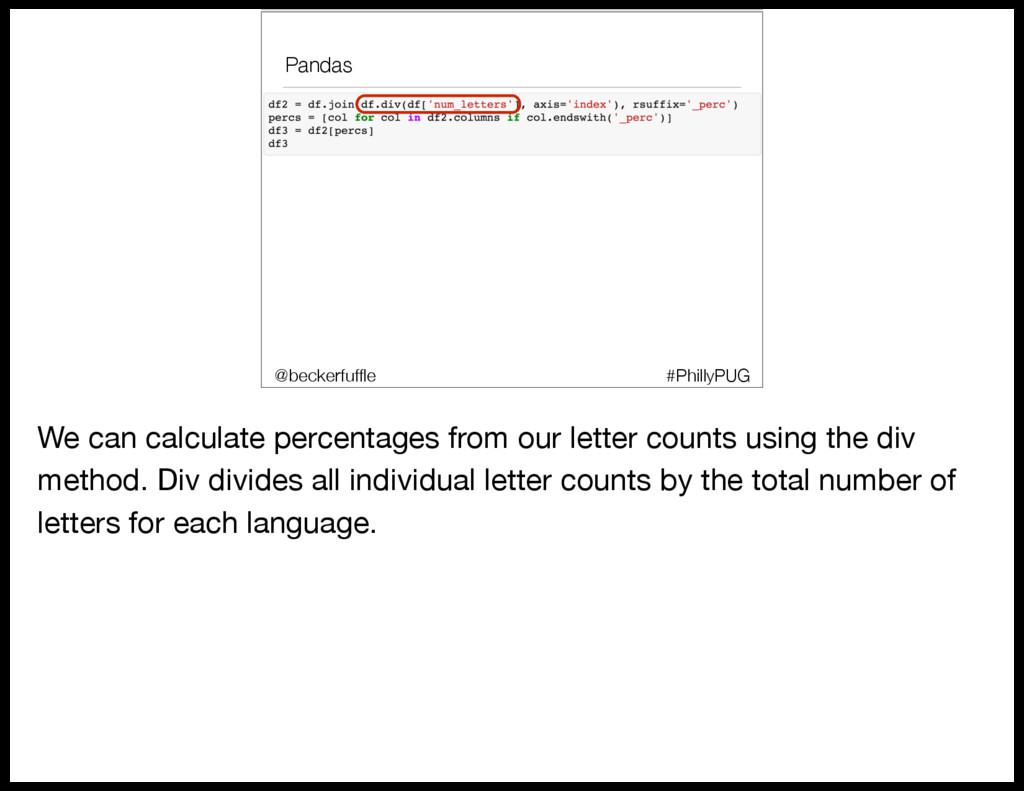
  34. Pandas #PhillyPUG @beckerfuffle We can calculate percentages from our letter

    counts using the div method. Div divides all individual letter counts by the total number of letters for each language.
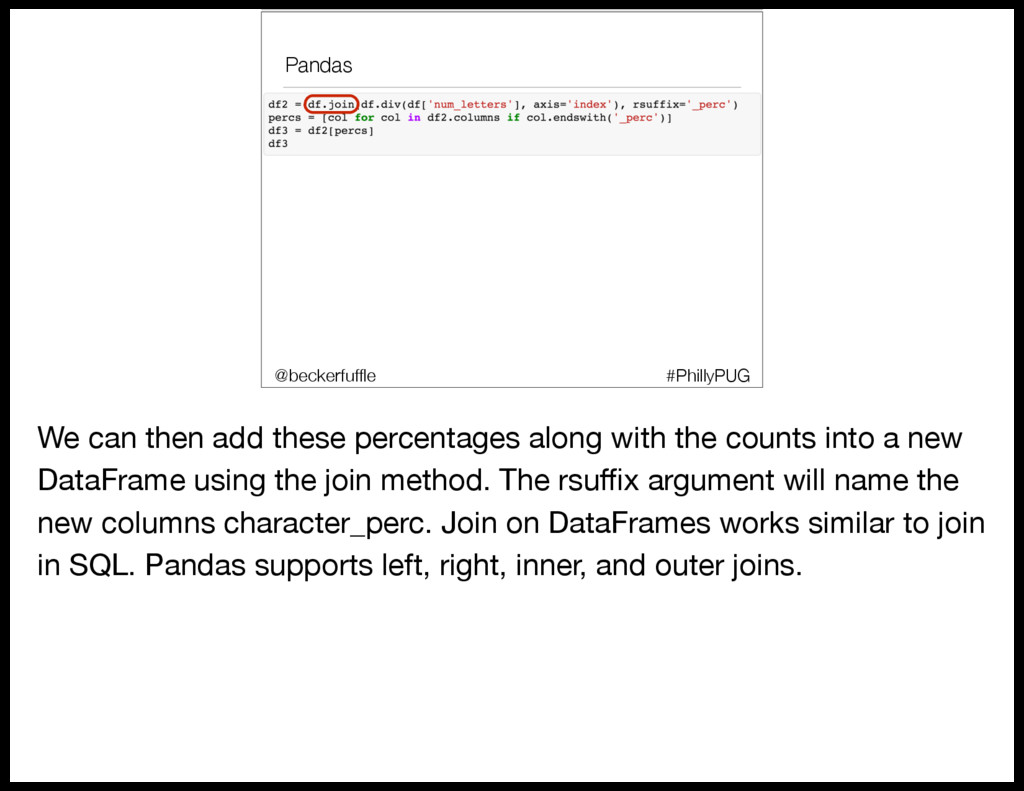
  35. Pandas #PhillyPUG @beckerfuffle We can then add these percentages along

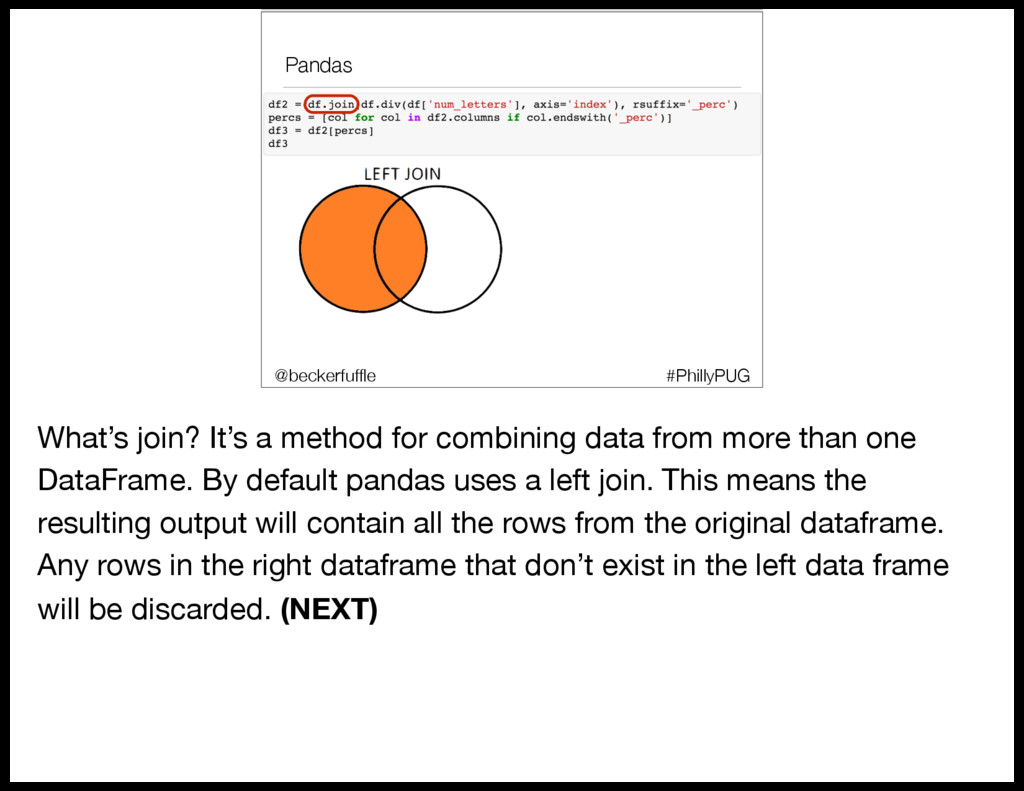
    with the counts into a new DataFrame using the join method. The rsuffix argument will name the new columns character_perc. Join on DataFrames works similar to join in SQL. Pandas supports left, right, inner, and outer joins.
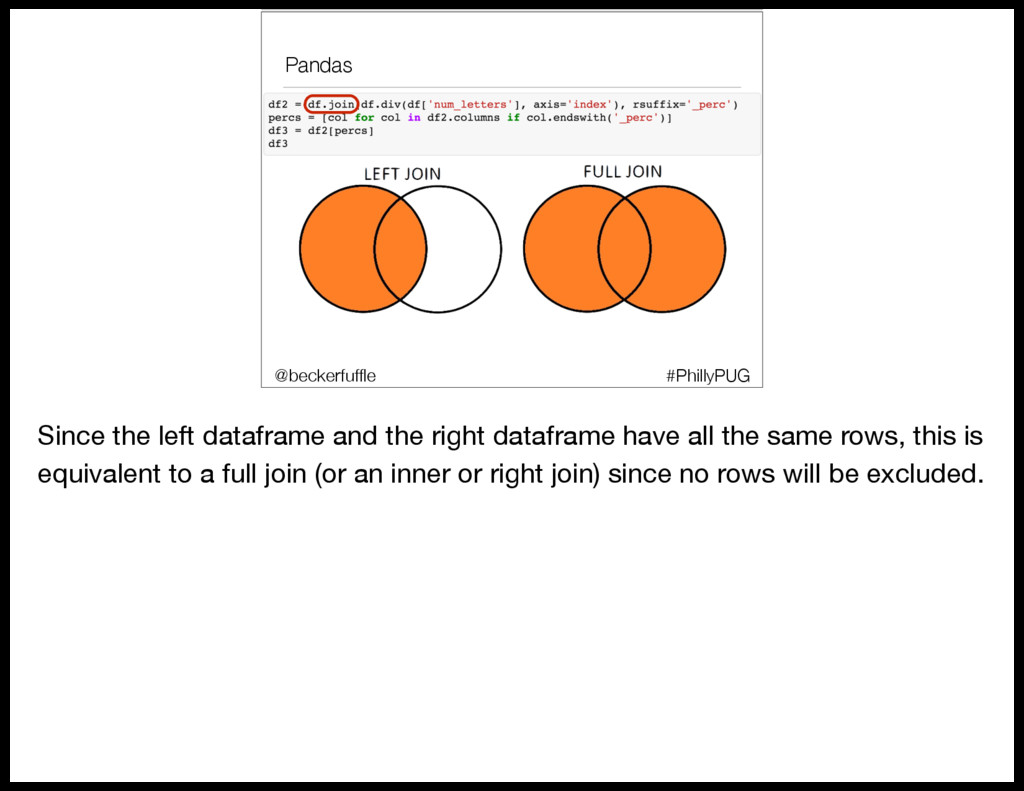
  36. Pandas #PhillyPUG @beckerfuffle What’s join? It’s a method for combining

    data from more than one DataFrame. By default pandas uses a left join. This means the resulting output will contain all the rows from the original dataframe. Any rows in the right dataframe that don’t exist in the left data frame will be discarded. (NEXT)
  37. Pandas #PhillyPUG @beckerfuffle Since the left dataframe and the right

    dataframe have all the same rows, this is equivalent to a full join (or an inner or right join) since no rows will be excluded.
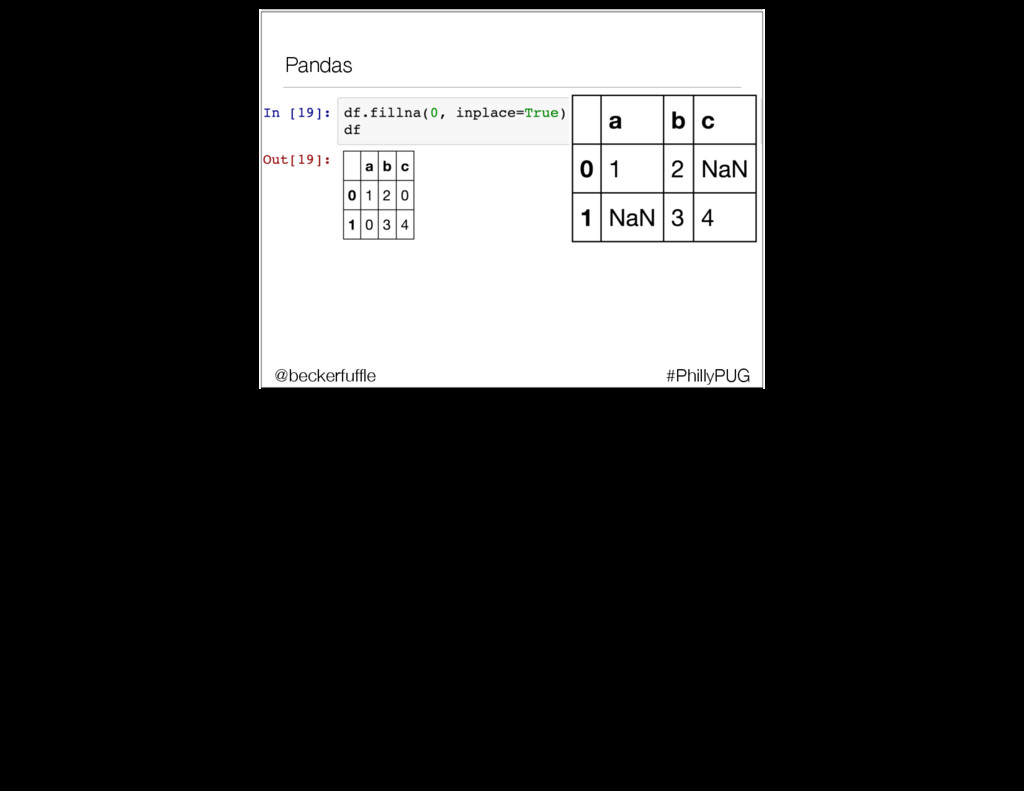
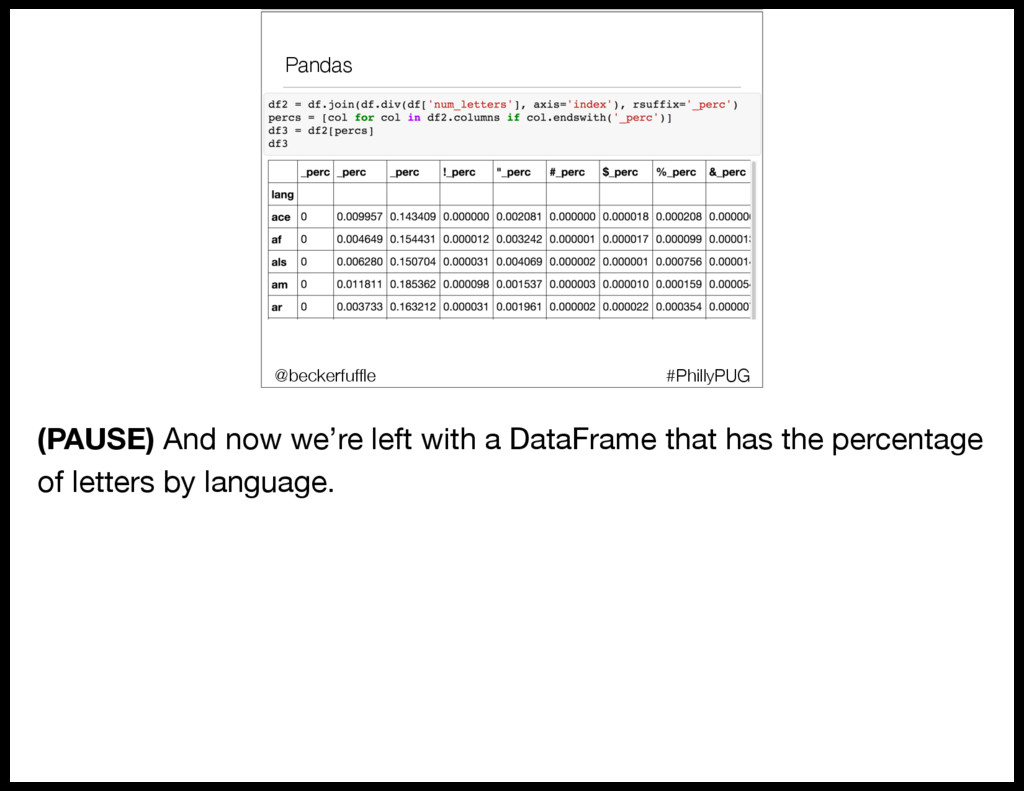
  38. Pandas #PhillyPUG @beckerfuffle (PAUSE) And now we’re left with a

    DataFrame that has the percentage of letters by language.
  39. Machine Learning #PhillyPUG @beckerfuffle We’re going to use some Unsupervised

    Machine Learning techniques to help explore our data, so let’s start off by defining what exactly Machine Learning is. Personally I like Jake Vanderplas’ definition of Machine Learning.
  40. Machine Learning #PhillyPUG @beckerfuffle “Machine Learning is about building programs

    with tunable parameters that are adjusted automatically so as to improve their behavior by adapting to previously seen data.”
  41. Machine Learning #PhillyPUG @beckerfuffle There are 2 main types of

    Machine Learning, Supervised and Unsupervised.
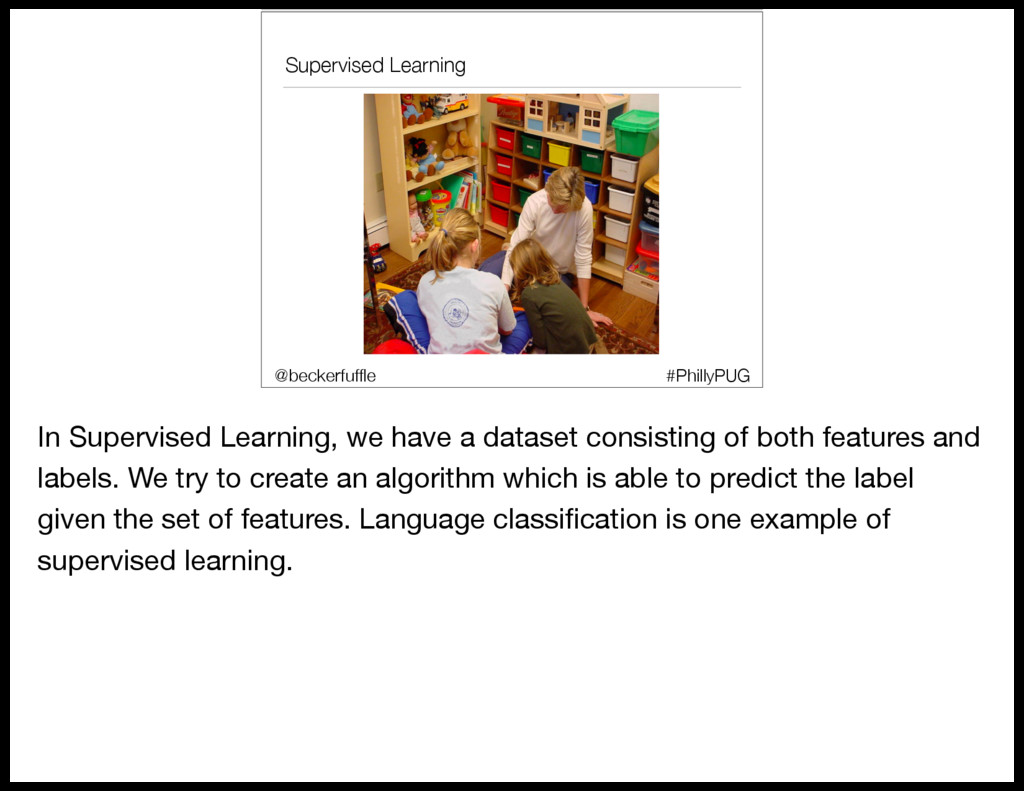
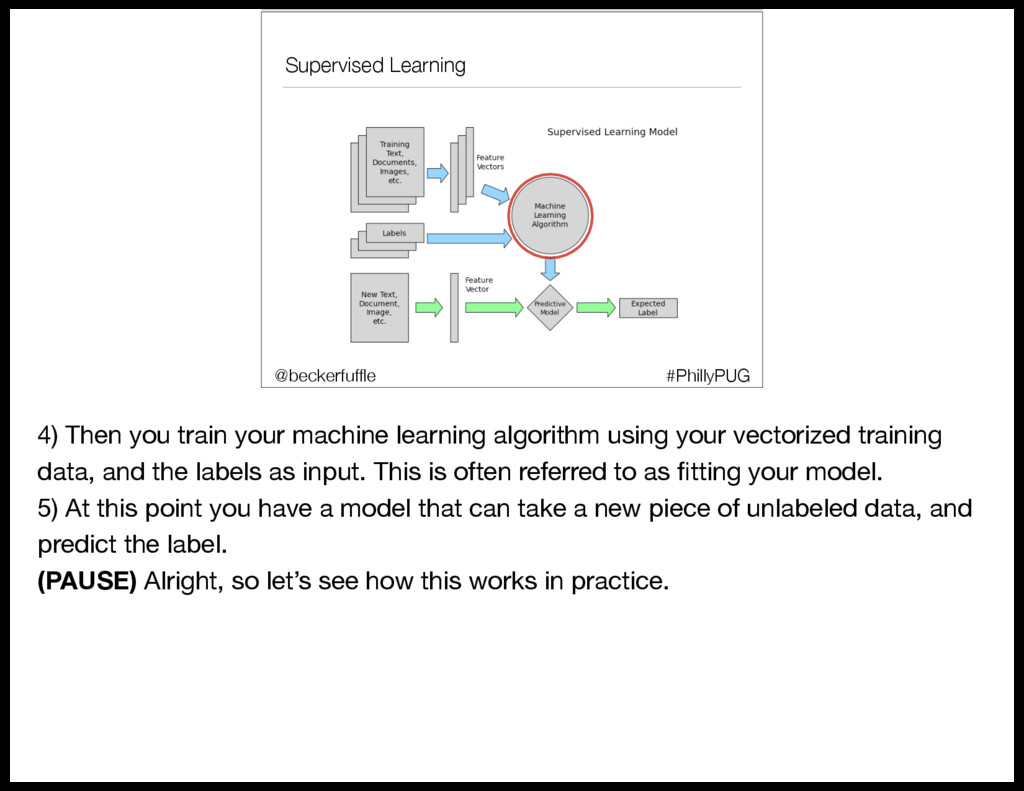
  42. Supervised Learning #PhillyPUG @beckerfuffle In Supervised Learning, we have a

    dataset consisting of both features and labels. We try to create an algorithm which is able to predict the label given the set of features. Language classification is one example of supervised learning.
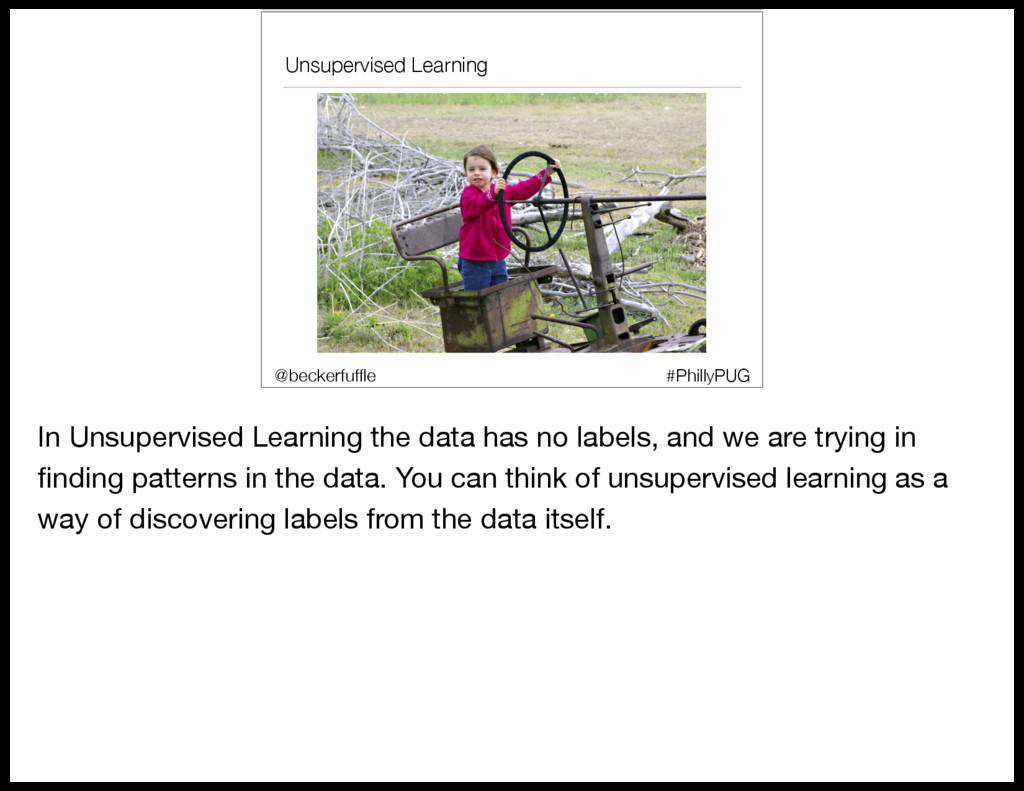
  43. Unsupervised Learning #PhillyPUG @beckerfuffle In Unsupervised Learning the data has

    no labels, and we are trying in finding patterns in the data. You can think of unsupervised learning as a way of discovering labels from the data itself.
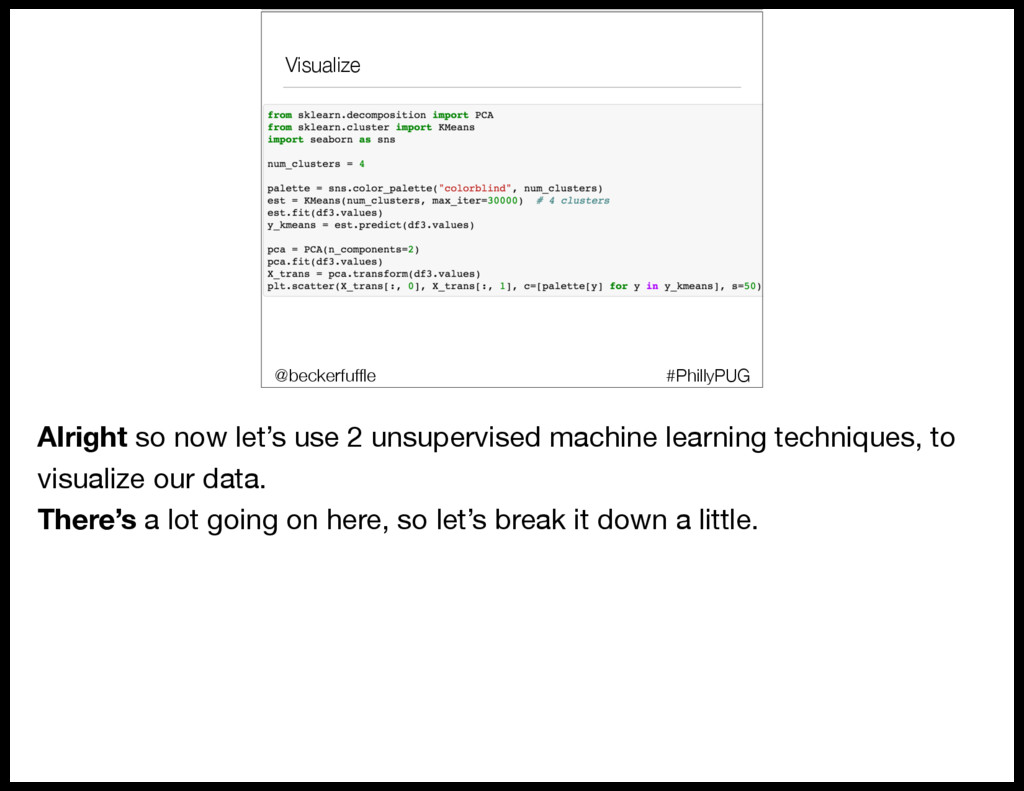
  44. Visualize #PhillyPUG @beckerfuffle Alright so now let’s use 2 unsupervised

    machine learning techniques, to visualize our data. There’s a lot going on here, so let’s break it down a little.
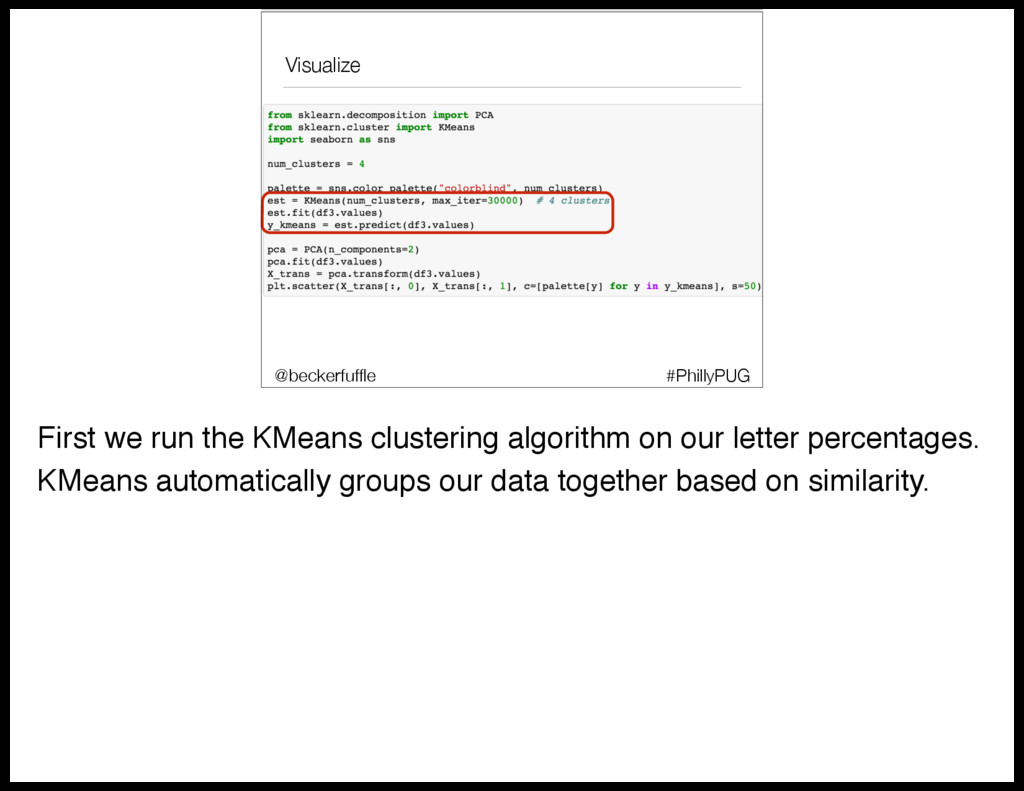
  45. Visualize #PhillyPUG @beckerfuffle First we run the KMeans clustering algorithm

    on our letter percentages. KMeans automatically groups our data together based on similarity.
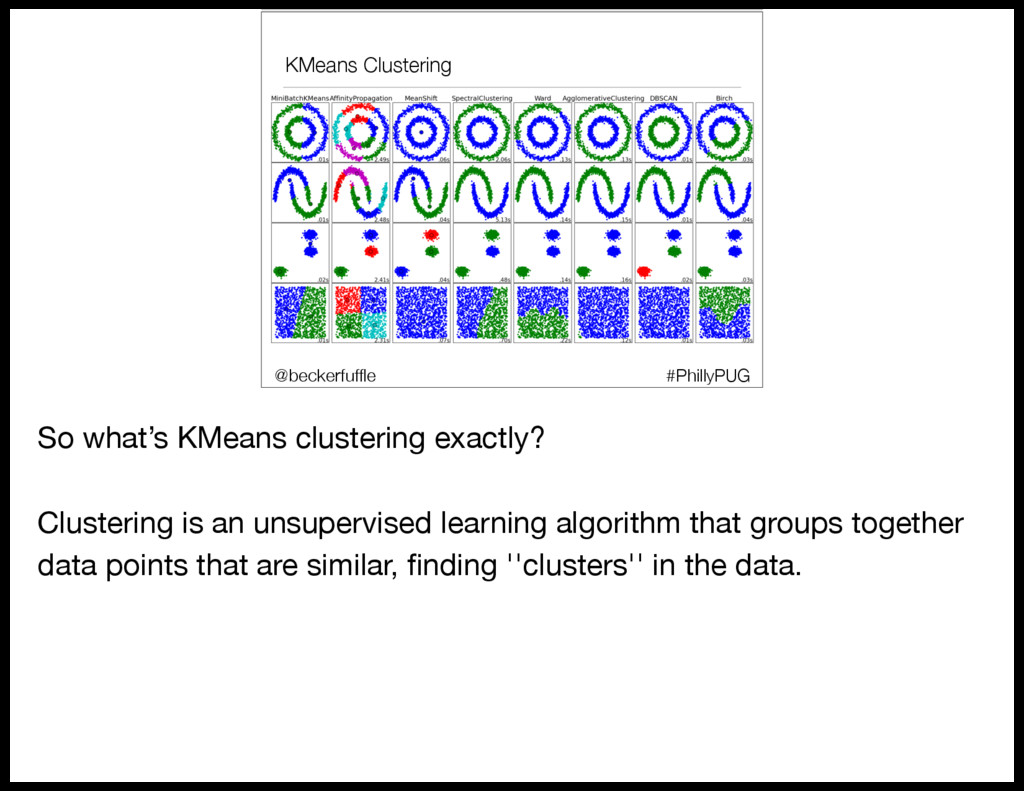
  46. KMeans Clustering #PhillyPUG @beckerfuffle So what’s KMeans clustering exactly? Clustering

    is an unsupervised learning algorithm that groups together data points that are similar, finding ''clusters'' in the data.
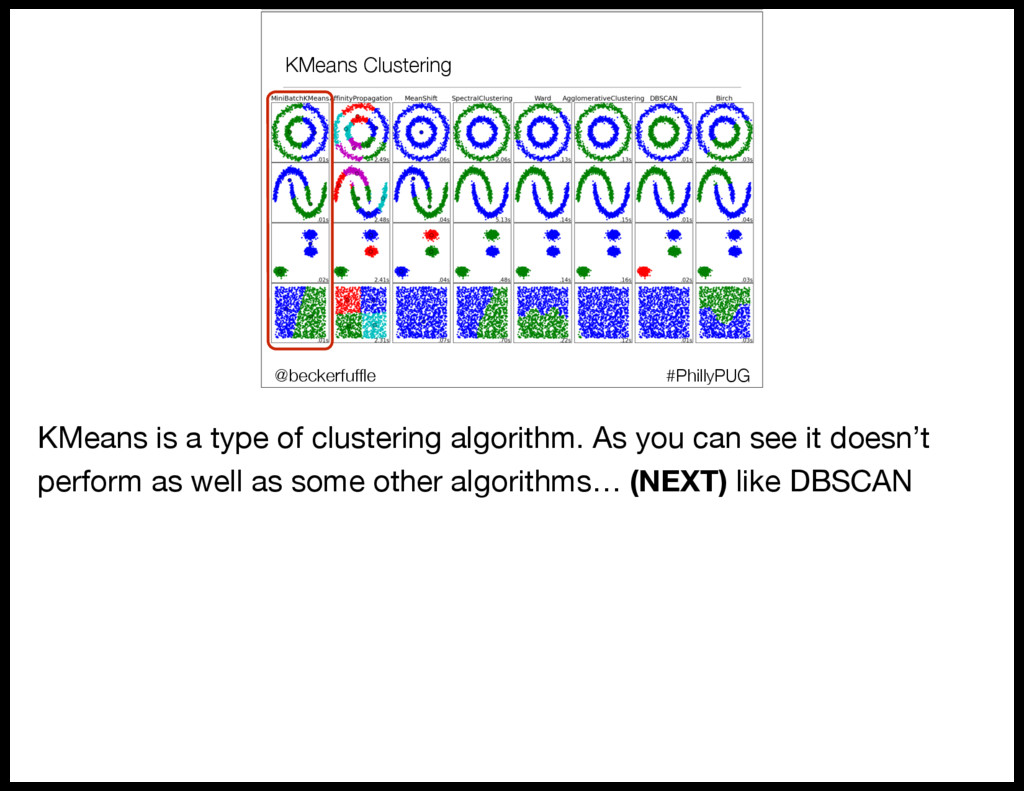
  47. KMeans Clustering #PhillyPUG @beckerfuffle KMeans is a type of clustering

    algorithm. As you can see it doesn’t perform as well as some other algorithms… (NEXT) like DBSCAN
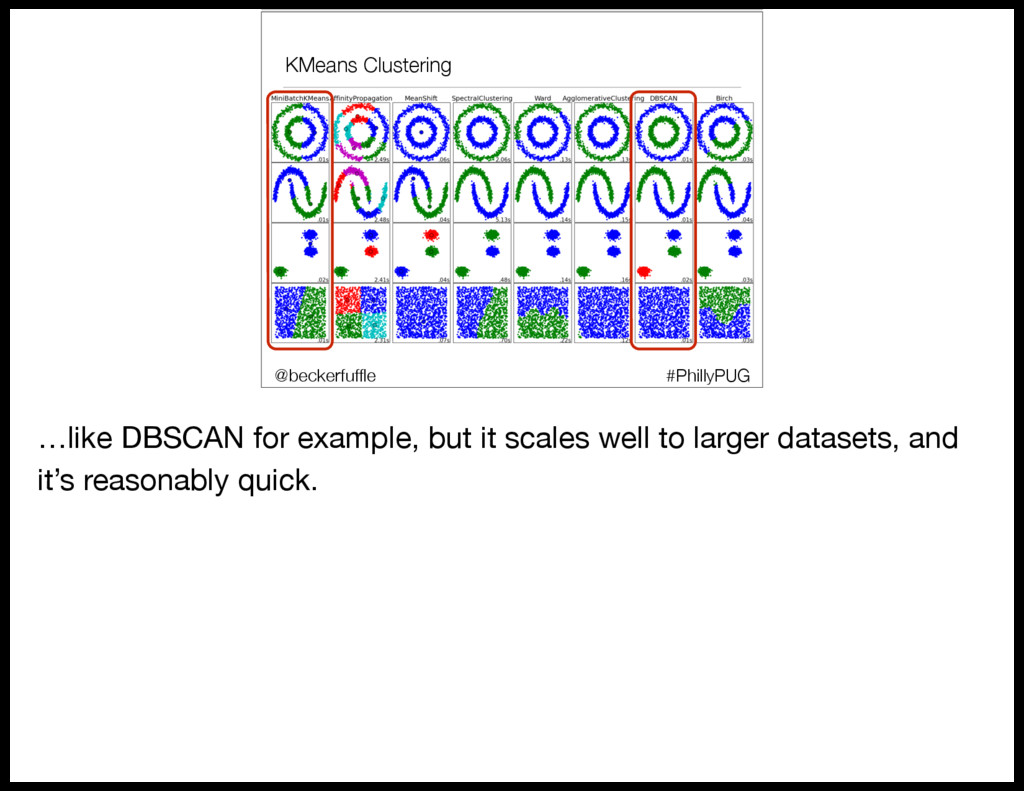
  48. KMeans Clustering #PhillyPUG @beckerfuffle …like DBSCAN for example, but it

    scales well to larger datasets, and it’s reasonably quick.
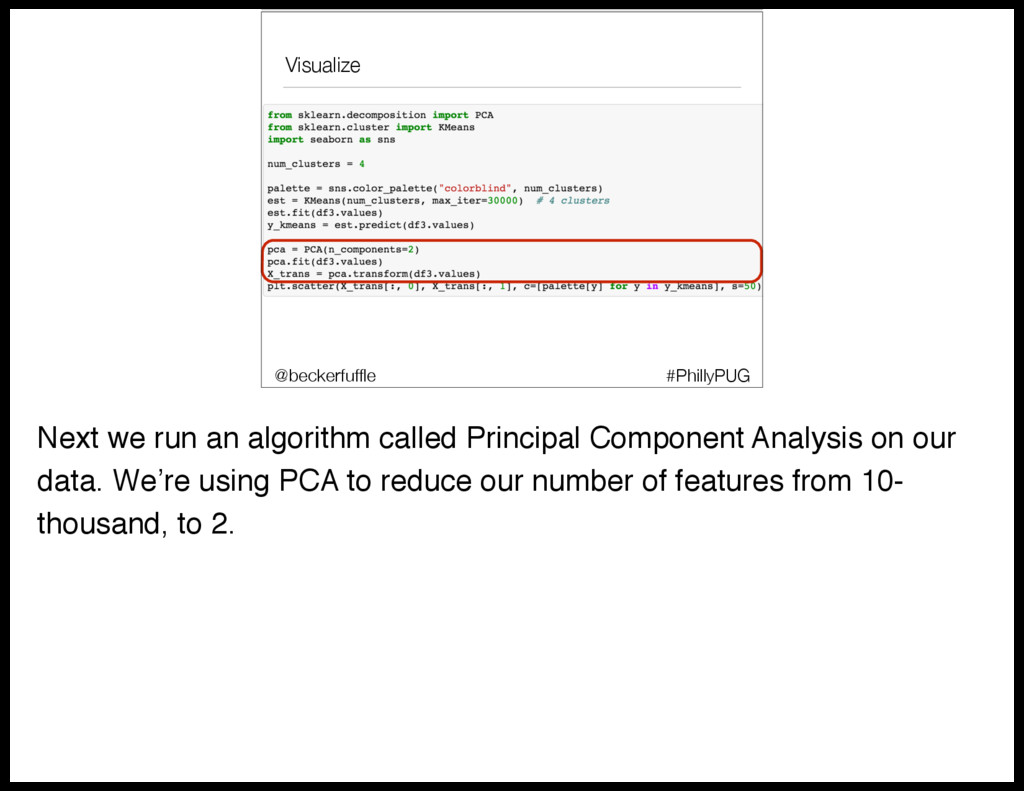
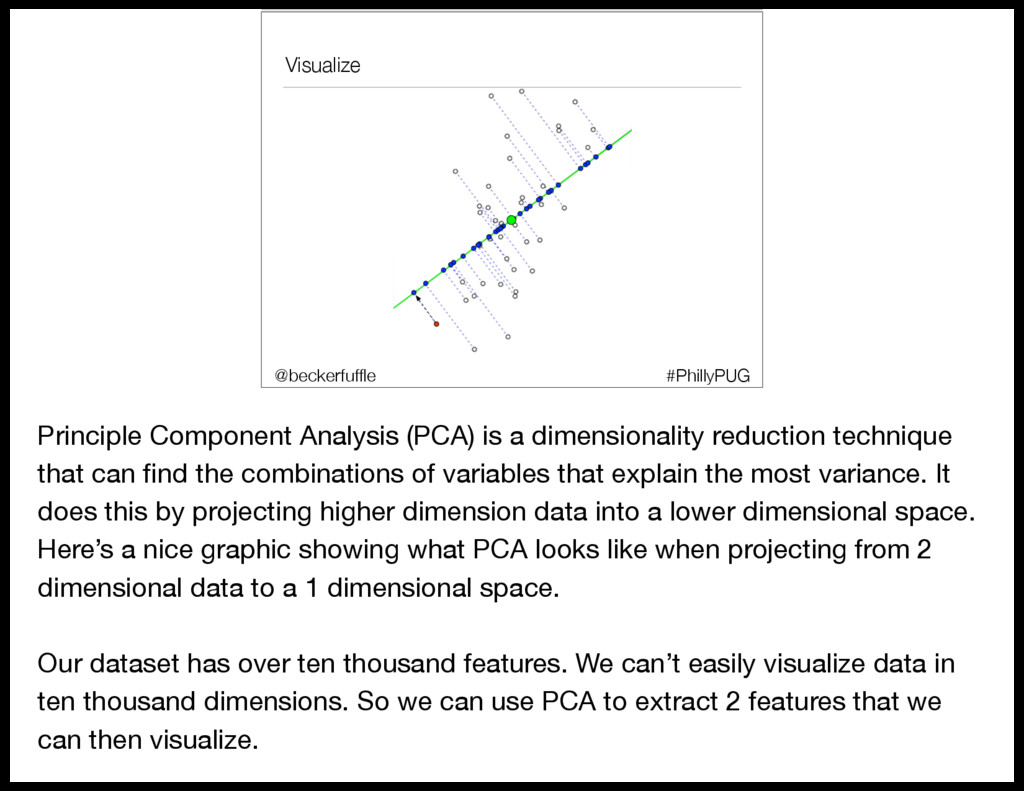
  49. Visualize #PhillyPUG @beckerfuffle Next we run an algorithm called Principal

    Component Analysis on our data. We’re using PCA to reduce our number of features from 10- thousand, to 2.
  50. Visualize #PhillyPUG @beckerfuffle Principle Component Analysis (PCA) is a dimensionality

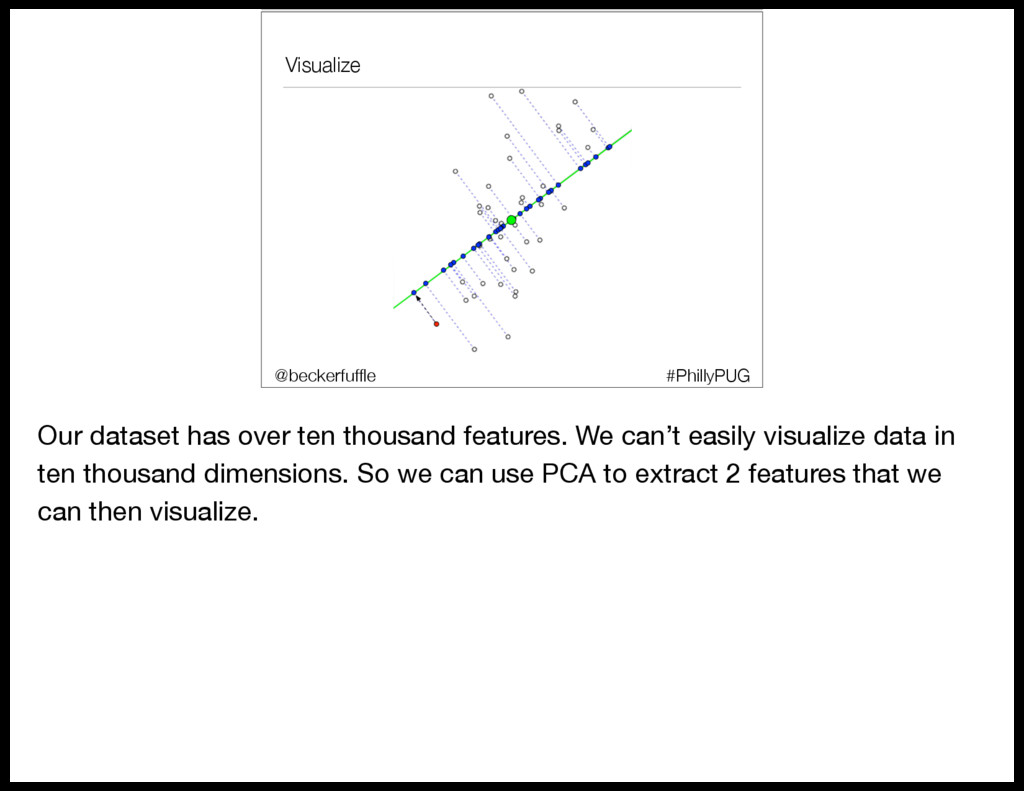
    reduction technique that can find the combinations of variables that explain the most variance. It does this by projecting higher dimension data into a lower dimensional space. Here’s a nice graphic showing what PCA looks like when projecting from 2 dimensional data to a 1 dimensional space. Our dataset has over ten thousand features. We can’t easily visualize data in ten thousand dimensions. So we can use PCA to extract 2 features that we can then visualize.
  51. Visualize #PhillyPUG @beckerfuffle Our dataset has over ten thousand features.

    We can’t easily visualize data in ten thousand dimensions. So we can use PCA to extract 2 features that we can then visualize.
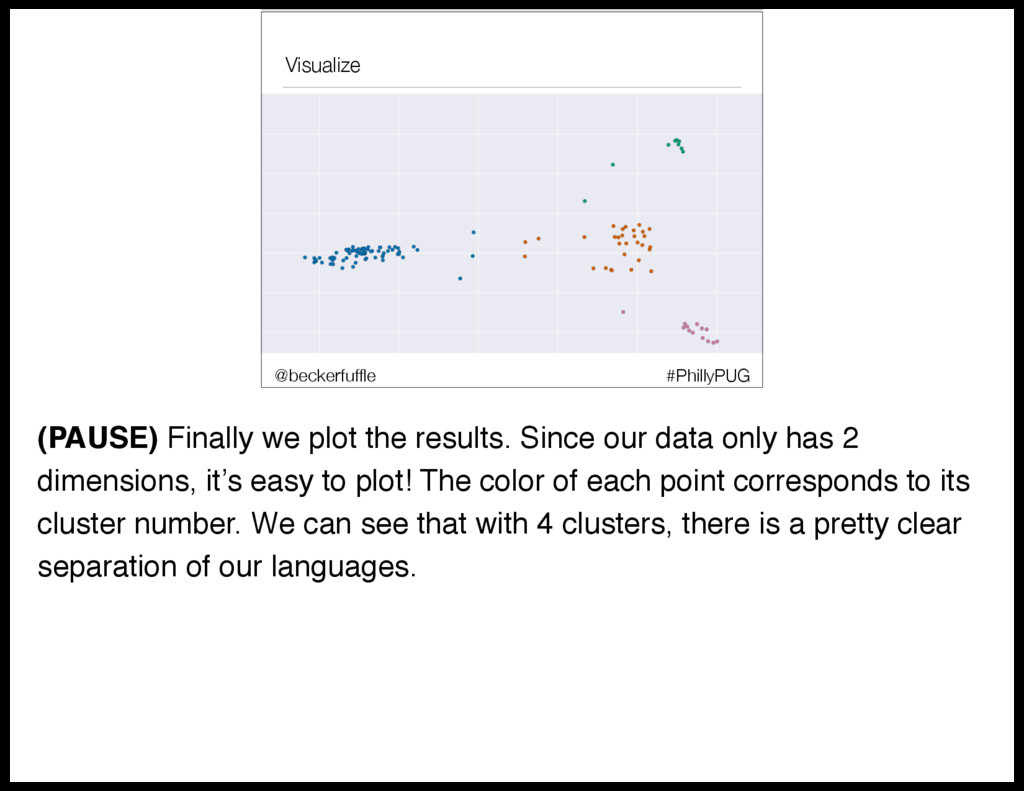
  52. Visualize #PhillyPUG @beckerfuffle (PAUSE) Finally we plot the results. Since

    our data only has 2 dimensions, it’s easy to plot! The color of each point corresponds to its cluster number. We can see that with 4 clusters, there is a pretty clear separation of our languages.
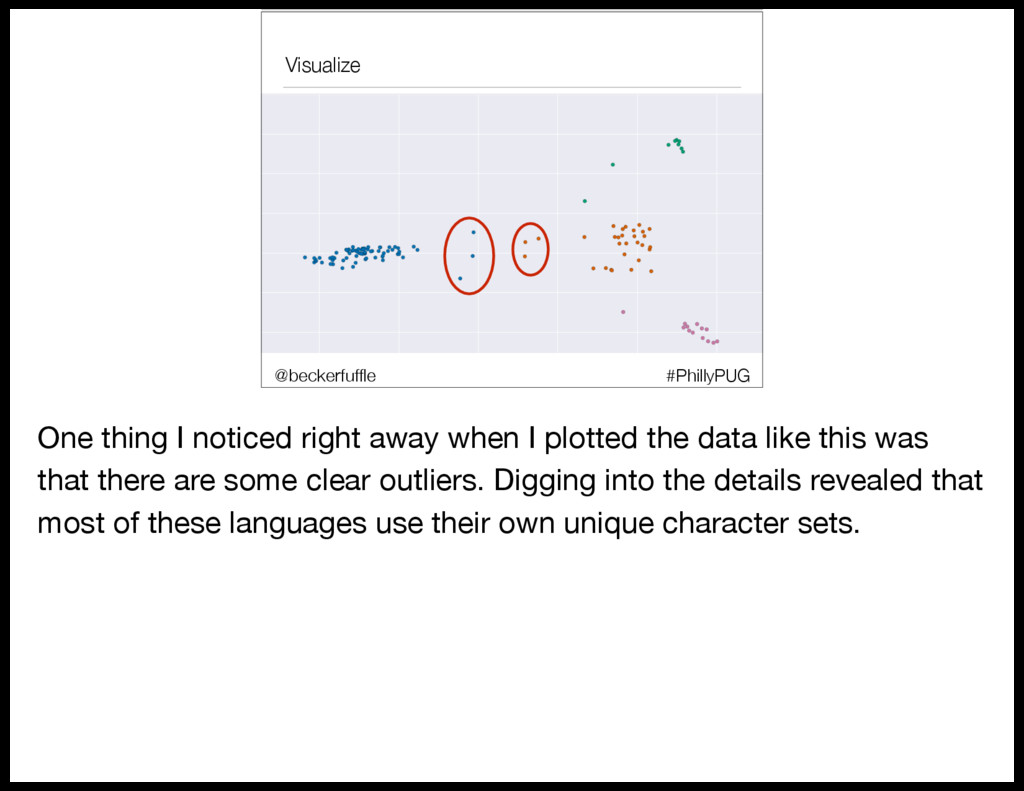
  53. Visualize #PhillyPUG @beckerfuffle One thing I noticed right away when

    I plotted the data like this was that there are some clear outliers. Digging into the details revealed that most of these languages use their own unique character sets.
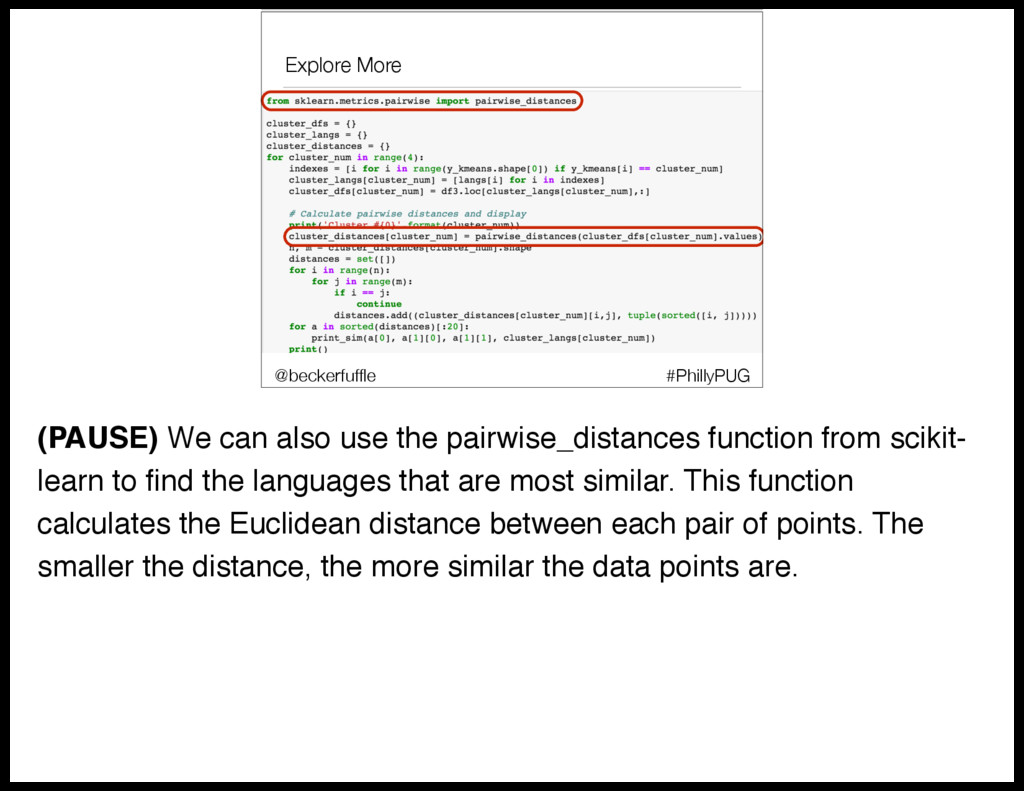
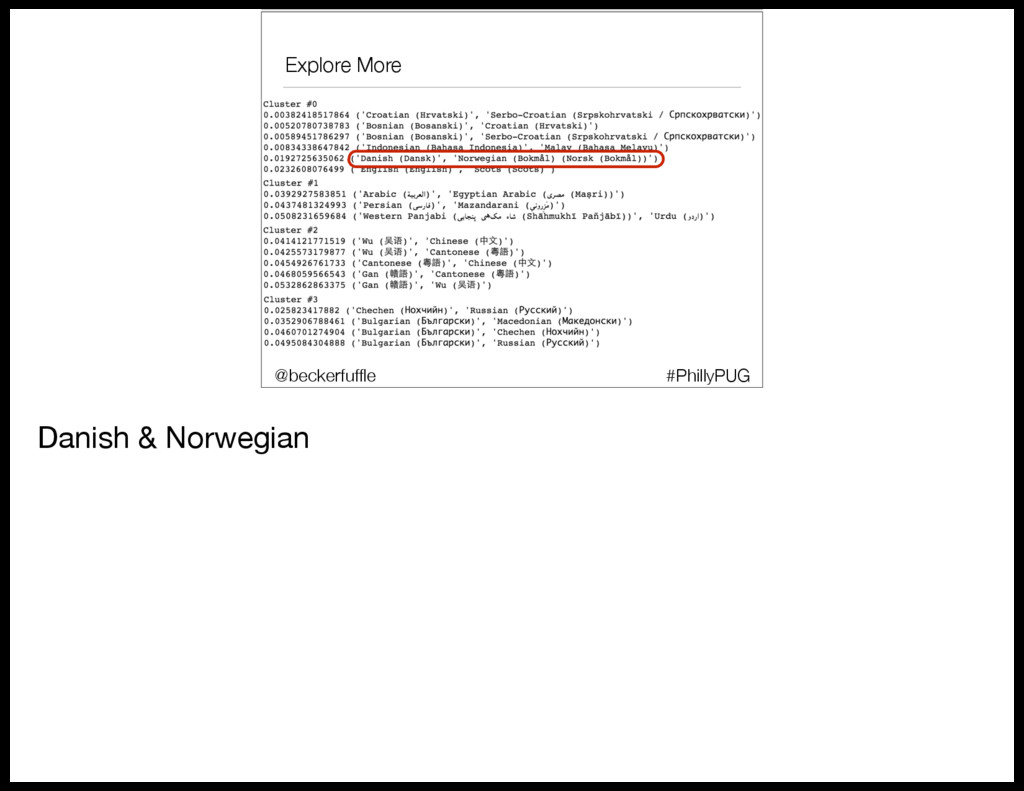
  54. Explore More #PhillyPUG @beckerfuffle (PAUSE) We can also use the

    pairwise_distances function from scikit- learn to find the languages that are most similar. This function calculates the Euclidean distance between each pair of points. The smaller the distance, the more similar the data points are.
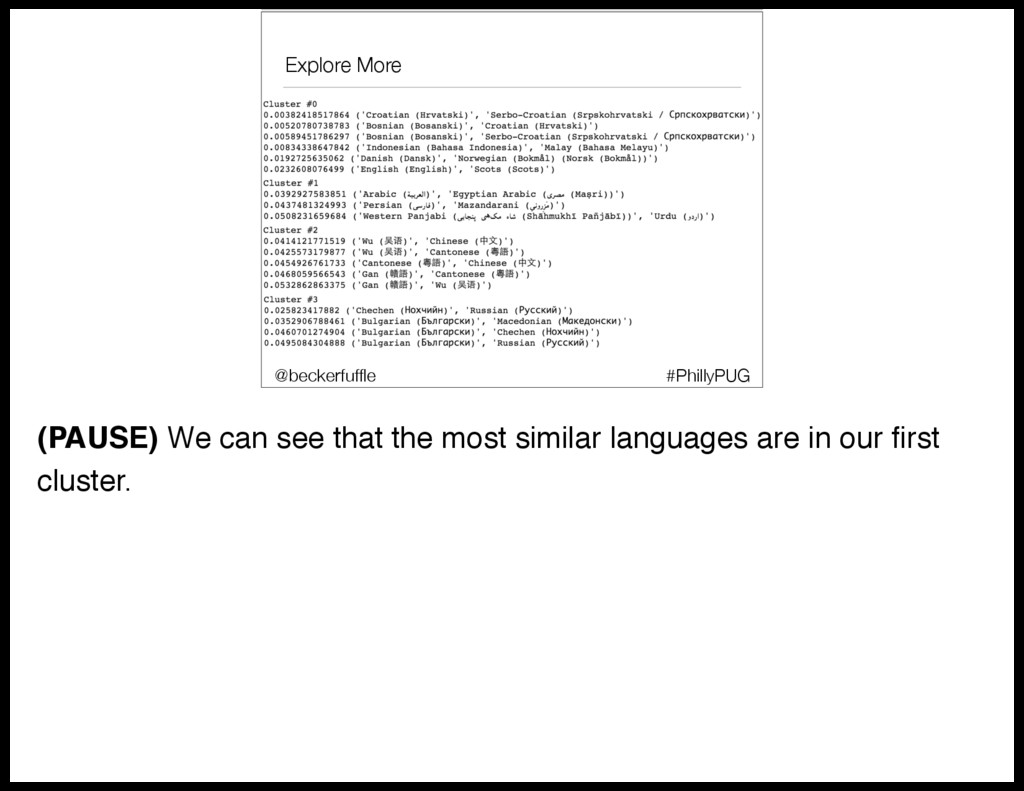
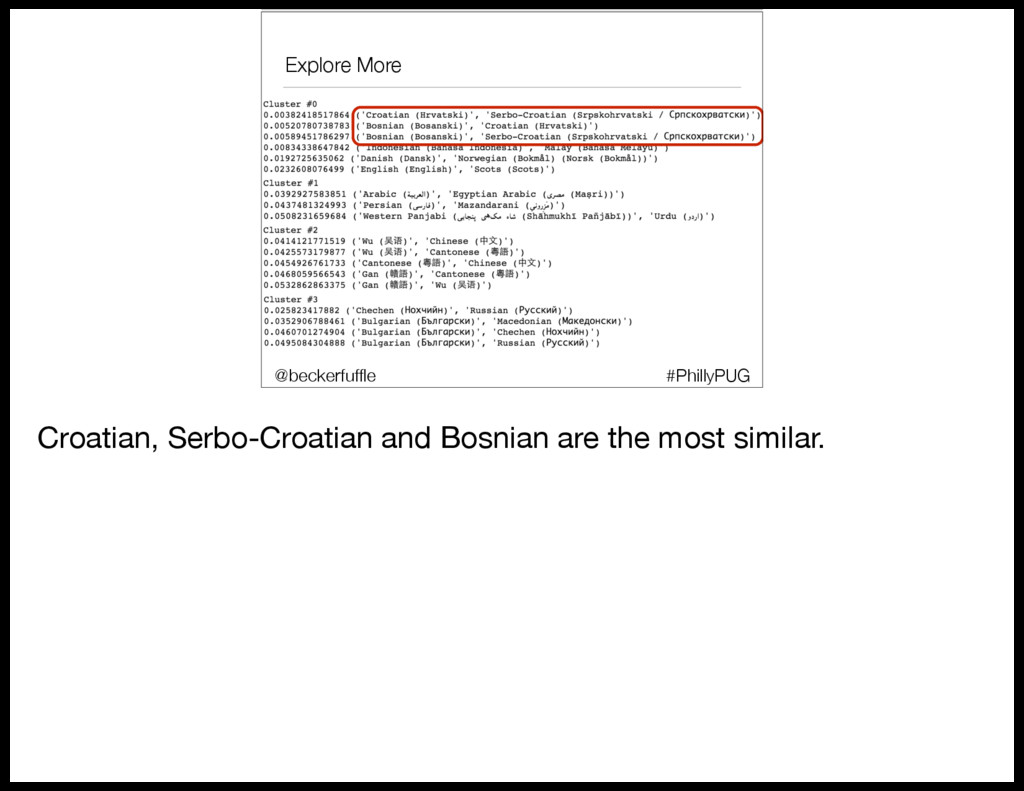
  55. Explore More #PhillyPUG @beckerfuffle (PAUSE) We can see that the

    most similar languages are in our first cluster.
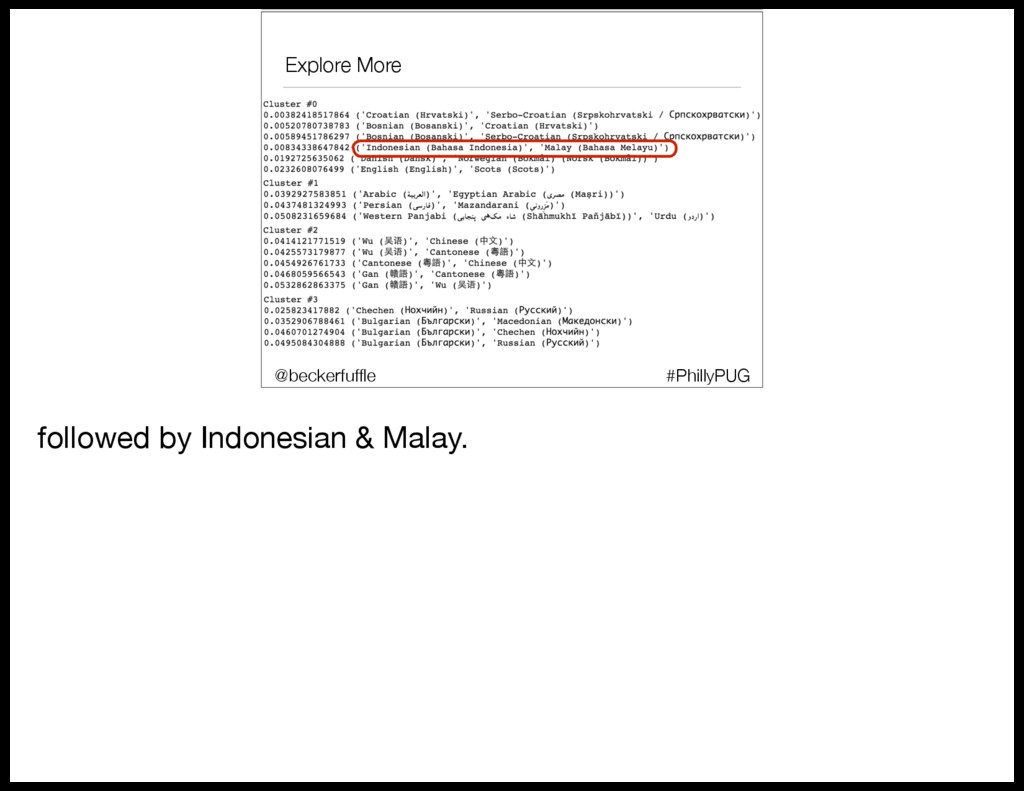
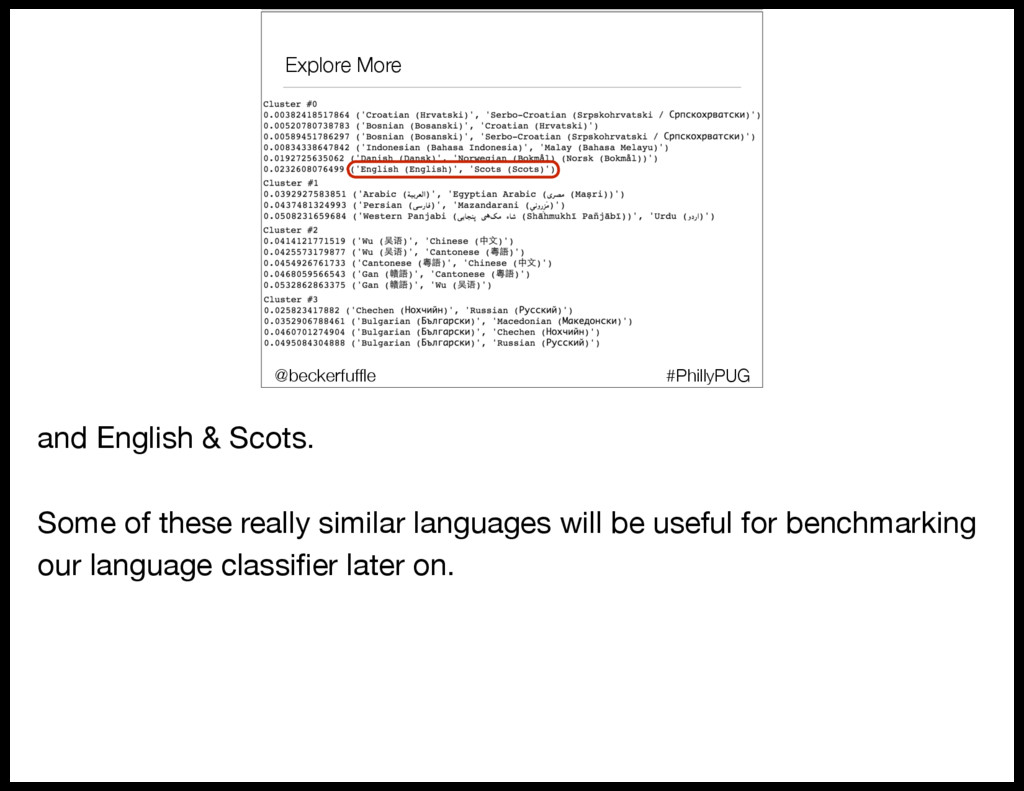
  56. Explore More #PhillyPUG @beckerfuffle and English & Scots. Some of

    these really similar languages will be useful for benchmarking our language classifier later on.
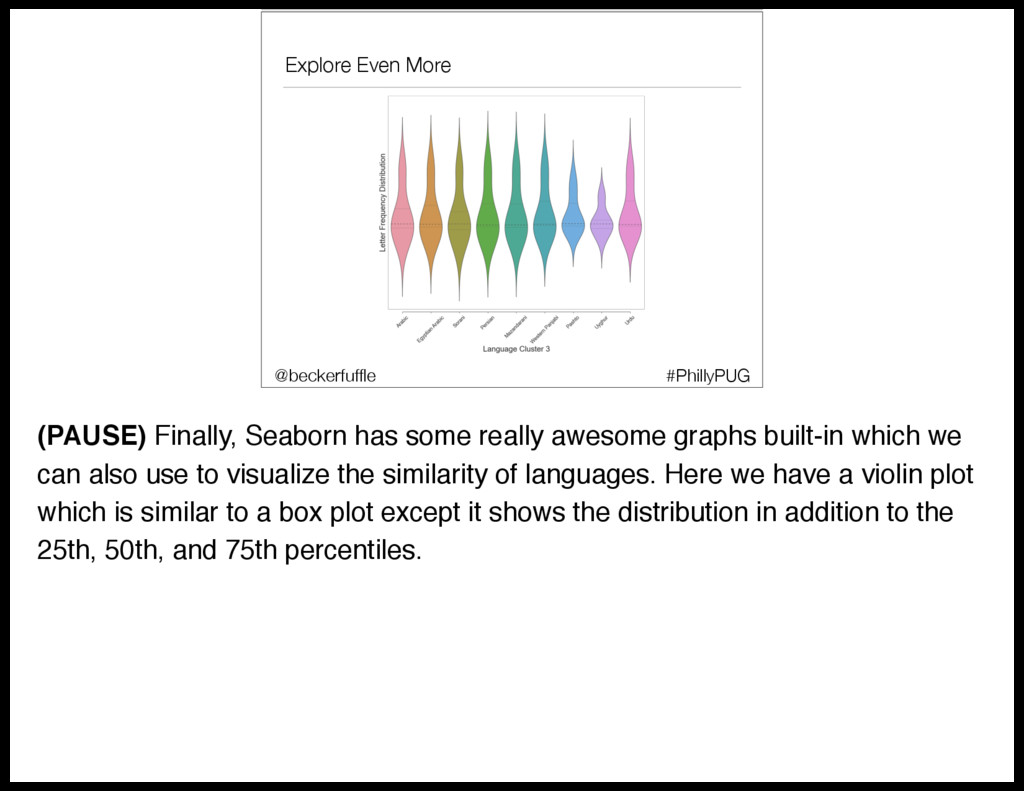
  57. Explore Even More #PhillyPUG @beckerfuffle (PAUSE) Finally, Seaborn has some

    really awesome graphs built-in which we can also use to visualize the similarity of languages. Here we have a violin plot which is similar to a box plot except it shows the distribution in addition to the 25th, 50th, and 75th percentiles.
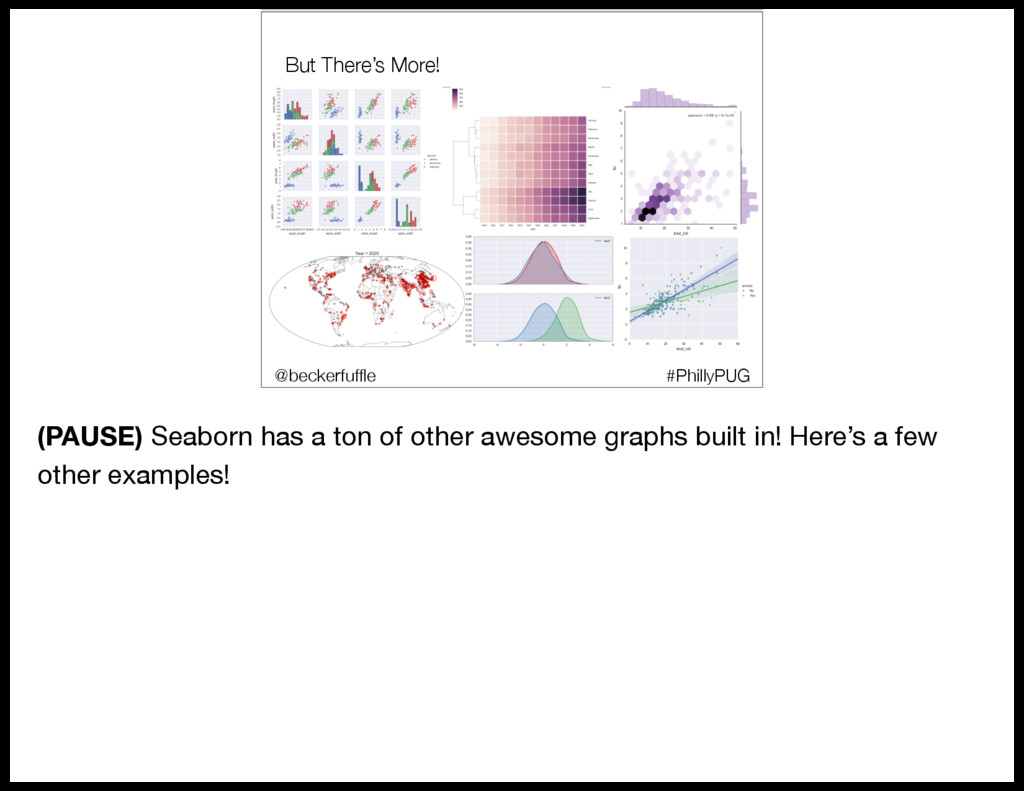
  58. But There’s More! @beckerfuffle #PyOhio #PhillyPUG @beckerfuffle (PAUSE) Seaborn has

    a ton of other awesome graphs built in! Here’s a few other examples!
  59. Supervised Learning • Scikit-learn overview • Model Distribution • Data

    flow • RabbitMQ • Demo • Scalability • Other considerations @beckerfuffle #PyOhio @beckerfuffle #PyOhio (PAUSE) Now that we’ve finished exploring our data, it’s time to build our Model! Our model is called a “supervised” model. So let’s start off, by defining what a supervised model is.
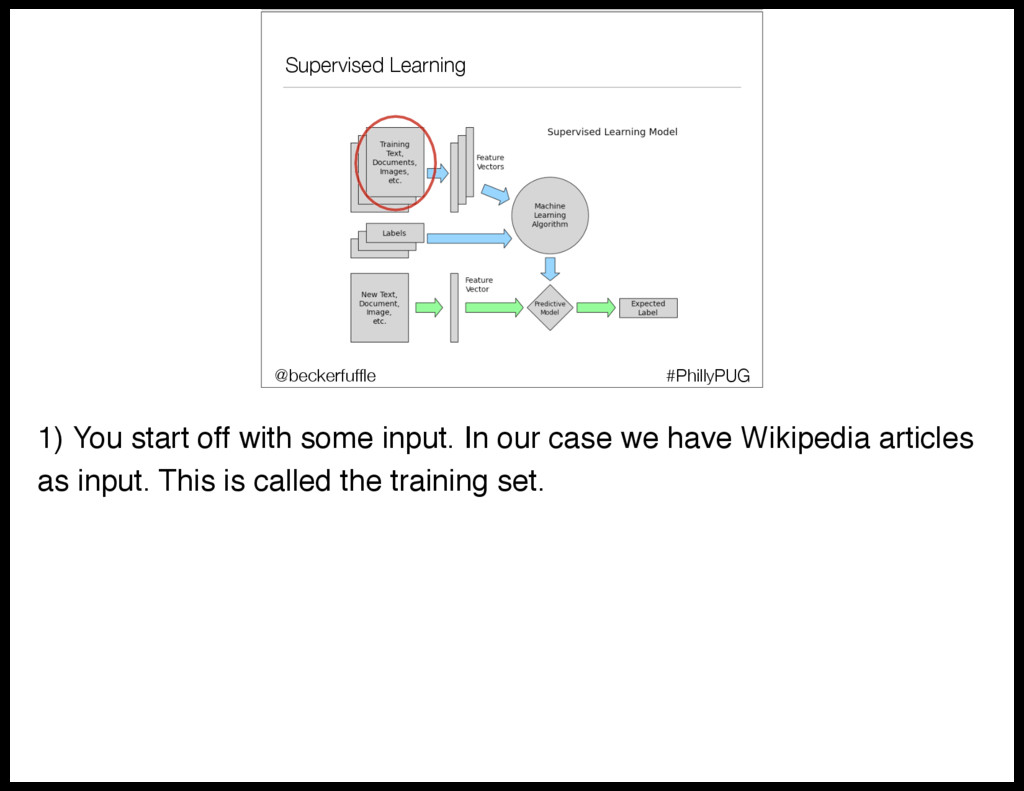
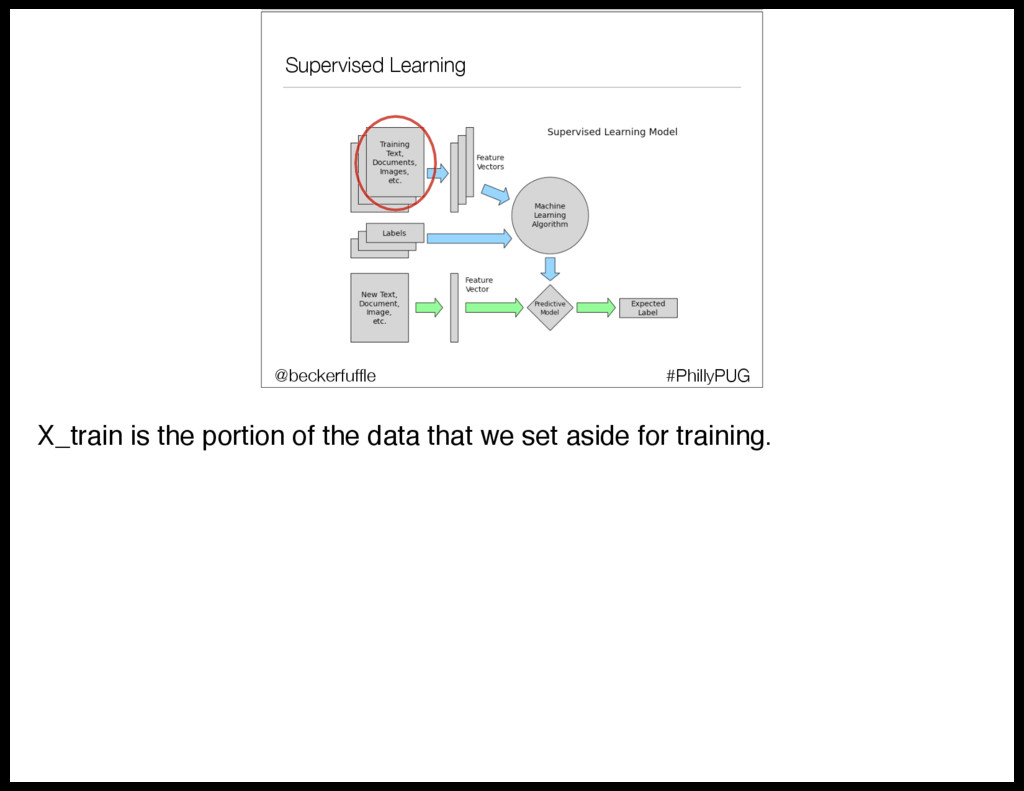
  60. Supervised Learning #PhillyPUG @beckerfuffle 1) You start off with some

    input. In our case we have Wikipedia articles as input. This is called the training set.
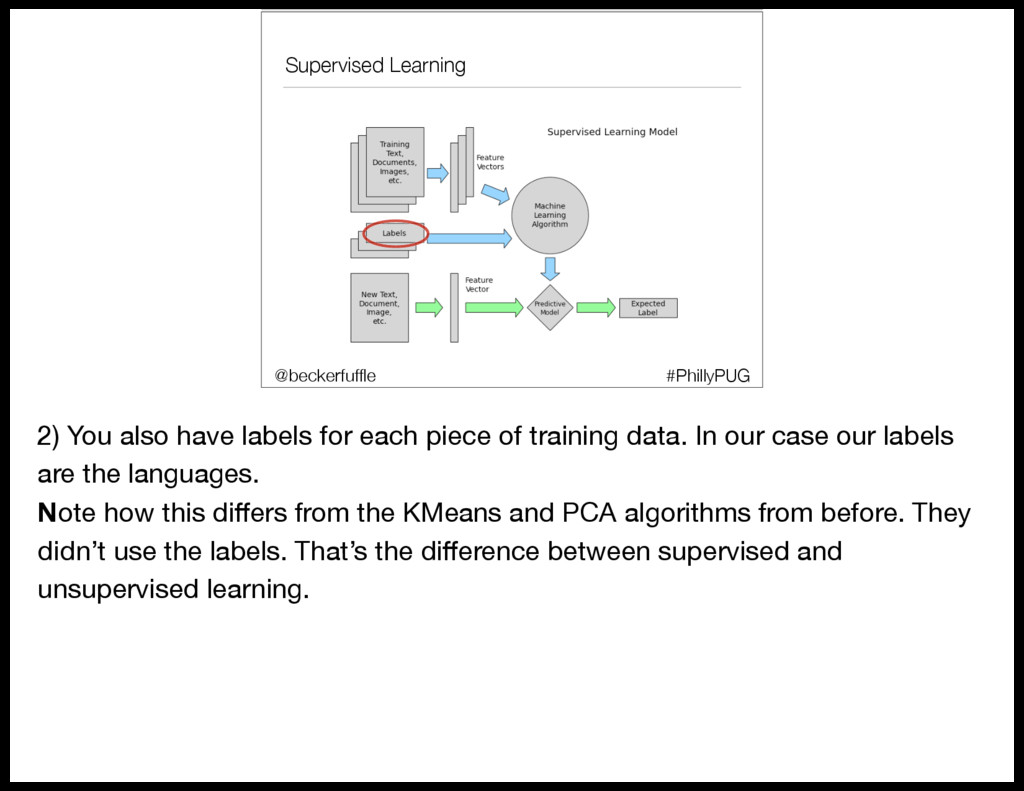
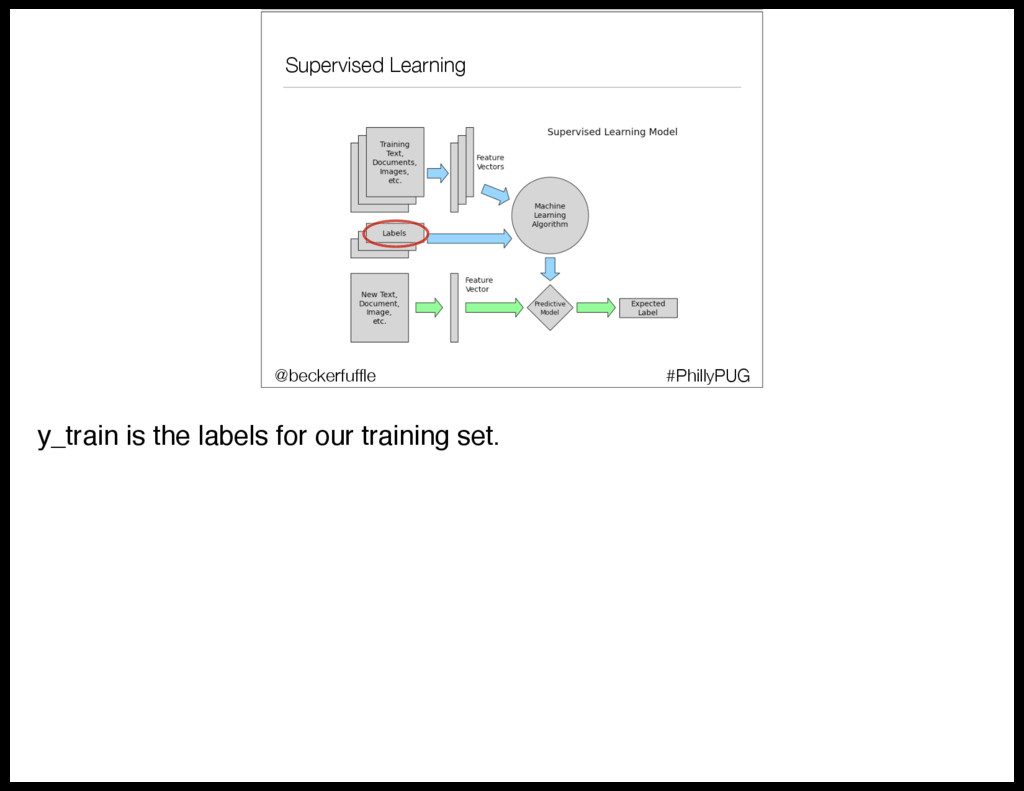
  61. Supervised Learning #PhillyPUG @beckerfuffle 2) You also have labels for

    each piece of training data. In our case our labels are the languages. Note how this differs from the KMeans and PCA algorithms from before. They didn’t use the labels. That’s the difference between supervised and unsupervised learning.
  62. Supervised Learning #PhillyPUG @beckerfuffle 4) Then you train your machine

    learning algorithm using your vectorized training data, and the labels as input. This is often referred to as fitting your model. 5) At this point you have a model that can take a new piece of unlabeled data, and predict the label. (PAUSE) Alright, so let’s see how this works in practice.
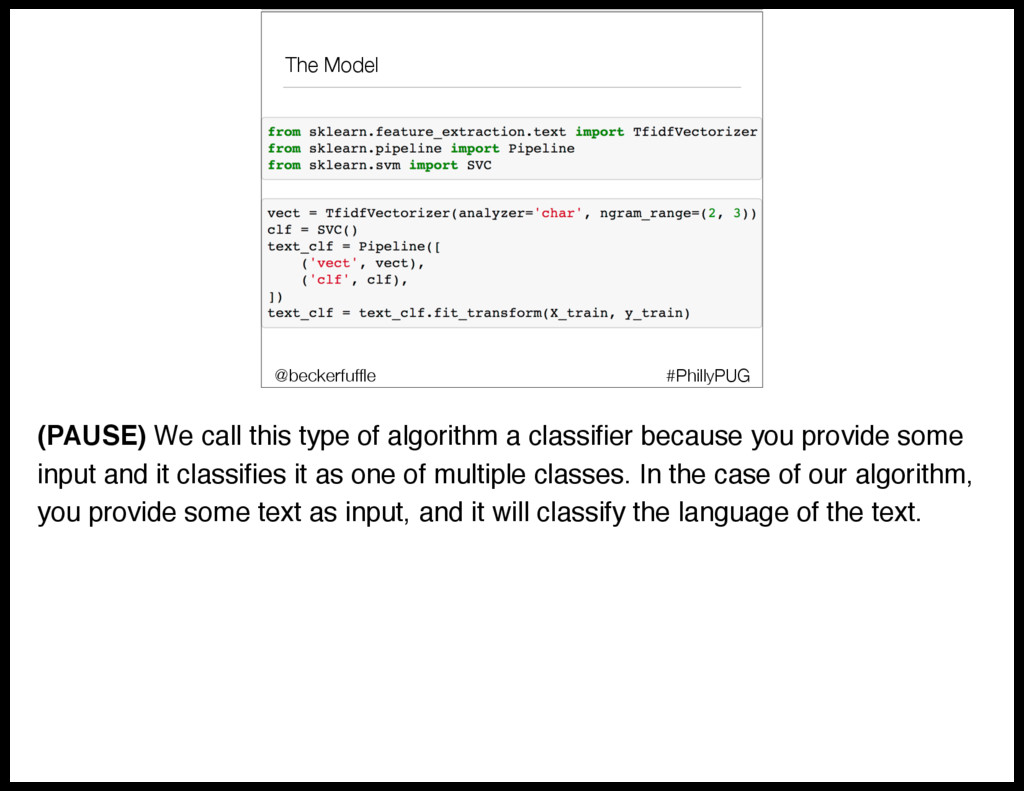
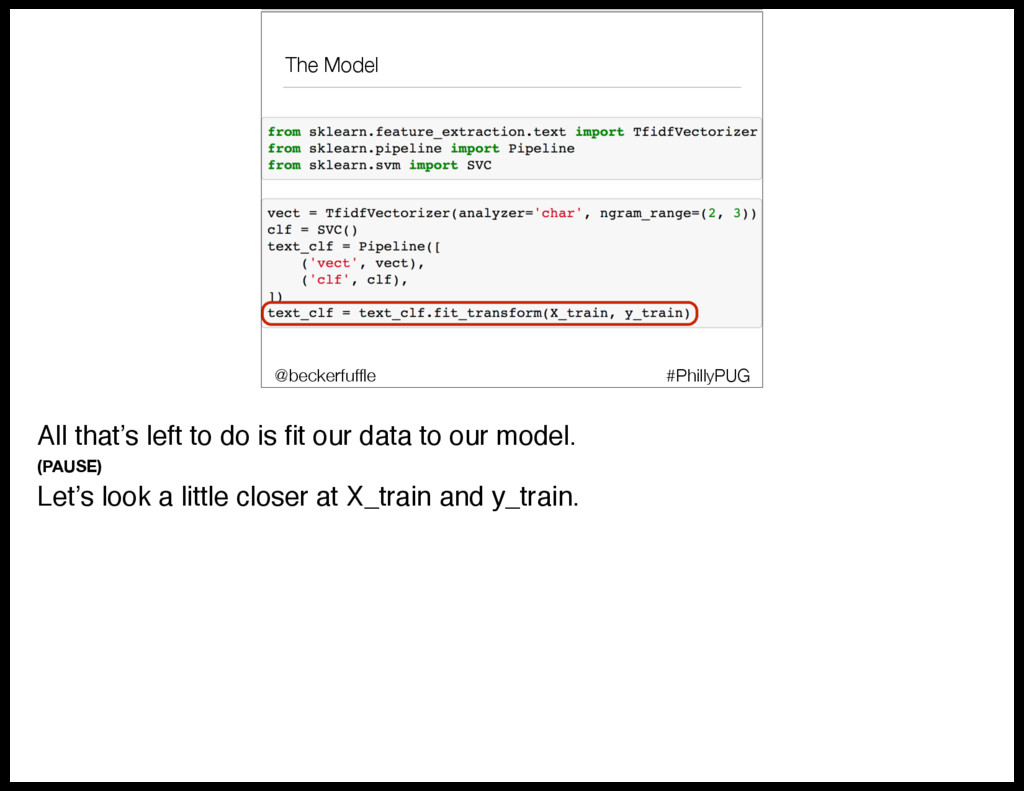
  63. The Model #PhillyPUG @beckerfuffle (PAUSE) We call this type of

    algorithm a classifier because you provide some input and it classifies it as one of multiple classes. In the case of our algorithm, you provide some text as input, and it will classify the language of the text.
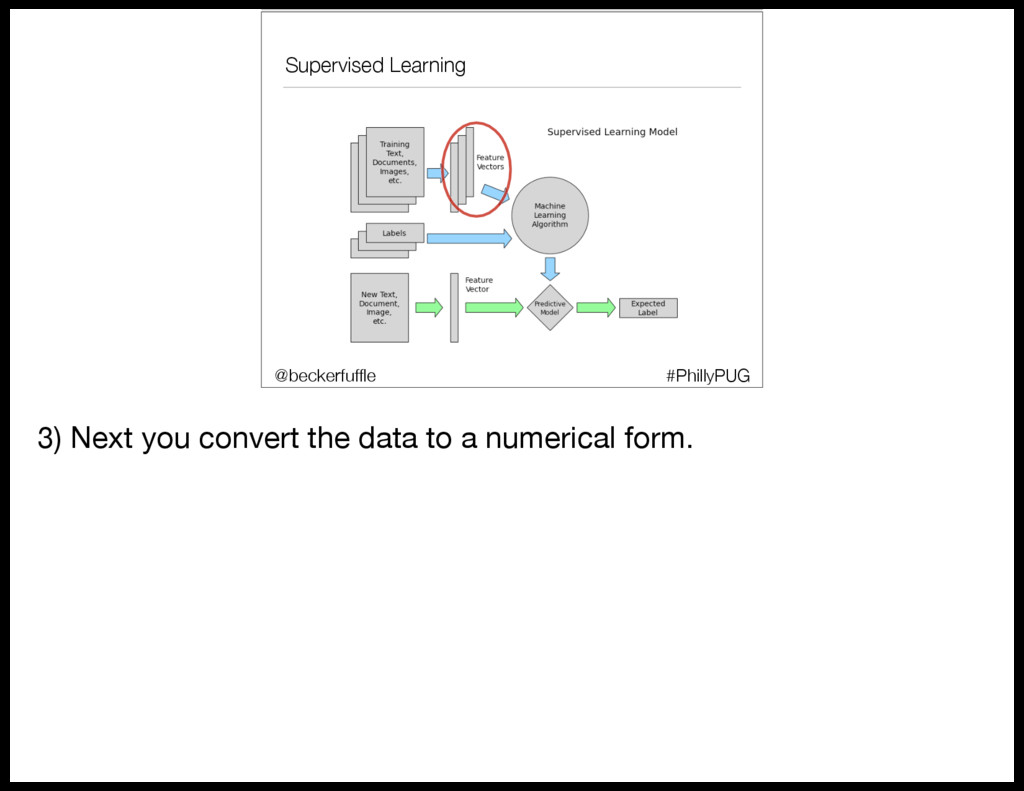
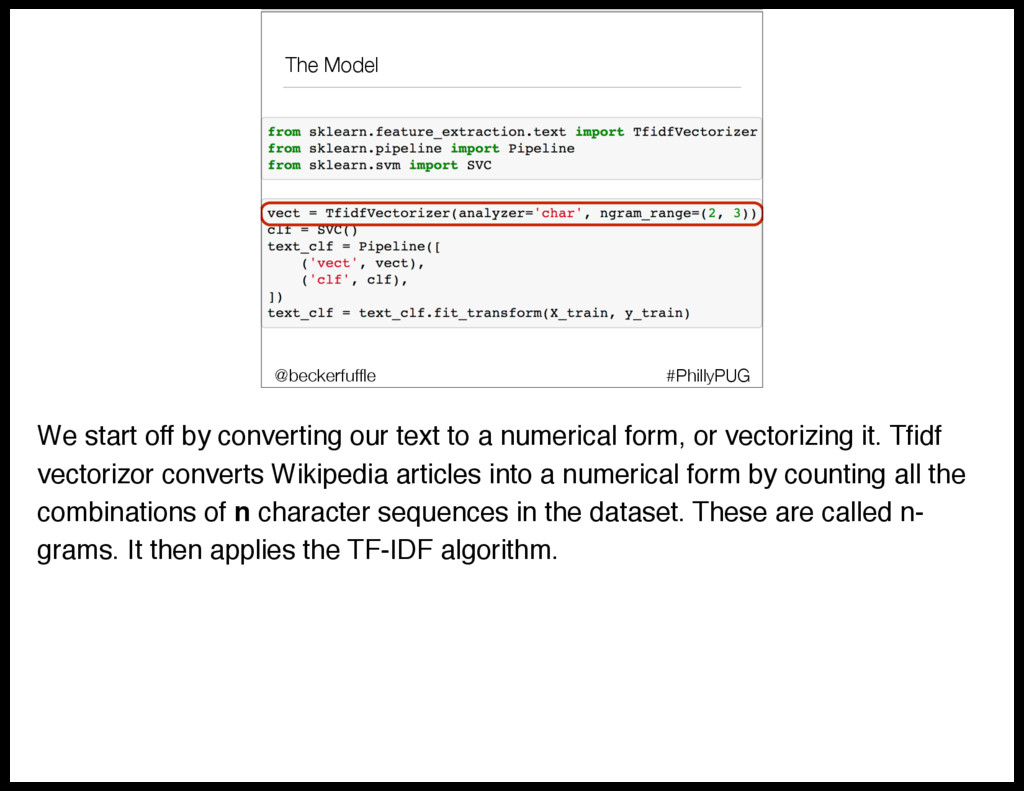
  64. The Model #PhillyPUG @beckerfuffle We start off by converting our

    text to a numerical form, or vectorizing it. Tfidf vectorizor converts Wikipedia articles into a numerical form by counting all the combinations of n character sequences in the dataset. These are called n- grams. It then applies the TF-IDF algorithm.
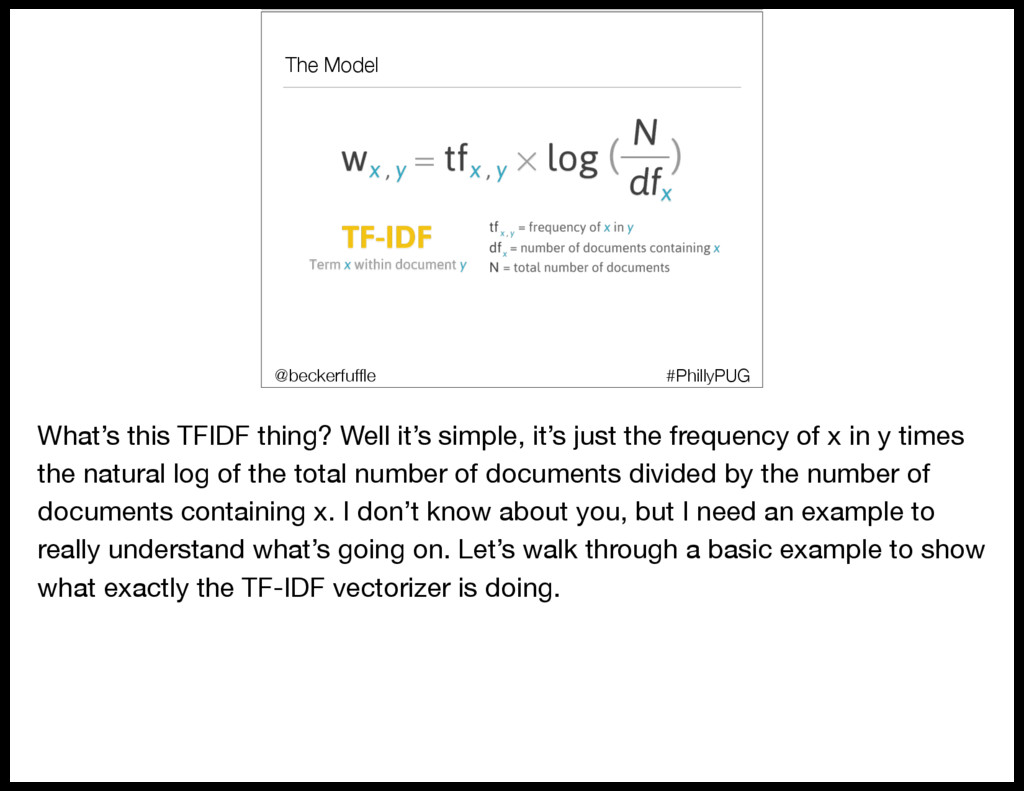
  65. The Model #PhillyPUG @beckerfuffle What’s this TFIDF thing? Well it’s

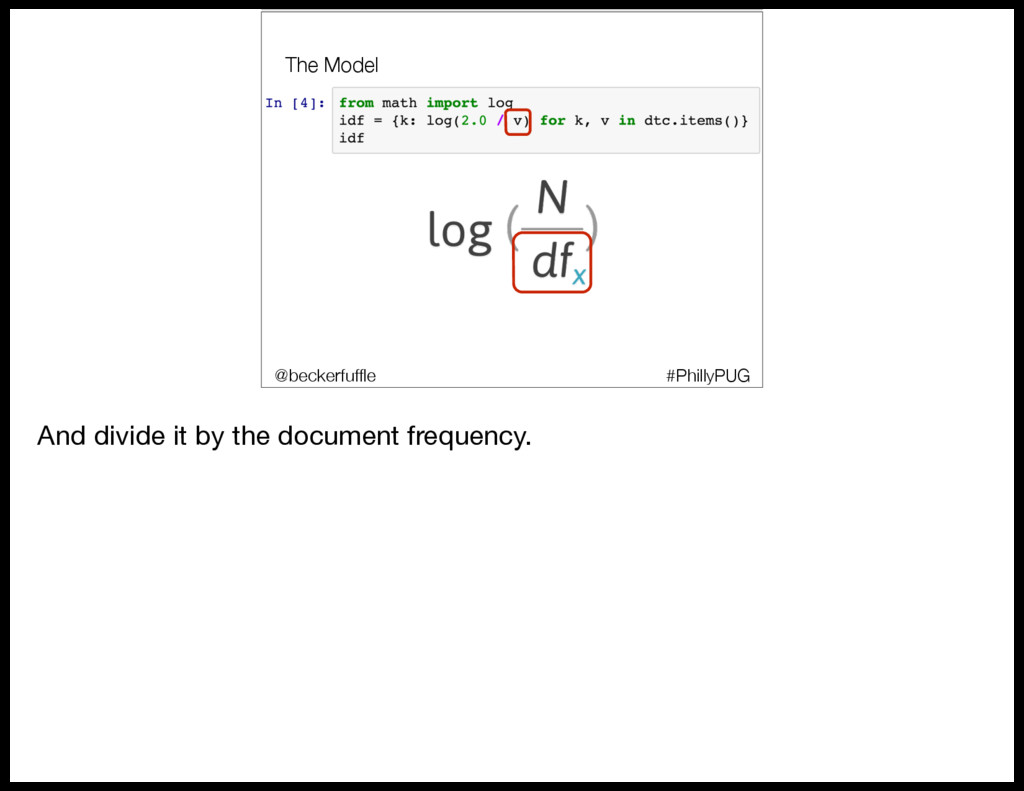
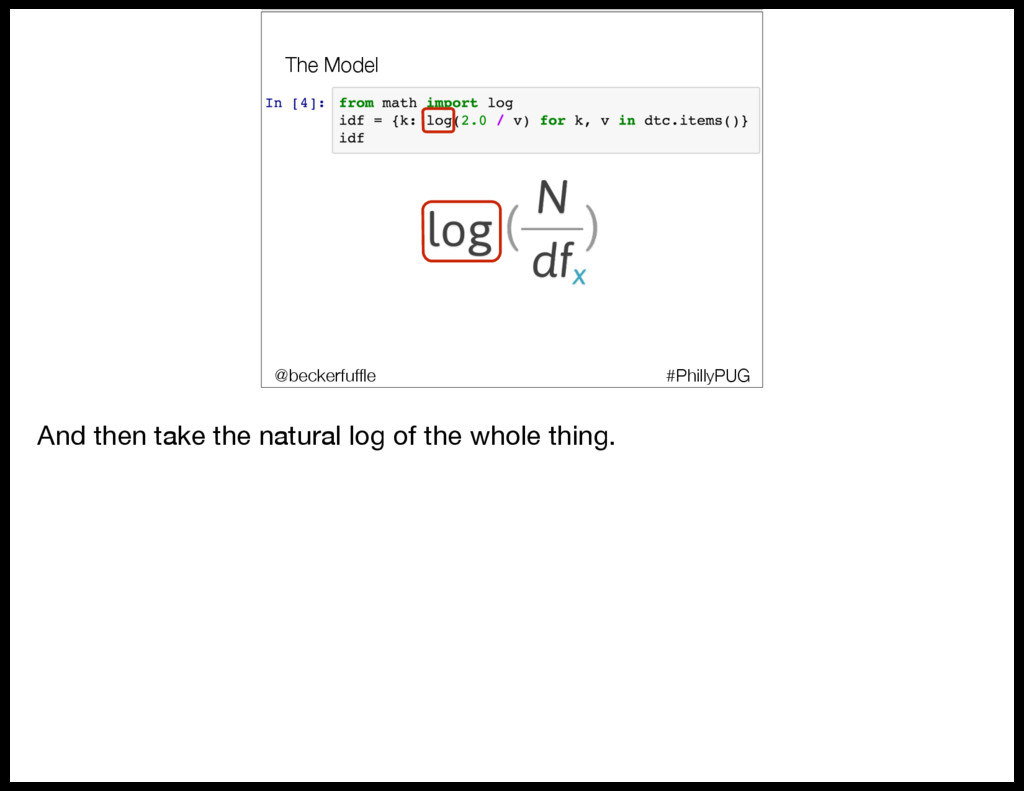
    simple, it’s just the frequency of x in y times the natural log of the total number of documents divided by the number of documents containing x. I don’t know about you, but I need an example to really understand what’s going on. Let’s walk through a basic example to show what exactly the TF-IDF vectorizer is doing.
  66. The Model • Scikit-learn overview • Model Distribution • Data

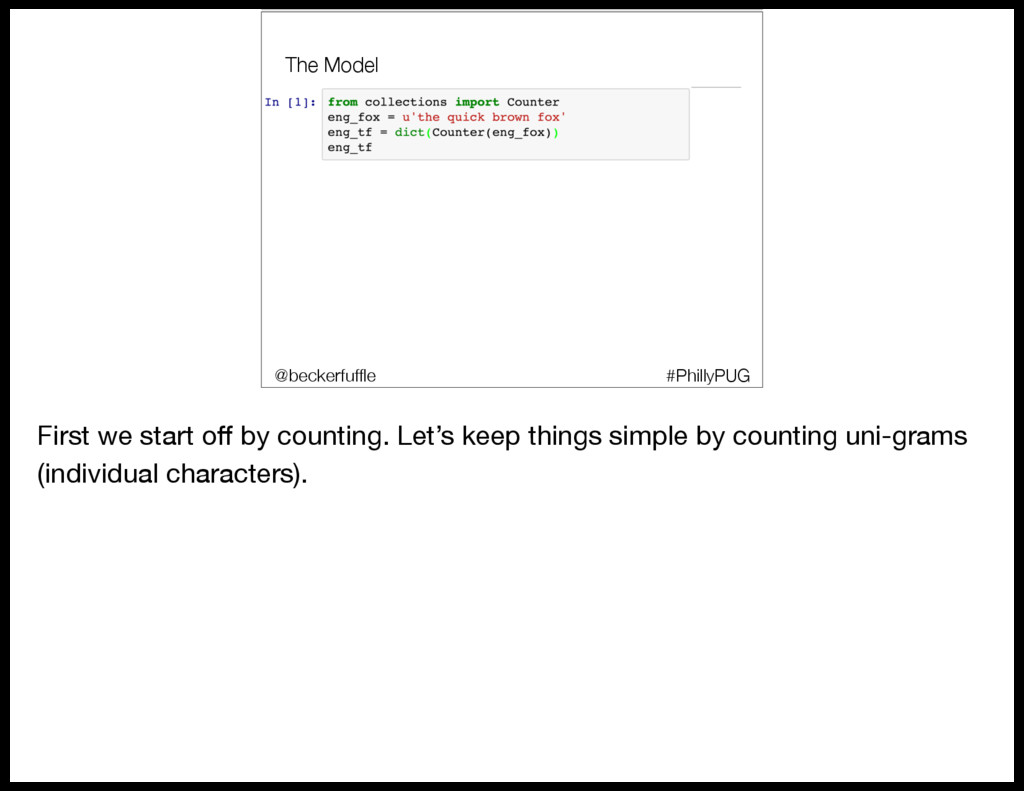
    flow • RabbitMQ • Demo • Scalability • Other considerations #PhillyPUG @beckerfuffle First we start off by counting. Let’s keep things simple by counting uni-grams (individual characters).
  67. The Model • Scikit-learn overview • Model Distribution • Data

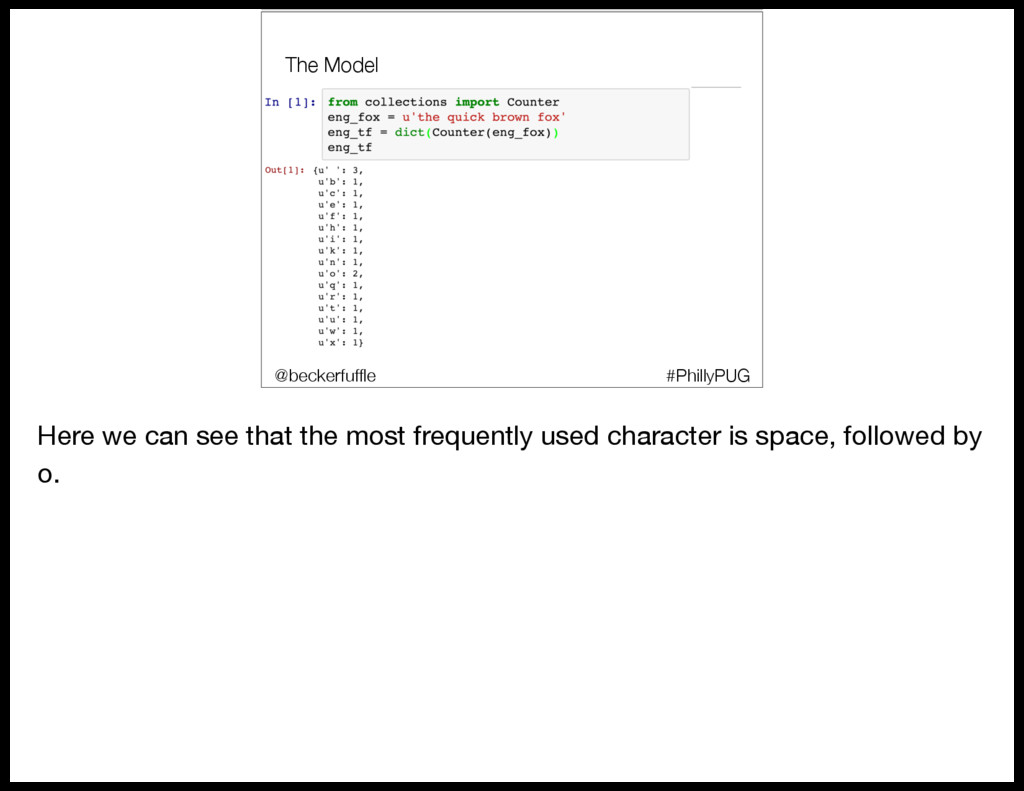
    flow • RabbitMQ • Demo • Scalability • Other considerations #PhillyPUG @beckerfuffle Here we can see that the most frequently used character is space, followed by o.
  68. The Model • Scikit-learn overview • Model Distribution • Data

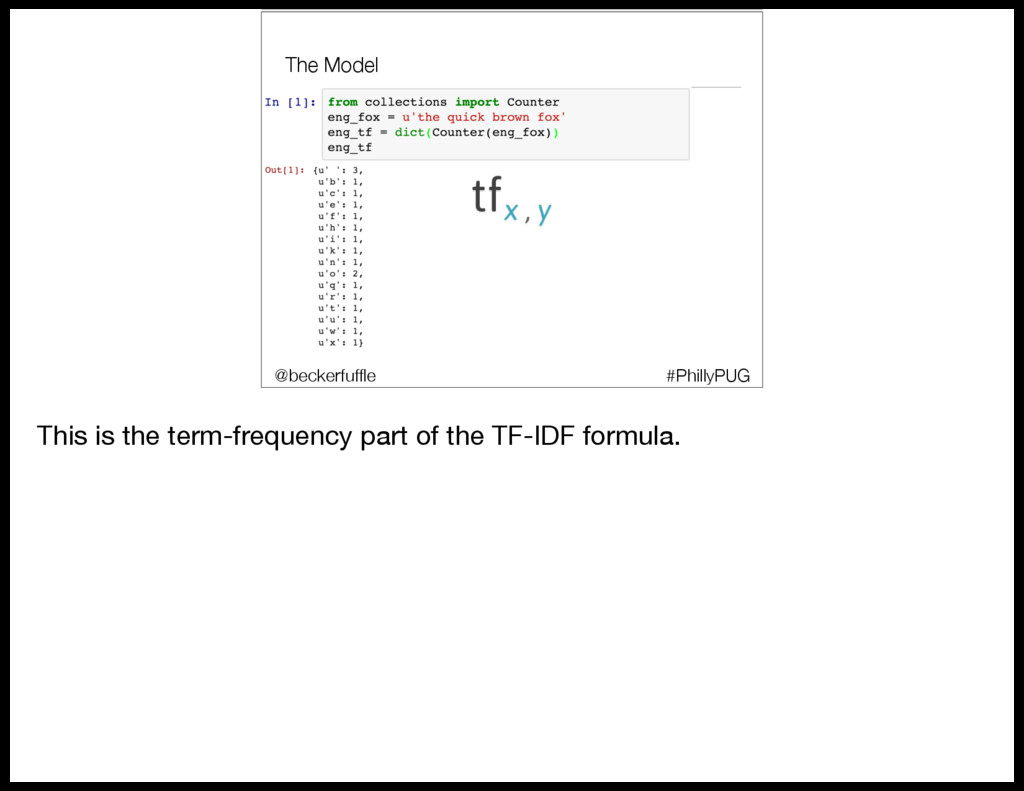
    flow • RabbitMQ • Demo • Scalability • Other considerations #PhillyPUG @beckerfuffle This is the term-frequency part of the TF-IDF formula.
  69. The Model • Scikit-learn overview • Model Distribution • Data

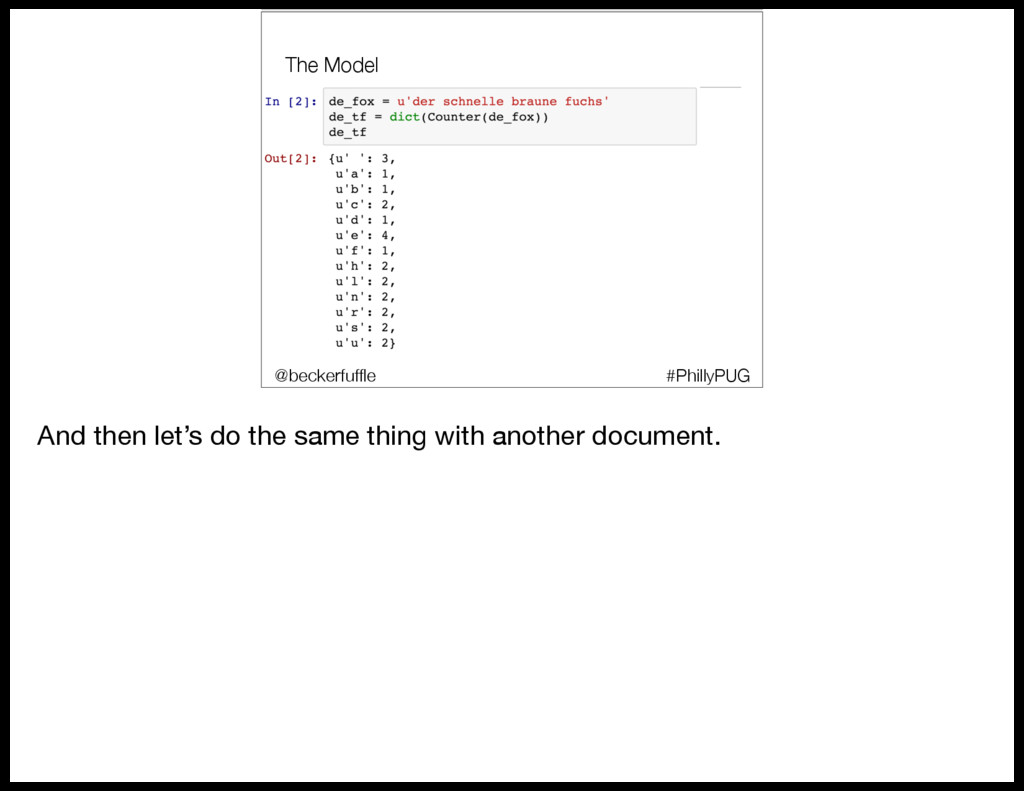
    flow • RabbitMQ • Demo • Scalability • Other considerations #PhillyPUG @beckerfuffle And then let’s do the same thing with another document.
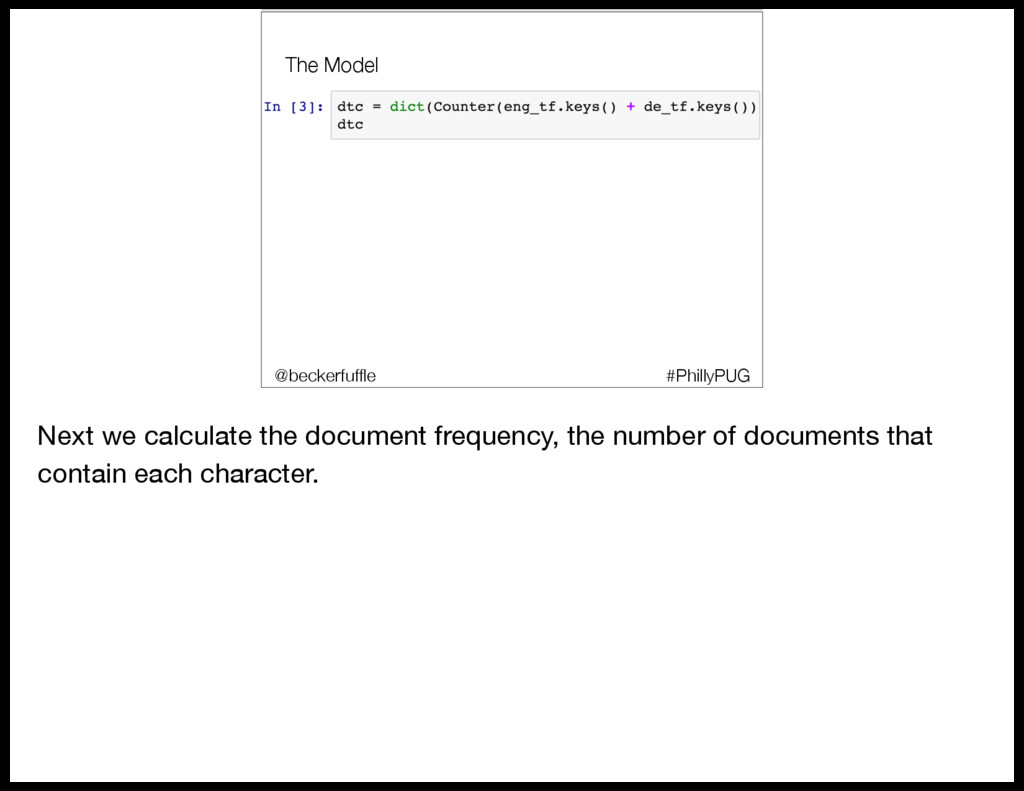
  70. The Model #PhillyPUG @beckerfuffle Next we calculate the document frequency,

    the number of documents that contain each character.
  71. The Model • Scikit-learn overview • Model Distribution • Data

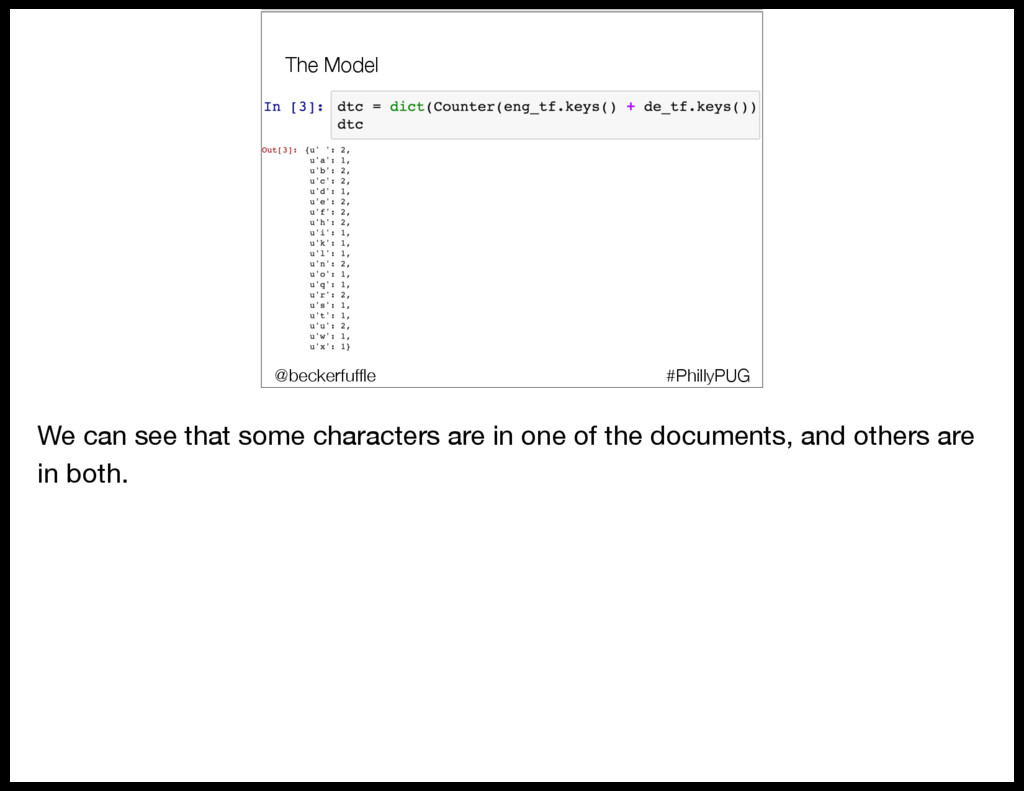
    flow • RabbitMQ • Demo • Scalability • Other considerations #PhillyPUG @beckerfuffle We can see that some characters are in one of the documents, and others are in both.
  72. The Model • Scikit-learn overview • Model Distribution • Data

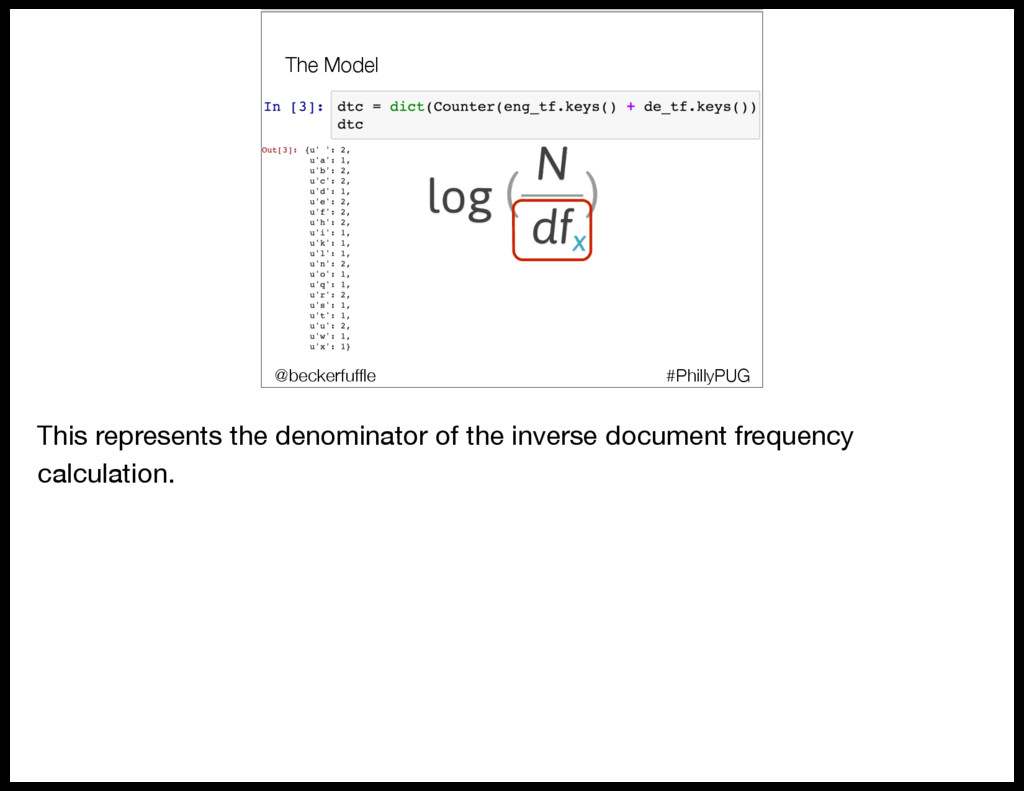
    flow • RabbitMQ • Demo • Scalability • Other considerations #PhillyPUG @beckerfuffle This represents the denominator of the inverse document frequency calculation.
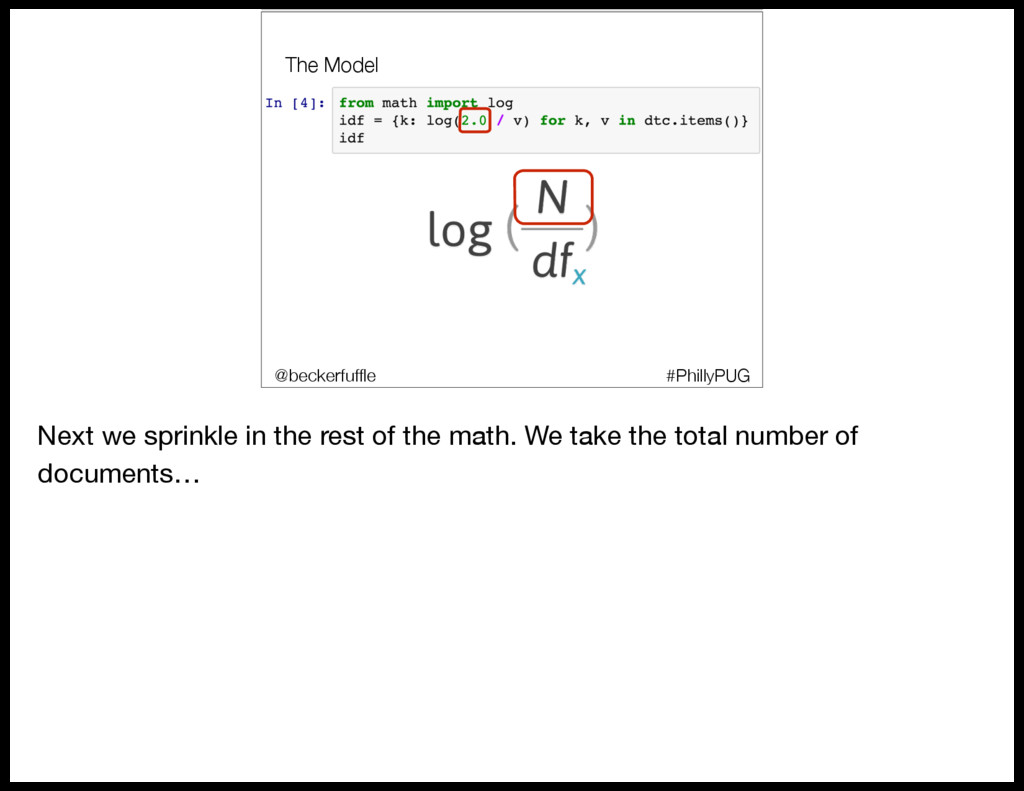
  73. The Model #PhillyPUG @beckerfuffle Next we sprinkle in the rest

    of the math. We take the total number of documents…
  74. The Model • Scikit-learn overview • Model Distribution • Data

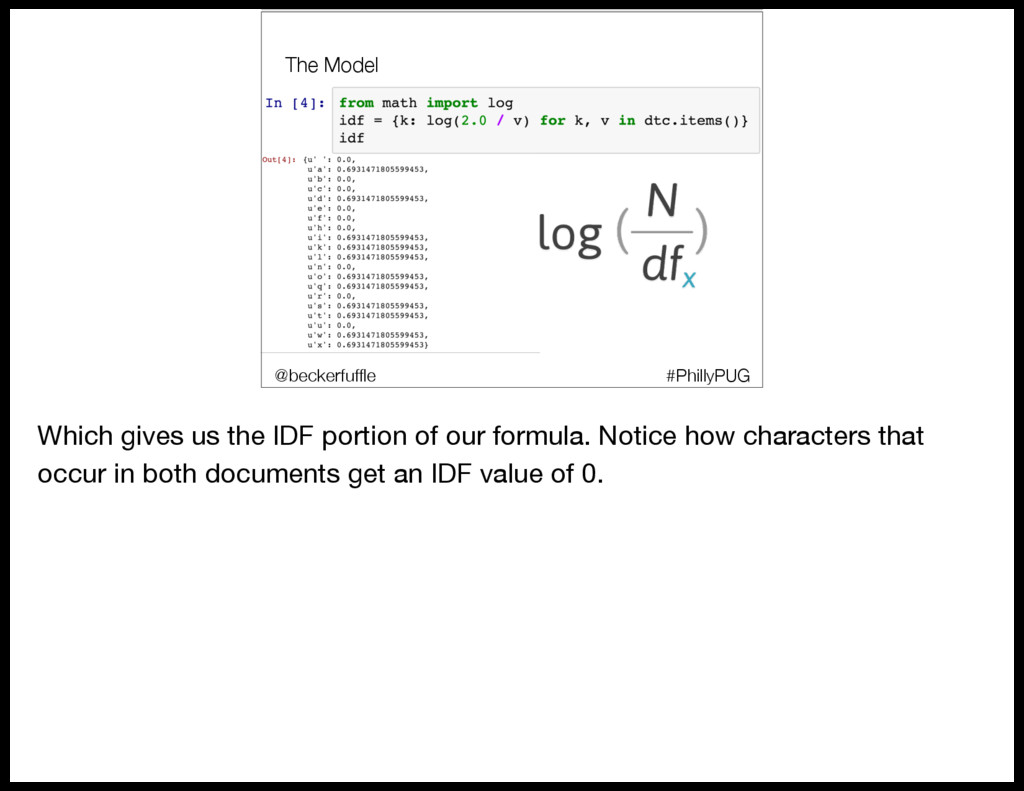
    flow • RabbitMQ • Demo • Scalability • Other considerations #PhillyPUG @beckerfuffle Which gives us the IDF portion of our formula. Notice how characters that occur in both documents get an IDF value of 0.
  75. The Model • Scikit-learn overview • Model Distribution • Data

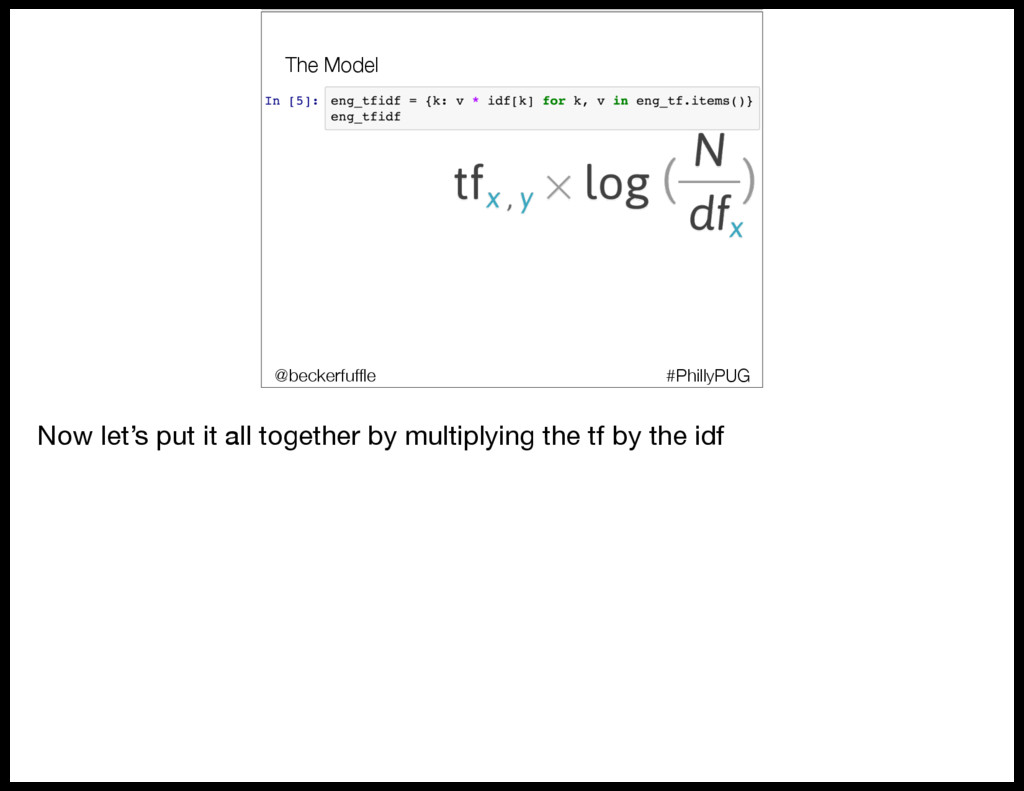
    flow • RabbitMQ • Demo • Scalability • Other considerations #PhillyPUG @beckerfuffle Now let’s put it all together by multiplying the tf by the idf
  76. The Model • Scikit-learn overview • Model Distribution • Data

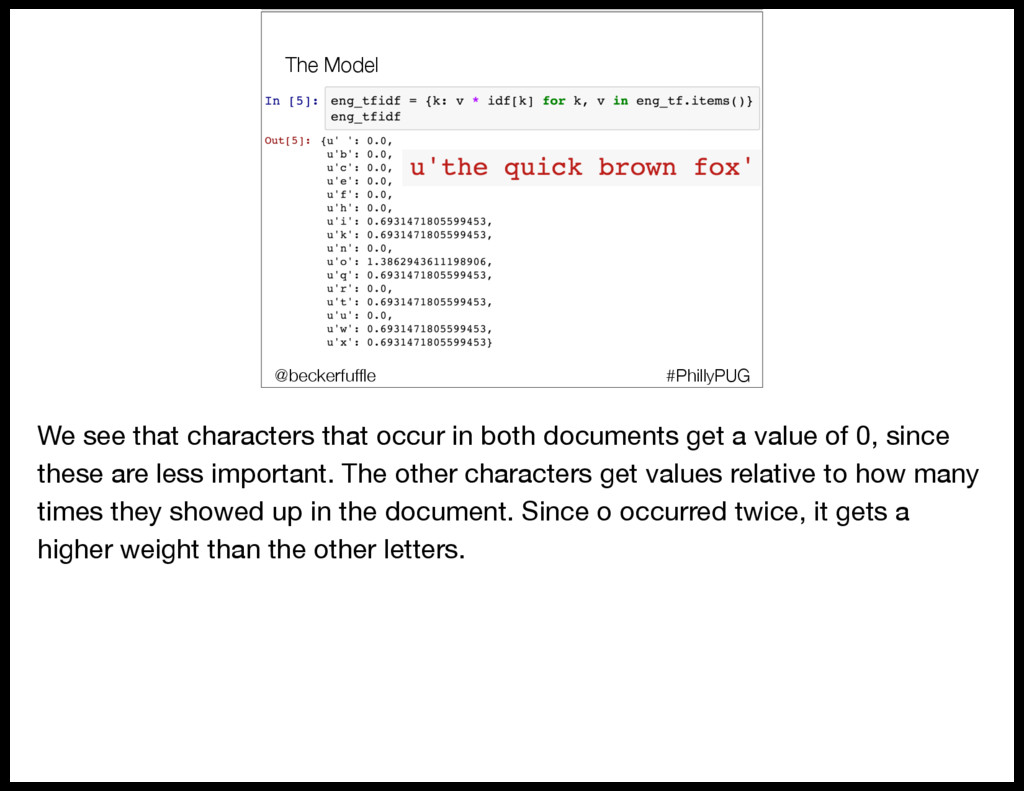
    flow • RabbitMQ • Demo • Scalability • Other considerations #PhillyPUG @beckerfuffle We see that characters that occur in both documents get a value of 0, since these are less important. The other characters get values relative to how many times they showed up in the document. Since o occurred twice, it gets a higher weight than the other letters.
  77. The Model #PhillyPUG @beckerfuffle So going back to our model,

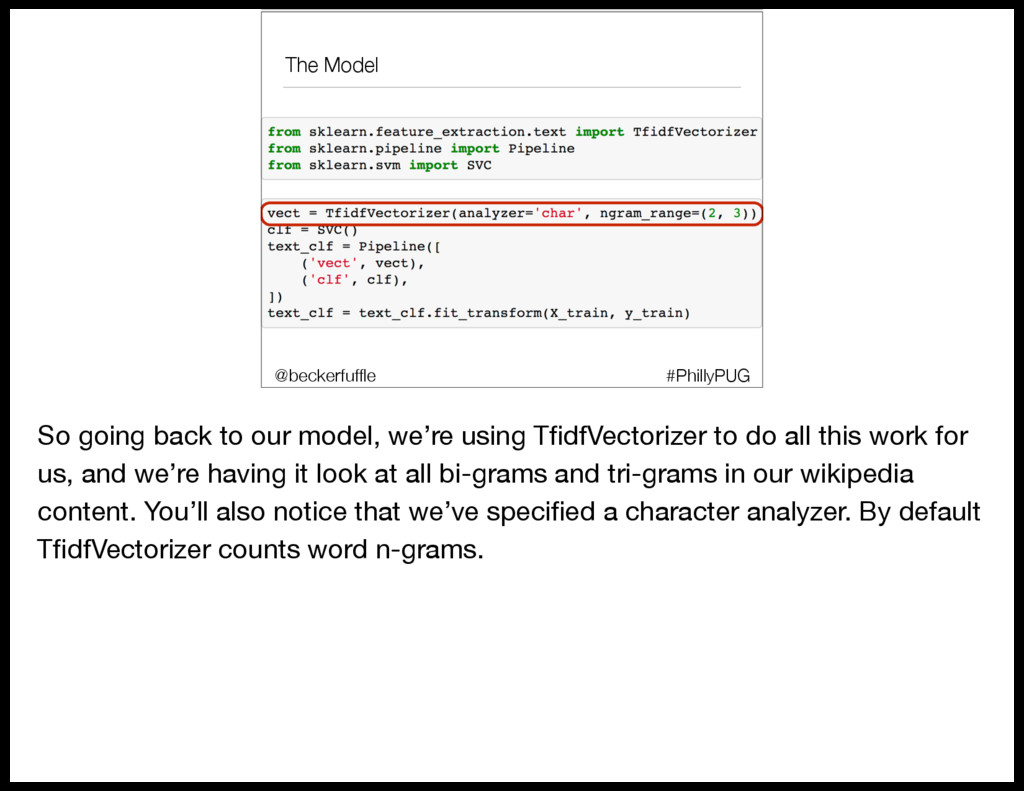
    we’re using TfidfVectorizer to do all this work for us, and we’re having it look at all bi-grams and tri-grams in our wikipedia content. You’ll also notice that we’ve specified a character analyzer. By default TfidfVectorizer counts word n-grams.
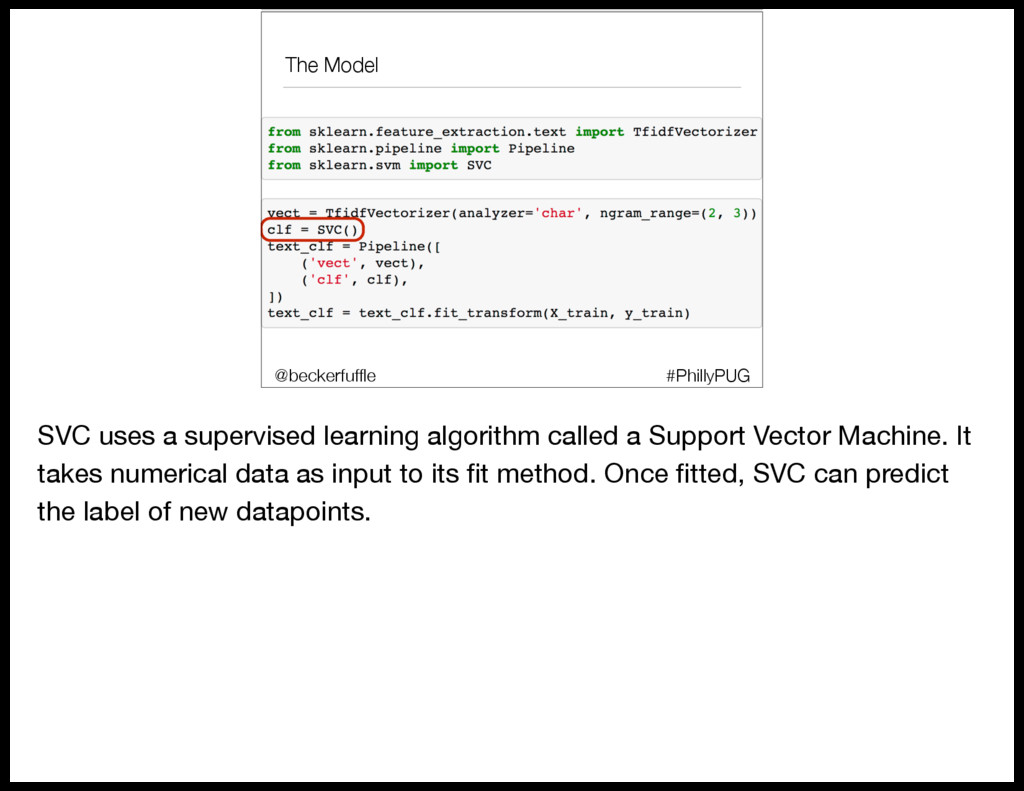
  78. The Model #PhillyPUG @beckerfuffle SVC uses a supervised learning algorithm

    called a Support Vector Machine. It takes numerical data as input to its fit method. Once fitted, SVC can predict the label of new datapoints.
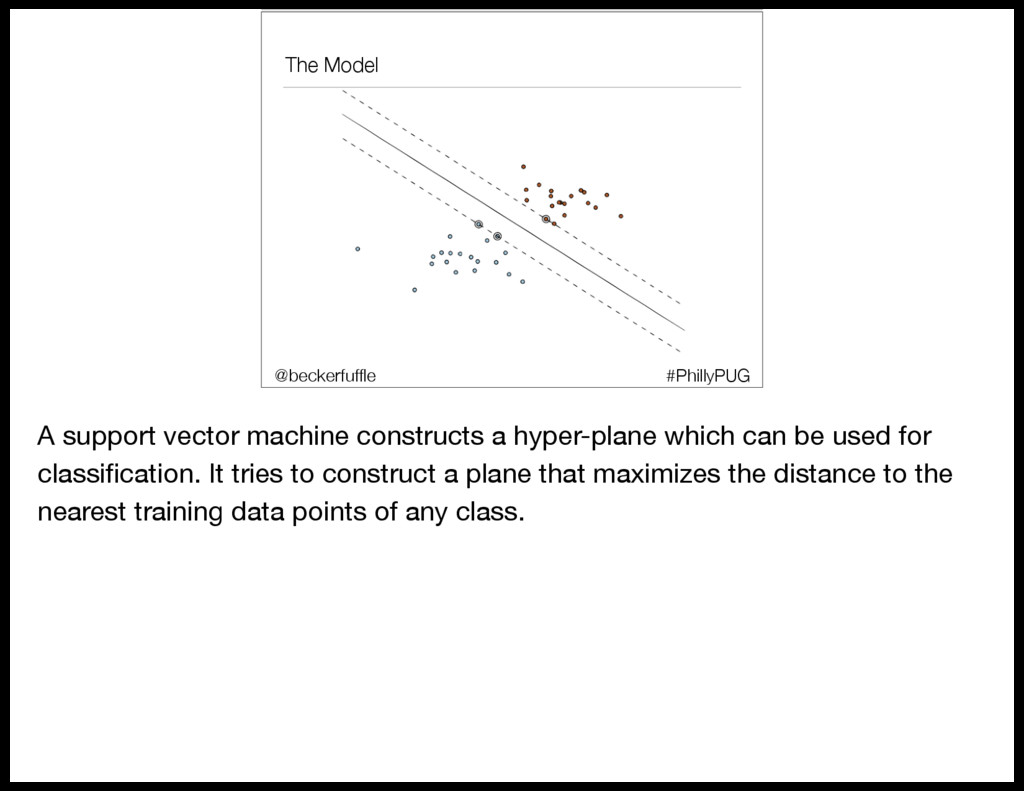
  79. The Model #PhillyPUG @beckerfuffle A support vector machine constructs a

    hyper-plane which can be used for classification. It tries to construct a plane that maximizes the distance to the nearest training data points of any class.
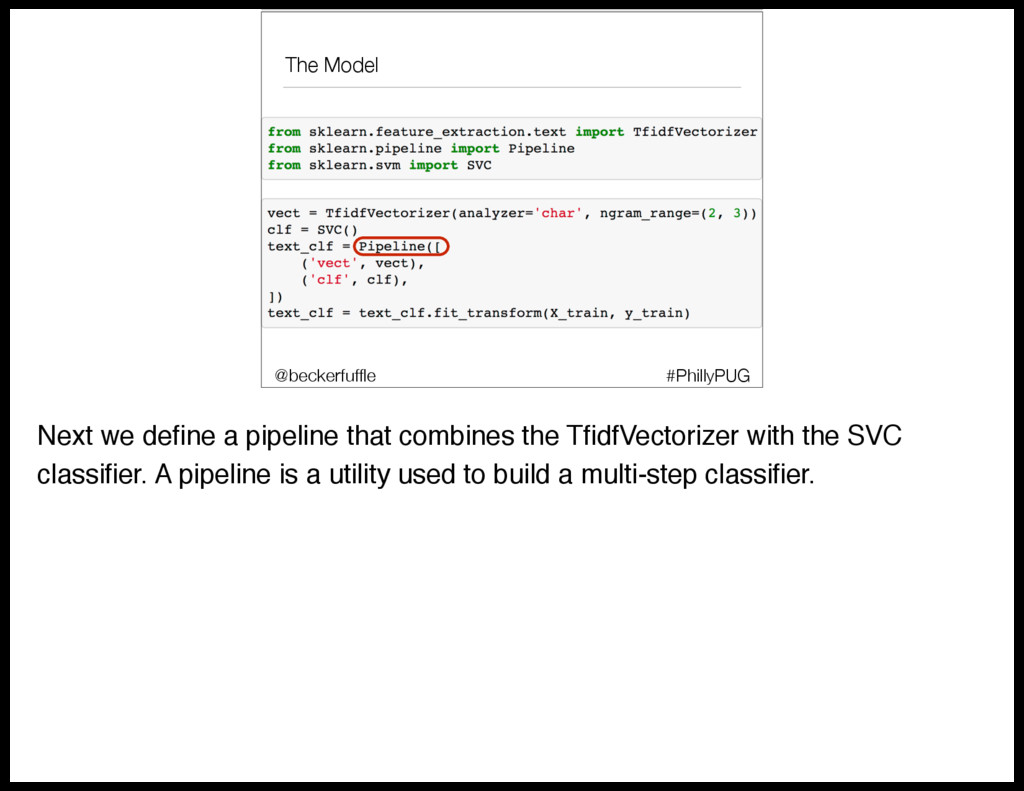
  80. The Model #PhillyPUG @beckerfuffle Next we define a pipeline that

    combines the TfidfVectorizer with the SVC classifier. A pipeline is a utility used to build a multi-step classifier.
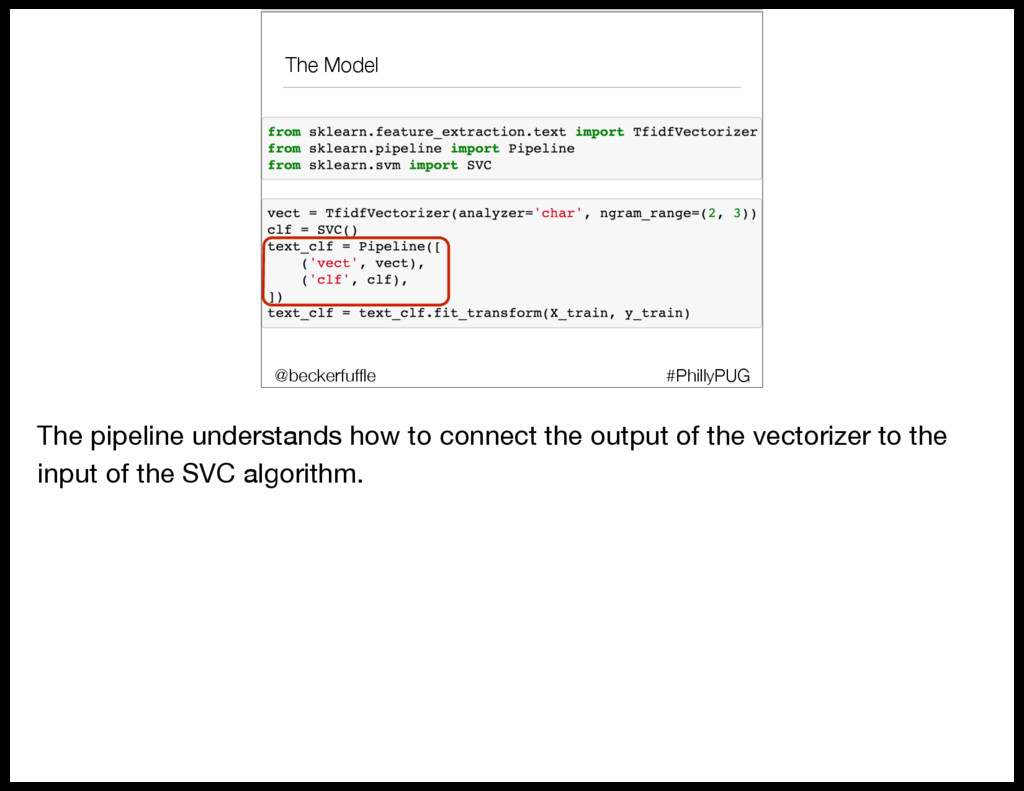
  81. The Model #PhillyPUG @beckerfuffle The pipeline understands how to connect

    the output of the vectorizer to the input of the SVC algorithm.
  82. The Model #PhillyPUG @beckerfuffle All that’s left to do is

    fit our data to our model. (PAUSE) Let’s look a little closer at X_train and y_train.
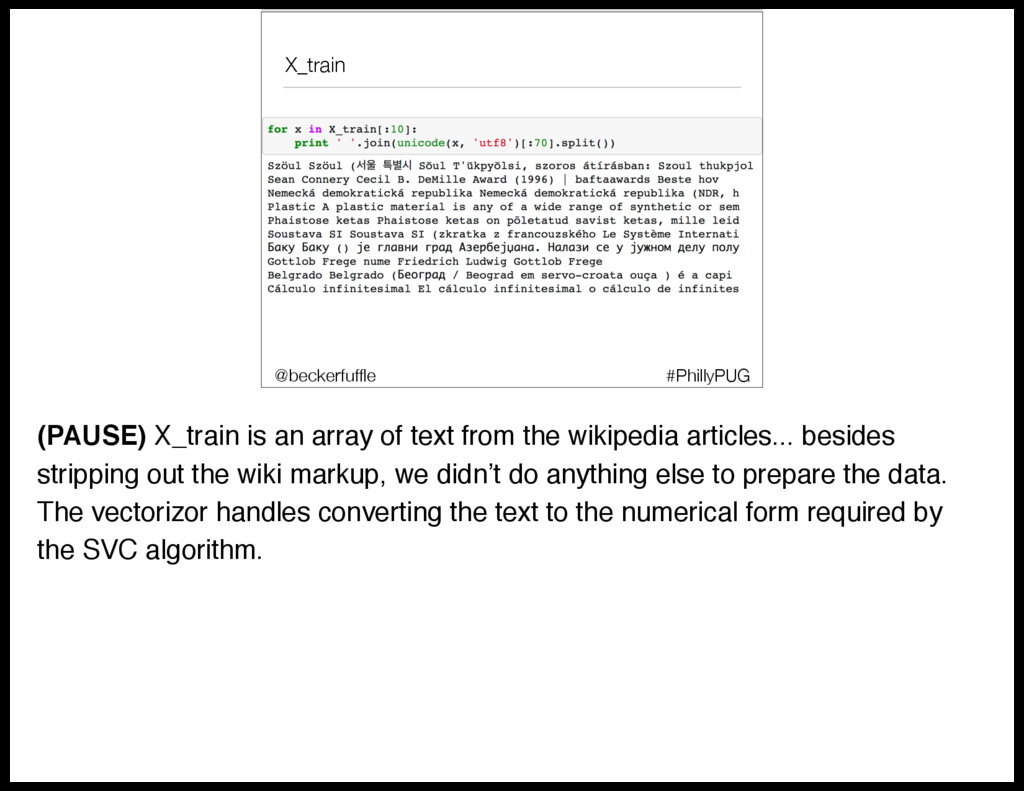
  83. X_train #PhillyPUG @beckerfuffle (PAUSE) X_train is an array of text

    from the wikipedia articles... besides stripping out the wiki markup, we didn’t do anything else to prepare the data. The vectorizor handles converting the text to the numerical form required by the SVC algorithm.
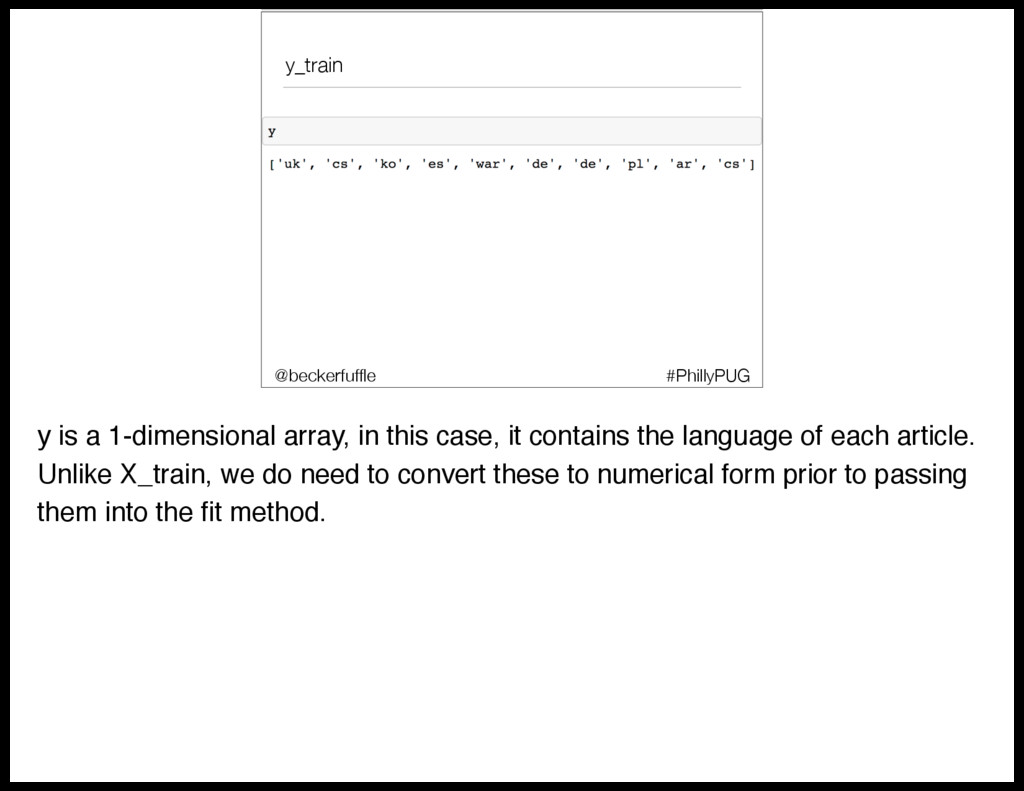
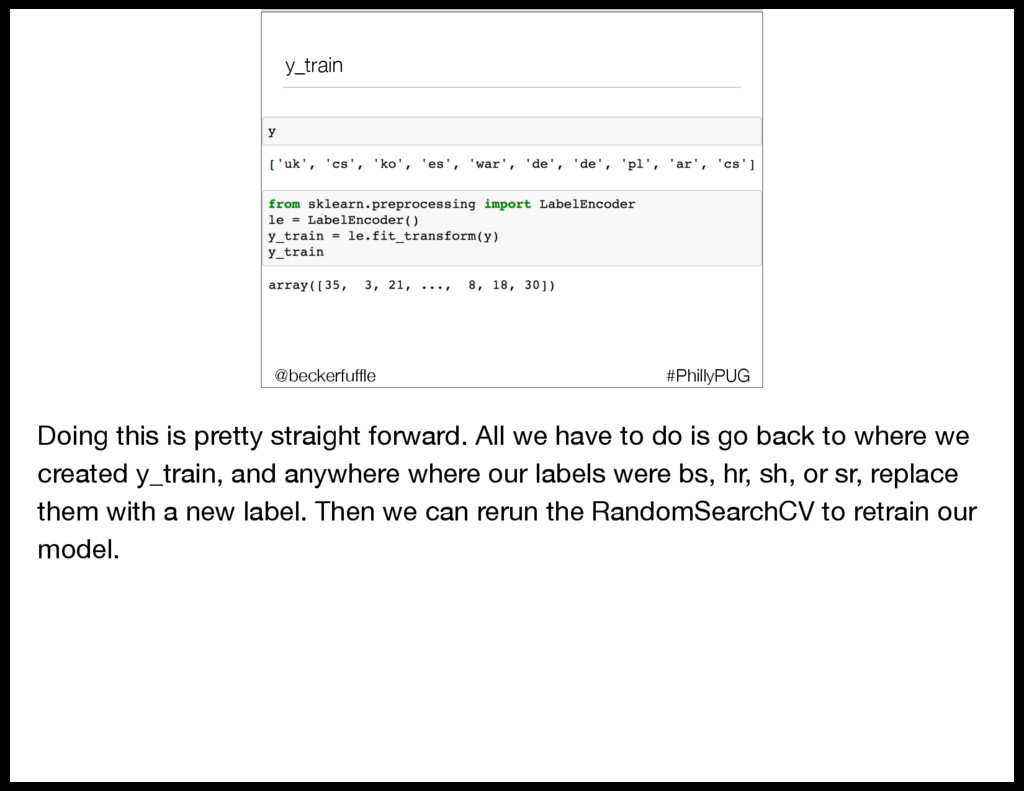
  84. y_train #PhillyPUG @beckerfuffle y is a 1-dimensional array, in this

    case, it contains the language of each article. Unlike X_train, we do need to convert these to numerical form prior to passing them into the fit method.
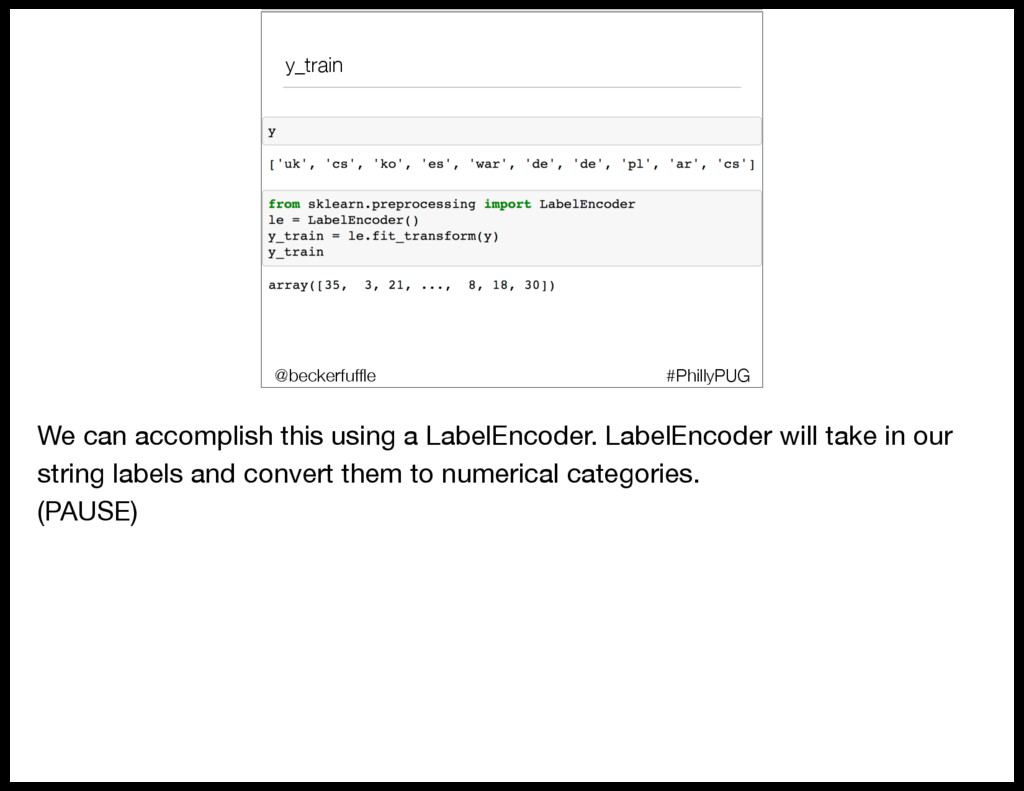
  85. y_train #PhillyPUG @beckerfuffle We can accomplish this using a LabelEncoder.

    LabelEncoder will take in our string labels and convert them to numerical categories. (PAUSE)
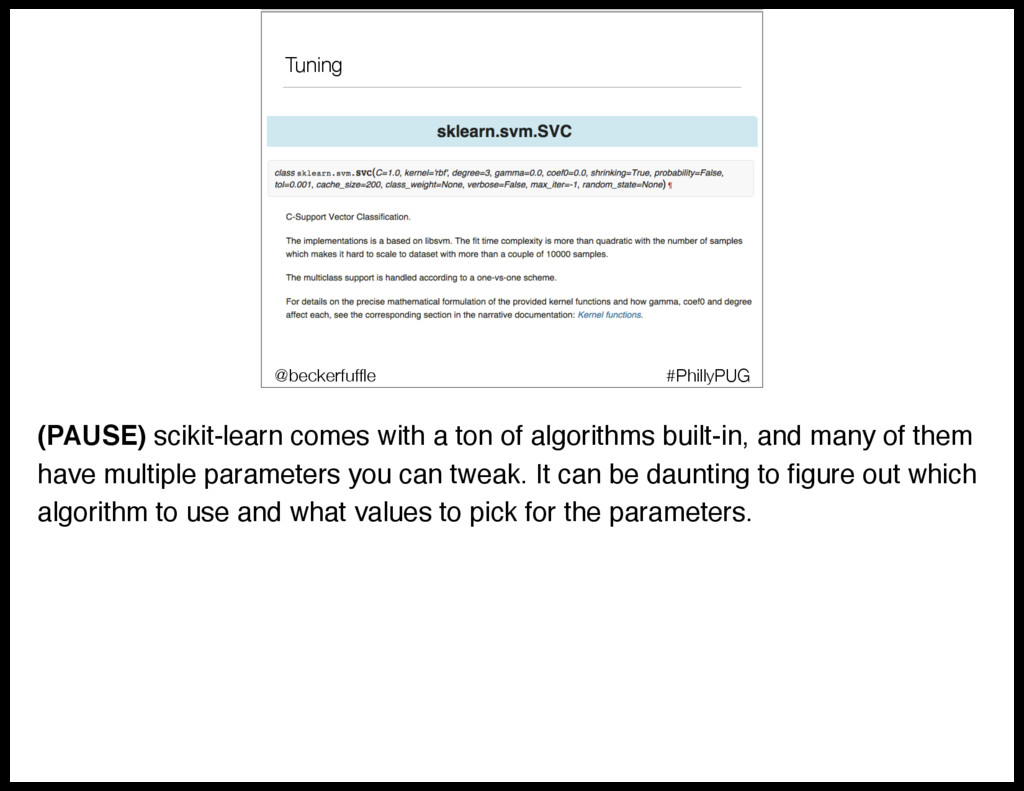
  86. Tuning #PhillyPUG @beckerfuffle (PAUSE) scikit-learn comes with a ton of

    algorithms built-in, and many of them have multiple parameters you can tweak. It can be daunting to figure out which algorithm to use and what values to pick for the parameters.
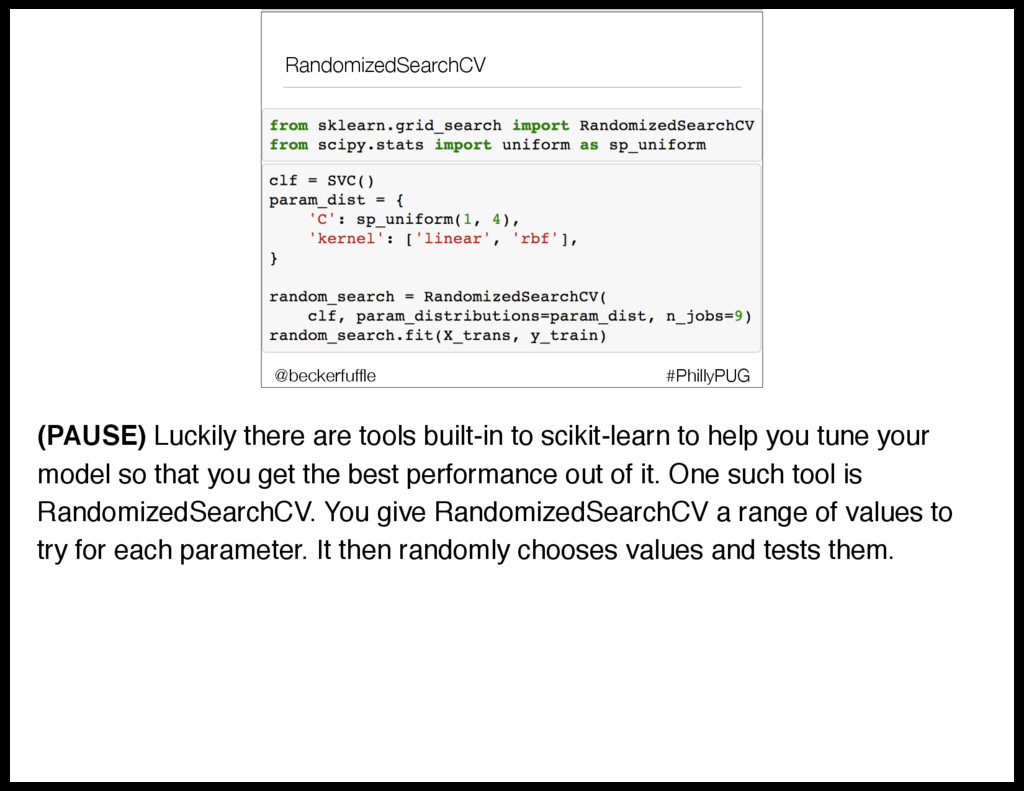
  87. RandomizedSearchCV #PhillyPUG @beckerfuffle (PAUSE) Luckily there are tools built-in to

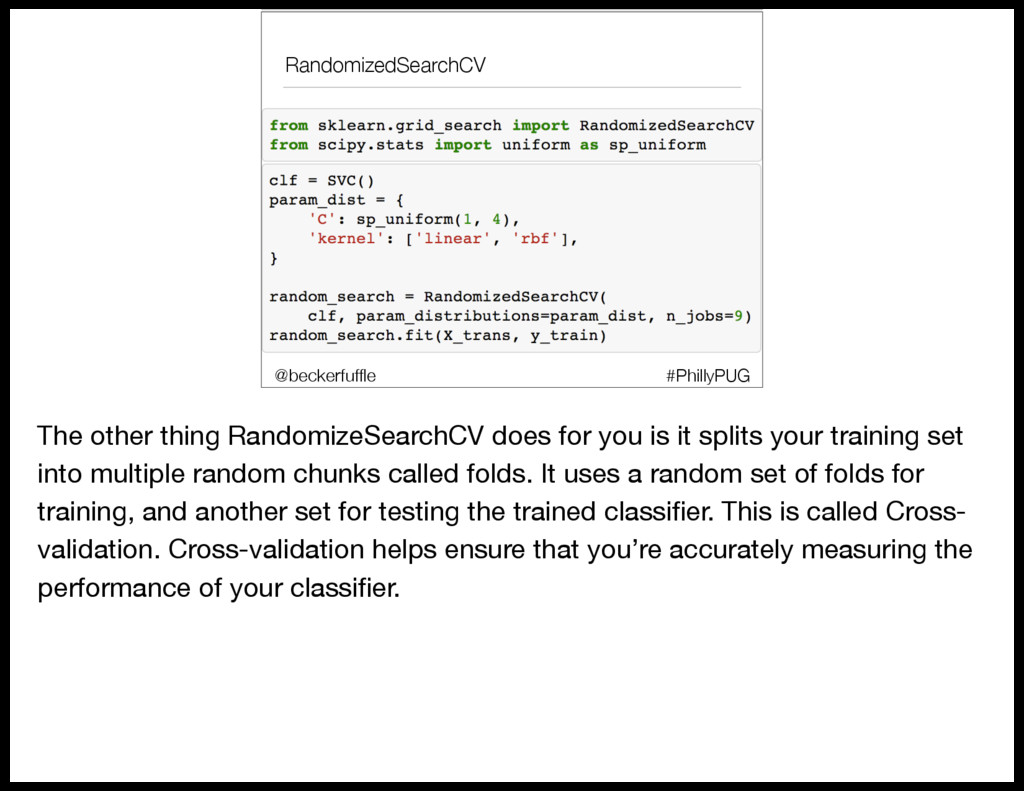
    scikit-learn to help you tune your model so that you get the best performance out of it. One such tool is RandomizedSearchCV. You give RandomizedSearchCV a range of values to try for each parameter. It then randomly chooses values and tests them.
  88. RandomizedSearchCV #PhillyPUG @beckerfuffle The other thing RandomizeSearchCV does for you

    is it splits your training set into multiple random chunks called folds. It uses a random set of folds for training, and another set for testing the trained classifier. This is called Cross- validation. Cross-validation helps ensure that you’re accurately measuring the performance of your classifier.
  89. RandomizedSearchCV #PhillyPUG @beckerfuffle Once the search is complete, you can

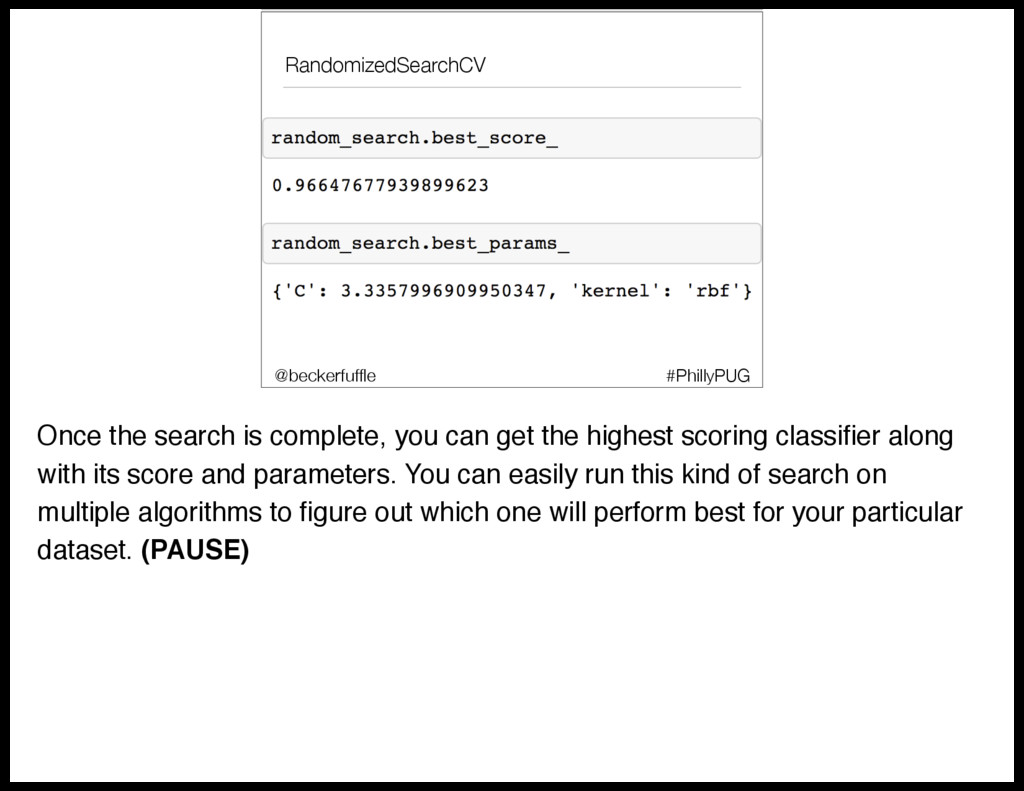
    get the highest scoring classifier along with its score and parameters. You can easily run this kind of search on multiple algorithms to figure out which one will perform best for your particular dataset. (PAUSE)
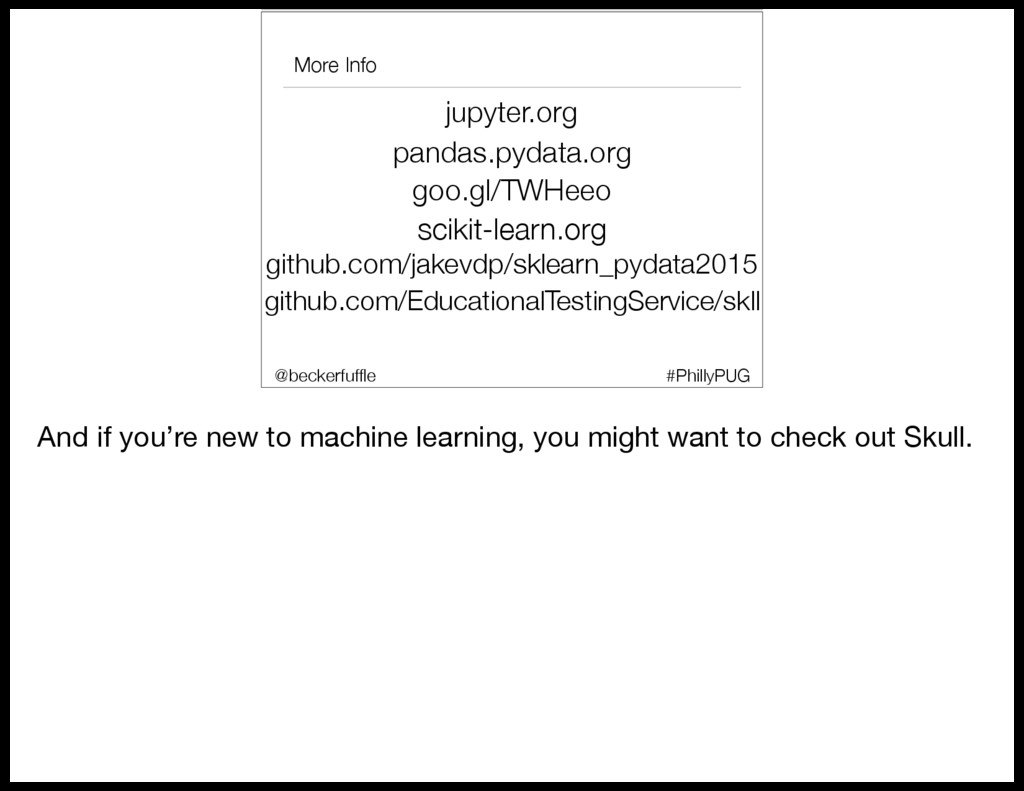
  90. Skull github.com/EducationalTestingService/ skll #PhillyPUG @beckerfuffle If your new to machine

    learning, you might want to check out SKLL (pronounced Skull). It automates a lot of the details and it has built-in functionality to test out multiple algorithms.
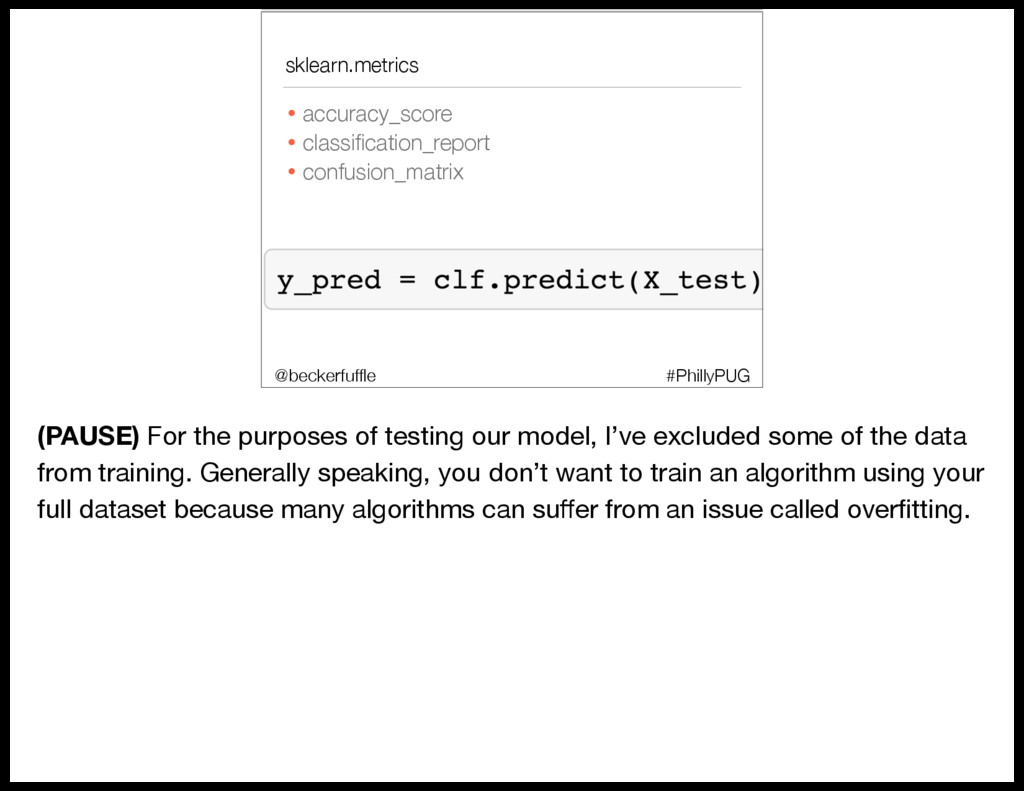
  91. sklearn.metrics • accuracy_score • classification_report • confusion_matrix #PhillyPUG @beckerfuffle Once

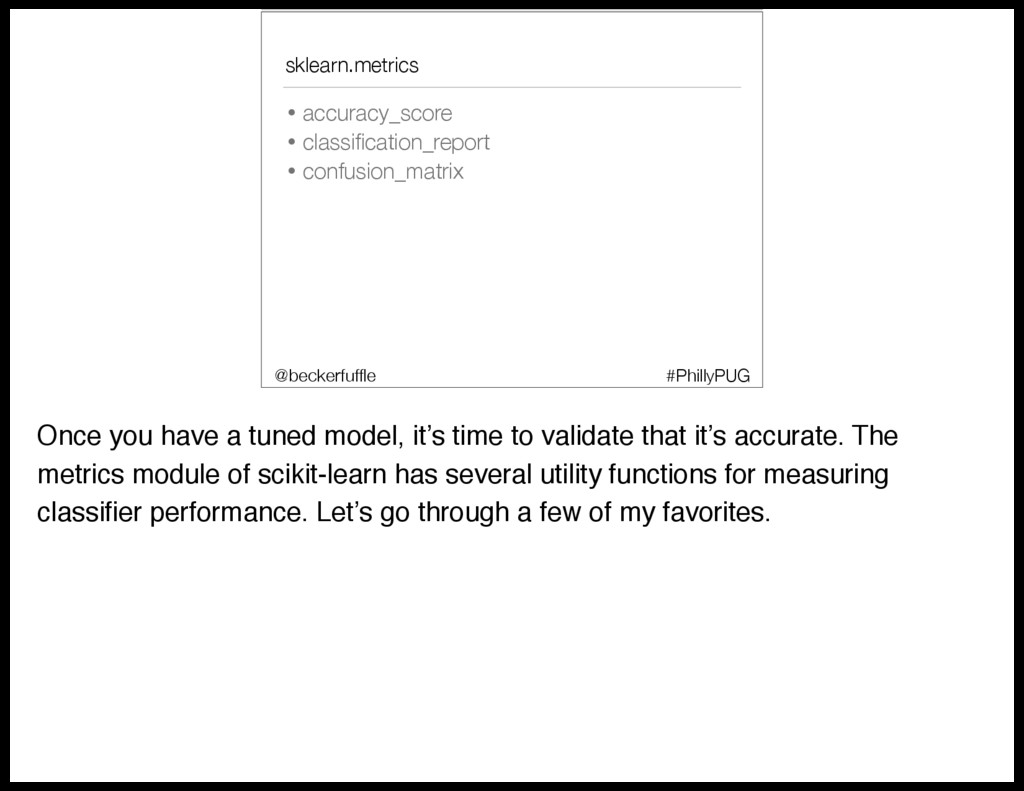
    you have a tuned model, it’s time to validate that it’s accurate. The metrics module of scikit-learn has several utility functions for measuring classifier performance. Let’s go through a few of my favorites.
  92. sklearn.metrics • accuracy_score • classification_report • confusion_matrix #PhillyPUG @beckerfuffle (PAUSE)

    For the purposes of testing our model, I’ve excluded some of the data from training. Generally speaking, you don’t want to train an algorithm using your full dataset because many algorithms can suffer from an issue called overfitting.
  93. Overfitting #PhillyPUG @beckerfuffle Overfitting is when a model is very

    good at making predictions about your training set, but when presented with new data, it performs poorly.
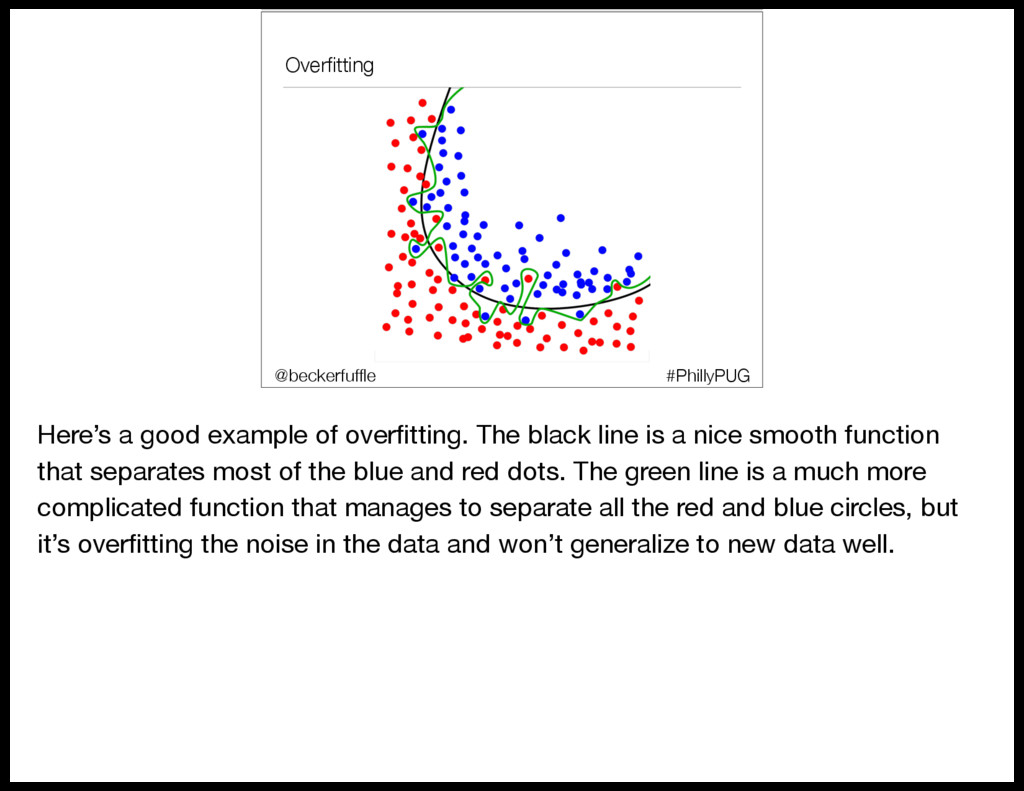
  94. Overfitting #PhillyPUG @beckerfuffle Here’s a good example of overfitting. The

    black line is a nice smooth function that separates most of the blue and red dots. The green line is a much more complicated function that manages to separate all the red and blue circles, but it’s overfitting the noise in the data and won’t generalize to new data well.
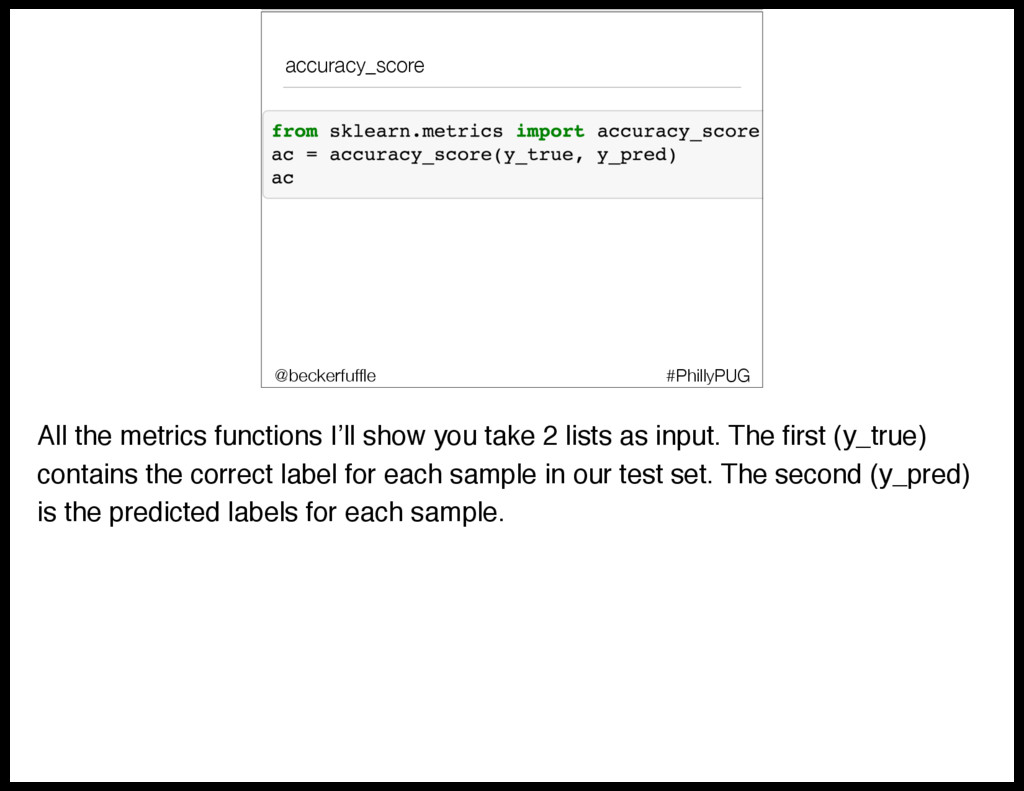
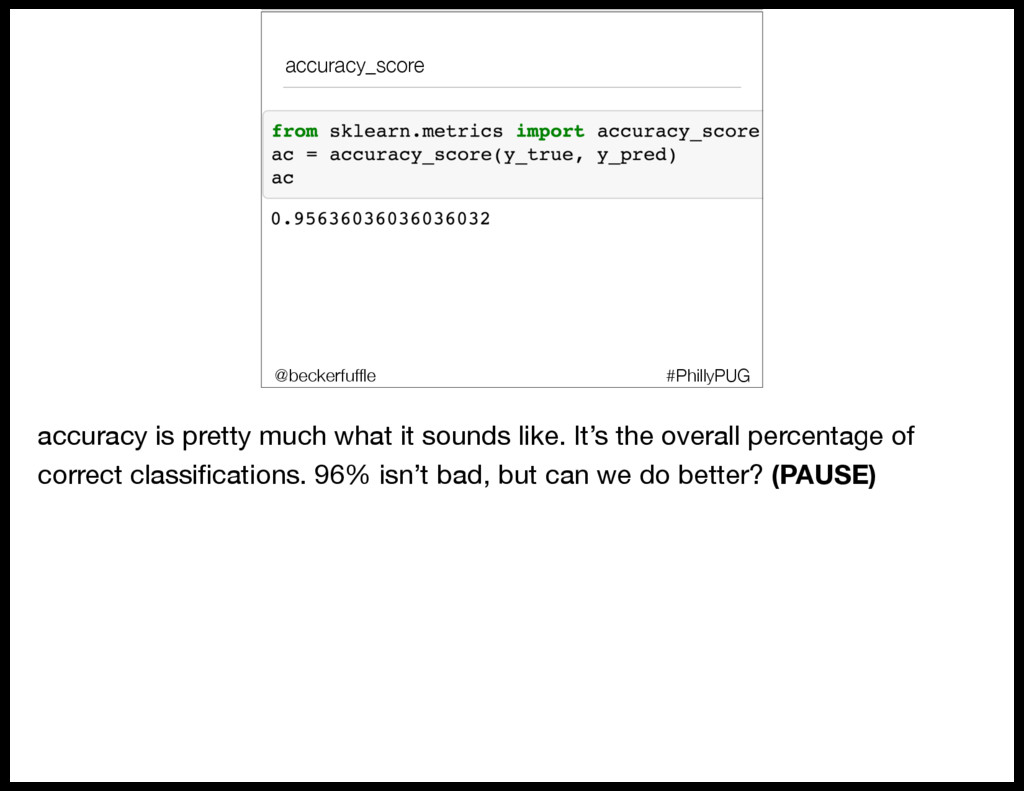
  95. accuracy_score #PhillyPUG @beckerfuffle All the metrics functions I’ll show you

    take 2 lists as input. The first (y_true) contains the correct label for each sample in our test set. The second (y_pred) is the predicted labels for each sample.
  96. accuracy_score #PhillyPUG @beckerfuffle accuracy is pretty much what it sounds

    like. It’s the overall percentage of correct classifications. 96% isn’t bad, but can we do better? (PAUSE)
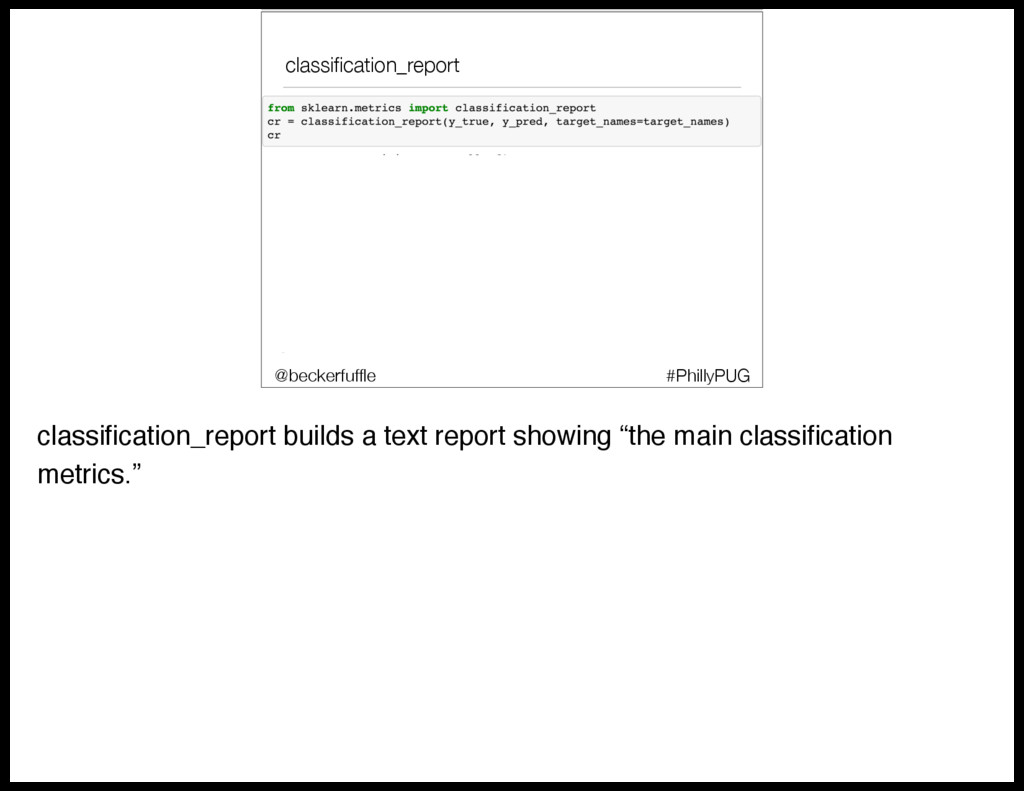
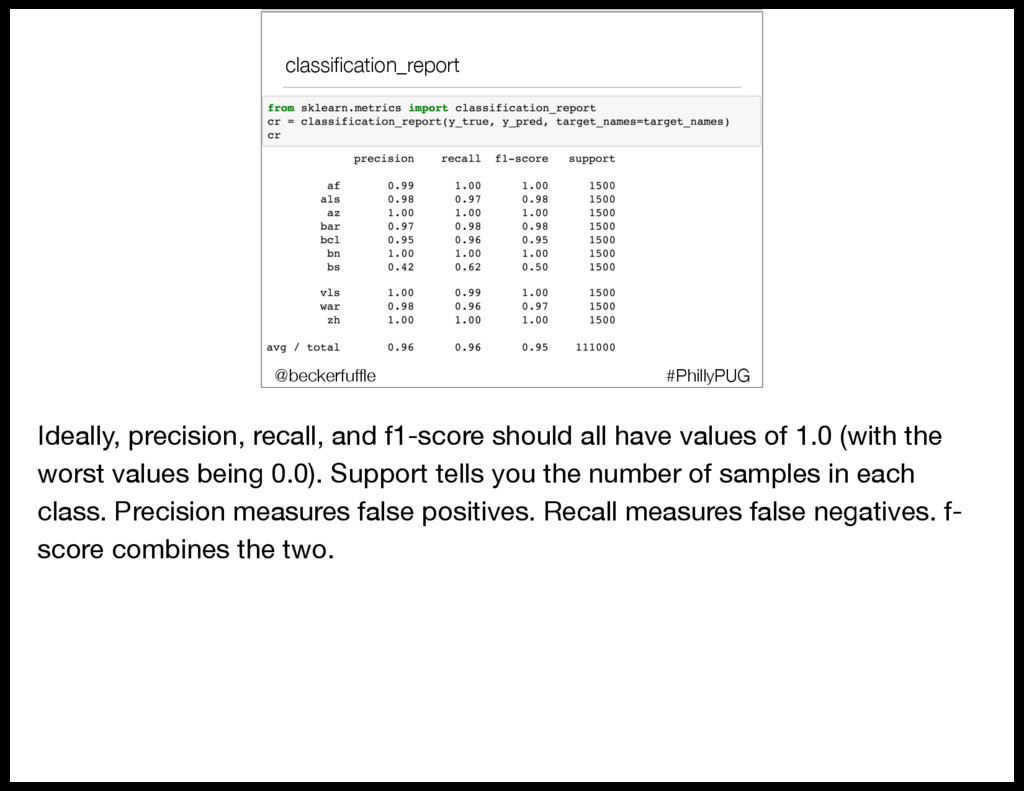
  97. classification_report • classification_report #PhillyPUG @beckerfuffle Ideally, precision, recall, and f1-score

    should all have values of 1.0 (with the worst values being 0.0). Support tells you the number of samples in each class. Precision measures false positives. Recall measures false negatives. f- score combines the two.
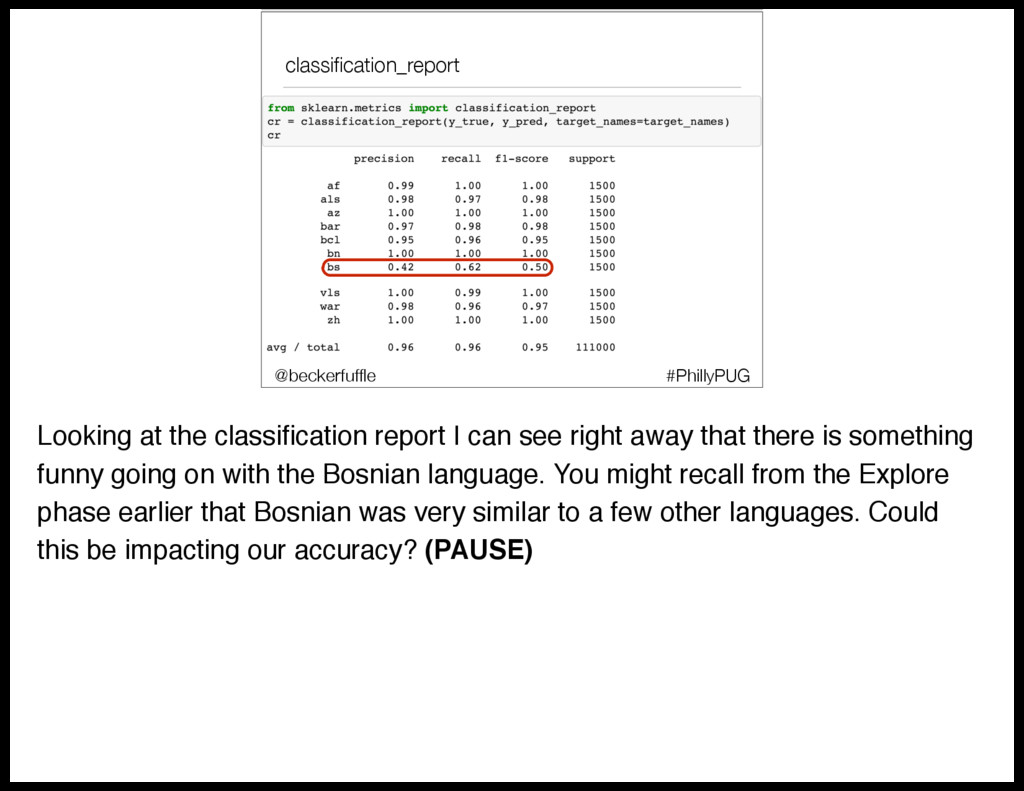
  98. classification_report • classification_report #PhillyPUG @beckerfuffle Looking at the classification report

    I can see right away that there is something funny going on with the Bosnian language. You might recall from the Explore phase earlier that Bosnian was very similar to a few other languages. Could this be impacting our accuracy? (PAUSE)
  99. I’m Confused • classification_report • accuracy_score • confusion_matrix #PhillyPUG @beckerfuffle

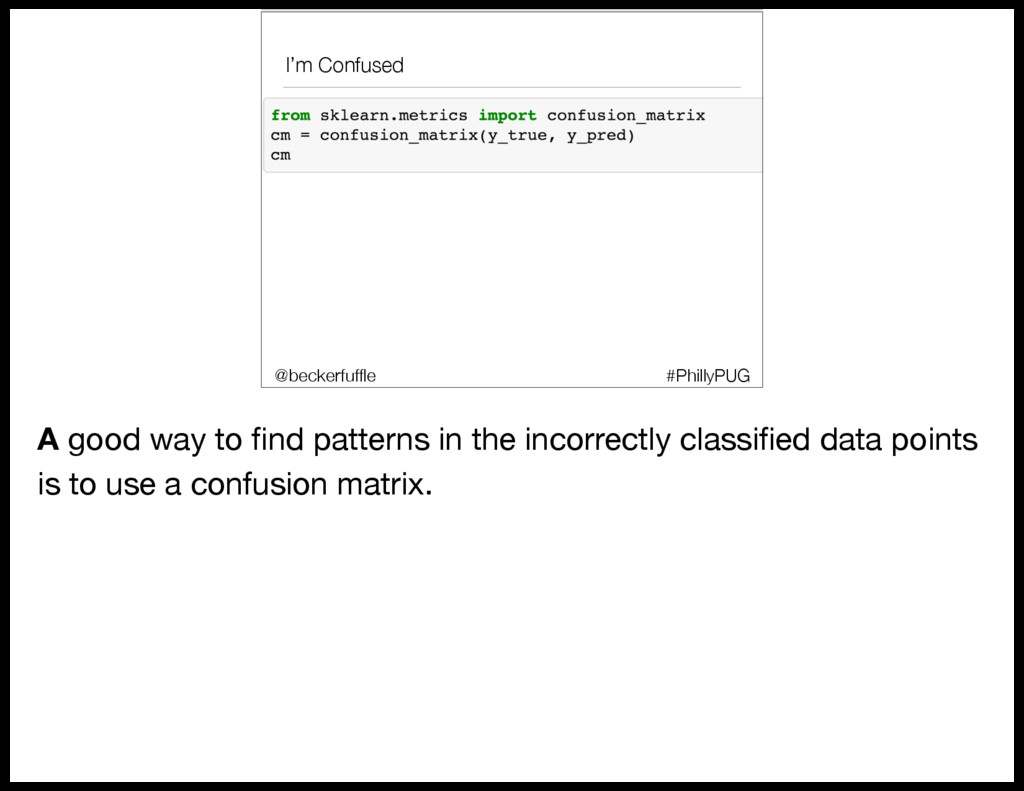
    A good way to find patterns in the incorrectly classified data points is to use a confusion matrix.
  100. I’m Confused • classification_report • accuracy_score • confusion_matrix #PhillyPUG @beckerfuffle

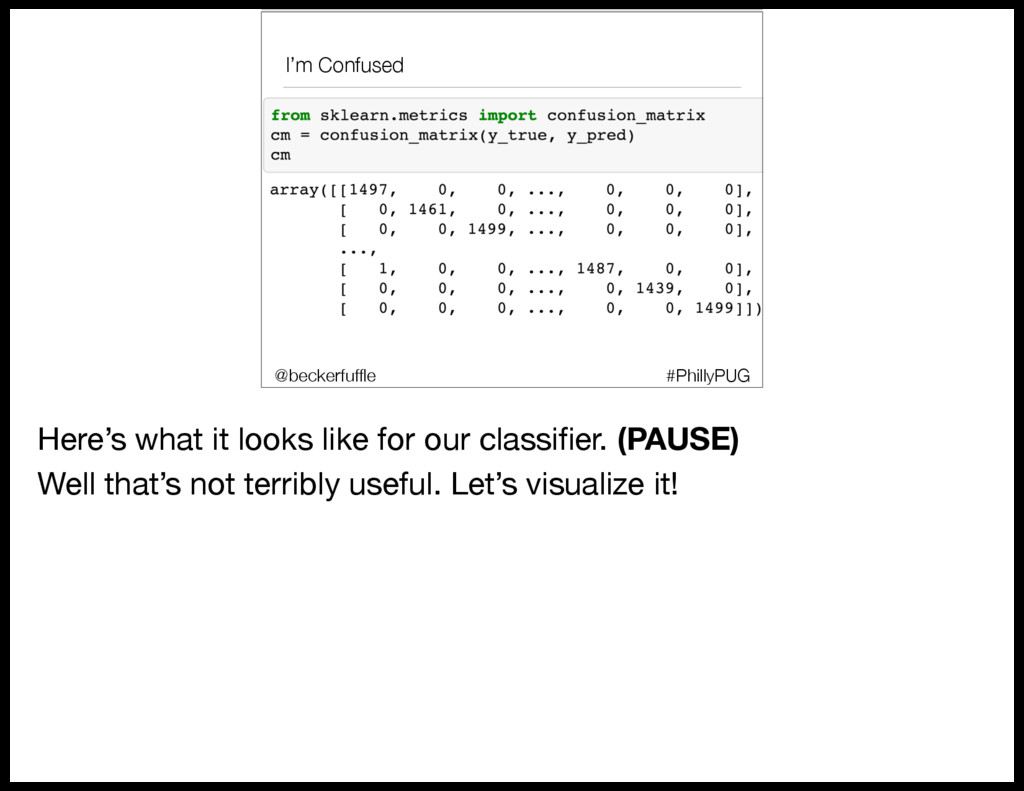
    Here’s what it looks like for our classifier. (PAUSE) Well that’s not terribly useful. Let’s visualize it!
  101. I’m Confused #PhillyPUG @beckerfuffle (PAUSE) Okay… a little better but

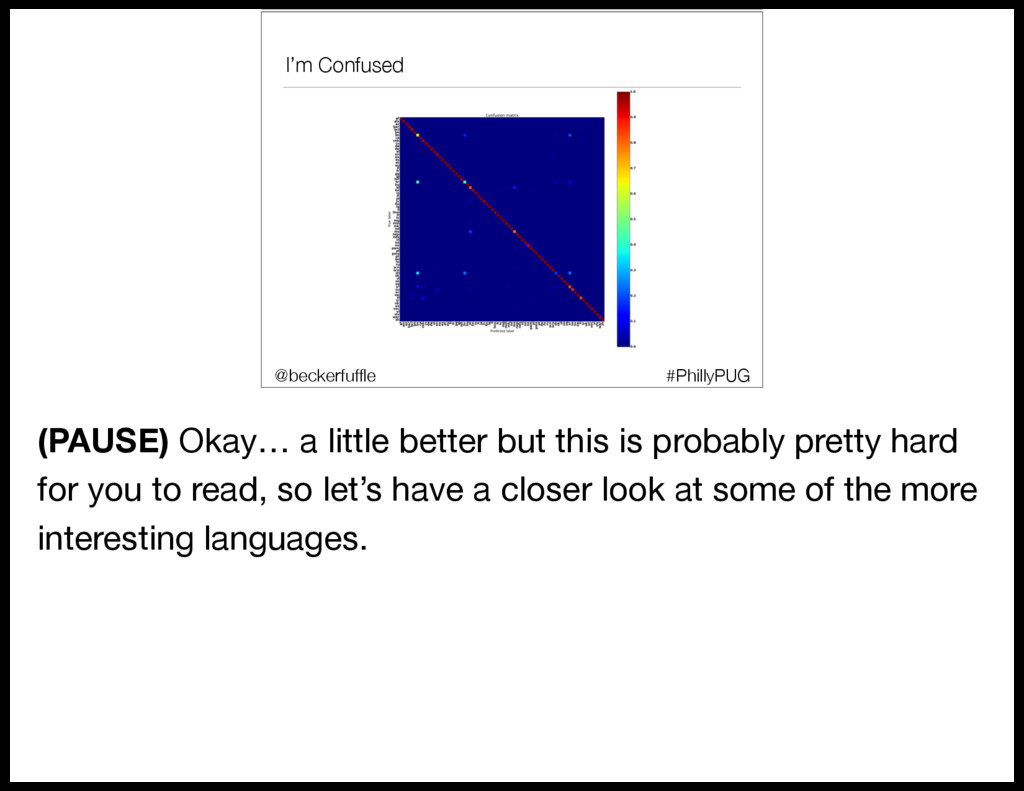
    this is probably pretty hard for you to read, so let’s have a closer look at some of the more interesting languages.
  102. I’m Confused #PhillyPUG @beckerfuffle (PAUSE) Alright, so how do we

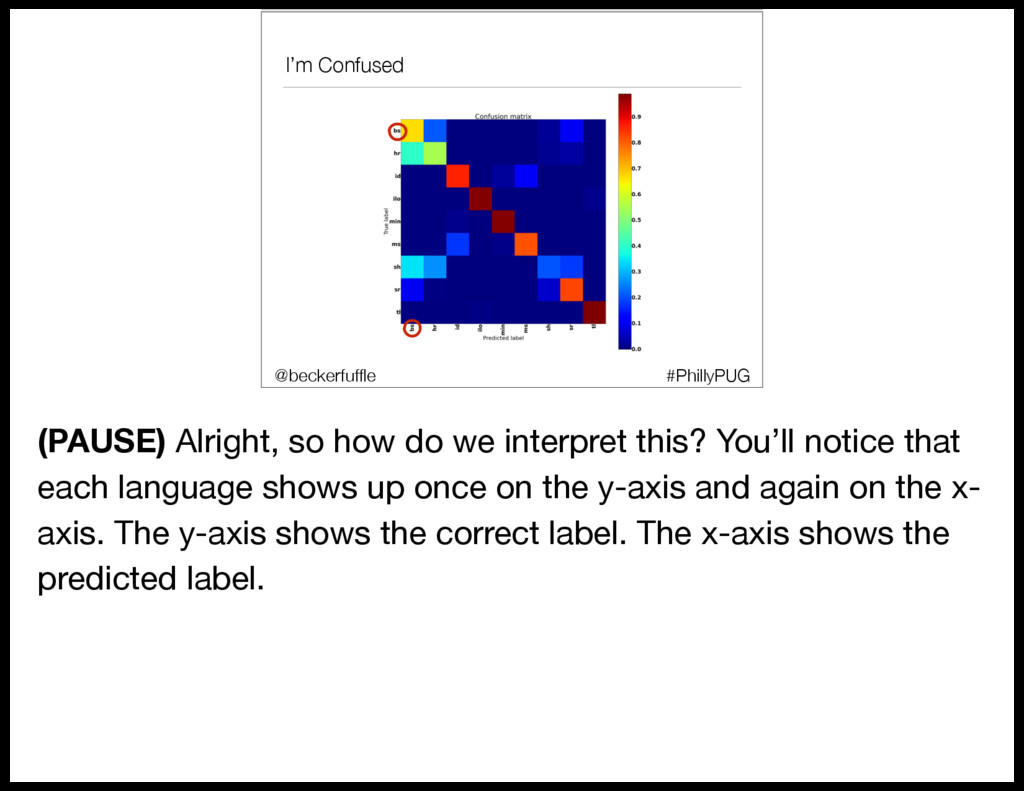
    interpret this? You’ll notice that each language shows up once on the y-axis and again on the x- axis. The y-axis shows the correct label. The x-axis shows the predicted label.
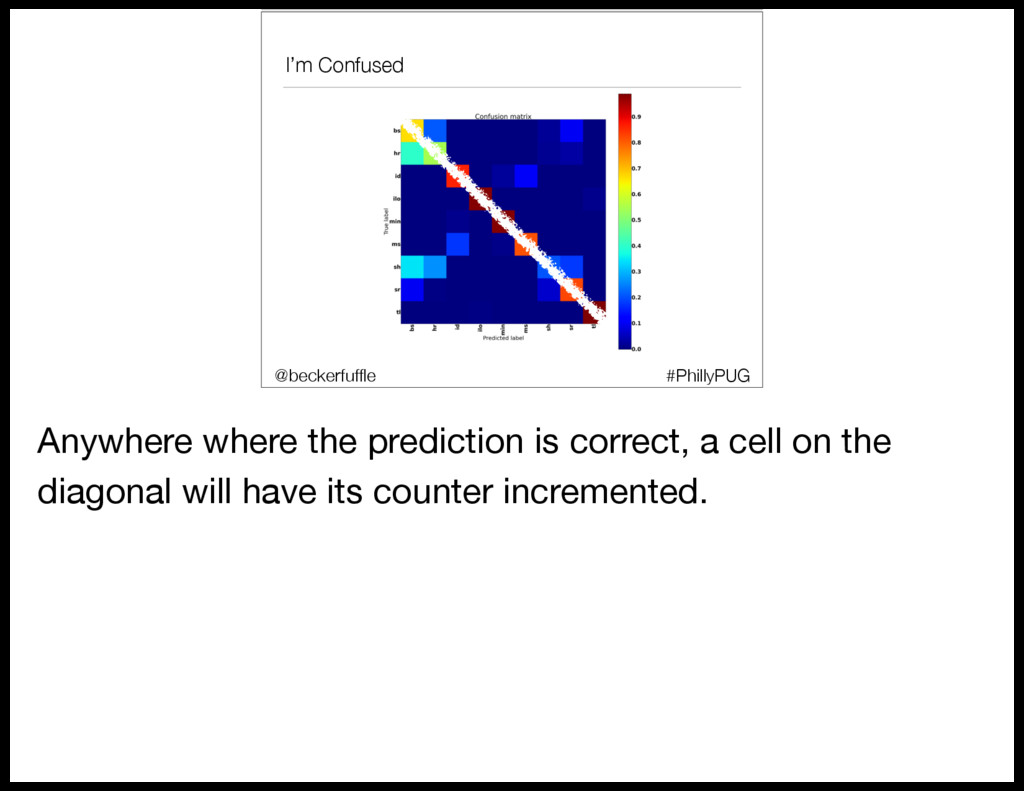
  103. I’m Confused #PhillyPUG @beckerfuffle Anywhere where the prediction is correct,

    a cell on the diagonal will have its counter incremented.
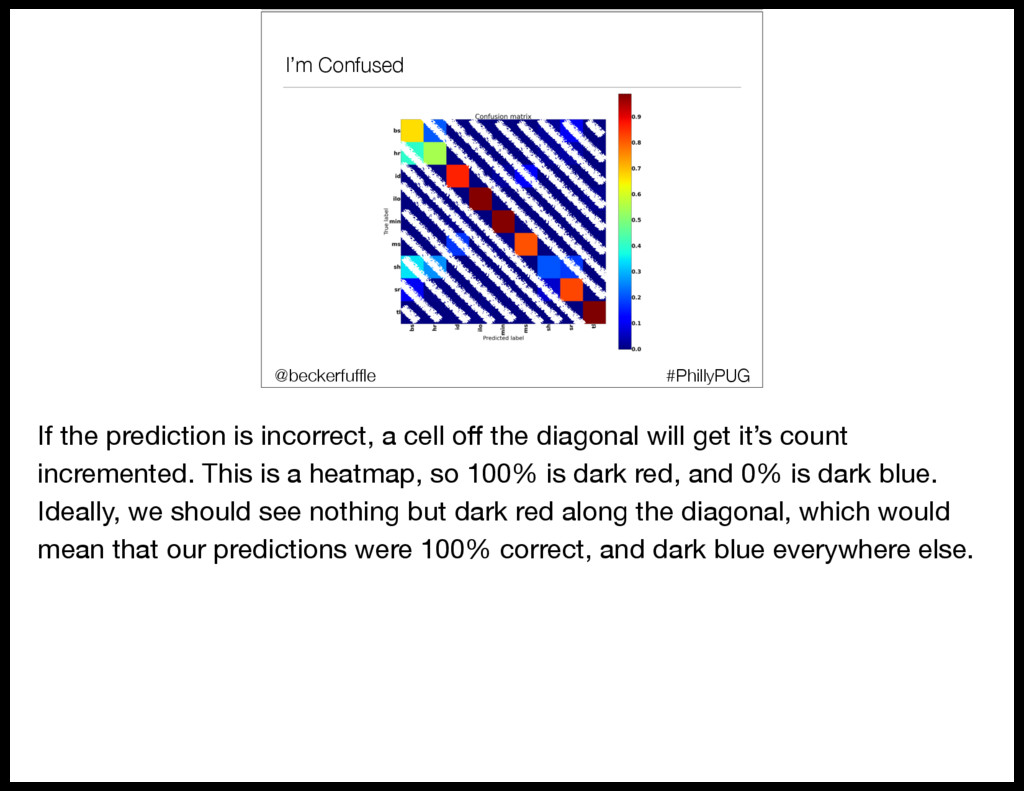
  104. I’m Confused #PhillyPUG @beckerfuffle If the prediction is incorrect, a

    cell off the diagonal will get it’s count incremented. This is a heatmap, so 100% is dark red, and 0% is dark blue. Ideally, we should see nothing but dark red along the diagonal, which would mean that our predictions were 100% correct, and dark blue everywhere else.
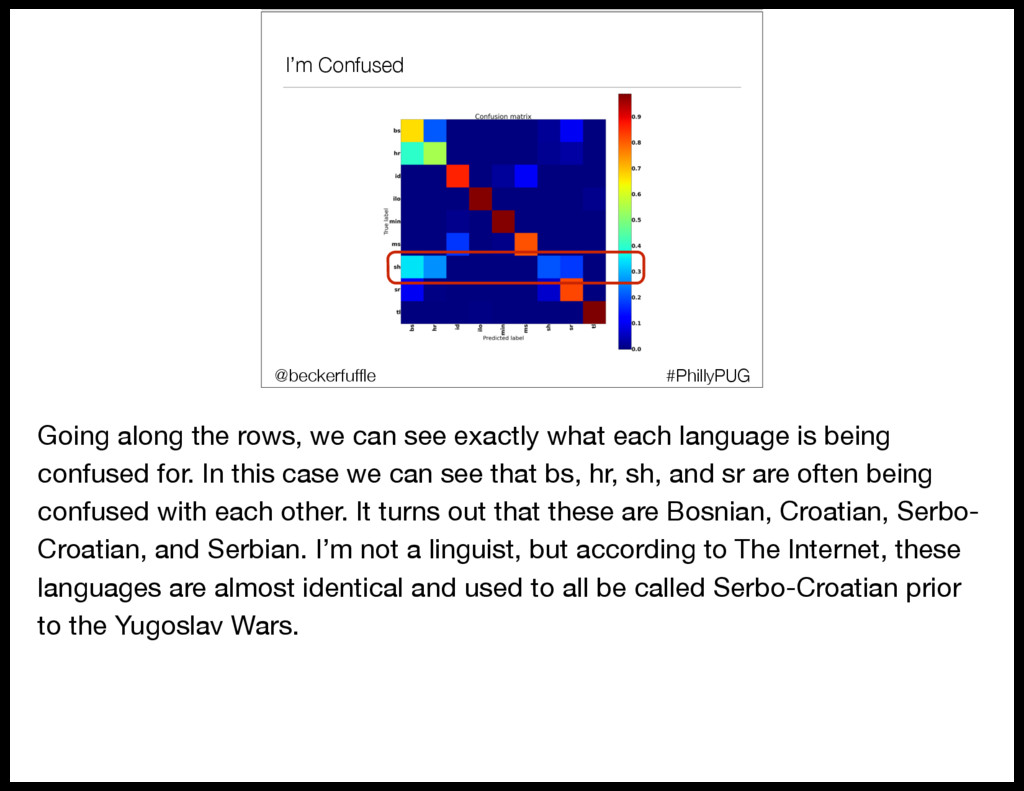
  105. I’m Confused #PhillyPUG @beckerfuffle Going along the rows, we can

    see exactly what each language is being confused for. In this case we can see that bs, hr, sh, and sr are often being confused with each other. It turns out that these are Bosnian, Croatian, Serbo- Croatian, and Serbian. I’m not a linguist, but according to The Internet, these languages are almost identical and used to all be called Serbo-Croatian prior to the Yugoslav Wars.
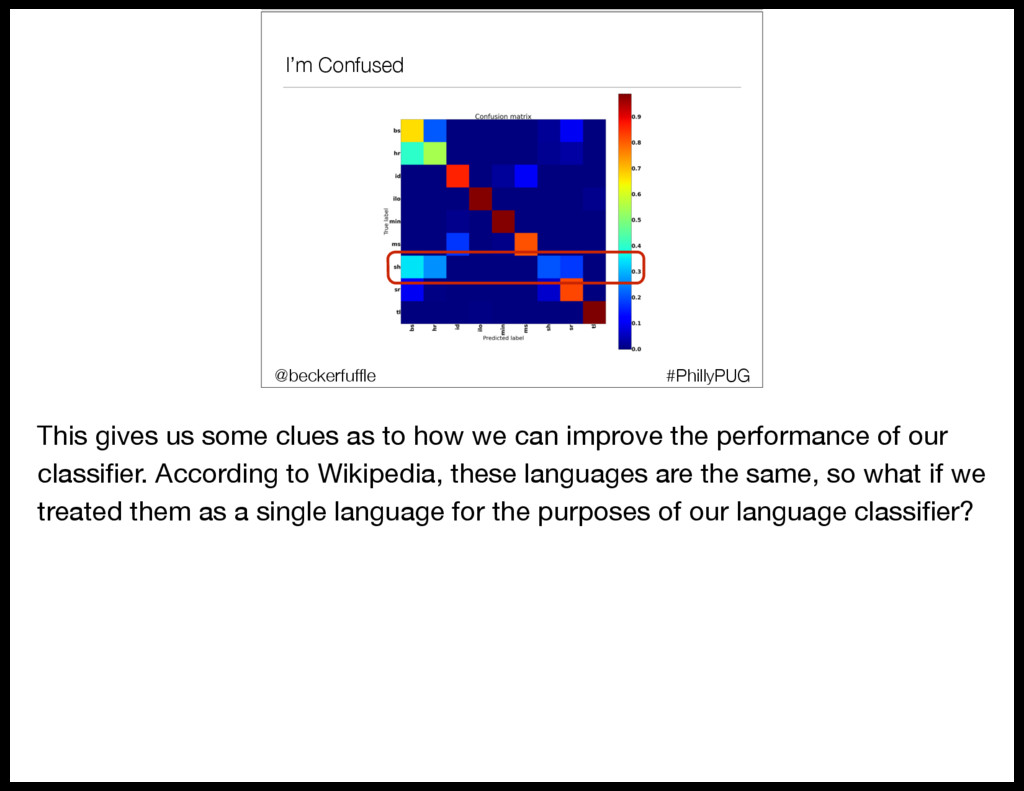
  106. I’m Confused #PhillyPUG @beckerfuffle This gives us some clues as

    to how we can improve the performance of our classifier. According to Wikipedia, these languages are the same, so what if we treated them as a single language for the purposes of our language classifier?
  107. y_train #PhillyPUG @beckerfuffle Doing this is pretty straight forward. All

    we have to do is go back to where we created y_train, and anywhere where our labels were bs, hr, sh, or sr, replace them with a new label. Then we can rerun the RandomSearchCV to retrain our model.
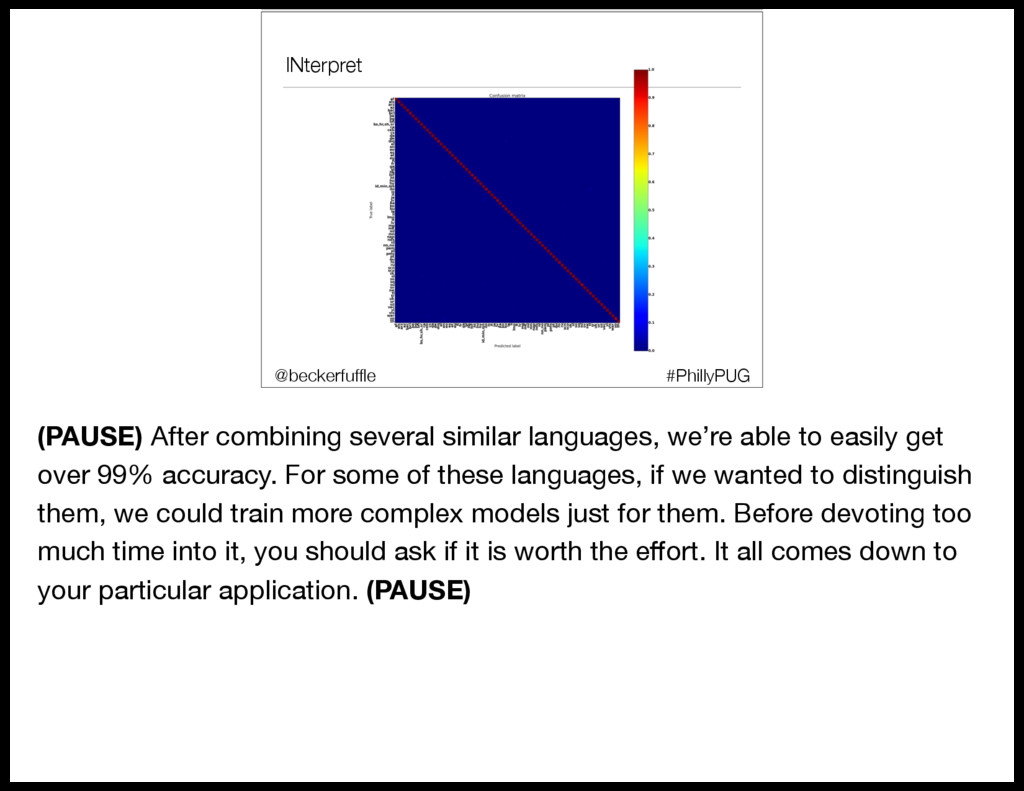
  108. INterpret #PhillyPUG @beckerfuffle (PAUSE) After combining several similar languages, we’re

    able to easily get over 99% accuracy. For some of these languages, if we wanted to distinguish them, we could train more complex models just for them. Before devoting too much time into it, you should ask if it is worth the effort. It all comes down to your particular application. (PAUSE)
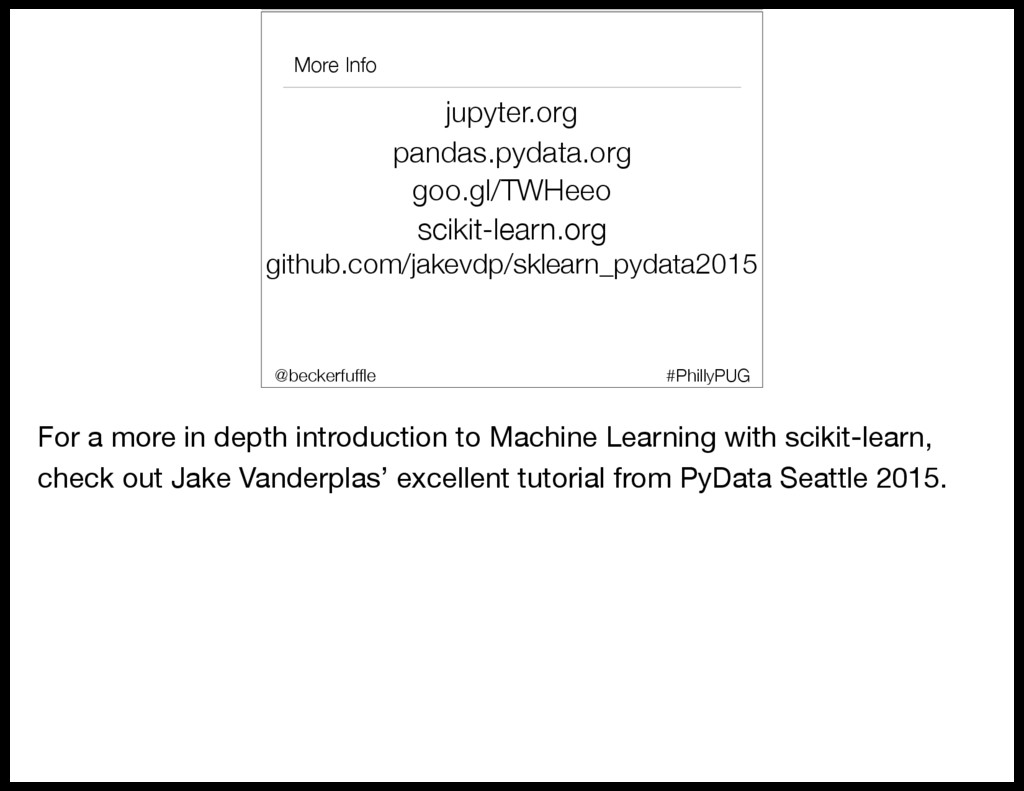
  109. More Info jupyter.org goo.gl/TWHeeo pandas.pydata.org scikit-learn.org github.com/jakevdp/sklearn_pydata2015 #PhillyPUG @beckerfuffle For

    a more in depth introduction to Machine Learning with scikit-learn, check out Jake Vanderplas’ excellent tutorial from PyData Seattle 2015.
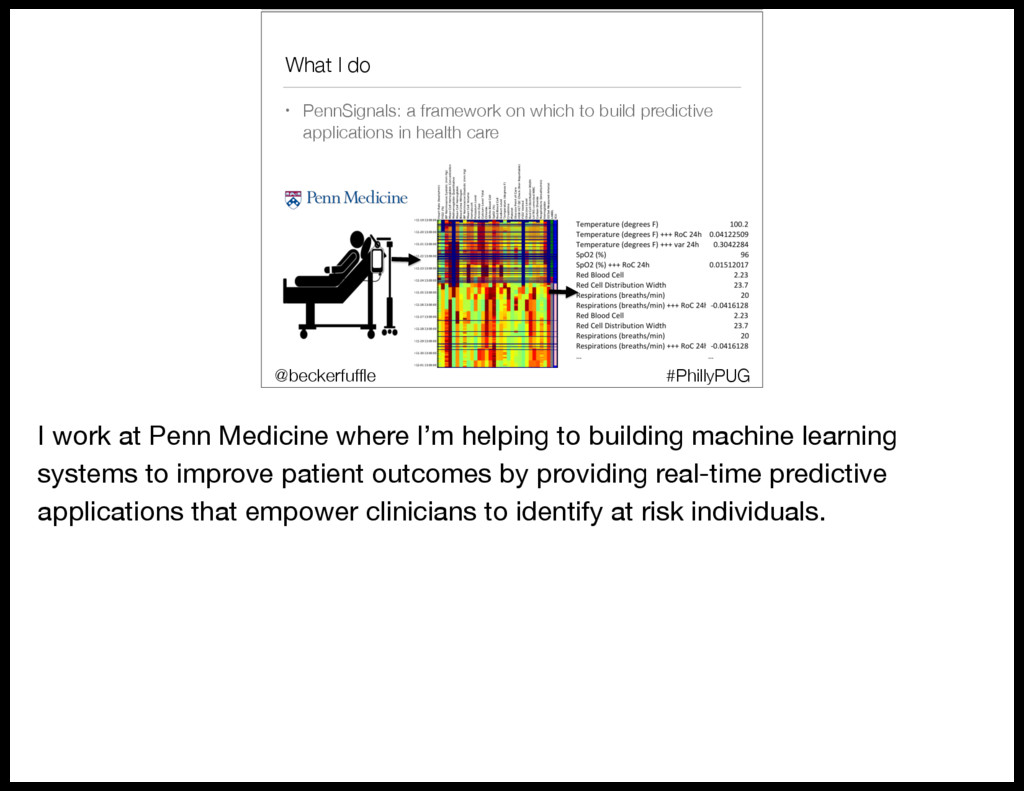
  110. What I do • PennSignals: a framework on which to

    build predictive applications in health care #PhillyPUG @beckerfuffle I work at Penn Medicine where I’m helping to building machine learning systems to improve patient outcomes by providing real-time predictive applications that empower clinicians to identify at risk individuals.
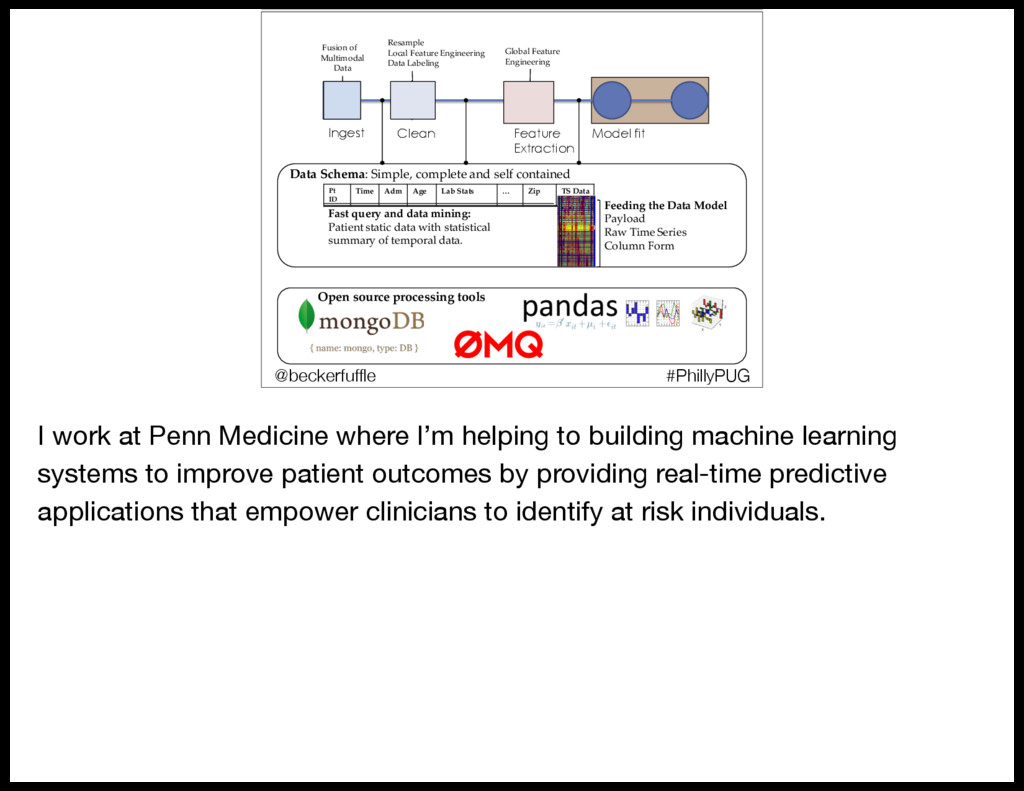
  111. Ingest Clean Feature Extraction Model fit Pt ID Time Adm

    Age Lab/Stats … Zip TS/Data Resample Local+Feature+Engineering Data+Labeling Global+Feature+ Engineering Fusion+of++ Multimodal Data Feeding/the/Data/Model Payload Raw+Time+Series Column+Form Fast/query/and/data/mining: Patient+static+data+with+statistical+ summary+of+temporal+data. Open/source/processing/tools Data/Schema:+Simple,+complete+and+self+contained #PhillyPUG @beckerfuffle I work at Penn Medicine where I’m helping to building machine learning systems to improve patient outcomes by providing real-time predictive applications that empower clinicians to identify at risk individuals.
  112. All The Things! Twitter: @beckerfuffle Blog: beckerfuffle.com Github: github.com/mdbecker Work

    with me: http://pennmedicine.jobs #PhillyPUG @beckerfuffle All right, so that’s all I’ve got. Now you can all go onto LinkedIn and change your titles to Data Scientist!