Share
Embed
Front-end Testing
Monday talk at Lift where I talk about front-end development integration testing with tools like Casper, and why it's a Good Thing™ to do.
Colby Ludwig
March 10, 2014
Transcript
33 slides
-
FRONT-END TDD FRONT-END TDD FRONT-END TDD FRONT-END TDD FRONT-END TDD
FRONT-END TDD FRONT-END TDD FRONT-END TDD FRONT-END TDD FRONT-END TDD FRONT-END TDD FRONT-END TDD FRONT-END TDD FRONT-END TDD FRONT-END TDD FRONT-END TDD @cdl -
When I go to example.com and fill out the login
form and click submit, it should log me in. 1) Write a test. -
1) Write a test. 2) RUN THE TEST. Did it
fail? Good. -
1) Write a test. 2) RUN THE TEST. 3) code
some stuff. -
1) Write a test. 2) RUN THE TEST. 3) code
some stuff. 4) RE-RUN THE TEST. Test passed! -
1) Write a test. 2) RUN THE TEST. 3) code
some stuff. 4) RE-RUN THE TEST. 5) Repeat. -
1) Write a test. 2) RUN THE TEST. 3) code
some stuff. 4) RE-RUN THE TEST. 5) Repeat. NEAT. -
NEAT. 1) Write a test. 2) RUN THE TEST. 3)
code some stuff. 4) RE-RUN THE TEST. 5) Repeat. HELLA NEAT. -
1) Write a test. 2) RUN THE TEST. 3) code
some stuff. 4) RE-RUN THE TEST. 5) Repeat. How? -
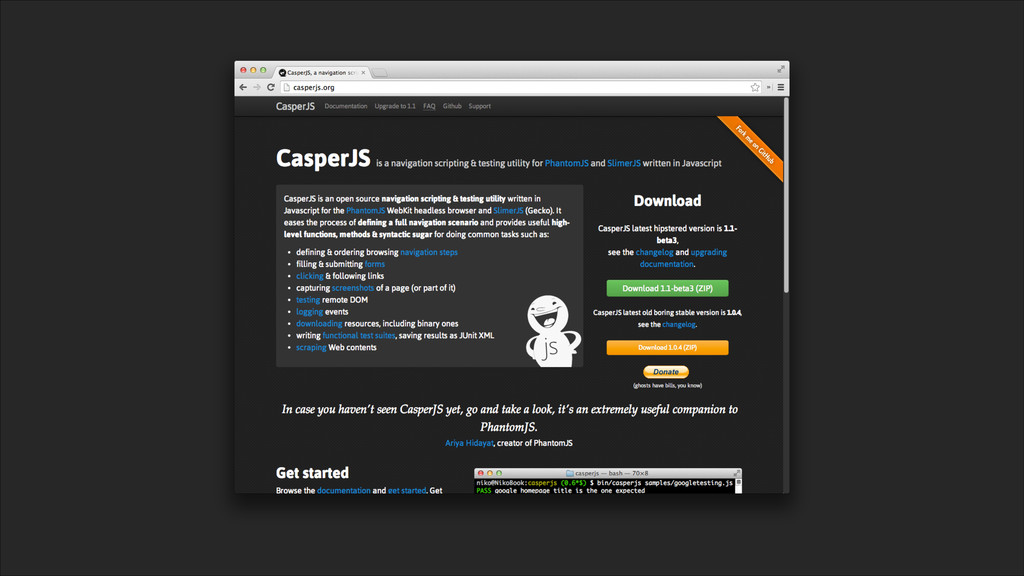
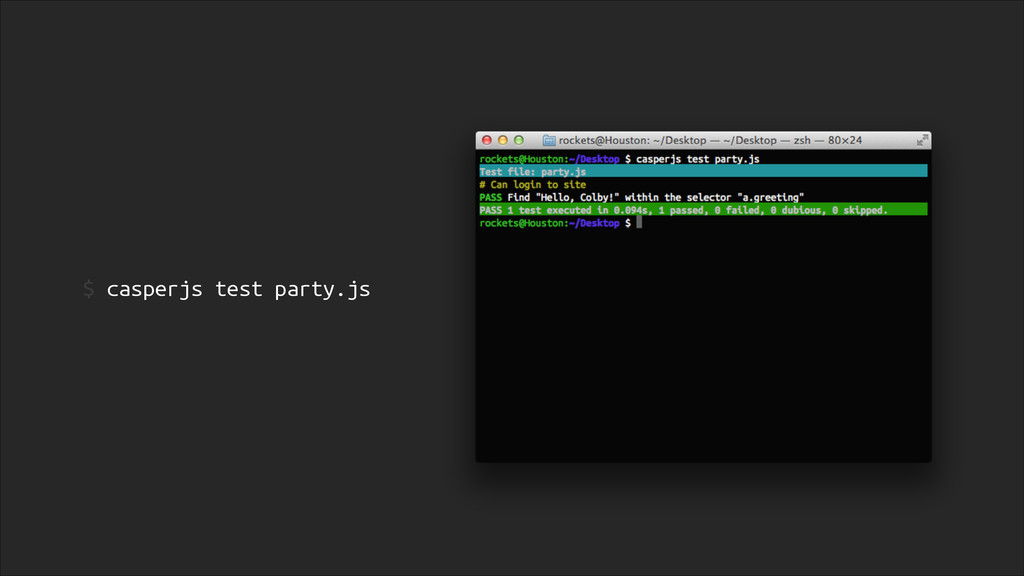
$ npm install -g casperjs # write tests $ casperjs
test tests.js -
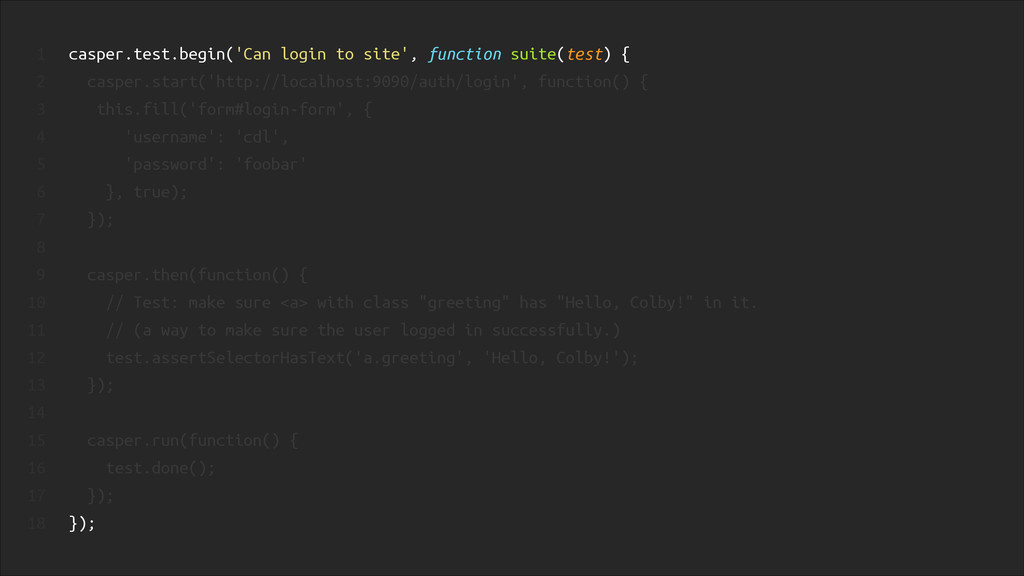
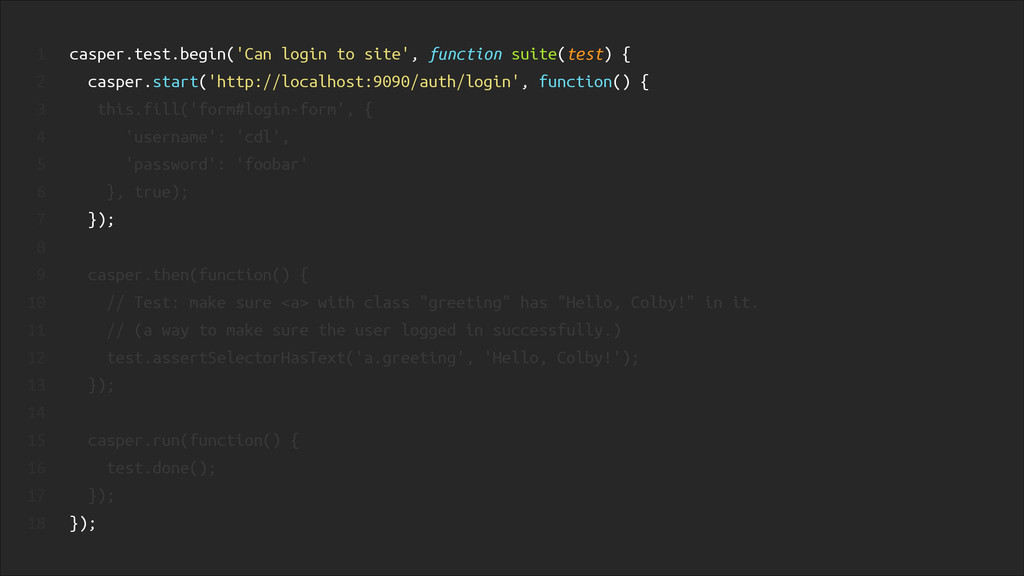
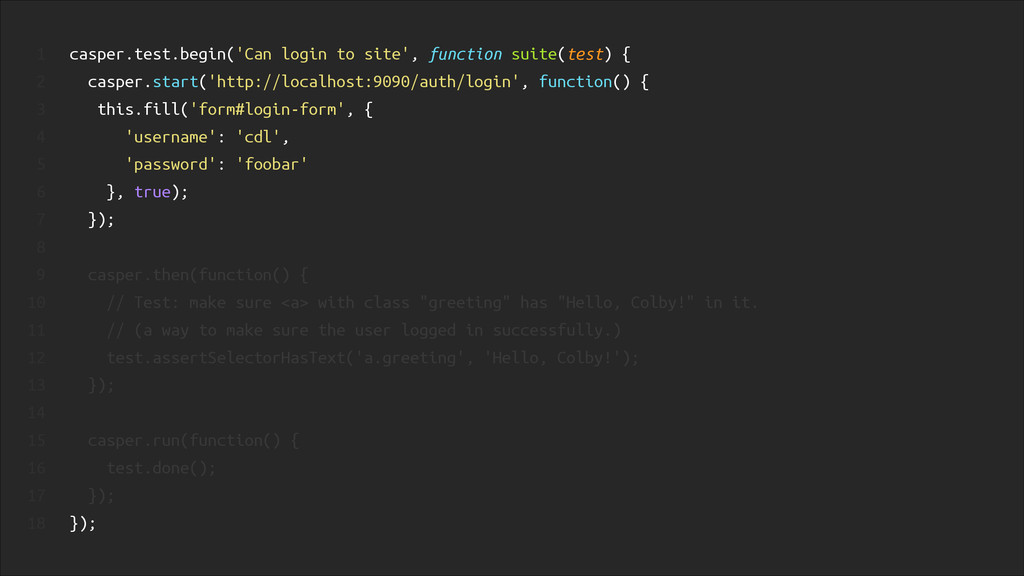
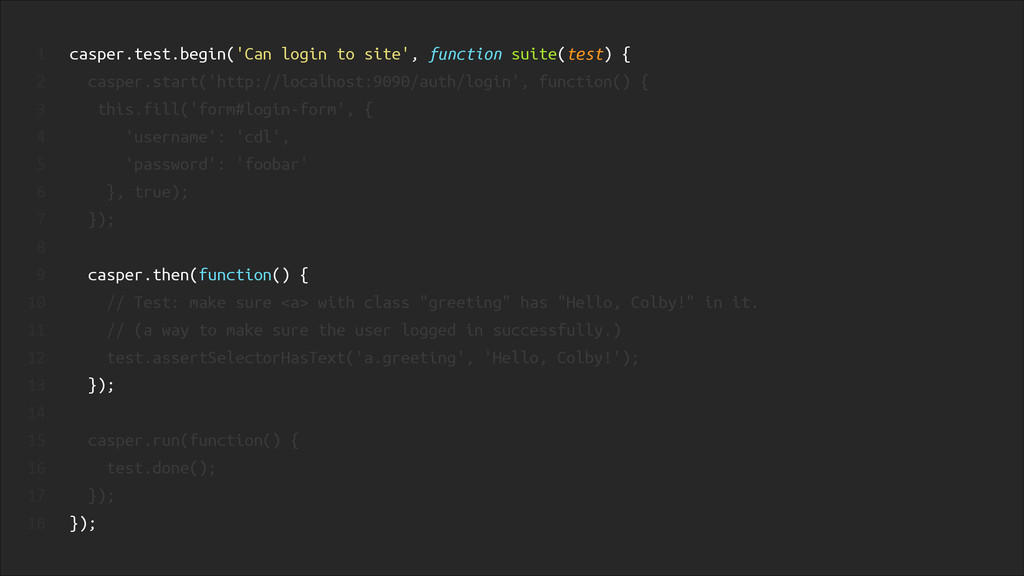
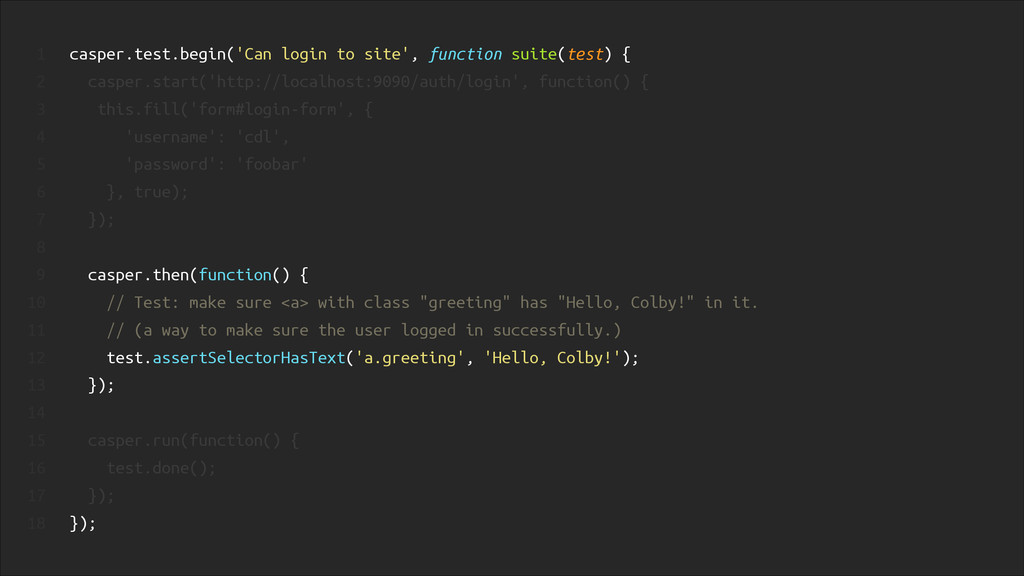
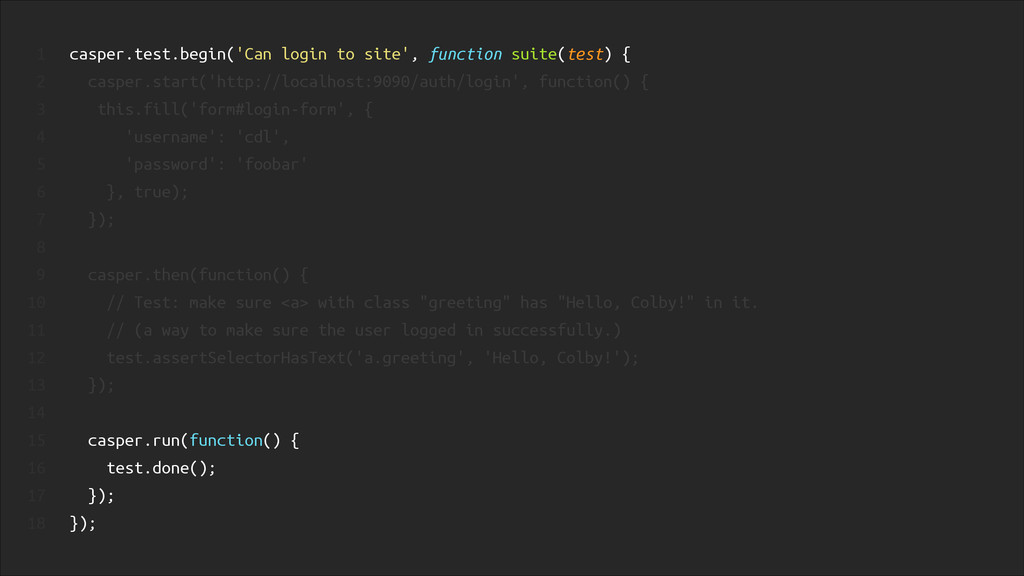
! casper.test.begin('Can login to site', function suite(test) { casper.start('http://localhost:9090/auth/login', function()
{ this.fill('form#login-form', { 'username': 'cdl', 'password': 'foobar' }, true); }); ! casper.then(function() { // Test: make sure <a> with class "greeting" has "Hello, Colby!" in it. // (a way to make sure the user logged in successfully.) test.assertSelectorHasText('a.greeting', 'Hello, Colby!'); }); ! casper.run(function() { test.done(); }); }); 1 2 3 4 5 6 7 8 9 10 11 12 13 14 15 16 17 18 -
1 It LETS US GET DOWN TO THE BARE MINIMUM
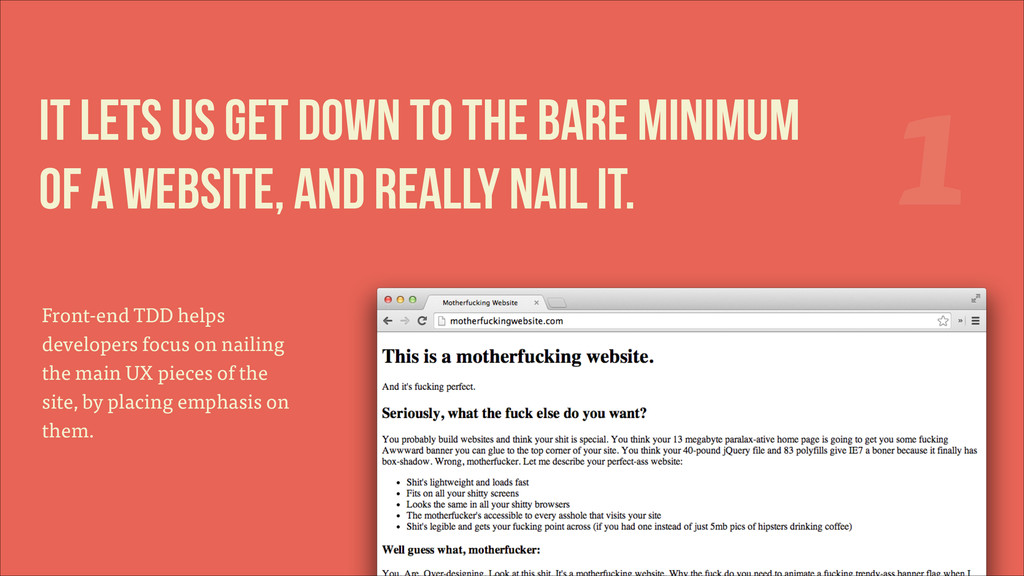
OF A WEBSITE, and really nail it. Front-end TDD helps developers focus on nailing the main UX pieces of the site, by placing emphasis on them. -
1 It LETS US GET DOWN TO THE BARE MINIMUM
OF A WEBSITE, and really nail it. Front-end TDD helps developers focus on nailing the main UX pieces of the site, by placing emphasis on them. -
“ Your site has three bylines and link to your
Dribbble account, but you spread it over 7 full screens and make me click some bobbing button to show me how cool the jQuery ScrollTo plugin is. Funny, but true. (but that's a whole other talk.) -
It's awesome to write 82 tests in a row and
have all of them pass on the first run. 3 -
Links mentioned: casperjs.org motherfuckingwebsite.com @cdl Thanks for listening. Thanks for
listening. Thanks for listening. Thanks for listening. Thanks for listening. Thanks for listening. Thanks for listening. Thanks for listening. Thanks for listening. Thanks for listening. Thanks for listening. Thanks for listening. Thanks for listening. Thanks for listening. Thanks for listening. Thanks for listening. Thanks for listening. Thanks for listening. Thanks for listening. Thanks for listening. Thanks for listening. Thanks for listening. Thanks for listening. Thanks for listening. Thanks for listening. Thanks for listening. Thanks for listening. Thanks for listening. Thanks for listening. Thanks for listening. Thanks for listening. Thanks for listening. Thanks for listening. Thanks for listening. Thanks for listening. Thanks for listening. Thanks for listening. Thanks for listening. Thanks for listening. Thanks for listening. Thanks for listening. Thanks for listening. Thanks for listening. Thanks for listening. Thanks for listening. Thanks for listening. Thanks for listening. Thanks for listening. Thanks for listening. Thanks for listening. Any questions?