Upgrade to Pro
— share decks privately, control downloads, hide ads and more …
Speaker Deck
Sign up for free
Menu
Search
Features
All features
Private URLs
Password Protection
Custom URLS
Scheduled publishing
Remove Branding
Restrict embedding
Deck Collections
Notes
Features
All features
Private URLs
Password Protection
Custom URLS
Scheduled publishing
Remove Branding
Restrict embedding
Deck Collections
Notes
Explore
Featured decks
Featured speakers
Programming
Technology
Storyboards
Explore
Featured decks
Featured speakers
Programming
Technology
Storyboards
Pricing
Search
Sign in
Sign up for free
空間情報入門
Search
Tasking Managerによるマッピング作業のマニュアル
June 20, 2016
74
0
Share
Embed
Copy iframe code
Copy JS code
Copy link
Start on current slide
空間情報入門
Tasking Managerによるマッピング作業のマニュアル
June 20, 2016
Featured
See All Featured
Google's AI Overviews - The New Search
badams
0
1.6k
Public Speaking Without Barfing On Your Shoes - THAT 2023
reverentgeek
1
600
Gemini Prompt Engineering: Practical Techniques for Tangible AI Outcomes
mfonobong
2
590
Chasing Engaging Ingredients in Design
codingconduct
0
360
RailsConf 2023
tenderlove
30
1.6k
How To Speak Unicorn (iThemes Webinar)
marktimemedia
1
600
Git: the NoSQL Database
bkeepers
PRO
433
67k
Claude Code のすすめ
schroneko
67
230k
Bioeconomy Workshop: Dr. Julius Ecuru, Opportunities for a Bioeconomy in West Africa
akademiya2063
PRO
1
410
Leveraging LLMs for student feedback in introductory data science courses - posit::conf(2025)
minecr
1
440
Rebuilding a faster, lazier Slack
samanthasiow
85
9.7k
The Spectacular Lies of Maps
axbom
PRO
1
1.1k
Transcript
Tasking Manager による マッピング作業マニュアル 地球社会共生学部地球社会共生学科 学籍番号1A116089 1年A組99番 小泉千夏
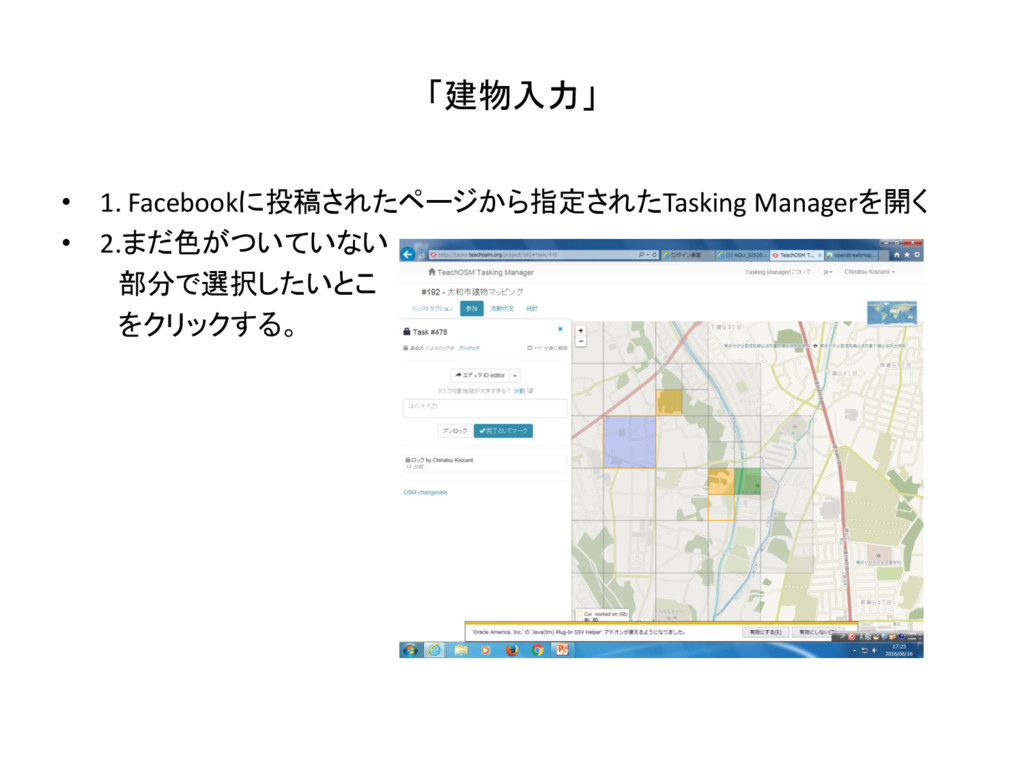
「建物入力」 • 1. Facebookに投稿されたページから指定されたTasking Managerを開く • 2.まだ色がついていない 部分で選択したいとこ をクリックする。
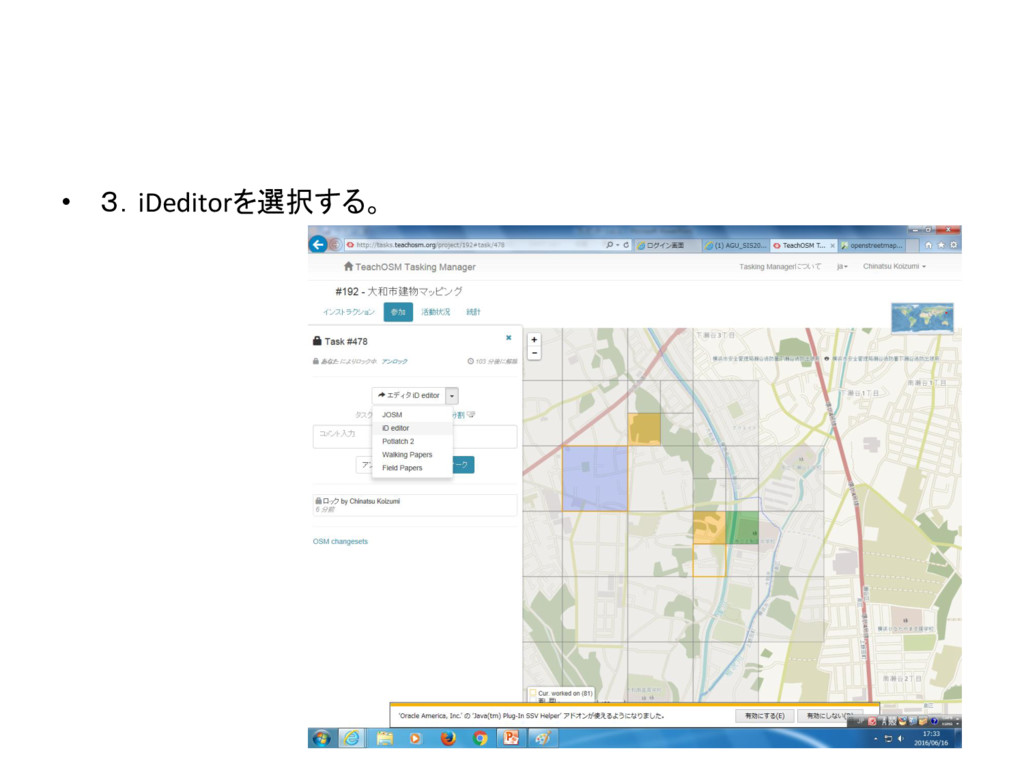
• 3.iDeditorを選択する。
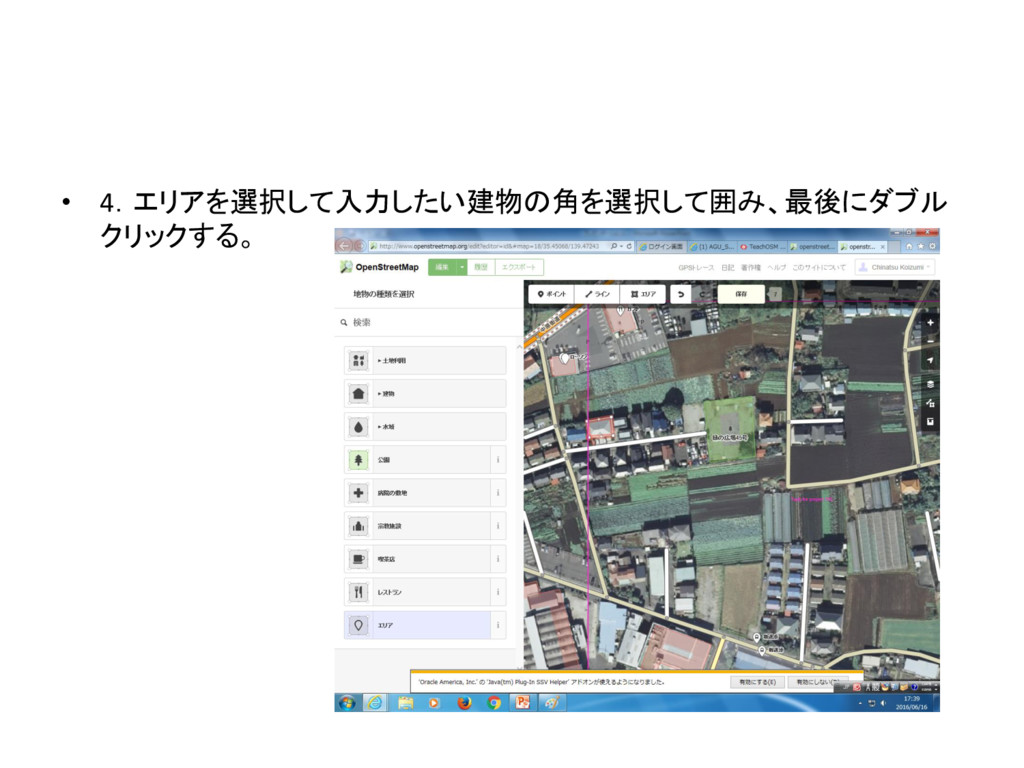
• 4.エリアを選択して入力したい建物の角を選択して囲み、最後にダブル クリックする。
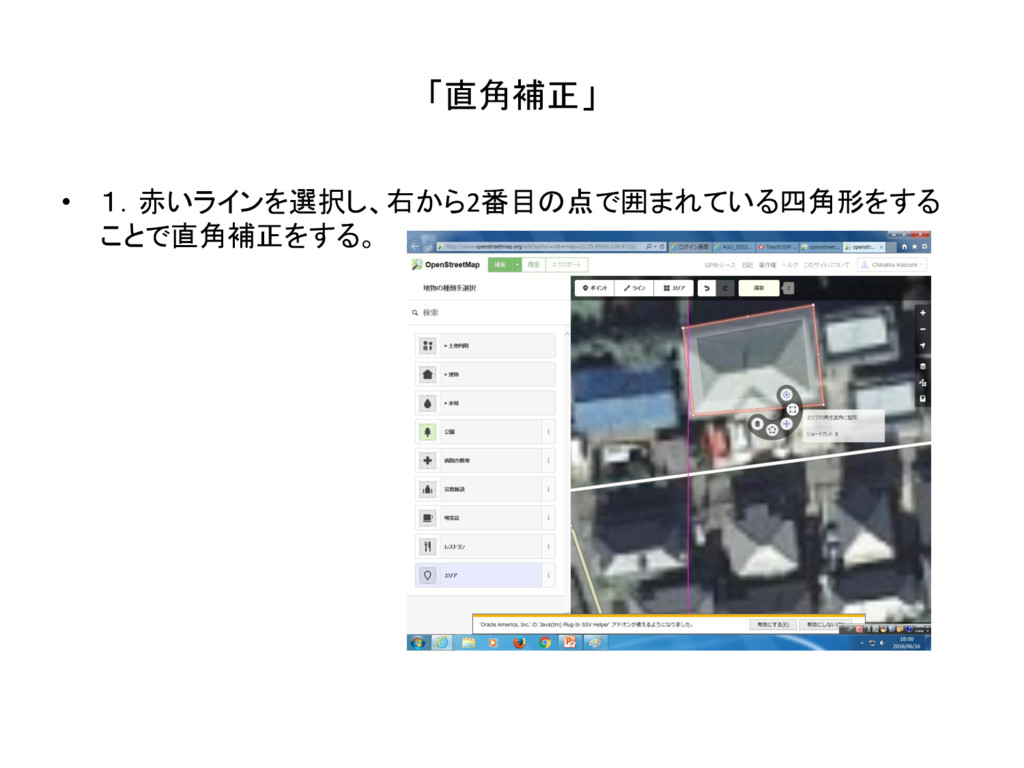
「直角補正」 • 1.赤いラインを選択し、右から2番目の点で囲まれている四角形をする ことで直角補正をする。
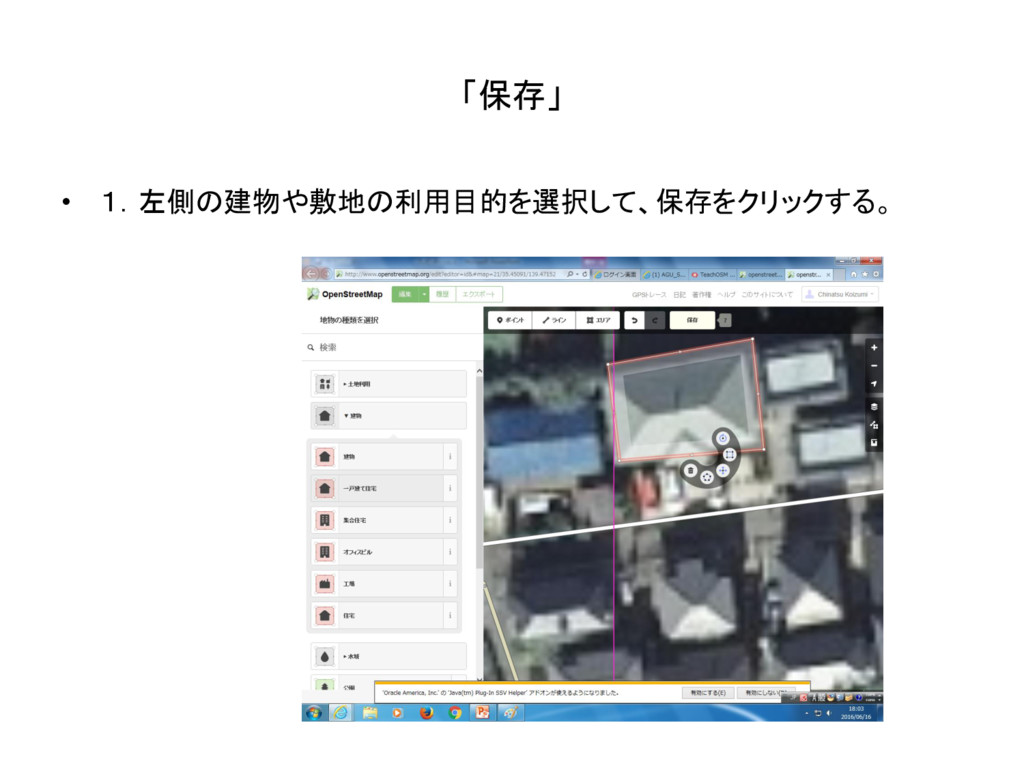
「保存」 • 1.左側の建物や敷地の利用目的を選択して、保存をクリックする。
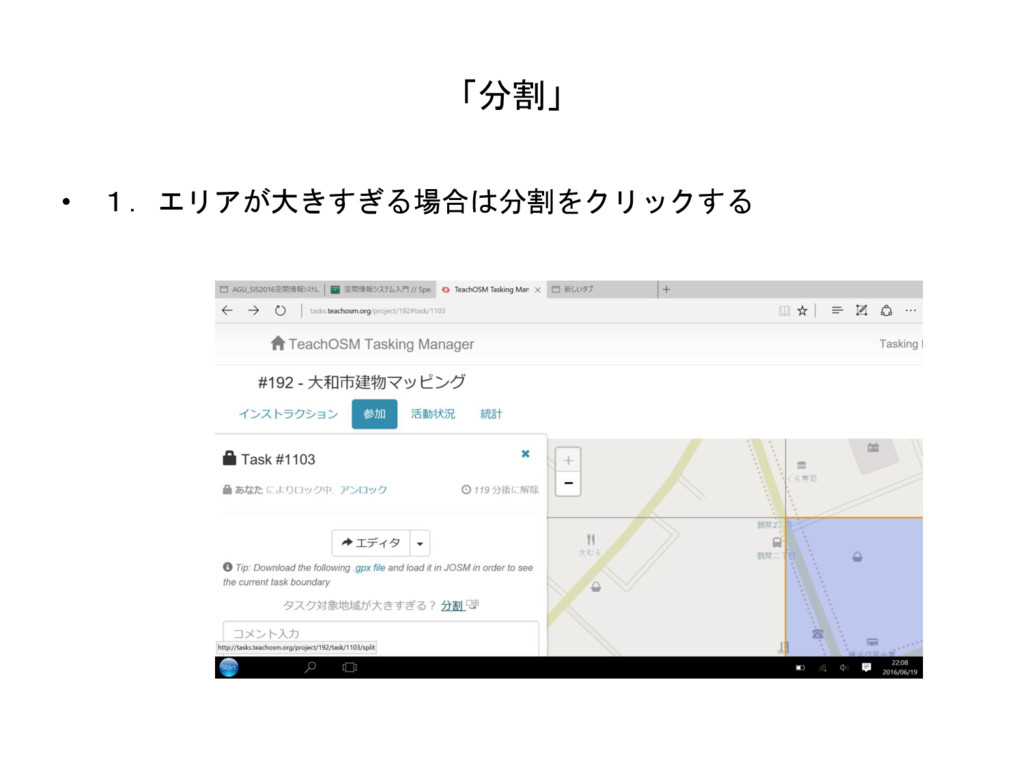
「分割」 • 1.エリアが大きすぎる場合は分割をクリックする
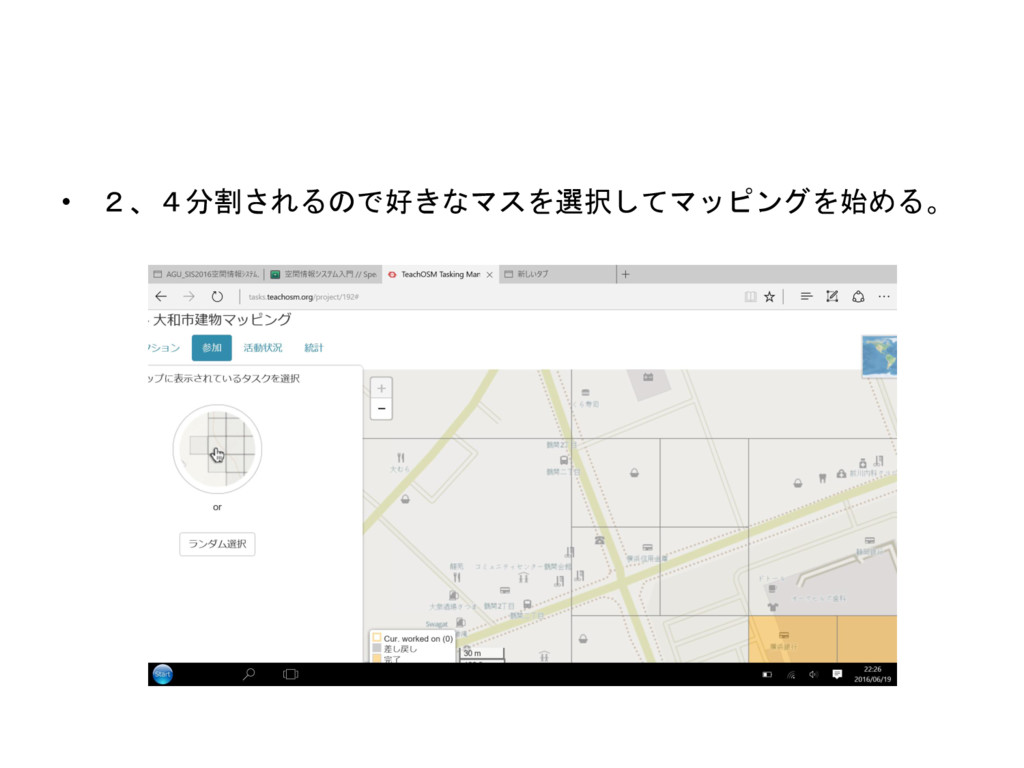
• 2、4分割されるので好きなマスを選択してマッピングを始める。
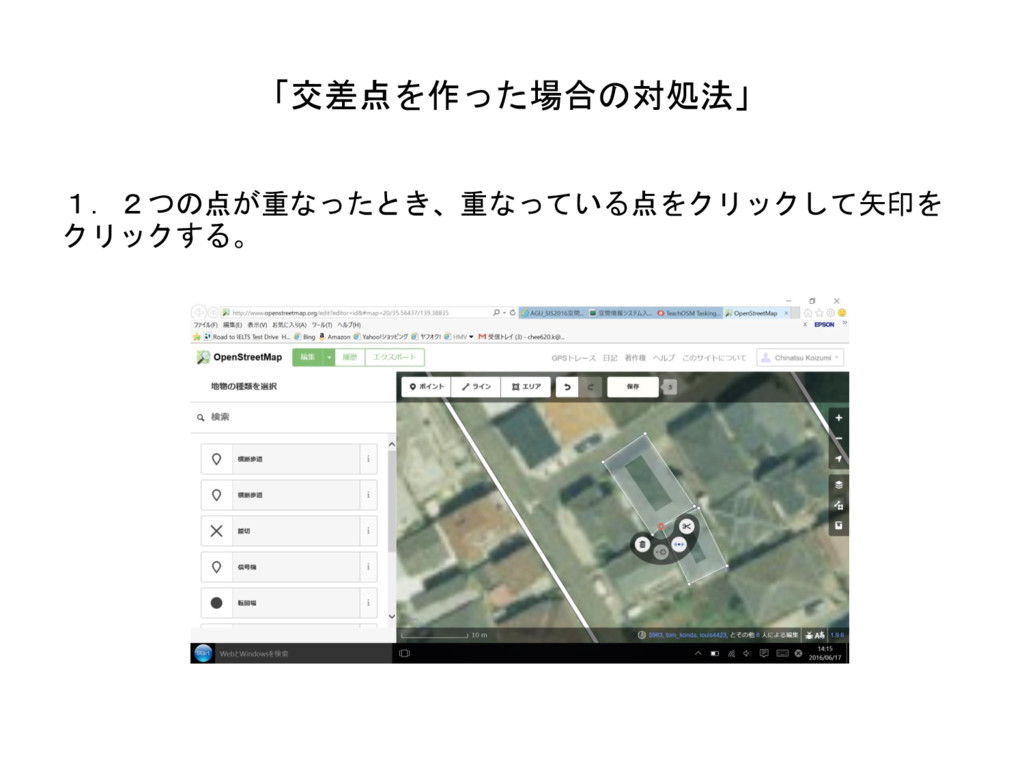
「交差点を作った場合の対処法」 1.2つの点が重なったとき、重なっている点をクリックして矢印を クリックする。
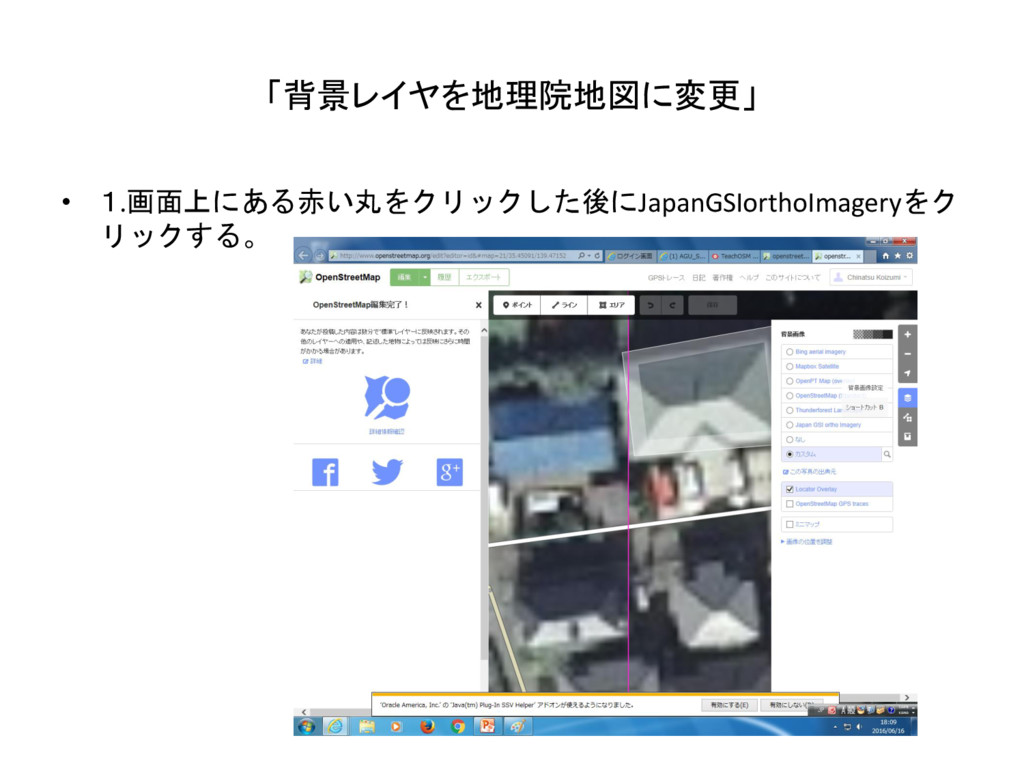
「背景レイヤを地理院地図に変更」 • 1.画面上にある赤い丸をクリックした後にJapanGSIorthoImageryをク リックする。
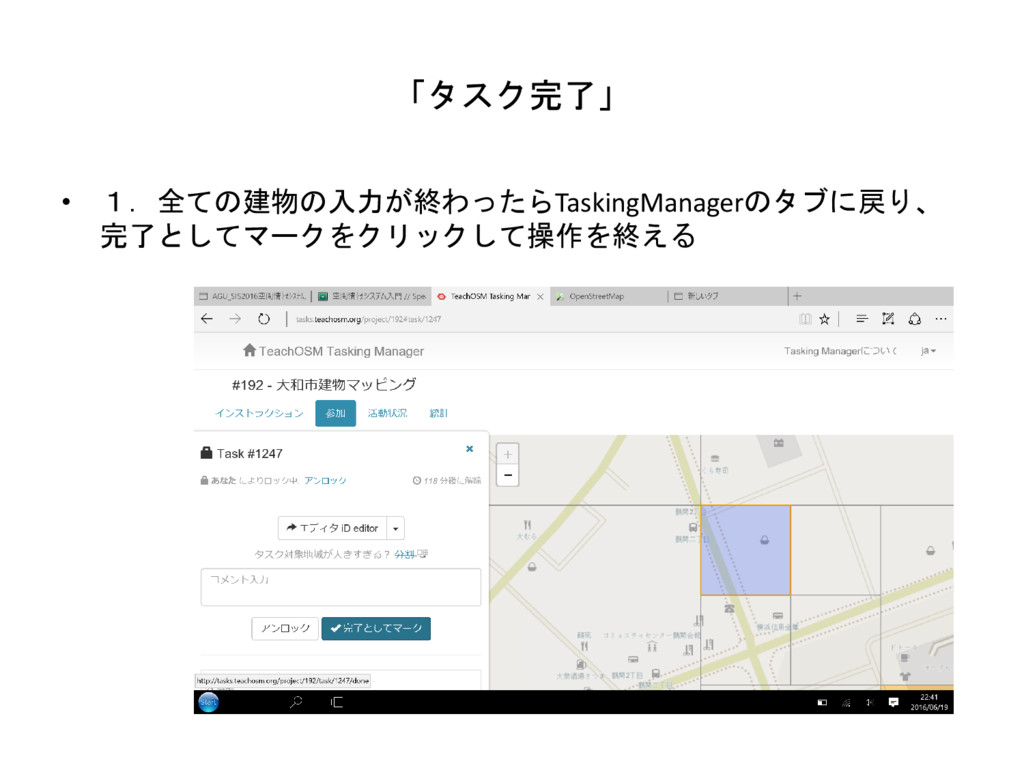
「タスク完了」 • 1.全ての建物の入力が終わったらTaskingManagerのタブに戻り、 完了としてマークをクリックして操作を終える


 badams
 reverentgeek
 mfonobong
 codingconduct
 tenderlove
 marktimemedia
 bkeepers
 schroneko
 akademiya2063
 minecr
 samanthasiow
 axbom
axbom