Upgrade to Pro
— share decks privately, control downloads, hide ads and more …
Speaker Deck
Sign up for free
Menu
Search
Features
All features
Private URLs
Password Protection
Custom URLS
Scheduled publishing
Remove Branding
Restrict embedding
Deck Collections
Notes
Features
All features
Private URLs
Password Protection
Custom URLS
Scheduled publishing
Remove Branding
Restrict embedding
Deck Collections
Notes
Explore
Featured decks
Featured speakers
Programming
Technology
Storyboards
Explore
Featured decks
Featured speakers
Programming
Technology
Storyboards
Pricing
Search
Sign in
Sign up for free
MASP
Search
chingyuan00
February 21, 2012
110
0
Share
Embed
Copy iframe code
Copy JS code
Copy link
Start on current slide
MASP
Mobile Ad-hoc Sharing Platform
手持式裝置之多媒體分享平台
chingyuan00
February 21, 2012
Featured
See All Featured
Un-Boring Meetings
codingconduct
0
460
New Earth Scene 8
popppiees
4
2.7k
Facilitating Awesome Meetings
lara
57
7.2k
The Spectacular Lies of Maps
axbom
PRO
1
1.1k
The Art of Programming - Codeland 2020
erikaheidi
57
14k
CSS Pre-Processors: Stylus, Less & Sass
bermonpainter
360
31k
ReactJS: Keep Simple. Everything can be a component!
pedronauck
666
130k
Leadership Guide Workshop - DevTernity 2021
reverentgeek
1
400
Why Mistakes Are the Best Teachers: Turning Failure into a Pathway for Growth
auna
0
320
Self-Hosted WebAssembly Runtime for Runtime-Neutral Checkpoint/Restore in Edge–Cloud Continuum
chikuwait
0
890
Thoughts on Productivity
jonyablonski
76
5.4k
Conquering PDFs: document understanding beyond plain text
inesmontani
PRO
4
3.2k
Transcript
手持式裝置之多媒體分享平台 研究動機 行動裝置的普及 沒有基台及伺服器,能否應用? 研究目的 建立一個分享平台 不需要基礎機台 不需要伺服器主機 不需要複雜的路由 Multi-hop
- SOFG (Self-Organized Forwarding Group,自主形成轉送群)
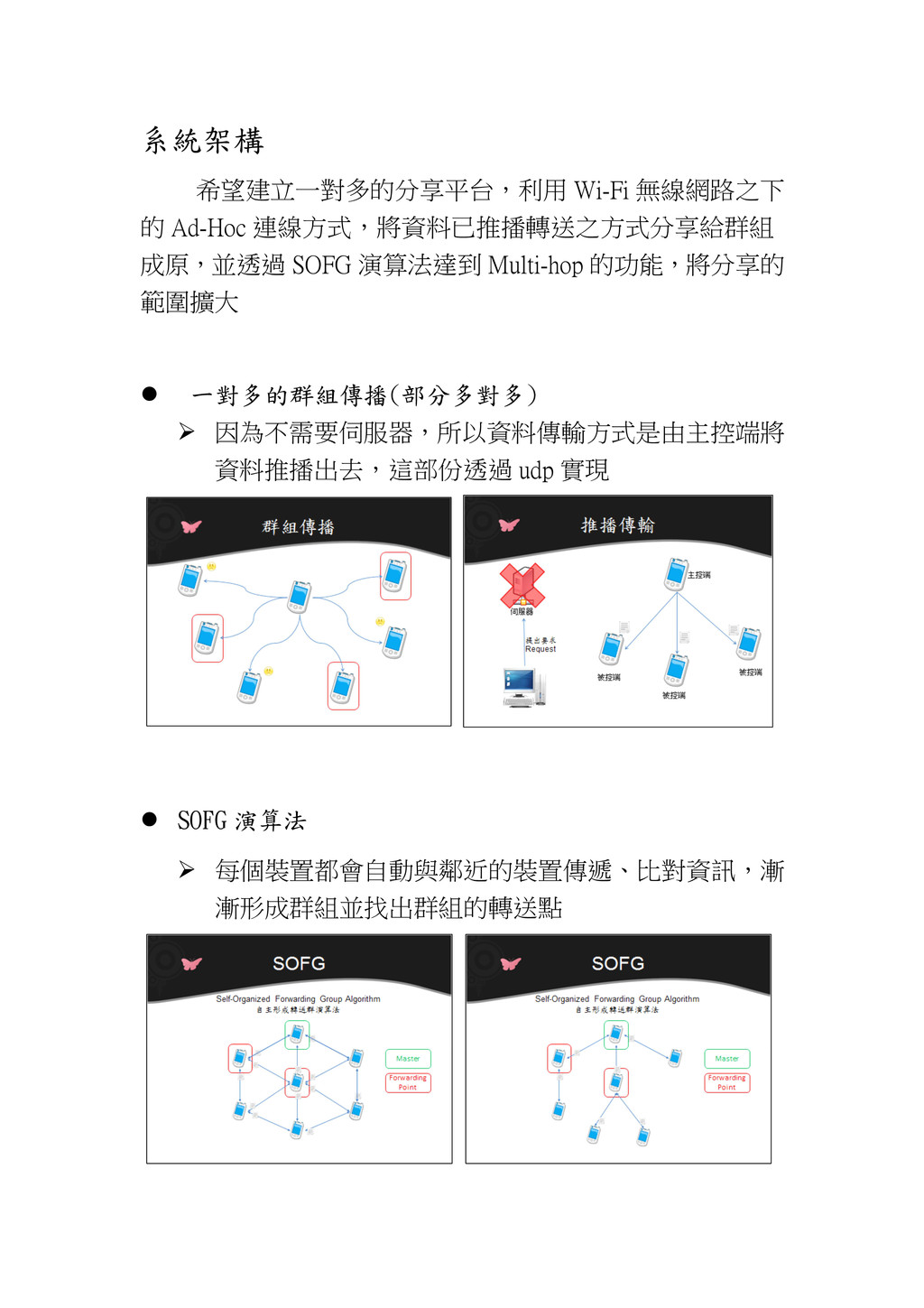
系統架構 希望建立一對多的分享平台,利用 Wi-Fi 無線網路之下 的 Ad-Hoc 連線方式,將資料已推播轉送之方式分享給群組 成原,並透過 SOFG 演算法達到
Multi-hop 的功能,將分享的 範圍擴大 一對多的群組傳播(部分多對多) 因為不需要伺服器,所以資料傳輸方式是由主控端將 資料推播出去,這部份透過 udp 實現 SOFG 演算法 每個裝置都會自動與鄰近的裝置傳遞、比對資訊,漸 漸形成群組並找出群組的轉送點
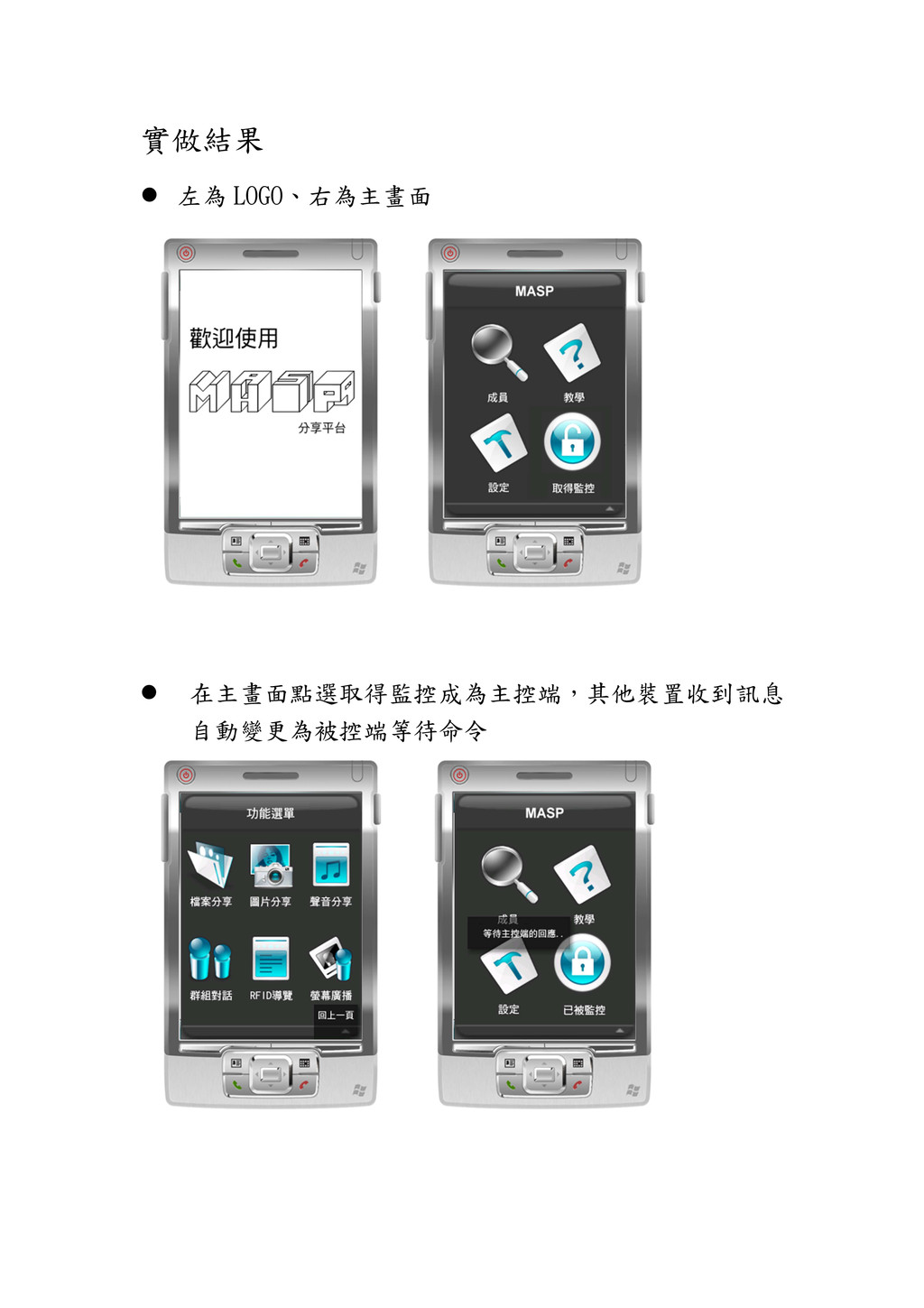
實做結果 左為 LOGO、右為主畫面 在主畫面點選取得監控成為主控端,其他裝置收到訊息 自動變更為被控端等待命令
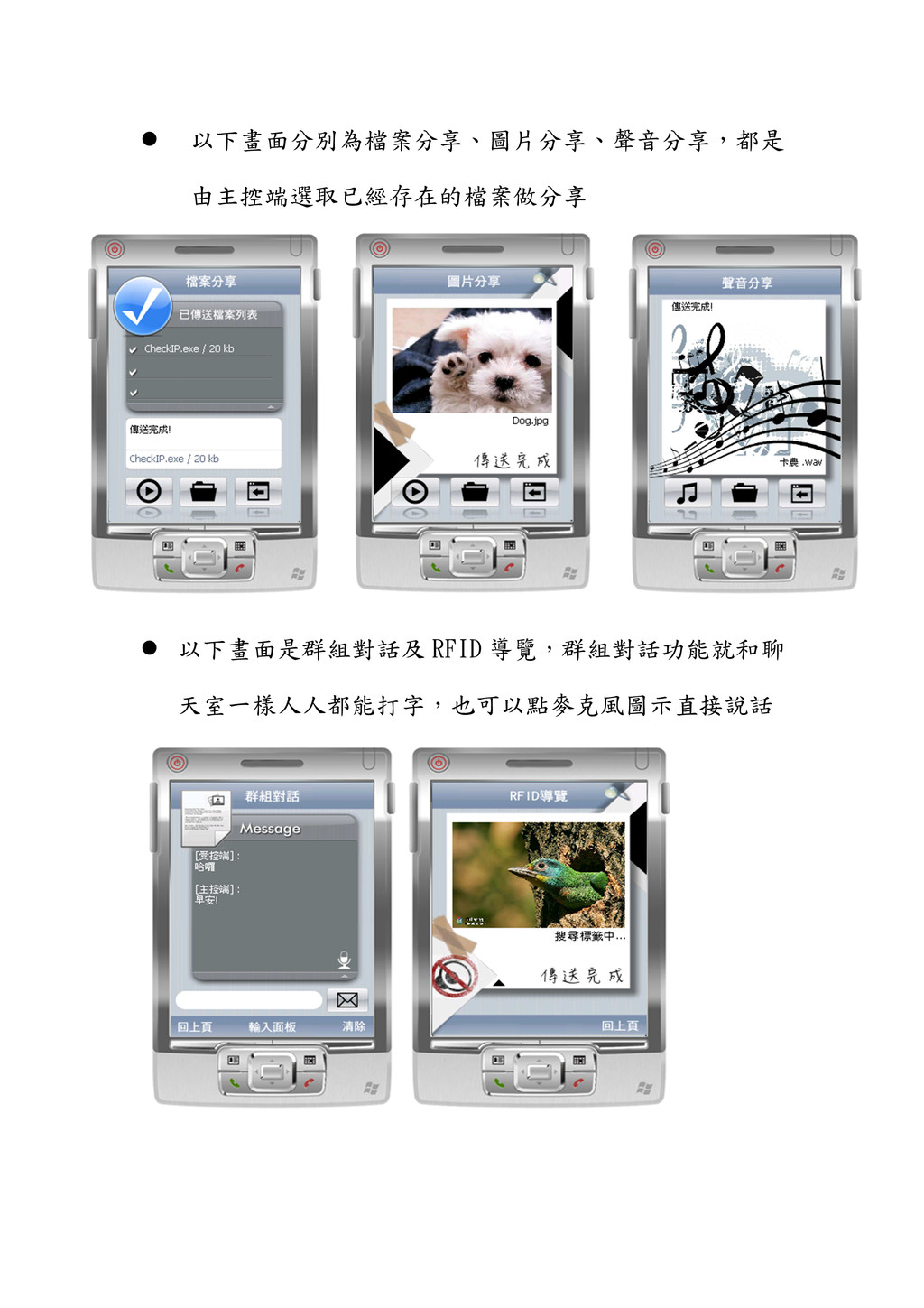
以下畫面分別為檔案分享、圖片分享、聲音分享,都是 由主控端選取已經存在的檔案做分享 以下畫面是群組對話及 RFID 導覽,群組對話功能就和聊 天室一樣人人都能打字,也可以點麥克風圖示直接說話
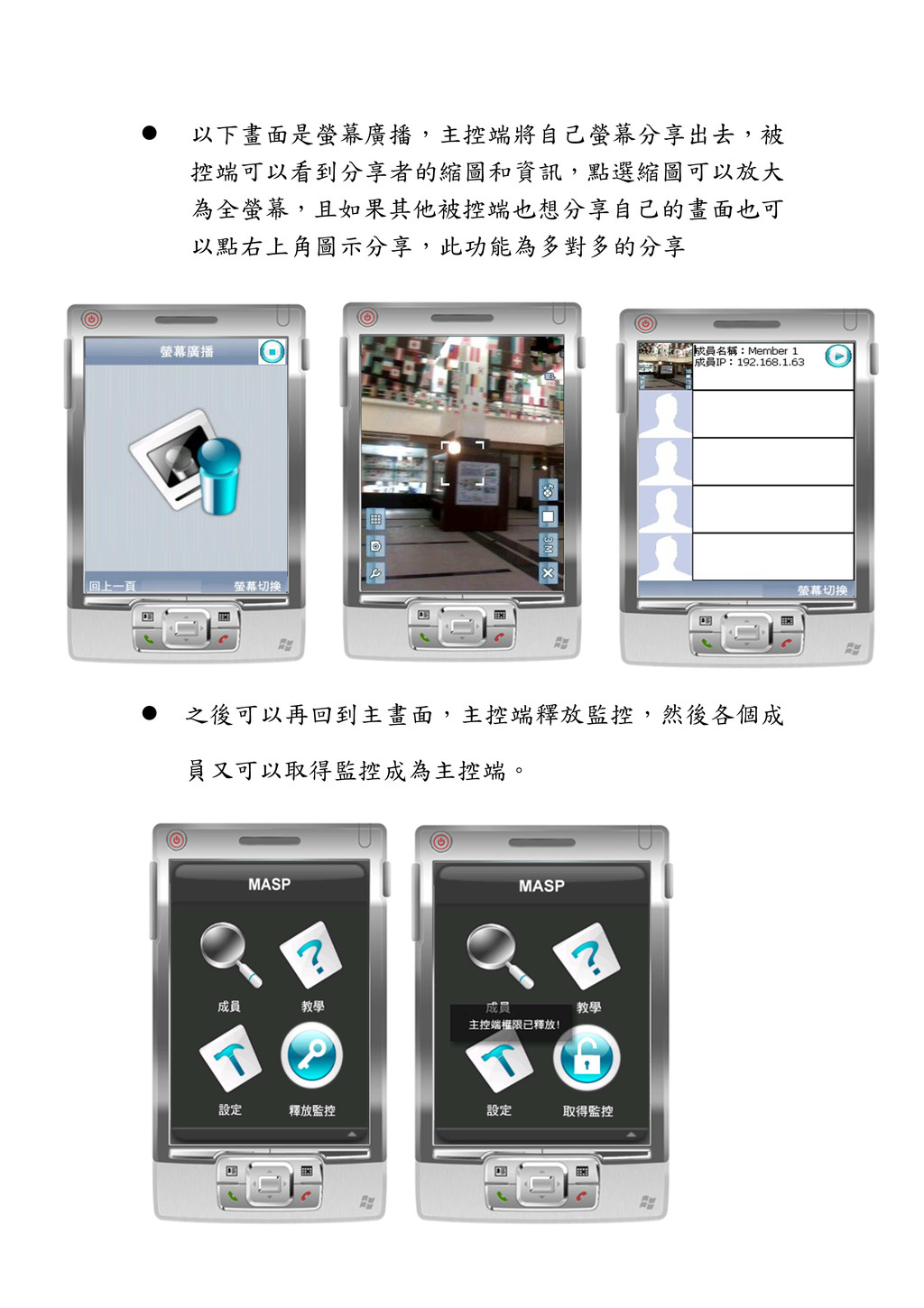
以下畫面是螢幕廣播,主控端將自己螢幕分享出去,被 控端可以看到分享者的縮圖和資訊,點選縮圖可以放大 為全螢幕,且如果其他被控端也想分享自己的畫面也可 以點右上角圖示分享,此功能為多對多的分享 之後可以再回到主畫面,主控端釋放監控,然後各個成 員又可以取得監控成為主控端。


 codingconduct
 popppiees
 lara
lara
 axbom
axbom
 erikaheidi
 bermonpainter
 pedronauck
 reverentgeek
 auna
auna
 chikuwait
 jonyablonski
 inesmontani