Upgrade to Pro
— share decks privately, control downloads, hide ads and more …
Speaker Deck
Sign up for free
Menu
Search
Features
All features
Private URLs
Password Protection
Custom URLS
Scheduled publishing
Remove Branding
Restrict embedding
Deck Collections
Notes
Features
All features
Private URLs
Password Protection
Custom URLS
Scheduled publishing
Remove Branding
Restrict embedding
Deck Collections
Notes
Explore
Featured decks
Featured speakers
Programming
Technology
Storyboards
Explore
Featured decks
Featured speakers
Programming
Technology
Storyboards
Pricing
Search
Sign in
Sign up for free
task manager マニュアル
Search
fukupon
June 16, 2016
96
0
Share
Embed
Copy iframe code
Copy JS code
Copy link
Start on current slide
task manager マニュアル
fukupon
June 16, 2016
More Decks by fukupon
See All by fukupon
how to use
fukupon
0
72
Featured
See All Featured
Lightning talk: Run Django tests with GitHub Actions
sabderemane
0
300
[RailsConf 2023] Rails as a piece of cake
palkan
59
7.1k
Fashionably flexible responsive web design (full day workshop)
malarkey
409
67k
How To Stay Up To Date on Web Technology
chriscoyier
790
250k
The Art of Programming - Codeland 2020
erikaheidi
57
14k
Rebuilding a faster, lazier Slack
samanthasiow
85
9.7k
What’s in a name? Adding method to the madness
productmarketing
PRO
24
4.2k
Large-scale JavaScript Application Architecture
addyosmani
516
110k
How to make the Groovebox
asonas
2
2.5k
B2B Lead Gen: Tactics, Traps & Triumph
marketingsoph
1
280
My Coaching Mixtape
mlcsv
0
360
State of Search Keynote: SEO is Dead Long Live SEO
ryanjones
0
320
Transcript
建物マッピングのマニュアル 地球社会共生学部 1年A組197番 福王 光剛
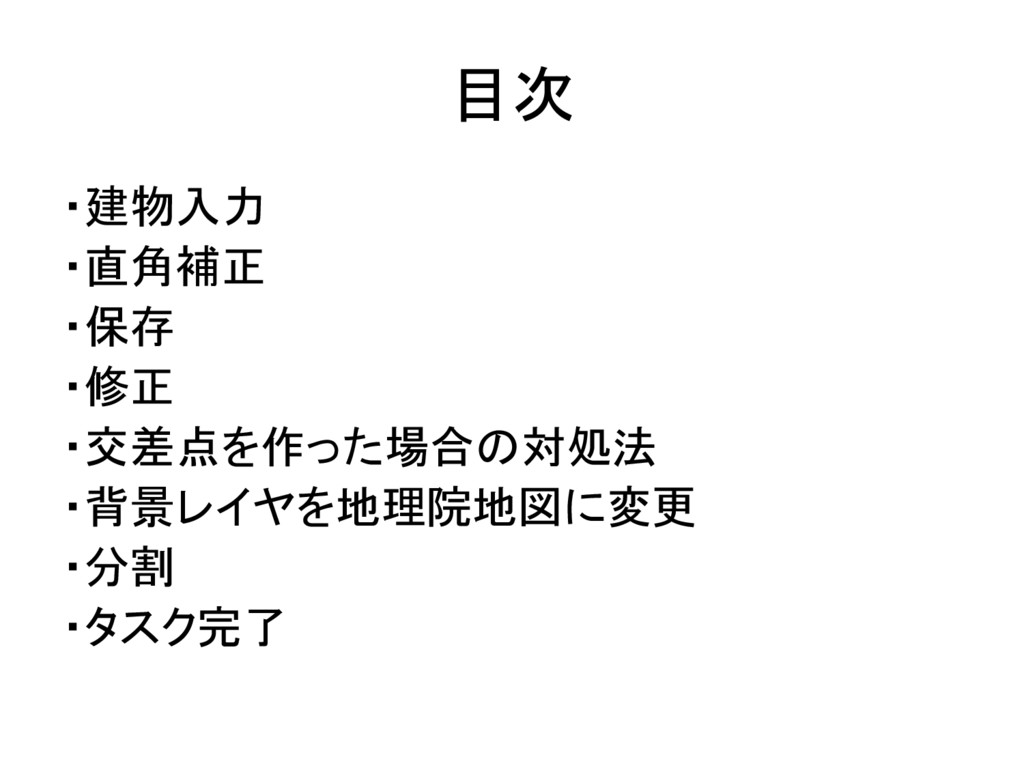
目次 ・建物入力 ・直角補正 ・保存 ・修正 ・交差点を作った場合の対処法 ・背景レイヤを地理院地図に変更 ・分割 ・タスク完了
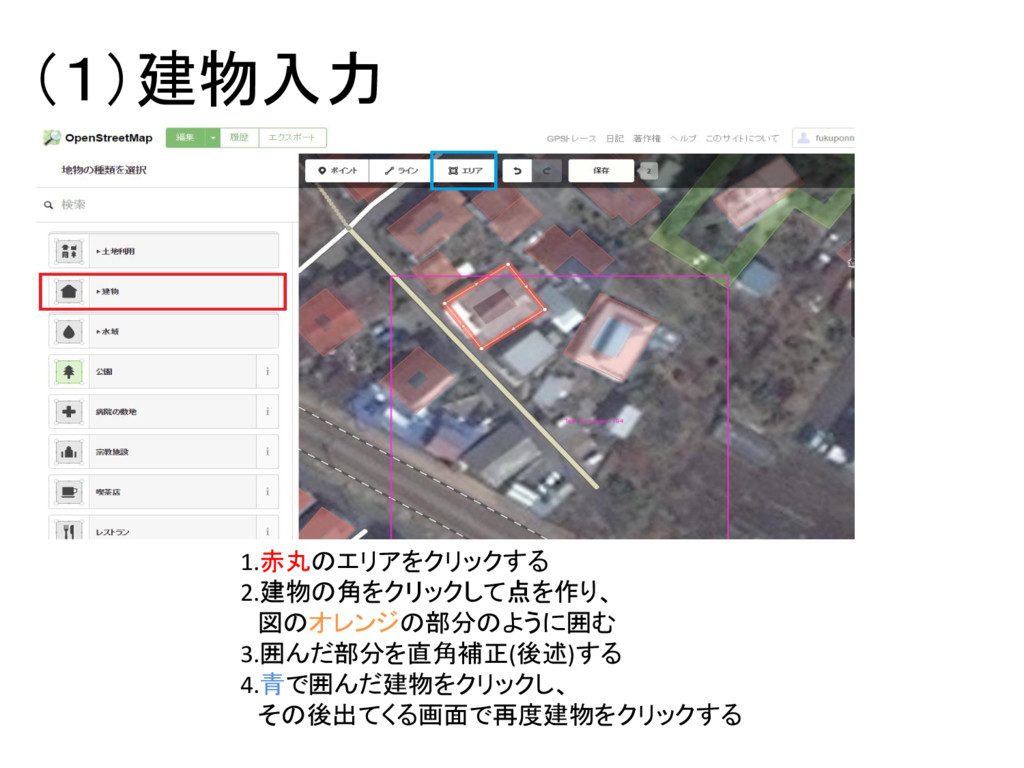
(1)建物入力 1.赤丸のエリアをクリックする 2.建物の角をクリックして点を作り、 図のオレンジの部分のように囲む 3.囲んだ部分を直角補正(後述)する 4.青で囲んだ建物をクリックし、 その後出てくる画面で再度建物をクリックする
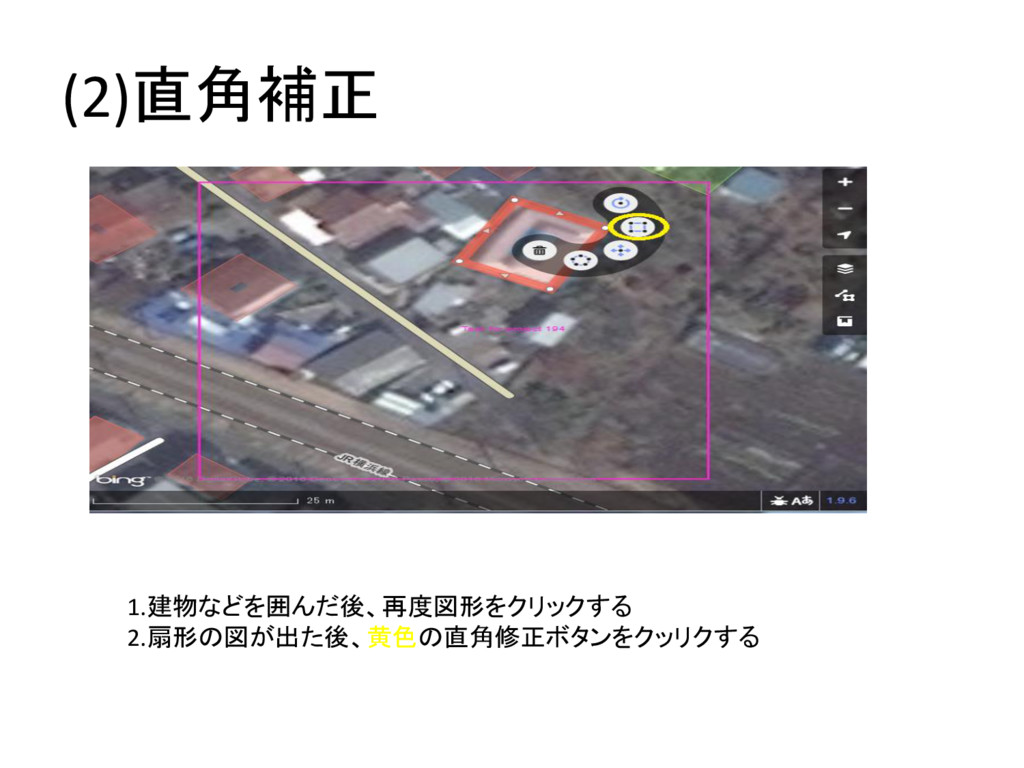
(2)直角補正 1.建物などを囲んだ後、再度図形をクリックする 2.扇形の図が出た後、黄色の直角修正ボタンをクッリクする
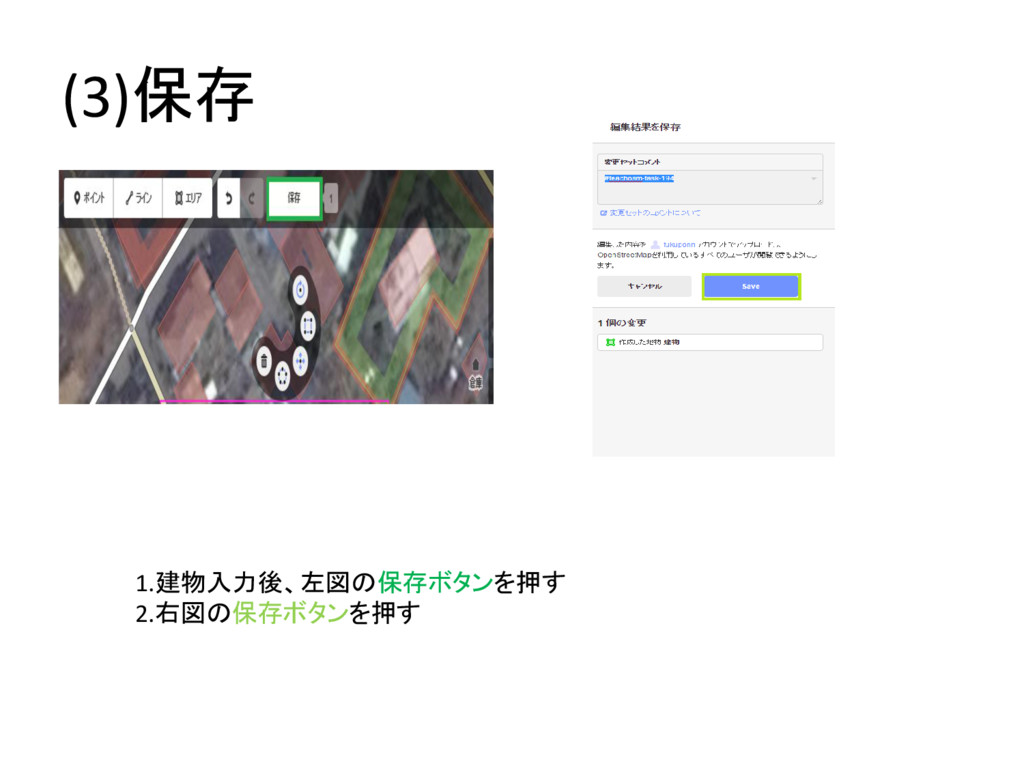
(3)保存 1.建物入力後、左図の保存ボタンを押す 2.右図の保存ボタンを押す
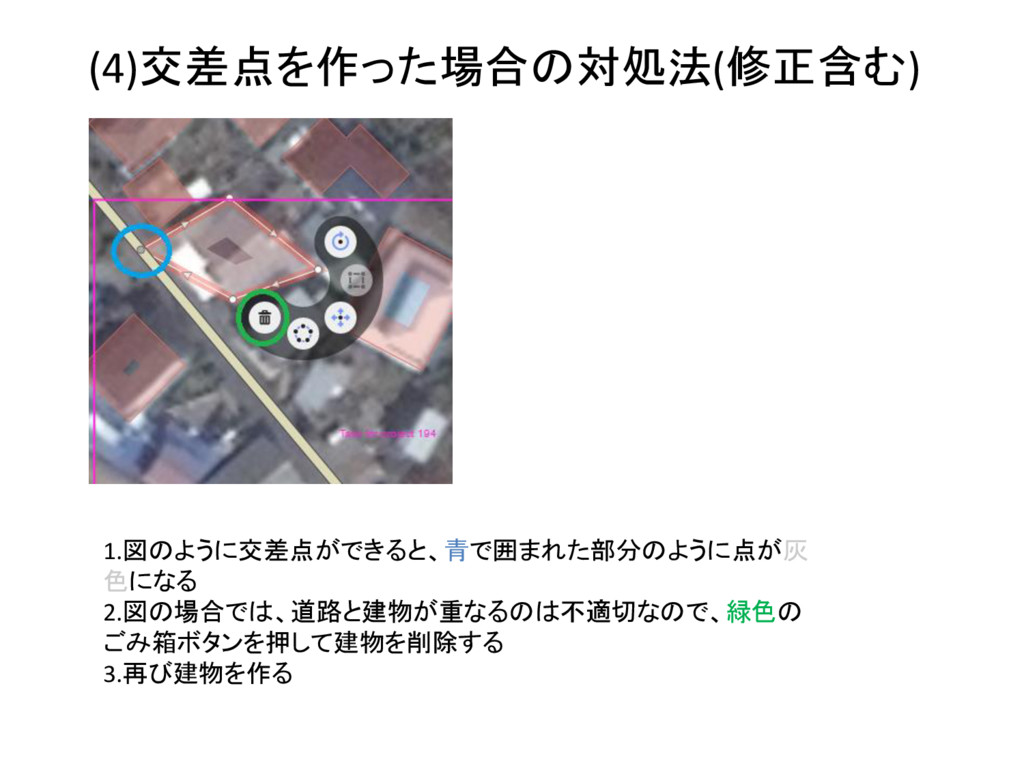
(4)交差点を作った場合の対処法(修正含む) 1.図のように交差点ができると、青で囲まれた部分のように点が灰 色になる 2.図の場合では、道路と建物が重なるのは不適切なので、緑色の ごみ箱ボタンを押して建物を削除する 3.再び建物を作る
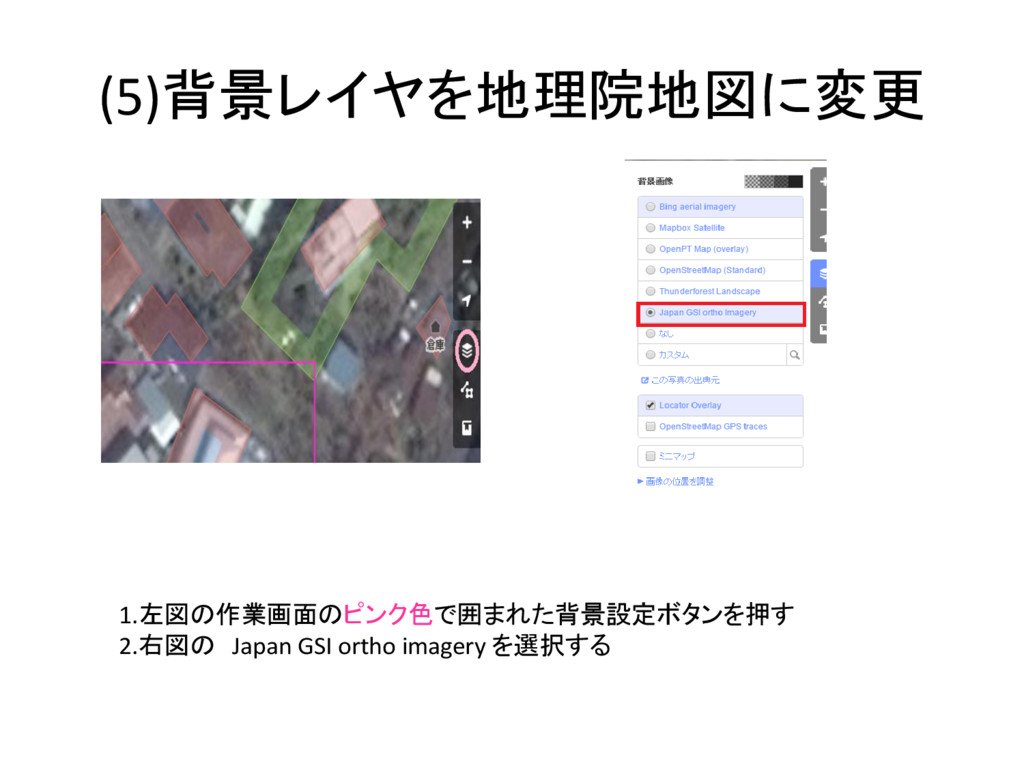
(5)背景レイヤを地理院地図に変更 1.左図の作業画面のピンク色で囲まれた背景設定ボタンを押す 2.右図の Japan GSI ortho imagery を選択する
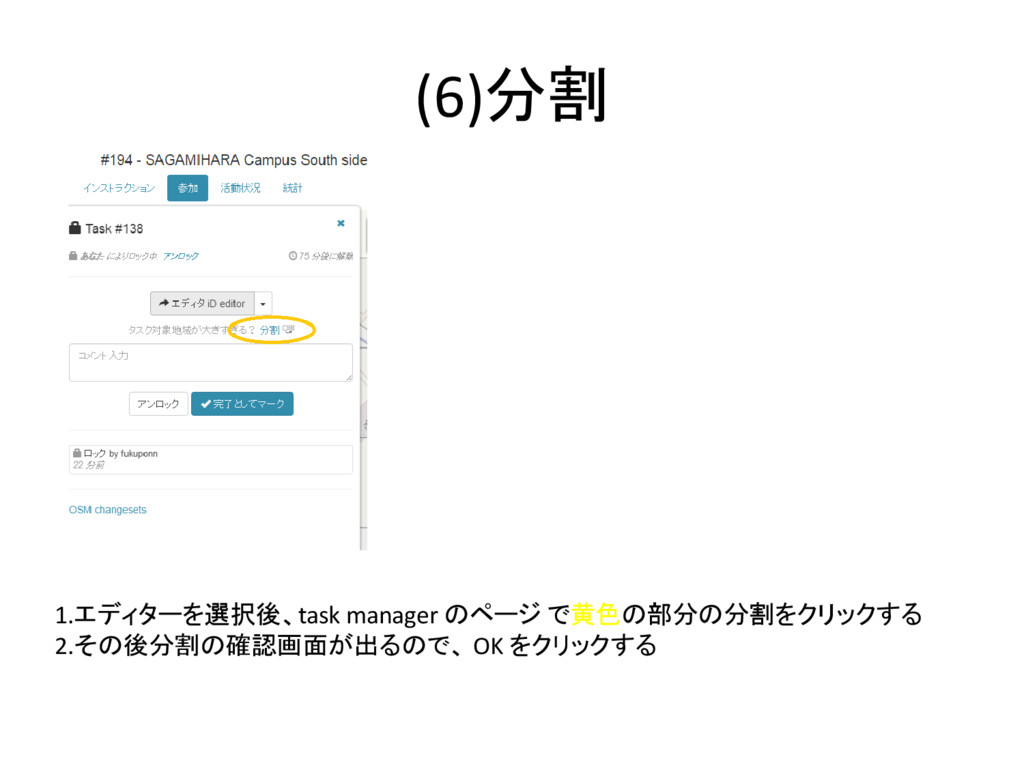
(6)分割 1.エディターを選択後、task manager のページ で黄色の部分の分割をクリックする 2.その後分割の確認画面が出るので、 OK をクリックする
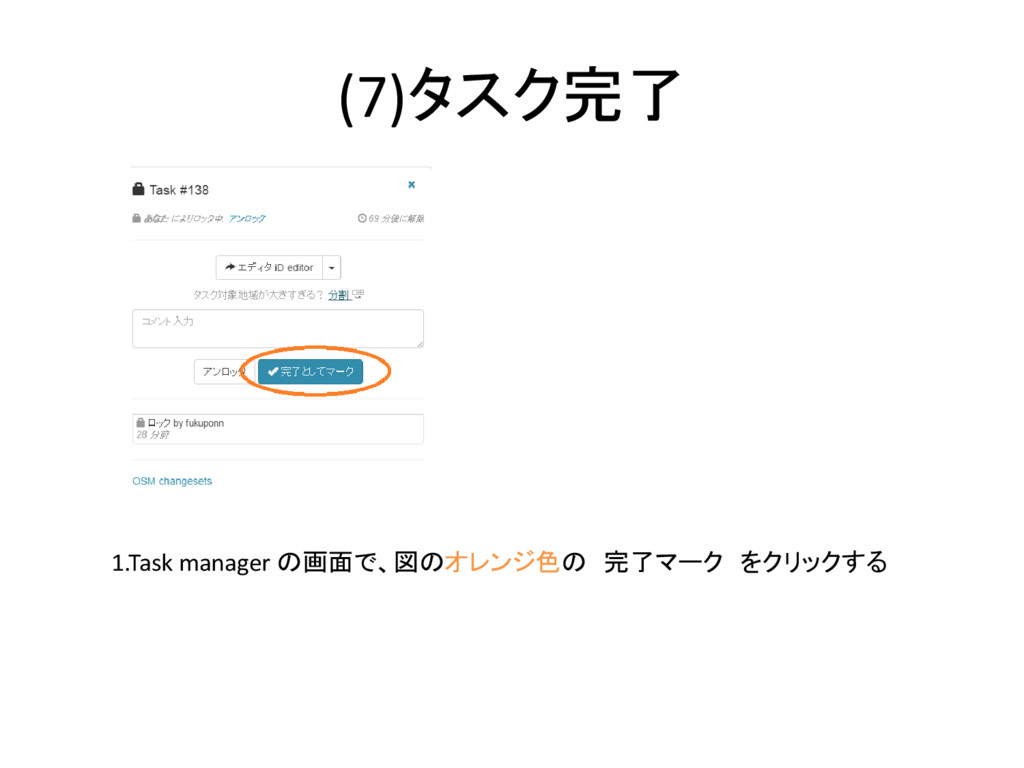
(7)タスク完了 1.Task manager の画面で、図のオレンジ色の 完了マーク をクリックする


 fukupon
 sabderemane
 palkan
 malarkey
 chriscoyier
 erikaheidi
 samanthasiow
 productmarketing
 addyosmani
 asonas
 marketingsoph
 mlcsv
mlcsv
 ryanjones