Upgrade to Pro
— share decks privately, control downloads, hide ads and more …
Speaker Deck
Sign up for free
Menu
Search
Features
All features
Private URLs
Password Protection
Custom URLS
Scheduled publishing
Remove Branding
Restrict embedding
Deck Collections
Notes
Features
All features
Private URLs
Password Protection
Custom URLS
Scheduled publishing
Remove Branding
Restrict embedding
Deck Collections
Notes
Explore
Featured decks
Featured speakers
Programming
Technology
Storyboards
Explore
Featured decks
Featured speakers
Programming
Technology
Storyboards
Pricing
Search
Sign in
Sign up for free
JAWS-UG 東京 ランチタイムLT#20 登壇資料
Search
濱口莉生
February 19, 2025
90
1
Share
Embed
Copy iframe code
Copy JS code
Copy link
Start on current slide
JAWS-UG 東京 ランチタイムLT#20 登壇資料
濱口莉生
February 19, 2025
More Decks by 濱口莉生
See All by 濱口莉生
AWS Security Agent触ってみた
hamaguchi323
1
670
Control Tower リージョン制限の仕組み JAWS-UG東京 ランチタイムLT会 #29
hamaguchi323
1
61
【発見的統制・予防的統制周りのおさらい】 JAWS-UG東京 ランチタイムLT会 #27
hamaguchi323
0
160
MAWS#4 登壇資料
hamaguchi323
0
43
Featured
See All Featured
Money Talks: Using Revenue to Get Sh*t Done
nikkihalliwell
0
520
Neural Spatial Audio Processing for Sound Field Analysis and Control
skoyamalab
0
560
HTML-Aware ERB: The Path to Reactive Rendering @ RubyCon 2026, Rimini, Italy
marcoroth
5
820
実際に使うSQLの書き方 徹底解説 / pgcon21j-tutorial
soudai
PRO
203
77k
Digital Ethics as a Driver of Design Innovation
axbom
PRO
1
460
We Have a Design System, Now What?
morganepeng
55
8.4k
Groundhog Day: Seeking Process in Gaming for Health
codingconduct
0
410
How to build an LLM SEO readiness audit: a practical framework
nmsamuel
2
950
From π to Pie charts
rasagy
1
400
Building an army of robots
kneath
307
47k
Designing Dashboards & Data Visualisations in Web Apps
destraynor
232
55k
How Fast Is Fast Enough? [PerfNow 2025]
tammyeverts
3
930
Transcript
クラウドで「ワクワク」を。 Excitement with the Cloud. ネットワーク初心者が Transit Gateway使ってみた感想 2024年2月20日 クラウドセントリック株式会社
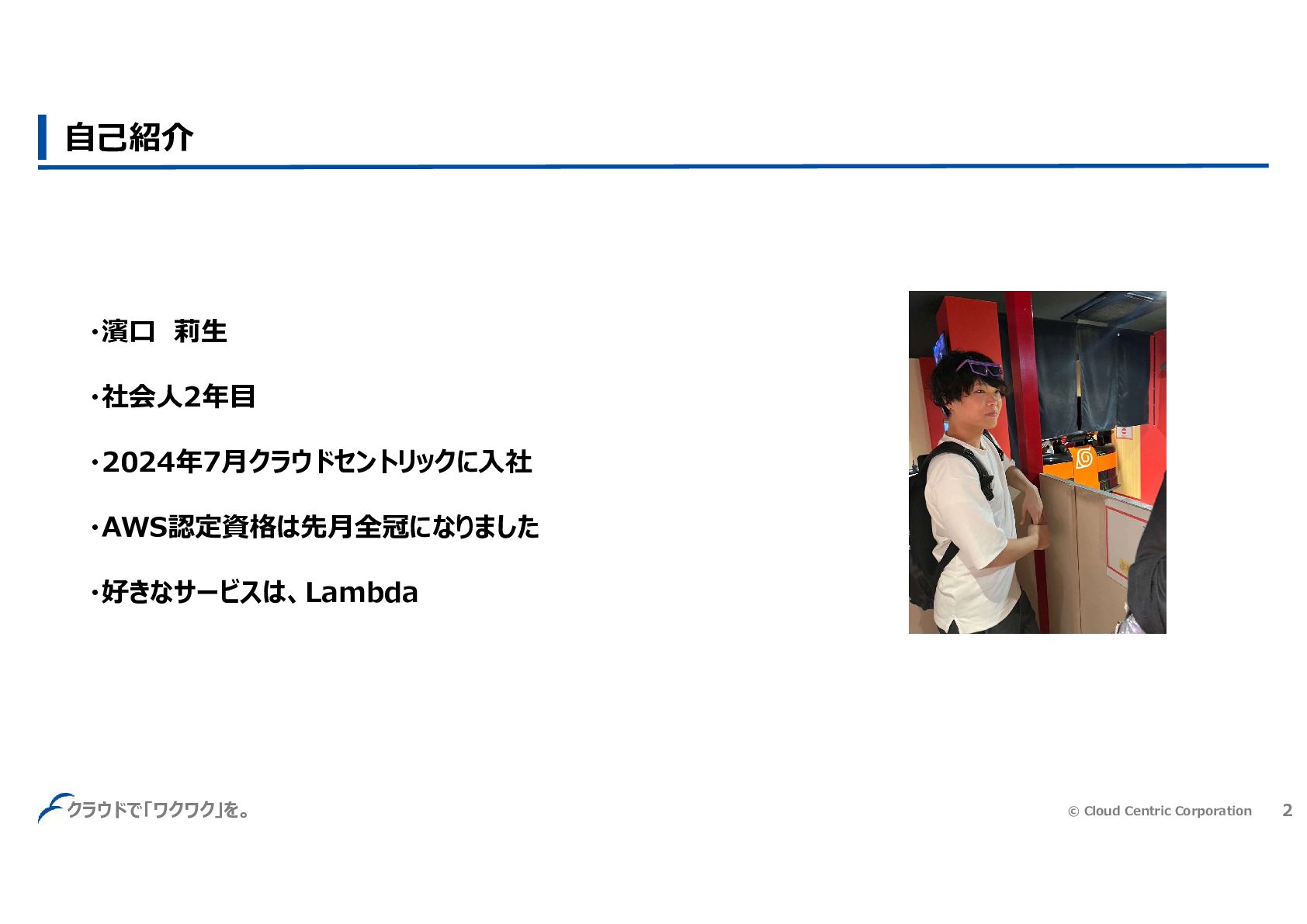
濱口 莉生
© Cloud Centric Corporation 2 クラウドで「ワクワク」を。 自己紹介 ・濱口 莉生 ・社会人2年目
・2024年7月クラウドセントリックに入社 ・AWS認定資格は先月全冠になりました ・好きなサービスは、Lambda
© Cloud Centric Corporation 3 クラウドで「ワクワク」を。 1.構成図 2.アプライアンスモードについて 3.Reachability Analyzerとpingコマンド
4.default associate & propagateめっちゃ便利 5.まとめ
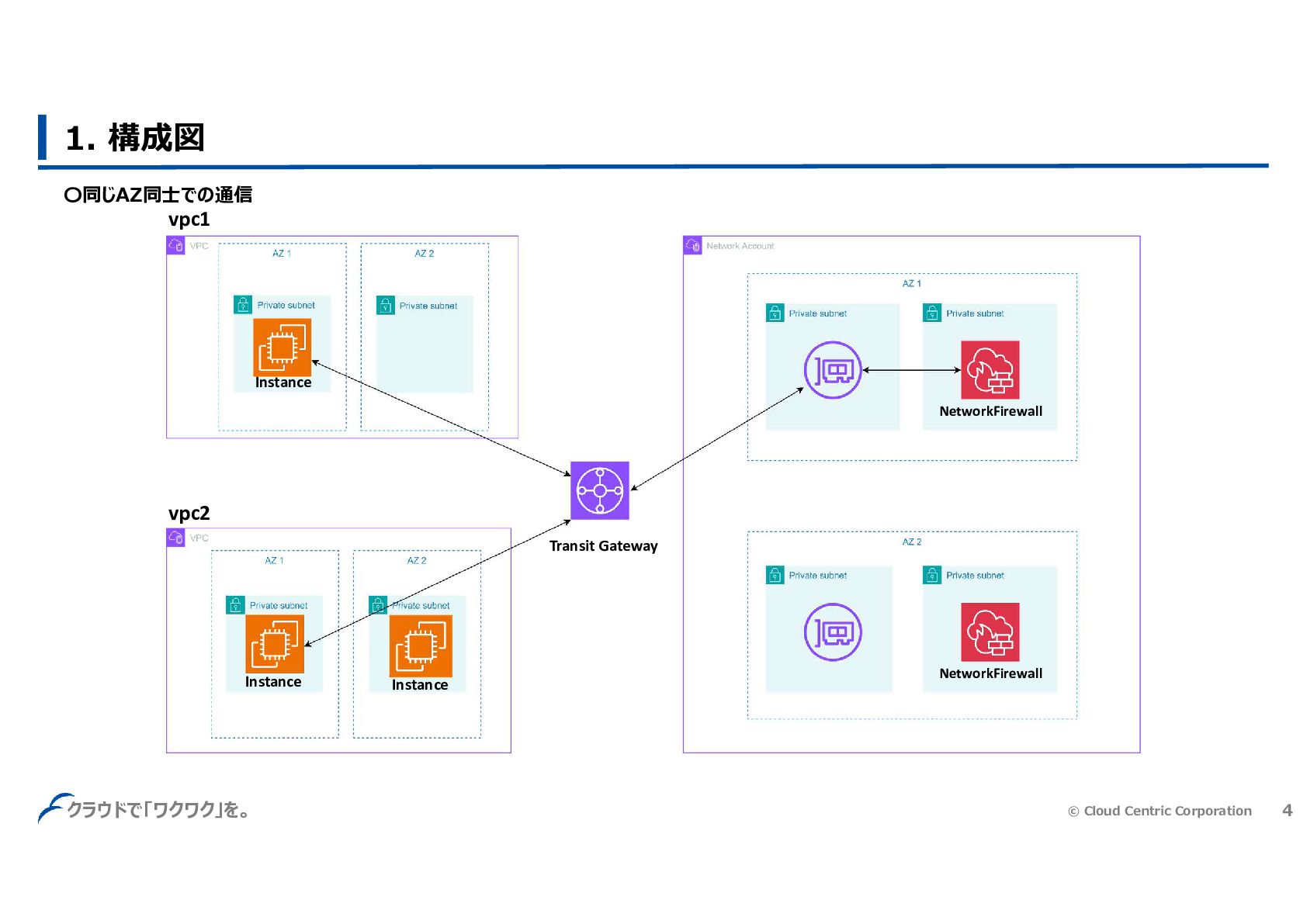
© Cloud Centric Corporation 4 クラウドで「ワクワク」を。 1. 構成図 Instance Instance
Instance vpc1 vpc2 NetworkFirewall NetworkFirewall Transit Gateway 〇同じAZ同士での通信
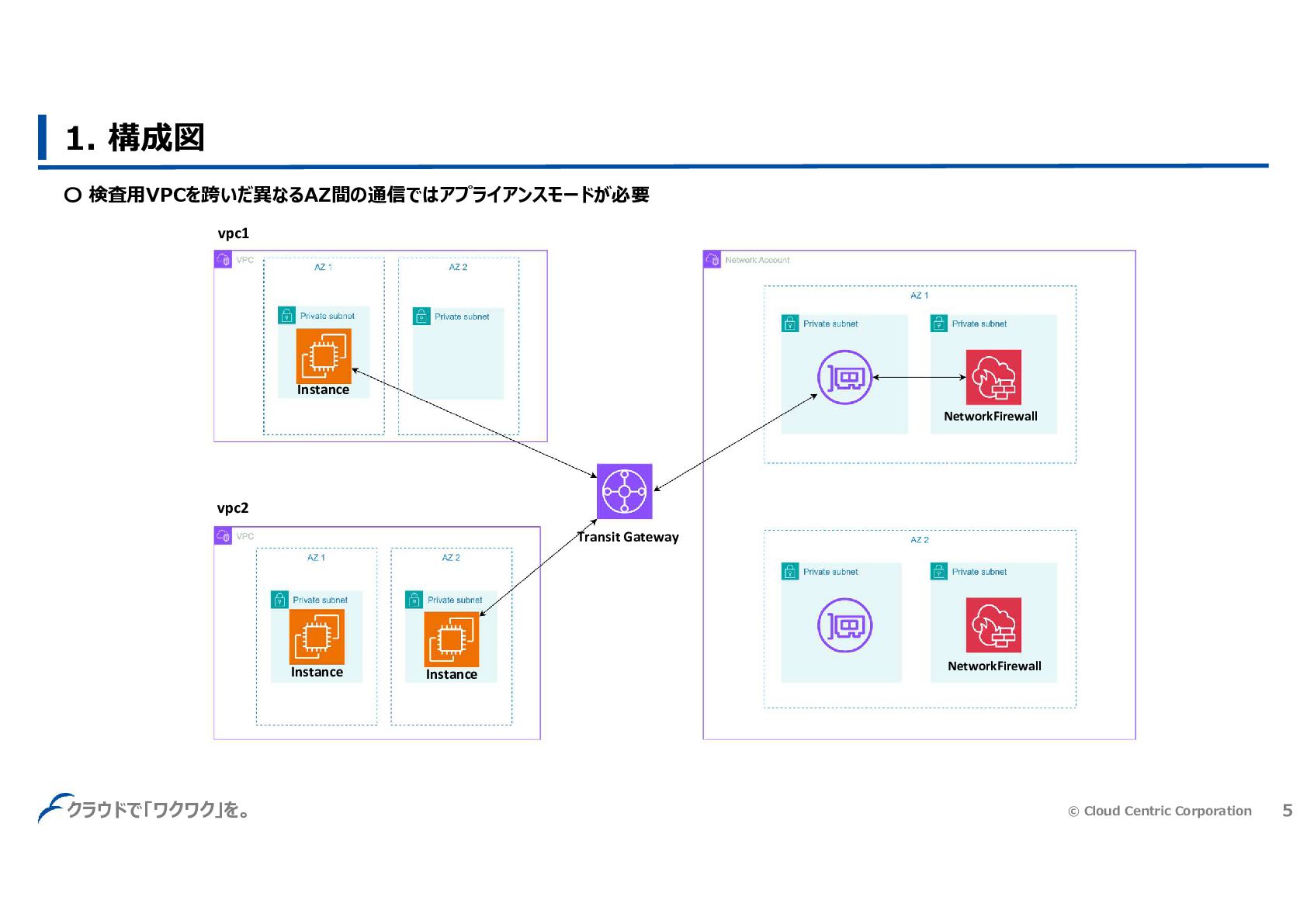
© Cloud Centric Corporation 5 クラウドで「ワクワク」を。 1. 構成図 Instance Instance
Instance vpc1 vpc2 NetworkFirewall NetworkFirewall Transit Gateway 〇 検査用VPCを跨いだ異なるAZ間の通信ではアプライアンスモードが必要
© Cloud Centric Corporation 6 クラウドで「ワクワク」を。 なぜアプライアンスモードが必要になるのか? ルートテーブルをちゃんと設定してればいけるんじゃないの?
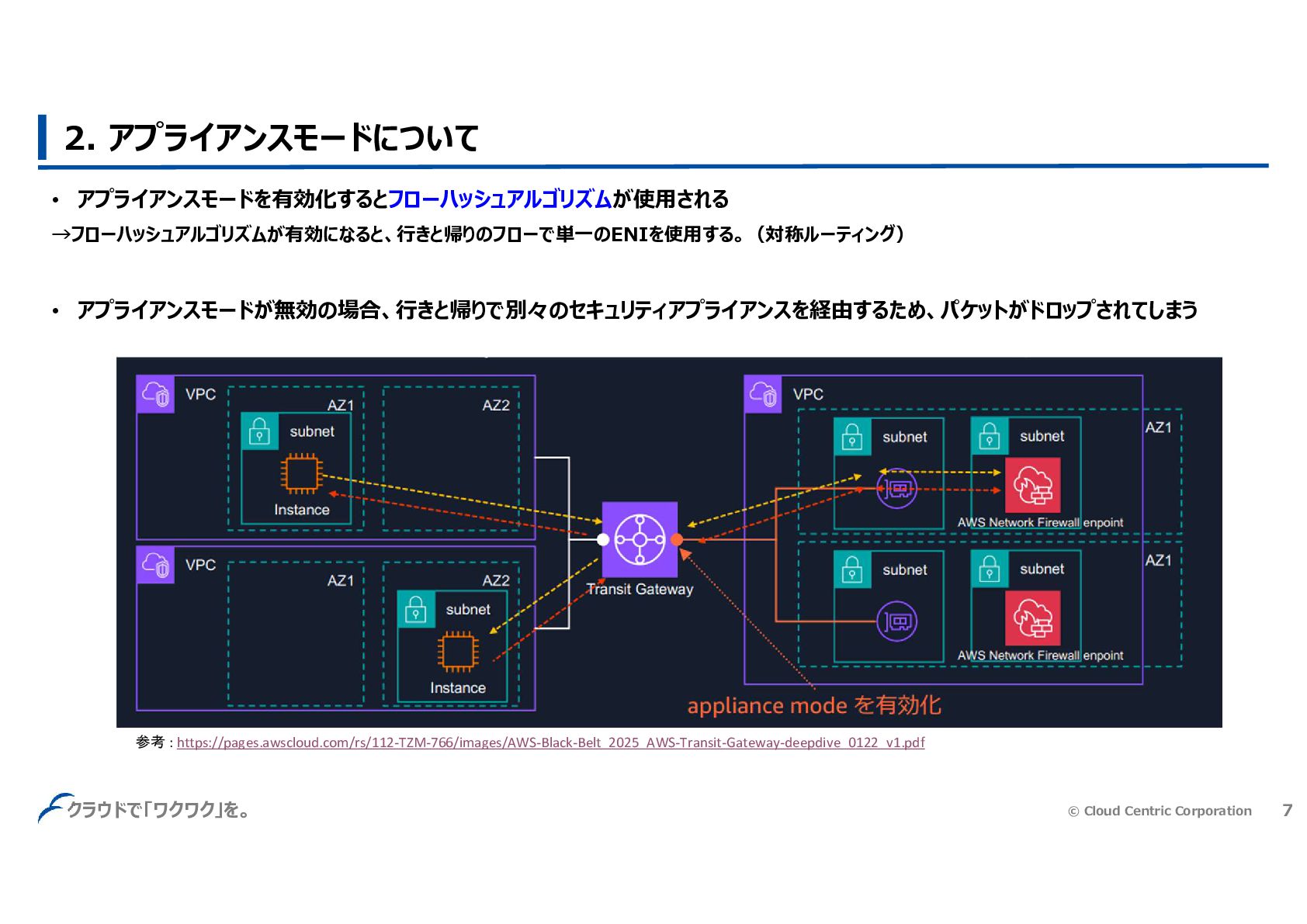
© Cloud Centric Corporation 7 クラウドで「ワクワク」を。 2. アプライアンスモードについて • アプライアンスモードを有効化するとフローハッシュアルゴリズムが使用される
→フローハッシュアルゴリズムが有効になると、行きと帰りのフローで単一のENIを使用する。(対称ルーティング) • アプライアンスモードが無効の場合、行きと帰りで別々のセキュリティアプライアンスを経由するため、パケットがドロップされてしまう 参考 : https://pages.awscloud.com/rs/112-TZM-766/images/AWS-Black-Belt_2025_AWS-Transit-Gateway-deepdive_0122_v1.pdf
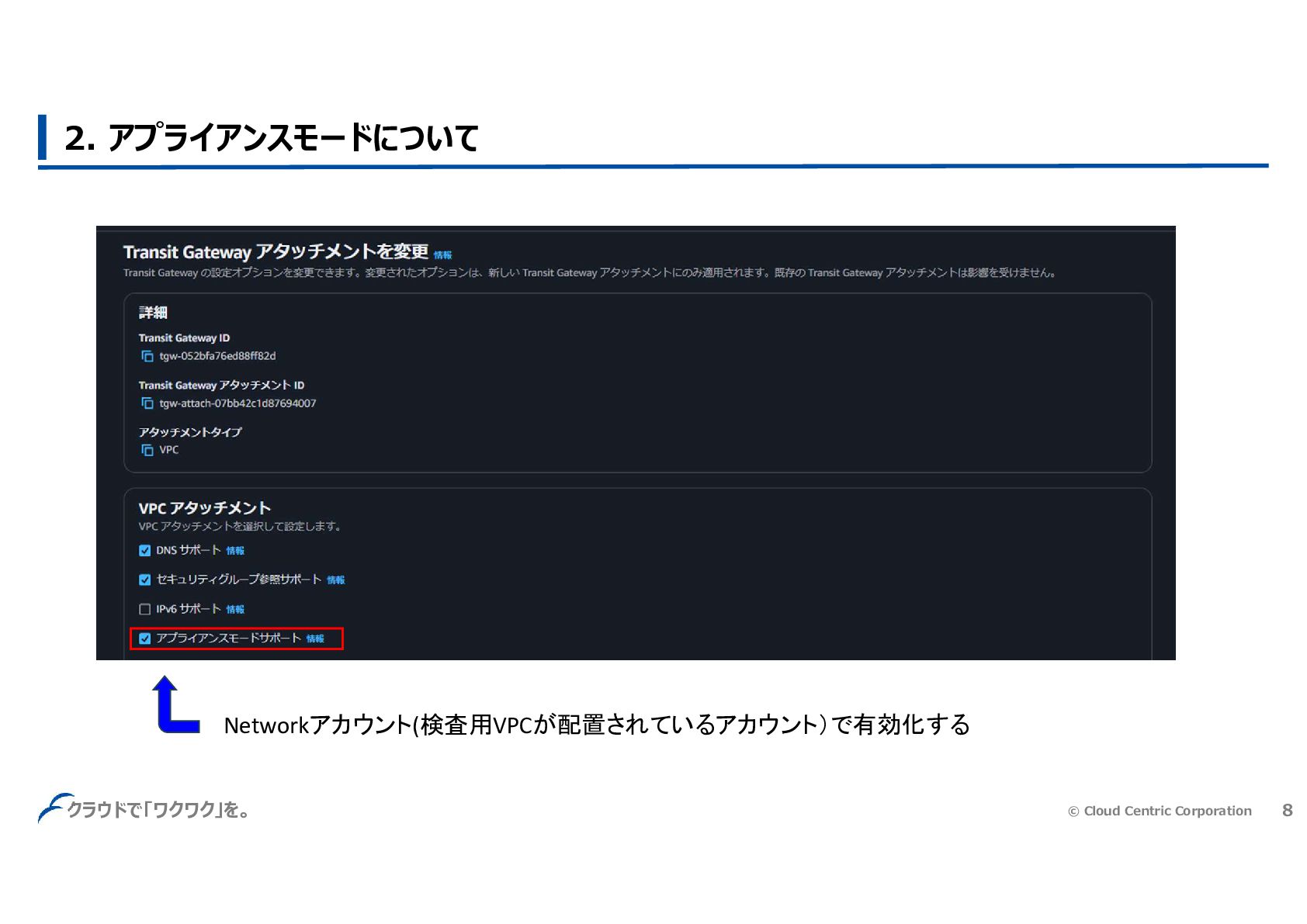
© Cloud Centric Corporation 8 クラウドで「ワクワク」を。 2. アプライアンスモードについて Networkアカウント(検査用VPCが配置されているアカウント)で有効化する
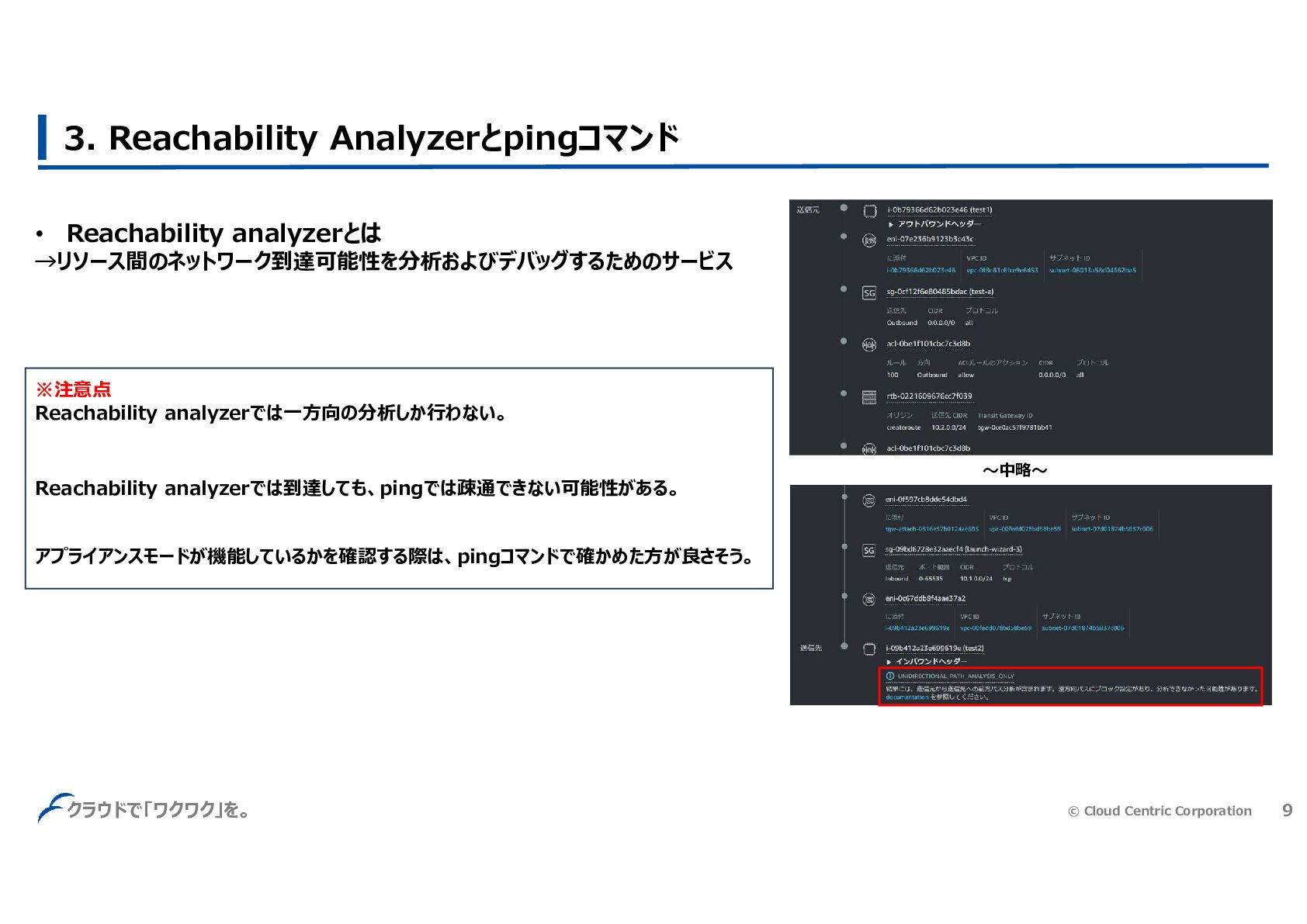
© Cloud Centric Corporation 9 クラウドで「ワクワク」を。 3. Reachability Analyzerとpingコマンド •
Reachability analyzerとは →リソース間のネットワーク到達可能性を分析およびデバッグするためのサービス ※注意点 Reachability analyzerでは一方向の分析しか行わない。 Reachability analyzerでは到達しても、pingでは疎通できない可能性がある。 アプライアンスモードが機能しているかを確認する際は、pingコマンドで確かめた方が良さそう。 ~中略~
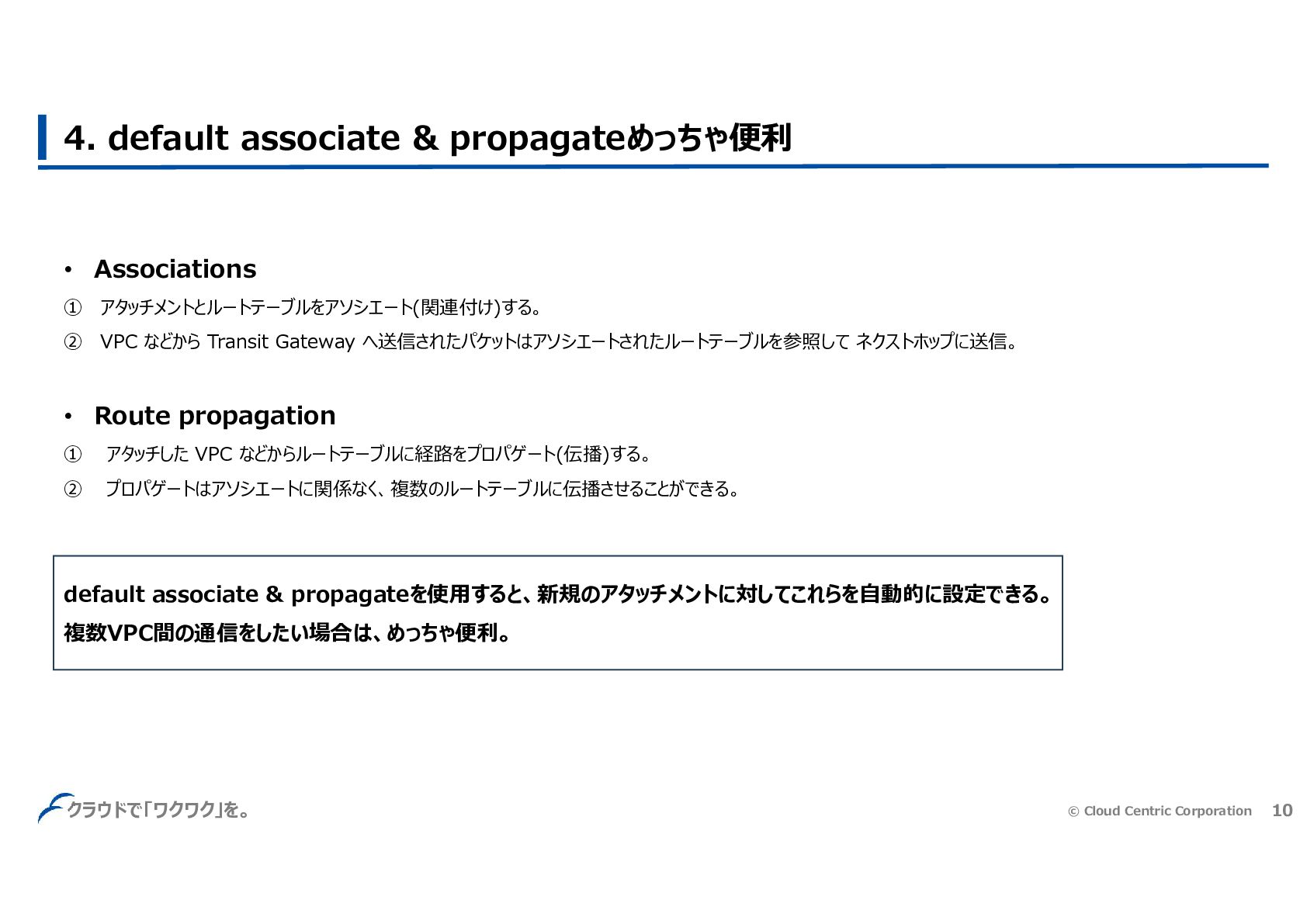
© Cloud Centric Corporation 10 クラウドで「ワクワク」を。 4. default associate &
propagateめっちゃ便利 • Associations ① アタッチメントとルートテーブルをアソシエート(関連付け)する。 ② VPC などから Transit Gateway へ送信されたパケットはアソシエートされたルートテーブルを参照して ネクストホップに送信。 • Route propagation ① アタッチした VPC などからルートテーブルに経路をプロパゲート(伝播)する。 ② プロパゲートはアソシエートに関係なく、複数のルートテーブルに伝播させることができる。 default associate & propagateを使用すると、新規のアタッチメントに対してこれらを自動的に設定できる。 複数VPC間の通信をしたい場合は、めっちゃ便利。
© Cloud Centric Corporation 11 クラウドで「ワクワク」を。 5. まとめ • 検査用VPCを跨いで異なるAZ間の通信をする場合は、アプライアンスモードが必要
• アプライアンスモードの検証をする際は、Reachability analyzerよりもpingコマンドを使った方が良さそう • default associate & propagateめっちゃ便利


 hamaguchi323
 nikkihalliwell
 skoyamalab
 marcoroth
 soudai
 axbom
axbom
 morganepeng
 codingconduct
 nmsamuel
 rasagy
 kneath
 destraynor
 tammyeverts