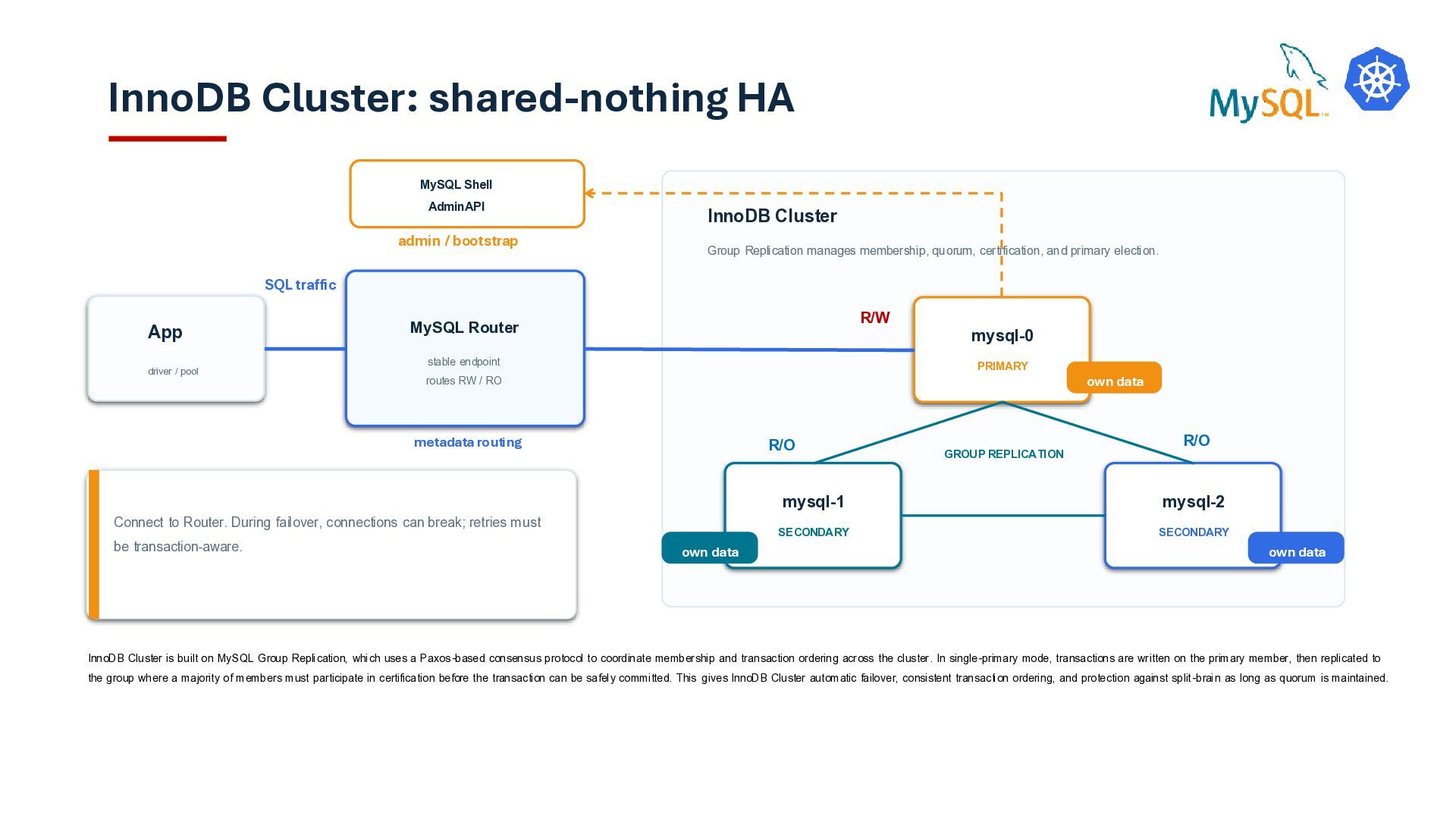
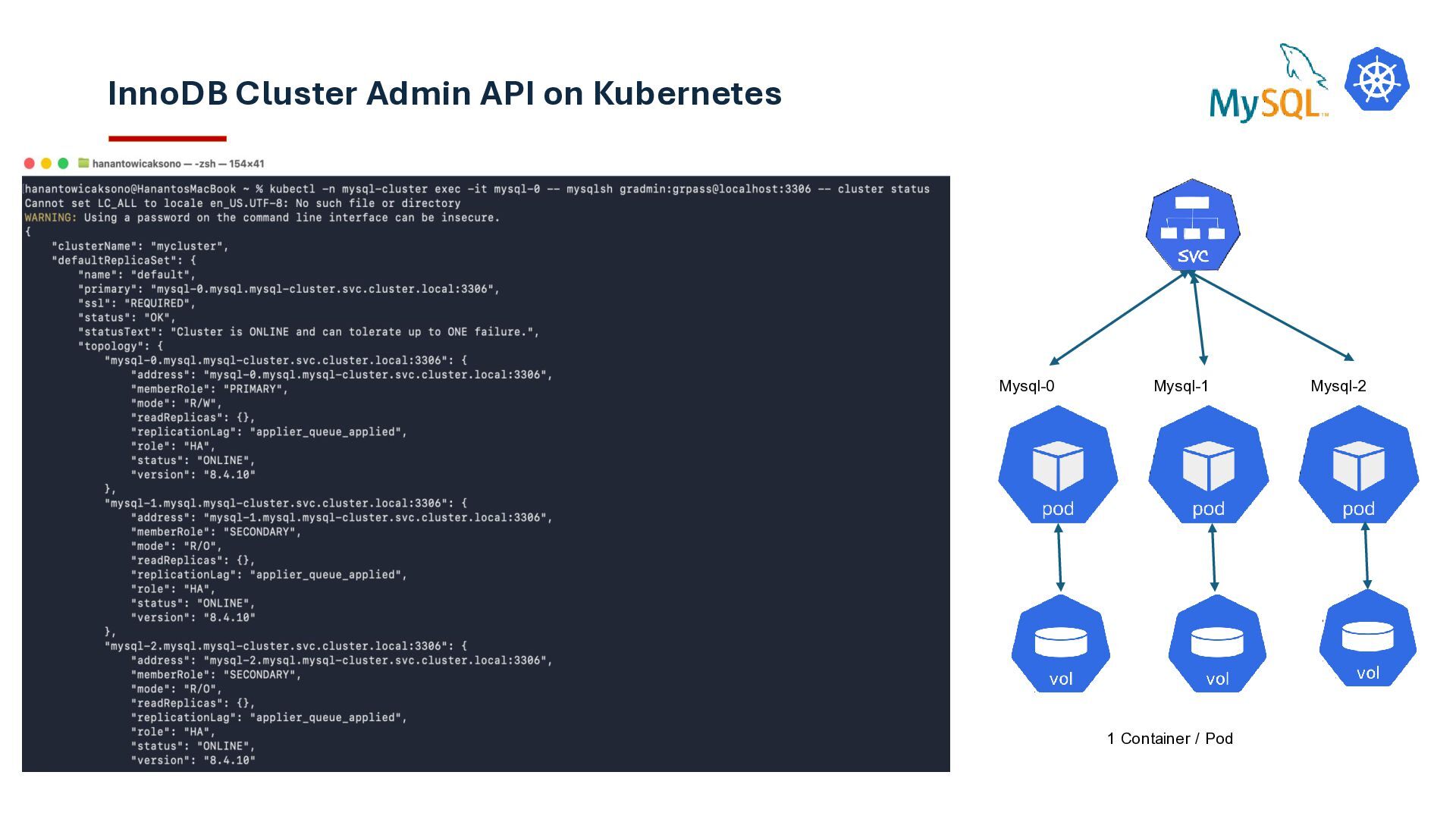
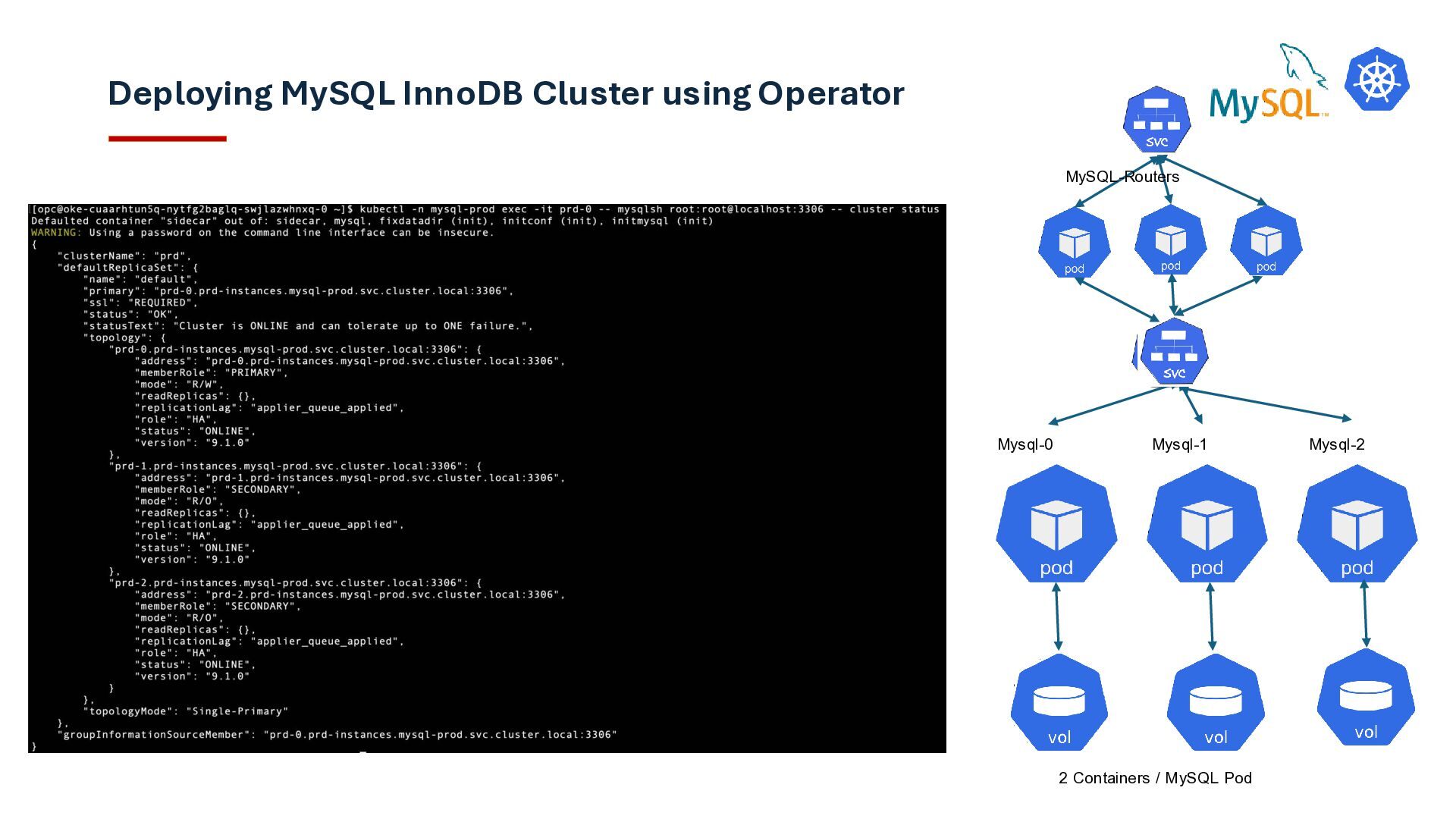
/ RO MySQL Shell AdminAPI InnoDB Cluster Group Replication manages membership, quorum, certification, and primary election. mysql-0 PRIMARY own data mysql-1 SECONDARY own data mysql-2 SECONDARY own data SQL traffic metadata routing admin / bootstrap GROUP REPLICATION Connect to Router. During failover, connections can break; retries must be transaction-aware. InnoDB Cluster: shared-nothing HA InnoDB Cluster is built on MySQL Group Replication, which uses a Paxos-based consensus protocol to coordinate membership and transaction ordering across the cluster. In single-primary mode, transactions are written on the primary member, then replicated to the group where a majority of members must participate in certification before the transaction can be safely committed. This gives InnoDB Cluster automatic failover, consistent transaction ordering, and protection against split-brain as long as quorum is maintained. R/W R/O R/O
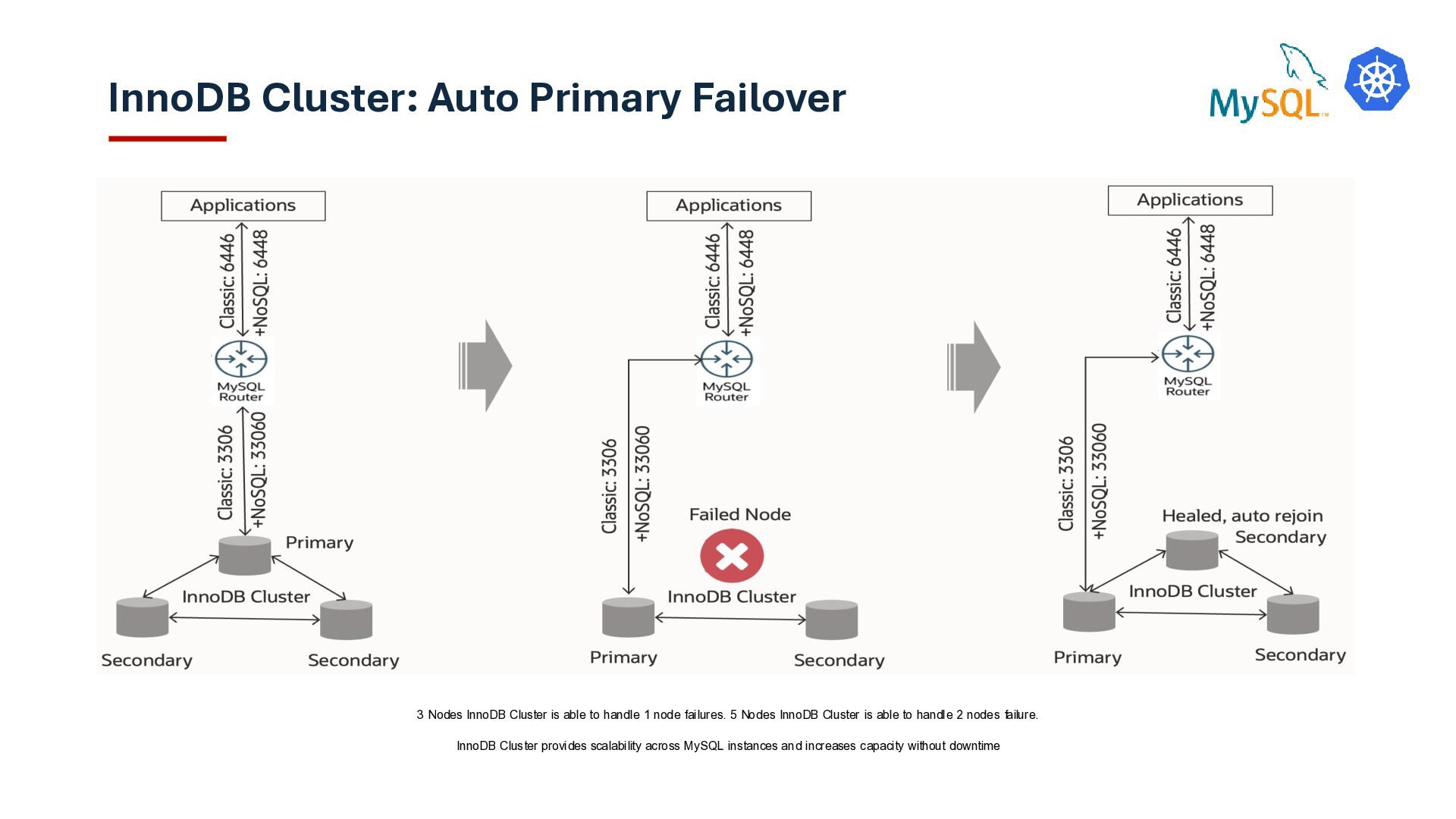
able to handle 1 node failures. 5 Nodes InnoDB Cluster is able to handle 2 nodes failure. InnoDB Cluster provides scalability across MySQL instances and increases capacity without downtime
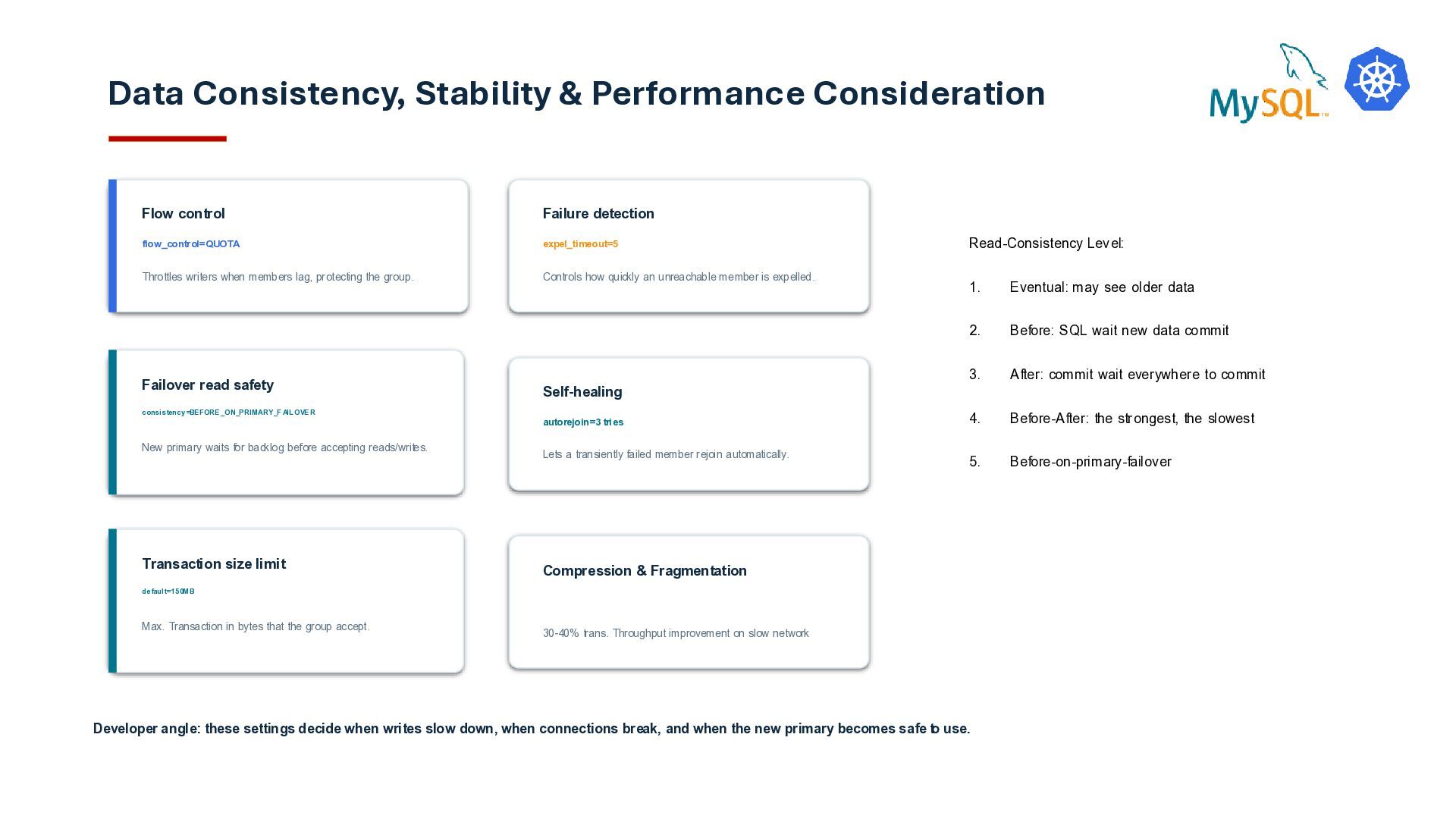
New primary waits for backlog before accepting reads/writes. Flow control flow_control=QUOTA Throttles writers when members lag, protecting the group. Failure detection expel_timeout=5 Controls how quickly an unreachable member is expelled. Self-healing autorejoin=3 tries Lets a transiently failed member rejoin automatically. Developer angle: these settings decide when writes slow down, when connections break, and when the new primary becomes safe to use. Read-Consistency Level: 1. Eventual: may see older data 2. Before: SQL wait new data commit 3. After: commit wait everywhere to commit 4. Before-After: the strongest, the slowest 5. Before-on-primary-failover Transaction size limit default=150MB Max. Transaction in bytes that the group accept. Compression & Fragmentation 30-40% trans. Throughput improvement on slow network
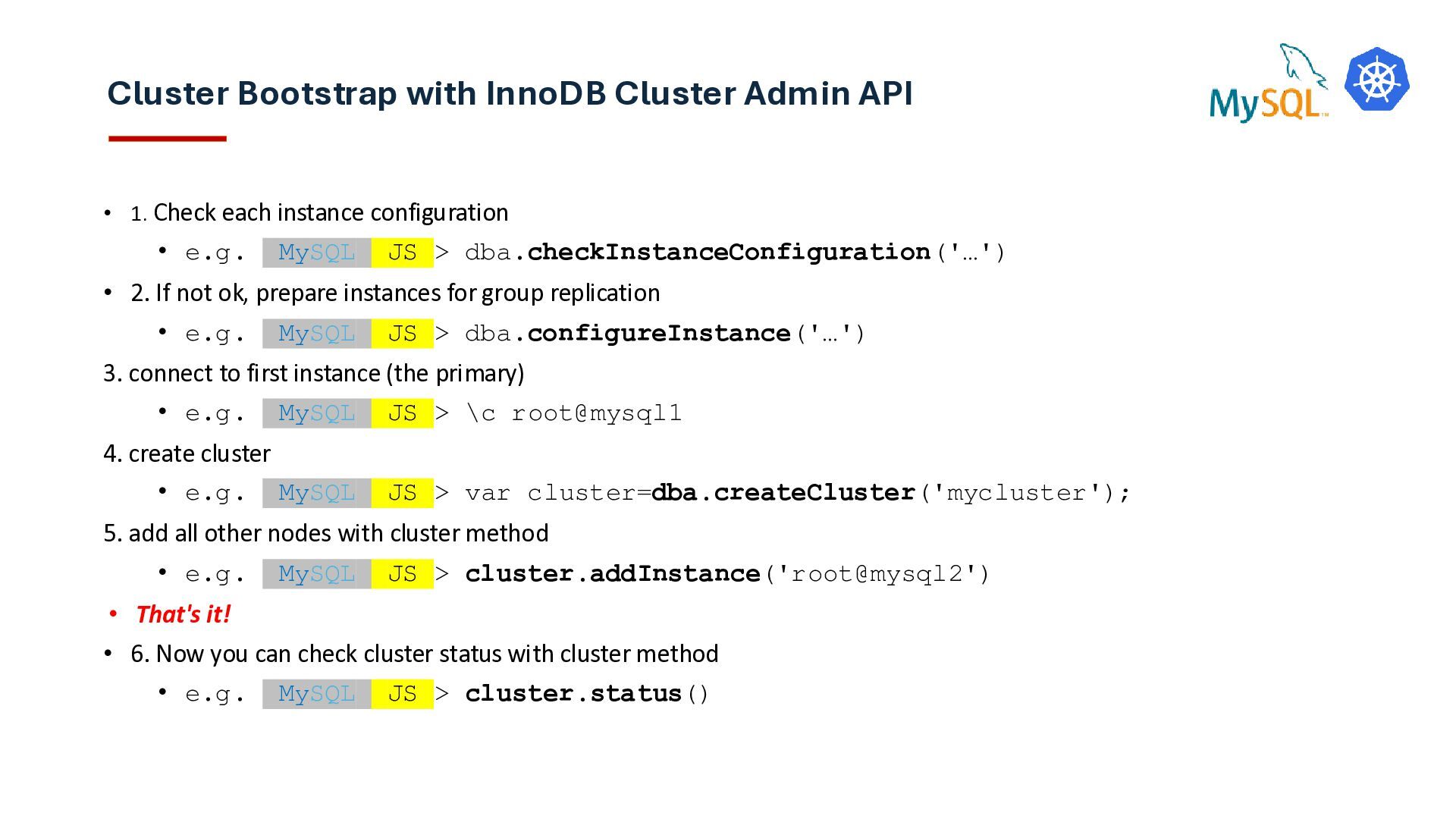
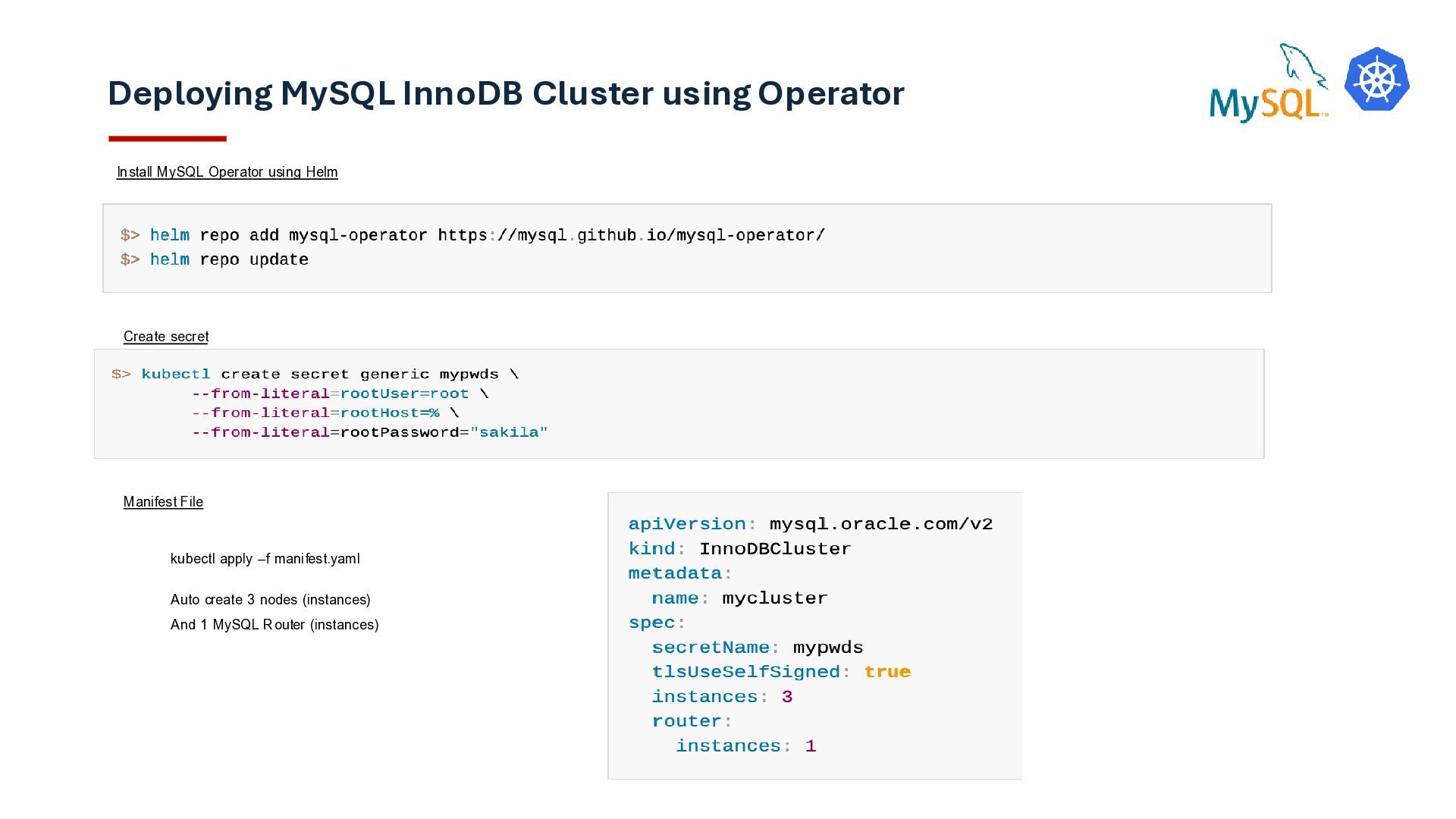
each instance configuration • e.g. MySQL JS > dba.checkInstanceConfiguration('…') • 2. If not ok, prepare instances for group replication • e.g. MySQL JS > dba.configureInstance('…') 3. connect to first instance (the primary) • e.g. MySQL JS > \c root@mysql1 4. create cluster • e.g. MySQL JS > var cluster=dba.createCluster('mycluster'); 5. add all other nodes with cluster method • e.g. MySQL JS > cluster.addInstance('root@mysql2') • That's it! • 6. Now you can check cluster status with cluster method • e.g. MySQL JS > cluster.status()
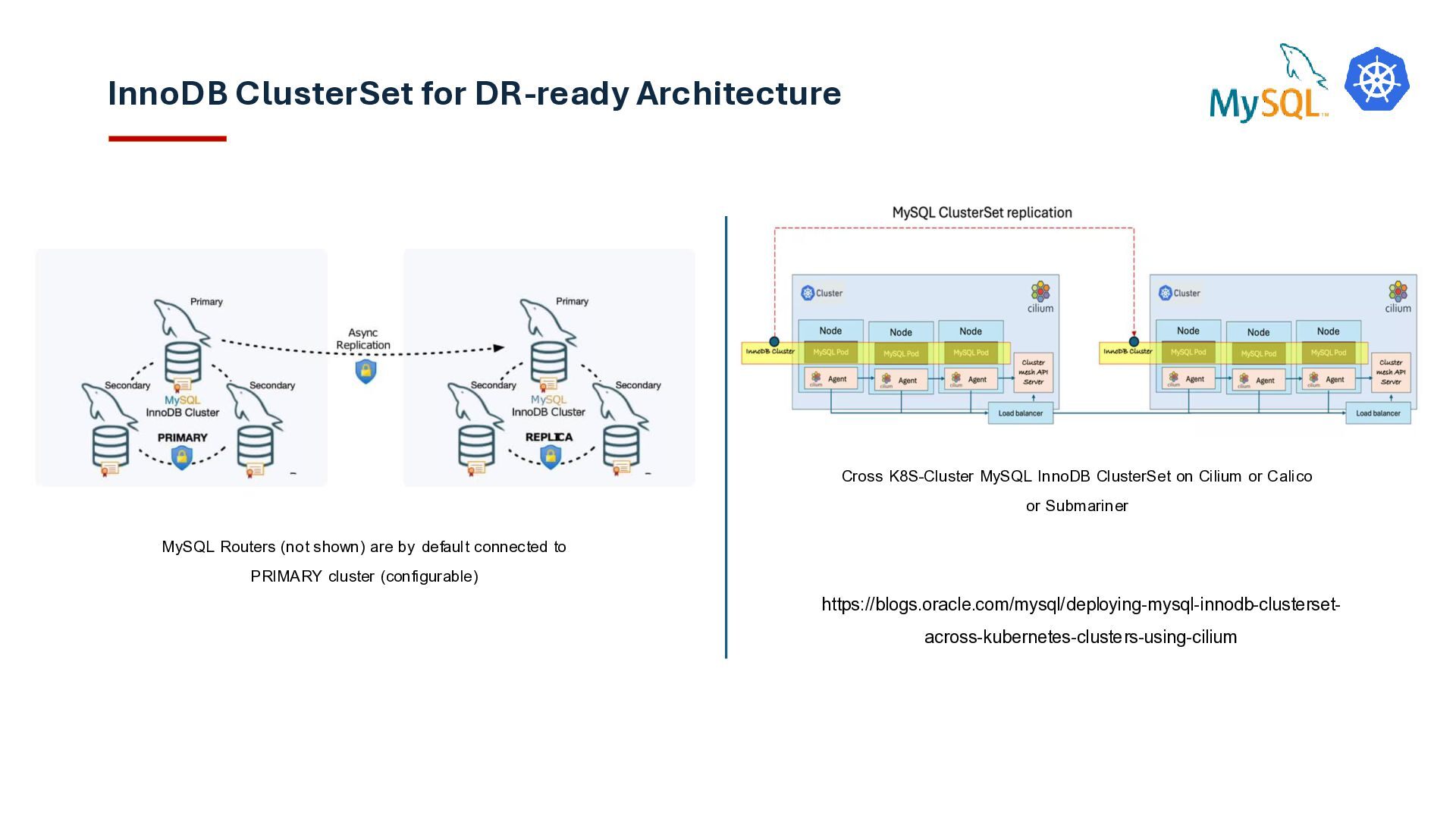
by default connected to PRIMARY cluster (configurable) Cross K8S-Cluster MySQL InnoDB ClusterSet on Cilium or Calico or Submariner https://blogs.oracle.com/mysql/deploying-mysql-innodb-clusterset- across-kubernetes-clusters-using-cilium
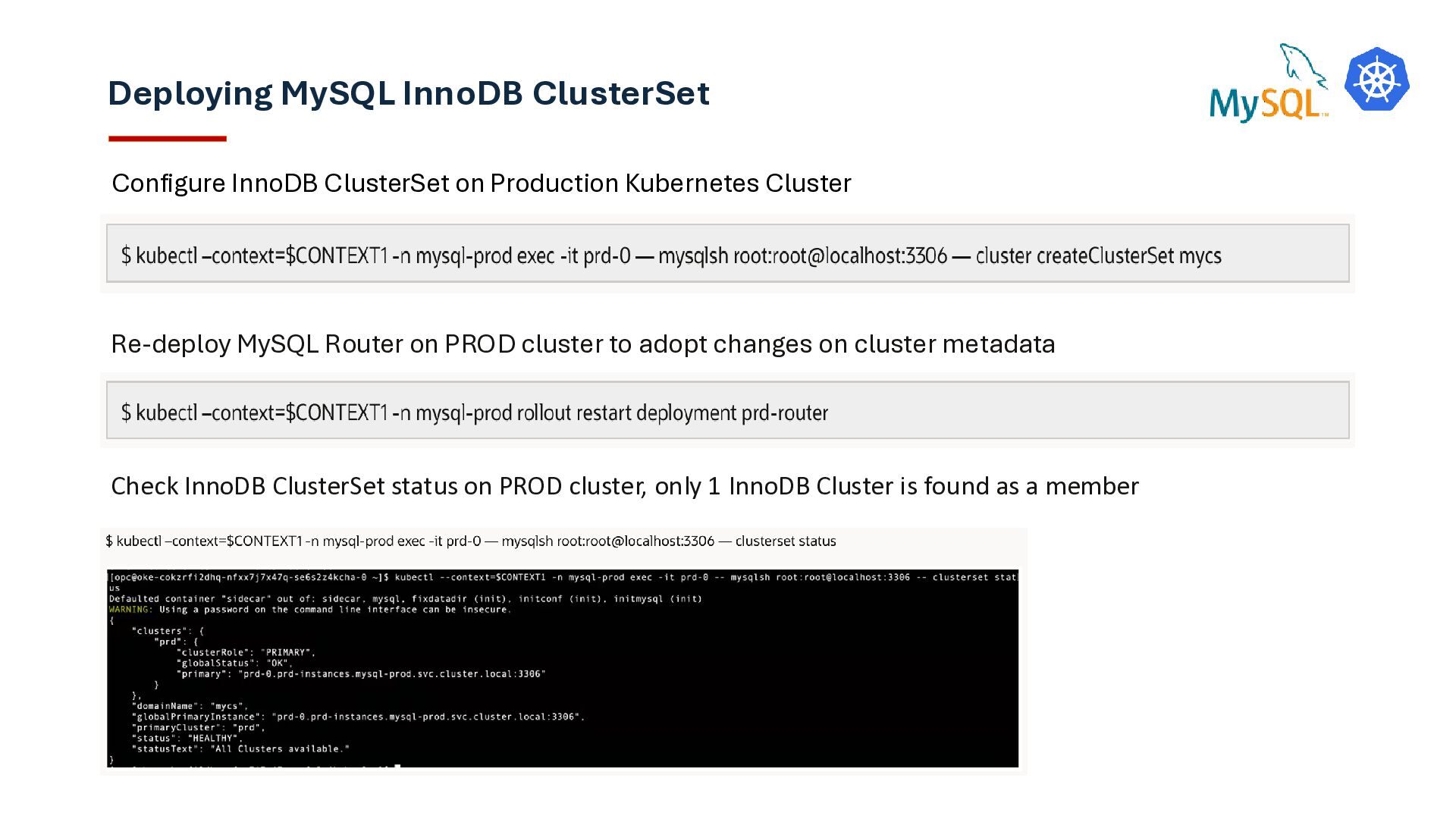
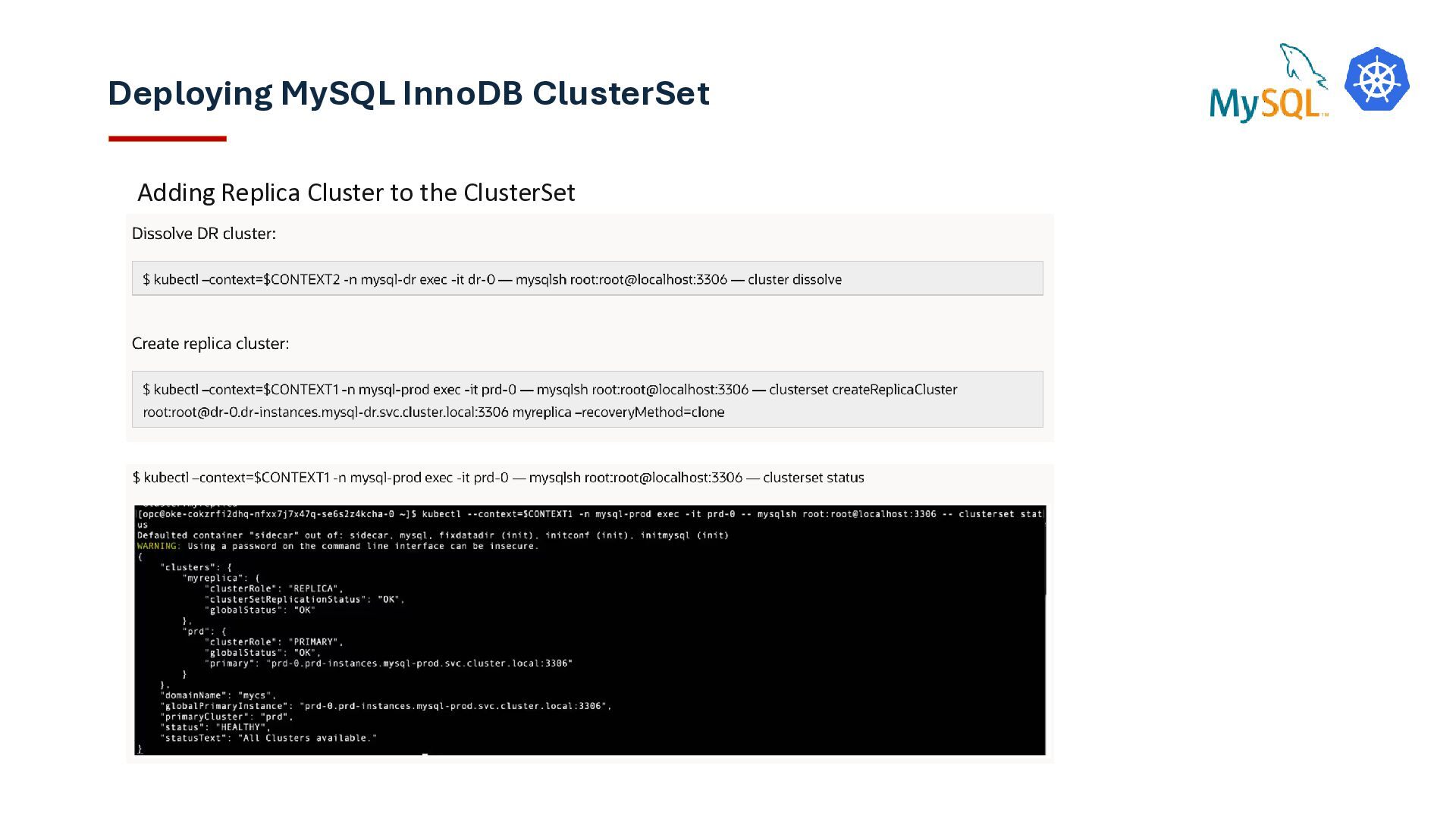
Cluster Re-deploy MySQL Router on PROD cluster to adopt changes on cluster metadata Check InnoDB ClusterSet status on PROD cluster, only 1 InnoDB Cluster is found as a member
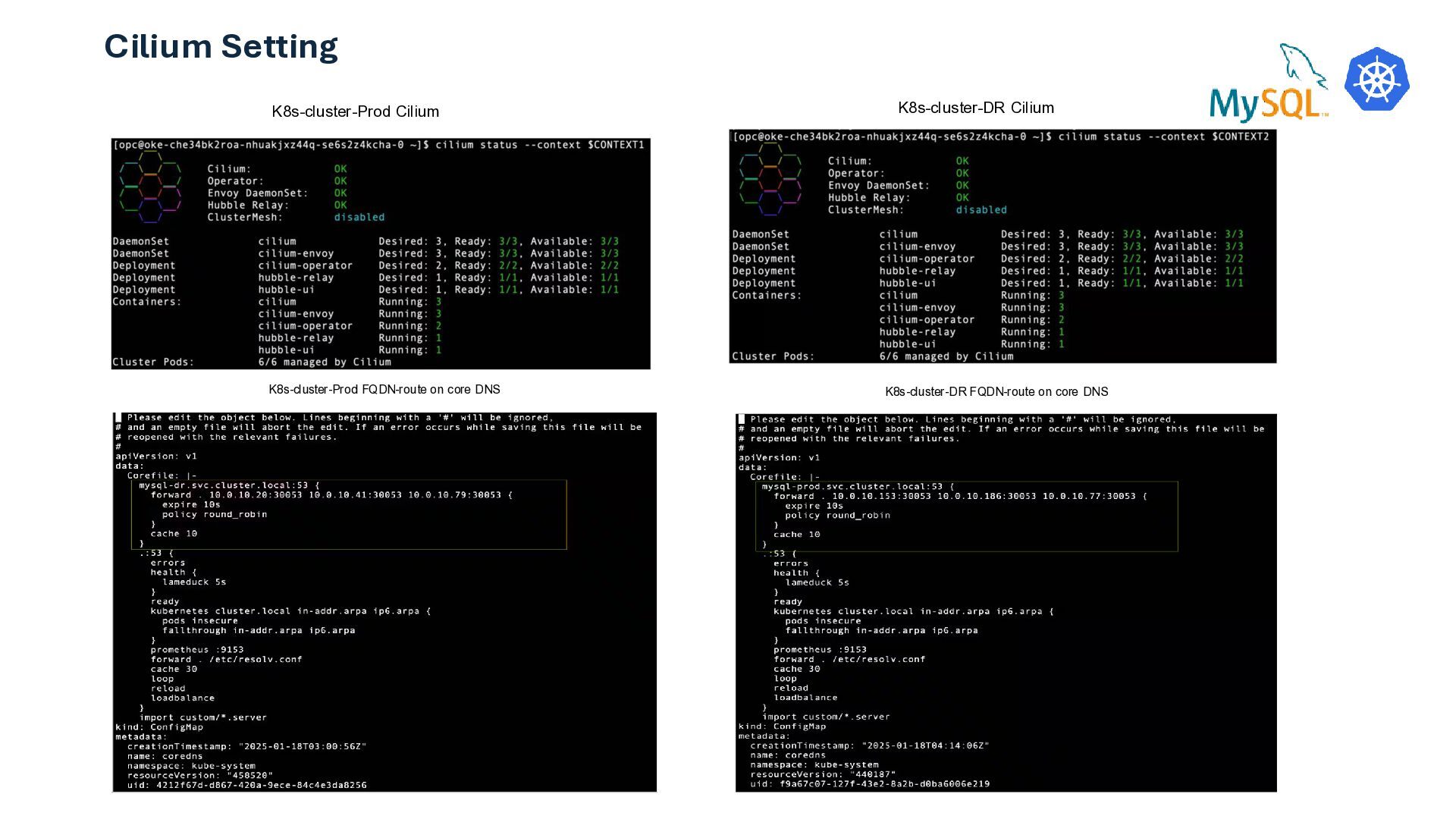
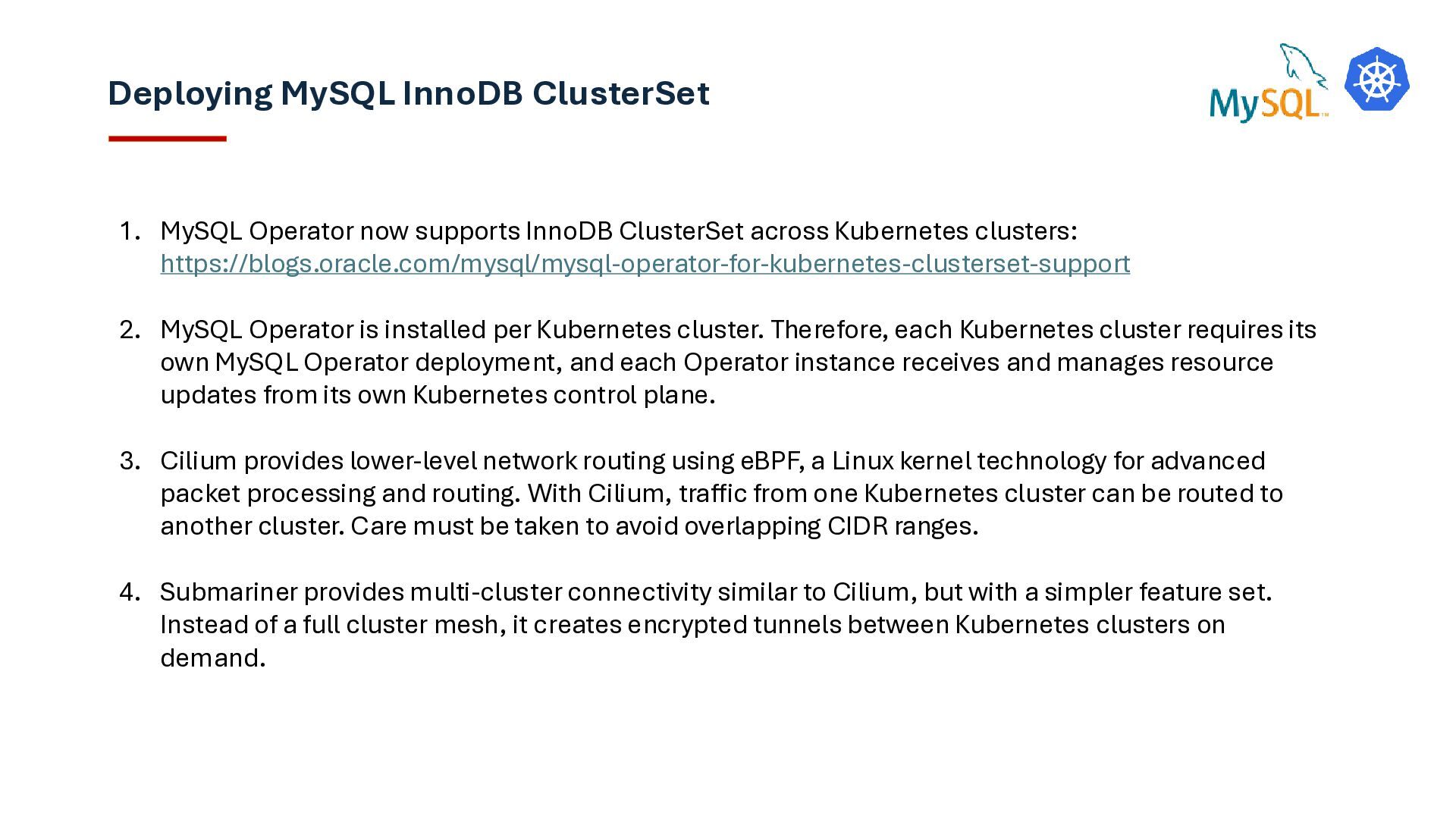
ClusterSet across Kubernetes clusters: https://blogs.oracle.com/mysql/mysql-operator-for-kubernetes-clusterset-support 2. MySQL Operator is installed per Kubernetes cluster. Therefore, each Kubernetes cluster requires its own MySQL Operator deployment, and each Operator instance receives and manages resource updates from its own Kubernetes control plane. 3. Cilium provides lower-level network routing using eBPF, a Linux kernel technology for advanced packet processing and routing. With Cilium, traffic from one Kubernetes cluster can be routed to another cluster. Care must be taken to avoid overlapping CIDR ranges. 4. Submariner provides multi-cluster connectivity similar to Cilium, but with a simpler feature set. Instead of a full cluster mesh, it creates encrypted tunnels between Kubernetes clusters on demand.


 ymotongpoo
 kaminashi
 gogutan
 ykanoh
 ishikawa_satoru
 iktakahiro
 taketakekaho
 akitoshiga
 teamlab
 takonda
 shugo
shugo
 camiha
 cassininazir
 ipullrank
 afnizarnur
 baasie
 deanohume
 iamctodd
 chrislema
 katiecoart
 jonoalderson
 mkilby
 swwweet
 keavy
keavy