Upgrade to Pro
— share decks privately, control downloads, hide ads and more …
Speaker Deck
Sign up for free
Menu
Search
Features
All features
Private URLs
Password Protection
Custom URLS
Scheduled publishing
Remove Branding
Restrict embedding
Deck Collections
Notes
Features
All features
Private URLs
Password Protection
Custom URLS
Scheduled publishing
Remove Branding
Restrict embedding
Deck Collections
Notes
Explore
Featured decks
Featured speakers
Programming
Technology
Storyboards
Explore
Featured decks
Featured speakers
Programming
Technology
Storyboards
Pricing
Search
Sign in
Sign up for free
_TaskingManagerマニュアル_PDF版.pdf
Search
haruya21
June 13, 2018
30
0
Share
Embed
Copy iframe code
Copy JS code
Copy link
Start on current slide
_TaskingManagerマニュアル_PDF版.pdf
haruya21
June 13, 2018
More Decks by haruya21
See All by haruya21
tasking manager validate manual
haruya21
0
24
Featured
See All Featured
Creating an realtime collaboration tool: Agile Flush - .NET Oxford
marcduiker
35
2.6k
The B2B funnel & how to create a winning content strategy
katarinadahlin
PRO
1
570
Thoughts on Productivity
jonyablonski
76
5.4k
It's Worth the Effort
3n
188
29k
For a Future-Friendly Web
brad_frost
184
10k
Scaling GitHub
holman
464
140k
Context Engineering - Making Every Token Count
addyosmani
9
1.2k
実際に使うSQLの書き方 徹底解説 / pgcon21j-tutorial
soudai
PRO
203
77k
The Organizational Zoo: Understanding Human Behavior Agility Through Metaphoric Constructive Conversations (based on the works of Arthur Shelley, Ph.D)
kimpetersen
PRO
0
500
A better future with KSS
kneath
240
18k
Code Reviewing Like a Champion
maltzj
529
40k
Exploring anti-patterns in Rails
aemeredith
4
540
Transcript
TaskingManager 使い方マニュアル 鈴木遥也
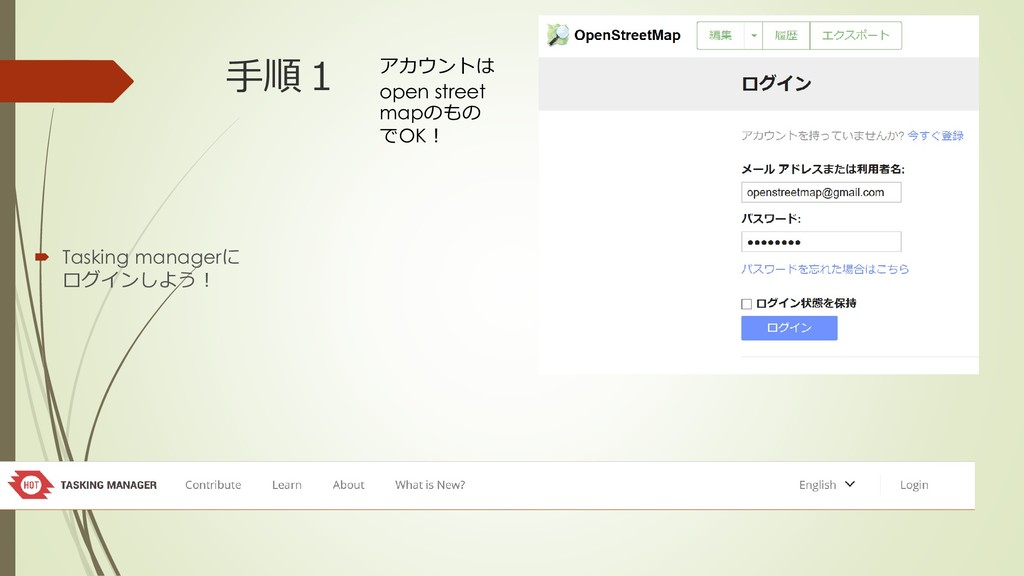
手順1 Tasking managerに ログインしよう! アカウントは open street mapのもの でOK!
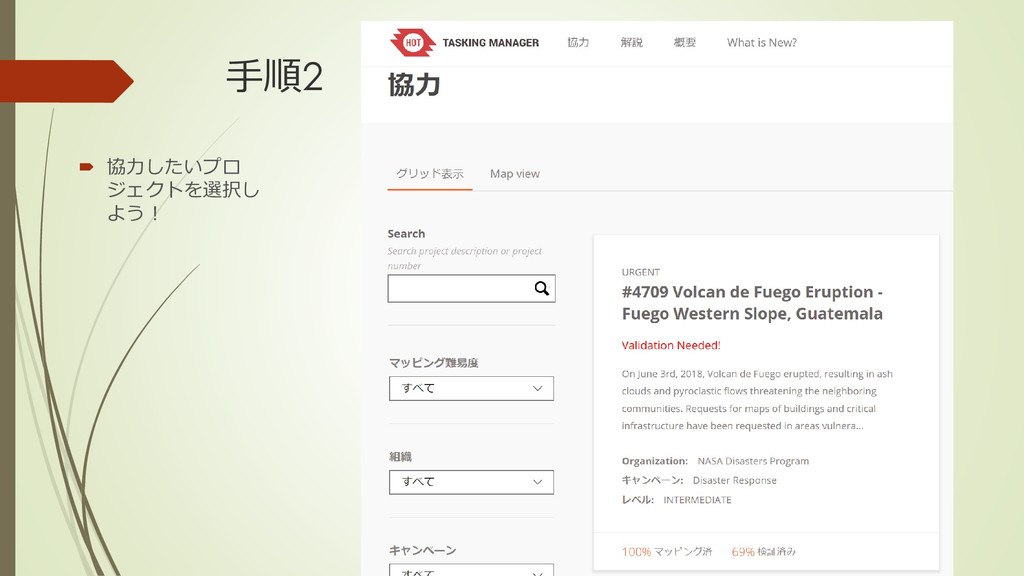
手順2 協力したいプロ ジェクトを選択し よう!
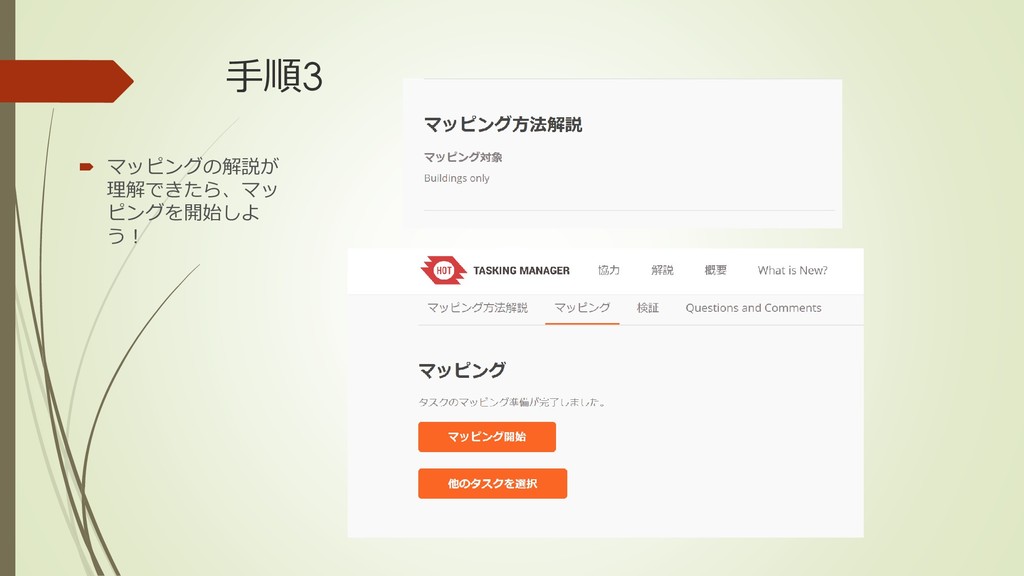
手順3 マッピングの解説が 理解できたら、マッ ピングを開始しよ う!
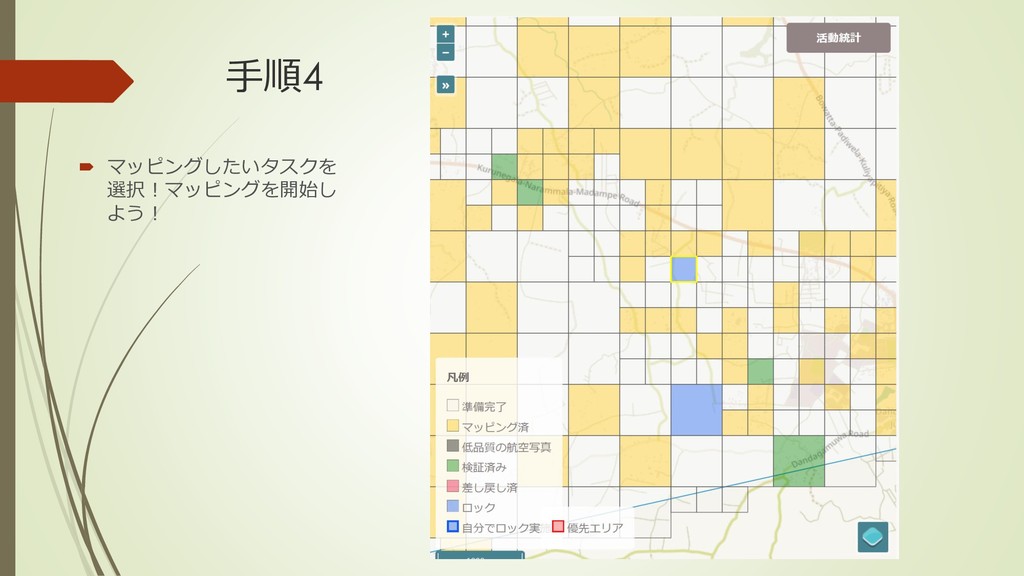
手順4 マッピングしたいタスクを 選択!マッピングを開始し よう!
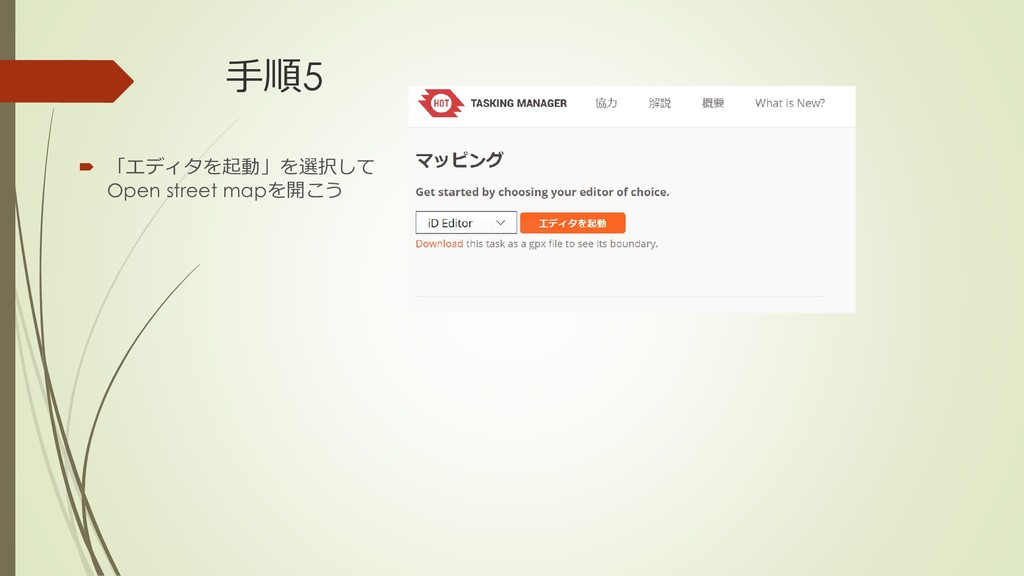
手順5 「エディタを起動」を選択して Open street mapを開こう
手順6 ピンクで囲まれた地 域の建物をマッピン グしよう!
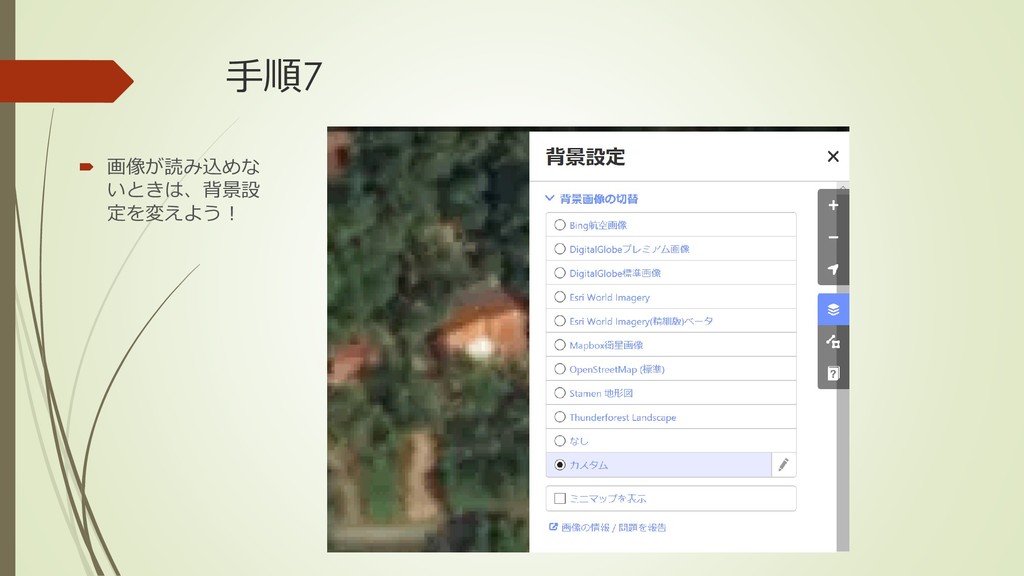
手順7 画像が読み込めな いときは、背景設 定を変えよう!
手順8 エリアを選択
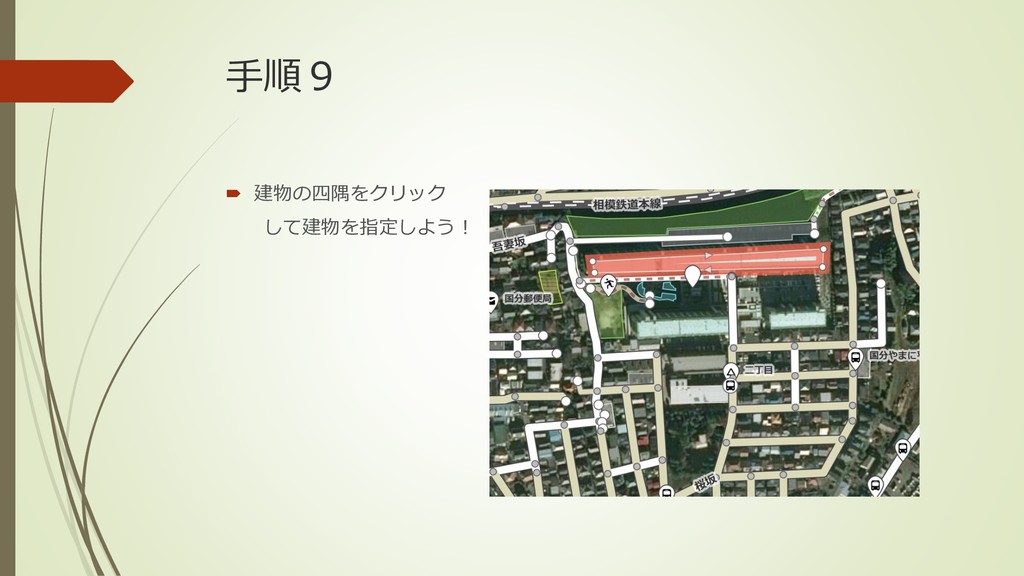
手順9 建物の四隅をクリック して建物を指定しよう!
手順10 選択したエリアをきれいに直交化!
手順11 建物の種類を選択! わからないときは 建物全般でもOK!
手順12 建物を選択したことを保存しよう! ↓
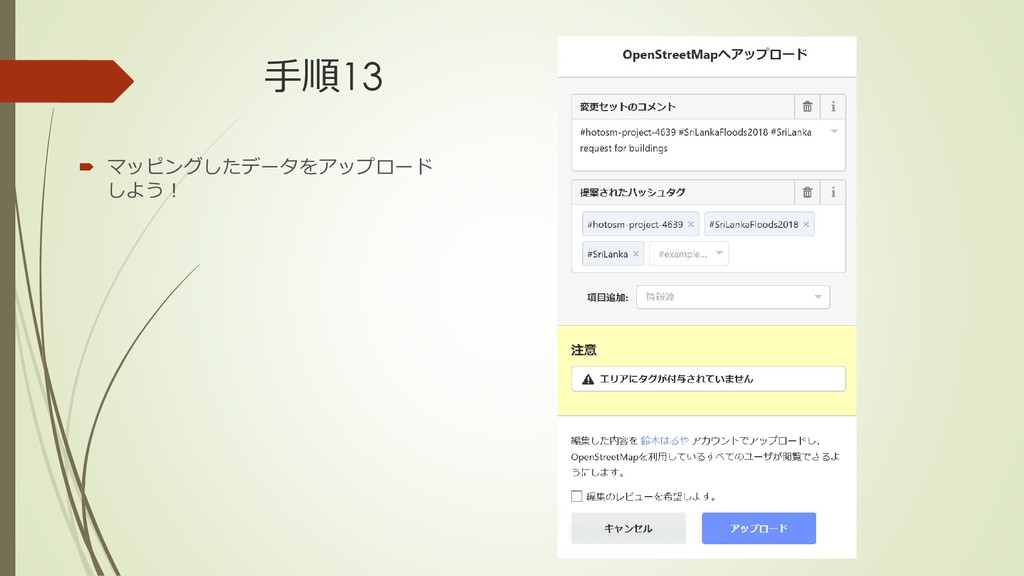
手順13 マッピングしたデータをアップロード しよう!
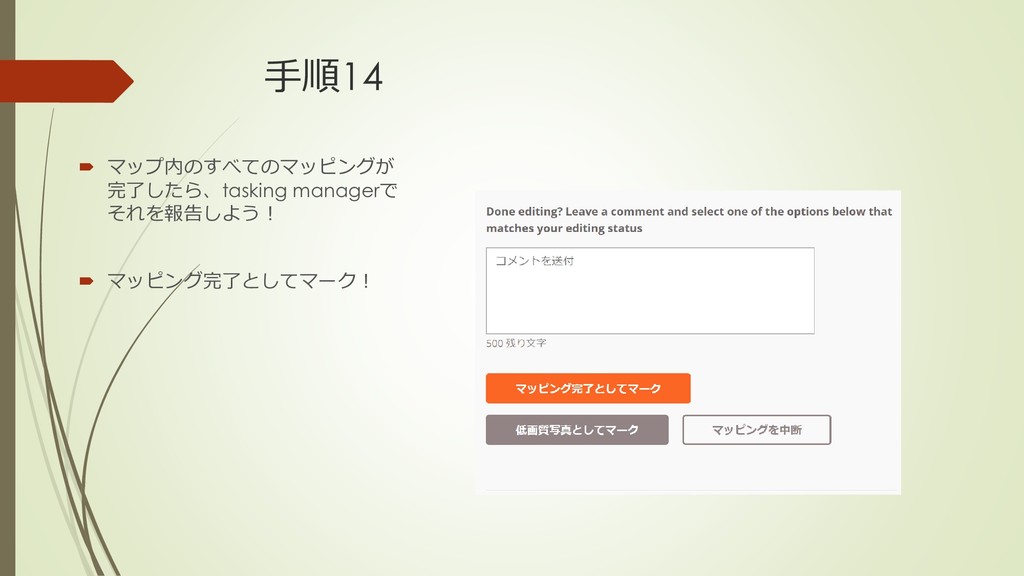
手順14 マップ内のすべてのマッピングが 完了したら、tasking managerで それを報告しよう! マッピング完了としてマーク!
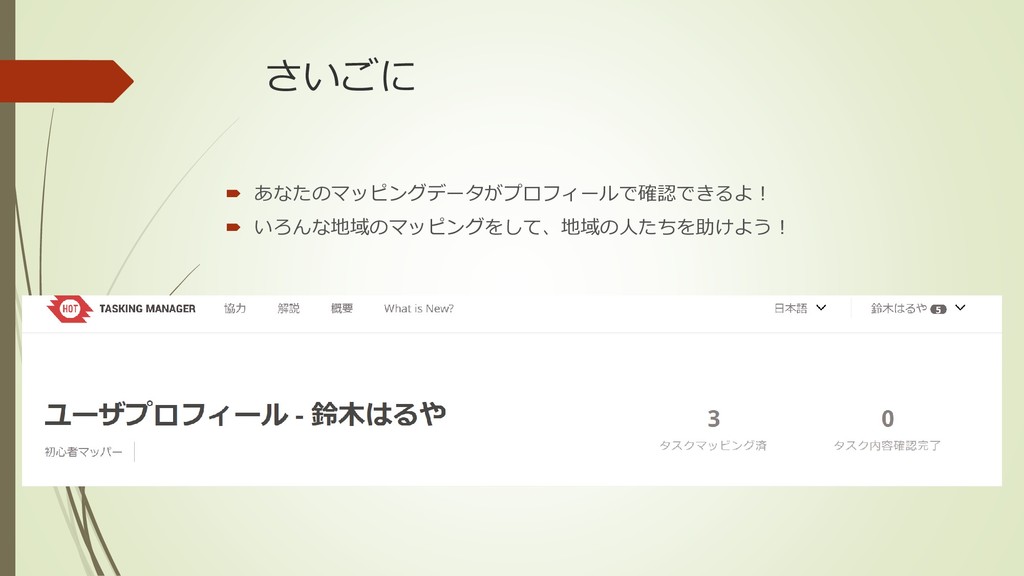
さいごに あなたのマッピングデータがプロフィールで確認できるよ! いろんな地域のマッピングをして、地域の人たちを助けよう!


 haruya21
 marcduiker
 katarinadahlin
 jonyablonski
 3n
3n
 brad_frost
 holman
 addyosmani
 soudai
 kimpetersen
 kneath
 maltzj
 aemeredith