Upgrade to Pro — share decks privately, control downloads, hide ads and more …

Indenting Erlang Code Automatically (in Vim)

Indenting Erlang Code Automatically (in Vim)

The talk I gave on Budapest Erlang Factory Lite 2013.

http://www.erlang-factory.com/conference/Budapest2013/talks

Avatar for Csaba Hoch

Csaba Hoch

May 30, 2013

Other Decks in Programming

Transcript

  1. Csaba Hoch © 1999-2013 Erlang Solutions Ltd. Indenting Erlang Code

    Automatically (in Vim) (Image source) 13 May 31, Friday
  2. © 1999-2013 Erlang Solutions Ltd. Overview 1. Erlang indentation in

    Emacs 2. Indentation in Vim 3. Erlang indentation in Vim 2 + 13 May 31, Friday
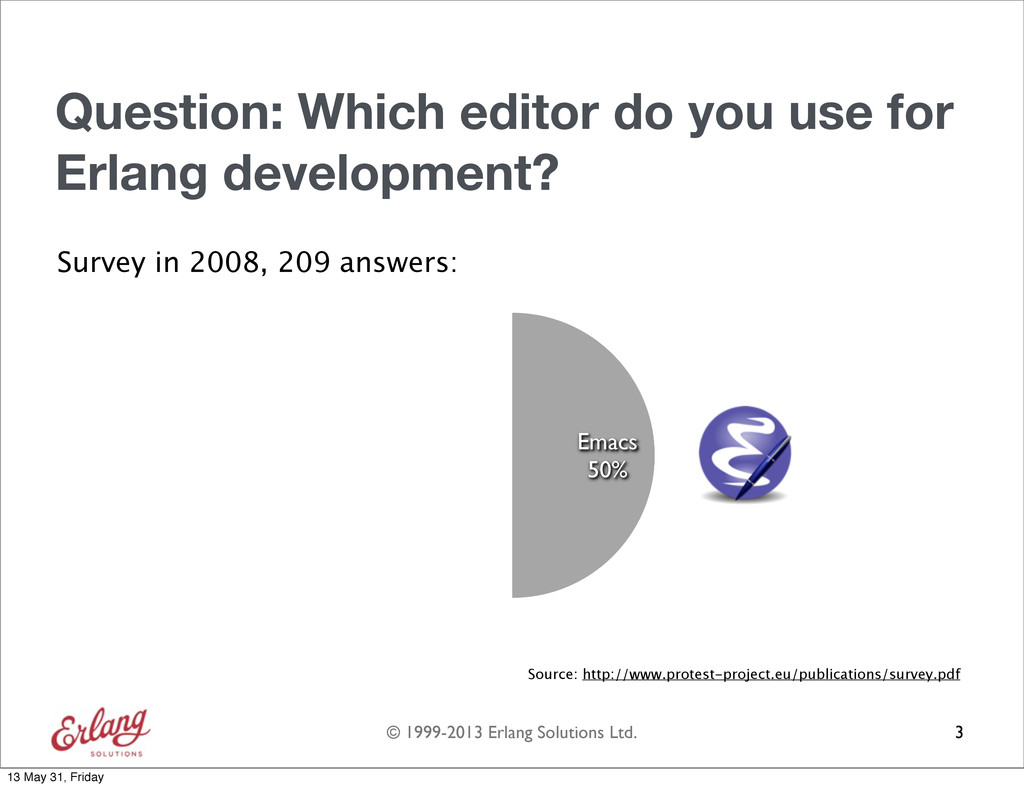
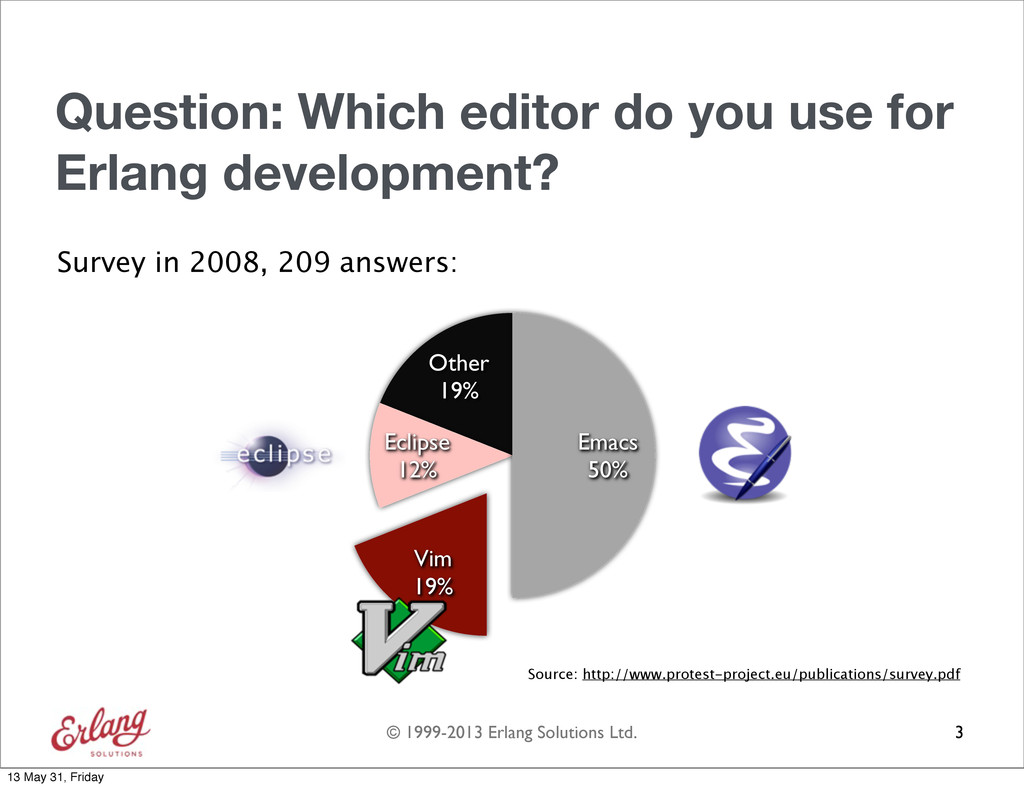
  3. © 1999-2013 Erlang Solutions Ltd. Question: Which editor do you

    use for Erlang development? 3 13 May 31, Friday
  4. © 1999-2013 Erlang Solutions Ltd. Question: Which editor do you

    use for Erlang development? Survey in 2008, 209 answers: 3 Source: http://www.protest-project.eu/publications/survey.pdf 13 May 31, Friday
  5. © 1999-2013 Erlang Solutions Ltd. Question: Which editor do you

    use for Erlang development? Survey in 2008, 209 answers: 3 Source: http://www.protest-project.eu/publications/survey.pdf Emacs 50% 13 May 31, Friday
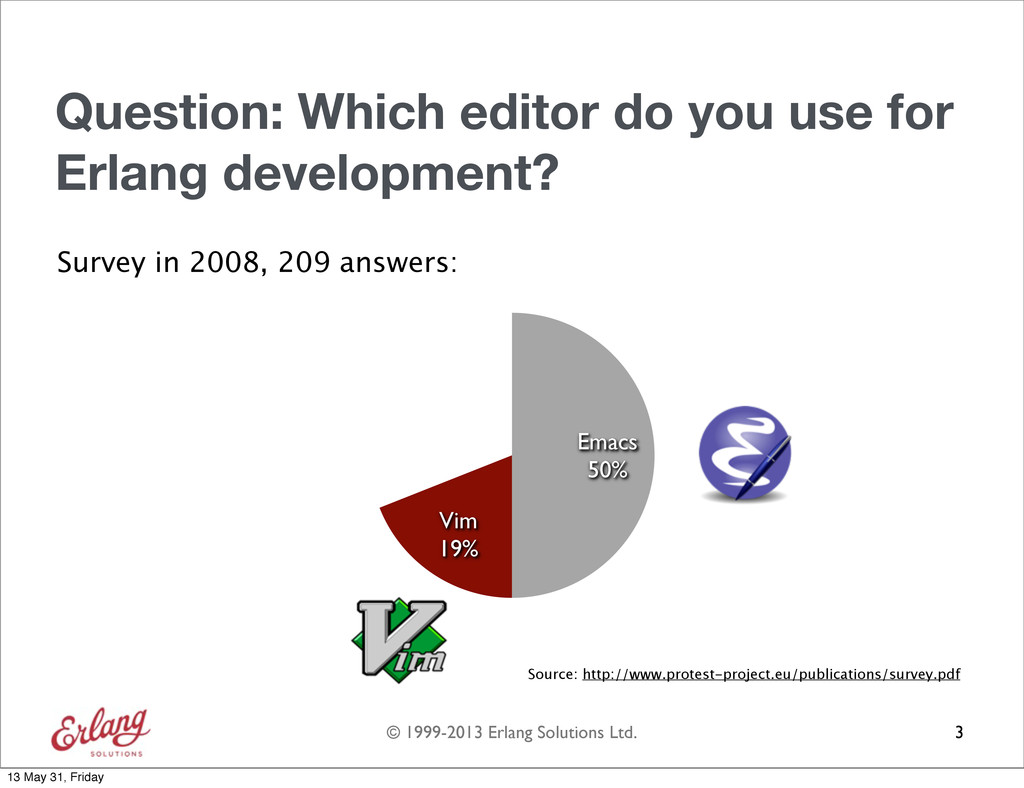
  6. © 1999-2013 Erlang Solutions Ltd. Question: Which editor do you

    use for Erlang development? Survey in 2008, 209 answers: 3 Source: http://www.protest-project.eu/publications/survey.pdf Vim 19% Emacs 50% 13 May 31, Friday
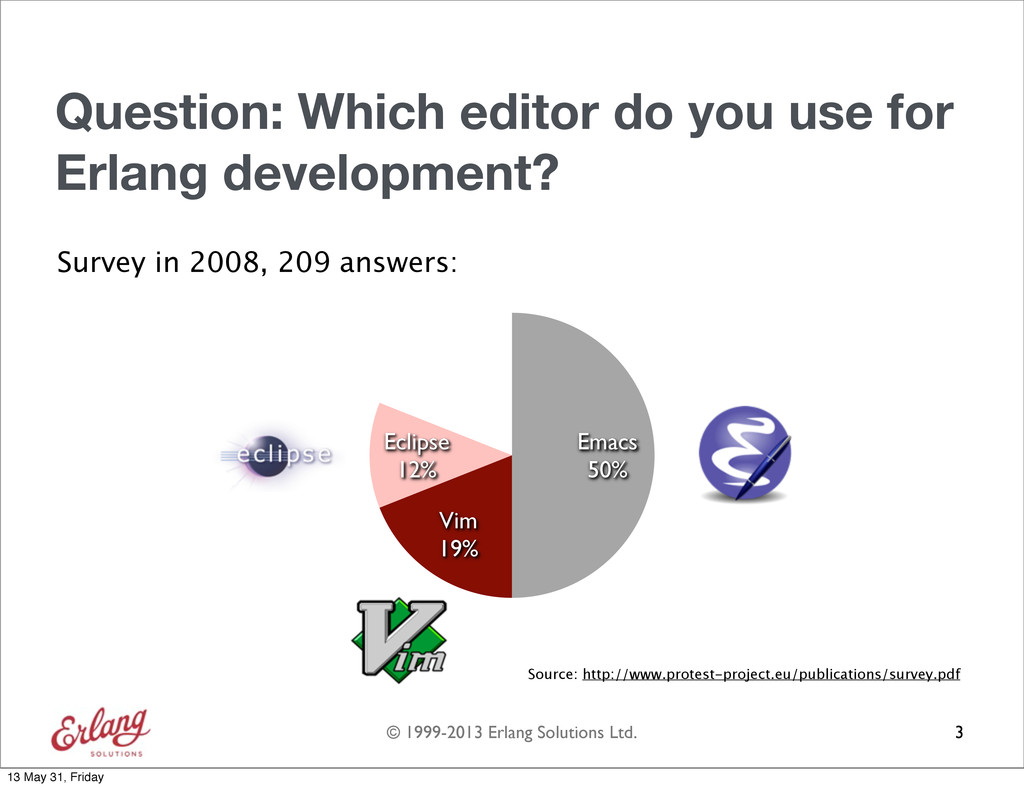
  7. © 1999-2013 Erlang Solutions Ltd. Question: Which editor do you

    use for Erlang development? Survey in 2008, 209 answers: 3 Source: http://www.protest-project.eu/publications/survey.pdf Eclipse 12% Vim 19% Emacs 50% 13 May 31, Friday
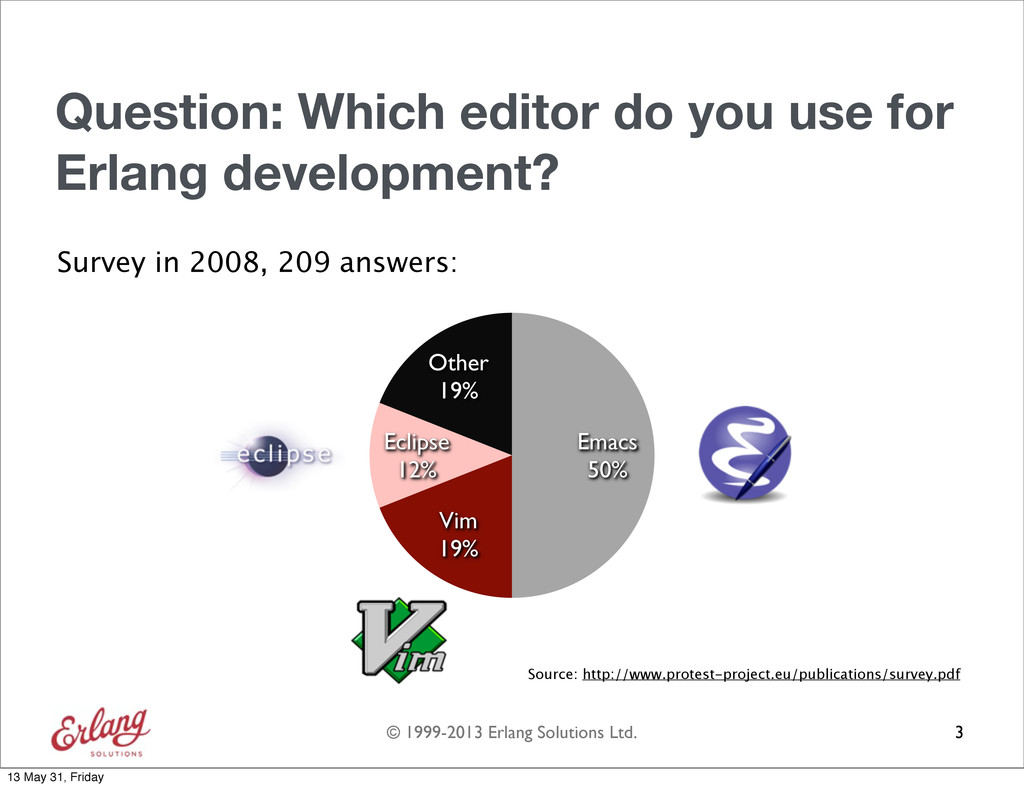
  8. © 1999-2013 Erlang Solutions Ltd. Question: Which editor do you

    use for Erlang development? Survey in 2008, 209 answers: 3 Source: http://www.protest-project.eu/publications/survey.pdf Other 19% Eclipse 12% Vim 19% Emacs 50% 13 May 31, Friday
  9. © 1999-2013 Erlang Solutions Ltd. Question: Which editor do you

    use for Erlang development? Survey in 2008, 209 answers: 3 Source: http://www.protest-project.eu/publications/survey.pdf Other 19% Eclipse 12% Vim 19% Emacs 50% 13 May 31, Friday
  10. © 1999-2013 Erlang Solutions Ltd. Overview 1. Erlang indentation in

    Emacs 2. Indentation in Vim 3. Erlang indentation in Vim 4 + 13 May 31, Friday
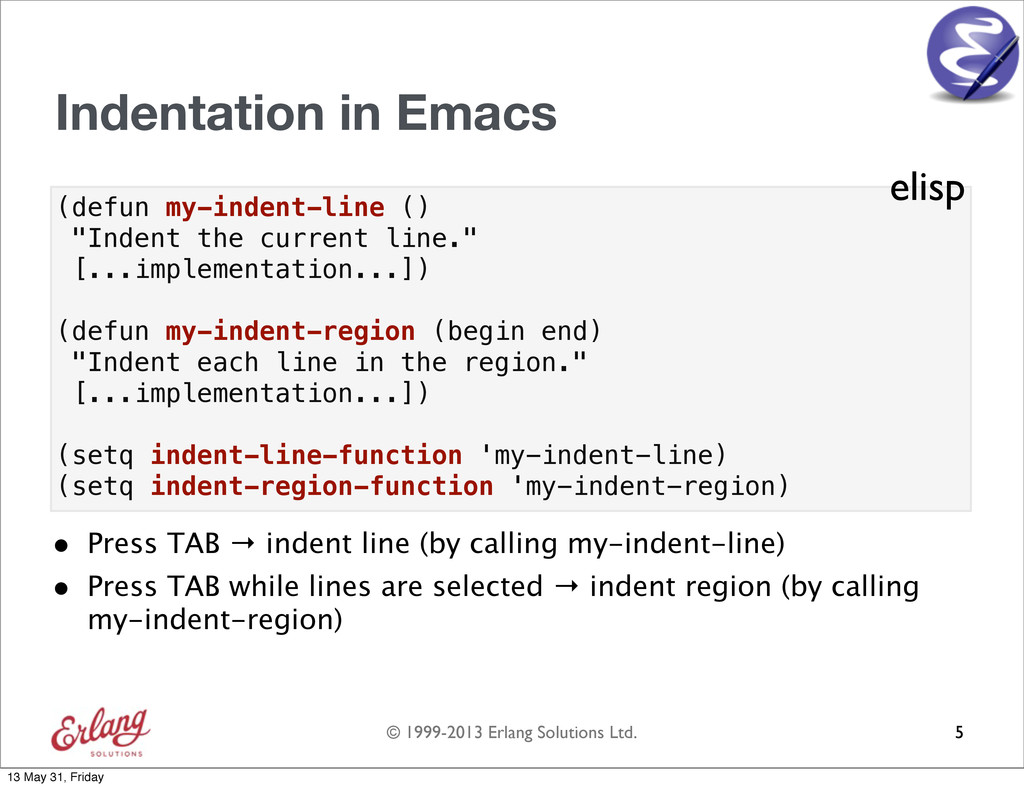
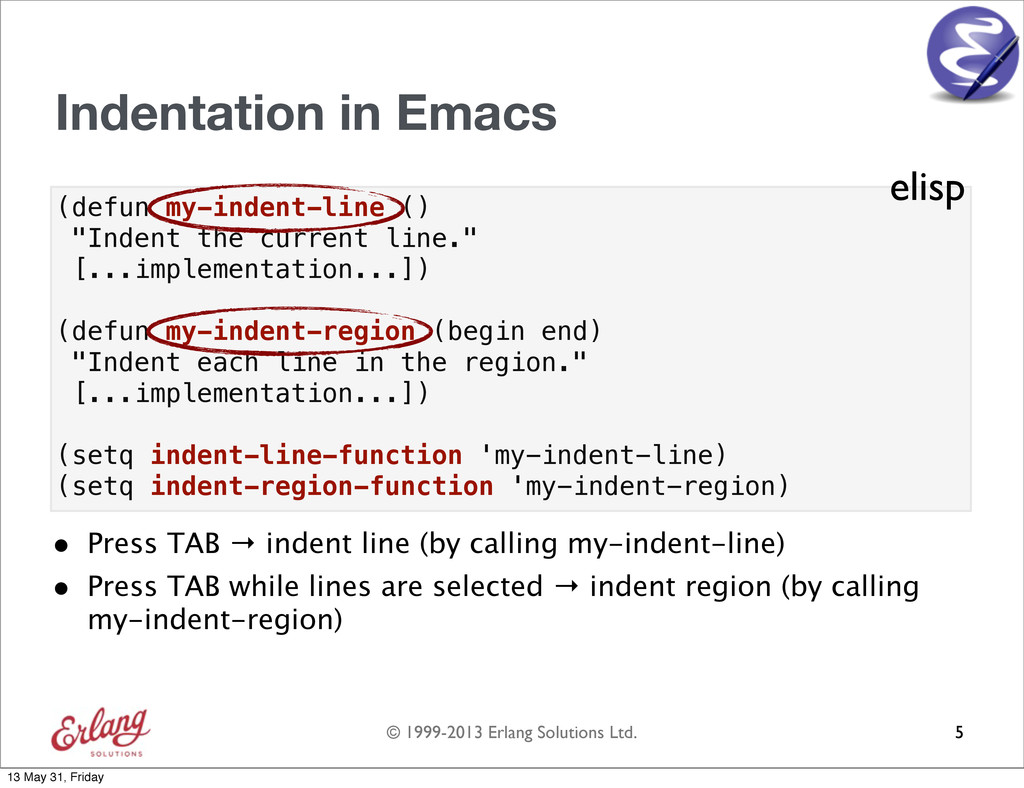
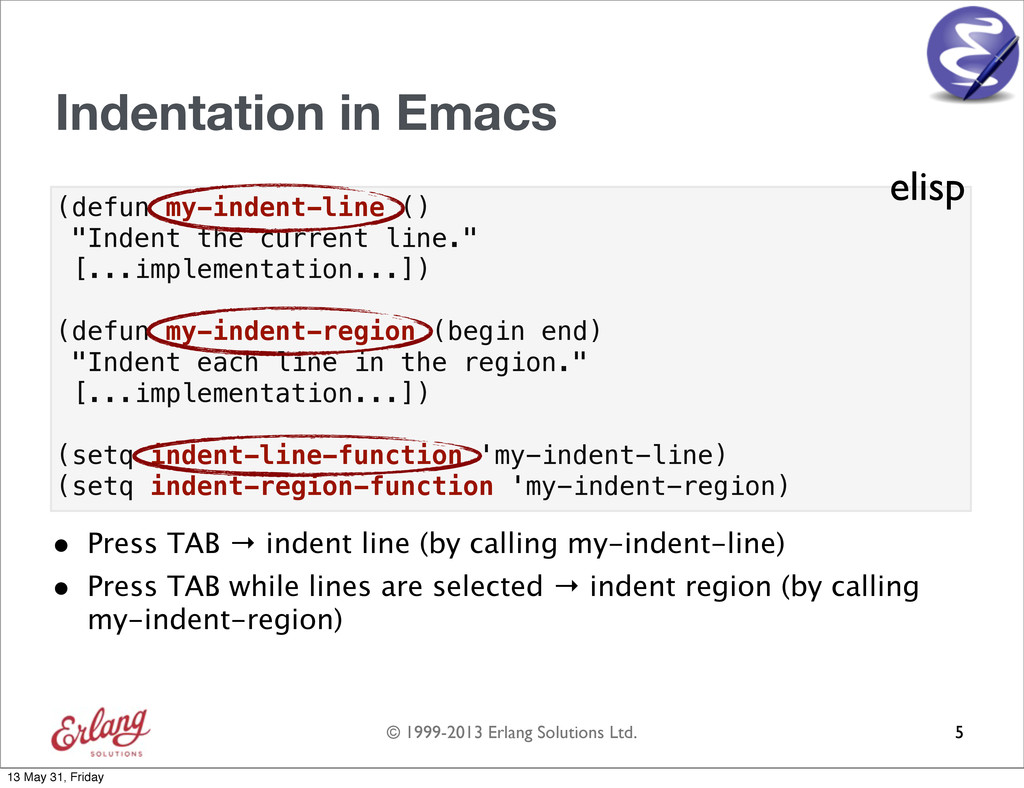
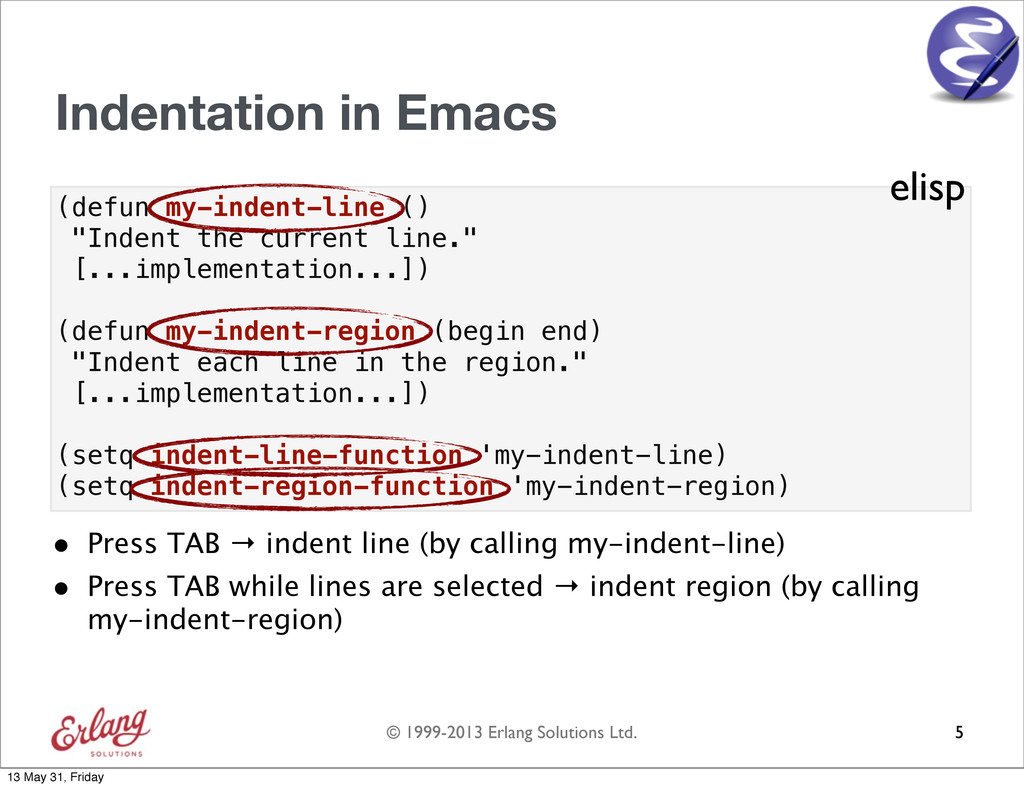
  11. © 1999-2013 Erlang Solutions Ltd. (defun my-indent-line () "Indent the

    current line." [...implementation...]) (defun my-indent-region (begin end) "Indent each line in the region." [...implementation...]) (setq indent-line-function 'my-indent-line) (setq indent-region-function 'my-indent-region) Indentation in Emacs • Press TAB → indent line (by calling my-indent-line) • Press TAB while lines are selected → indent region (by calling my-indent-region) 5 elisp 13 May 31, Friday
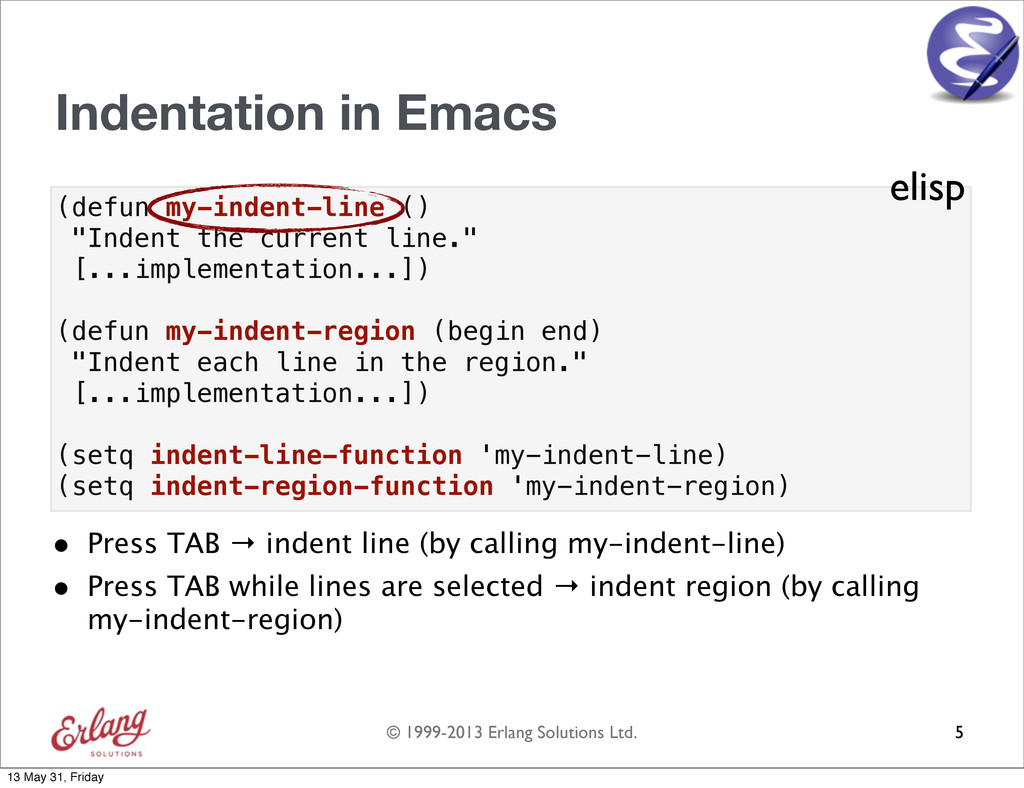
  12. © 1999-2013 Erlang Solutions Ltd. (defun my-indent-line () "Indent the

    current line." [...implementation...]) (defun my-indent-region (begin end) "Indent each line in the region." [...implementation...]) (setq indent-line-function 'my-indent-line) (setq indent-region-function 'my-indent-region) Indentation in Emacs • Press TAB → indent line (by calling my-indent-line) • Press TAB while lines are selected → indent region (by calling my-indent-region) 5 elisp 13 May 31, Friday
  13. © 1999-2013 Erlang Solutions Ltd. (defun my-indent-line () "Indent the

    current line." [...implementation...]) (defun my-indent-region (begin end) "Indent each line in the region." [...implementation...]) (setq indent-line-function 'my-indent-line) (setq indent-region-function 'my-indent-region) Indentation in Emacs • Press TAB → indent line (by calling my-indent-line) • Press TAB while lines are selected → indent region (by calling my-indent-region) 5 elisp 13 May 31, Friday
  14. © 1999-2013 Erlang Solutions Ltd. (defun my-indent-line () "Indent the

    current line." [...implementation...]) (defun my-indent-region (begin end) "Indent each line in the region." [...implementation...]) (setq indent-line-function 'my-indent-line) (setq indent-region-function 'my-indent-region) Indentation in Emacs • Press TAB → indent line (by calling my-indent-line) • Press TAB while lines are selected → indent region (by calling my-indent-region) 5 elisp 13 May 31, Friday
  15. © 1999-2013 Erlang Solutions Ltd. (defun my-indent-line () "Indent the

    current line." [...implementation...]) (defun my-indent-region (begin end) "Indent each line in the region." [...implementation...]) (setq indent-line-function 'my-indent-line) (setq indent-region-function 'my-indent-region) Indentation in Emacs • Press TAB → indent line (by calling my-indent-line) • Press TAB while lines are selected → indent region (by calling my-indent-region) 5 elisp 13 May 31, Friday
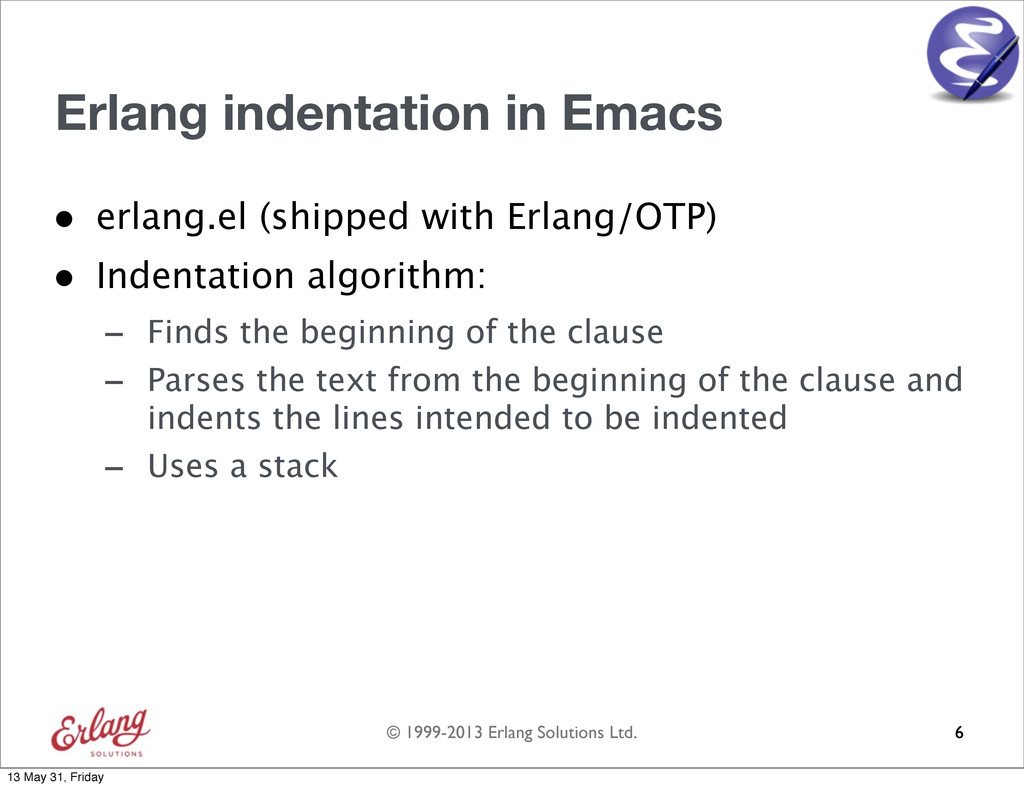
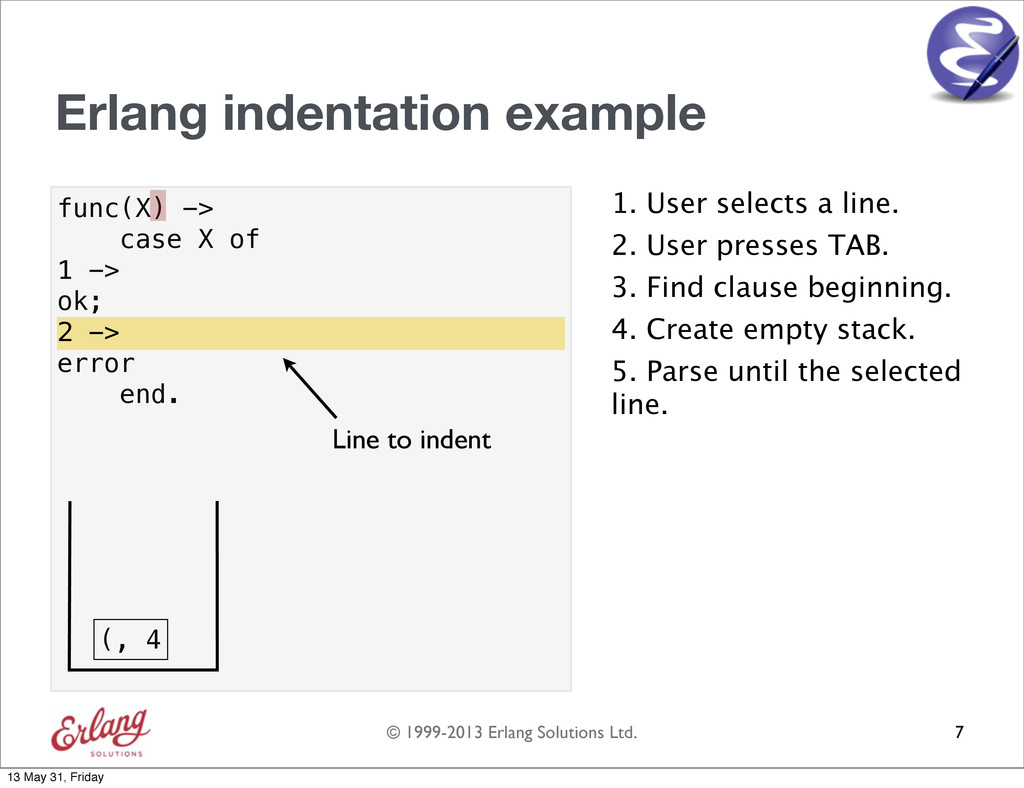
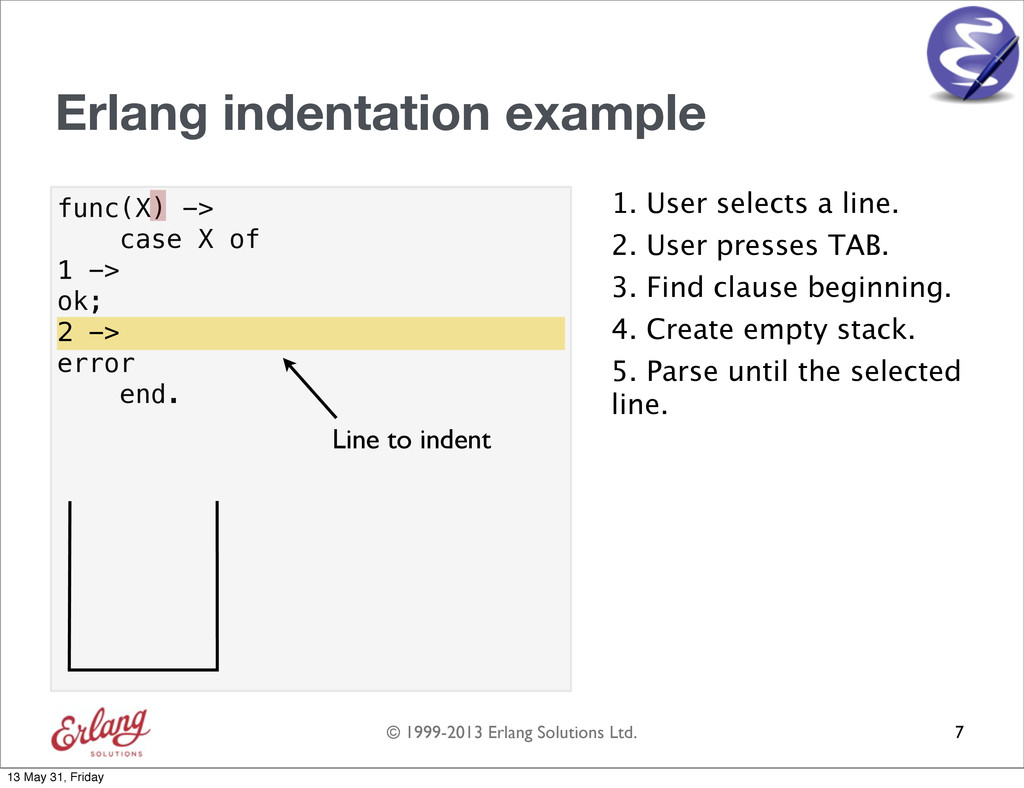
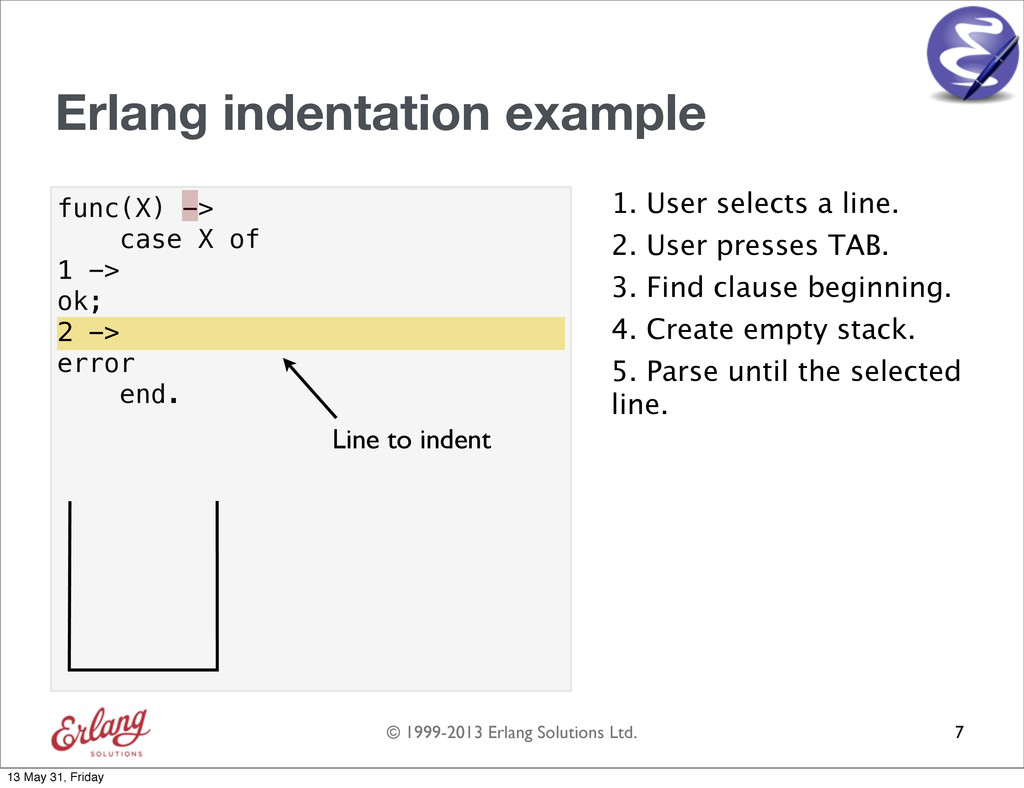
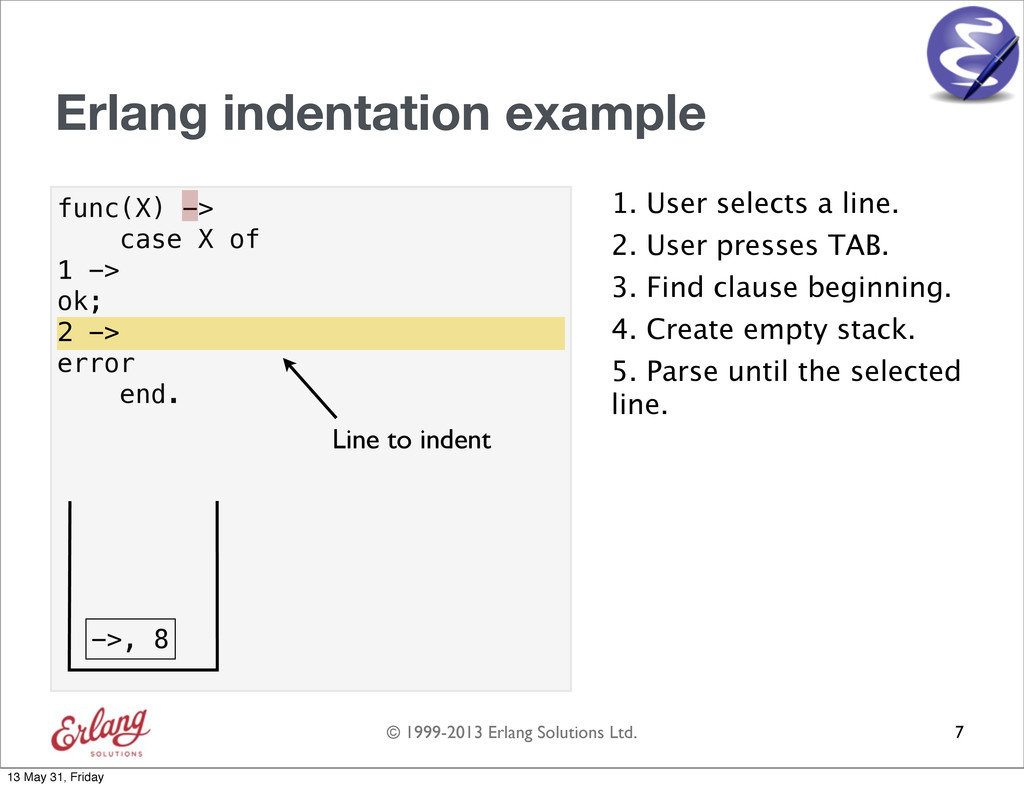
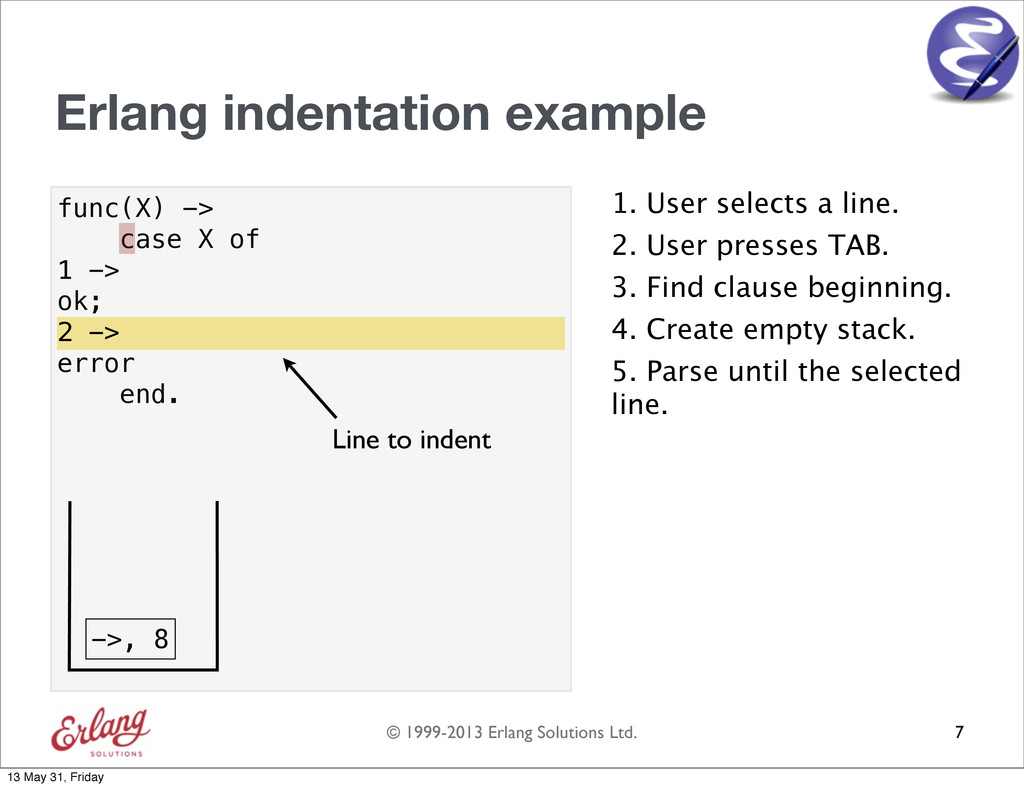
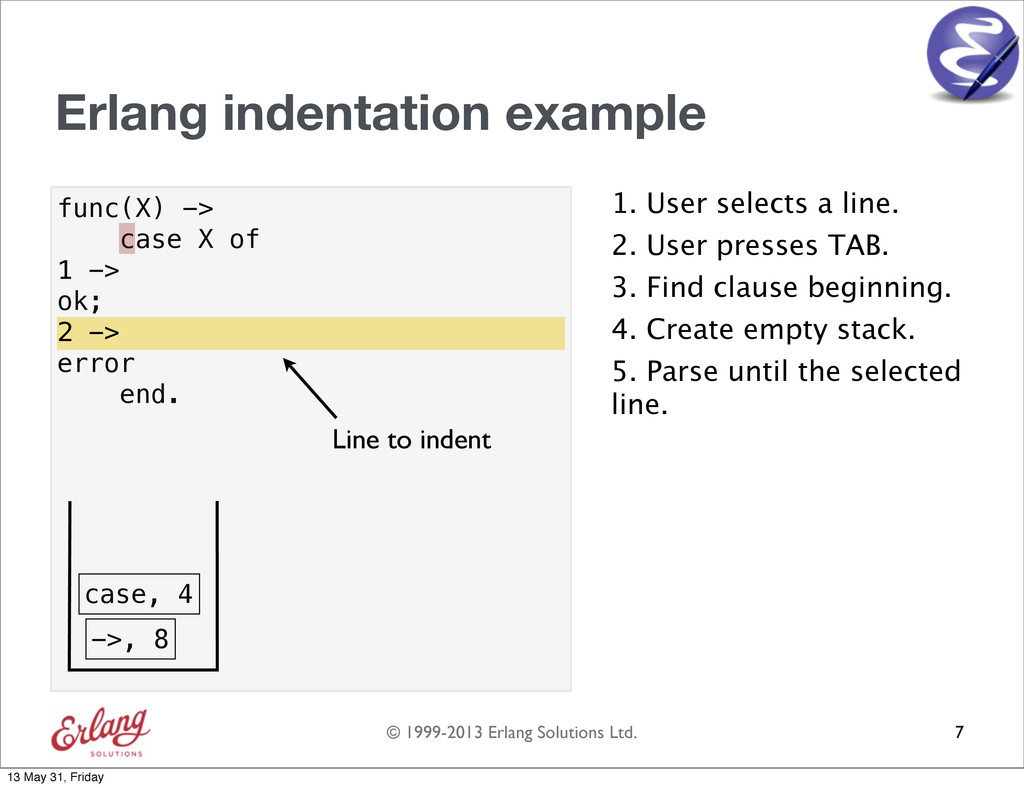
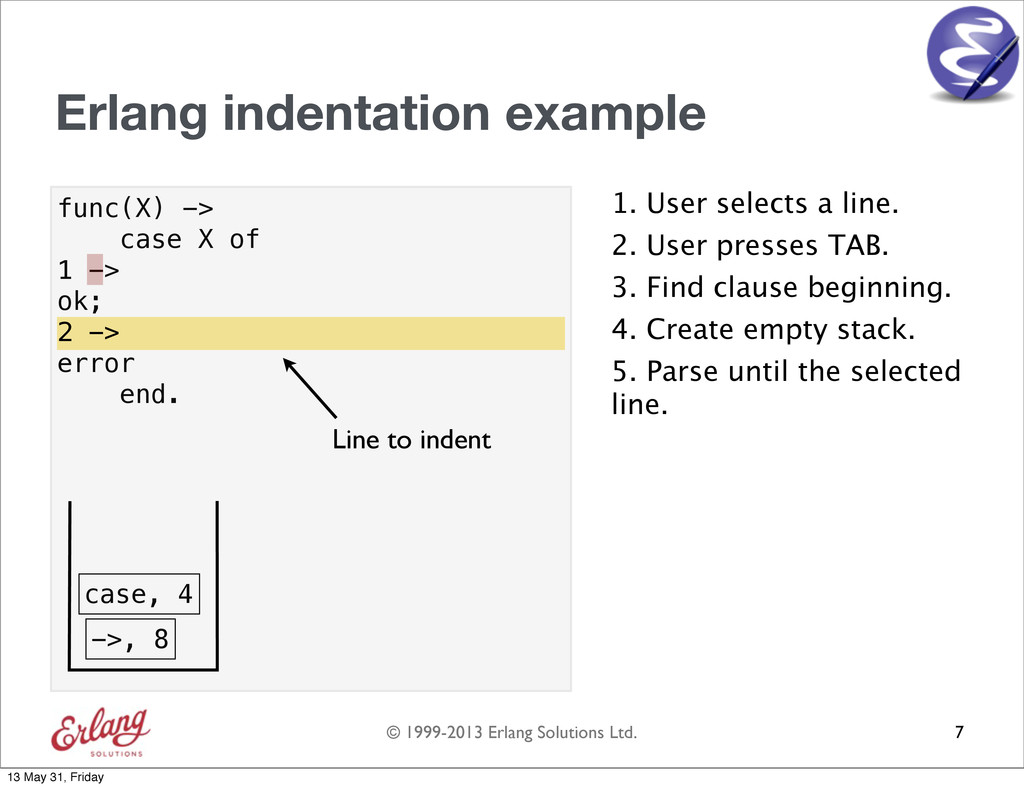
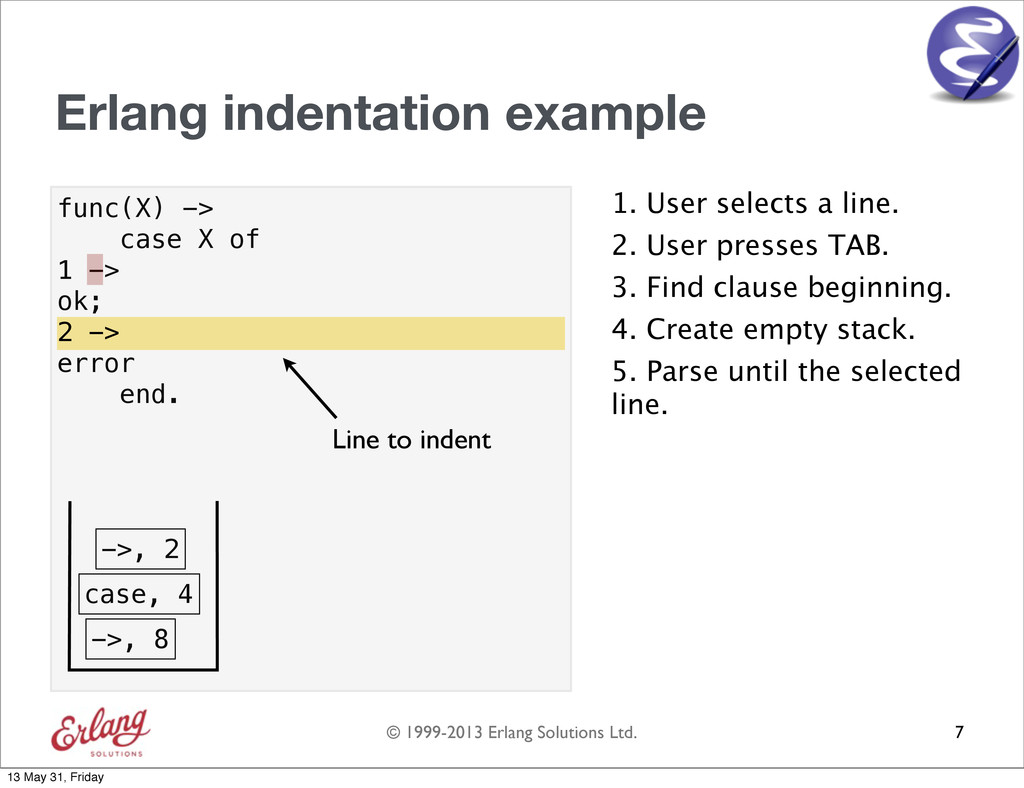
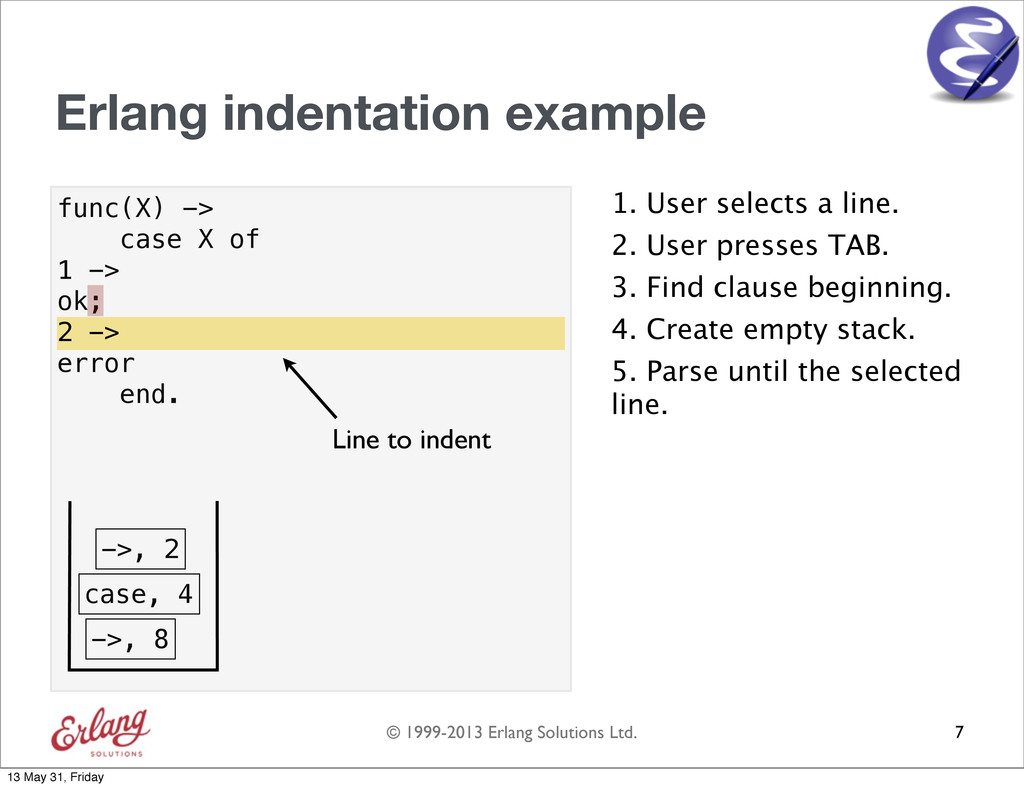
  16. © 1999-2013 Erlang Solutions Ltd. Erlang indentation in Emacs •

    erlang.el (shipped with Erlang/OTP) • Indentation algorithm: - Finds the beginning of the clause - Parses the text from the beginning of the clause and indents the lines intended to be indented - Uses a stack 6 13 May 31, Friday
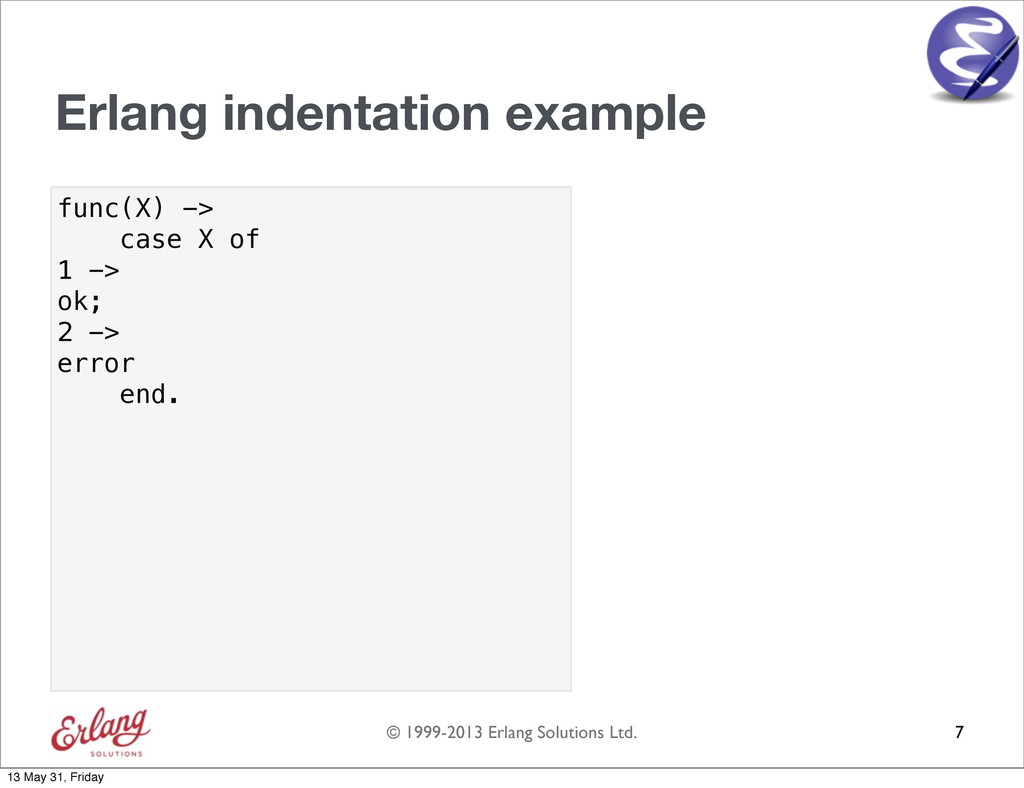
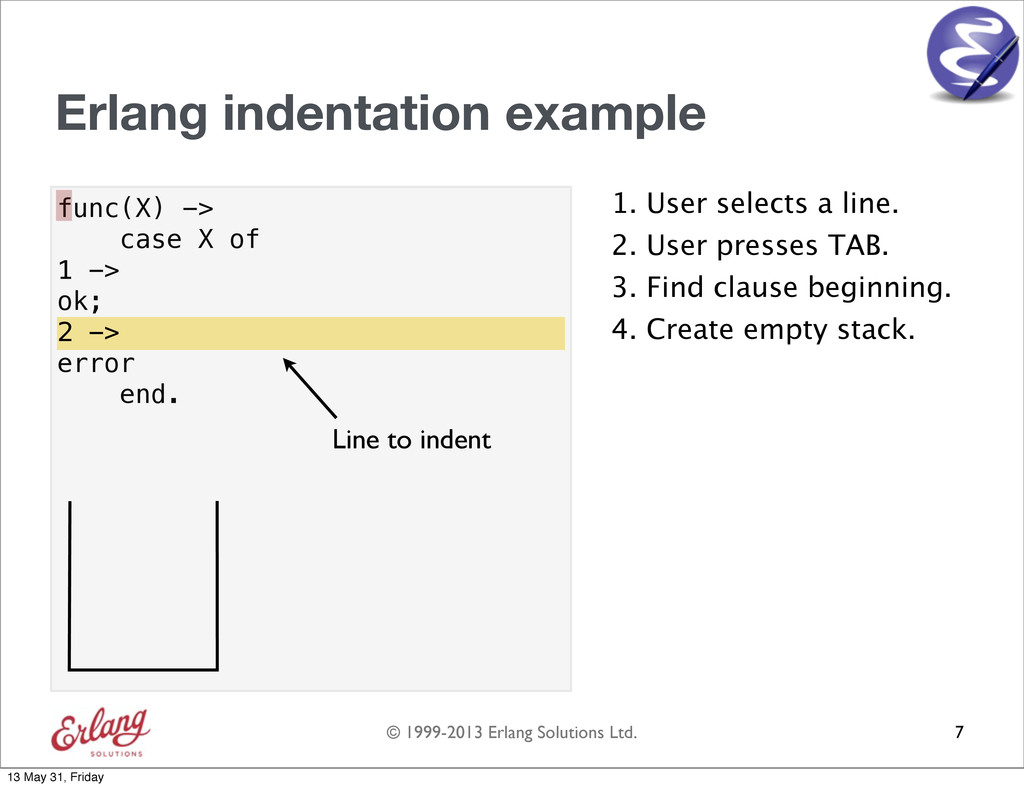
  17. © 1999-2013 Erlang Solutions Ltd. func(X) -> case X of

    1 -> ok; 2 -> error end. Erlang indentation example 7 13 May 31, Friday
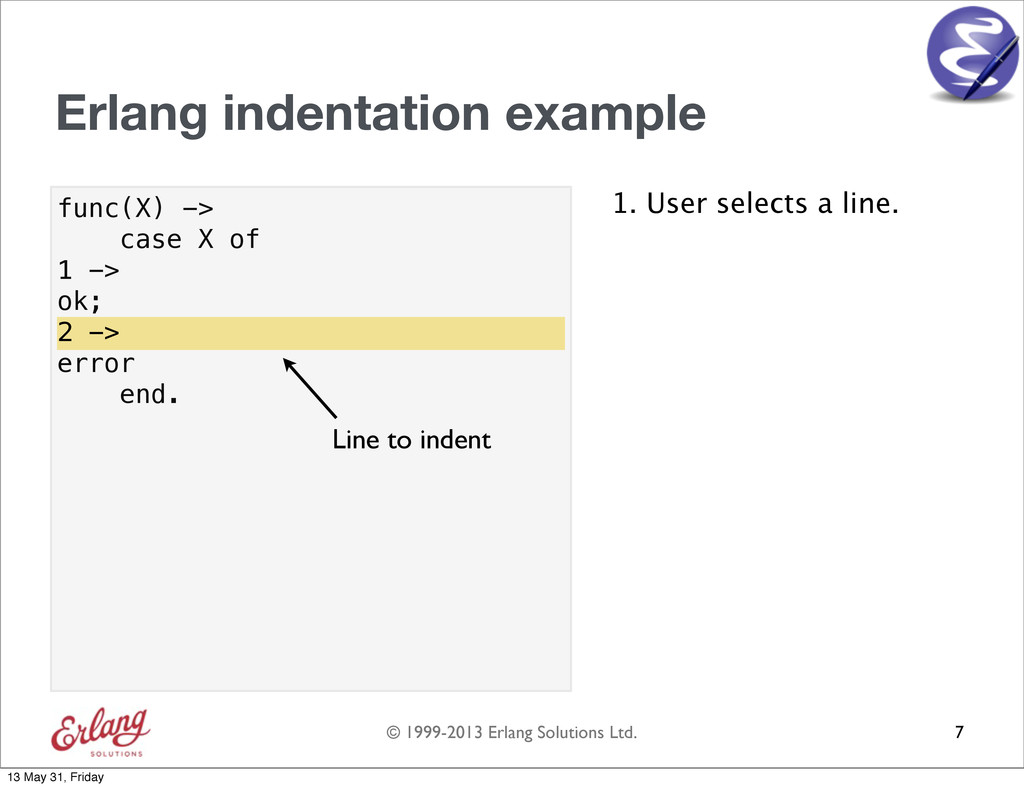
  18. © 1999-2013 Erlang Solutions Ltd. func(X) -> case X of

    1 -> ok; 2 -> error end. Erlang indentation example 1. User selects a line. 7 2 -> Line to indent 13 May 31, Friday
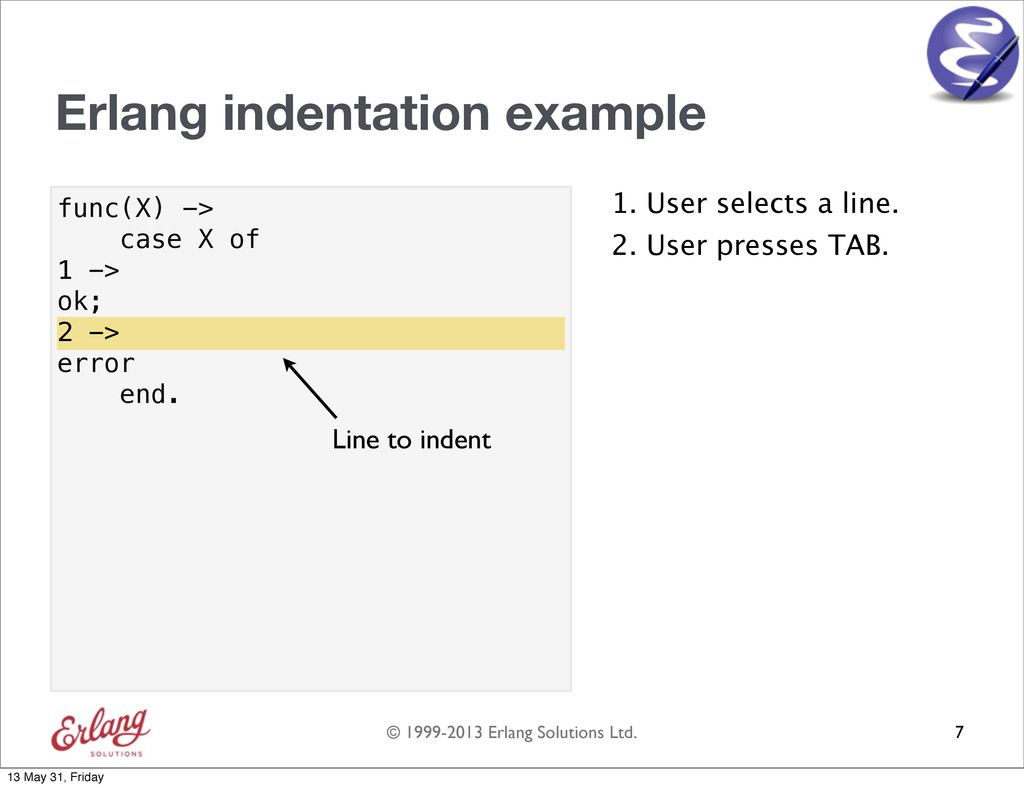
  19. © 1999-2013 Erlang Solutions Ltd. func(X) -> case X of

    1 -> ok; 2 -> error end. Erlang indentation example 1. User selects a line. 7 2 -> Line to indent 2. User presses TAB. 13 May 31, Friday
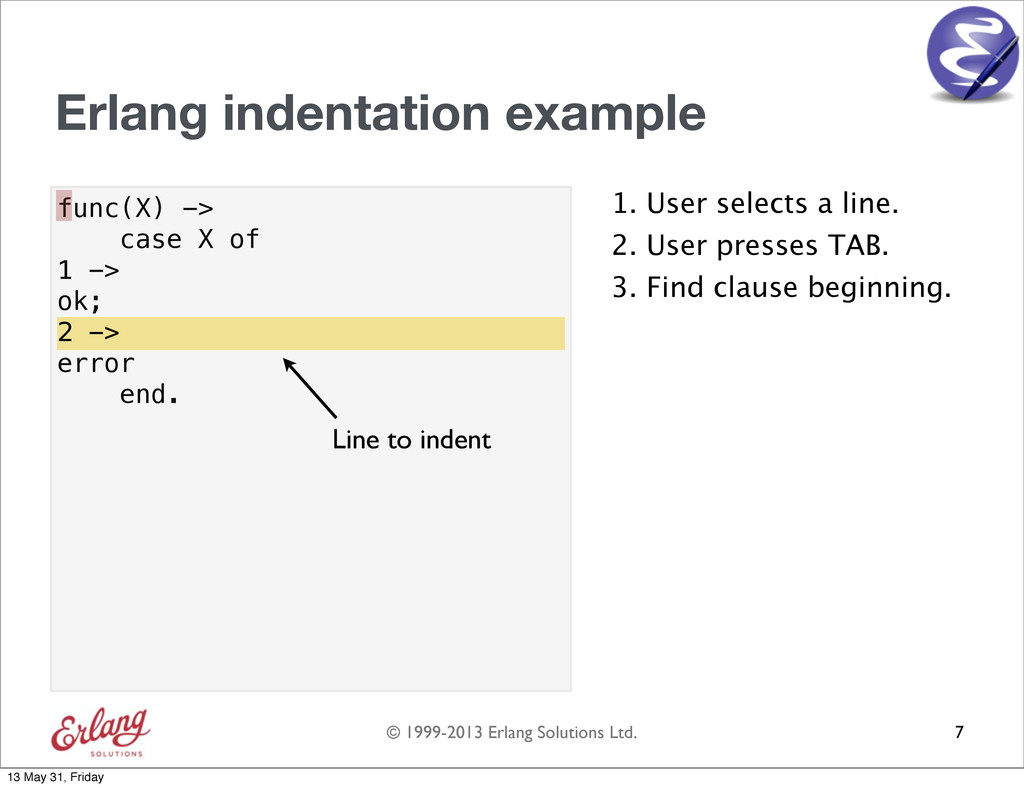
  20. © 1999-2013 Erlang Solutions Ltd. func(X) -> case X of

    1 -> ok; 2 -> error end. Erlang indentation example 1. User selects a line. 7 2 -> Line to indent 2. User presses TAB. 3. Find clause beginning. 13 May 31, Friday
  21. © 1999-2013 Erlang Solutions Ltd. func(X) -> case X of

    1 -> ok; 2 -> error end. Erlang indentation example 1. User selects a line. 7 2 -> Line to indent 2. User presses TAB. 3. Find clause beginning. 4. Create empty stack. 13 May 31, Friday
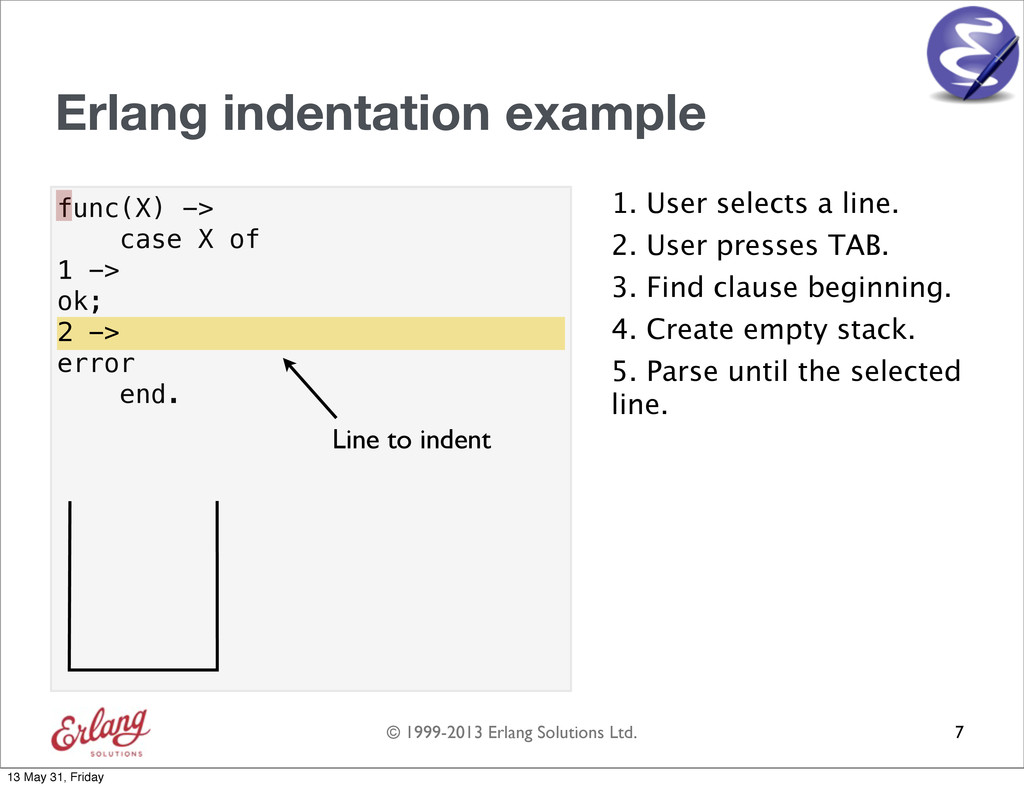
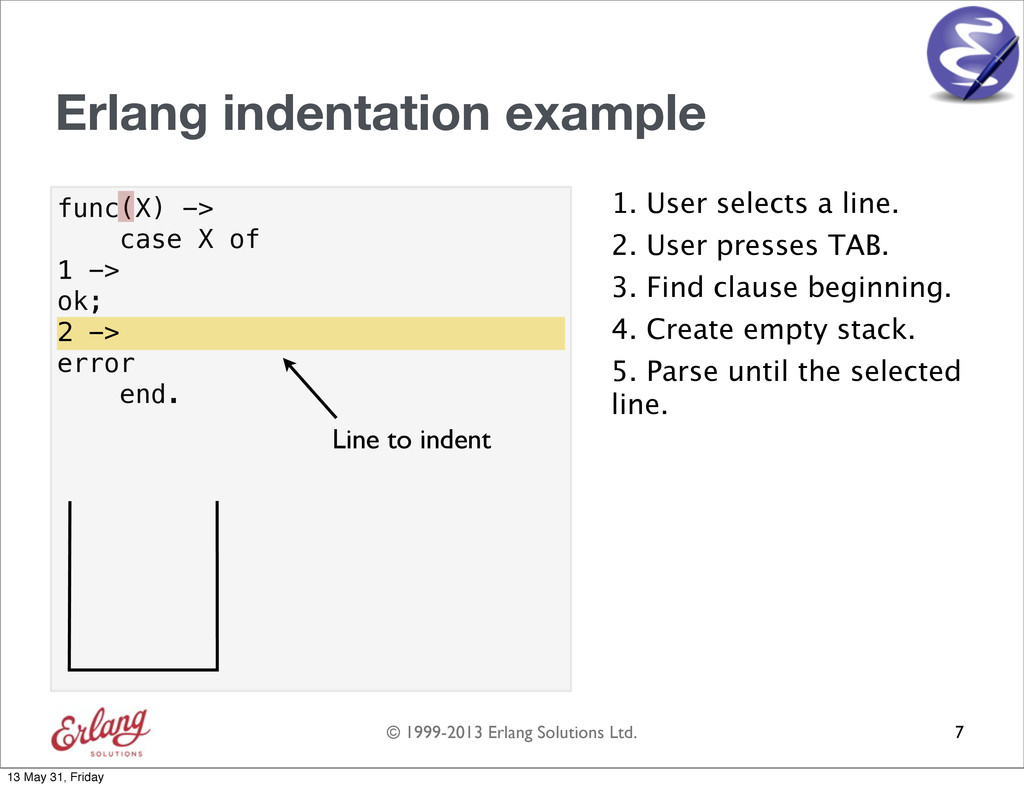
  22. © 1999-2013 Erlang Solutions Ltd. func(X) -> case X of

    1 -> ok; 2 -> error end. Erlang indentation example 1. User selects a line. 7 2 -> Line to indent 2. User presses TAB. 3. Find clause beginning. 4. Create empty stack. 5. Parse until the selected line. 13 May 31, Friday
  23. © 1999-2013 Erlang Solutions Ltd. func(X) -> case X of

    1 -> ok; 2 -> error end. Erlang indentation example 1. User selects a line. 7 2 -> Line to indent 2. User presses TAB. 3. Find clause beginning. 4. Create empty stack. 5. Parse until the selected line. 13 May 31, Friday
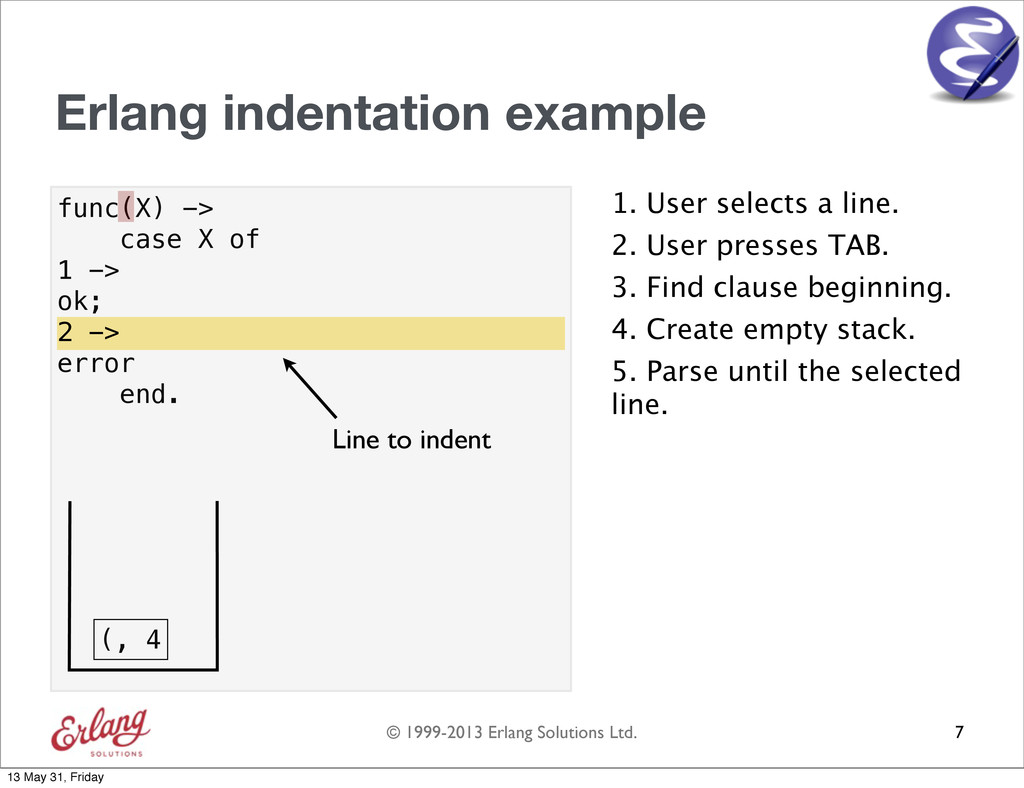
  24. © 1999-2013 Erlang Solutions Ltd. func(X) -> case X of

    1 -> ok; 2 -> error end. Erlang indentation example 1. User selects a line. 7 2 -> Line to indent 2. User presses TAB. 3. Find clause beginning. 4. Create empty stack. 5. Parse until the selected line. (, 4 13 May 31, Friday
  25. © 1999-2013 Erlang Solutions Ltd. func(X) -> case X of

    1 -> ok; 2 -> error end. Erlang indentation example 1. User selects a line. 7 2 -> Line to indent 2. User presses TAB. 3. Find clause beginning. 4. Create empty stack. 5. Parse until the selected line. (, 4 13 May 31, Friday
  26. © 1999-2013 Erlang Solutions Ltd. func(X) -> case X of

    1 -> ok; 2 -> error end. Erlang indentation example 1. User selects a line. 7 2 -> Line to indent 2. User presses TAB. 3. Find clause beginning. 4. Create empty stack. 5. Parse until the selected line. 13 May 31, Friday
  27. © 1999-2013 Erlang Solutions Ltd. func(X) -> case X of

    1 -> ok; 2 -> error end. Erlang indentation example 1. User selects a line. 7 2 -> Line to indent 2. User presses TAB. 3. Find clause beginning. 4. Create empty stack. 5. Parse until the selected line. 13 May 31, Friday
  28. © 1999-2013 Erlang Solutions Ltd. func(X) -> case X of

    1 -> ok; 2 -> error end. Erlang indentation example 1. User selects a line. 7 2 -> Line to indent 2. User presses TAB. 3. Find clause beginning. 4. Create empty stack. 5. Parse until the selected line. ->, 8 13 May 31, Friday
  29. © 1999-2013 Erlang Solutions Ltd. func(X) -> case X of

    1 -> ok; 2 -> error end. Erlang indentation example 1. User selects a line. 7 2 -> Line to indent 2. User presses TAB. 3. Find clause beginning. 4. Create empty stack. 5. Parse until the selected line. ->, 8 13 May 31, Friday
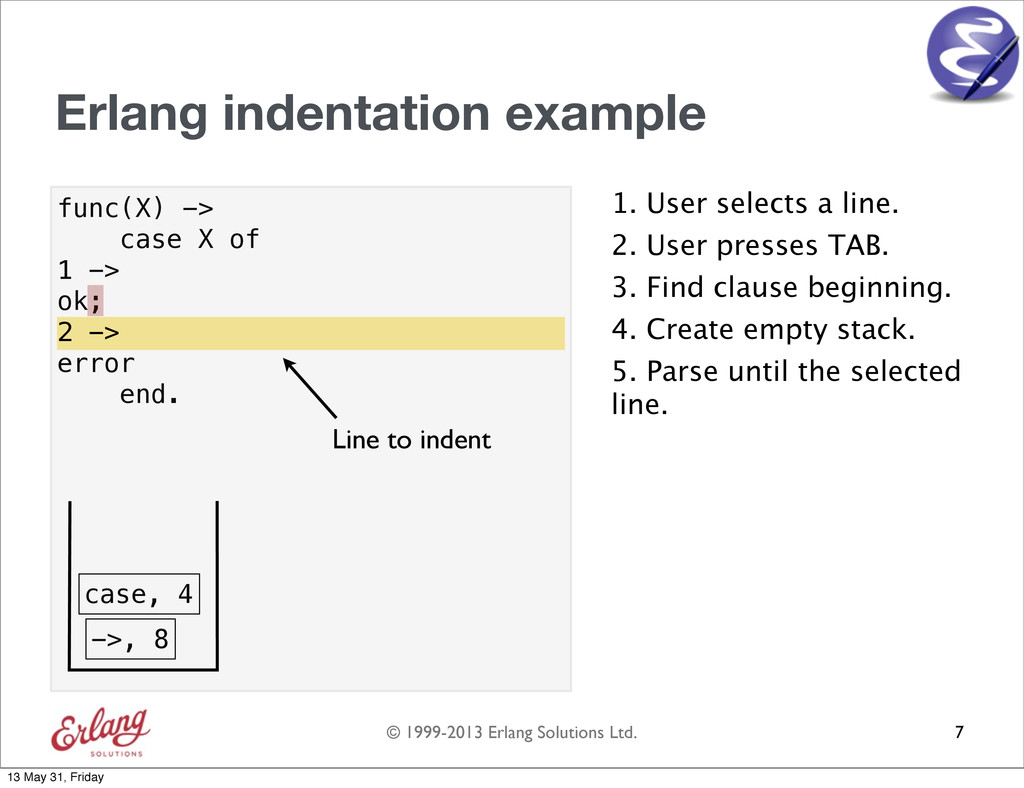
  30. © 1999-2013 Erlang Solutions Ltd. func(X) -> case X of

    1 -> ok; 2 -> error end. Erlang indentation example 1. User selects a line. 7 2 -> Line to indent 2. User presses TAB. 3. Find clause beginning. 4. Create empty stack. 5. Parse until the selected line. case, 4 ->, 8 13 May 31, Friday
  31. © 1999-2013 Erlang Solutions Ltd. func(X) -> case X of

    1 -> ok; 2 -> error end. Erlang indentation example 1. User selects a line. 7 2 -> Line to indent 2. User presses TAB. 3. Find clause beginning. 4. Create empty stack. 5. Parse until the selected line. case, 4 ->, 8 13 May 31, Friday
  32. © 1999-2013 Erlang Solutions Ltd. func(X) -> case X of

    1 -> ok; 2 -> error end. Erlang indentation example 1. User selects a line. 7 2 -> Line to indent 2. User presses TAB. 3. Find clause beginning. 4. Create empty stack. 5. Parse until the selected line. case, 4 ->, 8 ->, 2 13 May 31, Friday
  33. © 1999-2013 Erlang Solutions Ltd. func(X) -> case X of

    1 -> ok; 2 -> error end. Erlang indentation example 1. User selects a line. 7 2 -> Line to indent 2. User presses TAB. 3. Find clause beginning. 4. Create empty stack. 5. Parse until the selected line. case, 4 ->, 8 ->, 2 13 May 31, Friday
  34. © 1999-2013 Erlang Solutions Ltd. func(X) -> case X of

    1 -> ok; 2 -> error end. Erlang indentation example 1. User selects a line. 7 2 -> Line to indent 2. User presses TAB. 3. Find clause beginning. 4. Create empty stack. 5. Parse until the selected line. case, 4 ->, 8 13 May 31, Friday
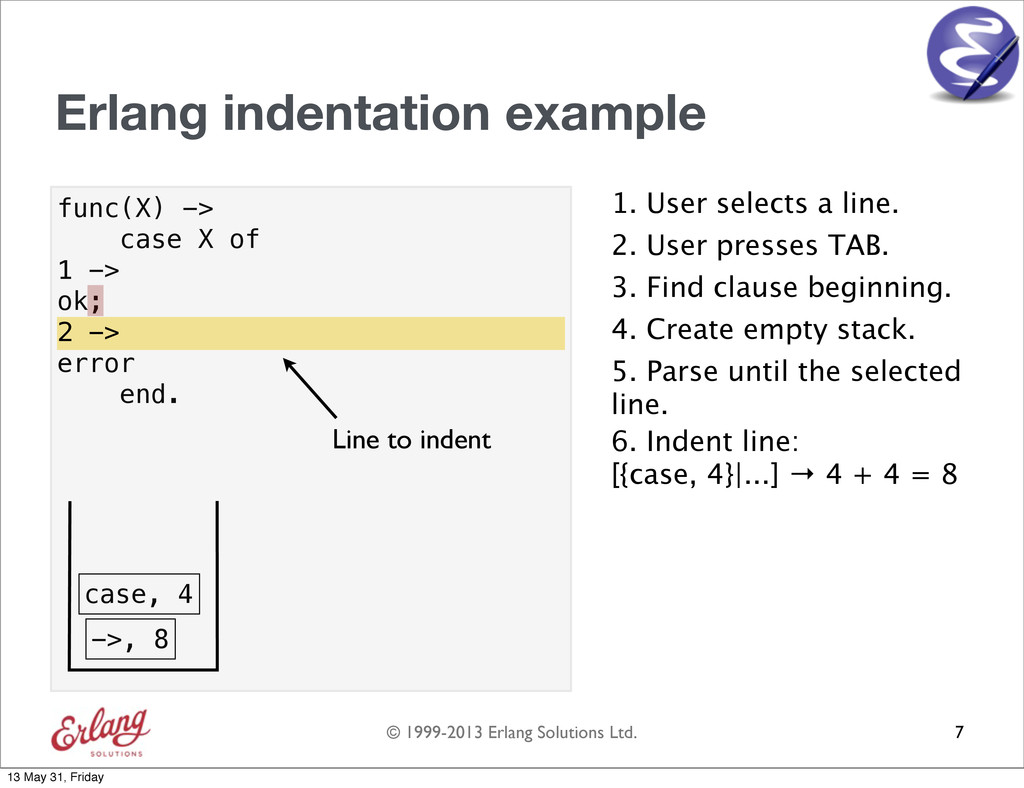
  35. © 1999-2013 Erlang Solutions Ltd. func(X) -> case X of

    1 -> ok; 2 -> error end. Erlang indentation example 1. User selects a line. 7 2 -> Line to indent 2. User presses TAB. 3. Find clause beginning. 4. Create empty stack. 5. Parse until the selected line. case, 4 ->, 8 6. Indent line: [{case, 4}|...] → 4 + 4 = 8 13 May 31, Friday
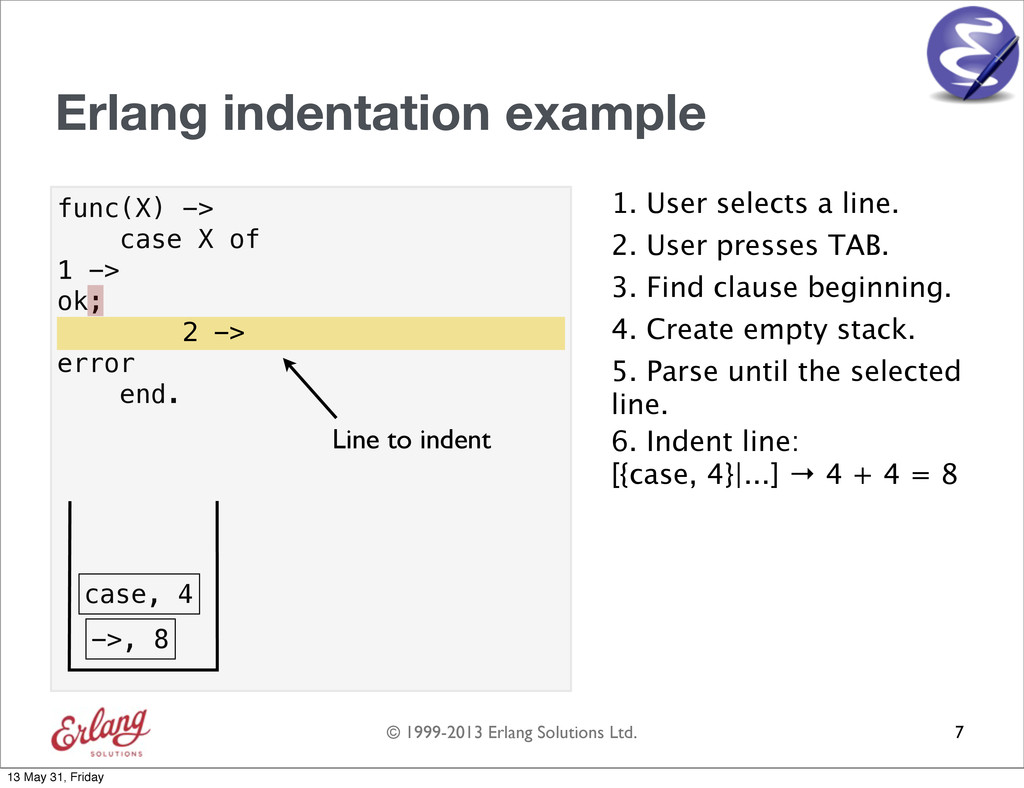
  36. © 1999-2013 Erlang Solutions Ltd. func(X) -> case X of

    1 -> ok; 2 -> error end. Erlang indentation example 1. User selects a line. 7 2 -> Line to indent 2 -> 2. User presses TAB. 3. Find clause beginning. 4. Create empty stack. 5. Parse until the selected line. case, 4 ->, 8 6. Indent line: [{case, 4}|...] → 4 + 4 = 8 13 May 31, Friday
  37. © 1999-2013 Erlang Solutions Ltd. Overview 1. Erlang indentation in

    Emacs 2. Indentation in Vim 3. Erlang indentation in Vim 8 + 13 May 31, Friday
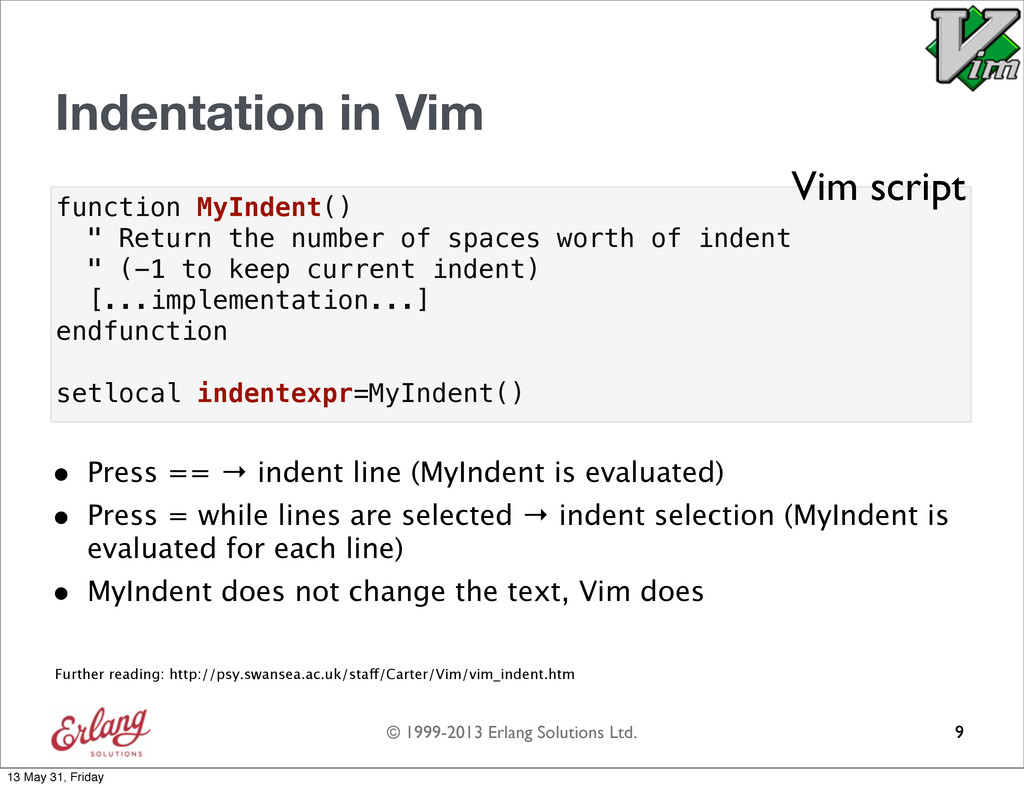
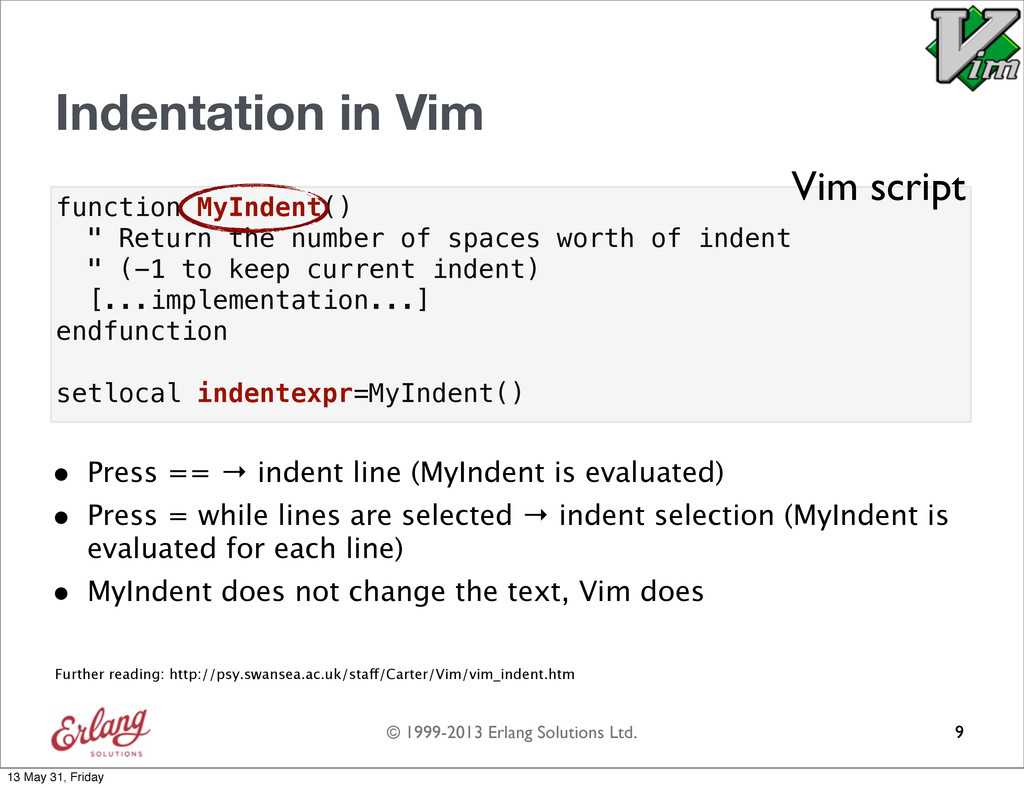
  38. © 1999-2013 Erlang Solutions Ltd. function MyIndent() " Return the

    number of spaces worth of indent " (-1 to keep current indent) [...implementation...] endfunction setlocal indentexpr=MyIndent() Indentation in Vim • Press == → indent line (MyIndent is evaluated) • Press = while lines are selected → indent selection (MyIndent is evaluated for each line) • MyIndent does not change the text, Vim does 9 Vim script Further reading: http://psy.swansea.ac.uk/staff/Carter/Vim/vim_indent.htm 13 May 31, Friday
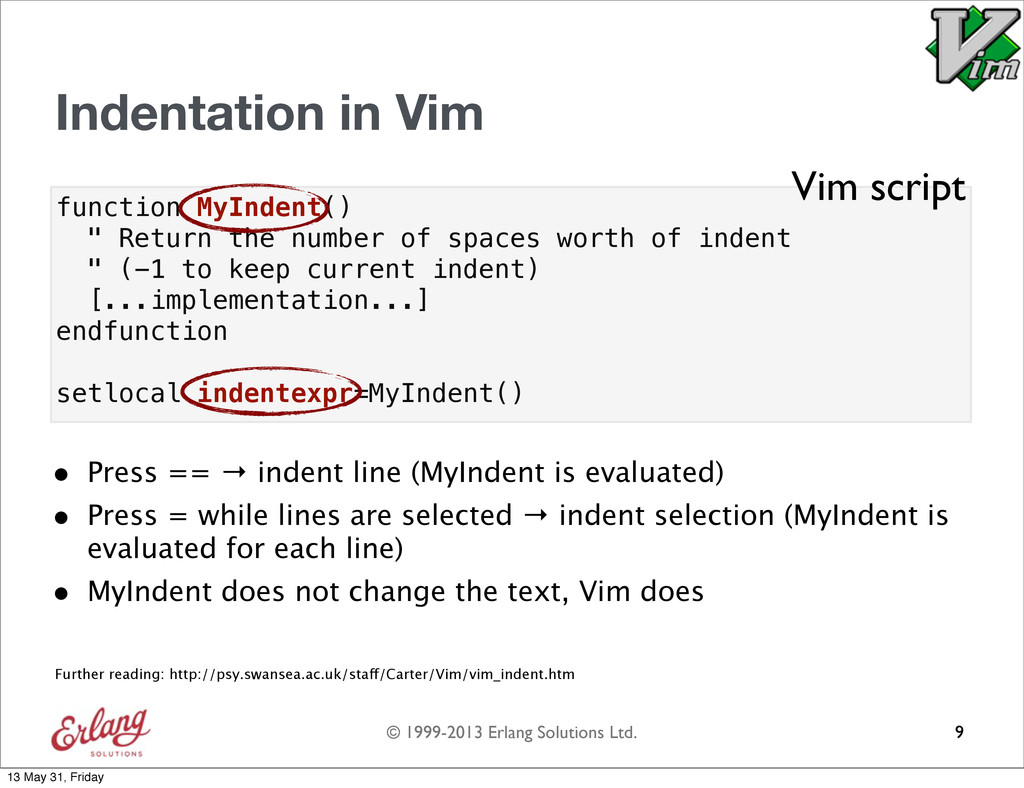
  39. © 1999-2013 Erlang Solutions Ltd. function MyIndent() " Return the

    number of spaces worth of indent " (-1 to keep current indent) [...implementation...] endfunction setlocal indentexpr=MyIndent() Indentation in Vim • Press == → indent line (MyIndent is evaluated) • Press = while lines are selected → indent selection (MyIndent is evaluated for each line) • MyIndent does not change the text, Vim does 9 Vim script Further reading: http://psy.swansea.ac.uk/staff/Carter/Vim/vim_indent.htm 13 May 31, Friday
  40. © 1999-2013 Erlang Solutions Ltd. function MyIndent() " Return the

    number of spaces worth of indent " (-1 to keep current indent) [...implementation...] endfunction setlocal indentexpr=MyIndent() Indentation in Vim • Press == → indent line (MyIndent is evaluated) • Press = while lines are selected → indent selection (MyIndent is evaluated for each line) • MyIndent does not change the text, Vim does 9 Vim script Further reading: http://psy.swansea.ac.uk/staff/Carter/Vim/vim_indent.htm 13 May 31, Friday
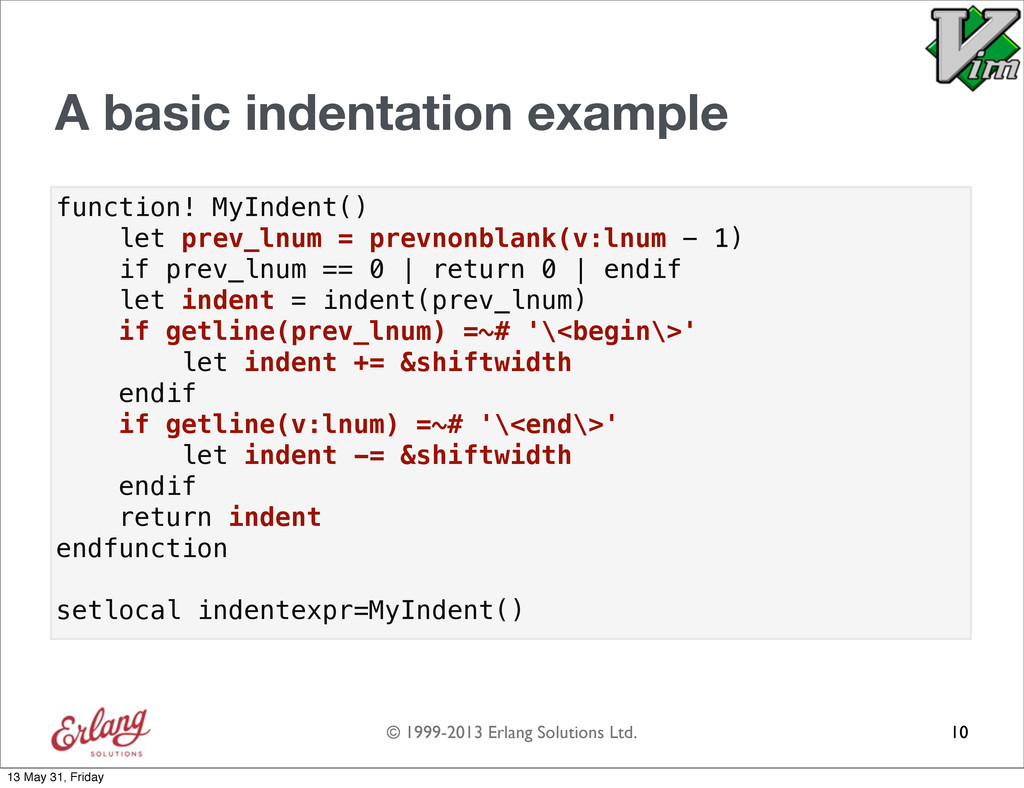
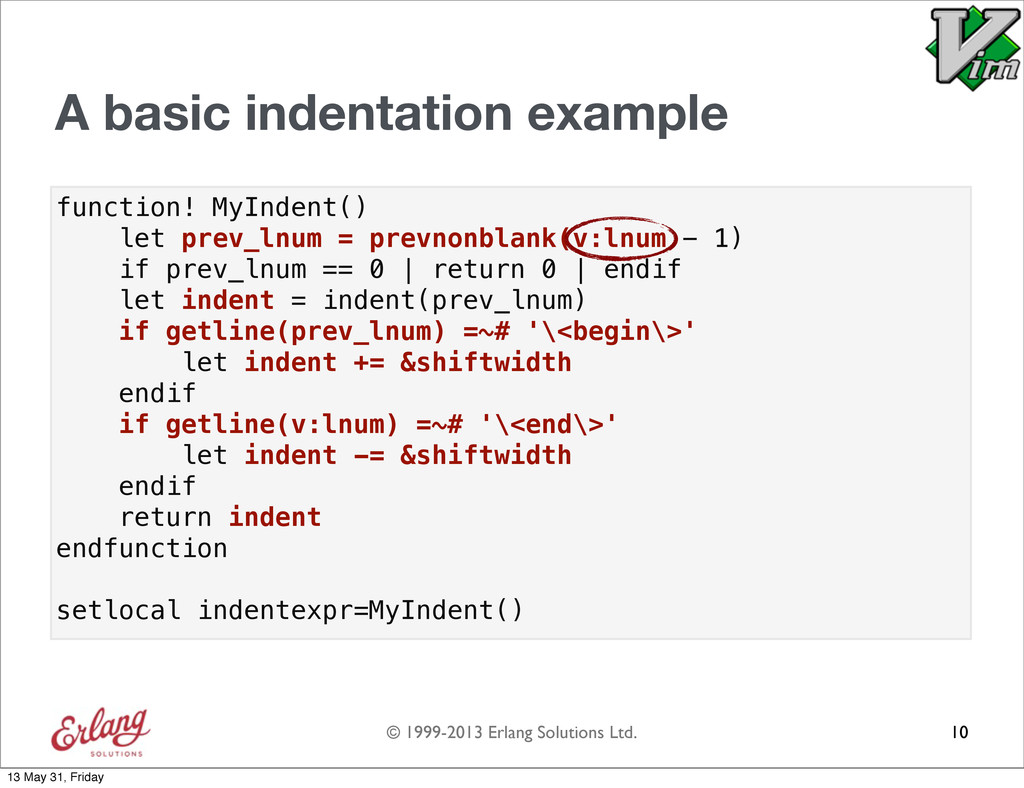
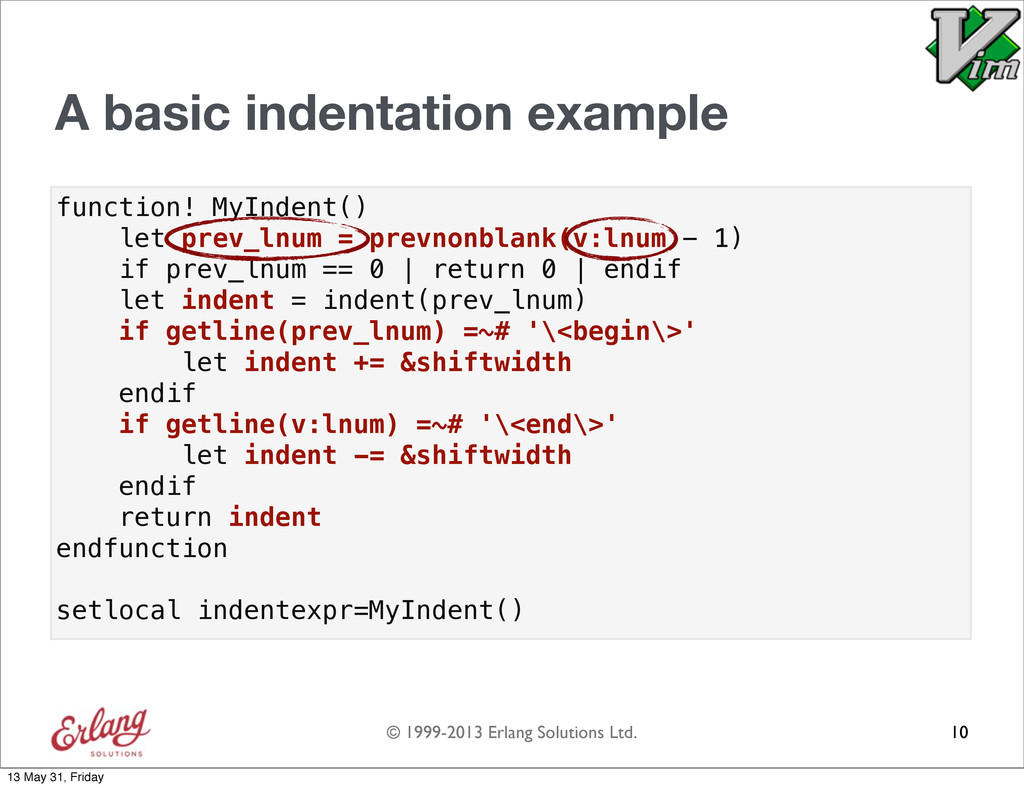
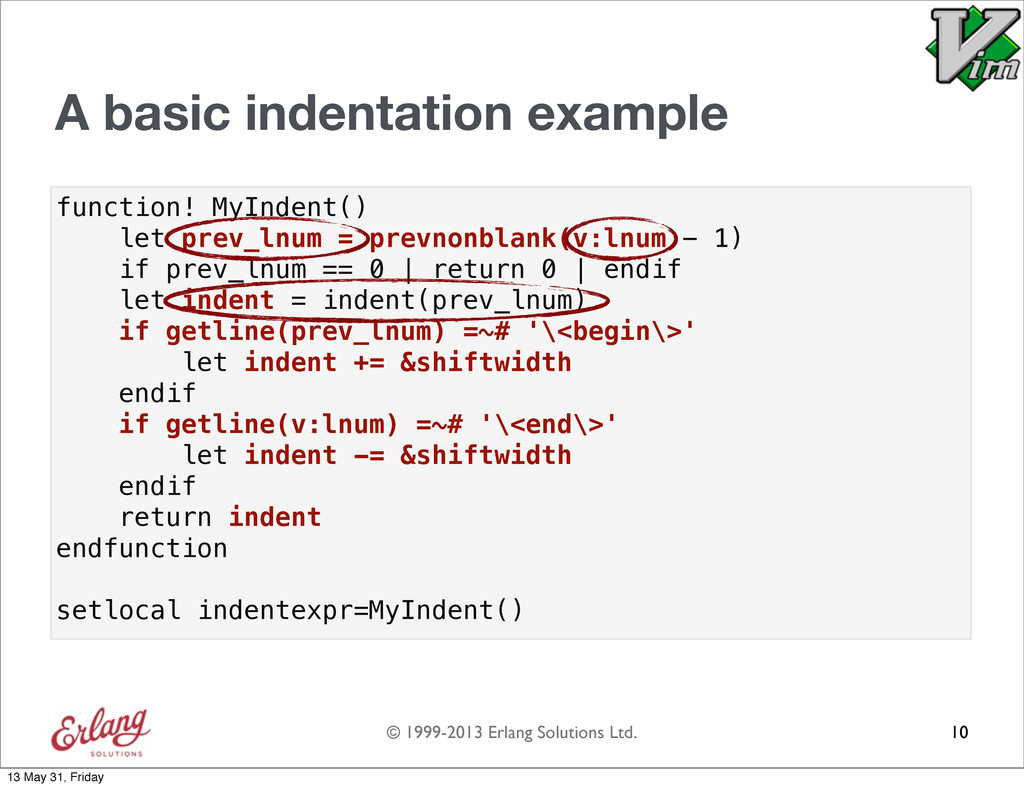
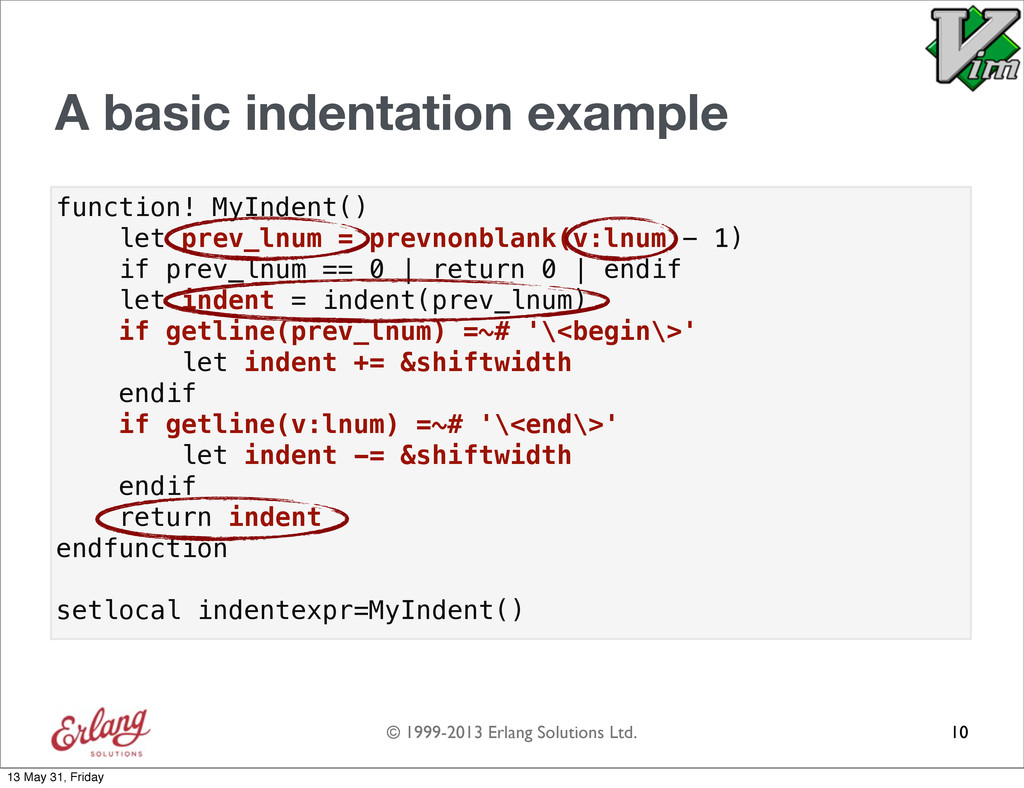
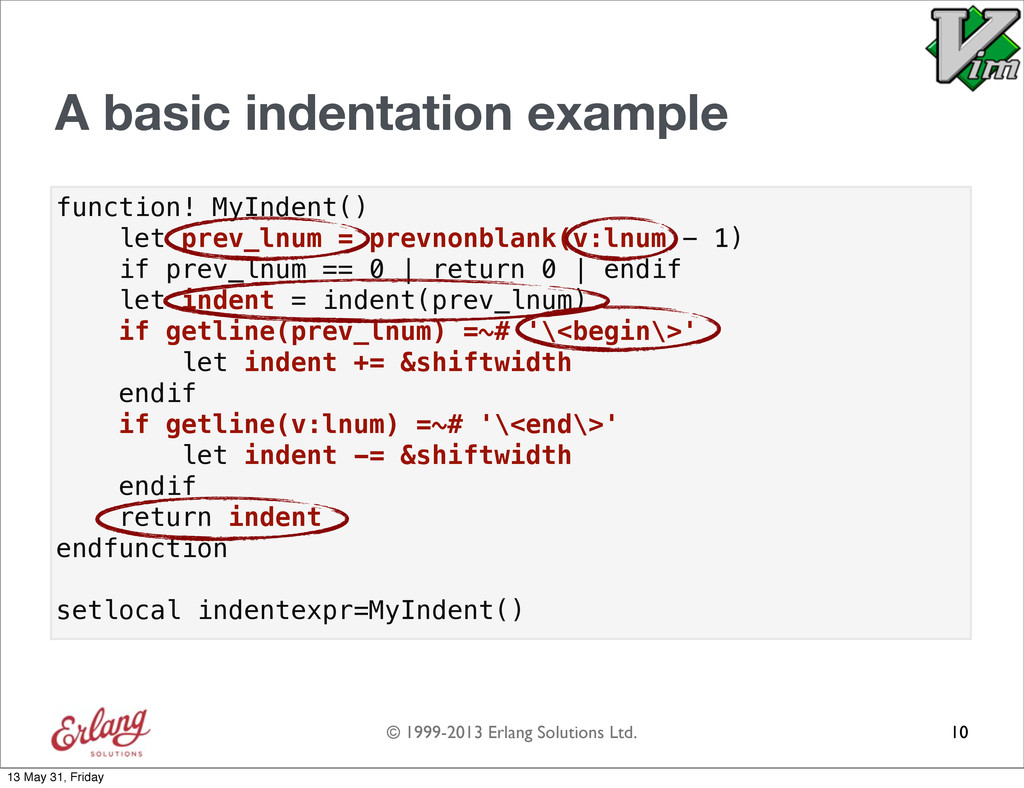
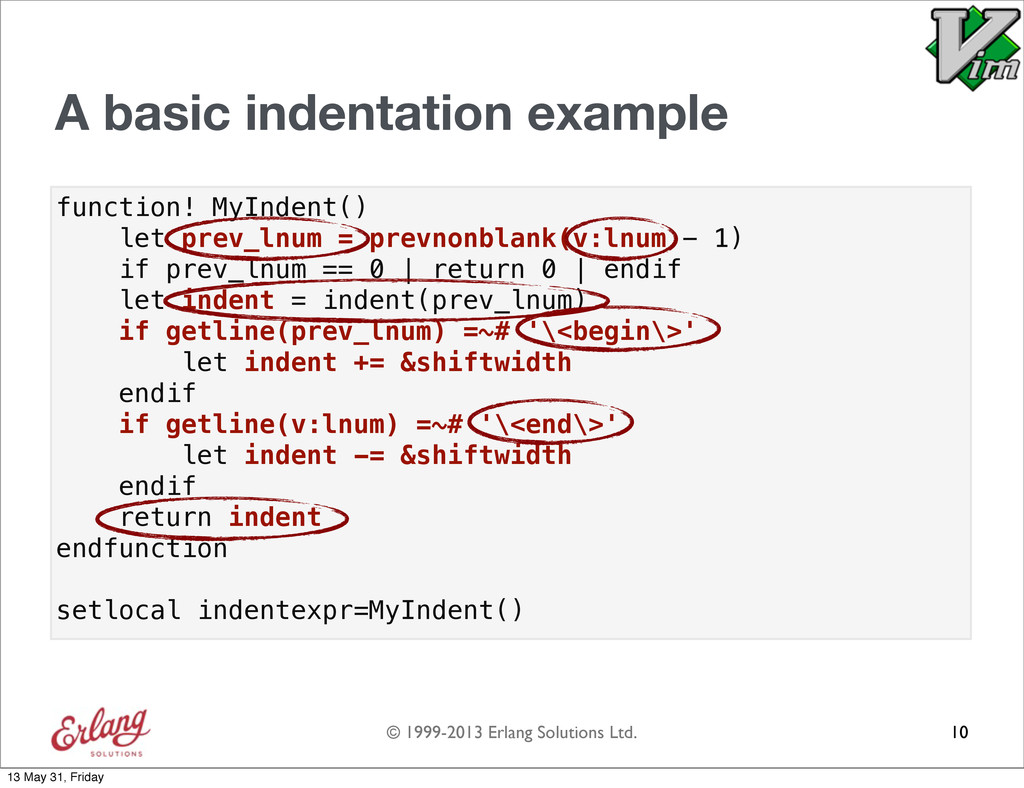
  41. © 1999-2013 Erlang Solutions Ltd. function! MyIndent() let prev_lnum =

    prevnonblank(v:lnum - 1) if prev_lnum == 0 | return 0 | endif let indent = indent(prev_lnum) if getline(prev_lnum) =~# '\<begin\>' let indent += &shiftwidth endif if getline(v:lnum) =~# '\<end\>' let indent -= &shiftwidth endif return indent endfunction setlocal indentexpr=MyIndent() A basic indentation example 10 13 May 31, Friday
  42. © 1999-2013 Erlang Solutions Ltd. function! MyIndent() let prev_lnum =

    prevnonblank(v:lnum - 1) if prev_lnum == 0 | return 0 | endif let indent = indent(prev_lnum) if getline(prev_lnum) =~# '\<begin\>' let indent += &shiftwidth endif if getline(v:lnum) =~# '\<end\>' let indent -= &shiftwidth endif return indent endfunction setlocal indentexpr=MyIndent() A basic indentation example 10 13 May 31, Friday
  43. © 1999-2013 Erlang Solutions Ltd. function! MyIndent() let prev_lnum =

    prevnonblank(v:lnum - 1) if prev_lnum == 0 | return 0 | endif let indent = indent(prev_lnum) if getline(prev_lnum) =~# '\<begin\>' let indent += &shiftwidth endif if getline(v:lnum) =~# '\<end\>' let indent -= &shiftwidth endif return indent endfunction setlocal indentexpr=MyIndent() A basic indentation example 10 13 May 31, Friday
  44. © 1999-2013 Erlang Solutions Ltd. function! MyIndent() let prev_lnum =

    prevnonblank(v:lnum - 1) if prev_lnum == 0 | return 0 | endif let indent = indent(prev_lnum) if getline(prev_lnum) =~# '\<begin\>' let indent += &shiftwidth endif if getline(v:lnum) =~# '\<end\>' let indent -= &shiftwidth endif return indent endfunction setlocal indentexpr=MyIndent() A basic indentation example 10 13 May 31, Friday
  45. © 1999-2013 Erlang Solutions Ltd. function! MyIndent() let prev_lnum =

    prevnonblank(v:lnum - 1) if prev_lnum == 0 | return 0 | endif let indent = indent(prev_lnum) if getline(prev_lnum) =~# '\<begin\>' let indent += &shiftwidth endif if getline(v:lnum) =~# '\<end\>' let indent -= &shiftwidth endif return indent endfunction setlocal indentexpr=MyIndent() A basic indentation example 10 13 May 31, Friday
  46. © 1999-2013 Erlang Solutions Ltd. function! MyIndent() let prev_lnum =

    prevnonblank(v:lnum - 1) if prev_lnum == 0 | return 0 | endif let indent = indent(prev_lnum) if getline(prev_lnum) =~# '\<begin\>' let indent += &shiftwidth endif if getline(v:lnum) =~# '\<end\>' let indent -= &shiftwidth endif return indent endfunction setlocal indentexpr=MyIndent() A basic indentation example 10 13 May 31, Friday
  47. © 1999-2013 Erlang Solutions Ltd. function! MyIndent() let prev_lnum =

    prevnonblank(v:lnum - 1) if prev_lnum == 0 | return 0 | endif let indent = indent(prev_lnum) if getline(prev_lnum) =~# '\<begin\>' let indent += &shiftwidth endif if getline(v:lnum) =~# '\<end\>' let indent -= &shiftwidth endif return indent endfunction setlocal indentexpr=MyIndent() A basic indentation example 10 13 May 31, Friday
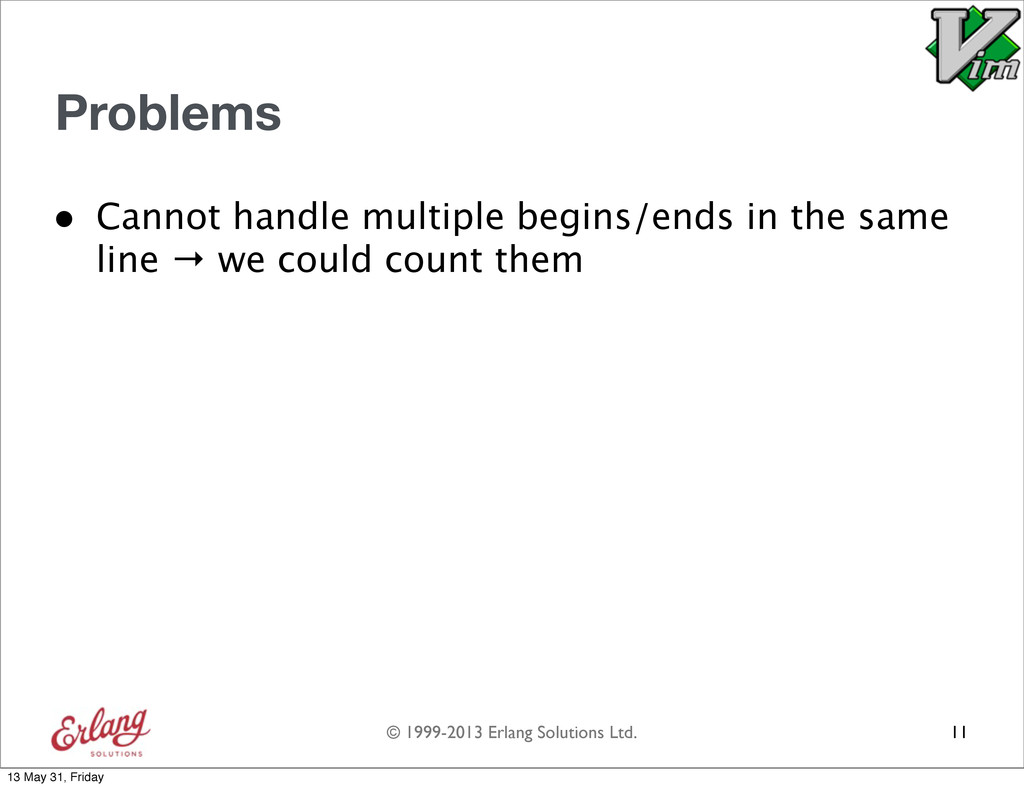
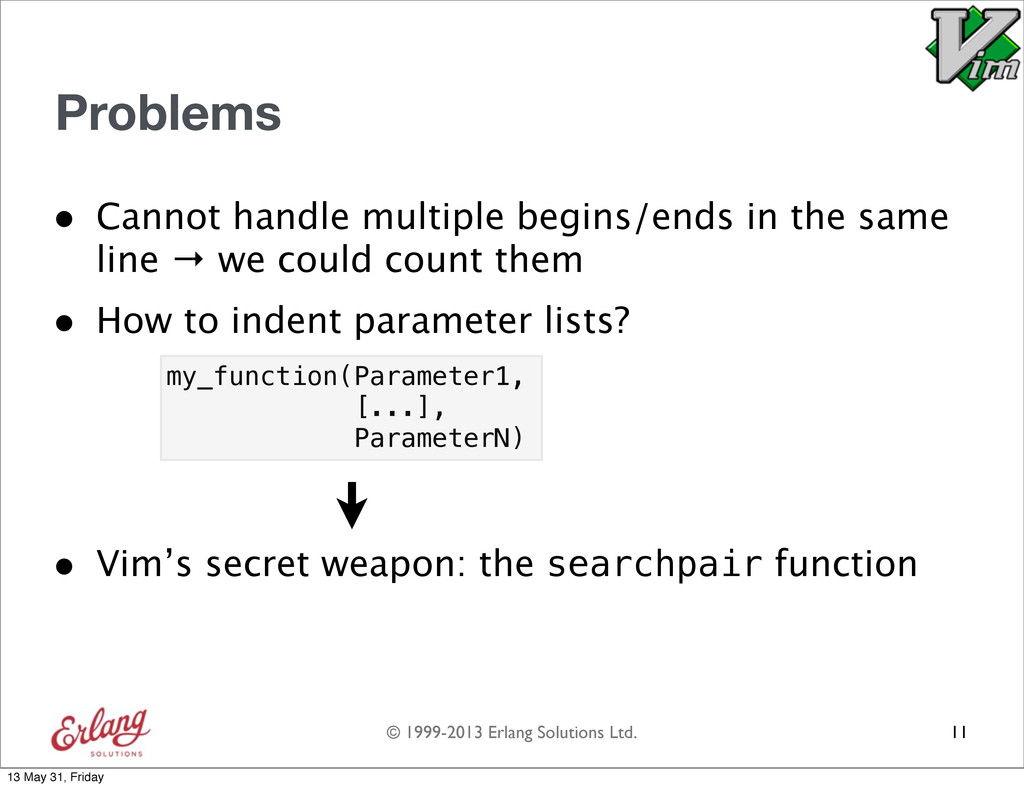
  48. © 1999-2013 Erlang Solutions Ltd. Problems • Cannot handle multiple

    begins/ends in the same line → we could count them 11 13 May 31, Friday
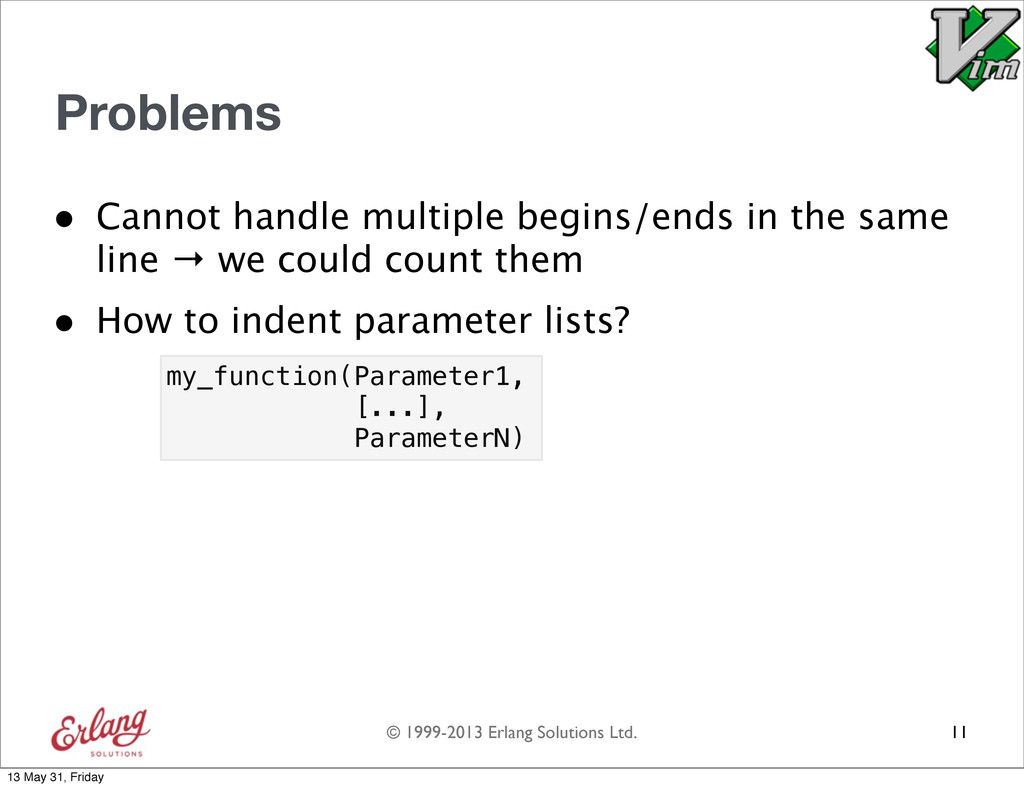
  49. © 1999-2013 Erlang Solutions Ltd. Problems • Cannot handle multiple

    begins/ends in the same line → we could count them 11 my_function(Parameter1, [...], ParameterN) • How to indent parameter lists? 13 May 31, Friday
  50. © 1999-2013 Erlang Solutions Ltd. Problems • Cannot handle multiple

    begins/ends in the same line → we could count them 11 my_function(Parameter1, [...], ParameterN) • Vim’s secret weapon: the searchpair function • How to indent parameter lists? 13 May 31, Friday
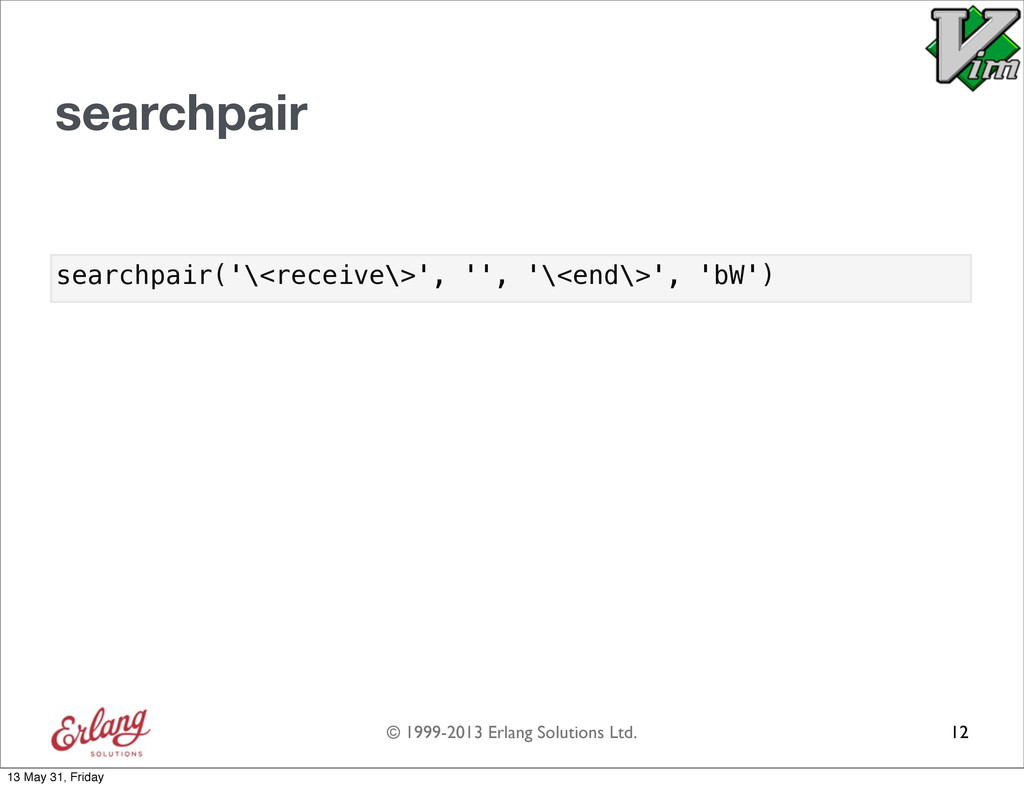
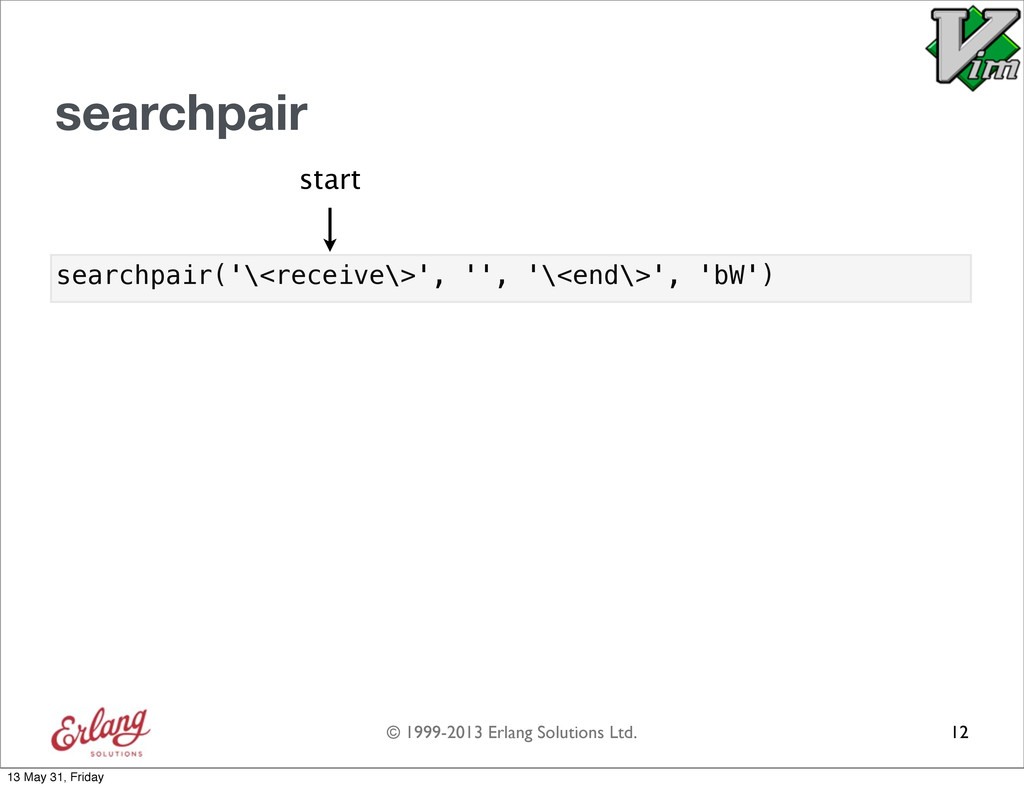
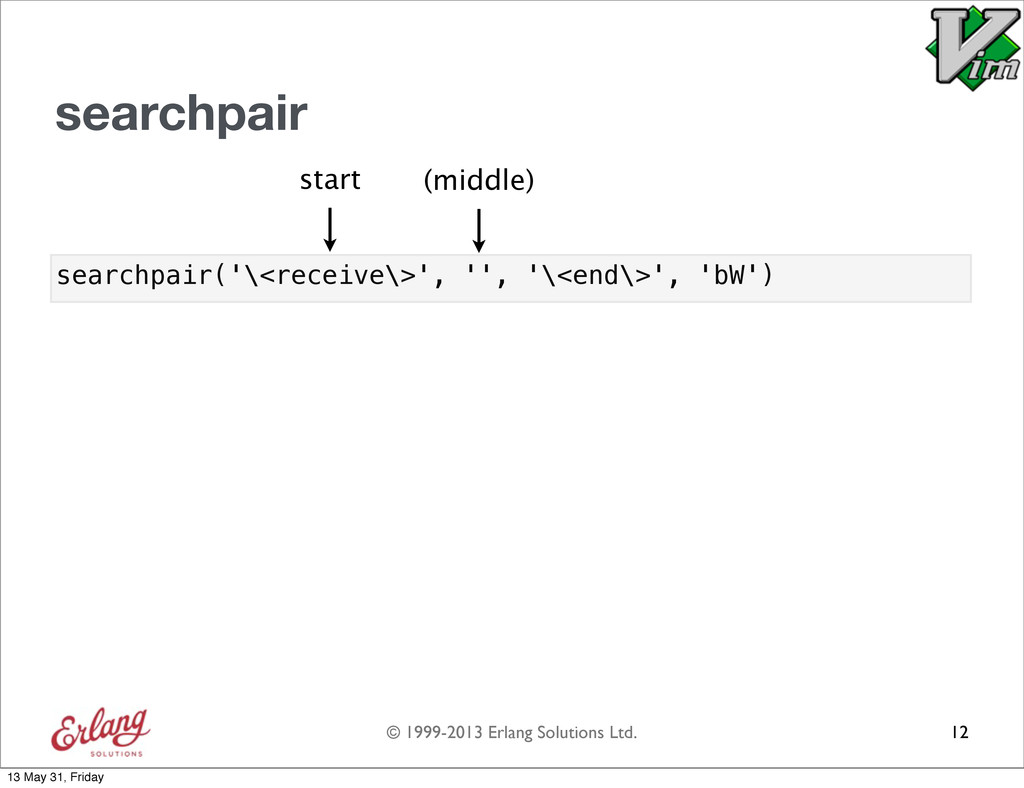
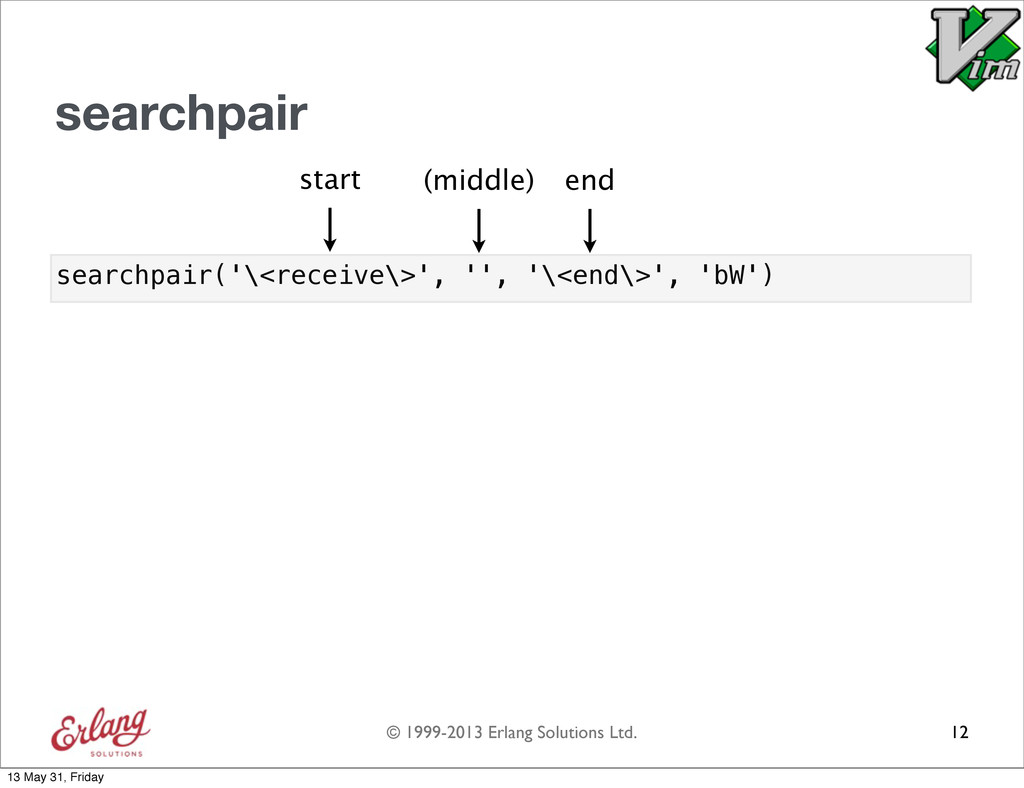
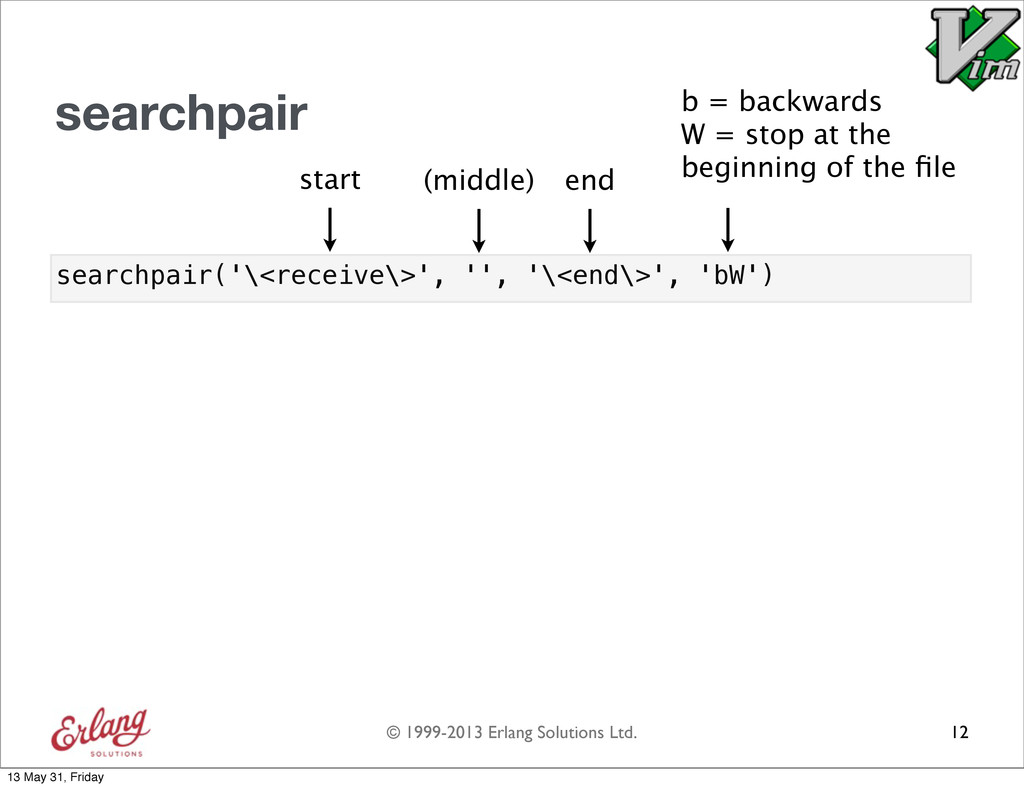
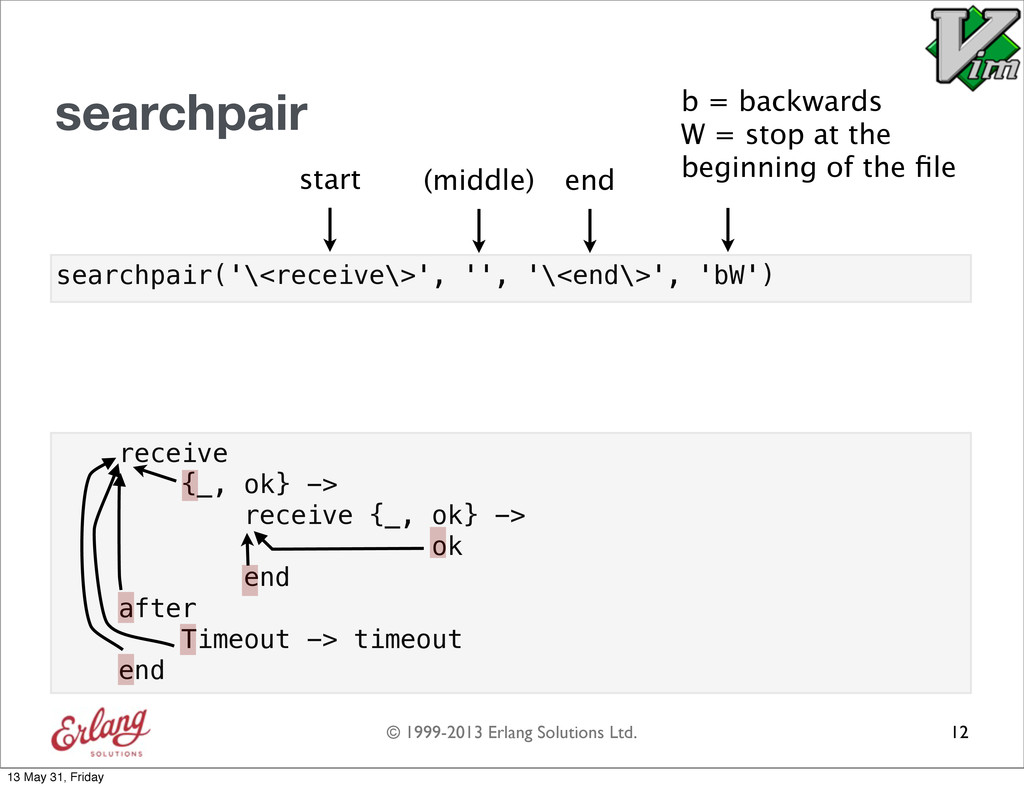
  51. © 1999-2013 Erlang Solutions Ltd. searchpair('\<receive\>', '', '\<end\>', 'bW') searchpair

    12 b = backwards W = stop at the beginning of the file start (middle) end 13 May 31, Friday
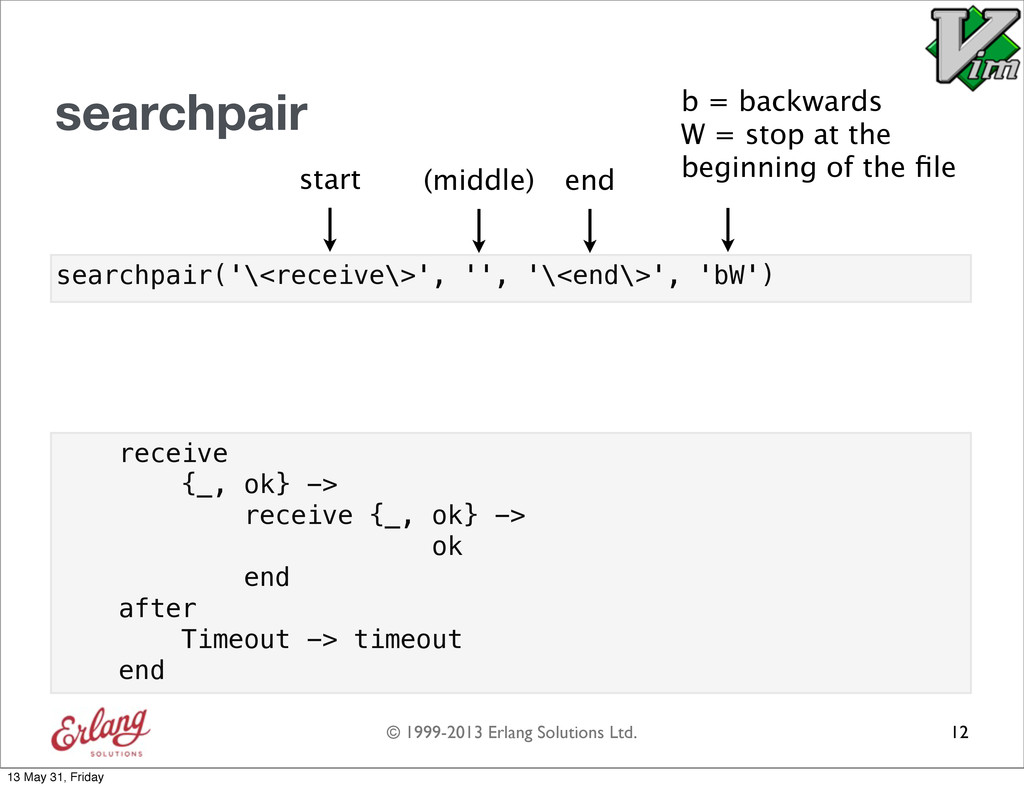
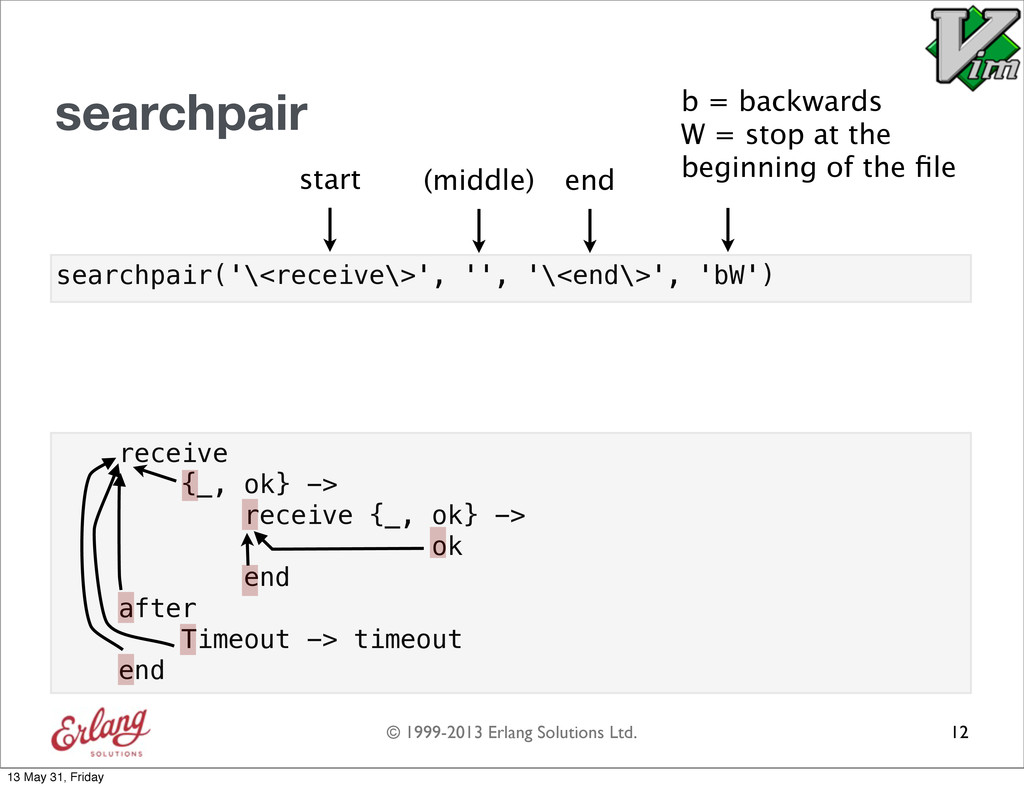
  52. © 1999-2013 Erlang Solutions Ltd. searchpair('\<receive\>', '', '\<end\>', 'bW') searchpair

    12 receive {_, ok} -> receive {_, ok} -> ok end after Timeout -> timeout end b = backwards W = stop at the beginning of the file start (middle) end 13 May 31, Friday
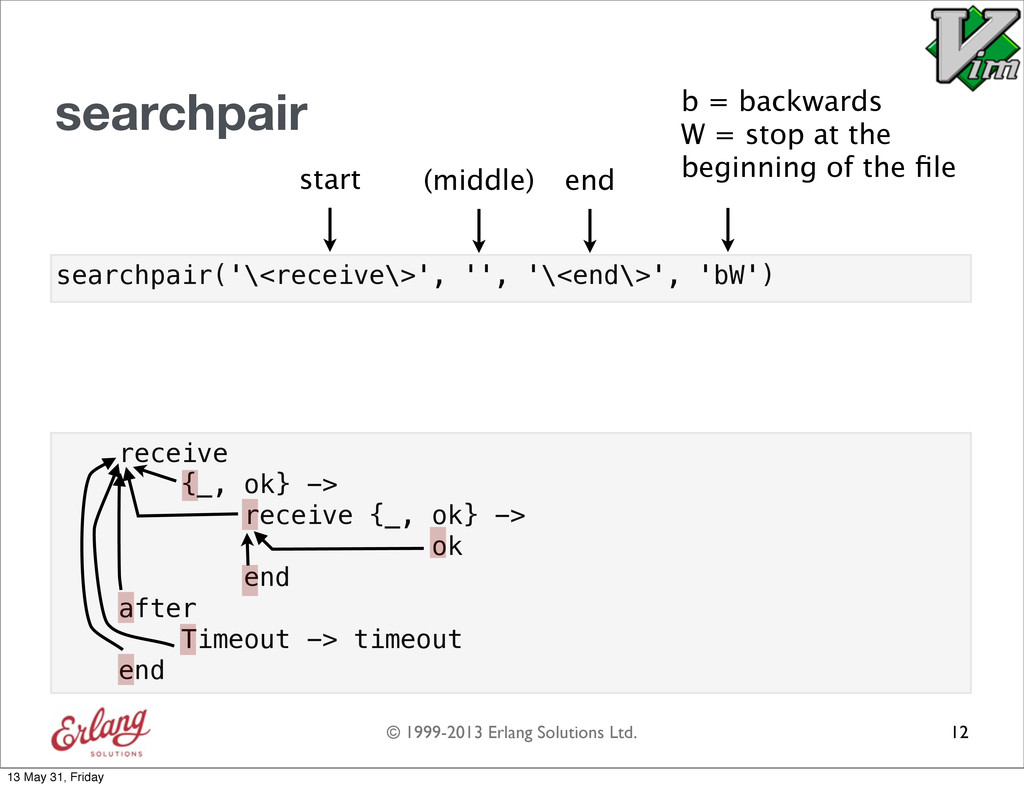
  53. © 1999-2013 Erlang Solutions Ltd. searchpair('\<receive\>', '', '\<end\>', 'bW') searchpair

    12 receive {_, ok} -> receive {_, ok} -> ok end after Timeout -> timeout end b = backwards W = stop at the beginning of the file start (middle) end 13 May 31, Friday
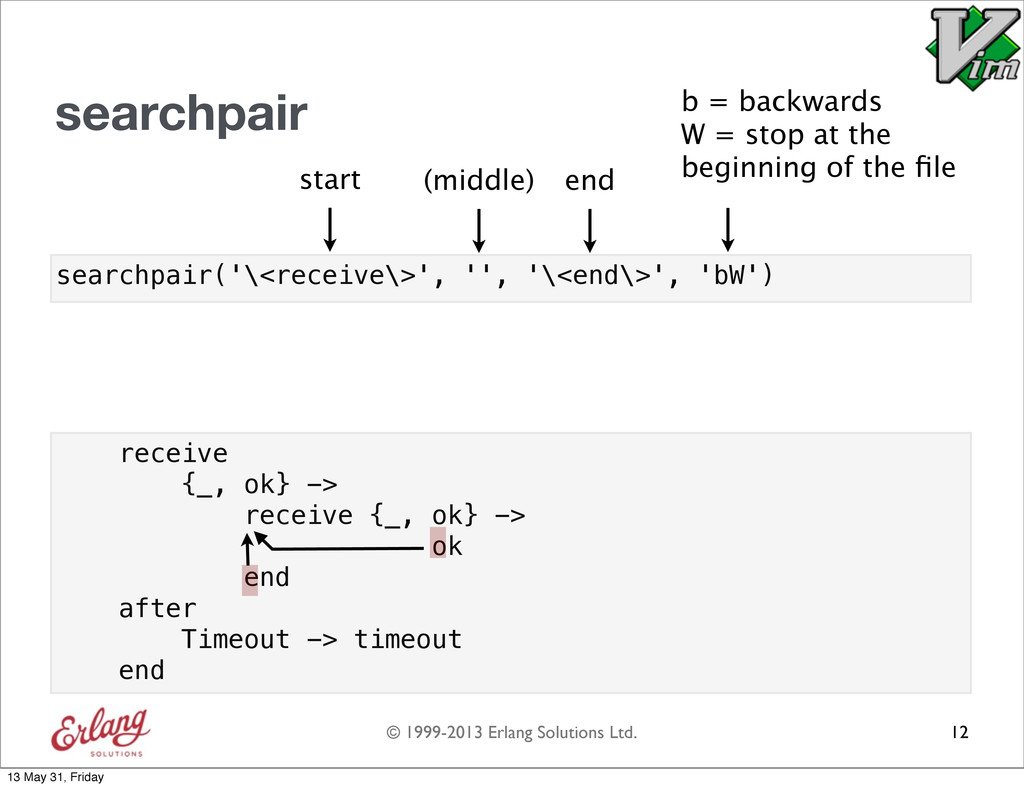
  54. © 1999-2013 Erlang Solutions Ltd. searchpair('\<receive\>', '', '\<end\>', 'bW') searchpair

    12 receive {_, ok} -> receive {_, ok} -> ok end after Timeout -> timeout end b = backwards W = stop at the beginning of the file start (middle) end 13 May 31, Friday
  55. © 1999-2013 Erlang Solutions Ltd. searchpair('\<receive\>', '', '\<end\>', 'bW') searchpair

    12 receive {_, ok} -> receive {_, ok} -> ok end after Timeout -> timeout end b = backwards W = stop at the beginning of the file start (middle) end 13 May 31, Friday
  56. © 1999-2013 Erlang Solutions Ltd. searchpair('\<receive\>', '', '\<end\>', 'bW') searchpair

    12 receive {_, ok} -> receive {_, ok} -> ok end after Timeout -> timeout end b = backwards W = stop at the beginning of the file start (middle) end 13 May 31, Friday
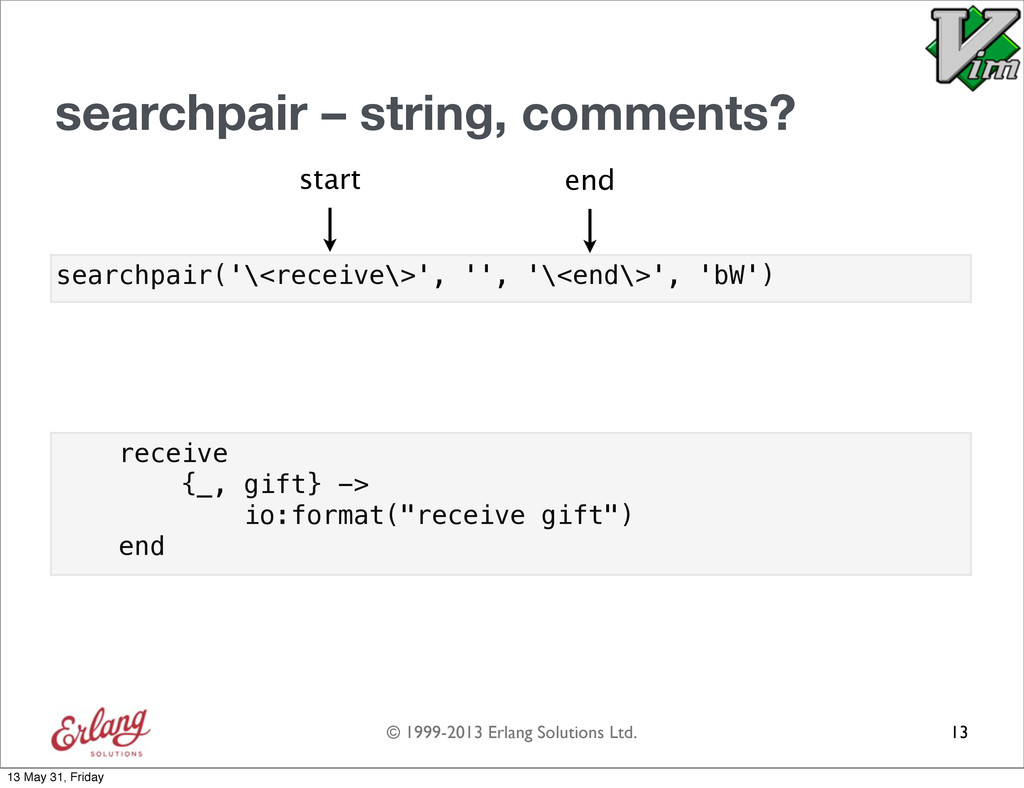
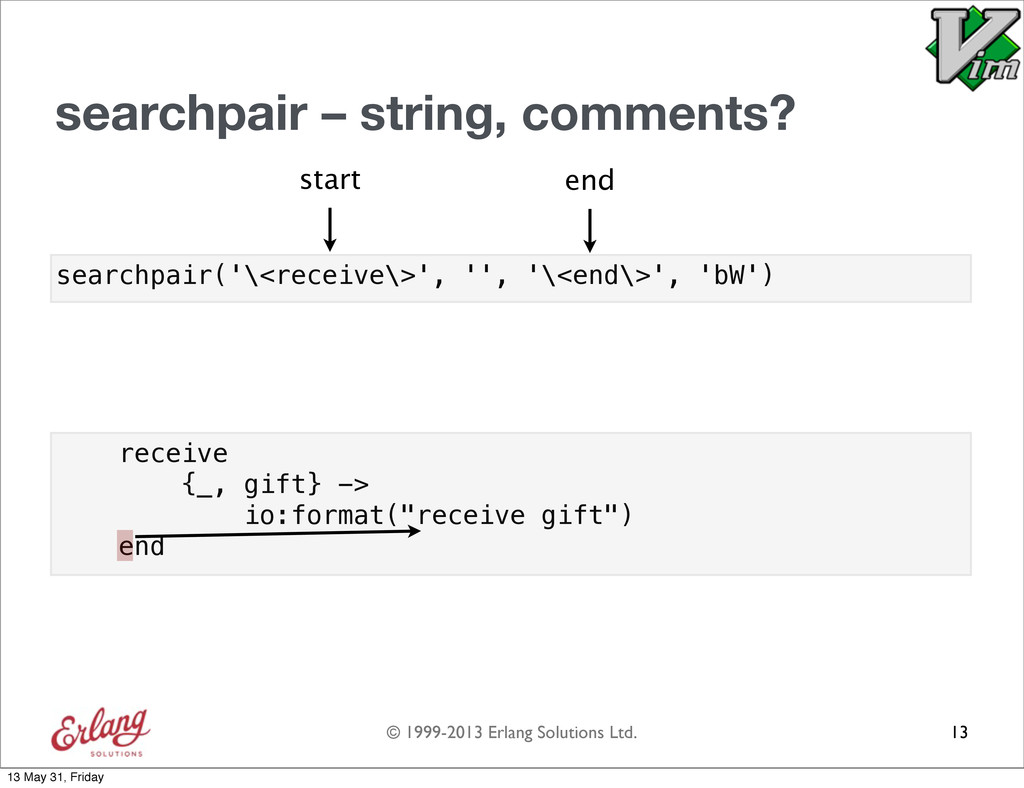
  57. © 1999-2013 Erlang Solutions Ltd. searchpair – string, comments? 13

    searchpair('\<receive\>', '', '\<end\>', 'bW') receive {_, gift} -> io:format("receive gift") end start end 13 May 31, Friday
  58. © 1999-2013 Erlang Solutions Ltd. searchpair – string, comments? 13

    searchpair('\<receive\>', '', '\<end\>', 'bW') receive {_, gift} -> io:format("receive gift") end start end 13 May 31, Friday
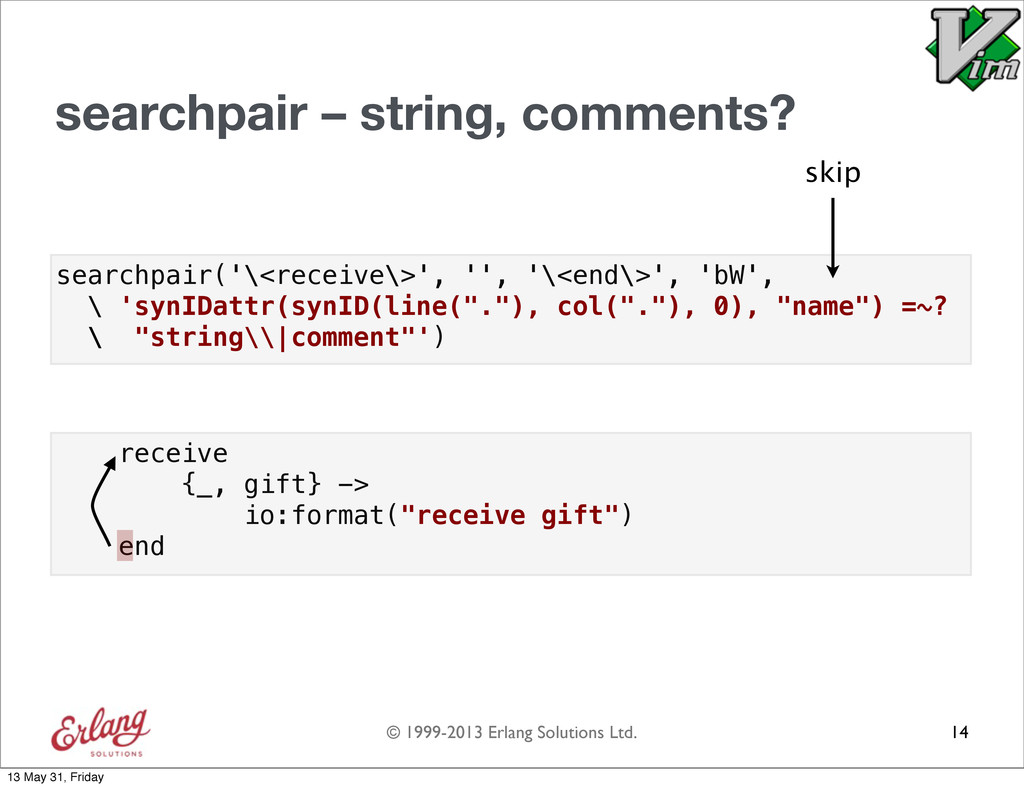
  59. © 1999-2013 Erlang Solutions Ltd. searchpair('\<receive\>', '', '\<end\>', 'bW', \

    'synIDattr(synID(line("."), col("."), 0), "name") =~? \ "string\\|comment"') searchpair – string, comments? 14 receive {_, gift} -> io:format("receive gift") end skip 13 May 31, Friday
  60. © 1999-2013 Erlang Solutions Ltd. function! MyIndent() let [lnum, col]

    = \ searchpairpos('(', '', ')', 'bW', \ 'synIDattr(synID(line("."),col("."),0),"name") =~? \ "string\\|comment"') if lnum == 0 | return 0 | endif let word_col = match(getline(lnum), '[^ \t]', col) if word_col == -1 return word_col else return indent(lnum) + &shiftwidth endif endfunction Example using searchpair 15 13 May 31, Friday
  61. © 1999-2013 Erlang Solutions Ltd. function! MyIndent() let [lnum, col]

    = \ searchpairpos('(', '', ')', 'bW', \ 'synIDattr(synID(line("."),col("."),0),"name") =~? \ "string\\|comment"') if lnum == 0 | return 0 | endif let word_col = match(getline(lnum), '[^ \t]', col) if word_col == -1 return word_col else return indent(lnum) + &shiftwidth endif endfunction Example using searchpair 15 13 May 31, Friday
  62. © 1999-2013 Erlang Solutions Ltd. function! MyIndent() let [lnum, col]

    = \ searchpairpos('(', '', ')', 'bW', \ 'synIDattr(synID(line("."),col("."),0),"name") =~? \ "string\\|comment"') if lnum == 0 | return 0 | endif let word_col = match(getline(lnum), '[^ \t]', col) if word_col == -1 return word_col else return indent(lnum) + &shiftwidth endif endfunction Example using searchpair 15 13 May 31, Friday
  63. © 1999-2013 Erlang Solutions Ltd. function! MyIndent() let [lnum, col]

    = \ searchpairpos('(', '', ')', 'bW', \ 'synIDattr(synID(line("."),col("."),0),"name") =~? \ "string\\|comment"') if lnum == 0 | return 0 | endif let word_col = match(getline(lnum), '[^ \t]', col) if word_col == -1 return word_col else return indent(lnum) + &shiftwidth endif endfunction Example using searchpair 15 13 May 31, Friday
  64. © 1999-2013 Erlang Solutions Ltd. function! MyIndent() let [lnum, col]

    = \ searchpairpos('(', '', ')', 'bW', \ 'synIDattr(synID(line("."),col("."),0),"name") =~? \ "string\\|comment"') if lnum == 0 | return 0 | endif let word_col = match(getline(lnum), '[^ \t]', col) if word_col == -1 return word_col else return indent(lnum) + &shiftwidth endif endfunction Example using searchpair 15 my_func(Param1, Param2 13 May 31, Friday
  65. © 1999-2013 Erlang Solutions Ltd. function! MyIndent() let [lnum, col]

    = \ searchpairpos('(', '', ')', 'bW', \ 'synIDattr(synID(line("."),col("."),0),"name") =~? \ "string\\|comment"') if lnum == 0 | return 0 | endif let word_col = match(getline(lnum), '[^ \t]', col) if word_col == -1 return word_col else return indent(lnum) + &shiftwidth endif endfunction Example using searchpair 15 my_func(Param1, Param2 my_func( Param1, 13 May 31, Friday
  66. © 1999-2013 Erlang Solutions Ltd. Overview 1. Erlang indentation in

    Emacs 2. Indentation in Vim 3. Erlang indentation in Vim 16 + 13 May 31, Friday
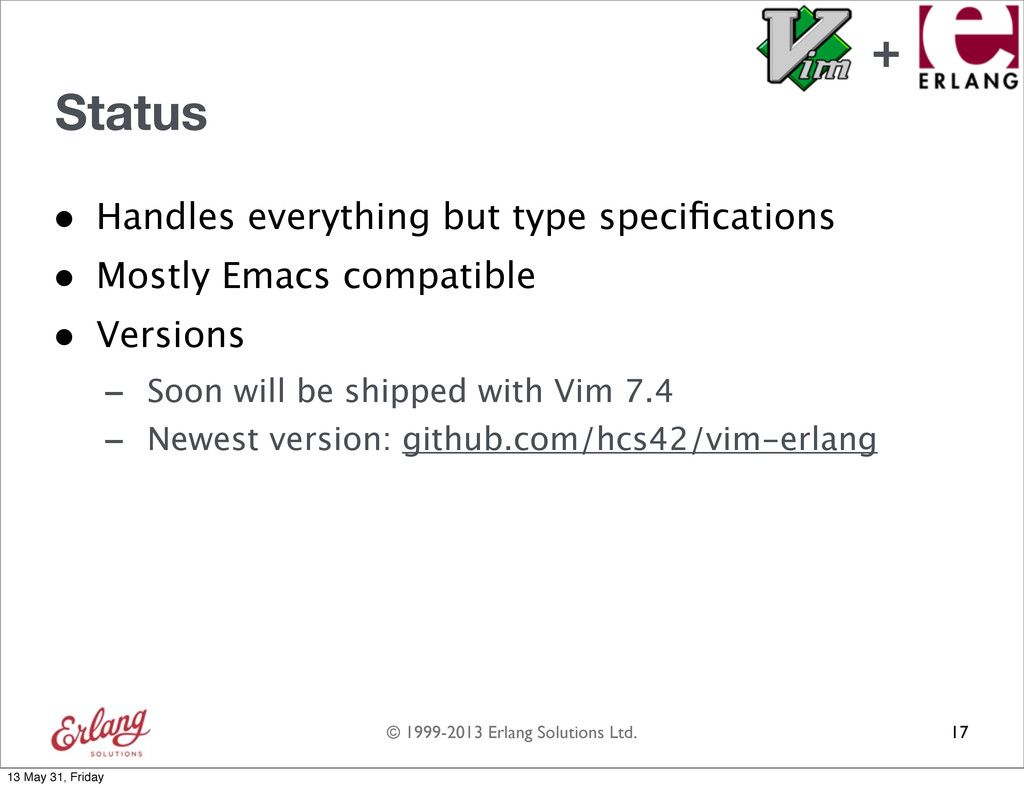
  67. © 1999-2013 Erlang Solutions Ltd. 17 Status • Handles everything

    but type specifications • Mostly Emacs compatible • Versions - Soon will be shipped with Vim 7.4 - Newest version: github.com/hcs42/vim-erlang + 13 May 31, Friday
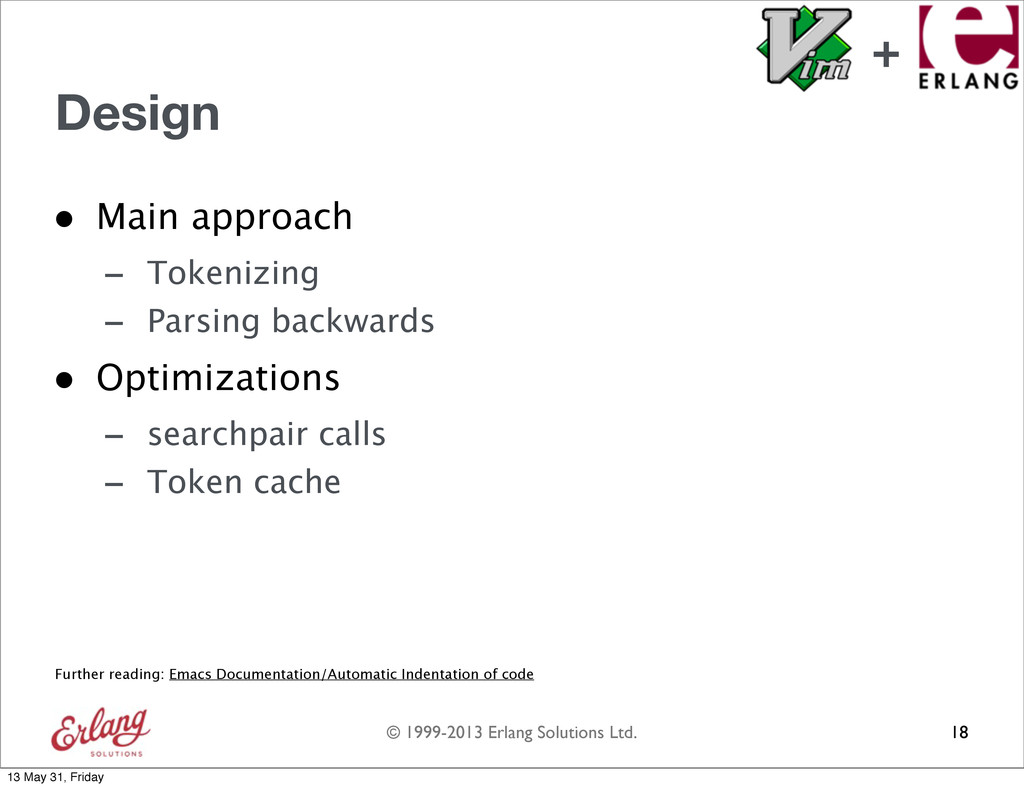
  68. © 1999-2013 Erlang Solutions Ltd. Design • Main approach -

    Tokenizing - Parsing backwards • Optimizations - searchpair calls - Token cache 18 Further reading: Emacs Documentation/Automatic Indentation of code + 13 May 31, Friday
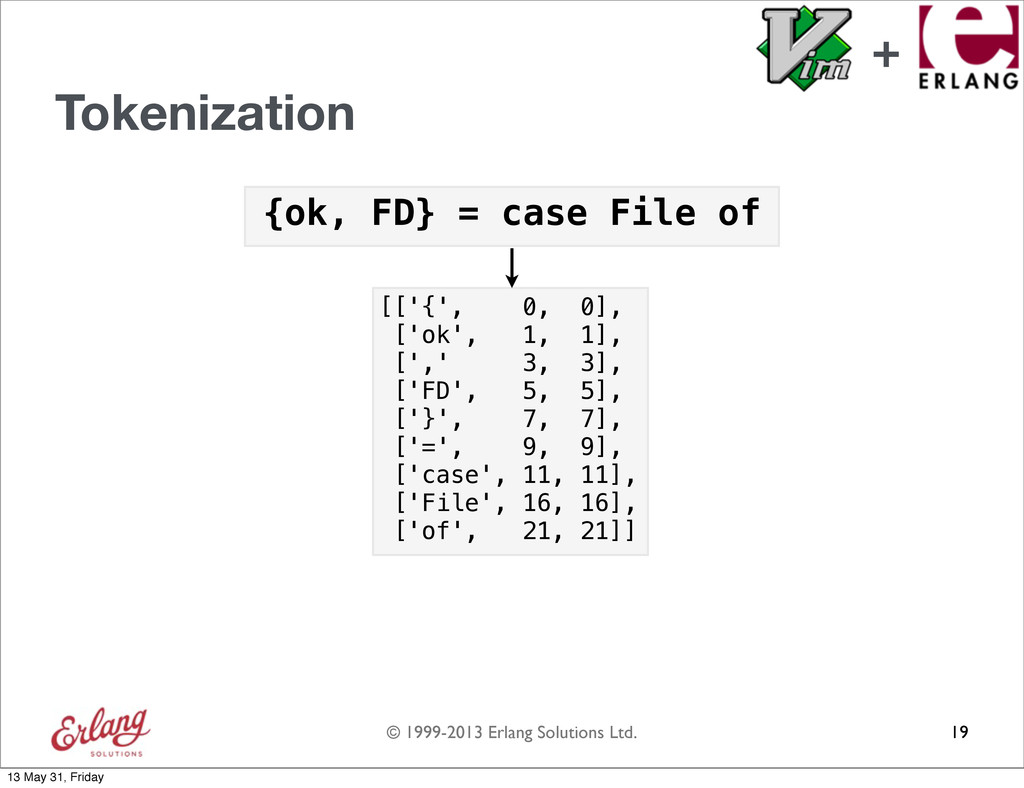
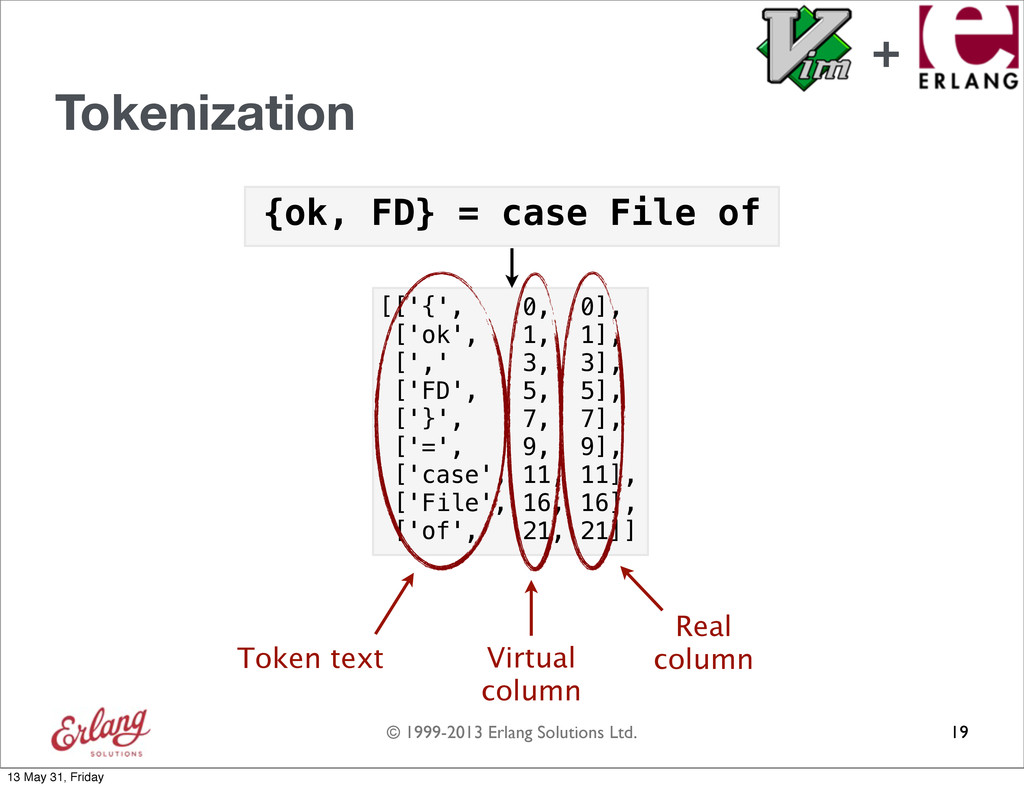
  69. © 1999-2013 Erlang Solutions Ltd. {ok, FD} = case File

    of Tokenization 19 [['{', 0, 0], ['ok', 1, 1], [',' 3, 3], ['FD', 5, 5], ['}', 7, 7], ['=', 9, 9], ['case', 11, 11], ['File', 16, 16], ['of', 21, 21]] + 13 May 31, Friday
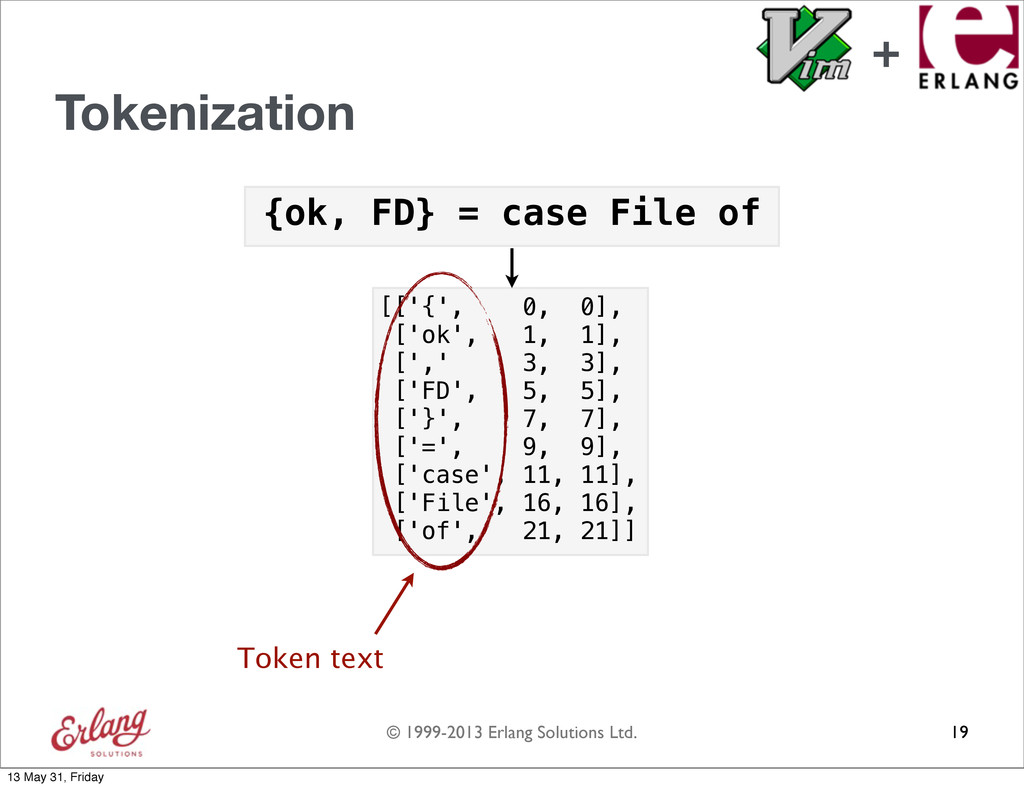
  70. © 1999-2013 Erlang Solutions Ltd. {ok, FD} = case File

    of Tokenization 19 [['{', 0, 0], ['ok', 1, 1], [',' 3, 3], ['FD', 5, 5], ['}', 7, 7], ['=', 9, 9], ['case', 11, 11], ['File', 16, 16], ['of', 21, 21]] Token text + 13 May 31, Friday
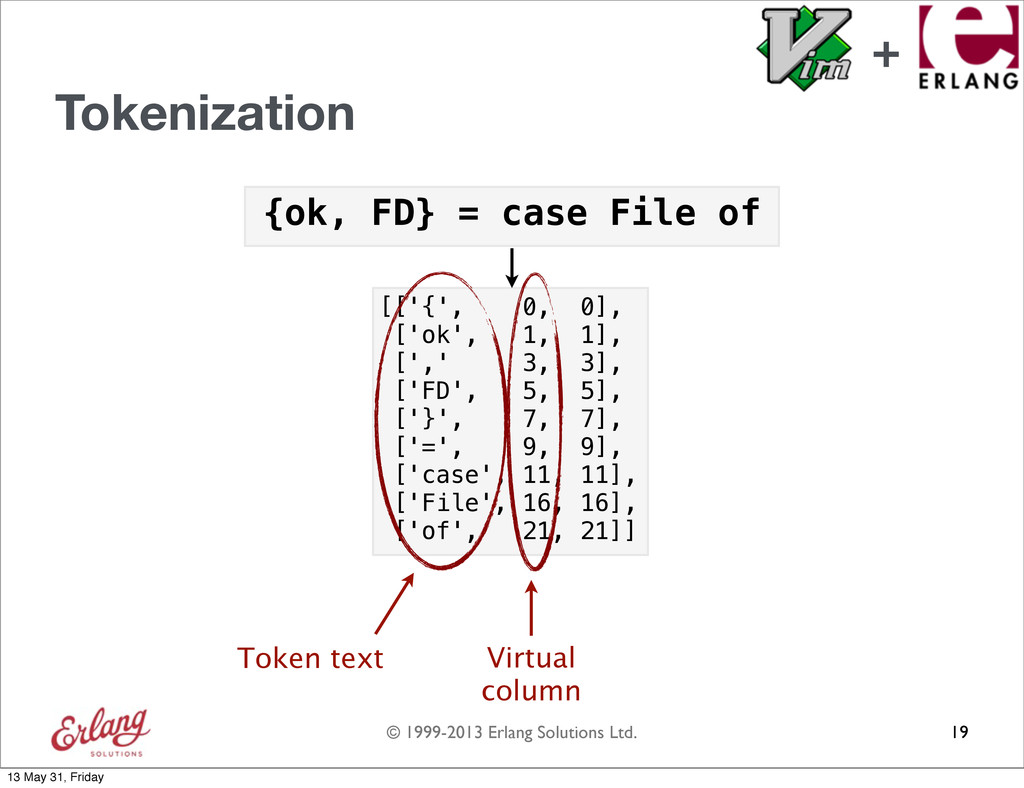
  71. © 1999-2013 Erlang Solutions Ltd. {ok, FD} = case File

    of Tokenization 19 [['{', 0, 0], ['ok', 1, 1], [',' 3, 3], ['FD', 5, 5], ['}', 7, 7], ['=', 9, 9], ['case', 11, 11], ['File', 16, 16], ['of', 21, 21]] Token text Virtual column + 13 May 31, Friday
  72. © 1999-2013 Erlang Solutions Ltd. {ok, FD} = case File

    of Tokenization 19 [['{', 0, 0], ['ok', 1, 1], [',' 3, 3], ['FD', 5, 5], ['}', 7, 7], ['=', 9, 9], ['case', 11, 11], ['File', 16, 16], ['of', 21, 21]] Token text Virtual column Real column + 13 May 31, Friday
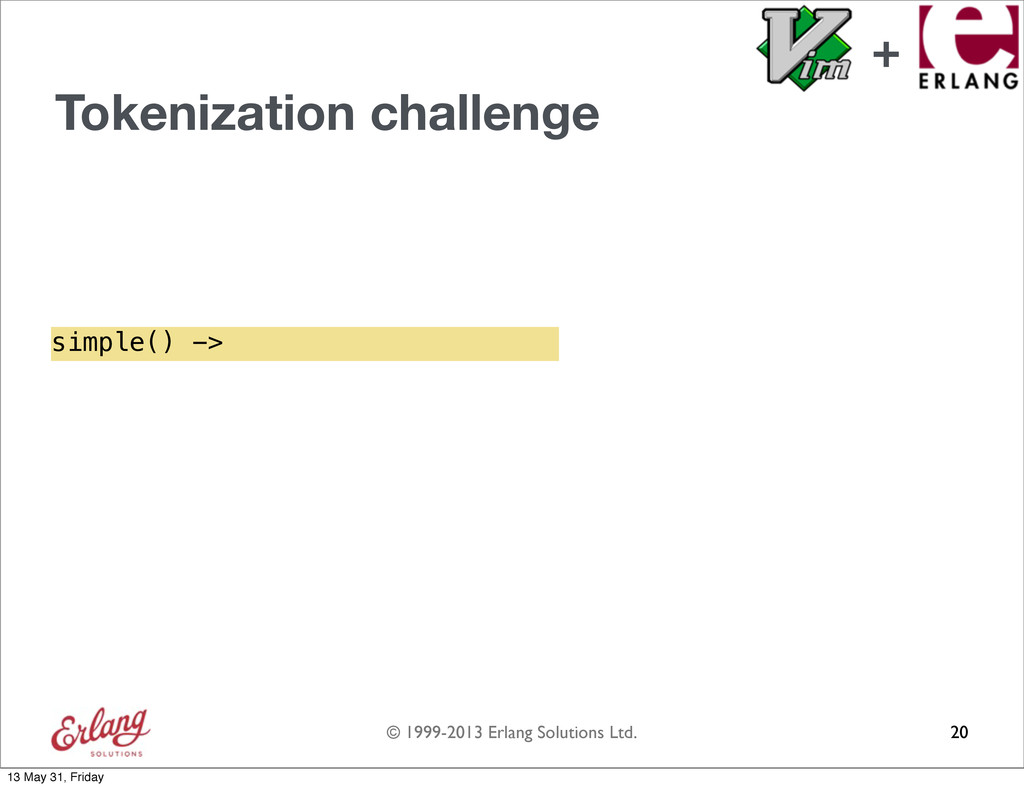
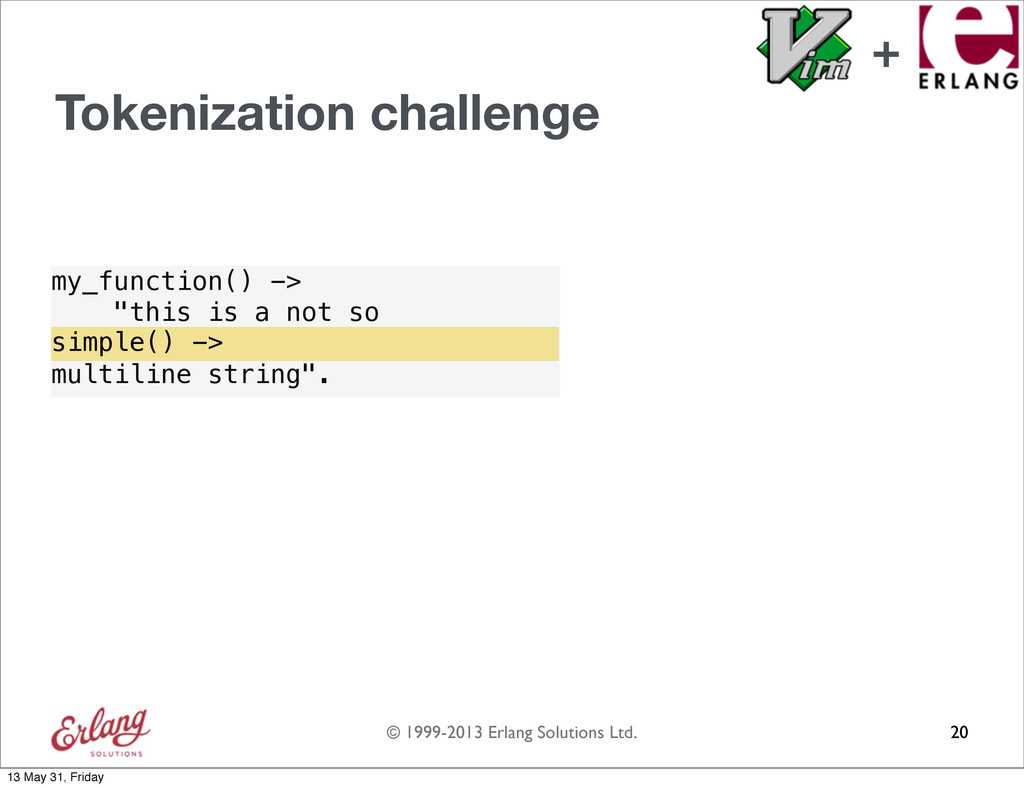
  73. © 1999-2013 Erlang Solutions Ltd. Tokenization challenge 20 my_function() ->

    "this is a not so multiline string". simple() -> + 13 May 31, Friday
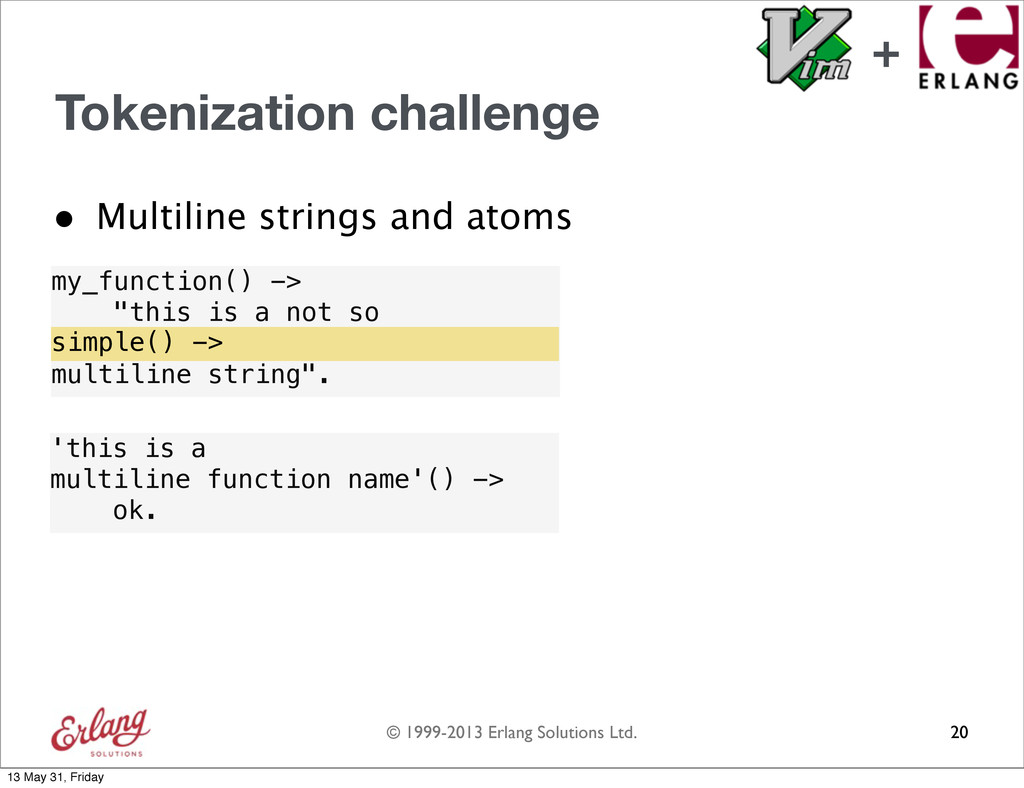
  74. © 1999-2013 Erlang Solutions Ltd. Tokenization challenge • Multiline strings

    and atoms 20 my_function() -> "this is a not so multiline string". simple() -> 'this is a multiline function name'() -> ok. + 13 May 31, Friday
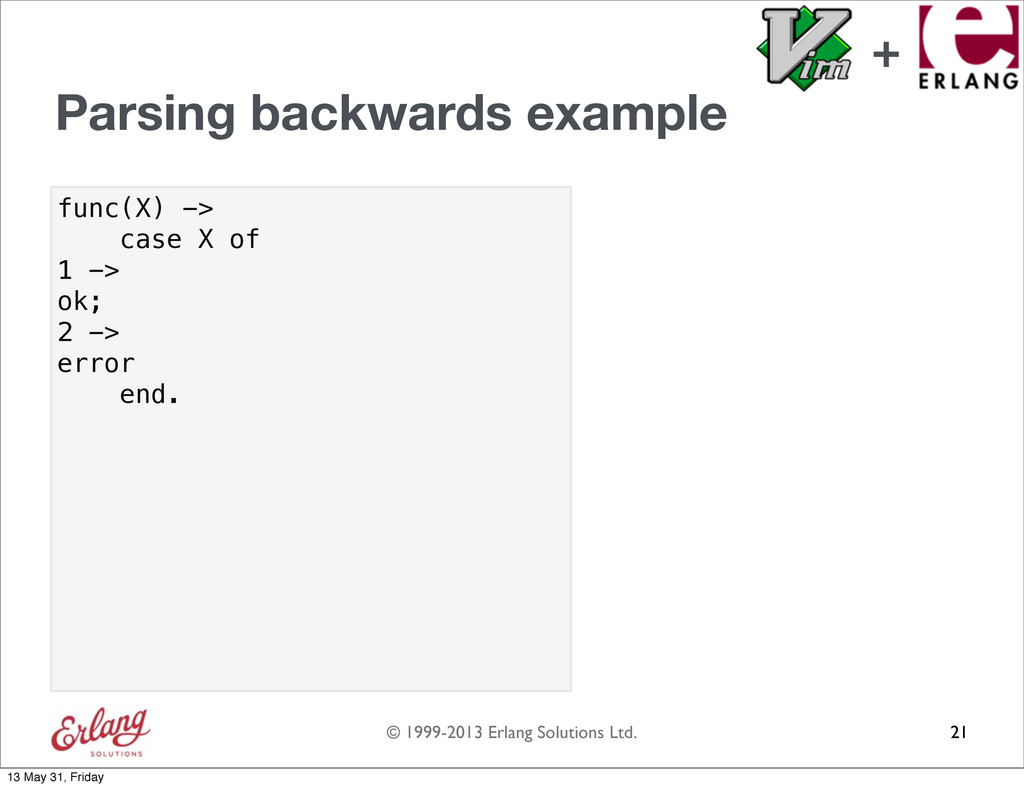
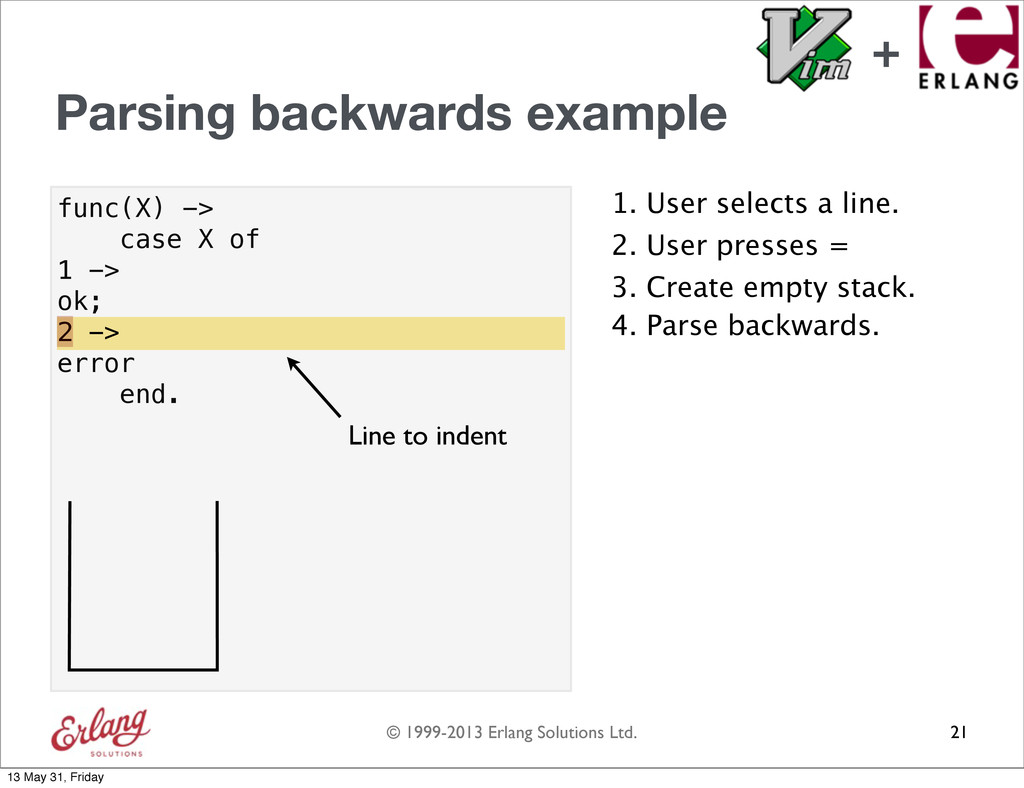
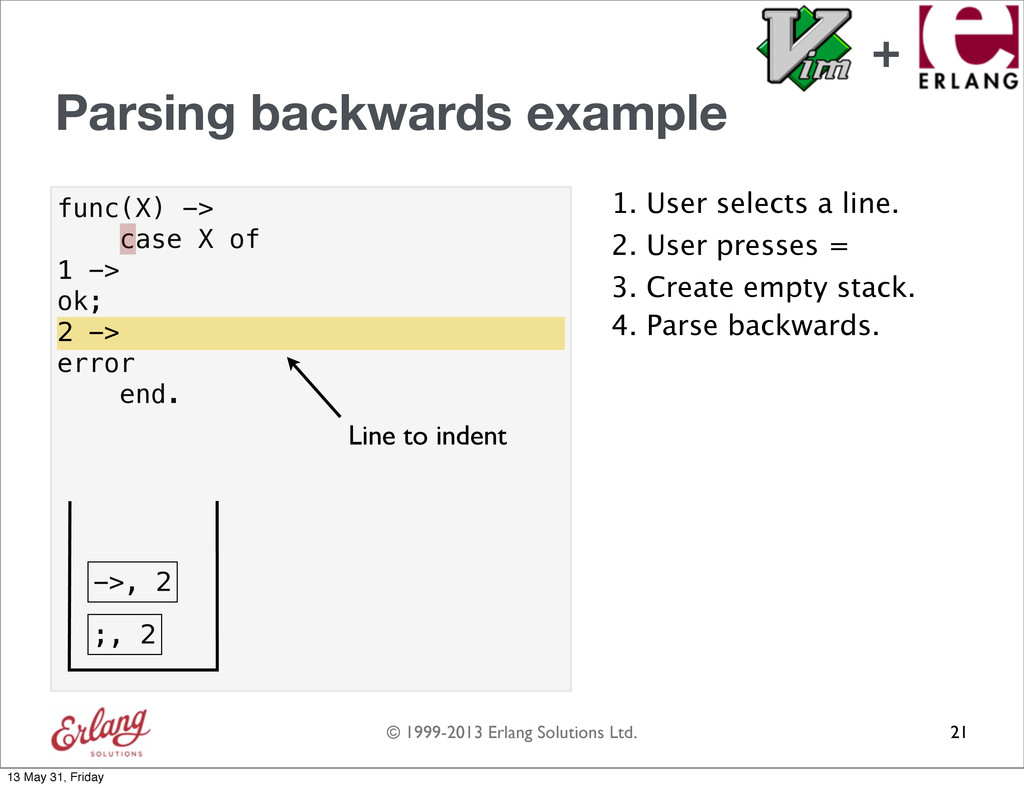
  75. © 1999-2013 Erlang Solutions Ltd. func(X) -> case X of

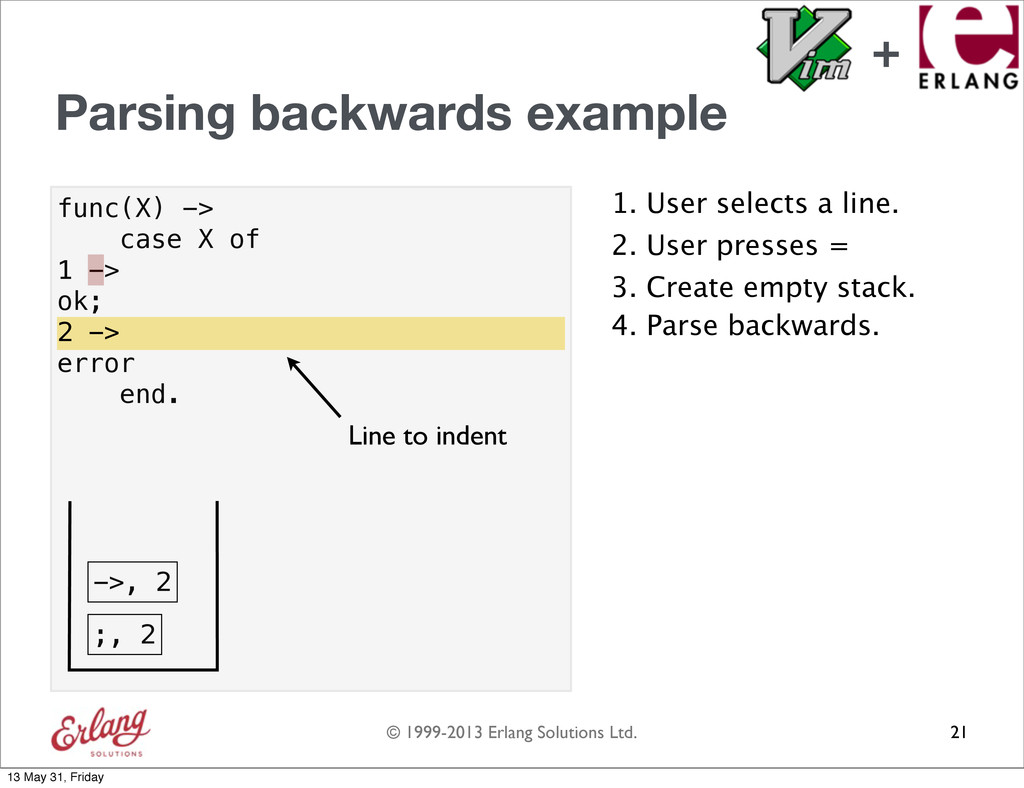
    1 -> ok; 2 -> error end. Parsing backwards example 21 + 13 May 31, Friday
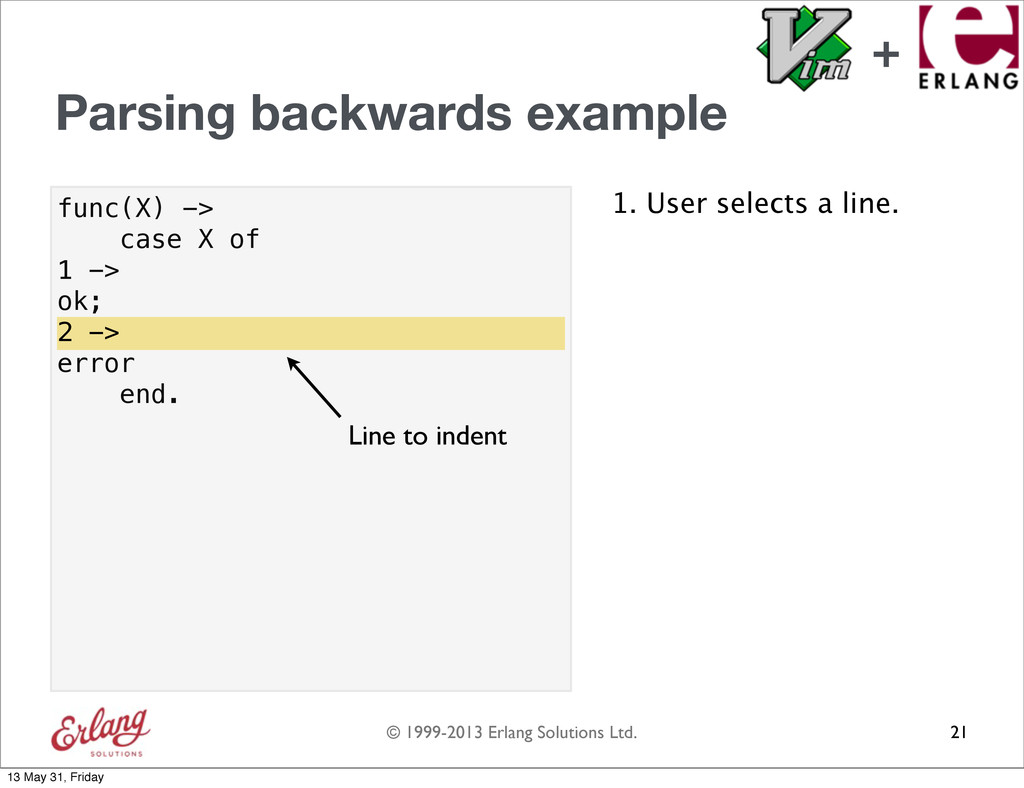
  76. © 1999-2013 Erlang Solutions Ltd. func(X) -> case X of

    1 -> ok; 2 -> error end. Parsing backwards example 1. User selects a line. 21 2 -> Line to indent + 13 May 31, Friday
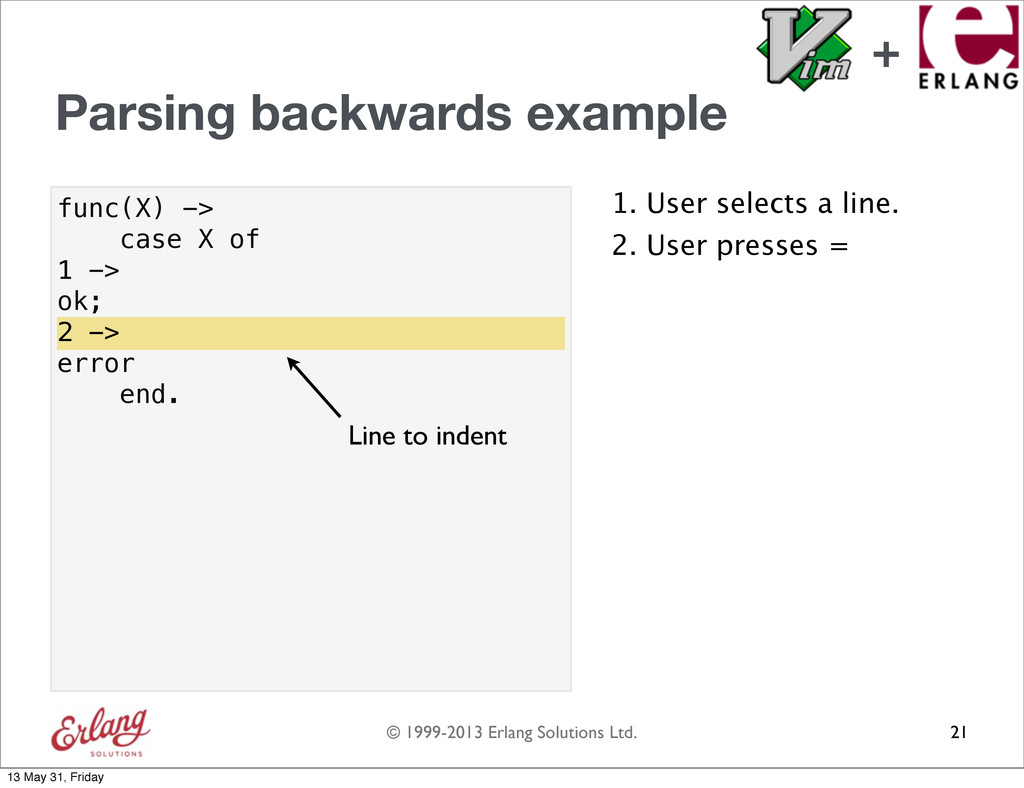
  77. © 1999-2013 Erlang Solutions Ltd. func(X) -> case X of

    1 -> ok; 2 -> error end. Parsing backwards example 1. User selects a line. 21 2 -> Line to indent 2. User presses = + 13 May 31, Friday
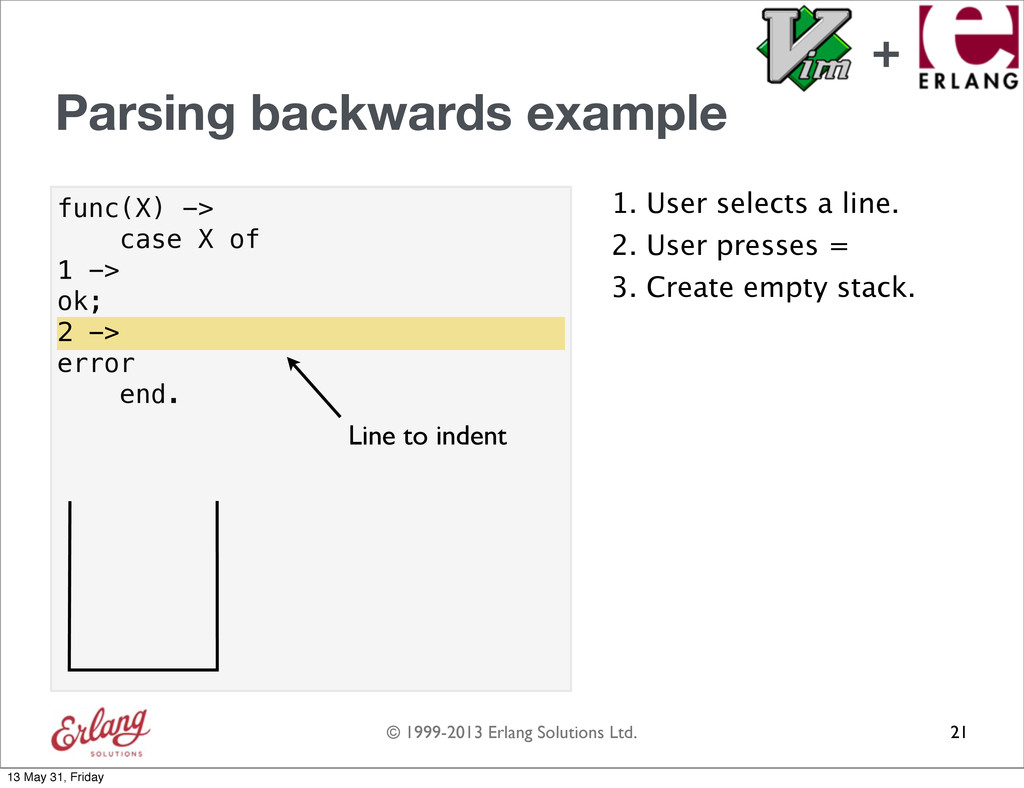
  78. © 1999-2013 Erlang Solutions Ltd. func(X) -> case X of

    1 -> ok; 2 -> error end. Parsing backwards example 1. User selects a line. 21 2 -> Line to indent 2. User presses = 3. Create empty stack. + 13 May 31, Friday
  79. © 1999-2013 Erlang Solutions Ltd. func(X) -> case X of

    1 -> ok; 2 -> error end. Parsing backwards example 1. User selects a line. 21 2 -> Line to indent 2. User presses = 3. Create empty stack. 4. Parse backwards. + 13 May 31, Friday
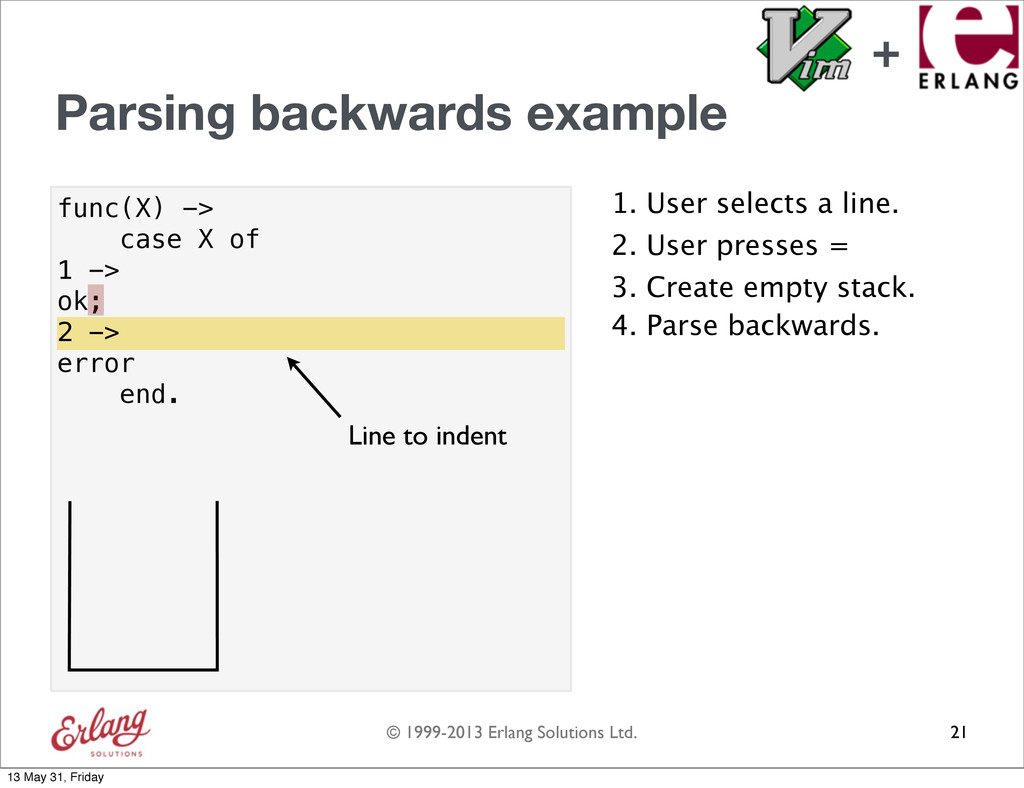
  80. © 1999-2013 Erlang Solutions Ltd. func(X) -> case X of

    1 -> ok; 2 -> error end. Parsing backwards example 1. User selects a line. 21 2 -> Line to indent 2. User presses = 3. Create empty stack. 4. Parse backwards. + 13 May 31, Friday
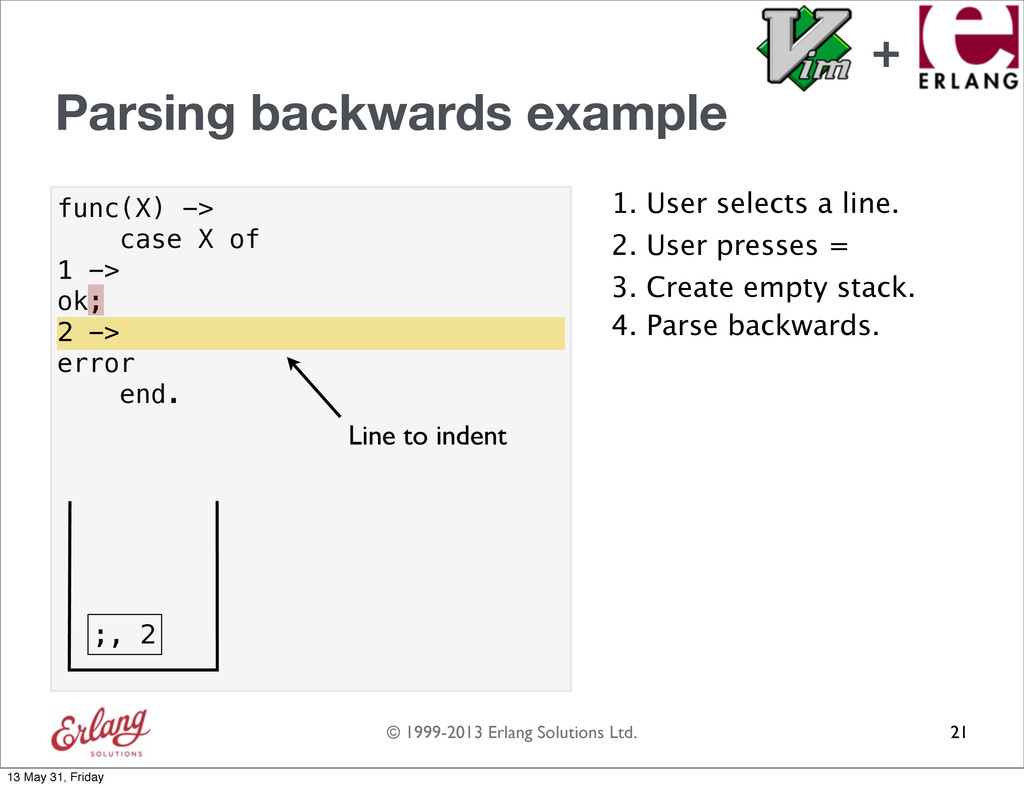
  81. © 1999-2013 Erlang Solutions Ltd. func(X) -> case X of

    1 -> ok; 2 -> error end. Parsing backwards example 1. User selects a line. 21 2 -> Line to indent 2. User presses = 3. Create empty stack. 4. Parse backwards. ;, 2 + 13 May 31, Friday
  82. © 1999-2013 Erlang Solutions Ltd. func(X) -> case X of

    1 -> ok; 2 -> error end. Parsing backwards example 1. User selects a line. 21 2 -> Line to indent 2. User presses = 3. Create empty stack. 4. Parse backwards. ;, 2 + 13 May 31, Friday
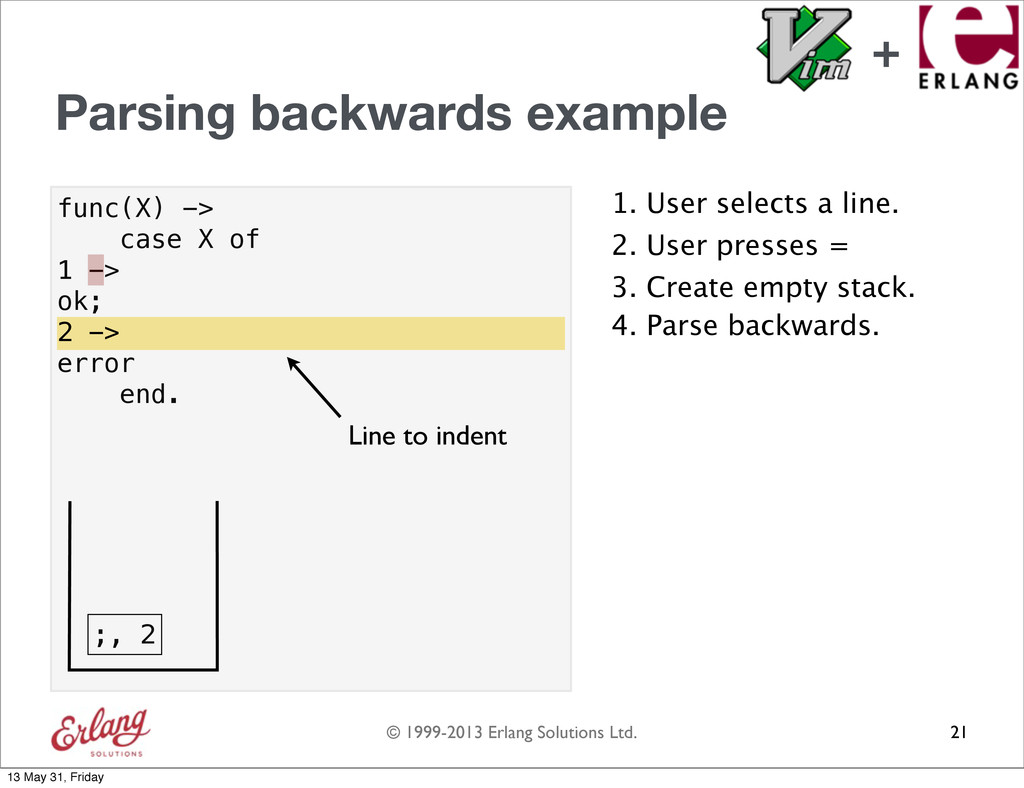
  83. © 1999-2013 Erlang Solutions Ltd. func(X) -> case X of

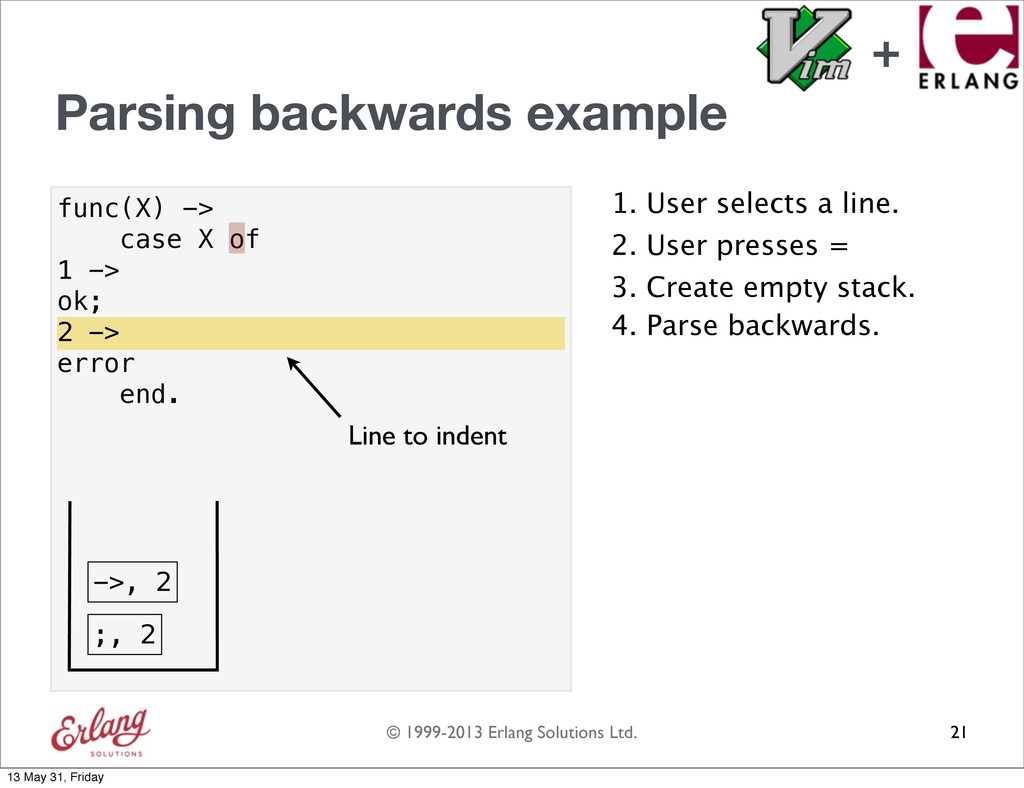
    1 -> ok; 2 -> error end. Parsing backwards example 1. User selects a line. 21 2 -> Line to indent 2. User presses = 3. Create empty stack. 4. Parse backwards. ;, 2 ->, 2 + 13 May 31, Friday
  84. © 1999-2013 Erlang Solutions Ltd. func(X) -> case X of

    1 -> ok; 2 -> error end. Parsing backwards example 1. User selects a line. 21 2 -> Line to indent 2. User presses = 3. Create empty stack. 4. Parse backwards. ;, 2 ->, 2 + 13 May 31, Friday
  85. © 1999-2013 Erlang Solutions Ltd. func(X) -> case X of

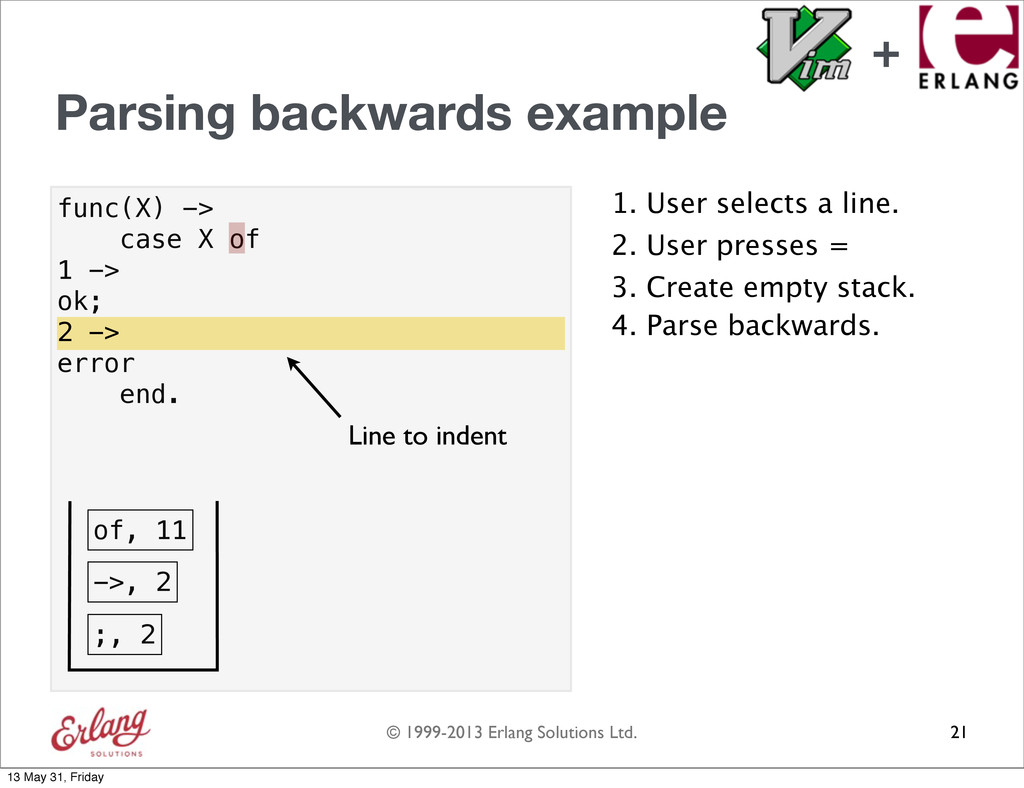
    1 -> ok; 2 -> error end. Parsing backwards example 1. User selects a line. 21 2 -> Line to indent 2. User presses = 3. Create empty stack. 4. Parse backwards. ;, 2 ->, 2 of, 11 + 13 May 31, Friday
  86. © 1999-2013 Erlang Solutions Ltd. func(X) -> case X of

    1 -> ok; 2 -> error end. Parsing backwards example 1. User selects a line. 21 2 -> Line to indent 2. User presses = 3. Create empty stack. 4. Parse backwards. ;, 2 ->, 2 of, 11 + 13 May 31, Friday
  87. © 1999-2013 Erlang Solutions Ltd. func(X) -> case X of

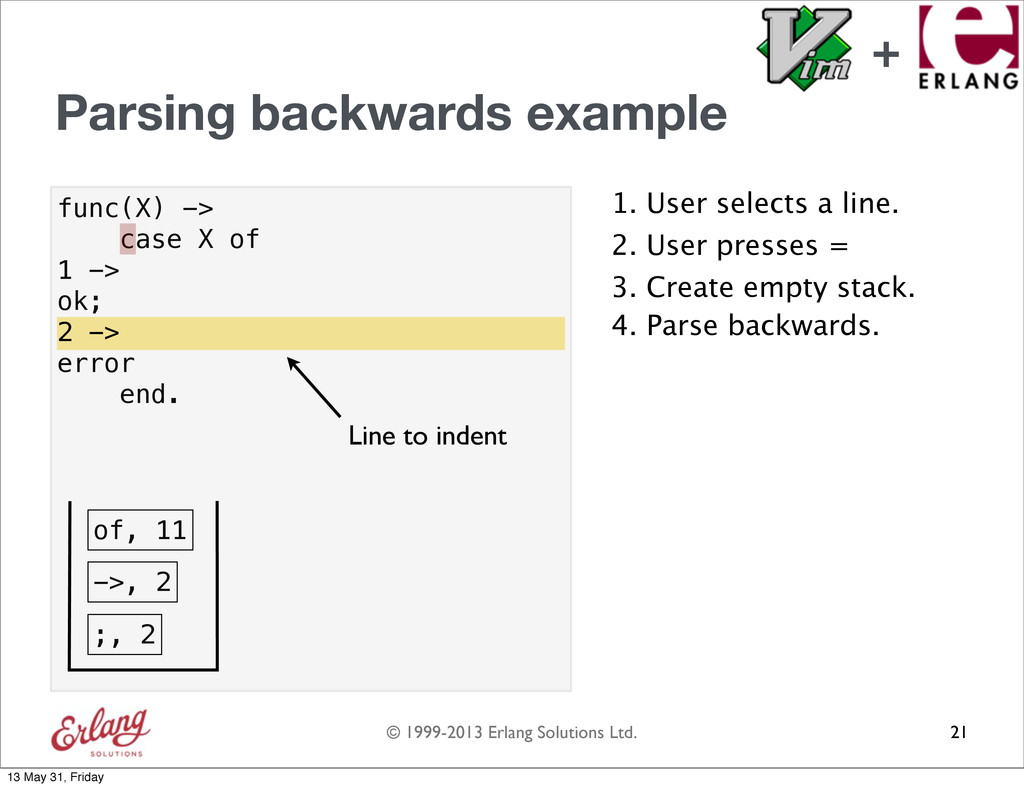
    1 -> ok; 2 -> error end. Parsing backwards example 1. User selects a line. 21 2 -> Line to indent 2. User presses = 3. Create empty stack. 4. Parse backwards. ;, 2 ->, 2 + 13 May 31, Friday
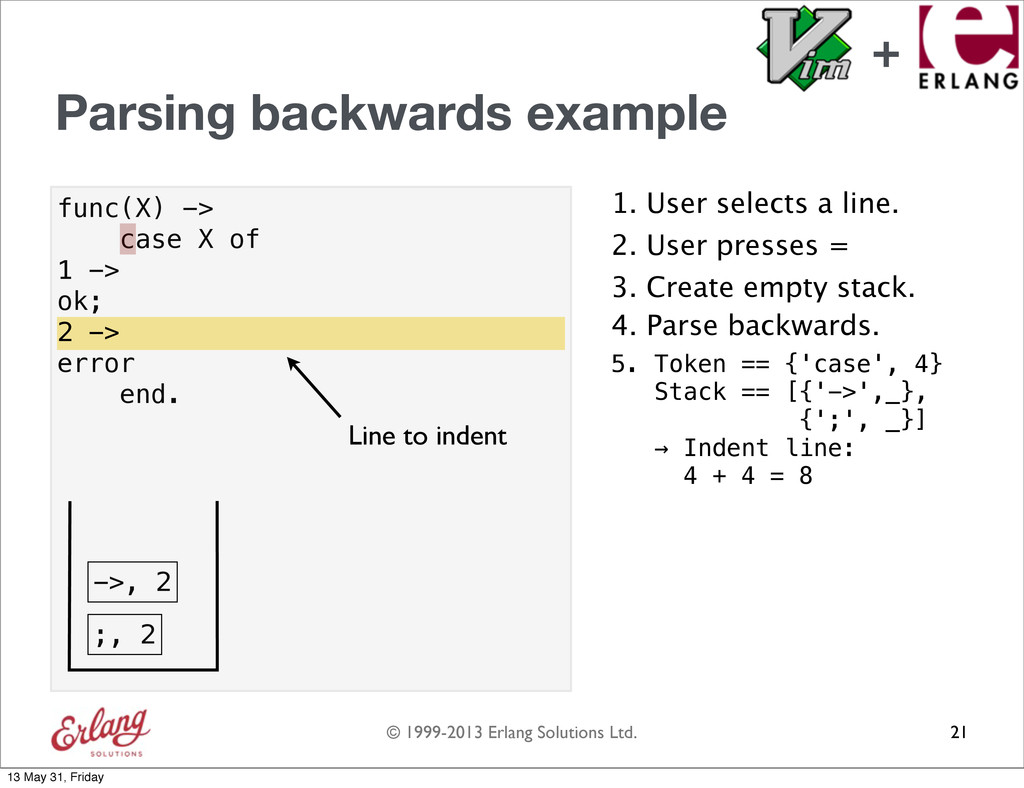
  88. © 1999-2013 Erlang Solutions Ltd. func(X) -> case X of

    1 -> ok; 2 -> error end. Parsing backwards example 1. User selects a line. 21 2 -> Line to indent 2. User presses = 3. Create empty stack. 4. Parse backwards. ;, 2 5. Token == {'case', 4} Stack == [{'->',_}, {';', _}] → Indent line: 4 + 4 = 8 ->, 2 + 13 May 31, Friday
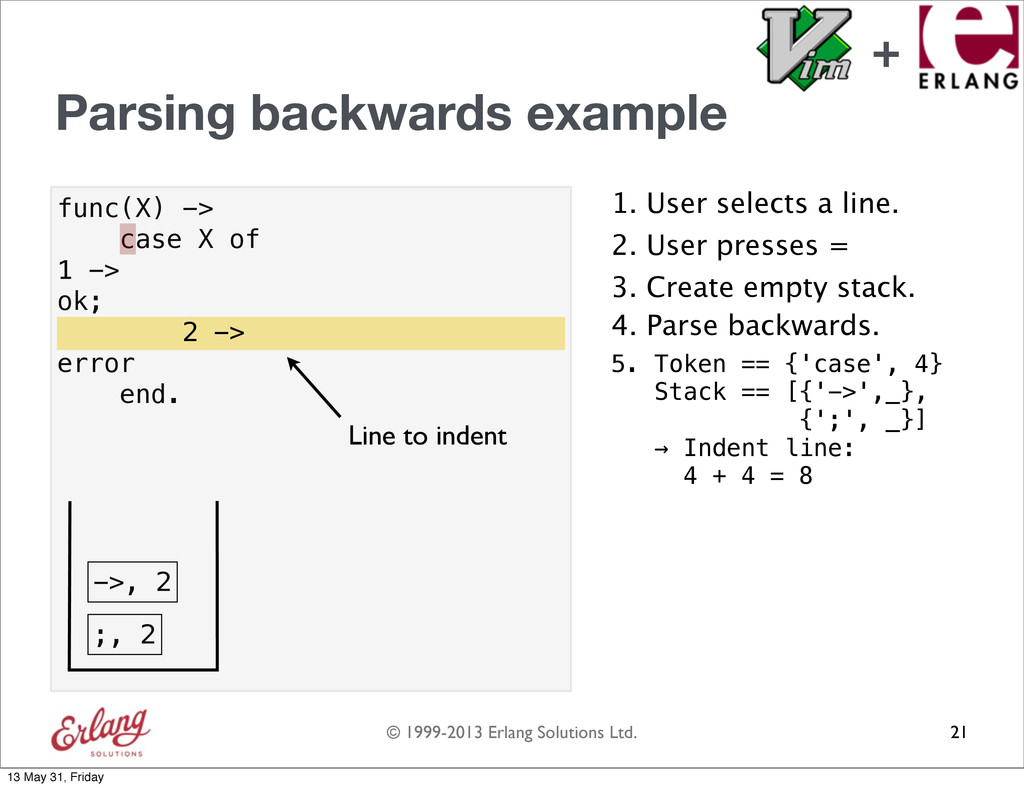
  89. © 1999-2013 Erlang Solutions Ltd. func(X) -> case X of

    1 -> ok; 2 -> error end. Parsing backwards example 1. User selects a line. 21 2 -> Line to indent 2. User presses = 3. Create empty stack. 4. Parse backwards. ;, 2 5. Token == {'case', 4} Stack == [{'->',_}, {';', _}] → Indent line: 4 + 4 = 8 2 -> ->, 2 + 13 May 31, Friday
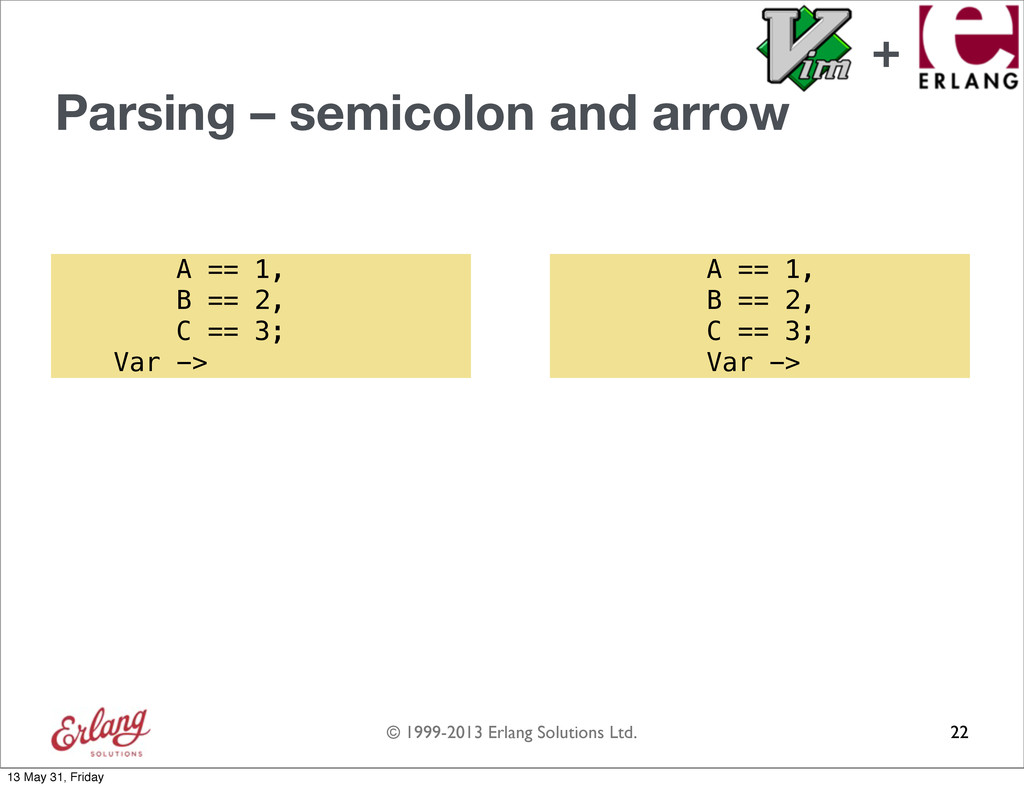
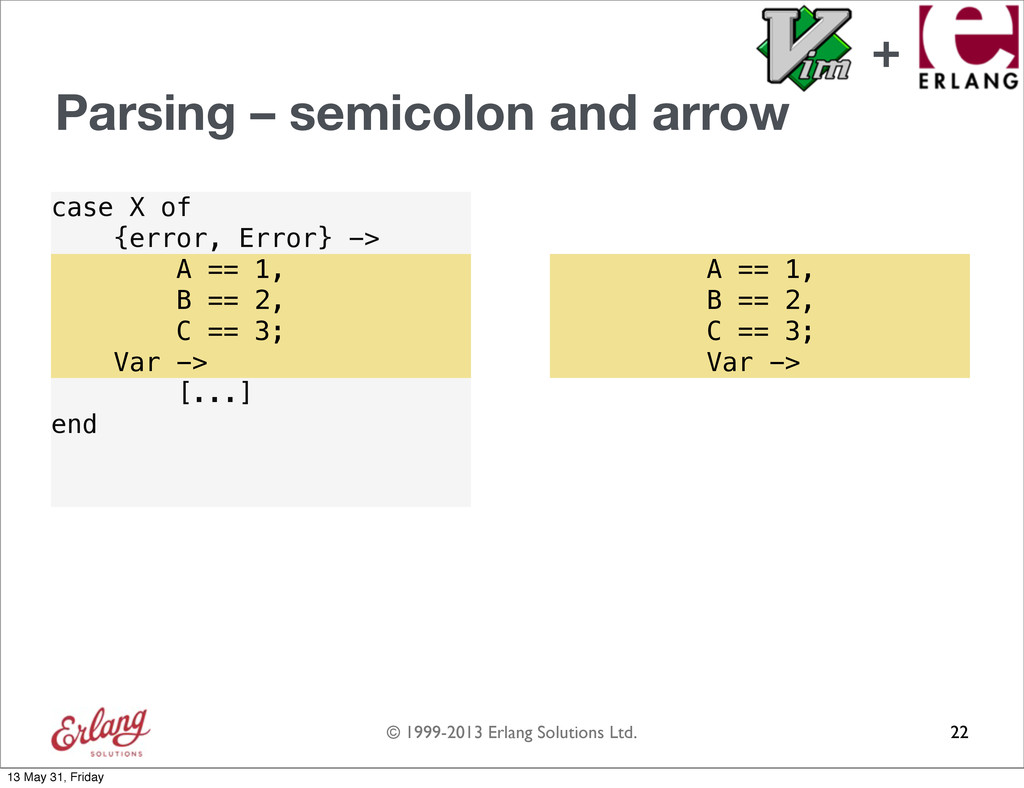
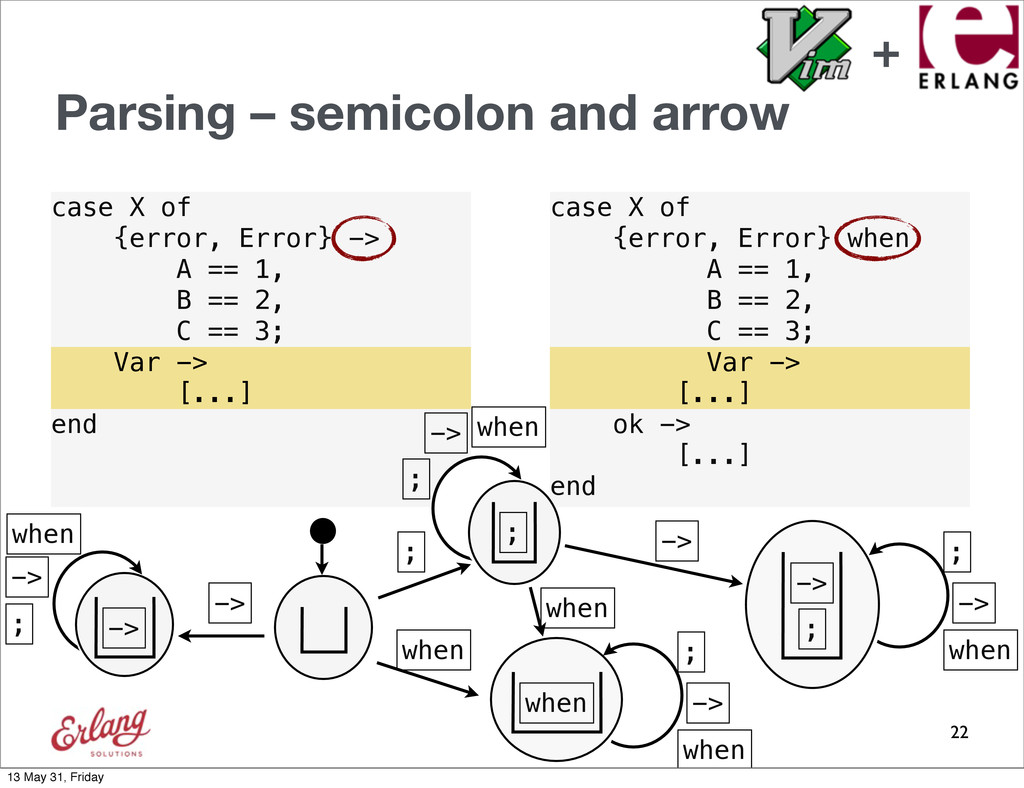
  90. © 1999-2013 Erlang Solutions Ltd. Parsing – semicolon and arrow

    22 A == 1, B == 2, C == 3; Var -> A == 1, B == 2, C == 3; Var -> + 13 May 31, Friday
  91. © 1999-2013 Erlang Solutions Ltd. case X of {error, Error}

    -> A == 1, B == 2, C == 3; [...] end Parsing – semicolon and arrow 22 A == 1, B == 2, C == 3; Var -> A == 1, B == 2, C == 3; Var -> + 13 May 31, Friday
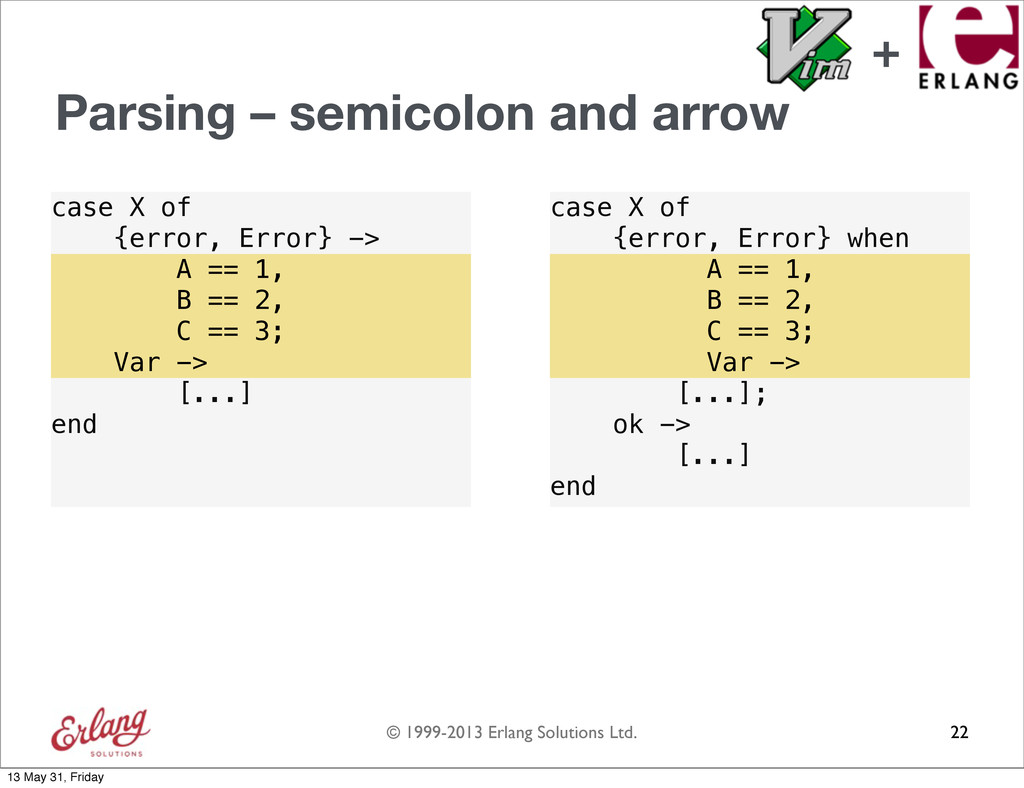
  92. © 1999-2013 Erlang Solutions Ltd. case X of {error, Error}

    -> A == 1, B == 2, C == 3; [...] end case X of {error, Error} when A == 1, B == 2, C == 3; [...]; ok -> [...] end Parsing – semicolon and arrow 22 A == 1, B == 2, C == 3; Var -> A == 1, B == 2, C == 3; Var -> + 13 May 31, Friday
  93. © 1999-2013 Erlang Solutions Ltd. case X of {error, Error}

    -> A == 1, B == 2, C == 3; [...] end case X of {error, Error} when A == 1, B == 2, C == 3; [...]; ok -> [...] end Parsing – semicolon and arrow 22 A == 1, B == 2, C == 3; Var -> A == 1, B == 2, C == 3; Var -> + 13 May 31, Friday
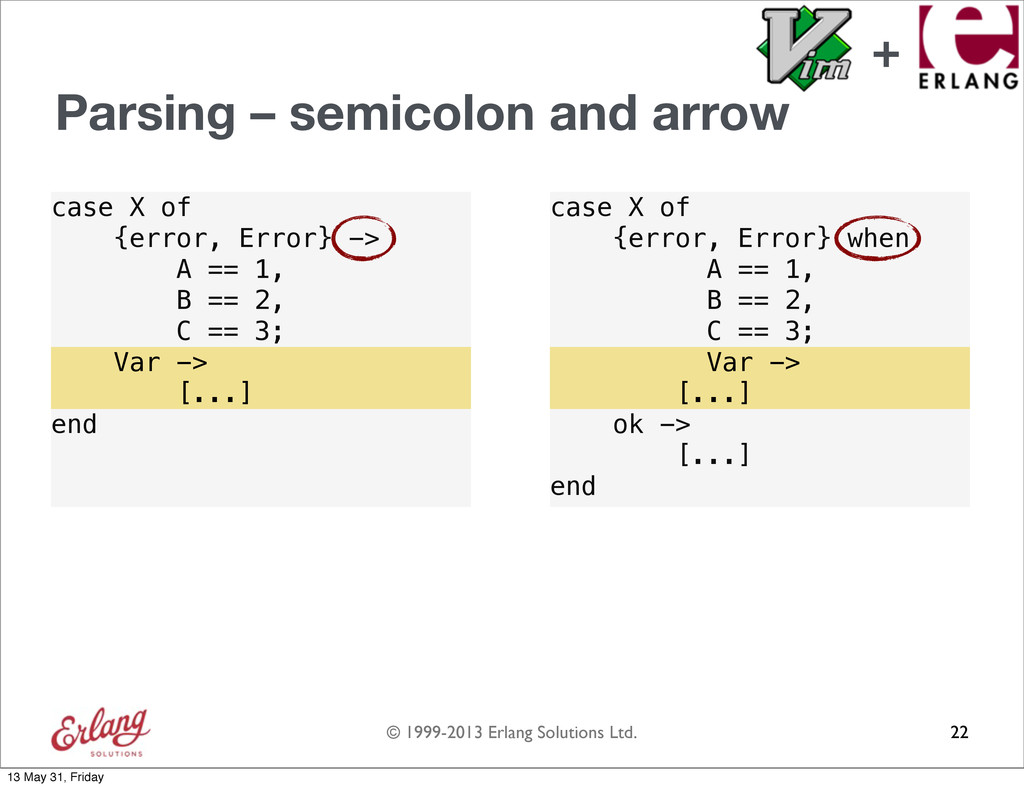
  94. © 1999-2013 Erlang Solutions Ltd. case X of {error, Error}

    -> A == 1, B == 2, C == 3; [...] end case X of {error, Error} when A == 1, B == 2, C == 3; [...]; ok -> [...] end Parsing – semicolon and arrow 22 Var -> [...] Var -> [...] + 13 May 31, Friday
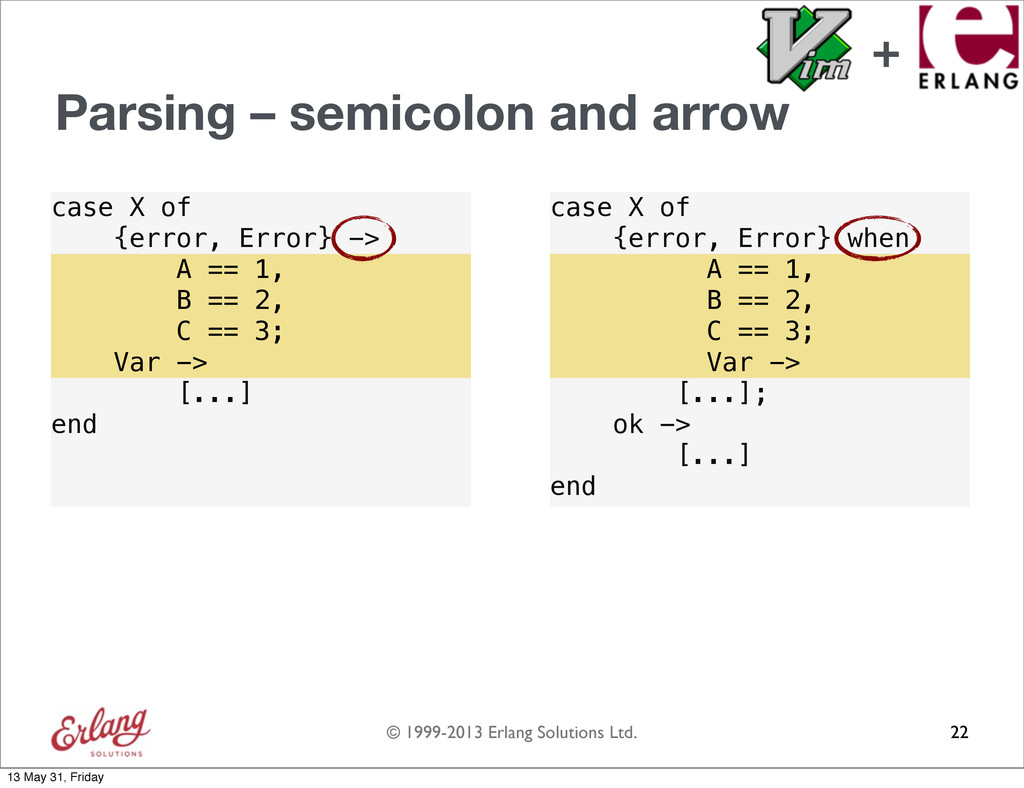
  95. © 1999-2013 Erlang Solutions Ltd. when -> ; case X

    of {error, Error} -> A == 1, B == 2, C == 3; [...] end case X of {error, Error} when A == 1, B == 2, C == 3; [...]; ok -> [...] end Parsing – semicolon and arrow 22 Var -> [...] Var -> [...] ; ; -> -> when -> when -> ; ; when when -> when -> ; when -> ; + 13 May 31, Friday
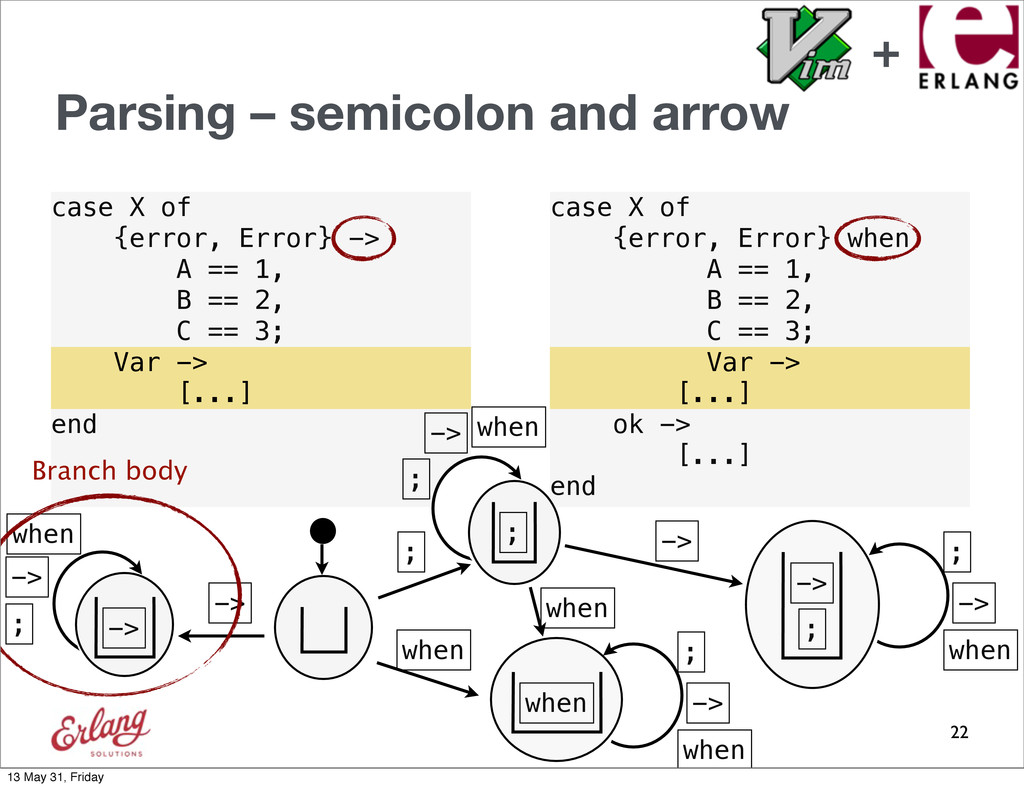
  96. © 1999-2013 Erlang Solutions Ltd. when -> ; case X

    of {error, Error} -> A == 1, B == 2, C == 3; [...] end case X of {error, Error} when A == 1, B == 2, C == 3; [...]; ok -> [...] end Parsing – semicolon and arrow 22 Var -> [...] Var -> [...] ; ; -> -> when -> when -> ; ; when when -> when -> ; when -> ; Branch body + 13 May 31, Friday
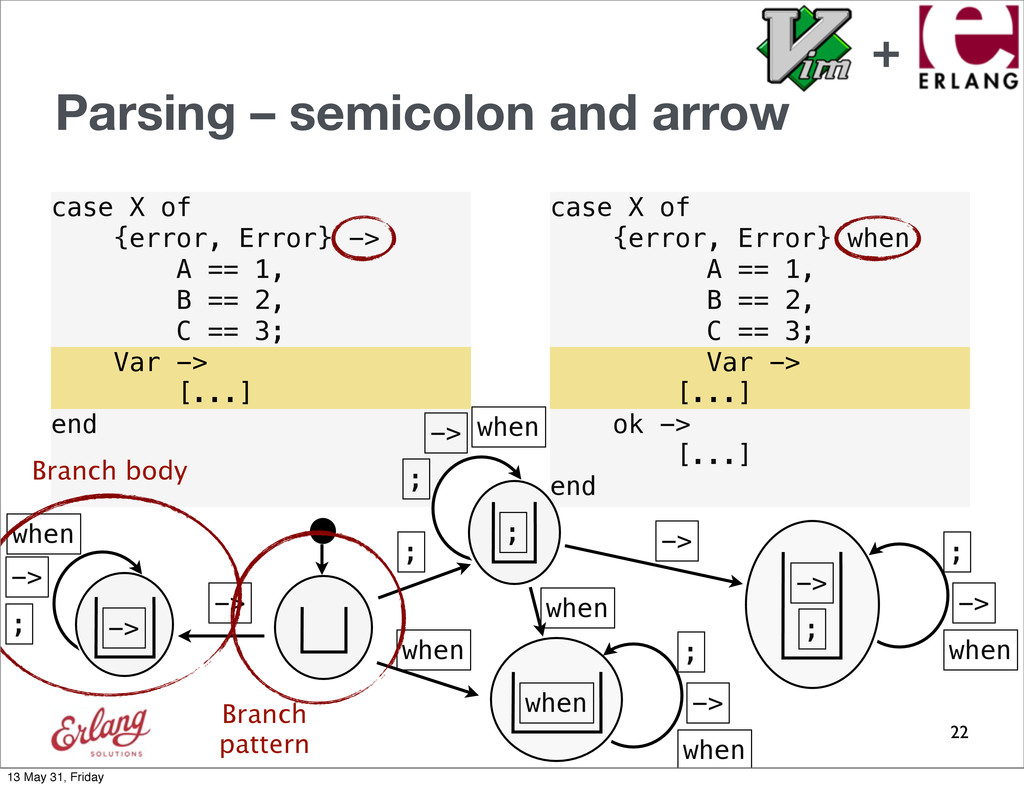
  97. © 1999-2013 Erlang Solutions Ltd. when -> ; case X

    of {error, Error} -> A == 1, B == 2, C == 3; [...] end case X of {error, Error} when A == 1, B == 2, C == 3; [...]; ok -> [...] end Parsing – semicolon and arrow 22 Var -> [...] Var -> [...] ; ; -> -> when -> when -> ; ; when when -> when -> ; when -> ; Branch body Branch pattern + 13 May 31, Friday
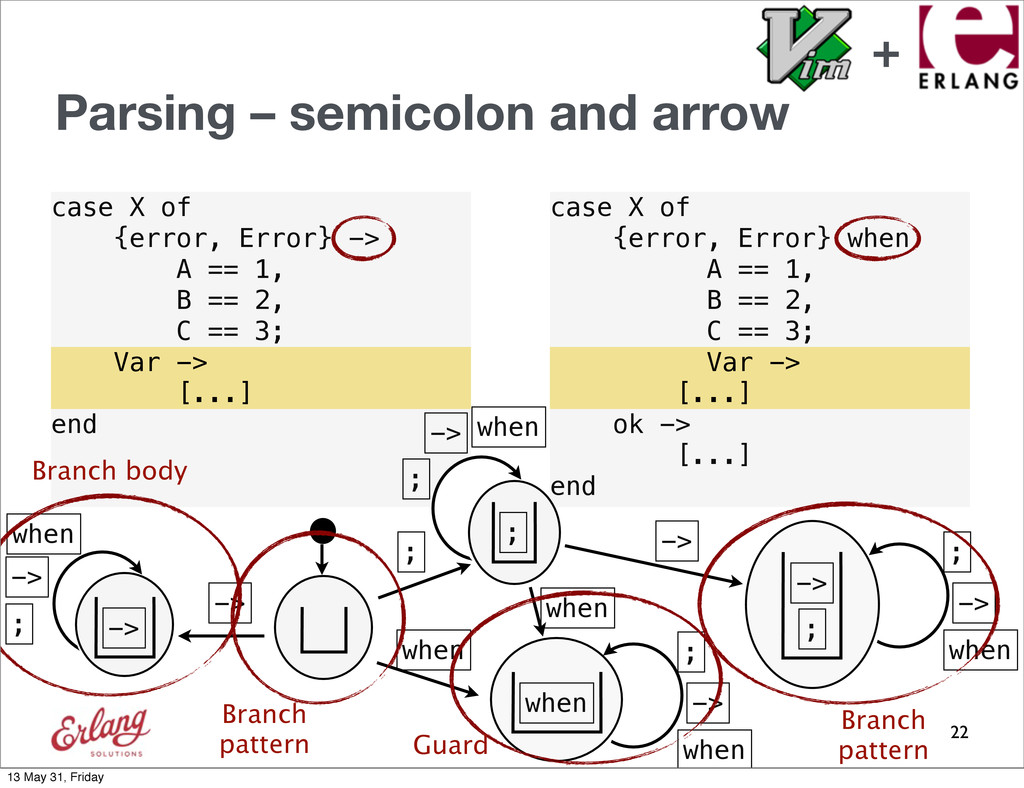
  98. © 1999-2013 Erlang Solutions Ltd. when -> ; case X

    of {error, Error} -> A == 1, B == 2, C == 3; [...] end case X of {error, Error} when A == 1, B == 2, C == 3; [...]; ok -> [...] end Parsing – semicolon and arrow 22 Var -> [...] Var -> [...] ; ; -> -> when -> when -> ; ; when when -> when -> ; when -> ; Branch body Branch pattern Guard Branch pattern + 13 May 31, Friday
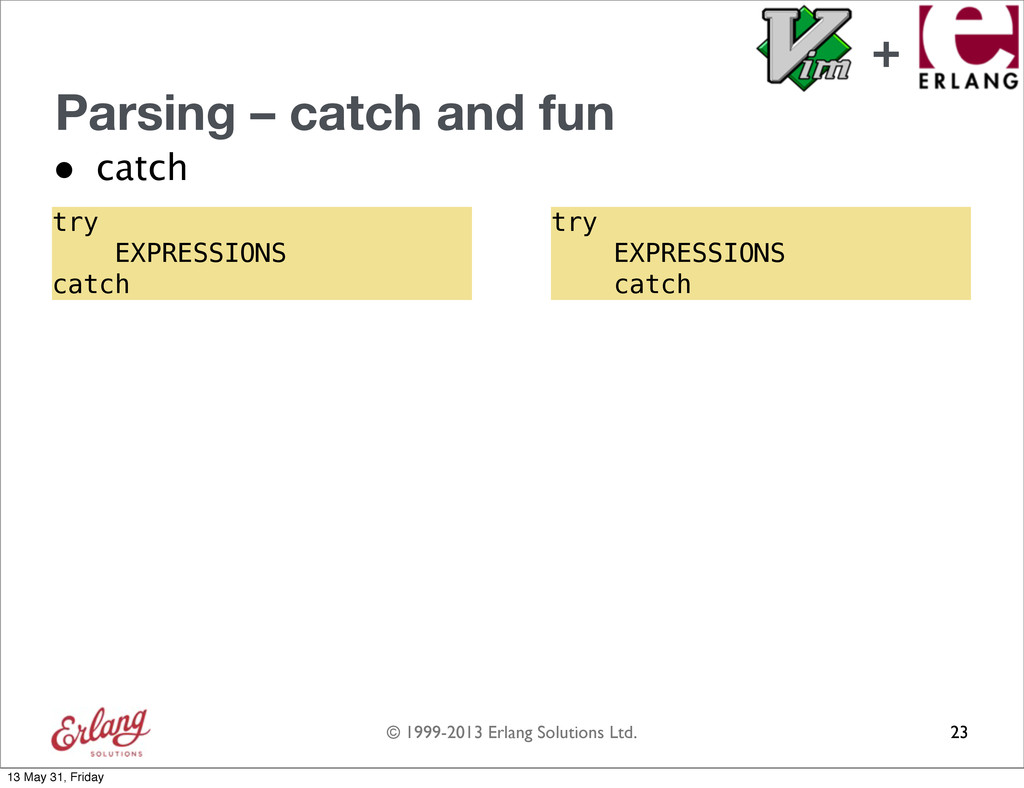
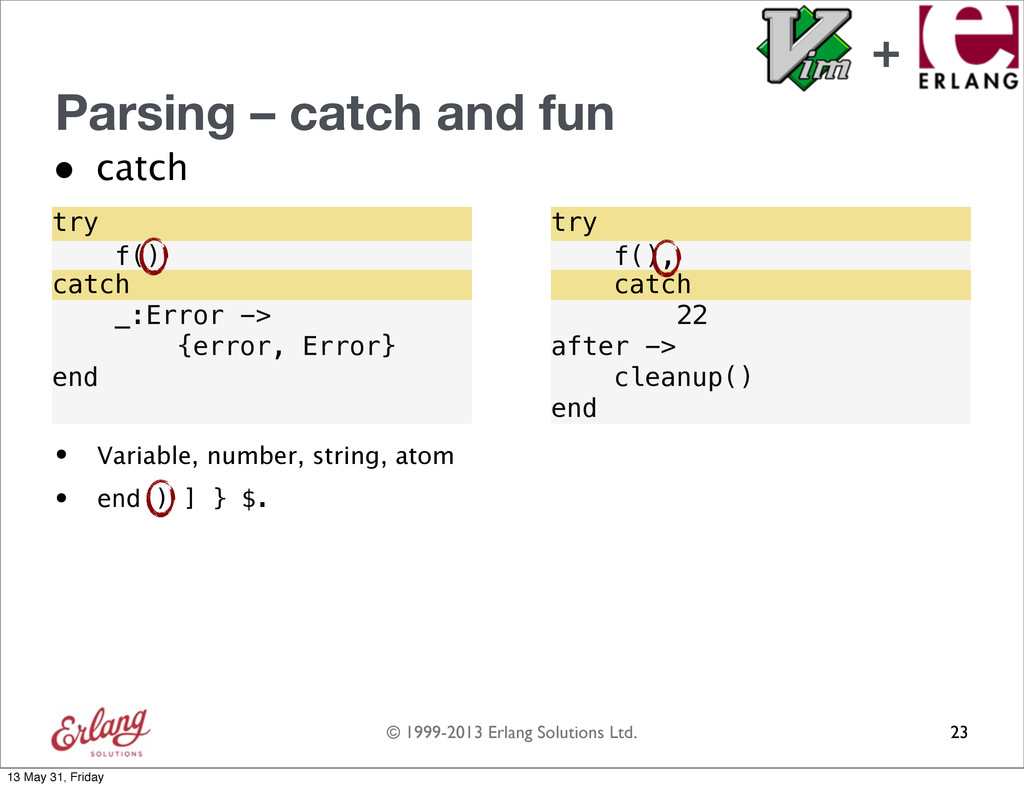
  99. © 1999-2013 Erlang Solutions Ltd. Parsing – catch and fun

    • catch 23 try EXPRESSIONS catch try EXPRESSIONS catch + 13 May 31, Friday
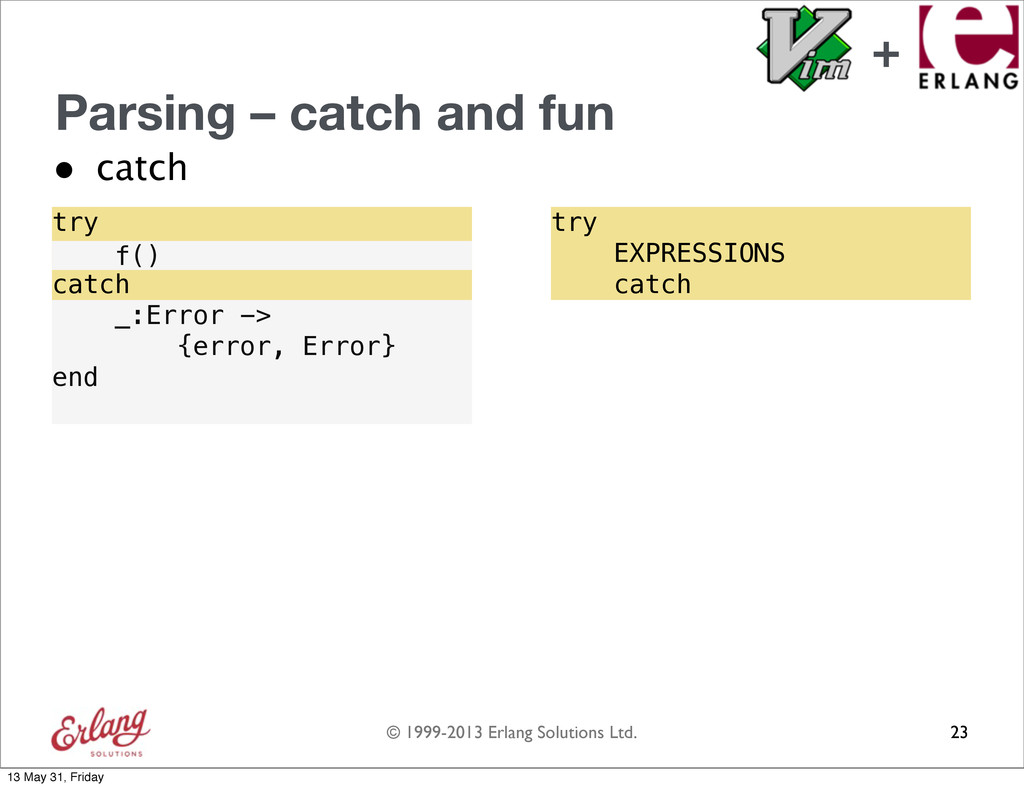
  100. © 1999-2013 Erlang Solutions Ltd. Parsing – catch and fun

    • catch 23 try EXPRESSIONS catch _:Error -> {error, Error} end try EXPRESSIONS catch f() + 13 May 31, Friday
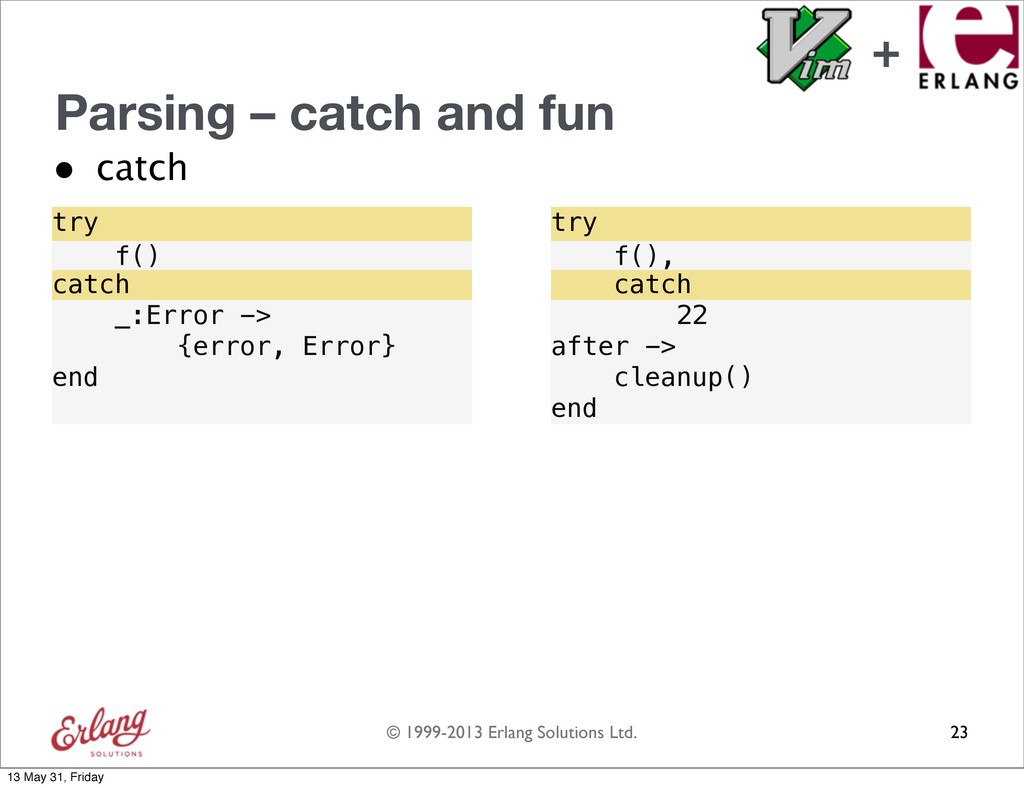
  101. © 1999-2013 Erlang Solutions Ltd. Parsing – catch and fun

    • catch 23 22 after -> cleanup() end try EXPRESSIONS catch _:Error -> {error, Error} end try EXPRESSIONS catch f() f(), + 13 May 31, Friday
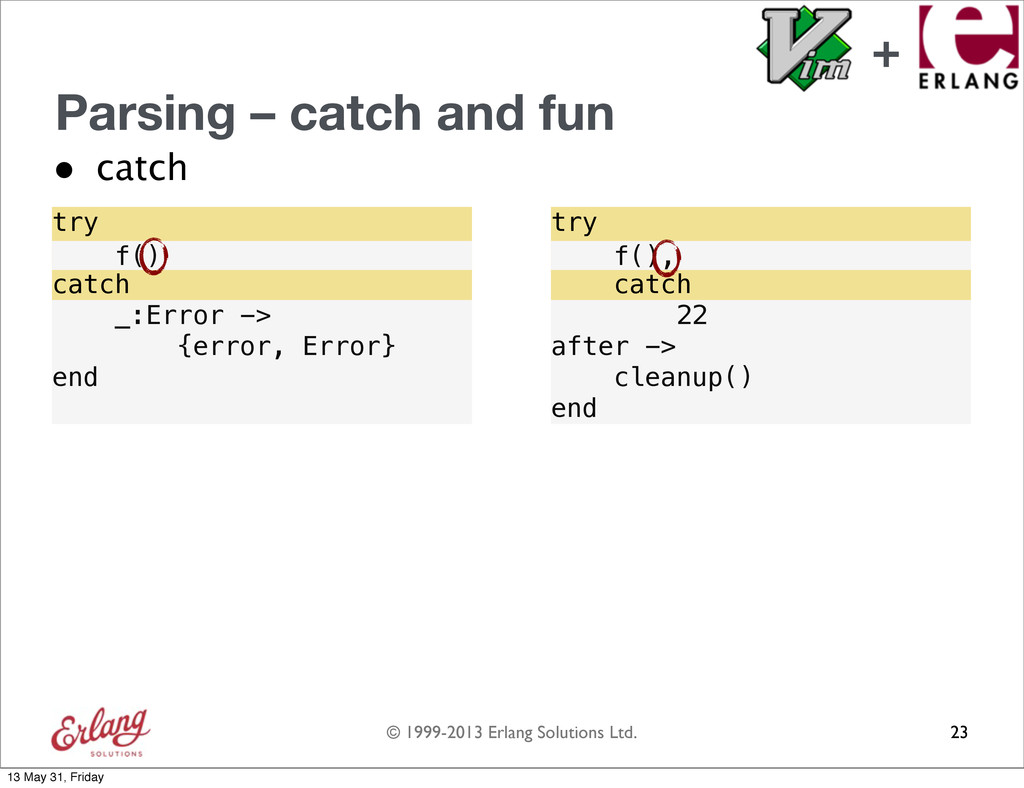
  102. © 1999-2013 Erlang Solutions Ltd. Parsing – catch and fun

    • catch 23 22 after -> cleanup() end try EXPRESSIONS catch _:Error -> {error, Error} end try EXPRESSIONS catch f() f(), + 13 May 31, Friday
  103. © 1999-2013 Erlang Solutions Ltd. Parsing – catch and fun

    • catch 23 22 after -> cleanup() end try EXPRESSIONS catch _:Error -> {error, Error} end try EXPRESSIONS catch f() f(), • Variable, number, string, atom • end ) ] } $. + 13 May 31, Friday
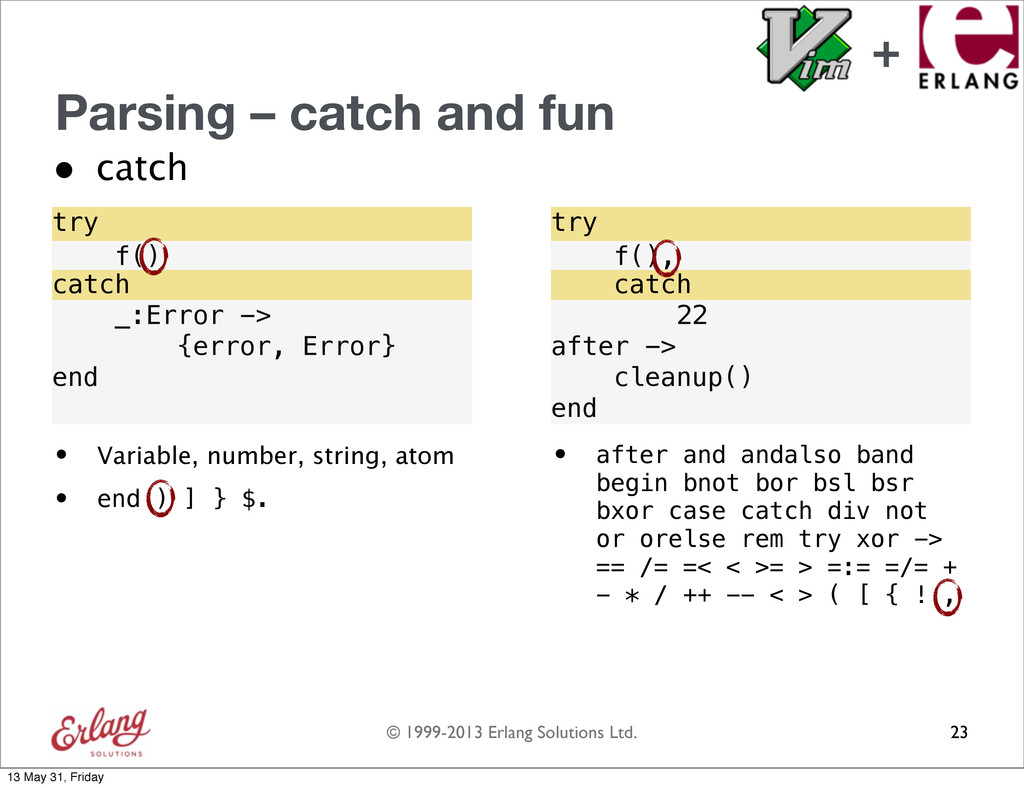
  104. © 1999-2013 Erlang Solutions Ltd. Parsing – catch and fun

    • catch 23 22 after -> cleanup() end try EXPRESSIONS catch _:Error -> {error, Error} end try EXPRESSIONS catch f() f(), • after and andalso band begin bnot bor bsl bsr bxor case catch div not or orelse rem try xor -> == /= =< < >= > =:= =/= + - * / ++ -- < > ( [ { ! , • Variable, number, string, atom • end ) ] } $. + 13 May 31, Friday
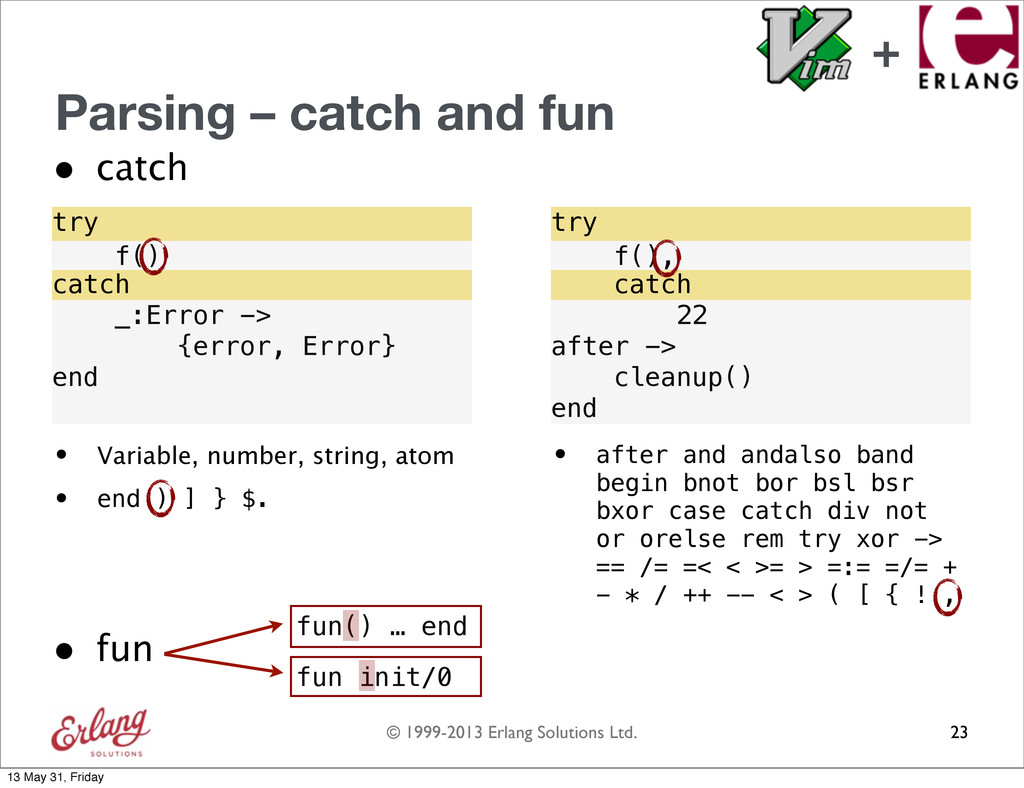
  105. © 1999-2013 Erlang Solutions Ltd. Parsing – catch and fun

    • catch 23 22 after -> cleanup() end try EXPRESSIONS catch _:Error -> {error, Error} end try EXPRESSIONS catch f() f(), • after and andalso band begin bnot bor bsl bsr bxor case catch div not or orelse rem try xor -> == /= =< < >= > =:= =/= + - * / ++ -- < > ( [ { ! , • Variable, number, string, atom • end ) ] } $. • fun fun() … end fun init/0 + 13 May 31, Friday
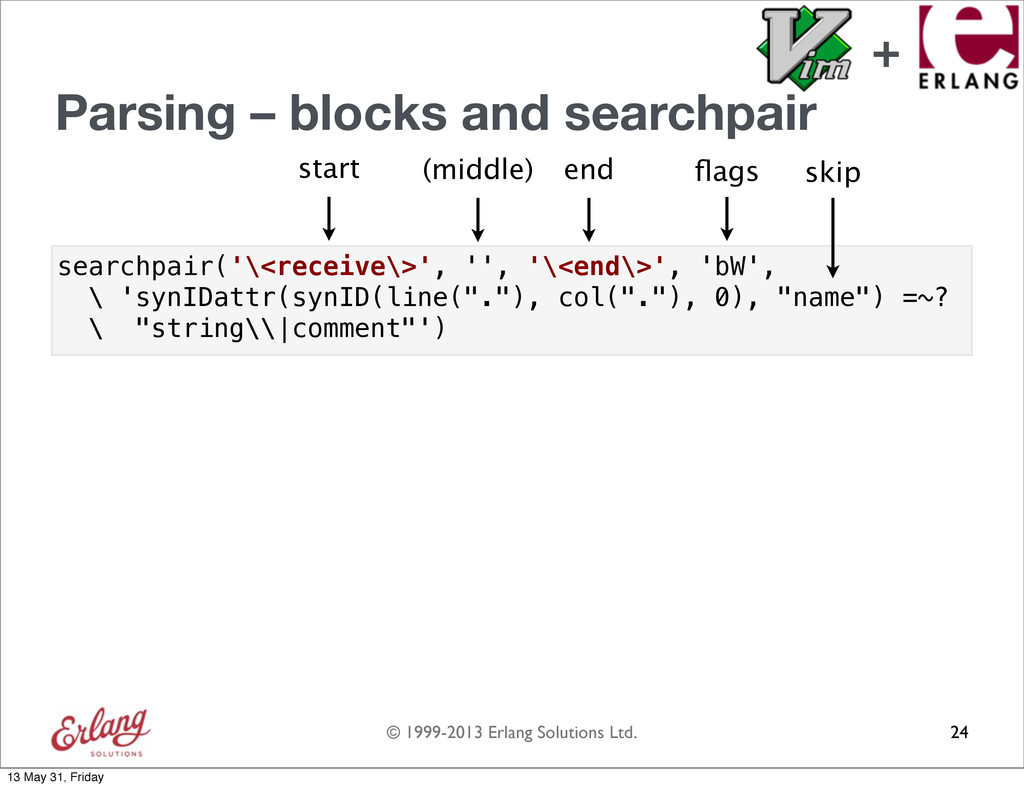
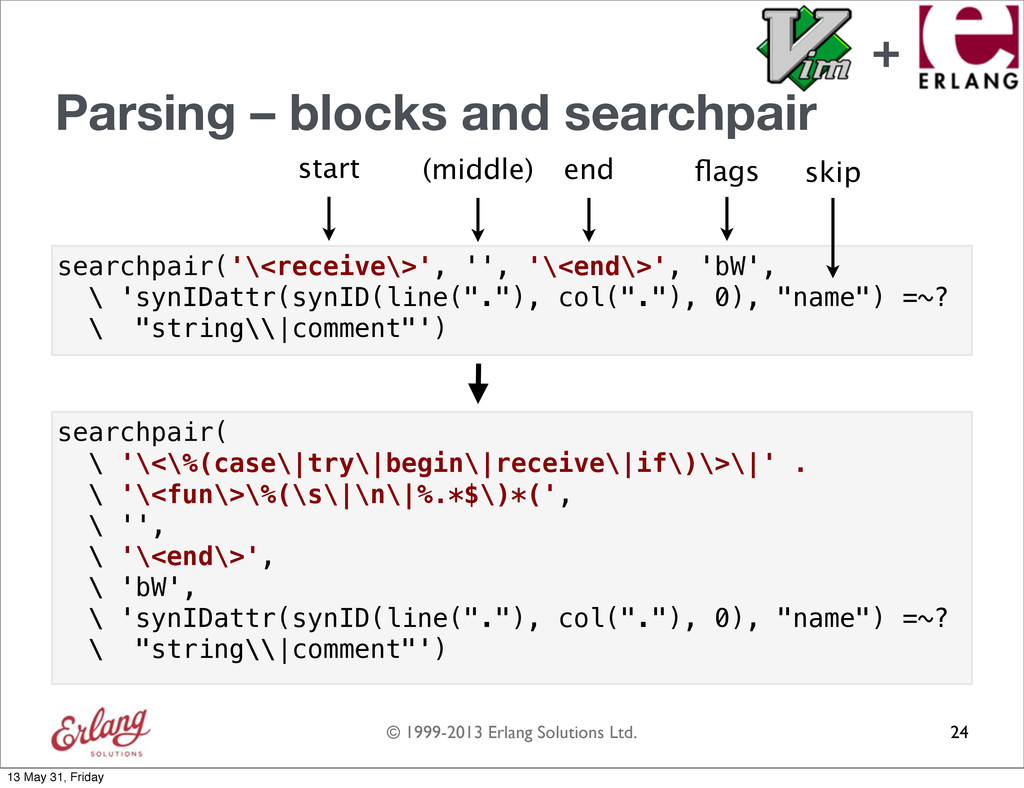
  106. © 1999-2013 Erlang Solutions Ltd. Parsing – blocks and searchpair

    24 flags start (middle) end searchpair('\<receive\>', '', '\<end\>', 'bW', \ 'synIDattr(synID(line("."), col("."), 0), "name") =~? \ "string\\|comment"') skip + 13 May 31, Friday
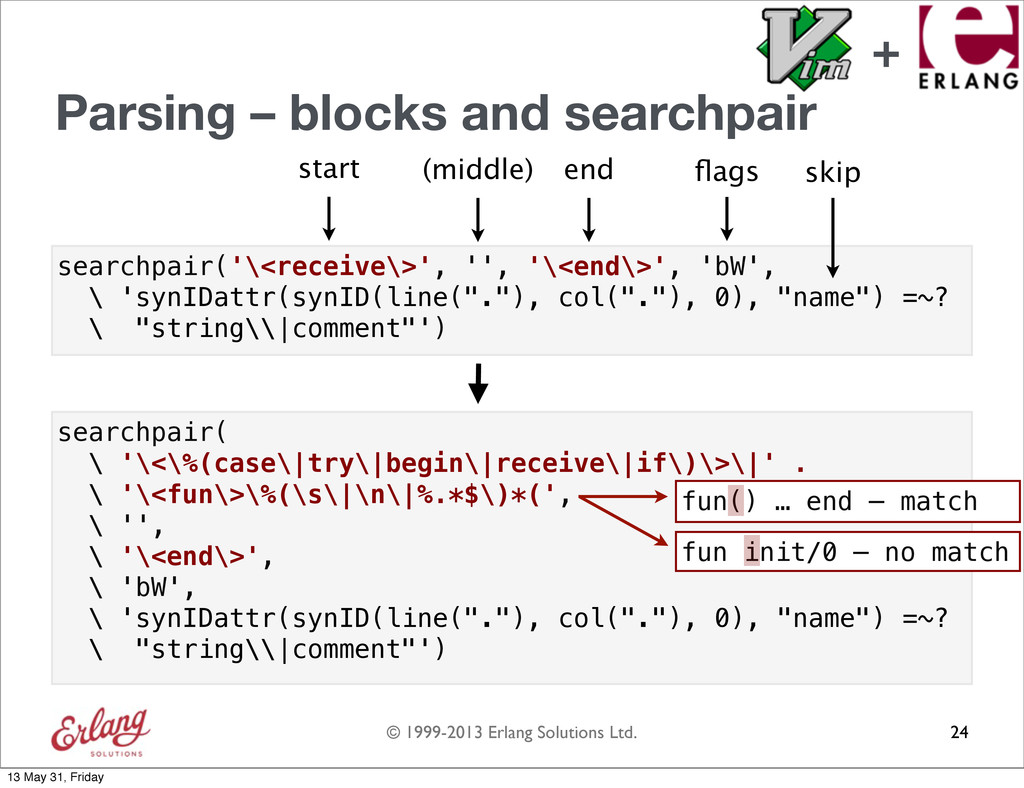
  107. © 1999-2013 Erlang Solutions Ltd. searchpair( \ '\<\%(case\|try\|begin\|receive\|if\)\>\|' . \

    '\<fun\>\%(\s\|\n\|%.*$\)*(', \ '', \ '\<end\>', \ 'bW', \ 'synIDattr(synID(line("."), col("."), 0), "name") =~? \ "string\\|comment"') Parsing – blocks and searchpair 24 flags start (middle) end searchpair('\<receive\>', '', '\<end\>', 'bW', \ 'synIDattr(synID(line("."), col("."), 0), "name") =~? \ "string\\|comment"') skip + 13 May 31, Friday
  108. © 1999-2013 Erlang Solutions Ltd. searchpair( \ '\<\%(case\|try\|begin\|receive\|if\)\>\|' . \

    '\<fun\>\%(\s\|\n\|%.*$\)*(', \ '', \ '\<end\>', \ 'bW', \ 'synIDattr(synID(line("."), col("."), 0), "name") =~? \ "string\\|comment"') Parsing – blocks and searchpair 24 flags start (middle) end searchpair('\<receive\>', '', '\<end\>', 'bW', \ 'synIDattr(synID(line("."), col("."), 0), "name") =~? \ "string\\|comment"') skip fun() … end – match fun init/0 – no match + 13 May 31, Friday
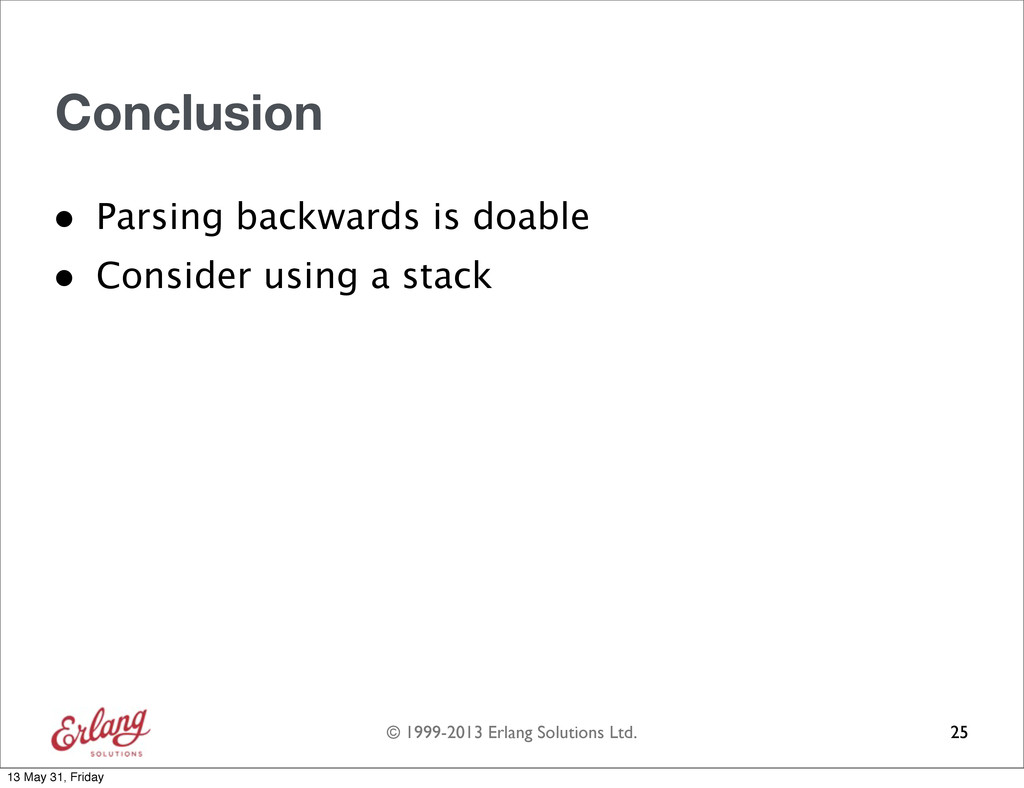
  109. © 1999-2013 Erlang Solutions Ltd. 25 Conclusion • Parsing backwards

    is doable • Consider using a stack 13 May 31, Friday
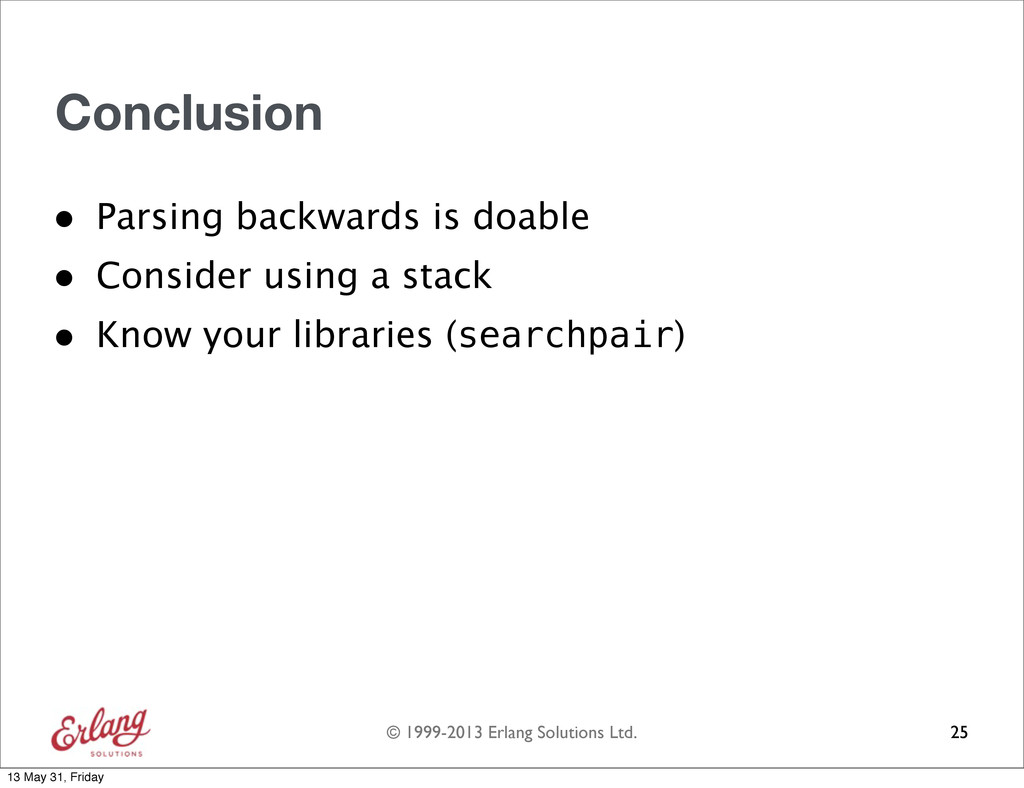
  110. © 1999-2013 Erlang Solutions Ltd. 25 Conclusion • Parsing backwards

    is doable • Consider using a stack • Know your libraries (searchpair) 13 May 31, Friday
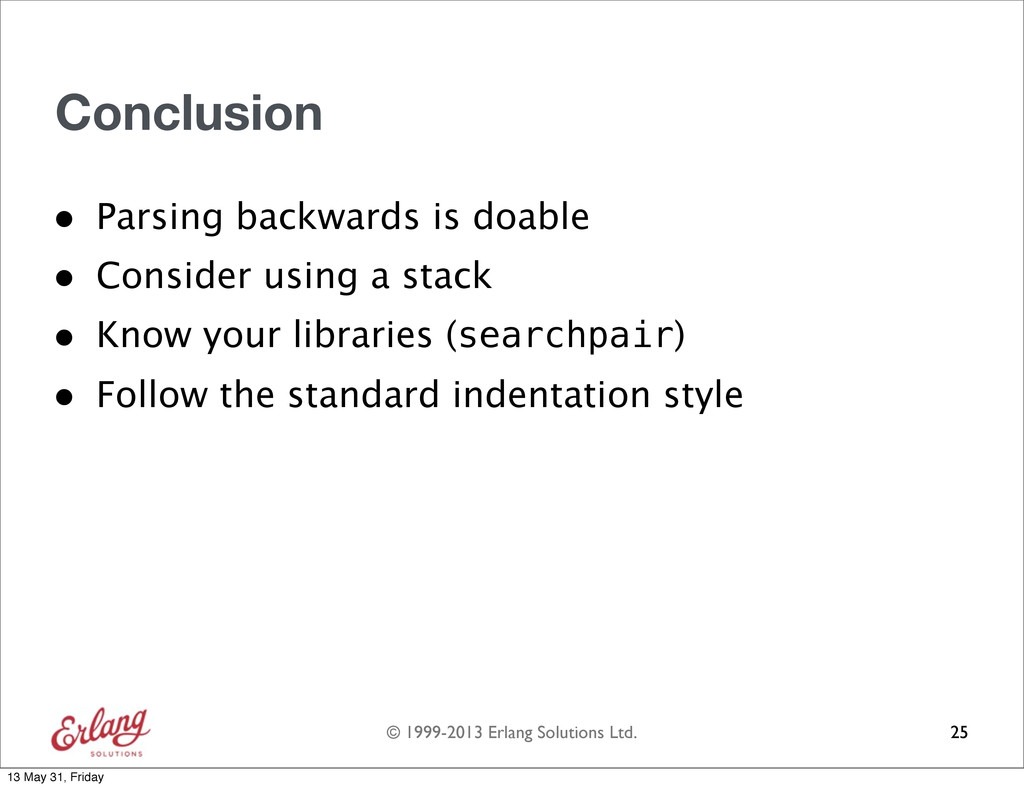
  111. © 1999-2013 Erlang Solutions Ltd. 25 Conclusion • Parsing backwards

    is doable • Consider using a stack • Know your libraries (searchpair) • Follow the standard indentation style 13 May 31, Friday
  112. © 1999-2013 Erlang Solutions Ltd. 26 Clean code with Vim

    Thank you! (Image source) 13 May 31, Friday