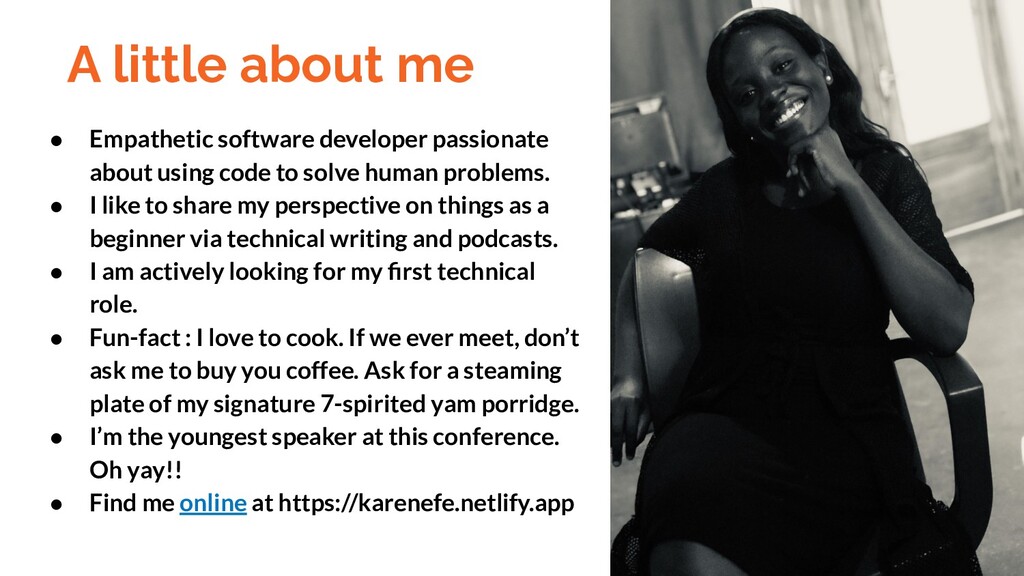
using code to solve human problems. • I like to share my perspective on things as a beginner via technical writing and podcasts. • I am actively looking for my first technical role. • Fun-fact : I love to cook. If we ever meet, don’t ask me to buy you coffee. Ask for a steaming plate of my signature 7-spirited yam porridge. • I’m the youngest speaker at this conference. Oh yay!! • Find me online at https://karenefe.netlify.app
2. Architectural styles for Designing APIs (SOAP vs REST vs GRAPHQL) 3. Tooling and Setup (Visual Studio Code, Postman, Robo3t, Expressjs, Mongoose and so on) 4. Deep Dive into our articles API ( Let’s Create Our Basic Server) 5. Http Verbs and Route Handling for APIs 6. Testing all our endpoints via Postman 7. Summary (Ask Me Questions)
API is a computing interface that defines interactions between multiple software intermediaries. It defines the kinds of calls or requests that can be made, how to make them, the data formats that should be used, the conventions to follow. An API is a set of commands, functions, protocols and objects that programmers can use to create software or interact with an external system Tip APIs are .user interfaces for developers to access resources on the internet
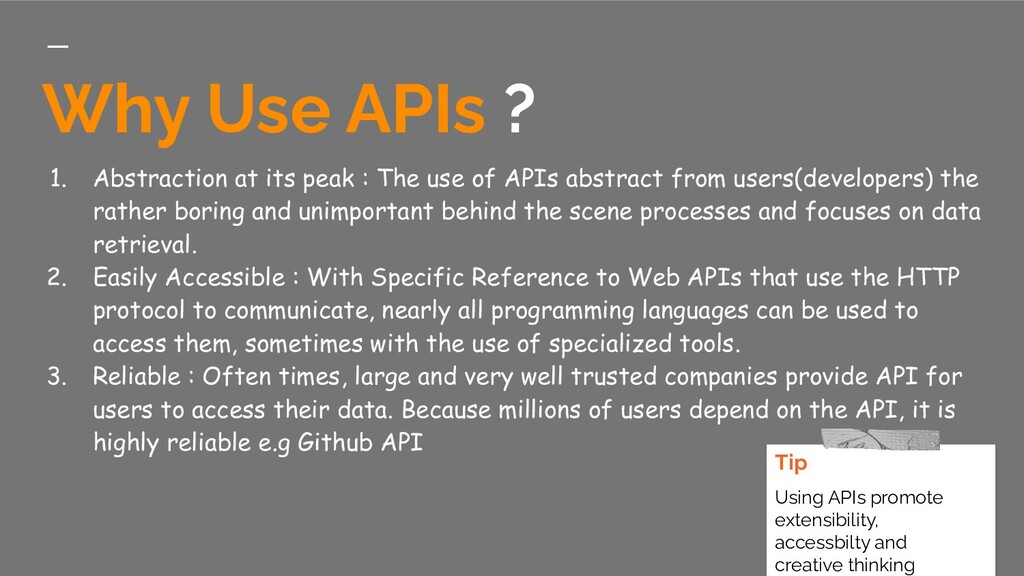
The use of APIs abstract from users(developers) the rather boring and unimportant behind the scene processes and focuses on data retrieval. 2. Easily Accessible : With Specific Reference to Web APIs that use the HTTP protocol to communicate, nearly all programming languages can be used to access them, sometimes with the use of specialized tools. 3. Reliable : Often times, large and very well trusted companies provide API for users to access their data. Because millions of users depend on the API, it is highly reliable e.g Github API Tip Using APIs promote extensibility, accessbilty and creative thinking
architectural styles for designing buildings, e.g, the baroque Gothic and neo-classical architectural styles, there also exists several architectural styles that can be used to design APIs, viz: • REST : Currently, the most popular and dominant architectural style for designing APIs • GraphQL : This is a pretty new option that is gaining traction due to its ability to use a single query to fetch the required data across multiple resources • RPC (Remote Procedure Call) : Another architectural style for designing APIs • Falcor : It introduces a virtual layer that can be used to map frontend requests to backend services. • SOAP : A pretty popular option, it follows the RPC style and exposes procedures as central concepts
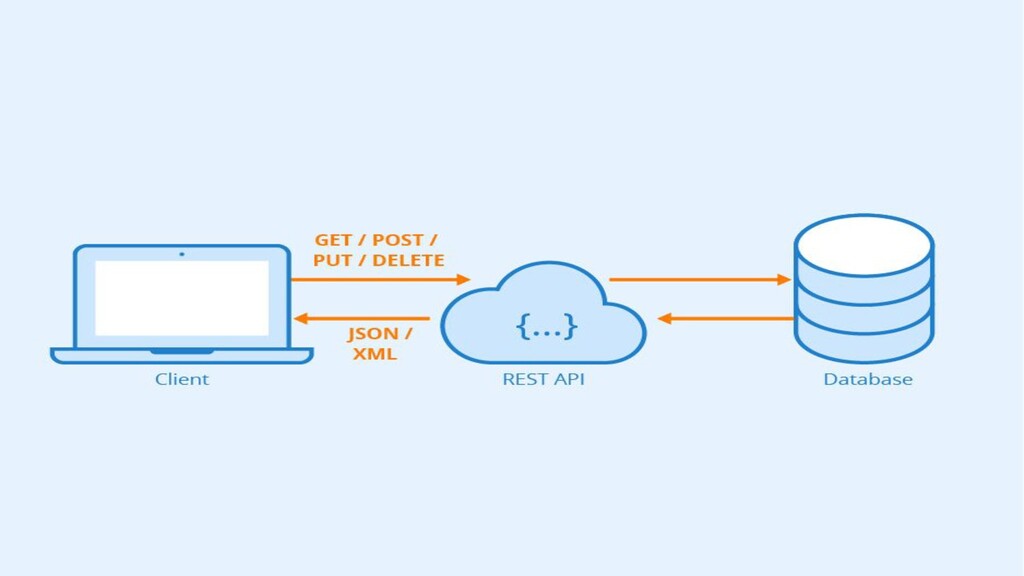
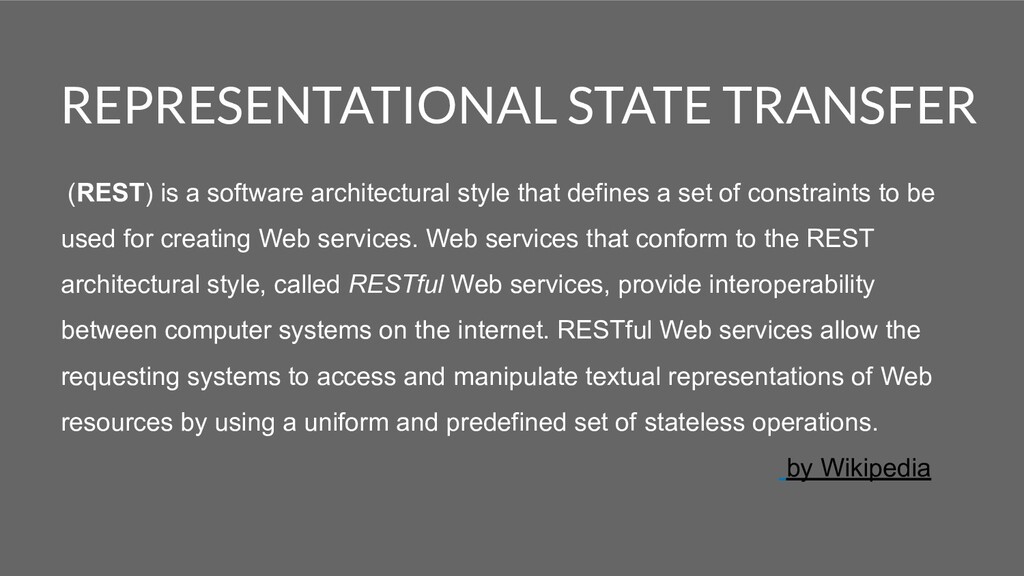
defines a set of constraints to be used for creating Web services. Web services that conform to the REST architectural style, called RESTful Web services, provide interoperability between computer systems on the internet. RESTful Web services allow the requesting systems to access and manipulate textual representations of Web resources by using a uniform and predefined set of stateless operations. by Wikipedia
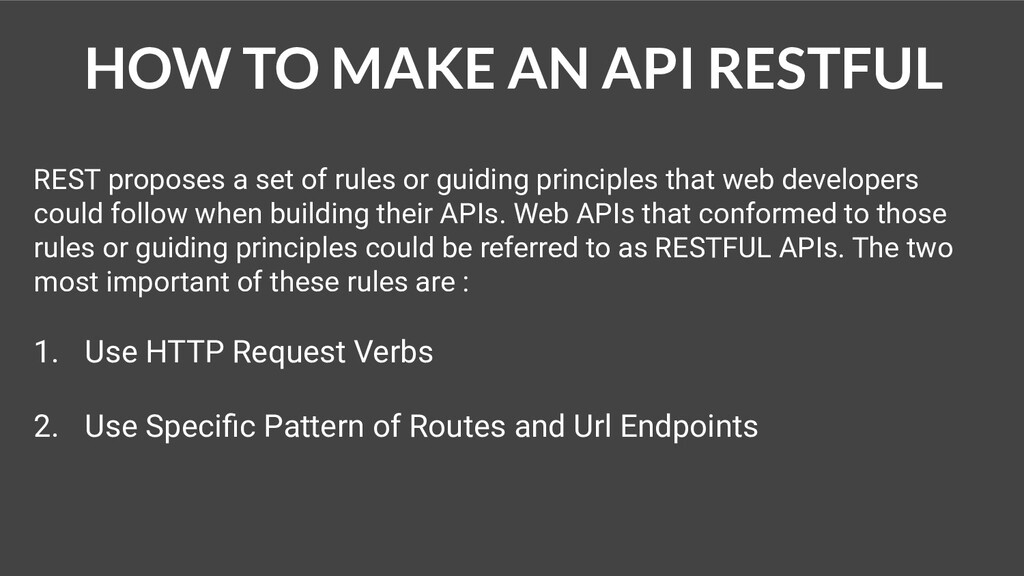
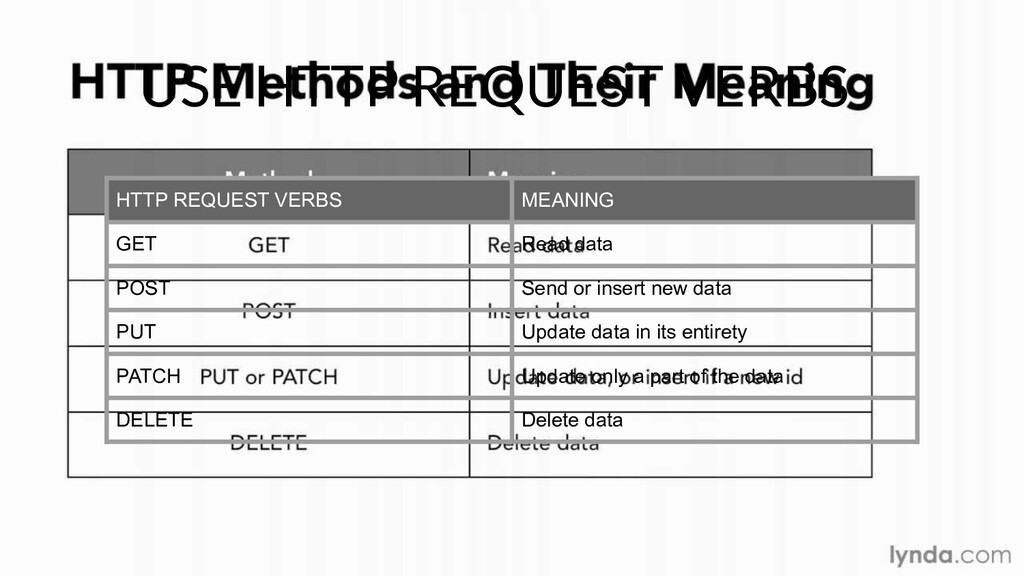
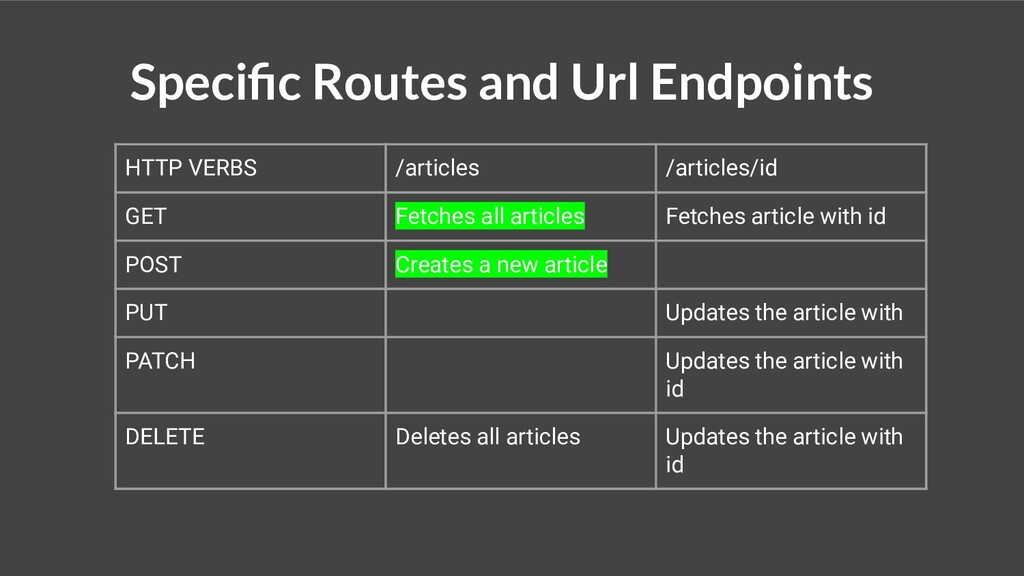
of rules or guiding principles that web developers could follow when building their APIs. Web APIs that conformed to those rules or guiding principles could be referred to as RESTFUL APIs. The two most important of these rules are : 1. Use HTTP Request Verbs 2. Use Specific Pattern of Routes and Url Endpoints
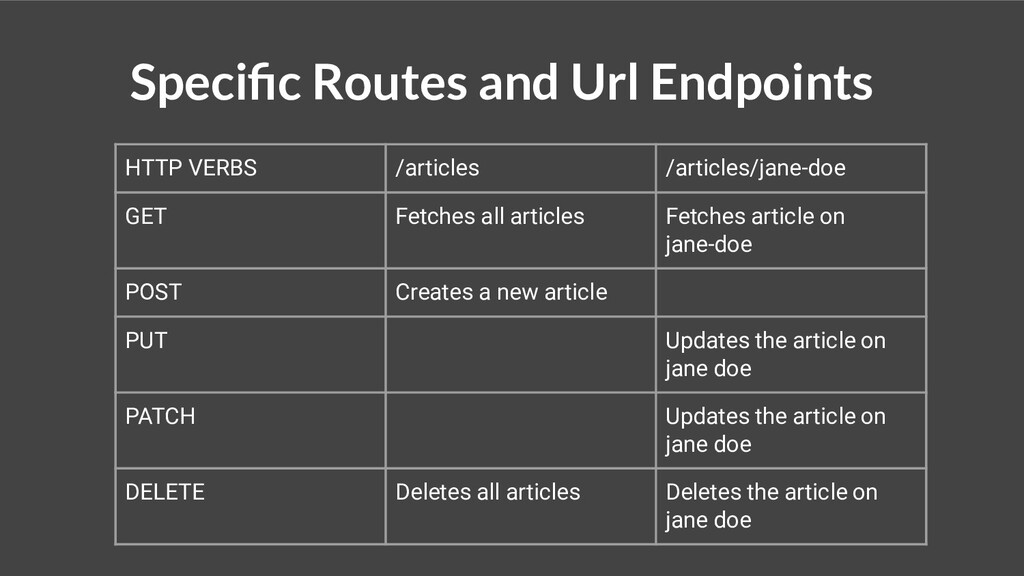
Fetches all articles Fetches article on jane-doe POST Creates a new article PUT Updates the article on jane doe PATCH Updates the article on jane doe DELETE Deletes all articles Deletes the article on jane doe
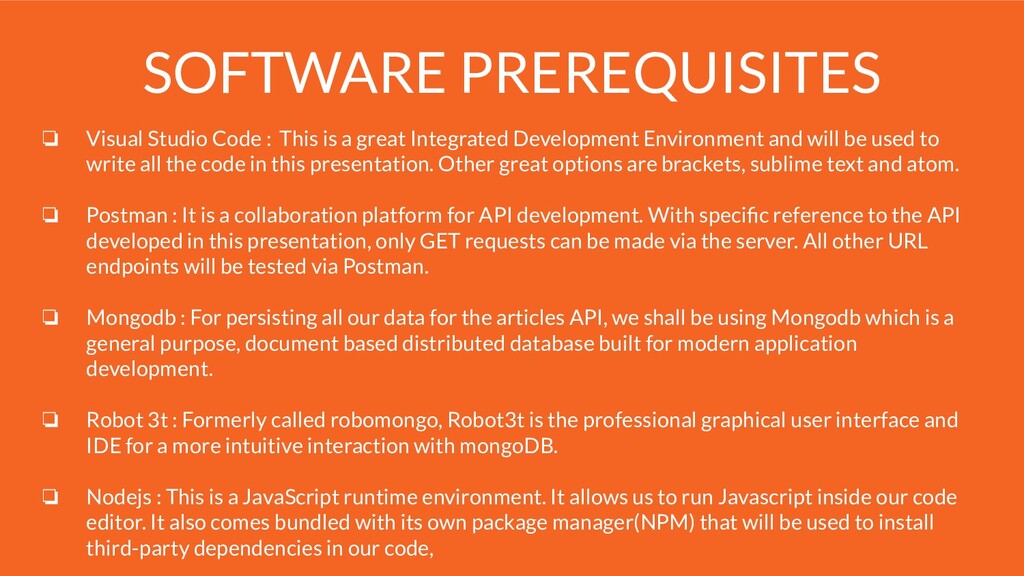
great Integrated Development Environment and will be used to write all the code in this presentation. Other great options are brackets, sublime text and atom. ❏ Postman : It is a collaboration platform for API development. With specific reference to the API developed in this presentation, only GET requests can be made via the server. All other URL endpoints will be tested via Postman. ❏ Mongodb : For persisting all our data for the articles API, we shall be using Mongodb which is a general purpose, document based distributed database built for modern application development. ❏ Robot 3t : Formerly called robomongo, Robot3t is the professional graphical user interface and IDE for a more intuitive interaction with mongoDB. ❏ Nodejs : This is a JavaScript runtime environment. It allows us to run Javascript inside our code editor. It also comes bundled with its own package manager(NPM) that will be used to install third-party dependencies in our code,
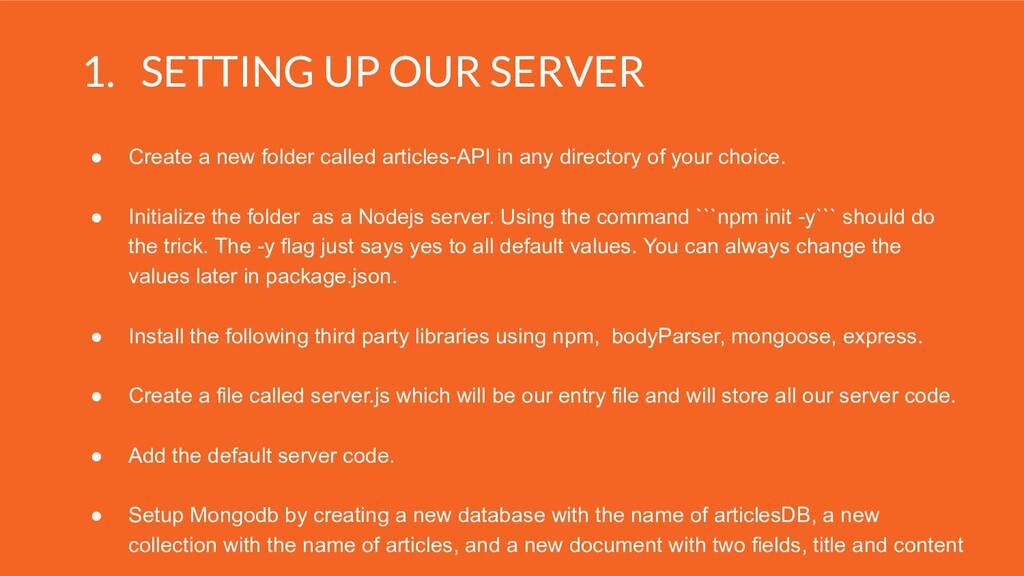
called articles-API in any directory of your choice. • Initialize the folder as a Nodejs server. Using the command ```npm init -y``` should do the trick. The -y flag just says yes to all default values. You can always change the values later in package.json. • Install the following third party libraries using npm, bodyParser, mongoose, express. • Create a file called server.js which will be our entry file and will store all our server code. • Add the default server code. • Setup Mongodb by creating a new database with the name of articlesDB, a new collection with the name of articles, and a new document with two fields, title and content
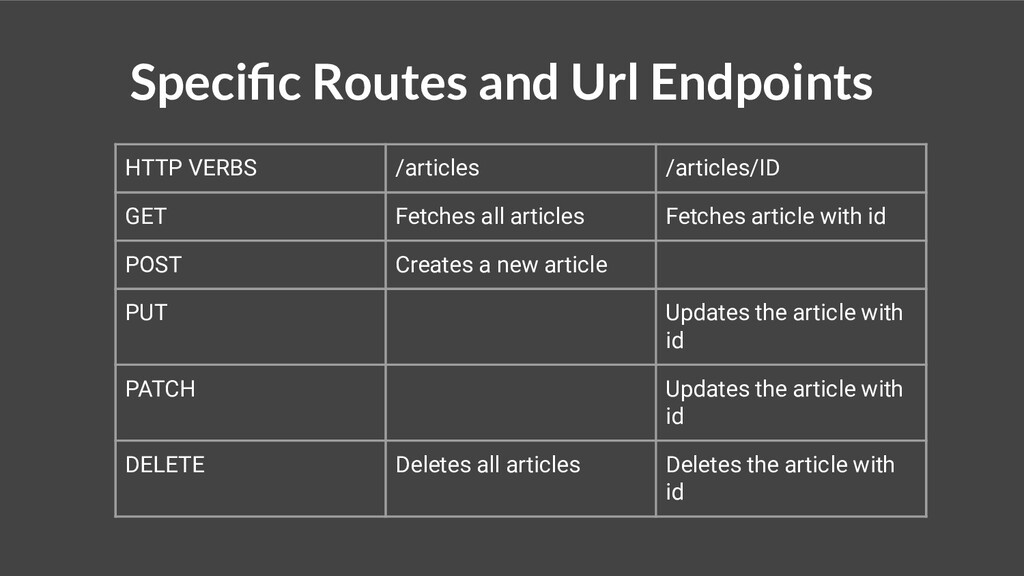
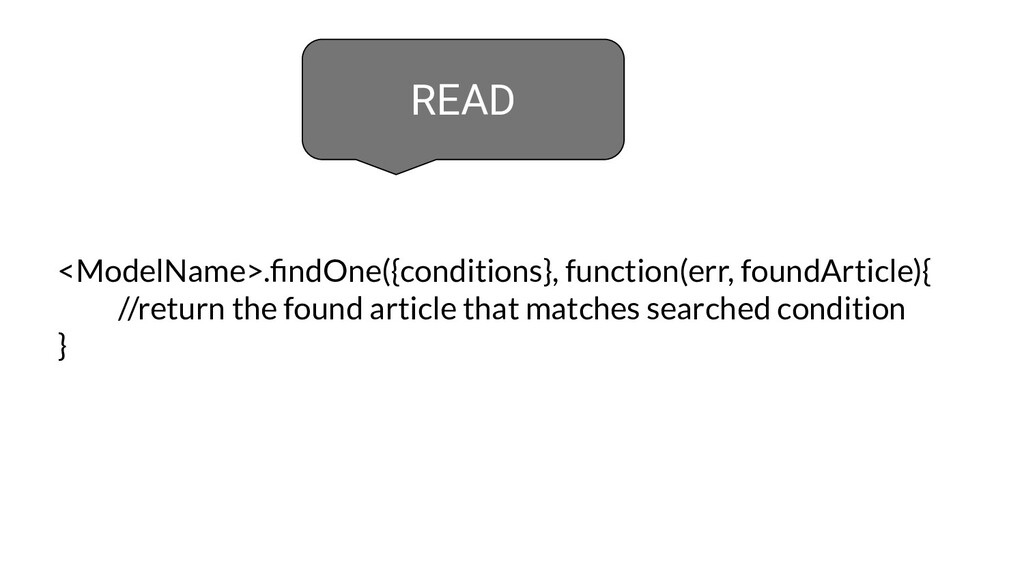
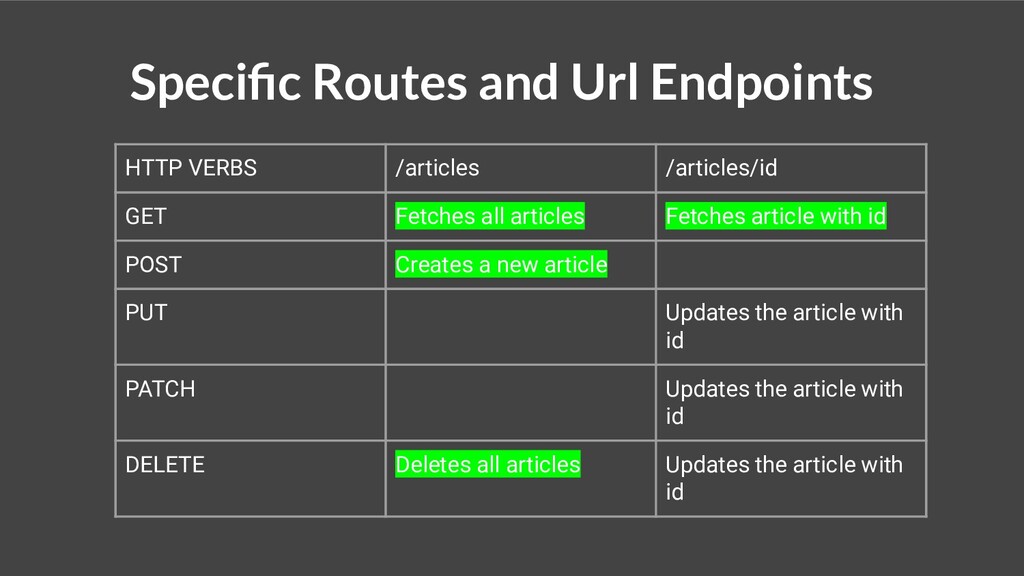
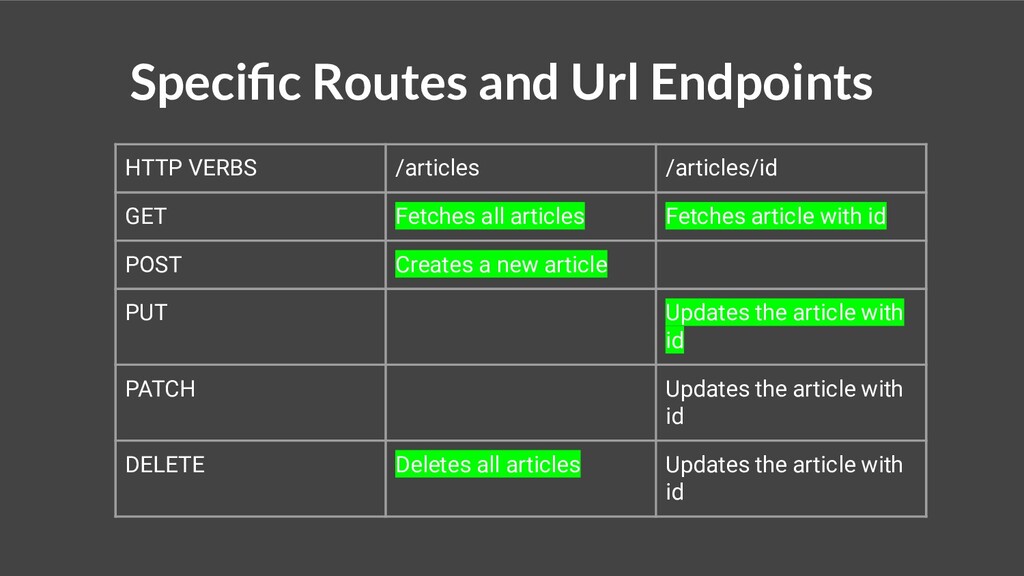
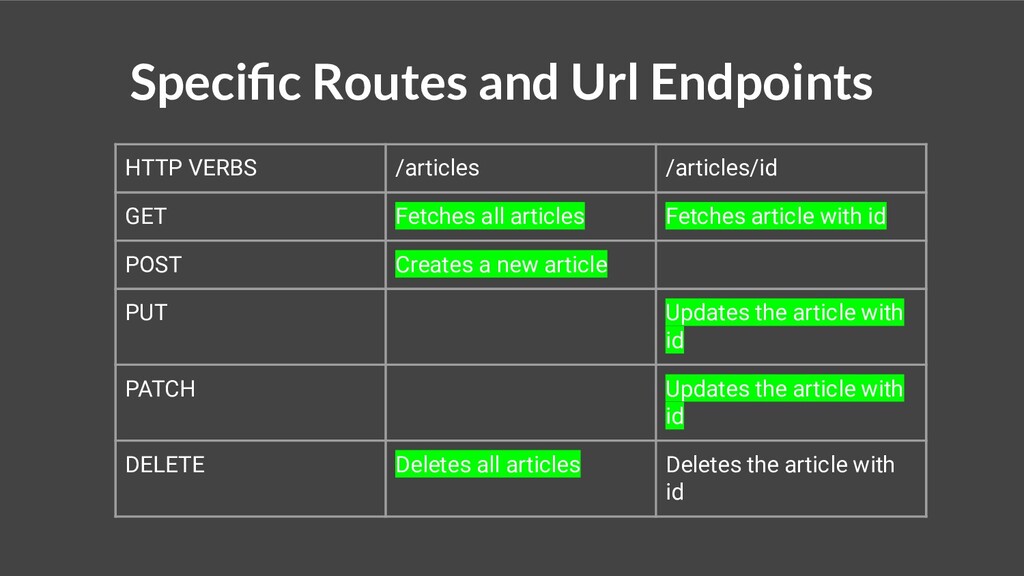
Fetches all articles Fetches article with id POST Creates a new article PUT Updates the article with id PATCH Updates the article with id DELETE Deletes all articles Deletes the article with id
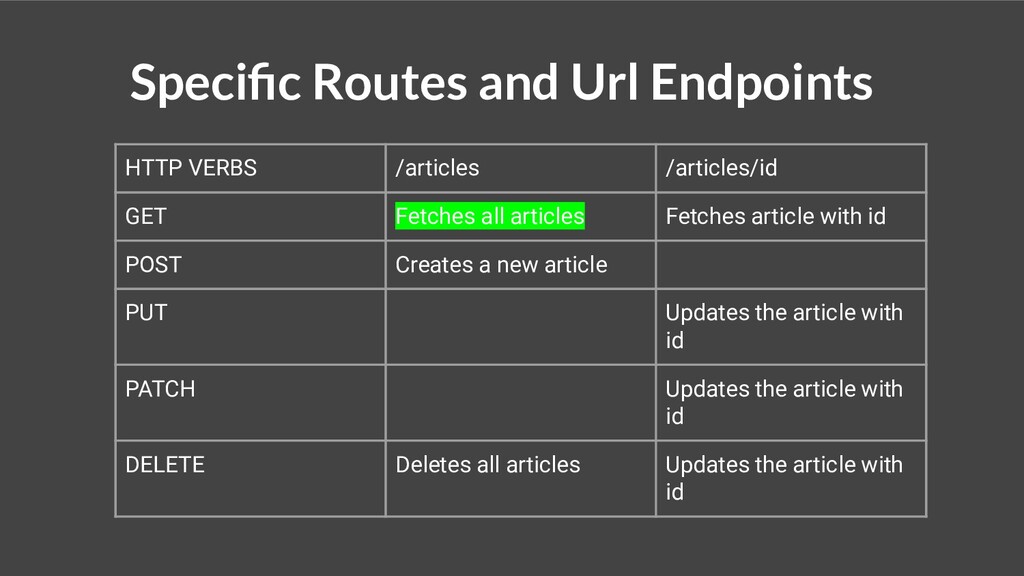
Fetches all articles Fetches article with id POST Creates a new article PUT Updates the article with id PATCH Updates the article with id DELETE Deletes all articles Updates the article with id
Fetches all articles Fetches article with id POST Creates a new article PUT Updates the article with PATCH Updates the article with id DELETE Deletes all articles Updates the article with id
Fetches all articles Fetches article with id POST Creates a new article PUT Updates the article with PATCH Updates the article with id DELETE Deletes all articles Updates the article with id
Fetches all articles Fetches article with id POST Creates a new article PUT Updates the article with id PATCH Updates the article with id DELETE Deletes all articles Updates the article with id
Fetches all articles Fetches article with id POST Creates a new article PUT Updates the article with id PATCH Updates the article with id DELETE Deletes all articles Updates the article with id
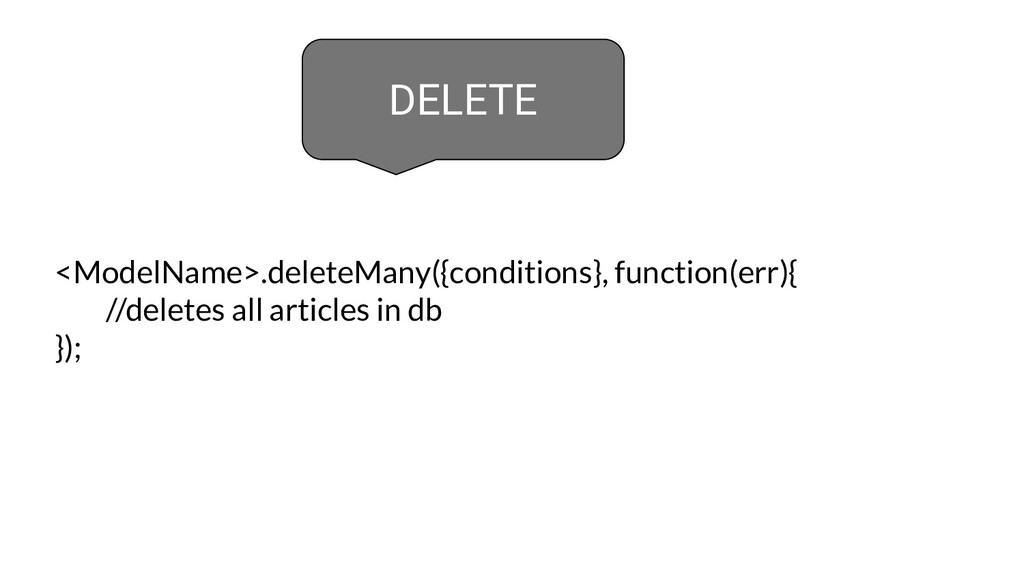
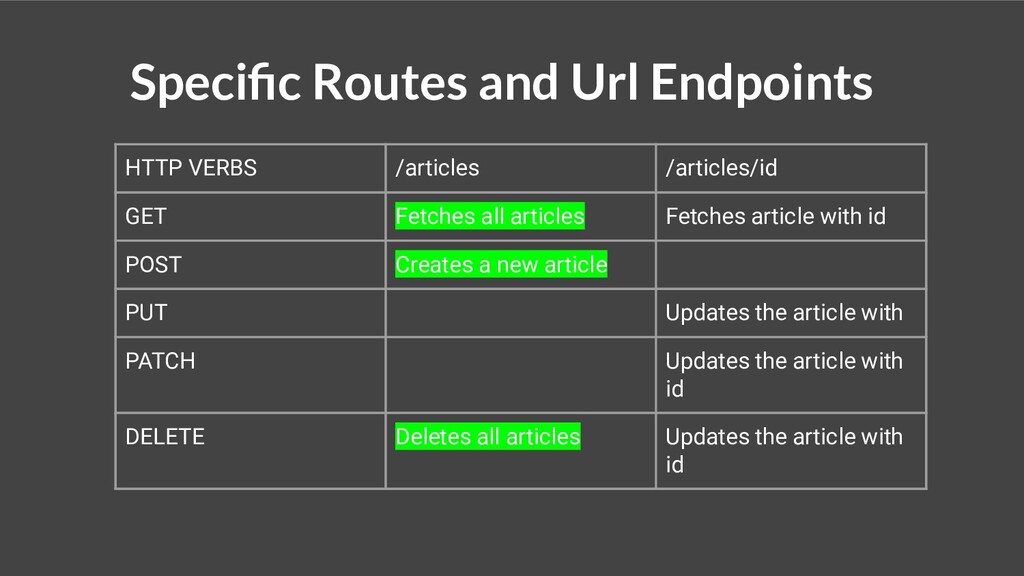
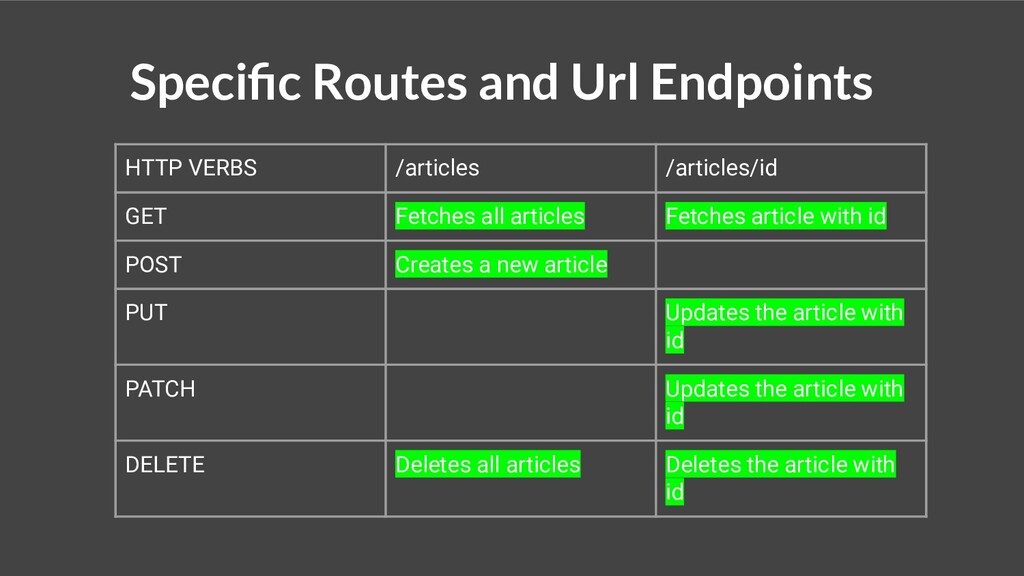
Fetches all articles Fetches article with id POST Creates a new article PUT Updates the article with id PATCH Updates the article with id DELETE Deletes all articles Deletes the article with id
Fetches all articles Fetches article with id POST Creates a new article PUT Updates the article with id PATCH Updates the article with id DELETE Deletes all articles Deletes the article with id


 karenefereyan
 masakiokuda
 recruitengineers
 kentarofujii
 takanorip
 kash1064
 grimoh
 pfn
pfn
 kizawa2020
 yahonda
 takahashim
 odashi
 syuchimu
 tessaabrams
 cassininazir
 kimpetersen
 mza
mza
 retrage
 ryanjones
 katarinadahlin
 baasie
 schlessera
 eileencodes
 smashingmag
 marcelosomers