creating visually appealing and functional software products. • Enthused about ui/ux designs • Open source enthusiast • Love to share my unique perspectives via technical articles, podcasts and technical speaking • I’m actively looking for a technical role • My space on the internet : https://karenefe.netlify.app
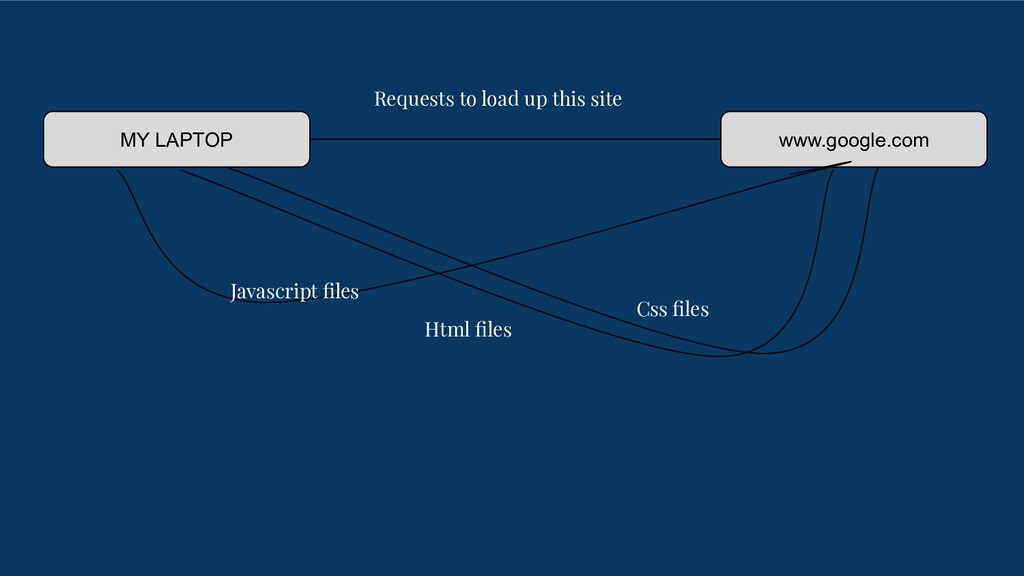
for the Internet(World Wide Web). Web development can range from developing a simple single static page of plain text to complex web-based internet applications (web apps)
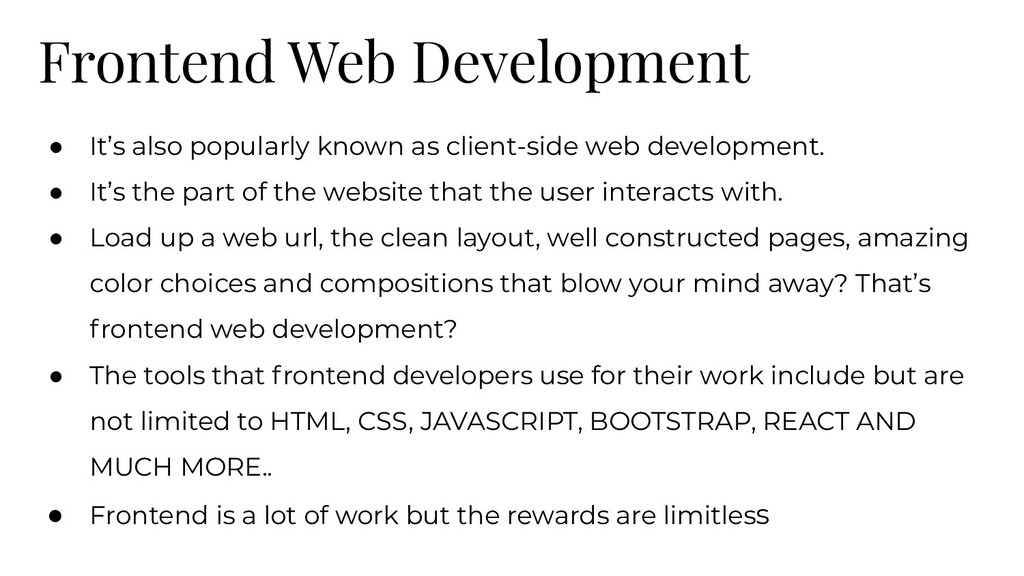
web development. • It’s the part of the website that the user interacts with. • Load up a web url, the clean layout, well constructed pages, amazing color choices and compositions that blow your mind away? That’s frontend web development? • The tools that frontend developers use for their work include but are not limited to HTML, CSS, JAVASCRIPT, BOOTSTRAP, REACT AND MUCH MORE.. • Frontend is a lot of work but the rewards are limitless
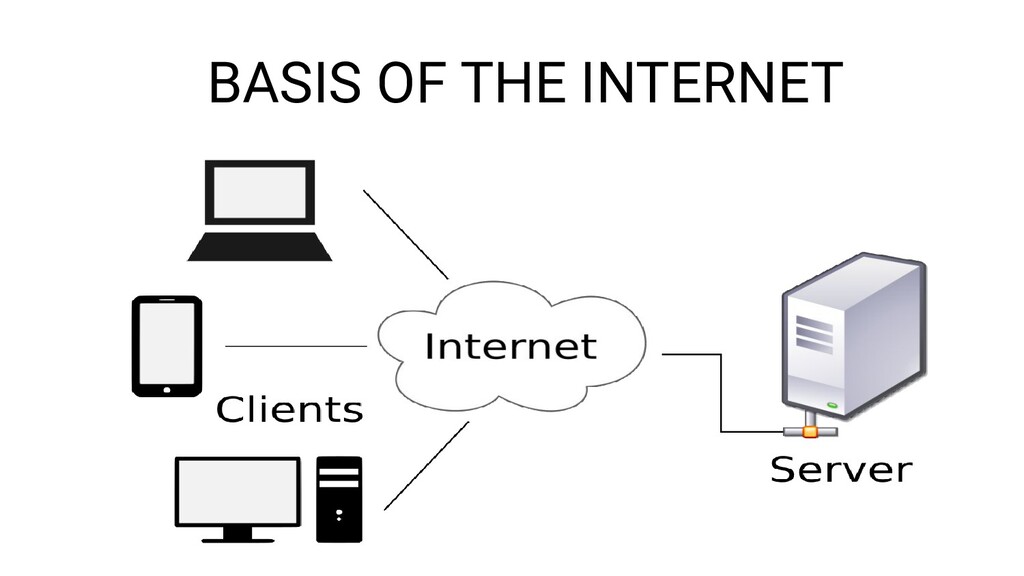
web development • It handles all the behind the scene processing that helps the frontend function as it should • Backend developers build and maintain the technology that power the frontend of a web application. It encompasses the data storage via databases and servers that server up information that clients request • Technologies used by backend developers include but are not limited to the following, PHP, Ruby, Python, Nodejs, Mysql, MongoDB, Git and much more..
trades. • Full stack developers should be knowledgeable in all aspects of the client server architecture, including writing web APIs, crafting great user experiences and much more… • Full stack development presents more opportunities. To be a great full stack developer takes time. • Some of the tools modern full stack developers are expected to know include but are not limited to databases, frontend frameworks, Version control systems, DevOps etc
structure of web content using tags. Tags exists for defining text content as headings, paragraphs, links and more… • "Hypertext" refers to links that connect web pages to one another, either within a single website or between websites. Links are a fundamental aspect of the Web. By uploading content to the Internet and linking it to pages created by other people, you become an active participant in the World Wide Web allow the Internet to be the internet. • HTML also allows for special tags like <canvas>, <video> and more that help embed special types of content to be displayed on the web browser
to make HTML content look nice and appealing • It allows us to define styles like fonts, colors and layouts of Html elements, even creating complex animations and shapes • Solid CSS skills are important to be a good frontend developer. • CSS is to html as interior decoration is to a building. A great building is only as good as its decoration. People want to go to beautiful places. Use CSS to ensure that people want to visit your websites and web applications
is a programming language that allows for dynamic interactivity on websites and web applications. • Originally created to be run in internet browsers, tools like Nodejs allow us to run javascript outside of browsers • Javascript allows users to get responses based on certain inputs, like scrolling all the way to the top of the page when a button is clicked, or returning the weather of a location inputted by the user.
Yu’s Web Development course(Awesome course! I recommend it 100% for getting started) • Traversy media, Net Ninja, Web Dev Simplified, Javascript Mastery are some of my favorite youtube channels. They have some great videos • Jon Duckett : If you learn by reading, Jon Duckett’s books are a great way to go. Awesome but beautiful illustrations, great definitions just makes it a great alternative. • For web/ article-like resources, I highly recommend MDN, W3Schools and CSS Tricks • Frontendmentor : It has a series of coding challenges you can take to test, build upon and flex your frontend coding muscles
developer but it’s very doable. • Start from the beginning. Don’t skip any part of the flow. • Look through the different resources, choose one and follow it all through to the end. • Cement your learning by building • Have a social media presence. Let others know that you have started building. Make videos of your projects, post them on twitter and Linkedin. It’s super important • Web development is a long journey. Curiosity can get you started but passion, hardwork and self discipline is what can take you to the


 karenefereyan
 marcoroth
 akihisaikeda
 ivargrimstad
 minodriven
 nao_randd
 rkaga
rkaga
 uyuki234
 a_matsuda
 hollycummins
 rollbear
 bermonpainter
 chikuwait
 lemiorhan
 lfama
lfama
 tammyeverts
 aarron
 codingconduct
 baasie
 emna__ayadi
 morganepeng
 soudai
 jacobian