Upgrade to Pro
— share decks privately, control downloads, hide ads and more …
Speaker Deck
Sign up for free
Menu
Search
Features
All features
Private URLs
Password Protection
Custom URLS
Scheduled publishing
Remove Branding
Restrict embedding
Deck Collections
Notes
Features
All features
Private URLs
Password Protection
Custom URLS
Scheduled publishing
Remove Branding
Restrict embedding
Deck Collections
Notes
Explore
Featured decks
Featured speakers
Programming
Technology
Storyboards
Explore
Featured decks
Featured speakers
Programming
Technology
Storyboards
Pricing
Search
Sign in
Sign up for free
DLTをふんわり理解しよう
Search
KOKI TAMURA
November 24, 2025
Programming
190
0
Share
Embed
Copy iframe code
Copy JS code
Copy link
Start on current slide
DLTをふんわり理解しよう
KOKI TAMURA
November 24, 2025
More Decks by KOKI TAMURA
See All by KOKI TAMURA
SREとは何か、AWSでどう始めるか
kokitamura
4
2.7k
Glue Studio Visual ETL実装時にハマったこと
kokitamura
1
510
RCPと宣言型ポリシーについてのお話し
kokitamura
1
380
Amazon Nova のトークナイザについて調べてみた
kokitamura
0
220
Other Decks in Programming
See All in Programming
Railsのためのパスキー実践入門 〜マルチテナントSaaSでの意思決定〜
utakaha
4
3.6k
Rails初心者がパスキーを実装してみて大変だったこと
ktombow
0
160
そのデザイントークン、Flutterでも同じ見た目になりますか?
nakamizu
0
320
小さなアプリを作って公開するまで
onozaty
0
150
クラウドゲーミングのパフォーマンス最適化に挑む / Cloud Gaming Performance Tuning
vivion
0
330
React Native経験者が Flutterを30⽇間触って驚いたこと
3saito
0
160
社内AIエージェント「Askワンバン」における コストチューニングの取り組み
t0yohei
0
160
AIで開発が速くなった先で、開発チームは何を目指すか
shihochan
1
2k
Enforcing Your Architecture with Unit Tests in the AI Era (Swift Connection X)
steliosf
PRO
1
150
Snowflake Openflow Connector利用の勘所 / 20261024developersio2026tokyo-snowflake-openflow
kasacchiful
PRO
0
310
[DroidKnights 2026] Workflow AX: From Auto-Documented Policies to E2E Testing
raeminkang
0
540
Zero-Tap Sign-In対応、結局何をすればいいの?
mitohato14
0
1.9k
Featured
See All Featured
Navigating Algorithm Shifts & AI Overviews - #SMXNext
aleyda
1
1.7k
How to Talk to Developers About Accessibility
jct
2
620
Skip the Path - Find Your Career Trail
mkilby
1
290
Context Engineering - Making Every Token Count
addyosmani
9
1.3k
SEO Brein meetup: CTRL+C is not how to scale international SEO
lindahogenes
2
3k
Taking LLMs out of the black box: A practical guide to human-in-the-loop distillation
inesmontani
PRO
3
2.5k
Un-Boring Meetings
codingconduct
0
490
Why Mistakes Are the Best Teachers: Turning Failure into a Pathway for Growth
auna
0
350
The Cult of Friendly URLs
andyhume
79
7.1k
More Than Pixels: Becoming A User Experience Designer
marktimemedia
3
620
Bioeconomy Workshop: Dr. Julius Ecuru, Opportunities for a Bioeconomy in West Africa
akademiya2063
PRO
1
450
コードの90%をAIが書く世界で何が待っているのか / What awaits us in a world where 90% of the code is written by AI
rkaga
63
48k
Transcript
DLTをふんわり理解しよう JAWS-UG富山 たむら
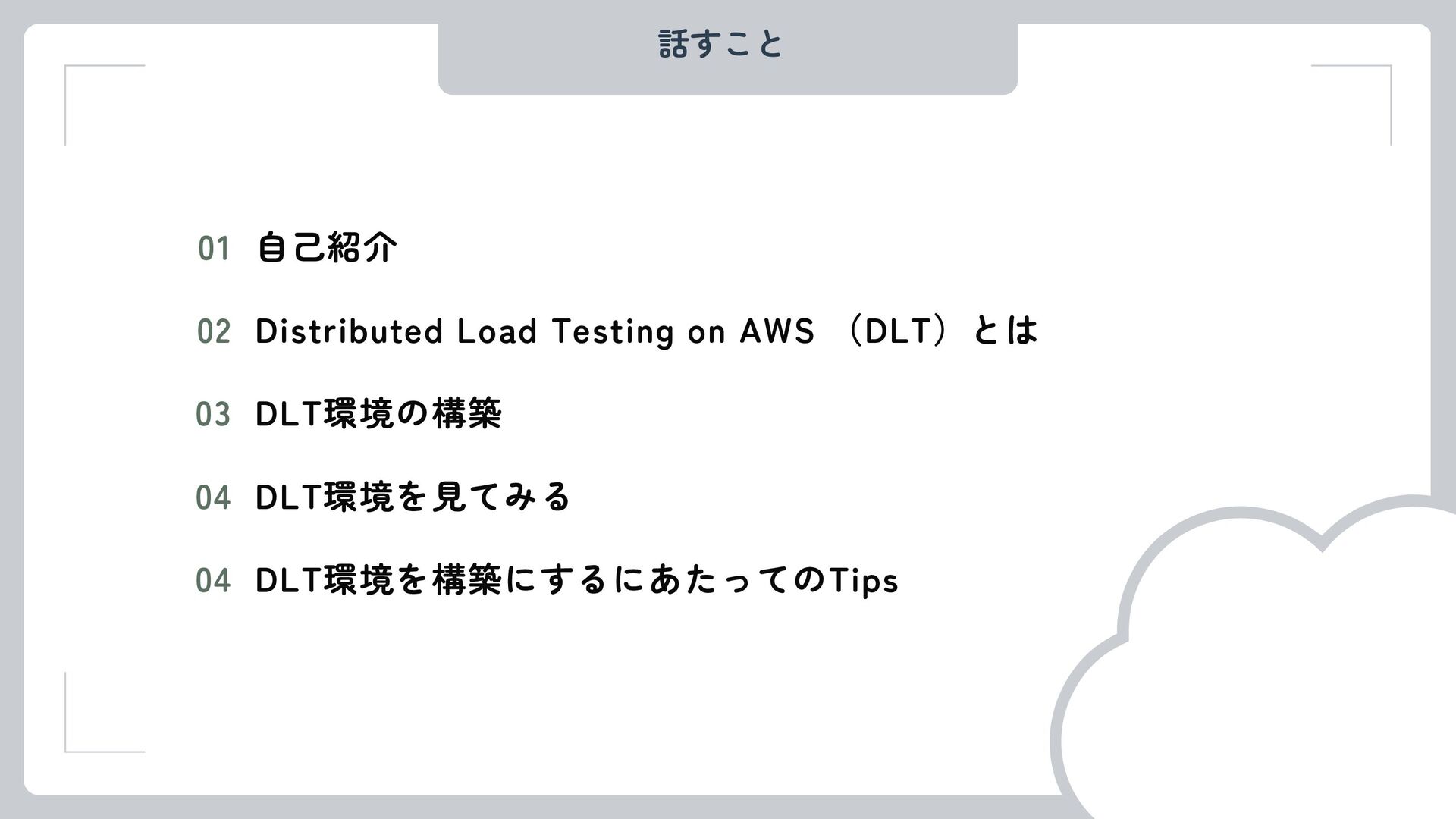
話すこと 自己紹介 01 Distributed Load Testing on AWS (DLT)とは 02
DLT環境の構築 03 DLT環境を見てみる 04 DLT環境を構築にするにあたってのTips 04
話さないこと 負荷テストの細かいシナリオについて
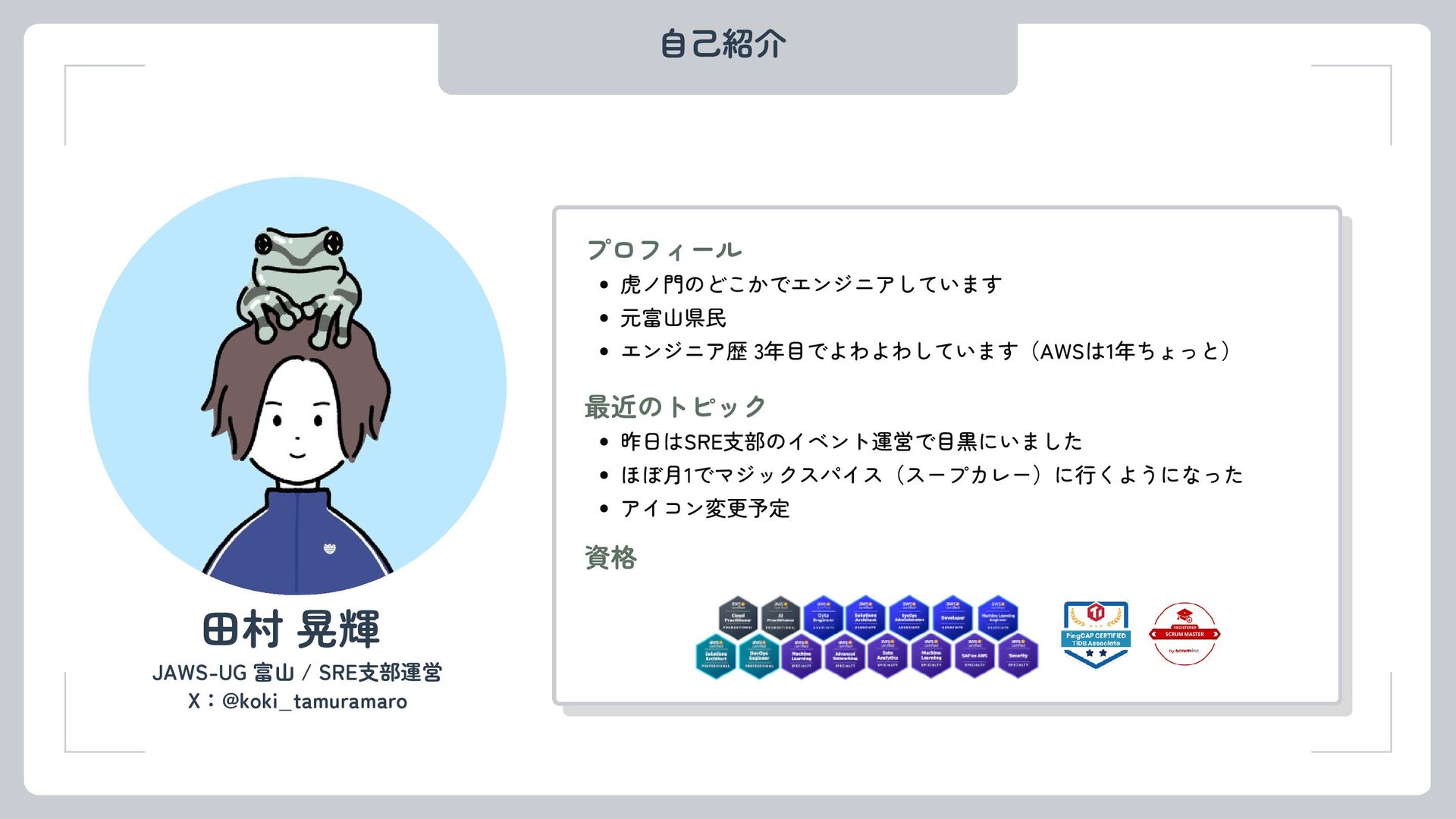
自己紹介 JAWS-UG 富山 / SRE支部運営 田村 晃輝 プロフィール 虎ノ門のどこかでエンジニアしています 元富山県民
エンジニア歴 3年目でよわよわしています(AWSは1年ちょっと) 最近のトピック 昨日はSRE支部のイベント運営で目黒にいました ほぼ月1でマジックスパイス(スープカレー)に行くようになった アイコン変更予定 資格 X:@koki_tamuramaro
はじめに みなさん負荷テストしてますか??
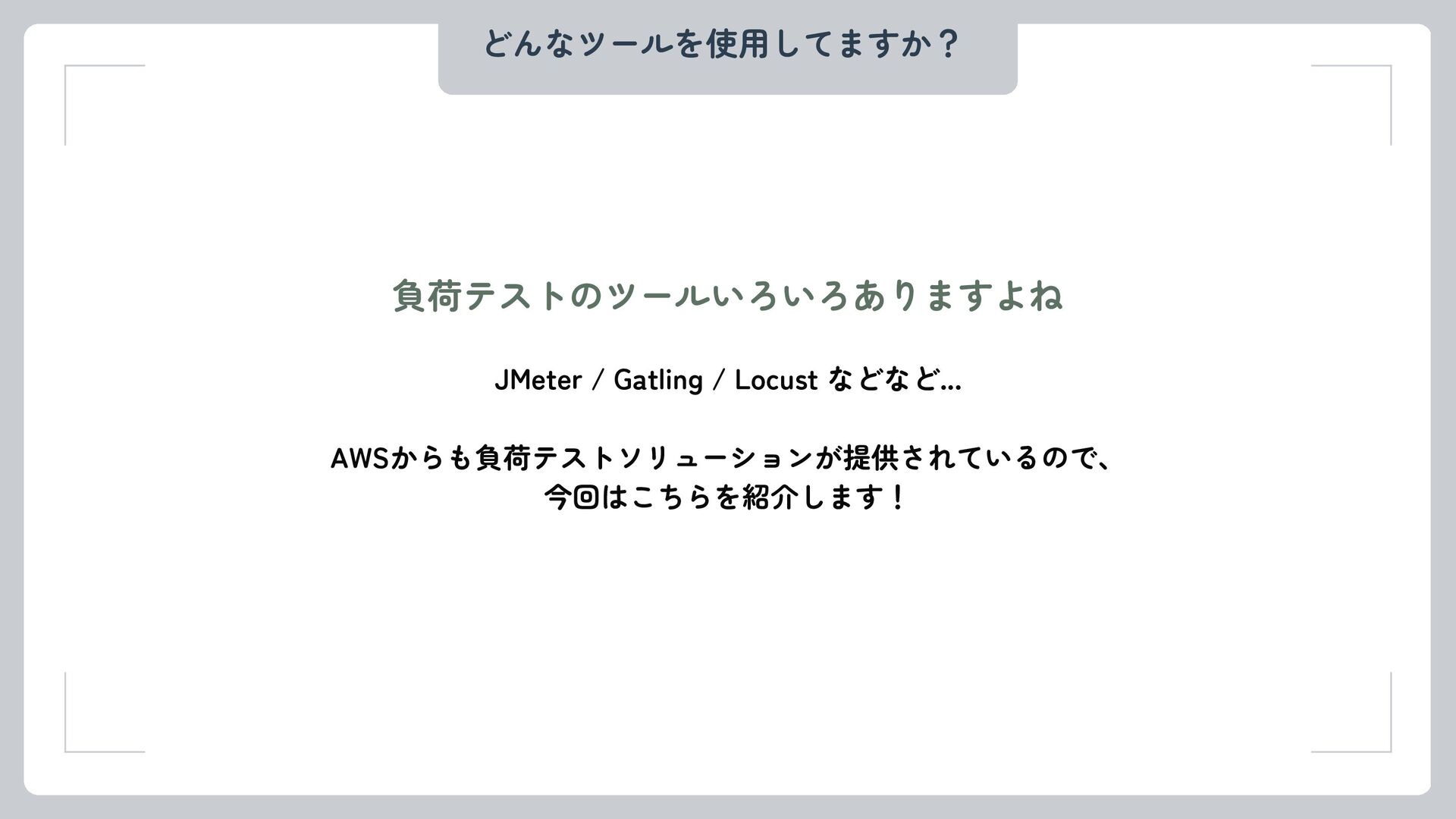
どんなツールを使用してますか? 負荷テストのツールいろいろありますよね JMeter / Gatling / Locust などなど... AWSからも負荷テストソリューションが提供されているので、 今回はこちらを紹介します!
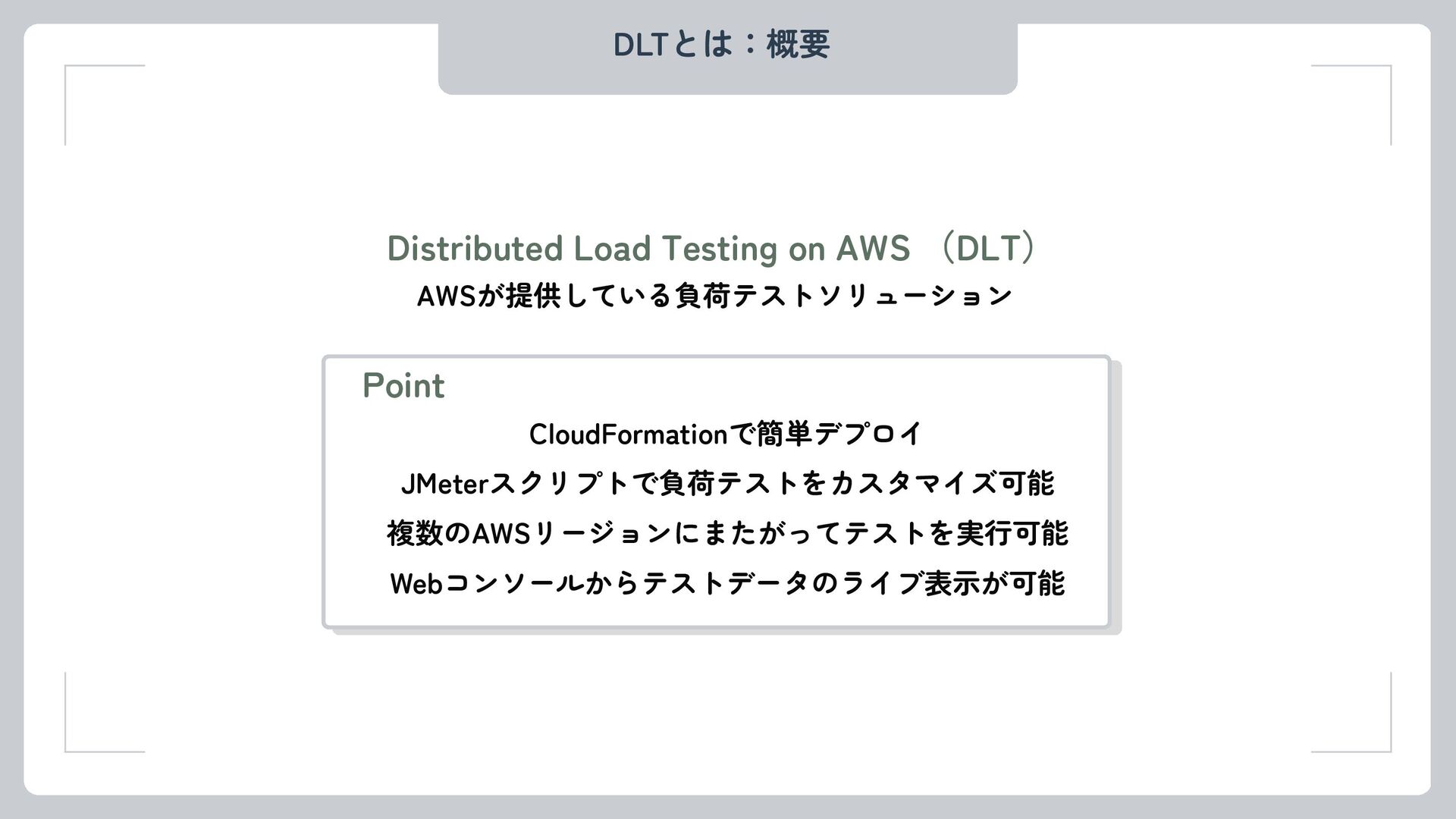
DLTとは:概要 Distributed Load Testing on AWS (DLT) AWSが提供している負荷テストソリューション Point CloudFormationで簡単デプロイ
JMeterスクリプトで負荷テストをカスタマイズ可能 複数のAWSリージョンにまたがってテストを実行可能 Webコンソールからテストデータのライブ表示が可能
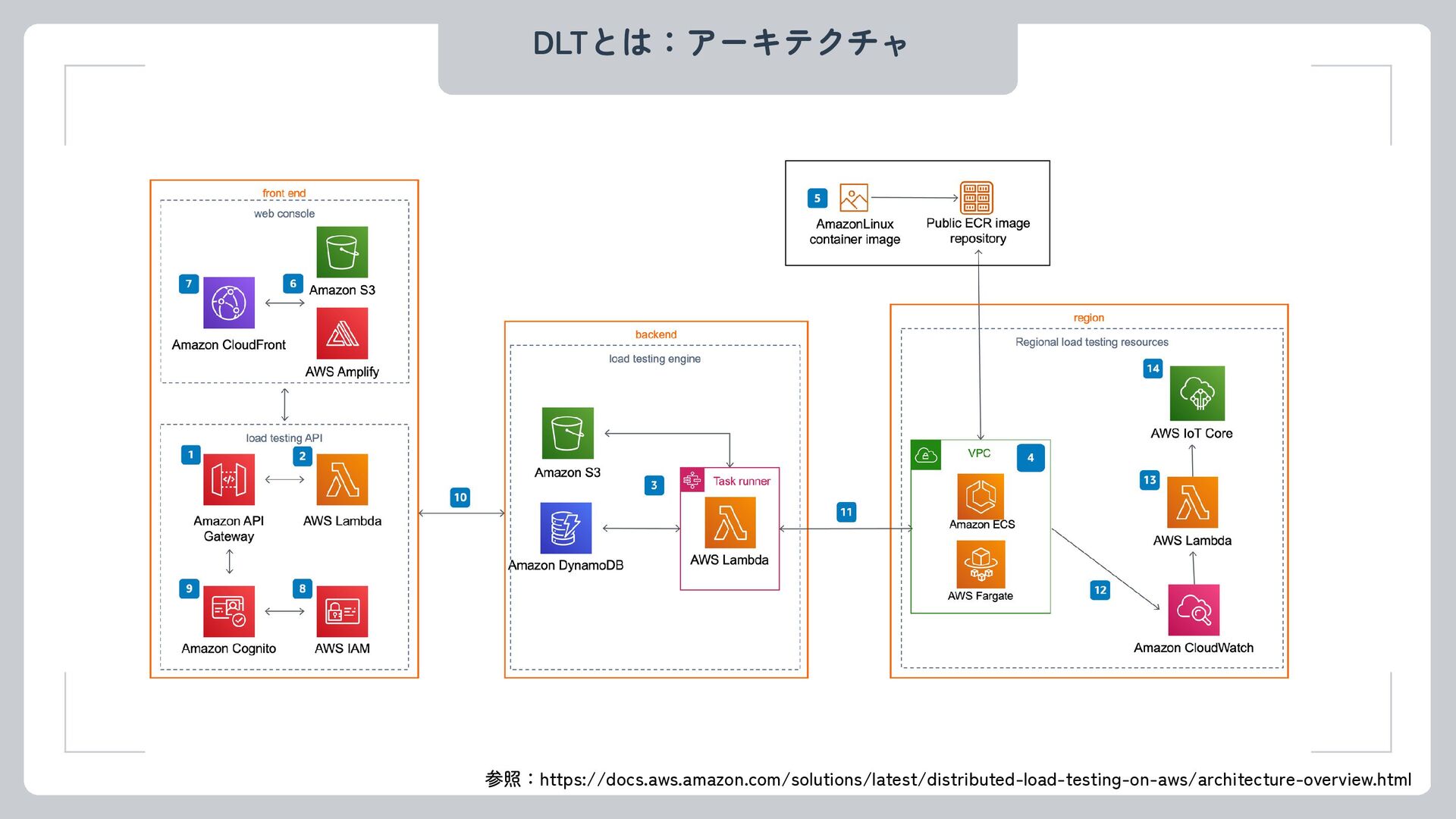
DLTとは:アーキテクチャ 参照:https://docs.aws.amazon.com/solutions/latest/distributed-load-testing-on-aws/architecture-overview.html
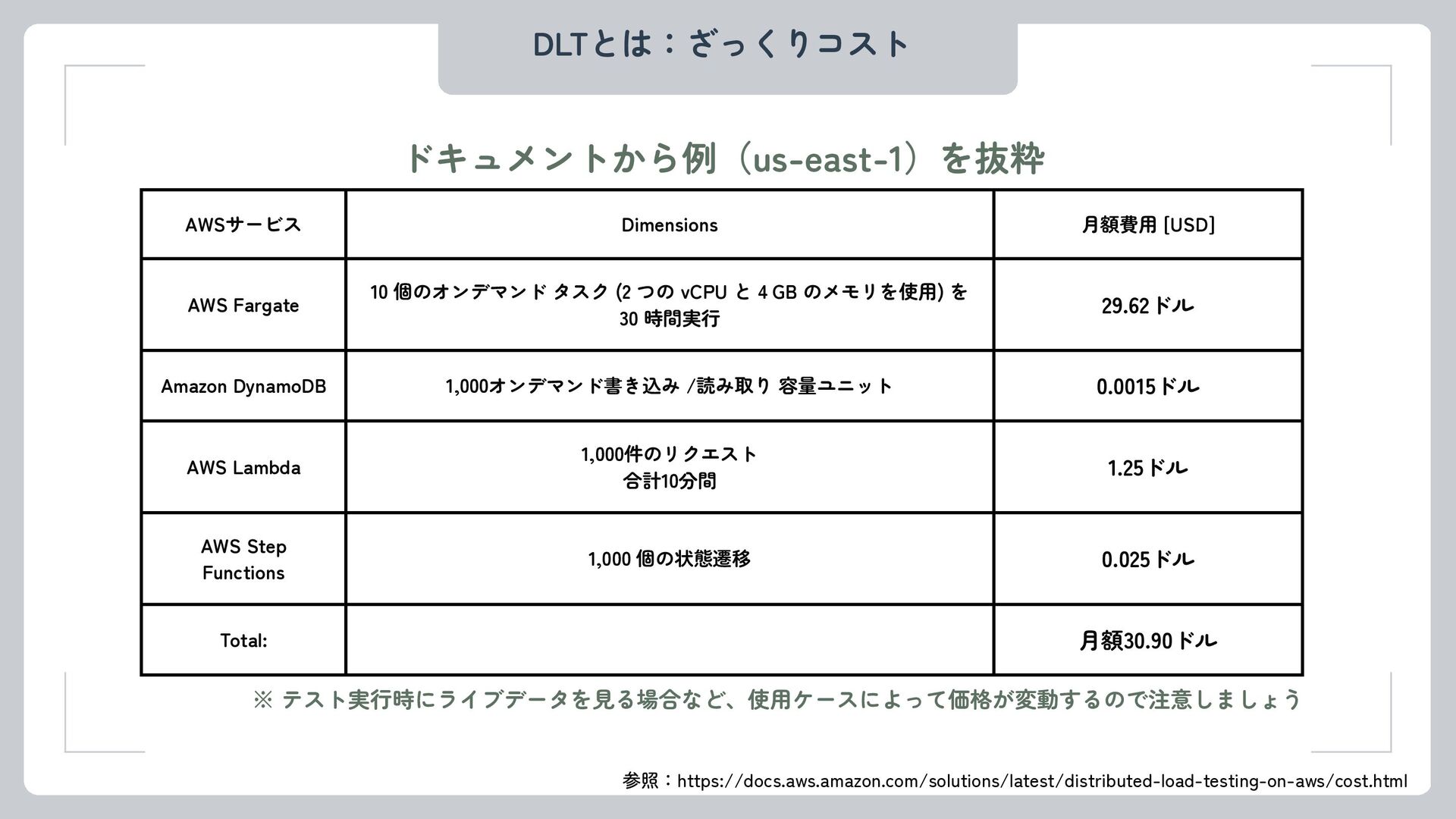
AWSサービス Dimensions 月額費用 [USD] AWS Fargate 10 個のオンデマンド タスク (2
つの vCPU と 4 GB のメモリを使用) を 30 時間実行 29.62ドル Amazon DynamoDB 1,000オンデマンド書き込み /読み取り 容量ユニット 0.0015ドル AWS Lambda 1,000件のリクエスト 合計10分間 1.25ドル AWS Step Functions 1,000 個の状態遷移 0.025ドル Total: 月額30.90ドル DLTとは:ざっくりコスト ドキュメントから例(us-east-1)を抜粋 ※ テスト実行時にライブデータを見る場合など、使用ケースによって価格が変動するので注意しましょう 参照:https://docs.aws.amazon.com/solutions/latest/distributed-load-testing-on-aws/cost.html
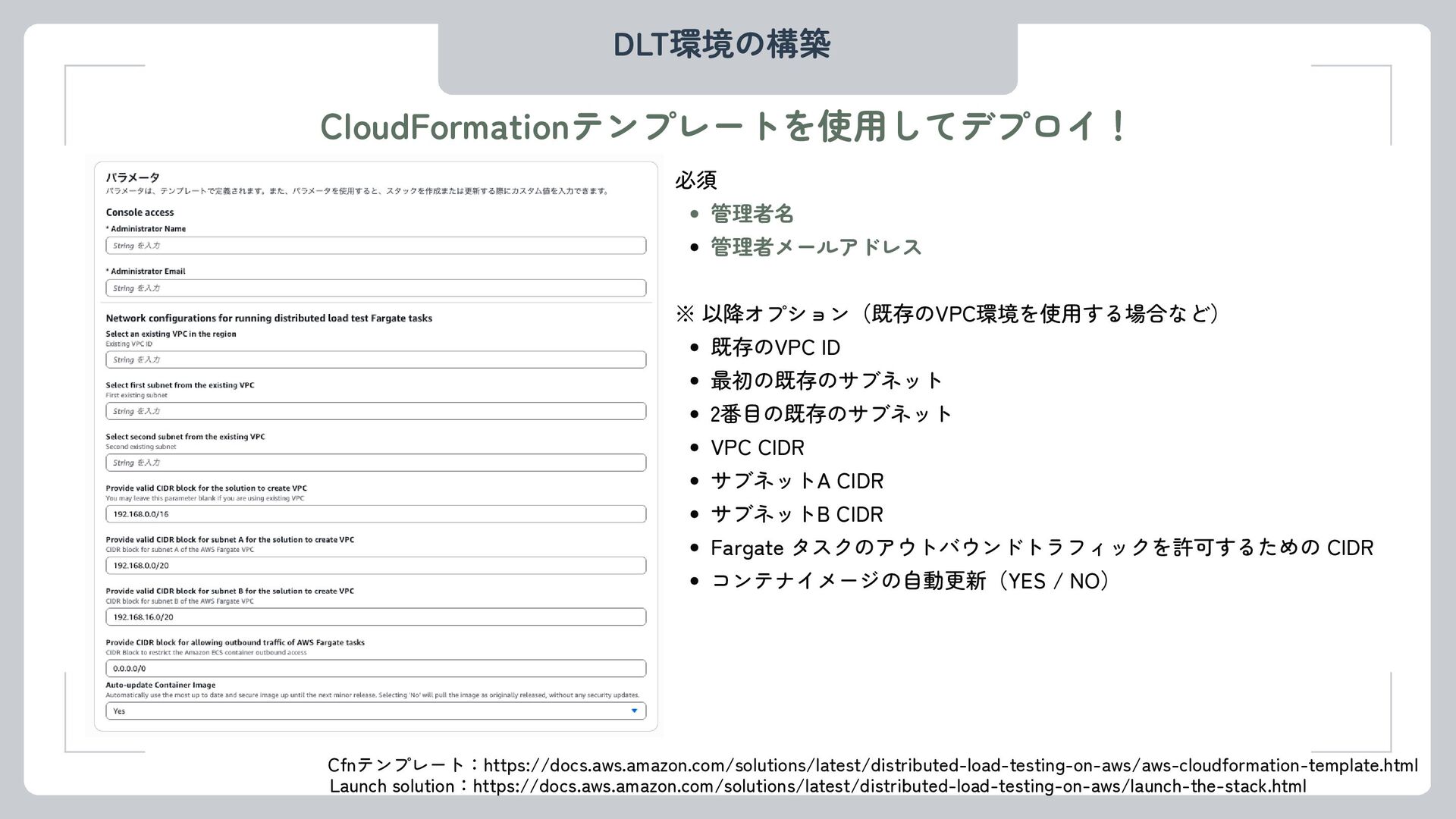
DLT環境の構築 Cfnテンプレート:https://docs.aws.amazon.com/solutions/latest/distributed-load-testing-on-aws/aws-cloudformation-template.html CloudFormationテンプレートを使用してデプロイ! Launch solution:https://docs.aws.amazon.com/solutions/latest/distributed-load-testing-on-aws/launch-the-stack.html 必須 管理者名 管理者メールアドレス ※ 以降オプション(既存のVPC環境を使用する場合など)
既存のVPC ID 最初の既存のサブネット 2番目の既存のサブネット VPC CIDR サブネットA CIDR サブネットB CIDR Fargate タスクのアウトバウンドトラフィックを許可するための CIDR コンテナイメージの自動更新(YES / NO)
DLT環境の構築 あとは完了を待つのみ・・・ (15 minくらい)
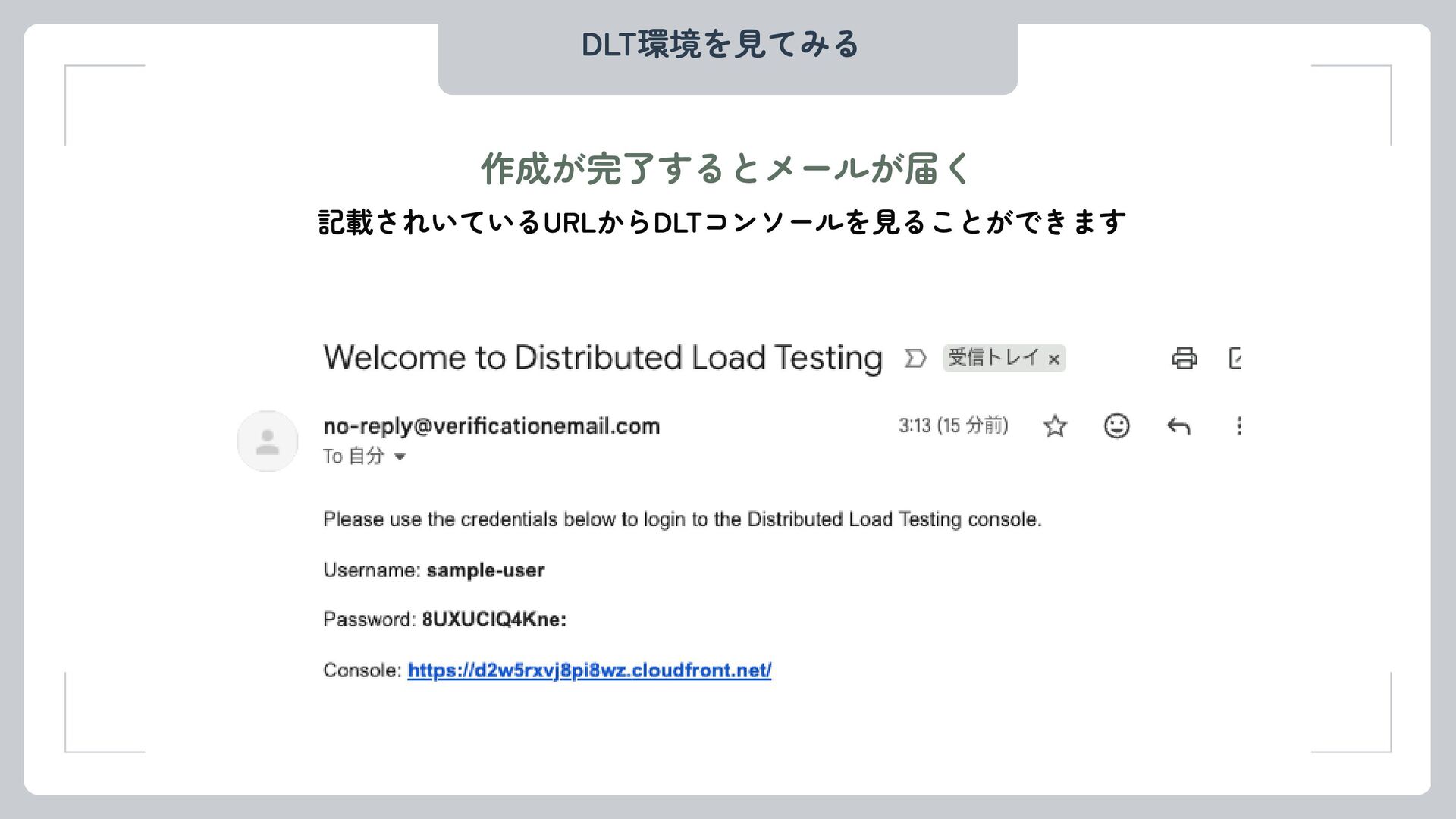
DLT環境を見てみる 作成が完了するとメールが届く 記載されいているURLからDLTコンソールを見ることができます
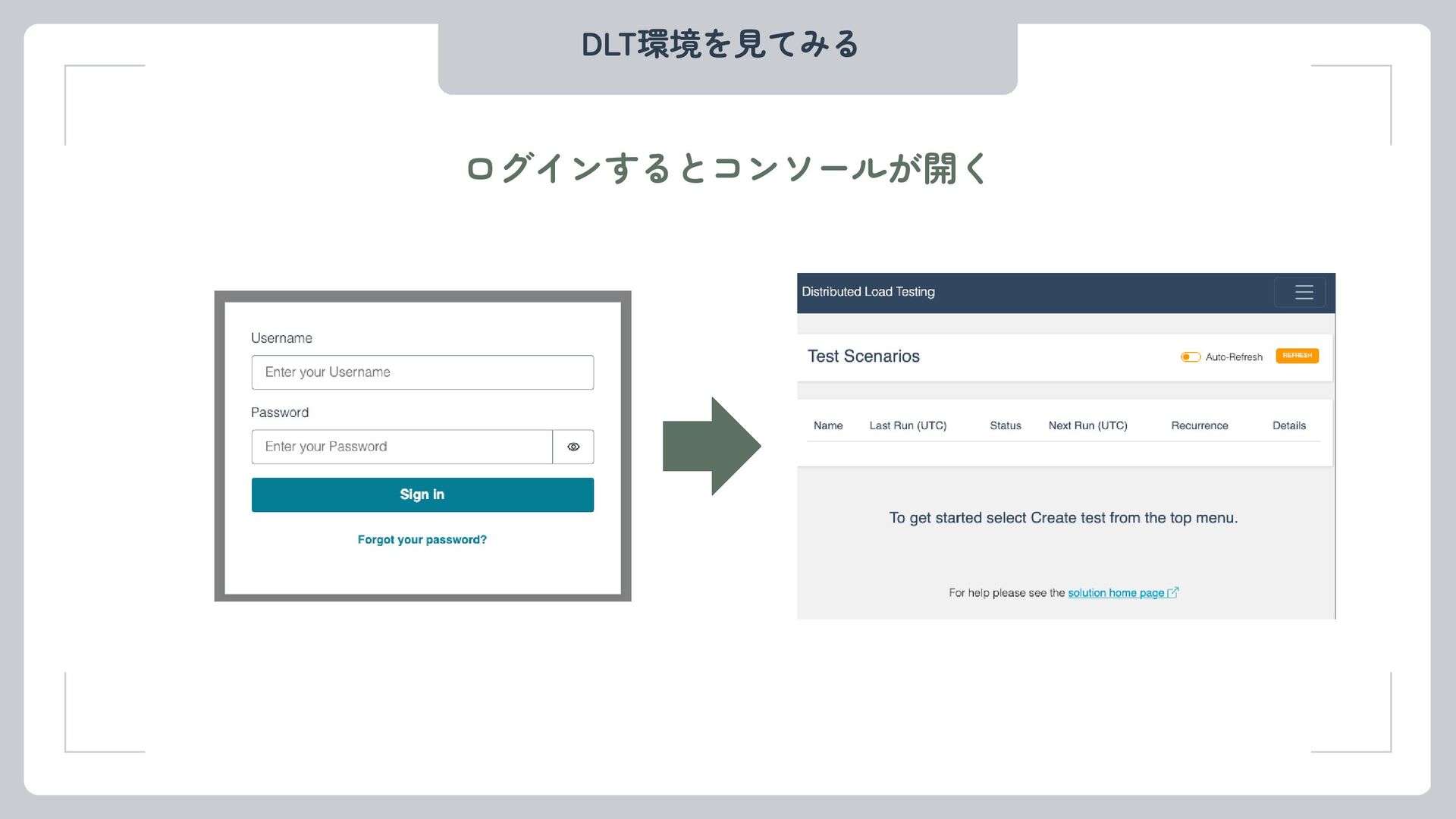
DLT環境を見てみる ログインするとコンソールが開く
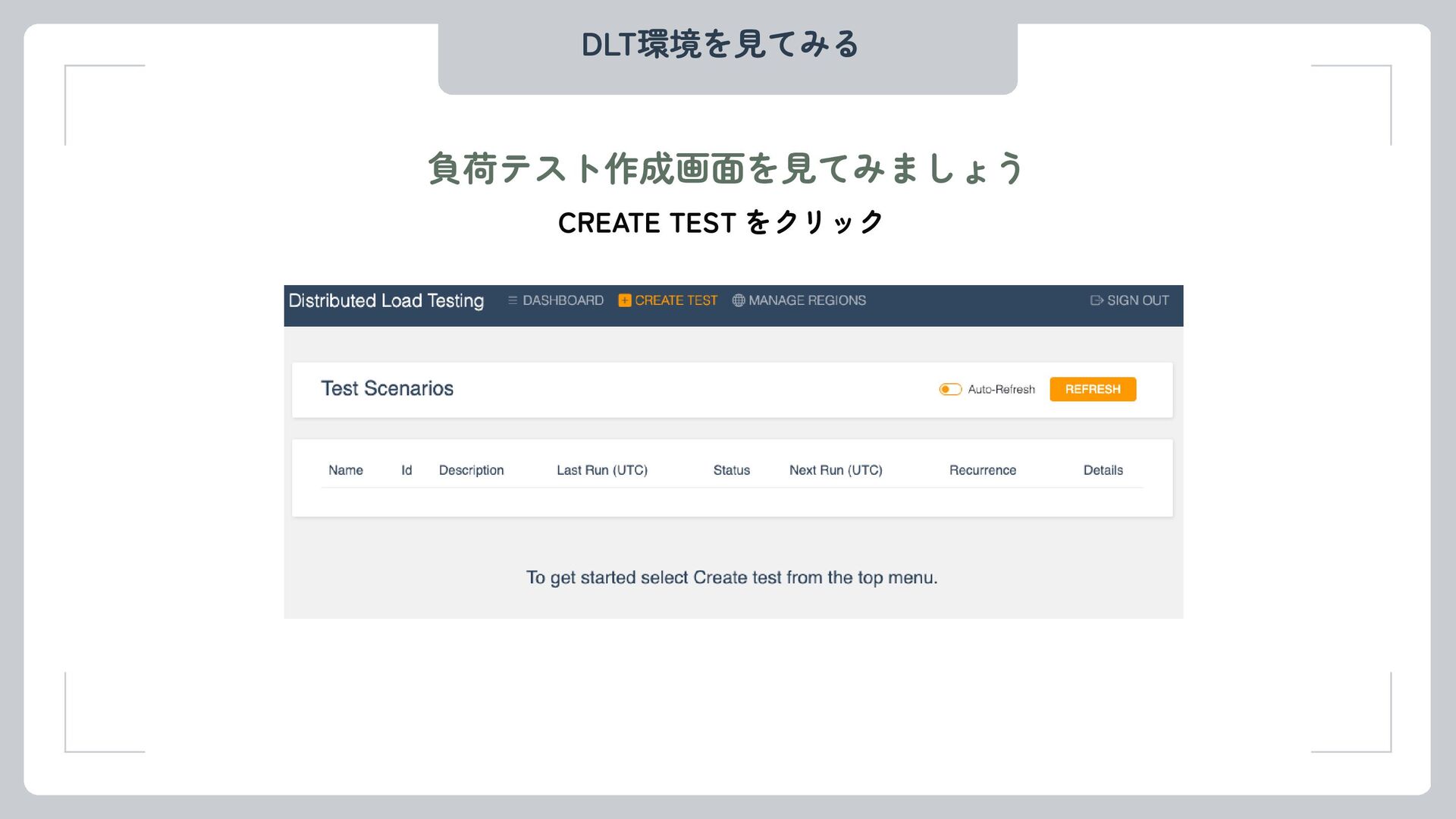
DLT環境を見てみる 負荷テスト作成画面を見てみましょう CREATE TEST をクリック
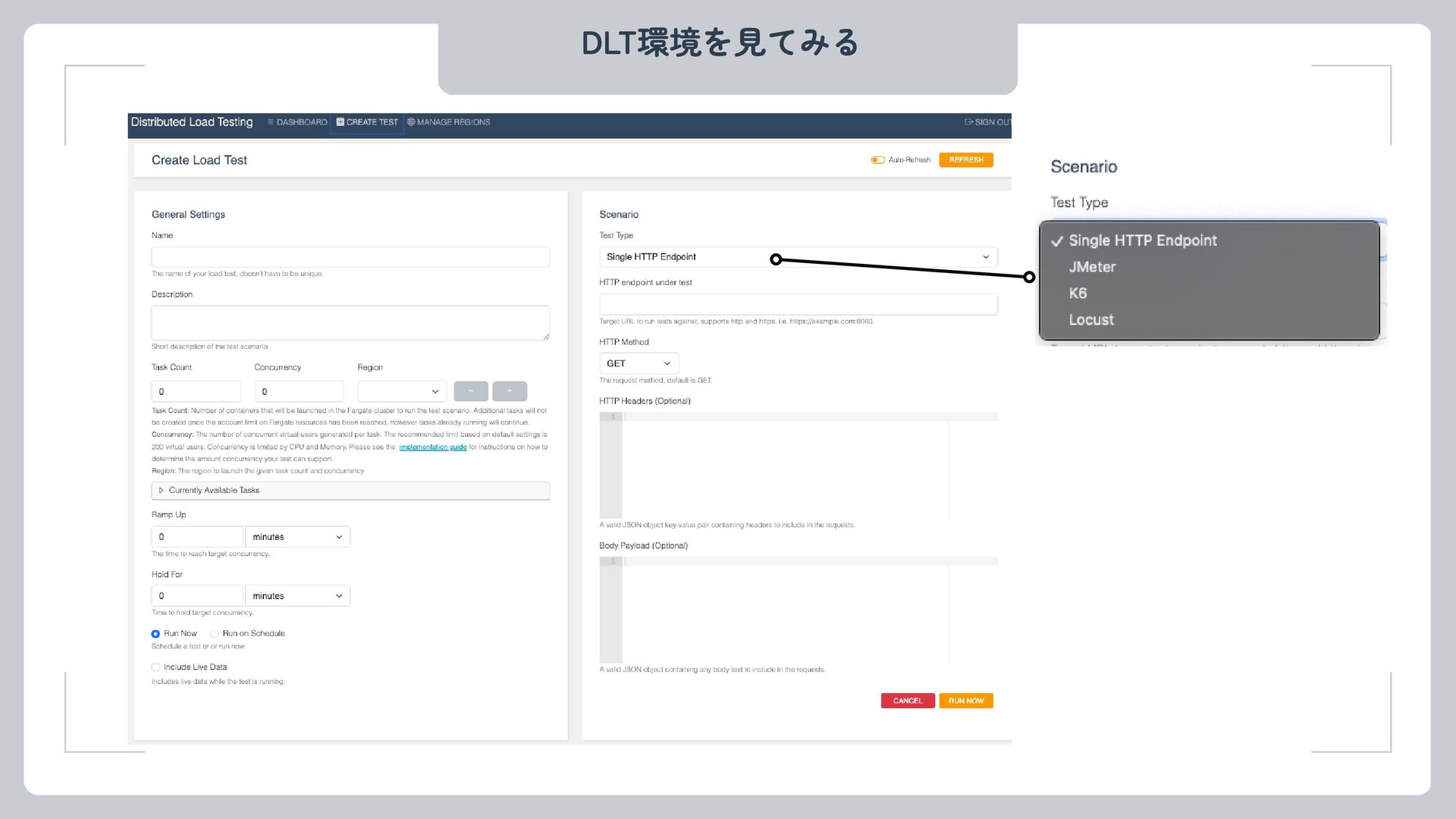
DLT環境を見てみる
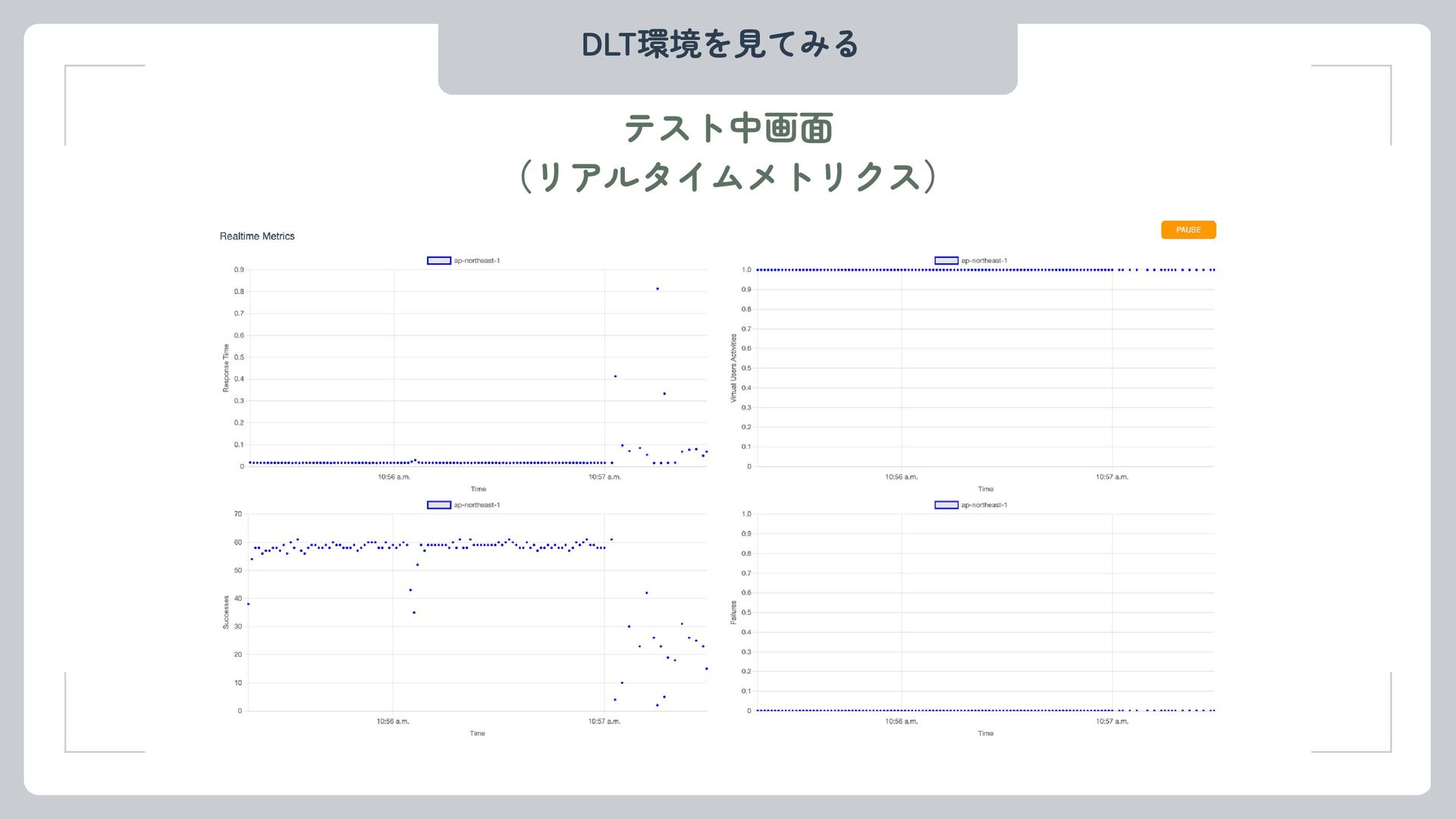
DLT環境を見てみる テスト中画面 (リアルタイムメトリクス)
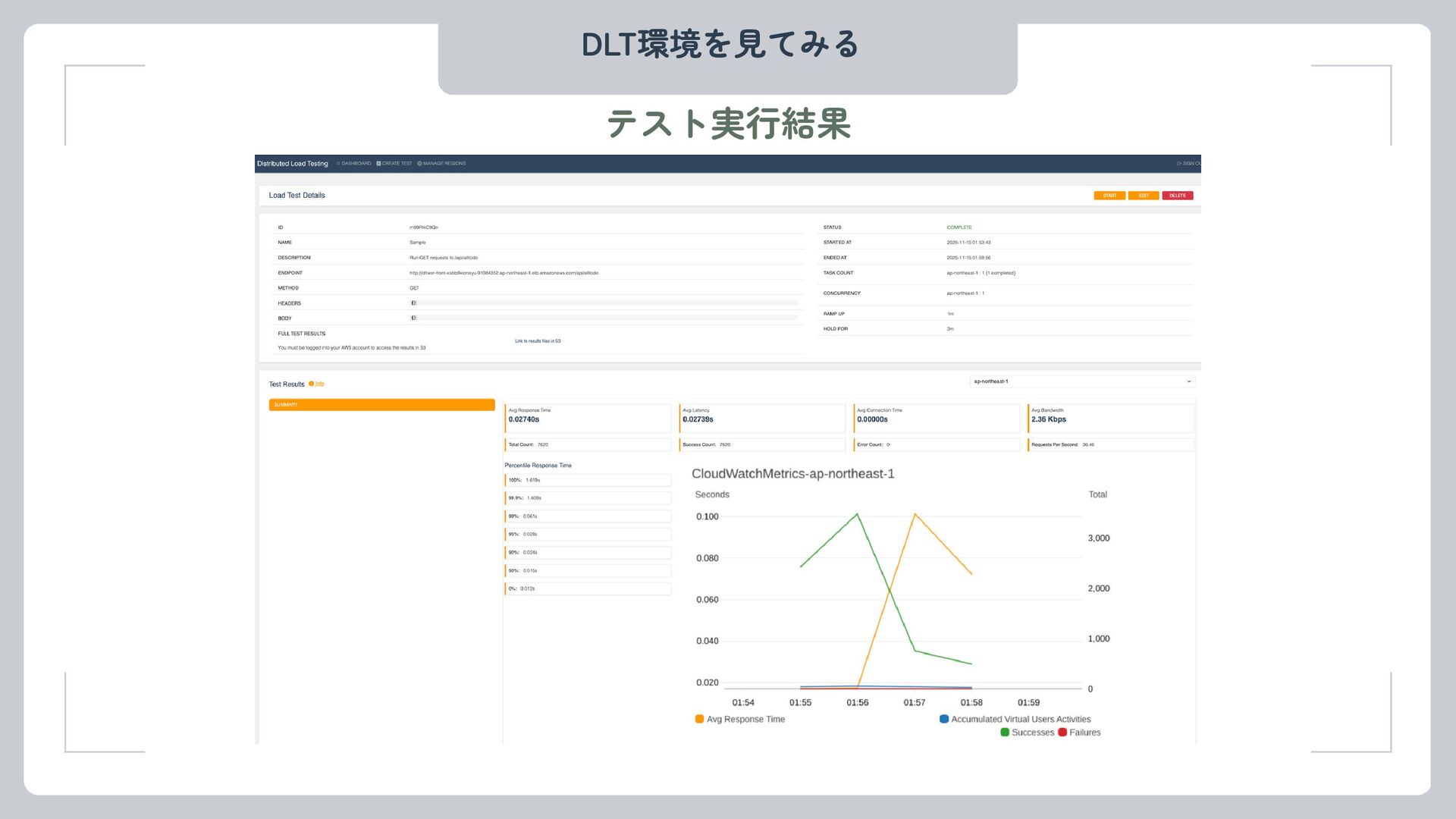
DLT環境を見てみる テスト実行結果
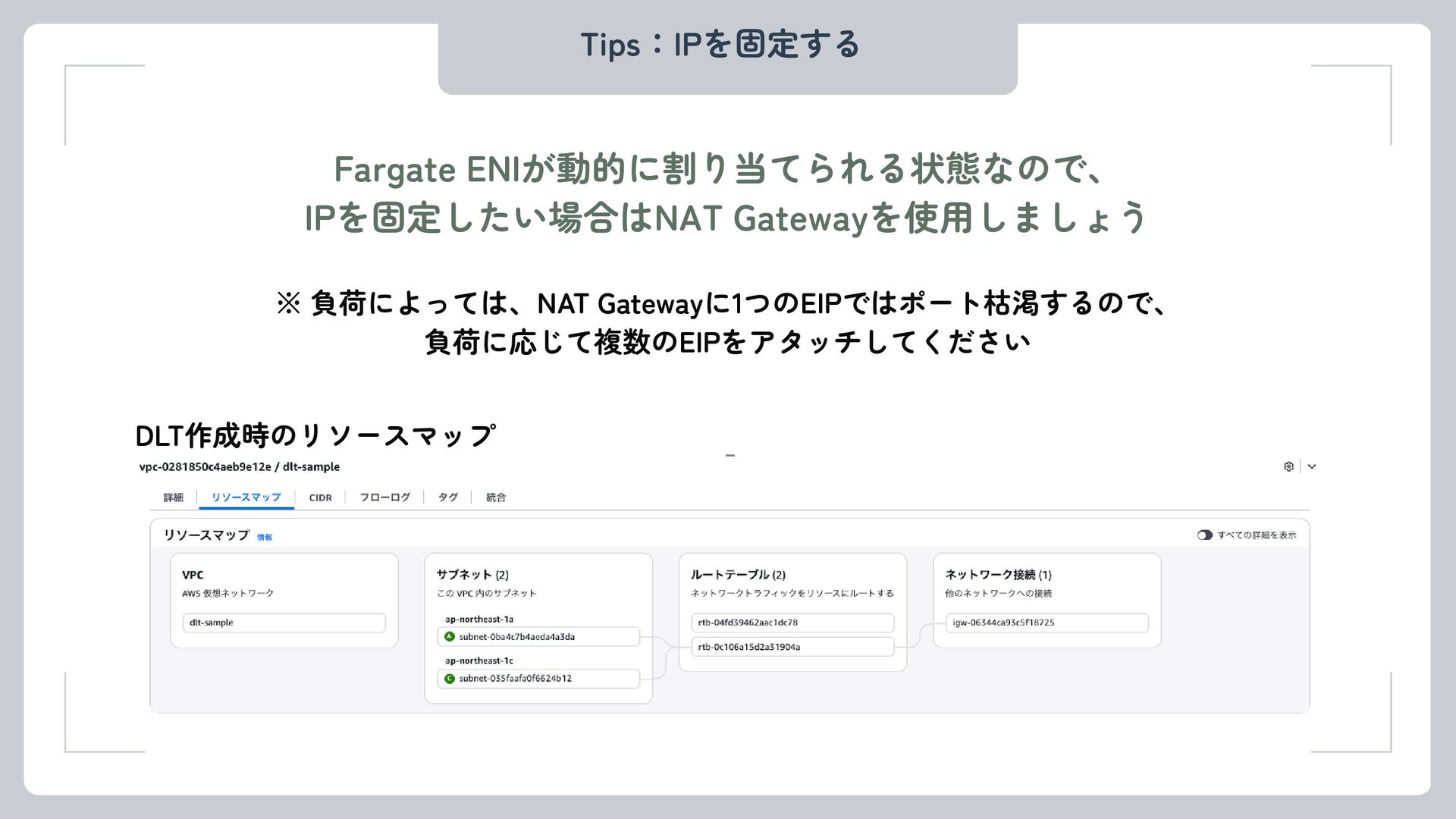
Tips:IPを固定する Fargate ENIが動的に割り当てられる状態なので、 IPを固定したい場合はNAT Gatewayを使用しましょう DLT作成時のリソースマップ ※ 負荷によっては、NAT Gatewayに1つのEIPではポート枯渇するので、 負荷に応じて複数のEIPをアタッチしてください
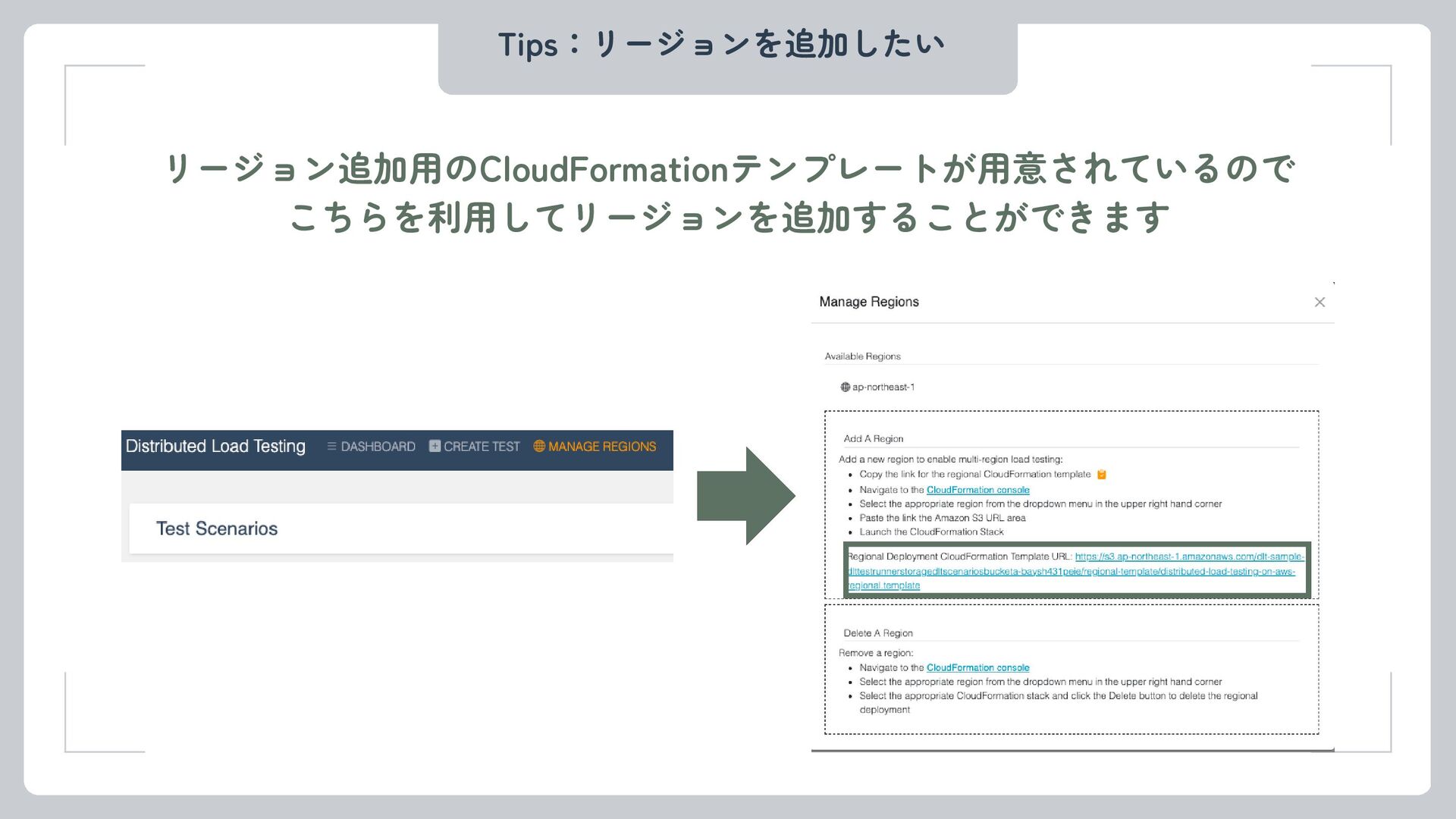
Tips:リージョンを追加したい リージョン追加用のCloudFormationテンプレートが用意されているので こちらを利用してリージョンを追加することができます
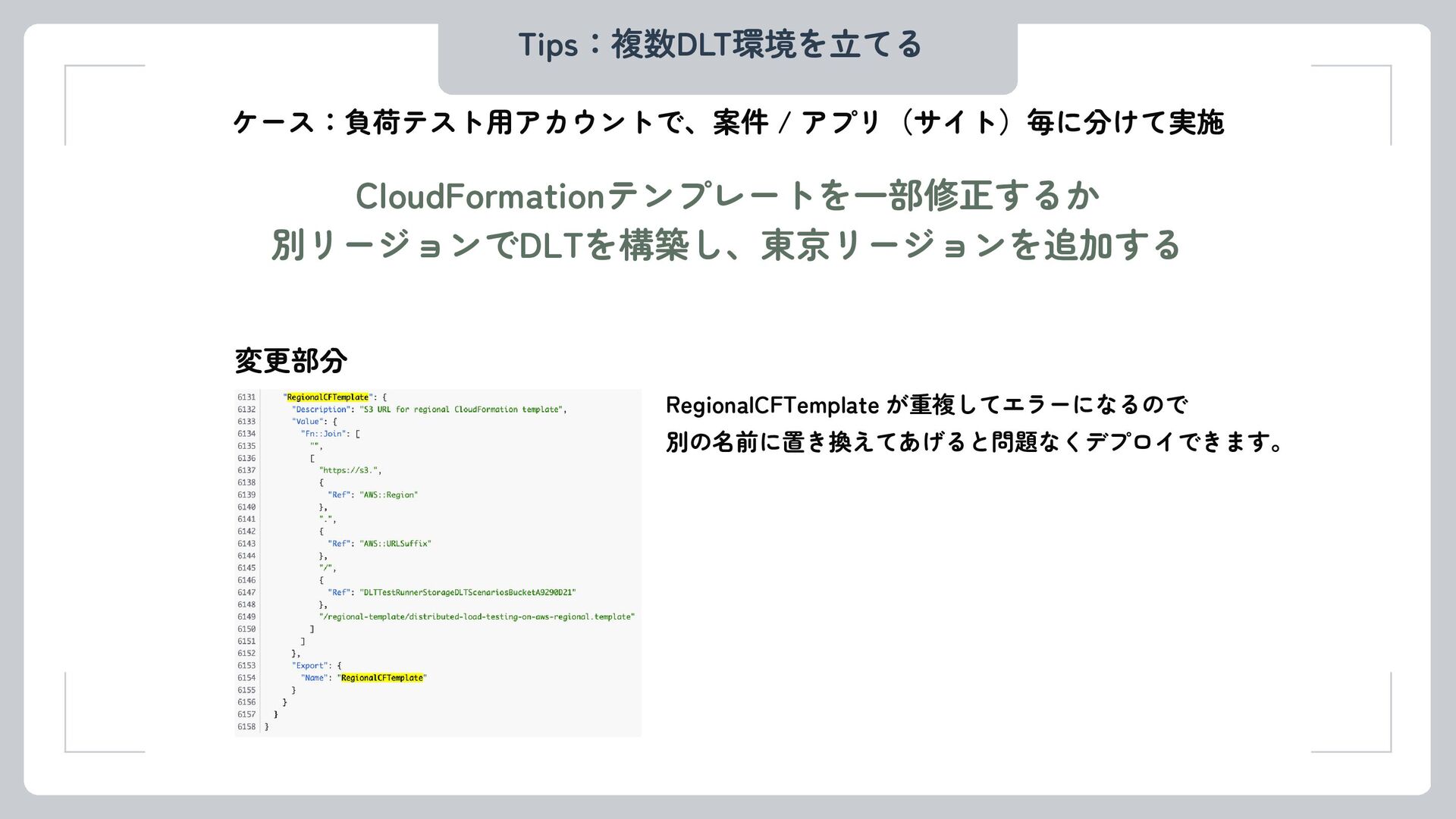
Tips:複数DLT環境を立てる CloudFormationテンプレートを一部修正するか 別リージョンでDLTを構築し、東京リージョンを追加する ケース:負荷テスト用アカウントで、案件 / アプリ(サイト)毎に分けて実施 変更部分 RegionalCFTemplate が重複してエラーになるので 別の名前に置き換えてあげると問題なくデプロイできます。
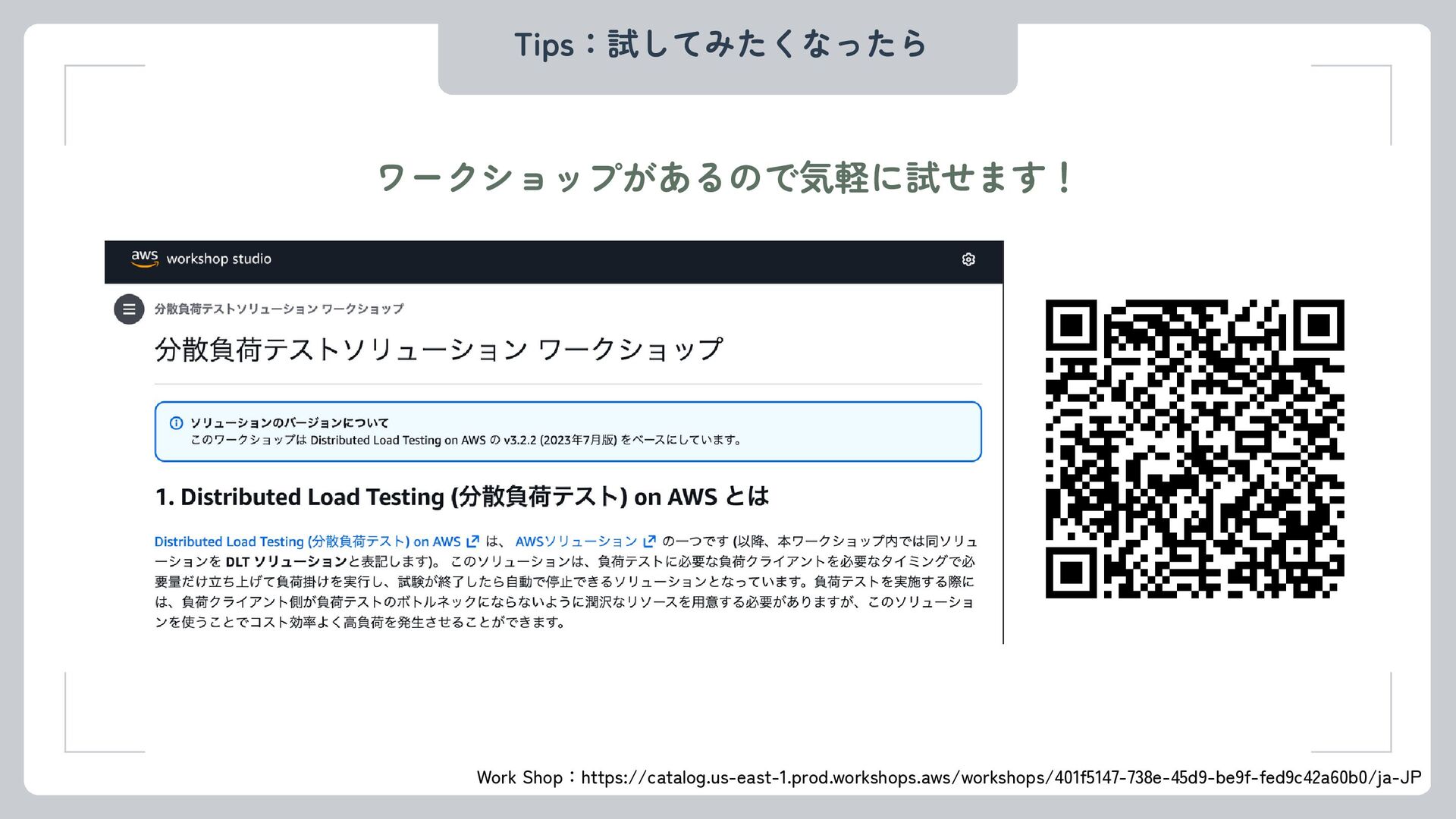
Tips:試してみたくなったら ワークショップがあるので気軽に試せます! Work Shop:https://catalog.us-east-1.prod.workshops.aws/workshops/401f5147-738e-45d9-be9f-fed9c42a60b0/ja-JP


 kokitamura
 utakaha
 ktombow
 nakamizu
 onozaty
 vivion
 3saito
 t0yohei
 shihochan
 steliosf
 kasacchiful
 raeminkang
 mitohato14
 aleyda
 jct
 mkilby
 addyosmani
 lindahogenes
 inesmontani
 codingconduct
 auna
 andyhume
 marktimemedia
 akademiya2063
 rkaga