Upgrade to Pro
— share decks privately, control downloads, hide ads and more …
Speaker Deck
Sign up for free
Menu
Search
Features
All features
Private URLs
Password Protection
Custom URLS
Scheduled publishing
Remove Branding
Restrict embedding
Deck Collections
Notes
Features
All features
Private URLs
Password Protection
Custom URLS
Scheduled publishing
Remove Branding
Restrict embedding
Deck Collections
Notes
Explore
Featured decks
Featured speakers
Programming
Technology
Storyboards
Explore
Featured decks
Featured speakers
Programming
Technology
Storyboards
Pricing
Search
Sign in
Sign up for free
Tasking Manager マニュアル
Search
Sponsored
·
Your Podcast. Everywhere. Effortlessly.
Share. Educate. Inspire. Entertain. You do you. We'll handle the rest.
→
Maho Someya
June 14, 2018
51
0
Share
Embed
Copy iframe code
Copy JS code
Copy link
Start on current slide
Tasking Manager マニュアル
Tasking manager のマニュアルです。
Maho Someya
June 14, 2018
More Decks by Maho Someya
See All by Maho Someya
Tasking Manager <Validate> マニュアル
mahoon
0
32
Featured
See All Featured
The browser strikes back
jonoalderson
0
1.8k
Cheating the UX When There Is Nothing More to Optimize - PixelPioneers
stephaniewalter
287
14k
Highjacked: Video Game Concept Design
rkendrick25
PRO
1
480
Learning to Love Humans: Emotional Interface Design
aarron
275
41k
Building Adaptive Systems
keathley
44
3.2k
Effective software design: The role of men in debugging patriarchy in IT @ Voxxed Days AMS
baasie
1
570
XXLCSS - How to scale CSS and keep your sanity
sugarenia
250
1.3M
Discover your Explorer Soul
emna__ayadi
2
1.3k
Conquering PDFs: document understanding beyond plain text
inesmontani
PRO
4
3.2k
Mind Mapping
helmedeiros
1
400
30 Presentation Tips
portentint
PRO
1
430
Heart Work Chapter 1 - Part 1
lfama
PRO
10
37k
Transcript
TASKING MANAGER マニュアル 空間情報システム入門Ⅰ 1A118096 染谷真帆
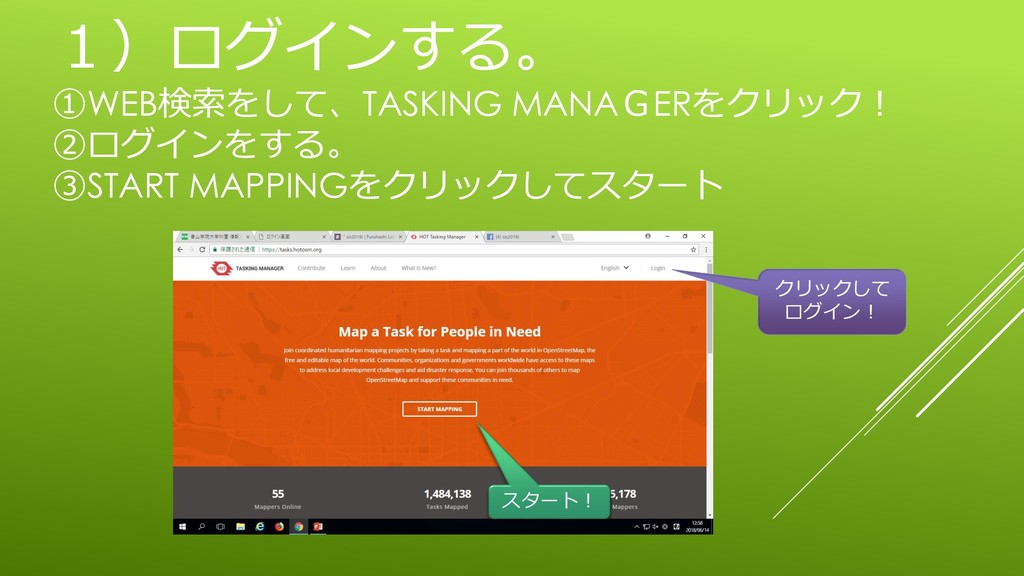
1)ログインする。 ①WEB検索をして、TASKING MANAGERをクリック! ②ログインをする。 ③START MAPPINGをクリックしてスタート クリックして ログイン! スタート!
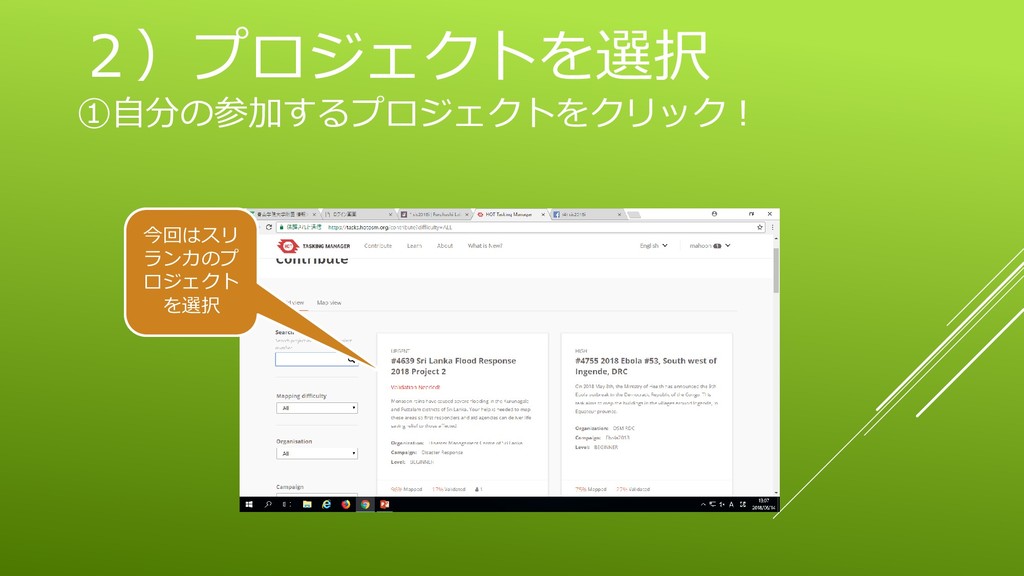
2)プロジェクトを選択 ①自分の参加するプロジェクトをクリック! 今回はスリ ランカのプ ロジェクト を選択
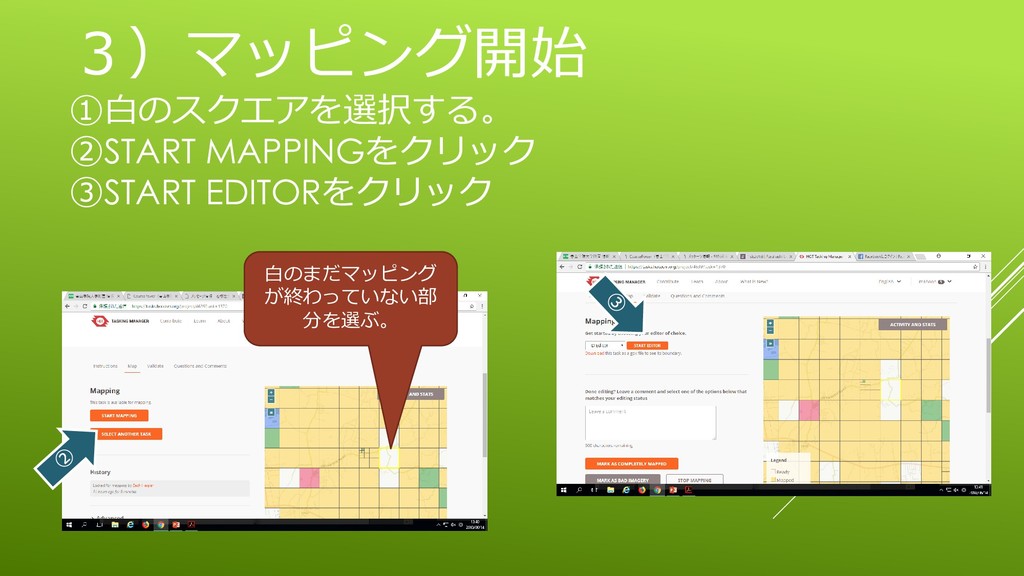
3)マッピング開始 ①白のスクエアを選択する。 ②START MAPPINGをクリック ③START EDITORをクリック 白のまだマッピング が終わっていない部 分を選ぶ。
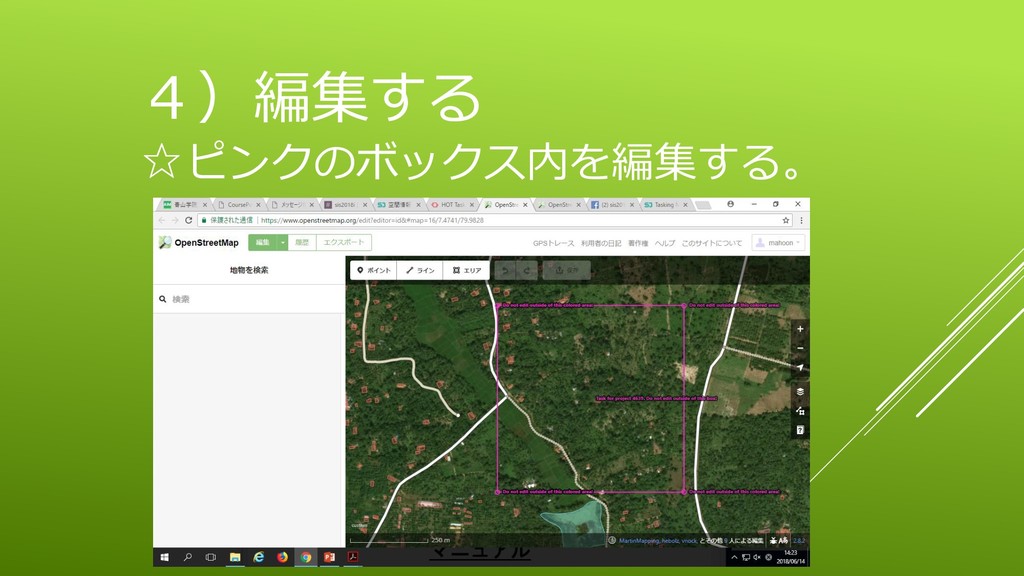
4)編集する ☆ピンクのボックス内を編集する。
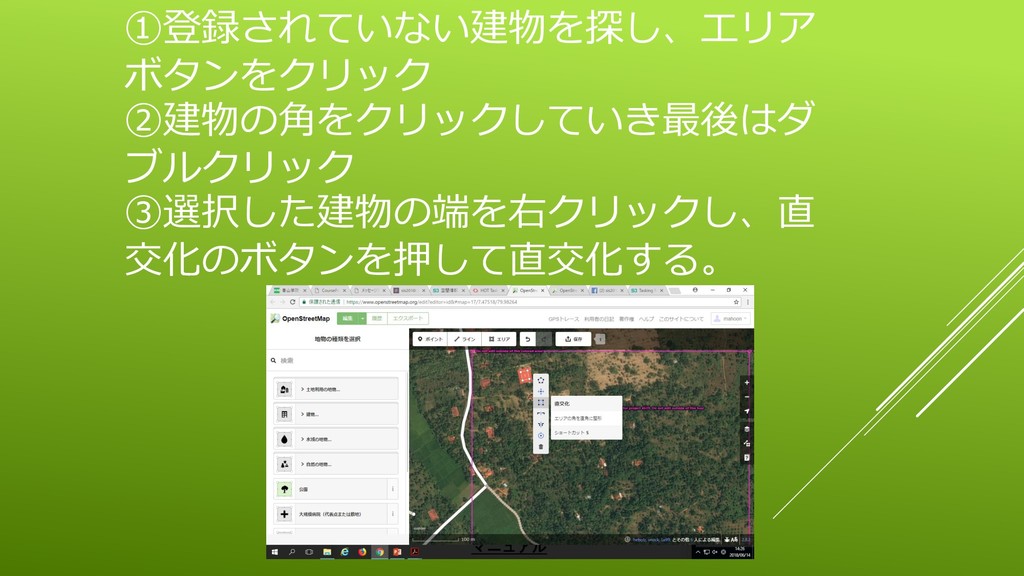
①登録されていない建物を探し、エリア ボタンをクリック ②建物の角をクリックしていき最後はダ ブルクリック ③選択した建物の端を右クリックし、直 交化のボタンを押して直交化する。
④建物の情報を選択、入力。 ⑤保存ボタンをおす。 ⑥アップロードボタンを押す。
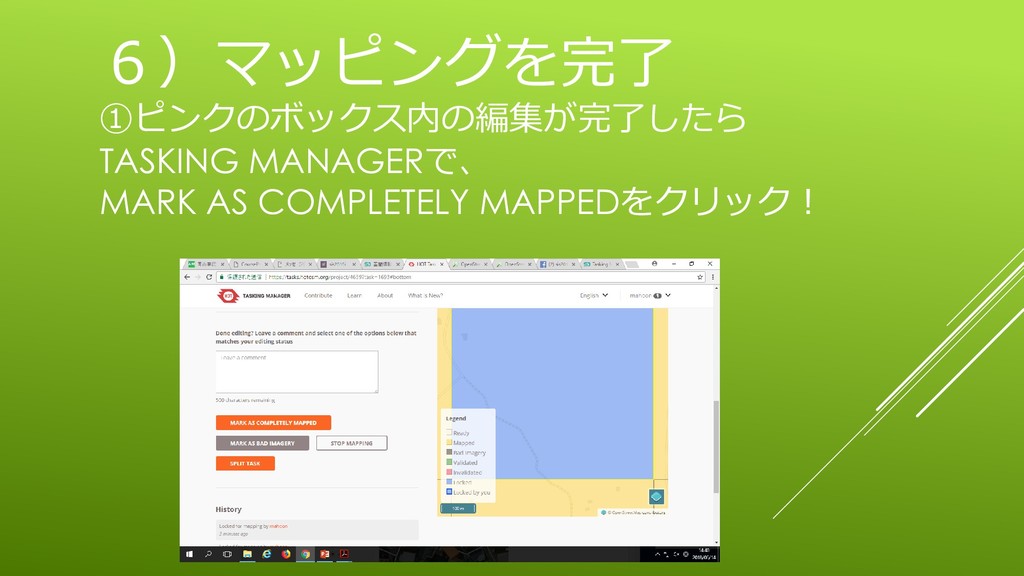
6)マッピングを完了 ①ピンクのボックス内の編集が完了したら TASKING MANAGERで、 MARK AS COMPLETELY MAPPEDをクリック!


 mahoon
 jonoalderson
 stephaniewalter
 rkendrick25
 aarron
 keathley
 baasie
 sugarenia
 emna__ayadi
 inesmontani
 helmedeiros
 portentint
 lfama
lfama