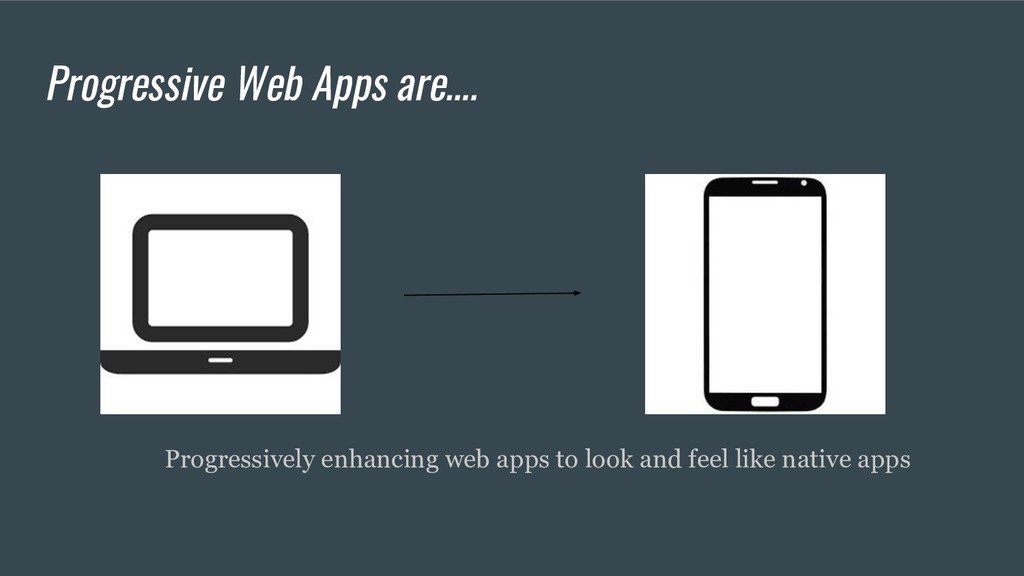
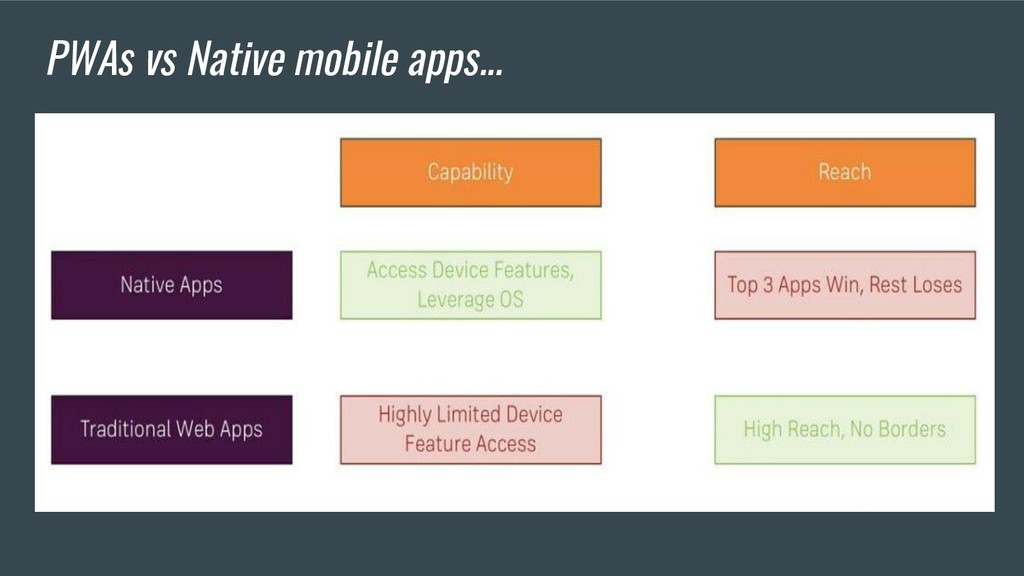
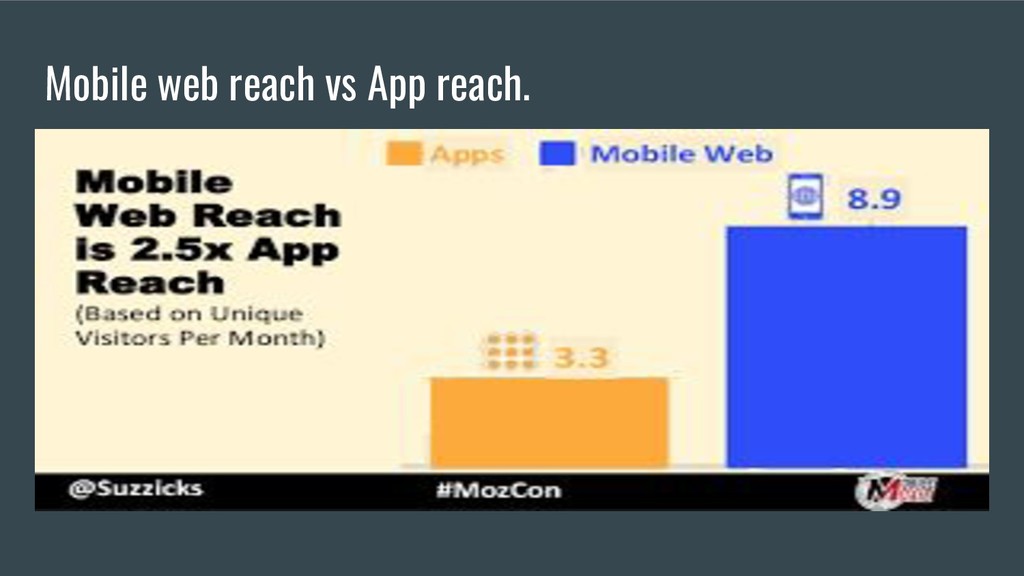
deliver amazing user experiences on the web which means experiences that combine the best of the web and the best of apps. • We’re now able to create web apps, or in this case websites, that feature similar functionality as native apps. • And the best part is that we don’t need to be on a specific platform to be able to install our app — we just need a URL to point our mobile or desktop browsers.
network conditions. This reliability is the cornerstone of offline-first approach. But you may ask: why do we even need to worry about the network or connectivity when on an average the world is getting more connected, with speedier network connectivity?
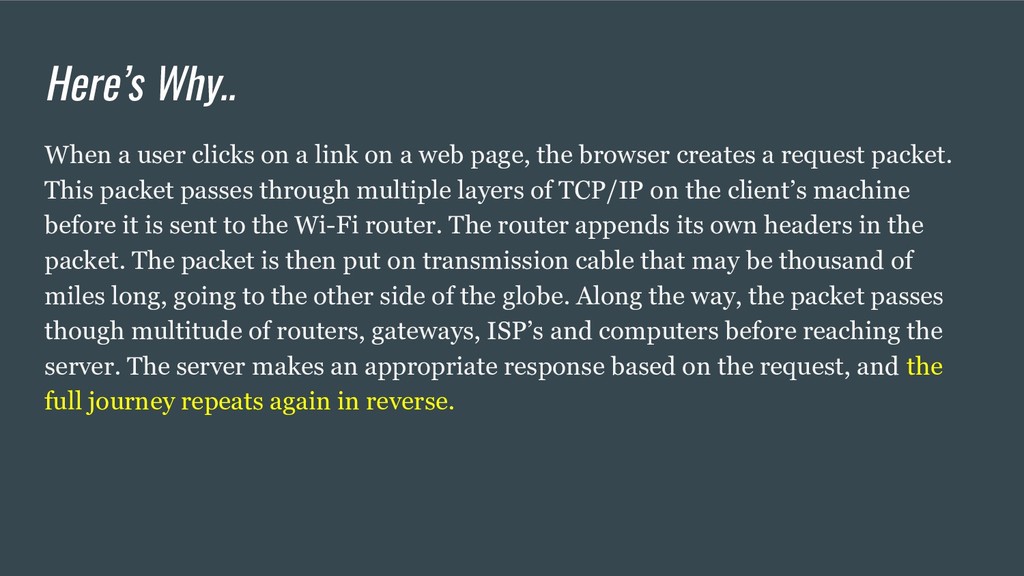
page, the browser creates a request packet. This packet passes through multiple layers of TCP/IP on the client’s machine before it is sent to the Wi-Fi router. The router appends its own headers in the packet. The packet is then put on transmission cable that may be thousand of miles long, going to the other side of the globe. Along the way, the packet passes though multitude of routers, gateways, ISP’s and computers before reaching the server. The server makes an appropriate response based on the request, and the full journey repeats again in reverse. Here’s Why..
If a component is slow in this chain, it slows down the whole network. The response from the server may fail to come, or worse, do not come in time due to poor connectivity. 53% of users will abandon a site if it takes longer than 3 seconds to load!Google calls this type of connections Lie-Fi.
signal • Misconfigured proxy • Faults in the mobile network • Busy network • Bugs in the server • Moon’s gravitational pull Well, the last point is debatable.
making a network request and when the request fails, the app shows: • Cached data • Fancy error page • A sad cat video • then it is online-first. Keep in mind that the web app is waiting for the network to succeed or fail first before showing any content. In direct contrast, an offline-first approach shows something on the screen before waiting for the network to succeed or fail.
the users’ network connection is lost, they are going to see the dreaded downasaur. If the user is on Lie-Fi, they are going to see a white screen of nothingness for a long time before the actual content appears. This is going to frustrate and agonise most users and is not the best user experience.”
regardless of browser choice because it’s built with progressive enhancement. 2- Reliable : Load instantly and never show the downasaur, even in uncertain network conditions. 3- Fast : Respond quickly to user interactions with silky smooth animations and no janky scrolling.
app on the device, with a great user experience. This new level of quality allows Progressive Web Apps to earn a place on the user’s home screen. 5- Fresh: Data is always up-to-date.
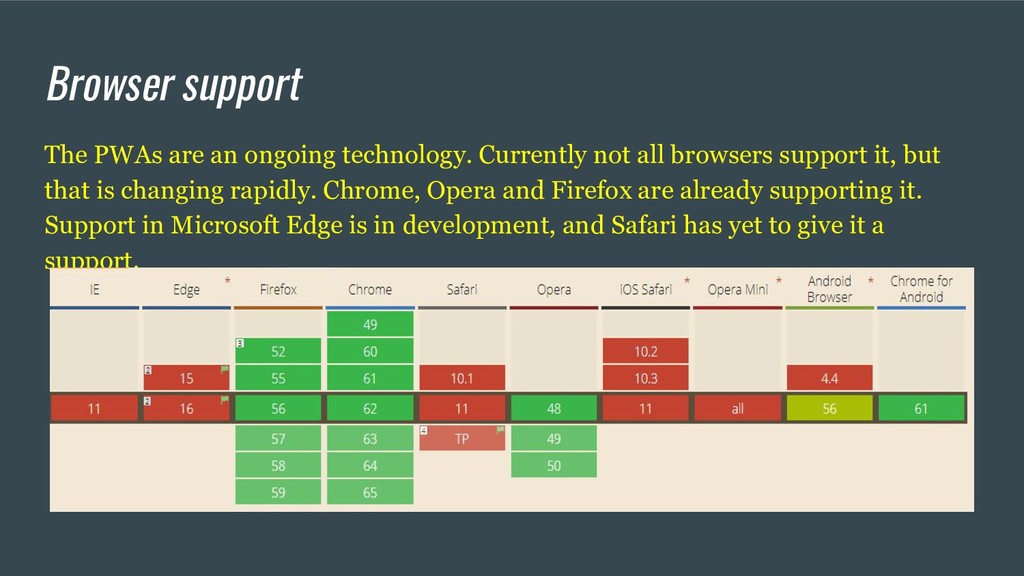
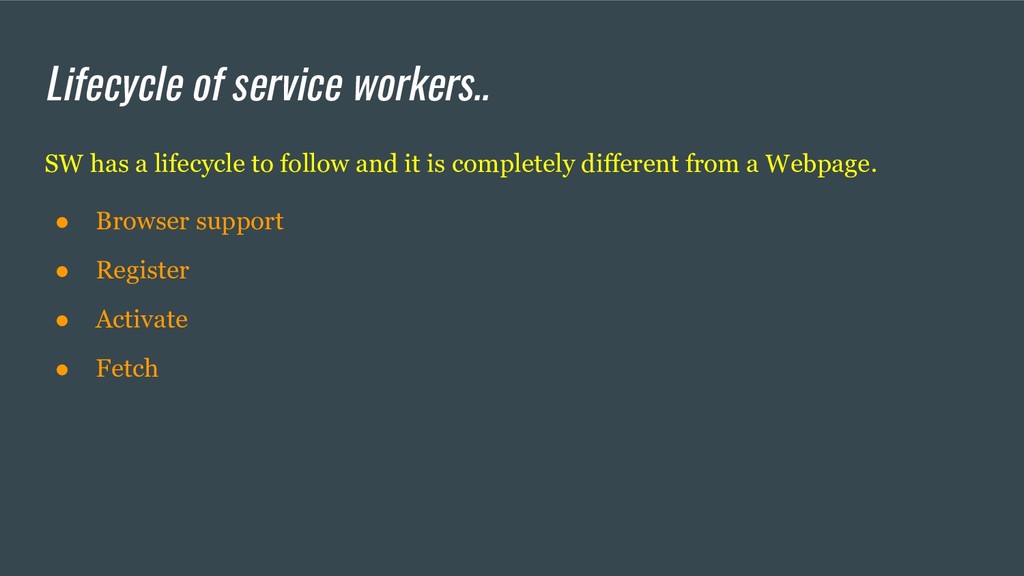
all browsers support it, but that is changing rapidly. Chrome, Opera and Firefox are already supporting it. Support in Microsoft Edge is in development, and Safari has yet to give it a support.
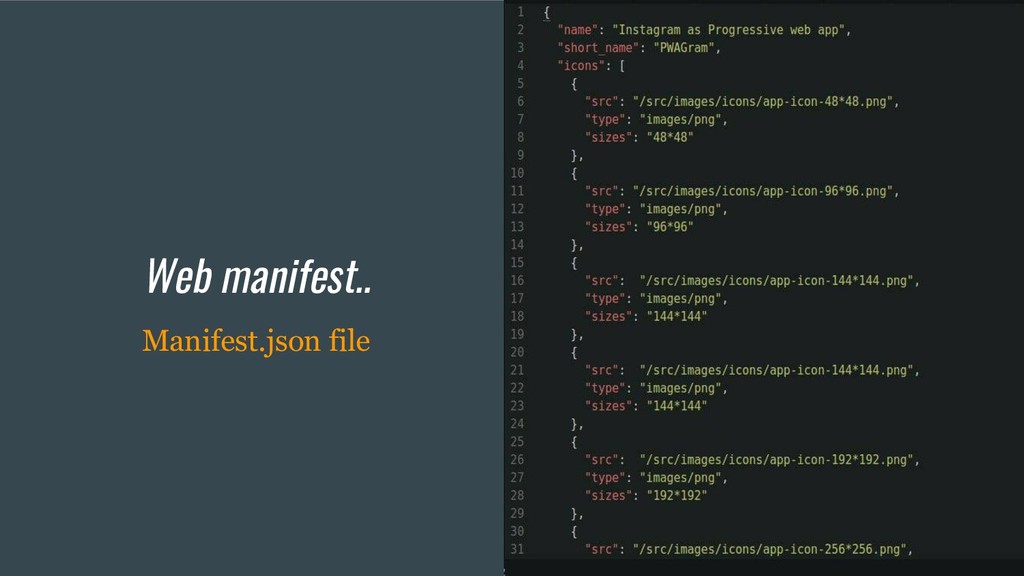
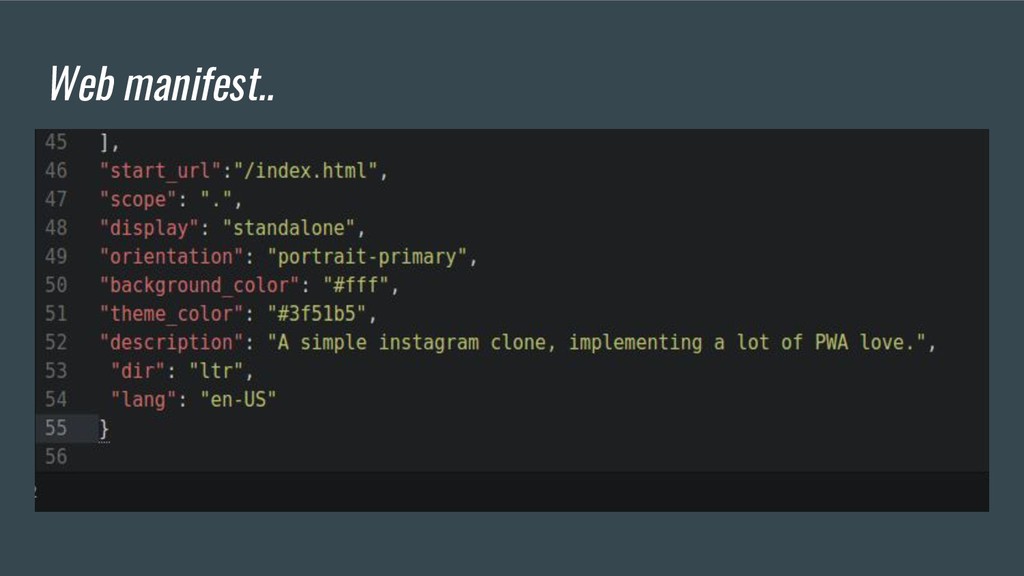
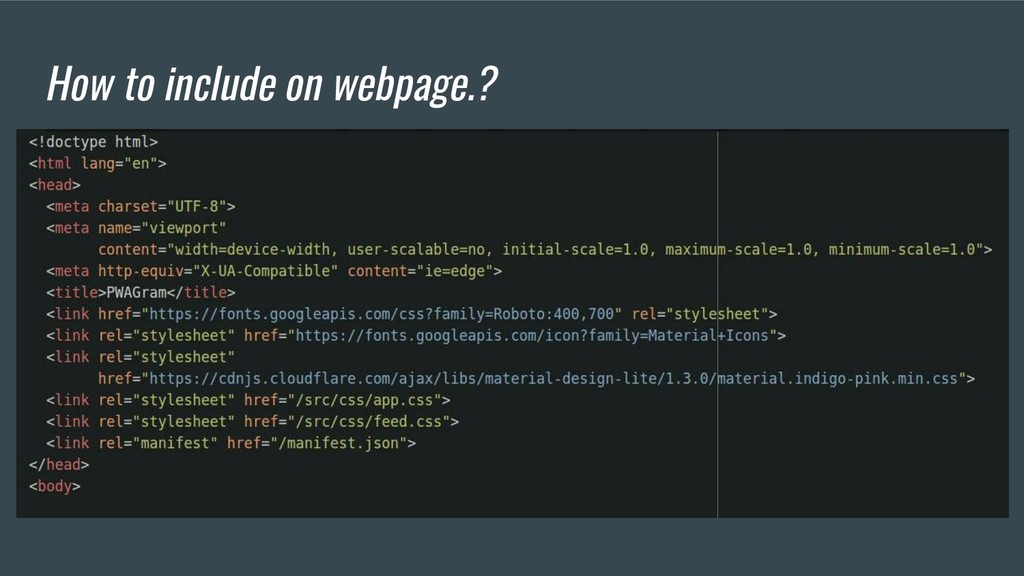
with all the necessary information required to save a web app to the user mobile’s home screen as well as how it will look in terms of the user experience- launch screen, theme color, icons etc;
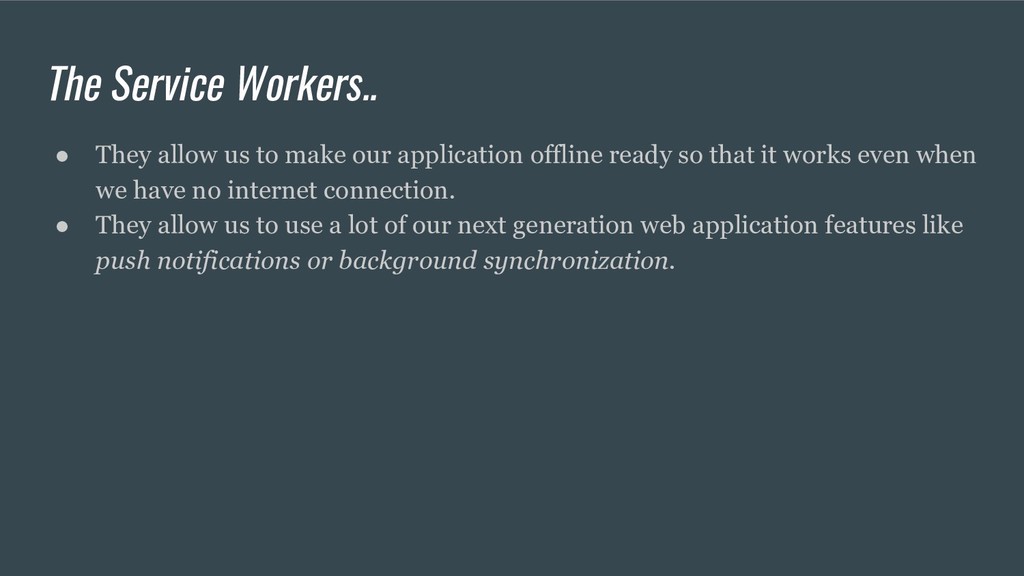
application offline ready so that it works even when we have no internet connection. • They allow us to use a lot of our next generation web application features like push notifications or background synchronization.
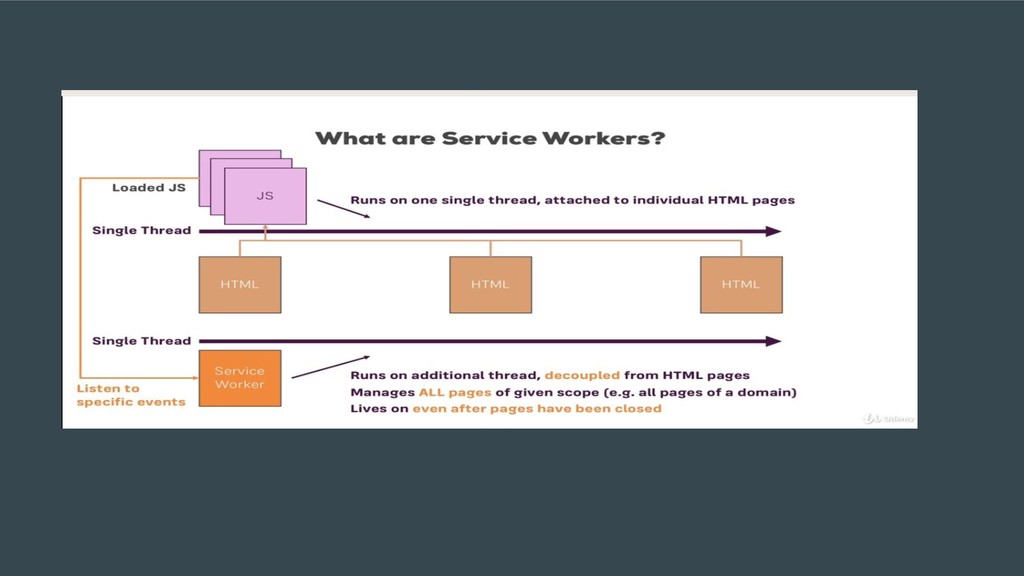
and also using different strategy to get the files. This will make the app load fast which results in saving the data cost too. Service worker is the most powerful BUT also the most confusing concept. Mastering this monster is not tough but the learning curve is interesting.
need to check if service worker is available and how can we progressively handle the fallback too. Once the support is available register the serviceWorker.js Copy this code to the bottom of your index.html page within script tags.
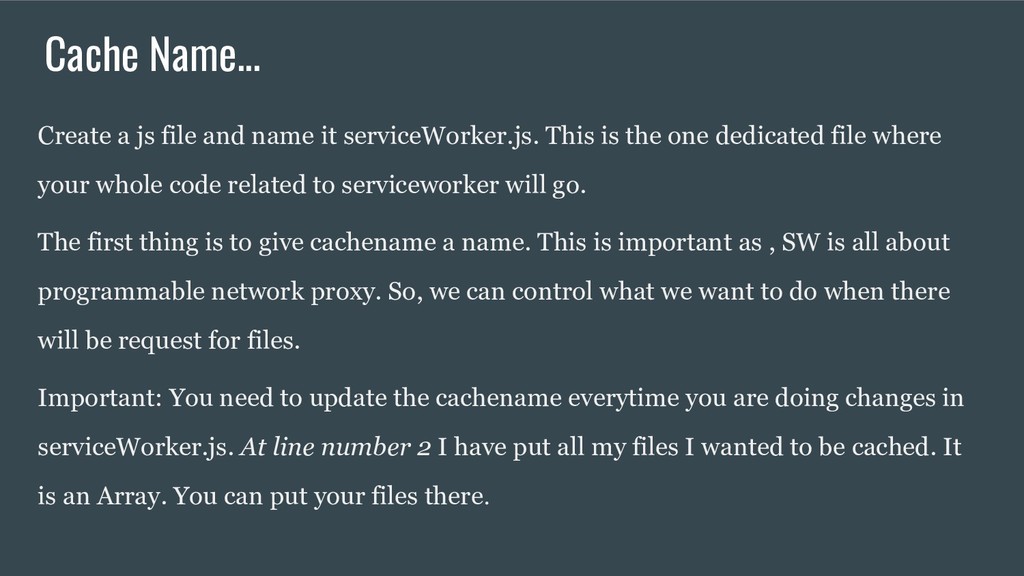
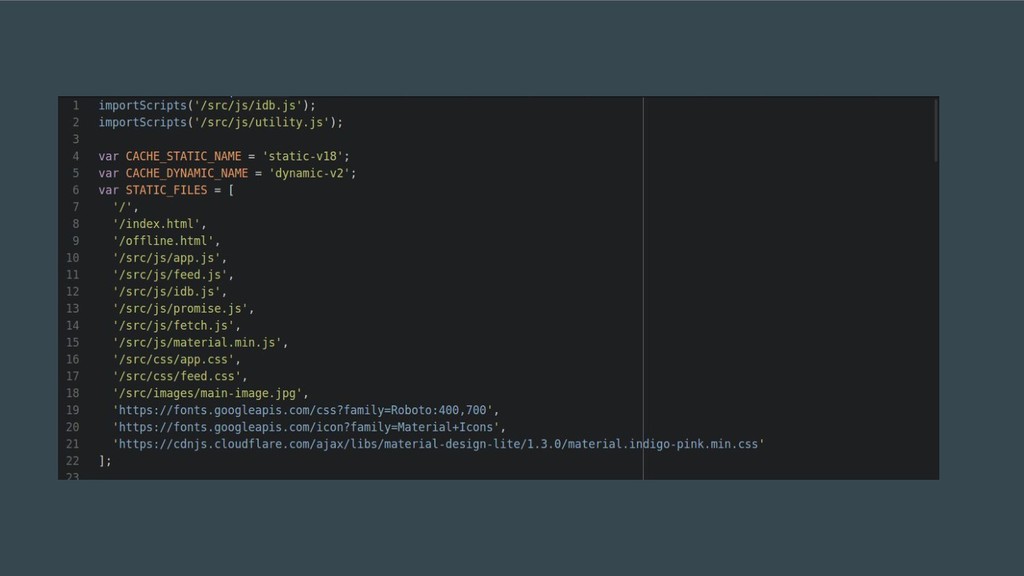
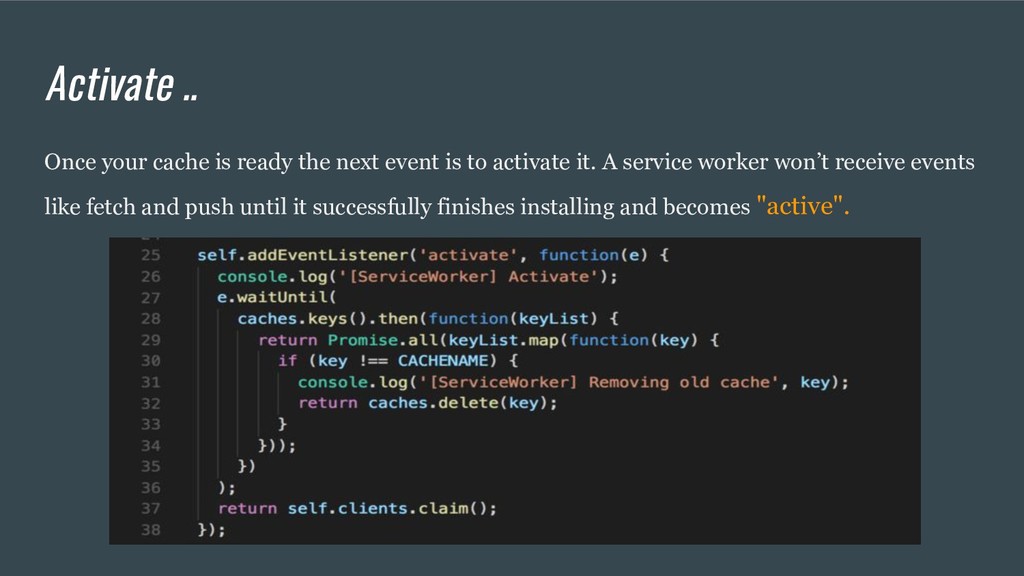
This is the one dedicated file where your whole code related to serviceworker will go. The first thing is to give cachename a name. This is important as , SW is all about programmable network proxy. So, we can control what we want to do when there will be request for files. Important: You need to update the cachename everytime you are doing changes in serviceWorker.js. At line number 2 I have put all my files I wanted to be cached. It is an Array. You can put your files there.
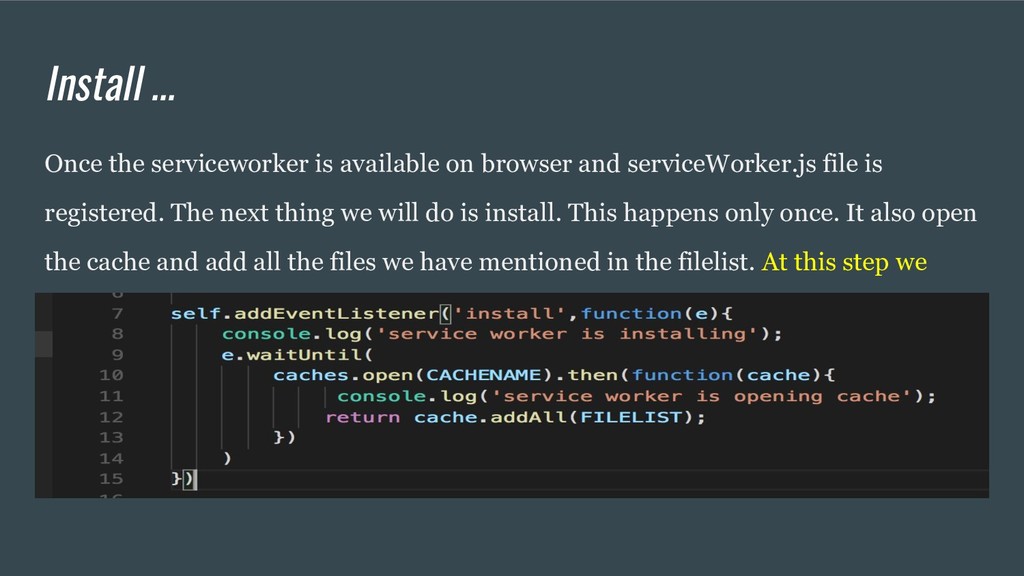
serviceWorker.js file is registered. The next thing we will do is install. This happens only once. It also open the cache and add all the files we have mentioned in the filelist. At this step we made our own cache.
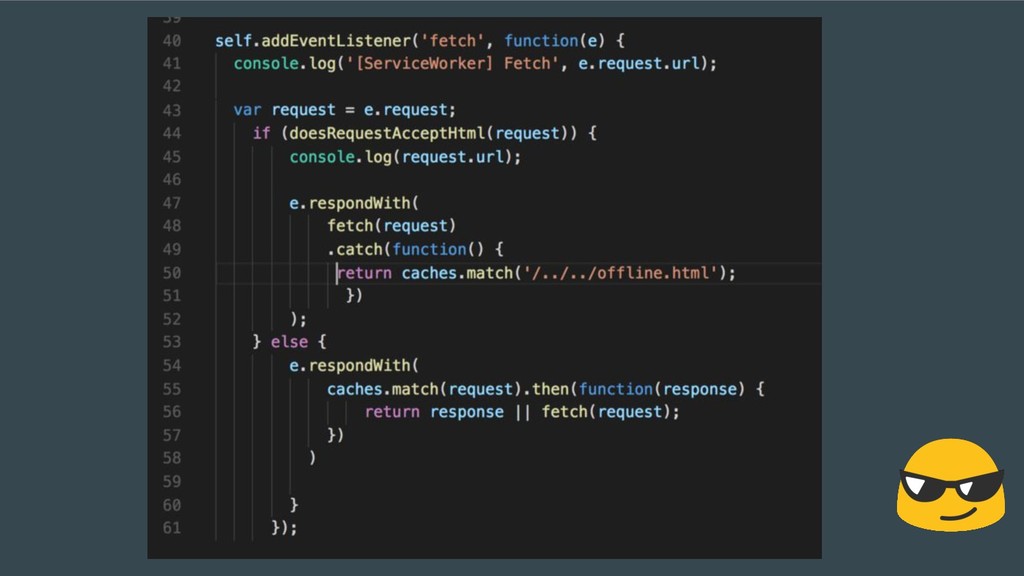
requests for pages. The service workers fetch event will monitor each request and check against the cache that what we have to do when some cached file is requested. Fetch event takes the decision that the requested files need to serve from the server or from the cache. Also, when there is no network, Fetch event takes care which all files needed to serve to the user. Hence controlling the offline request too.
or non-existent on the go, which is why offline support and reliable performance are common features in progressive web apps. Even in perfect wireless environments, judicious use of caching and other storage techniques can substantially improve the user experience. In this post, we’ll summarize some ideas around offline data storage for PWAs — think JSON payloads, images and general static data required to provide a meaningful experience offline.
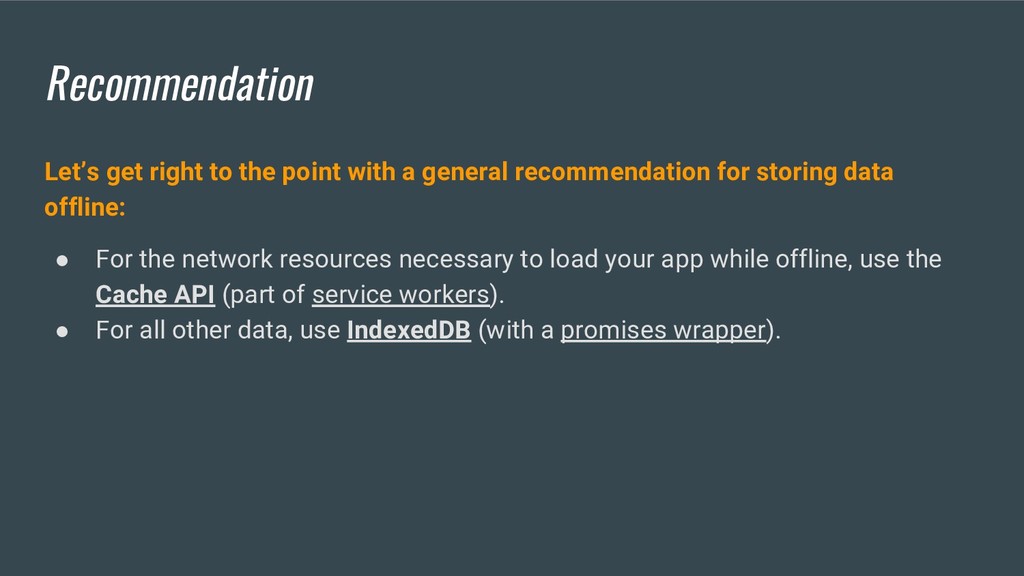
recommendation for storing data offline: • For the network resources necessary to load your app while offline, use the Cache API (part of service workers). • For all other data, use IndexedDB (with a promises wrapper).
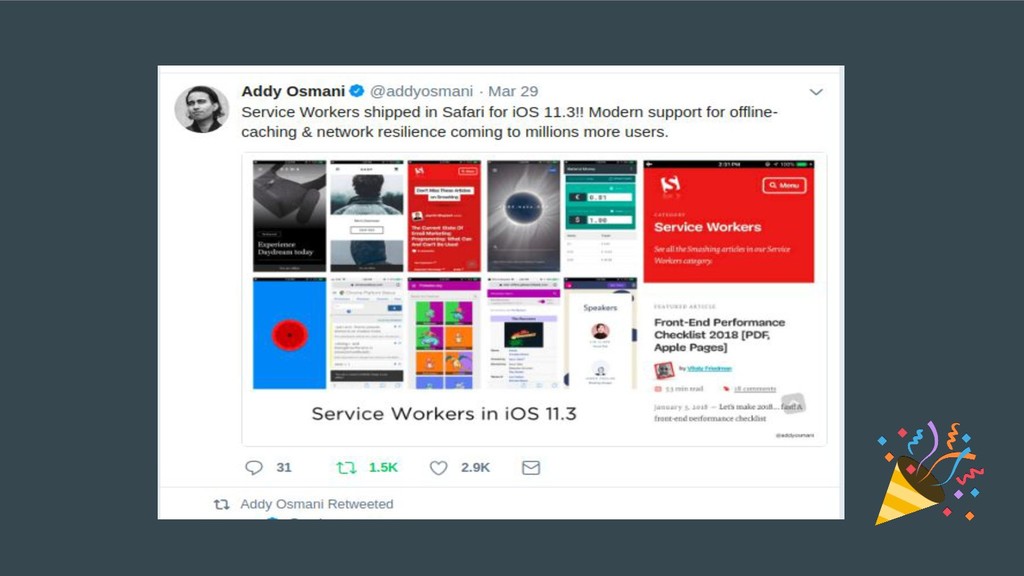
Cache API is Promise based). They also work with web workers, window and service workers. IndexedDB is available everywhere. Service Workers (and the Cache API) are now available in Chrome, Firefox, Opera and are in development for Edge. Promise wrappers for IndexedDB hide some of the powerful but also complex machinery (e.g. transactions, schema versioning) that comes with the IndexedDB library. IndexedDB will support observers, which allow easy synchronization between tabs. For PWAs, you can cache static resources, composing your application shell (JS/CSS/HTML files) using the Cache API and fill in the offline page data from IndexedDB. Debugging support for IndexedDB is now available in Chrome (Application tab), Opera, Firefox (Storage Inspector) and Safari (see the Storage tab).
application, there's often a fair amount of work involved in constructing the initial application state that's used to render the UI. For example, sometimes the app needs to authenticate the user client-side and then make several API requests before it has all the data it needs to display on the page. Storing the application state in IndexedDB can be a great way to speed up the load time for repeat visits. The app can then sync up with any API services in the background and update the UI with new data lazily, employing a stale-while- revalidate strategy.
waste time. Without wasting time on the internet, we wouldn’t know cats dislike flowers, chameleons love bubbles, or that our very own Eric Bidelman is a putt putt golfing hero of the late 90s. But sometimes, just sometimes, we’re not looking to waste time. The desired user experience is more like: 1. Phone out of pocket. 2. Achieve minor goal. 3. Phone back in pocket. 4. Resume life.
all been there. You’re staring at a white screen or a spinner, and you know you should just give up and get on with your life, but you give it another 10 seconds just in case. After that 10 seconds? Nothing. But why give up now? You’ve invested time already, so walking away with nothing would be a waste, so you carry on waiting. By this point you want to give up, but you know the second you do so, is the second before everything would have loaded if only you’d waited.
from a cache. But what about when the page needs to send something to the server? At the moment, if the user hits "send" on a message they have to stare at a spinner until it completes. If they try to navigate away or close the tab, we use onbeforeunload to display a message like, “Nope, I need you to stare at this spinner some more. Sorry”. If the user has no connection we tell the user “Sorry, you must come back later and try again”. This is rubbish. Background sync lets you do better.
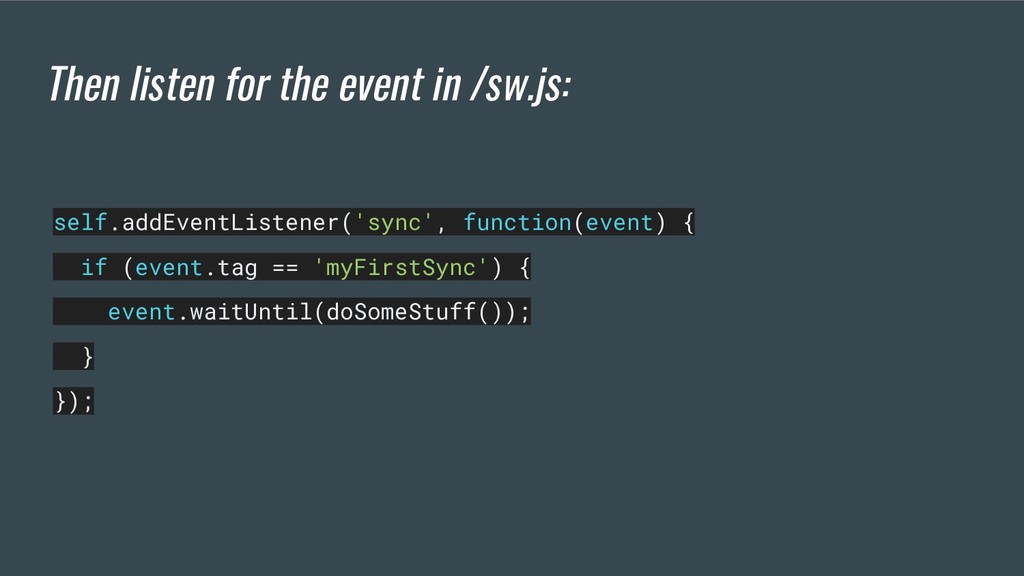
promise indicating the success/failure of whatever it’s trying to do. If it fulfills, the sync is complete. If it fails, another sync will be scheduled to retry. Retry syncs also wait for connectivity, and employ an exponential back-off.
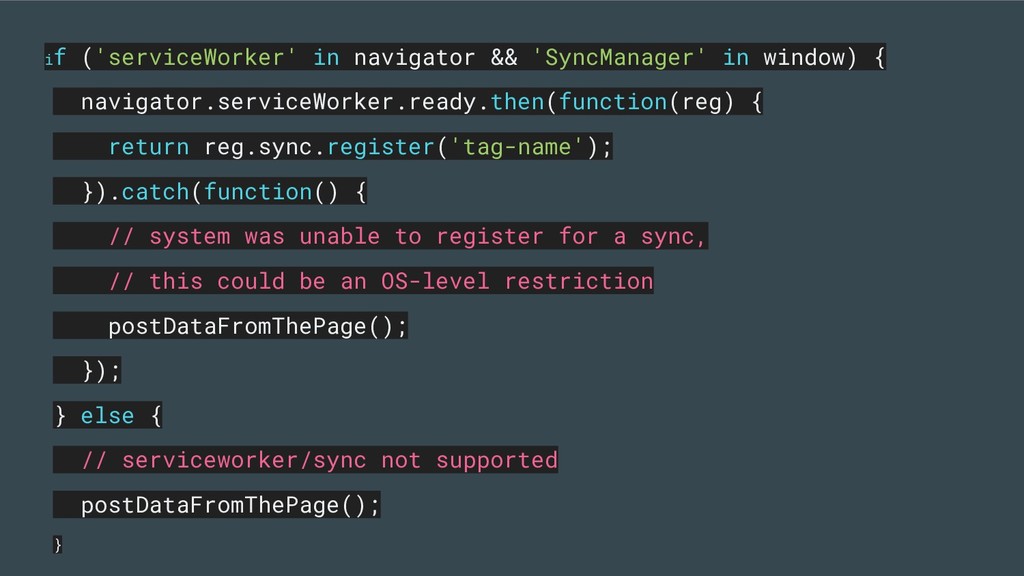
{ return reg.sync.register('tag-name'); }).catch(function() { // system was unable to register for a sync, // this could be an OS-level restriction postDataFromThePage(); }); } else { // serviceworker/sync not supported postDataFromThePage(); }
the content from the page as you’d do today. Note that it’s worth using background sync even if the user appears to have good connectivity, as it protects you against navigations and tab closures during data send.
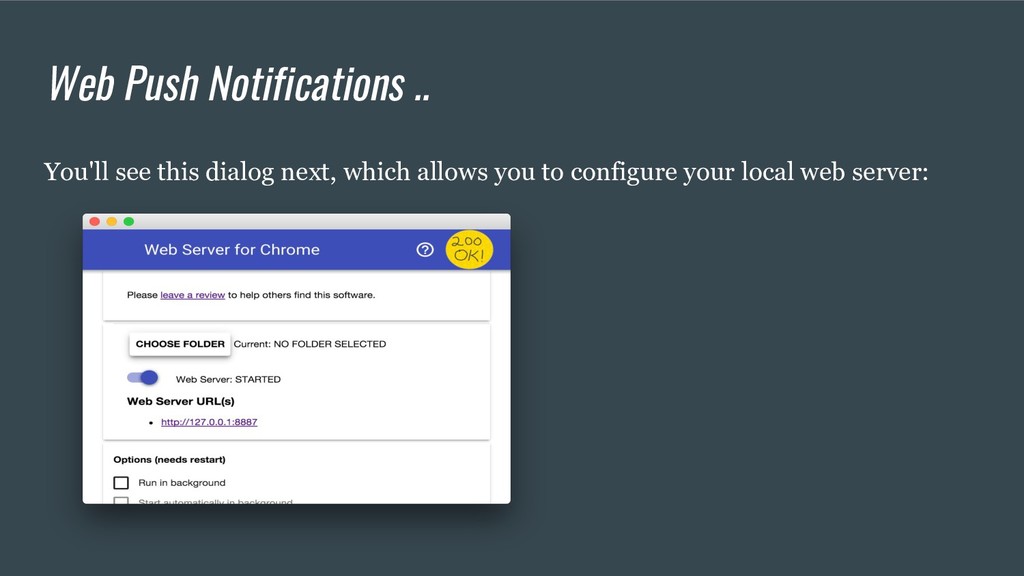
effective way to re-engage with your users For setup you just have to clone from a repo that is git clone https://github.com/GoogleChrome/push-notifications.git if you downloaded the source as a zip, unpacking it should give you a root folder push-notifications-master.
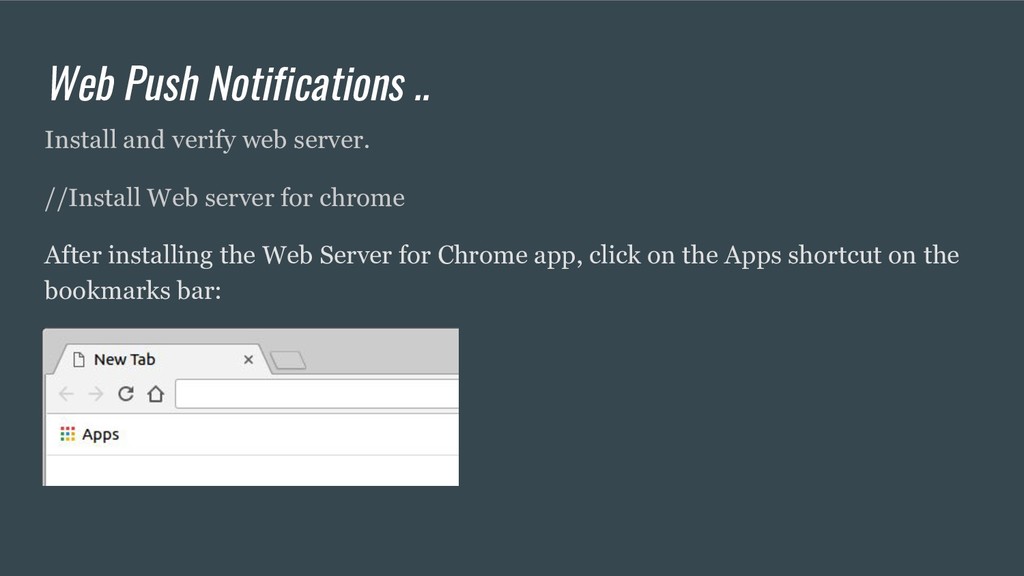
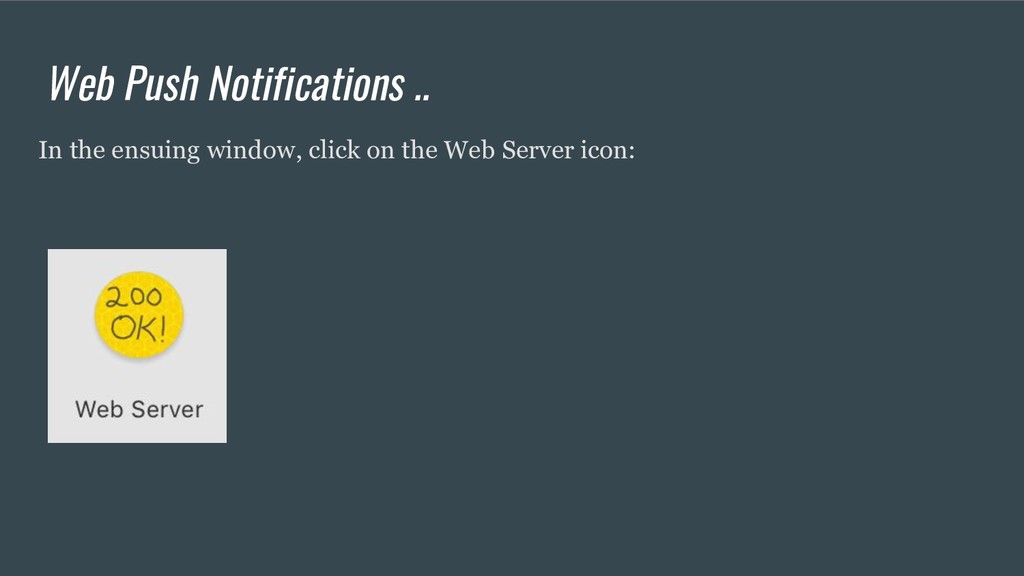
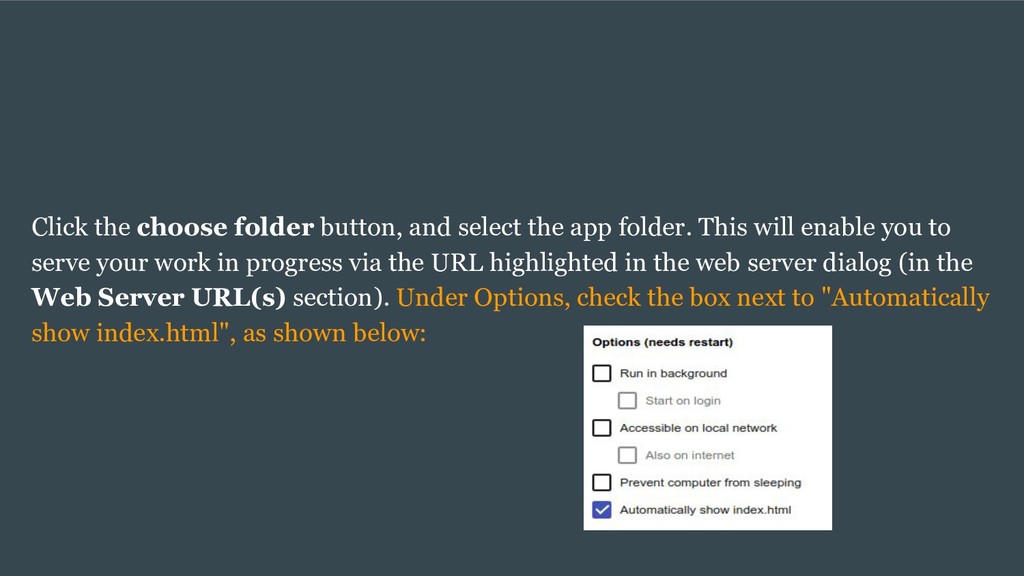
This will enable you to serve your work in progress via the URL highlighted in the web server dialog (in the Web Server URL(s) section). Under Options, check the box next to "Automatically show index.html", as shown below:
an evolving technology. Currently not all browsers support it, but that is changing rapidly. Chrome, Opera and Firefox are already on it. Support in Microsoft Edge is in development, and Safari has yet to catch the drift. Support for PWAs are also available in Webpack in forms of plugins. Parcel (after 1.6.0) supports PWAs too. If you want to get your hands dirty now, you can do so here.


 cassininazir
 greggifford
 inesmontani
 eileencodes
 philnash
 stephaniewalter
 addyosmani
 aleyda
 jnunemaker
 tammyeverts
 michielstock