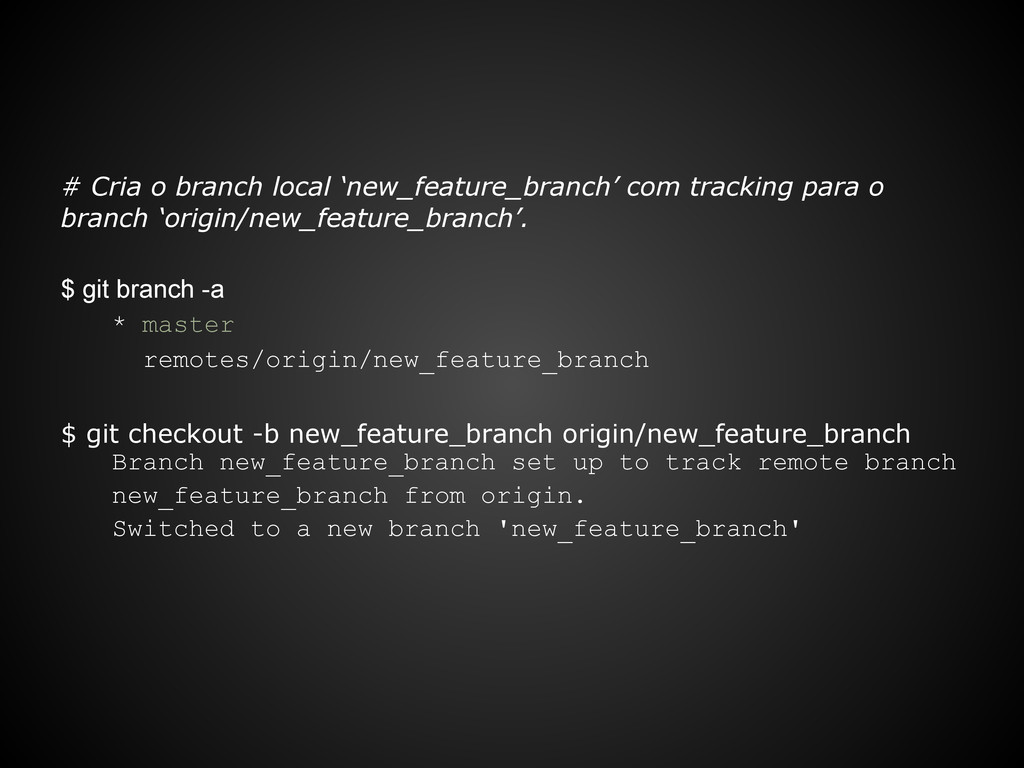
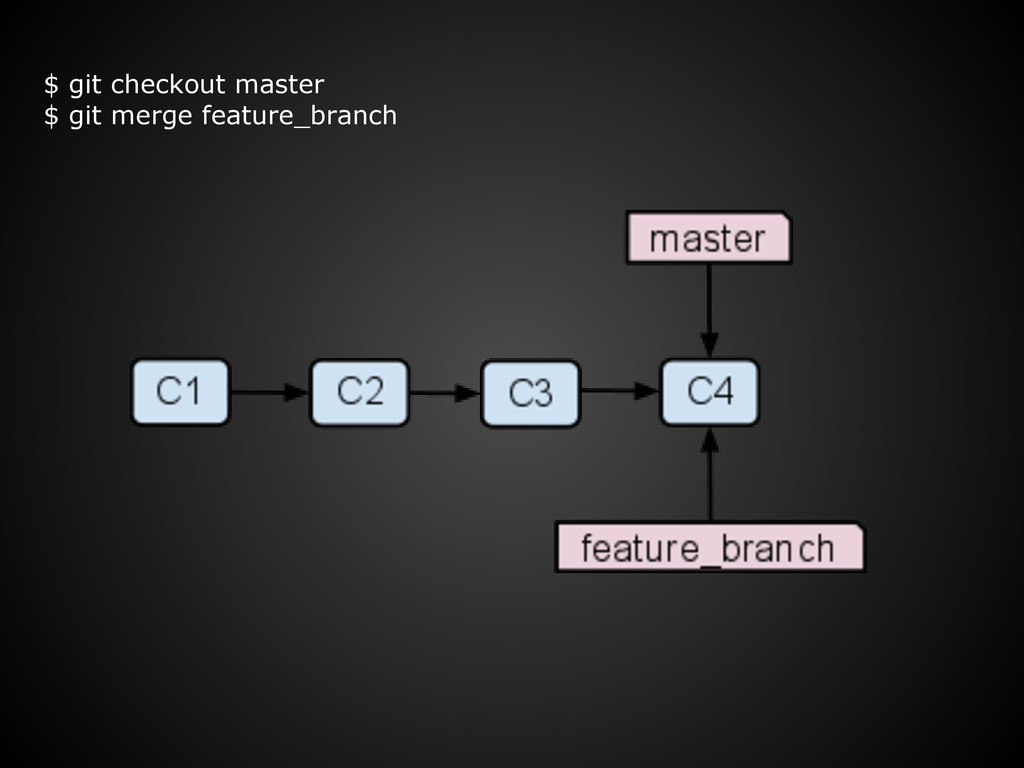
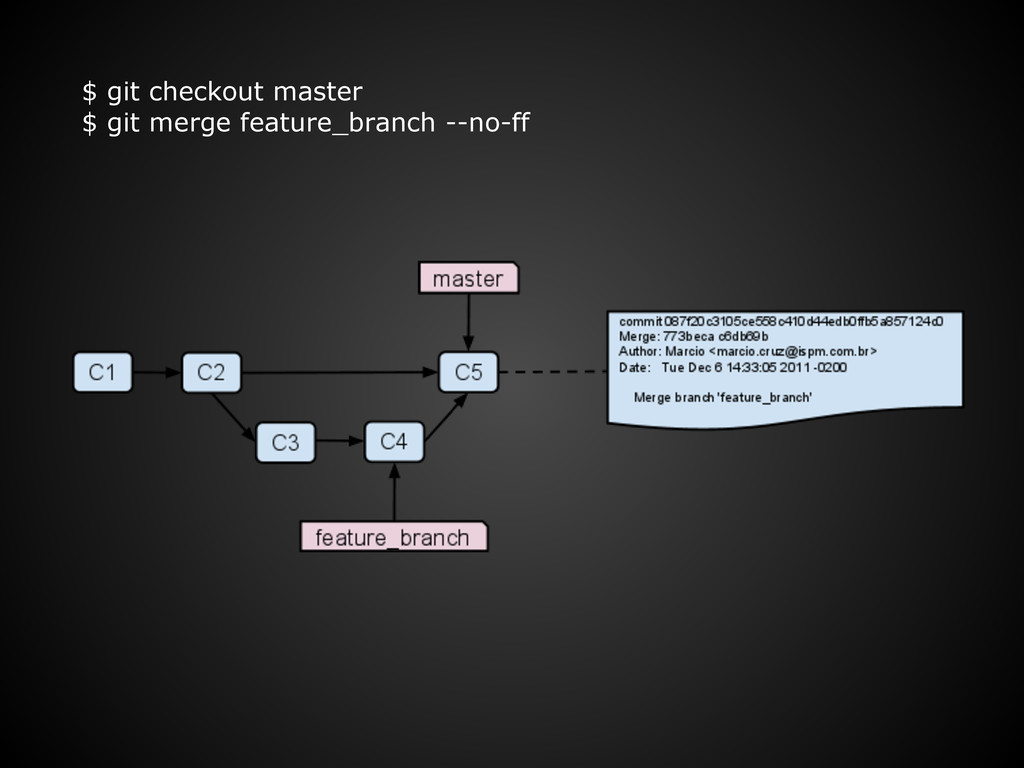
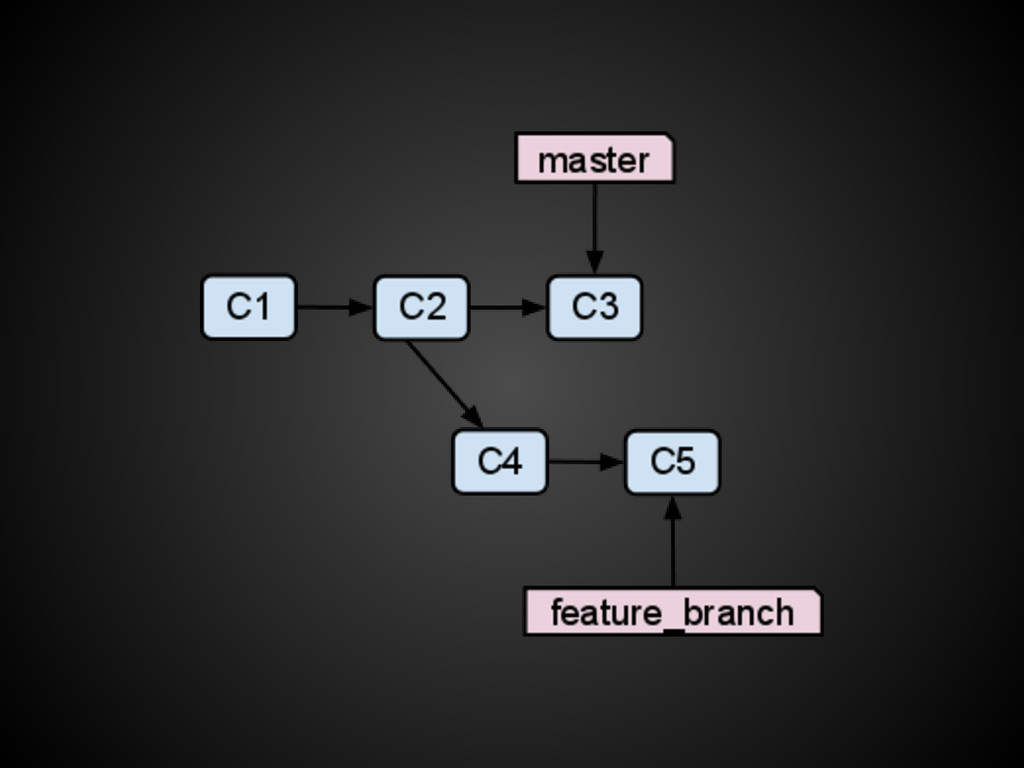
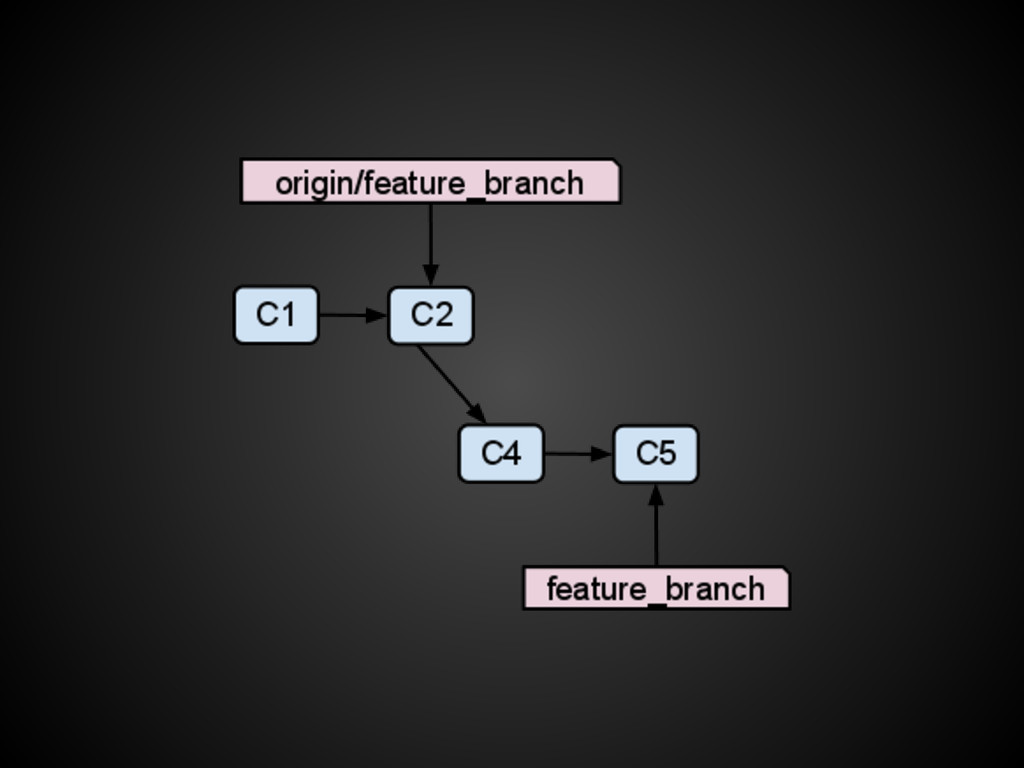
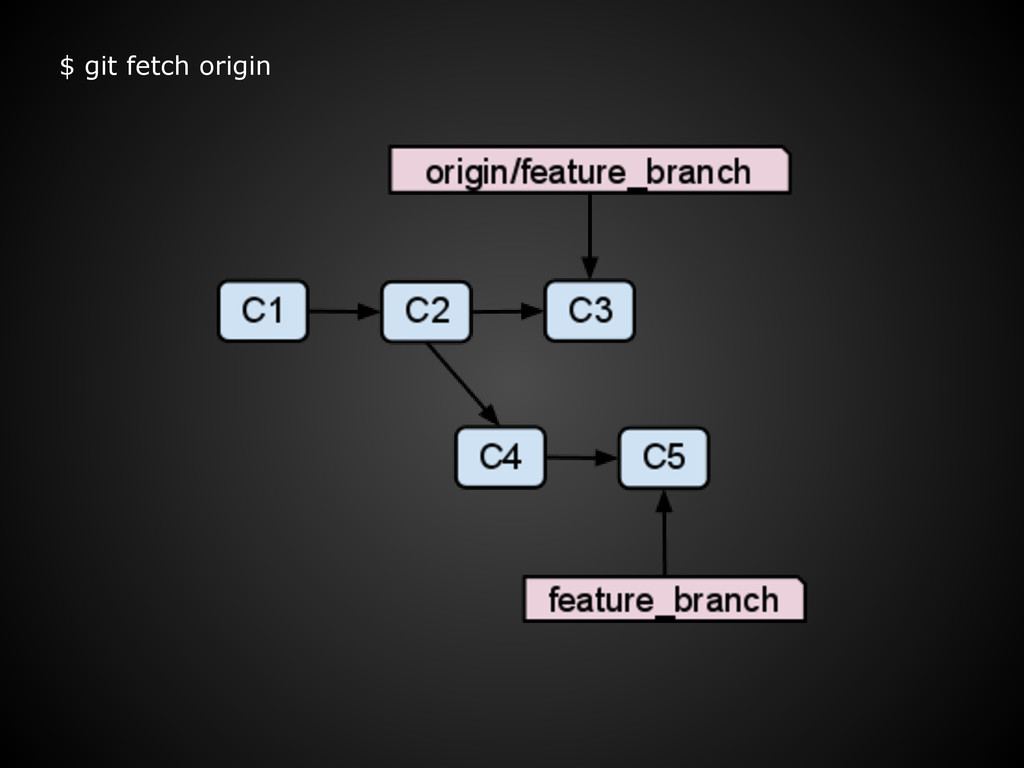
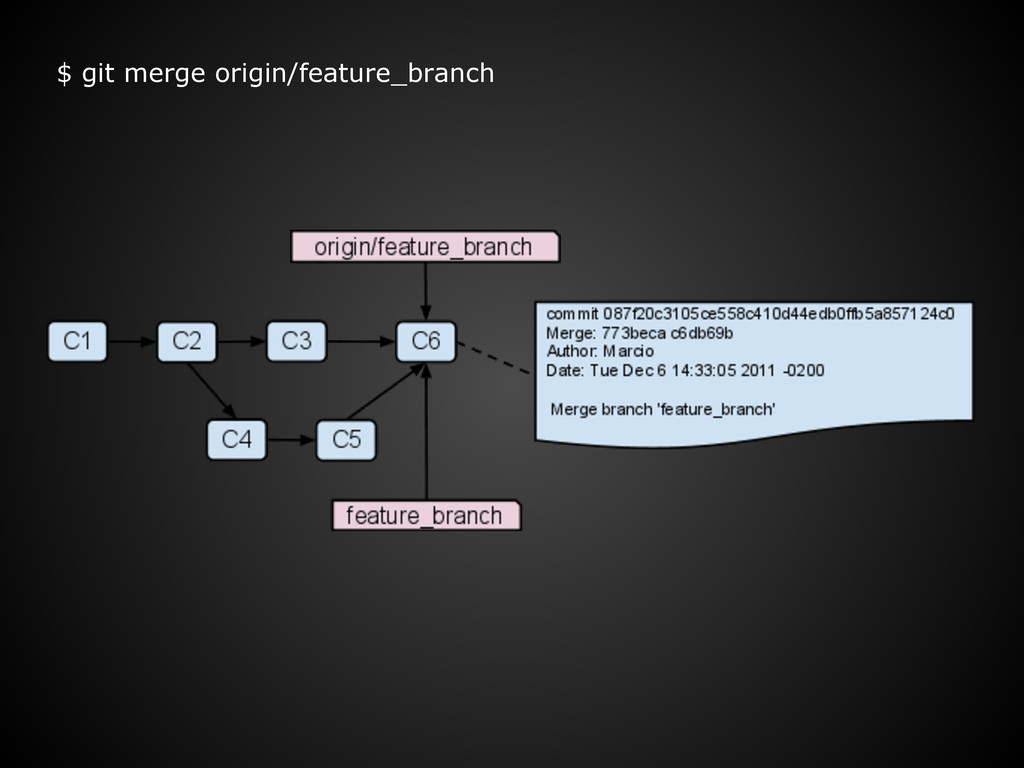
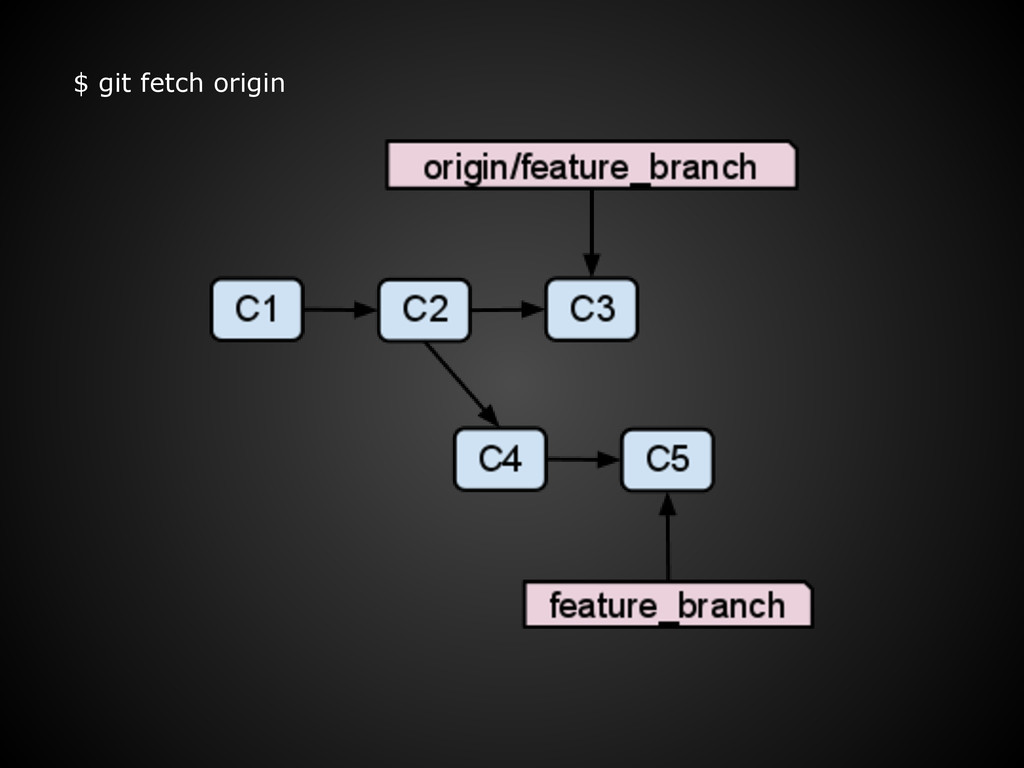
branch ‘origin/new_feature_branch’. $ git branch -a * master remotes/origin/new_feature_branch $ git checkout -b new_feature_branch origin/new_feature_branch Branch new_feature_branch set up to track remote branch new_feature_branch from origin. Switched to a new branch 'new_feature_branch'
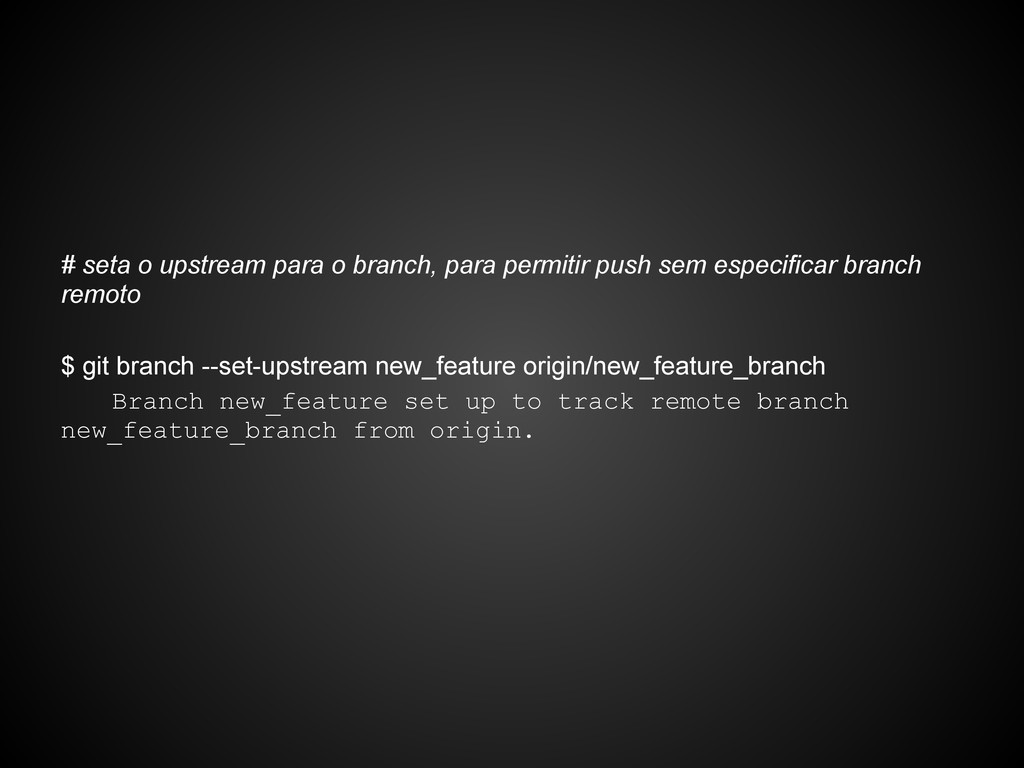
sem especificar branch remoto $ git branch --set-upstream new_feature origin/new_feature_branch Branch new_feature set up to track remote branch new_feature_branch from origin.
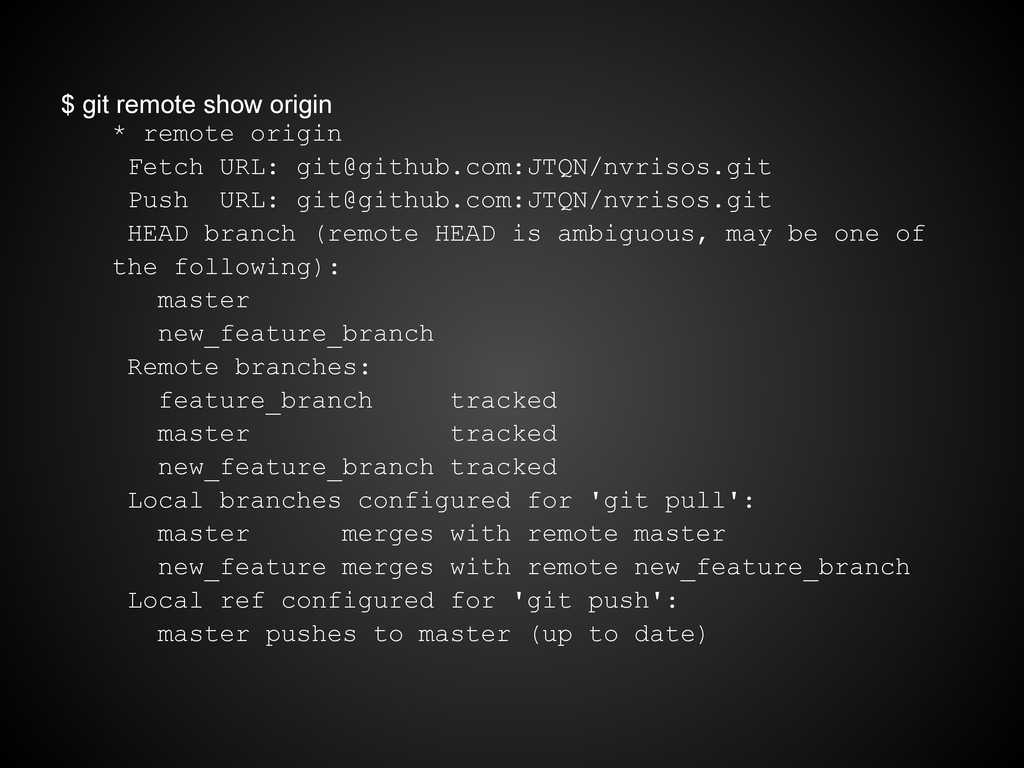
[email protected]:JTQN/nvrisos.git Push URL: [email protected]:JTQN/nvrisos.git HEAD branch (remote HEAD is ambiguous, may be one of the following): master new_feature_branch Remote branches: feature_branch tracked master tracked new_feature_branch tracked Local branches configured for 'git pull': master merges with remote master new_feature merges with remote new_feature_branch Local ref configured for 'git push': master pushes to master (up to date)
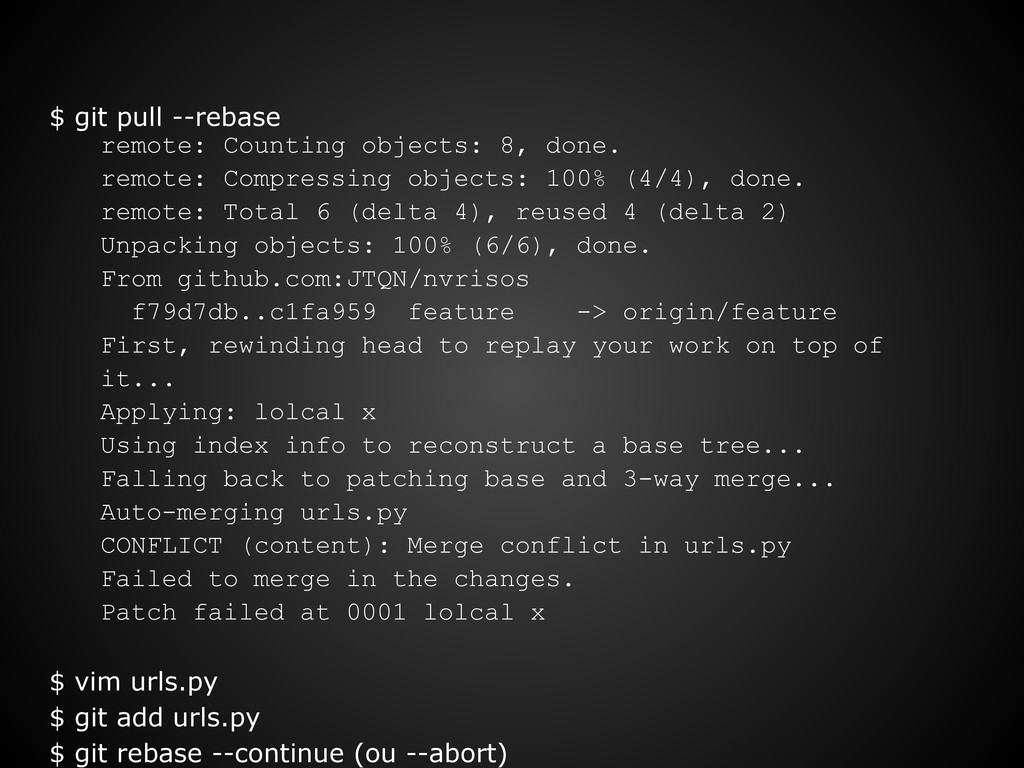
Compressing objects: 100% (4/4), done. remote: Total 6 (delta 4), reused 4 (delta 2) Unpacking objects: 100% (6/6), done. From github.com:JTQN/nvrisos f79d7db..c1fa959 feature -> origin/feature First, rewinding head to replay your work on top of it... Applying: lolcal x Using index info to reconstruct a base tree... Falling back to patching base and 3-way merge... Auto-merging urls.py CONFLICT (content): Merge conflict in urls.py Failed to merge in the changes. Patch failed at 0001 lolcal x $ vim urls.py $ git add urls.py $ git rebase --continue (ou --abort)
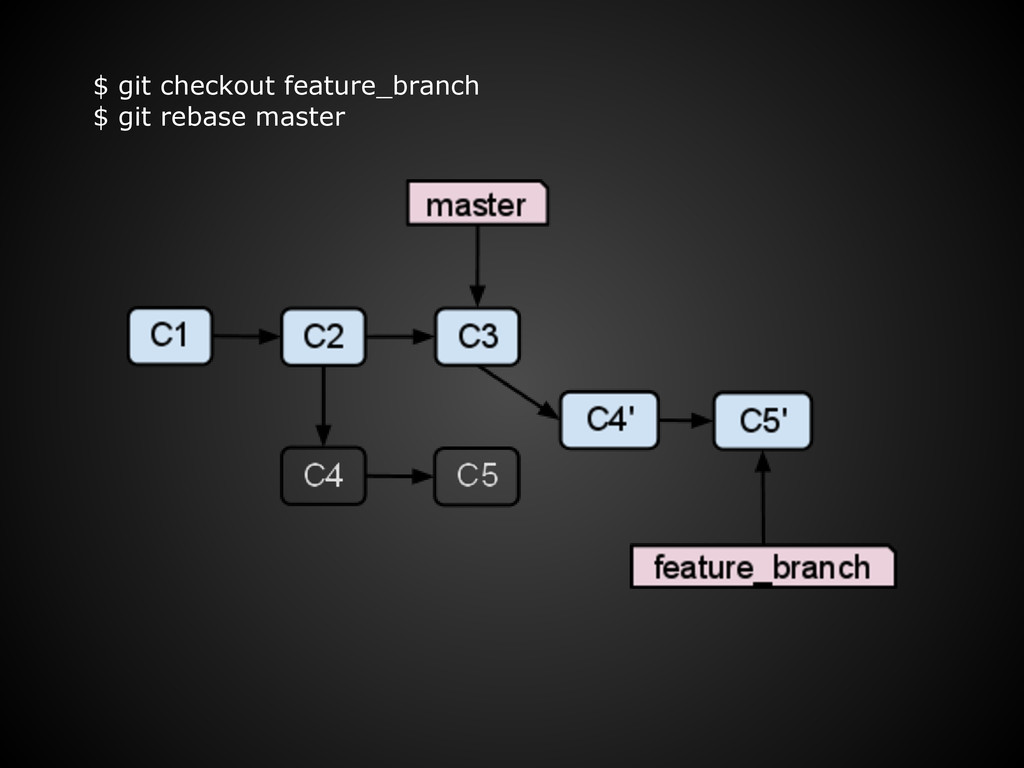
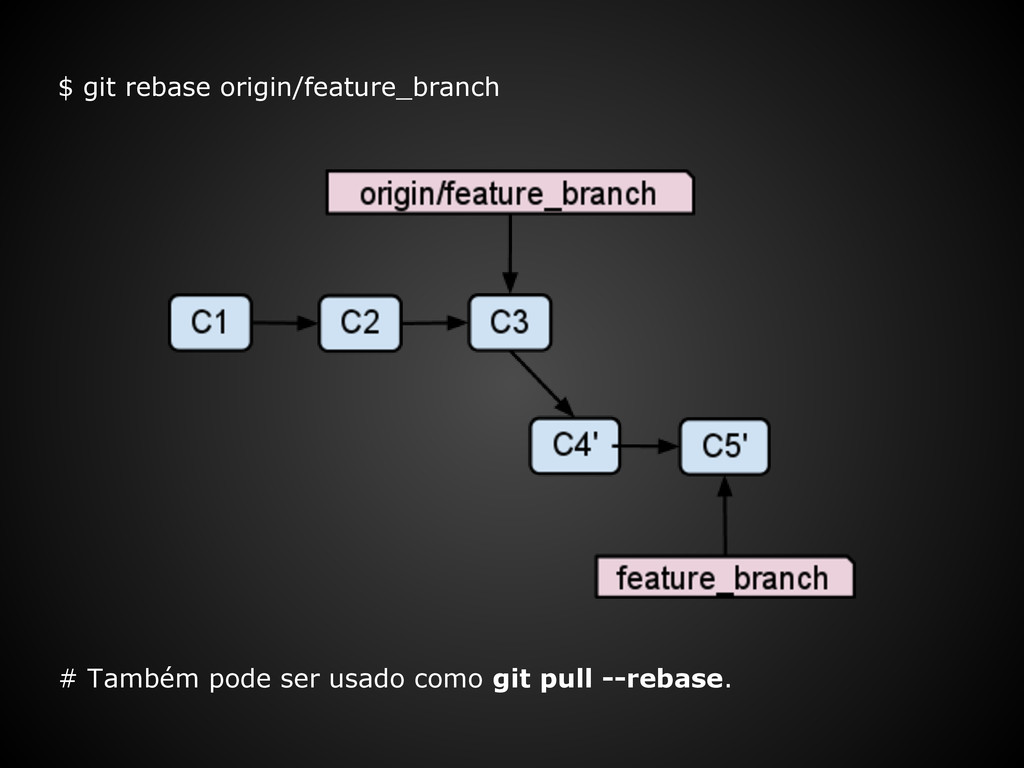
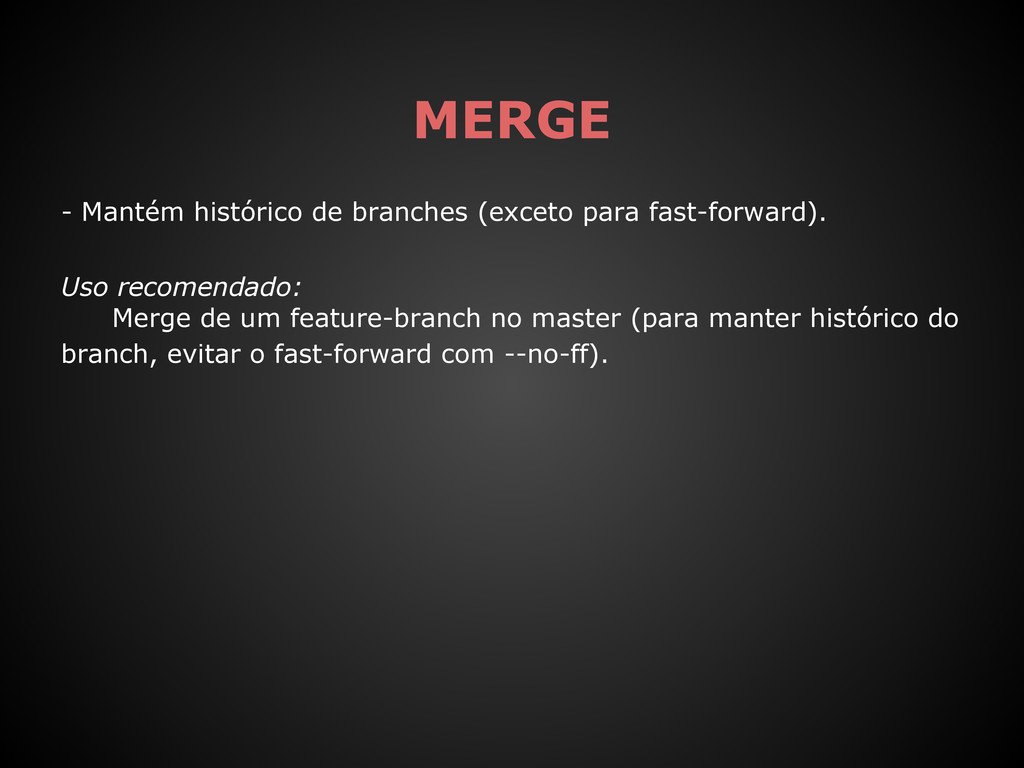
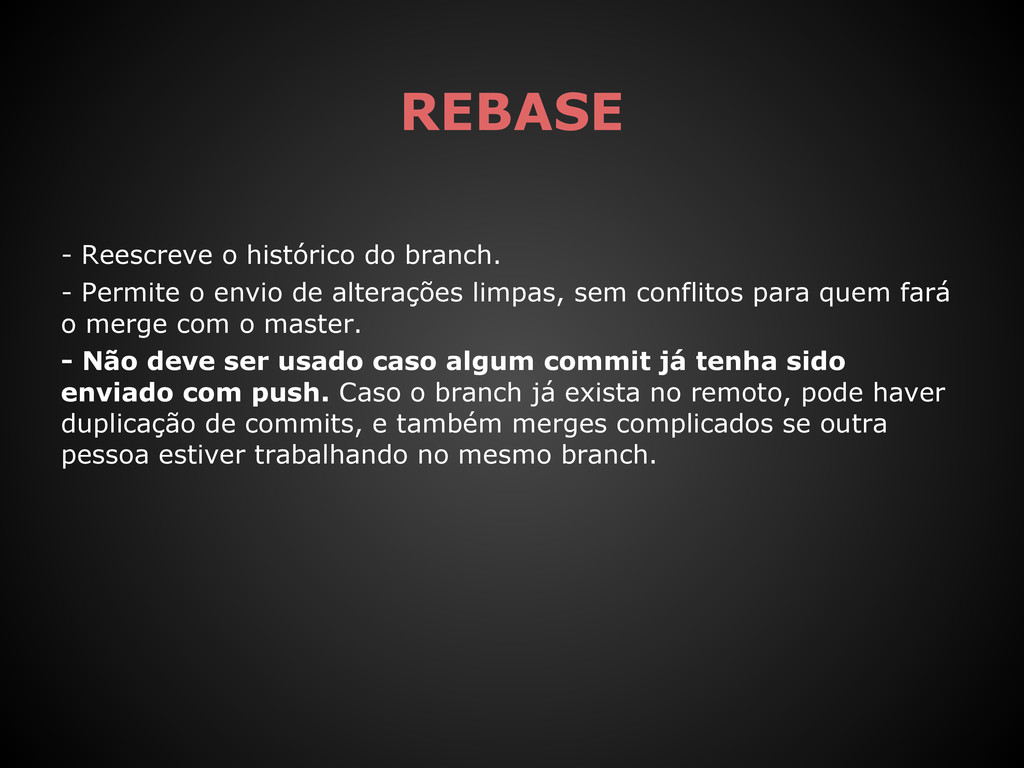
envio de alterações limpas, sem conflitos para quem fará o merge com o master. - Não deve ser usado caso algum commit já tenha sido enviado com push. Caso o branch já exista no remoto, pode haver duplicação de commits, e também merges complicados se outra pessoa estiver trabalhando no mesmo branch.
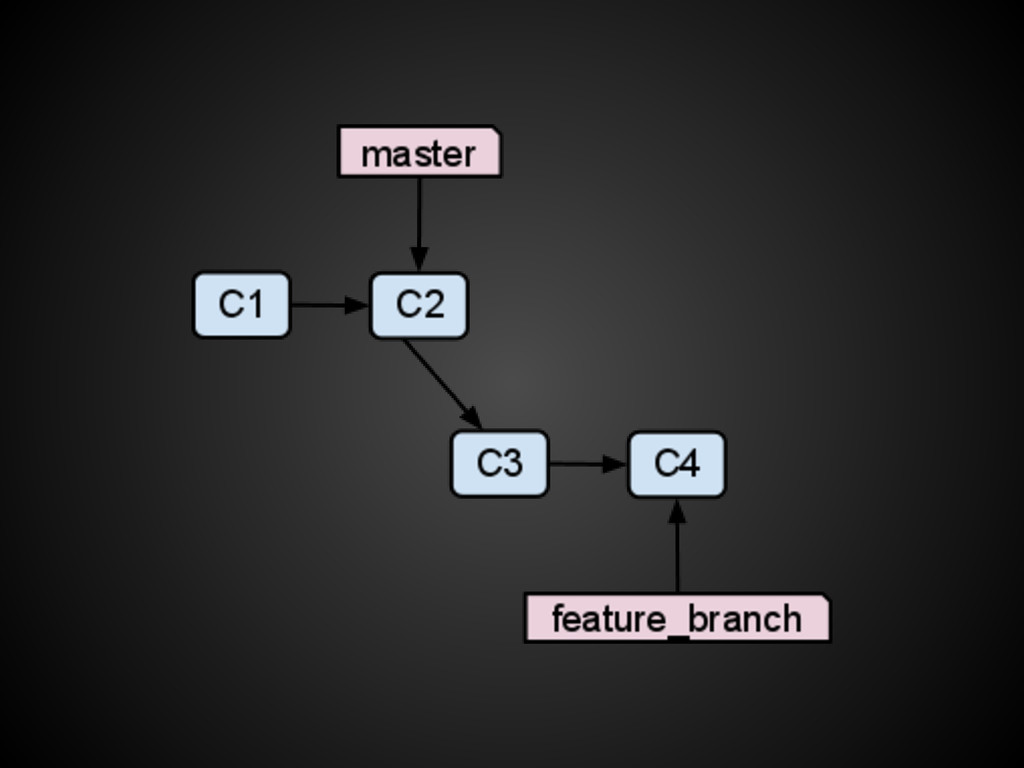
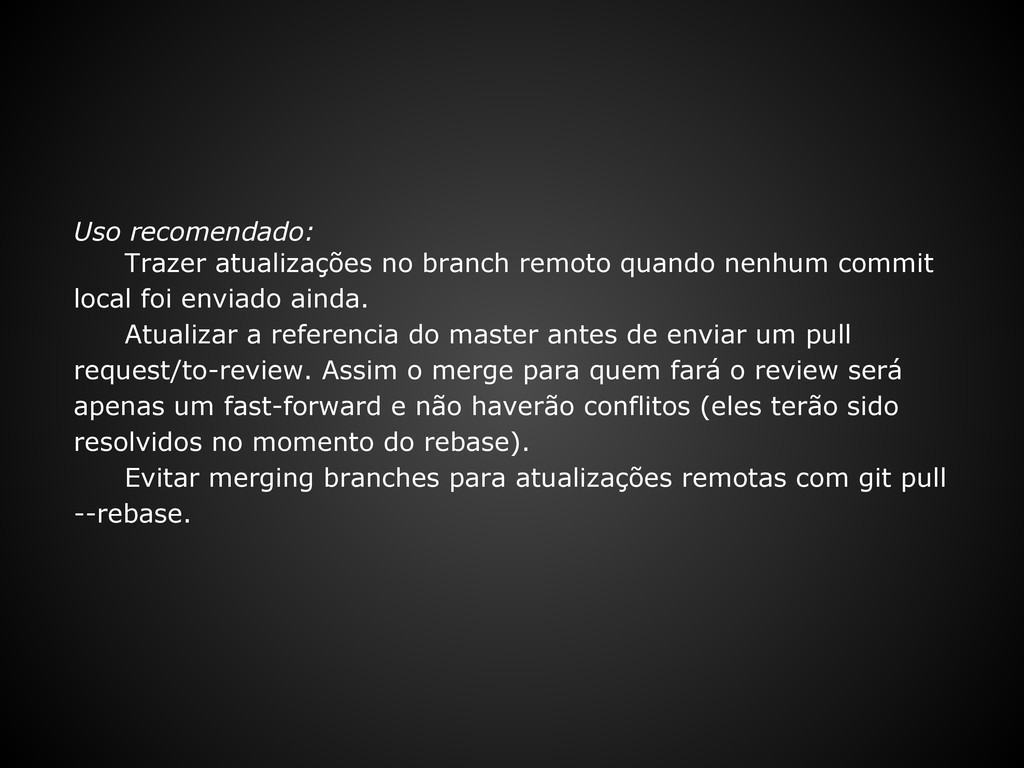
local foi enviado ainda. Atualizar a referencia do master antes de enviar um pull request/to-review. Assim o merge para quem fará o review será apenas um fast-forward e não haverão conflitos (eles terão sido resolvidos no momento do rebase). Evitar merging branches para atualizações remotas com git pull --rebase.


 rmw
rmw
 smashingmag
 lcolladotor
 afnizarnur
 cassininazir
 maggiecrowley
 codingconduct
 mfonobong
 joshbly
 jnunemaker
 tmiket
 gurzu
gurzu