Upgrade to Pro — share decks privately, control downloads, hide ads and more …

IBM Connect 2013, BP205 Custom Controls: Powerf...

IBM Connect 2013, BP205 Custom Controls: Powerful, But Not Rocket Science

My presentation on IBM Connect 2013

Avatar for Martin Meijer

Martin Meijer

January 30, 2013

Other Decks in Programming

Transcript

  1. © 2013 IBM Corporation BP205 Custom Controls: Powerful, But Not

    Rocket Science Martin Meijer | Developer
  2. © 2013 IBM Corporation 2 Legal disclaimer © IBM Corporation

    2013. All Rights Reserved. The information contained in this publication is provided for informational purposes only. While efforts were made to verify the completeness and accuracy of the information contained in this publication, it is provided AS IS without warranty of any kind, express or implied. In addition, this information is based on IBM’s current product plans and strategy, which are subject to change by IBM without notice. IBM shall not be responsible for any damages arising out of the use of, or otherwise related to, this publication or any other materials. Nothing contained in this publication is intended to, nor shall have the effect of, creating any warranties or representations from IBM or its suppliers or licensors, or altering the terms and conditions of the applicable license agreement governing the use of IBM software. References in this presentation to IBM products, programs, or services do not imply that they will be available in all countries in which IBM operates. Product release dates and/or capabilities referenced in this presentation may change at any time at IBM’s sole discretion based on market opportunities or other factors, and are not intended to be a commitment to future product or feature availability in any way. Nothing contained in these materials is intended to, nor shall have the effect of, stating or implying that any activities undertaken by you will result in any specific sales, revenue growth or other results. Performance is based on measurements and projections using standard IBM benchmarks in a controlled environment. The actual throughput or performance that any user will experience will vary depending upon many factors, including considerations such as the amount of multiprogramming in the user's job stream, the I/O configuration, the storage configuration, and the workload processed. Therefore, no assurance can be given that an individual user will achieve results similar to those stated here. All customer examples described are presented as illustrations of how those customers have used IBM products and the results they may have achieved. Actual environmental costs and performance characteristics may vary by customer. Adobe, the Adobe logo, PostScript, and the PostScript logo are either registered trademarks or trademarks of Adobe Systems Incorporated in the United States, and/or other countries. Java and all Java-based trademarks are trademarks of Sun Microsystems, Inc. in the United States, other countries, or both. Microsoft and Windows are trademarks of Microsoft Corporation in the United States, other countries, or both. Intel, Intel Centrino, Celeron, Intel Xeon, Intel SpeedStep, Itanium, and Pentium are trademarks or registered trademarks of Intel Corporation or its subsidiaries in the United States and other countries. UNIX is a registered trademark of The Open Group in the United States and other countries. Linux is a registered trademark of Linus Torvalds in the United States, other countries, or both. Other company, product, or service names may be trademarks or service marks of others. All references to [insert fictitious company name] refer to a fictitious company and are used for illustration purposes only.
  3. © 2013 IBM Corporation 3 About me Martin Meijer Developer

    for Saxion (University in the Netherlands) Developer for Yellow 2010 Speaker (NLLUG, DNUG, Lotusphere Idol 2010) Big Fan of XPages Big Fan of OpenNTF
  4. © 2013 IBM Corporation 4 Agenda XPages and Custom Controls

    Example 1: YouTube Example 2: Google Maps Example 3: Bootstrap OpenNTF Q&A
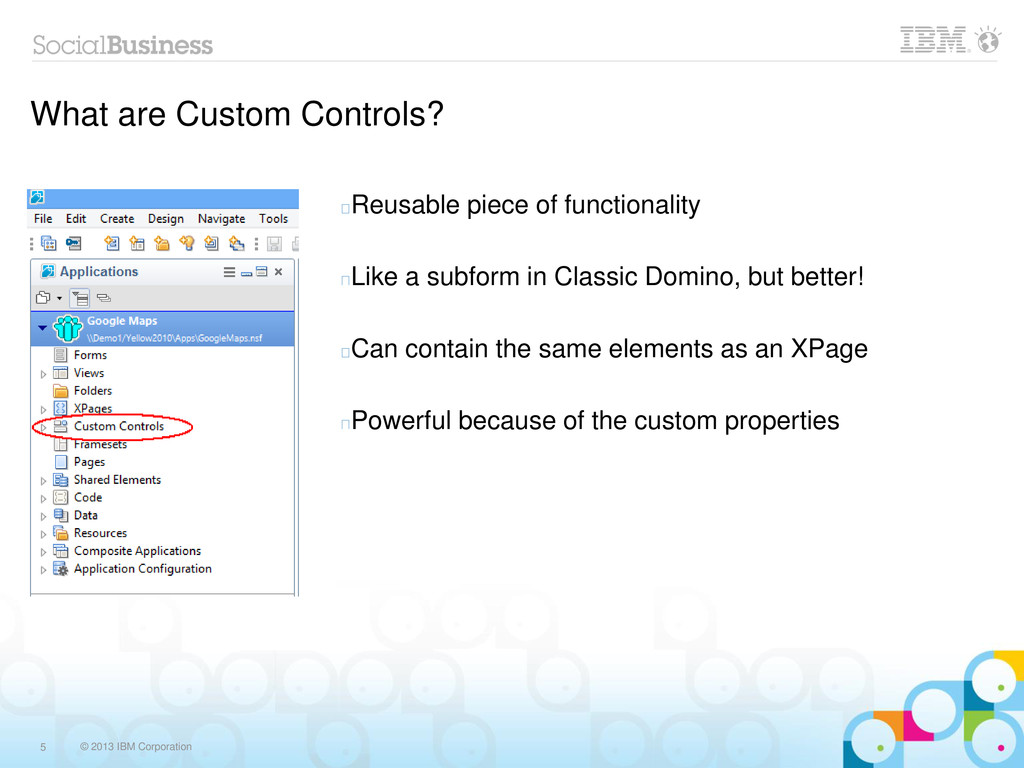
  5. © 2013 IBM Corporation 5 What are Custom Controls? Reusable

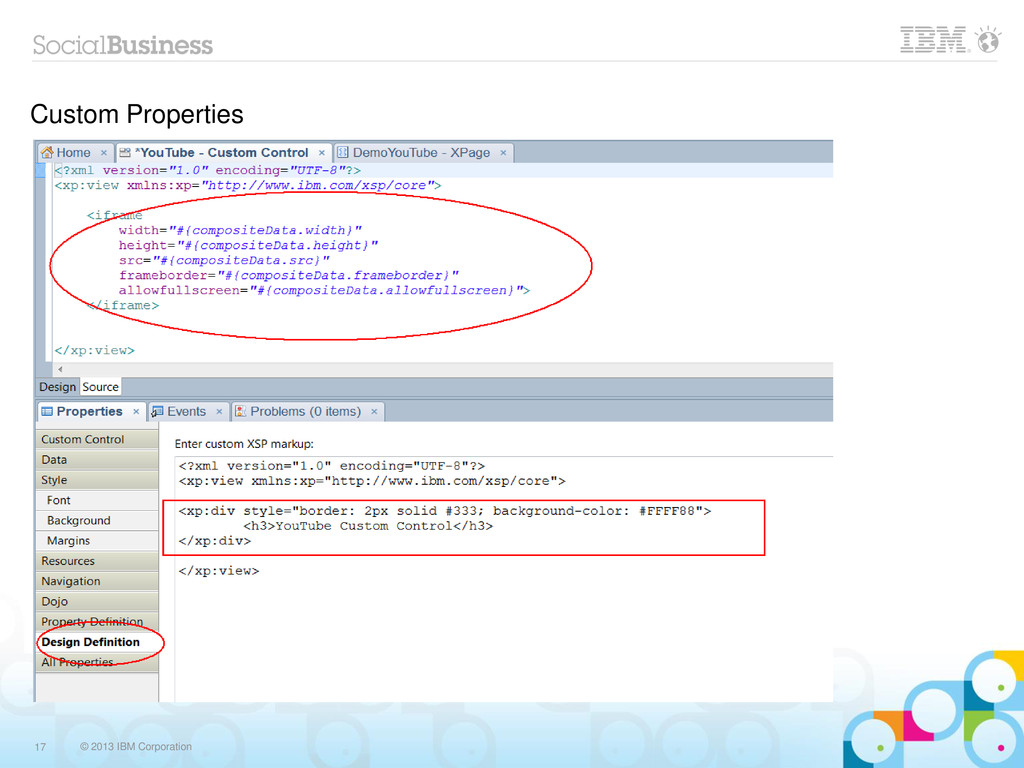
    piece of functionality Like a subform in Classic Domino, but better! Can contain the same elements as an XPage Powerful because of the custom properties
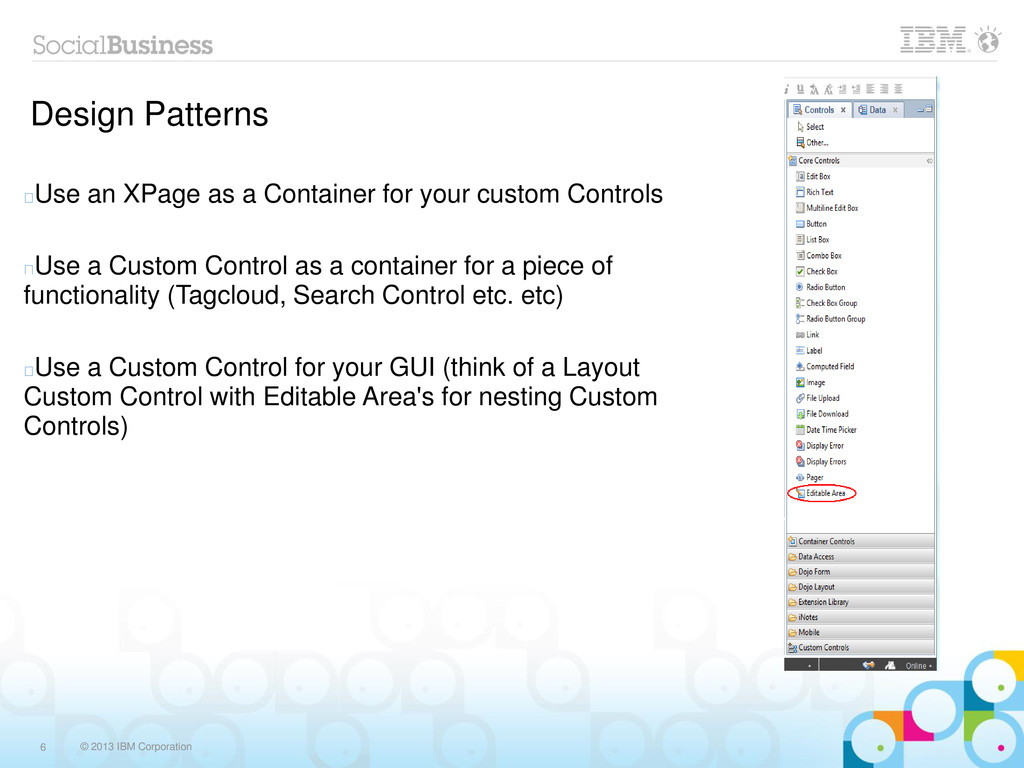
  6. © 2013 IBM Corporation 6 Design Patterns Use an XPage

    as a Container for your custom Controls Use a Custom Control as a container for a piece of functionality (Tagcloud, Search Control etc. etc) Use a Custom Control for your GUI (think of a Layout Custom Control with Editable Area's for nesting Custom Controls)
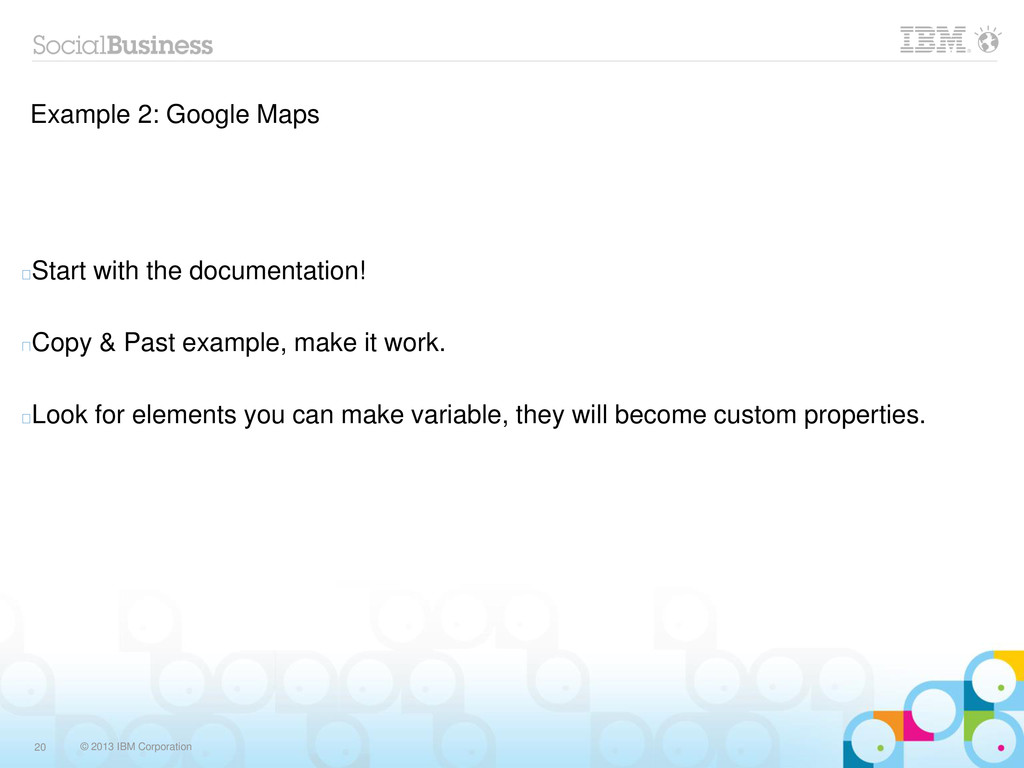
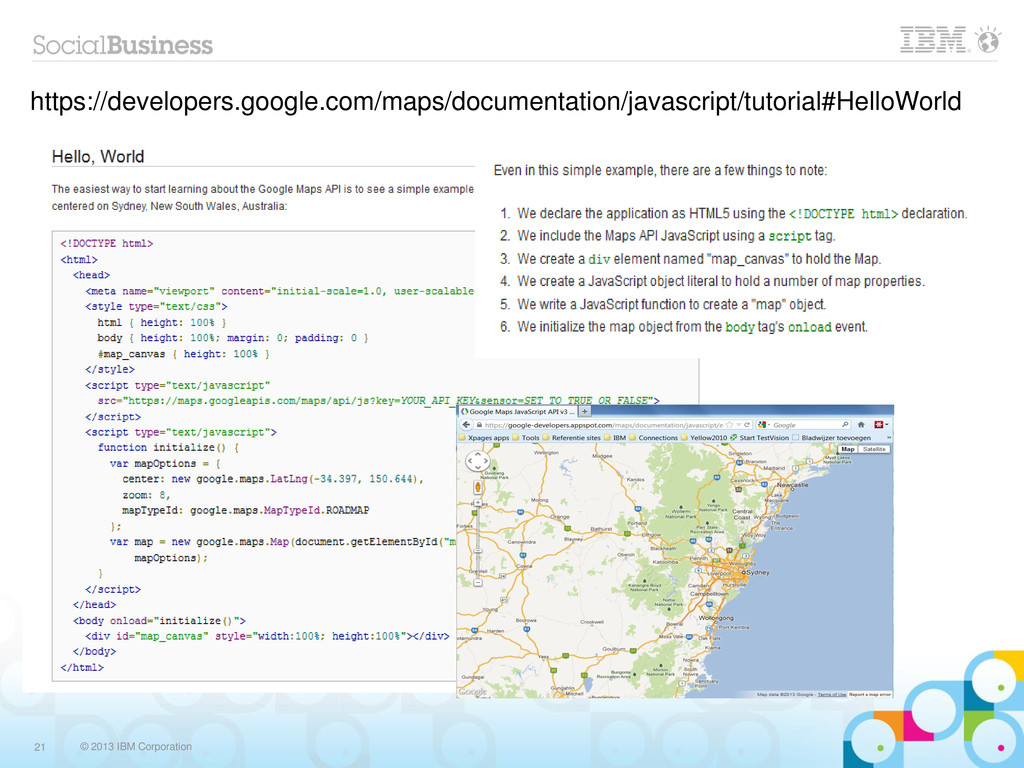
  7. © 2013 IBM Corporation 20 Example 2: Google Maps Start

    with the documentation! Copy & Past example, make it work. Look for elements you can make variable, they will become custom properties.
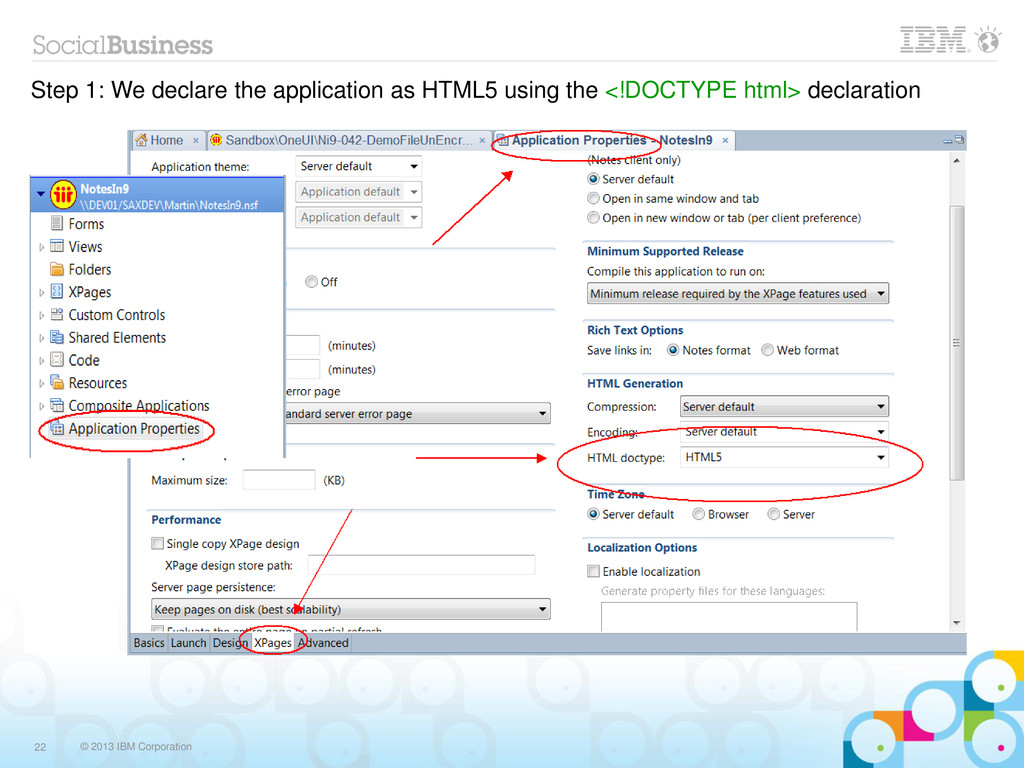
  8. © 2013 IBM Corporation 22 Step 1: We declare the

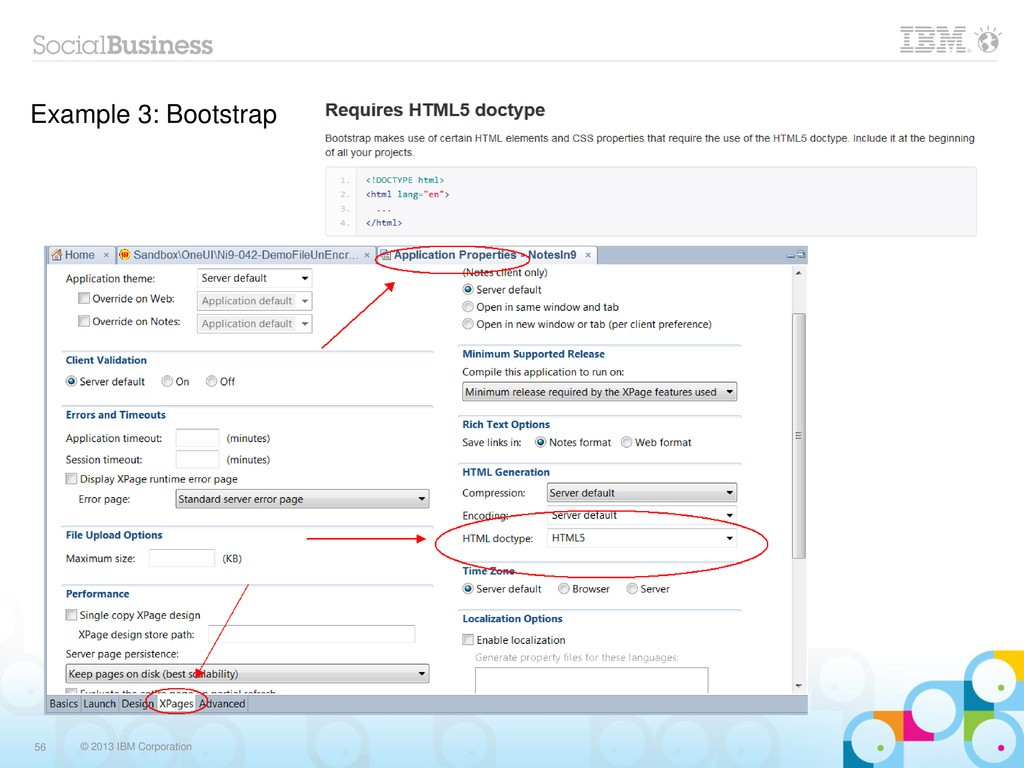
    application as HTML5 using the <!DOCTYPE html> declaration
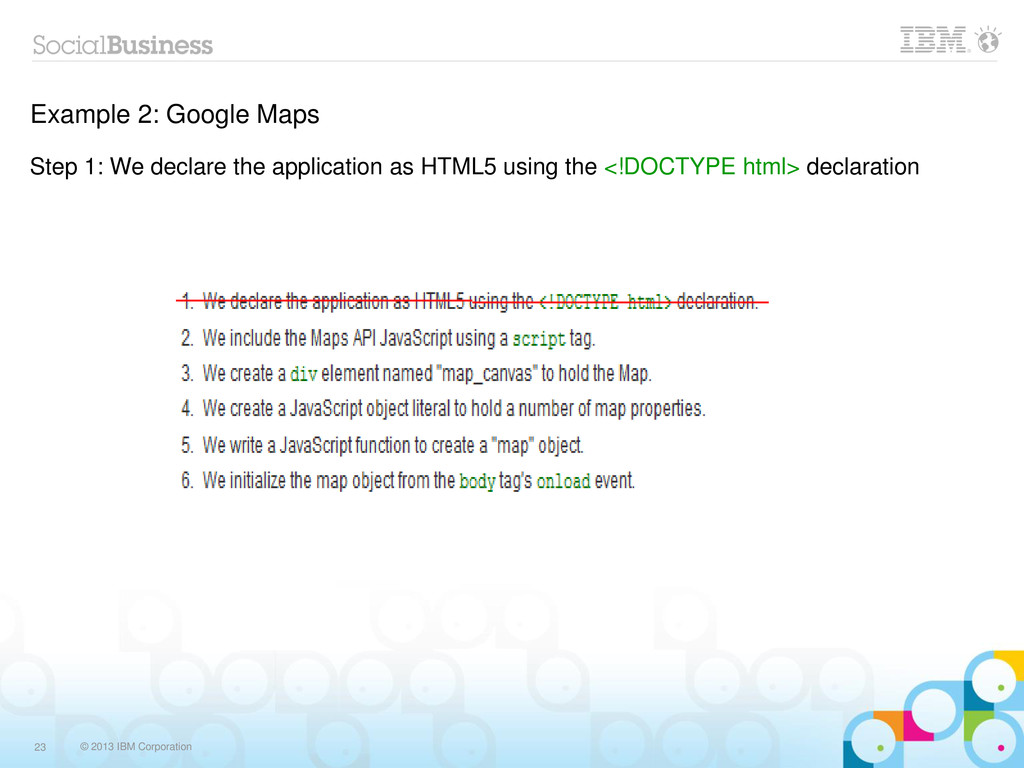
  9. © 2013 IBM Corporation 23 Example 2: Google Maps Step

    1: We declare the application as HTML5 using the <!DOCTYPE html> declaration
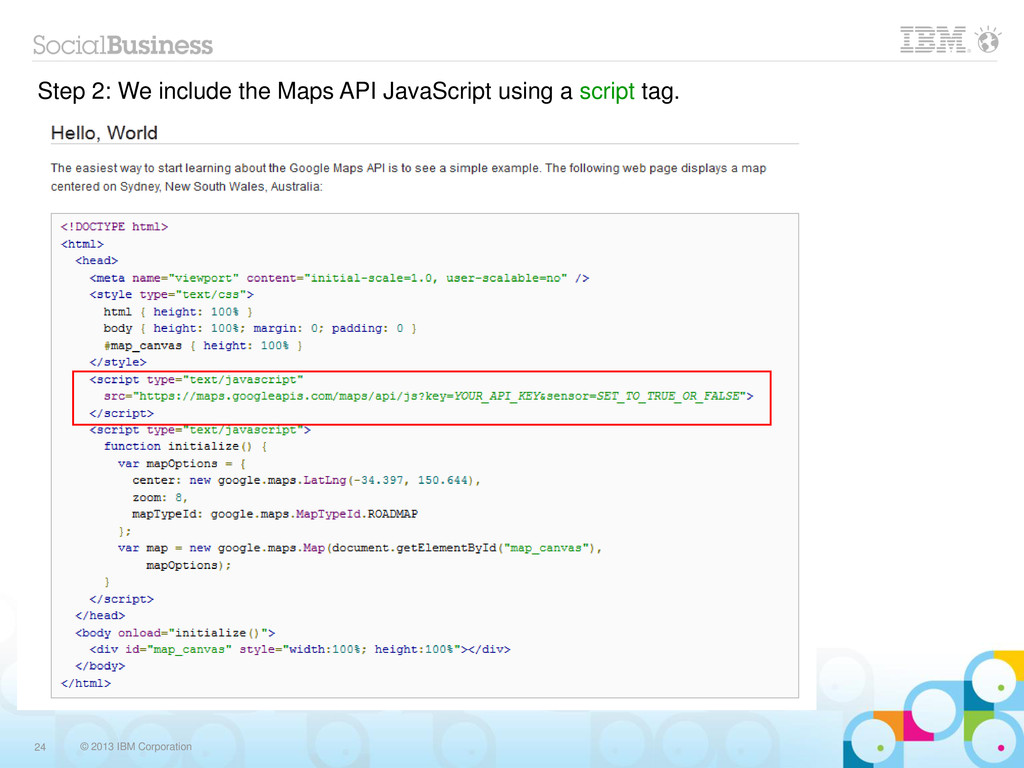
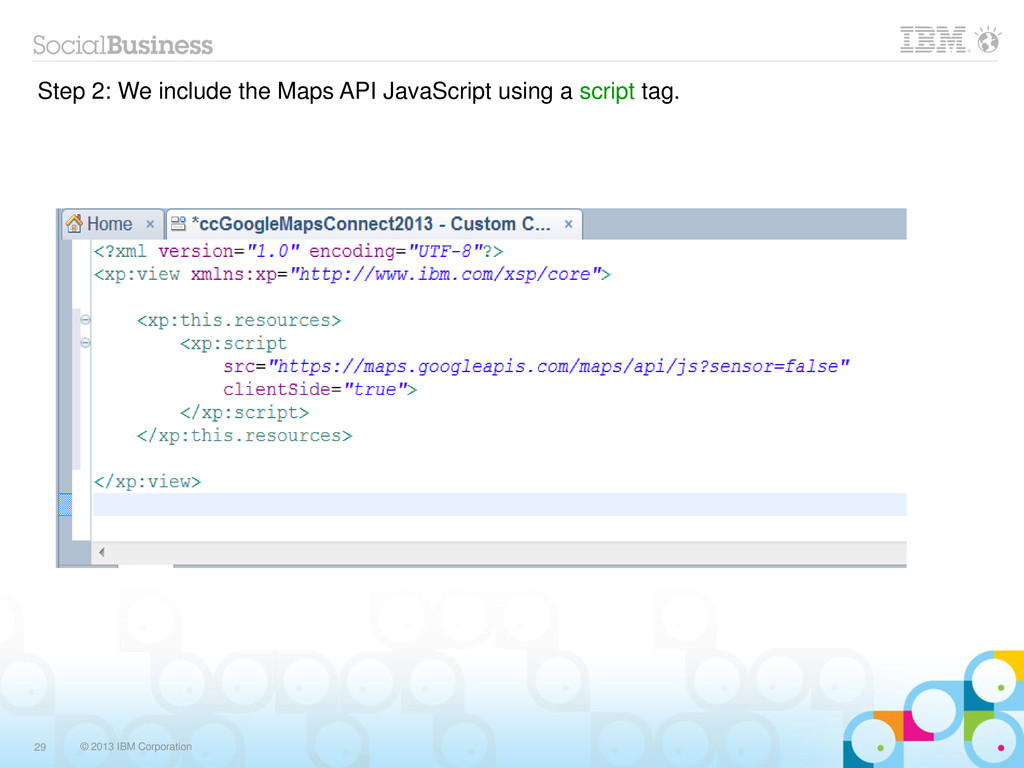
  10. © 2013 IBM Corporation 24 Step 2: We include the

    Maps API JavaScript using a script tag.
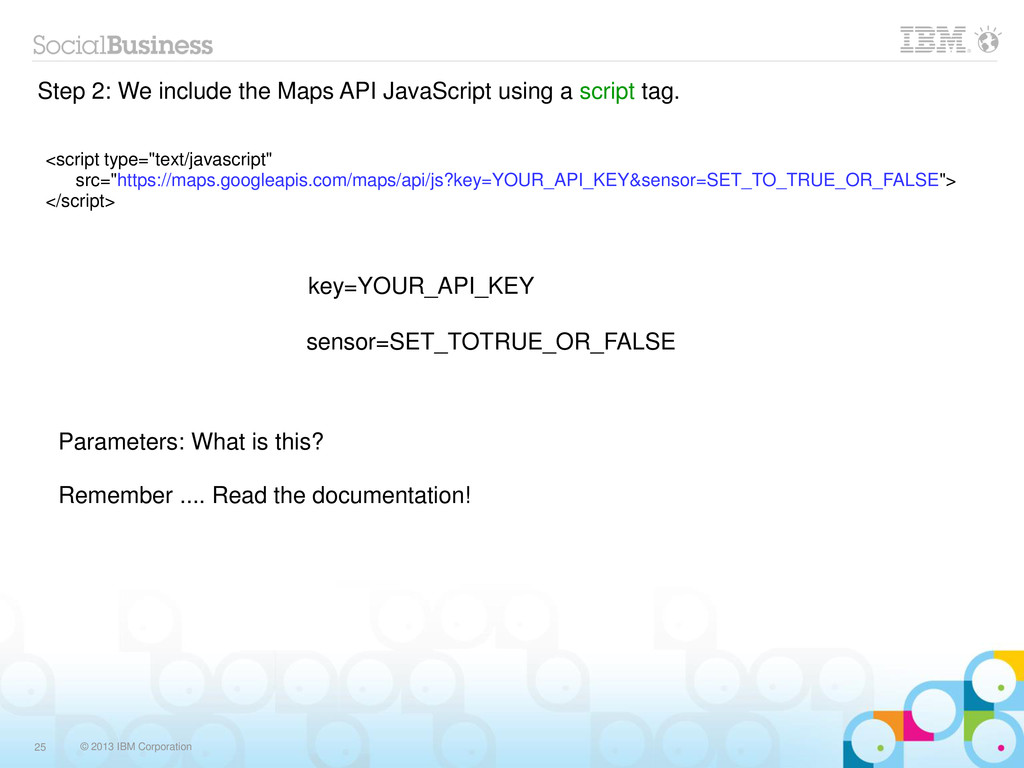
  11. © 2013 IBM Corporation 25 Step 2: We include the

    Maps API JavaScript using a script tag. <script type="text/javascript" src="https://maps.googleapis.com/maps/api/js?key=YOUR_API_KEY&sensor=SET_TO_TRUE_OR_FALSE"> </script> Parameters: What is this? Remember .... Read the documentation! key=YOUR_API_KEY sensor=SET_TOTRUE_OR_FALSE
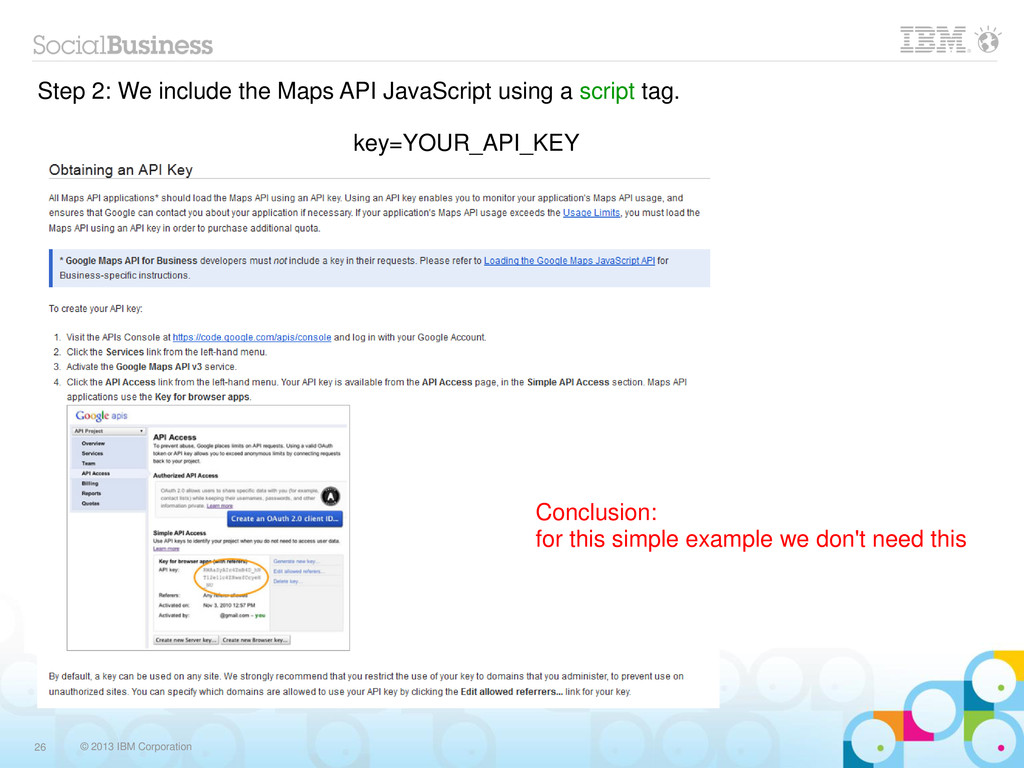
  12. © 2013 IBM Corporation 26 Step 2: We include the

    Maps API JavaScript using a script tag. key=YOUR_API_KEY Conclusion: for this simple example we don't need this
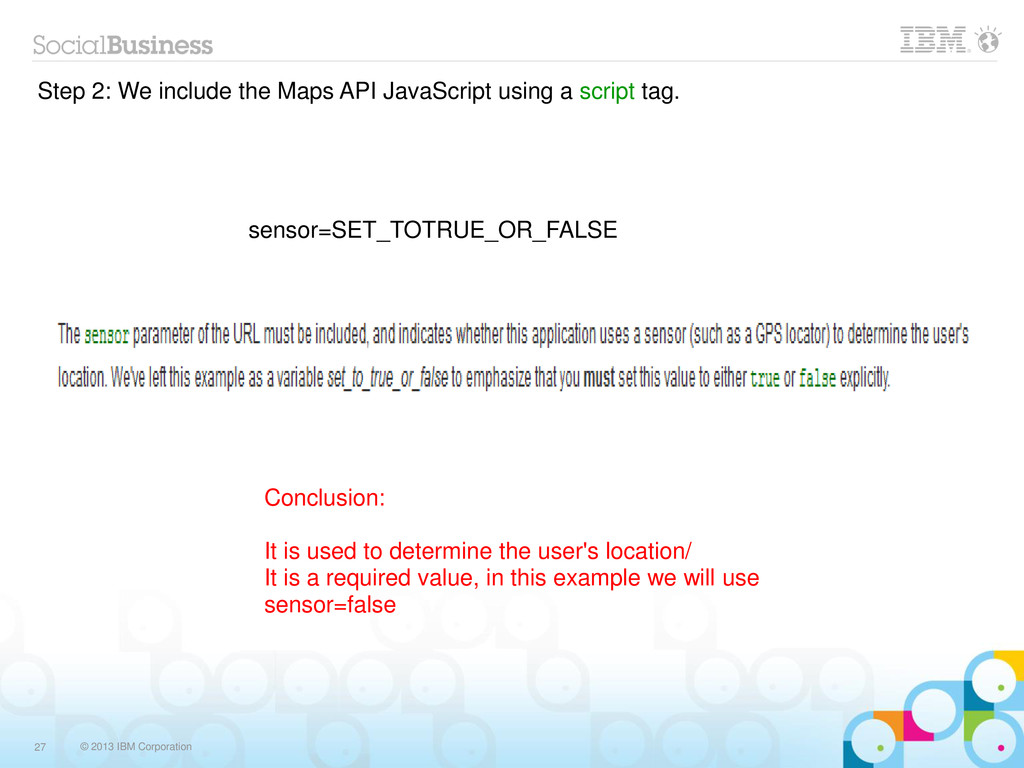
  13. © 2013 IBM Corporation 27 Step 2: We include the

    Maps API JavaScript using a script tag. sensor=SET_TOTRUE_OR_FALSE Conclusion: It is used to determine the user's location/ It is a required value, in this example we will use sensor=false
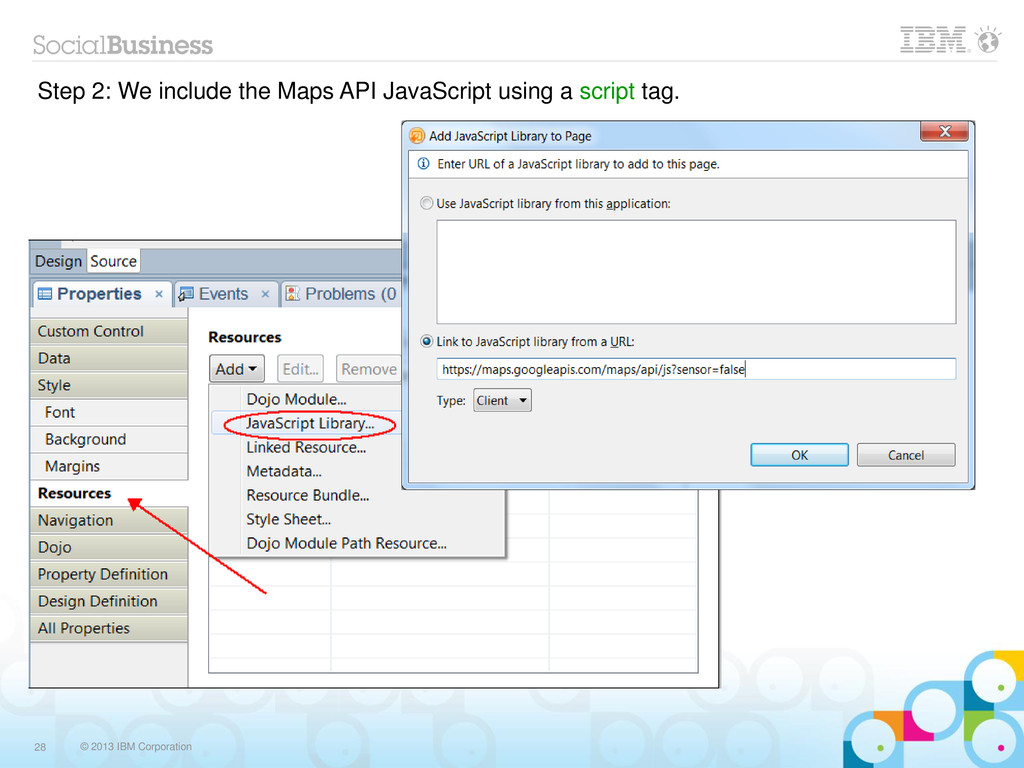
  14. © 2013 IBM Corporation 28 Step 2: We include the

    Maps API JavaScript using a script tag.
  15. © 2013 IBM Corporation 29 Step 2: We include the

    Maps API JavaScript using a script tag.
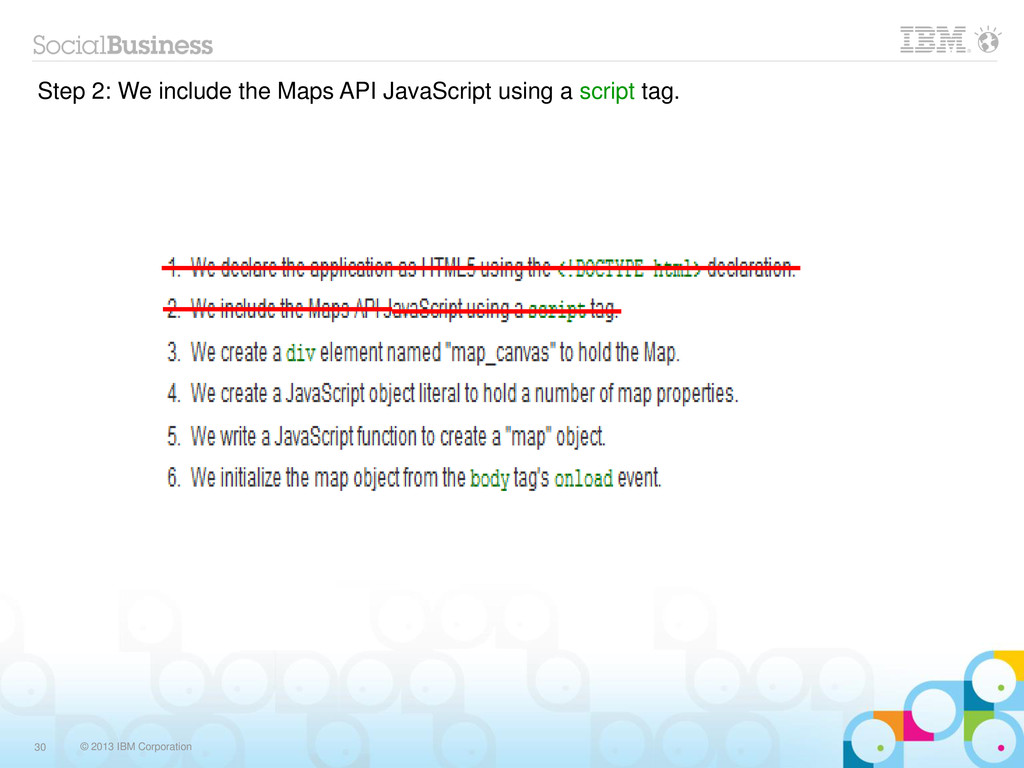
  16. © 2013 IBM Corporation 30 Step 2: We include the

    Maps API JavaScript using a script tag.
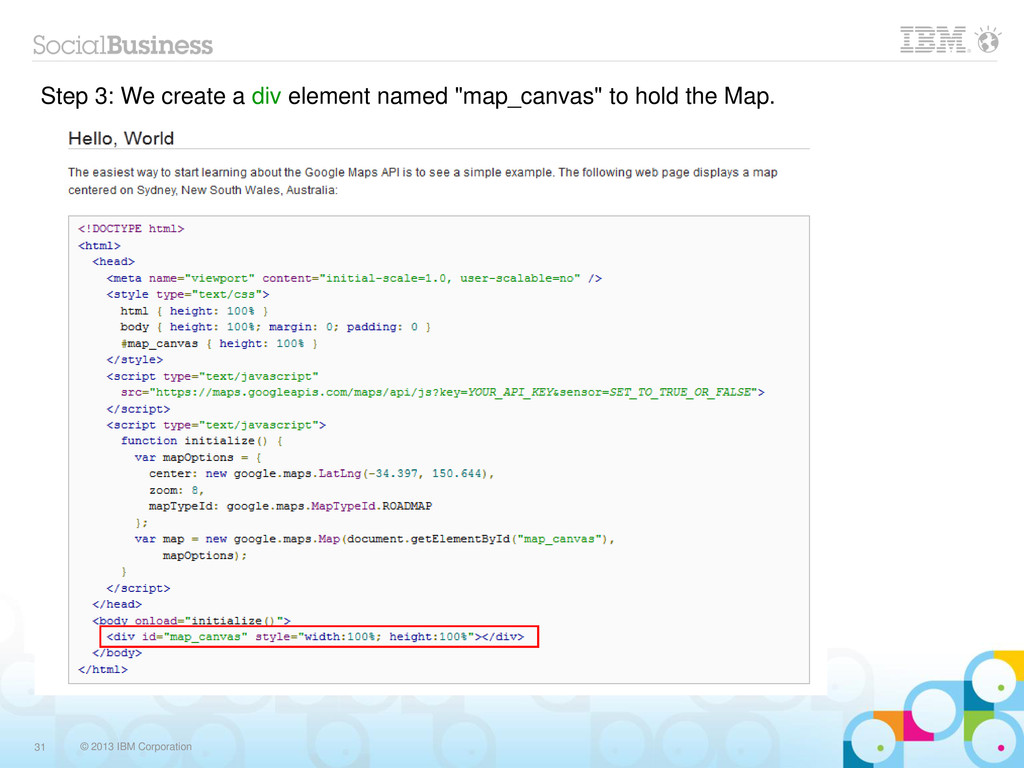
  17. © 2013 IBM Corporation 31 Step 3: We create a

    div element named "map_canvas" to hold the Map.
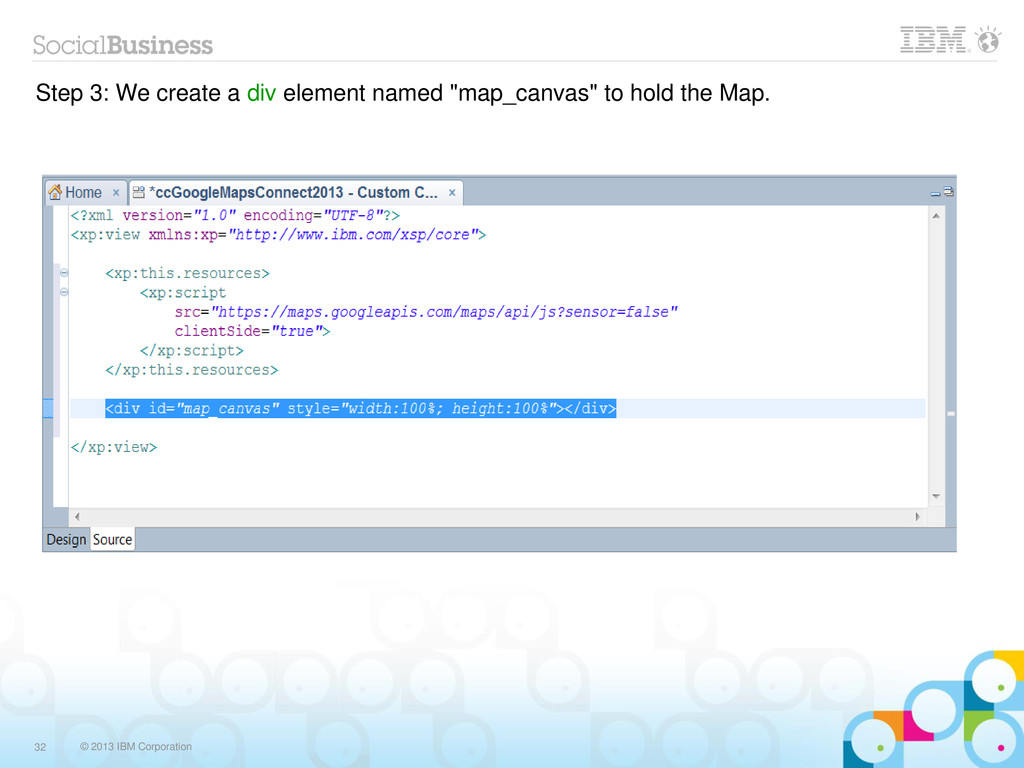
  18. © 2013 IBM Corporation 32 Step 3: We create a

    div element named "map_canvas" to hold the Map.
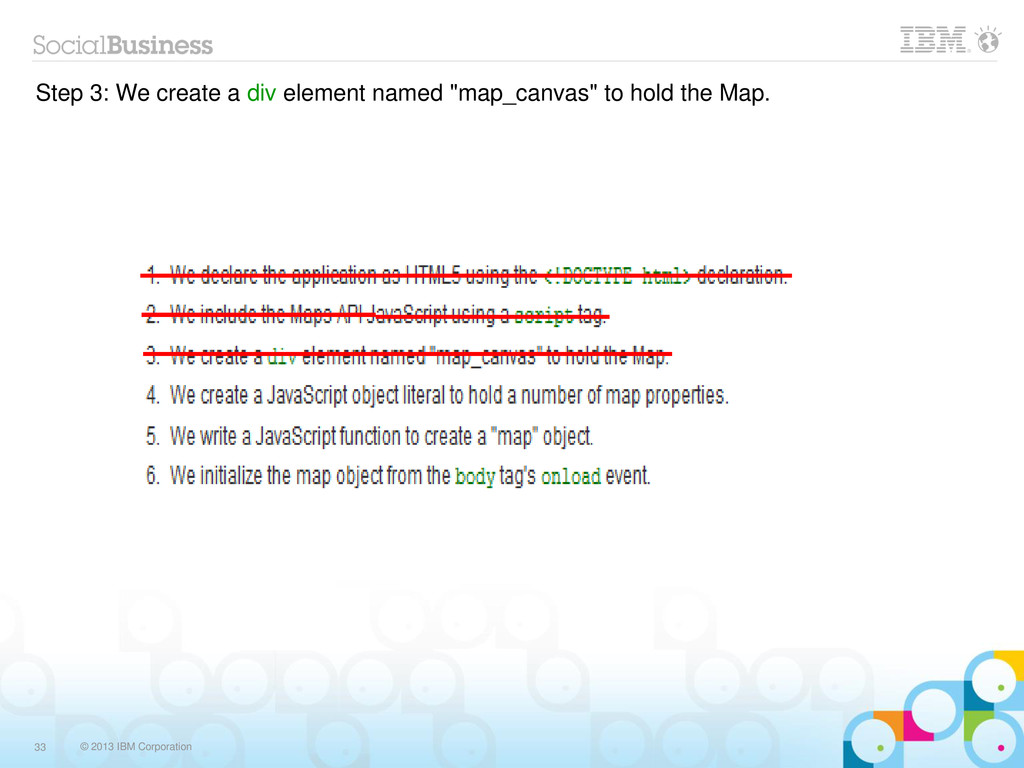
  19. © 2013 IBM Corporation 33 Step 3: We create a

    div element named "map_canvas" to hold the Map.
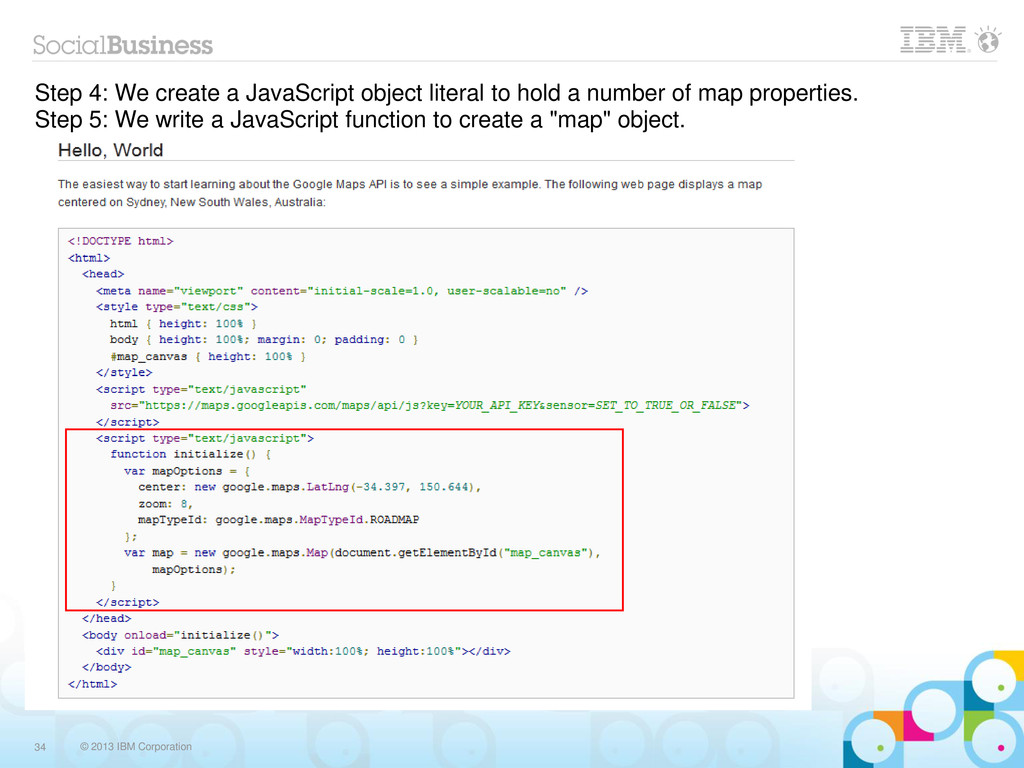
  20. © 2013 IBM Corporation 34 Step 4: We create a

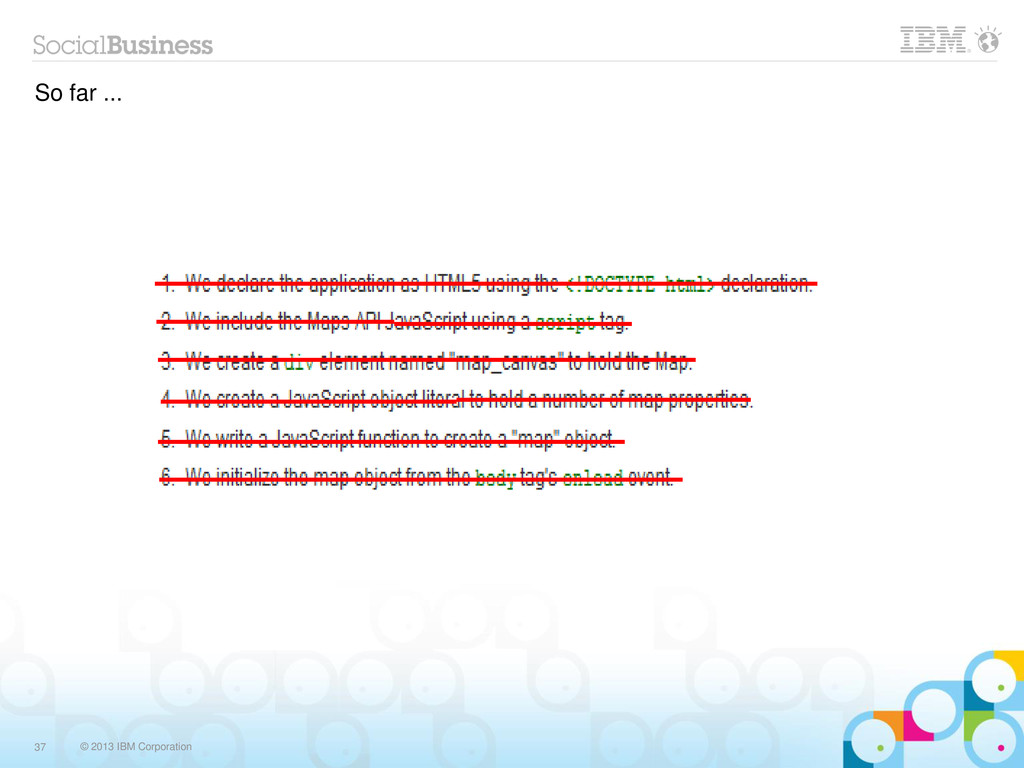
    JavaScript object literal to hold a number of map properties. Step 5: We write a JavaScript function to create a "map" object.
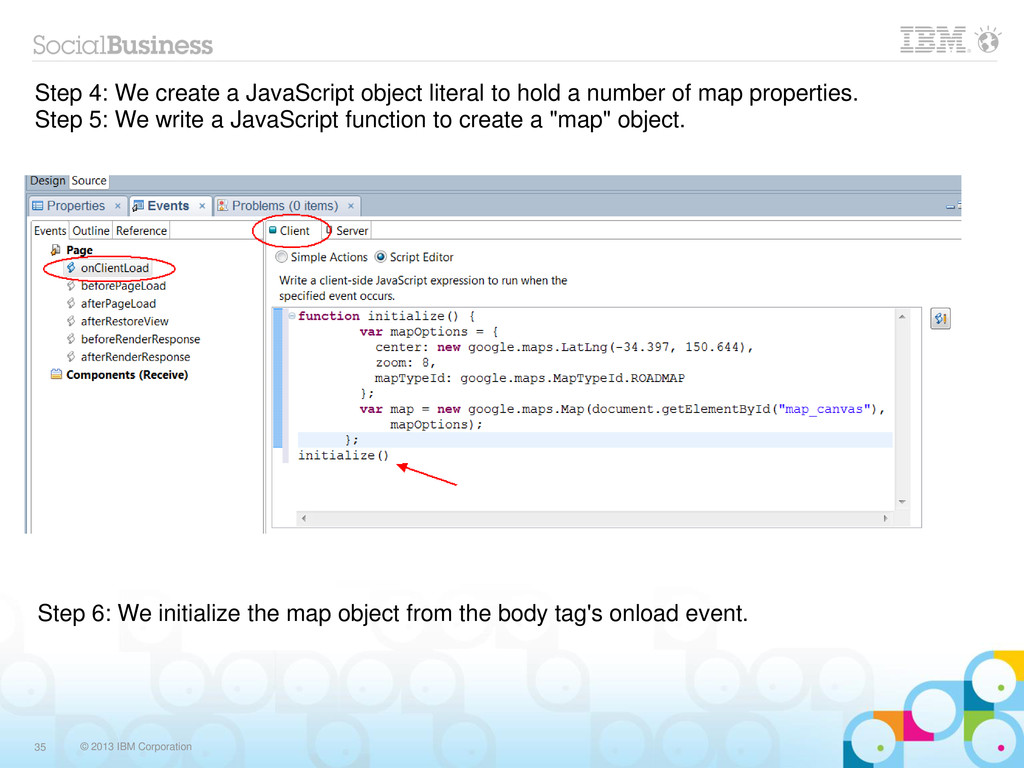
  21. © 2013 IBM Corporation 35 Step 4: We create a

    JavaScript object literal to hold a number of map properties. Step 5: We write a JavaScript function to create a "map" object. Step 6: We initialize the map object from the body tag's onload event.
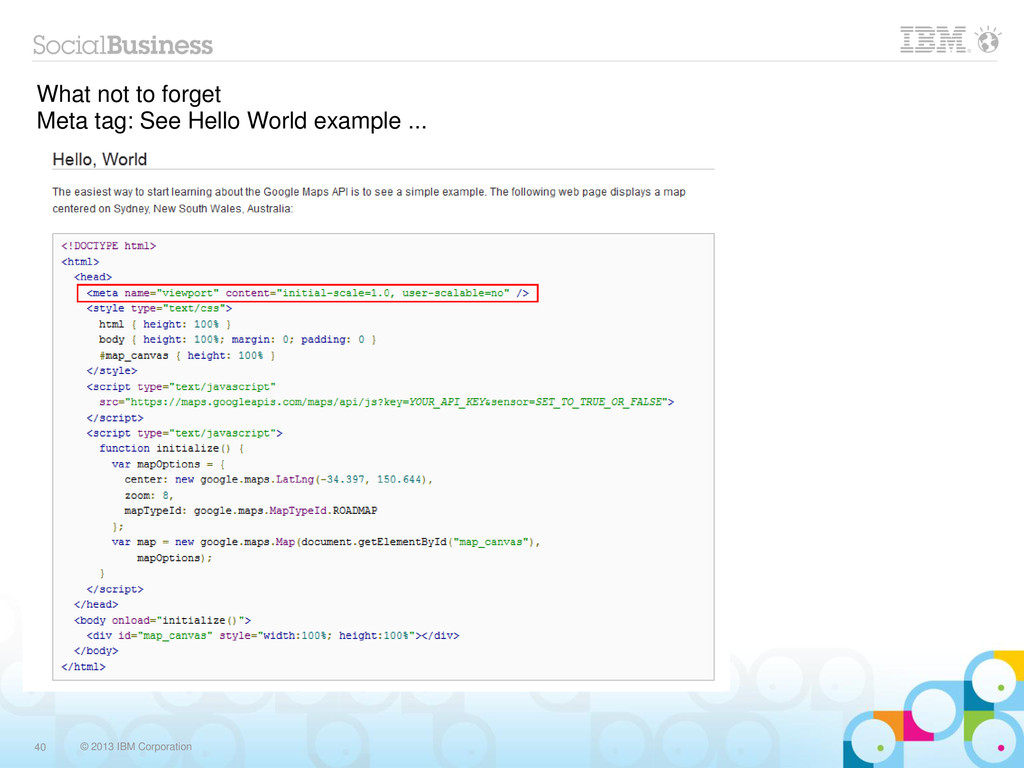
  22. © 2013 IBM Corporation 40 What not to forget Meta

    tag: See Hello World example ...
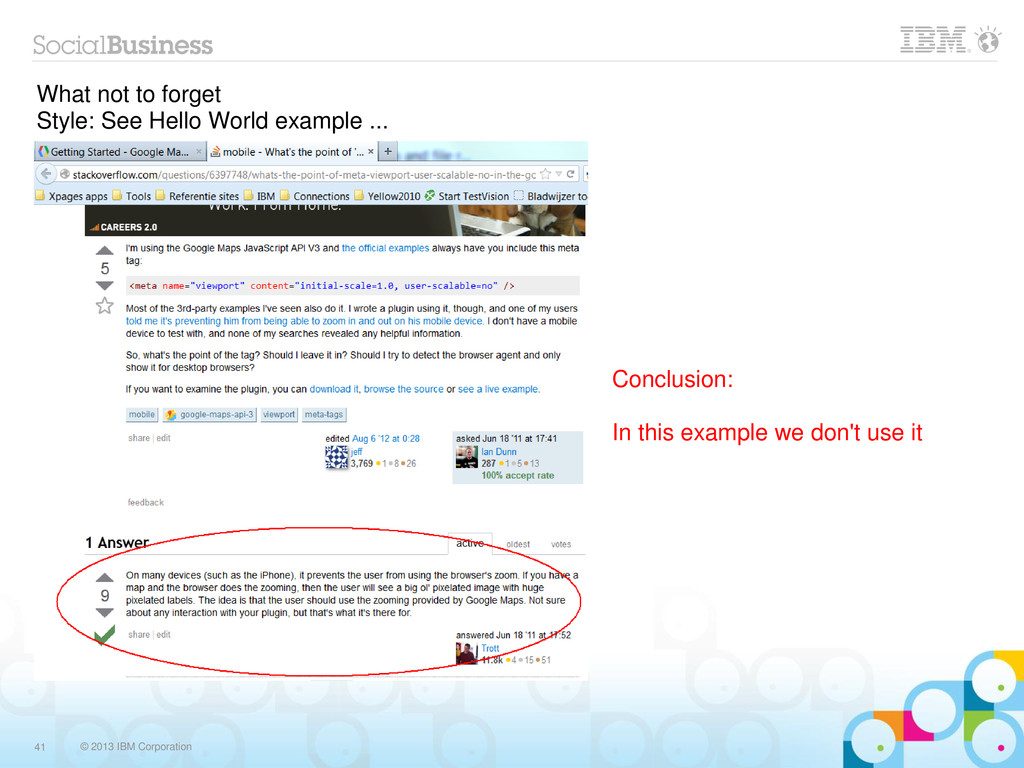
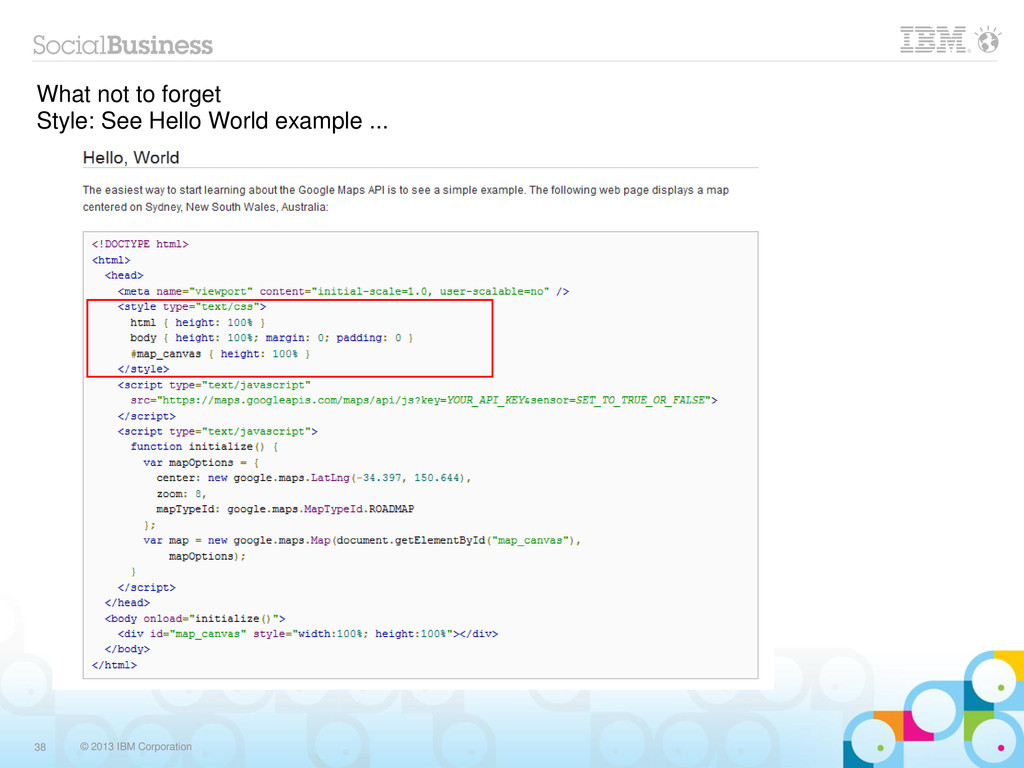
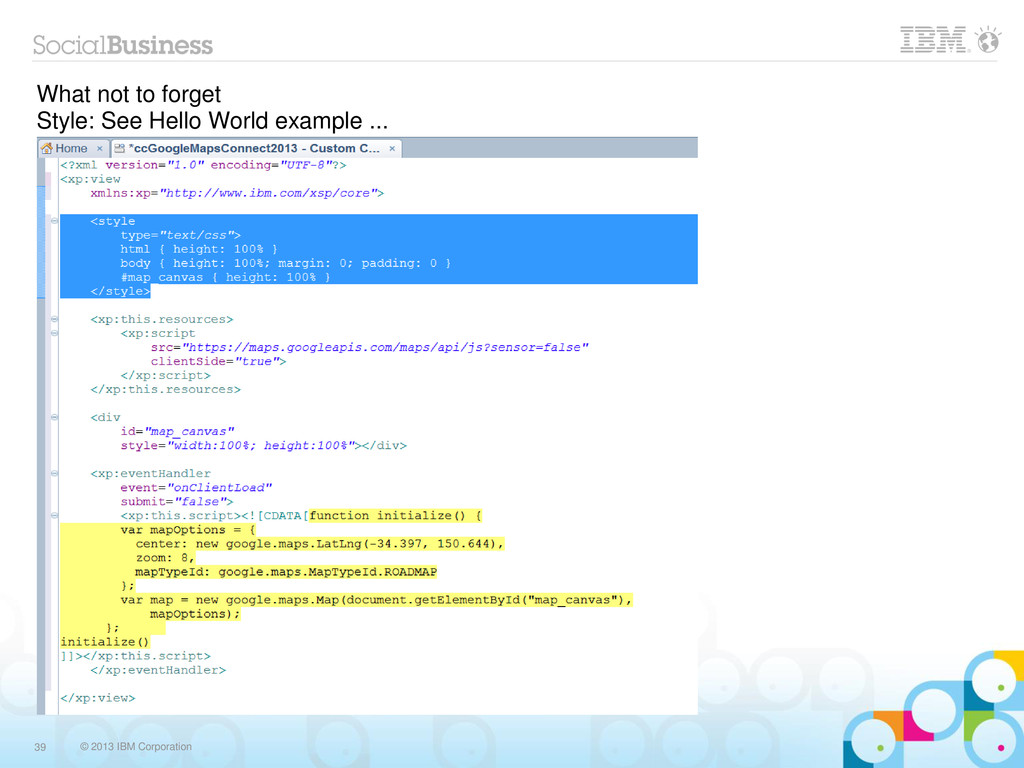
  23. © 2013 IBM Corporation 41 What not to forget Style:

    See Hello World example ... Conclusion: In this example we don't use it
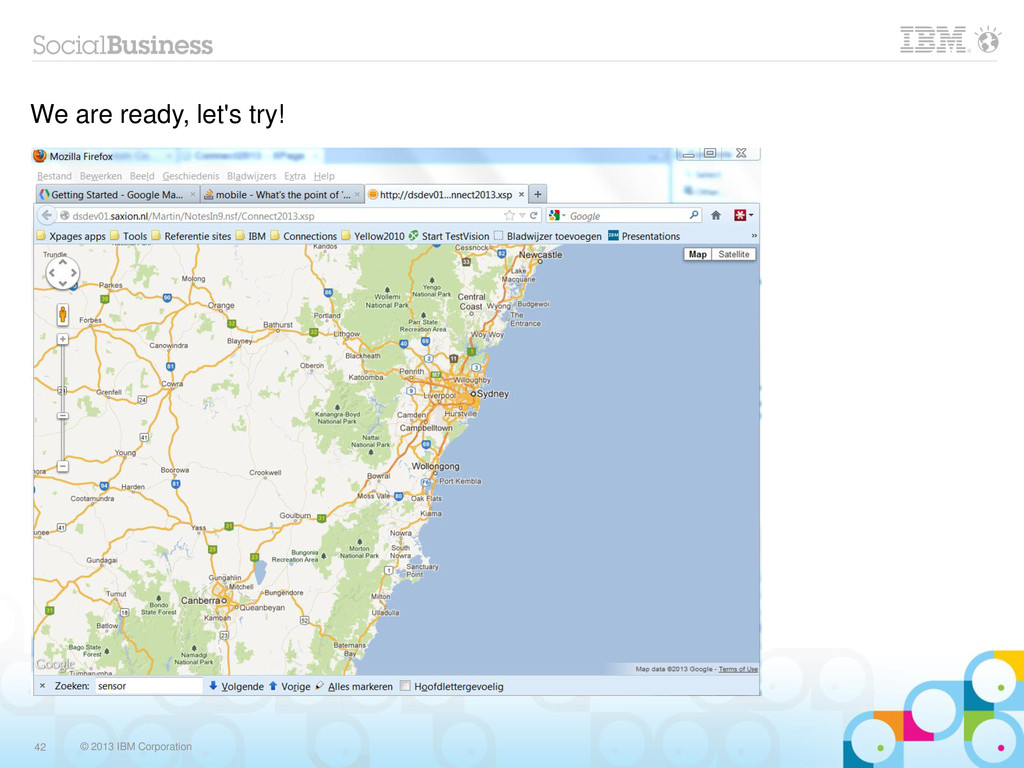
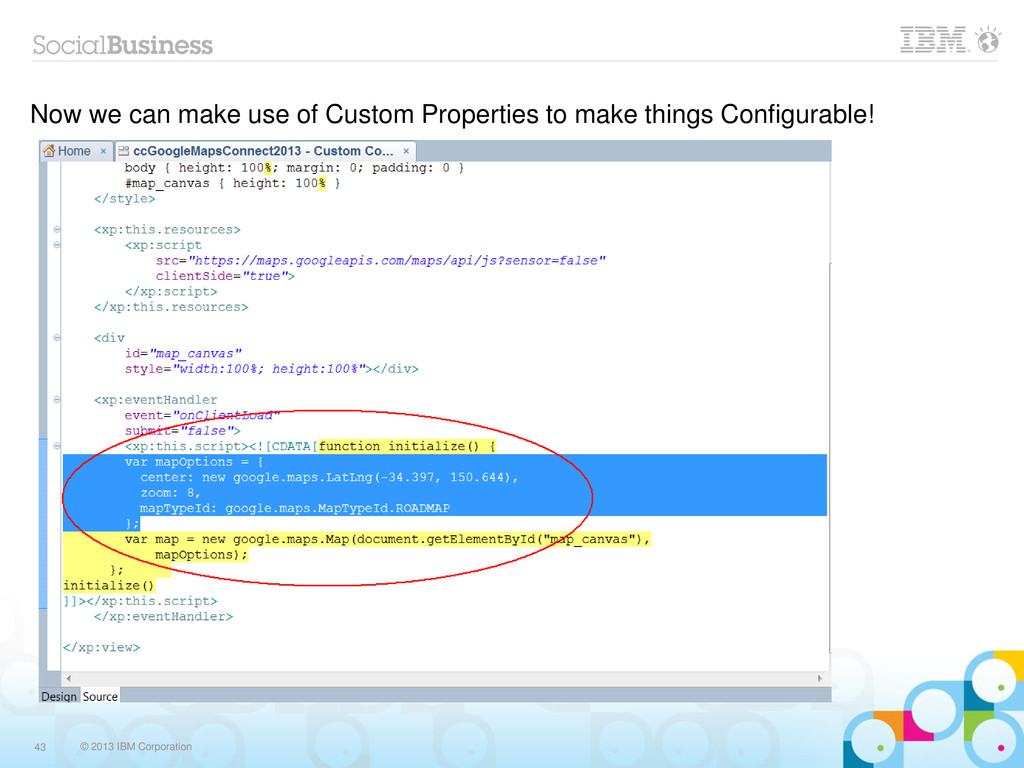
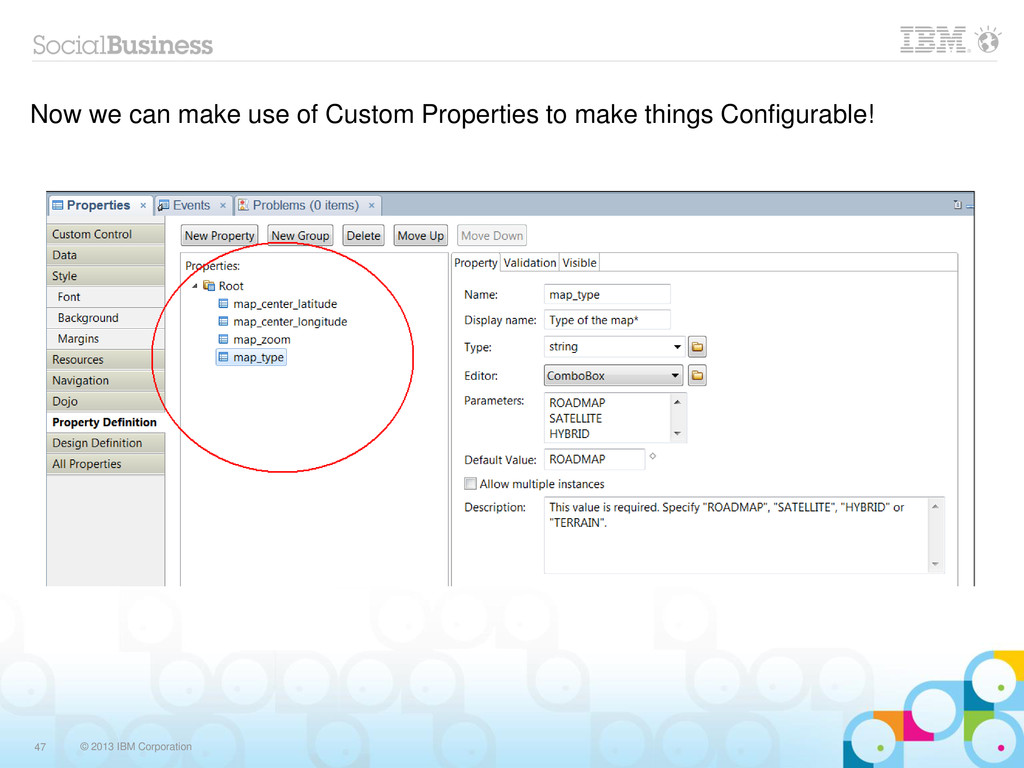
  24. © 2013 IBM Corporation 43 Now we can make use

    of Custom Properties to make things Configurable!
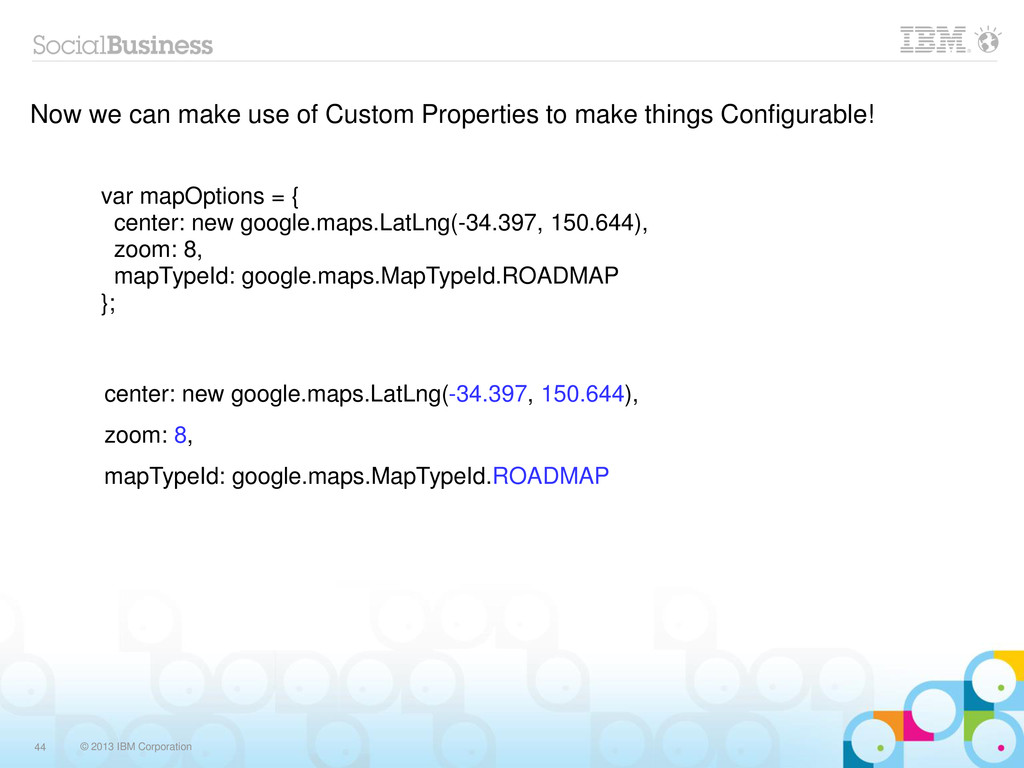
  25. © 2013 IBM Corporation 44 Now we can make use

    of Custom Properties to make things Configurable! var mapOptions = { center: new google.maps.LatLng(-34.397, 150.644), zoom: 8, mapTypeId: google.maps.MapTypeId.ROADMAP }; center: new google.maps.LatLng(-34.397, 150.644), zoom: 8, mapTypeId: google.maps.MapTypeId.ROADMAP
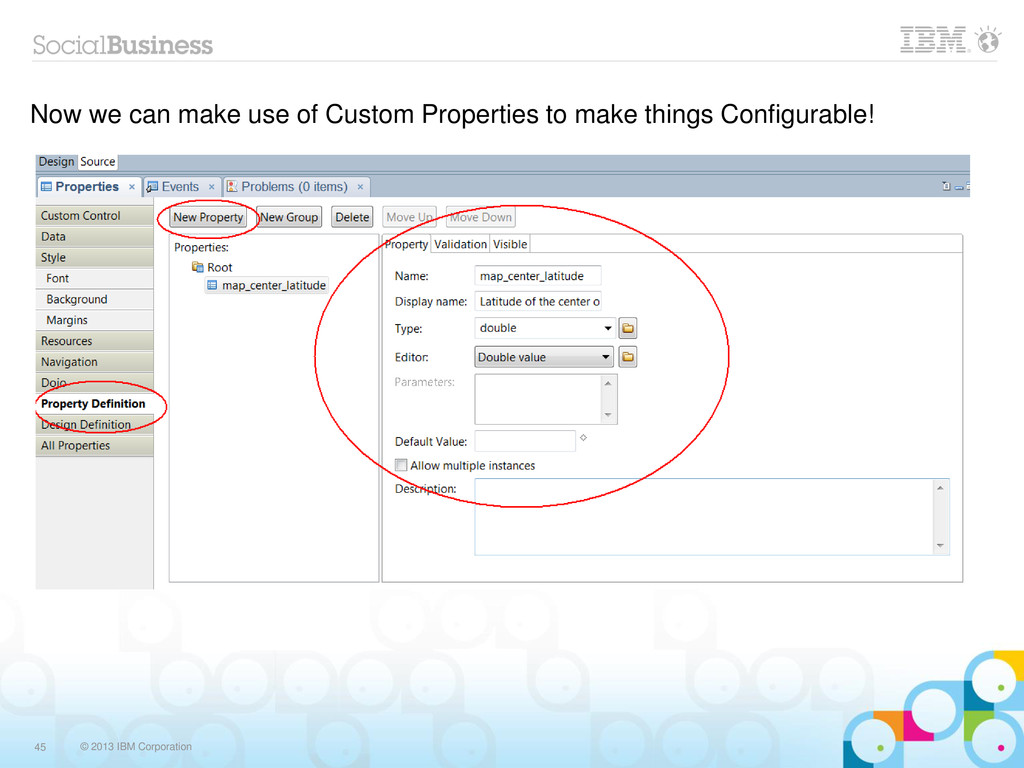
  26. © 2013 IBM Corporation 45 Now we can make use

    of Custom Properties to make things Configurable!
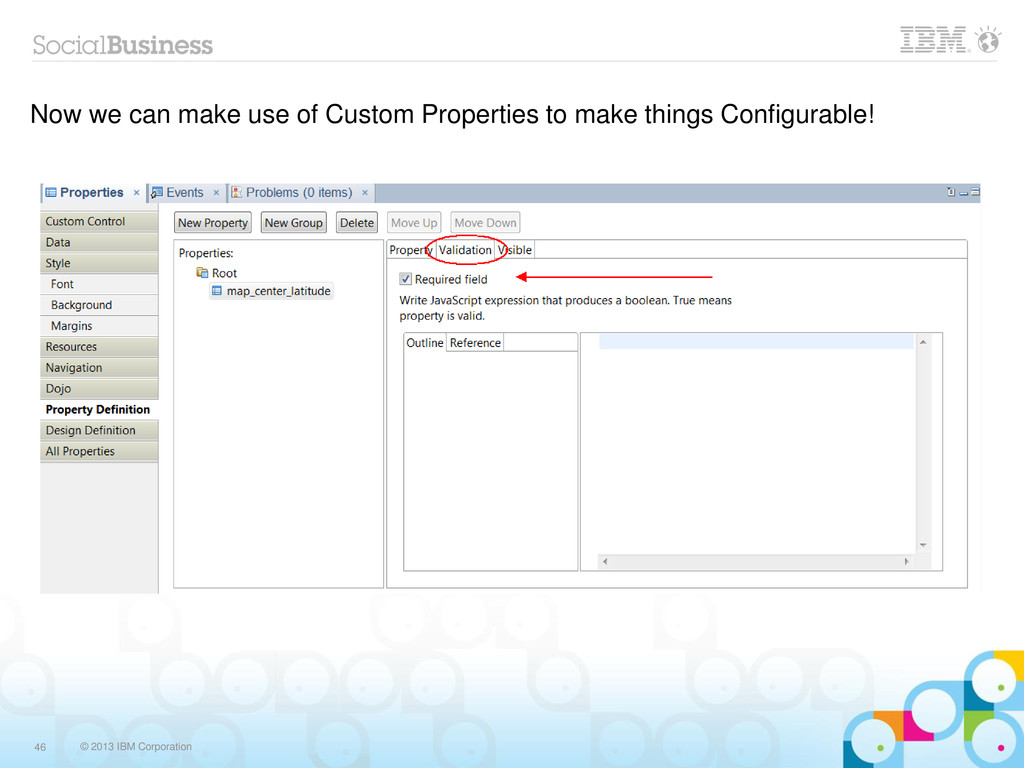
  27. © 2013 IBM Corporation 46 Now we can make use

    of Custom Properties to make things Configurable!
  28. © 2013 IBM Corporation 47 Now we can make use

    of Custom Properties to make things Configurable!
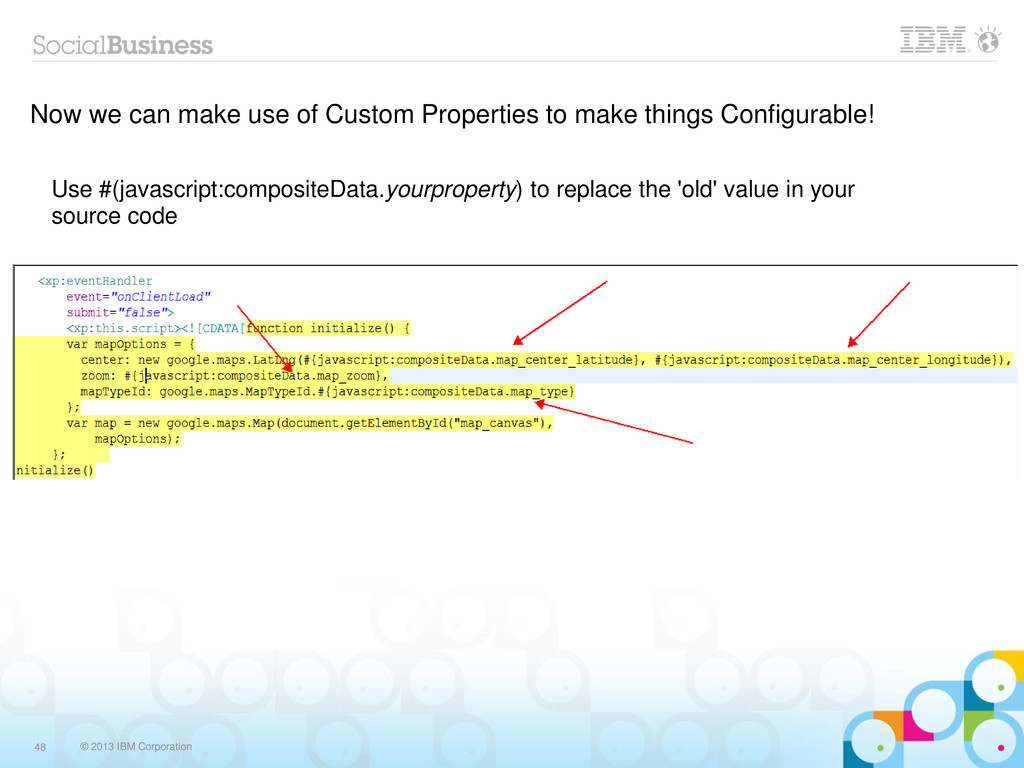
  29. © 2013 IBM Corporation 48 Now we can make use

    of Custom Properties to make things Configurable! Use #(javascript:compositeData.yourproperty) to replace the 'old' value in your source code
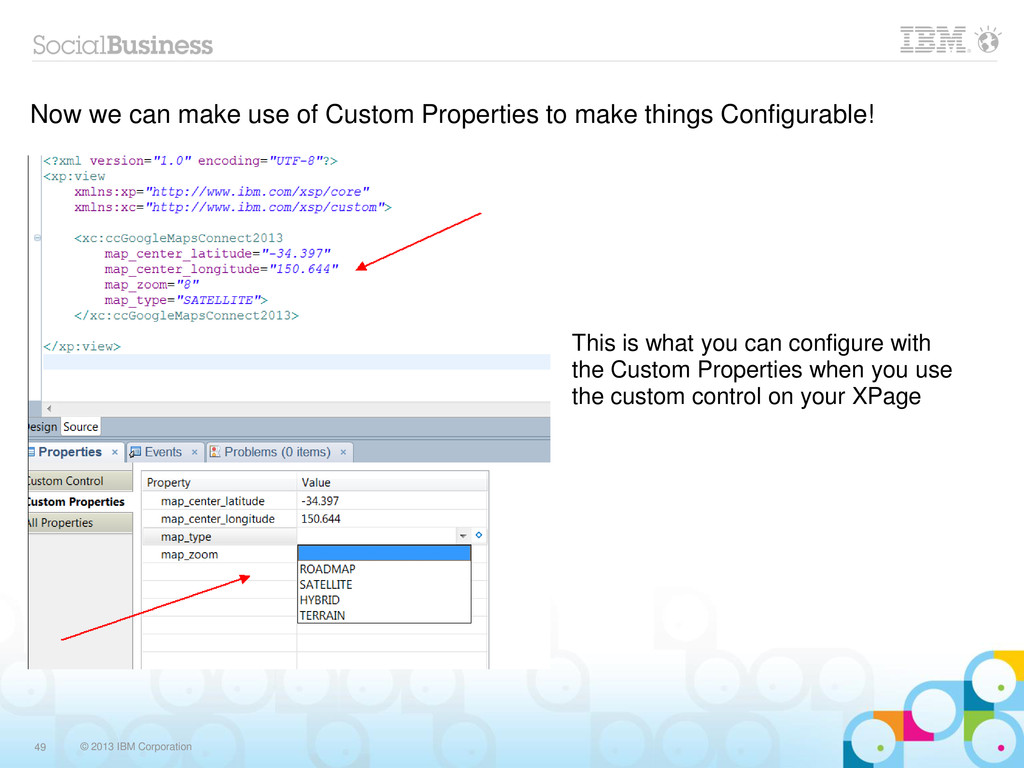
  30. © 2013 IBM Corporation 49 Now we can make use

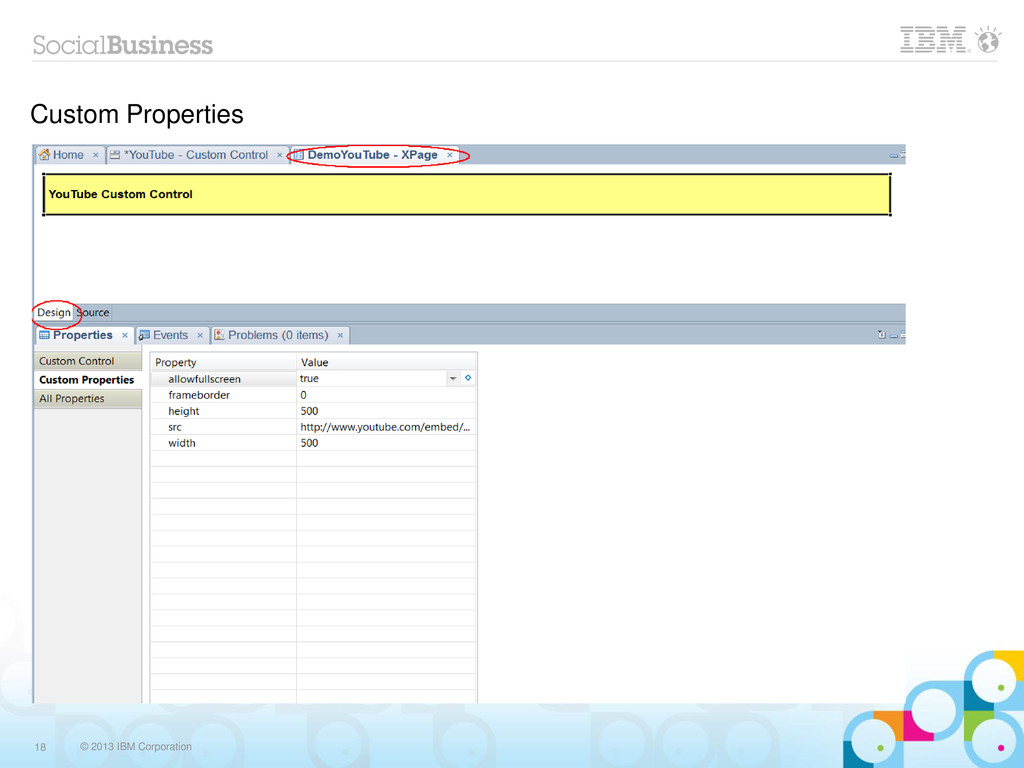
    of Custom Properties to make things Configurable! This is what you can configure with the Custom Properties when you use the custom control on your XPage
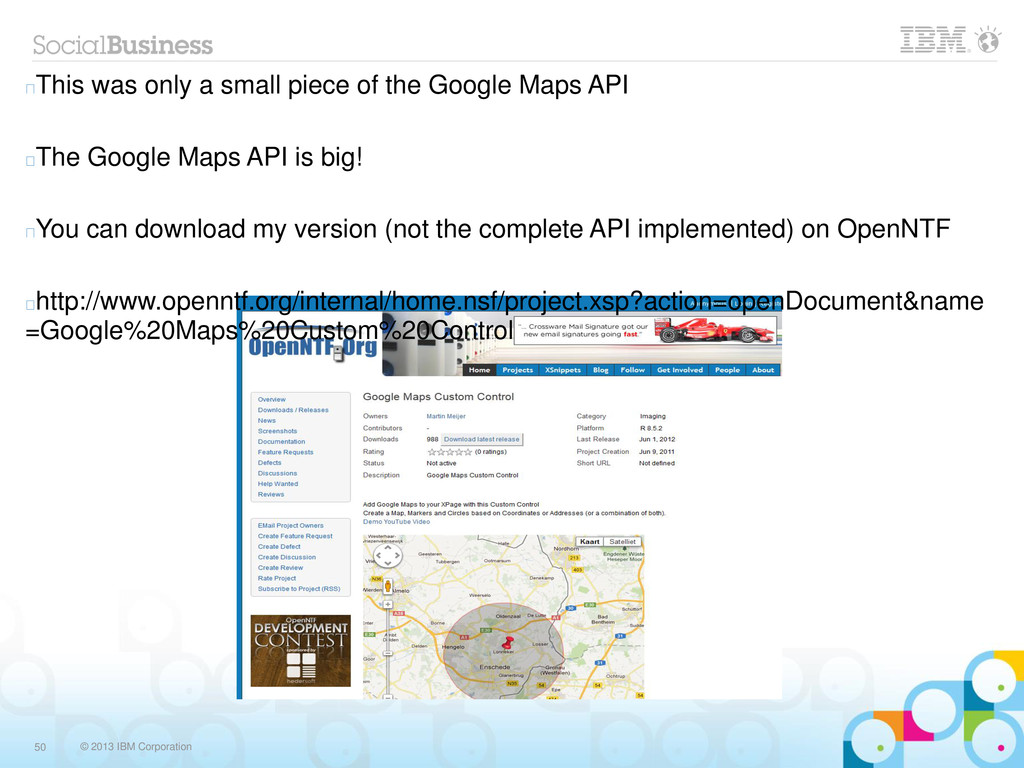
  31. © 2013 IBM Corporation 50 This was only a small

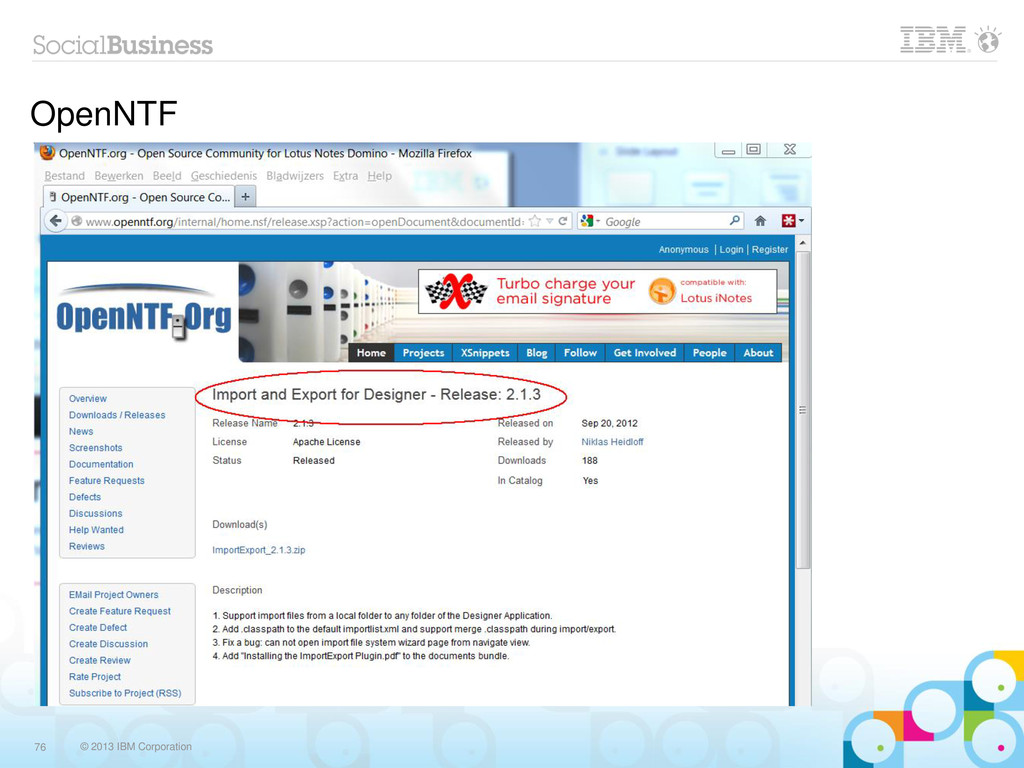
    piece of the Google Maps API The Google Maps API is big! You can download my version (not the complete API implemented) on OpenNTF http://www.openntf.org/internal/home.nsf/project.xsp?action=openDocument&name =Google%20Maps%20Custom%20Control
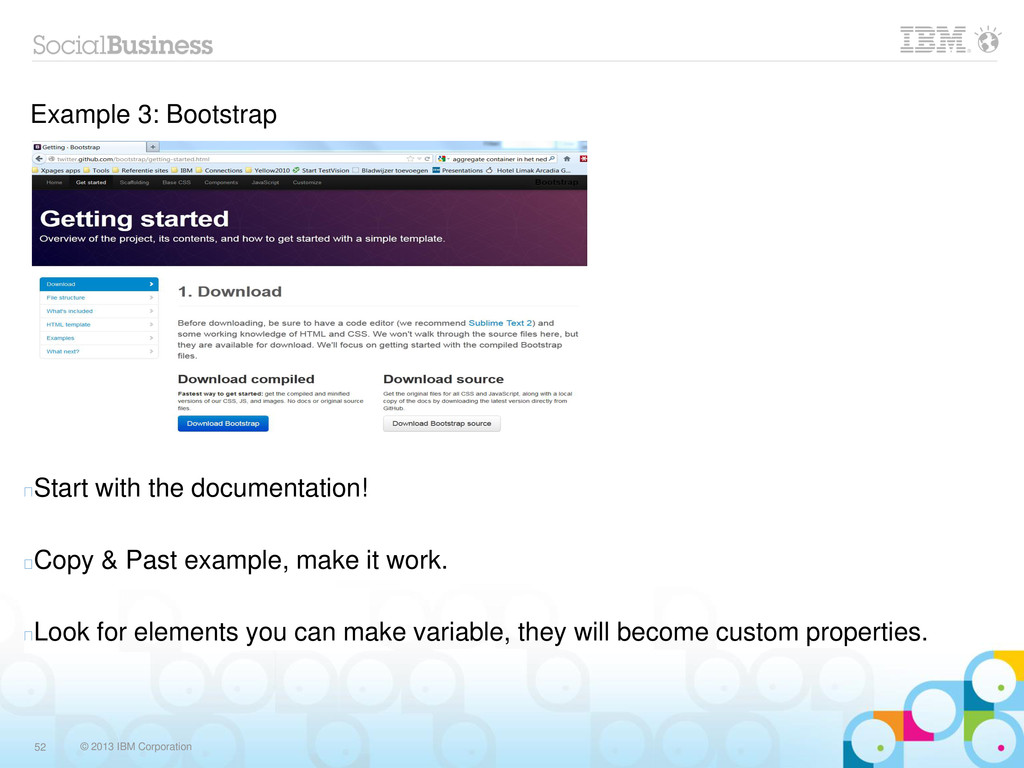
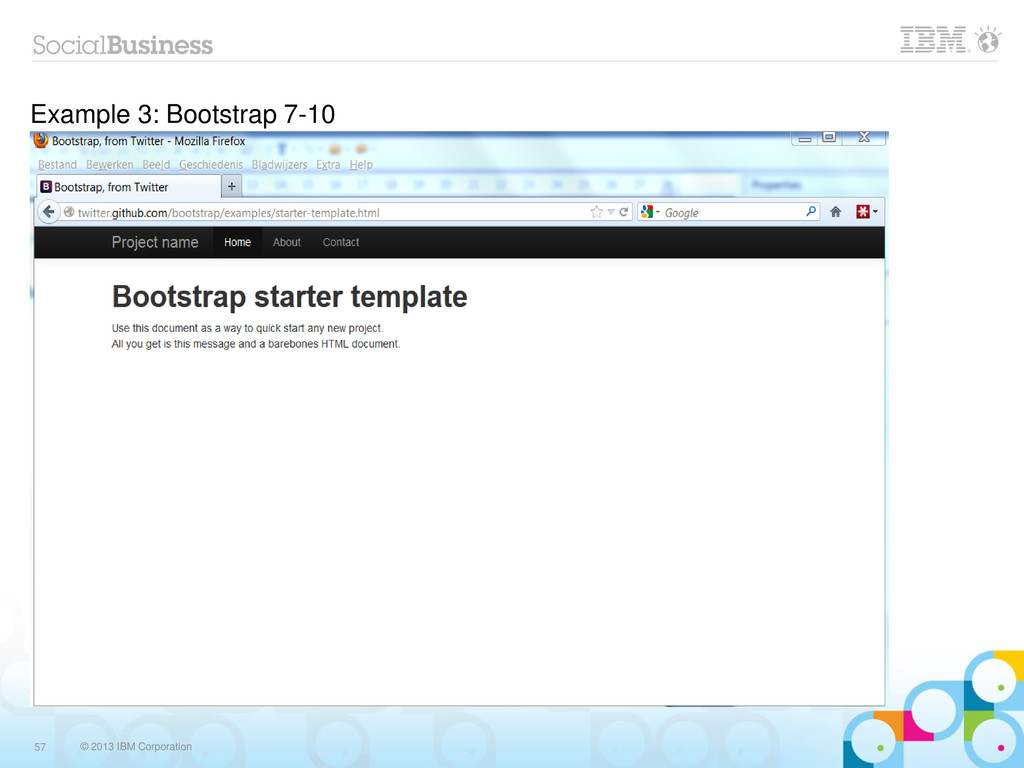
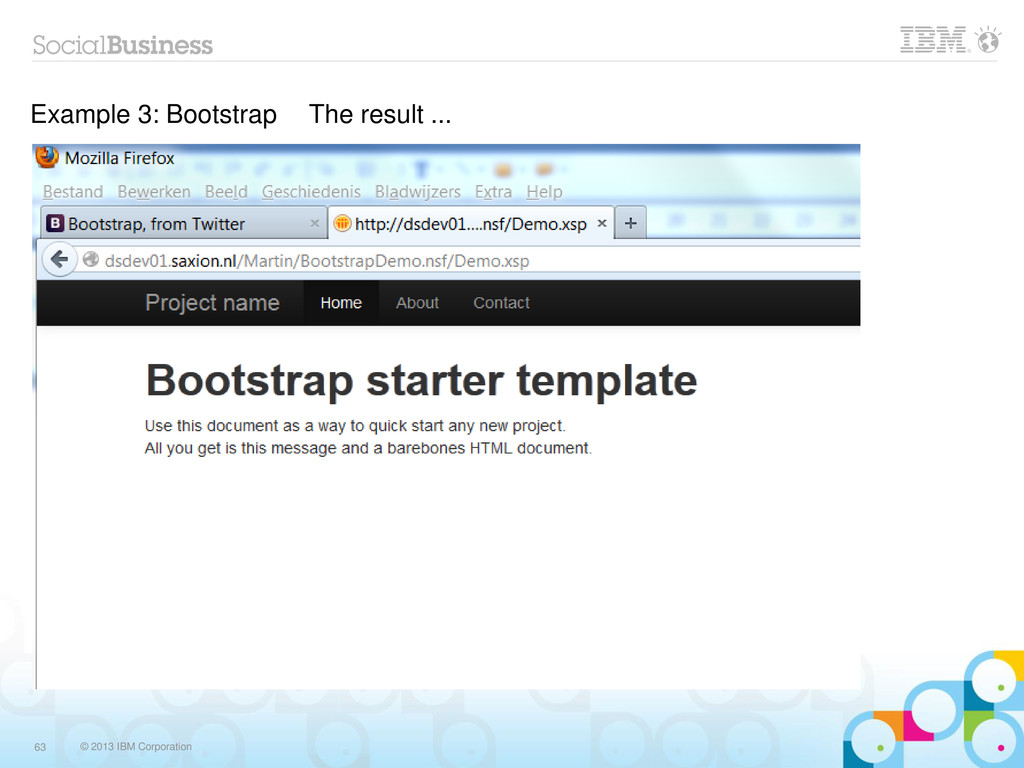
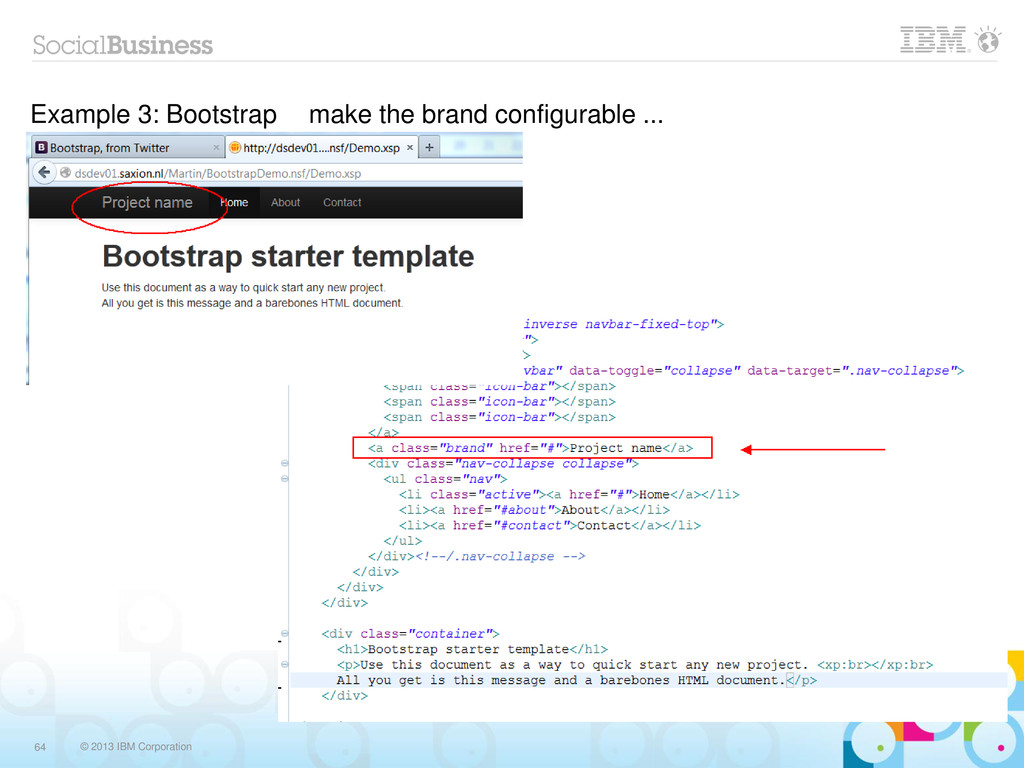
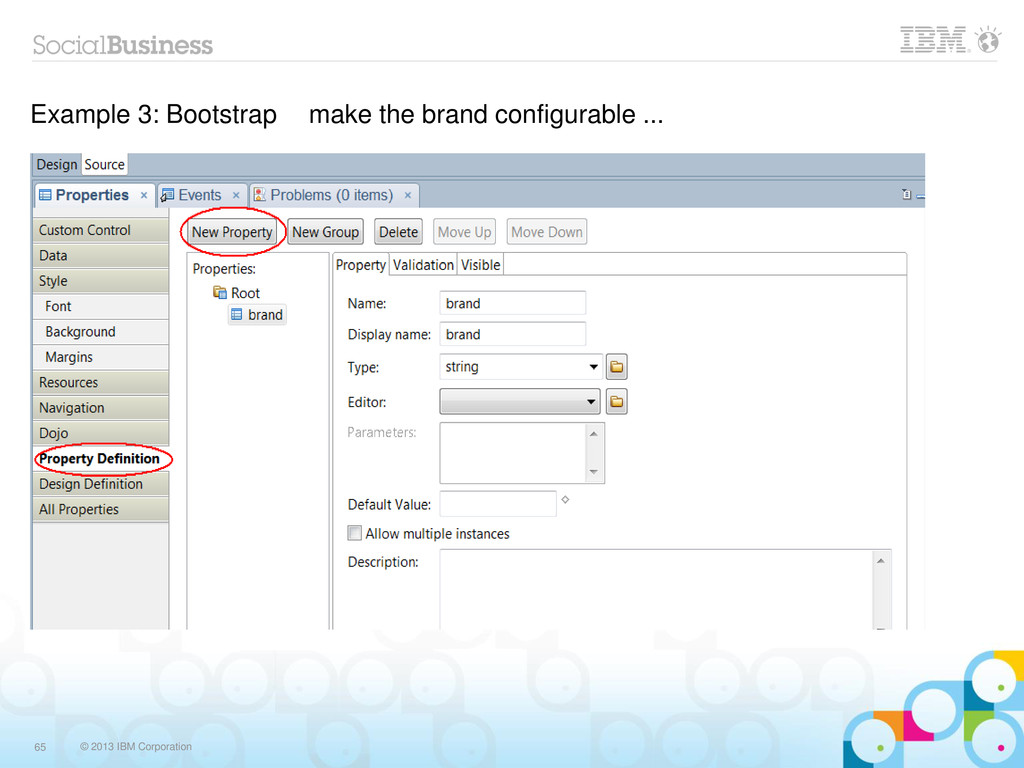
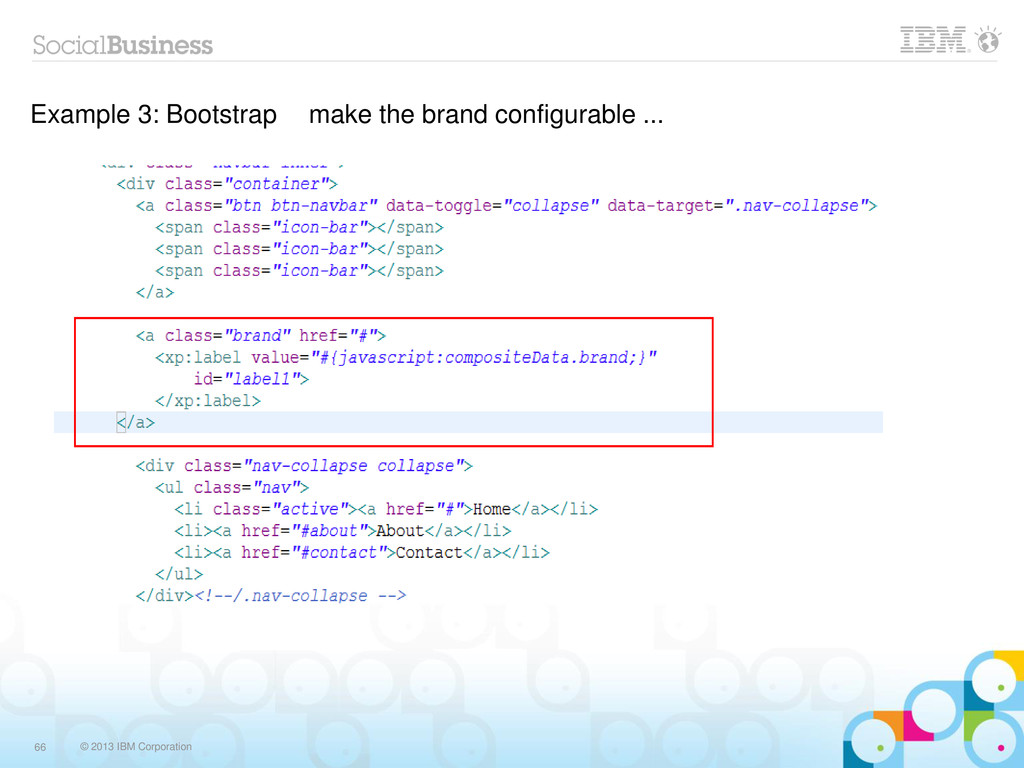
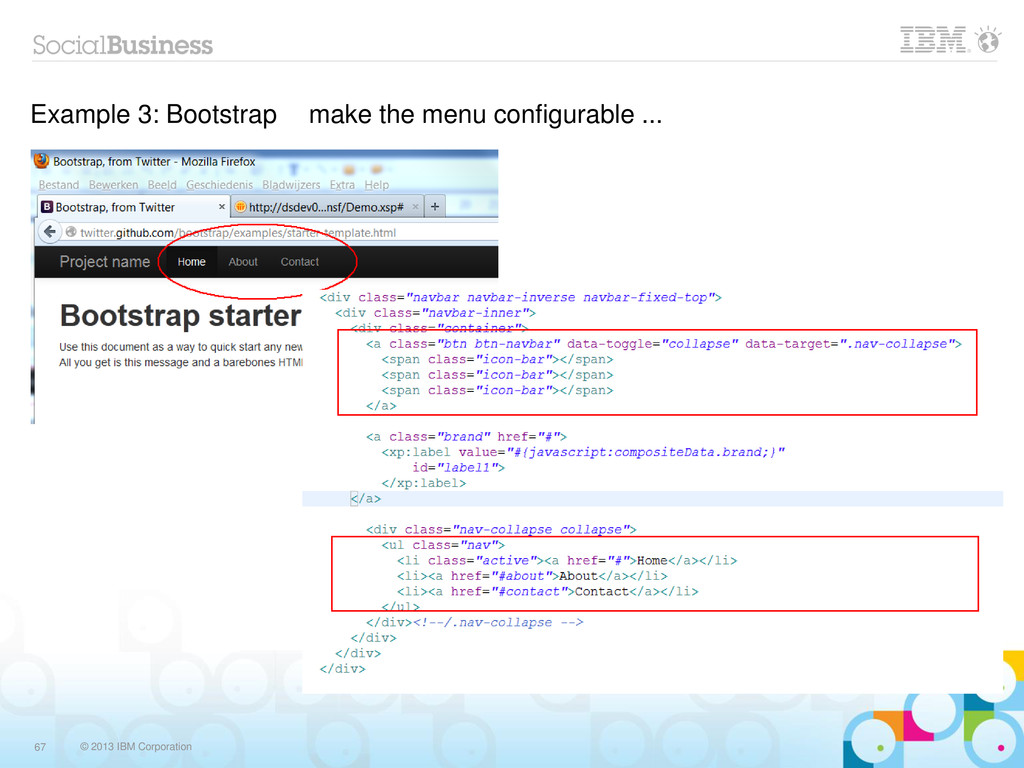
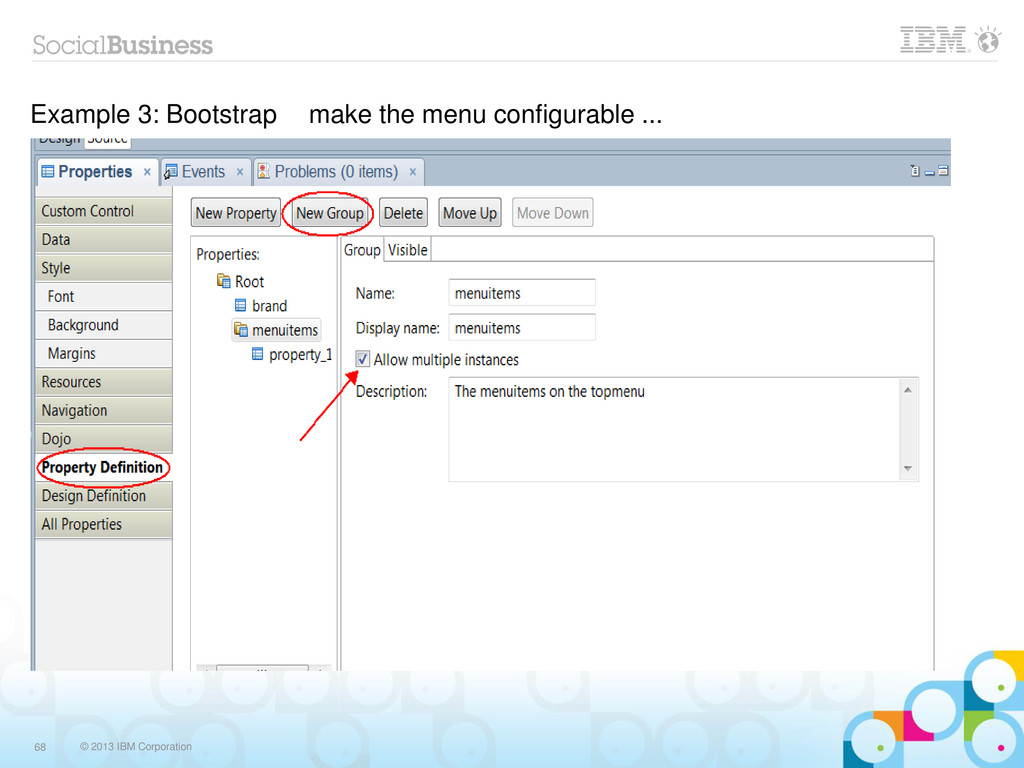
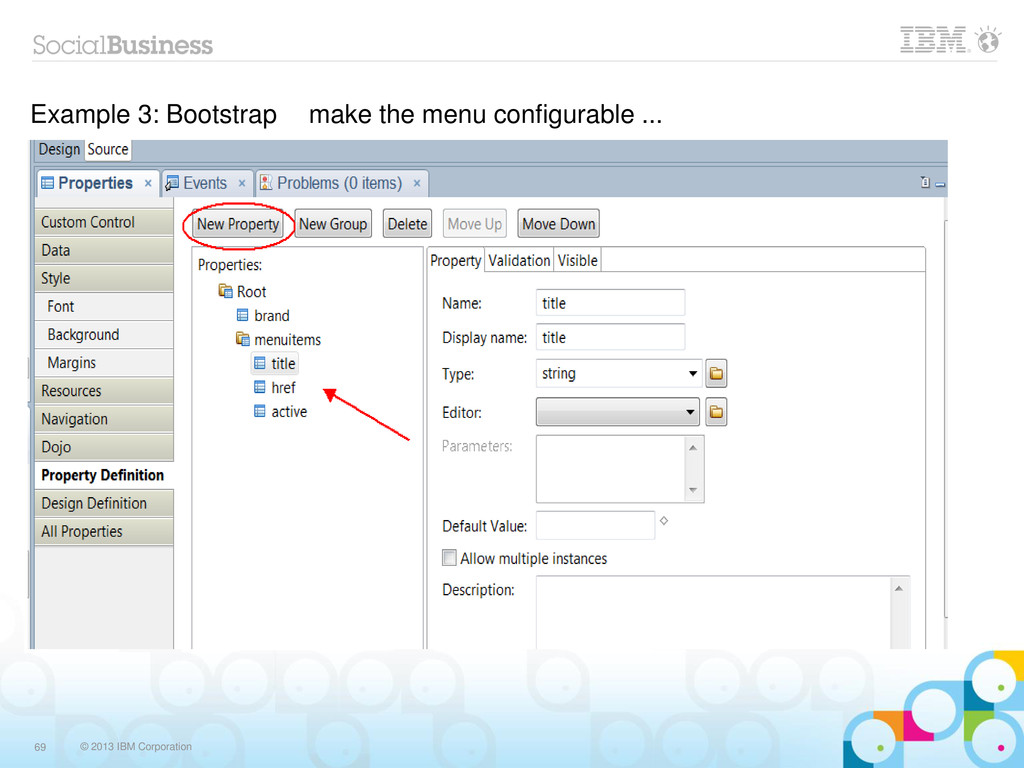
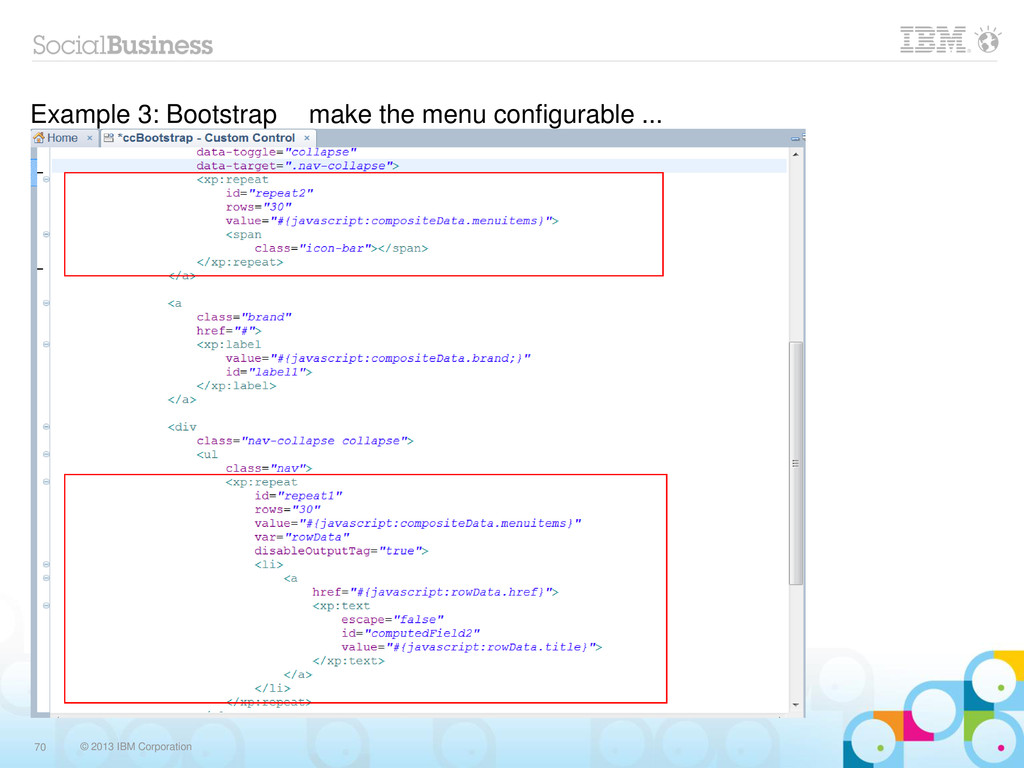
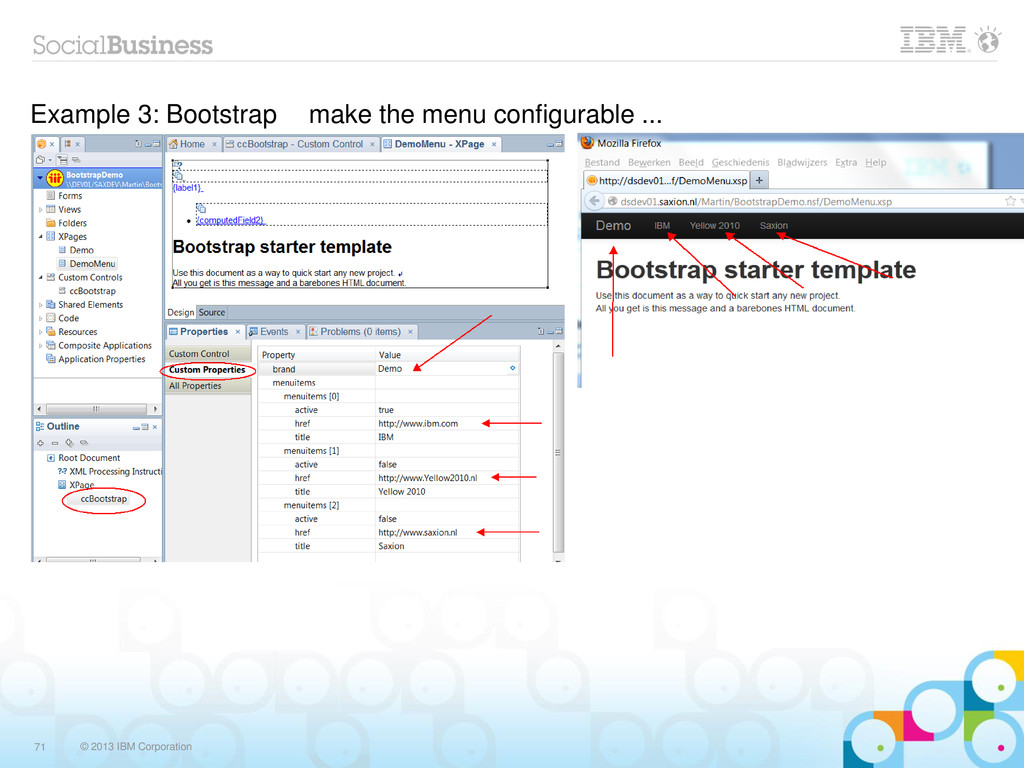
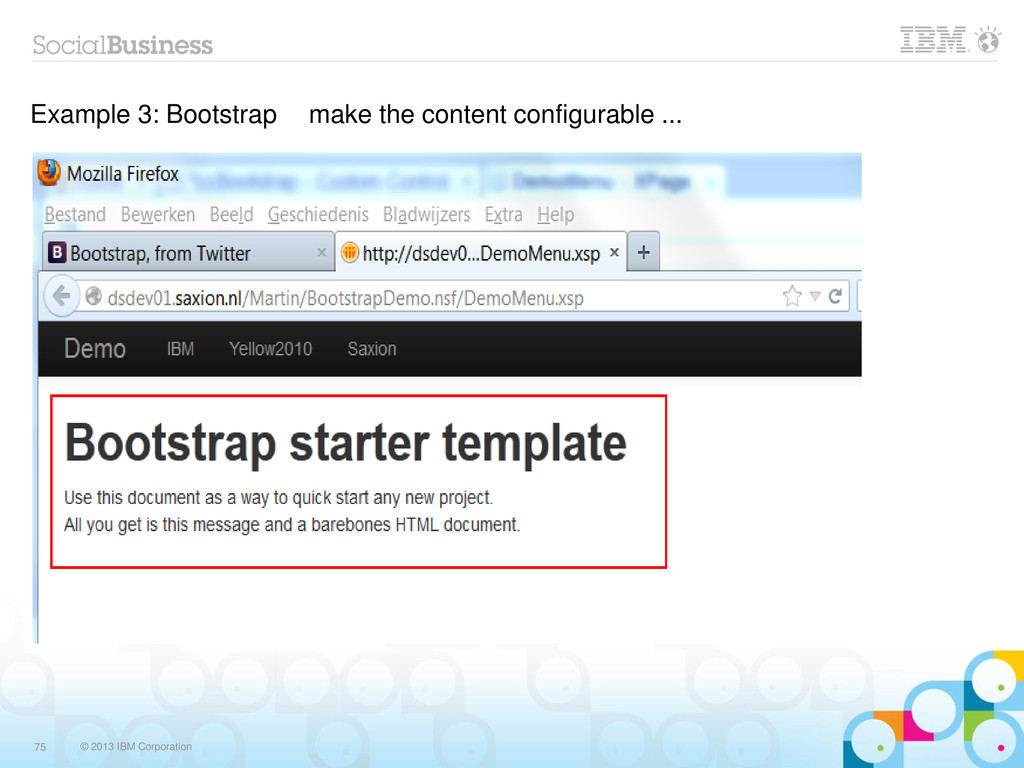
  32. © 2013 IBM Corporation 52 Example 3: Bootstrap Start with

    the documentation! Copy & Past example, make it work. Look for elements you can make variable, they will become custom properties.
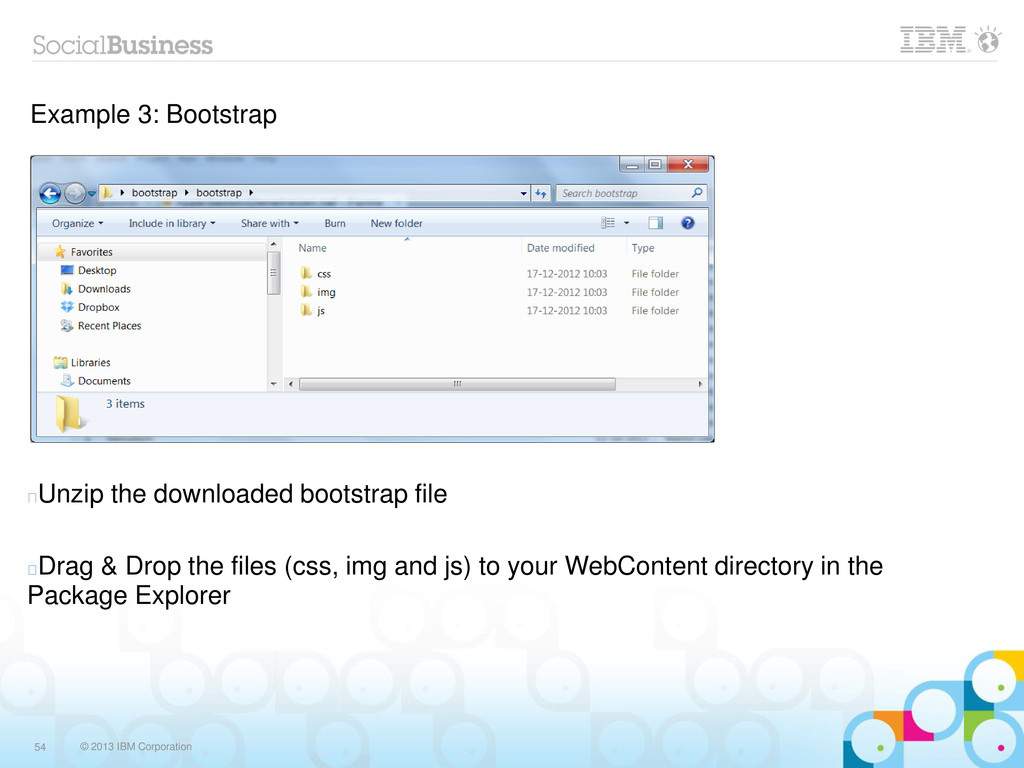
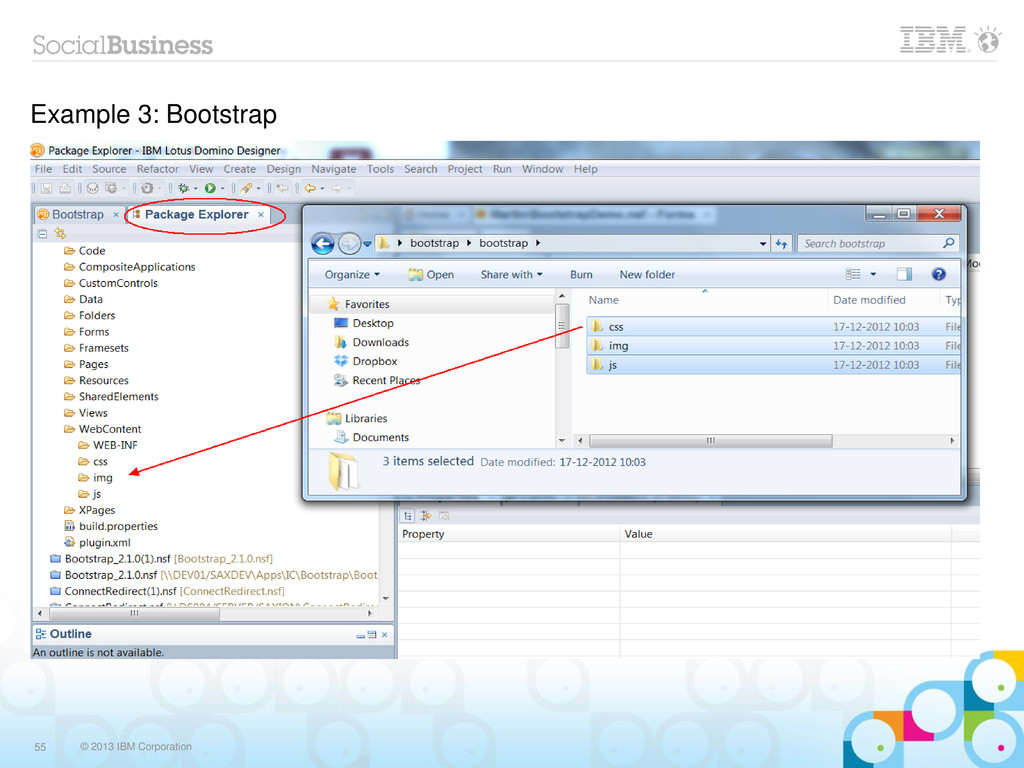
  33. © 2013 IBM Corporation 54 Example 3: Bootstrap Unzip the

    downloaded bootstrap file Drag & Drop the files (css, img and js) to your WebContent directory in the Package Explorer
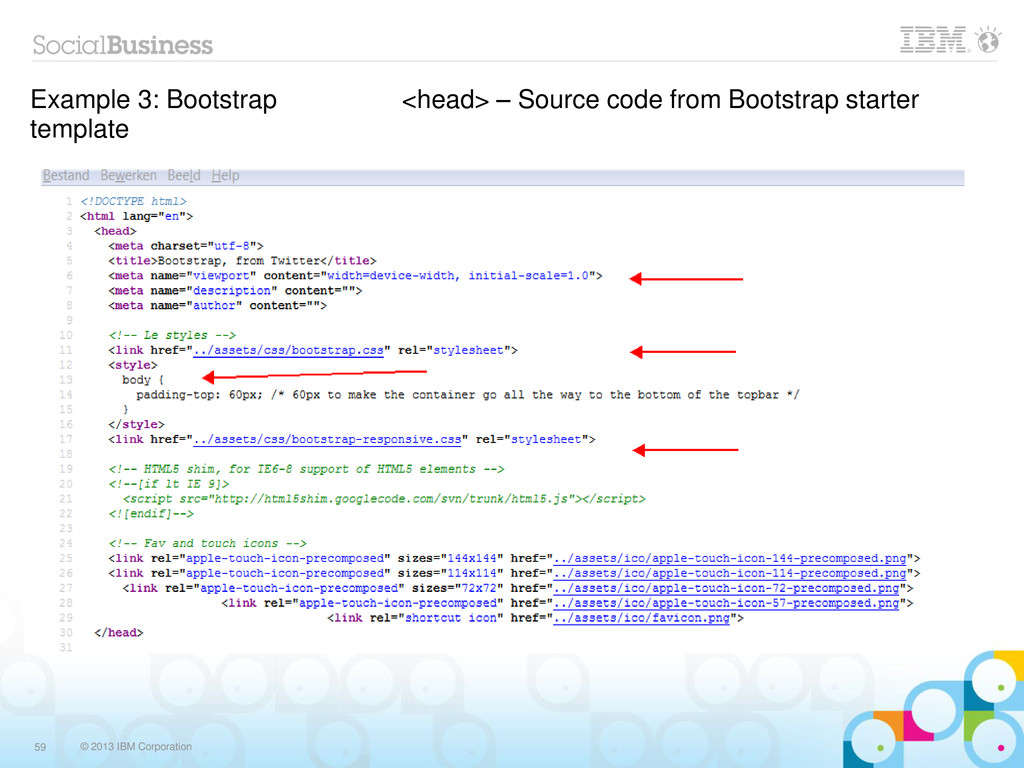
  34. © 2013 IBM Corporation 59 Example 3: Bootstrap <head> –

    Source code from Bootstrap starter template
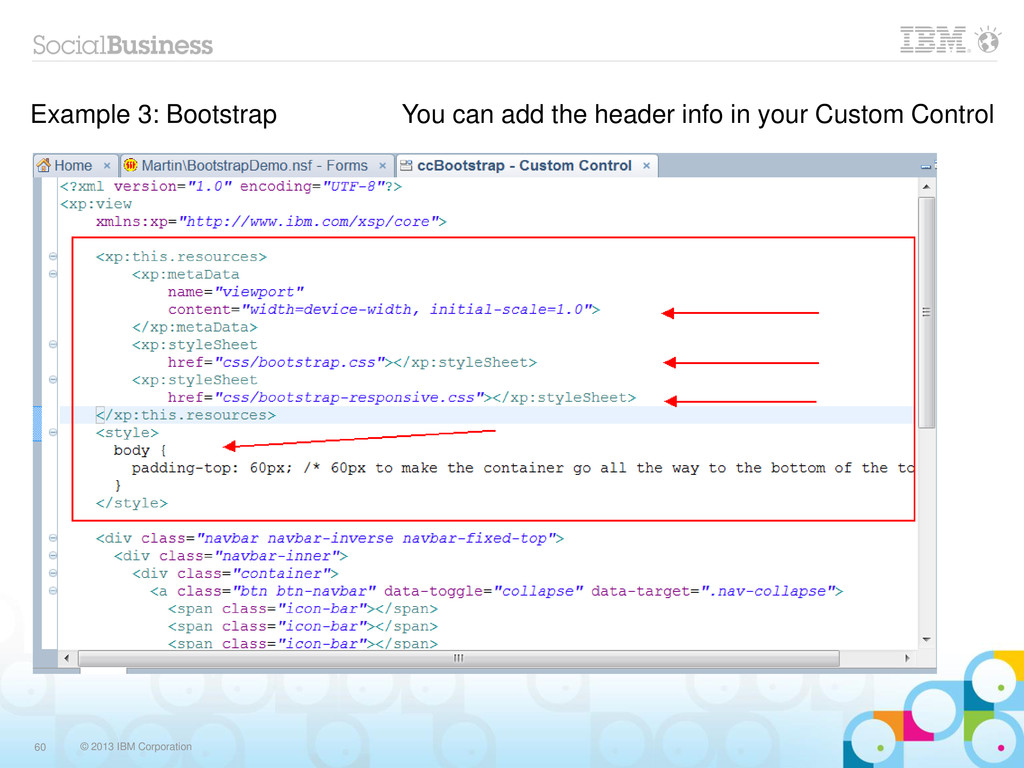
  35. © 2013 IBM Corporation 60 Example 3: Bootstrap You can

    add the header info in your Custom Control
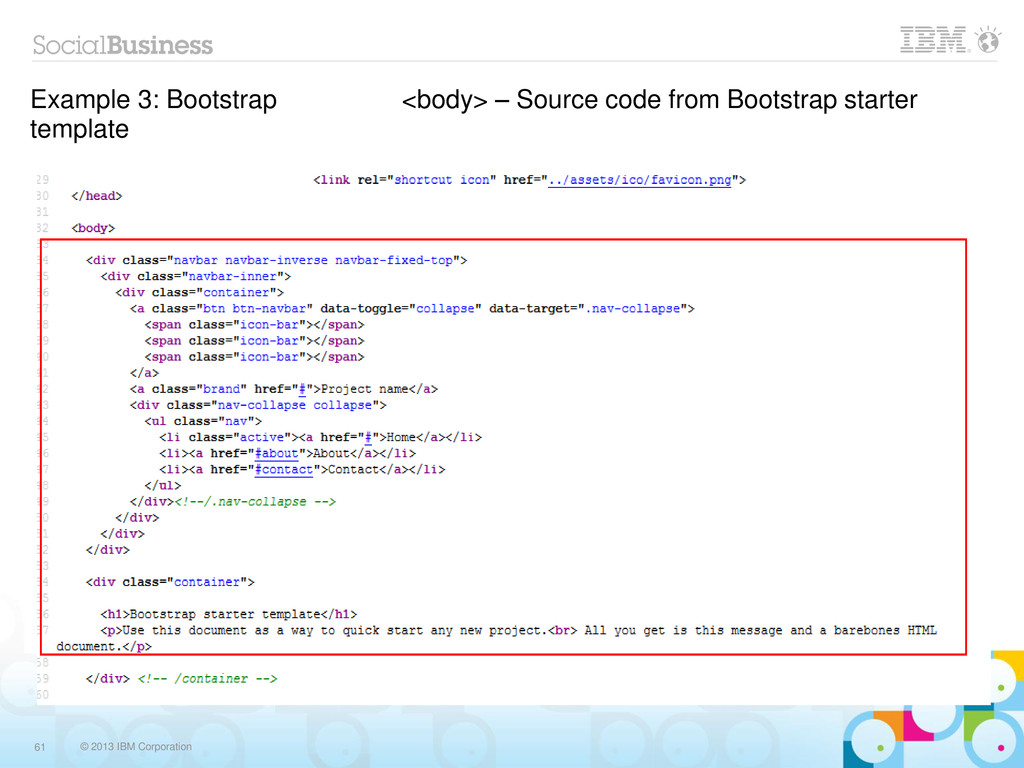
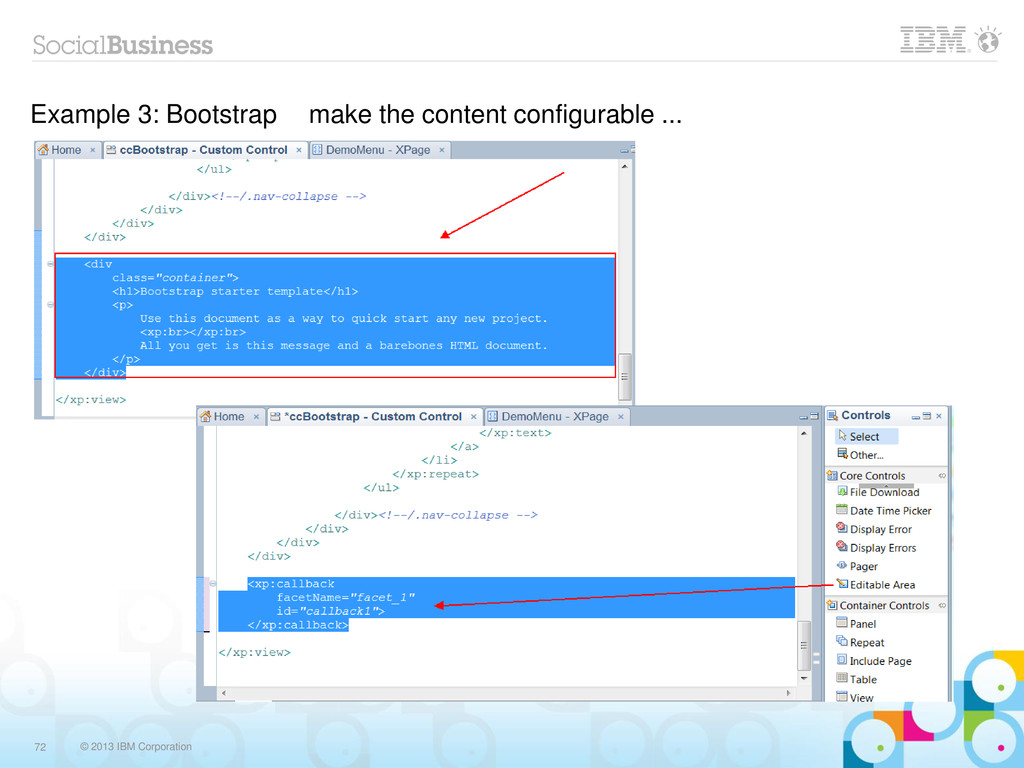
  36. © 2013 IBM Corporation 61 Example 3: Bootstrap <body> –

    Source code from Bootstrap starter template
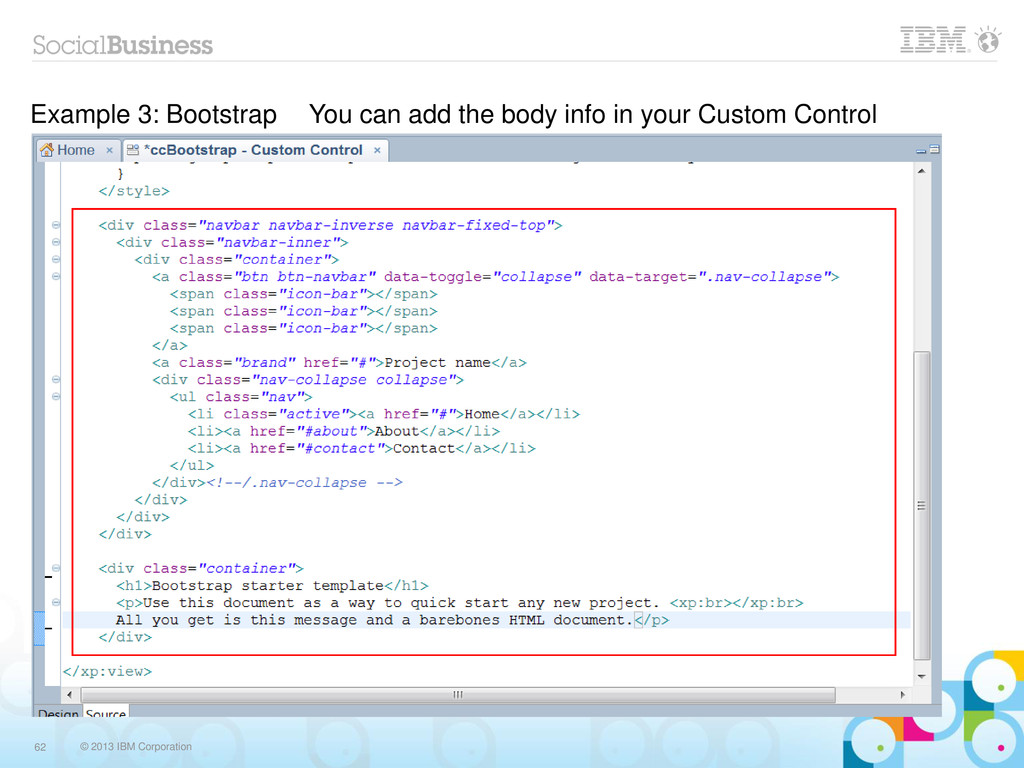
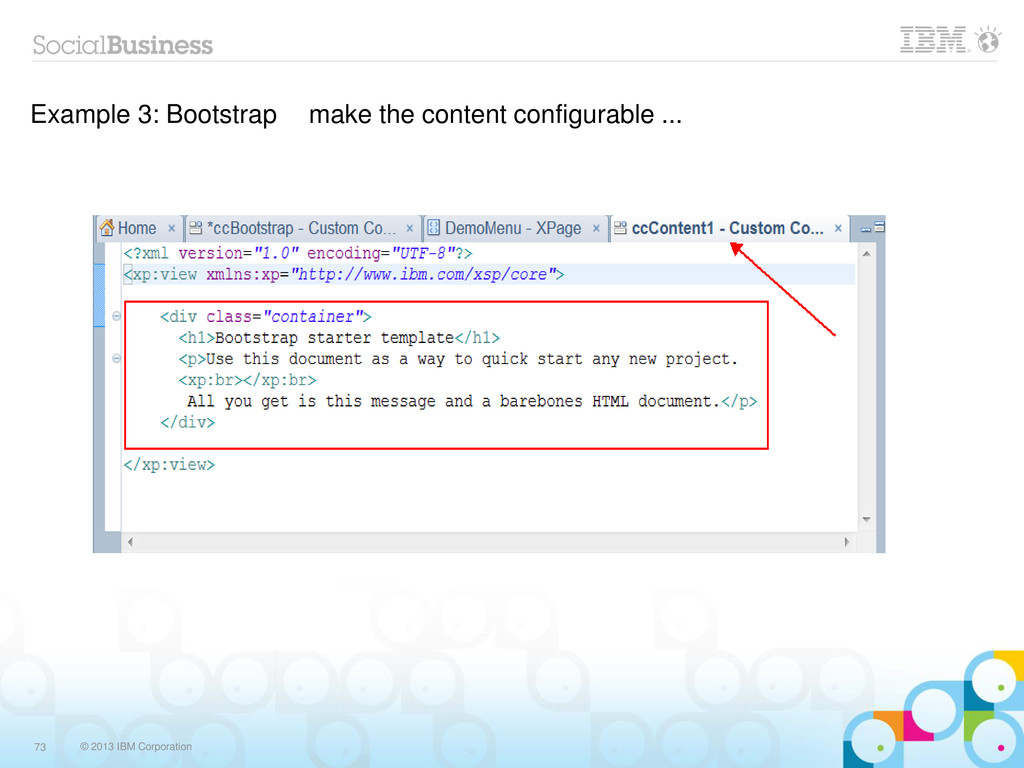
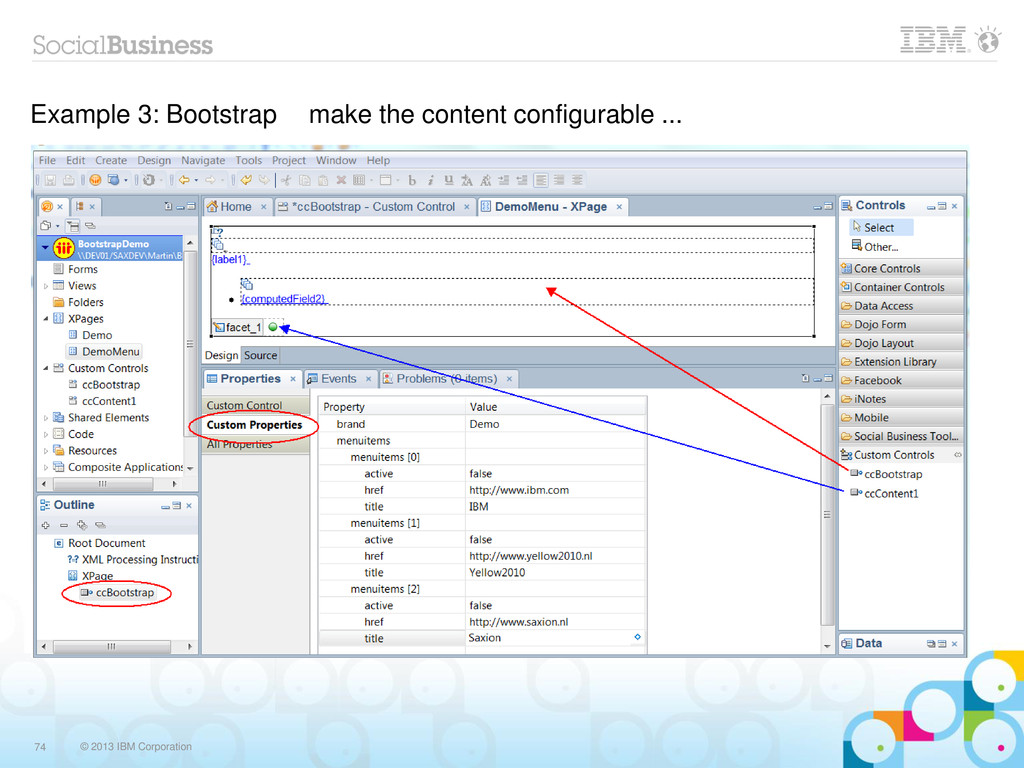
  37. © 2013 IBM Corporation 62 Example 3: Bootstrap You can

    add the body info in your Custom Control