Upgrade to Pro
— share decks privately, control downloads, hide ads and more …
Speaker Deck
Sign up for free
Menu
Search
Features
All features
Private URLs
Password Protection
Custom URLS
Scheduled publishing
Remove Branding
Restrict embedding
Deck Collections
Notes
Features
All features
Private URLs
Password Protection
Custom URLS
Scheduled publishing
Remove Branding
Restrict embedding
Deck Collections
Notes
Explore
Featured decks
Featured speakers
Programming
Technology
Storyboards
Explore
Featured decks
Featured speakers
Programming
Technology
Storyboards
Pricing
Search
Sign in
Sign up for free
overpassの方法 渡辺芽衣
Search
Sponsored
·
Your Podcast. Everywhere. Effortlessly.
Share. Educate. Inspire. Entertain. You do you. We'll handle the rest.
→
Mei Watanabe
July 14, 2016
130
0
Share
Embed
Copy iframe code
Copy JS code
Copy link
Start on current slide
overpassの方法 渡辺芽衣
Mei Watanabe
July 14, 2016
More Decks by Mei Watanabe
See All by Mei Watanabe
空間情報システム入門1
mei
0
42
Featured
See All Featured
How STYLIGHT went responsive
nonsquared
100
6.3k
Statistics for Hackers
jakevdp
799
230k
How to Grow Your eCommerce with AI & Automation
katarinadahlin
PRO
2
330
個人開発の失敗を避けるイケてる考え方 / tips for indie hackers
panda_program
123
22k
<Decoding/> the Language of Devs - We Love SEO 2024
nikkihalliwell
1
360
Stop Working from a Prison Cell
hatefulcrawdad
274
21k
Jess Joyce - The Pitfalls of Following Frameworks
techseoconnect
PRO
1
450
The Director’s Chair: Orchestrating AI for Truly Effective Learning
tmiket
1
330
Tell your own story through comics
letsgokoyo
1
1.1k
Stewardship and Sustainability of Urban and Community Forests
pwiseman
0
550
Learning to Love Humans: Emotional Interface Design
aarron
275
41k
SERP Conf. Vienna - Web Accessibility: Optimizing for Inclusivity and SEO
sarafernandez
2
1.6k
Transcript
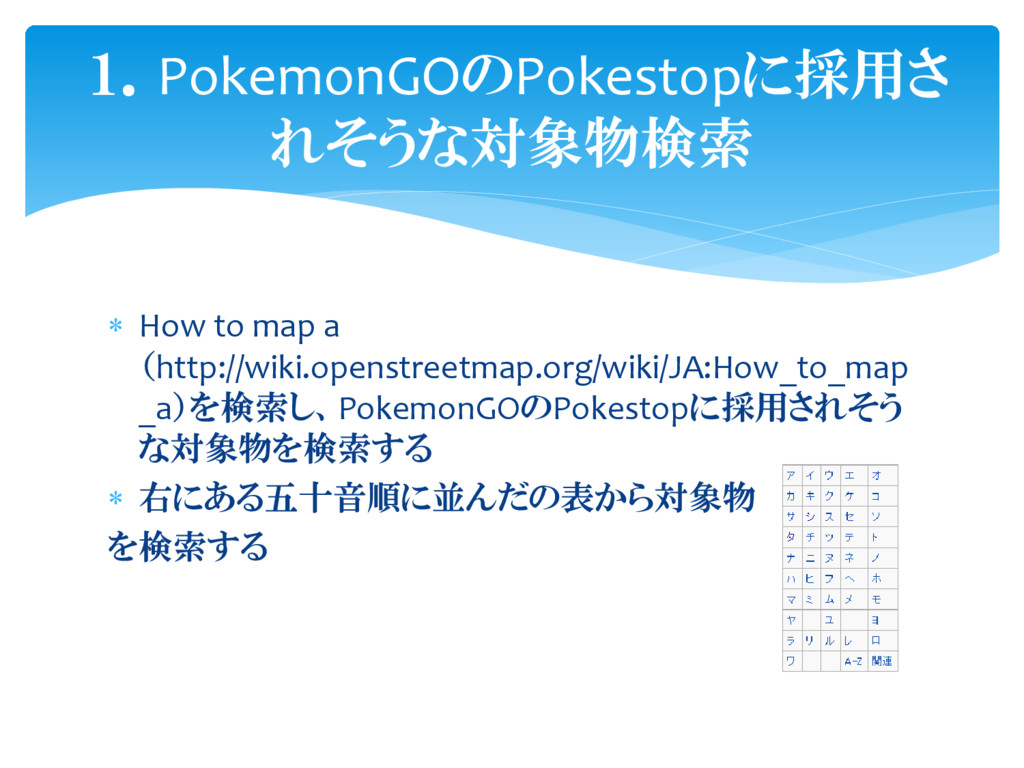
Pokestopに採用されそうな地物 の検索方法
How to map a (http://wiki.openstreetmap.org/wiki/JA:How_to_map _a)を検索し、PokemonGOのPokestopに採用されそう な対象物を検索する 右にある五十音順に並んだの表から対象物
を検索する 1.PokemonGOのPokestopに採用さ れそうな対象物検索
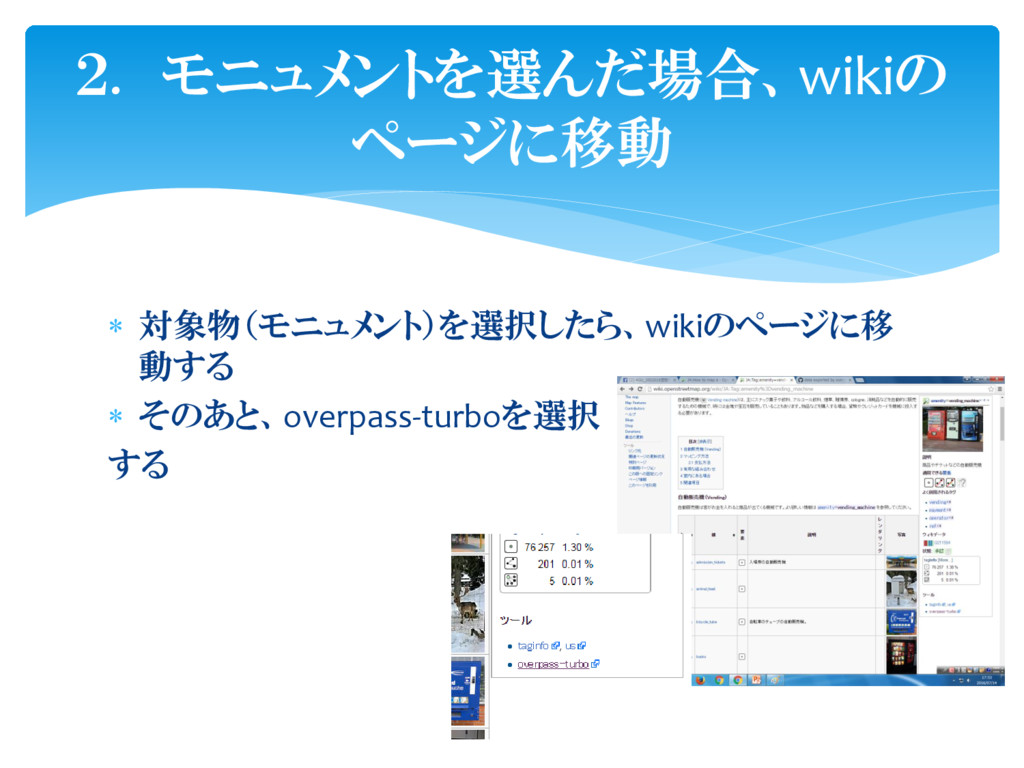
対象物(モニュメント)を選択したら、wikiのページに移 動する そのあと、overpass-turboを選択 する 2. モニュメントを選んだ場合、wikiの ページに移動
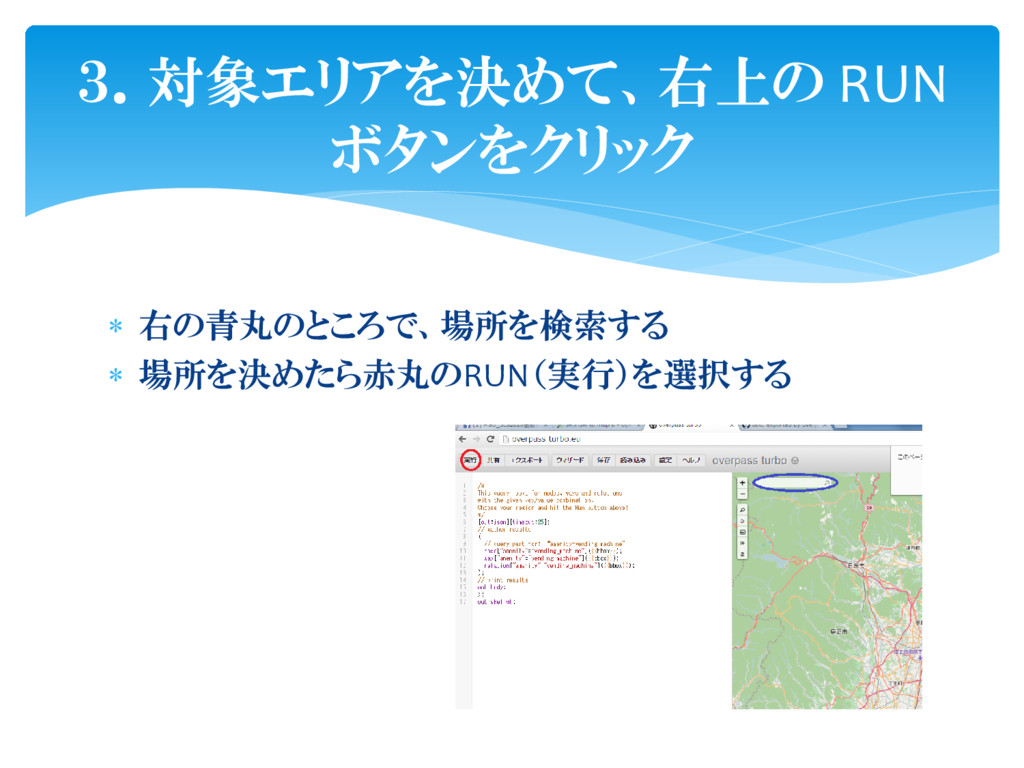
3.対象エリアを決めて、右上の RUN ボタンをクリック 右の青丸のところで、場所を検索する 場所を決めたら赤丸のRUN(実行)を選択する
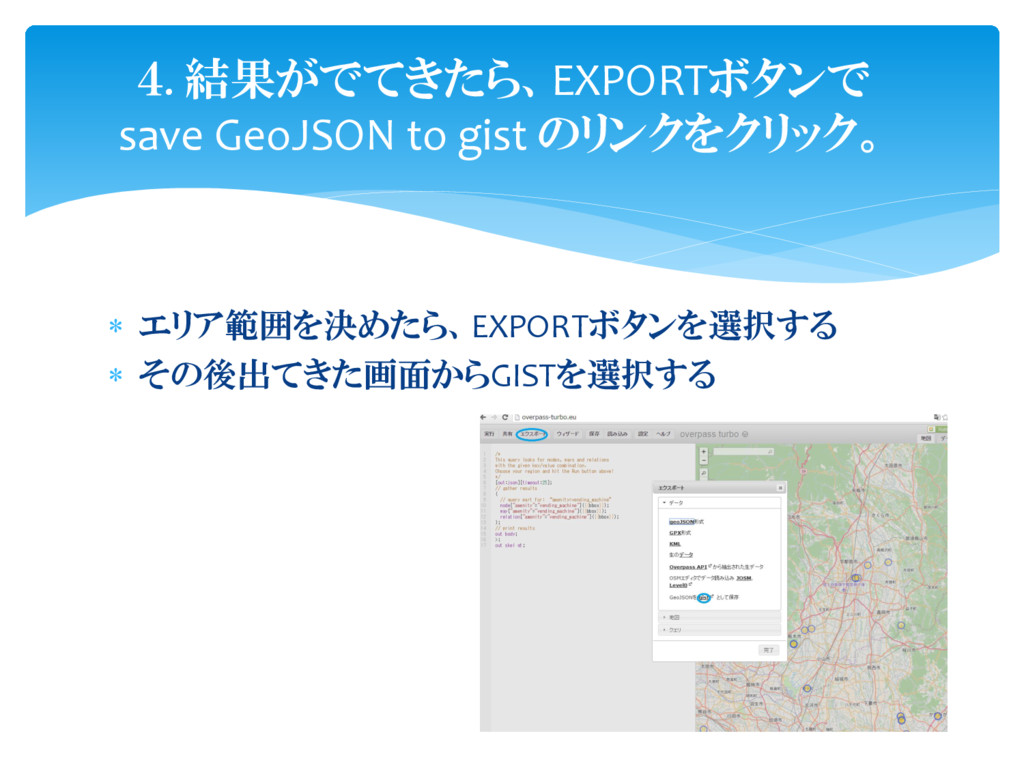
エリア範囲を決めたら、EXPORTボタンを選択する その後出てきた画面からGISTを選択する 4. 結果がでてきたら、EXPORTボタンで save GeoJSON to gist
のリンクをクリック。
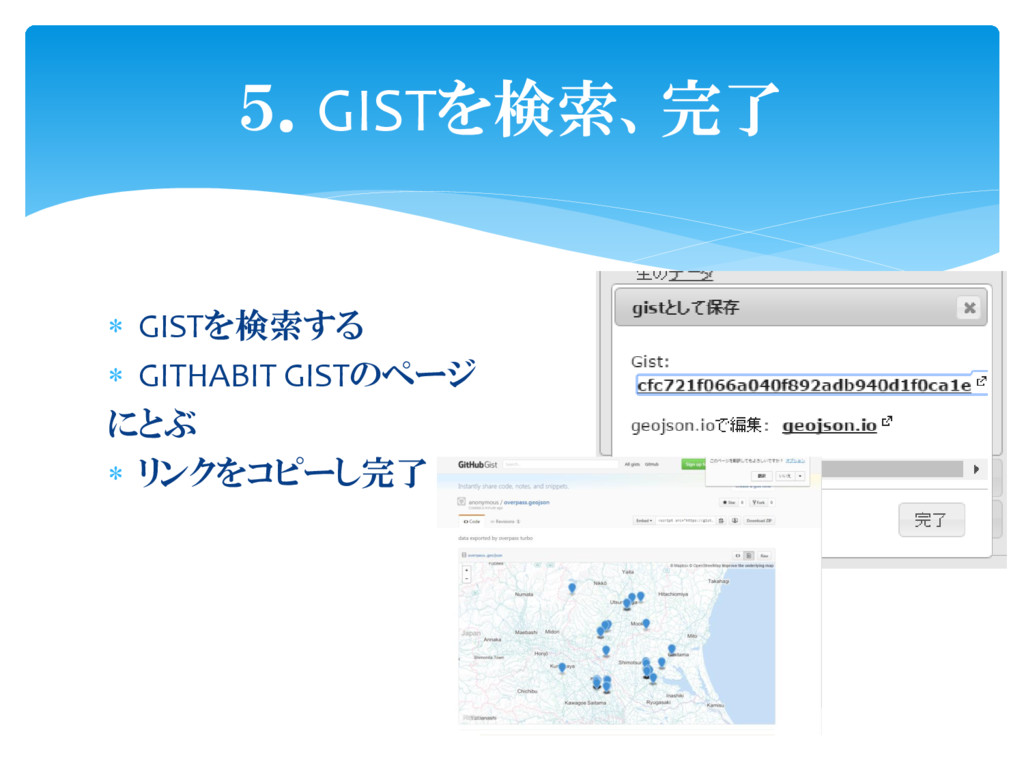
GISTを検索する GITHABIT GISTのページ にとぶ リンクをコピーし完了 5.GISTを検索、完了


 mei
mei
 nonsquared
 jakevdp
 katarinadahlin
 panda_program
 nikkihalliwell
 hatefulcrawdad
 techseoconnect
 tmiket
 letsgokoyo
 pwiseman
 aarron
 sarafernandez