Upgrade to Pro
— share decks privately, control downloads, hide ads and more …
Speaker Deck
Sign up for free
Menu
Search
Features
All features
Private URLs
Password Protection
Custom URLS
Scheduled publishing
Remove Branding
Restrict embedding
Deck Collections
Notes
Features
All features
Private URLs
Password Protection
Custom URLS
Scheduled publishing
Remove Branding
Restrict embedding
Deck Collections
Notes
Explore
Featured decks
Featured speakers
Programming
Technology
Storyboards
Explore
Featured decks
Featured speakers
Programming
Technology
Storyboards
Pricing
Search
Sign in
Sign up for free
Tasking Manager マニュアル
Search
wada moe
June 16, 2016
130
0
Share
Embed
Copy iframe code
Copy JS code
Copy link
Start on current slide
Tasking Manager マニュアル
wada moe
June 16, 2016
More Decks by wada moe
See All by wada moe
空間情報システムⅠマニュアル.pdf
moooe
0
35
Featured
See All Featured
実際に使うSQLの書き方 徹底解説 / pgcon21j-tutorial
soudai
PRO
203
77k
My Coaching Mixtape
mlcsv
0
360
CoffeeScript is Beautiful & I Never Want to Write Plain JavaScript Again
sstephenson
162
16k
The Illustrated Guide to Node.js - THAT Conference 2024
reverentgeek
1
570
Gemini Prompt Engineering: Practical Techniques for Tangible AI Outcomes
mfonobong
2
590
世界の人気アプリ100個を分析して見えたペイウォール設計の心得
akihiro_kokubo
PRO
74
43k
Side Projects
sachag
456
43k
Google's AI Overviews - The New Search
badams
0
1.6k
The Power of CSS Pseudo Elements
geoffreycrofte
82
6.6k
Un-Boring Meetings
codingconduct
0
460
Refactoring Trust on Your Teams (GOTO; Chicago 2020)
rmw
35
3.8k
Agile that works and the tools we love
rasmusluckow
331
22k
Transcript
Tasking Manager マニュアル
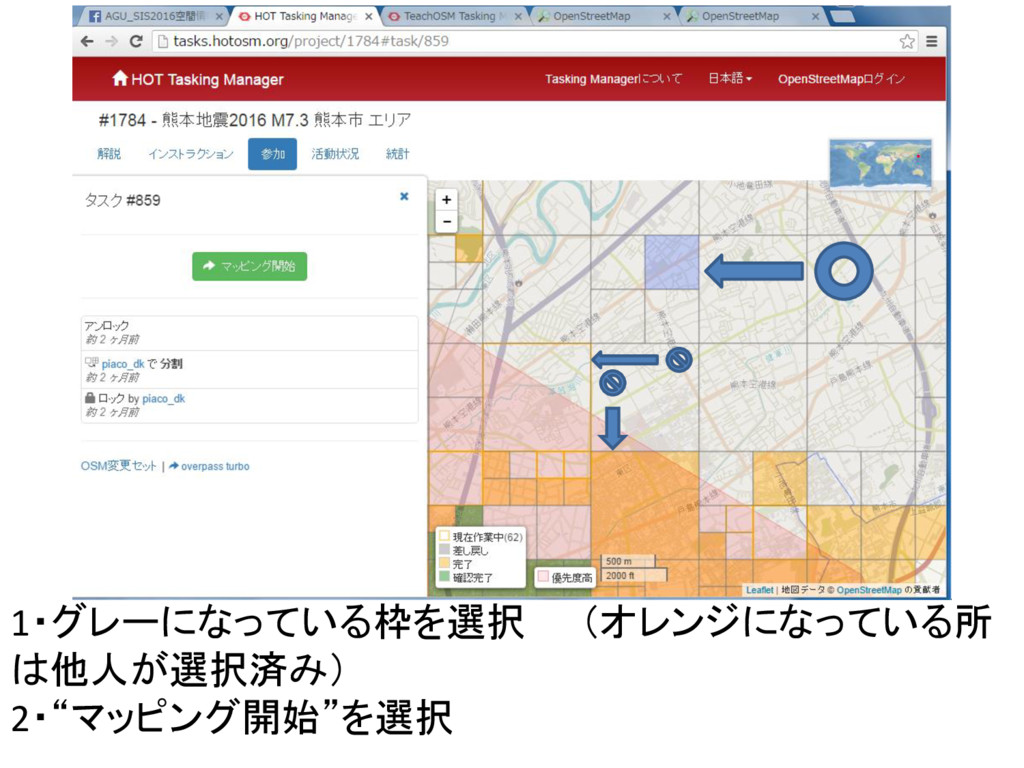
1・グレーになっている枠を選択 (オレンジになっている所 は他人が選択済み) 2・“マッピング開始”を選択
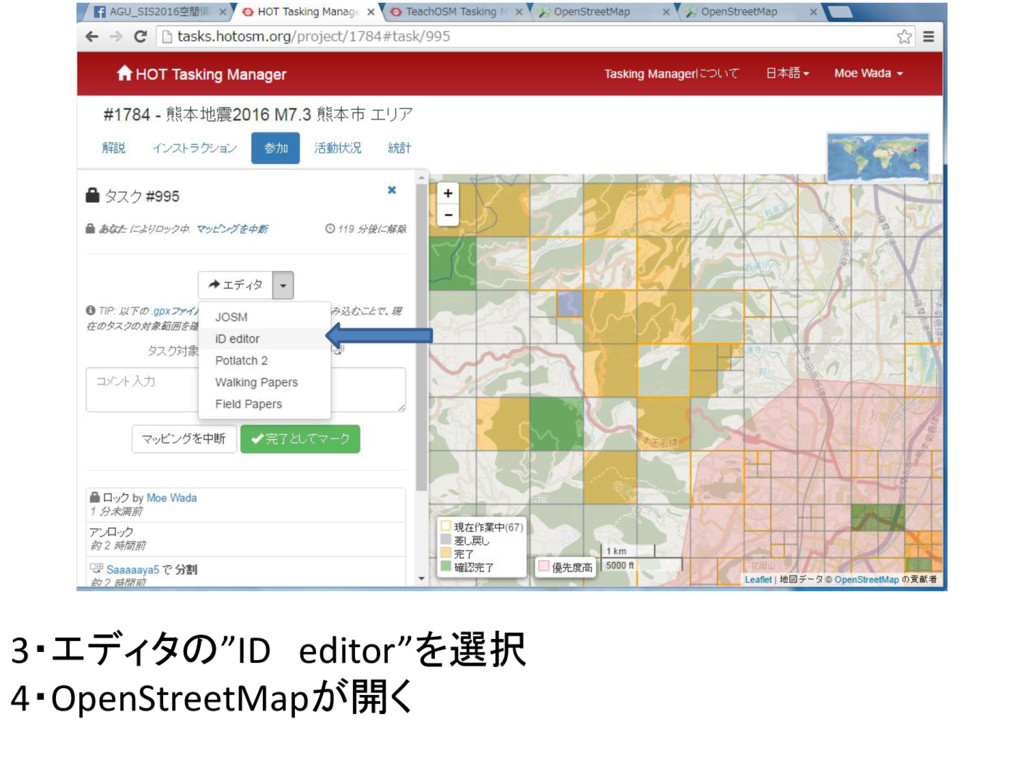
3・エディタの”ID editor”を選択 4・OpenStreetMapが開く
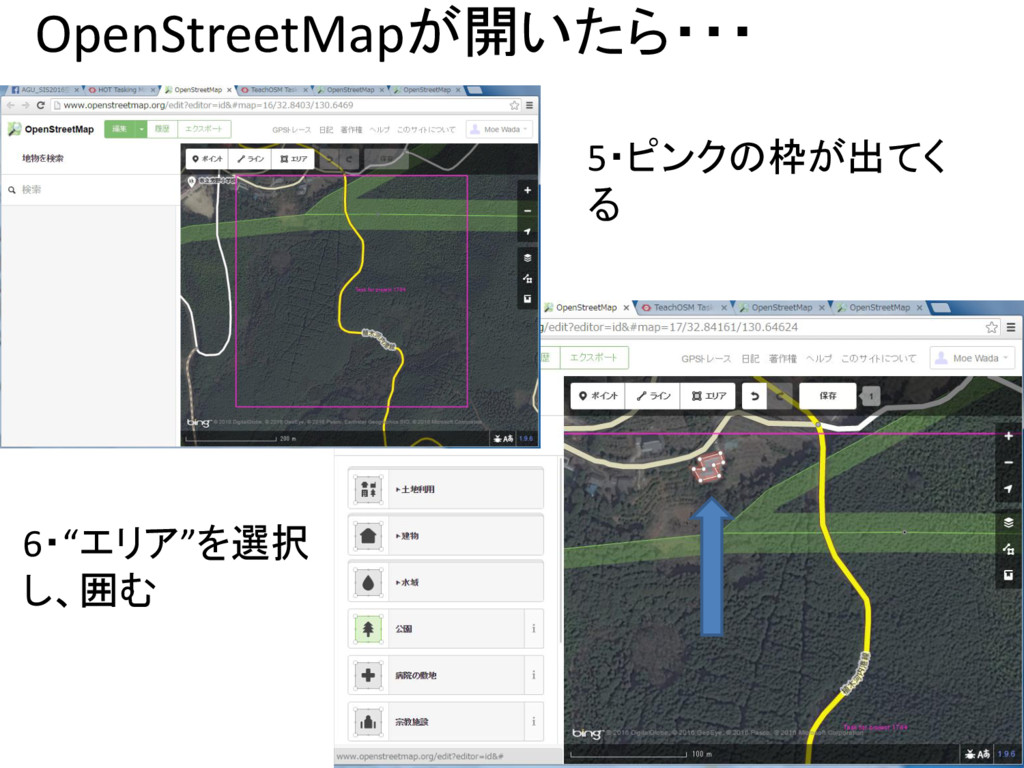
OpenStreetMapが開いたら・・・ 5・ピンクの枠が出てく る 6・“エリア”を選択 し、囲む
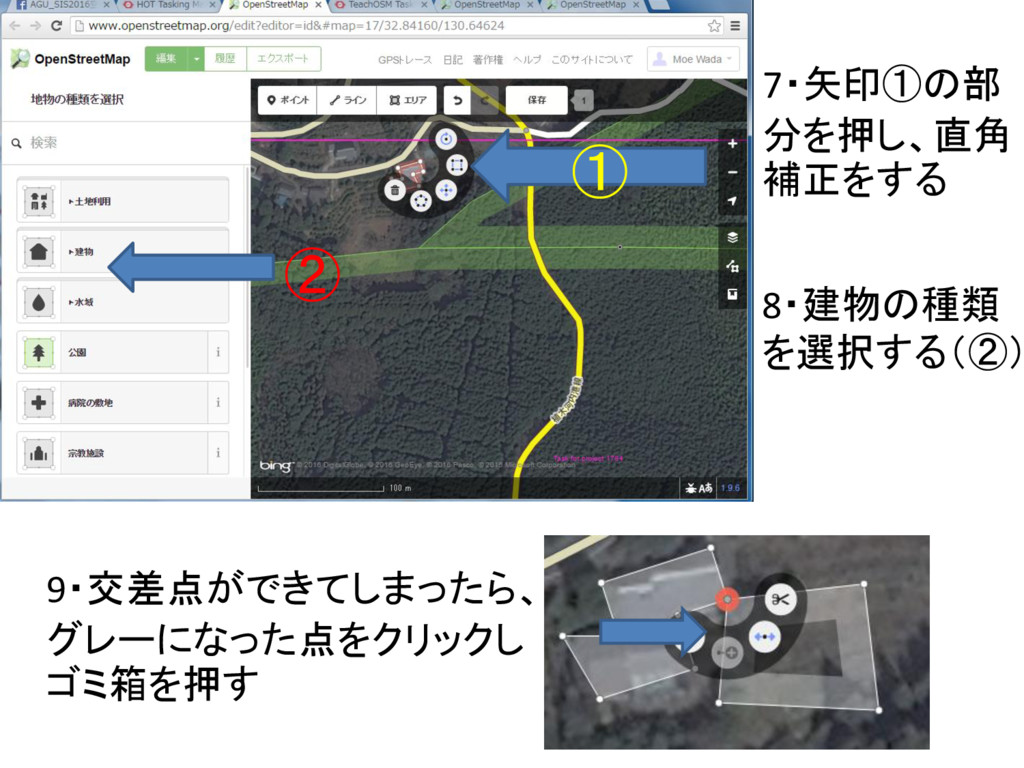
7・矢印①の部 分を押し、直角 補正をする 9・交差点ができてしまったら、 グレーになった点をクリックし ゴミ箱を押す 8・建物の種類 を選択する(②) ① ②
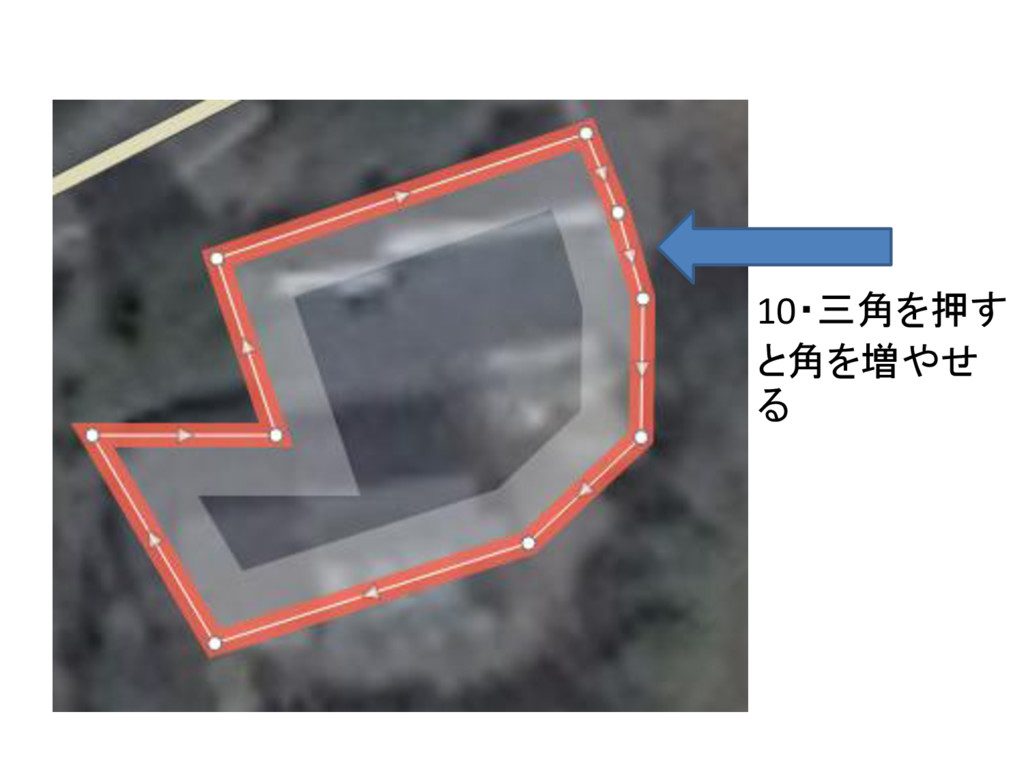
10・三角を押す と角を増やせ る
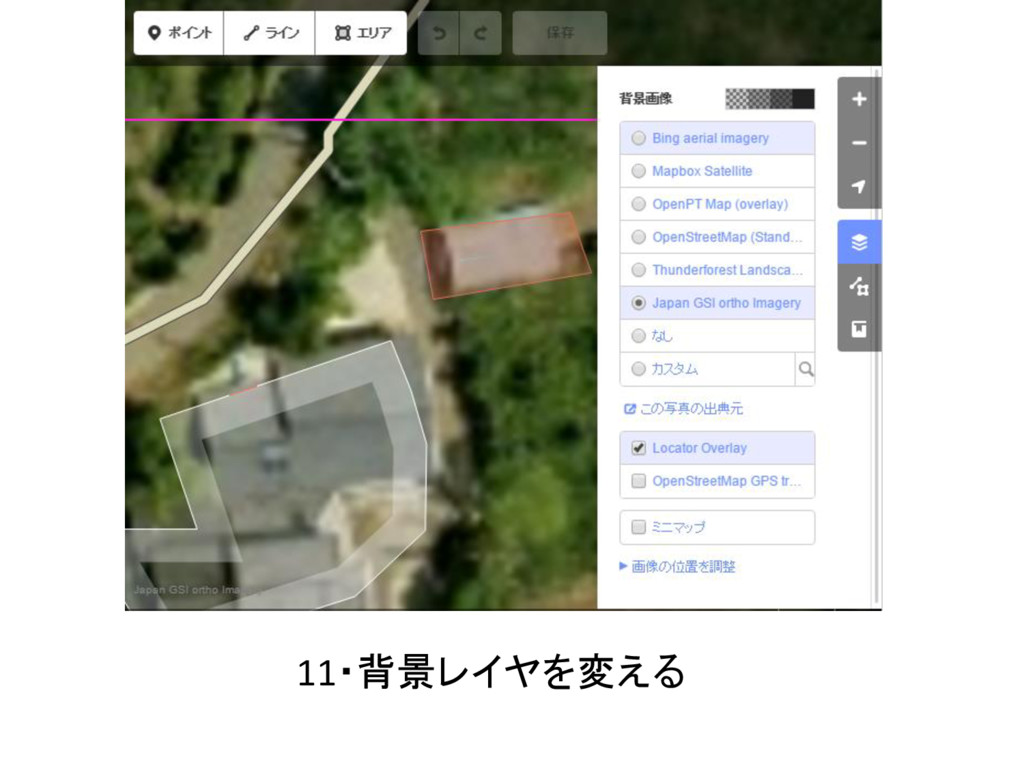
11・背景レイヤを変える
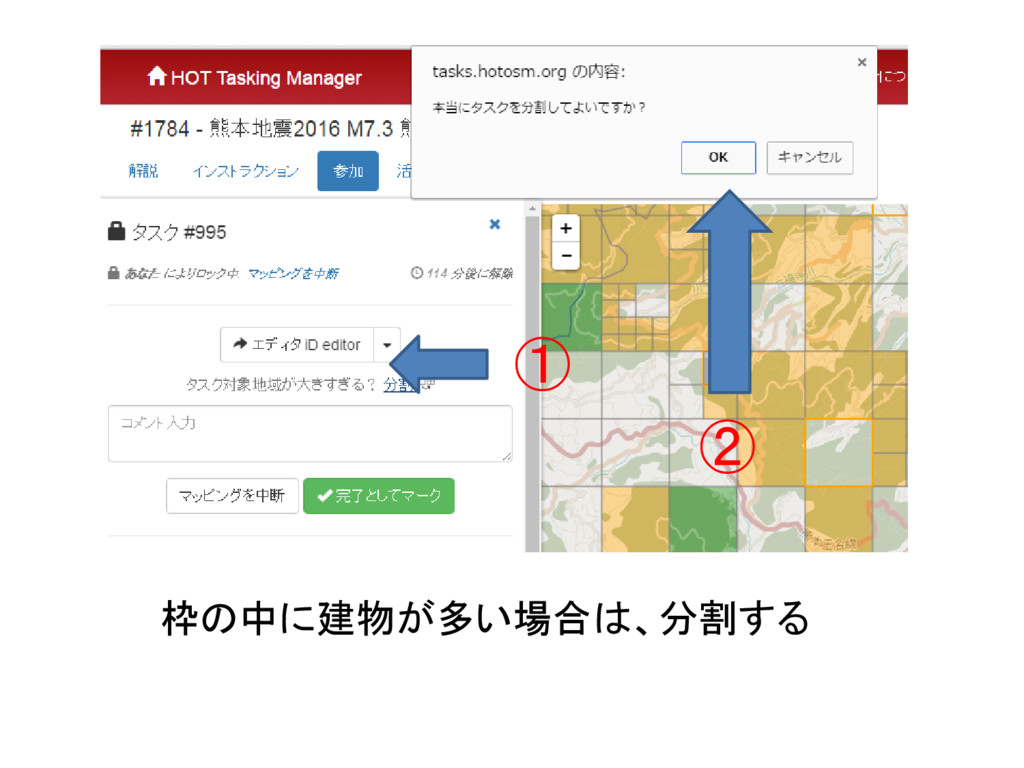
① ② 枠の中に建物が多い場合は、分割する
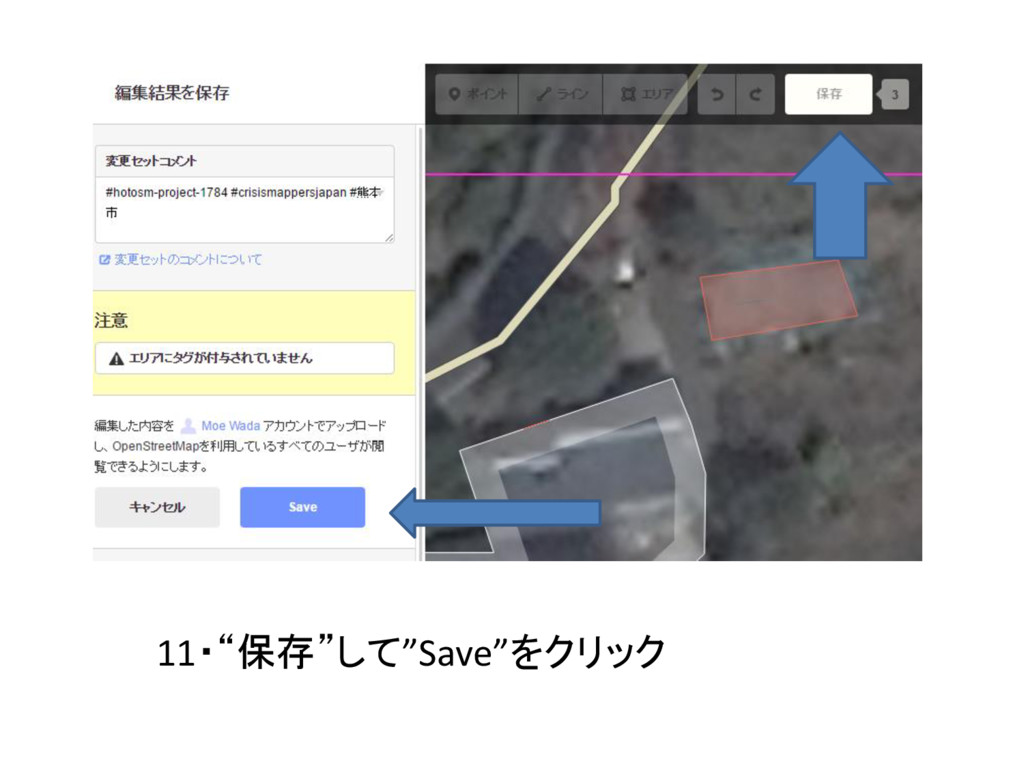
11・“保存”して”Save”をクリック
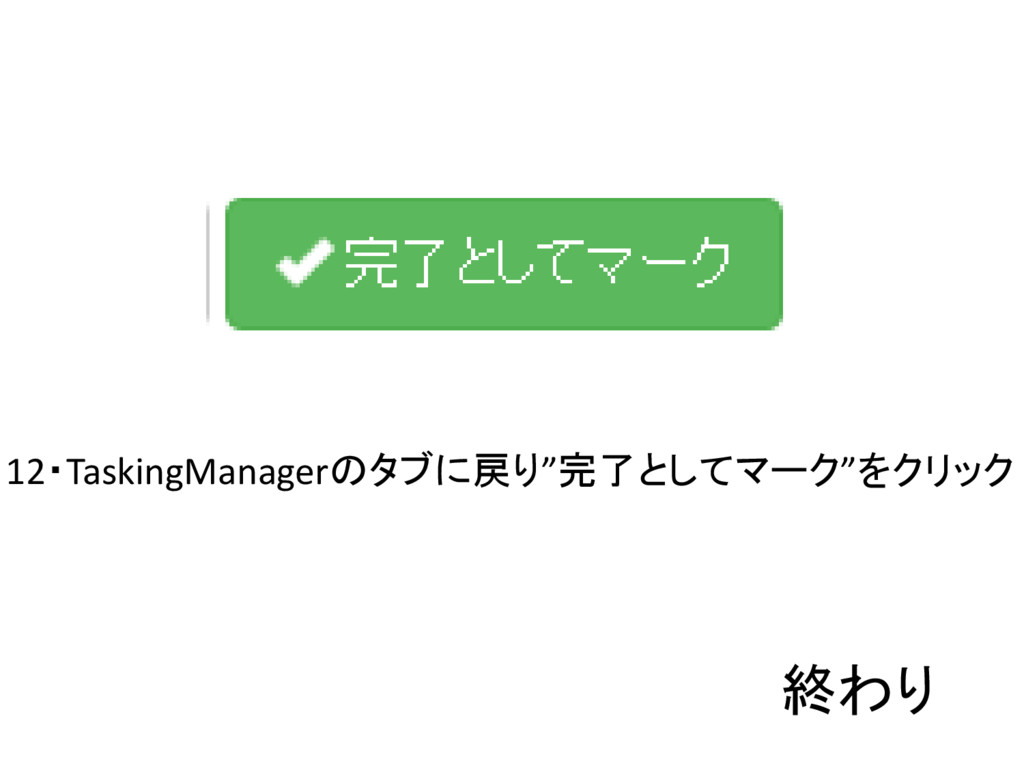
12・TaskingManagerのタブに戻り”完了としてマーク”をクリック 終わり


 moooe
moooe
 soudai
 mlcsv
mlcsv
 sstephenson
 reverentgeek
 mfonobong
 akihiro_kokubo
 sachag
 badams
 geoffreycrofte
 codingconduct
 rmw
rmw
 rasmusluckow